How to open Dell Latitude 7450 – disassembly and upgrade options
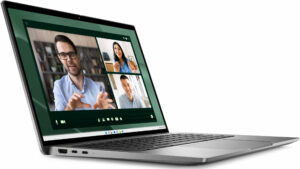
Opening the Device
Hint: Ensure the laptop is powered off and disconnected from any power source before starting.
- Undo the eight captive Phillips-head screws on the bottom panel of the laptop.
- Use a lever tool to pop the zones behind the hinges.
- Start your prying process from the top left corner and work your way around the device.
- Before fully lifting the panel away, ensure you disconnect the LED strip ribbon cables.
- Carefully remove the back panel to expose the internal components.
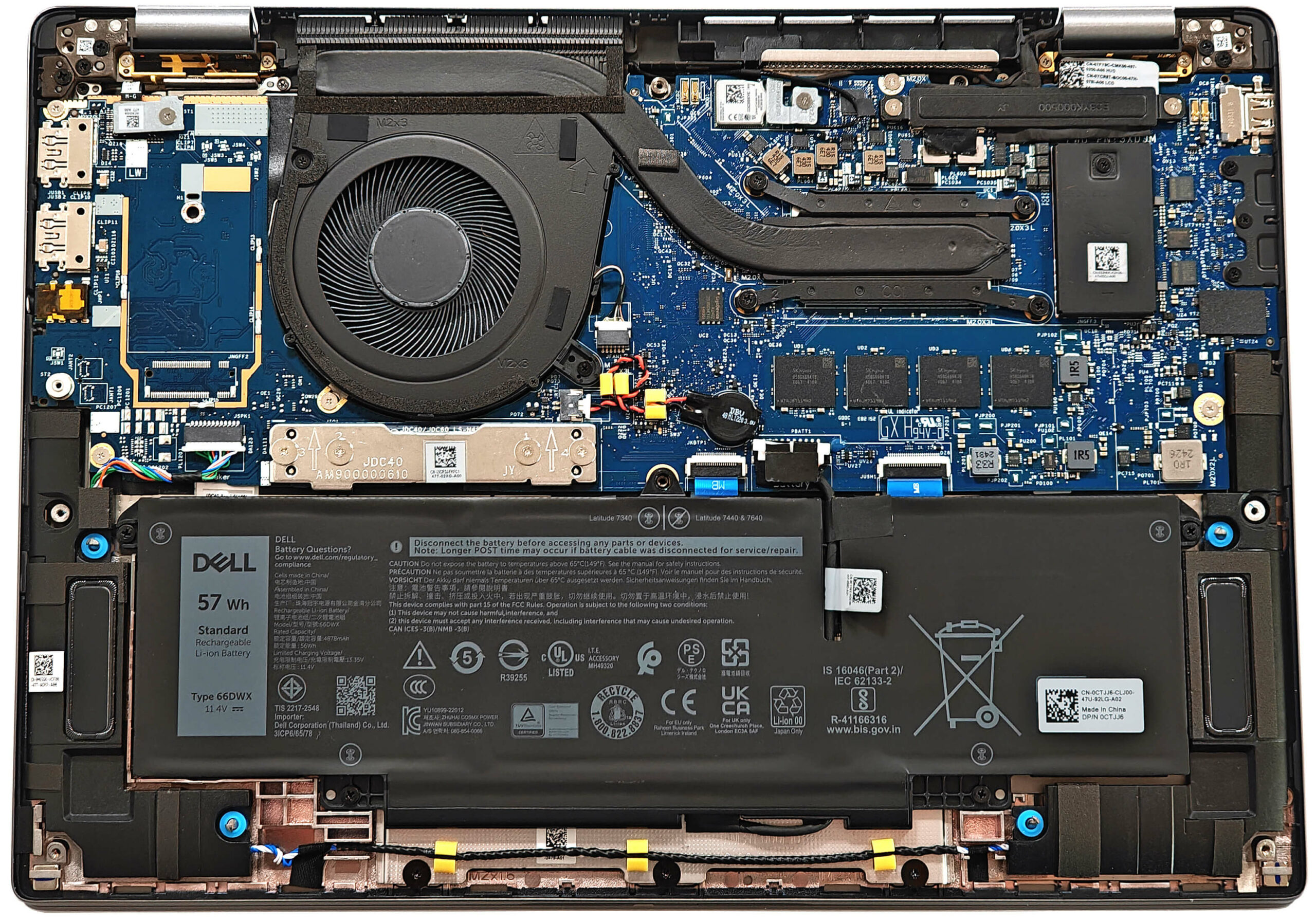
More info: The inside of the bottom plate features a rubberized-like material that protects the battery from scratches and includes three dust filters for the fans, ensuring optimal airflow and protection against debris.
Battery Removal
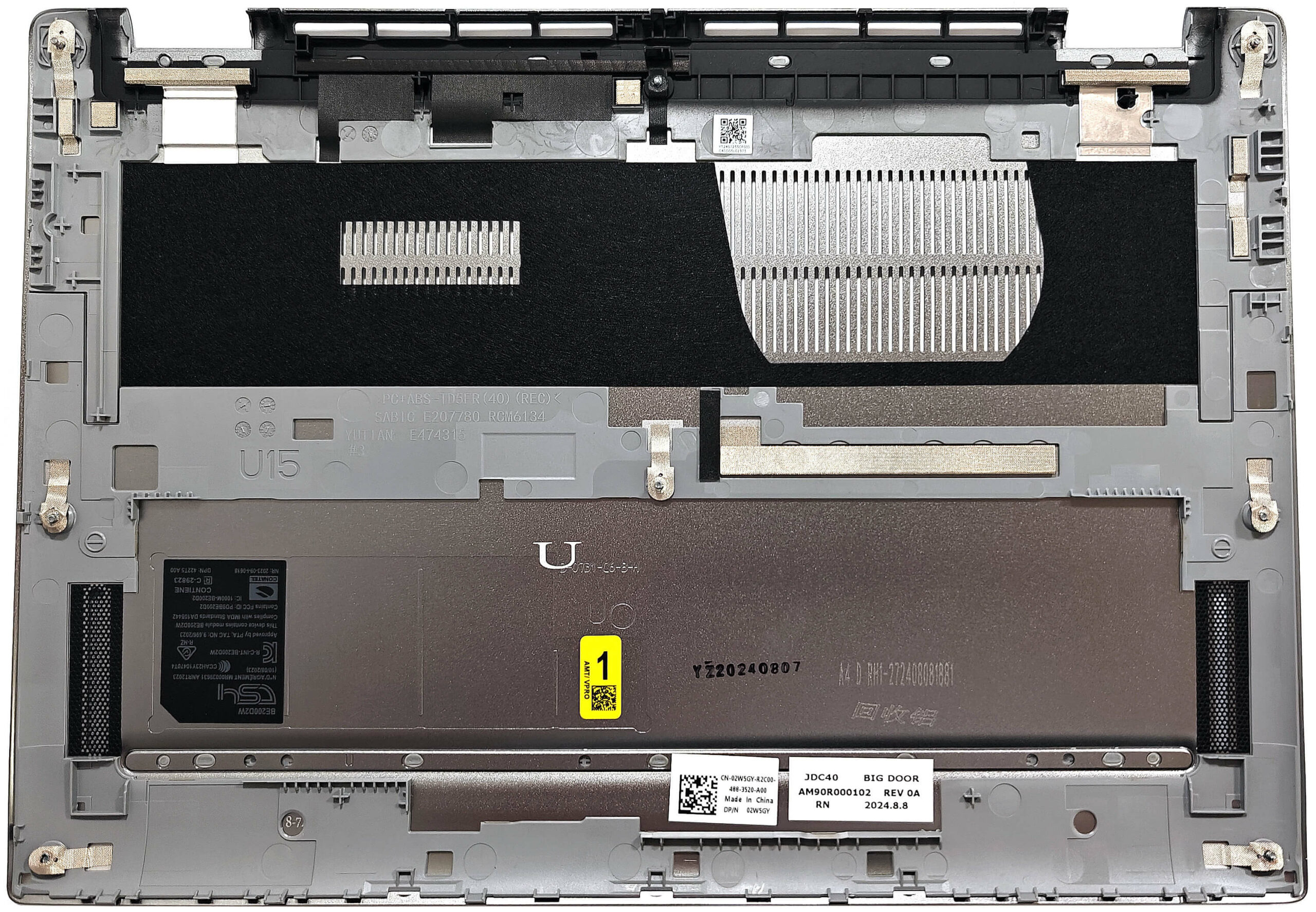
Caution: Handle the battery with care to avoid damage or injury. The touchpad is positioned right below the battery, so extra caution is needed during removal.
- Pull up the battery connector from the mainboard.
- Undo the four Phillips-head screws that secure the 57Wh or 38Wh battery unit to the chassis.
- Carefully unglue the battery unit starting from the left side. The double-sided tape on both sides is very sticky, so pull hard without bending the battery.
- Detach the battery from the laptop.
More info: The laptop is equipped with an optional 57Wh battery and a default 38Wh variant, providing around 11 hours of video playback.
You can buy compatible batteries here: Buy from Flipkart.com
Memory Upgrade
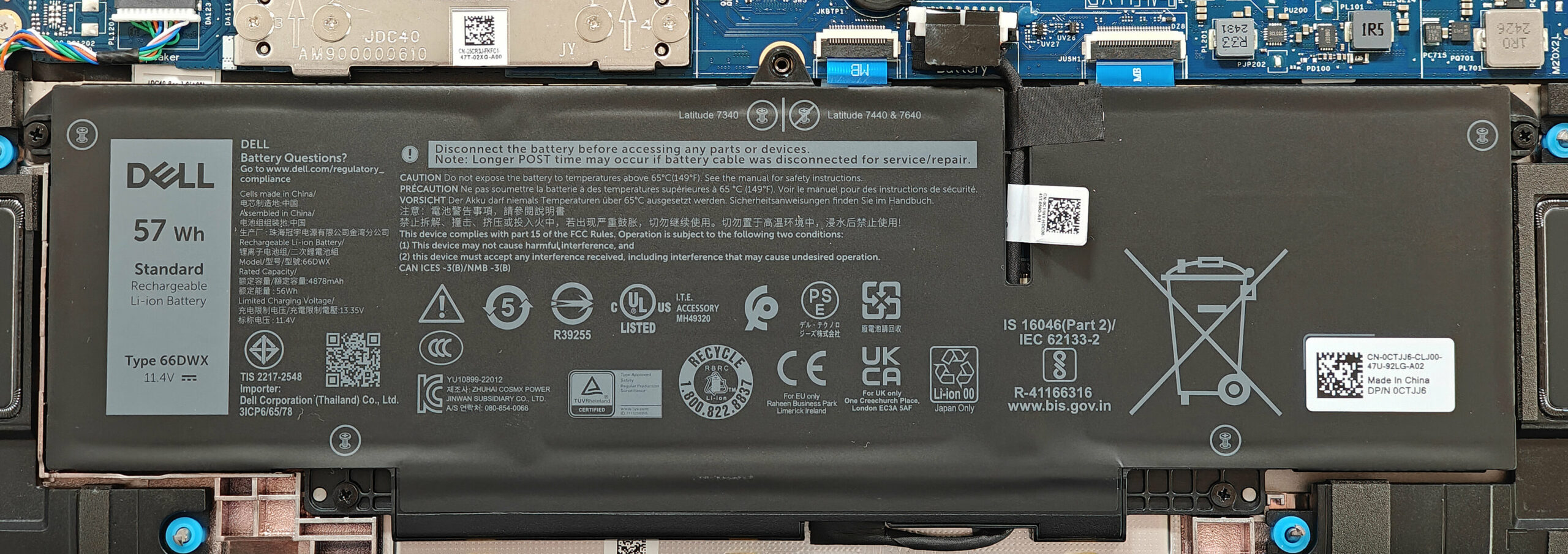
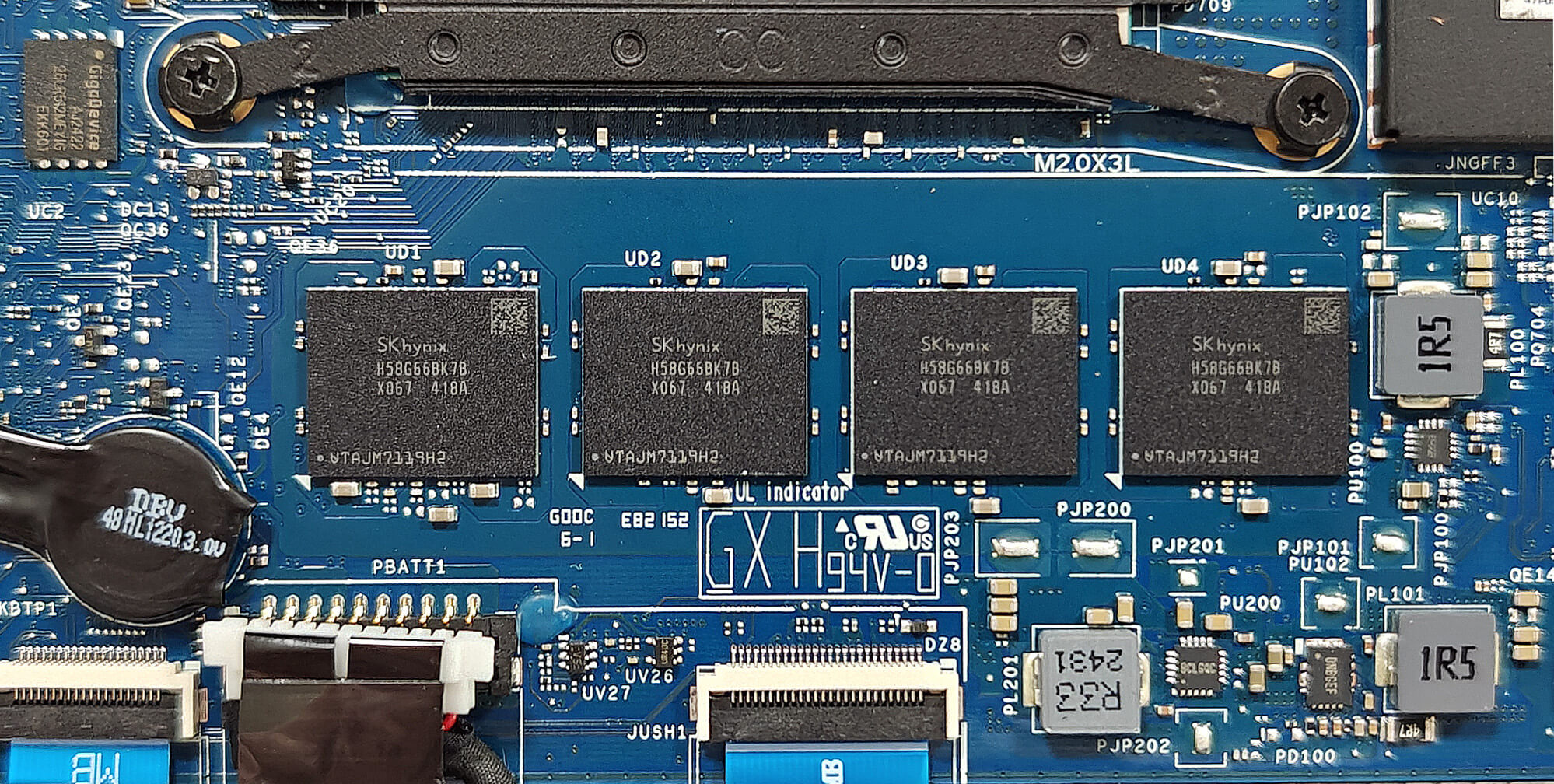
Note: The memory is soldered and not user-upgradable.
More info: This laptop comes with up to 64GB of LPDDR5x-6400MHz memory in dual-channel mode, providing a future-proof memory capacity. However, the lack of SODIMM slots means the RAM cannot be upgraded.
Storage Upgrade
Hint: Handle the SSD with care to avoid any data loss or damage during installation.
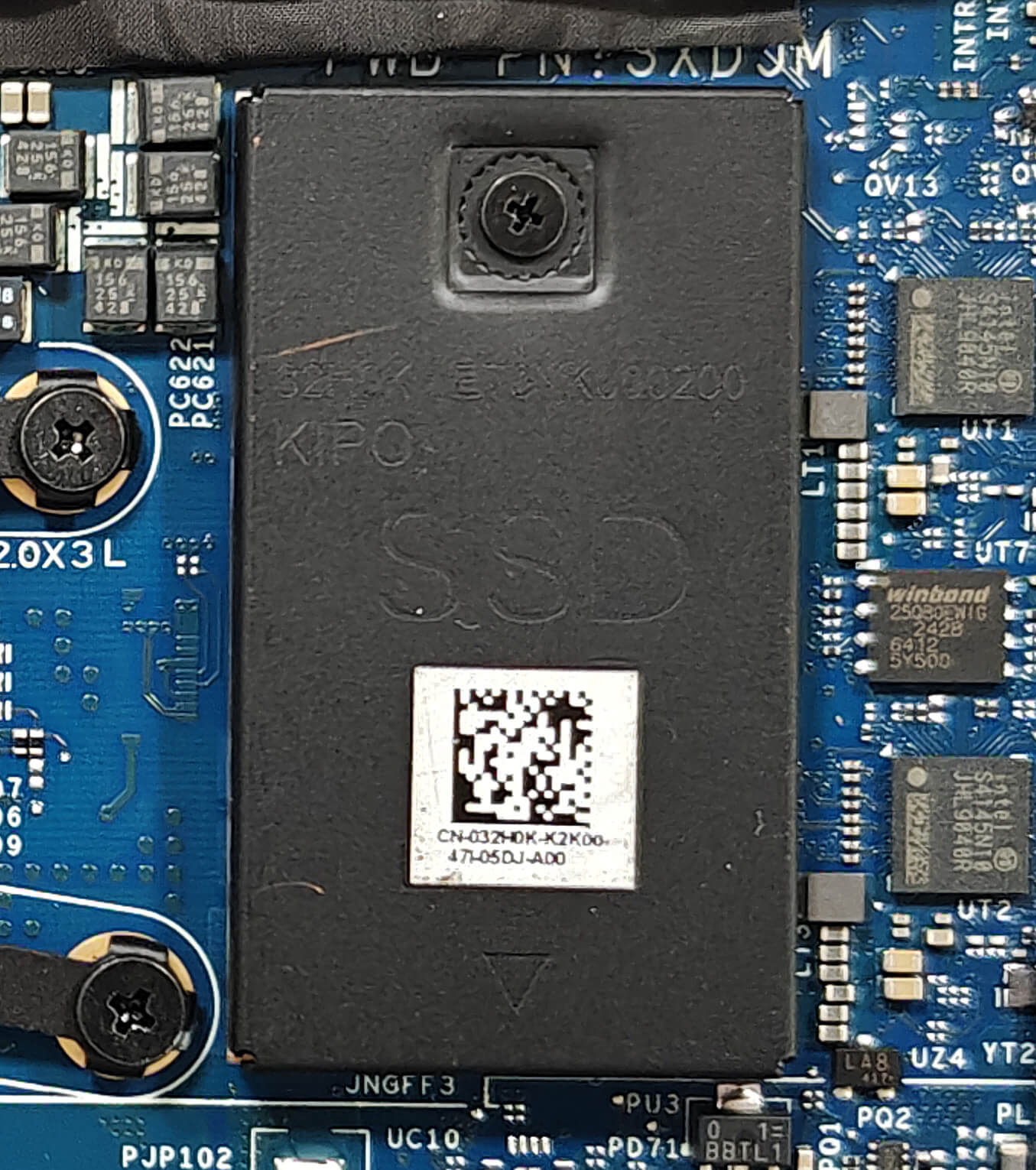
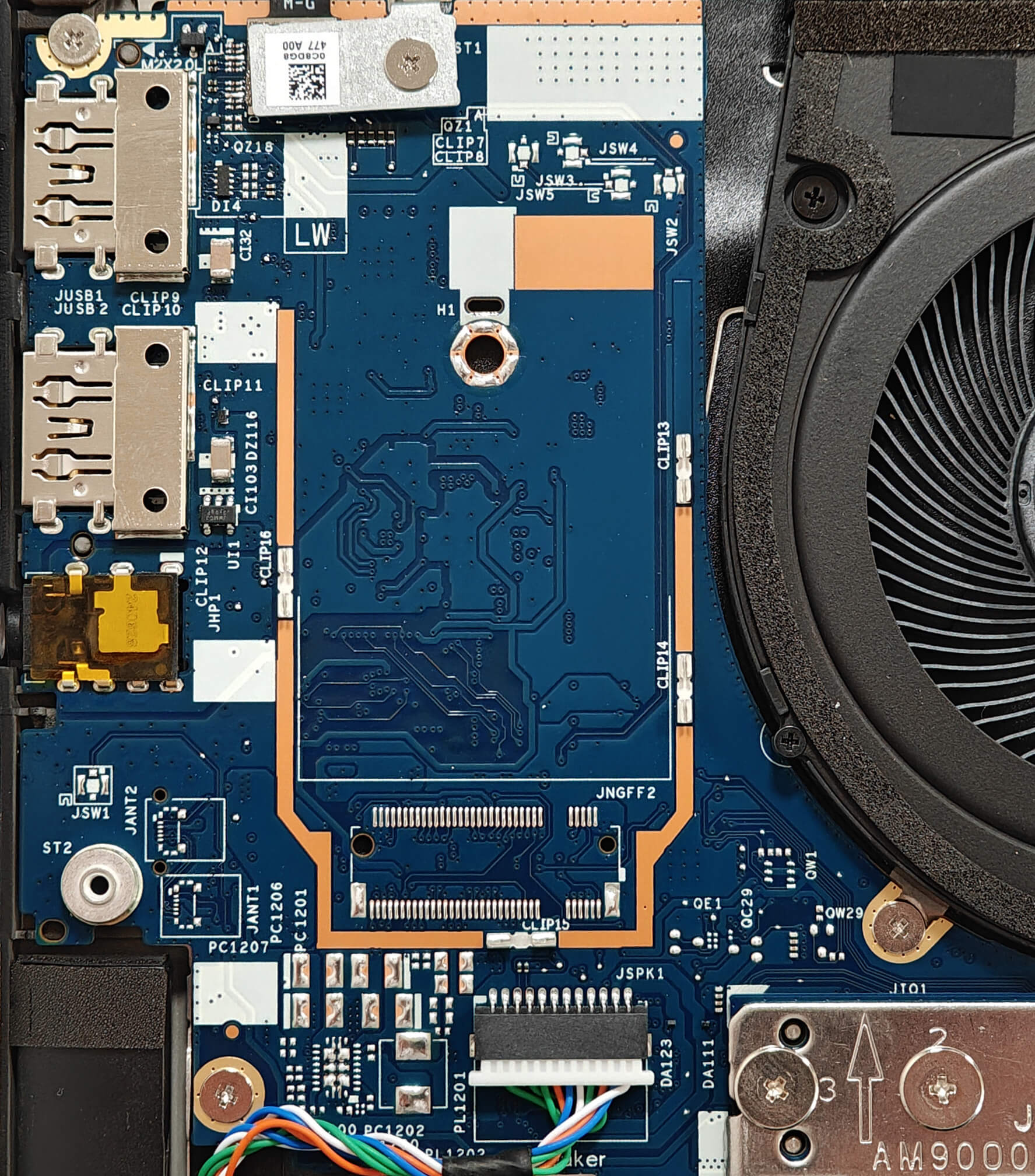
- Locate the SSD covered with a metal shield held by a single screw.
- Undo the single Phillips-head screw to remove the metal shield.
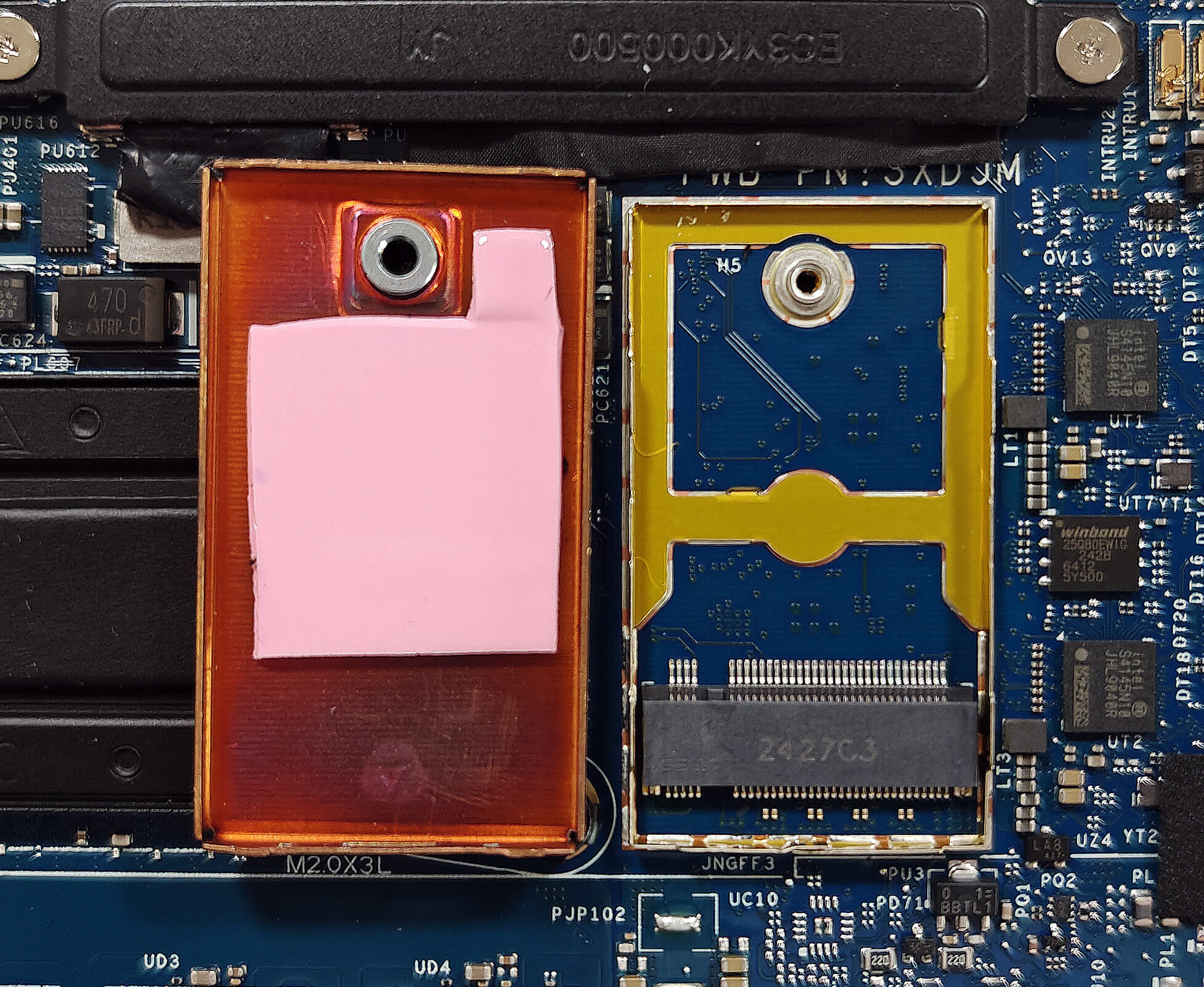
- Slide the shield to the left and lift it away from the chassis.
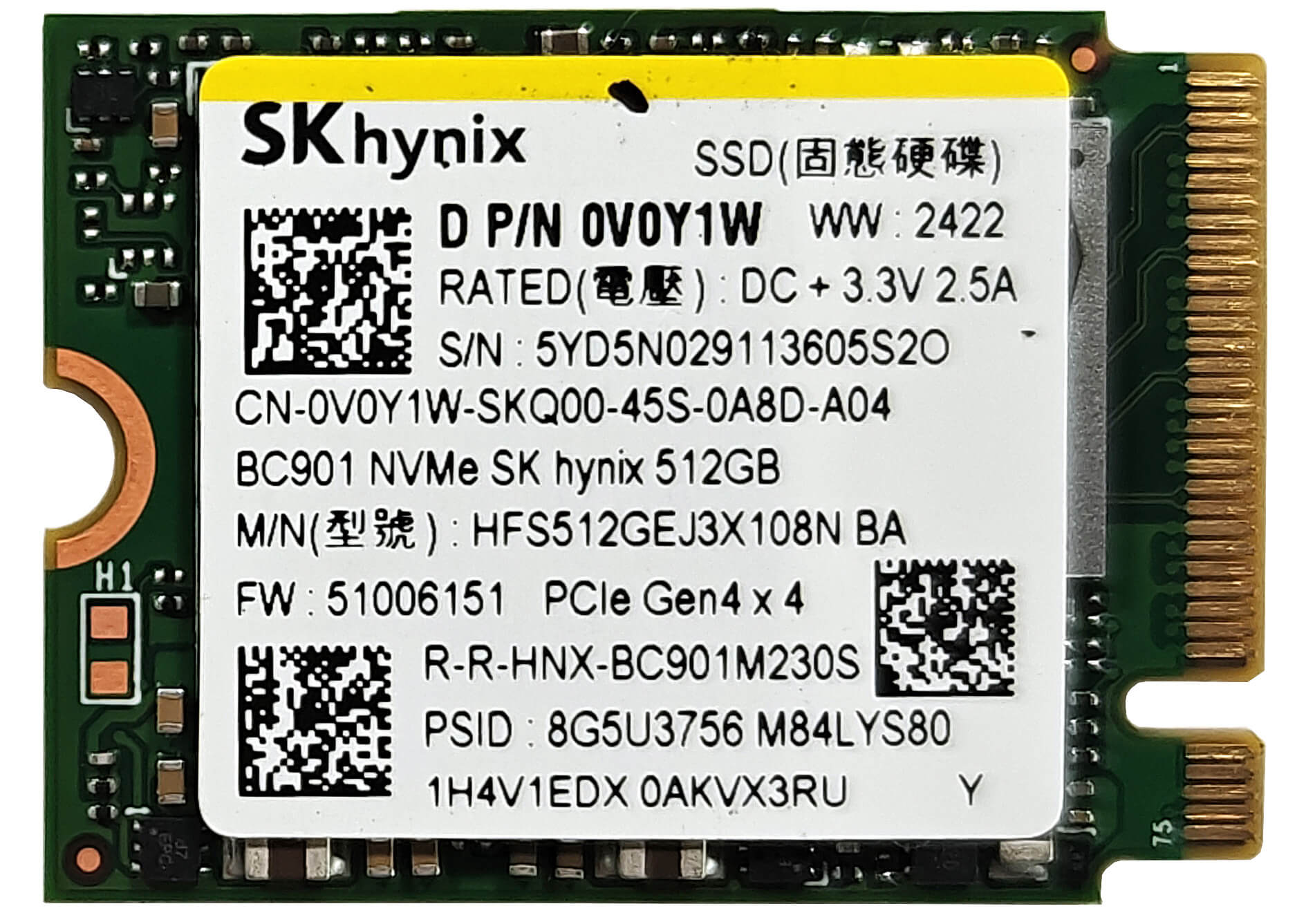
- Insert the new Gen 4 M.2 NVMe SSD into the slot and secure it with the screw.
More info: The laptop includes one M.2 slot compatible with 2230 Gen 4 NVMe drives. The preinstalled SSD is cooled by a thermal pad underneath the metal shield.
Hint: Don’t forget to check out our Top M.2 SSDs Performance Rankings for insights on the best storage options available.
You can buy compatible SSDs here: Buy from Flipkart.com
Wi-Fi Card
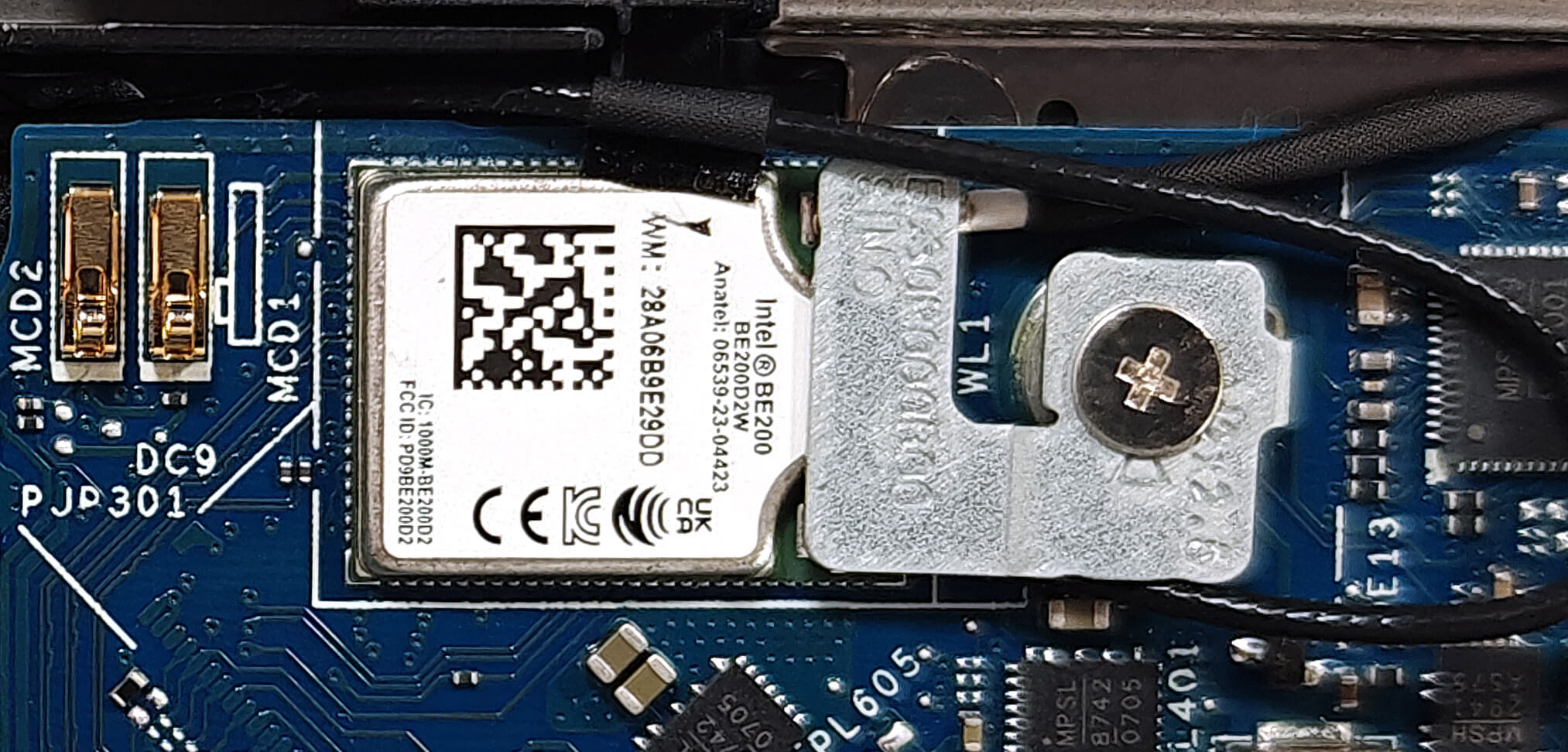
More Info: The soldered Wi-Fi 7 card can be seen on top of the heat spreader. The WWAN slot on the left of the fan is for optional 4G or 5G connectivity. It’s visible that our device lacks this kind of functionality since the slot is missing.
Cooling System Overview
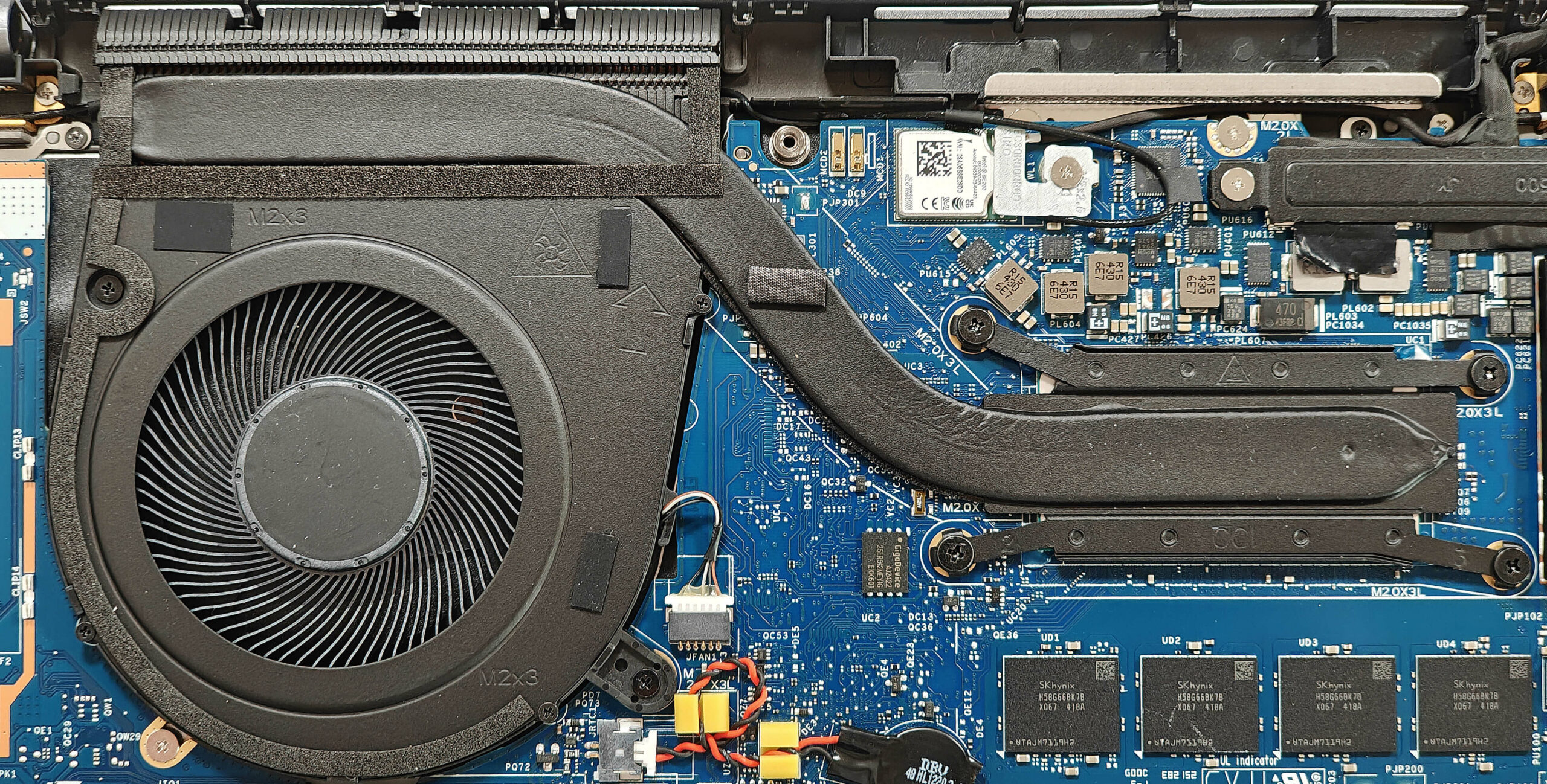
More info: The cooling system comprises one large fan, a decently long heat pipe, a top-mounted heat sink, and a heat spreader, ensuring effective thermal management.
- Inspect the single sizable fan to ensure it is free of dust and debris.
- Check the decently long heat pipe for any signs of wear or damage.
- Verify that the top-mounted heat sink is properly seated and unobstructed.
- Ensure that the heat spreader is securely in place to maintain optimal cooling performance.
Dell Latitude 14 7450 गहन समीक्षा
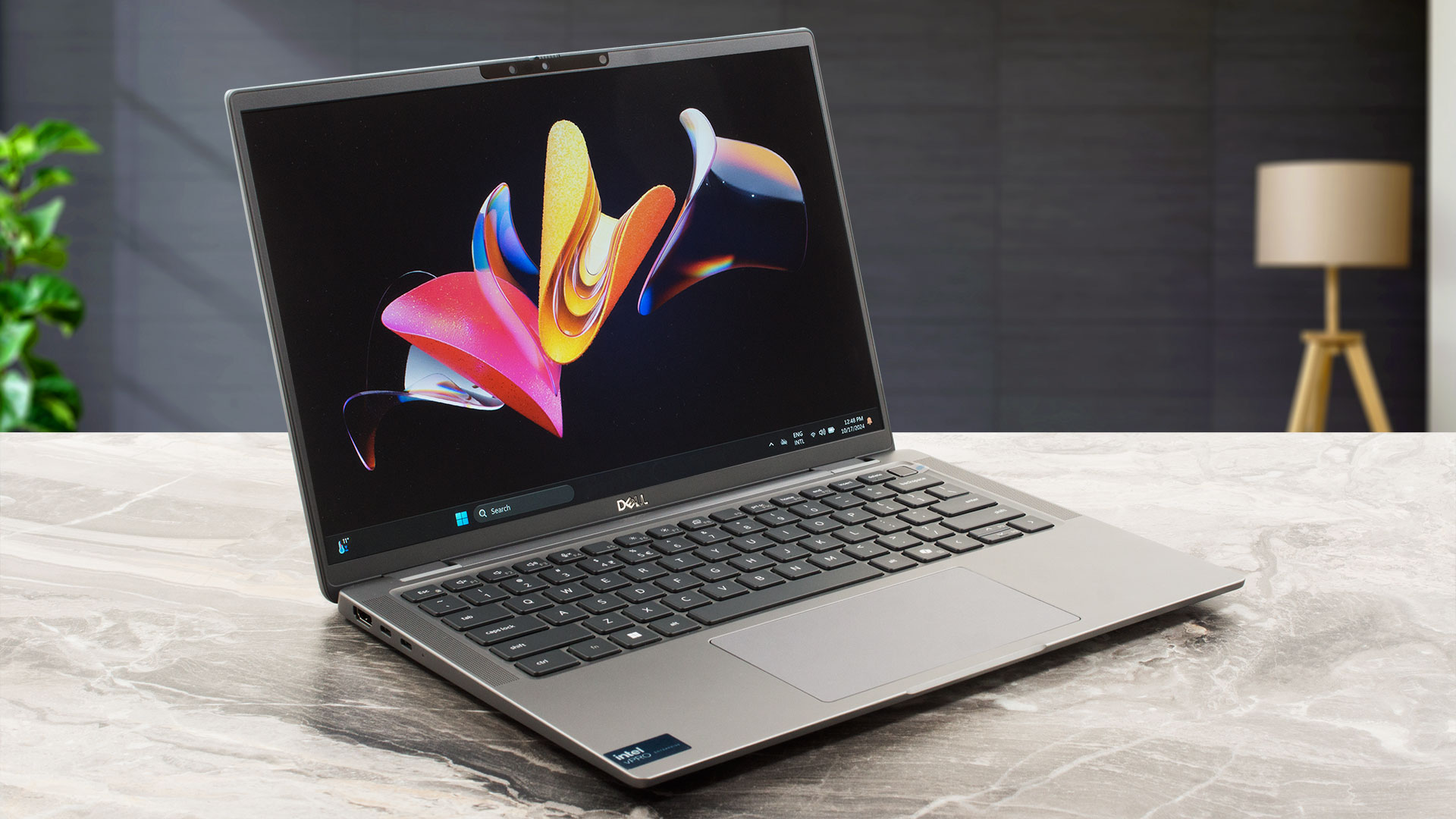
The Dell Latitude 7450 is available in Mainstream, Ultralight, and 2-in-1 configurations. We bought the former with a Core Ultra 7 165U, 32GB LPDDR5x RAM, and a 1200p IPS screen. It has enough power for daily or office tasks and even light gaming. As we already hinted, this machine is offered with 15W Intel Meteor Lake-U or 28W H-series processors. The upgradability may be limited but on the other hand, that's a feature-rich machine since it has a good port selection, a 4-speaker audio setup, and the latest Wi-Fi 7 + Bluetooth 5.4 connectivity.You get a choice of four 60Hz 16:10 displays -[...]
पक्ष
- The fan isn't noisy in "Ultra Performance" mode
- Solid built quality
- Great input devices
- No PWM (BOE0A2A)
- Wide viewing angles (BOE0A2A)
- 299 nits of max brightness (BOE0A2A)
- 4x USB ports
- Long battery life (~ 11 hours of videos)
- Privacy shutter
- Fingerprint reader, NanoSIM slot, IR Web camera, NFC, and SmartCard reader (all are optional)
- The CPU can sustain 3.24 GHz / 2.71 GHz P and E-core clock in long loads
- Great "Optimized" mode ~ 2.65 GHz / 2.25 GHz P and E-core frequency in long CPU stress alongside quiet fan
- Up to 64GB LPDDR5x RAM
- Good comfort during max CPU loads
- Fast 2230 SSD (512GB SK Hynix BC901)
- Wi-Fi 7 + Bluetooth 5.4
- Good sound quality
विपक्ष
- Just one M.2 slot + soldered memory
- Tons of optional goodies
- Low sRGB coverage (BOE0A2A)
- No high refresh rate display options
 Author: Dimitar Stalev

![[June 2026] Best-Selling Laptop Brands on Amazon Global – Apple’s Unrivaled Dominance in Units and Revenue](https://laptopmedia.com/wp-content/uploads/2026/07/GLOBAL-Best-Brands-400x225.jpg)
![[June 2026] Amazon Global: Top 10 Best-Selling Laptops – Apple’s New MacBook Neo Storms to #1, Reshaping the Market with Affordability](https://laptopmedia.com/wp-content/uploads/2026/07/Best-Selling-Laptops-GLOBAL-Top-10-400x225.jpg)
![[June 2026] Amazon Global: Top 10 Best-Selling Gaming Laptops – Acer’s Nitro V 16S AI Dominates Sales, While ASUS Leads Overall Revenue](https://laptopmedia.com/wp-content/uploads/2026/07/Best-Selling-Gaming-Laptops-GLOBAL-Top-10-400x225.jpg)
![[June 2026] Global Ranking of Best-Selling Laptop GPUs on Amazon – NVIDIA RTX 5060 is the Top-Selling Dedicated GPU](https://laptopmedia.com/wp-content/uploads/2026/07/Best-Selling-GPUs-GLOBAL-Top-10-400x225.jpg)
![[June 2026] Global Ranking of Best-Selling Laptop CPUs on Amazon – Apple M5 Dominates, AMD Ryzen 7 260 Gets Solid Premium Share](https://laptopmedia.com/wp-content/uploads/2026/07/Best-Selling-CPUs-GLOBAL-Top-10-400x225.jpg)
