How to open HP EliteBook 1040 G9 – disassembly and upgrade options
Accessing this laptop’s internals is extremely easy. Moreover, the upgrade options are on point, making this a notebook for the future.
Check out all HP EliteBook 1040 G9 prices and configurations in our Specs System, or read more in our In-Depth review.
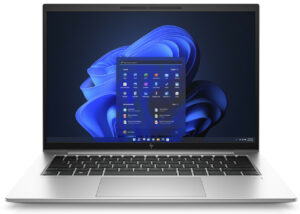
1. Remove the bottom plate
To get inside this notebook, you need to undo a total of 5 captive Phillips-head screws. Then, pry the bottom panel with a plastic tool, starting from the back.
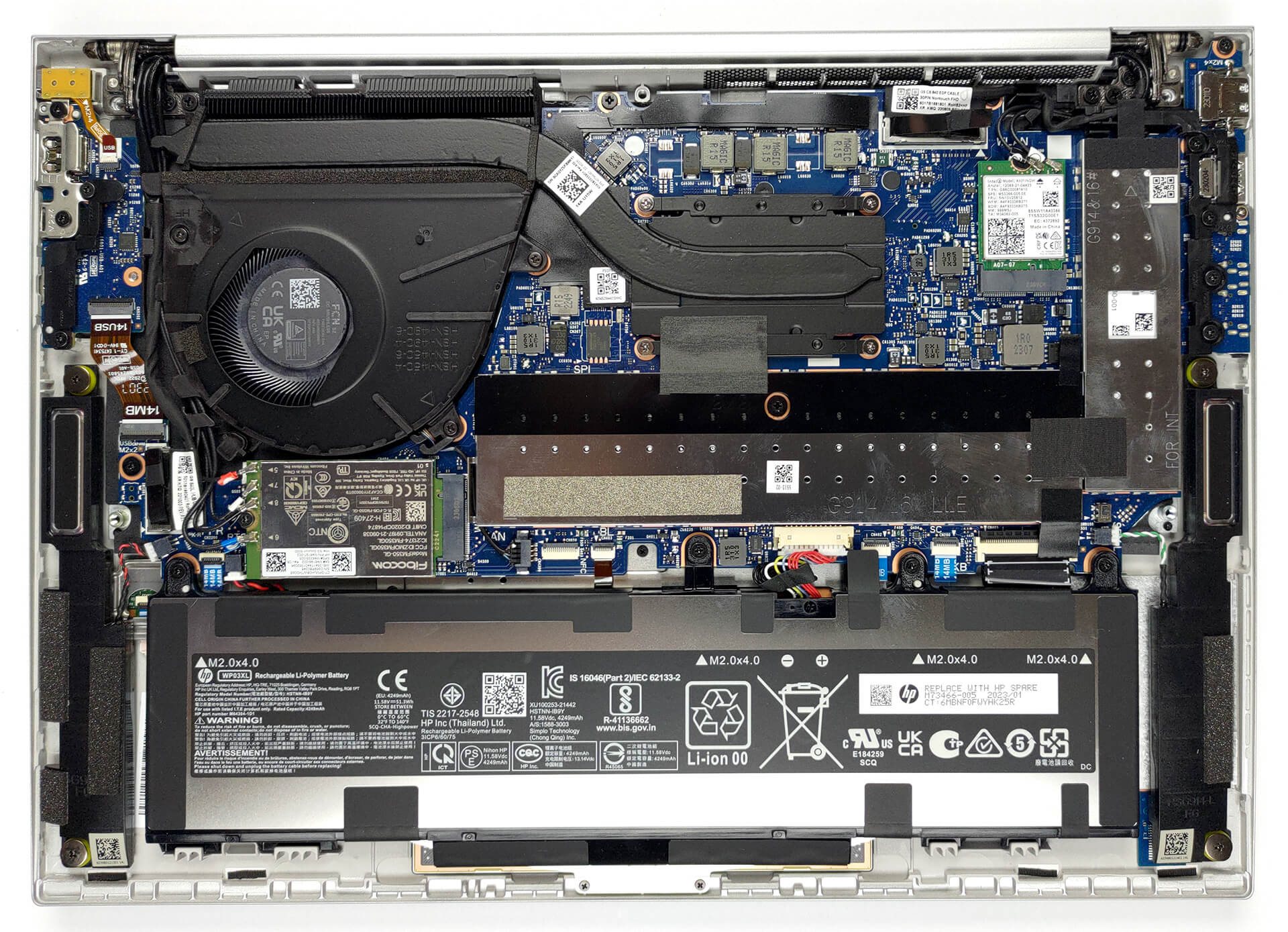
2. Remove the battery
Inside, we find a 51.3Wh battery pack. To take it out, unplug the battery from the motherboard, and undo the four Phillips-head screws, that keep it to the device.
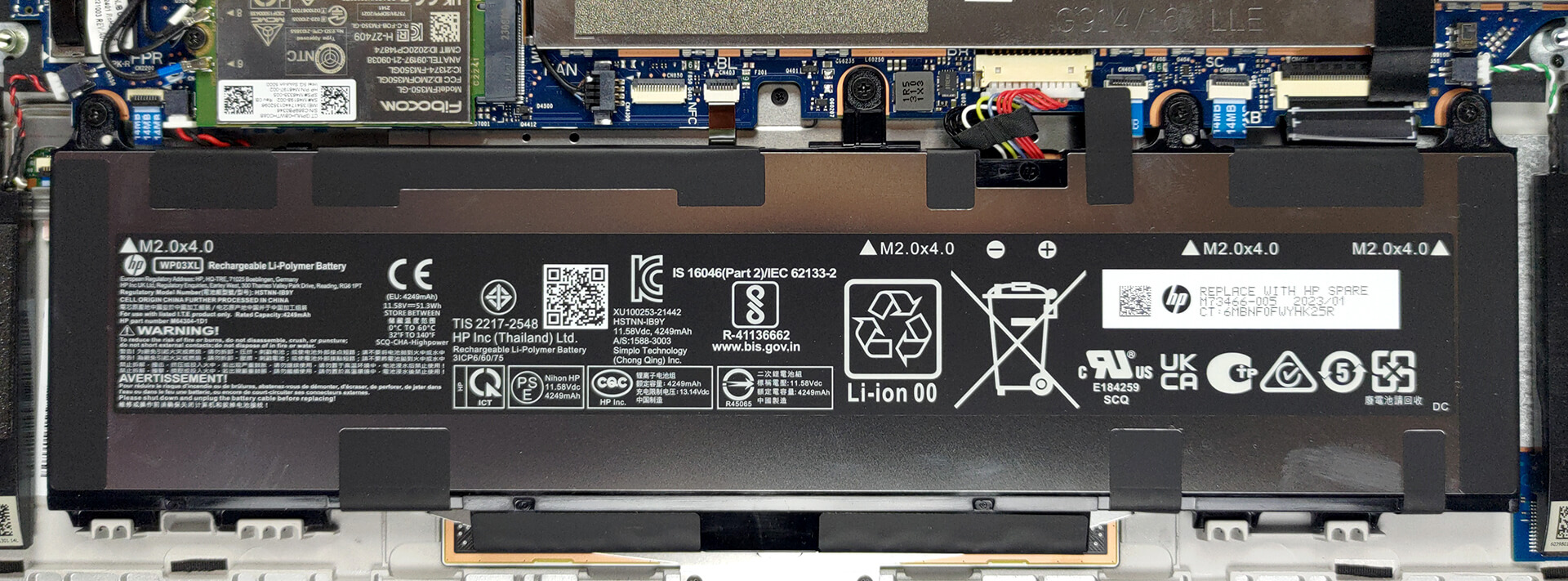
3. Upgrade memory and storage
The memory here is hidden beneath a metal bracket. It comprises two SODIMM slots for up to 64GB of DDR5 RAM in total. Likewise, the single M.2 PCIe x4 Gen 4 storage slot is protected by a similar bracket.
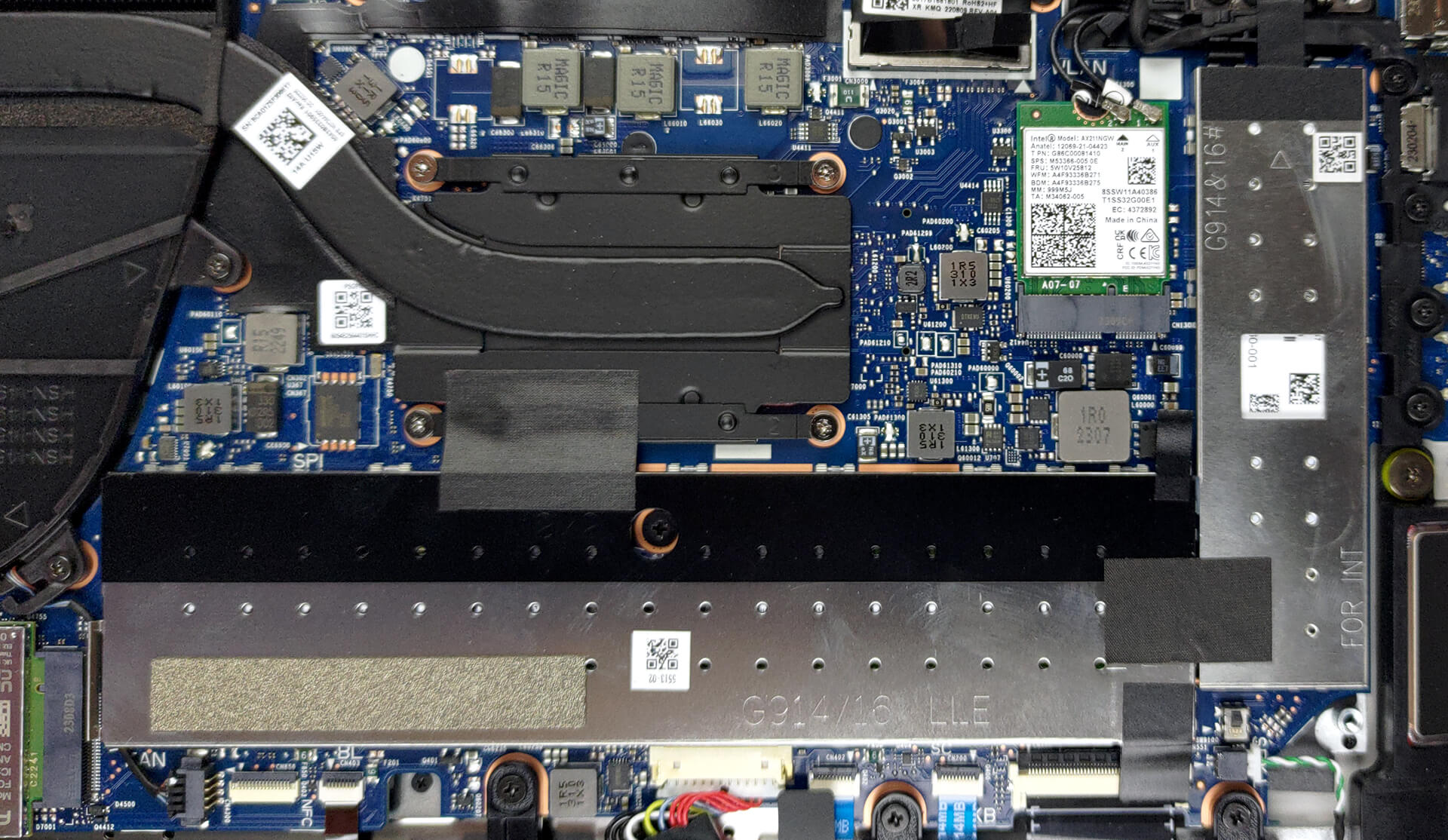
4. Cooling system
Cooling-wise, you get one heat pipe, a heat sink, and a fan.
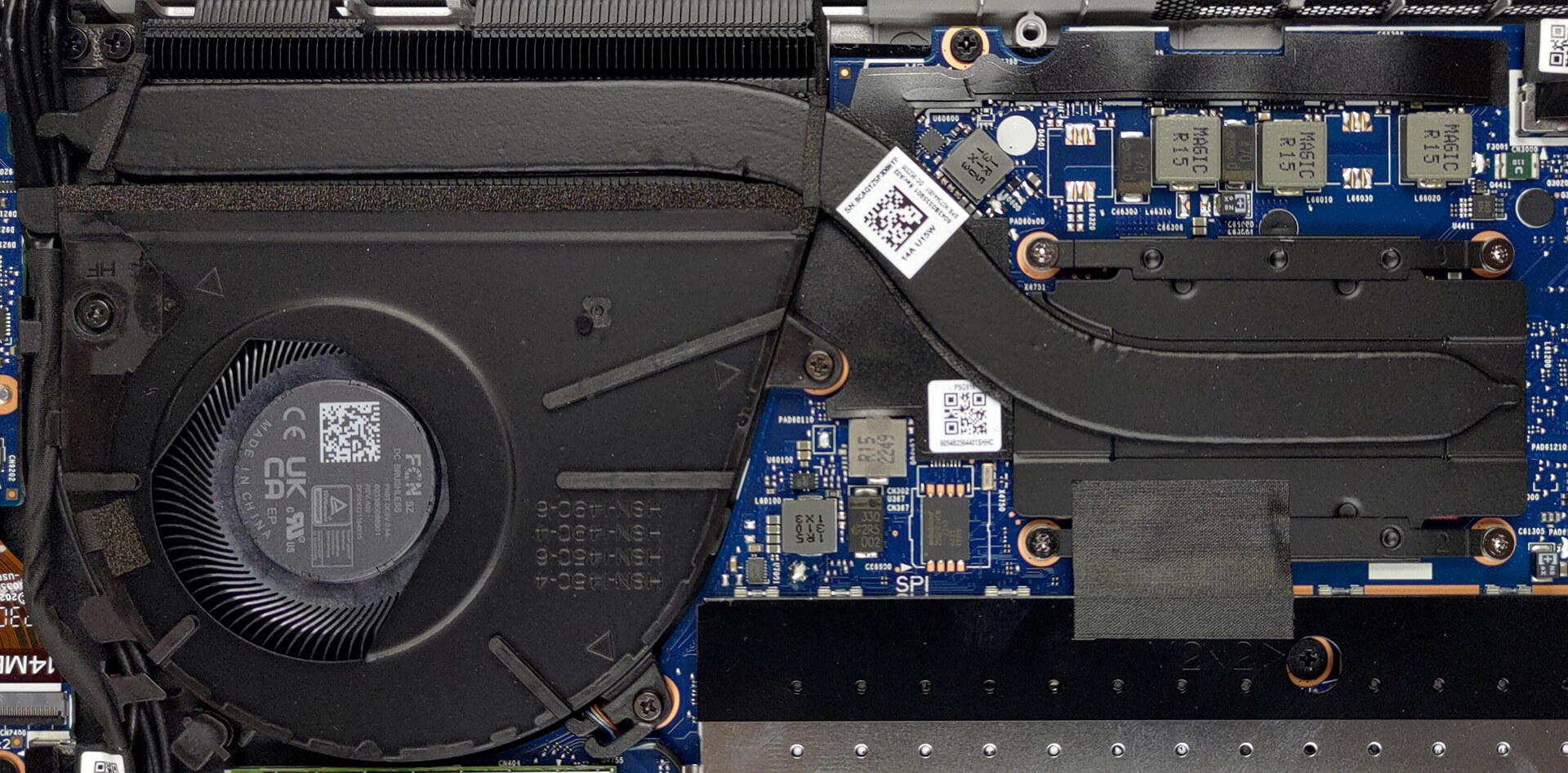
Check out all HP EliteBook 1040 G9 prices and configurations in our Specs System, or read more in our In-Depth review.
HP EliteBook 1040 G9 गहन समीक्षा
One of the more stylish business brands on the market, the EliteBook series now gets more and more popular due to its ever-increasing roster of notebooks. The machine that we're going to review today is not a rethink of the concept of business computers, but more like a refinement.It is called the HP EliteBook 1040 G9. Naturally, it is a premium device, which has a 14-inch display with a 16:10 aspect ratio, which will allow you to get more work done thanks to the increased vertical space.The hardware inside is quite standard for office/productivity machines. We are talking about Intel[...]
पक्ष
- Good battery life
- PCIe x4 Gen 4 support + 64GB of DDR5 memory in dual-channel
- Two Thunderbolt 4 connectors, Wi-Fi 6, and optional 5G support
- 99% of sRGB coverage and great color accuracy with our Gaming and Web design profile (AUO AUOA49A)
- No PWM (AUO AUOA49A)
- Spill-resistant keyboard that is great for typing
- IR face recognition and fingerprint reader
- Optional ambient light and ambient color sensors
- Very lightweight chassis
विपक्ष
- No SD card reader
- Crippled performance in long runs
 Author: Alex Iliev

![[August 2026] Amazon Global: Top 10 Best-Selling Laptops – Apple MacBook Neo Dominates the Charts as Budget and Mid-Range Windows Portables Fight for Volume](https://laptopmedia.com/wp-content/uploads/2026/09/Best-Selling-Laptops-GLOBAL-Top-10-400x225.jpg)
![[August 2026] Best-Selling Laptop Brands on Amazon Global – Apple Dominates Revenue While HP Leads in Model Variety](https://laptopmedia.com/wp-content/uploads/2026/09/GLOBAL-Best-Brands-400x225.jpg)
![[August 2026] Amazon Global: Top 10 Best-Selling Gaming Laptops – HP Victus 15 Captures the Crown as Budget-Friendly Models Dominate the Charts](https://laptopmedia.com/wp-content/uploads/2026/09/Best-Selling-Gaming-Laptops-GLOBAL-Top-10-400x225.jpg)
![[August 2026] Best-Selling Laptop Brands on Amazon Japan – Apple Dominates Market Share and Revenue Led by Strong Unit Sales](https://laptopmedia.com/wp-content/uploads/2026/09/CO.JP-Best-Brands-1-400x225.jpg)
![[August 2026] Best-Selling Laptop Brands on Amazon USA – Apple Dominates Market Revenue and Volume Despite Lower Model Diversity](https://laptopmedia.com/wp-content/uploads/2026/09/COM-Best-Brands-1-400x225.jpg)
