Lenovo IdeaPad 3 (17″, 2022) – Top 5 Pros and Cons
 The IdeaPad 3 is a big moneymaker for Lenovo, as the company sells so many of it that it can freely experiment with the ThinkPad X1 series or create brand new models from scratch, like the entire ThinkBook series.
The larger members of the IdeaPad 3 family have always seemed to offer the most value, often coming with very good displays for content creation and design work. Today we have the 2022 version of the IdeaPad 3 (17″, 2022), so let’s see if it has any good qualities to offer in the crowded budget space.
Today we’re giving you a quick overview of the Lenovo IdeaPad 3 (17″, 2022).
Lenovo IdeaPad 3 (17″, 2022): Full Specs / In-depth Review
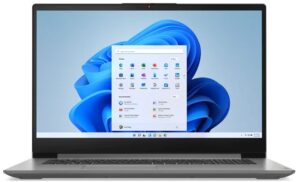
4 reasons to BUY the Lenovo IdeaPad 3 (17″, 2022)
1. Display quality
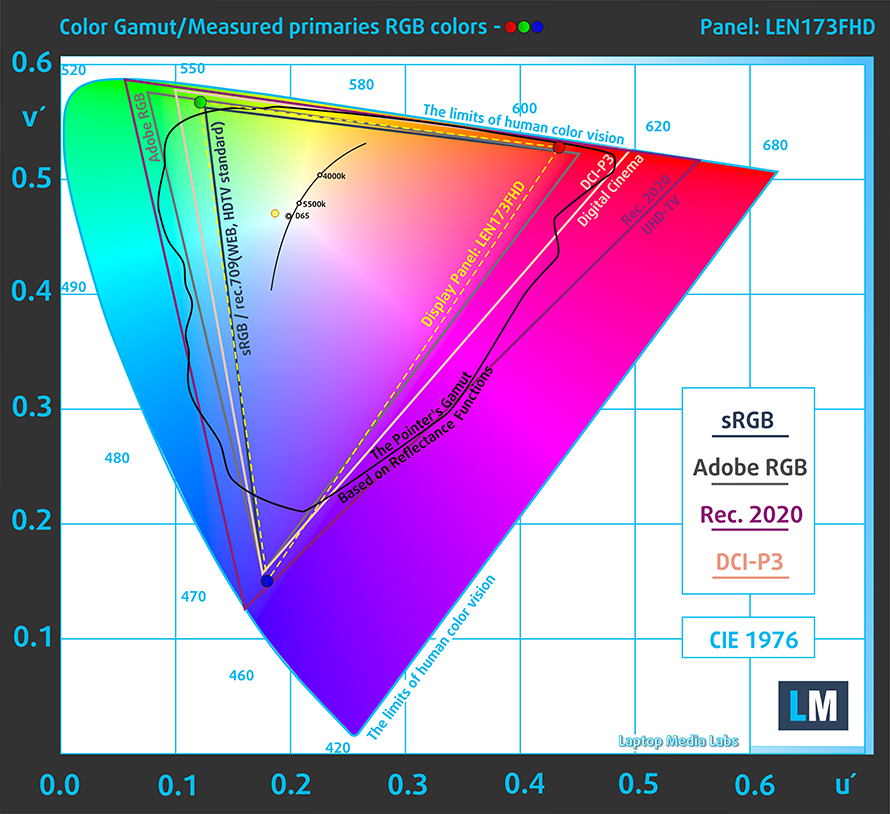
Right from the start, we have to talk about the FHD IPS panel on the IdeaPad 3. While Full HD might feel low for this screen size, for a budget offering we feel like it’s alright. More importantly, the panel shows excellent viewing angles and a peak brightness of 350 nits, so watching movies and videos is a nice experience, especially with the bigger diagonal. The display also shows 96% sRGB coverage.
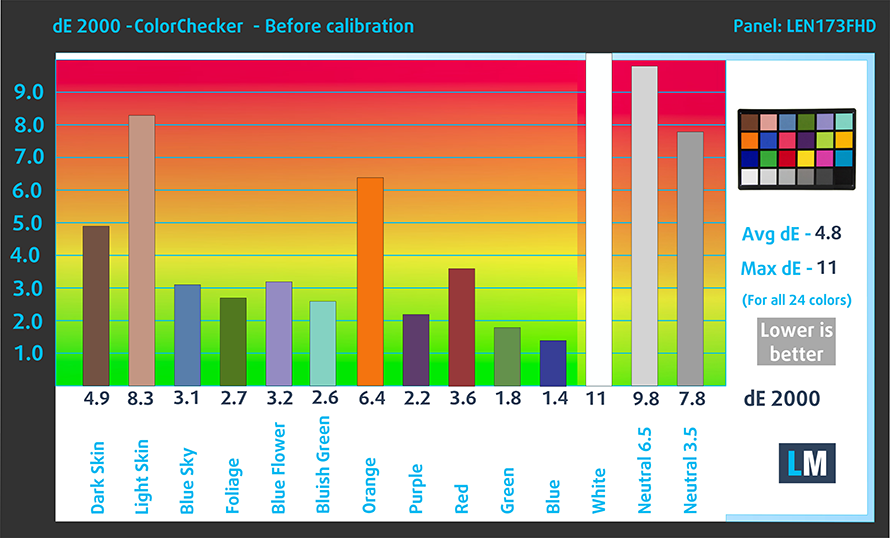
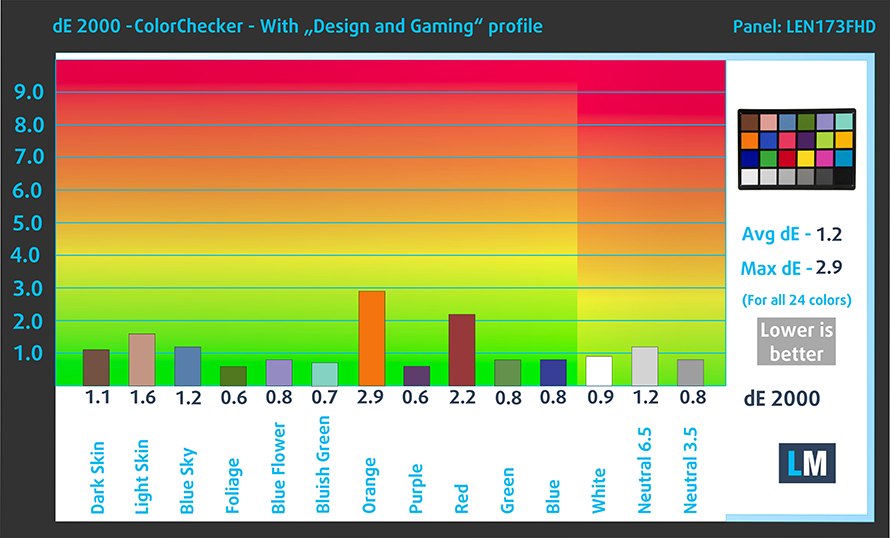
Here are the results of our test with the stock settings (left) and with our profile applied right. The color accuracy is excellent with our Design and Gaming profile, which lowers the dE value from 4.8 down to 1.2.
Buy our profiles
Since our profiles are tailored for each individual display model, this article and its respective profile package are meant for Lenovo IdeaPad 3 (17″, 2022) configurations with 17.3″ FHD IPS LEN173FHD (LEN9082).
*Should you have problems with downloading the purchased file, try using a different browser to open the link you’ll receive via e-mail. If the download target is a .php file instead of an archive, change the file extension to .zip or contact us at [email protected].
Read more about the profiles HERE.
कुशल और स्वास्थ्य के अनुकूल प्रोफाइल प्राप्त करने के अलावा, LaptopMedia के उत्पादों को खरीदकर आप हमारी प्रयोगशालाओं के विकास का भी समर्थन करते हैं, जहाँ हम सबसे वस्तुनिष्ठ समीक्षाएँ प्रस्तुत करने के लिए उपकरणों का परीक्षण करते हैं।

Office Work
Office Work का उपयोग ज्यादातर उन उपयोगकर्ताओं द्वारा किया जाना चाहिए जो अपना अधिकांश समय टेक्स्ट के टुकड़ों, तालिकाओं को देखने या सिर्फ सर्फिंग में बिताते हैं। इस प्रोफ़ाइल का उद्देश्य एक फ्लैट गामा वक्र (2.20), मूल रंग तापमान और अवधारणात्मक रूप से सटीक रंगों को रखकर बेहतर विशिष्टता और स्पष्टता प्रदान करना है।

Design and Gaming
यह प्रोफ़ाइल उन डिजाइनरों के लिए है जो पेशेवर रूप से रंगों के साथ काम करते हैं, और गेम और फिल्मों के लिए भी। Design and Gaming डिस्प्ले पैनल को उनकी सीमा तक ले जाता है, जिससे वे वेब और HDTV के लिए sRGB IEC61966-2-1 मानक में, व्हाइट पॉइंट D65 पर यथासंभव सटीक हो जाते हैं।

Health-Guard
Health-Guard हानिकारक पल्स-विड्थ मॉड्यूलेशन (PWM) को समाप्त करता है और नकारात्मक नीली रोशनी को कम करता है जो हमारी आँखों और शरीर को प्रभावित करती है। चूंकि यह प्रत्येक पैनल के लिए कस्टम अनुरूप है, यह रंगों को अवधारणात्मक रूप से सटीक रखने का प्रबंधन करता है। Health-Guard कागज का अनुकरण करता है जिससे आँखों पर दबाव बहुत कम हो जाता है।
33% छूट के साथ सभी 3 प्रोफाइल प्राप्त करें

2. Upgradeability
The device also has decent upgradeability, with up to 8GB of soldered DDR4 memory and one SODIMM slot. For storage, you only get one M.2 slot for the faster Gen 4 drives, however, there is an additional drive bay for a 2.5-inch SATA drive.

Here is our teardown video, which shows how to get inside and upgrade the IdeaPad 3 (17″, 2022).
3. Battery life
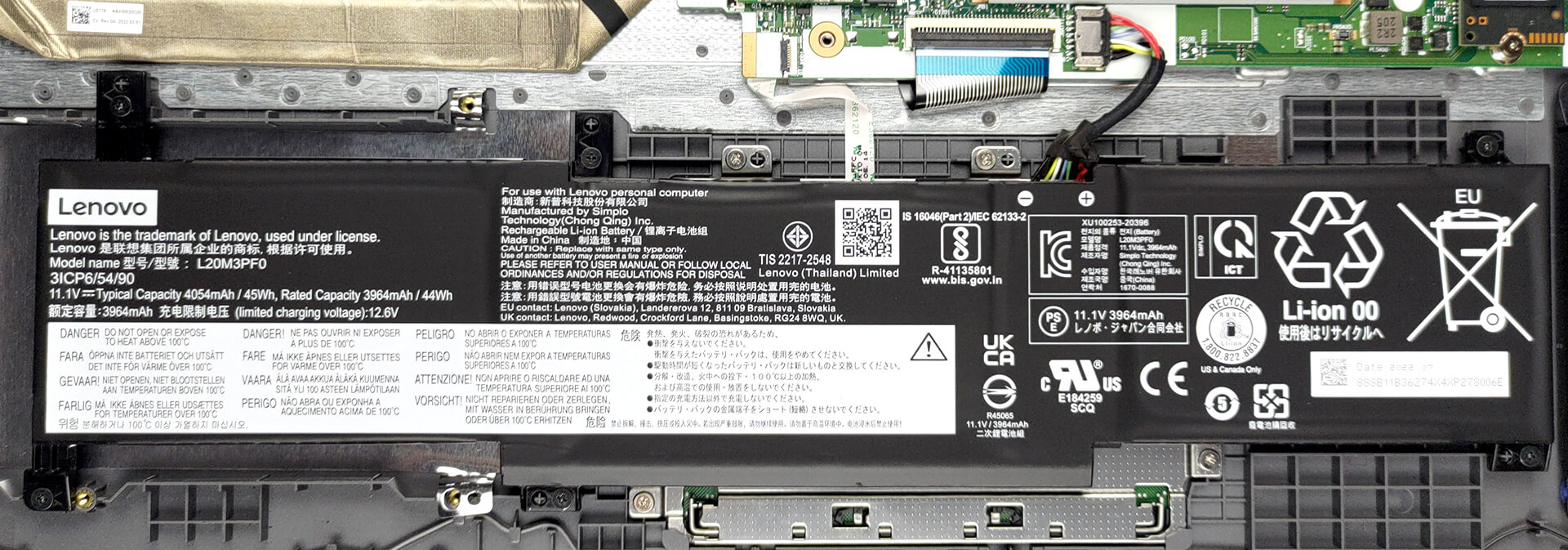
While the battery capacity of 45W does seem a bit small, the Ryzen 7 5825U keeps it long-lasting, as our battery test shows 9 hours and 45 minutes of Web browsing, or 7 hours and 16 minutes of video playback. Now, we conduct the battery tests with the Windows Better performance setting turned on, screen brightness adjusted to 120 nits, and all other programs turned off except for the one we are testing the notebook with.
4. I/O
The port selection fits the budget Creator archetype with two USB Type-A ports, one 2.0 port and one 3.2 (Gen. 1) port, one USB Type-C 3.2 (Gen. 1) port, an HDMI 1.4b port, an SD card reader, and a 3.5 mm audio jack.


1 reason NOT to buy the Lenovo IdeaPad 3 (17″, 2022)
1. Build quality
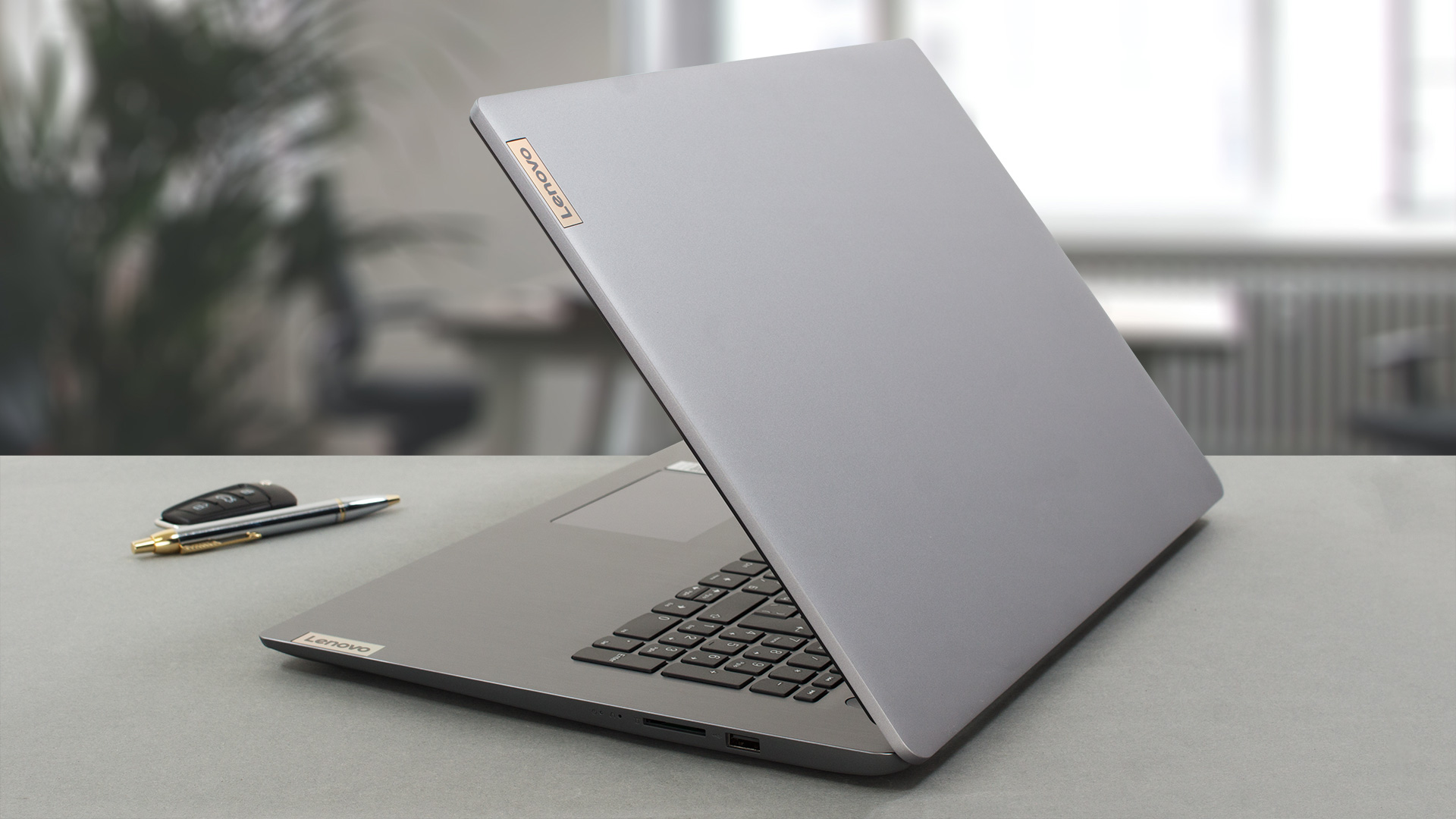
One of the few negatives we could scrap together about the laptop is the plastic chassis that it uses and how there’s next to no structural integrity to it. While it also keeps it pretty light, with a weight of just 2.04 kg and a 19.9 mm profile. The lid and base show some flex, while the former doesn’t even open with one hand. On the base, you’ll find the keyboard and the touchpad, along with a fingerprint reader. The board isn’t the greatest for typing, as the key travel is short, despite the fact that the laptop is thick enough to allow for more, while the feedback is clicky but isn’t consistent.
All Lenovo IdeaPad 3 (17″, 2022) configurations:
 Author: Severin Kolakov

![[June 2026] Best-Selling Laptop Brands on Amazon Global – Apple’s Unrivaled Dominance in Units and Revenue](https://laptopmedia.com/wp-content/uploads/2026/07/GLOBAL-Best-Brands-400x225.jpg)
![[June 2026] Amazon Global: Top 10 Best-Selling Laptops – Apple’s New MacBook Neo Storms to #1, Reshaping the Market with Affordability](https://laptopmedia.com/wp-content/uploads/2026/07/Best-Selling-Laptops-GLOBAL-Top-10-400x225.jpg)
![[June 2026] Amazon Global: Top 10 Best-Selling Gaming Laptops – Acer’s Nitro V 16S AI Dominates Sales, While ASUS Leads Overall Revenue](https://laptopmedia.com/wp-content/uploads/2026/07/Best-Selling-Gaming-Laptops-GLOBAL-Top-10-400x225.jpg)
![[June 2026] Global Ranking of Best-Selling Laptop GPUs on Amazon – NVIDIA RTX 5060 is the Top-Selling Dedicated GPU](https://laptopmedia.com/wp-content/uploads/2026/07/Best-Selling-GPUs-GLOBAL-Top-10-400x225.jpg)
![[June 2026] Global Ranking of Best-Selling Laptop CPUs on Amazon – Apple M5 Dominates, AMD Ryzen 7 260 Gets Solid Premium Share](https://laptopmedia.com/wp-content/uploads/2026/07/Best-Selling-CPUs-GLOBAL-Top-10-400x225.jpg)

io avevo comprato un Lenovo Ideapad 3 il Black Friday 2023 all’Unieuro Calolziocorte. Mi ha dato solo problemi di ogni tipo,8 volte in assistenza e ho rischiato anche di perdere i miei dati!!! 0 Stelle!!! TRUFFATORI!!!