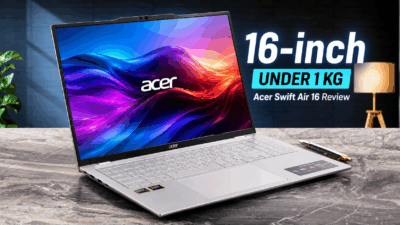
Acer Swift Air 16 (SFA16-61M) review – A 16-Inch Laptop That Weighs Under 1 kg?!
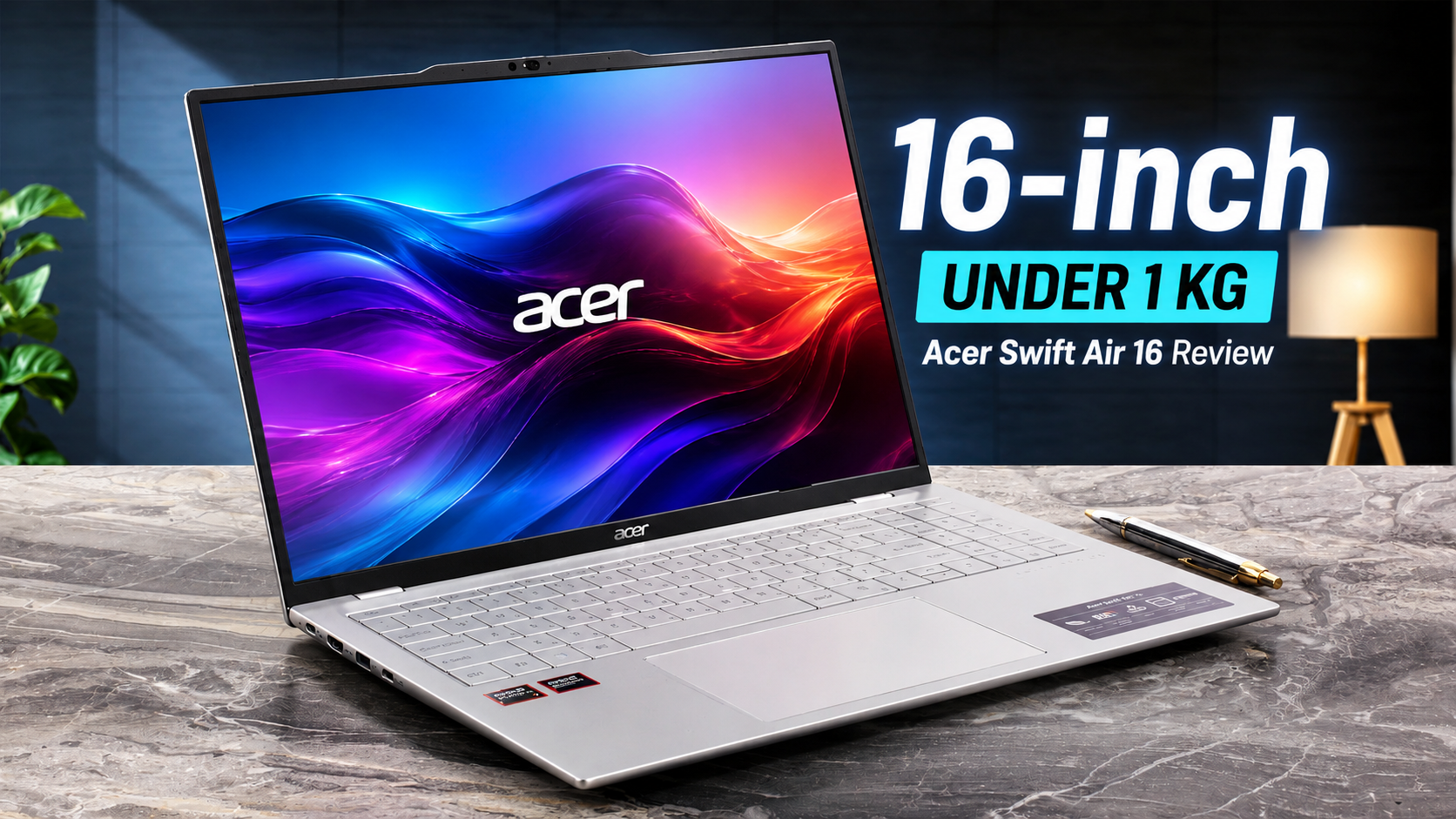 The Acer Swift Air 16 (SFA16-61M) is a laptop that genuinely plays tricks on your sense of weight. The IPS configuration weighs just 990 g (2.18 lbs), yet the magnesium-aluminum chassis feels remarkably rigid, performance is strong for such a light machine, and the 50Wh battery still lasted over 10 hours in our test.
Of course, achieving this extreme portability required compromises. The almost gapless keyboard significantly reduced our typing speed, sustained CPU performance is conservatively tuned, and USB connectivity is officially limited to 5 Gbps with no listed USB4 or Thunderbolt support. So, is carrying a 16-inch laptop that feels almost impossibly light worth the trade-offs?
TESTED CONFIGURATION:
– AMD Ryzen AI 7 350
– AMD Radeon 860M
– 16GB RAM
– 1TB SSD NVMe
– 16”, 1920 x 1200, OLED
You can check the prices and configurations in our Specs System: https://laptopmedia.com/series/acer-swift-air-16-sfa16-61m/
Contents
Specs, Drivers, What’s in the box
Acer Swift Air 16 (SFA16-61M) - स्पेक्स
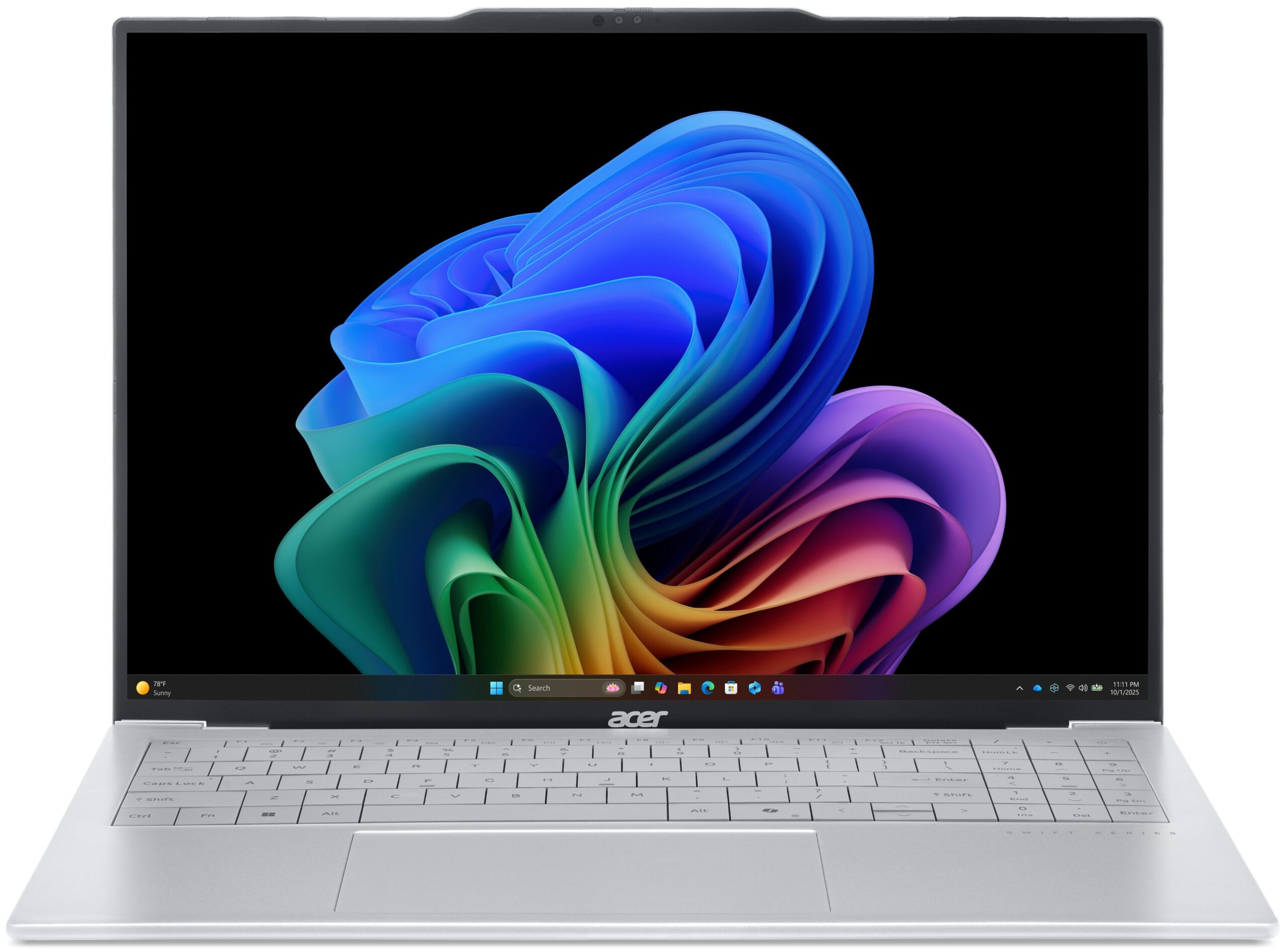
- डिस्प्ले
- 16.0″, WUXGA (1920 x 1200), OLED

- HDD/SSD
- तक 1000GB SSD
- RAM
- up to 32GB
- OS
- Windows 11 Home
- बैटरी
- 50Wh
- आयाम
- 358.9 x 239.7 x 16.5 mm (14.13" x 9.44" x 0.65")
- वजन
- 1.10 kg (2.4 lbs)
- पोर्ट और कनेक्टिविटी
- 1x USB Type-A
- 3.2 Gen 1 (5 Gbps)
- 2x USB Type-C
- 3.2 Gen 1 (5 Gbps), DisplayPort
- HDMI
- 1.4
- कार्ड रीडर
- ईथरनेट लैन
- वाई-फाई
- Wi-Fi 6E
- ब्लूटूथ
- 5.4
- ऑडियो जैक
- 3.5mm Combo Jack
- विशेषताएँ
- फिंगरप्रिंट रीडर
- वेब कैमरा
- FHD
- बैकलिट कीबोर्ड
- माइक्रोफोन
- Dual Microphones
- स्पीकर
- Dual Stereo Speakers
- सुरक्षा लॉक स्लॉट
सभी Acer Swift Air 16 (SFA16-61M) कॉन्फ़िगरेशन
Drivers
All drivers and utilities for this notebook can be found here: https://www.acer.com/us-en/support/product-support/Swift_SFA16-61M/
What’s in the box?
Unboxing the Swift Air 16 is a highly focused and lightweight affair, keeping the extras to a minimum.
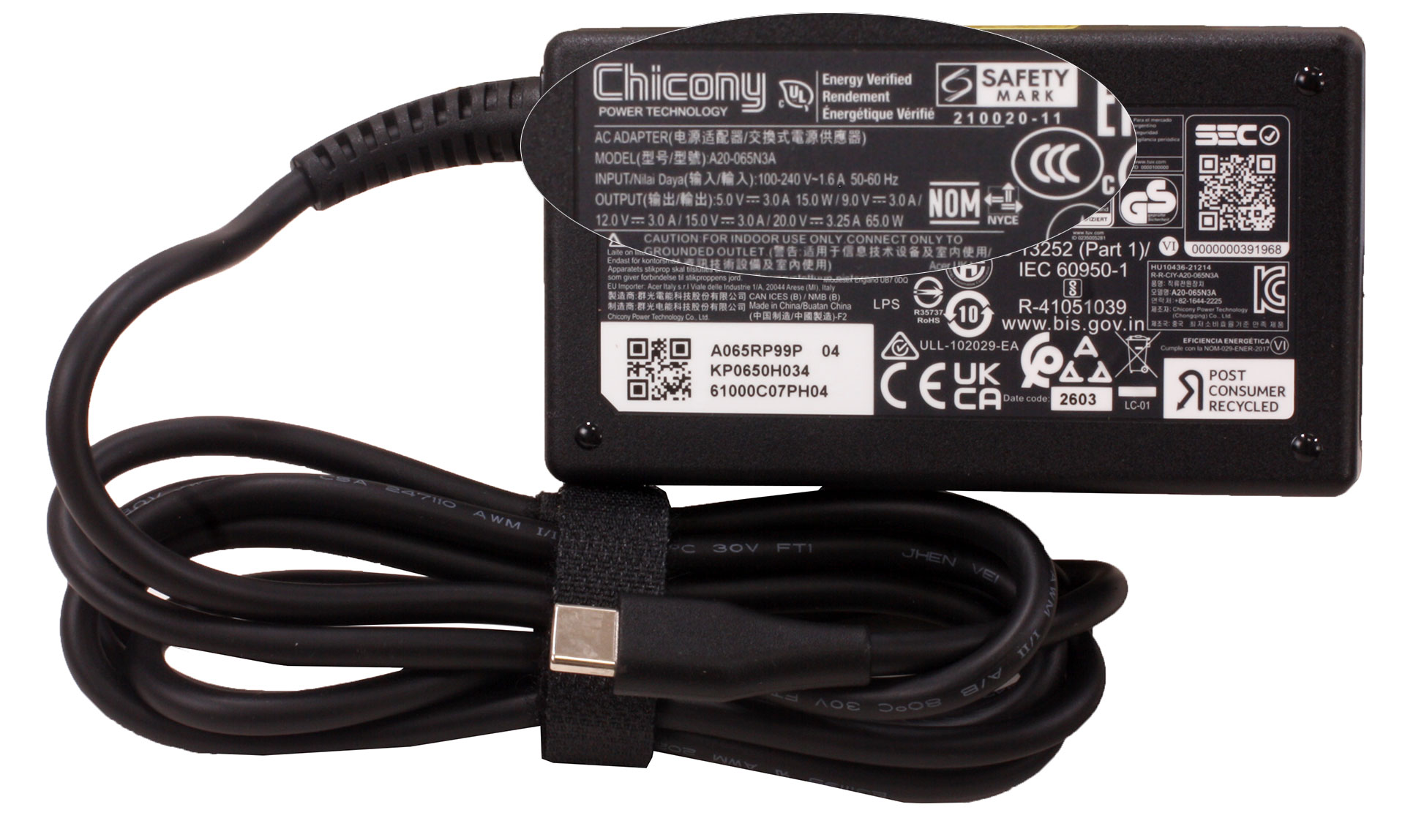
Inside the box, you’ll find the laptop itself, the necessary setup manuals, and a pleasantly tiny 65W USB-C power adapter.
Design and Construction
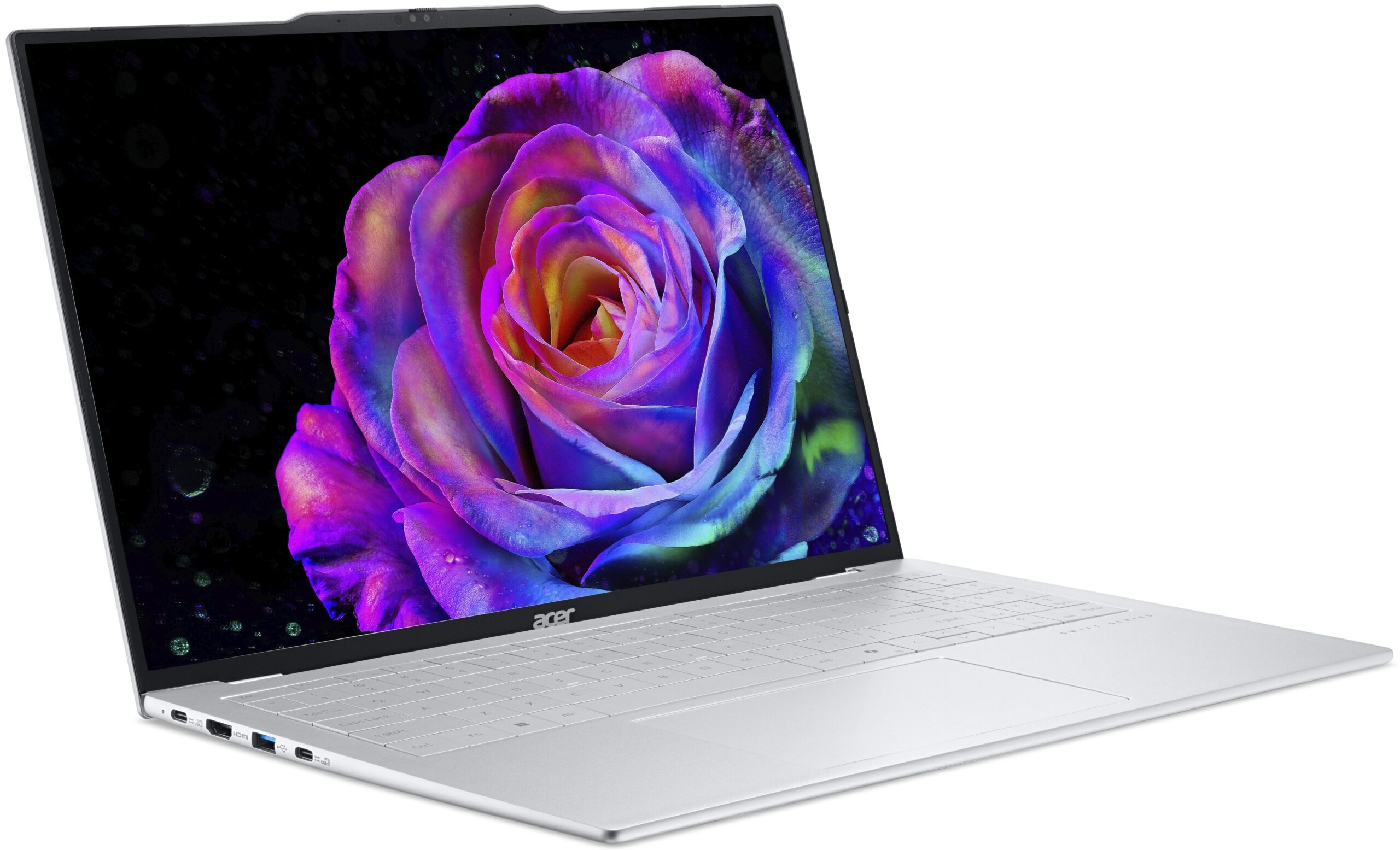
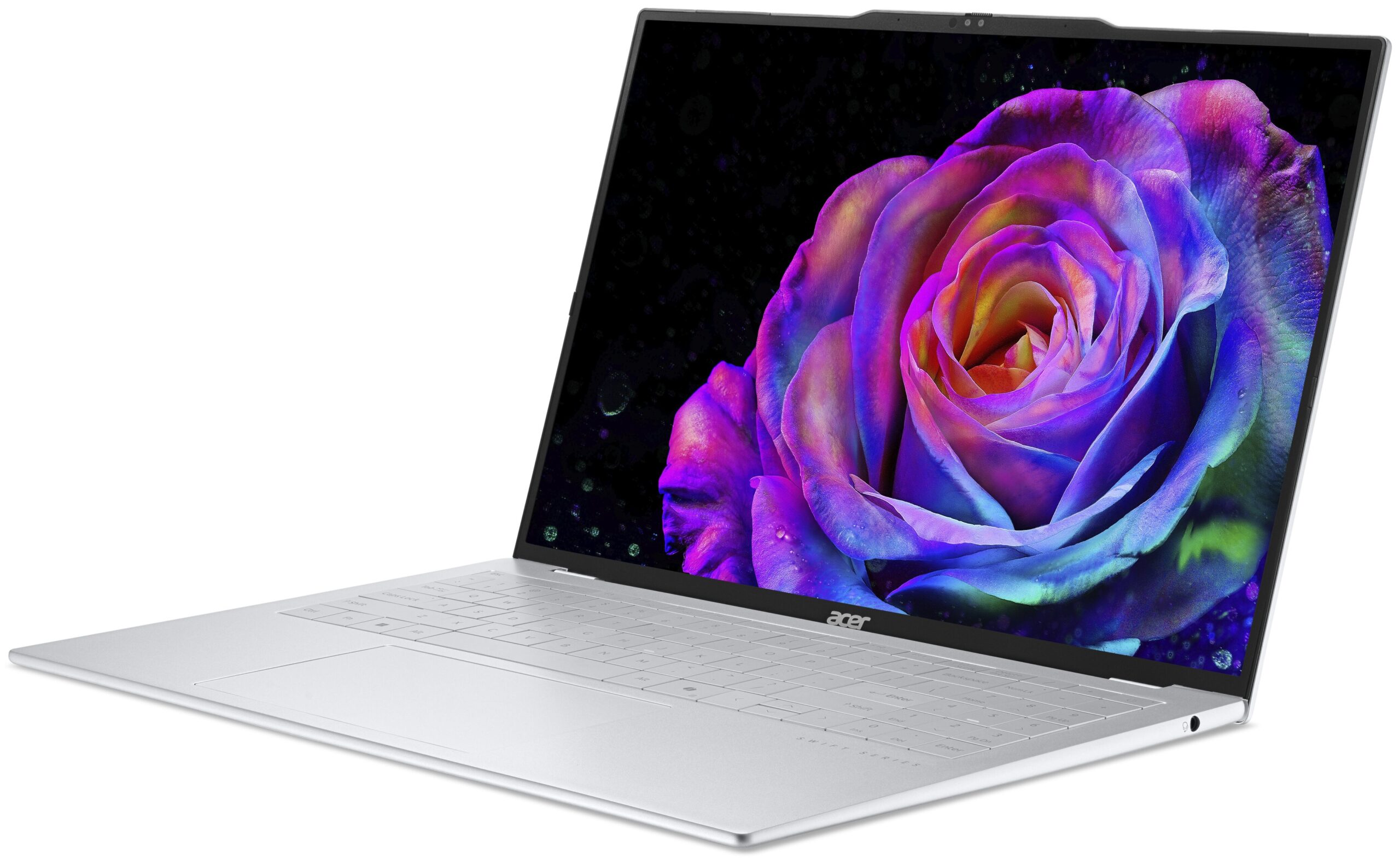
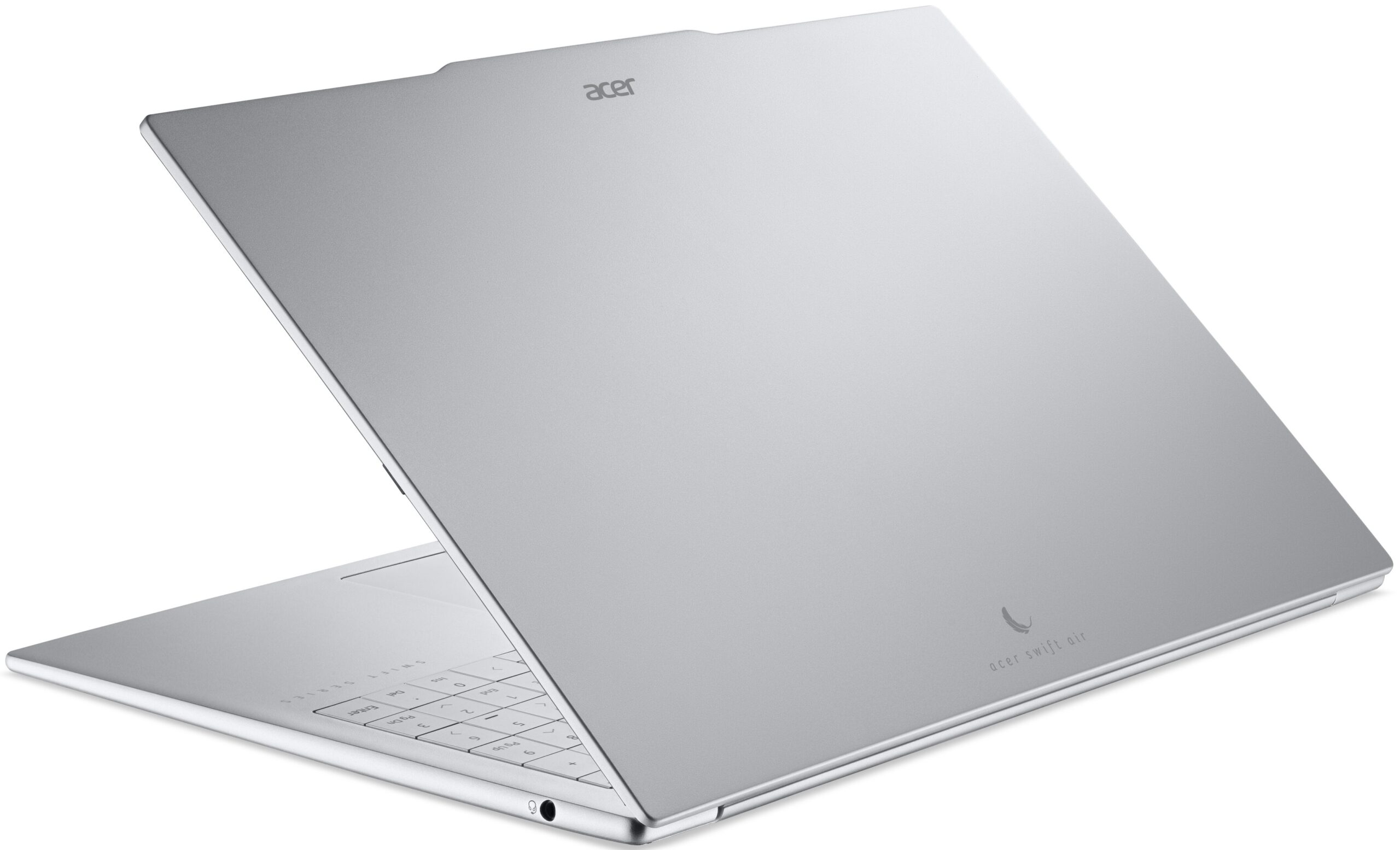
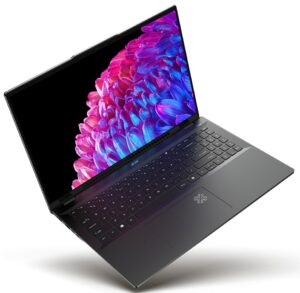
The Acer Swift Air 16 (SFA16-61M) pulls off a physical magic trick that genuinely messes with your brain. When you first pick up the box, you may briefly wonder whether someone forgot to put the laptop inside. This is a large, 16-inch machine that feels almost impossibly light, and even after you know exactly what to expect, dropping it into a backpack can still make you double-check that you actually packed it.
The secret behind this remarkable portability is a magnesium-aluminum alloy chassis, which allows Acer to keep the construction metallic while shedding an extraordinary amount of weight.
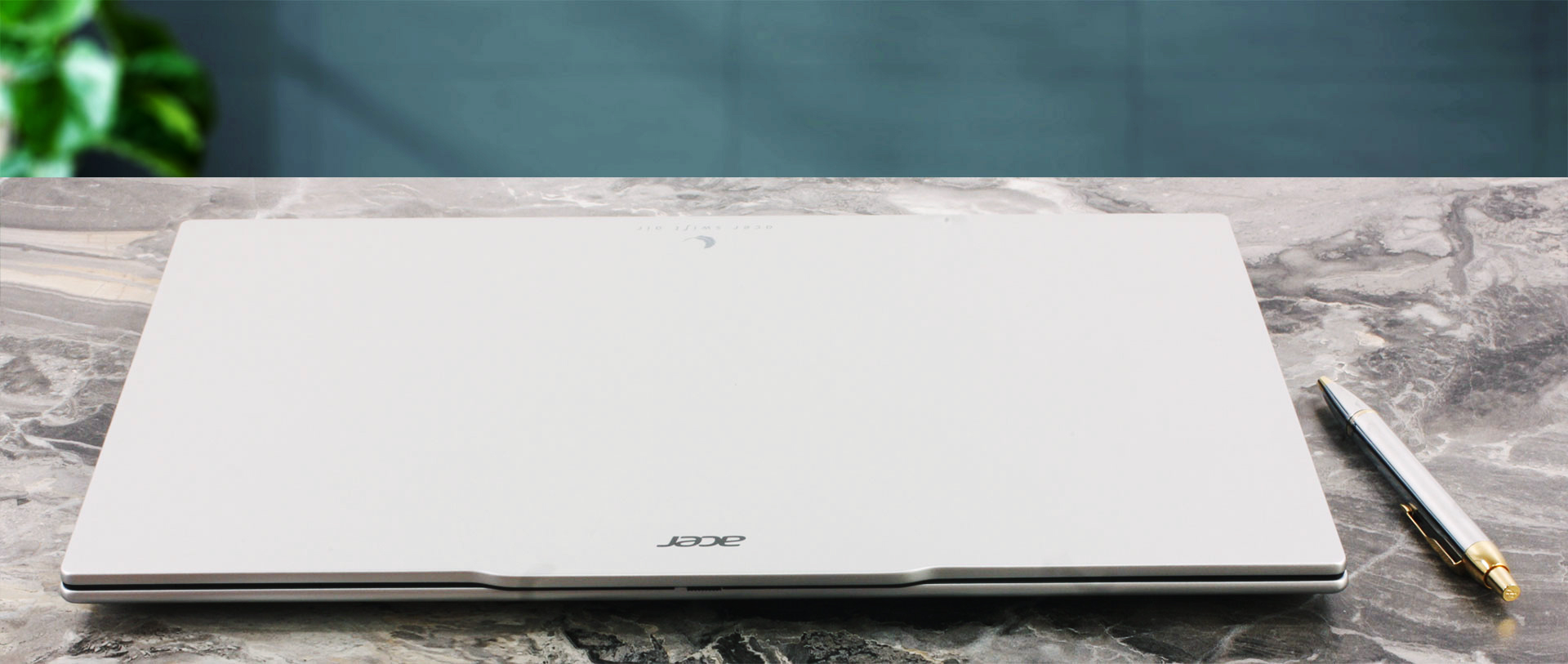
We ordered a configuration in grey. It has a clean, minimalist appearance and looks like a conventional, serious 16-inch laptop until you actually pick it up. Silver, blue, and white versions also exist, depending on the market.
Officially, the OLED variant weighs 1.1 kg, but our scale measured our configuration at an even more impressive 1.059 kg. Here is a quick look at its physical footprint:
| Acer Swift Air 16 (SFA16-61M) | Dimensions | Weight |
| Metric units | 358.9 × 239.7 × 15.9–16.5 mm | IPS: 0.99 kg OLED: 1.059 kg |
| U.S. customary | 14.13 × 9.44 × 0.63–0.65 in | IPS: 2.18 lbs OLED: 2.33 lbs |
At 1.059 kg, our 16-inch OLED configuration weighs less than many conventional 13- and 14-inch ultraportables, while the IPS version dips below the one-kilogram mark at just 0.99 kg. You might expect a one-kilogram, 16-inch laptop to feel as fragile as a potato chip, but the Swift Air 16 is surprisingly rigid. The base doesn’t bow noticeably under pressure, and the whole assembly feels remarkably well put together. It never gives you the impression that you need to handle it with excessive care simply because it is so light.
Even better, the matte finish is remarkably resistant to fingerprints – we didn’t notice a single smudge or greasy mark after weeks of heavy use, which is a massive win for a highly portable daily driver. The rubber feet provide excellent grip, so the laptop stays firmly in place while typing, opening the lid, or using the touchpad.
The hinges are also very well balanced: the lid opens easily with one hand, yet the display remains stable and does not wobble during normal typing.
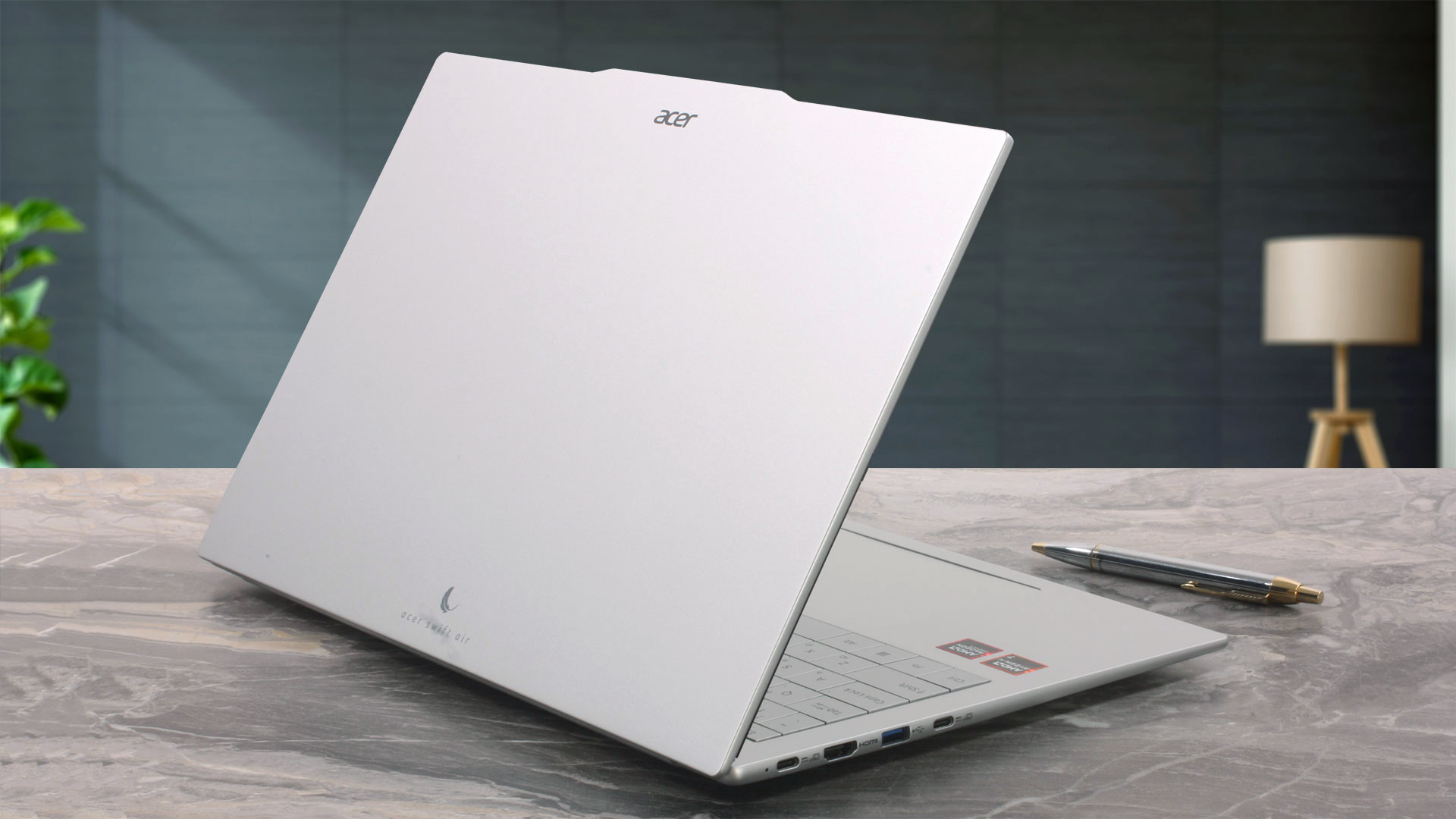
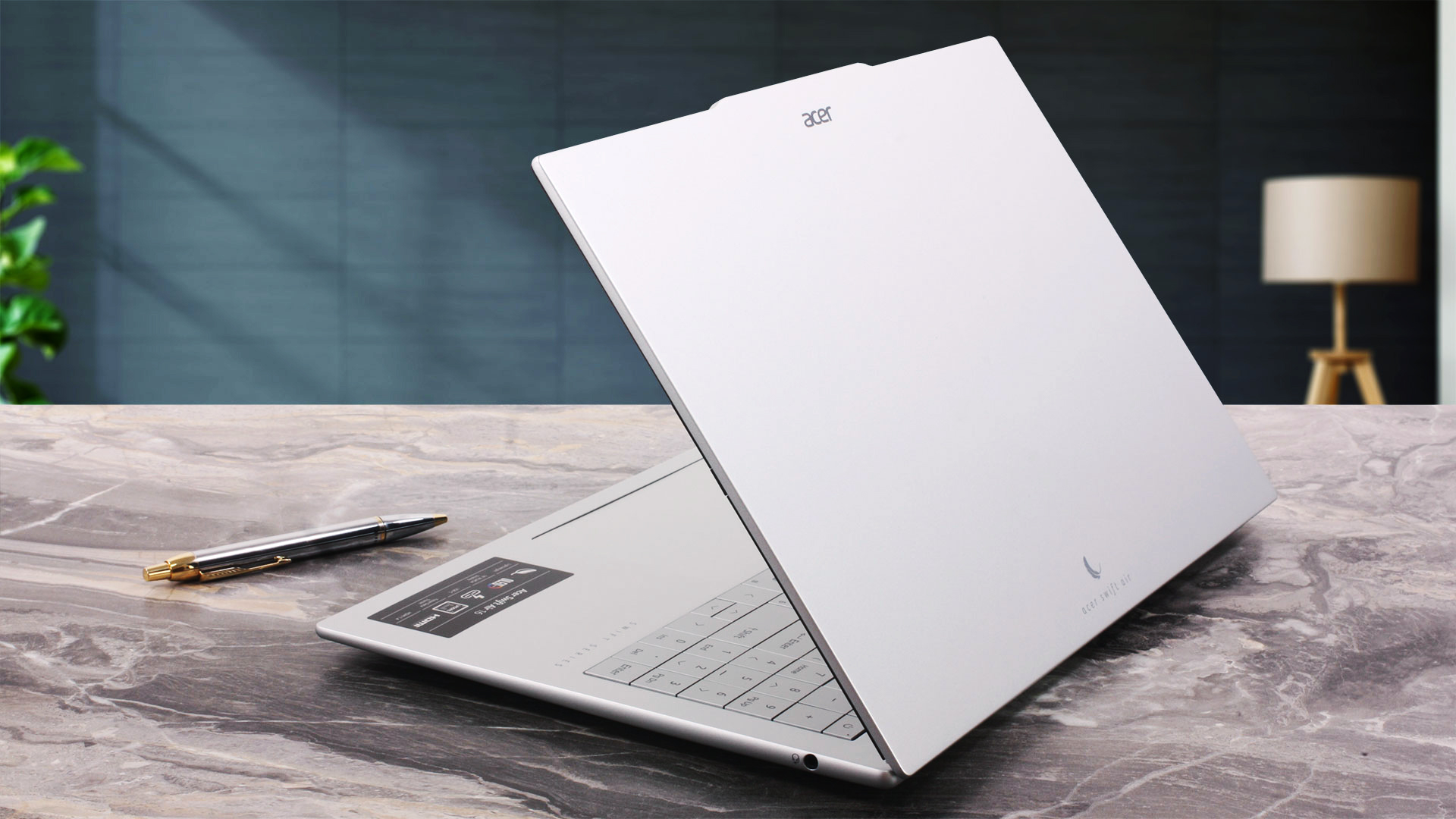
The display opens to a maximum angle of about 120 degrees. Unlike some laptops, the lower edge of the lid does not lift the rear of the base when opened.
The side bezels are quite slim, while the top bezel remains thin across most of its width before expanding through roughly the middle third to accommodate the camera module. This includes a Full HD (1920 × 1080) webcam paired with an IR camera for Windows Hello facial recognition. Acer has also included a physical privacy shutter, allowing you to block the camera lens when it is not in use.
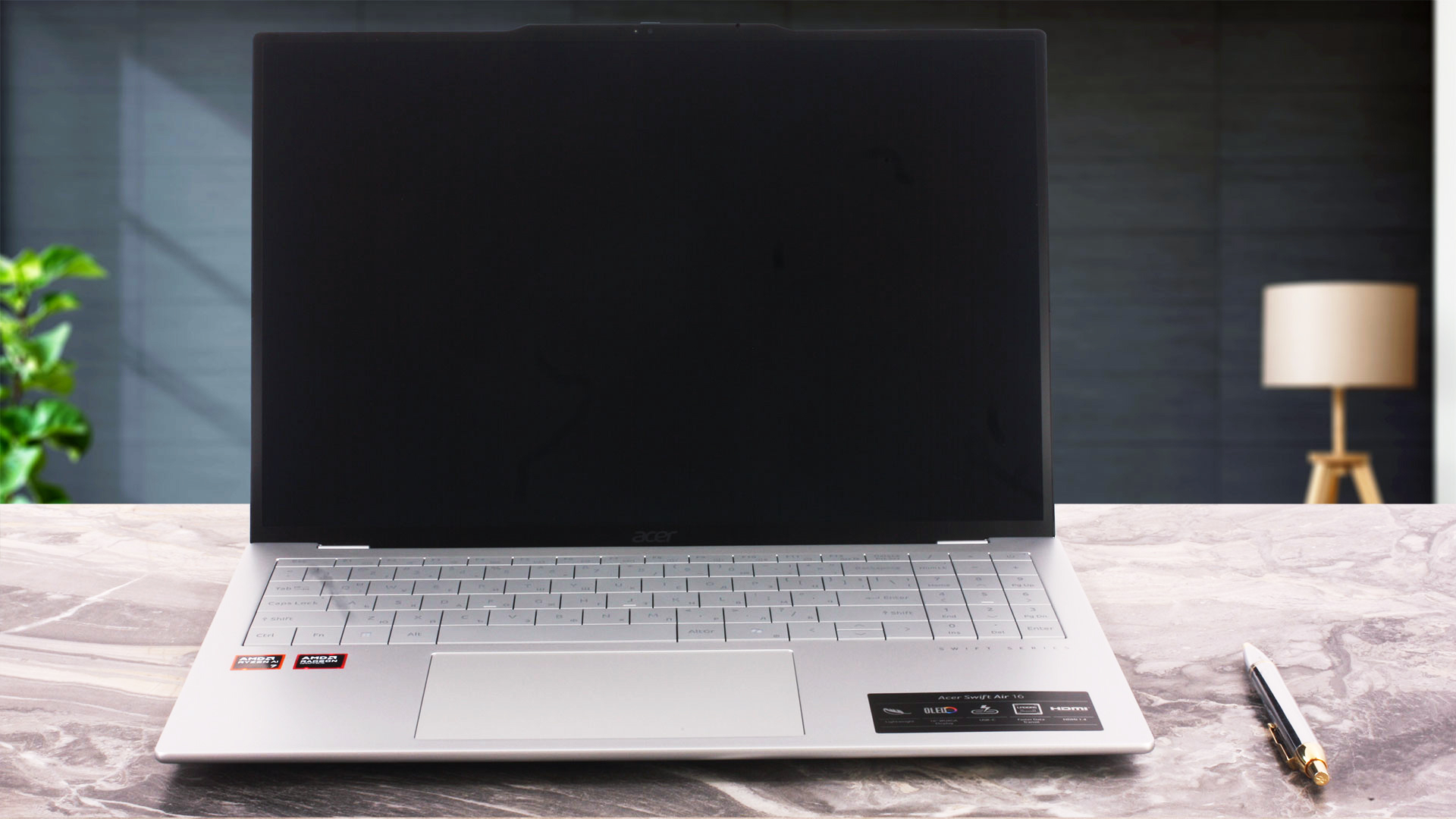
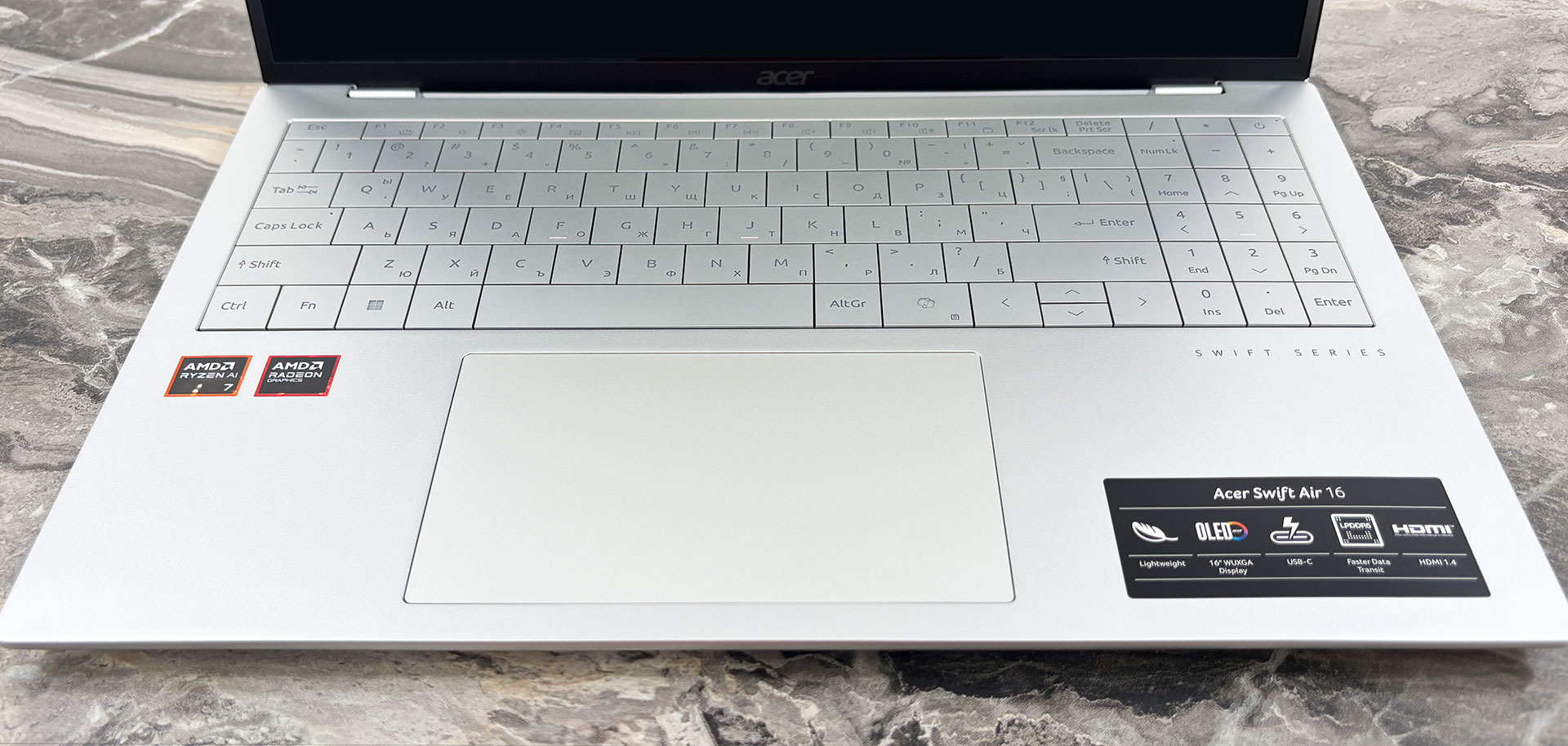
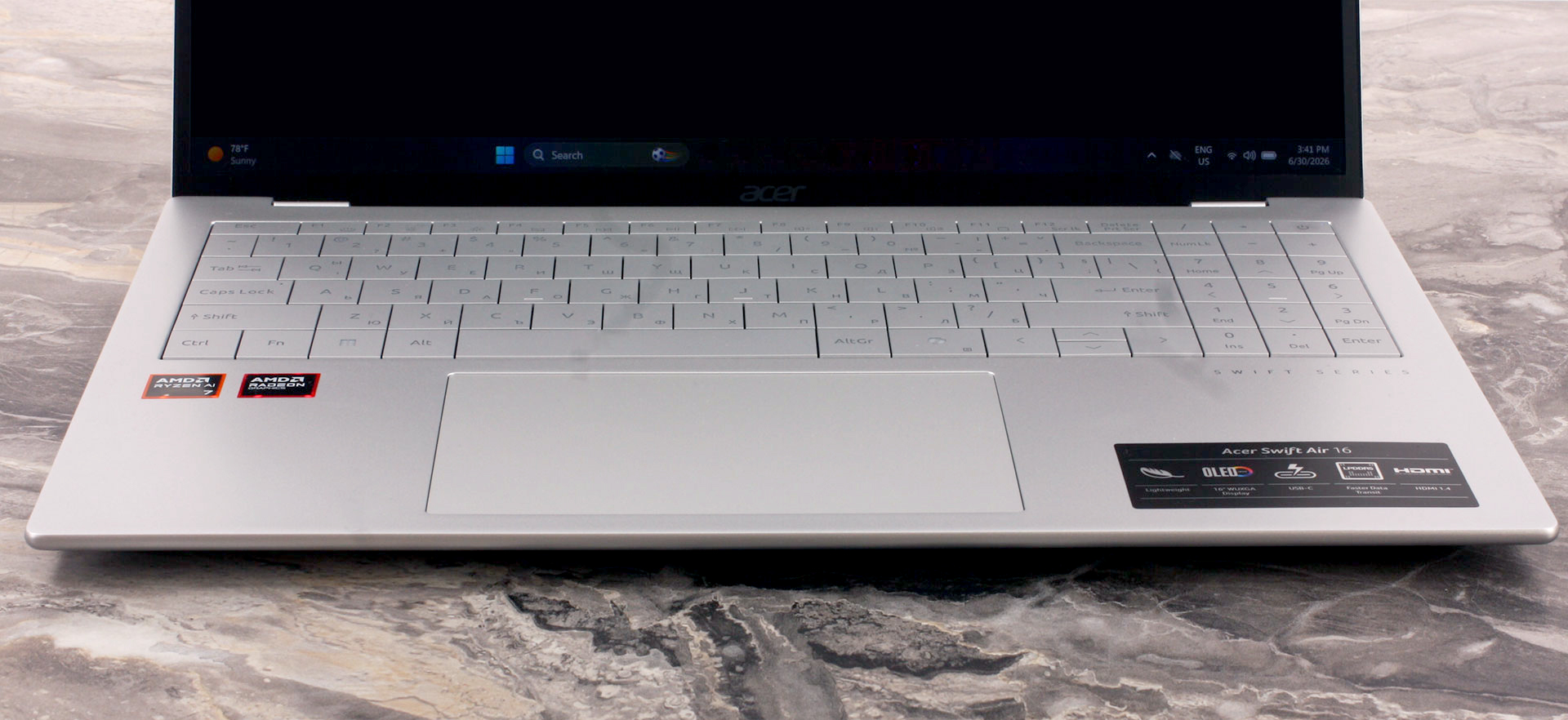
Now, we have to talk about the keyboard, because this is one area where form appears to have negatively affected function. The backlit keyboard fits a dedicated NumPad into the deck, which is useful for spreadsheets and frequent numerical input. However, Acer opted for a visually distinctive design with almost no physical spacing between the keys. It looks modern, but for fast typists, it can be a genuine ergonomic compromise.
In our typing test, we typically reached 90–100 words per minute (WPM) on our daily keyboard and around 90 WPM on the new Acer Nitro V 15 (review coming soon). On the Swift Air 16, our speed dropped to around 60–70 WPM. When trying to type faster, the minimal separation between the keys led to more frequent accidental presses of adjacent keys.
Muscle memory may improve the experience over time, but touch typists are likely to notice the difference immediately. The compact Up and Down arrow keys are another weak point and are less comfortable to use than full-sized alternatives.
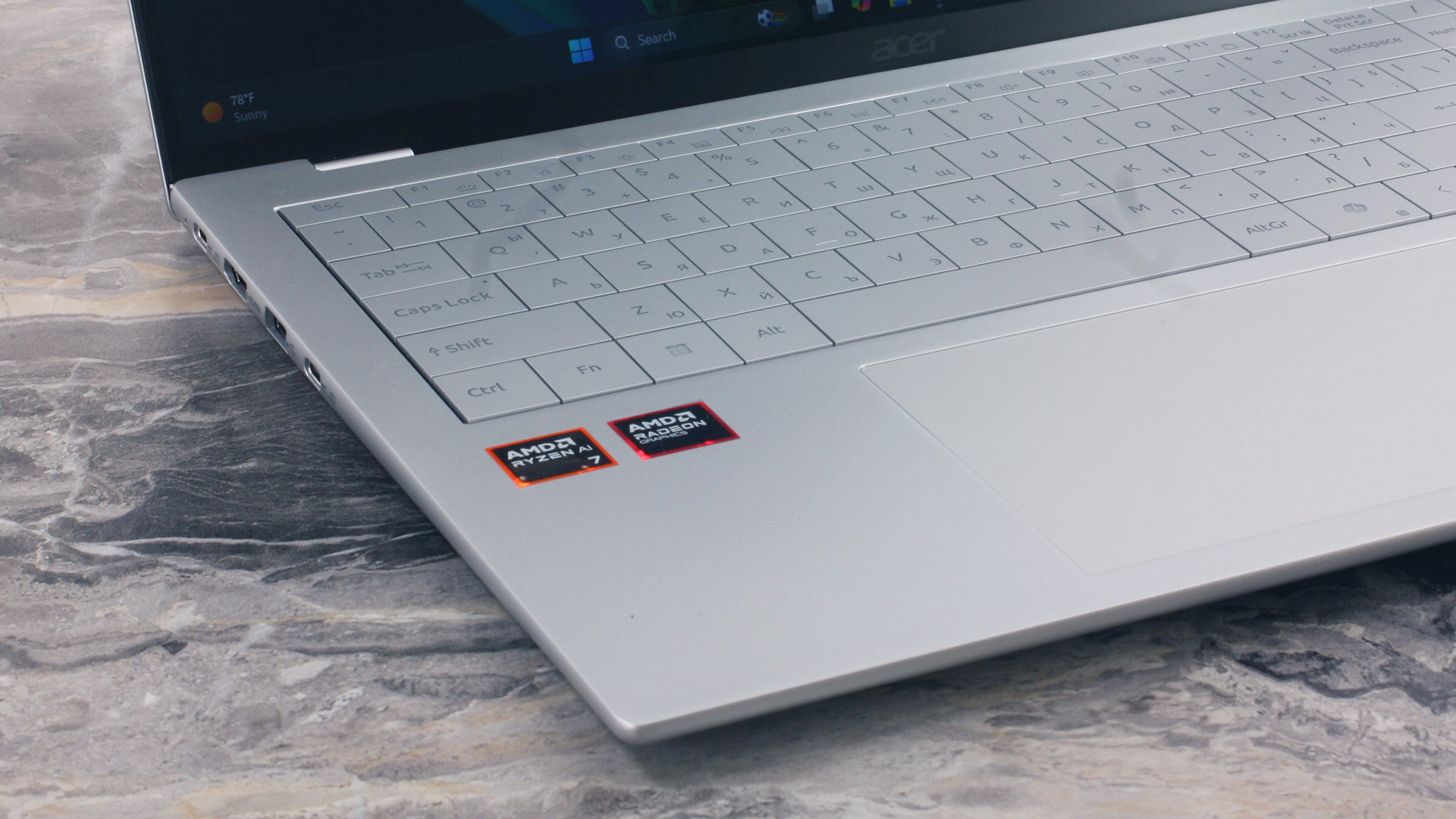
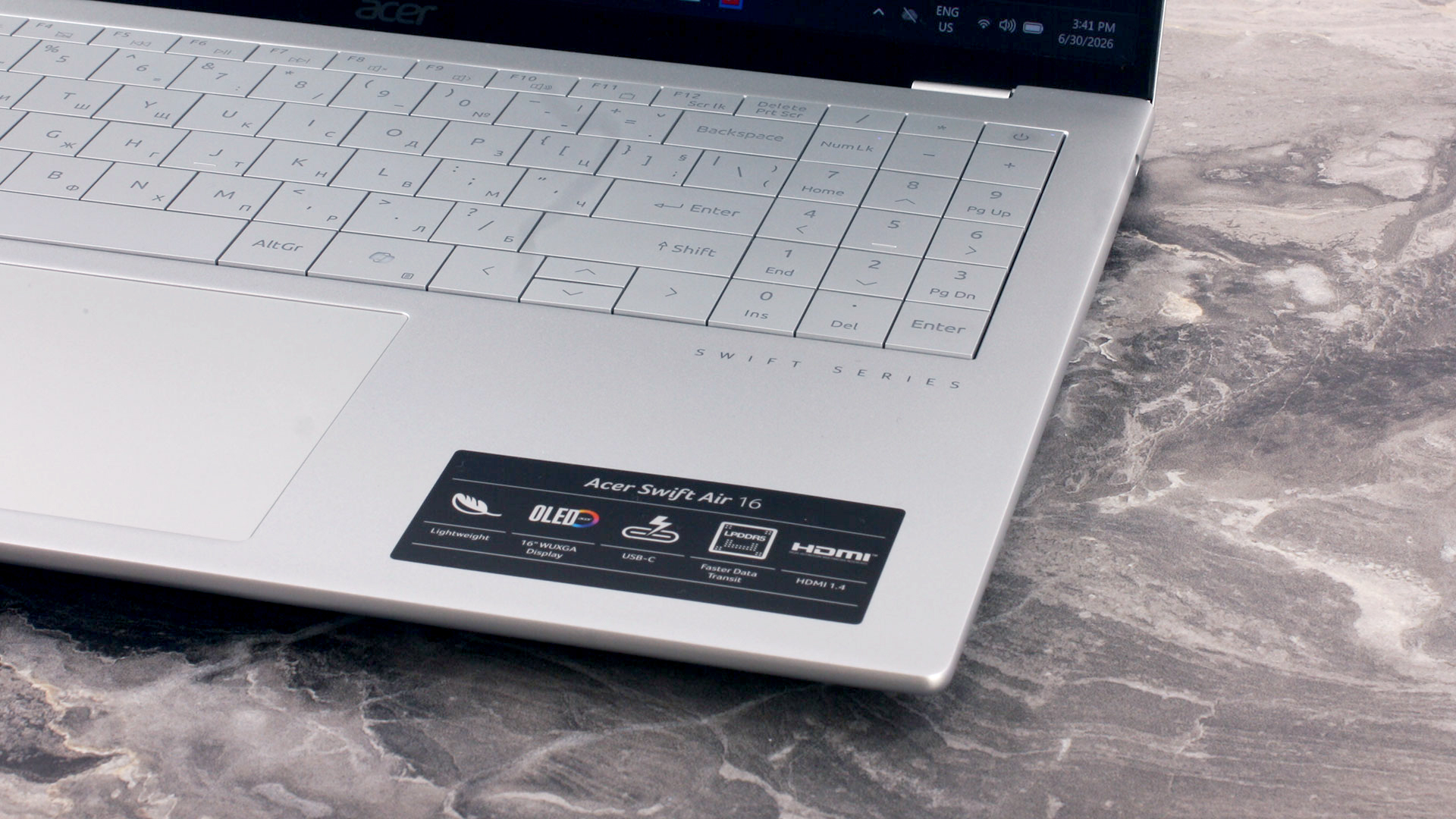
There is no fingerprint reader, so biometric authentication relies on the IR camera and Windows Hello.
Fortunately, Acer did not cut corners with the touchpad. It is large, comfortable, and behaves exactly as you would expect from a premium ultraportable. The surface allows for smooth, precise gliding, while the physical click is distinct and satisfying. Despite the aggressive weight-saving measures elsewhere, the touchpad feels entirely at home in a high-end machine.
Ports and Connectivity
The Acer Swift Air 16 (SFA16-61M) clusters nearly all of its physical connectivity on the left side of the chassis. Here, you will find a full-size HDMI port for connecting to external displays or projectors, alongside a standard USB Type-A port rated at 5 Gbps (USB 3.2 Gen 1).
The left flank also houses two USB Type-C ports, both of which support DisplayPort video output and charging. However, according to Acer’s official specifications, these ports are limited to USB 3.2 Gen 1 speeds of up to 5 Gbps. That is a notable limitation for a modern premium ultraportable, as there is no officially listed 10 Gbps USB connectivity, USB4, or Thunderbolt support. Users working with high-speed external SSDs or more advanced docking solutions should keep this in mind.

The ports on the left + a sneak peek inside
In stark contrast, the right side of the laptop is almost entirely bare, featuring only a standard 3.5mm headphone/microphone combo jack. This is convenient for right-handed mouse users, as there are no cables occupying the working area beside the mouse, but the overall port selection is undeniably limited.
The rear of the laptop has no ports at all, and there is no SD or microSD card reader, built-in Ethernet, SIM slot, or WWAN connectivity. With only one USB Type-A port available, users who regularly connect multiple traditional peripherals or need a wired network connection will likely want to carry a USB-C hub or dock.

The ports on the right + a sneak peek inside
Wireless connectivity is more modern. Our machine came with a Realtek RTL8852CE Wi-Fi 6E adapter, giving it access to the 6 GHz band when paired with a compatible router. In suitable environments, this additional spectrum can help reduce congestion and interference compared with the more crowded 2.4 GHz and 5 GHz bands.
Acer also specifies Bluetooth 5.4 or newer, depending on the configuration, for connecting wireless headphones, mice, and other peripherals.

The rear side of the Acer Swift Air 16 (SFA16-61M) + a sneak peek inside
Display and Sound Quality, Display Profiles
We ordered the Acer Swift Air 16 (SFA16-61M) with the 16-inch WUXGA (1920 × 1200) OLED screen option (Samsung ATNA60KJ04-0 / SDC4236), which sits between the base WUXGA IPS display and the higher-resolution OLED option. The base display uses a WUXGA IPS panel with a 45% NTSC color gamut, while the top option upgrades to a sharper WQXGA+ (2880 × 1800) OLED panel with a 120 Hz refresh rate, 100% DCI-P3 coverage, and VESA DisplayHDR True Black 500 certification.
| Acer Swift Air 16 (SFA16-61M) | 16″, WUXGA (1920 x 1200), IPS | 16″, WUXGA (1920 x 1200), OLED (Samsung ATNA60KJ04-0 / SDC4236) | 16″, WQXGA+ (2880 x 1800), 120 Hz, OLED |
| Diagonal | 16.0 inches (40.6 cm) | 16.0 inches (40.6 cm) | 16.0 inches (40.6 cm) |
| Panel Type | IPS | OLED | OLED |
| Resolution | 1920 x 1200 pixels | 1920 x 1200 pixels | 2880 x 1800 pixels |
| Max Refresh Rate | Not specified | 60 Hz | 120 Hz |
| Aspect Ratio | 16:10 | 16:10 | 16:10 |
| Pixel Density | 141 PPI | 141 PPI | 212 PPI |
| ‘Retina’ Distance | Greater than or equal to 62 cm | Greater than or equal to 62 cm | Greater than or equal to 41 cm |
All measurements and observations below apply specifically to the WUXGA OLED panel in the configuration we ordered.
One thing immediately stood out during everyday use: despite running at its native 1920 × 1200 resolution, text and fine lines did not look as crisp as we expected. This was particularly noticeable because a conventional 15.6-inch Full HD IPS display placed next to it has virtually the same pixel density, yet appears visibly sharper.
Our microscope photo helps explain why. The Samsung OLED panel uses a non-standard OLED subpixel arrangement rather than a conventional RGB stripe, which appears to be the main reason for the reduced perceived clarity of fine details and small text. The microscope scale also shows a pixel pitch of approximately 0.18 mm, closely matching the expected physical pixel pitch for a 16-inch 1920 × 1200 panel at 141 PPI.
Adjusting Windows ClearType did not improve the result. This is therefore not a case of the display running at an incorrect, non-native resolution; the softer appearance appears to be an inherent characteristic of the panel’s physical subpixel structure.
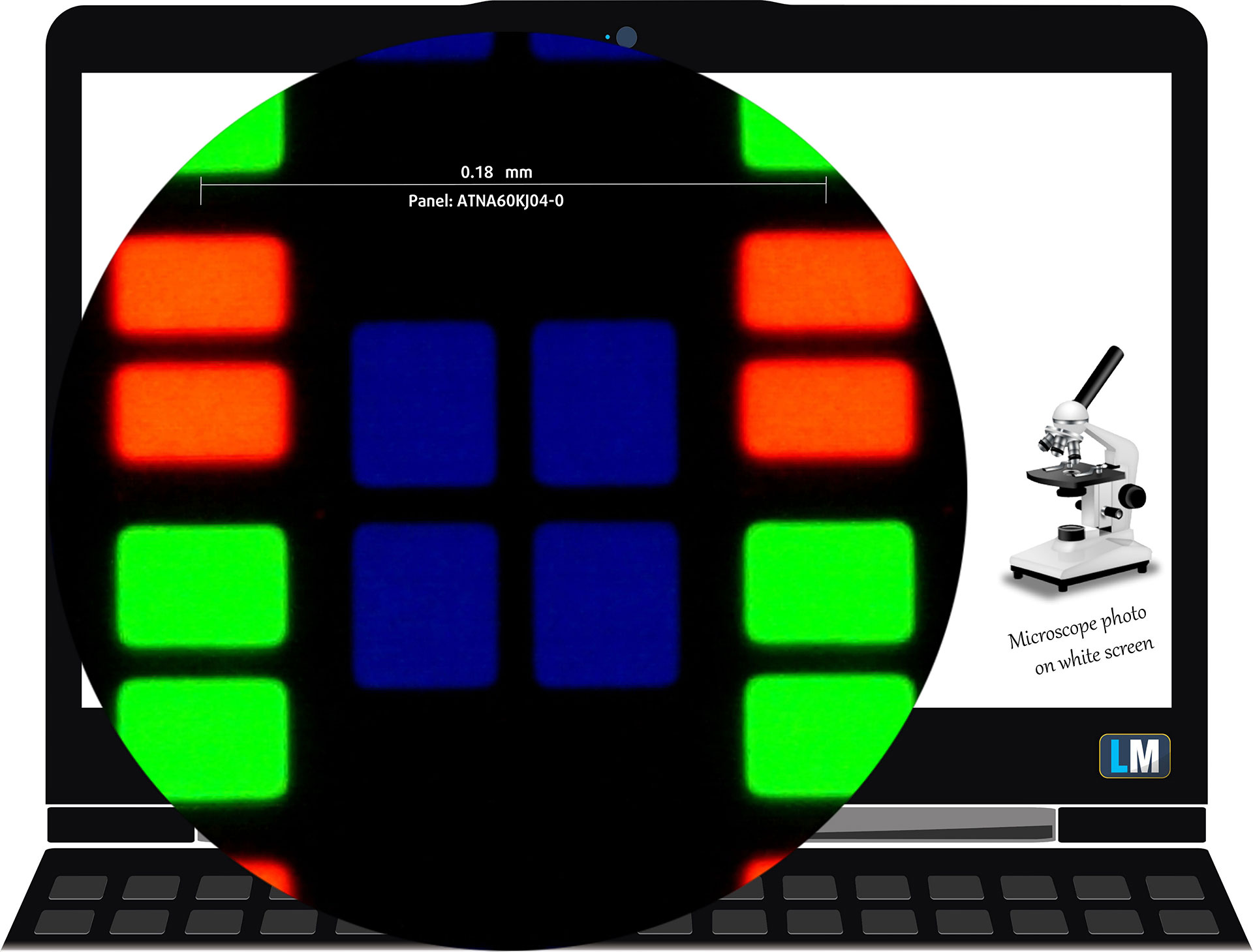
The WUXGA (1920 x 1200), 60 Hz, OLED display variant under our microscope
Viewing Angles
Viewing angles are good. We take photos from different angles to evaluate the quality.
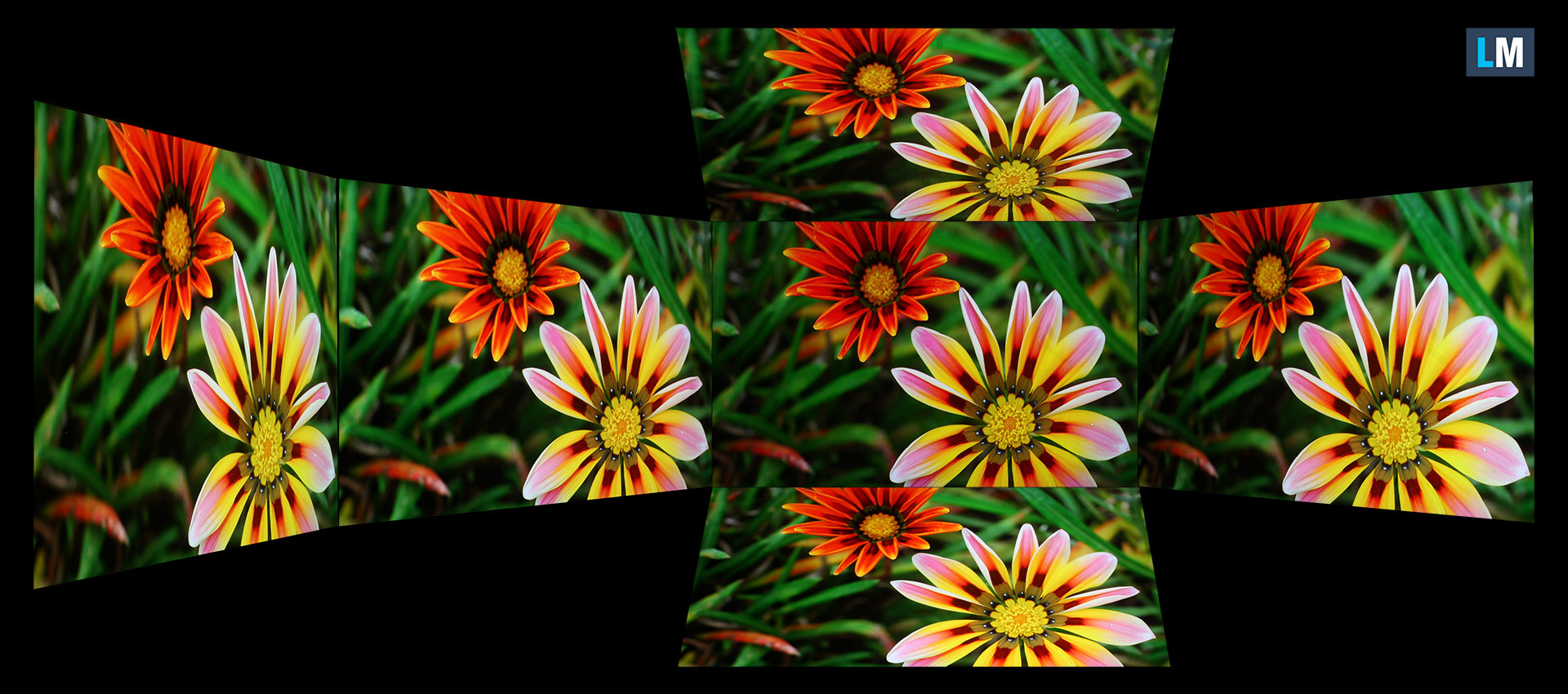
We also include a video recorded with locked focus and exposure.
Color Coverage
The sail-shaped diagram represents the visible color space, while the black curved line represents Pointer’s gamut, which approximates the colors commonly found in nature.
Then, we’ve drawn some of the most important and interesting color spaces, compared to the colors the panel of Acer Swift Air 16 (SFA16-61M) can show:
Standard/For Web: sRGB – widely used color space for most consumer devices, ideal for Web design and development
For Print: AdobeRGB – used in professional photo editing, graphic design, and print
For Photographers/Video Editors: DCI-P3 – used in high-end film production, post-production, and digital cinema
Premium HDR: Rec.2020 – the widest consumer ITU color standard, covering a massive 75.8% of the visible spectrum, a benchmark for premium HDR content.
Acer Swift Air 16 (SFA16-61M): the yellow dashed triangle (– – – – – –) represents the range of colors this display can show.
In our tests, we calculated the total color coverage of the display at 100% of the sRGB color gamut and 100% of the DCI-P3 color gamut. This is an excellent result and even exceeds Acer’s typical 95% DCI-P3 specification for this particular WUXGA OLED option.
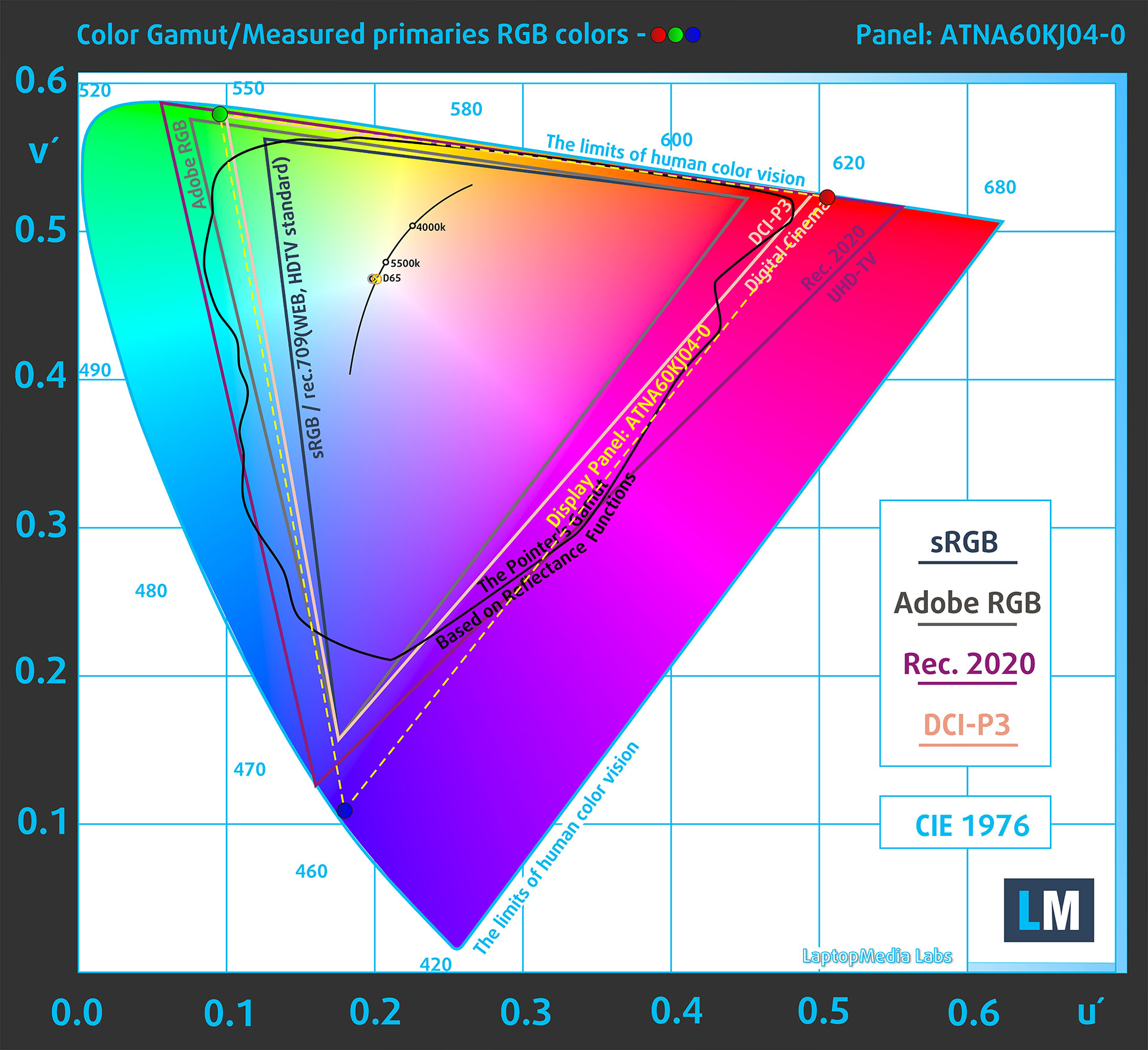
(Fig.1) Acer Swift Air 16 (SFA16-61M) covers 100% of the DCI-P3 gamut
Brightness and Contrast
Windows reports that HDR video streaming is supported, but HDR for games, apps, and desktop use is not. Acer rates this WUXGA OLED option at 300 nits and does not list it as HDR-certified, so we treat it as an SDR display.
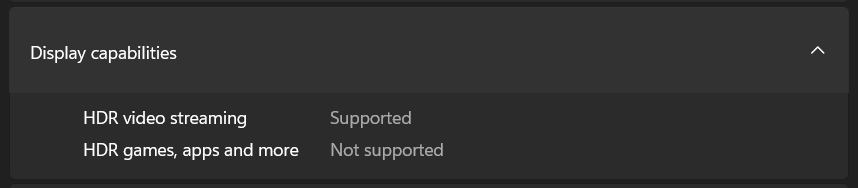
The maximum brightness in SDR mode is 297 cd/m².
The Correlated Color Temperature (CCT) on a white screen at maximum brightness is 6430K, which is very close to the 6500K reference point generally considered neutral daylight white.
The contrast ratio of OLED panels is excellent because the pixels turn off completely when displaying black.
Uniformity: Luminance, Contrast, and Color Deviation
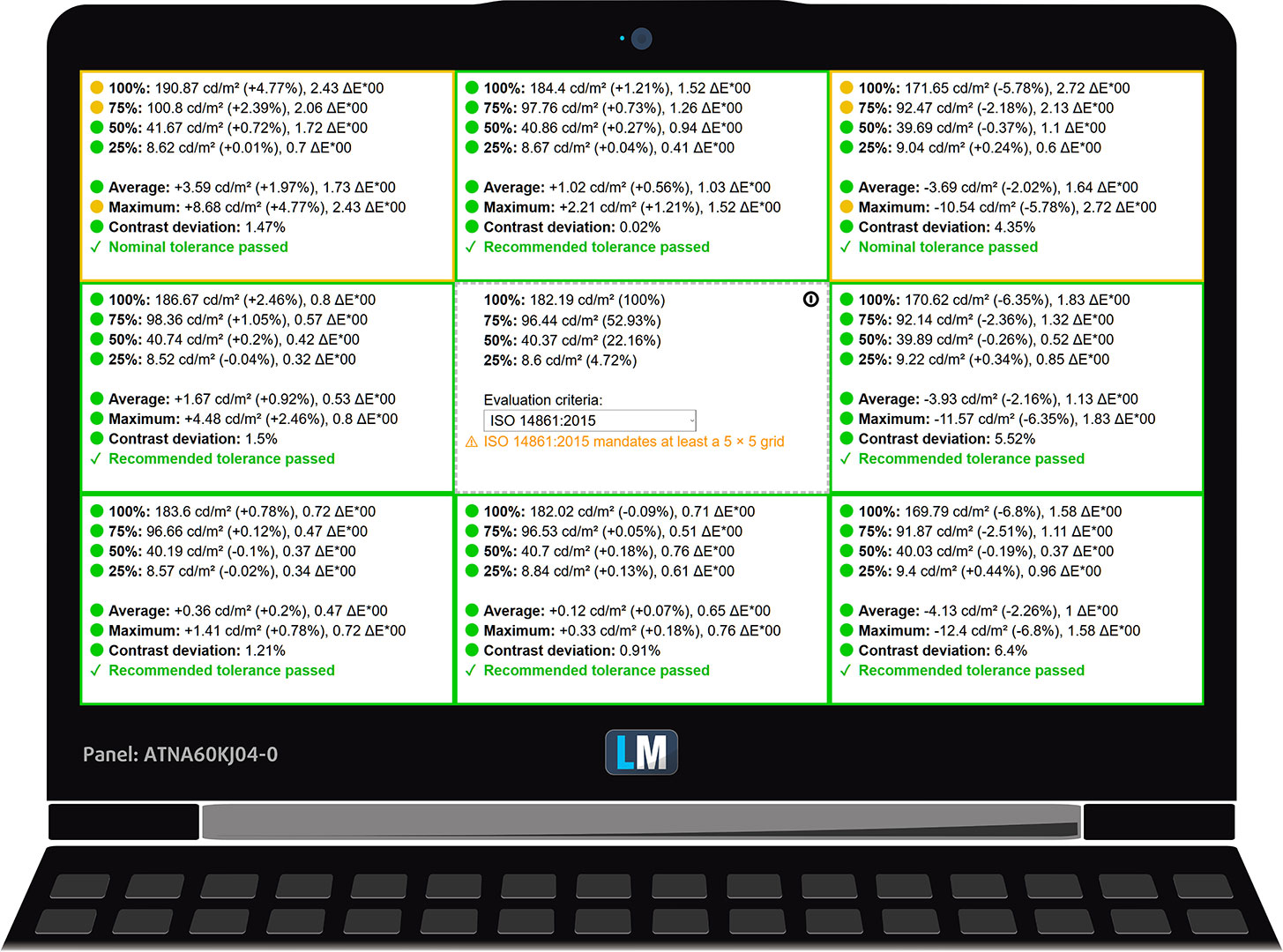
The figure below shows the results from our uniformity test across different sections of the screen. It’s measured at 182 nits (Windows slider = 79%) – a brightness level we consider typical for standard working conditions.
DeltaE values below 4.0 are acceptable for regular users. For those working with colors, screens with DeltaE values no higher than 2.0 are recommended.
Color Accuracy
Let’s check the difference between real colors and those you’ll see on the Acer Swift Air 16 (SFA16-61M). We measure that distance in DeltaE – the higher the value, the greater the visible difference.
Values below 4.0 are acceptable for regular users, while values below 2.0 are suitable for color-sensitive work. A value below 1.0 means the difference is indistinguishable to the naked eye.
For the next graph, we’ve selected 24 common colors, including dark and light skin tones, blue sky, green grass, etc.
The panel is already impressively accurate in its factory condition. Before our calibration of the Acer Swift Air 16 (SFA16-61M), the average color accuracy was 1.6 dE 2000 (Fig. 2), and with our Design and Office Work profile, it improved to 1.0 dE 2000 (Fig. 3).
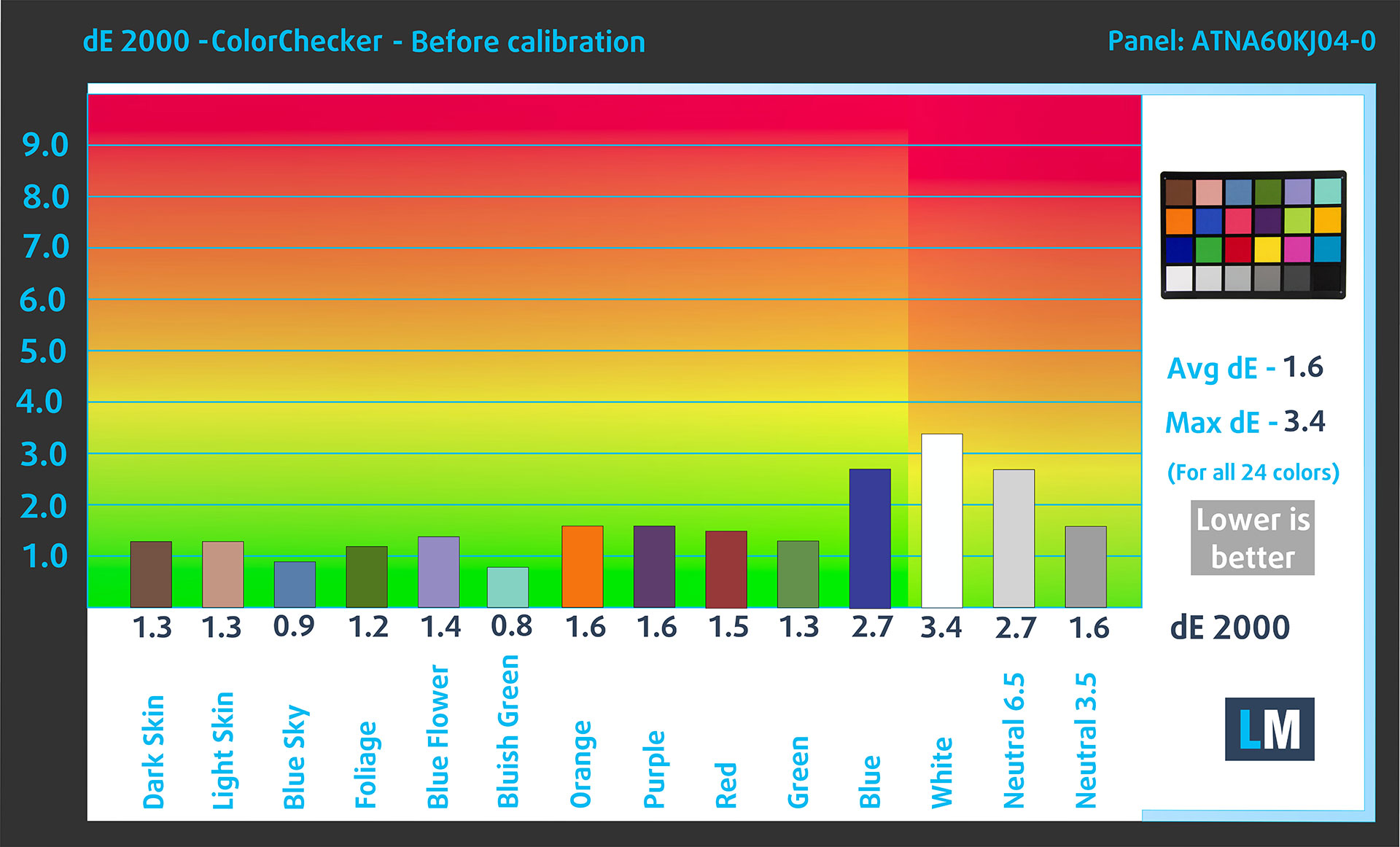
(Fig. 2) Acer Swift Air 16 (SFA16-61M) in its factory condition
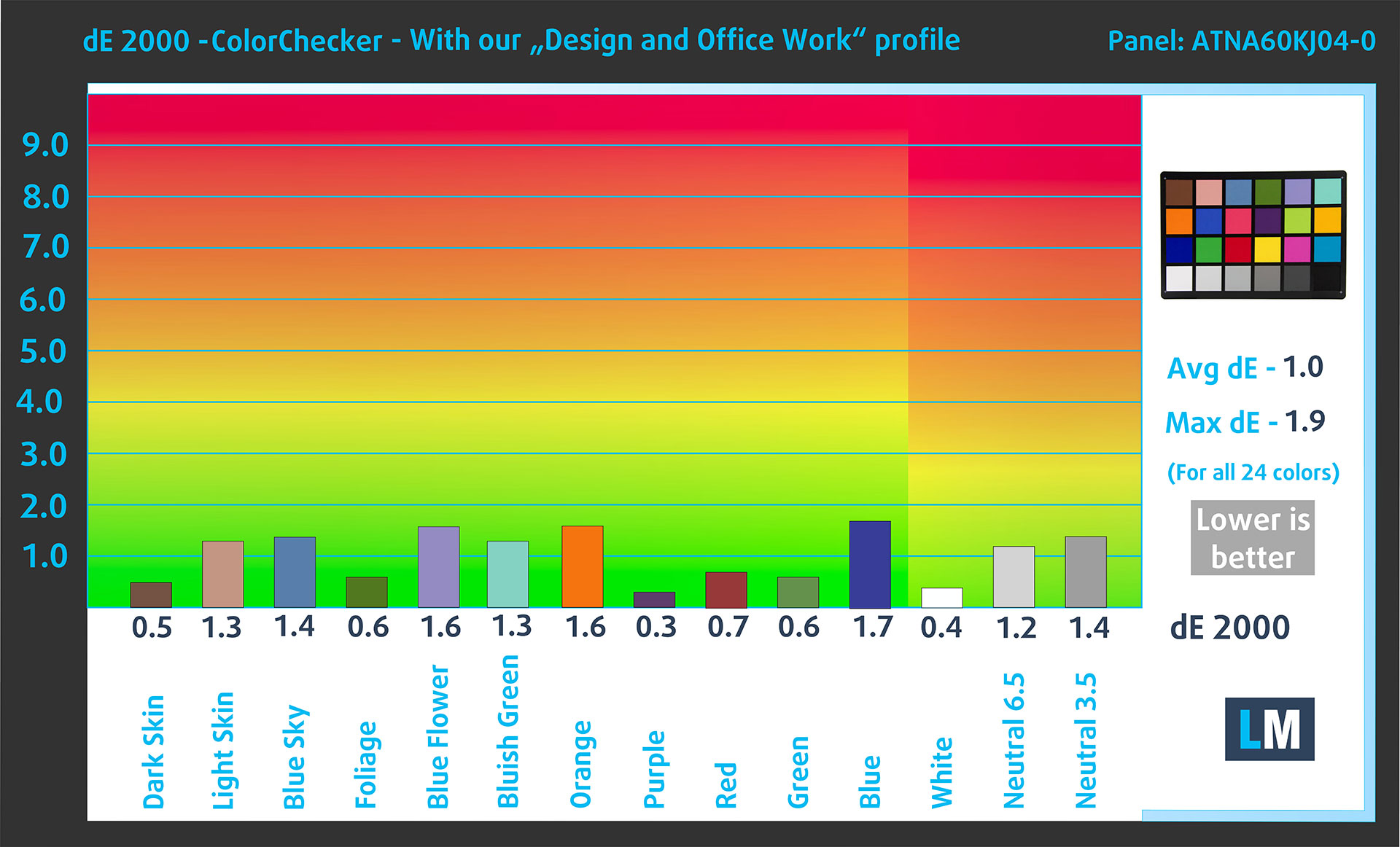
(Fig. 3) Acer Swift Air 16 (SFA16-61M) with our display profile
Comparison in the Display P3 color space.
Here’s an illustration of what the Design and Office Work profile aims to deliver:
Left: No Profile | Drag the slider to see the difference | Right: Design & Office Profile
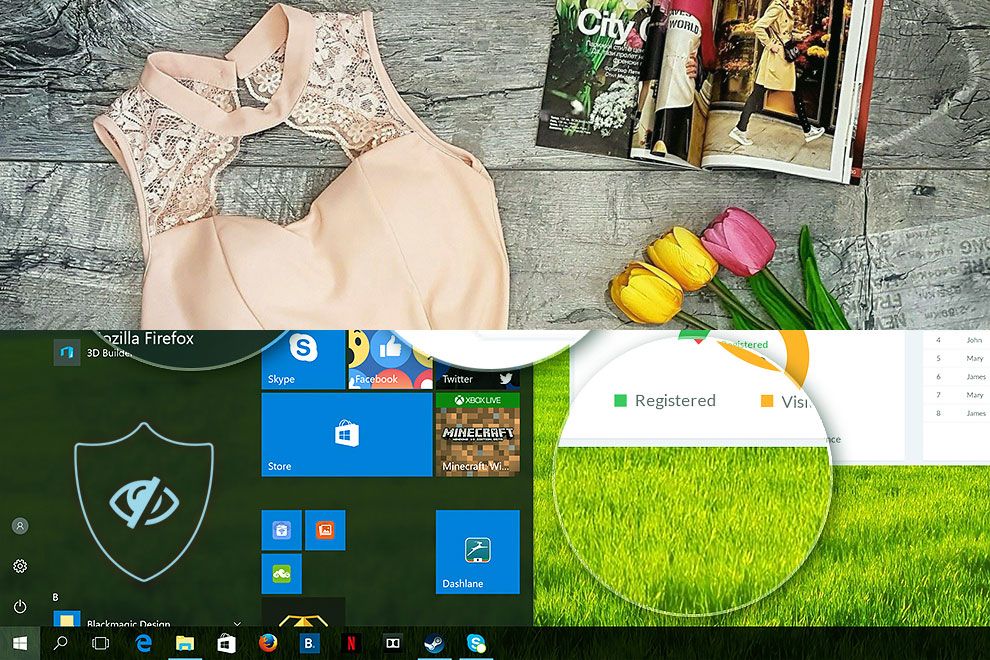
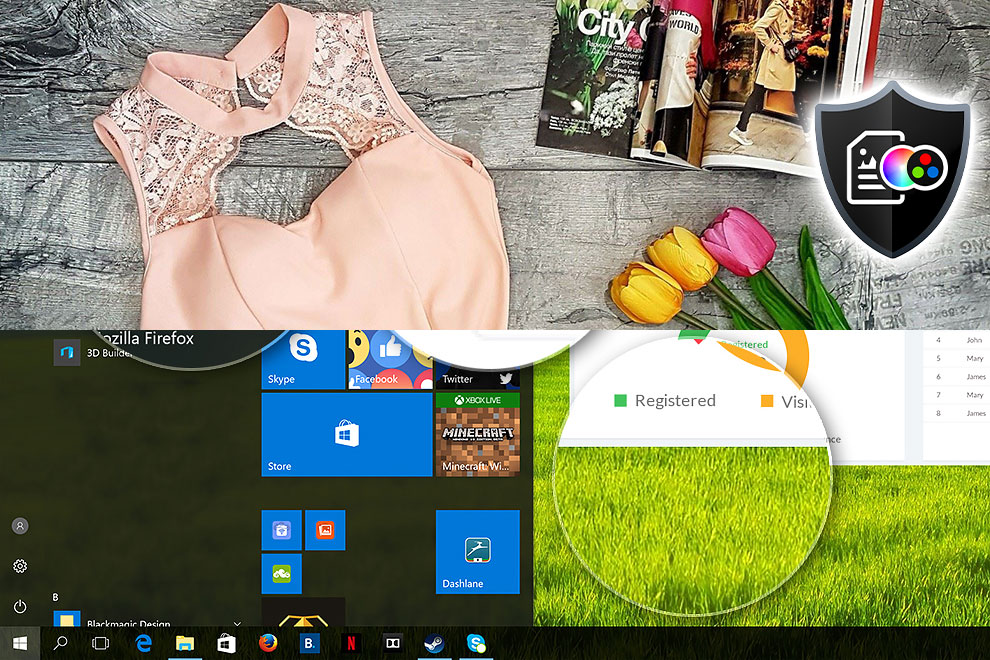
Visibility in dark scenes
Have you ever watched a movie with dark scenes where you could barely see anything? This often happens because many display panels struggle to differentiate the darkest nuances, making them appear the same.
The next figure illustrates how well the display reproduces these dark nuances. The left side of the image shows the display with stock settings, and the right side shows it with our Gaming and Movies profile activated.
The horizontal axis shows the grayscale levels, while the vertical axis shows the corresponding display brightness.
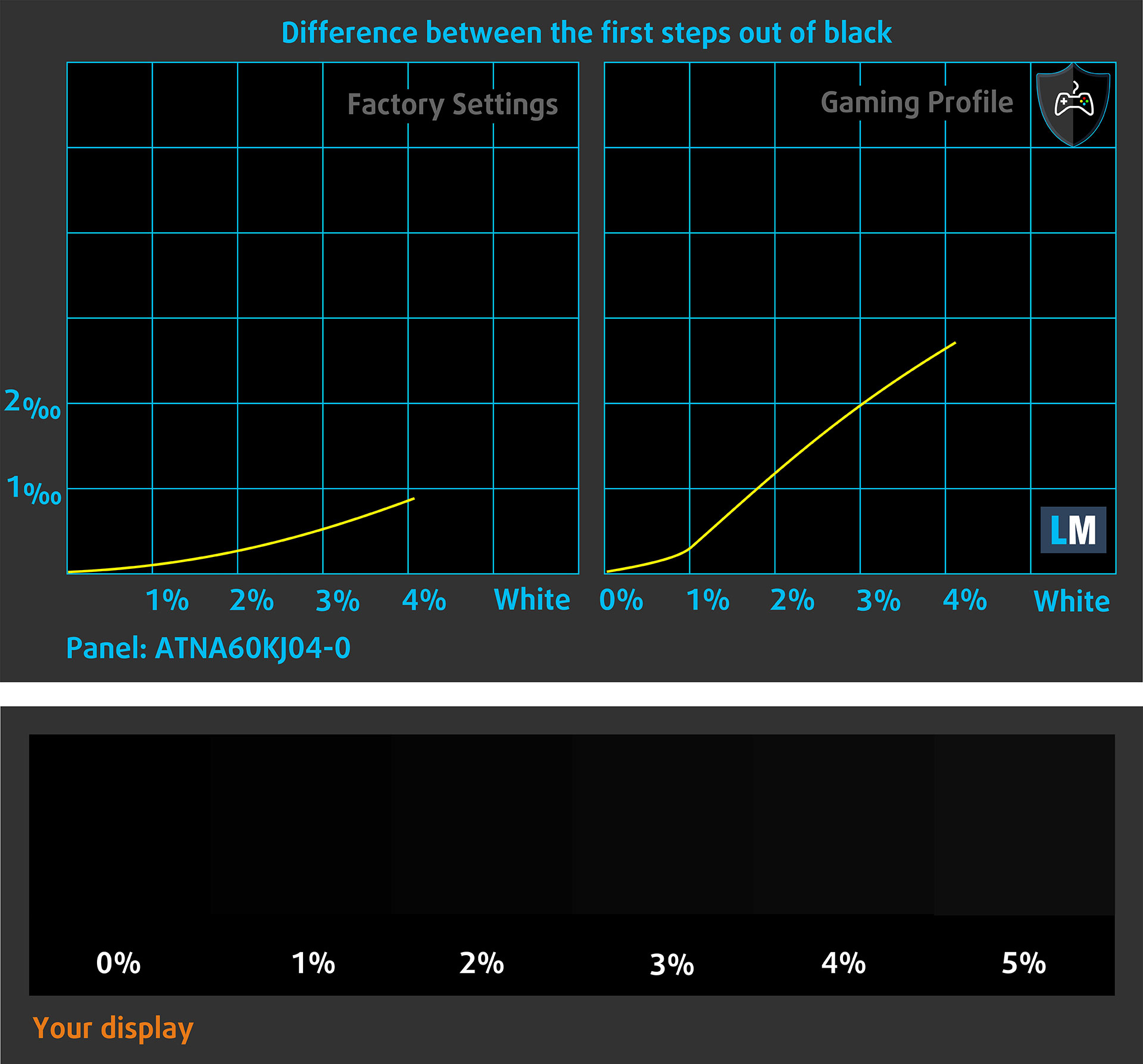
You can also check how your display handles the darkest nuances, but keep in mind that this also depends on the settings of your current display and the surrounding light conditions.
Health Impact: PWM (Screen flickering)
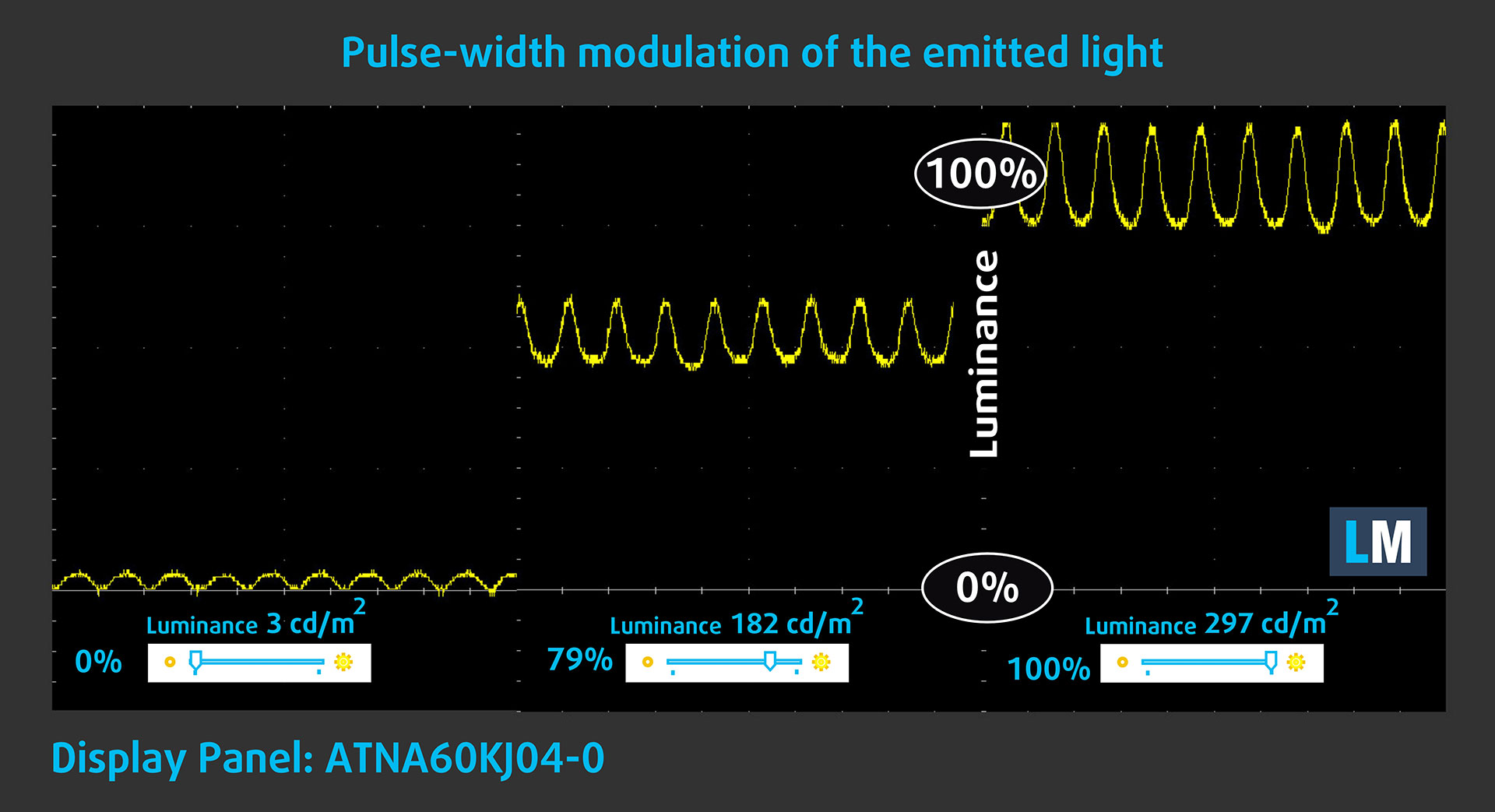
Some displays use PWM to regulate brightness, which means that instead of reducing the light intensity, they pulse or flicker. Our brain merges the image, so it appears darker, but this can increase eye strain, especially when the pulse frequency is low. You can read more about that in our dedicated article on PWM.
In the graph below, you can see the intensity of light at different brightness levels. The vertical axis shows the brightness of the emitted light, while the horizontal axis shows time.
The display light of the Acer Swift Air 16 (SFA16-61M) pulsates, but with limited amplitude across the entire brightness range. In this respect, we find the display relatively comfortable in terms of flicker.
Health Impact: blue light emissions
Installing our Health-Guard profile reduces blue-light emissions and improves viewing comfort while keeping the screen colors perceptually accurate. It may be helpful during evening use.
You can find more information about that in our dedicated article on Blue Light.
Health Impact: Screen Reflectance
Glossy-coated displays can cause eye fatigue in high ambient light conditions due to reflections. We measure the level of screen reflection with the display turned off, at a 60° angle.
The reflectance of the Acer Swift Air 16 (SFA16-61M)’s screen is 178 GU. This is extremely high, and combined with the relatively modest maximum brightness of 297 cd/m², reflections are one of the biggest practical weaknesses of this display. They can be distracting even indoors and become increasingly problematic in brightly lit environments.
Low Reflectance: < 45 GU
Medium Reflectance: 45 – 80 GU
High Reflectance: > 80 GU
Get our profiles
Since our profiles are tailored for each individual display model, this article and its respective profile package are meant for Acer Swift Air 16 (SFA16-61M) configurations with ATNA60KJ04-0 (SDC4236), 1920 x 1200, OLED panel.
*Should you have problems with downloading the purchased file, try using a different browser to open the link you’ll receive via e-mail. If the download target is a .php file instead of an archive, change the file extension to .zip or contact us at [email protected].
Read more about the profiles HERE.
कुशल और स्वास्थ्य के अनुकूल प्रोफाइल प्राप्त करने के अलावा, LaptopMedia के उत्पादों को खरीदकर आप हमारी प्रयोगशालाओं के विकास का भी समर्थन करते हैं, जहाँ हम सबसे वस्तुनिष्ठ समीक्षाएँ प्रस्तुत करने के लिए उपकरणों का परीक्षण करते हैं।

Design and Office
Design and Office प्रोफ़ाइल प्रदर्शन रंगों को वास्तविकता के जितना संभव हो उतना करीब बनाती है।न केवल पेशेवरों के लिए बल्कि रोजमर्रा के उपयोगकर्ताओं के लिए भी आदर्श, यह आपके पैनल पर सटीक रंग पुनरुत्पादन के लिए न्यूनतम DeltaE के साथ sRGB मानकों (D65 व्हाइट पॉइंट, sRGB गामा) को पूरा करता है।

गेमिंग और मूवीज़
क्या आपने कभी ऐसी फिल्म देखी है जहाँ, अंधेरे दृश्यों के दौरान, आप मुश्किल से कुछ भी देख पाते हैं? कई डिस्प्ले डार्क टोन को ठीक से अलग करने में विफल रहते हैं। हमारा गेमिंग और मूवीज़ प्रोफ़ाइल मानव धारणा के अनुरूप गामा वक्र का उपयोग करके, HDR तकनीक की तरह, कम-रोशनी के प्रदर्शन को बढ़ाता है - तेज़ प्रतिक्रियाओं और स्पष्ट दृश्यों की तलाश करने वाले गेमर्स के लिए आदर्श।

Health-Guard
हमारा Health-Guard प्रोफ़ाइल PWM फ़्लिकरिंग को समाप्त करके, तनाव और थकान को कम करके, और हानिकारक ब्लू लाइट एक्सपोज़र को कम करके आपकी आँखों की सुरक्षा करता है जो नींद और स्वास्थ्य को बाधित कर सकता है। यह स्क्रीन उपयोग के दौरान आराम और सुरक्षा के लिए सॉफ़्टवेयर डिमिंग और मानव धारणा के अनुरूप गामा वक्र का उपयोग करता है।
33% छूट के साथ सभी प्रोफाइल प्राप्त करें!

Sound Quality
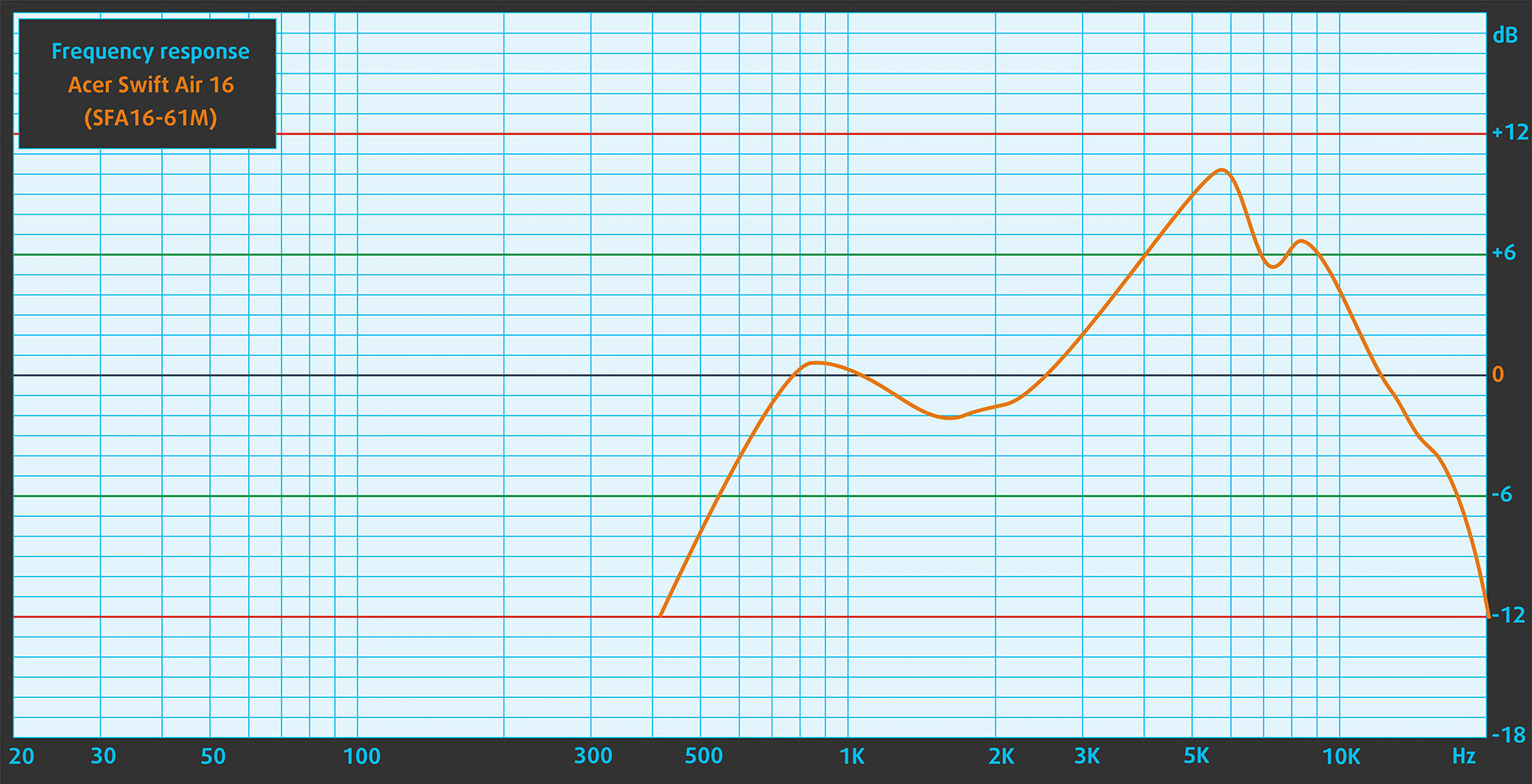
The two speakers of the Acer Swift Air 16 (SFA16-61M) deliver reasonably good sound quality overall. However, the frequency-response graph reveals noticeable unevenness across the measured range, including a pronounced rise in the upper frequencies, which affects the tonal balance and clarity.
Work Performance: CPU, Storage, AI
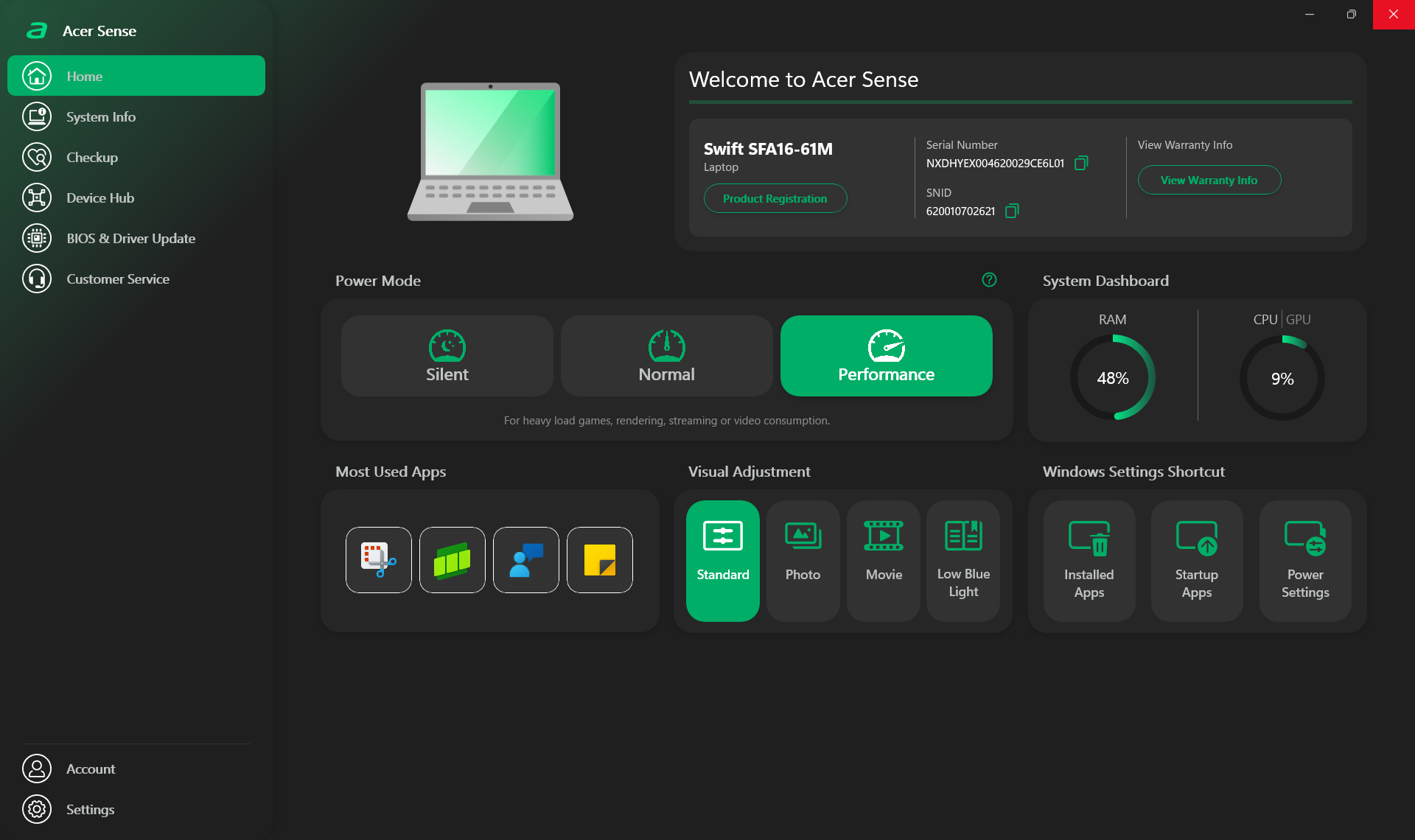
All performance and temperature tests are conducted with Performance mode activated in Acer Sense:
CPU and Work Performance
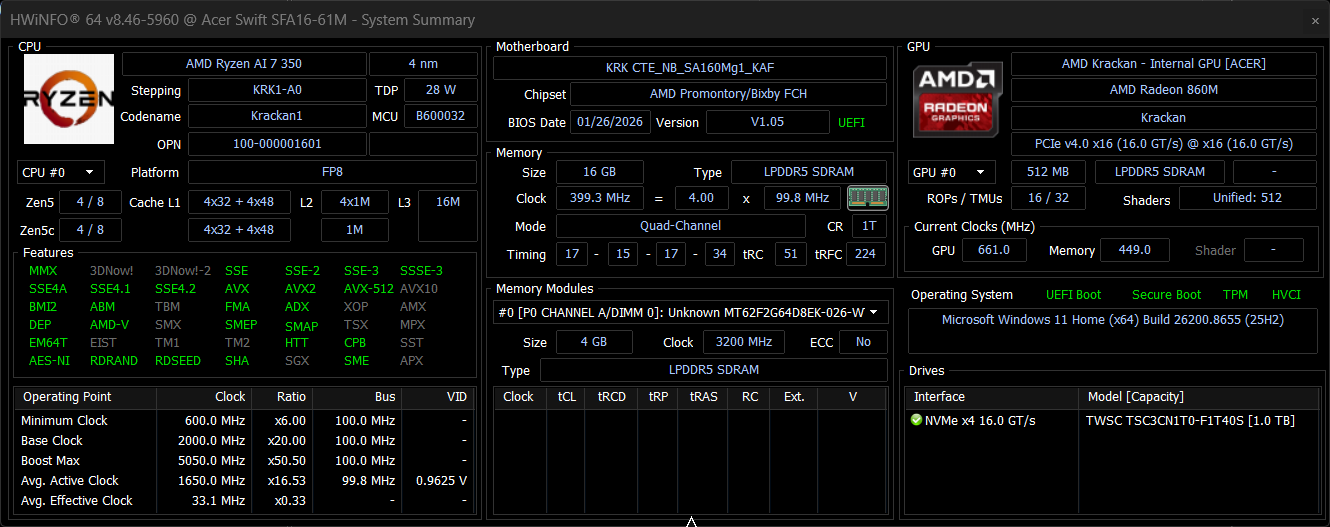
The Acer Swift Air 16 (SFA16-61M) is offered with AMD Ryzen AI processors, including the Ryzen AI 7 350, Ryzen AI 5 340, and Ryzen AI 5 330. The Ryzen AI 7 350 is the strongest option here with 8 cores and 16 threads, while the Ryzen AI 5 340 and 330 step down to 6-core and 4-core designs, respectively. For a broader comparison, check our Top Laptop CPU Ranking.
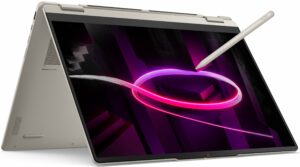
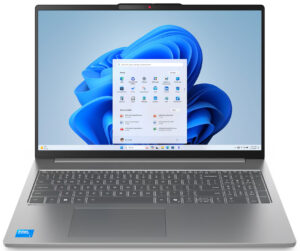
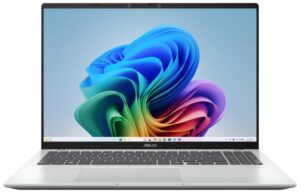
Considering its extreme focus on portability, the Ryzen AI 7 350 performs exceptionally well. Direct comparisons are not entirely fair, as every other laptop in this group is substantially thicker and heavier, giving its cooling system more room to work. Even so, the Swift Air 16 keeps up with (and in several tests even slightly outperforms) much larger machines such as the Acer Swift 16 AI (SF16-51) (detailed review) and Lenovo Yoga 7a 2-in-1 (16″, Gen 11) (detailed review). The Snapdragon X-powered ASUS Vivobook 16 X1607 (detailed review) still has an advantage in Cinebench 2024, but the Acer leads it in Geekbench 6. For a 1.059 kg 16-inch laptop, this is an unusually strong showing and one of the most impressive aspects of the machine.
Single-core प्रदर्शन ऑपरेटिंग सिस्टम में सुचारू संचालन और प्रतिक्रिया सुनिश्चित करता है, जिससे एक बेहतर उपयोगकर्ता अनुभव मिलता है।
परिणाम Geekbench 6 Single-Core टेस्ट से हैं (उच्चतर बेहतर है)
Multi-core प्रदर्शन जटिल और मांग वाले कार्यों, जैसे वीडियो संपादन, CAD, और वैज्ञानिक सिमुलेशन को संभालने के लिए आवश्यक है।
परिणाम Geekbench 6 Multi-Core टेस्ट से हैं (उच्चतर बेहतर है)
यहां, हम एक वास्तविक-विश्व 3D रेंडरिंग कार्य का उपयोग करके CPU के प्रदर्शन का मूल्यांकन करते हैं, जटिल संगणनाओं और रेंडरिंग वर्कलोड को कुशलतापूर्वक संभालने की इसकी क्षमता का आकलन करते हैं।
परिणाम Cinebench 2024 Multi-Core टेस्ट से हैं (उच्चतर बेहतर है)
Storage Performance
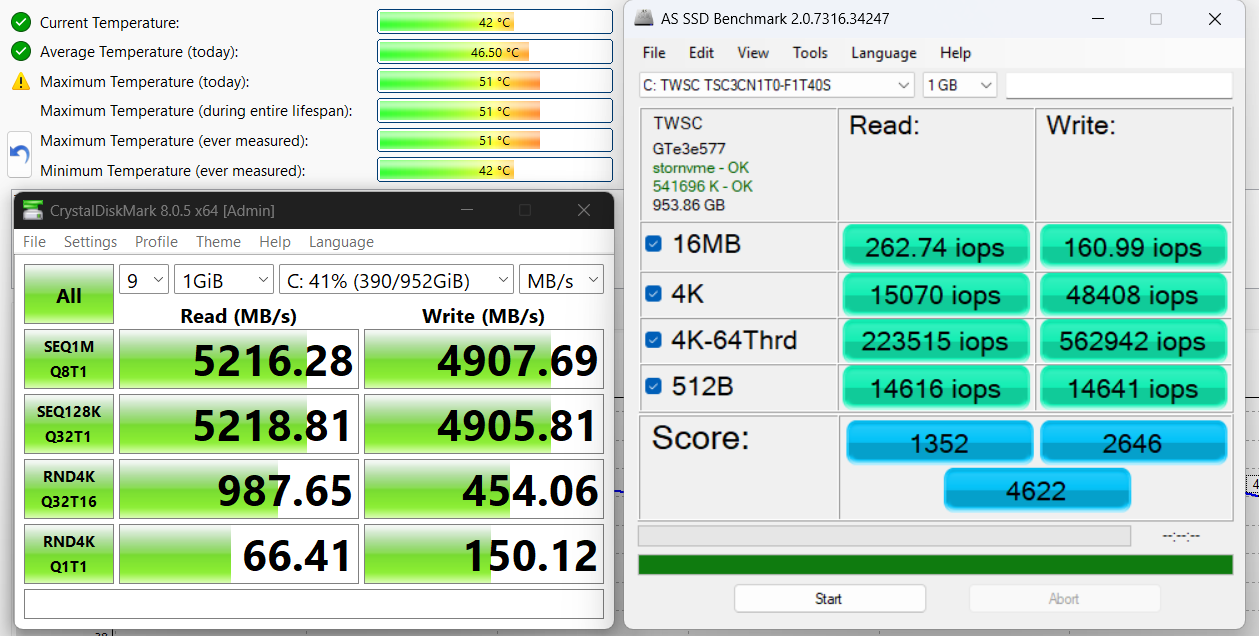
We ordered a configuration with 1TB of storage, and our machine came with a TWSC TSC3CN1T0-F1T40S PCIe 4.0 NVMe SSD. It reached 5.2 GB/s in sequential reads and 4.9 GB/s in sequential writes while keeping temperatures well under control.
AI Performance
यहां आप Acer Swift Air 16 (SFA16-61M) में पाए जाने वाले GPU और CPU (NPU) की स्थिति को हमारे AI हार्डवेयर प्रदर्शन रैंकिंग में उनकी AI प्रसंस्करण शक्ति के आधार पर देख सकते हैं, जिसे TOPS (Tera Operations Per Second) में मापा जाता है - यह एक महत्वपूर्ण मीट्रिक है जो कम्प्यूटेशनल थ्रूपुट को इंगित करता है, विशेष रूप से AI कार्यों के लिए।
पहला कॉलम INT8/FP8 précision के लिए चरम प्रदर्शन दिखाता है, जो AI inference क्षमताओं का मूल्यांकन करने के लिए सबसे व्यापक मीट्रिक है। हम सघन गणना परिदृश्यों में AI प्रदर्शन का अधिक सटीक प्रतिबिंब प्रदान करने के लिए Sparsity को बाहर रखते हैं जहाँ Sparsity अनुकूलन लागू नहीं हो सकते हैं। दूसरे और तीसरे कॉलम Sparsity के साथ प्रदर्शन, और FP4 TFLOPS, जब समर्थित हो, दिखाते हैं।
SoCs के लिए, परिणाम एकीकृत NPU के चरम प्रदर्शन को दर्शाते हैं। इसके अतिरिक्त, यह ध्यान रखना महत्वपूर्ण है कि, Microsoft के अनुसार, PC को "AI-सक्षम" माने जाने के लिए NPU में कम से-कम 40 TOPS AI कंप्यूटिंग शक्ति होनी चाहिए।
| # | GPU / CPU (NPU) | TOPS INT8/FP8 No Sparsity | TOPS INT8/FP8 Sparsity | TFLOPS FP4 Sparsity |
|---|---|---|---|---|
| 1541. | AMD Ryzen AI 7 350 | 50 | — | — |
| 1565. | AMD Ryzen AI 5 330 | 50 | — | — |
GPU and Gaming Performance
Graphics are handled by integrated AMD Radeon solutions, ranging from the Radeon 860M in Ryzen AI 7 350 configurations to the Radeon 840M and Radeon 820M in the lower-tier processor options. These GPUs are suitable for office work, media consumption, light creative tasks, and casual gaming rather than heavy graphics workloads. A useful detail is that both graphics options support modern media features such as AV1 encode and decode, which can help with video playback, streaming, and content workflows. You can compare them with other laptop GPUs in our Top Laptop Graphics Ranking.
Despite the Swift Air 16’s extreme focus on portability, the Radeon 860M delivers respectable integrated-graphics performance. It comfortably outpaces the Radeon 840M in the Lenovo Yoga 7a 2-in-1 (16″, Gen 11) (detailed review) and the Adreno GPU in the ASUS Vivobook 16 X1607 (detailed review), but Intel’s Arc Graphics 140V in the Dell 16 Plus (detailed review) and Acer Swift 16 AI (SF16-51) (detailed review) remains in a clearly higher performance class. The Radeon 860M is therefore well suited to lighter games and GPU-accelerated everyday workloads, but graphics performance is not the main reason to choose this ultra-light machine.
परिणाम 3DMark Time Spy (Graphics) से हैं। उच्चतर बेहतर है।
परिणाम 3DMark Wild Life Extreme Unlimited से हैं। उच्चतर बेहतर है।
Gaming tests

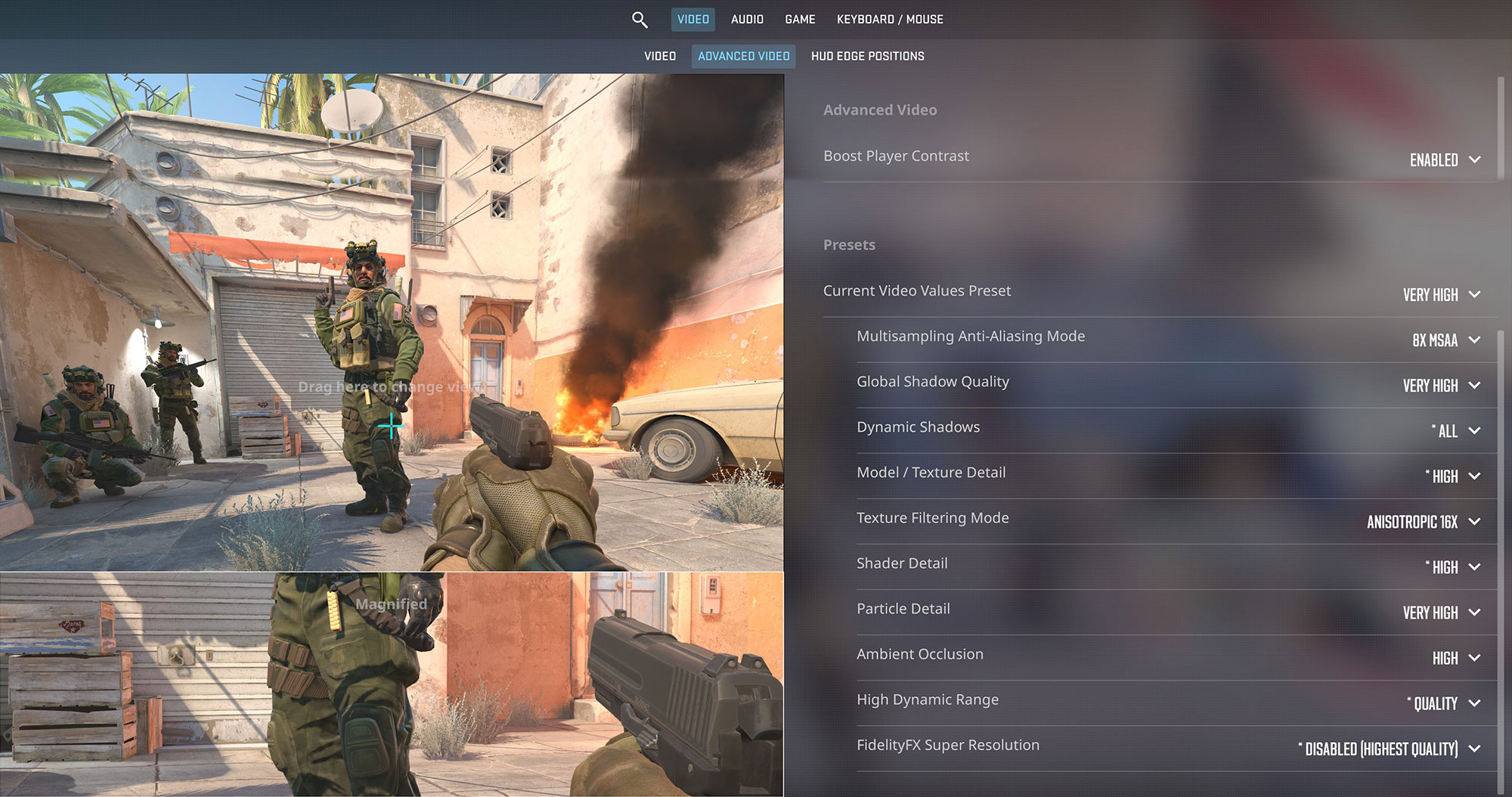
The AMD Radeon 860M in the Acer Swift Air 16 handles Counter-Strike 2 reasonably well for an integrated GPU. At the native 1200p resolution and Very High settings, it averages 45 FPS. Lowering the visual quality should provide a noticeably smoother experience and make better use of the OLED panel’s 60Hz refresh rate.
| Counter Strike 2 | 1200p, Very High (Check settings) |
| Average FPS | 45 FPS |

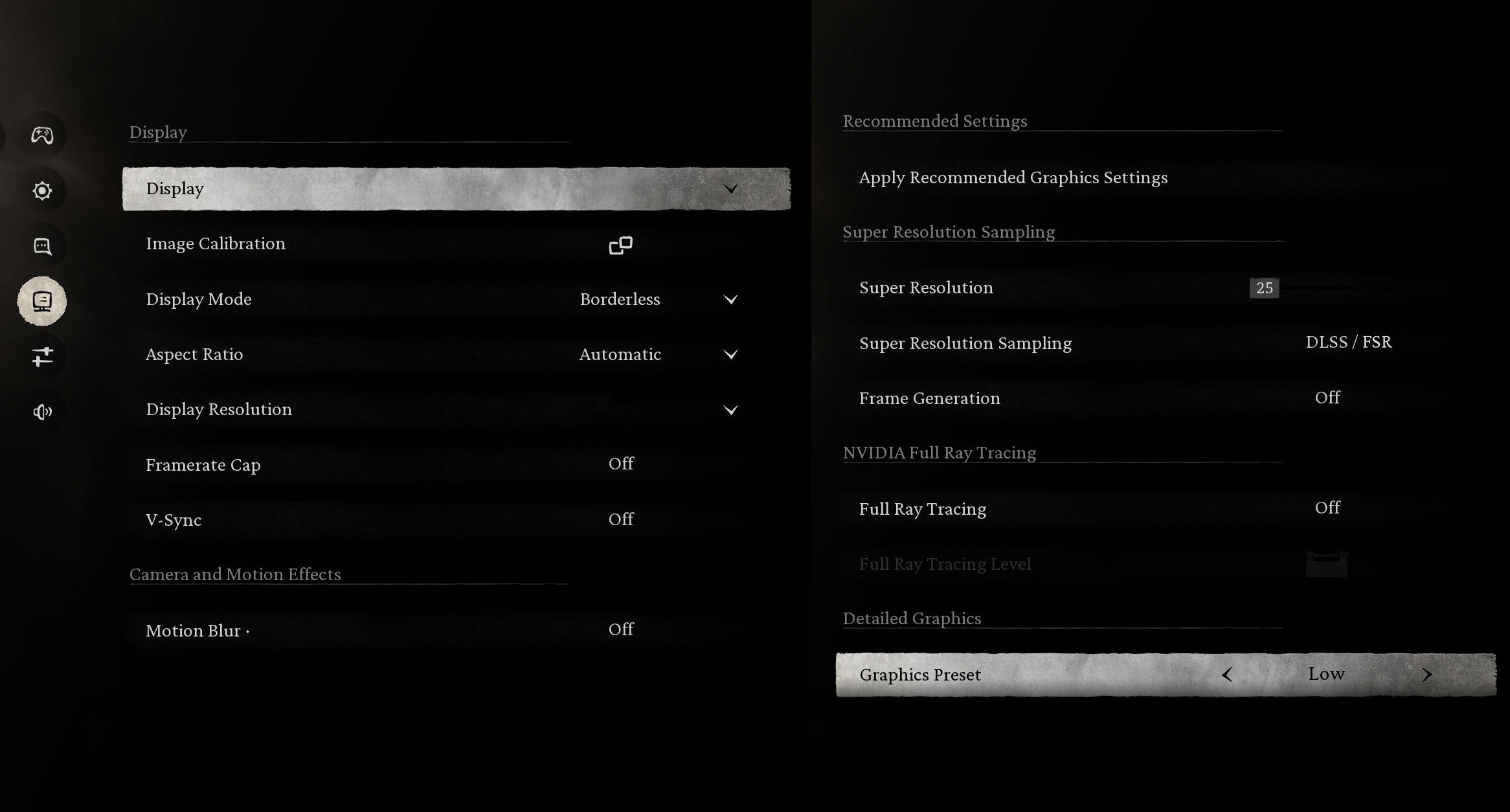
Black Myth: Wukong is a far more demanding workload, which makes the result even more impressive for such a thin and light machine. At 1200p with the Low preset, the Radeon 860M delivers 52 FPS – a surprisingly respectable result for integrated graphics in such an ultra-light machine.
| Black Myth: Wukong | 1200p, Low (Check settings) |
| Average FPS | 52 FPS |

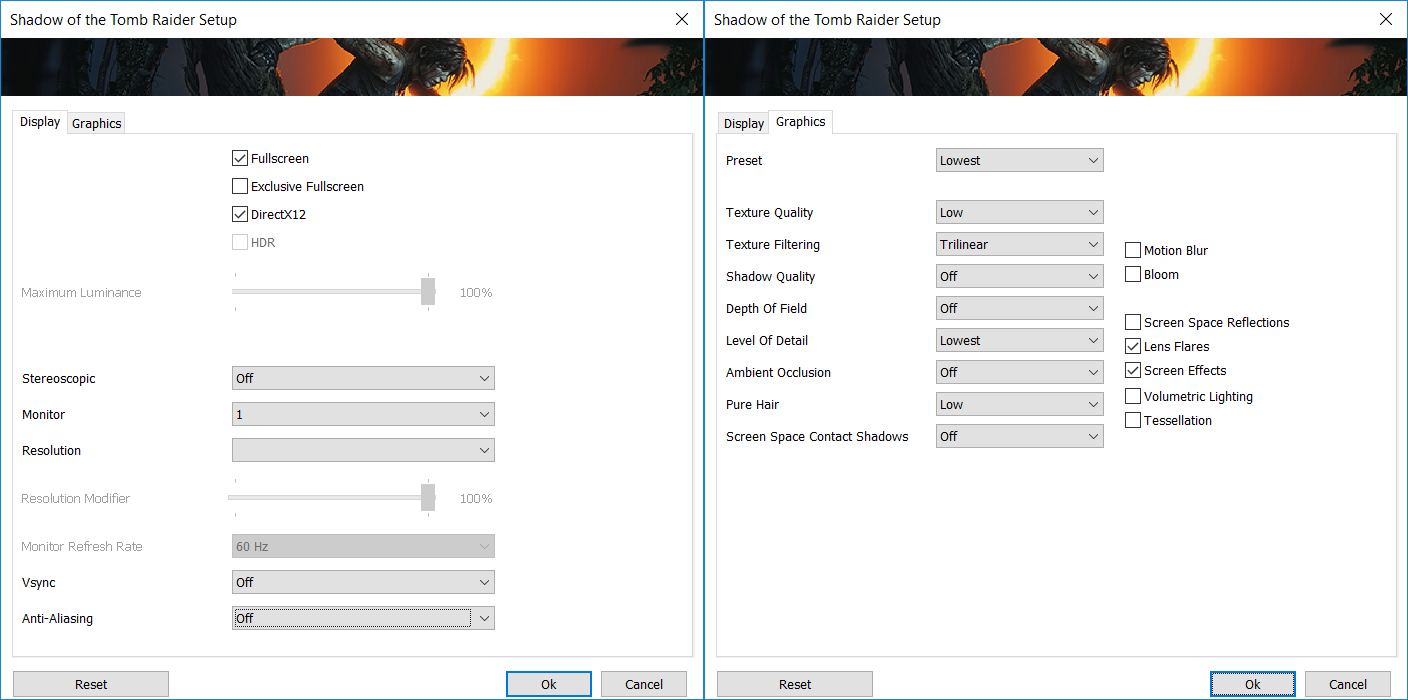
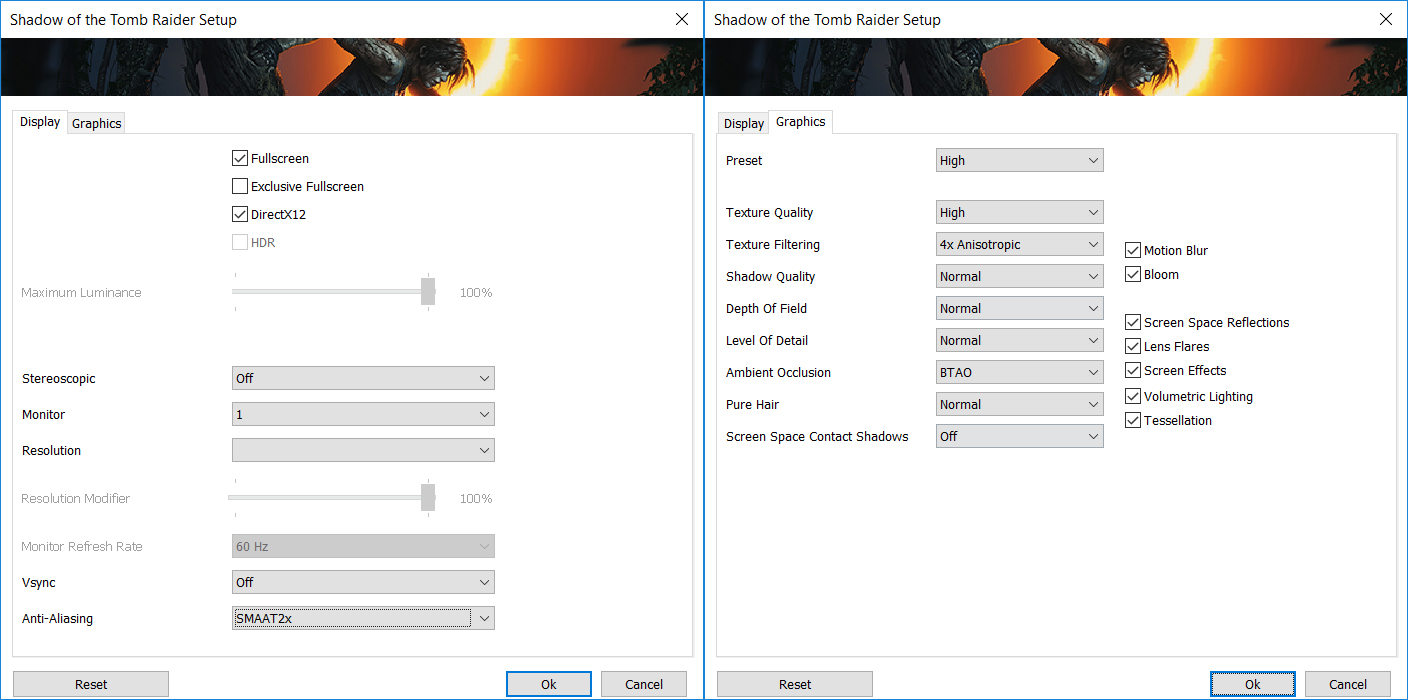
Shadow of the Tomb Raider also runs well when the visual settings are kept modest. The Radeon 860M reaches 56 FPS at 1200p on the Lowest preset, which is close to fully utilizing the 60Hz display. Raising the settings to High, however, cuts performance to 29 FPS, showing where the limits of the integrated GPU begin to appear.
| Shadow of the Tomb Raider | 1200p, Lowest (Check settings) | 1200p, High (Check settings) |
| Average FPS | 56 FPS | 29 FPS |
Temperatures and Comfort, Noise, Stability
At idle, the AMD Ryzen AI 7 350’s CPU package temperature hovers around 49°C, which is somewhat higher than we would expect from a system doing very little work. More noticeable, however, is the fan behavior: the fan continues spinning even when the laptop is idle. They are not loud, but they produce a faint high-pitched fan tone reminiscent of coil whine, which can become annoying in a quiet room.
We also observed brief CPU temperature spikes above 75°C every few minutes while the system was otherwise idle. These spikes were short-lived, but together with the constantly spinning fan, they make the Swift Air 16 less acoustically relaxed at idle than its ultra-portable nature might suggest.
Office Work, Web Development, Design
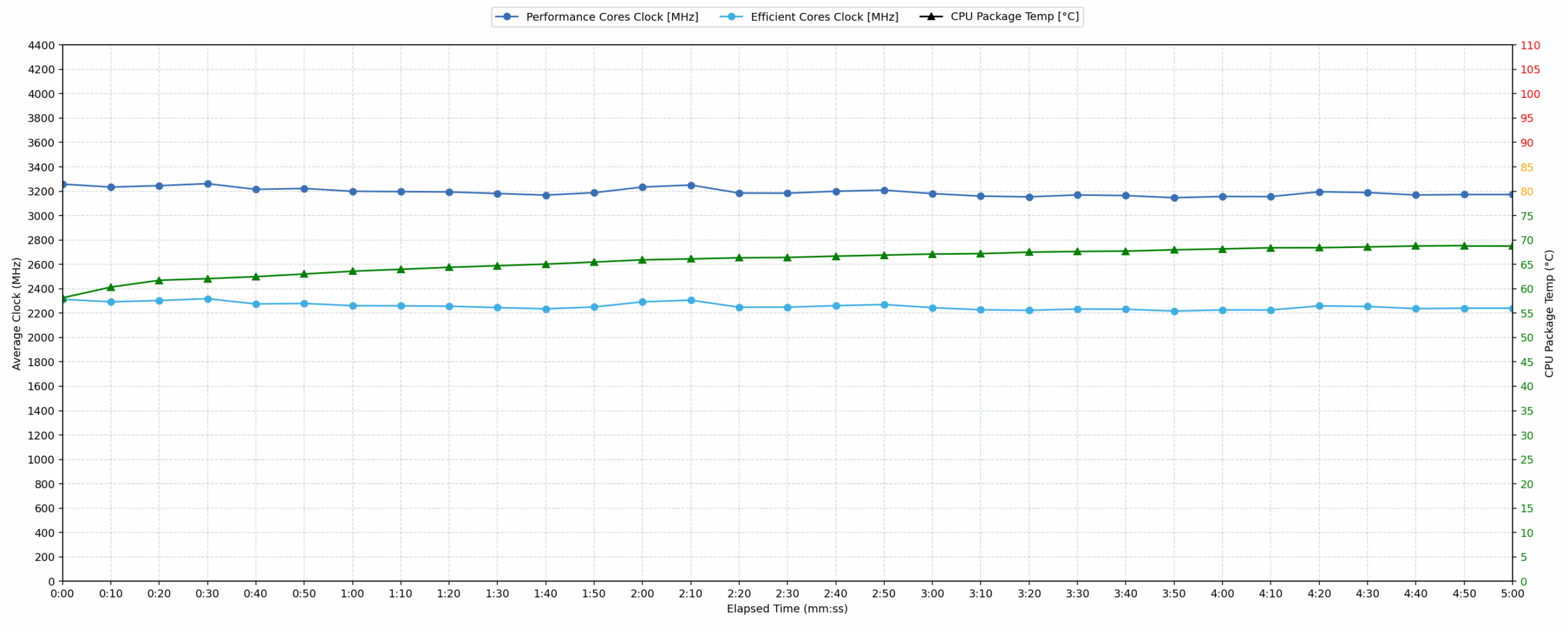
Short periods (0:00 – 0:10 s) of 100% CPU load
This test shows the CPU behavior during short periods of serious load. It’s important for users who are looking for laptops suitable for tasks like Web Design and Programming.
| AMD Ryzen AI 7 350 | Avg. CPU Clock | Avg. CPU Temp. | Avg. CPU Power |
| Acer Nitro V 16 AI (ANV16-61) | 4024 MHz | 73 °C | 56 W |
| Acer Swift Air 16 (SFA16-61M) | 3258 MHz | 58 °C | 23 W |
During short bursts of activity, the Acer Swift Air 16 follows a deliberately conservative power profile. The CPU averages 3258 MHz, reaching 3374 MHz during the first five seconds, while drawing an average of 23 W and peaking at 24 W. As a result, the average CPU temperature remains very low at just 58°C.
For context, the much larger and heavier Acer Nitro V 16 AI, using the same Ryzen AI 7 350 processor, sustains substantially higher clock speeds, but it does so at more than twice the power consumption. This is not a direct class-to-class comparison, but it clearly illustrates the trade-off Acer has made to fit the same processor into an exceptionally light 16-inch chassis.
Video editing, Scientific computing, Software compilation, 3D rendering
Long periods (0:00 – 30:00 min) of 100% CPU load
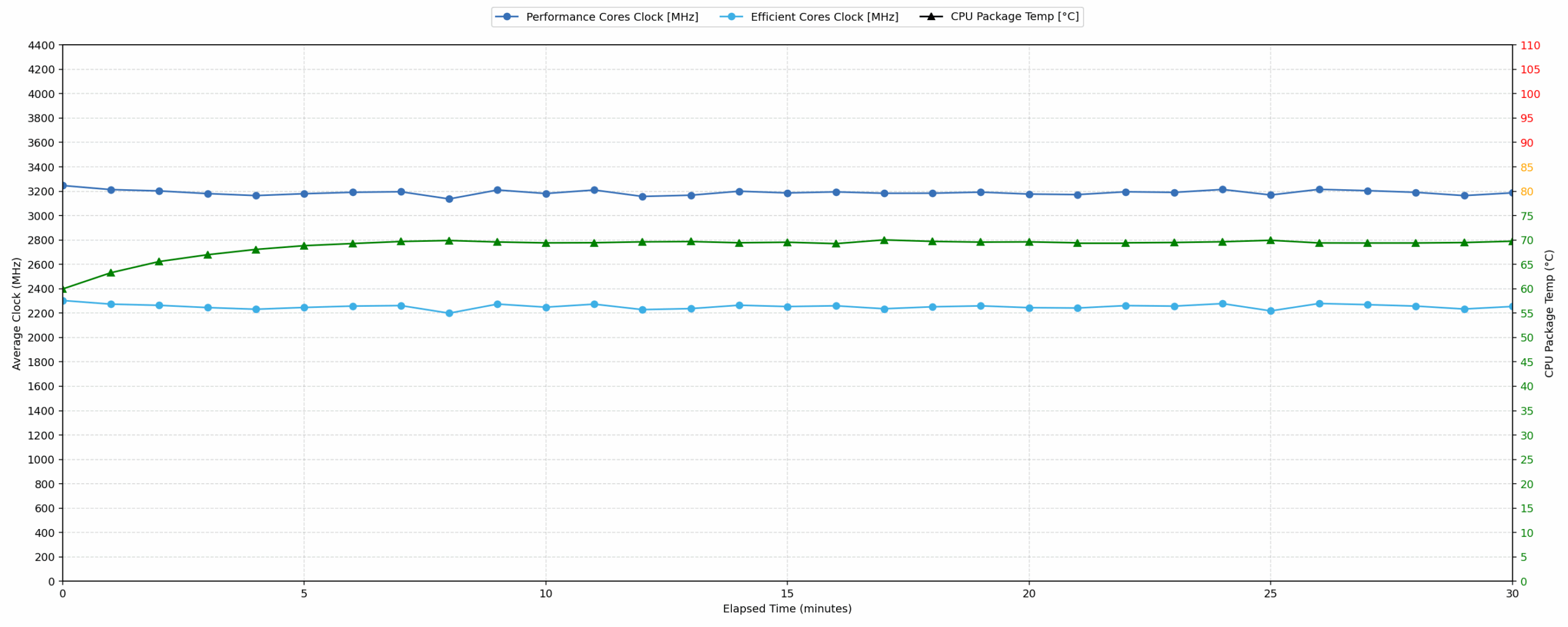
This test shows the CPU behavior during long periods of serious load. It’s important for users who are looking for laptops suitable for tasks like Video Editing and 3D Rendering.
| AMD Ryzen AI 7 350 | Avg. CPU Clock | Avg. CPU Temp. | Avg. CPU Power |
| Acer Nitro V 16 AI (ANV16-61) | 3987 MHz | 79 °C | 53 W |
| Acer Swift Air 16 (SFA16-61M) | 3188 MHz | 68 °C | 22 W |
Under prolonged load, the Swift Air 16 remains impressively stable. Across the 30-minute stress test, the CPU averages 3188 MHz, with the clock dropping by only 239 MHz from its initial peak to a minimum of 3135 MHz. Average power consumption stays almost perfectly steady at 22 W, while the CPU averages a comfortable 68°C.
The much larger Acer Nitro V 16 AI once again maintains considerably higher clock speeds, but at 53 W instead of 22 W. The Swift Air 16 is clearly tuned for efficiency rather than maximum sustained throughput, and considering its 1.059 kg weight, the result is impressive: performance remains stable over time while keeping CPU temperatures comfortably under control.
Battery Life
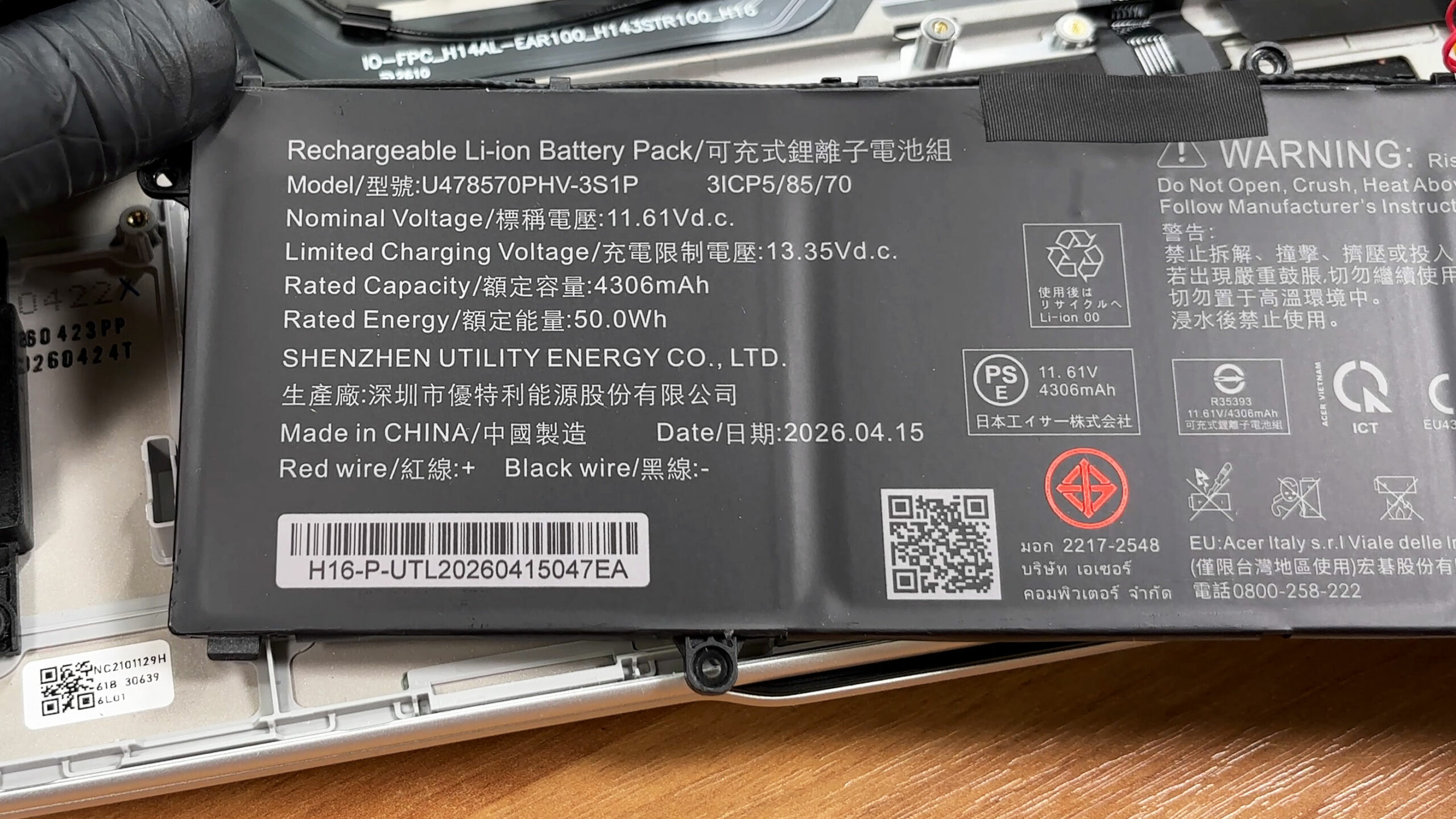
The Acer Swift Air 16 (SFA16-61M) uses a three-cell lithium-ion battery, model U478570PHV-3S1P. It has a nominal voltage of 11.61V, a rated capacity of 4306mAh, and stores 50Wh of energy.
In our offline video playback test, the laptop lasted 10 hours and 17 minutes. The test was conducted at 180 nits in SDR mode, with Best power efficiency selected in Windows.
Considering the relatively small 50Wh battery, this is a strong result. The Swift Air 16 even outlasts several much heavier 16-inch laptops equipped with larger batteries, which highlights the efficiency of the Ryzen AI 7 350 platform and Acer’s power tuning. However, it cannot match the exceptional endurance of the Snapdragon-powered ASUS Vivobook 16 X1607 (detailed review), while the larger-battery Acer Swift 16 AI (SF16-51) (detailed review) also lasts considerably longer.
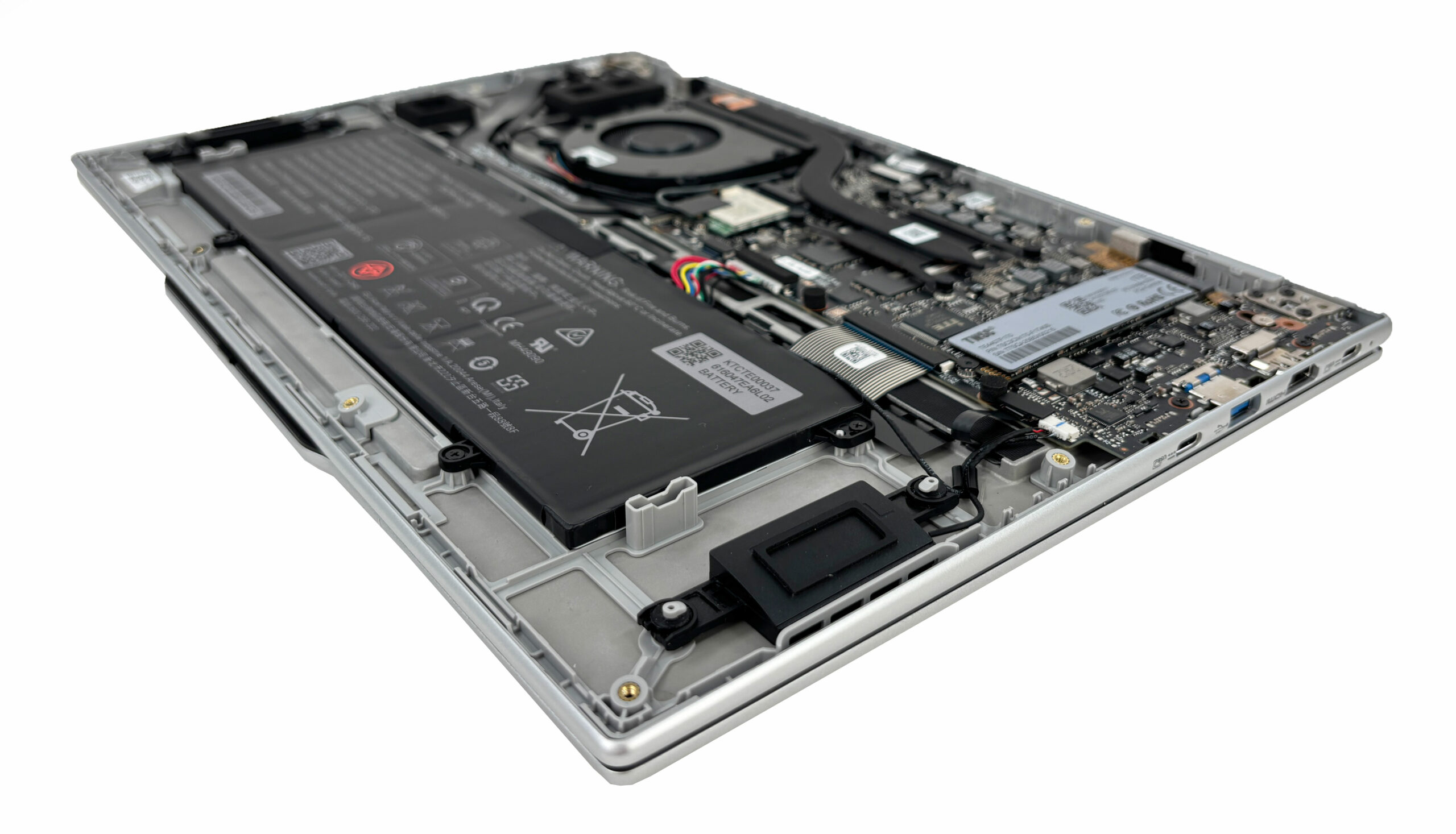
The internal layout makes the 50Wh capacity particularly interesting. Once the bottom panel is removed, there is clearly some unused space around the battery, so its modest size does not appear to be dictated purely by the physical limits of the 16-inch chassis. Instead, it looks like a deliberate weight-saving decision. Acer’s headline achievement with the IPS version is its sub-1 kg weight, and a larger battery would have added exactly the extra mass that could have pushed it beyond that target.
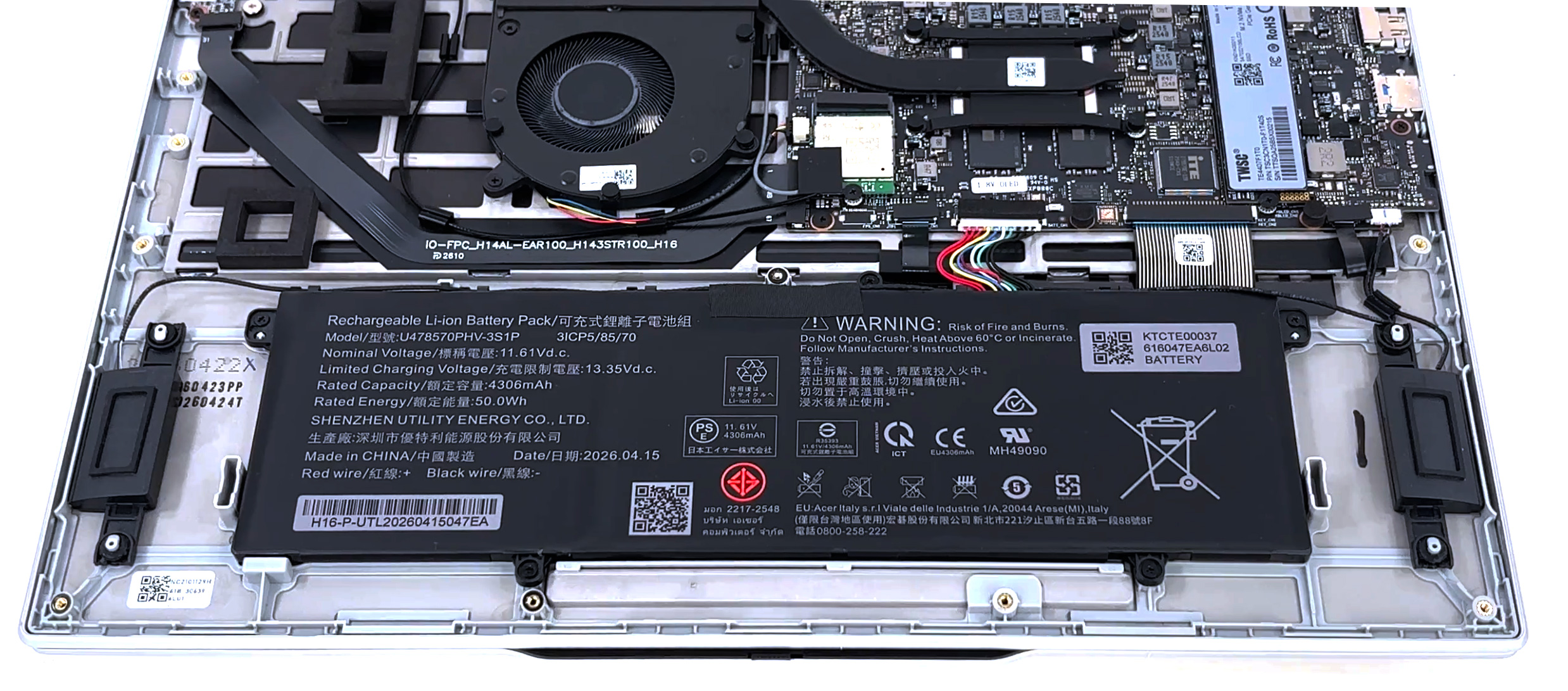
That trade-off is easier to accept because the efficiency is genuinely good: 10 hours and 17 minutes of video playback from only 50Wh is impressive. Still, users who value endurance more than absolute minimum weight may reasonably wish Acer had used some of the available internal space for a larger battery.
चमक: 180 nits; डिस्प्ले मोड: SDR
पूर्ण डिस्चार्ज का समय: उच्चतर बेहतर है
Disassembly, Upgrade options, and Maintenance
Accessing the internals requires removing 12 Torx T6 screws and releasing the clips around the bottom panel with a thin plastic tool. The screws are not all the same length, so keeping them arranged in their original positions will make reassembly much easier.
Once inside, the layout is clean and relatively straightforward. The battery occupies much of the lower half, while the motherboard, cooling system, storage, and wireless card are positioned above it.
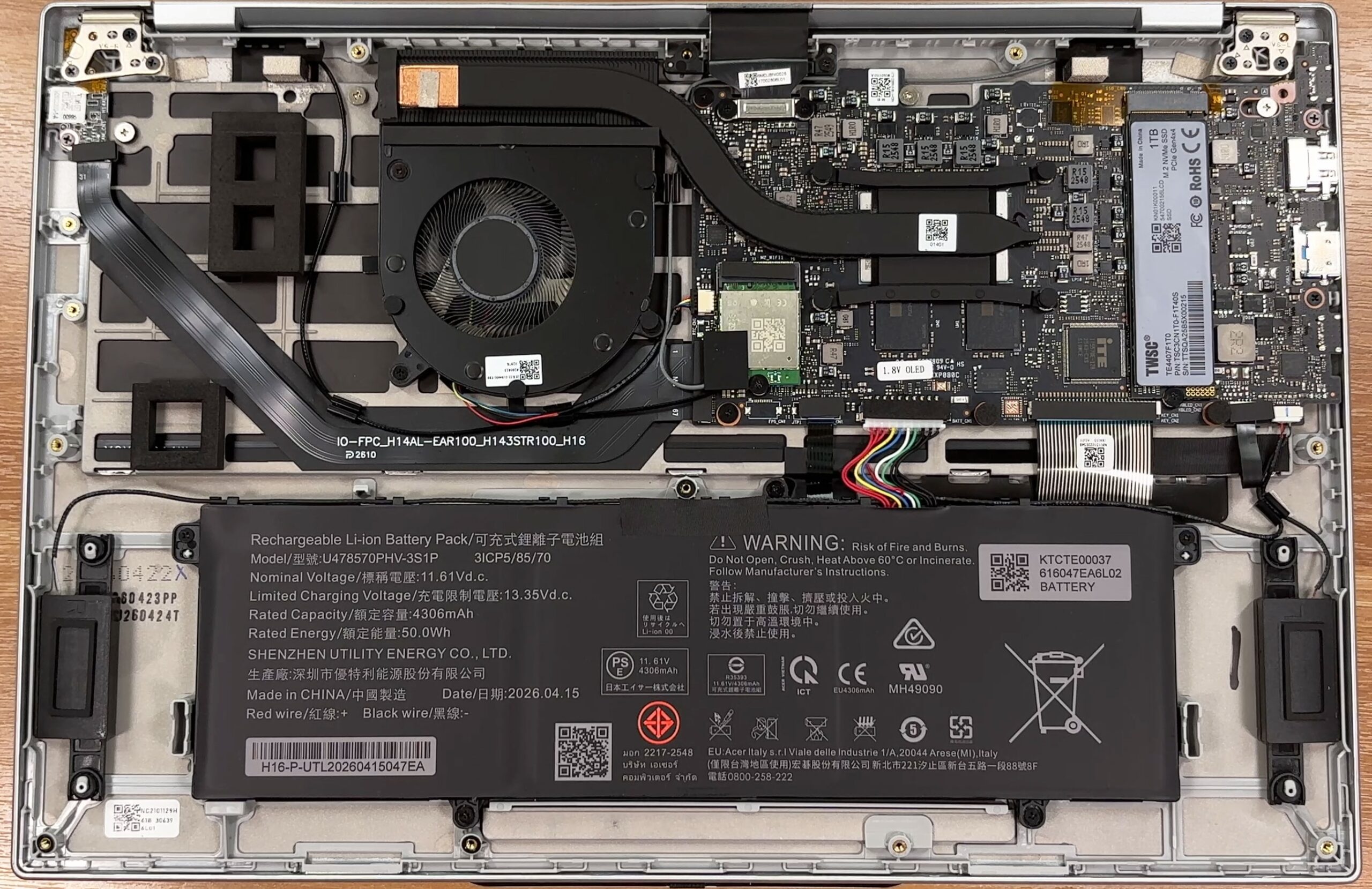
The cooling system is surprisingly simple, consisting of a single fan, one large heat pipe, and a heat spreader covering the processor and surrounding components. The heat pipe transfers the heat to a fin stack positioned along the rear edge of the chassis, where the fan pushes the hot air out of the system.
Considering the stable 22W average CPU power and 68°C average temperature we recorded during our 30-minute stress test, this compact cooling solution performs remarkably well for a 1.059 kg laptop. The fan is also easily accessible for cleaning or replacement once the bottom cover is removed.
The memory is soldered directly to the motherboard, so there are no SO-DIMM slots and no possibility of upgrading the RAM after purchase. Acer offers the Swift Air 16 with either 16GB or 32GB of LPDDR5 memory running at up to 6400 MT/s, while the configuration we ordered has 16GB.
Since the integrated Radeon graphics also shares the system memory, choosing the right capacity at the time of purchase is particularly important. Users planning to keep the laptop for many years or run heavier multitasking workloads should strongly consider the 32GB option where available.
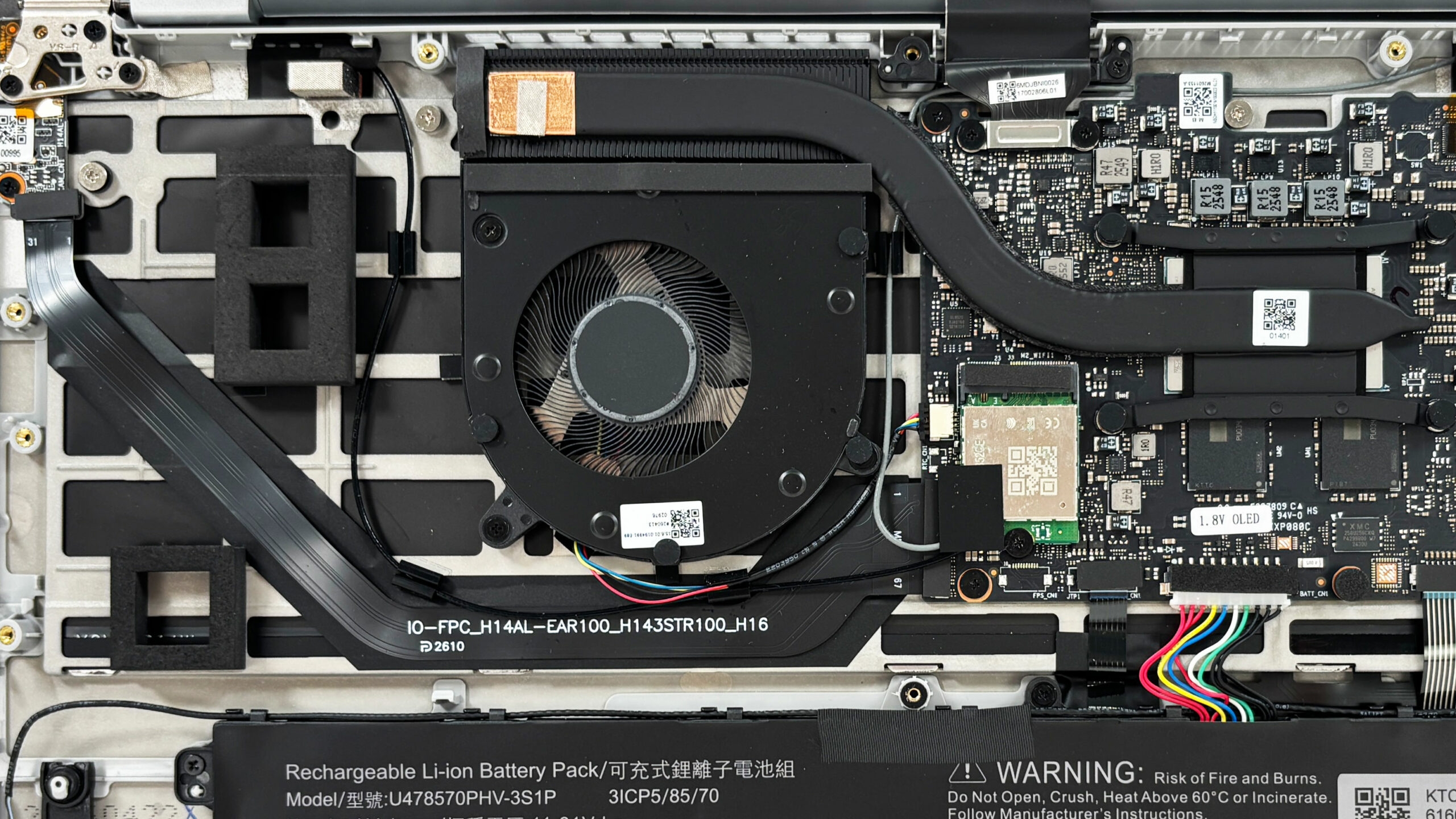
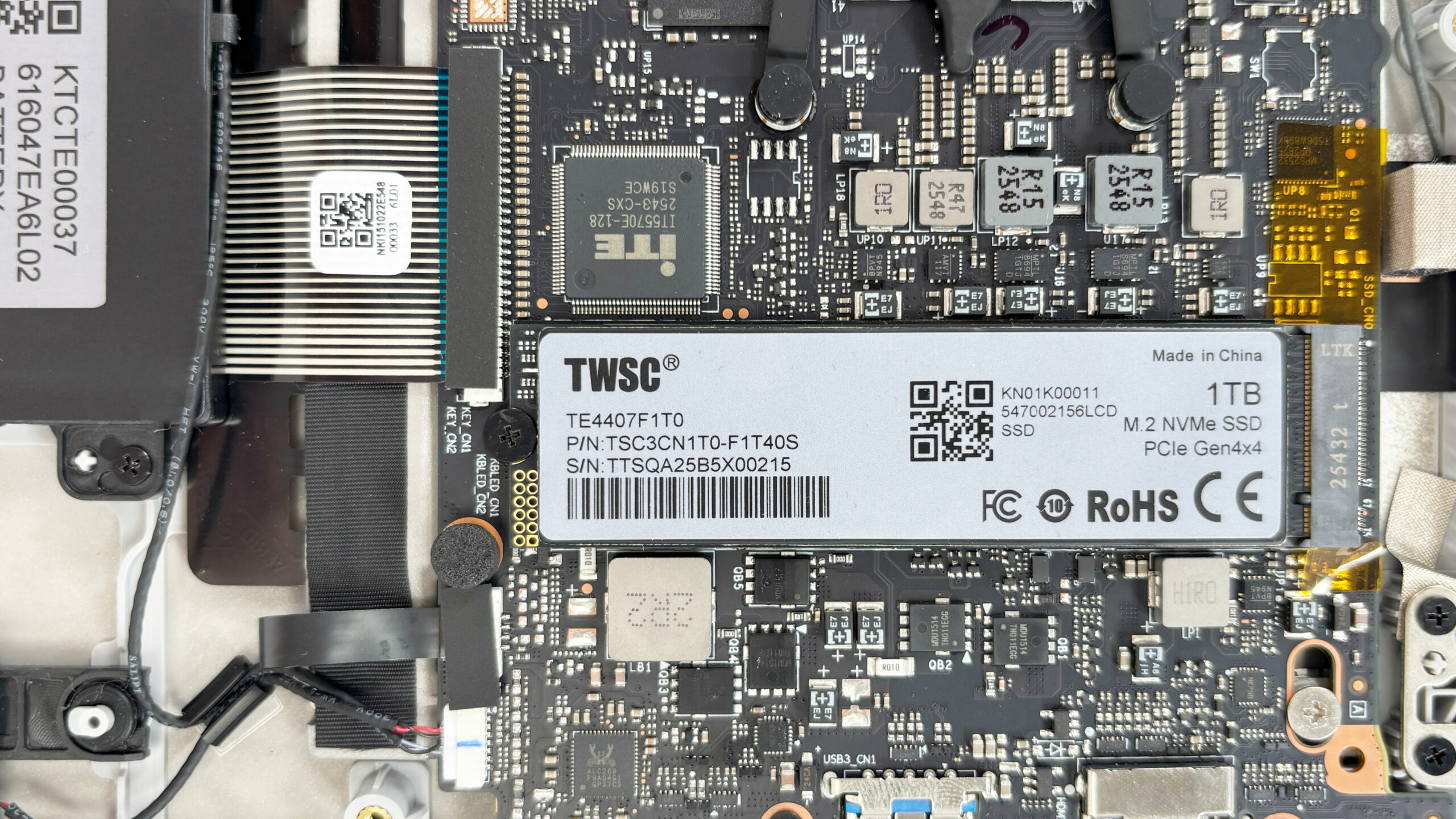
Storage is handled by a single M.2 slot supporting 2280 NVMe SSDs over a PCIe 4.0 x4 interface. Acer lists 512GB and 1TB storage options for the series, and our machine came with a 1TB TWSC drive.
The SSD is secured by a single screw and is easy to replace, but there is no second M.2 slot for additional storage.
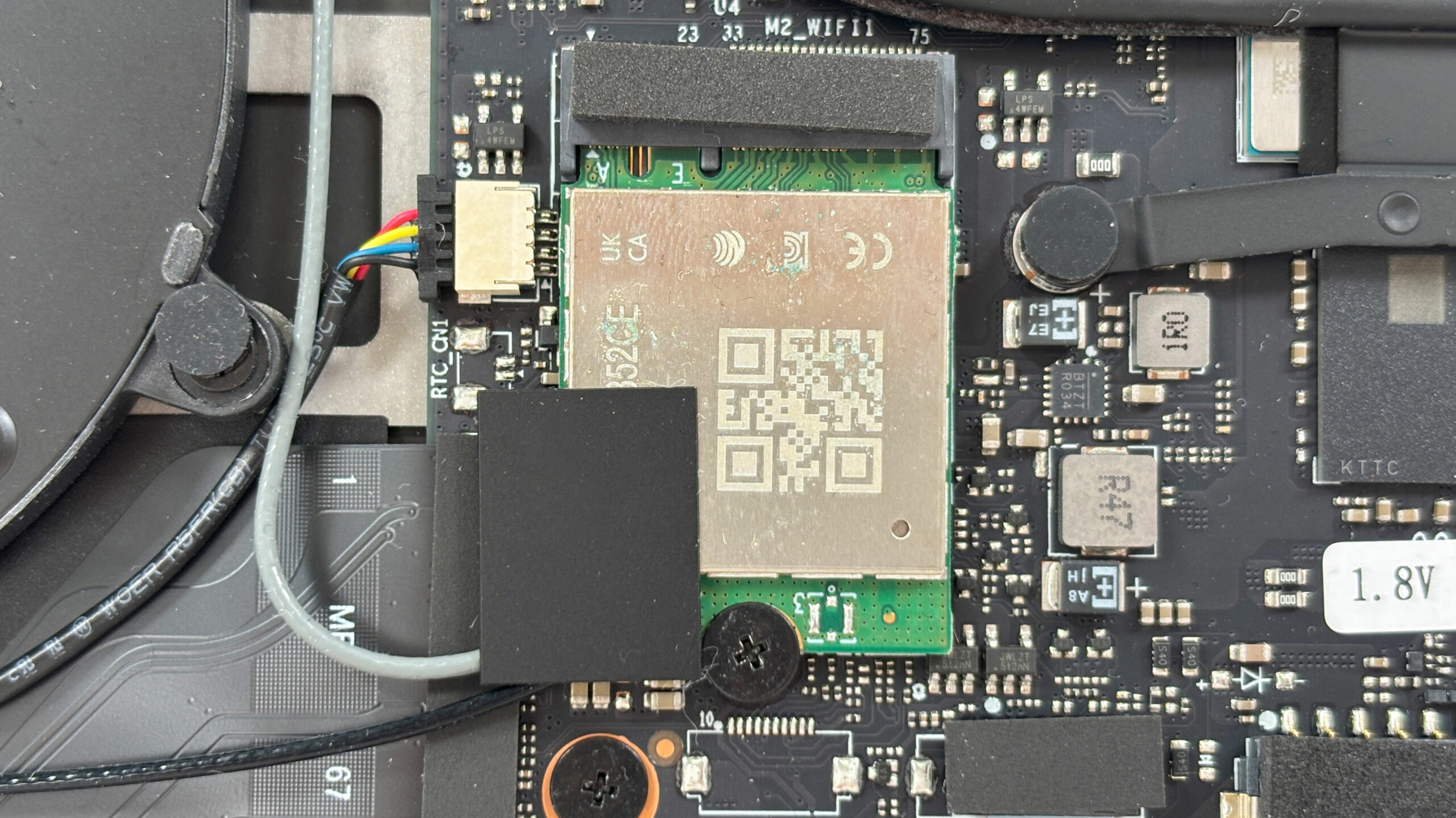
The wireless module is a removable M.2 2230 card rather than a soldered solution. Our machine came with a Realtek RTL8852CE adapter providing Wi-Fi 6E connectivity. The card can be replaced after disconnecting its two antenna cables and removing the retaining screw.
The 50Wh, three-cell lithium-ion battery is rated at 4306mAh and 11.61V. It is held in place by several screws and uses a detachable motherboard connector, although the speaker cables are routed alongside it and should be handled carefully during removal.
The 50Wh battery does not occupy all of the available internal space, supporting our earlier conclusion that its capacity was primarily a weight-saving decision rather than a strict space limitation.
The battery, speakers, wireless card, cooling fan, and SSD are replaceable, while the processor and memory remain permanently soldered.
Overall, maintenance is uncomplicated once the bottom panel is removed. The SSD, wireless card, cooling fan, battery, and speakers are replaceable, but meaningful upgrades are limited by the soldered memory and single M.2 storage slot. In other words, the Swift Air 16 is relatively easy to service, but buyers should choose their RAM capacity carefully from the start.
Verdict
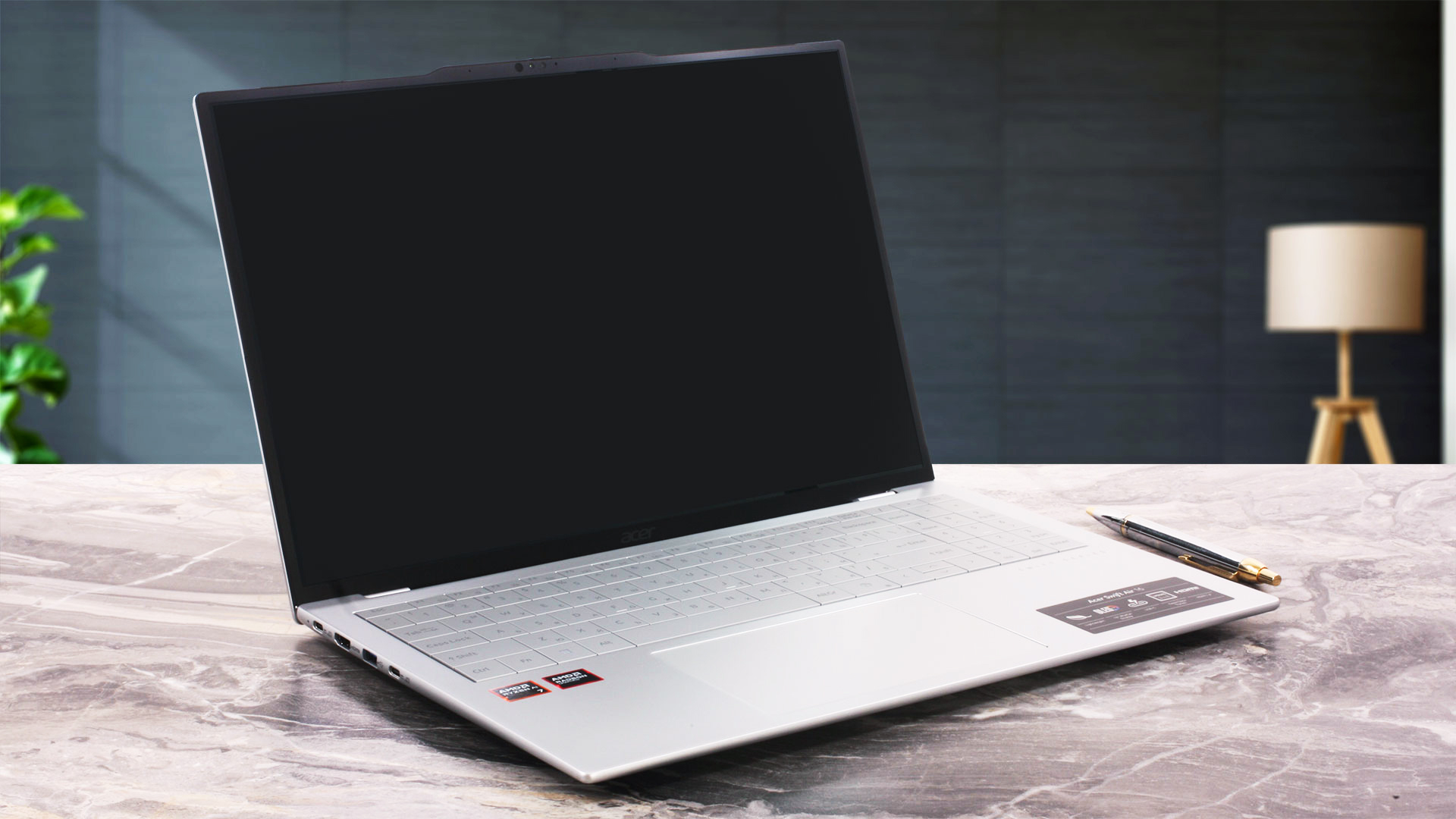 The Acer Swift Air 16 (SFA16-61M) is a remarkable engineering achievement that feels almost suspiciously light when you first pick it up. By combining a 16-inch form factor with a magnesium-aluminum chassis that barely crosses the 1 kg mark in our OLED configuration – and drops below it with the IPS version – Acer has created a genuinely unusual machine that offers expansive screen real estate without the usual weight penalty. It is an ultraportable in the truest sense, simply scaled up for productivity.
Of course, physics cannot be ignored entirely. Achieving this extreme portability required carefully chosen compromises in battery capacity, sustained performance, connectivity, and keyboard ergonomics. The Swift Air 16 is therefore a highly specialized laptop for users who value minimum weight above almost everything else – and are willing to accept the trade-offs required to achieve it.
You can check the prices and configurations in our Specs System: https://laptopmedia.com/series/acer-swift-air-16-sfa16-61m/
✅ The Good
The absolute standout feature is the astonishingly lightweight design. Our 16-inch OLED configuration weighs just 1.059 kg, while the IPS version drops below the one-kilogram mark. That makes the Swift Air 16 extraordinarily comfortable to carry, yet the chassis remains surprisingly rigid and proved highly resistant to fingerprints even after weeks of use.
The OLED display also has major strengths. It offers effectively perfect black levels, 100% DCI-P3 coverage, and excellent color accuracy straight out of the box. The cooling system is another pleasant surprise: despite using only a single fan and one large heat pipe, it keeps the Ryzen AI 7 350 at very comfortable temperatures while maintaining stable performance under prolonged load.
Battery life is also better than the modest 50Wh capacity might suggest. Our machine lasted 10 hours and 17 minutes in the offline video playback test – a strong result for such a lightweight 16-inch laptop. The large, premium-feeling touchpad is excellent as well, and the physical webcam privacy shutter is a welcome practical addition.
❌ The Bad
The most immediate frustration is the keyboard layout. Acer’s almost gapless key design significantly reduced our typing speed and increased accidental presses of adjacent keys. The compact Up and Down arrow keys do not help either.
The WUXGA OLED panel also comes with important compromises. Its unusual subpixel arrangement makes small text and fine lines appear softer than on a conventional RGB-stripe display with a similar pixel density, while the glossy surface is extremely reflective. The 60 Hz refresh rate is another limitation compared with the 120 Hz higher-resolution OLED option.
Performance is tuned conservatively to suit the ultra-light chassis, so the Swift Air 16 cannot match the sustained CPU throughput of much larger laptops using the same processor. Wired connectivity is limited as well: Acer officially rates the USB connectivity at up to 5 Gbps, with no listed USB4 or Thunderbolt support.
Finally, the soldered RAM prevents future memory upgrades, there is only one M.2 slot for storage, and the single cooling fan continues spinning even at idle. It is not loud, but its faint high-pitched tone can become noticeable in a quiet room.
🆚 The Competitors
Compared with a more performance-focused 16-inch machine such as the Lenovo Yoga Pro 9i Aura Edition (detailed review), the Swift Air 16’s niche becomes immediately clear. The Lenovo offers substantially higher sustained performance and richer connectivity, but it is also far heavier. The Acer is the better fit for users who value portability above raw power.
Against the Snapdragon-powered ASUS Vivobook 16 X1607 (detailed review), the trade-off is different. The Swift Air 16 comes with fewer software-compatibility caveats thanks to its conventional x86 platform and offers a more premium OLED display option, while the ASUS delivers dramatically longer battery life. The Swift Air 16 ultimately wins not through maximum performance or endurance, but through one defining achievement: fitting a genuinely large 16-inch workspace into a machine that feels almost impossibly light.
Pros
- Exceptionally light and portable for a 16-inch laptop
- Excellent OLED colors, contrast, and factory accuracy
- Surprisingly solid, fingerprint-resistant construction
- Stable performance and very good temperatures under sustained load
- Strong battery life for the small 50Wh capacity
- Large, comfortable, premium-feeling touchpad
Cons
- Gapless keyboard layout significantly reduced our typing speed
- WUXGA OLED has softer text rendering and very high reflectivity
- Conservatively tuned CPU limits sustained performance
- Soldered RAM and only one M.2 storage slot
- Single fan keeps spinning at idle and produces a faint high-pitched tone
 Author: Simeon NikolovEditor-in-Chief at LaptopMedia.com with 20+ years of experience in testing and analyzing laptops and mobile devices.
 Author: eng. Kroum NikolovHead of Engineering at LaptopMedia.com, inventor and innovator with 40+ years of experience in electronics and high technology.

![[June 2026] Best-Selling Laptop Brands on Amazon Global – Apple’s Unrivaled Dominance in Units and Revenue](https://laptopmedia.com/wp-content/uploads/2026/07/GLOBAL-Best-Brands-400x225.jpg)
![[June 2026] Amazon Global: Top 10 Best-Selling Laptops – Apple’s New MacBook Neo Storms to #1, Reshaping the Market with Affordability](https://laptopmedia.com/wp-content/uploads/2026/07/Best-Selling-Laptops-GLOBAL-Top-10-400x225.jpg)
![[June 2026] Amazon Global: Top 10 Best-Selling Gaming Laptops – Acer’s Nitro V 16S AI Dominates Sales, While ASUS Leads Overall Revenue](https://laptopmedia.com/wp-content/uploads/2026/07/Best-Selling-Gaming-Laptops-GLOBAL-Top-10-400x225.jpg)
![[June 2026] Global Ranking of Best-Selling Laptop GPUs on Amazon – NVIDIA RTX 5060 is the Top-Selling Dedicated GPU](https://laptopmedia.com/wp-content/uploads/2026/07/Best-Selling-GPUs-GLOBAL-Top-10-400x225.jpg)
![[June 2026] Global Ranking of Best-Selling Laptop CPUs on Amazon – Apple M5 Dominates, AMD Ryzen 7 260 Gets Solid Premium Share](https://laptopmedia.com/wp-content/uploads/2026/07/Best-Selling-CPUs-GLOBAL-Top-10-400x225.jpg)