Lenovo Yoga Pro 9i Aura Edition (16″, Gen 11) review – MacBook Pro Rival with RTX Graphics?
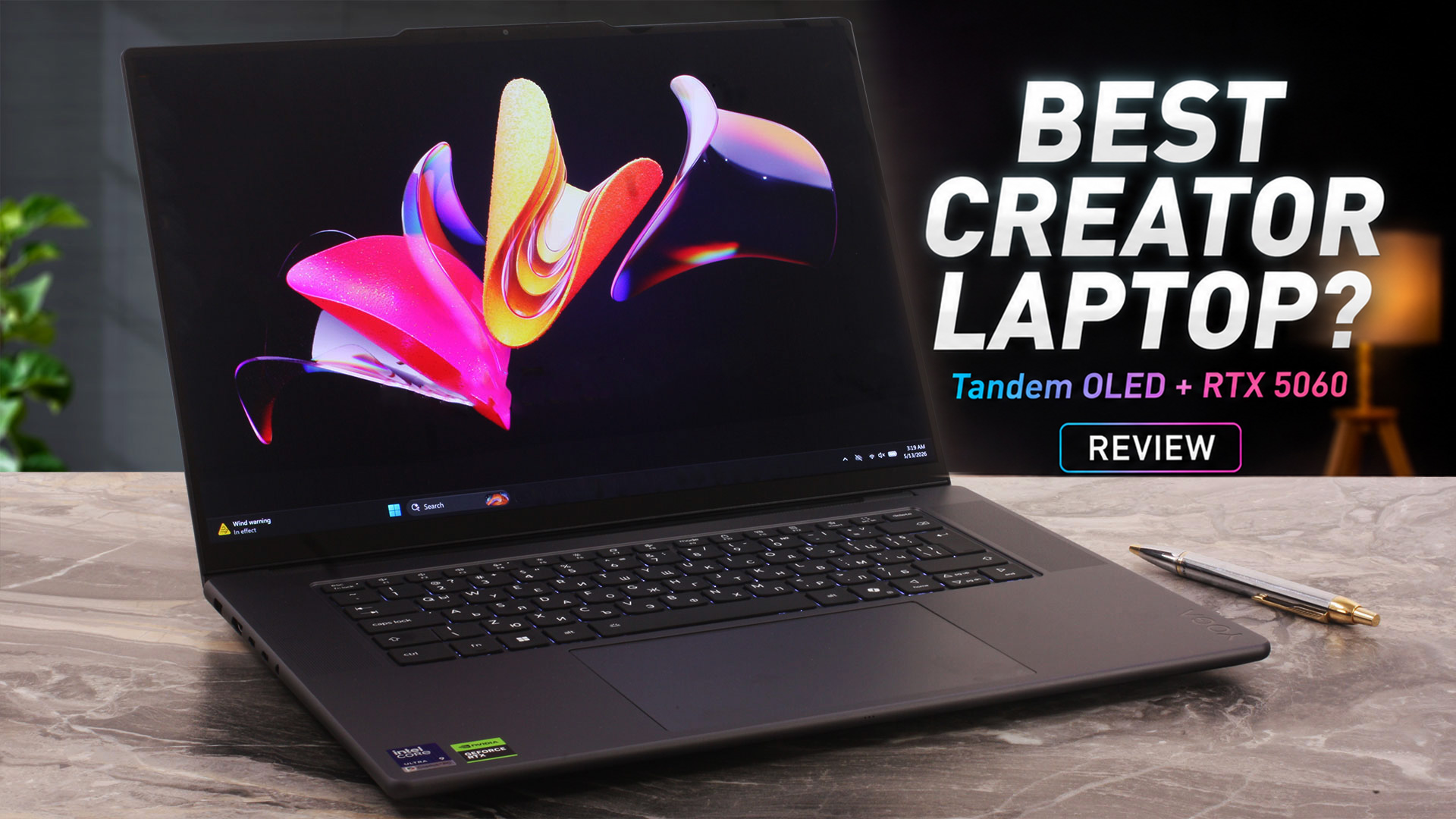 The Lenovo Yoga Pro 9i Aura Edition (16″, Gen 11) is designed for users who need serious creator performance without moving to a bulky gaming laptop or a traditional mobile workstation. It combines a premium aluminum chassis, a 16-inch 3.2K Tandem OLED touchscreen, Intel Core Ultra H-series processors, and NVIDIA RTX 50-series graphics in a slim 16-inch body.
Our configuration pairs the Intel Core Ultra 9 386H with the GeForce RTX 5060 Laptop GPU, a large 92.5Wh battery, and Lenovo’s huge glass ForcePad with pen support. On paper, this makes it a very capable machine for video editing, photo work, design, 3D rendering, AI-assisted workflows, and even some gaming after work.
But powerful hardware inside a thin premium chassis always raises a few important questions: can the cooling system keep performance stable, is the Tandem OLED panel as good in real use as it looks on the spec sheet, and do the premium features make up for the soldered memory and glossy display? Let’s find out.
TESTED CONFIGURATION:
– Intel Core Ultra 9 386H
– NVIDIA GeForce RTX 5060 (100W)
– 32GB LPDDR5X RAM
– 1TB SSD NVMe
– 16″ 3.2K (3200 x 2000) Tandem OLED, 120Hz
You can check the prices and configurations in our Specs System: https://laptopmedia.com/series/lenovo-yoga-pro-9i-aura-edition-16-gen-11/
Contents
Specs, Drivers, What’s in the box
Lenovo Yoga Pro 9i Aura Edition (16″, Gen 11) - Specs

- HDD/SSD
- up to 2000GB SSD
- M.2 Slot
- 1x 2242 M.2 NVMe PCIe 4.0 x4 + 1x 2280 M.2 NVMe PCIe 4.0 x4 See photo
- RAM
- up to 64GB
- OS
- Windows 11 Home, Windows 11 Pro
- Battery
- 92.5Wh
- Body material
- Aluminum
- Dimensions
- 360.8 x 248.9 x 17.3 mm (14.20" x 9.80" x 0.68")
- Weight
- 1.90 kg (4.2 lbs)
- Ports and connectivity
- 1x USB Type-A
- 3.2 Gen 2 (10 Gbps)
- 1x USB Type-A
- 3.2 Gen 2 (10 Gbps), Sleep and Charge
- 2x USB Type-C
- Thunderbolt 4, Power Delivery (PD), DisplayPort
- HDMI
- 2.1 (8K@60Hz)
- Card reader
- SD (SD, SDHC, SDXC)
- Ethernet LAN
- Wi-Fi
- Wi-Fi 7
- Bluetooth
- 6.0
- Audio jack
- 3.5mm Combo Jack
- Features
- Fingerprint reader
- Web camera
- 5.0MP + IR, with E-shutter, fixed focus
- Backlit keyboard
- Microphone
- Quad-microphone array, 3D array
- Speakers
- 6 stereo speakers, 2W x4 (dual side woofers), 2W x2 (tweeters), optimized with Dolby Atmos®, Smart Amplifier (AMP)
- Security Lock slot
All Lenovo Yoga Pro 9i Aura Edition (16″, Gen 11) configurations
Drivers
All drivers and utilities for this notebook can be found here: https://pcsupport.lenovo.com/us/en/products/laptops-and-netbooks/yoga-series/yoga-pro-9-16iph11/downloads
What’s in the box?
Inside the box, you get the Lenovo Yoga Pro 9i Aura Edition (16″, 11) itself, the 245W Slim Tip (3-pin) power adapter, and the Lenovo Yoga Pen Gen 2, which is a nice addition for a machine with a touchscreen OLED display and a large glass ForcePad that also supports pen input.
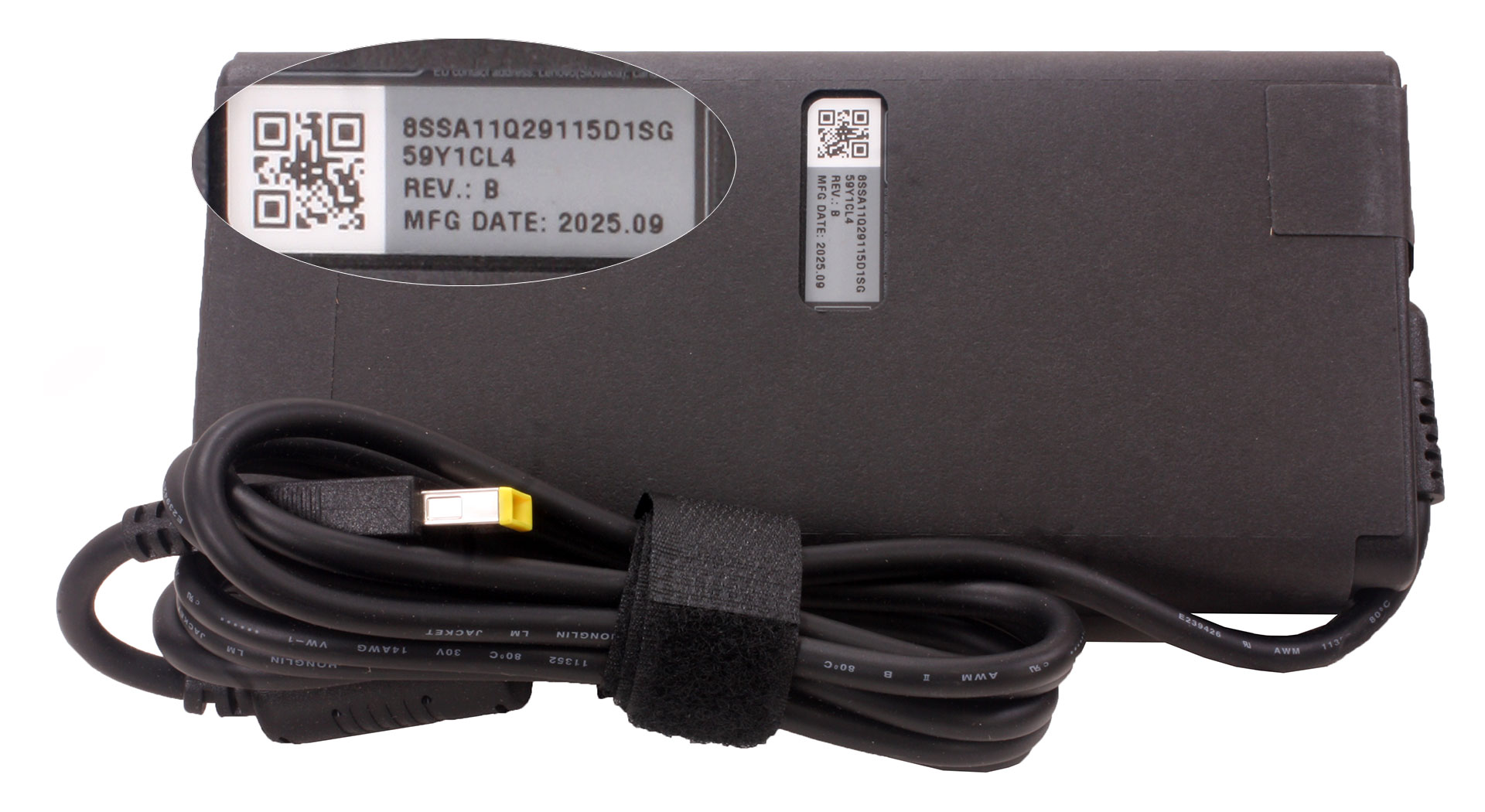
Depending on the region and the retailer bundle, Lenovo may also include extra accessories such as the Lenovo Go Wireless Numeric Keypad, Lenovo TWS YOGA PC Edition earbuds in Cosmic Blue, the Lenovo Yoga Tote Sleeve 16″ in grey, or the grey Yoga Mouse. Some configurations may ship without any of these additional bundled accessories, so it is worth checking the exact offer before purchase.
Design and construction
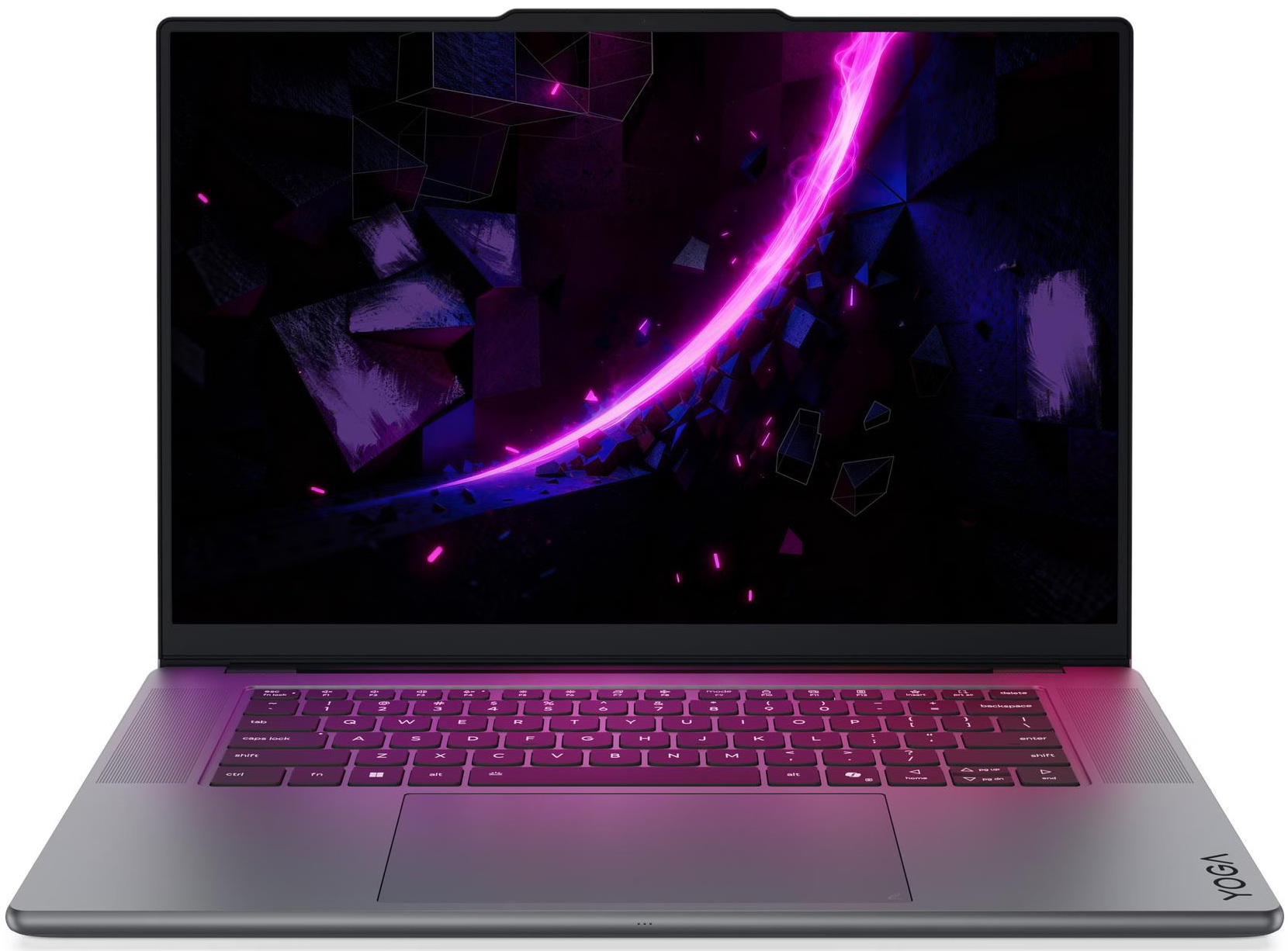
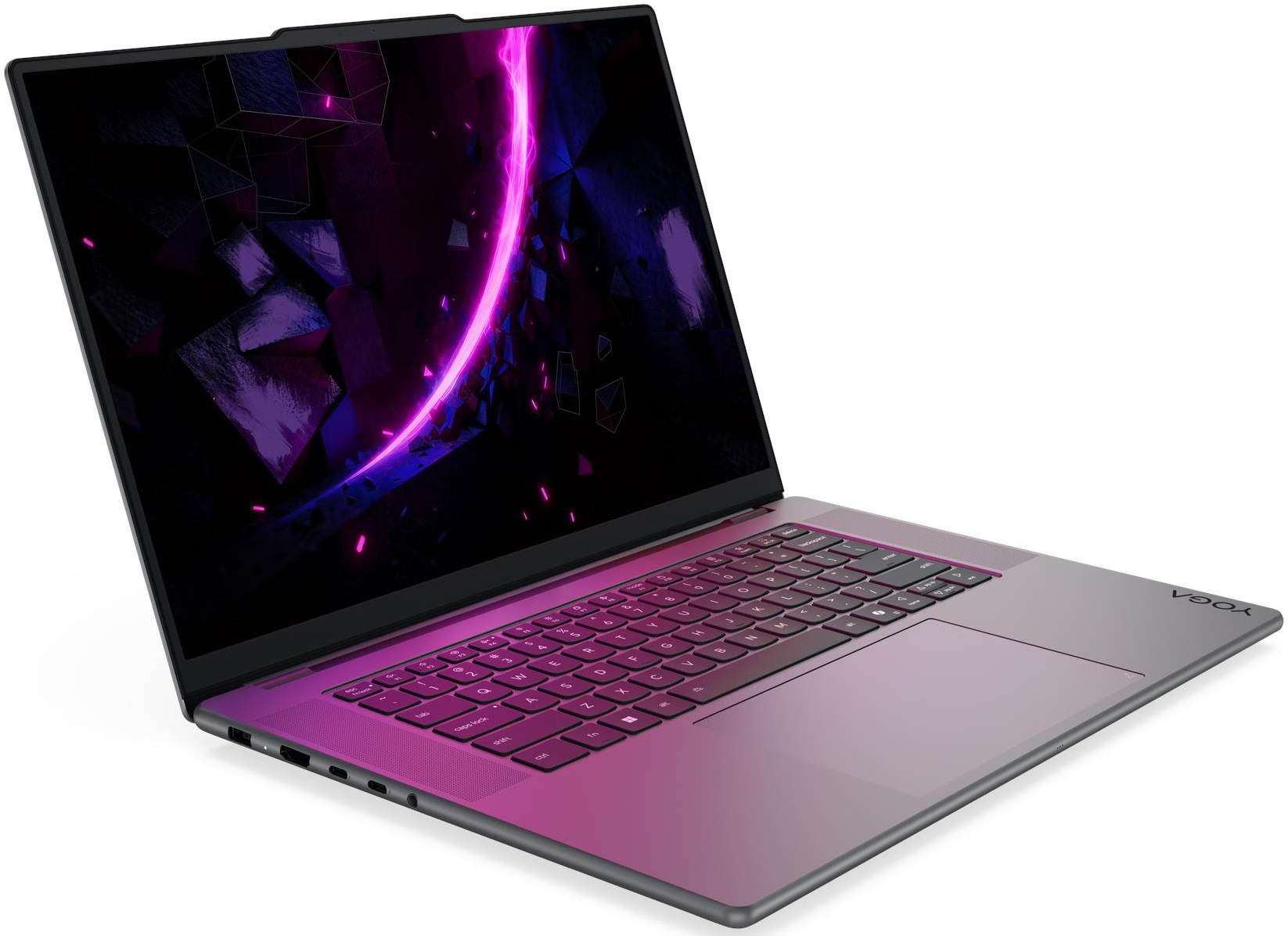
The Lenovo Yoga Pro 9i Aura Edition (16″, 11) looks elegant and professional rather than aggressive. This is not a gaming laptop with sharp lines and RGB accents, even though the series can be configured with powerful NVIDIA RTX graphics. The design is clean, minimalist, and suitable for both office and creator/workstation environments.
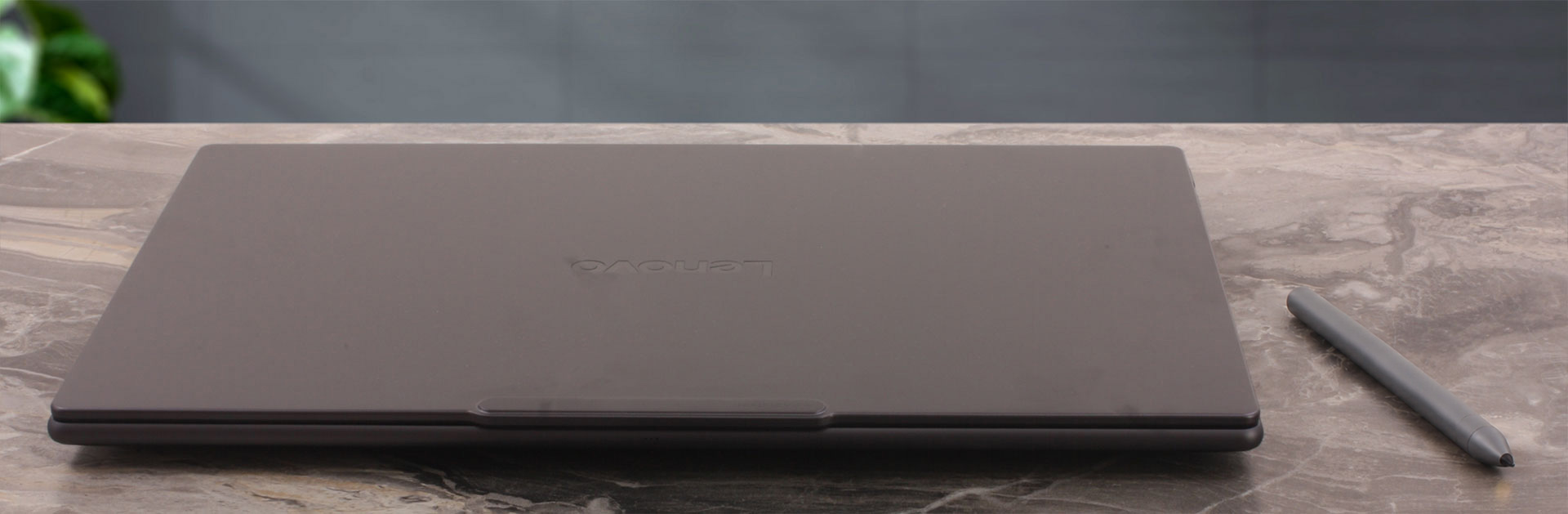
We’ve got the Thunder Grey version, which is the only color option for this series. The finish looks mature and understated, matching the premium positioning of the device.
| Lenovo Yoga Pro 9i Aura Edition (16″, 11) | Dimensions | Weight |
| Metric units | 360.8 x 248.9 x 17.3 mm | Starting at 1.90 kg |
| U.S. customary | 14.20 x 9.80 x 0.68 in | Starting at 4.19 lbs |
For a 16-inch premium creator laptop, the machine is fairly slim, especially considering the available RTX GPU options and the large 92.5Wh battery. That said, we would not call it an ultraportable device. It is thin and premium, but still noticeable in a backpack.
The chassis does not feel like a fingerprint magnet. Some light marks can appear on the dark Thunder Grey lid, but the interior stays cleaner, apart from the usual traces on the touchpad surface.
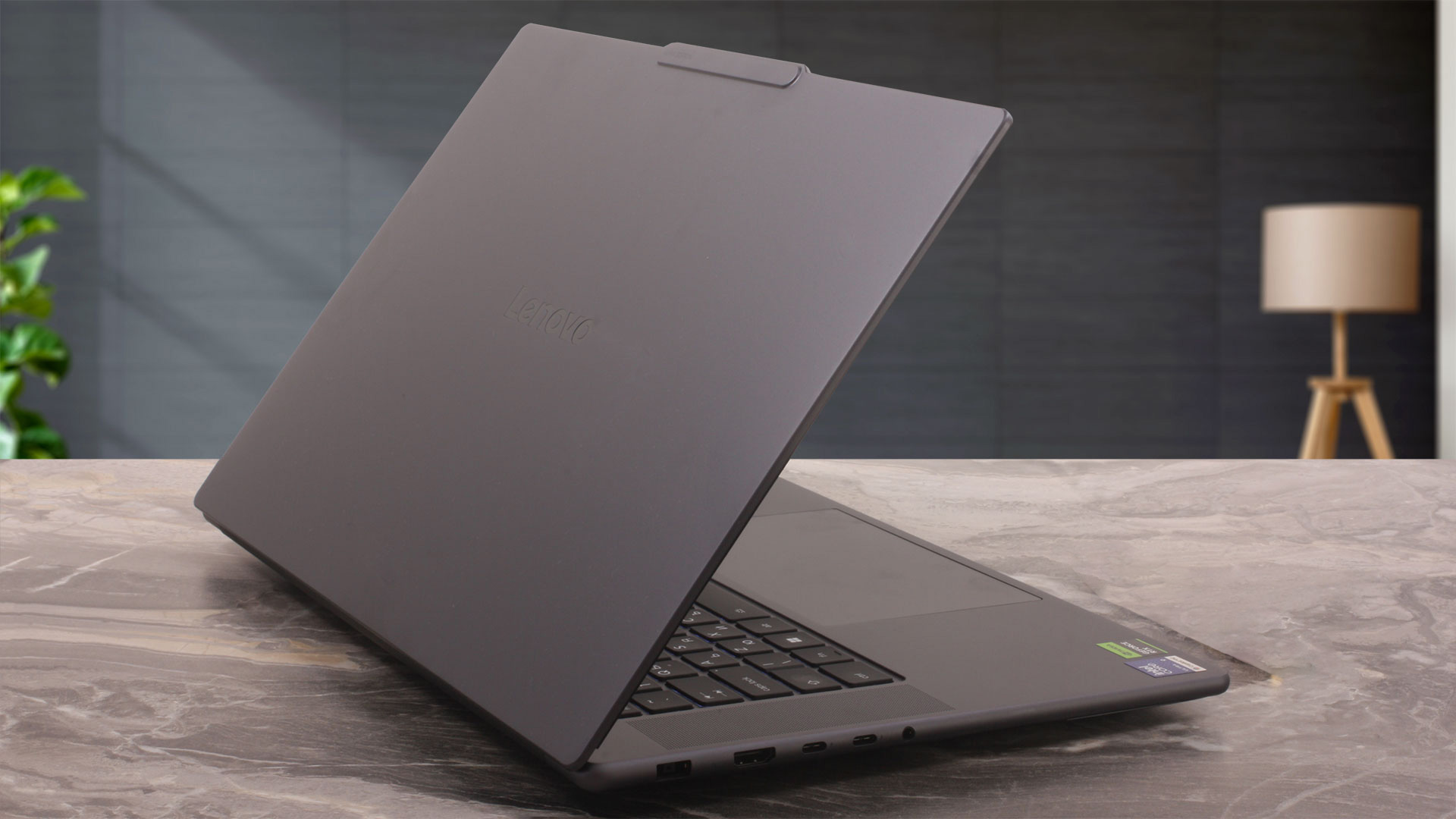
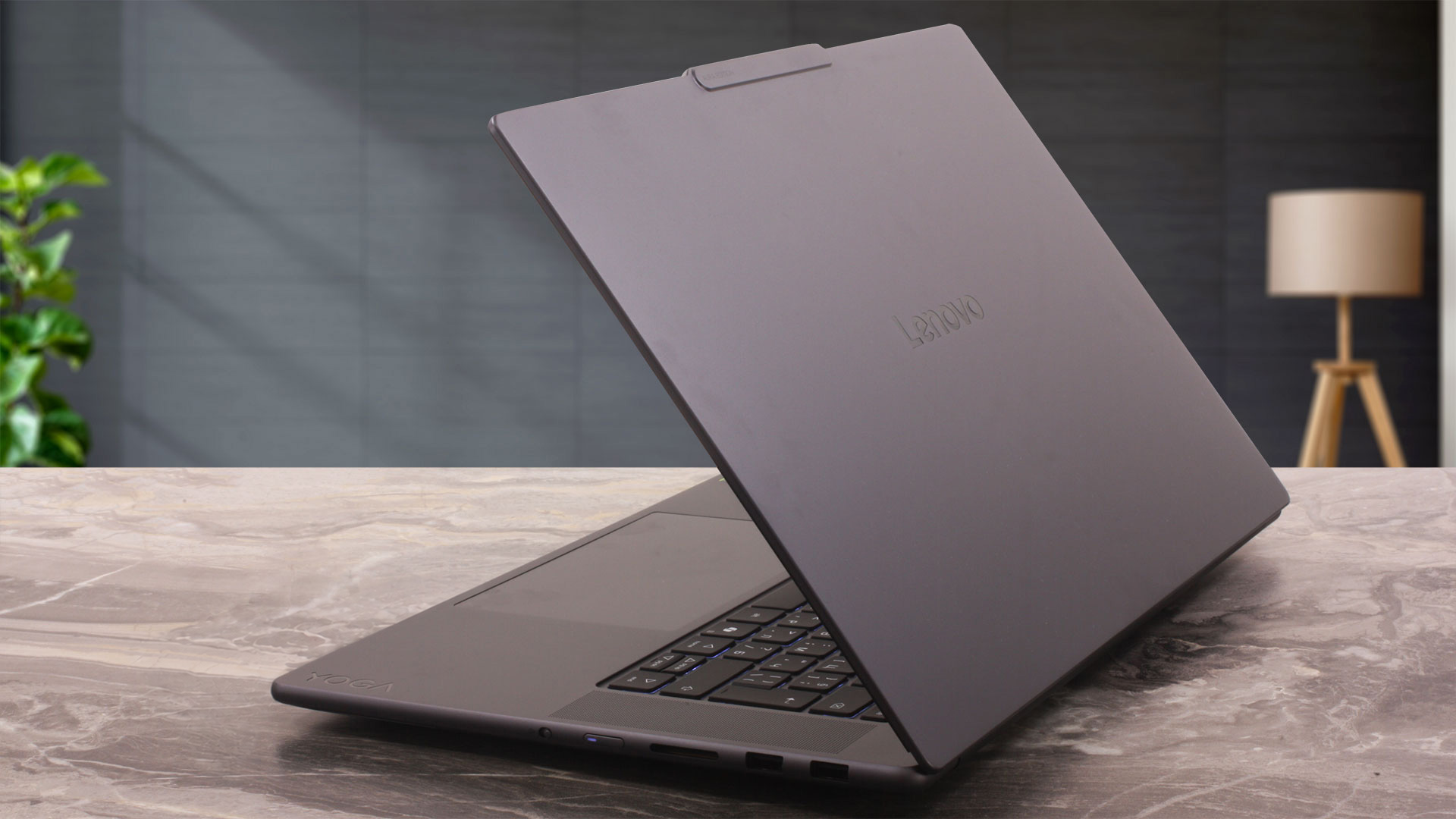
The build quality is very good. Lenovo uses aluminum for both the lid and the bottom part of the chassis, with an anodized sandblasted finish. The laptop feels solid in the hands, and the base remains stable under pressure, which fits its high-end creator positioning.
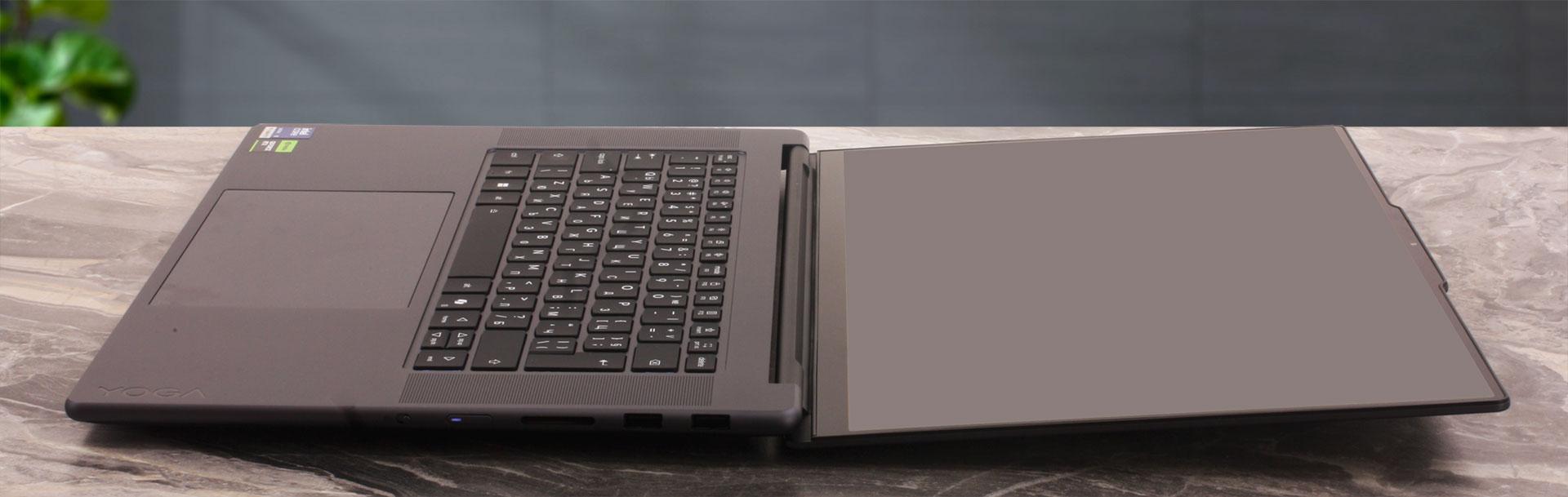
The lid can be opened with one hand, which is always a good sign for hinge tuning. The resistance is firm enough to keep the display stable, but it does not feel overly tight. The screen can also open all the way to 180 degrees, which is useful for a touchscreen laptop, especially when sharing content or using the included pen.
The bezels around the display are thin for a 16-inch model, helping the laptop achieve a 90.17% active area ratio. There is a small bump in the middle of the top bezel, housing the 5.0MP + IR camera with fixed focus. The IR camera supports Windows Hello facial recognition, and the series also includes Ultrasonic Human Presence Detection. For privacy, Lenovo uses an electronic e-shutter rather than a classic physical slider.
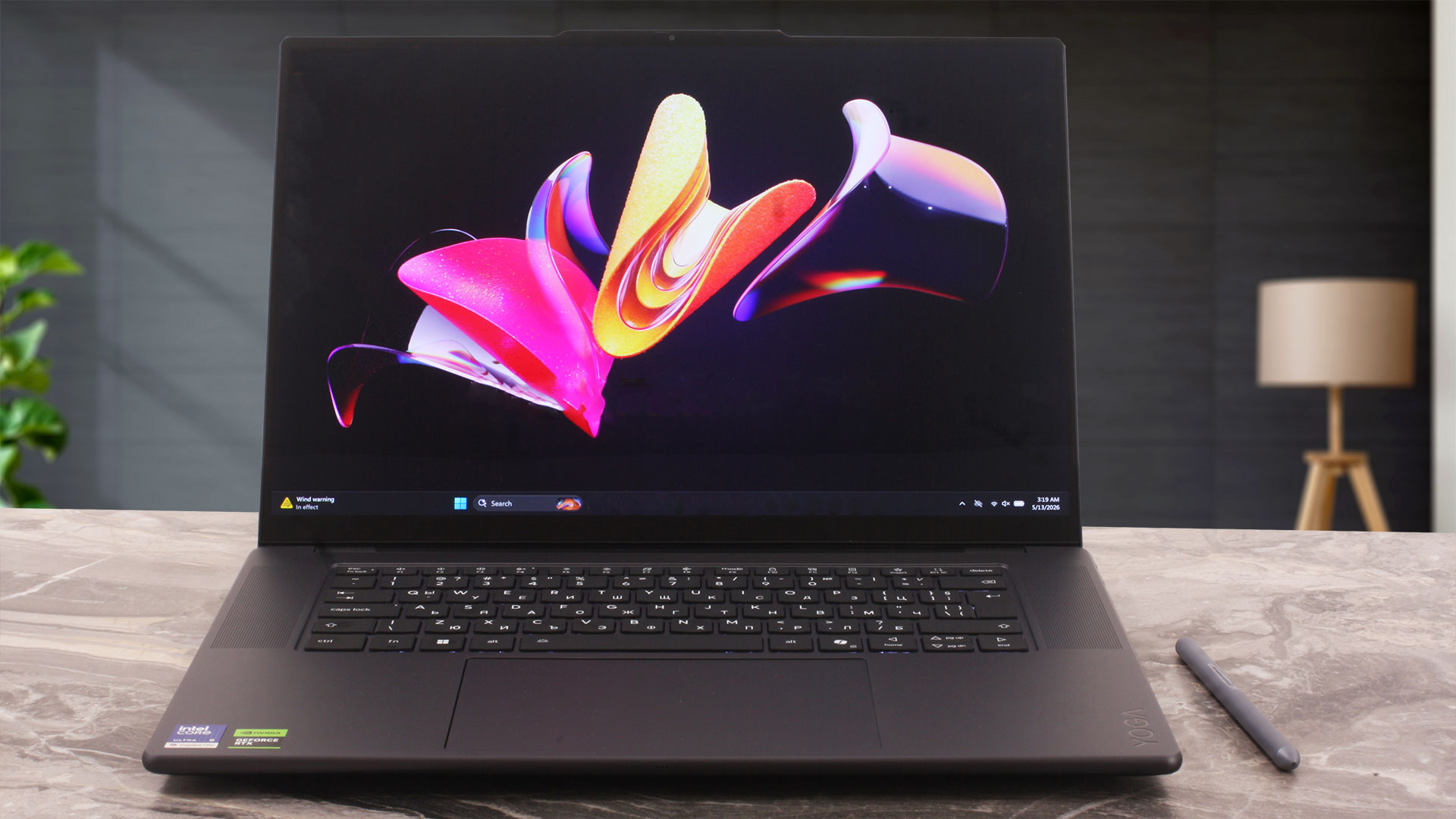
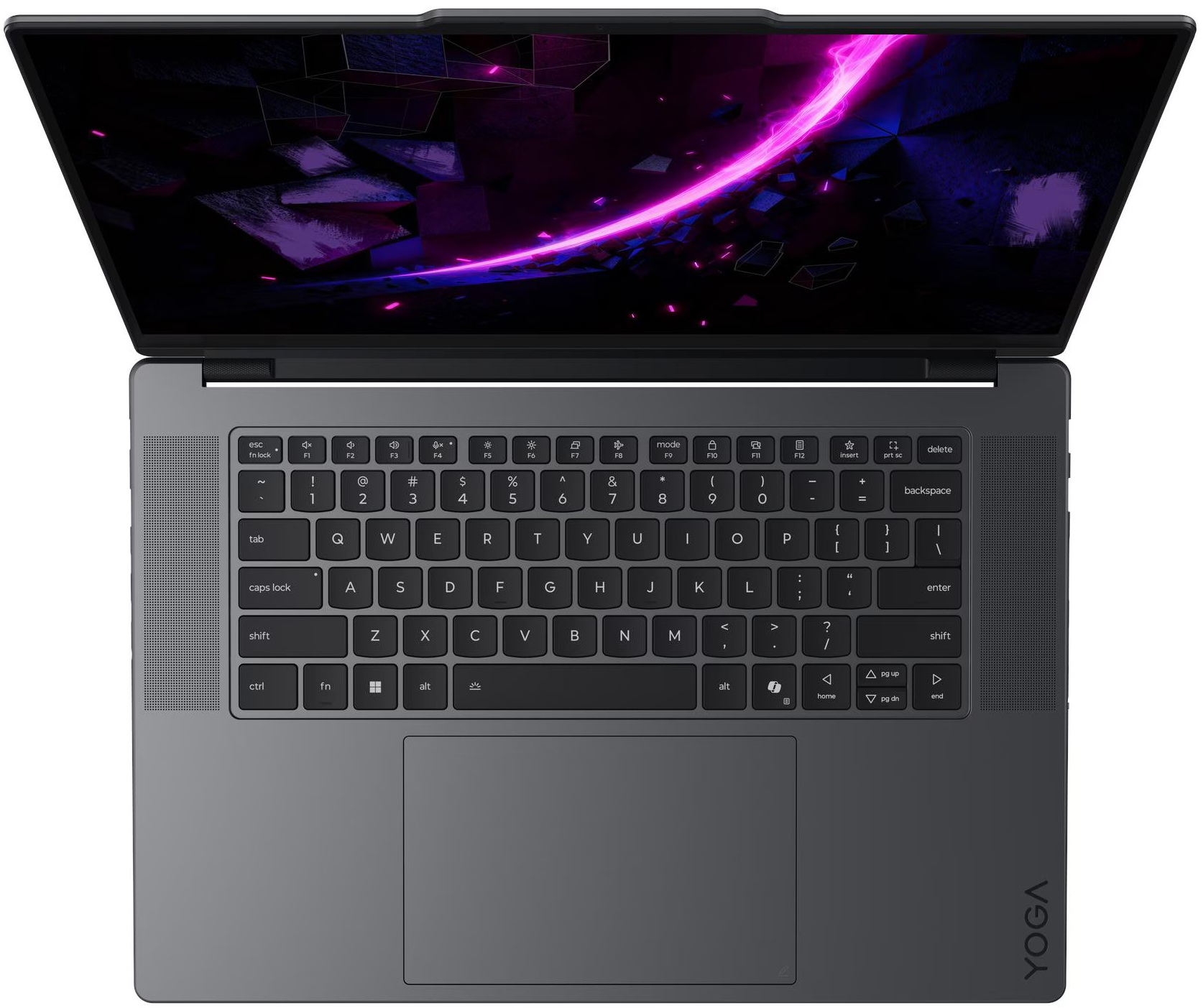
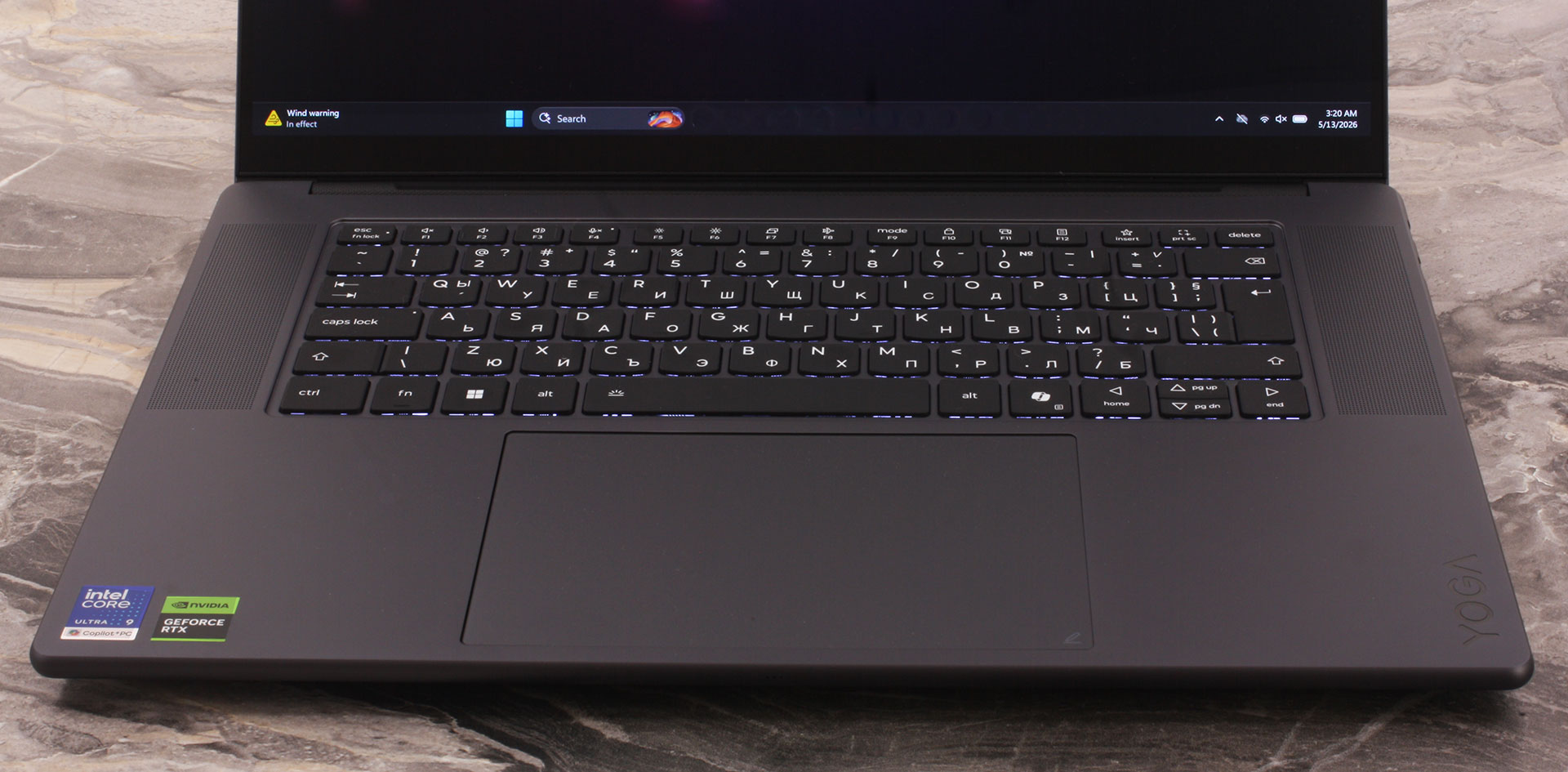
The keyboard does not have a NumPad, even though PSREF lists one for the series. Interestingly, Lenovo’s official images also show this no-NumPad layout. Instead, Lenovo uses the space on both sides of the keyboard for the speaker system, which gives the interior a more symmetrical and premium look. This is a reasonable choice for a creator laptop, although users who work heavily with spreadsheets may still miss the numeric block.
The keyboard has LED backlighting, and the 1.5 mm key travel is a good sign for comfortable long typing sessions. The arrow key layout is a mixed bag: the left and right arrows are full-sized, but the up and down arrows are half-sized and placed very close to each other, with no extra spacing between them.
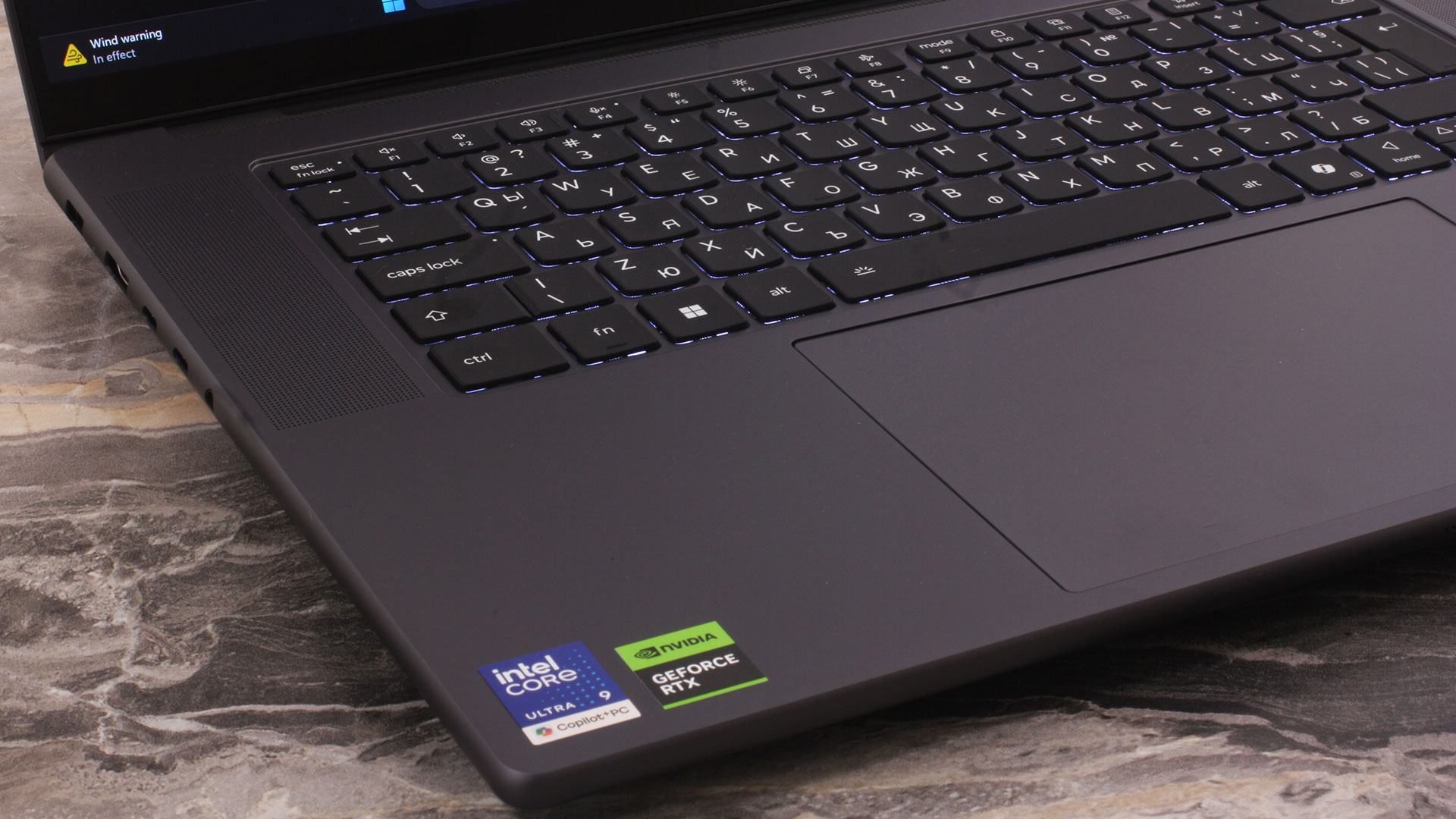
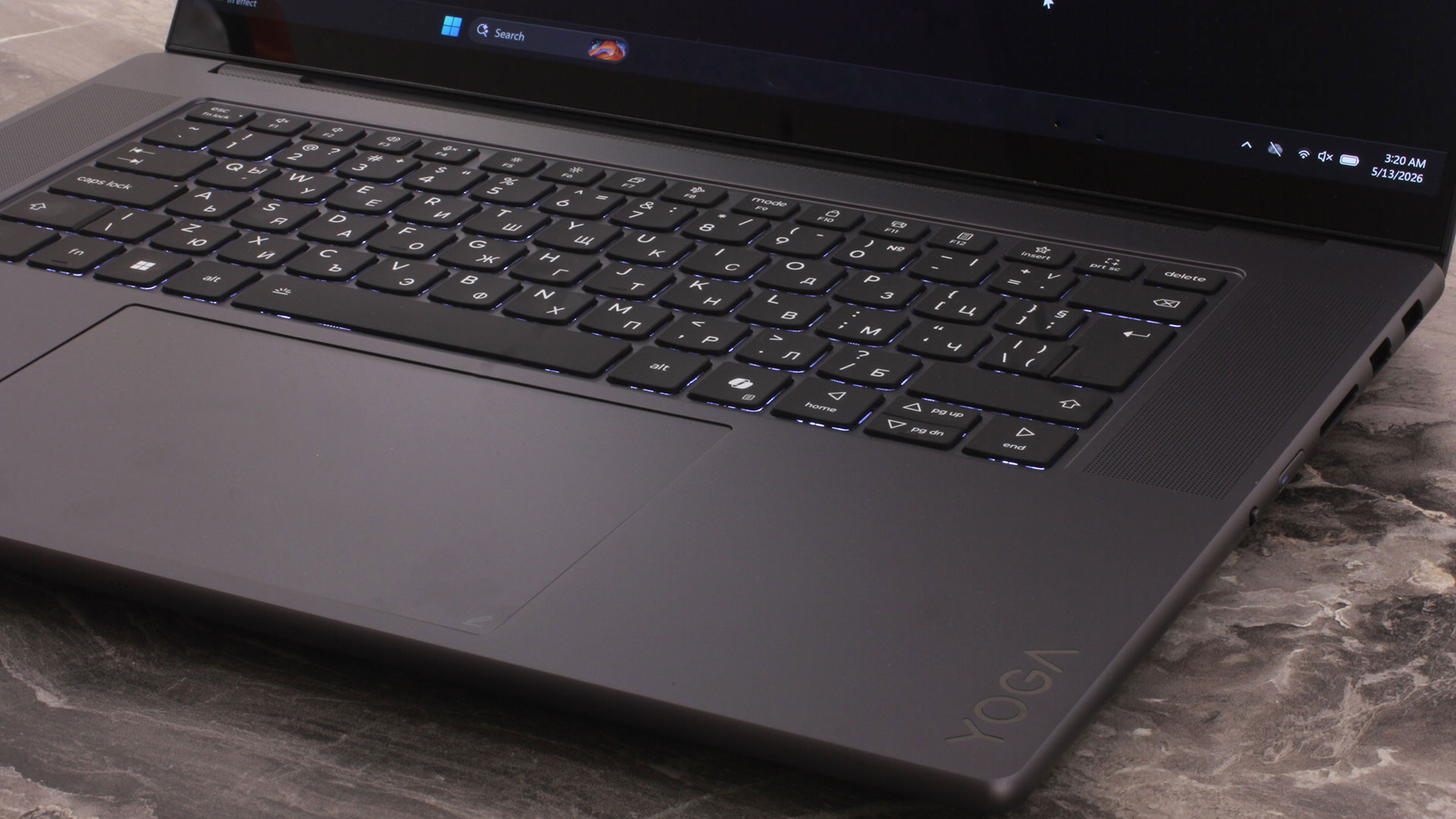
There is no fingerprint reader. Instead, the laptop relies on the IR camera for Windows Hello, alongside the electronic camera shutter and Ultrasonic Human Presence Detection.
The touchpad is huge, measuring 95 x 150 mm, or 3.75 x 5.91 inches. It is a buttonless glass ForcePad with Precision TouchPad support, and it even supports pen input. This is one of the signature premium features of the machine, especially together with the bundled Lenovo Yoga Pen Gen 2, and it makes the touchpad more interesting than the usual oversized glass surface found on many high-end laptops.
Ports and Connectivity
The port selection is one of the strong practical advantages of the Lenovo Yoga Pro 9i Aura Edition (16″, 11), especially for a premium creator laptop. Lenovo has not gone for a minimalist port layout here, which is good news if you work with external displays, storage, SD cards, and peripherals.
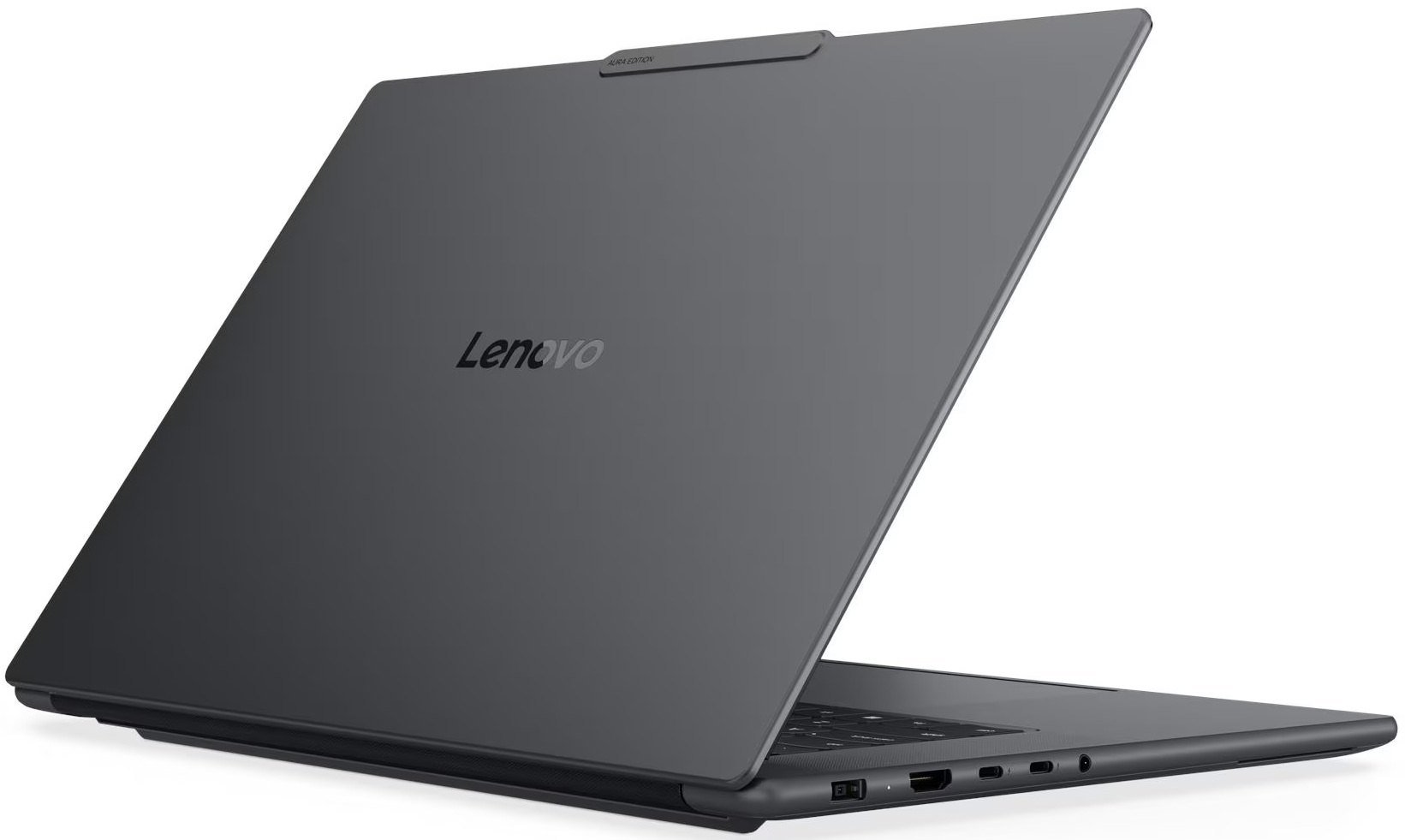
On the left side, there is the Slim Tip power connector, an HDMI 2.1 port, two Thunderbolt 4 ports, and a 3.5 mm audio combo jack. The HDMI port supports up to 8K@60Hz, while both Thunderbolt 4 ports support DisplayPort 2.1 and USB Power Delivery from 65W to 100W. Our unit ships with a 245W Slim Tip (3-pin) adapter, which is the proper way to power the machine under heavy CPU and GPU loads. USB-C charging is still useful for lighter work and travel, but it should not be treated as a full replacement for the main adapter when the RTX GPU is active.

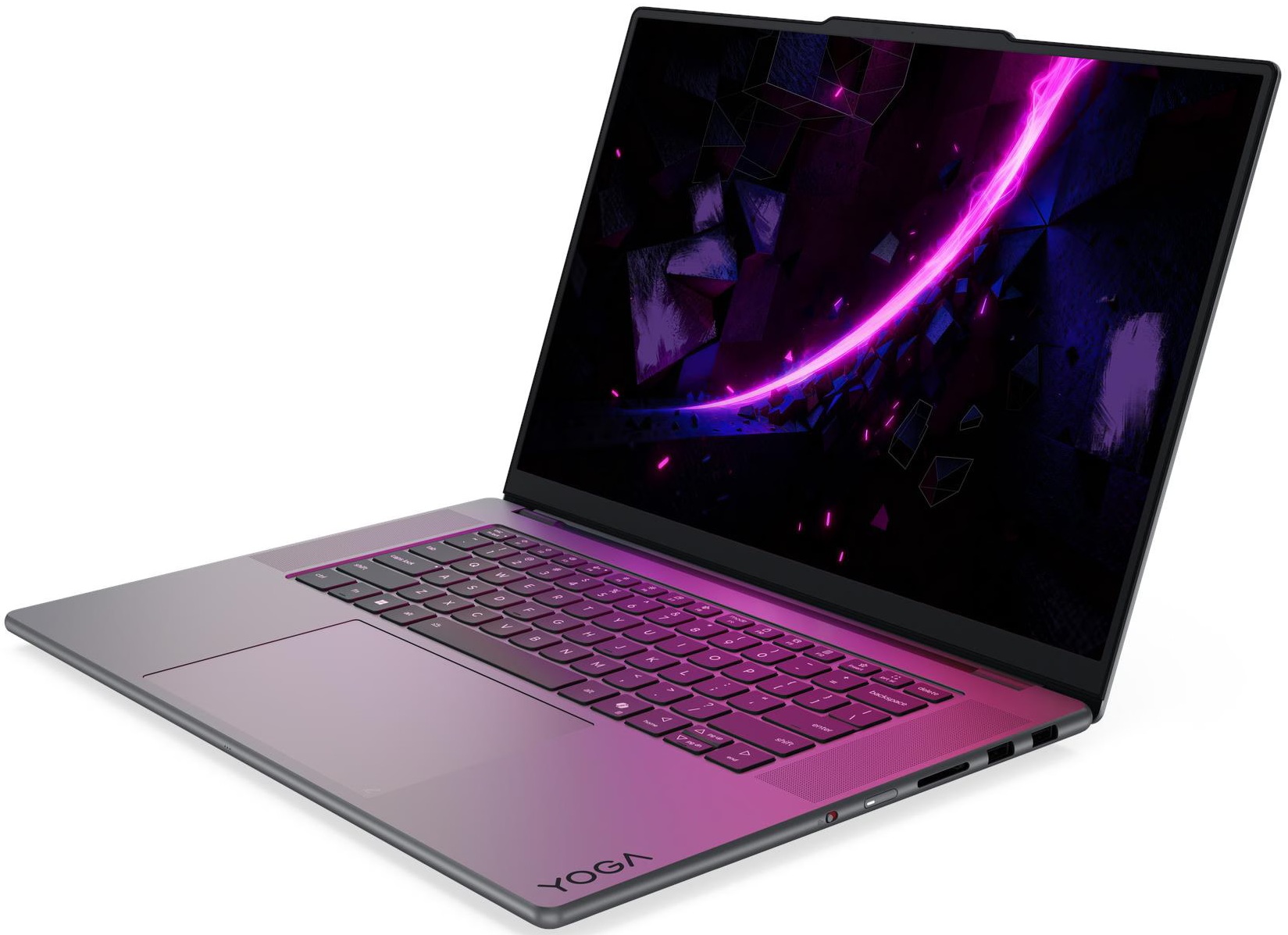
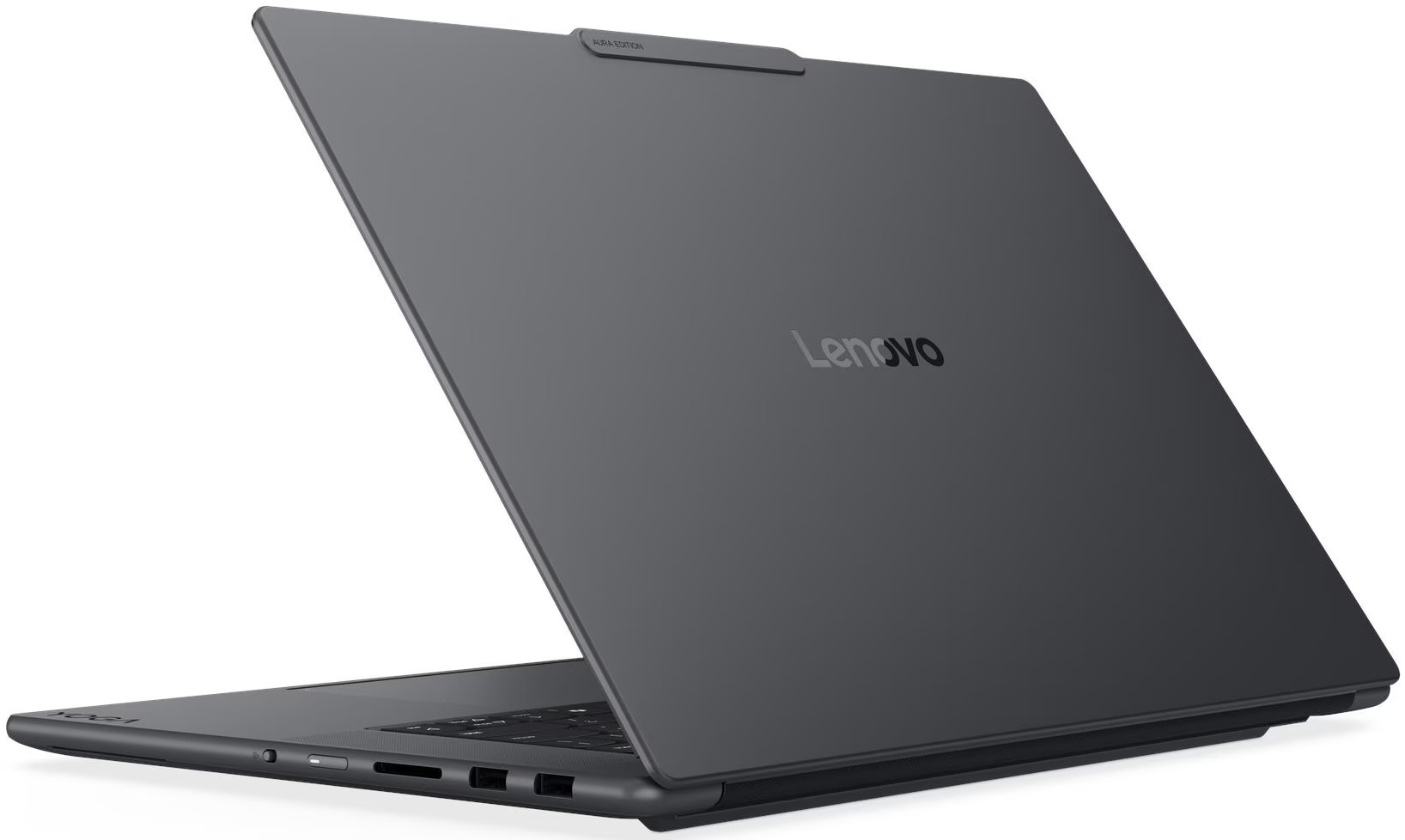
On the right side, we get two USB-A ports, both rated at 10Gbps, with one of them supporting Always On functionality. This side also houses the UHS-II SD card reader, the power button, and the e-shutter switch for the camera. The SD card reader is a particularly useful addition for photographers and video creators, and it fits the target audience of this machine much better than another dongle-dependent setup.

There are no ports on the back. All connectors are positioned on the left and right sides, which helps the display open all the way to 180 degrees. The downside is that cables will stick out from the sides when the laptop is connected to multiple peripherals, especially if you use the charger, HDMI, and USB devices at the same time.
Connectivity is excellent for a creator and office machine. You get Wi-Fi 7, two Thunderbolt 4 ports, HDMI 2.1, two fast USB-A ports, and a UHS-II SD card reader. The main omissions are RJ-45 LAN and SIM/WWAN support, but for this class of premium creator laptop, that is not surprising.
Display and Sound Quality, Display Profiles
We ordered the Lenovo Yoga Pro 9i Aura Edition (16″, Gen 11) with the premium 16-inch 3.2K (3200 × 2000) Tandem OLED touchscreen panel (Samsung ATNA60KA04-0 / SDC4232). It keeps the same 120 Hz refresh rate as the 2.8K OLED option, but increases both the resolution and the brightness ceiling, with Lenovo listing up to 1600 nits HDR peak and 1000 nits typical SDR brightness.
In our display scoring system, this panel performs very strongly overall. Its biggest advantages are the exceptional color coverage, excellent factory color accuracy, and the perfect contrast that comes naturally with OLED technology. Brightness is also very good for a laptop screen, while the high pixel density gives the image a sharp and detailed look. The only area where the score is more moderate is eye safety, which is expected for many OLED panels and is something sensitive users should keep in mind.
| Lenovo Yoga Pro 9i Aura Edition (16″, Gen 11) | 16″, 2.8K WQXGA+ (2880 x 1800), 120 Hz, OLED, OGS touch | 16″, 3.2K (3200 x 2000), 120 Hz, Tandem OLED, OGS touch (Samsung ATNA60KA04-0 / SDC4232) |
| Diagonal | 16.0 inches (40.6 cm) | 16.0 inches (40.6 cm) |
| Panel Type | OLED | Tandem OLED |
| Resolution | 2880 x 1800 pixels | 3200 x 2000 pixels |
| Max Refresh Rate | 120 Hz | 120 Hz |
| Aspect Ratio | 16:10 | 16:10 |
| Pixel Density | 212 PPI | 236 PPI |
| ‘Retina’ Distance | Greater than or equal to 41 cm | Greater than or equal to 37 cm |
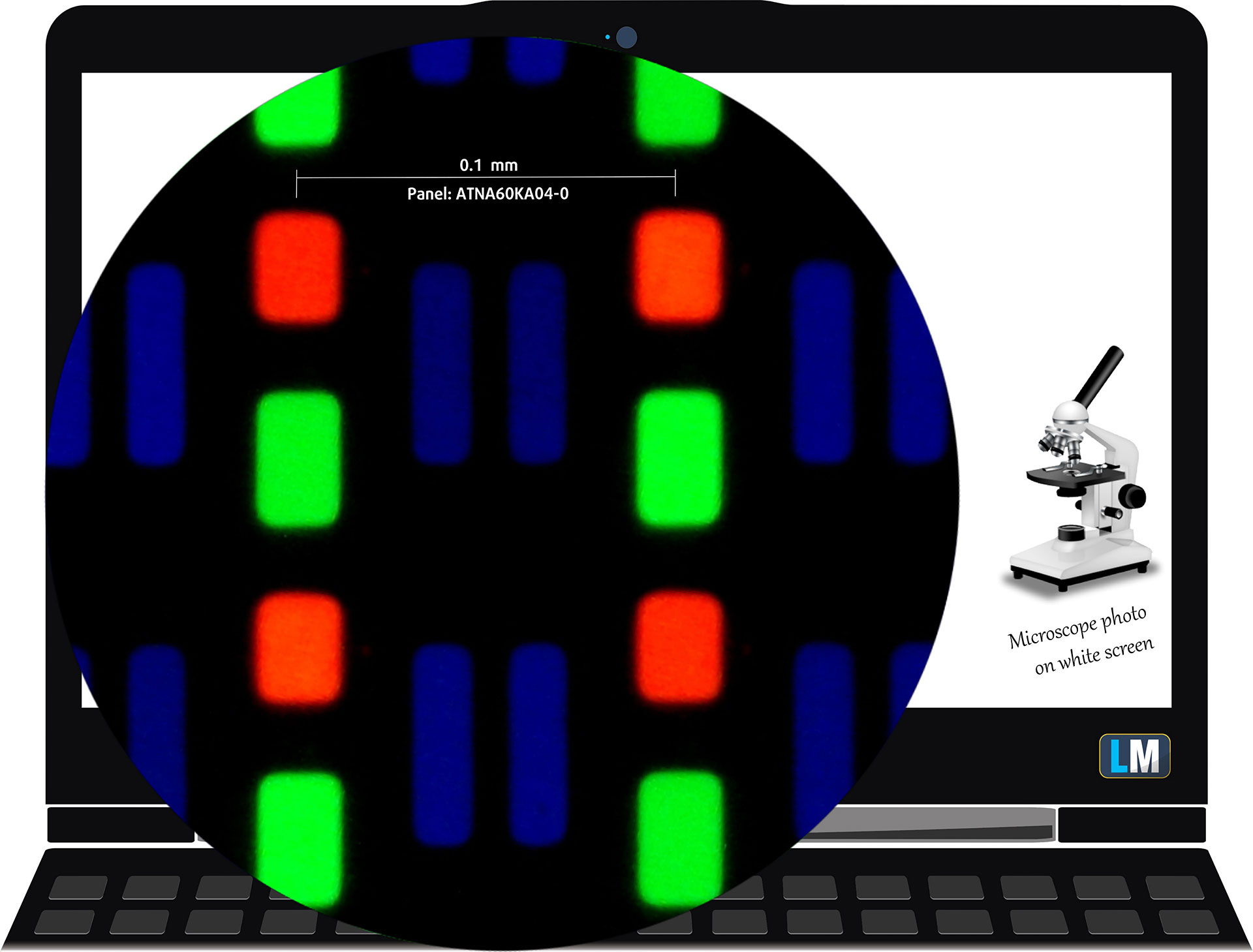
The 3.2K (3200 × 2000), 120 Hz, OLED display variant under our microscope
Viewing Angles
Viewing angles are excellent, as expected from a high-end OLED panel. The image remains stable when viewed from the side, with no serious loss of contrast. We take photos from different angles to evaluate the quality.
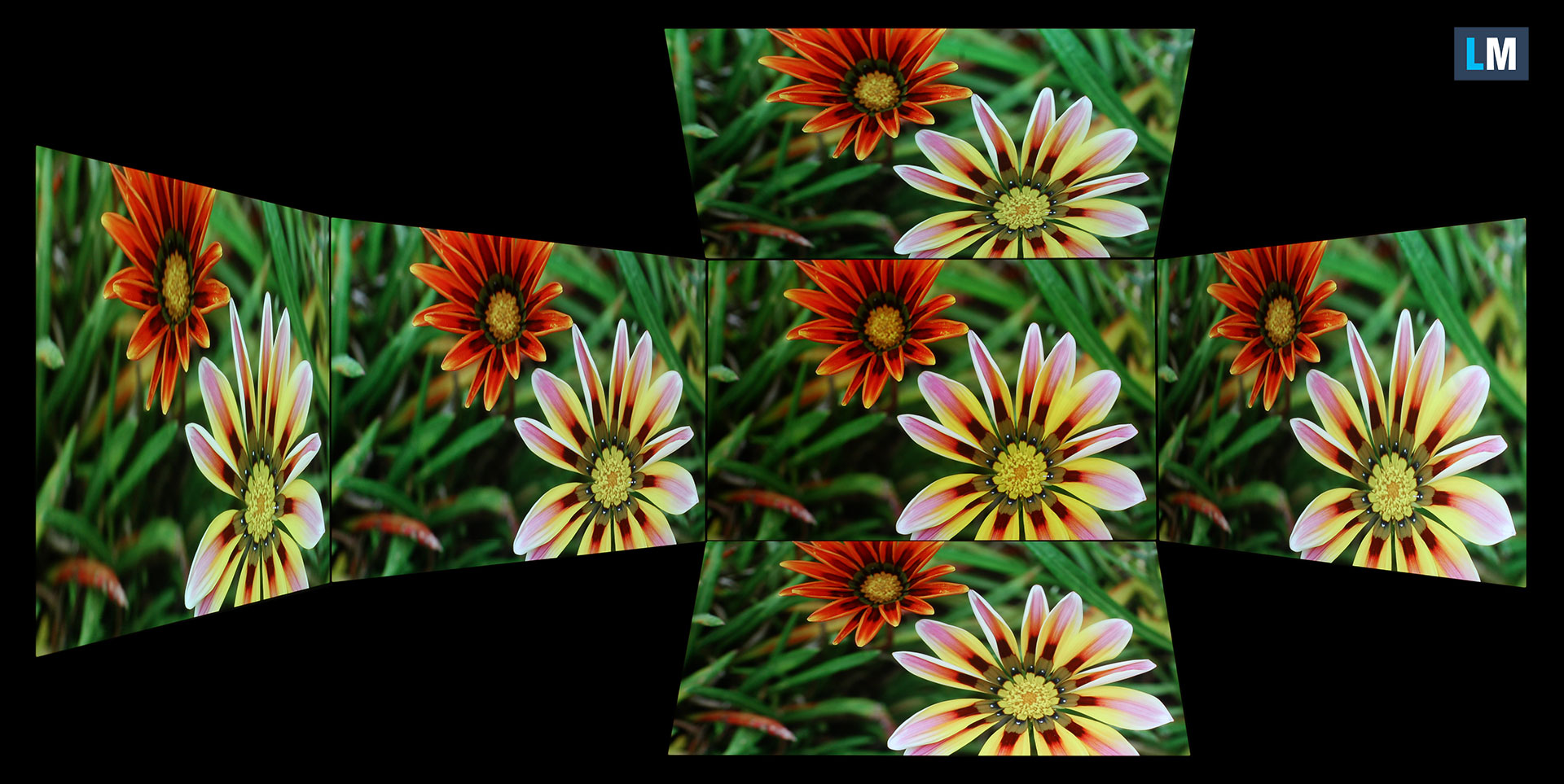
We also include a video recorded with locked focus and exposure.
Color Coverage
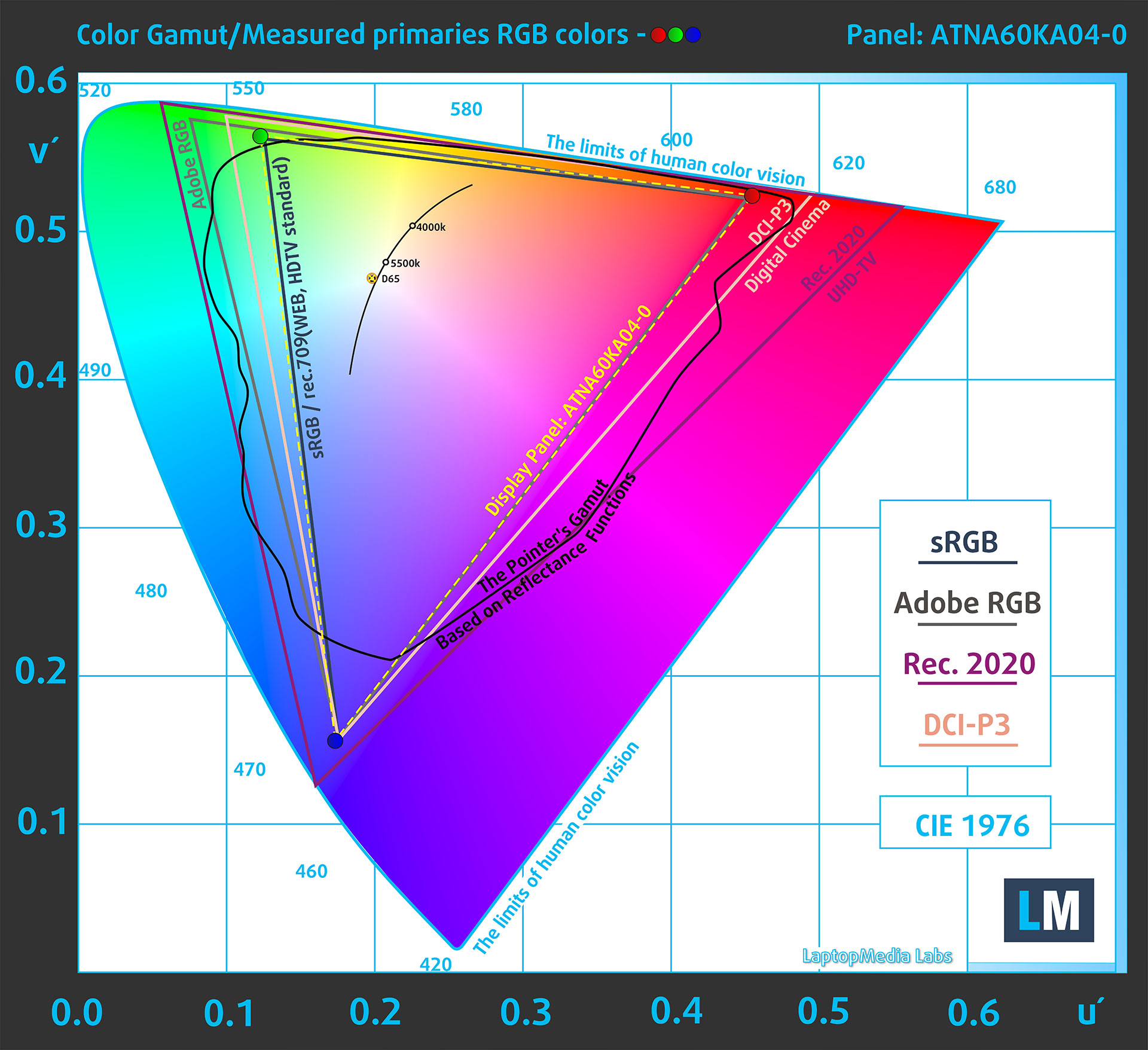
The whole “sail-shaped” map below (Fig. 1) represents all the colors visible to the human eye, while the black curved line shows the colors found in real-world scenes and nature.
Then, we’ve drawn some of the most important and interesting color spaces, compared to the colors the panel of Lenovo Yoga Pro 9i Aura Edition (16″, 11) can show:
Standard/For Web: sRGB – widely used color space for most consumer devices, ideal for Web design and development
For Print: AdobeRGB – used in professional photo editing, graphic design, and print
For Photographers/Video Editors: DCI-P3 – used in high-end film production, post-production, and digital cinema
Premium HDR: Rec.2020 – the widest consumer ITU color standard, covering a massive 75.8% of the visible spectrum, a benchmark for premium HDR content.
Lenovo Yoga Pro 9i Aura Edition (16″, 11): the yellow dashed triangle (– – – – – –) represents the range of colors this display can show.
In our tests, we calculated the total color coverage of the display at 100% of the sRGB color gamut and 100% of the DCI-P3 color gamut. This is an excellent result for a creator-focused laptop, especially when combined with the available color profiles in Windows.
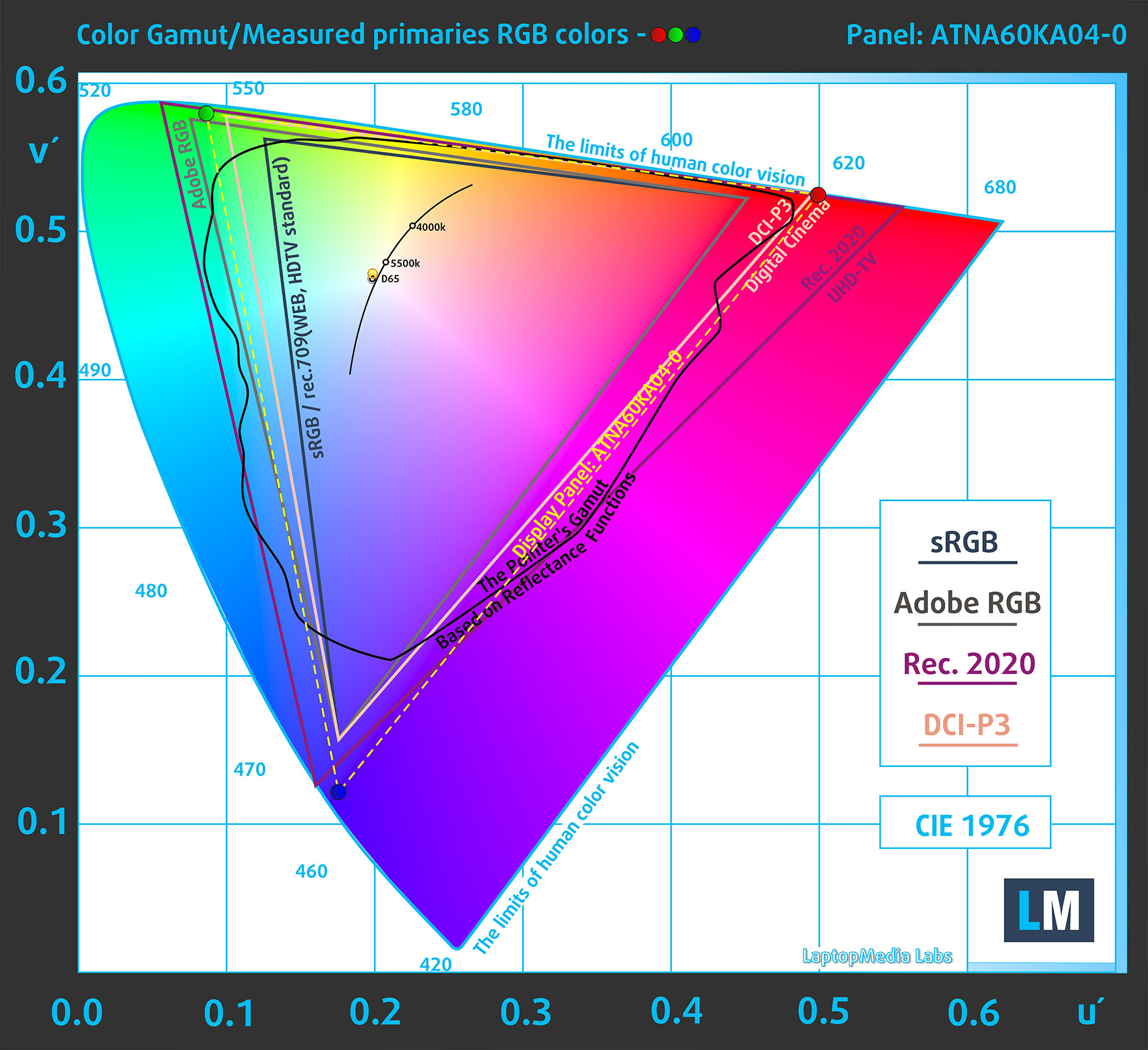
(Fig.1) Lenovo Yoga Pro 9i Aura Edition (16″, 11) covers 100% of the DCI-P3 gamut
The Lenovo Yoga Pro 9i Aura Edition (16″, 11) can emulate several color spaces, including Display P3 and sRGB. This is important because the Native mode is very wide, and non-color-managed content can otherwise appear oversaturated. For web work, sRGB is the safer choice, while Display P3 is useful for modern content creation, photography, and video workflows.
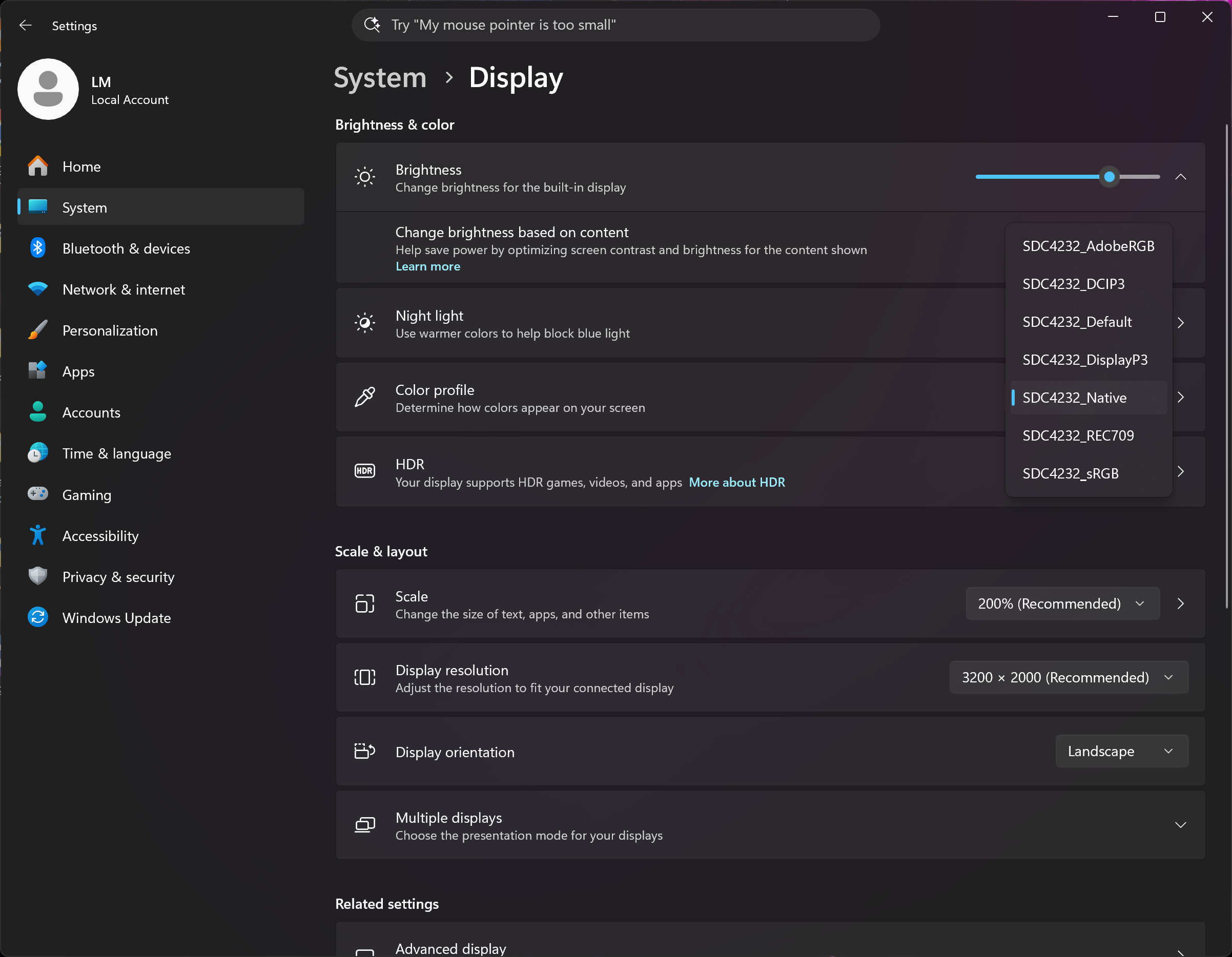
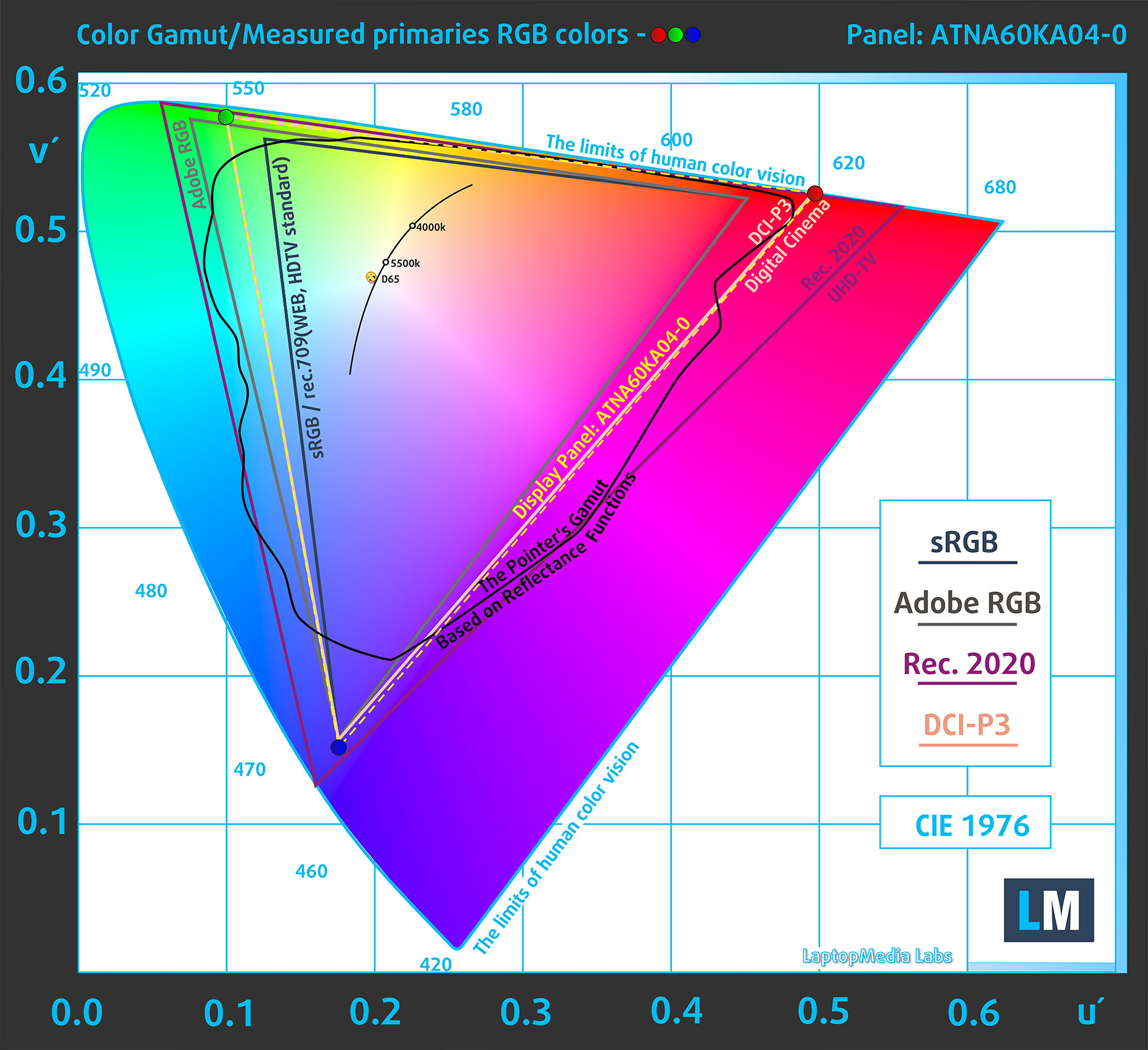
(Fig.2) Display P3
(Fig.3) sRGB
Brightness and Contrast
The maximum brightness in HDR mode is 1480 cd/m² at 8% white screen fill and 965 cd/m² on a full white screen. These are very strong results for an OLED laptop panel, especially the full-screen HDR brightness.

The maximum brightness in SDR mode is 862 cd/m², which is also very high for everyday work, bright rooms, and creator use.
The Correlated Color Temperature (CCT) on a white screen at maximum brightness is 6760K (Native mode color profile).
The contrast ratio of OLED panels is excellent because the pixels turn off completely when displaying black.
Uniformity: Luminance, Contrast, and Color Deviation
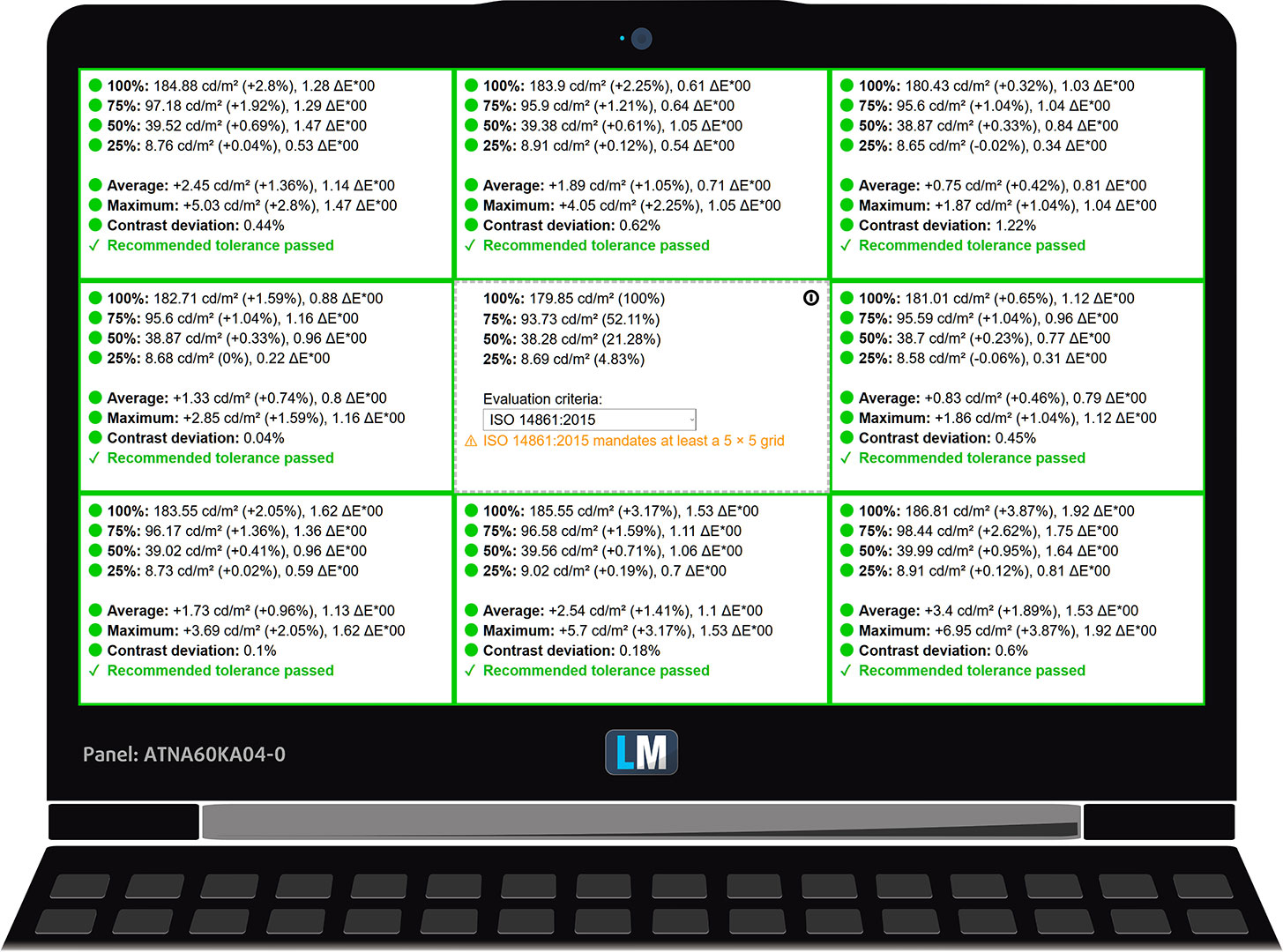
The figure below shows the results from our uniformity test across different sections of the screen. The measurements are taken at 180 nits (Windows slider = 51%) – a brightness level we consider typical for standard working conditions.
DeltaE values below 4.0 are acceptable for regular users. For those working with colors, screens with DeltaE values no higher than 2.0 are recommended.
The panel passes our recommended tolerance. At this brightness level, the luminance deviation is low, and the maximum color deviation stays below the DeltaE 2.0 threshold, which is a very good result for color-sensitive work.
Color Accuracy
Let’s check the difference between real colors and those you’ll see on the Lenovo Yoga Pro 9i Aura Edition (16″, 11). We measure that distance in DeltaE – the higher the number, the more different they look.
Values below 4.0 are acceptable for regular users, while values below 2.0 are suitable for color-sensitive work. A value below 1.0 means the difference is indistinguishable to the naked eye.
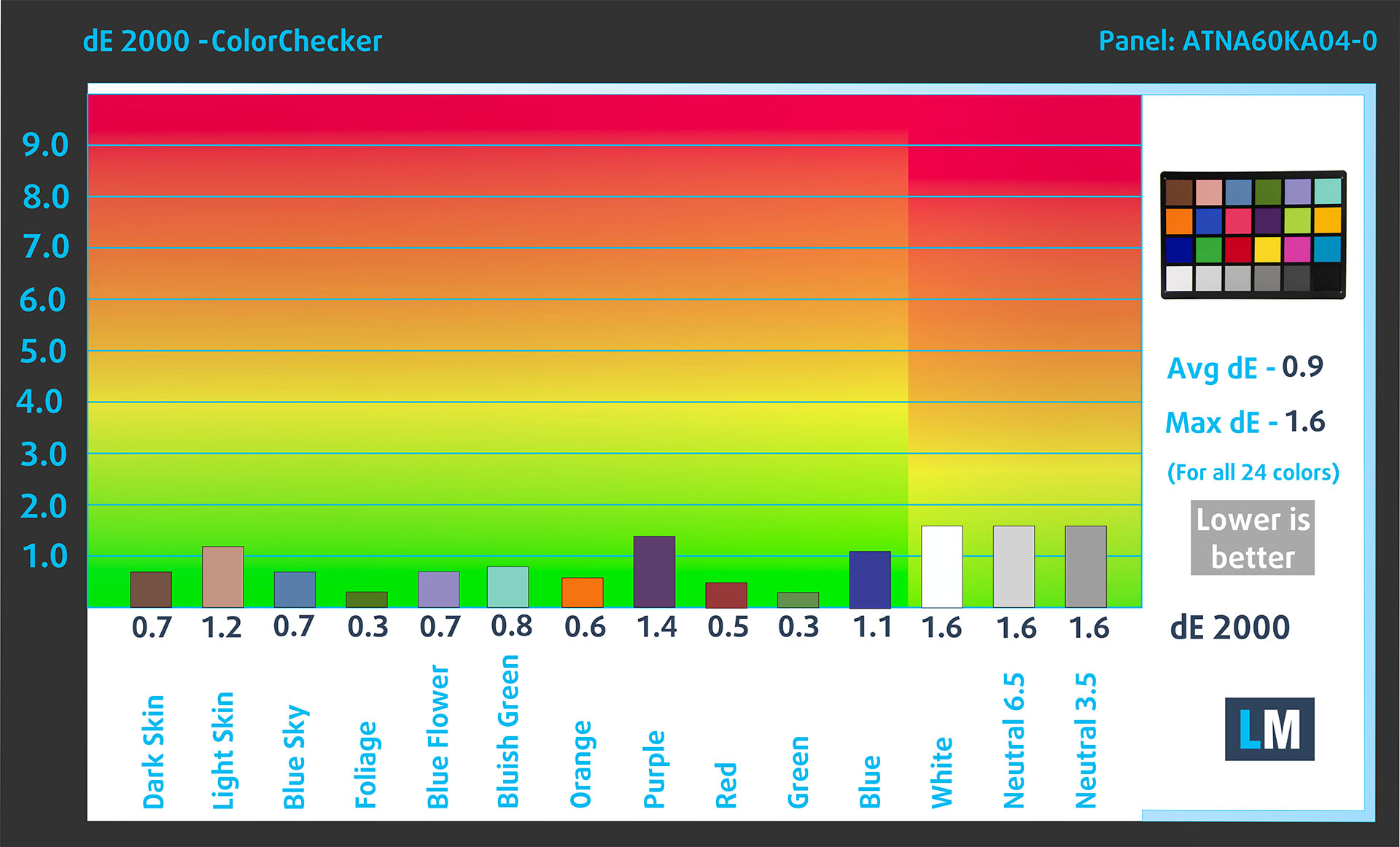
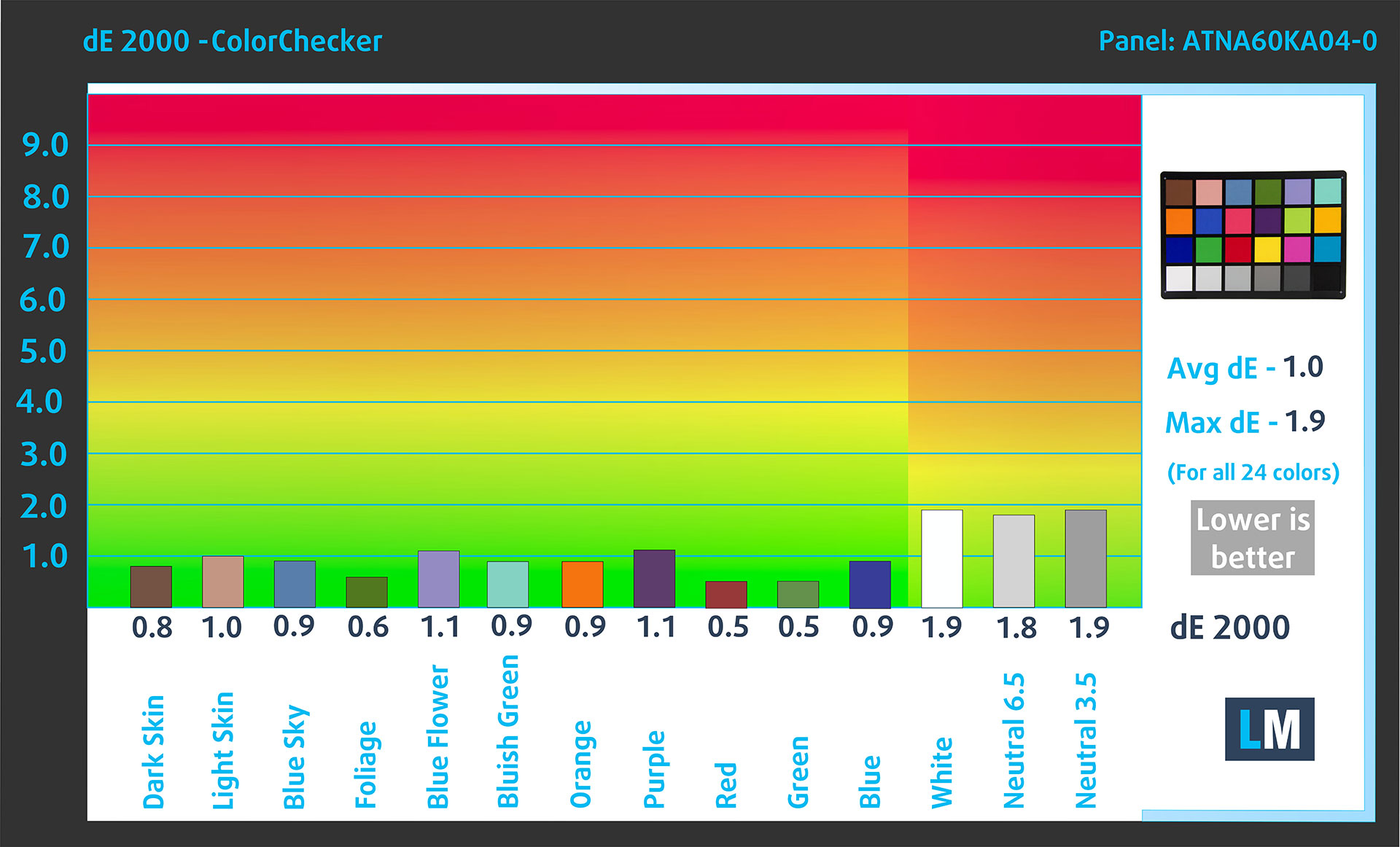
For the next graph, we’ve selected 24 common colors, including dark/light skin, blue sky, green grass, etc.
Below are the results of the Lenovo Yoga Pro 9i Aura Edition (16″, 11) using the sRGB mode in Windows, without additional calibration, compared to the sRGB color space.
Comparison in the sRGB color space.
Below are the results of the Lenovo Yoga Pro 9i Aura Edition (16″, 11) using the Display P3 mode in Windows, without additional calibration, compared to the Display P3 color space.
Comparison in the Display P3 color space.
The factory settings offer excellent color accuracy, with an average dE of 0.9 in sRGB mode and 1.0 in Display P3 mode. This makes the panel suitable for color-sensitive work even before additional calibration.
Health Impact: PWM (Screen flickering)
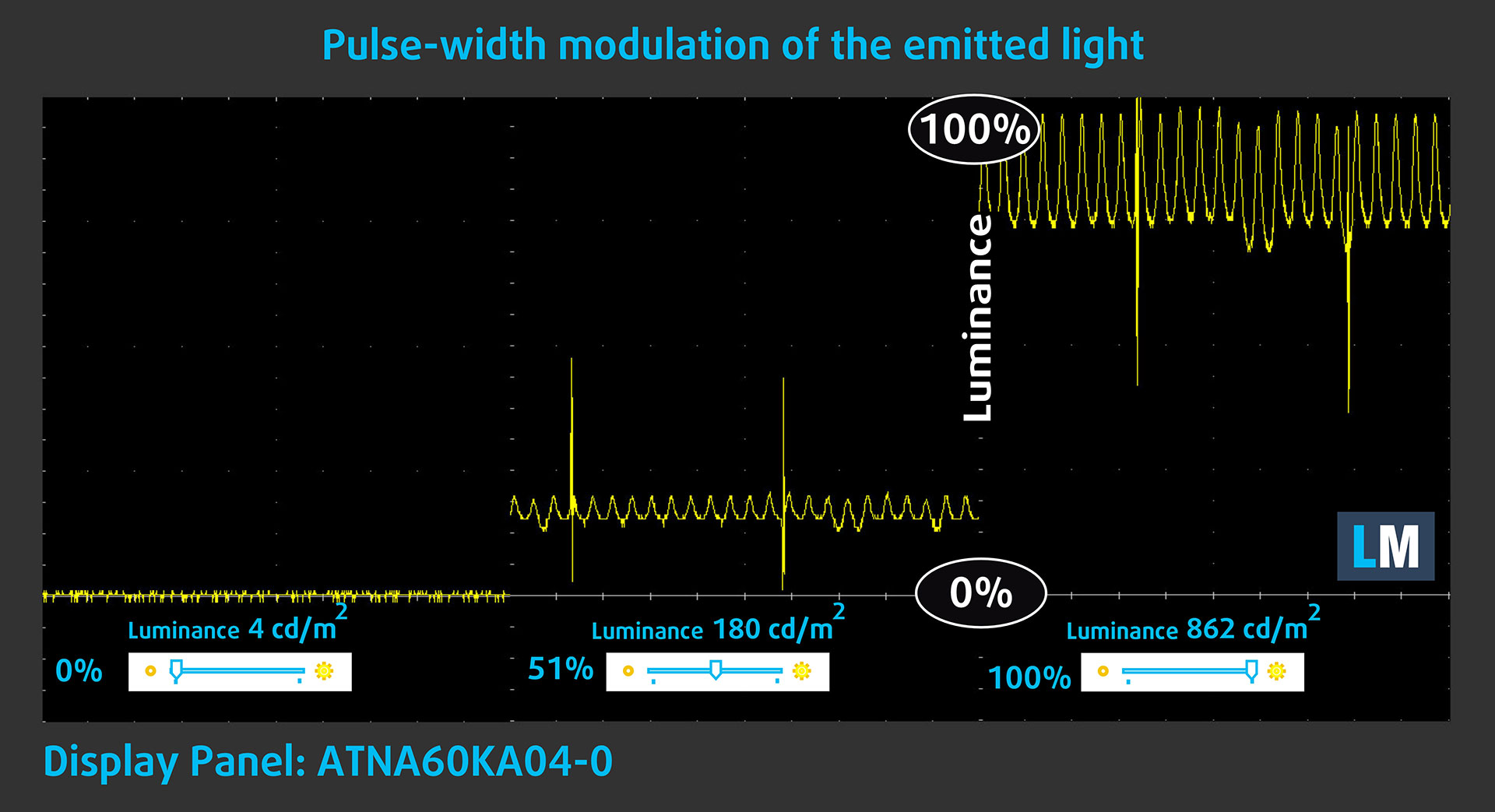
Some displays use PWM to regulate brightness, which means that instead of reducing the light intensity, they pulse or flicker. Our brain merges the image, so it appears darker, but this can increase eye strain, especially when the pulse frequency is low. You can read more about that in our dedicated article on PWM.
In the graph below, you see the intensity of light at different brightness levels — on the vertical axis is the brightness of the emitted light, and on the horizontal axis — time.
The display light of the Lenovo Yoga Pro 9i Aura Edition (16″, 11) pulsates across the entire brightness range, so the panel is not PWM-free. However, the amplitude is limited, which makes it less aggressive than many OLED implementations. In this regard, we find the display relatively comfortable on the eyes, although very sensitive users should still keep this in mind.
Health Impact: Screen Reflectance
Glossy-coated displays can cause eye fatigue in high ambient light conditions due to reflections. We measure the level of screen reflection with the display turned off, at a 60° angle.
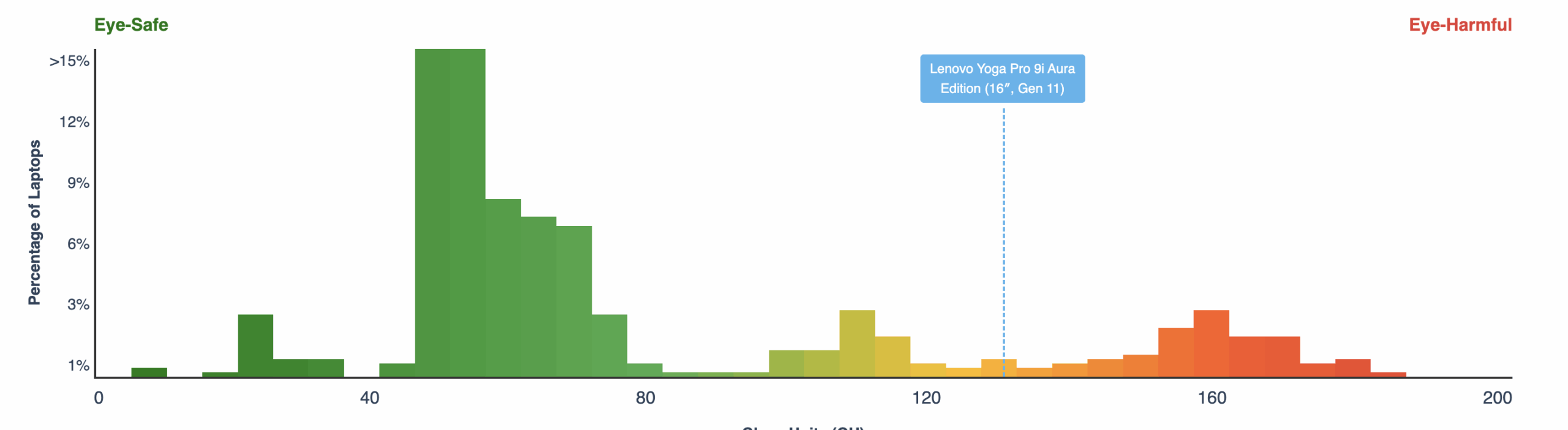
The reflectance of the Lenovo Yoga Pro 9i Aura Edition’s screen is 128 GU. This is a high-gloss result, and reflections are strong. The very high brightness helps in many situations, but it does not fully eliminate the issue in bright rooms or near windows.
High Gloss: >70 GU
Medium Gloss: 30 – 70 GU
Low Gloss: <30 GU
Sound
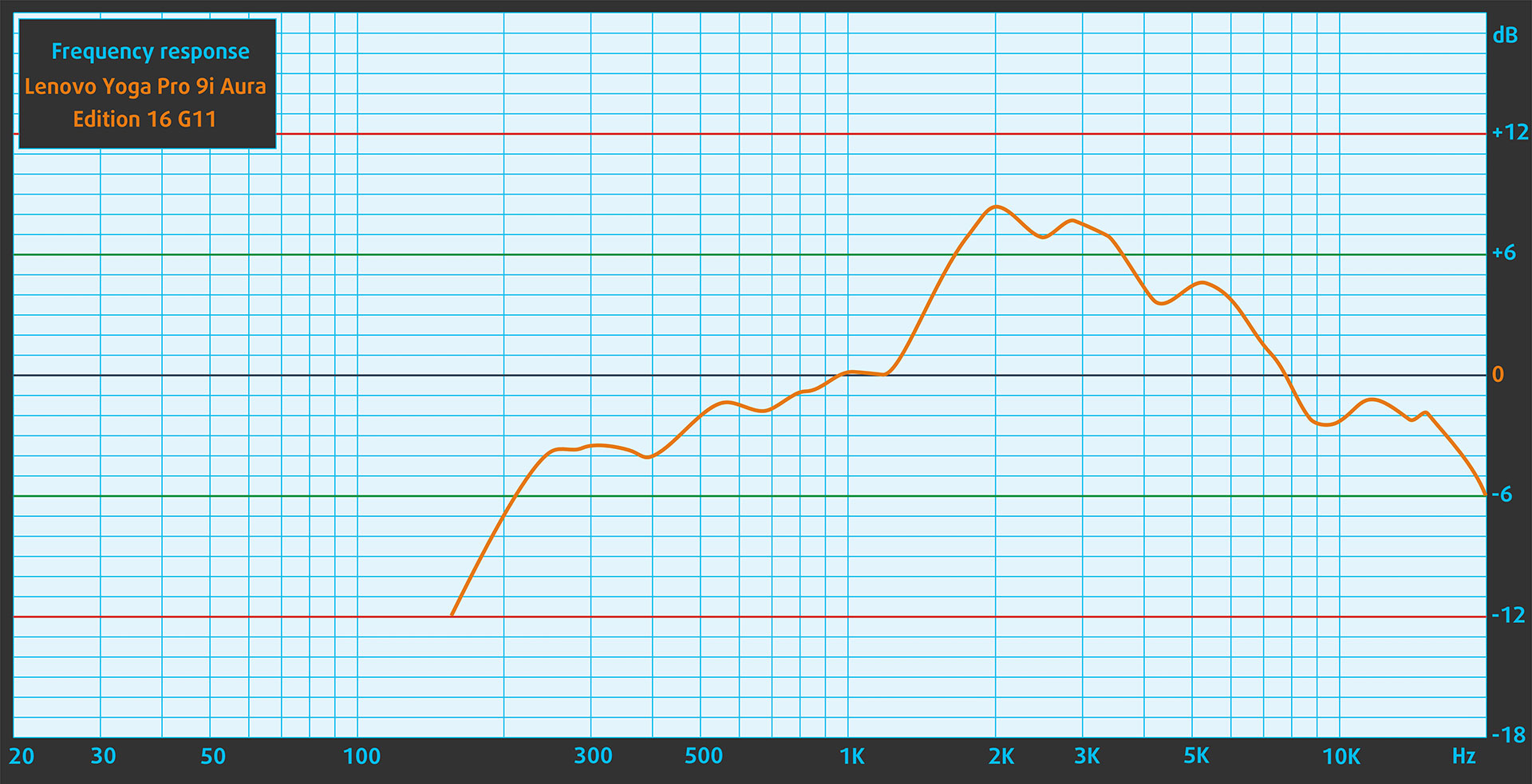
The sound from the Lenovo Yoga Pro 9i Aura Edition’s speakers is good. The low, mid, and high frequencies are clear, and voices sound clean. As expected from a thin laptop, you should not expect deep bass, but for calls, movies, music, and everyday multimedia use, the speaker system performs well.
Work Performance: CPU, Storage, AI
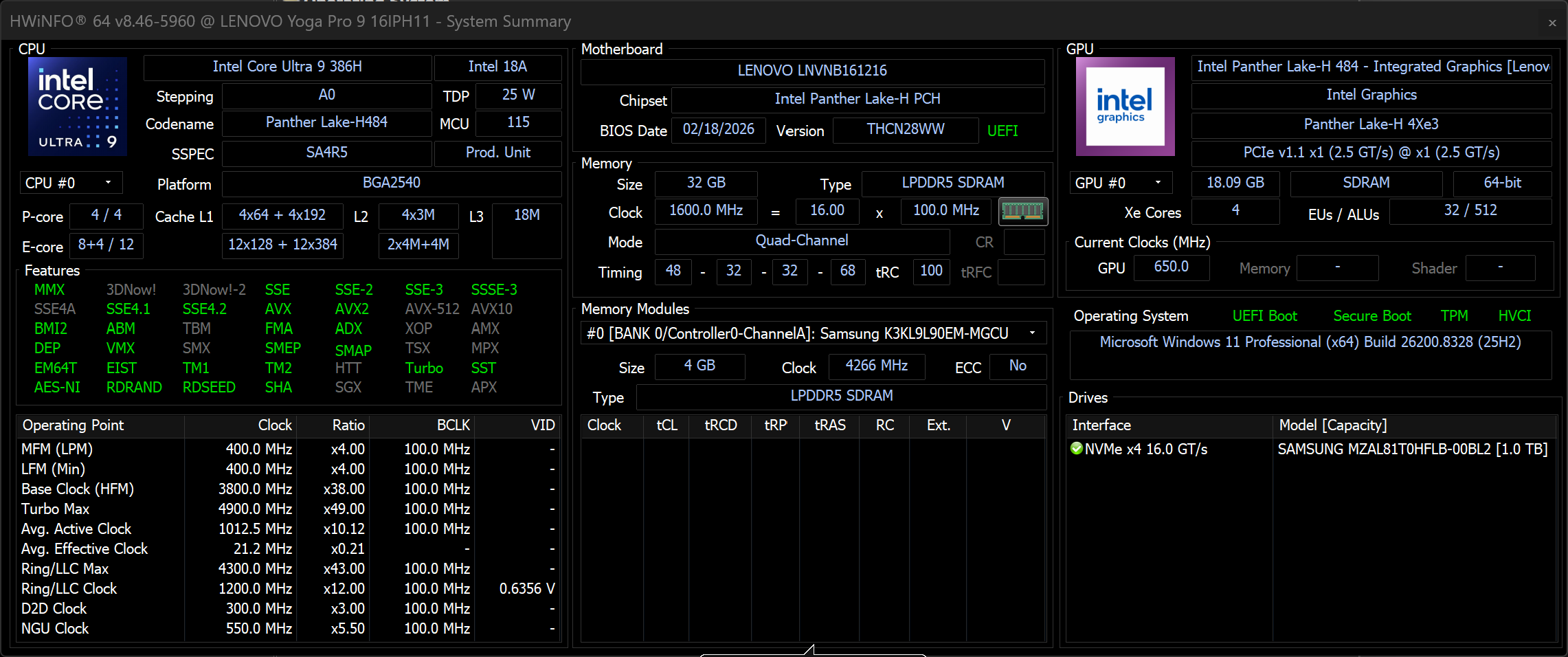
All performance and temperature tests are conducted with Extreme Power Boost mode activated in Lenovo Vantage:
CPU and Work Performance
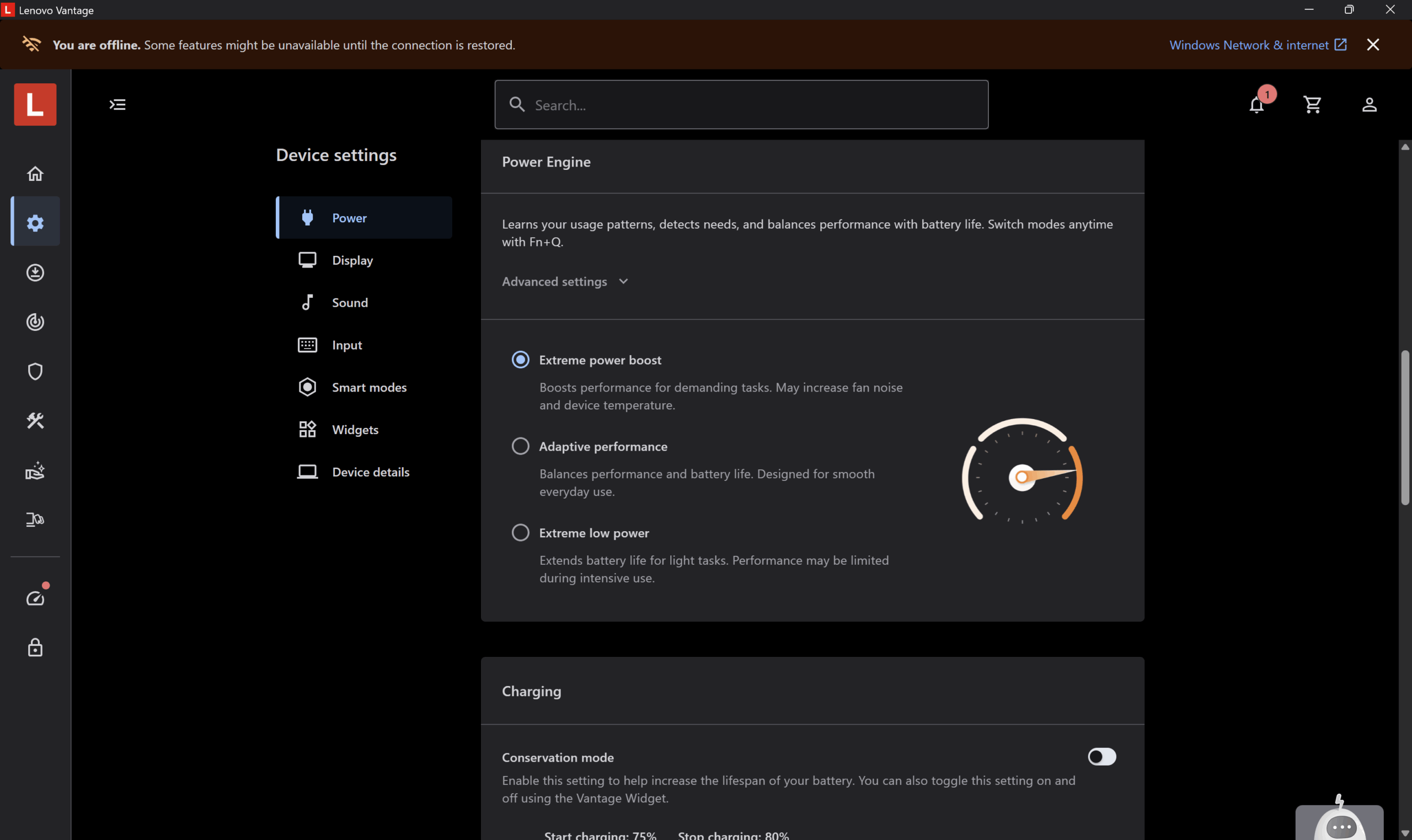
The Lenovo Yoga Pro 9i Aura Edition (16″, Gen 11) is offered with Intel Core Ultra H-series processors, including the Core Ultra 7 356H and Core Ultra 9 386H. Our configuration uses the Core Ultra 9 386H, which is the higher-end CPU option for the series. It is aimed at users who need strong performance for productivity, creative work, heavy multitasking, and CPU-based rendering in a premium 16-inch chassis.
In our tests, the Core Ultra 9 386H delivers very strong overall performance. Its single-core result is solid and keeps the system responsive in everyday work, although it is not the absolute leader in this comparison. The real strength of this processor is multi-core performance, where the Yoga Pro 9i Aura Edition (16″, Gen 11) performs close to the top of the group and easily handles heavier workloads such as content creation, large exports, and multitasking.
The Cinebench 2024 result is especially impressive. In this real-world rendering test, the Core Ultra 9 386H puts the Yoga Pro 9i Aura Edition ahead of several strong competitors, including machines with higher-power or gaming-oriented processors. This confirms that Lenovo has tuned the system well for sustained creator workloads, not just short benchmark bursts.
You can compare the Core Ultra 9 386H and the other available CPU option in our Top Laptop CPU Ranking.
Single-core performance ensures smooth operation and responsiveness in operating systems, providing a better user experience.
Results are from the Geekbench 6 Single-Core test (higher is better)
Multi-core performance is essential for handling complex and demanding tasks, such as Video editing, CAD, and Scientific simulations.
Results are from the Geekbench 6 Multi-Core test (higher is better)
Here, we evaluate the CPU's performance using a real-world 3D rendering task, assessing its ability to handle complex computations and rendering workloads efficiently.
Results are from the Cinebench 2024 Multi-Core test (higher is better)
Storage Performance
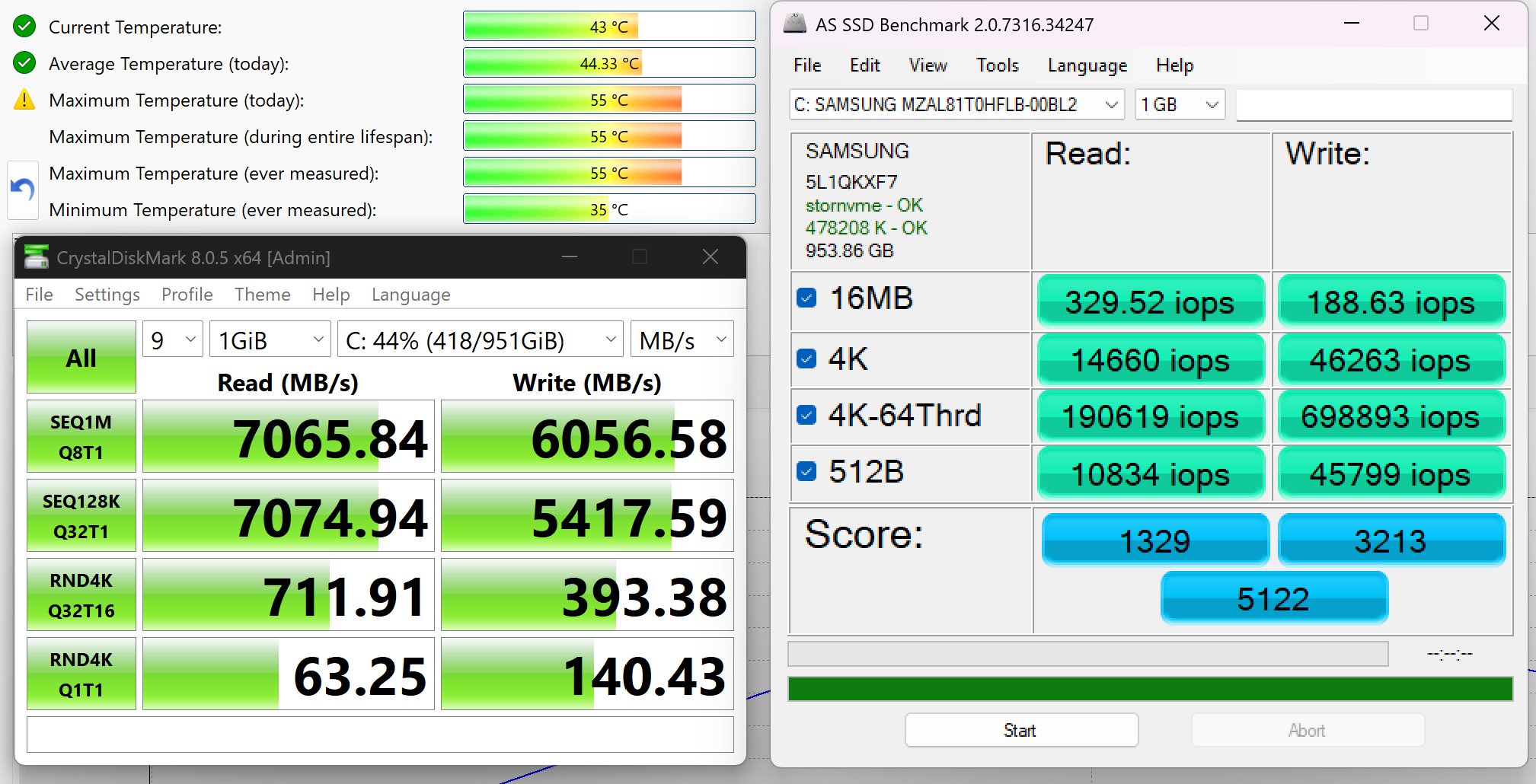
We ordered a configuration with 1TB of storage, and our Lenovo Yoga Pro 9i Aura Edition (16″, Gen 11) arrived with a Samsung MZAL81T0HFLB-00BL2 NVMe SSD.
It is a fast PCIe 4.0 NVMe drive, reaching around 7.1GB/sec sequential read and 6.1GB/sec sequential write speeds in our CrystalDiskMark benchmark. The SSD also kept its temperatures under control during testing – just 43°C under heavy load, which is a very great result for a compact premium laptop chassis.
AI Performance
Here you can see the position of the GPUs and CPUs (NPUs) found within the Lenovo Yoga Pro 9i Aura Edition (16″, Gen 11) in our AI Hardware Performance Rankings based on their AI processing power, measured in TOPS (Tera Operations Per Second) - a critical metric indicating the computational throughput, particularly for AI tasks.
The first column shows peak performance for INT8/FP8 precision, which is the most widespread metric for evaluating AI inference capabilities. We exclude Sparsity to provide a more accurate reflection of AI performance in dense computation scenarios where sparsity optimizations may not be applicable. The second and third columns show the performance with Sparsity, and FP4 TFLOPS, when supported.
For SoCs, the results reflect the peak performance of the integrated NPU. Additionally, it’s important to note that, according to Microsoft, a NPU must have at least 40 TOPS of AI computing power for the PC to be considered “AI-capable.”
| # | GPU / CPU (NPU) | TOPS INT8/FP8 No Sparsity | TOPS INT8/FP8 Sparsity | TFLOPS FP4 Sparsity |
|---|---|---|---|---|
| 849. | NVIDIA GeForce RTX 5070 (Laptop, 8GB GDDR7) | 173 | 346 | 692 |
| 1016. | NVIDIA GeForce RTX 5060 (Laptop) | 133 | 266 | 532 |
| 1562. | Intel Core Ultra 9 386H | 50 | — | — |
| 1573. | Intel Core Ultra 7 356H | 50 | — | — |
GPU and Gaming Performance
For graphics, the Lenovo Yoga Pro 9i Aura Edition (16″, Gen 11) can be configured with NVIDIA GeForce RTX 5050, RTX 5060, or RTX 5070 laptop GPUs, all listed with a 100W power limit. This is an important detail, because the Yoga Pro 9i is not a gaming laptop by design, but Lenovo still gives it a fairly capable GPU setup for creative applications, GPU-accelerated workloads, AI tasks, and occasional gaming.
Our configuration uses the GeForce RTX 5060 Laptop GPU. In our 3DMark tests, it performs very well for a slim premium creator machine. It is clearly in a completely different league compared to integrated graphics solutions, and it also stays close to some RTX 5070-based configurations in certain workloads. At the same time, a thicker gaming laptop with the same RTX 5060 can still score higher, which shows that chassis design, cooling, and sustained power tuning still matter.
In practical terms, the RTX 5060 version is a strong middle ground for this series. It gives the Yoga Pro 9i Aura Edition enough GPU power for CUDA-accelerated creative apps, video editing, AI-assisted workflows, 3D work, and gaming at reasonable settings, without turning the machine into a bulky gaming notebook. Users who mainly work with heavier 3D scenes, larger AI models, or GPU-limited creator workloads may still prefer the RTX 5070 configuration for the extra headroom.
You can compare the available graphics options in our Top Laptop Graphics Ranking.
The results are from 3DMark Time Spy (Graphics). Higher is better.
The results are from 3DMark Wild Life Extreme Unlimited. Higher is better.
Gaming tests

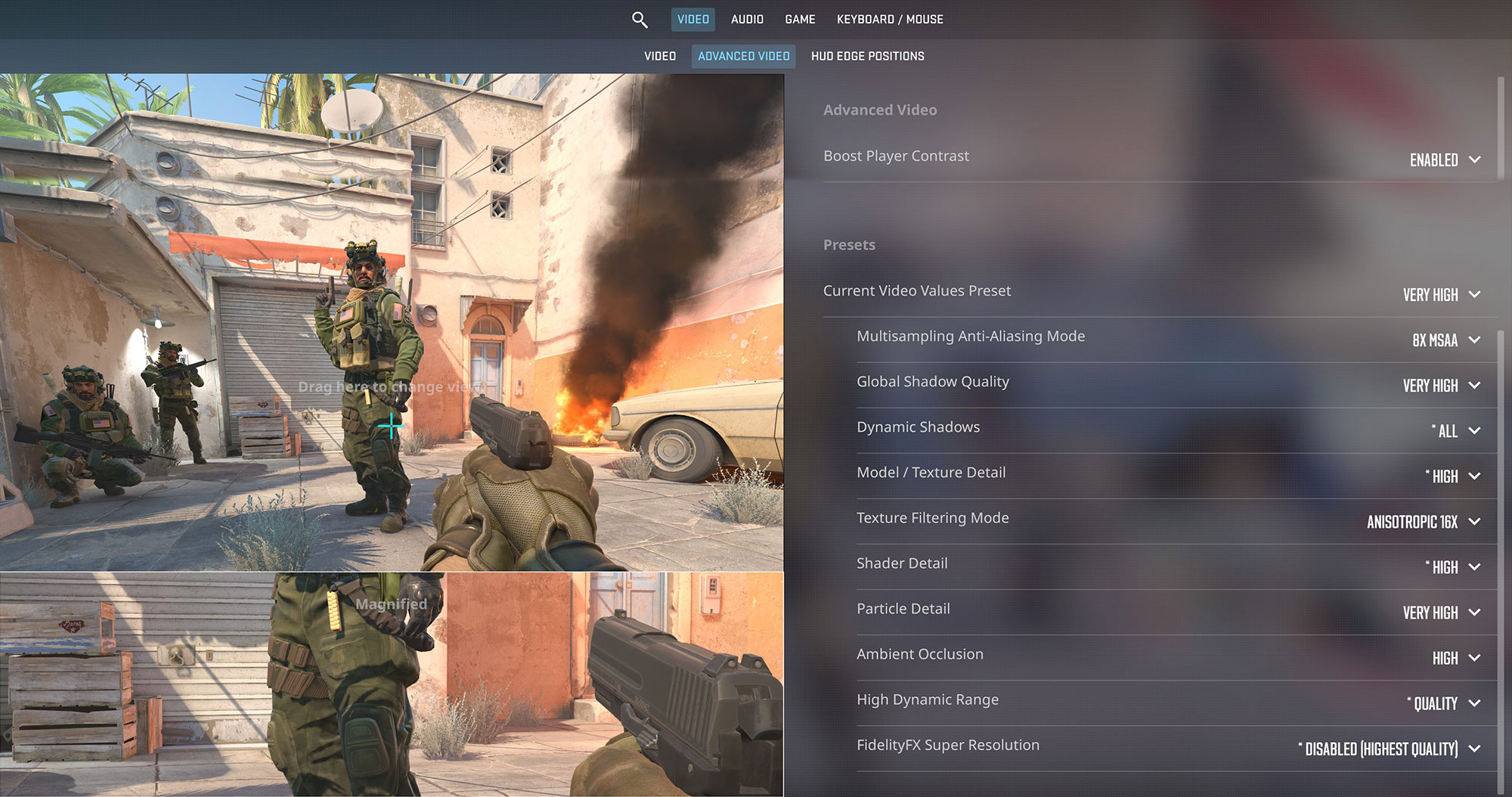
The Lenovo Yoga Pro 9i Aura Edition (16″, Gen 11) is not a gaming laptop by design, but the RTX 5060 Laptop GPU gives it enough graphics power for serious gaming after work. In Counter-Strike 2, the laptop reaches 113 FPS at the native 2000p resolution on Very High settings, which is a strong result for such a sharp panel. It is close enough to make good use of the 120Hz OLED display, even though competitive players may still prefer dropping the resolution or settings for even higher frame rates.
| Counter-Strike 2 | 2000p, Very High (Check settings) |
| Average FPS | 113 FPS |

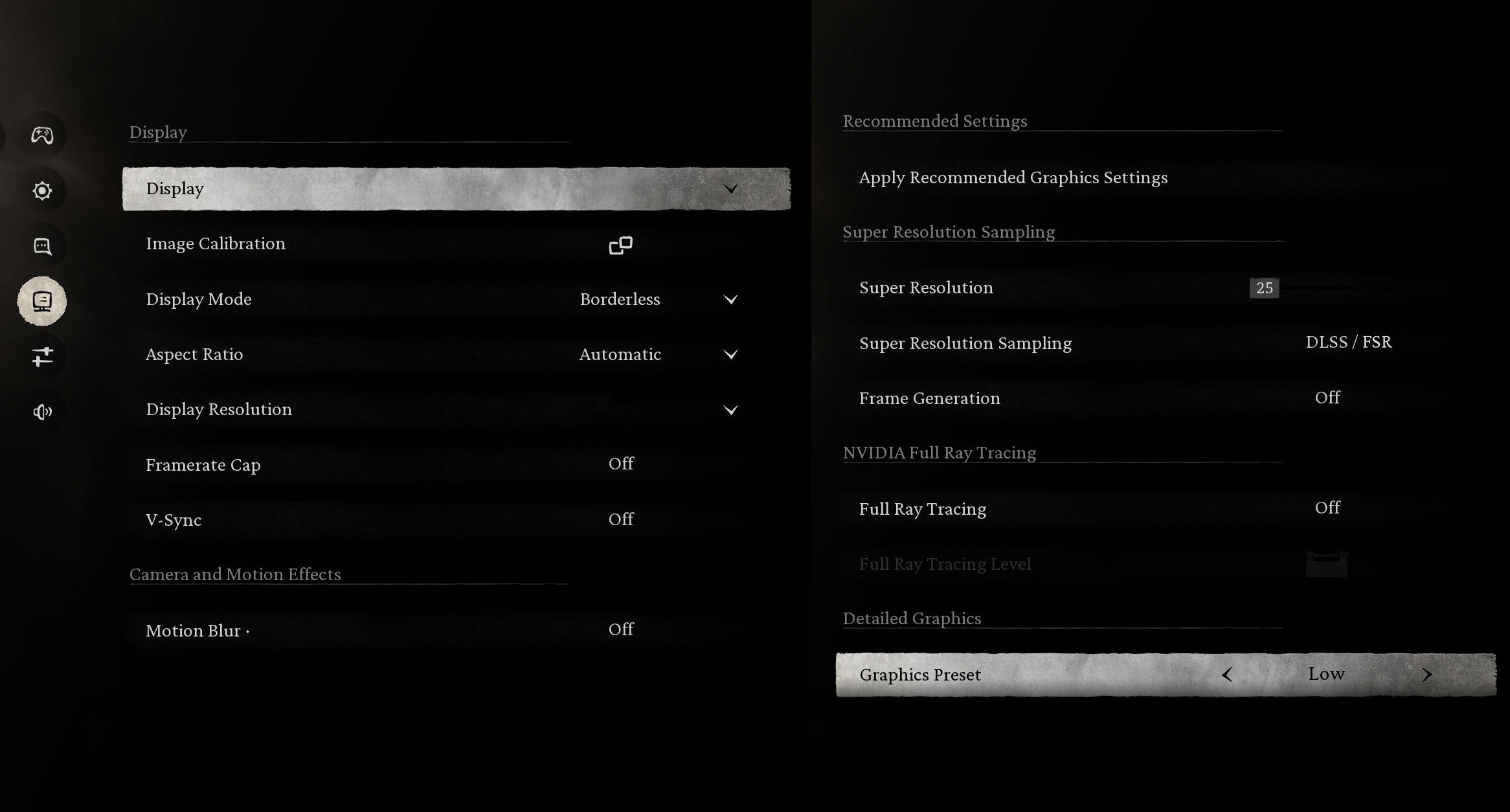
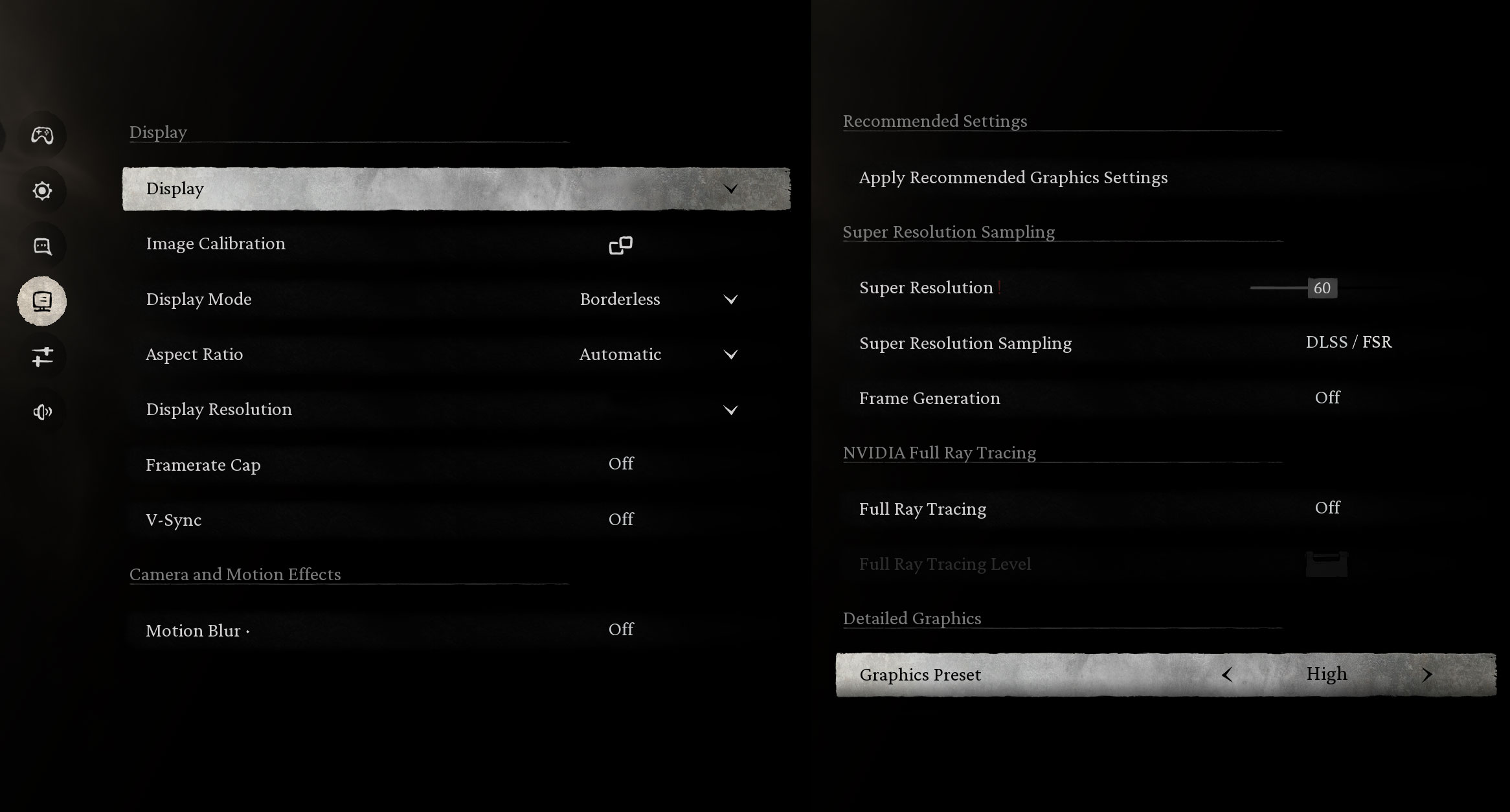
Black Myth: Wukong is much more demanding, but the Yoga Pro 9i still handles the high native resolution better than expected. At 2000p, the laptop delivers 118 FPS on Low settings, while the High preset brings the average down to 56 FPS. That makes High playable, but users who want a smoother experience on the 120Hz screen should use lower settings, upscaling, or a lower resolution.
| Black Myth: Wukong | 2000p, Low (Check settings) | 2000p, High (Check settings) |
| Average FPS | 118 FPS | 56 FPS |

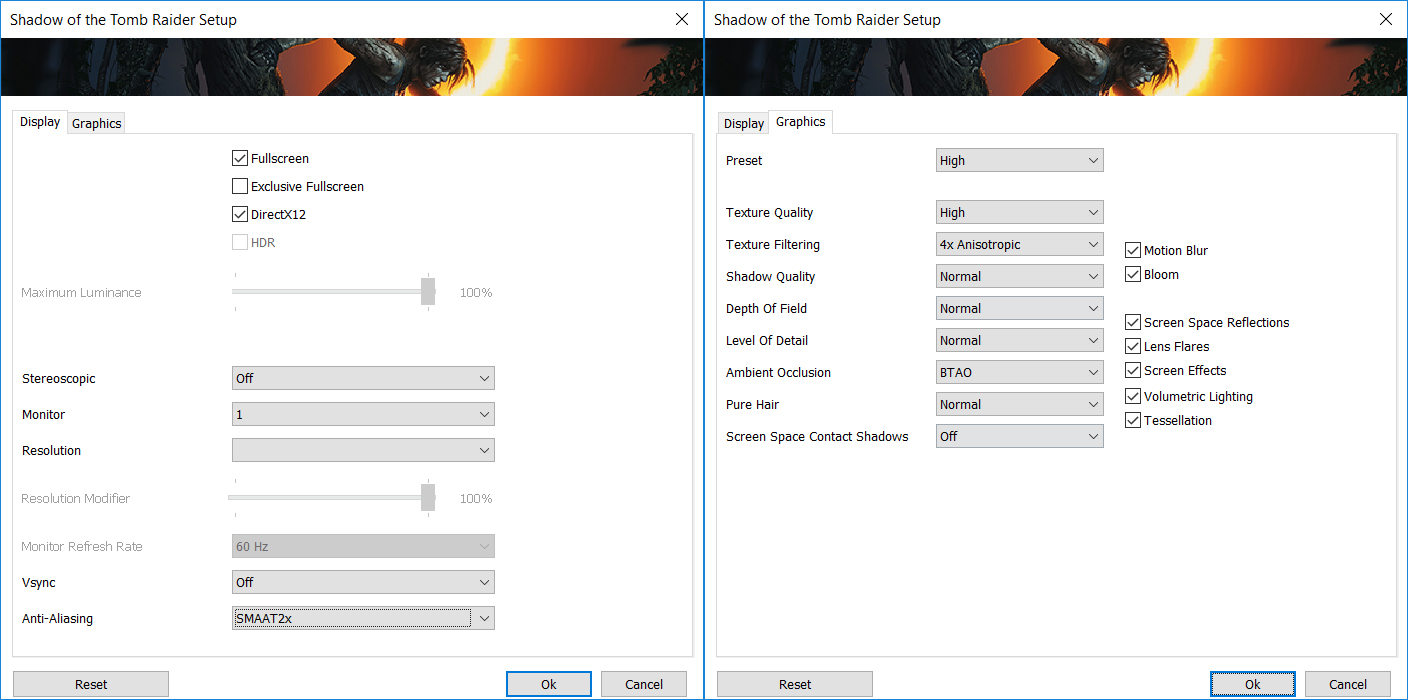
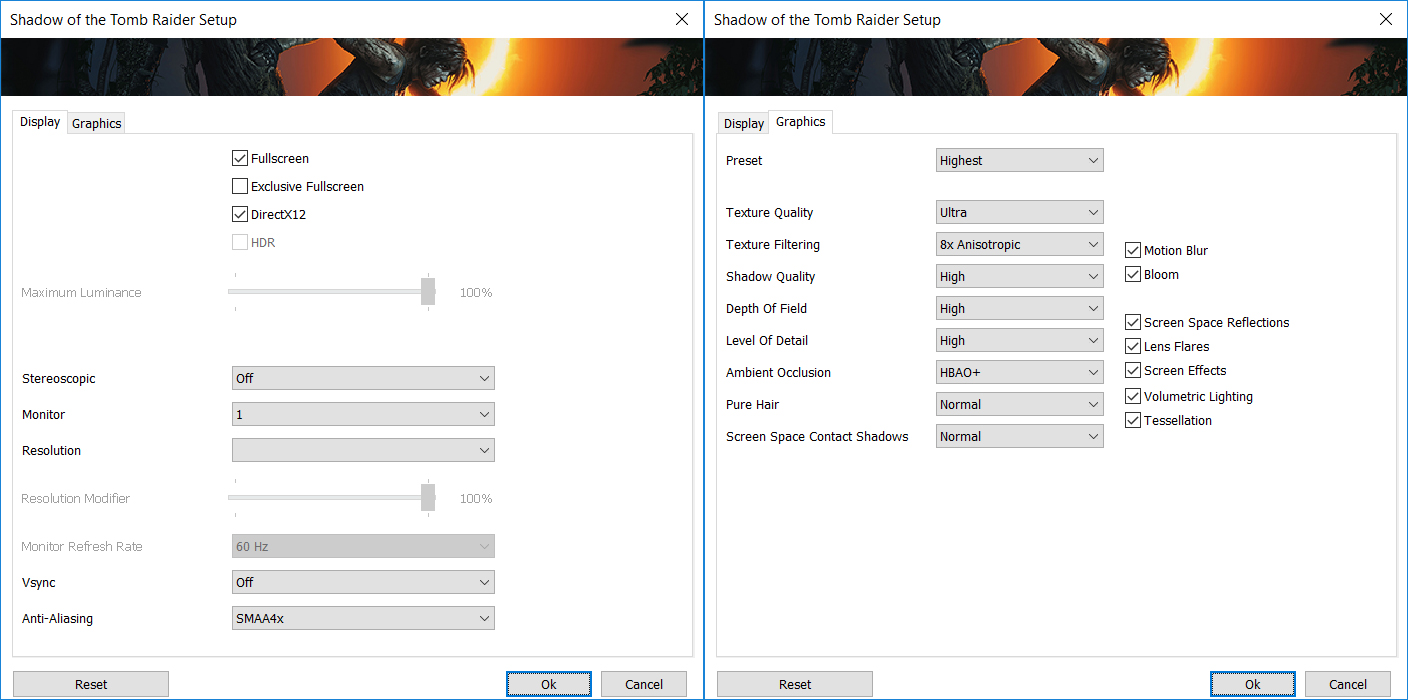
Shadow of the Tomb Raider also looks great on the 3.2K OLED panel. At 2000p, the laptop manages 71 FPS on the High preset, which is a good balance between image quality and smoothness. The Highest preset drops the average to 43 FPS, so High is the more sensible choice here.
| Shadow of the Tomb Raider | 2000p, High (Check settings) | 2000p, Highest (Check settings) |
| Average FPS | 71 FPS | 43 FPS |

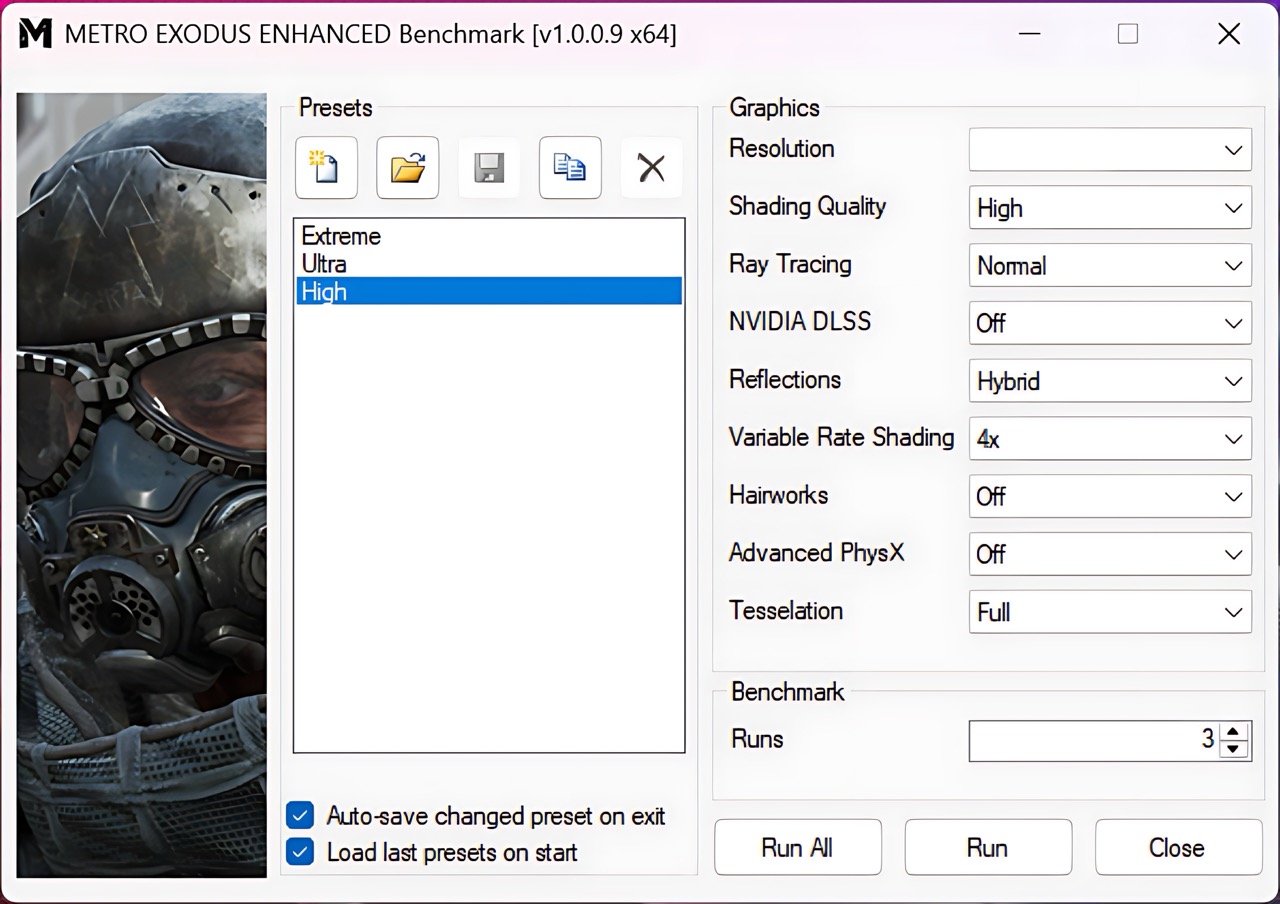
Metro Exodus Enhanced Edition is a tougher ray-tracing workload, so using a lower resolution makes sense. At 1200p on High settings, the Yoga Pro 9i Aura Edition reaches 83 FPS, which is a very good result for a creator-focused laptop with a 100W RTX 5060.
| Metro Exodus Enhanced Edition | 1200p, High (Check settings) |
| Average FPS | 83 FPS |
Temperatures and Comfort, Noise, Stability
At idle, the CPU package of the Intel Core Ultra 9 386H maintains a temperature of 43ºC, and the notebook remains completely silent.
Office Work, Web Development, Design
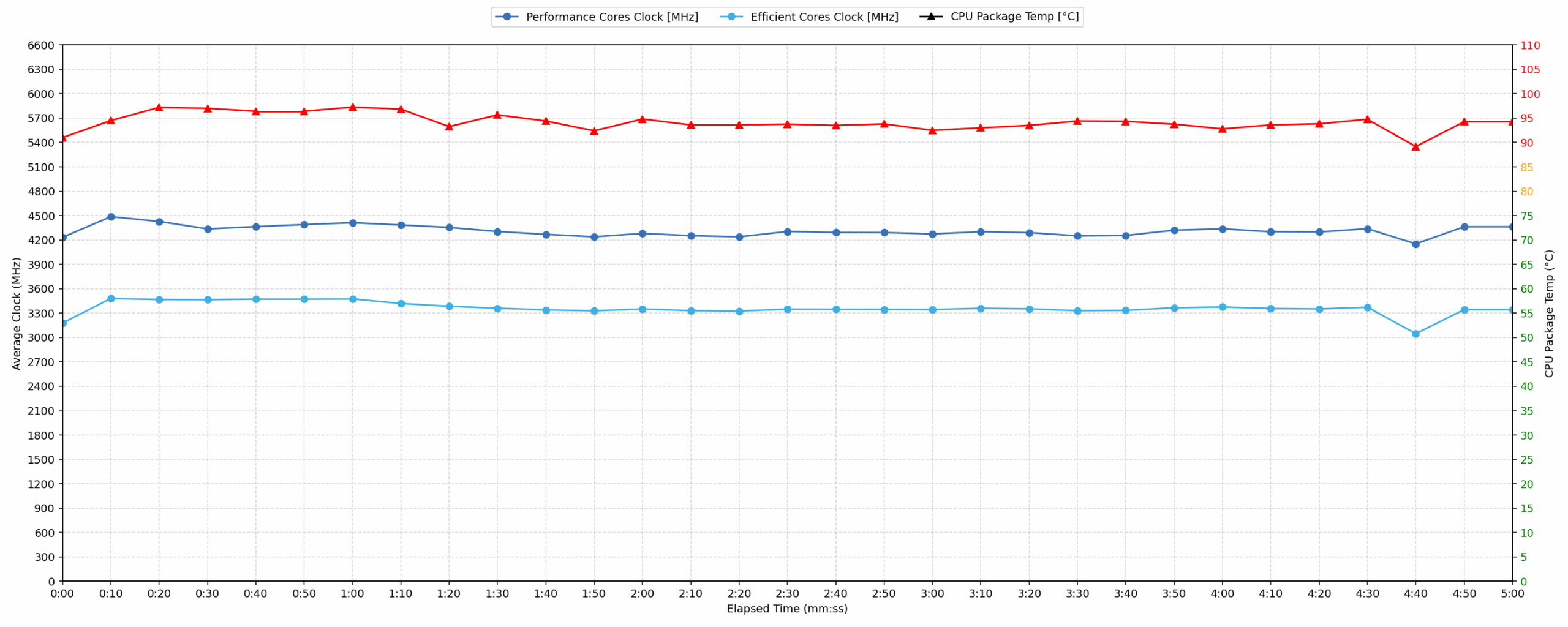
Short periods (0:00 – 0:10 s) of 100 % CPU load
This test shows the CPU behavior during short periods of serious load. It’s important for users who are looking for laptops suitable for tasks like Web Design and Programming.
| Intel Core Ultra 9 386H | Avg. P-Core Clock | Avg. CPU Temp. | Avg. CPU Power |
| Lenovo Yoga Pro 9i Aura Edition (16″, Gen 11) | 4233 MHz | 91 °C | 63 W |
During short bursts, the Yoga Pro 9i Aura Edition allows the Core Ultra 9 386H to draw a serious amount of power for a slim premium creator laptop. The average P-core clock of 4233 MHz is strong, and the system reacts quickly under sudden load. The temperature is already high, though, so Lenovo is clearly prioritizing performance over very low CPU thermals in this mode.
Video editing, Scientific computing, Software compilation, 3D rendering
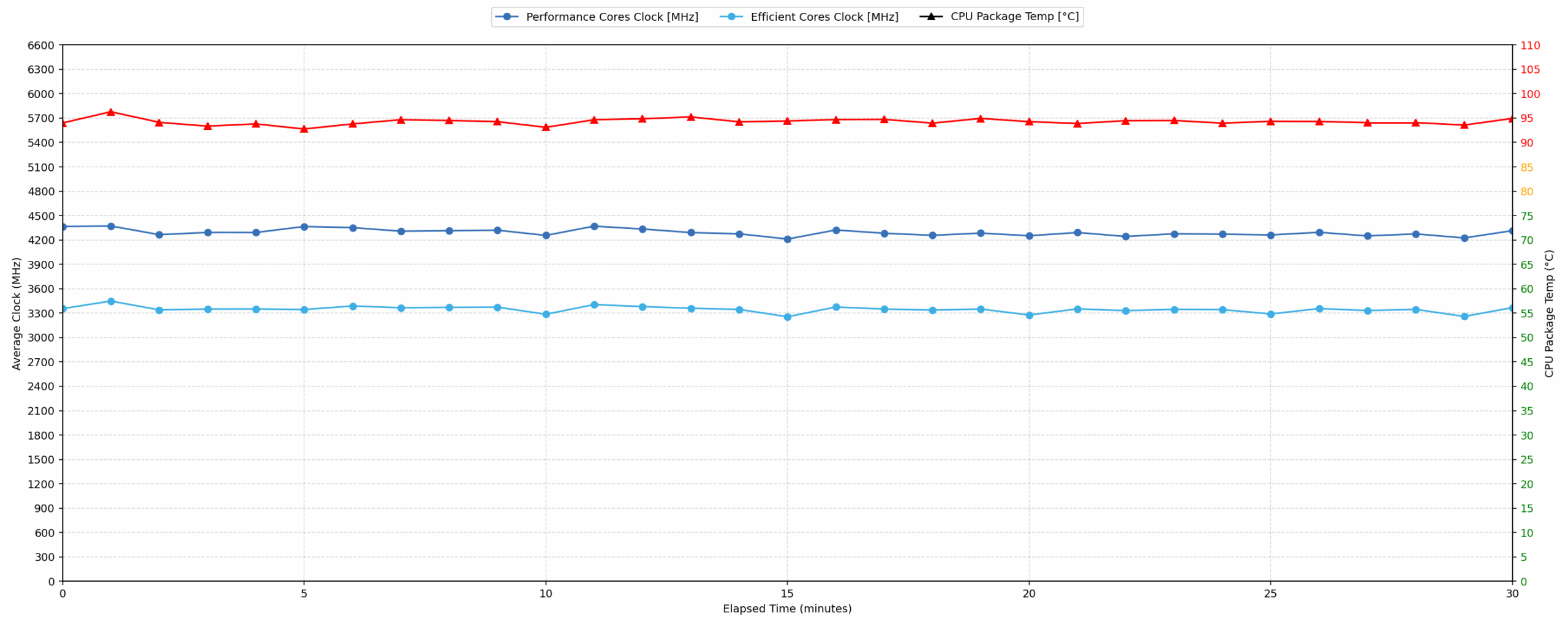
Long periods (0:00 – 30:00 min) of 100 % CPU load
This test shows the CPU behavior during long periods of serious load. It’s important for users who are looking for laptops suitable for tasks like Video Editing and 3D Rendering.
| Intel Core Ultra 9 386H | Avg. P-Core Clock | Avg. CPU Temp. | Avg. CPU Power |
| Lenovo Yoga Pro 9i Aura Edition (16″, Gen 11) | 4292 MHz | 94 °C | 65 W |
The long-load behavior is impressive in terms of stability. Instead of dropping sharply after the first few minutes, the Core Ultra 9 386H maintains around 65W package power and even slightly higher average P-core clocks than in the short-load scenario. This is exactly what we want to see in a creator-focused 16-inch laptop. The trade-off is temperature: the CPU operates in the mid-90s under sustained full load, so the cooling system is working close to its thermal limit, but without visible performance collapse.
Gaming Stability
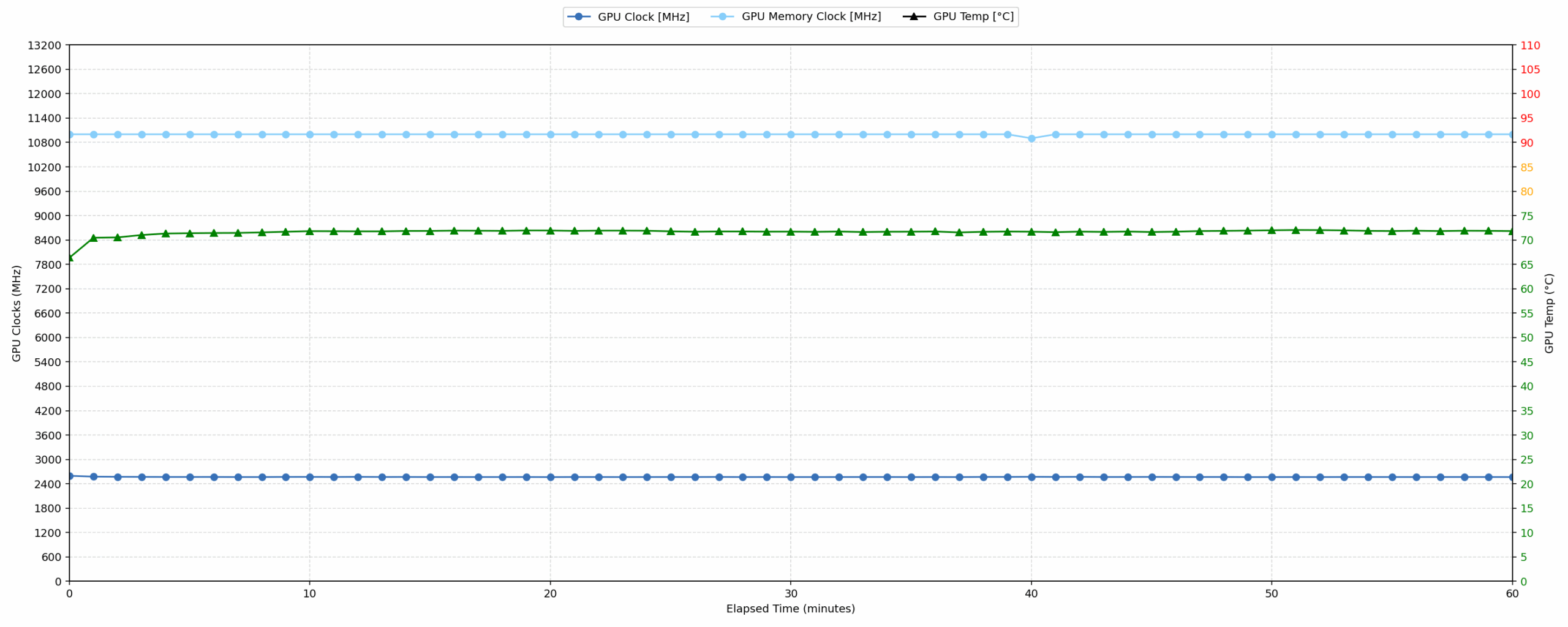
Continuous gaming (1-hour test)
This test evaluates the laptop’s performance under sustained GPU load and high CPU usage.
| NVIDIA GeForce RTX 5060 | Avg. GPU Clock | Avg. GPU Temp. | Avg. Memory Clock | Avg. GPU Mem Temp. | Avg. GPU Power |
| Lenovo Legion Pro 5 (16″, Gen 10) | 2821 MHz | 75 °C | 1400 MHz | 61 °C | 113 W |
| Lenovo Legion 5a (15″, Gen 11, 15AGP11) | 2773 MHz | 74 °C | 1400 MHz | 72 °C | 113 W |
| Lenovo LOQ 17IRX10 | 2742 MHz | 85 °C | 1393 MHz | 77 °C | 113 W |
| ASUS TUF Gaming F16 FX608 | 2714 MHz | 72 °C | 1387 MHz | 60 °C | 110 W |
| ASUS TUF Gaming A16 FA608 (2025) | 2708 MHz | 84 °C | 1387 MHz | 78 °C | 111 W |
| Lenovo LOQ 15 (Gen 10, 15AHP10) | 2626 MHz | 77 °C | 1393 MHz | 74 °C | 99 W |
| Acer Nitro V 16 AI (ANV16-42) | 2575 MHz | 84 °C | 1354 MHz | 79 °C | 93 W |
| Lenovo Yoga Pro 9i Aura Edition (16″, Gen 11) | 2568 MHz | 71 °C | 1375 MHz | 65 °C | 99 W |
| ASUS V16 (V3607) | 2120 MHz | 76 °C | 1232 MHz | 79 °C | 68 W |
| MSI Cyborg 15 B2RW | 1971 MHz | 72 °C | 1170 MHz | 73 °C | 54 W |
The GPU stability is one of the best parts of the thermal performance. During our one-hour gaming test, the RTX 5060 maintains an average power draw of 99W, which is very close to the advertised 100W class for this model. The average GPU temperature is only 71 °C, and the clock curve remains very stable throughout the run.
Compared to thicker gaming laptops with the same RTX 5060, the Yoga Pro 9i Aura Edition runs at lower GPU clocks, which is expected from a slimmer creator-oriented chassis. However, the temperature and power behavior are excellent. Lenovo has not turned this into a full gaming notebook, but the GPU implementation is clearly strong enough for sustained creative workloads and long gaming sessions.
Battery Life
The battery of the Lenovo Yoga Pro 9i Aura Edition (16″, 11) is a 4-cell Li-Ion unit, model L25D4PF1. It has a nominal voltage of 15.6 V and a capacity of 92.5 Wh.
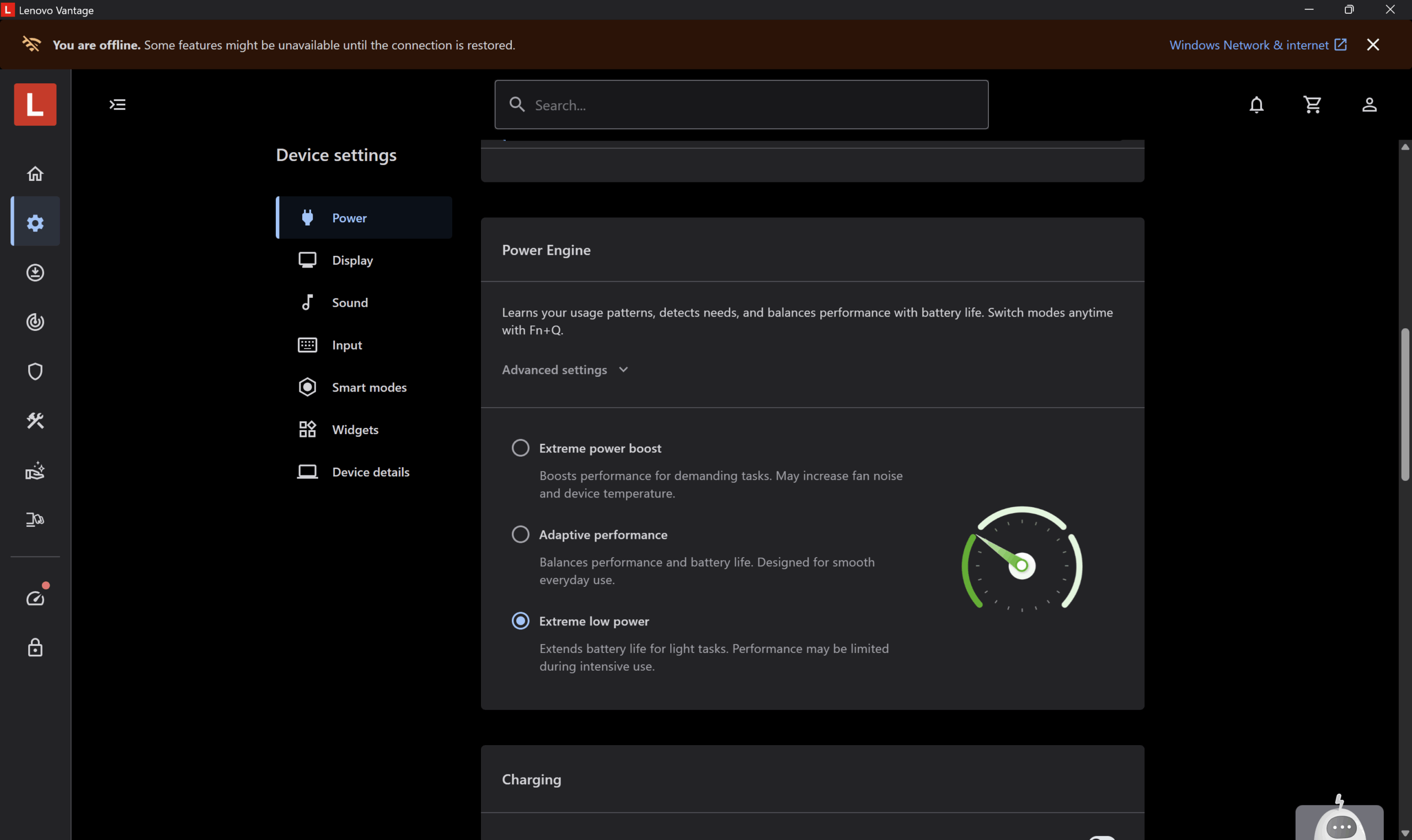
We tested the battery with “Extreme Low Power” mode enabled in the Lenovo Vantage app. In our video playback test, with the display set to 180 nits and SDR mode enabled, the laptop lasted 14 hours and 25 minutes on a single charge.
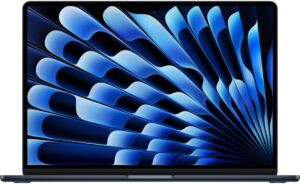
This is a very strong result for a 16-inch creator laptop with a high-resolution Tandem OLED panel and dedicated NVIDIA RTX graphics. It doesn’t reach the results of the most efficient ARM-based machines, such as the MacBook Air 15, but considering the much more powerful GPU configuration and the 120Hz OLED display, the endurance is impressive. Of course, heavier workloads, HDR content, higher brightness, 120Hz usage, or applications that wake up the RTX GPU will reduce the battery life significantly.
Brightness: 180 nits; Display Mode: SDR
Time to Full Discharge: Higher is Better
Disassembly, Upgrade options, and Maintenance
Getting inside the Lenovo Yoga Pro 9i Aura Edition (16″, 11) is not difficult, but the bottom panel should still be removed carefully. It is secured by 10 Torx T5 screws, and all of them are the same length, which makes reassembly easier. After removing the screws, a thin plastic tool is enough to release the clips around the cover. Work slowly around the edges and avoid pushing the tool too deep inside, because the internal layout is dense and the motherboard sits close to the bottom panel.
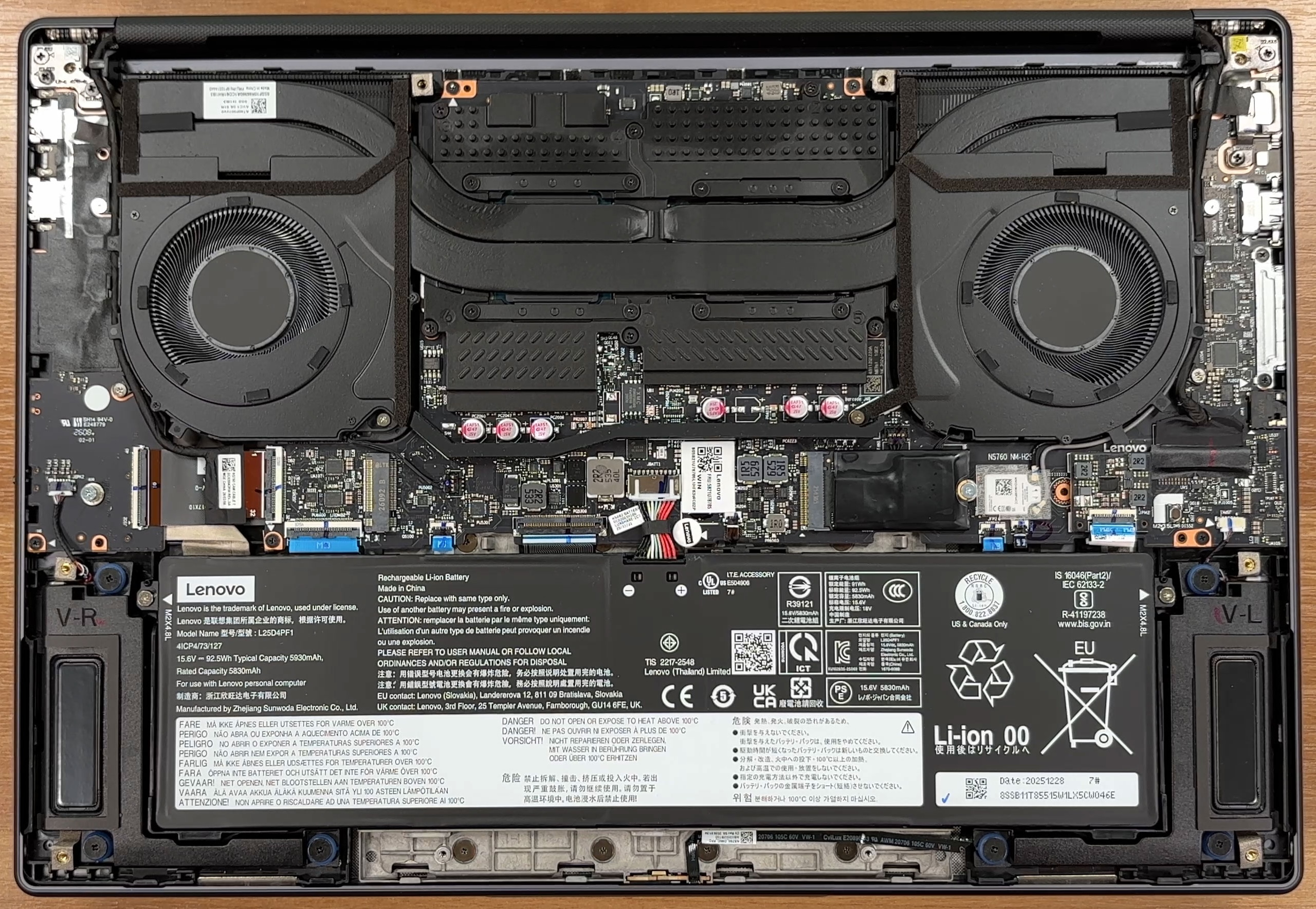
The internal layout is clean, but there is not much wasted space. The bottom cover has thermal pads that help transfer some heat away from the internal components, so make sure they stay in place during servicing. With the laptop viewed from below, the processor and soldered memory area are on the right half of the motherboard, while the dedicated GPU area is on the left.
The cooling system uses two fans and a shared thermal module covering the CPU and GPU side of the board. Our configuration is equipped with an Intel Core Ultra 9 386H processor and an NVIDIA GeForce RTX 5060 Laptop GPU, so the cooling system has to deal with both a high-end CPU and a discrete graphics chip inside a slim 16-inch chassis.
Before touching the storage or any other internal component, the battery connector should be disconnected first. Lenovo uses a large 92.5Wh lithium-ion battery here. It is held in place by captive screws, so the screws stay attached to the battery body when loosened. The battery is replaceable as a unit, but the cable is short, so slightly lifting the pack makes disconnecting and reconnecting it easier.
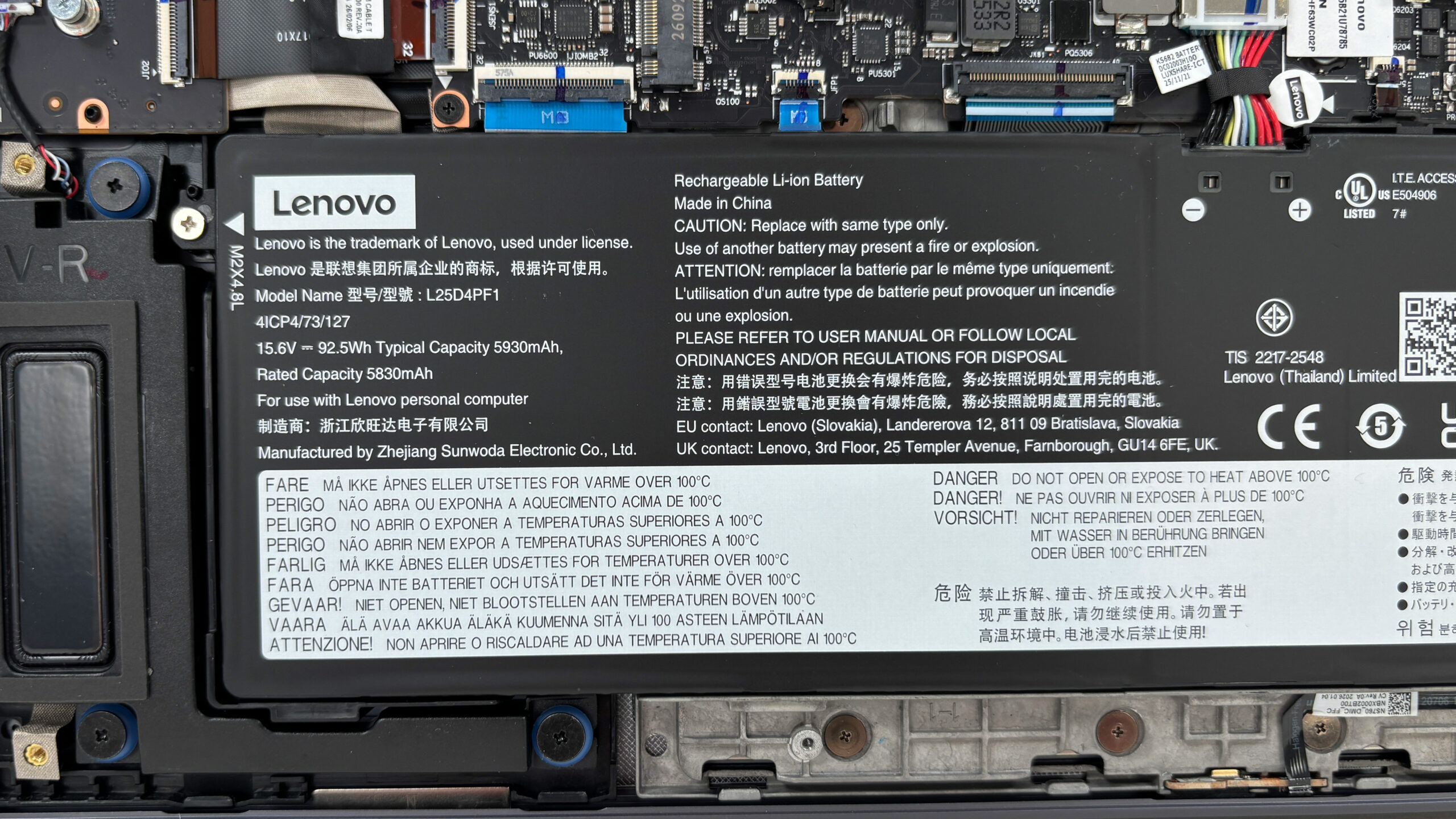
Storage upgradeability is one of the stronger points of this machine. Officially, the laptop has two M.2 PCIe 4.0 x4 slots: one for 2242 drives and one longer slot that supports 2280 drives. Our retail unit comes with a 1TB Samsung MZAL81T0HFLB NVMe SSD, while the second M.2 slot is free for an additional drive. This is a great feature for a creator laptop, because project files, RAW photos, video footage, and local AI models can quickly eat through a single SSD.
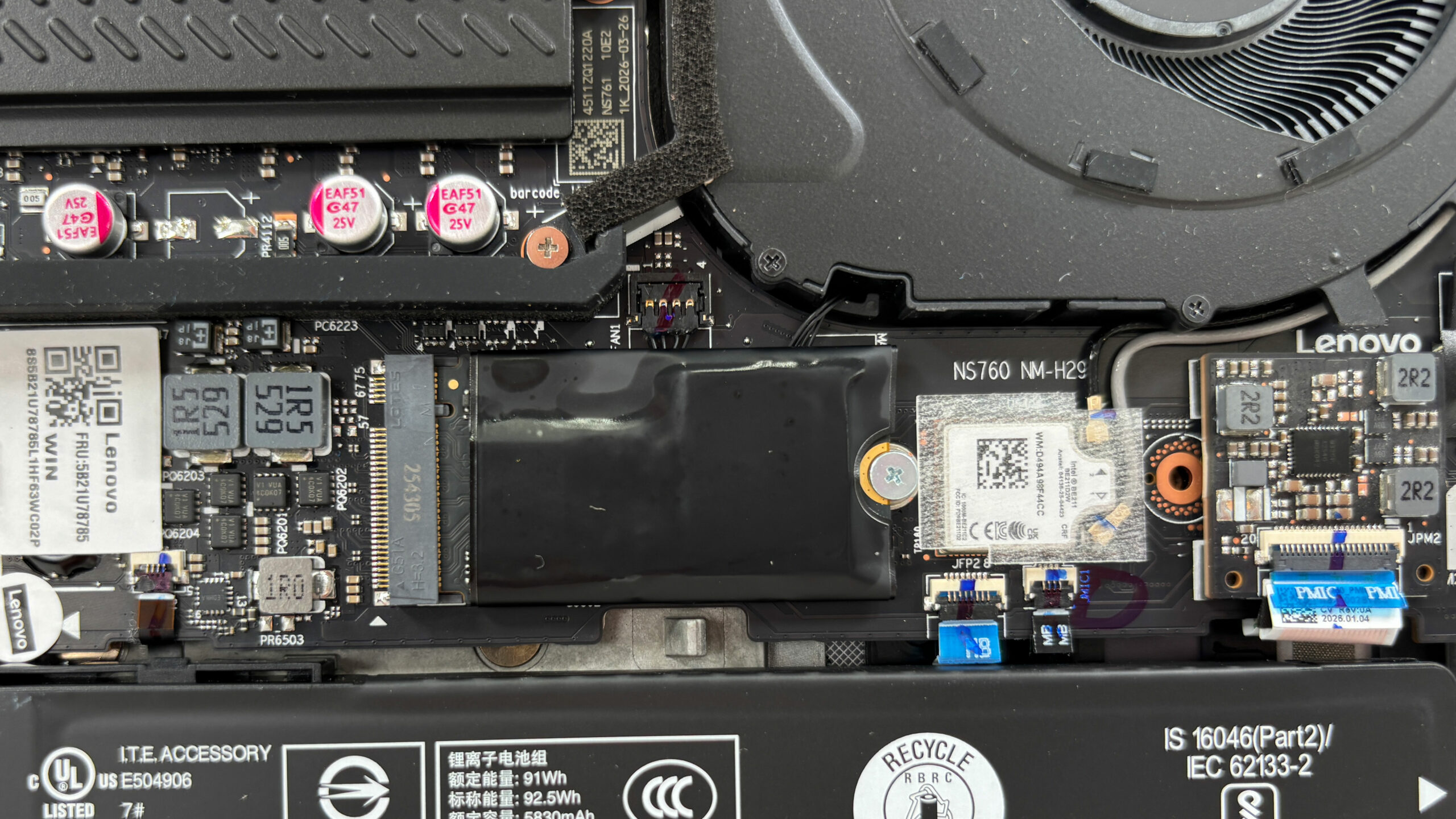
The Wi-Fi solution sits next to the primary SSD area and is covered by a small protective plastic strip over the delicate antenna connectors. Our configuration uses Intel Wi-Fi 7 BE211 with Bluetooth support, but this is not a standard removable M.2 Wi-Fi card, so wireless upgrades are not part of the usual maintenance path.
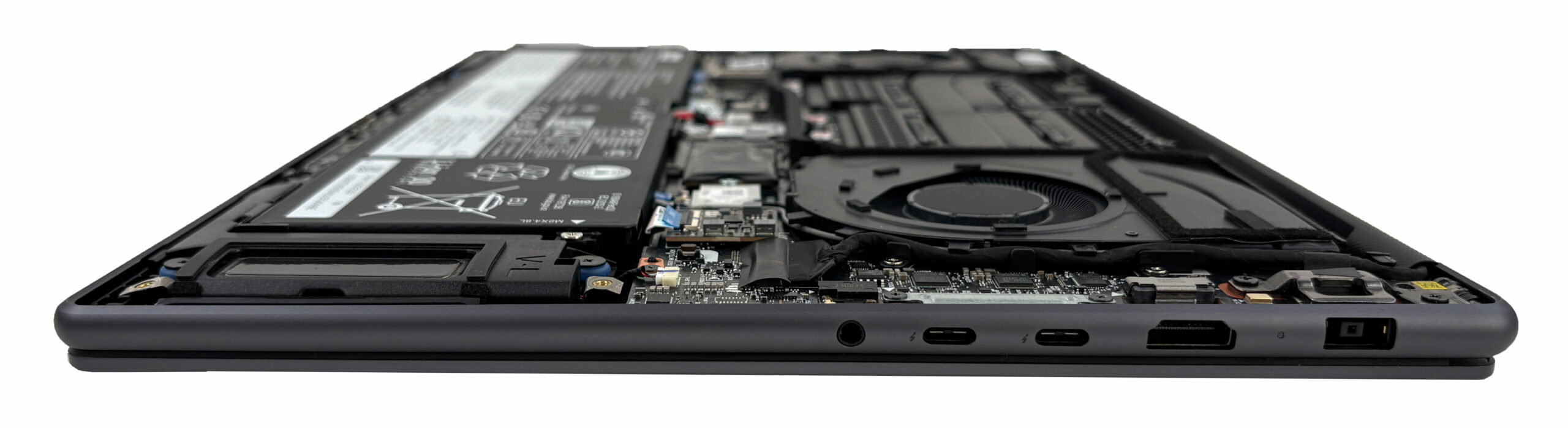
Memory is the main upgrade limitation. Lenovo offers the Yoga Pro 9i Aura Edition with 32GB or 64GB of soldered LPDDR5X-7467 memory, and we ordered a configuration with 32GB. There are no SO-DIMM slots, so the amount of RAM has to be chosen carefully at purchase, because it cannot be upgraded later.
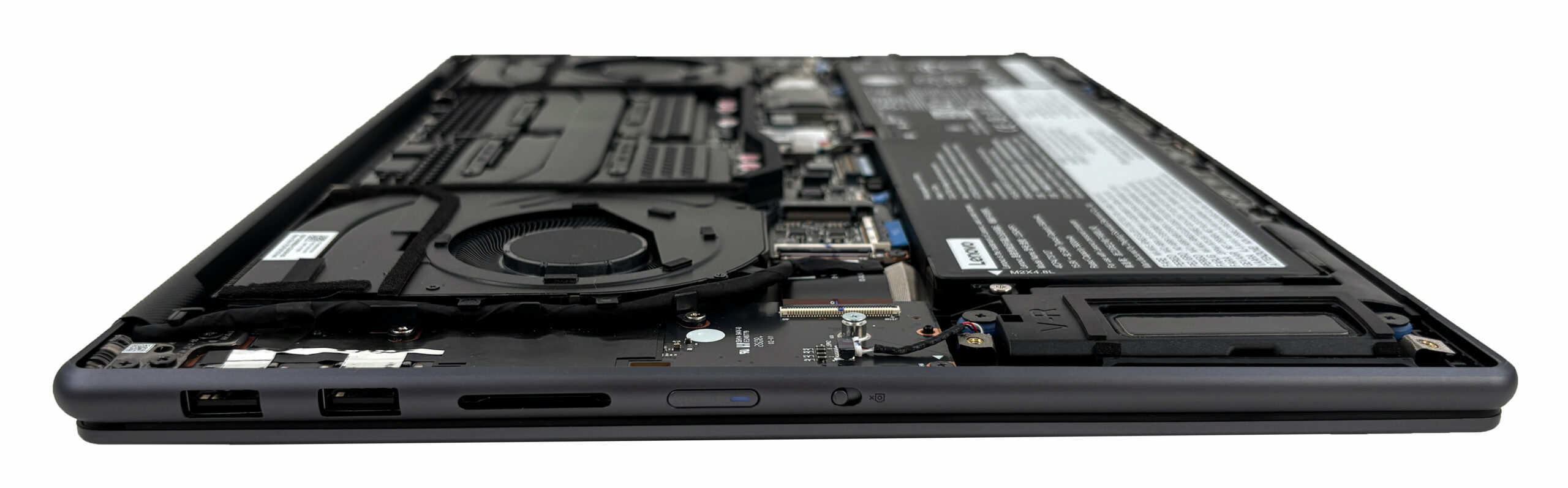
In practical terms, the user-replaceable parts are mainly the SSDs and the battery. The RAM, CPU, GPU, and Wi-Fi solution are soldered to the motherboard. Fan cleaning should be manageable for experienced users, while repasting is also possible in principle, but the compact layout and large shared cooling assembly mean it is not something beginners should rush into.
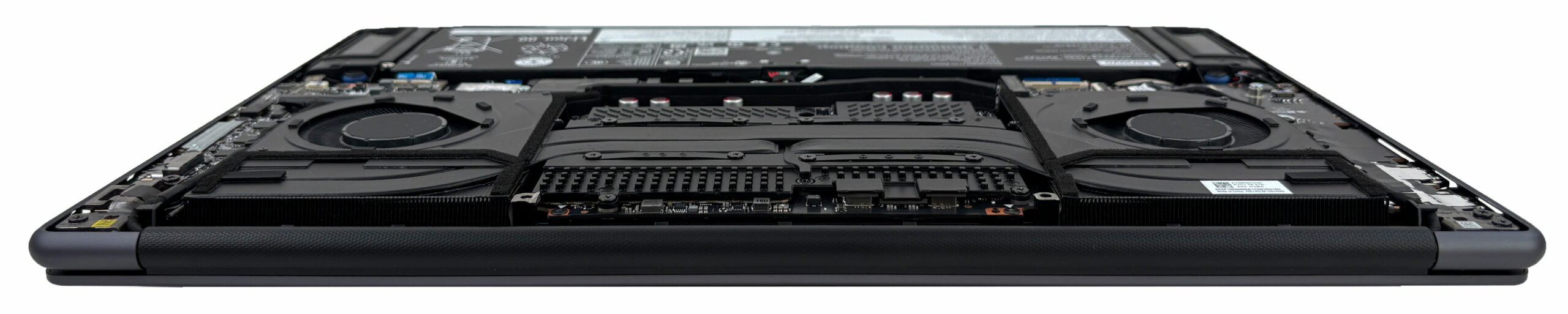
Overall, maintenance is good for basic service and storage expansion. The free second M.2 slot is a real advantage, but the soldered memory and non-removable wireless module limit long-term upgrade flexibility.
Verdict
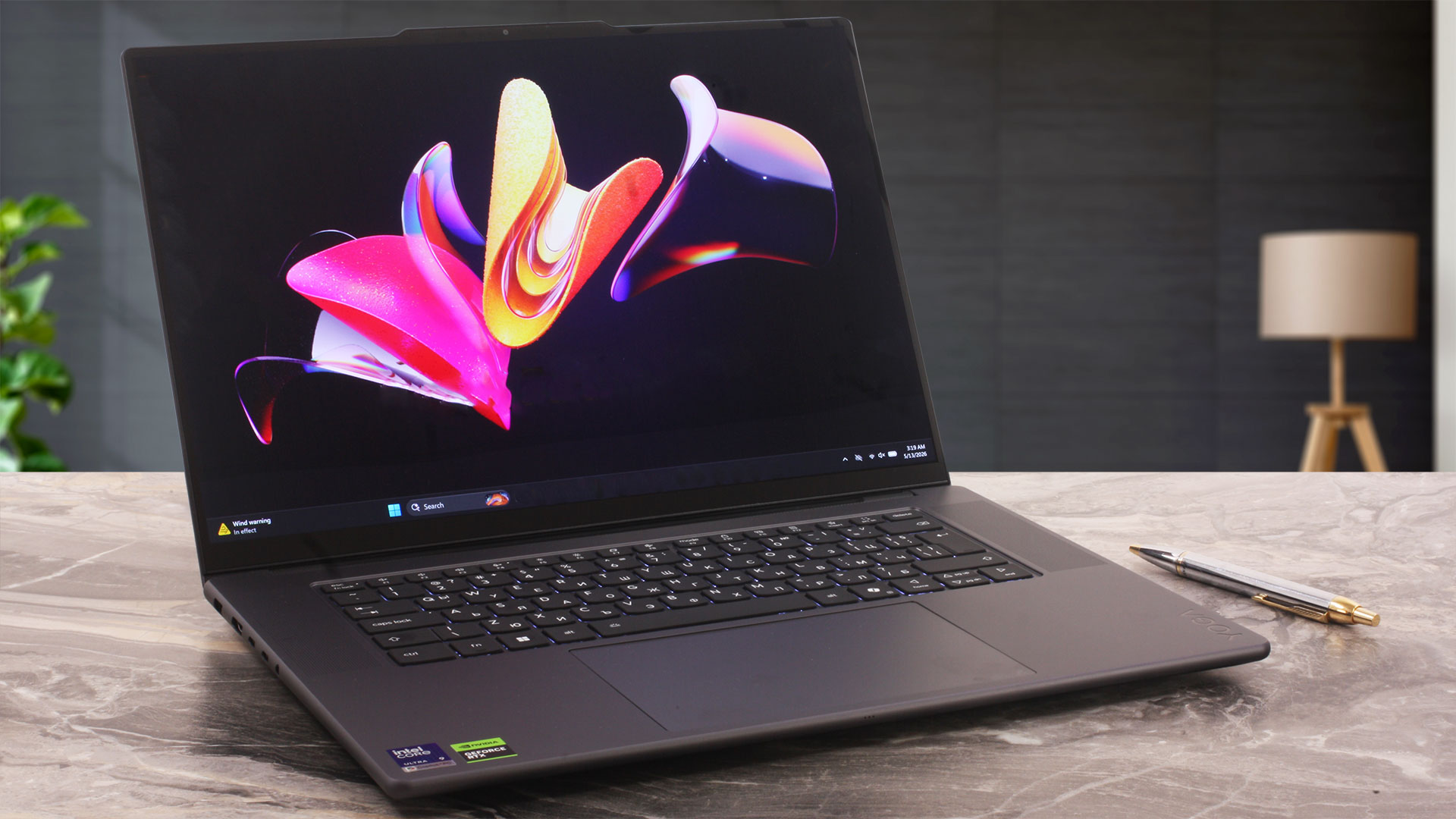 The Lenovo Yoga Pro 9i Aura Edition (16″, Gen 11) is one of the most balanced premium creator laptops we have tested recently. It combines a slim aluminum chassis, a high-end Tandem OLED display, strong sustained CPU performance, and a capable RTX 5060 Laptop GPU, without turning into a bulky gaming machine. This is not a classic workstation, and it is not meant to be a pure gaming laptop either. It sits somewhere in between – a stylish, powerful 16-inch machine for creators, designers, photographers, video editors, and users who want premium hardware with real performance behind it.
The main strength of this laptop is that it feels complete. The display is outstanding, the battery life is surprisingly strong for this class, the port selection is practical, and the performance is stable under long workloads. At the same time, the slim form factor brings some expected limitations: the RAM is soldered, the glossy OLED panel is highly reflective, and the RTX 5060 cannot match the highest-performing implementations inside thicker gaming laptops. Still, as a premium creator laptop, the Yoga Pro 9i Aura Edition makes a very strong case for itself.
You can check the prices and configurations in our Specs System: https://laptopmedia.com/series/lenovo-yoga-pro-9i-aura-edition-16-gen-11/
✅ The Good
The biggest highlight is the 3.2K Tandem OLED display. It covers 100% of the DCI-P3 color gamut, offers excellent factory color accuracy in both sRGB and Display P3 modes, and reaches very high brightness levels, including 1480 cd/m² in HDR mode at 8% white screen fill. Combined with the 3200 x 2000 resolution, 120Hz refresh rate, perfect OLED contrast, and strong uniformity, this is one of the best laptop displays for creative work, media consumption, and everyday use.
Performance is another major strength. The Intel Core Ultra 9 386H delivers excellent sustained multi-core results and performs especially well in long rendering workloads. The CPU runs hot under full load, but the clocks remain stable, which is more important for real productivity than a short benchmark spike. The RTX 5060 Laptop GPU also performs very well for this type of device. It is not pushed as aggressively as in thicker gaming laptops, but it maintains close to 100W during long GPU loads while keeping temperatures under control.
Battery life is also impressive. In our video playback test at 180 nits in SDR mode, the 92.5Wh battery lasted more than 14 hours, which is an excellent result for a 16-inch laptop with a high-resolution OLED panel and dedicated NVIDIA graphics. The machine also offers a strong port selection, including two Thunderbolt 4 ports, HDMI 2.1, two fast USB-A ports, and a UHS-II SD card reader. For photographers and video creators, the SD card reader is a real practical advantage.
The build quality is premium, the aluminum chassis feels solid, and the large glass ForcePad is one of the signature features of the device. It is not just oversized — it also supports pen input, which makes the bundled Lenovo Yoga Pen Gen 2 more meaningful than usual. The no-NumPad keyboard layout also gives the interior a cleaner and more symmetrical look, although spreadsheet-heavy users may still prefer a dedicated numeric block.
❌ The Bad
The biggest long-term limitation is the soldered RAM. Lenovo offers 32GB and 64GB configurations, but there are no SO-DIMM slots, so the memory capacity has to be chosen carefully at purchase. For a high-end creator laptop, this is important, especially for users working with large RAW files, complex video timelines, 3D projects, or local AI workloads.
The OLED display is excellent, but it is also highly reflective. Its very high brightness helps, but reflections remain strong in bright rooms, near windows, or under direct lighting. The panel is also not PWM-free. The amplitude of the pulsations is limited, so we find it relatively comfortable compared to many OLED implementations, but very sensitive users should still keep this in mind.
The RTX 5060 implementation is strong for a slim creator laptop, but users should not expect the same peak GPU performance as from thicker gaming machines with more aggressive cooling and higher sustained graphics clocks. The CPU also runs in the mid-90s Celsius under long full-load scenarios, which shows that Lenovo is using the available thermal headroom quite aggressively.
Upgradeability is mixed. The storage situation is good, thanks to two M.2 PCIe 4.0 slots and a free second slot in our unit, but the RAM, CPU, GPU, and Wi-Fi solution are soldered to the motherboard. This makes storage expansion easy, but limits deeper long-term upgrades.
🆚 The Competitors
Compared to a gaming laptop such as the Lenovo Legion Pro 5 (16″, Gen 10) (detailed review), the Yoga Pro 9i Aura Edition has a very different purpose. The Legion is faster in GPU-heavy gaming scenarios and can push its graphics hardware harder, but it is thicker, heavier, louder, and far less efficient on battery. The Yoga is the more elegant professional alternative, aimed at users who want strong creator performance without carrying a full gaming chassis.
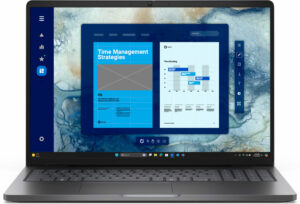
Against a slimmer productivity-focused machine such as the Dell 16 Plus (detailed review), the Yoga Pro 9i Aura Edition is clearly the more capable creator laptop. It offers a far better OLED display, much stronger sustained CPU performance, dedicated RTX graphics, a more advanced input setup with ForcePad and pen support, and a more complete port selection for creative work.
Overall, the Lenovo Yoga Pro 9i Aura Edition (16″, Gen 11) is an excellent choice for users who want a premium Windows creator laptop with a top-tier display, strong CPU performance, real RTX acceleration, long battery life, and practical connectivity. It is not the best option for users who prioritize RAM upgradeability, matte screens, or maximum gaming performance, but for its intended audience, it is one of the most impressive 16-inch creator laptops in its class.
Pros
- Outstanding 3.2K Tandem OLED display with 100% DCI-P3 coverage
- Excellent factory color accuracy in sRGB and Display P3 modes
- Very high HDR and SDR brightness for an OLED laptop panel
- Strong sustained CPU performance in long workloads
- RTX 5060 maintains close to 100W under sustained GPU load
- Excellent battery life for a powerful 16-inch OLED laptop
- Premium aluminum build quality
- Practical port selection with Thunderbolt 4, HDMI 2.1, USB-A, and UHS-II SD card reader
- Two M.2 PCIe 4.0 slots, with a free second slot in our unit
- Large glass ForcePad with pen support
- Lenovo Yoga Pen Gen 2 included in the box
Cons
- Soldered RAM with no upgrade options
- Highly reflective glossy OLED screen
- Not PWM-free, although the pulsation amplitude is limited
- CPU runs hot under sustained full load
- GPU performance is lower than in thicker gaming laptops with the same RTX 5060
- No NumPad, despite what some specification listings may suggest
- Wi-Fi module is not a standard removable M.2 card
 Author: Simeon NikolovEditor-in-Chief at LaptopMedia.com with 20+ years of experience in testing and analyzing laptops and mobile devices.
 Author: eng. Kroum NikolovHead of Engineering at LaptopMedia.com, inventor and innovator with 40+ years of experience in electronics and high technology.

![[August 2026] Best-Selling Laptop Brands on Amazon Japan – Apple Dominates Market Share and Revenue Led by Strong Unit Sales](https://laptopmedia.com/wp-content/uploads/2026/09/CO.JP-Best-Brands-1-400x225.jpg)
![[August 2026] Best-Selling Laptop Brands on Amazon USA – Apple Dominates Market Revenue and Volume Despite Lower Model Diversity](https://laptopmedia.com/wp-content/uploads/2026/09/COM-Best-Brands-1-400x225.jpg)
![[August 2026] Amazon Germany: Top 8 Best-Selling Gaming Laptops – Acer Dominates the Market as the Premium Nitro V 17 AI Takes the #1 Spot](https://laptopmedia.com/wp-content/uploads/2026/09/Best-Selling-Gaming-Laptops-DE-Top-10-1-400x225.jpg)
![[August 2026] Best-Selling Laptop Brands on Amazon France – Apple Dominates Revenue Despite Lenovo and HP Leading in Catalog Breadth and Volume](https://laptopmedia.com/wp-content/uploads/2026/09/FR-Best-Brands-1-400x225.jpg)
![[August 2026] Amazon Italy: Top 10 Best-Selling Laptops – Apple MacBook Neo Claims the Crown as Budget and Mid-Range Windows Machines Dominate Volume](https://laptopmedia.com/wp-content/uploads/2026/09/Best-Selling-Laptops-IT-Top-10-400x225.jpg)