ASUS ExpertBook Ultra (B9406) review – Core Ultra X7 & Tandem OLED Tested
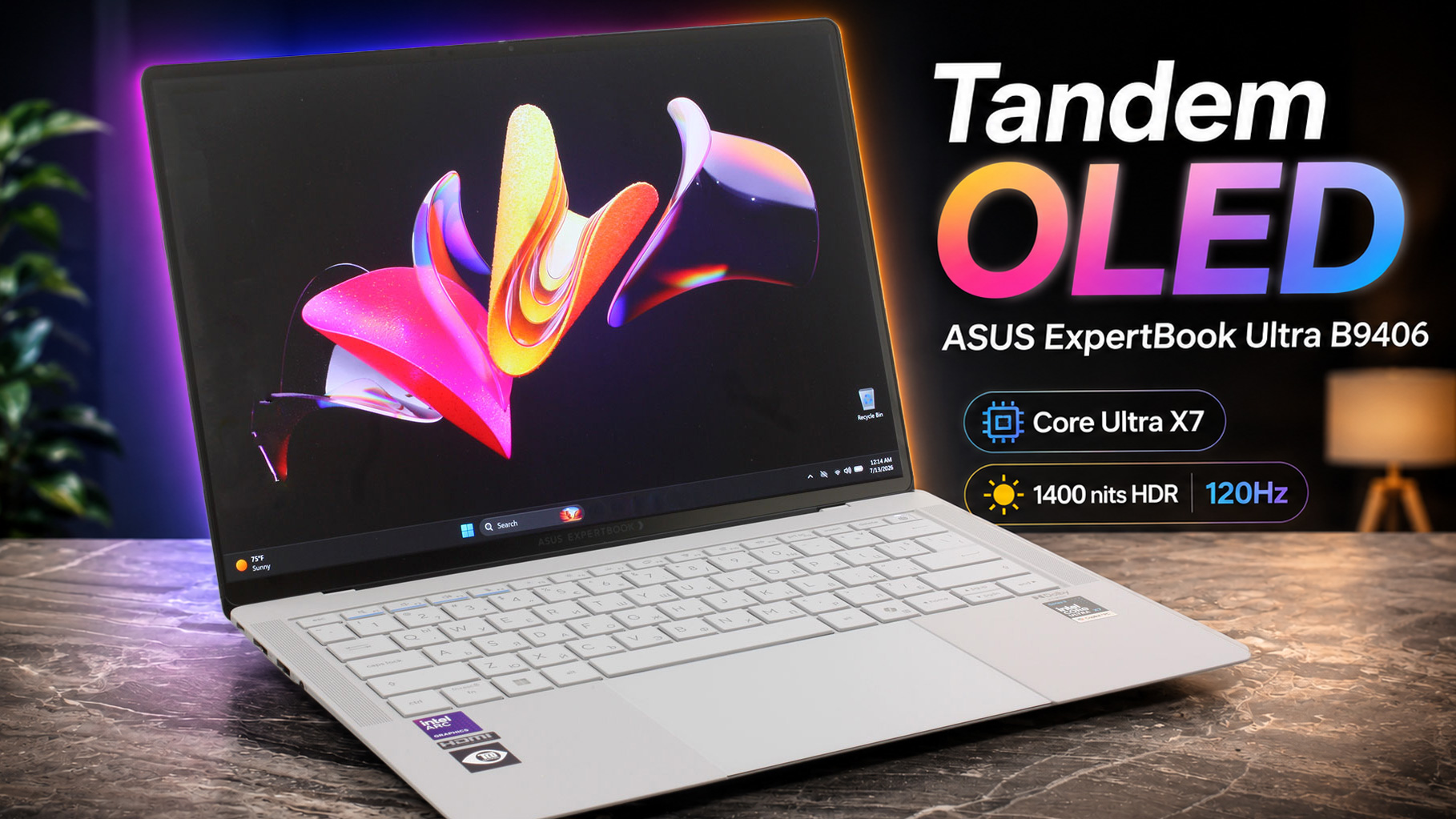 The ASUS ExpertBook Ultra (B9406) is a masterclass in stealthy power, designed specifically for demanding professionals, executives, and power users who need workstation-grade performance without the back-breaking weight. This is a high-end, premium business laptop through and through. When you first pick it up, its featherlight 1.13 kg chassis feels like an empty shell, but what genuinely surprised us during testing was the sheer muscle hidden inside. The Intel Core Ultra X7 processor sustains a massive 45W under heavy load, crushing many heavier competitors in rendering tasks, and the Tandem OLED screen is quite possibly one of the brightest and most accurate displays we’ve ever tested on a business machine.
However, achieving this incredible power-to-weight ratio comes with some frustrating compromises. The screen hinge is annoyingly wobbly, our unit suffered from audible coil whine, and the complete lack of RAM upgradeability feels out of place on a “Pro” device. Let’s see if its featherweight brawn outweighs its physical quirks.
TESTED CONFIGURATION:
– Intel Core Ultra X7 358H
– Intel Arc B390 Graphics
– 32GB LPDDR5X RAM
– 1TB PCIe 4.0 NVMe SSD
– 14.0″, 2880 × 1800 (2.8K), 30–120Hz Tandem OLED
You can check the prices and configurations in our Specs System: https://laptopmedia.com/series/asus-expertbook-ultra-b9406/
Contents
Specs, Drivers, What’s in the box
ASUS ExpertBook Ultra (B9406) - Specs

- HDD/SSD
- up to 2000GB SSD
- M.2 Slot
- 1x 2280 M.2 NVMe PCIe 4.0 x4 See photo
- RAM
- up to 64GB
- OS
- Windows 11 Pro, No OS, Windows 11 Home
- Battery
- 70Wh
- Body material
- Magnesium alloy
- Dimensions
- 310.9 x 212.8 x 10.9 ~ 16.4 mm (12.24" x 8.38" x 0.43")
- Weight
- 0.99 kg (2.2 lbs)
- Ports and connectivity
- 2x USB Type-A
- 3.2 Gen 2 (10 Gbps)
- 2x USB Type-C
- 4.0, Thunderbolt 4, Power Delivery (PD), DisplayPort
- HDMI
- 2.1
- Card reader
- Ethernet LAN
- Wi-Fi
- Wi-Fi 7
- Bluetooth
- 6.0
- Audio jack
- 3.5mm Combo Jack
- Features
- Fingerprint reader
- Web camera
- FHD IR with Windows Hello Face Authentication
- Backlit keyboard
- Microphone
- Array Microphone
- Speakers
- 2x Woofers + 2x Tweeters Speaker System
- Security Lock slot
All ASUS ExpertBook Ultra (B9406) configurations
Drivers
All drivers and utilities for this notebook can be found here: https://www.asus.com/laptops/for-work/expertbook/asus-expertbook-ultra/helpdesk_download?model2Name=B9406CAA
What’s in the box?
Unboxing the ExpertBook Ultra is a genuinely refreshing experience in an era where most manufacturers ship nearly empty boxes.
Slowly opening the luxurious packaging reveals a rich bundle that includes a stylish leather sleeve and a USB-C to Ethernet adapter alongside the laptop itself.
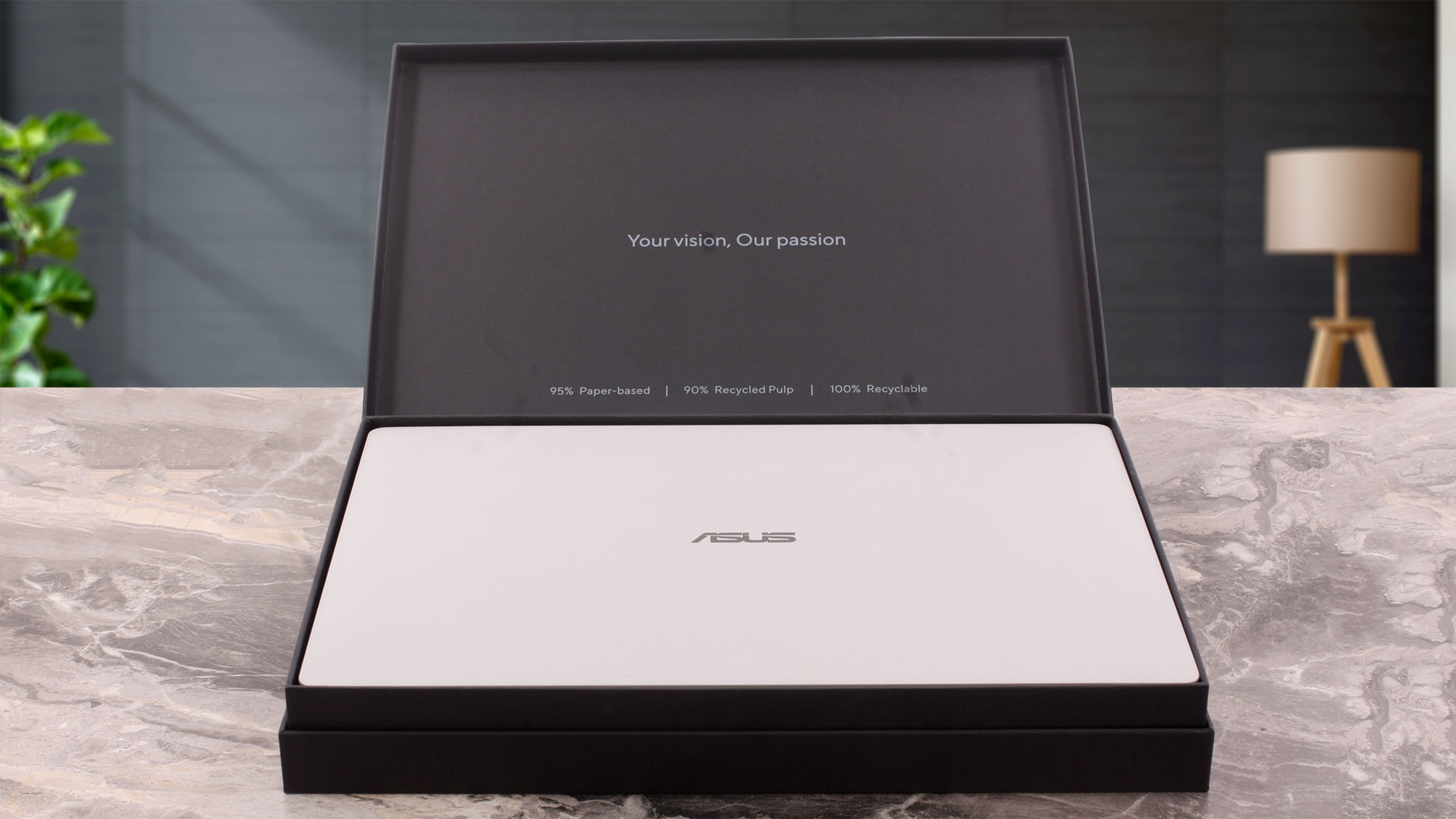
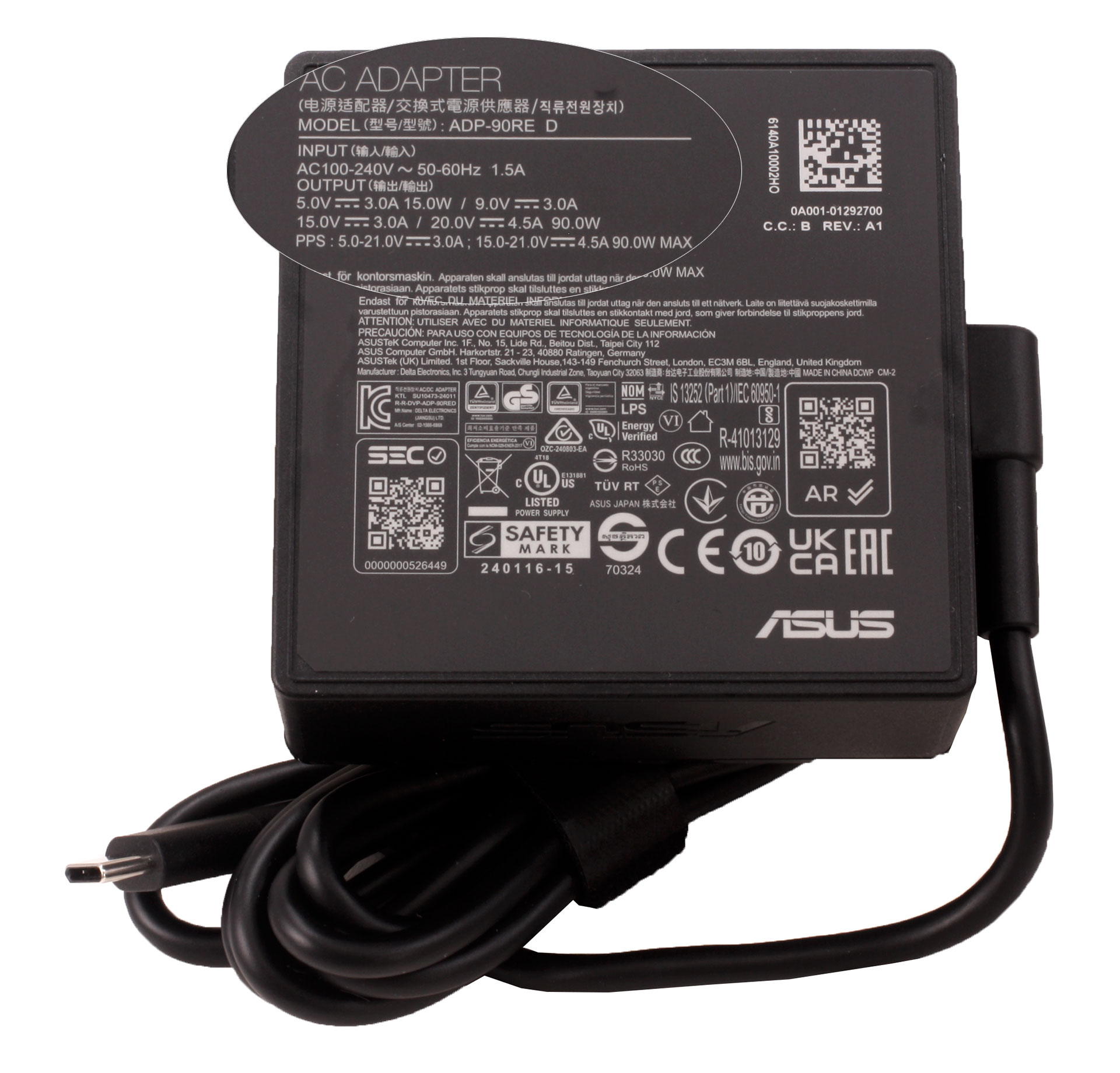
A compact 90W USB-C power adapter is also included, making the package notably complete for such a thin business laptop. The box is labeled as 95% paper-based, made with 90% recycled pulp, and fully recyclable.
Design and construction
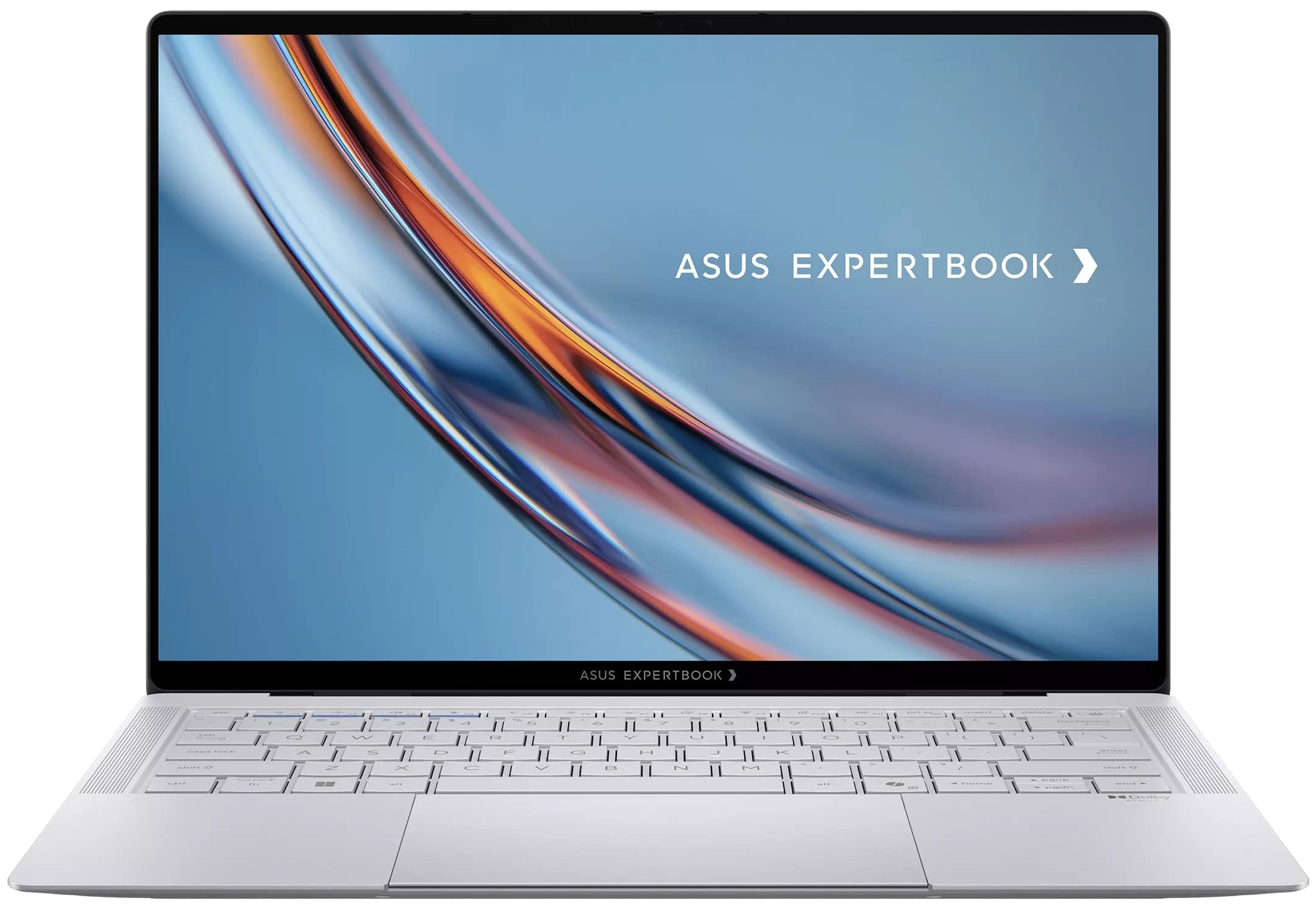
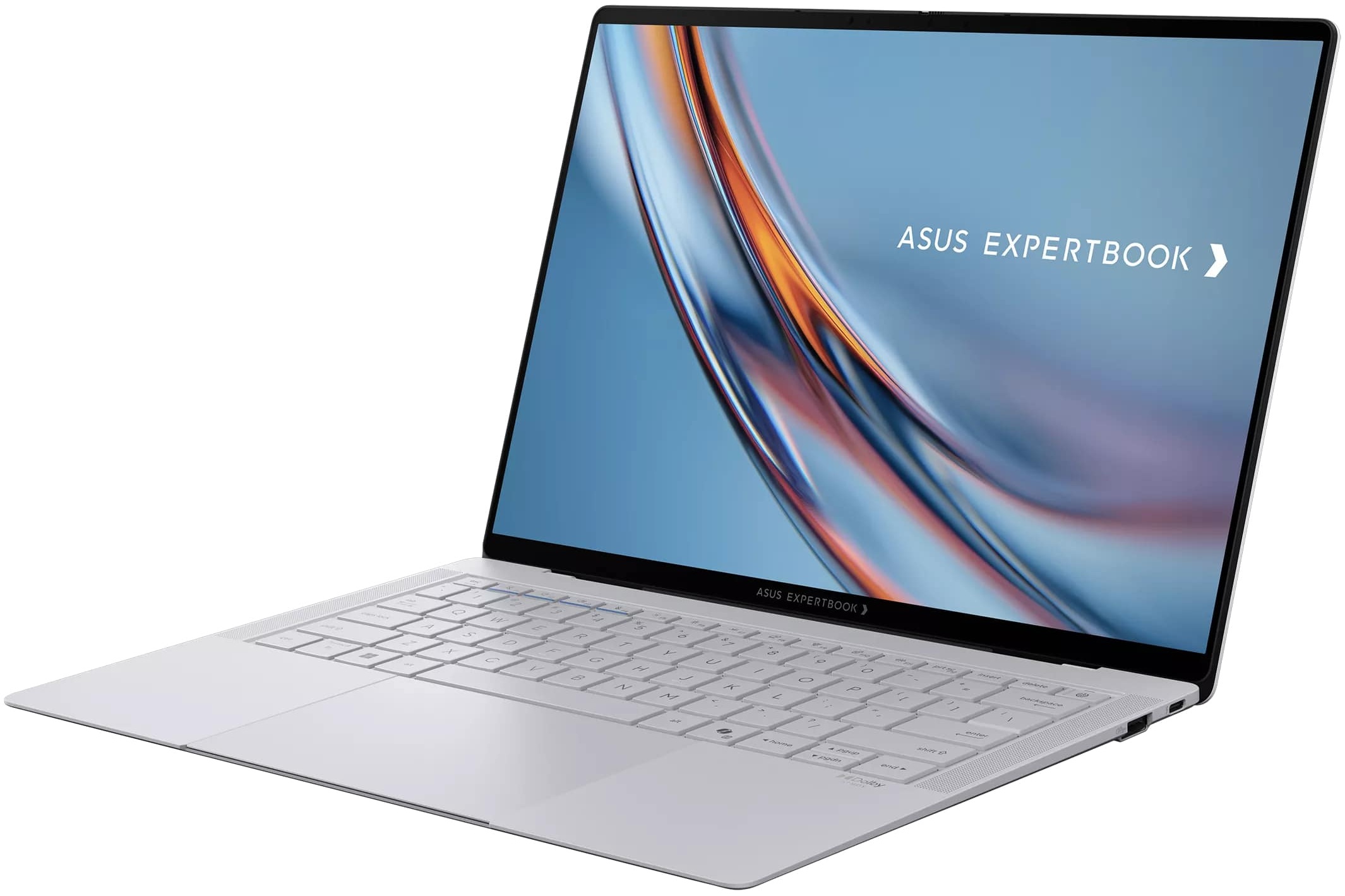
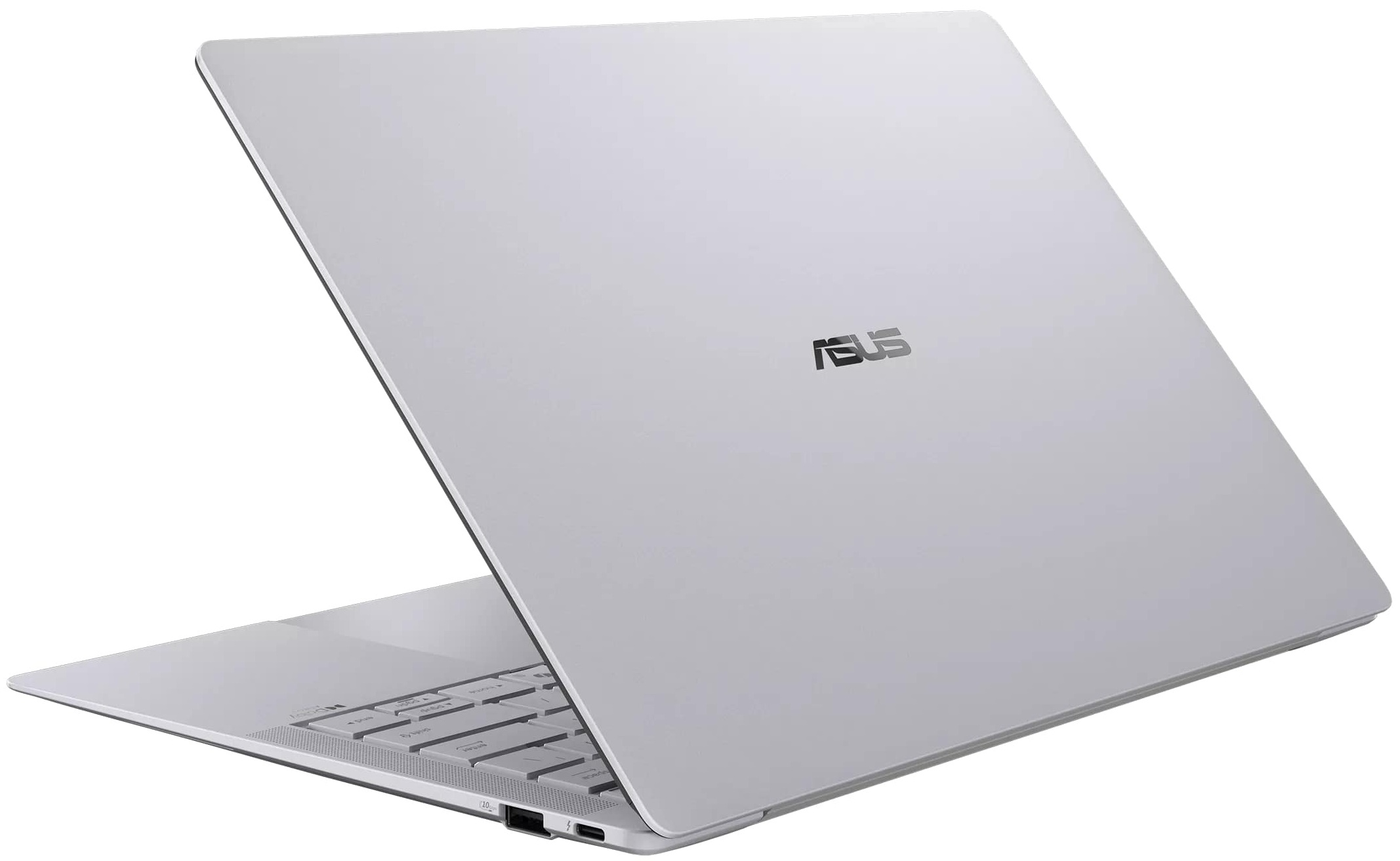
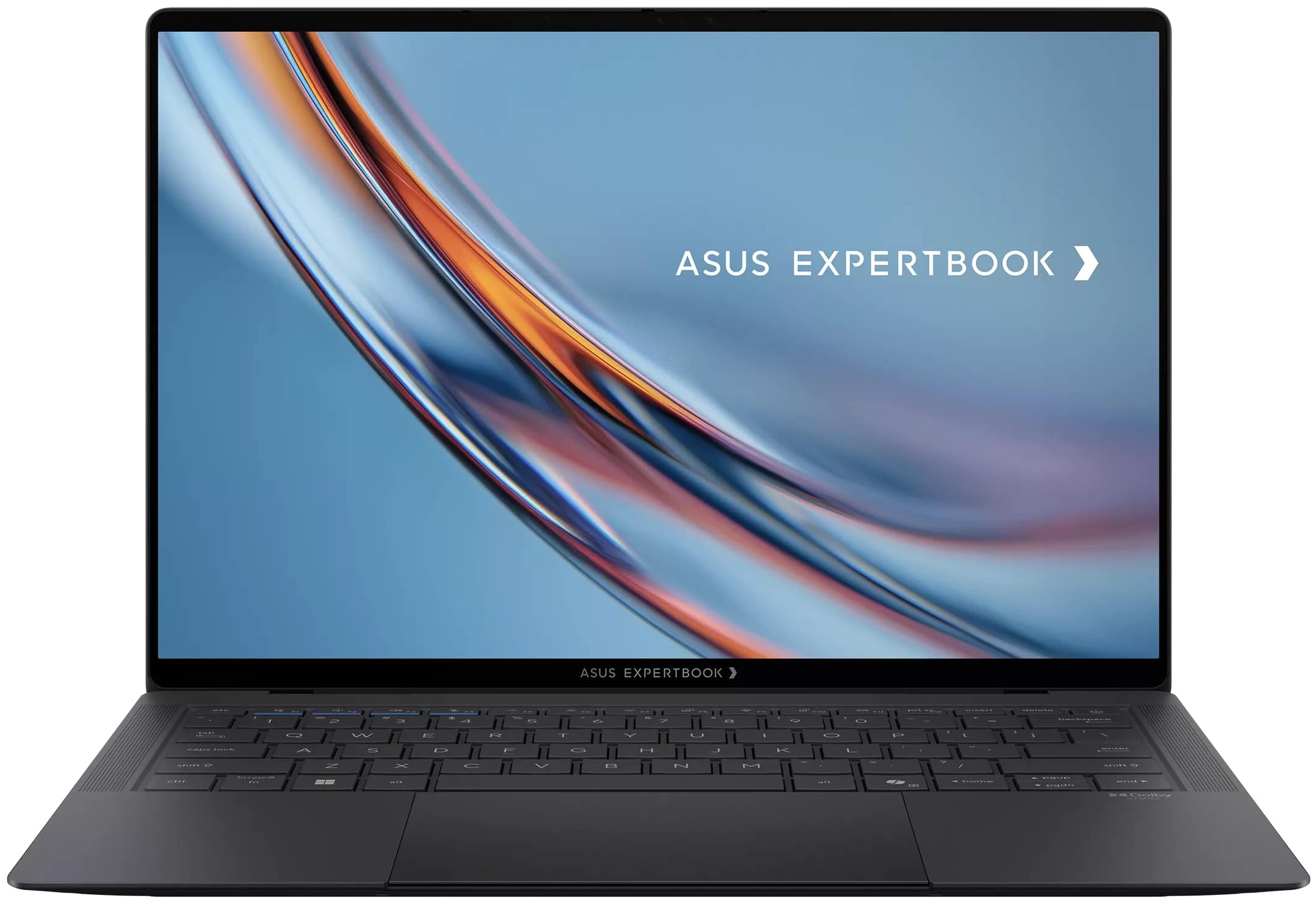
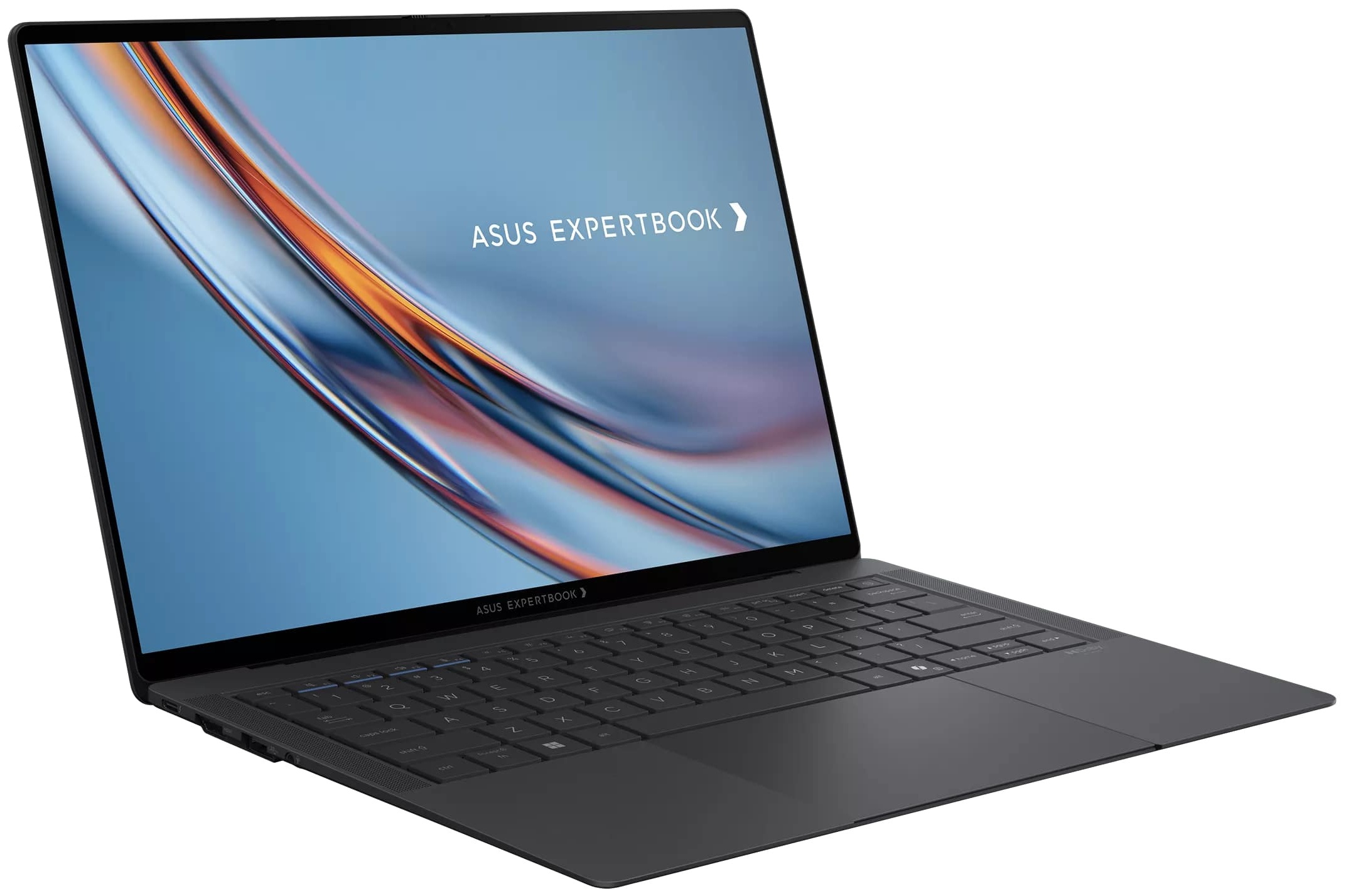
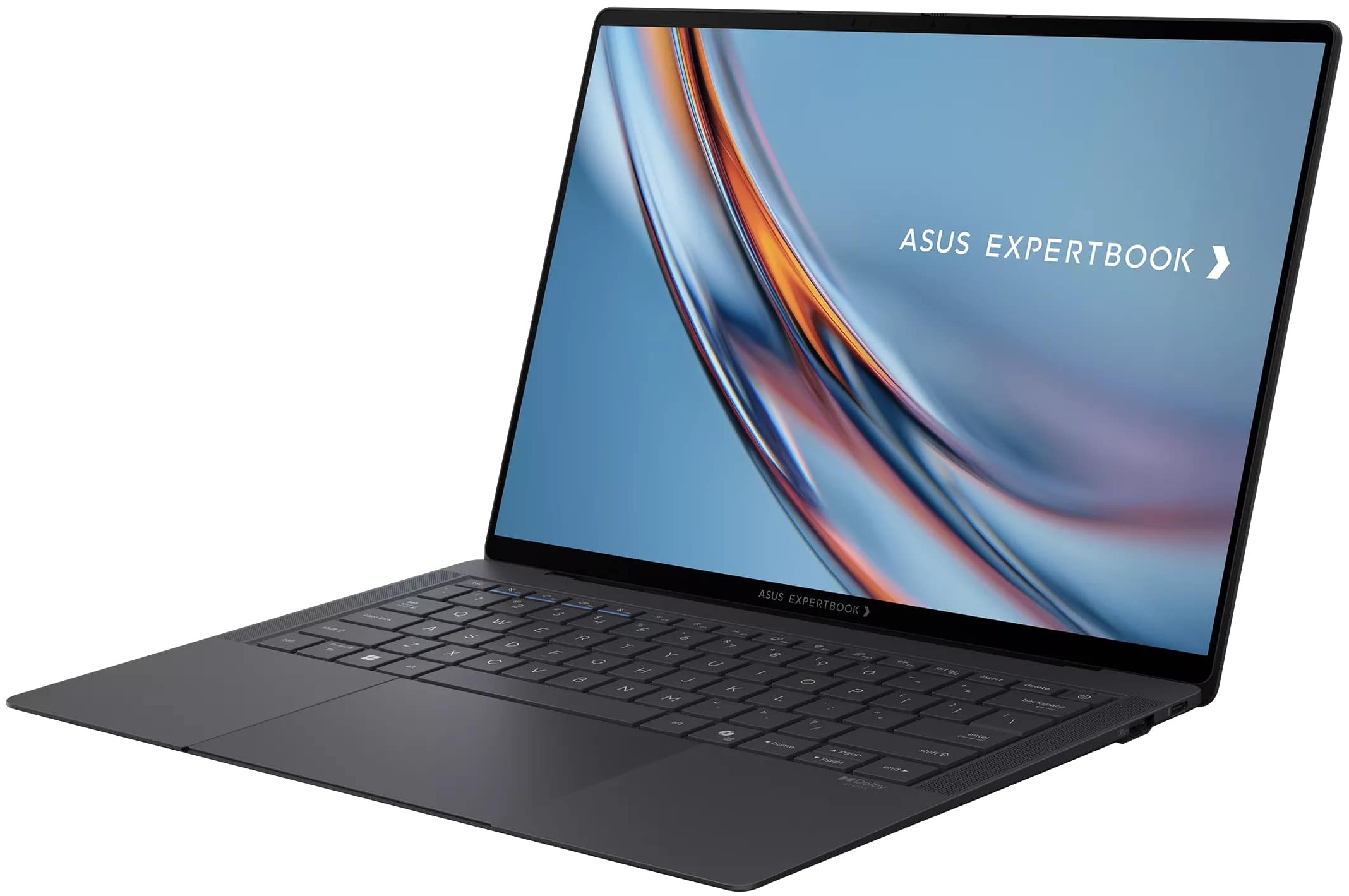
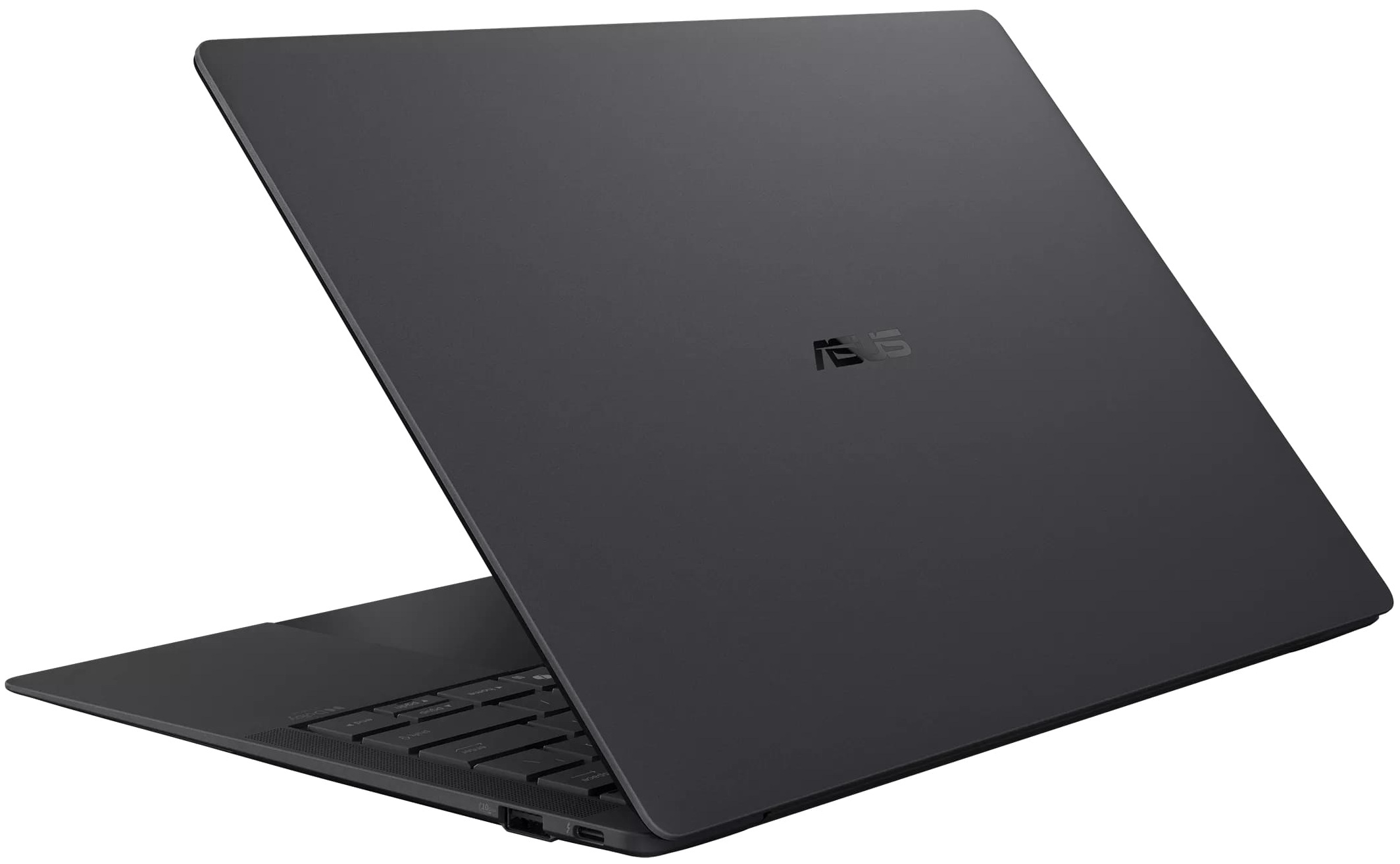
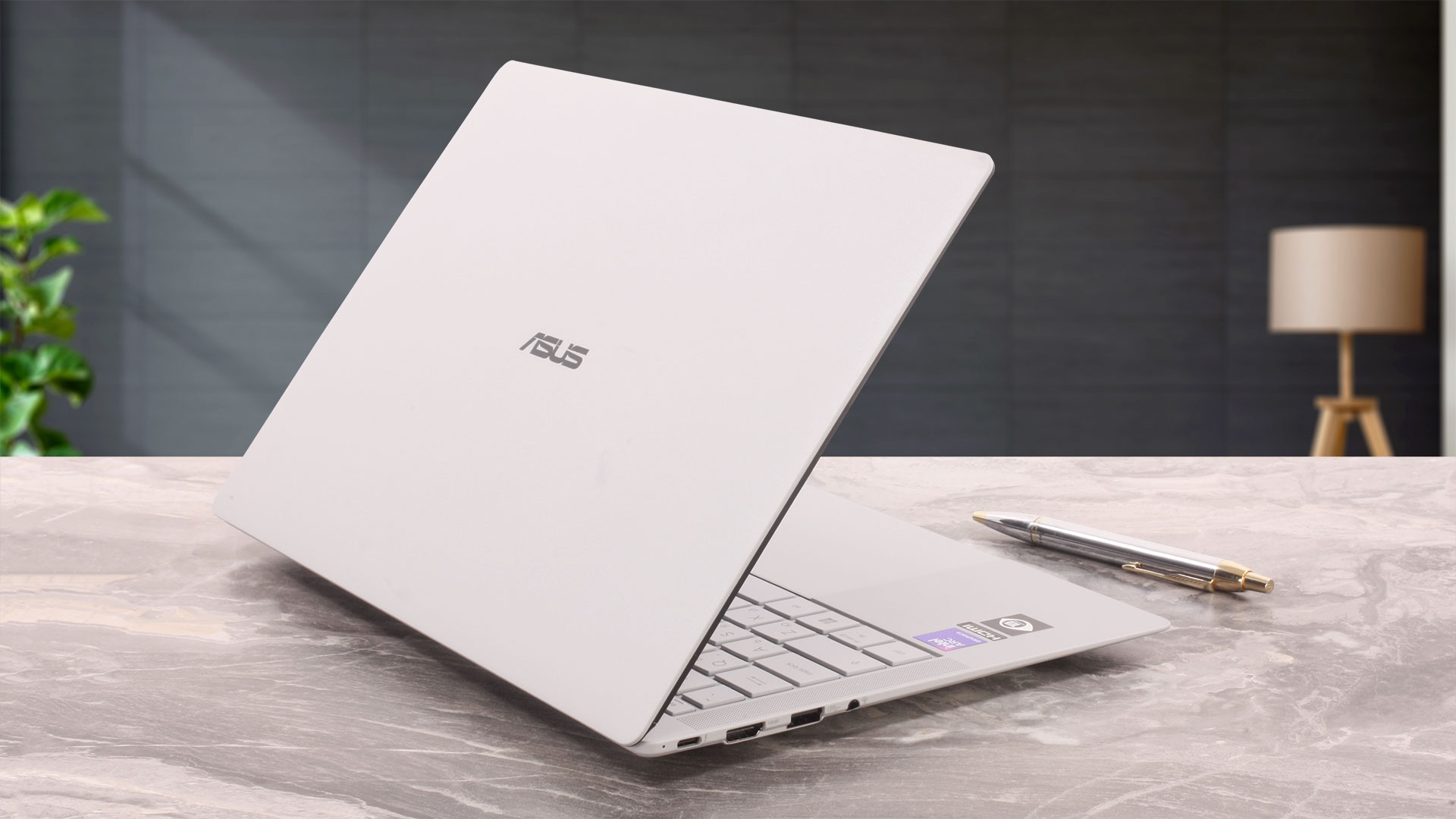
The ASUS ExpertBook Ultra (B9406) has a remarkably elegant and minimalist design. It avoids flashy styling, relying instead on a slim, low-profile body, softly rounded corners, and an exceptionally clean lid adorned only with a small ASUS logo. We ordered the B9406CAA-TH1194 configuration in Morn Grey – a warm silver-grey finish that looks refined without appearing overly bright. ASUS also offers the series in Jet Fog, a darker alternative. We particularly like the contrast between the light chassis and the deep-black glass surrounding the display.
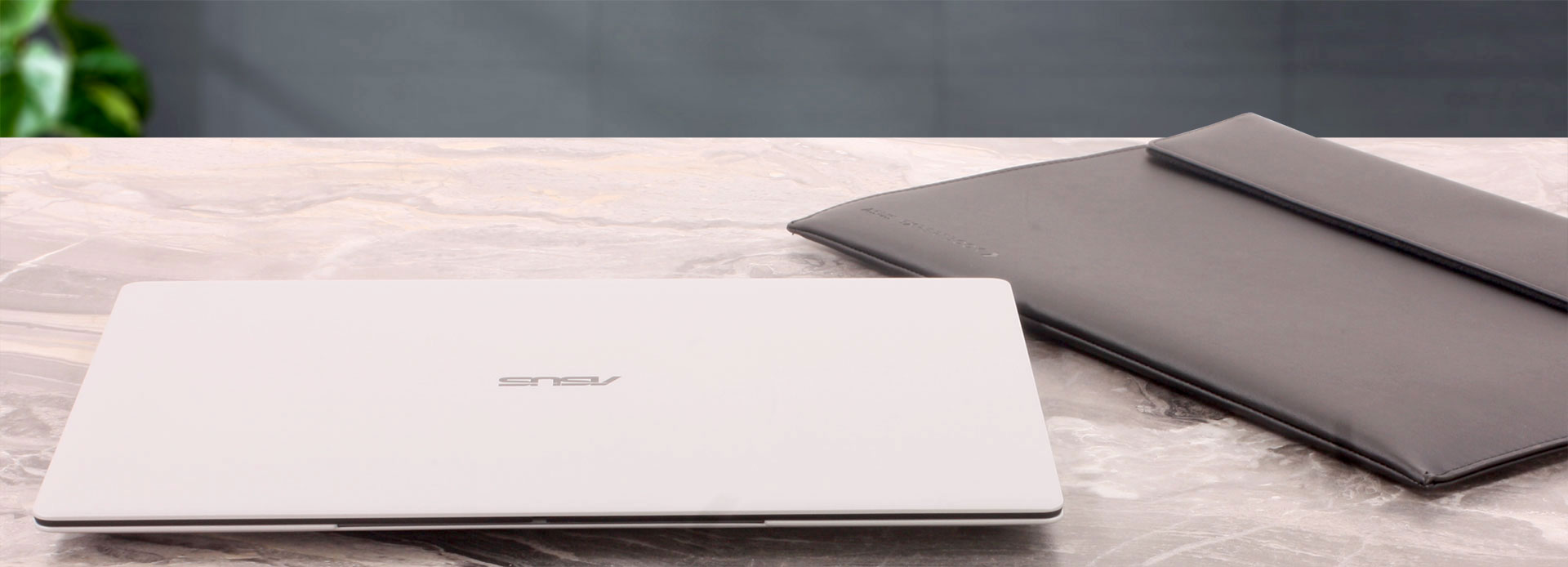
Symmetrical speaker grilles flank the keyboard, while the expansive touchpad blends almost seamlessly into the palm rest. The overall result is modern and distinctive, yet suitably understated for a premium business laptop.
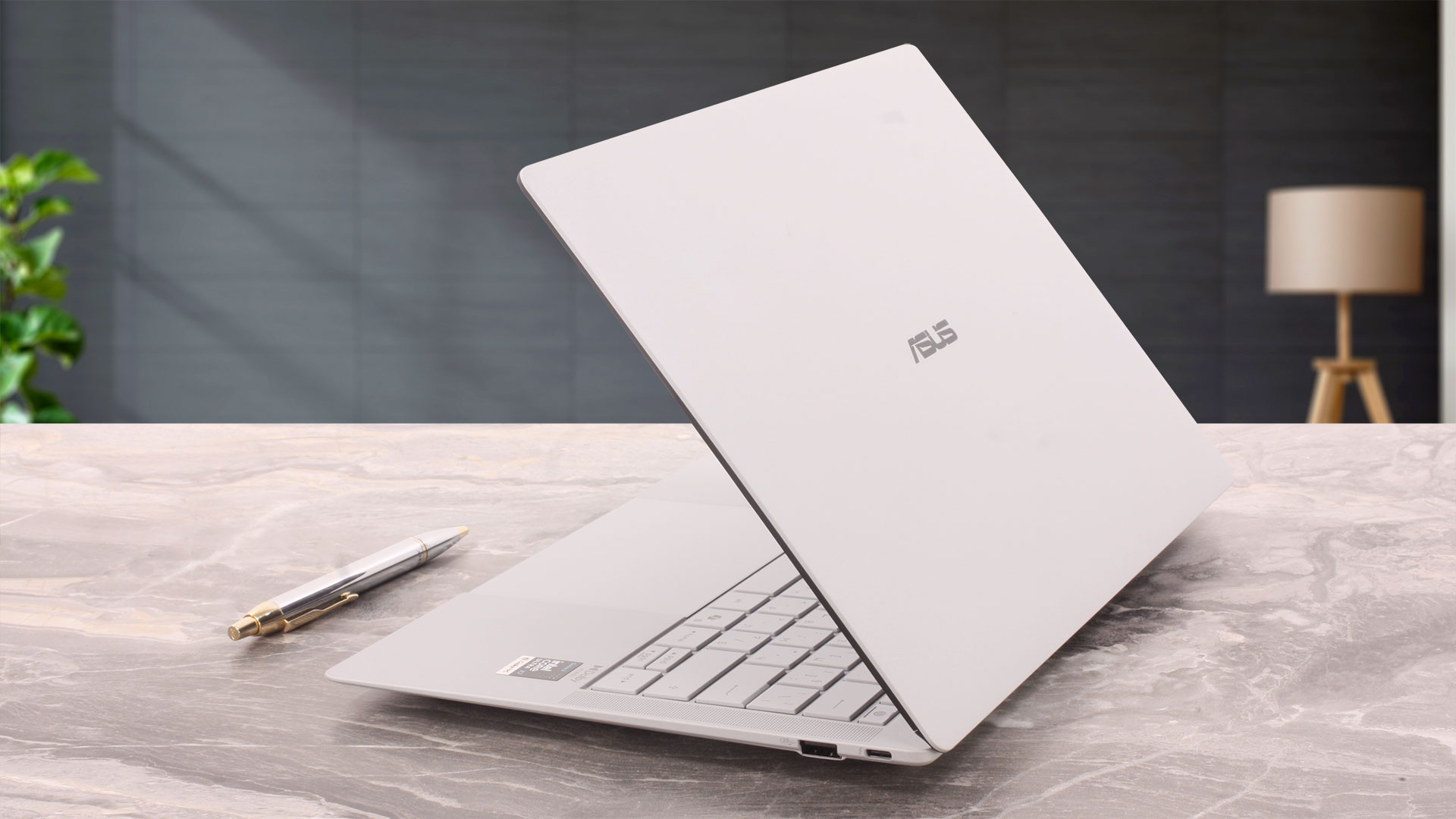
ASUS advertises a starting weight of 0.99 kg for the ExpertBook Ultra series, with the exact figure varying by configuration. Our retail machine, equipped with a 70Wh battery and an OLED touchscreen, weighed 1.137 kg on our scale – 147 grams above the advertised minimum. Even so, it remains an exceptionally lightweight 14-inch laptop, particularly considering its battery capacity, hardware, and cooling system.
| ASUS ExpertBook Ultra (B9406) | Dimensions | Weight |
| Metric units | 310.9 × 212.8 × 10.9–16.4 mm | 1.137 kg |
| U.S. customary | 12.24 × 8.38 × 0.43–0.65 in | 2.51 lbs |
ASUS uses a magnesium-aluminum chassis treated with its Nano Ceramic coating. The surface has a fine matte texture and feels pleasant to the touch. More importantly, it proved highly resistant to fingerprints during our testing: both the lid and the interior remained virtually free of visible smudges. This is a significant practical advantage for a light-colored laptop, as the machine retains its clean appearance without requiring constant wiping.
The construction feels reassuringly solid for such a thin and lightweight device. A small amount of flex can be produced by pressing firmly on certain areas of the lid or base, but nothing we observed was concerning. The laptop does not feel fragile, there are no worrying creaks, and the panels on our machine are fitted cleanly and evenly.
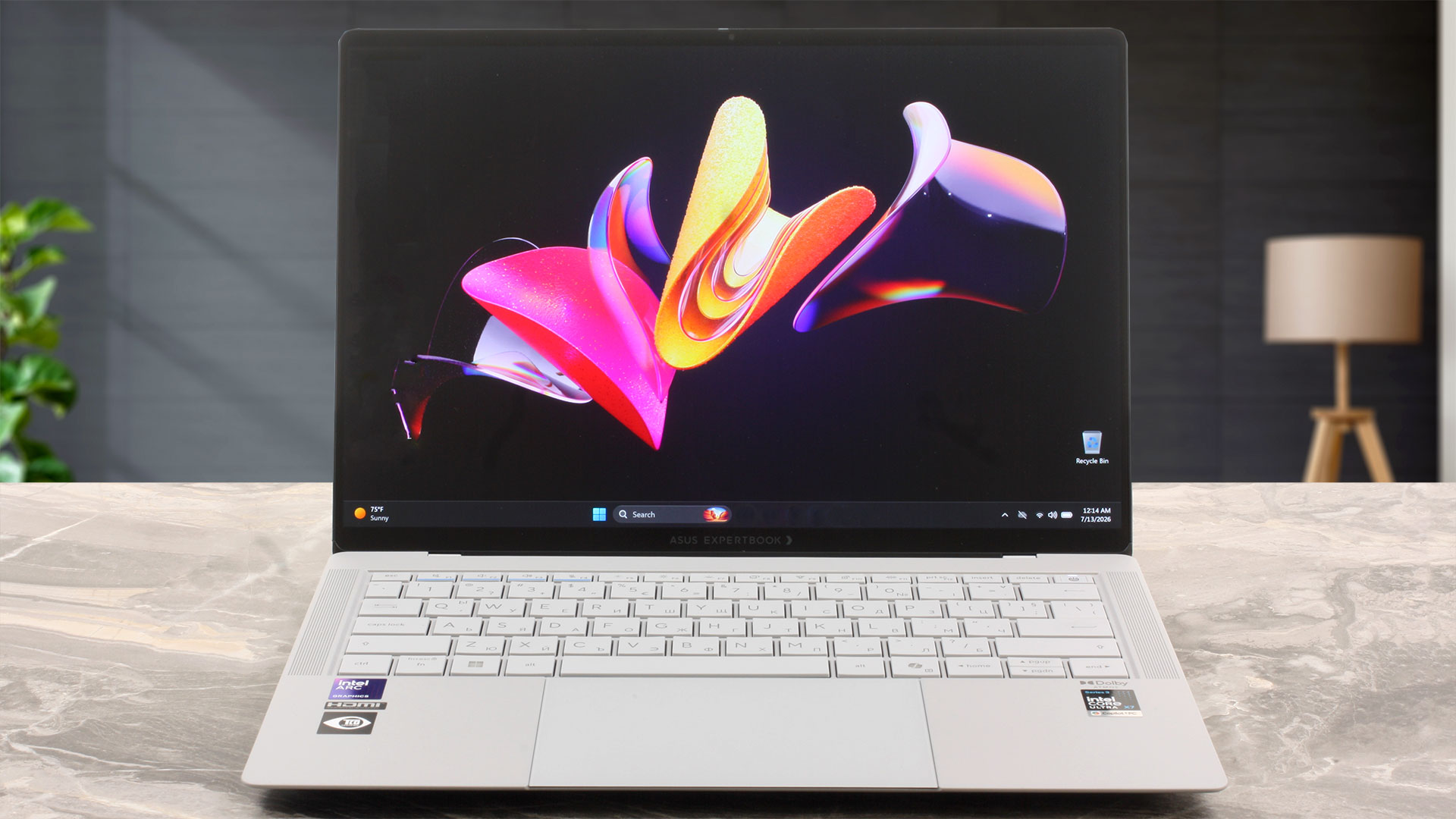
The hinge mechanism produces more mixed impressions. The lid can technically be opened with one hand, but the extremely low weight of the base makes the process less effortless than it sounds. There is no protruding camera bump to provide an obvious grip, while the rubber feet do not anchor the laptop particularly firmly. As a result, attempting to lift the lid without holding the base can push the entire machine backward across the desk.
Once positioned, the display remains stable and does not wobble while typing. However, the hinge tension is still looser than we would expect from a premium business laptop. Some early reviews reported the same behavior, and it does not appear to have been fully resolved on our retail machine. If the open laptop is moved or pulled abruptly, the display can swing backward by roughly 5 cm (2 in). This is unlikely to cause problems during normal desk use, but it is a genuine drawback when carrying the laptop open or working on your lap. The display opens to approximately 130–140 degrees and cannot lie flat at 180 degrees.
Opening the laptop reveals thin bezels on all sides and a claimed 91% screen-to-body ratio. The top bezel is slightly thicker because it houses the 1080p FHD camera, an IR sensor for Windows Hello, and a physical privacy shutter. ASUS also advertises AI image processing that can upscale the camera output to a 5MP equivalent.
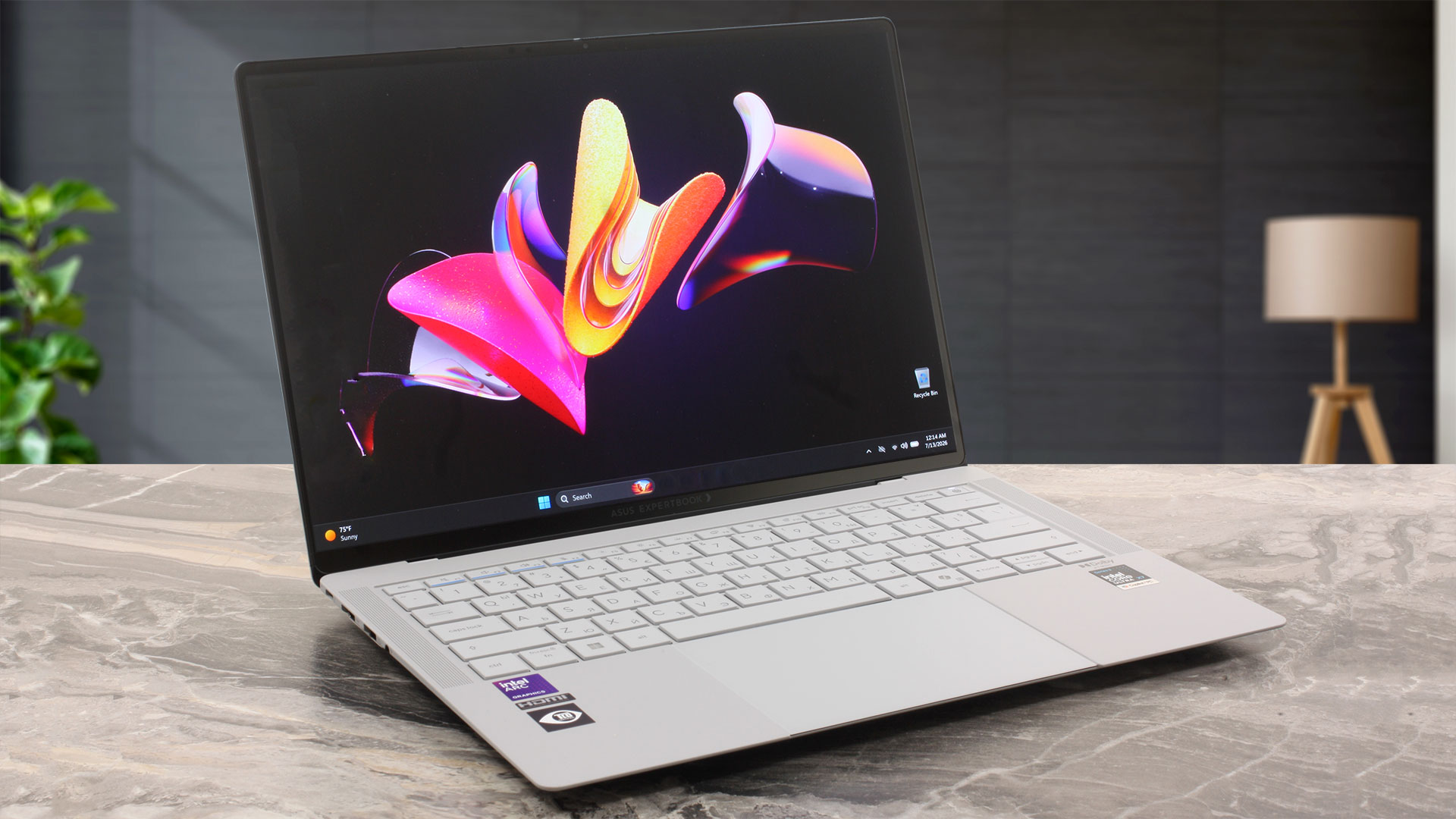
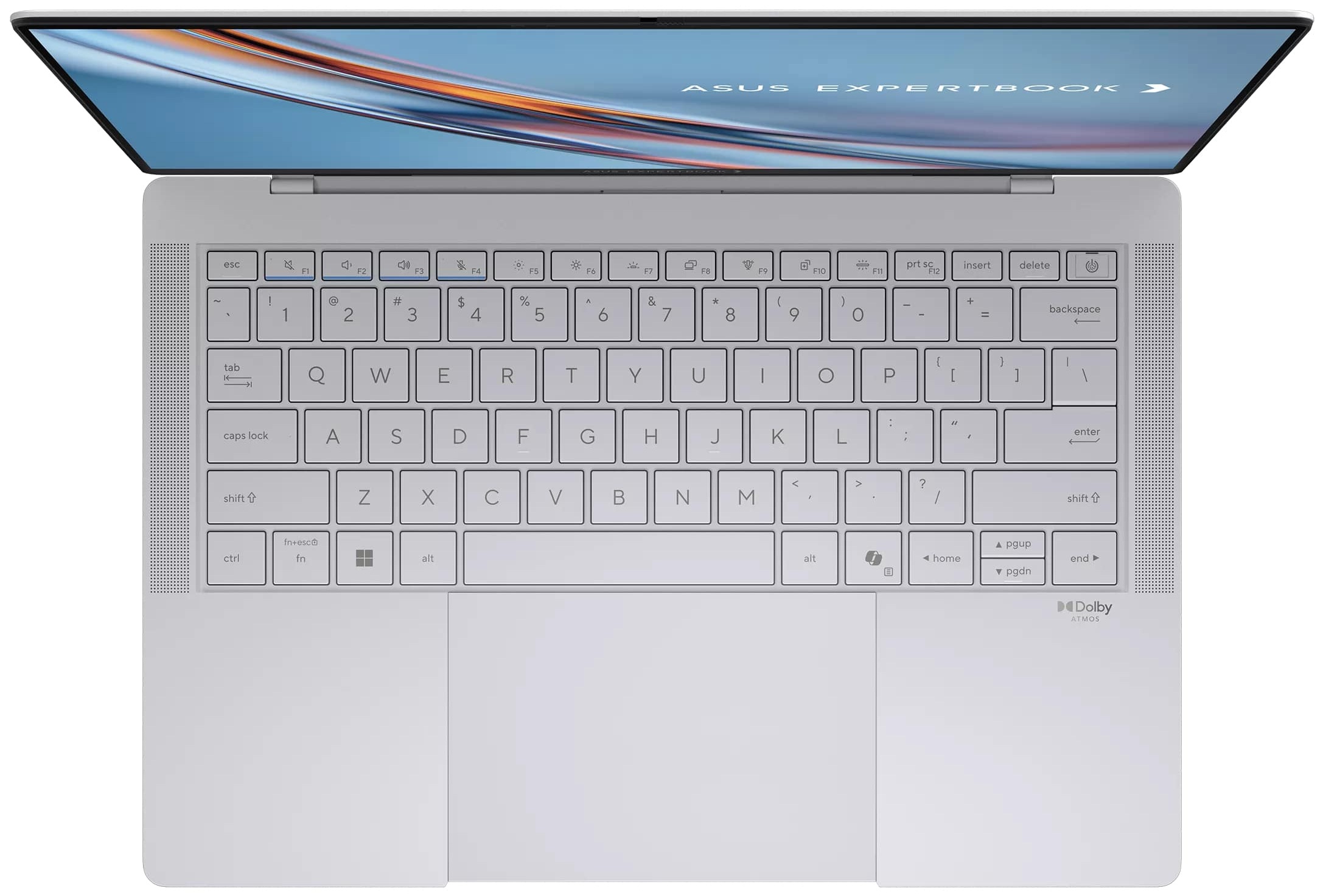
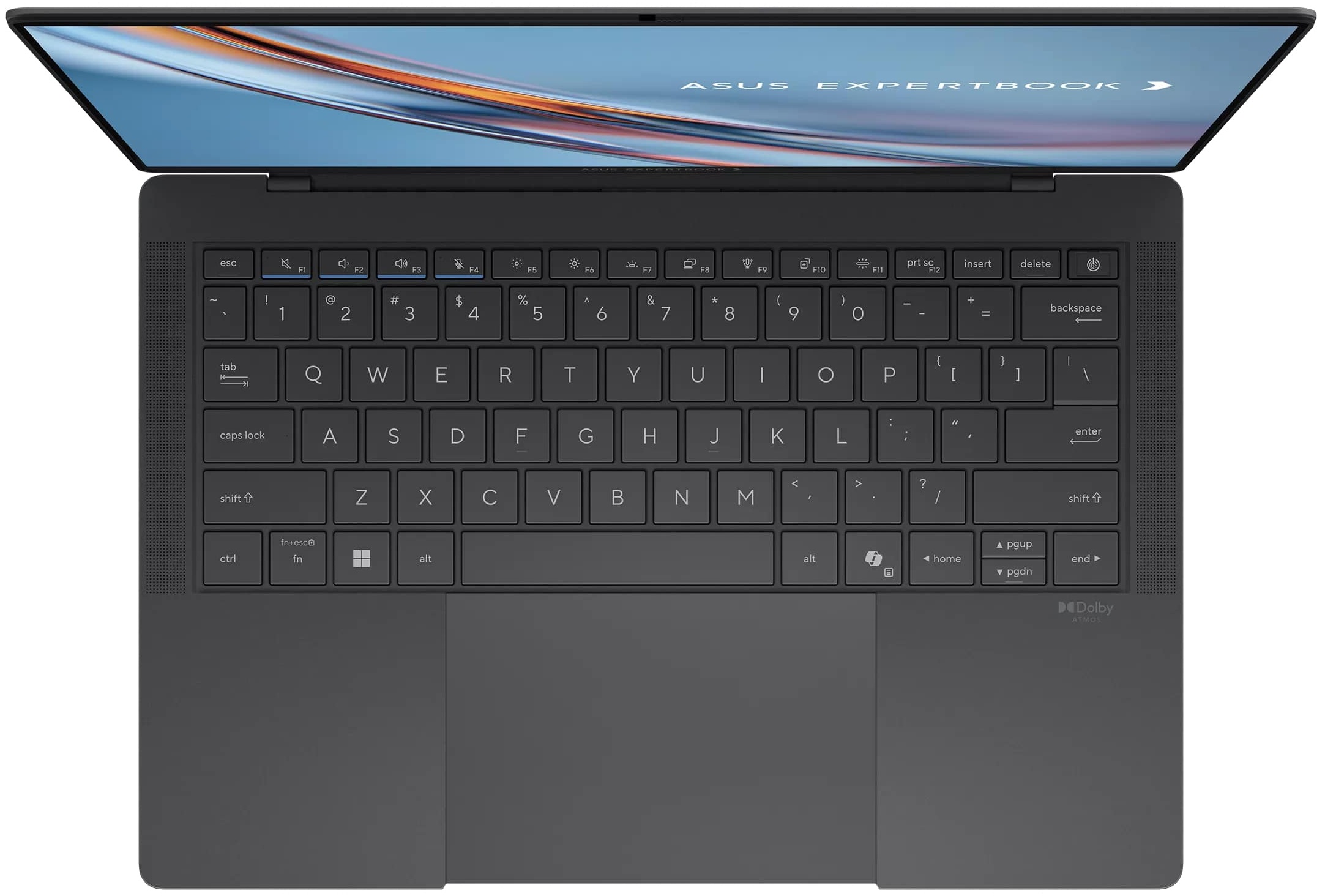
The 14-inch form factor leaves no room for a dedicated NumPad, but the available space is used effectively. The backlit keyboard offers 1.5 mm of key travel and proved comfortable during extended typing. The keyboard deck remains stable, while the keys provide a pleasant and consistent response. The arrow keys are more compact than the main keys, with half-height Up and Down buttons positioned alongside the Home, End, Page Up, and Page Down functions.
A Match-on-Chip fingerprint reader is integrated into the power button in the upper-right corner. Although it sits directly next to the Delete key, accidental presses are unlikely on our machine because the power button requires noticeably more force than the surrounding keys.
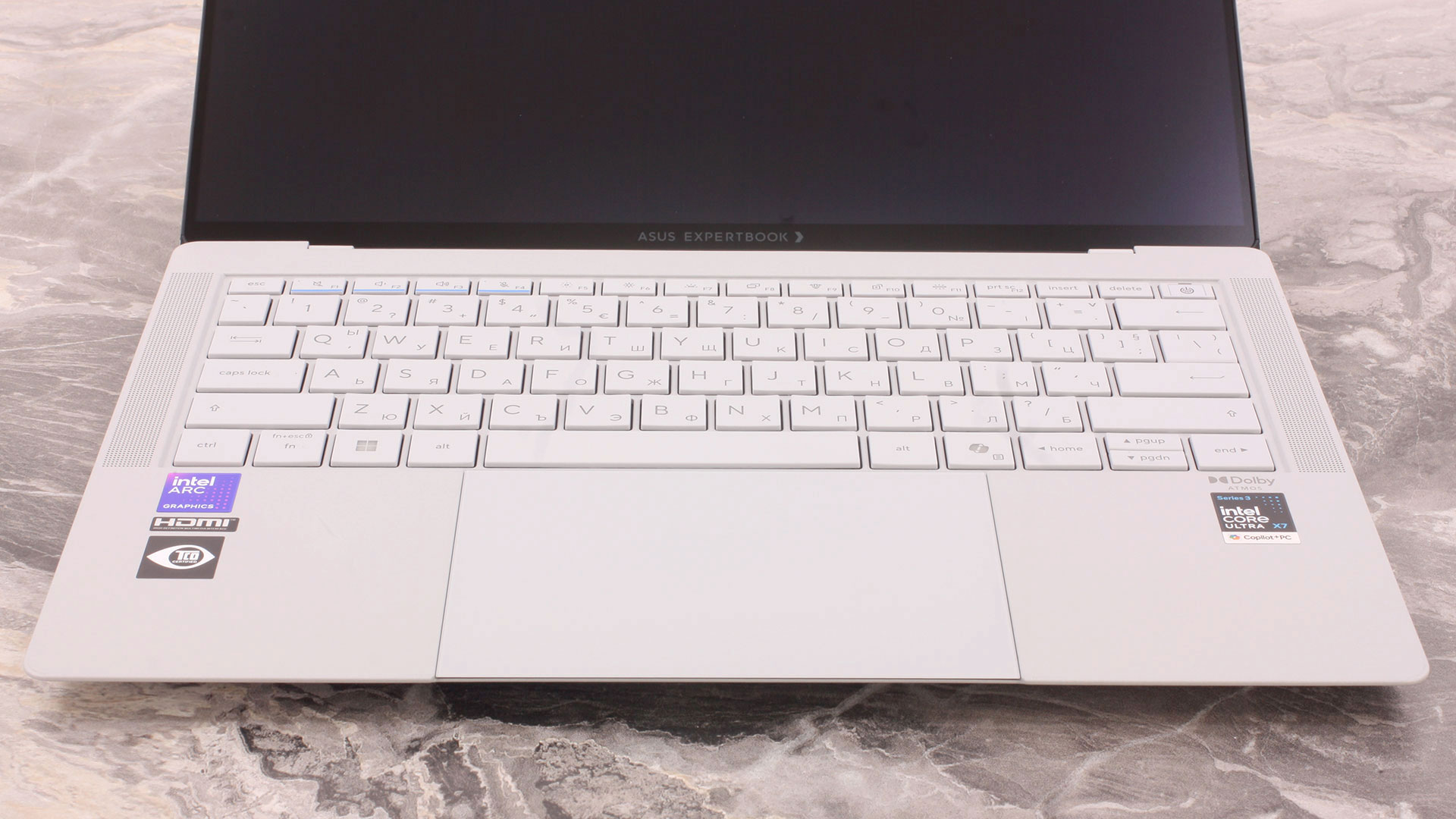
The glass haptic touchpad covers an area of 110 cm² and uses six force sensors. It occupies almost all of the available space beneath the keyboard and is one of the best touchpads we have used recently. The simulated click feels convincing and satisfying, the surface is exceptionally smooth, and cursor tracking is precise. We also encountered no unintended clicks during normal use, despite the touchpad extending close to the front edge of the chassis.
Ports and Connectivity
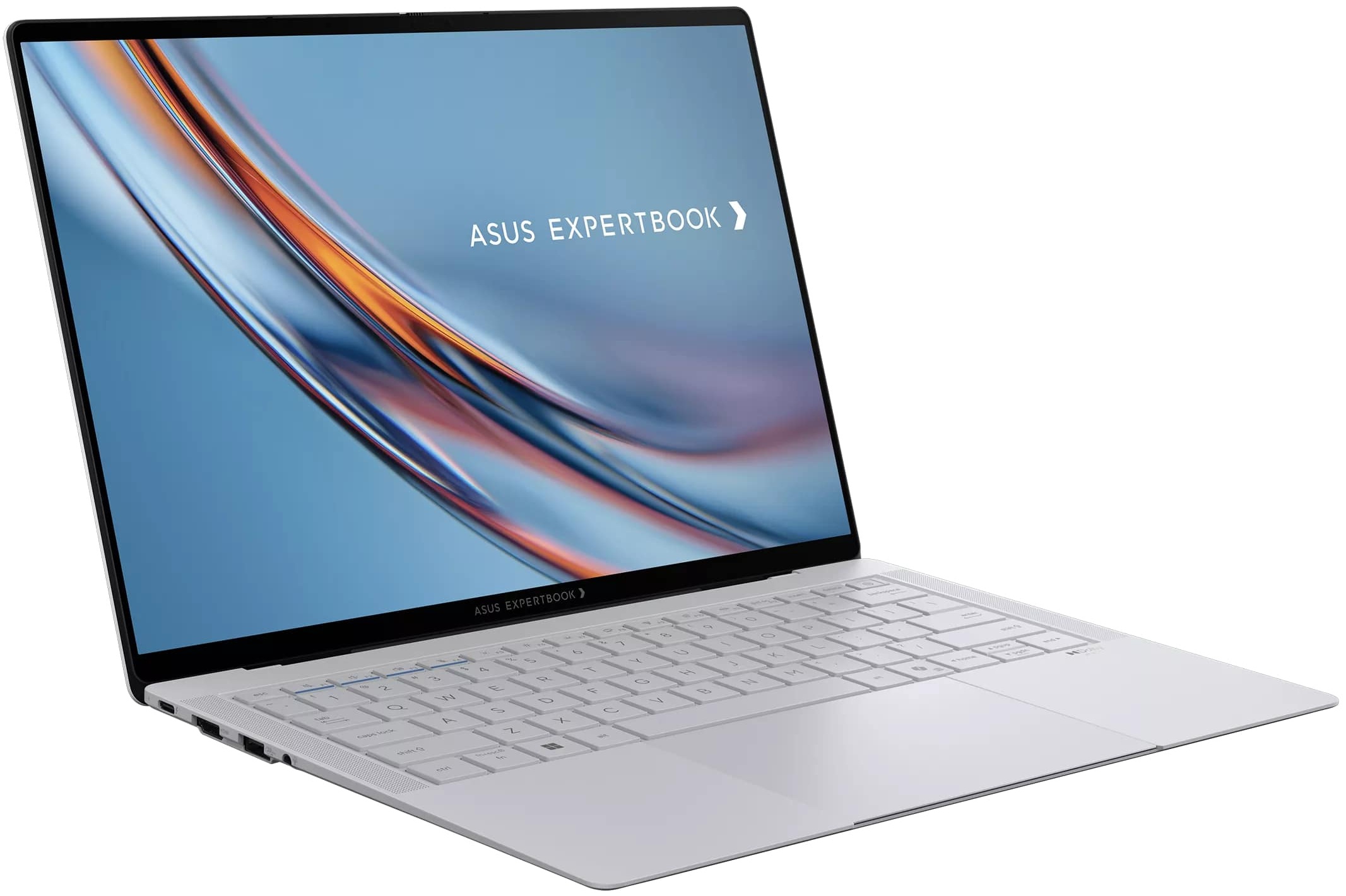
The ASUS ExpertBook Ultra (B9406) offers a well-balanced selection of ports for such a thin and lightweight business laptop. More importantly, ASUS has placed one Thunderbolt 4 port and one full-size USB Type-A port on each side, making the layout considerably more convenient than designs that concentrate all high-speed connectivity on a single flank.
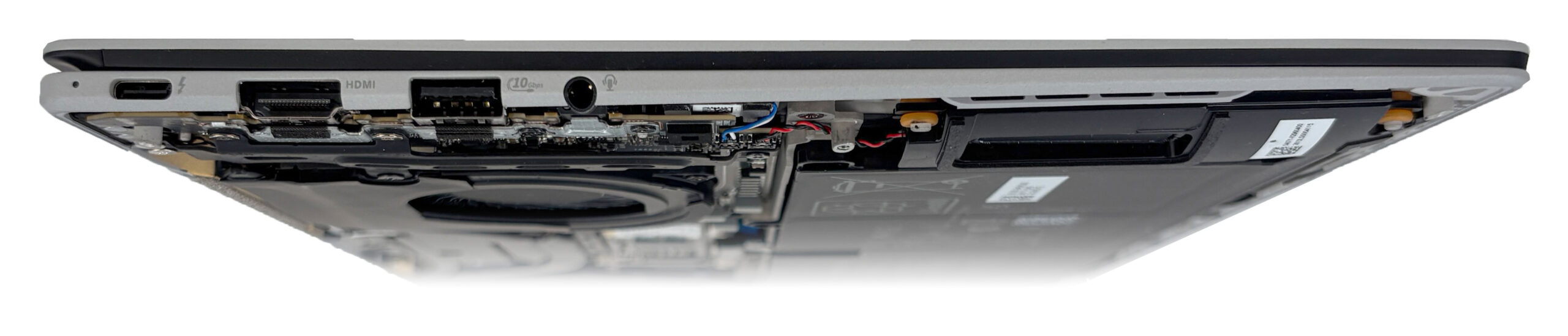
On the left side, there is a Thunderbolt 4 port compliant with USB4, supporting up to 40Gbps data transfers, DisplayPort video output, and USB Power Delivery. It is joined by a USB Type-A 3.2 Gen 2 port operating at 10Gbps, a 3.5mm headphone and microphone combo jack, and an HDMI output.
ASUS identifies the latter as HDMI 2.1 TMDS rather than a full-bandwidth HDMI 2.1 FRL connection. As a result, users should not assume that it provides the 4K 120Hz or 8K capabilities commonly associated with higher-bandwidth HDMI 2.1 ports. The exact maximum resolution and refresh-rate combination supported by our machine will be added after practical testing.
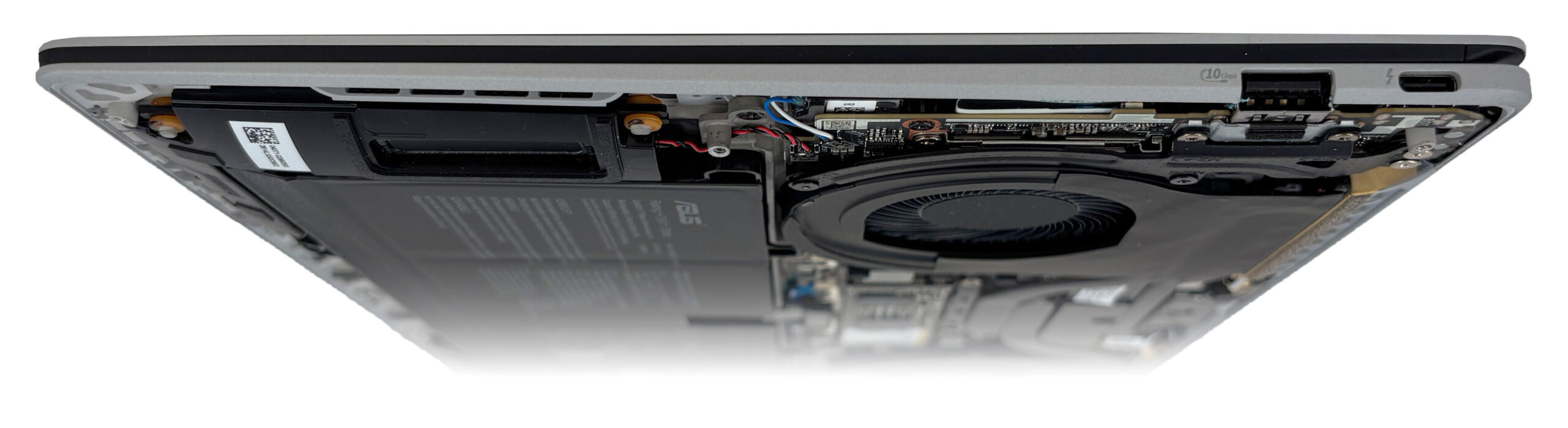
The right side contains a second USB Type-A 3.2 Gen 2 port and another full-function Thunderbolt 4 connector. Having charging and docking support on both sides is a significant ergonomic advantage, as the power adapter or dock can be connected from whichever side is more convenient. ASUS also states that the Thunderbolt 4 connectivity can support up to two external 4K displays.
There are no ports along the rear edge. The compact chassis also leaves out several connections sometimes found on larger business laptops, including a built-in Ethernet port, an SD or microSD card reader, WWAN/SIM connectivity, a Smart Card reader, and a dedicated security-lock slot. ASUS lists the USB-to-Ethernet adapter as an optional accessory whose availability depends on the region and SKU, but it was included with the retail configuration we purchased.

Wireless connectivity on our configuration is handled by an Intel Wi-Fi 7 BE211 320MHz adapter with a 2×2 antenna configuration. The Bluetooth controller is integrated into the Intel Panther Lake-H platform. ASUS lists Bluetooth 6.0 support for the series, although its own specification note states that the functionality available on some configurations may currently be limited to Bluetooth 5.4 depending on the installed driver and operating system support.
Display and Sound Quality, Display Profiles
ASUS offers the ExpertBook Ultra (B9406) with two 14-inch 2.8K (2880 × 1800) OLED touchscreen options. Both use Corning Gorilla Glass Victus and a Corning Gorilla Matte anti-glare surface. The standard OLED panel is rated for 450 nits in SDR and up to 1000 nits of peak HDR brightness. We ordered the more premium Tandem OLED version (ATNA40LE01-0 / SDC4217), rated for 600 nits in SDR and up to 1400 nits in HDR. Our panel also reports a variable refresh-rate range of 30–120 Hz.
| ASUS ExpertBook Ultra (B9406) | 14″, 2.8K (2880 × 1800), 120 Hz, OLED | 14″, 2.8K (2880 × 1800), 120 Hz, Tandem OLED (ATNA40LE01-0 / SDC4217) |
| Touchscreen | Yes | Yes |
| Brightness | 450 nits / 1000 nits HDR peak | 600 nits / 1400 nits HDR peak |
| Diagonal | 14.0 inches (35.6 cm) | 14.0 inches (35.6 cm) |
| Panel Type | OLED touchscreen | Tandem OLED touchscreen |
| Surface | Corning Gorilla Glass Victus / Gorilla Matte | Corning Gorilla Glass Victus / Gorilla Matte |
| Resolution | 2880 × 1800 pixels | 2880 × 1800 pixels |
| Max Refresh Rate | 120 Hz | 120 Hz |
| Aspect Ratio | 16:10 | 16:10 |
| Pixel Density | 243 PPI | 243 PPI |
| ‘Retina’ Distance | Greater than or equal to 36 cm | Greater than or equal to 36 cm |
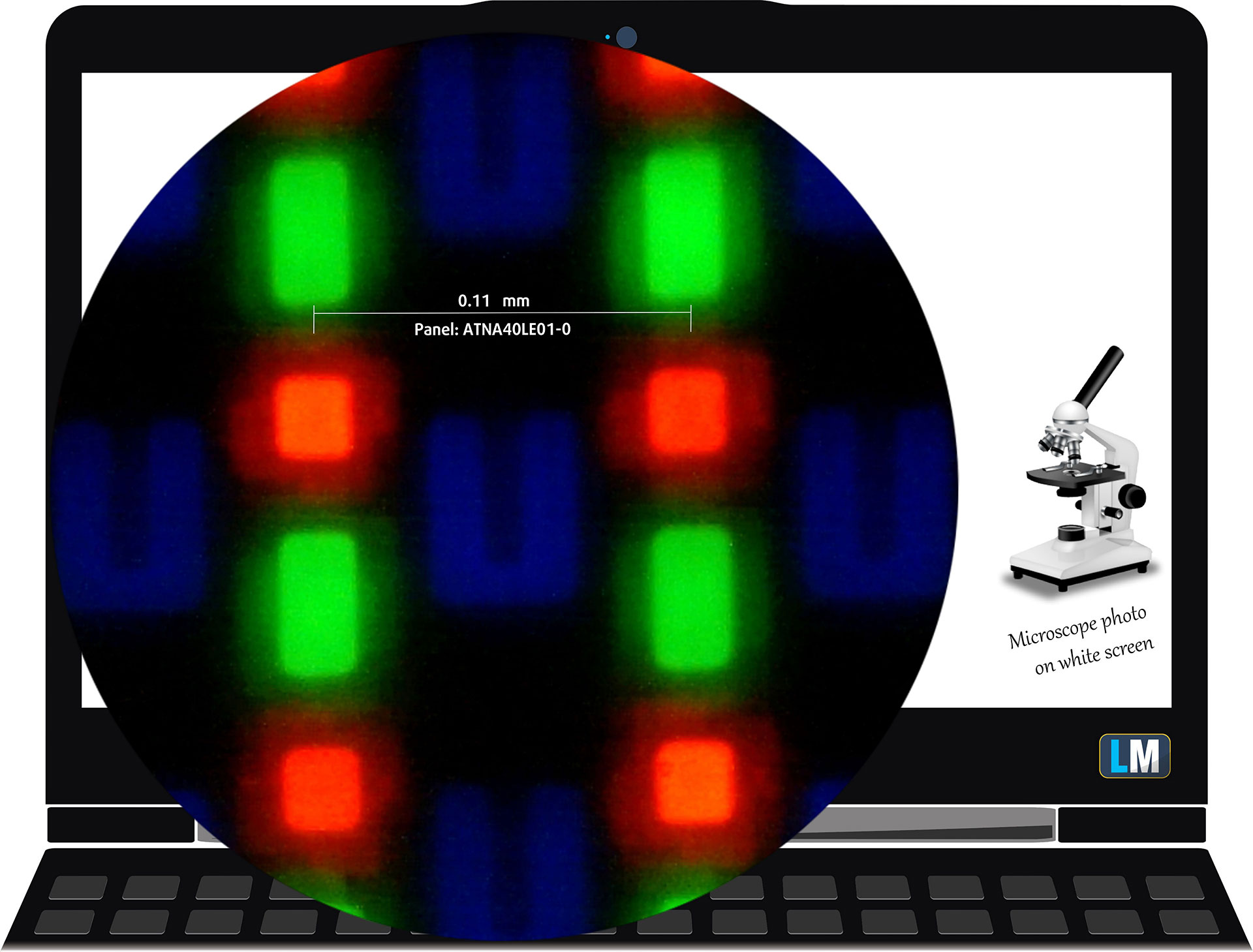 The 2.8K (2880 × 1800), 120 Hz, Tandem OLED touchscreen under our microscope
The Corning Gorilla Matte surface introduces a slight softness to fine text and light backgrounds compared with a conventional glossy OLED panel. We found the effect pleasant rather than distracting, while the substantial reduction in reflections makes the display noticeably easier to use in brightly lit rooms.
Viewing Angles
Viewing angles are good. We take photos from different angles to evaluate the quality.
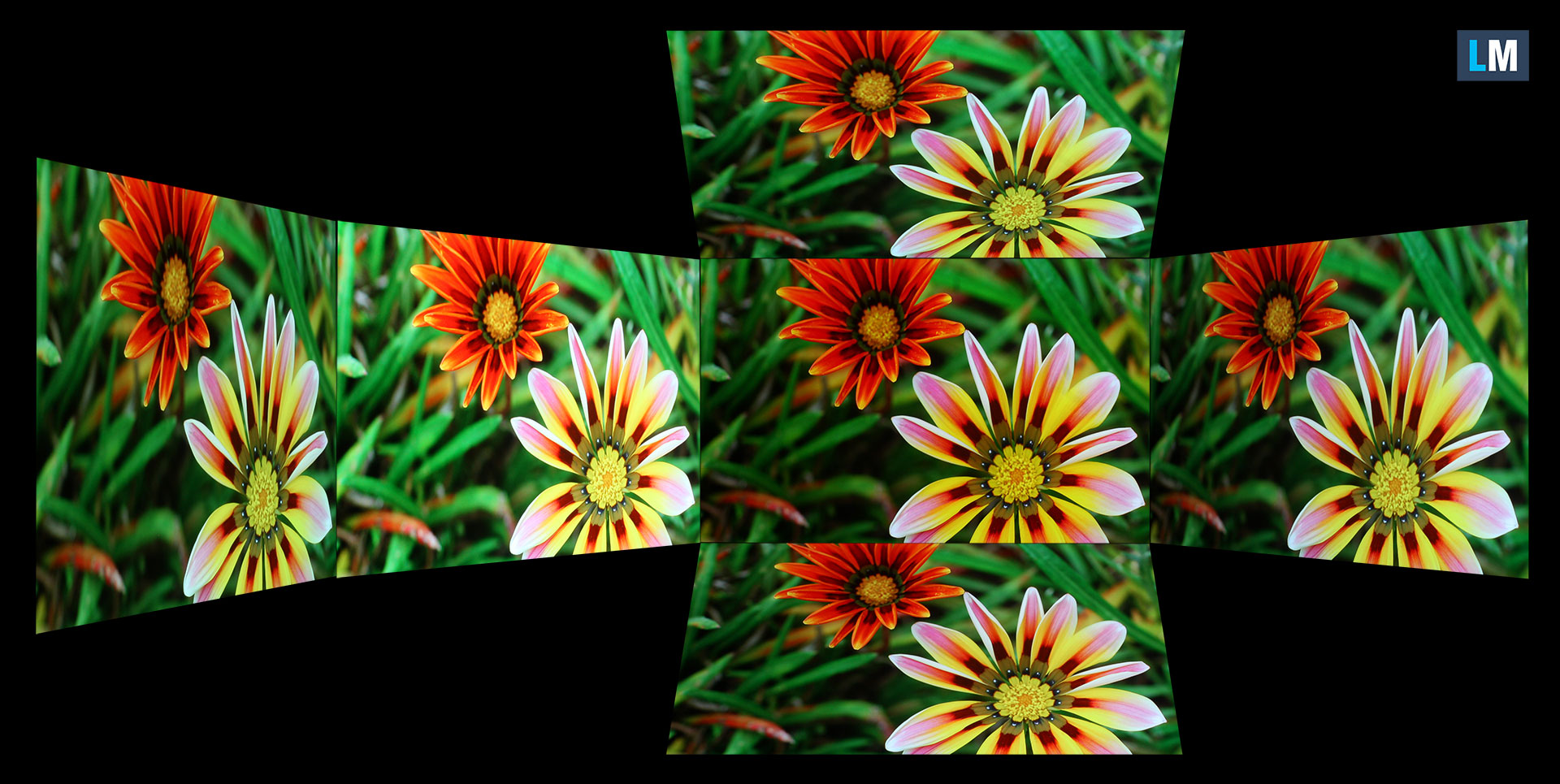
We also include a video recorded with locked focus and exposure.
Color Coverage
The sail-shaped diagram represents the visible color space, while the black curved line represents Pointer’s gamut, which approximates the colors commonly found in nature.
Then, we’ve drawn some of the most important and interesting color spaces, compared to the colors the panel of ASUS ExpertBook Ultra (B9406) can show:
Standard/For Web: sRGB – widely used color space for most consumer devices, ideal for Web design and development
For Print: AdobeRGB – used in professional photo editing, graphic design, and print
For Photographers/Video Editors: DCI-P3 – used in high-end film production, post-production, and digital cinema
Premium HDR: Rec.2020 – the widest consumer ITU color standard, covering a massive 75.8% of the visible spectrum, a benchmark for premium HDR content.
ASUS ExpertBook Ultra (B9406): the yellow dashed triangle (– – – – – –) represents the range of colors this display can show.
In our tests, we calculated the total color coverage of the display at 100% of the sRGB color gamut and 100% of the DCI-P3 color gamut.
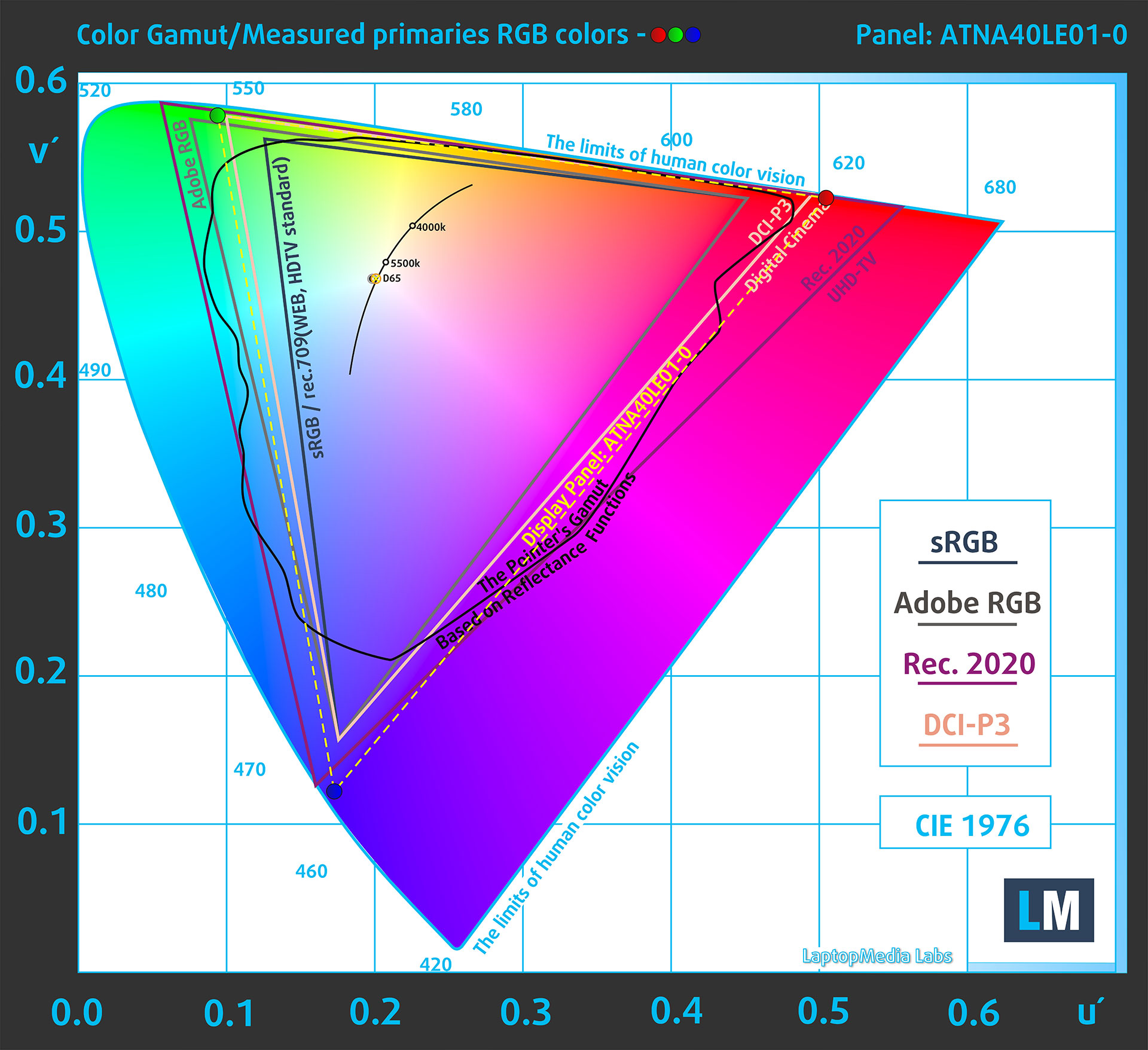
(Fig.1) ASUS ExpertBook Ultra (B9406) covers 100% of the DCI-P3 gamut
Brightness and Contrast
The maximum brightness in HDR mode is 1510 cd/m² at 8% white fill, slightly exceeding ASUS’ advertised peak of 1400 nits. On a full white screen, the panel reaches 759 cd/m².

The maximum brightness in SDR mode is 507 cd/m². This is below the advertised 600-nit figure for the Tandem OLED option, but it remains a strong result for a laptop display.
The Correlated Color Temperature (CCT) on a white screen at maximum brightness is 6350K.
The contrast ratio of OLED panels is excellent because the pixels turn off completely when displaying black.
Uniformity: Luminance, Contrast, and Color Deviation
The figure below shows the results from our uniformity test across different sections of the screen. It’s measured at 180 nits (Windows slider = 39%) – a brightness level we consider typical for standard working conditions.
DeltaE values below 4.0 are acceptable for regular users. For those working with colors, screens with DeltaE values no higher than 2.0 are recommended.
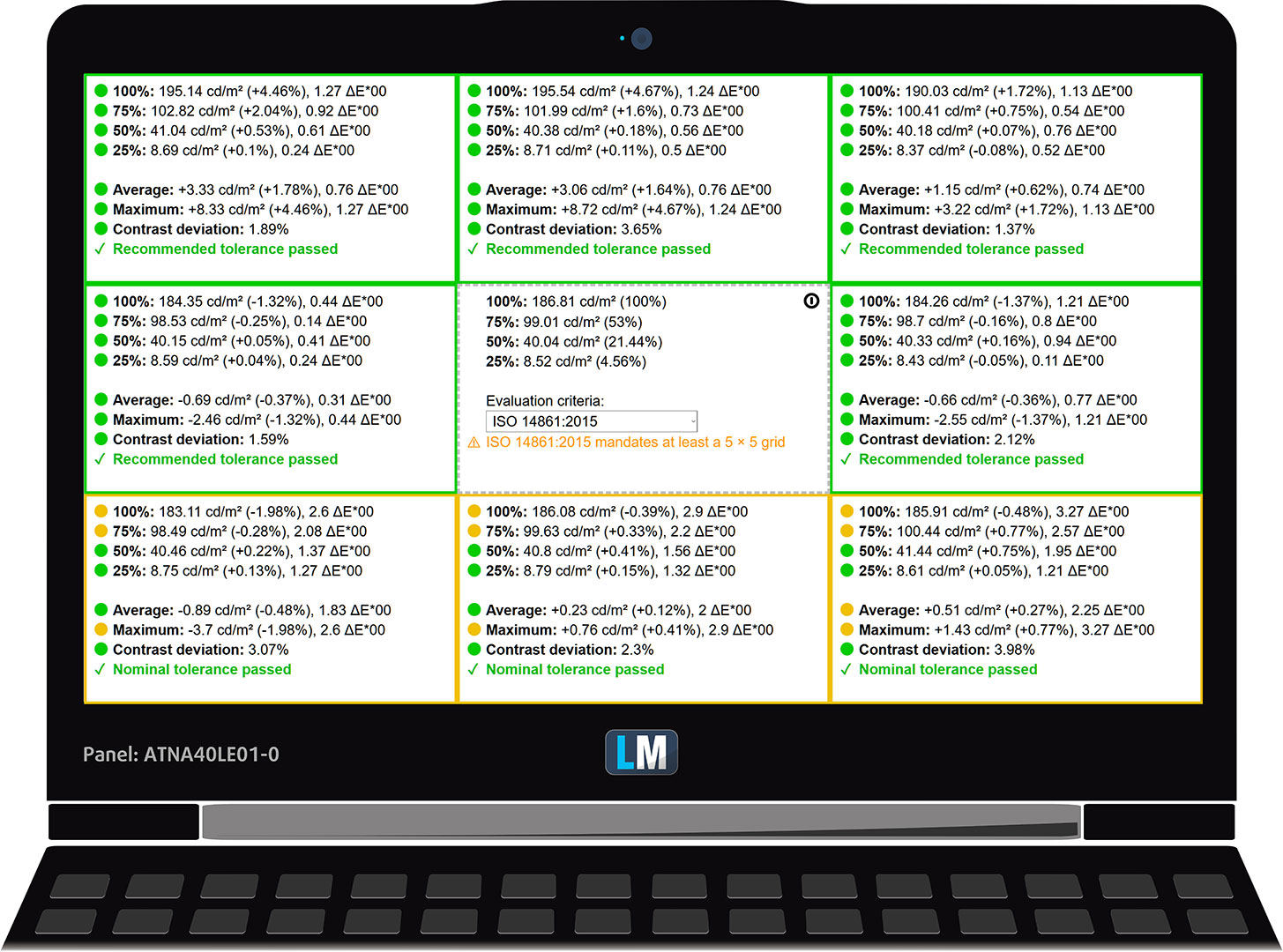
Color Accuracy
Let’s check the difference between real colors and those you’ll see on the ASUS ExpertBook Ultra (B9406). We measure that distance in DeltaE – the higher the value, the greater the visible difference.
Values below 4.0 are acceptable for regular users, while values below 2.0 are suitable for color-sensitive work. A value below 1.0 means the difference is indistinguishable to the naked eye.
For the next graph, we’ve selected 24 common colors, including dark and light skin tones, blue sky, green grass, etc.
With the ASUS ExpertBook Ultra (B9406) at its factory settings, the average color error was 1.3 dE 2000 (Fig. 2). After applying our Design and Office Work profile, it decreased to 0.9 dE 2000 (Fig. 3), making the panel even better suited to color-sensitive work.
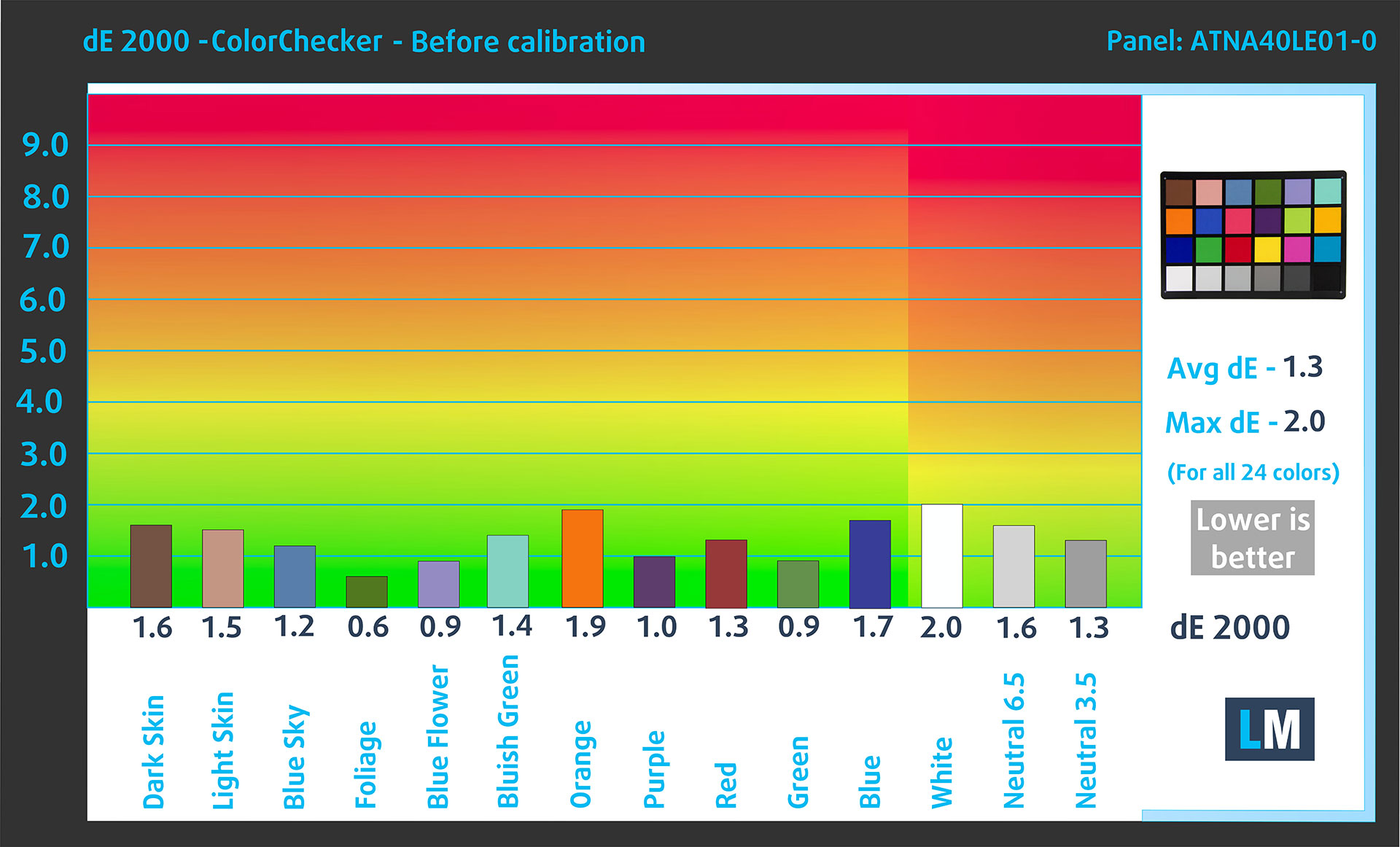
(Fig. 2) ASUS ExpertBook Ultra (B9406) in its factory condition
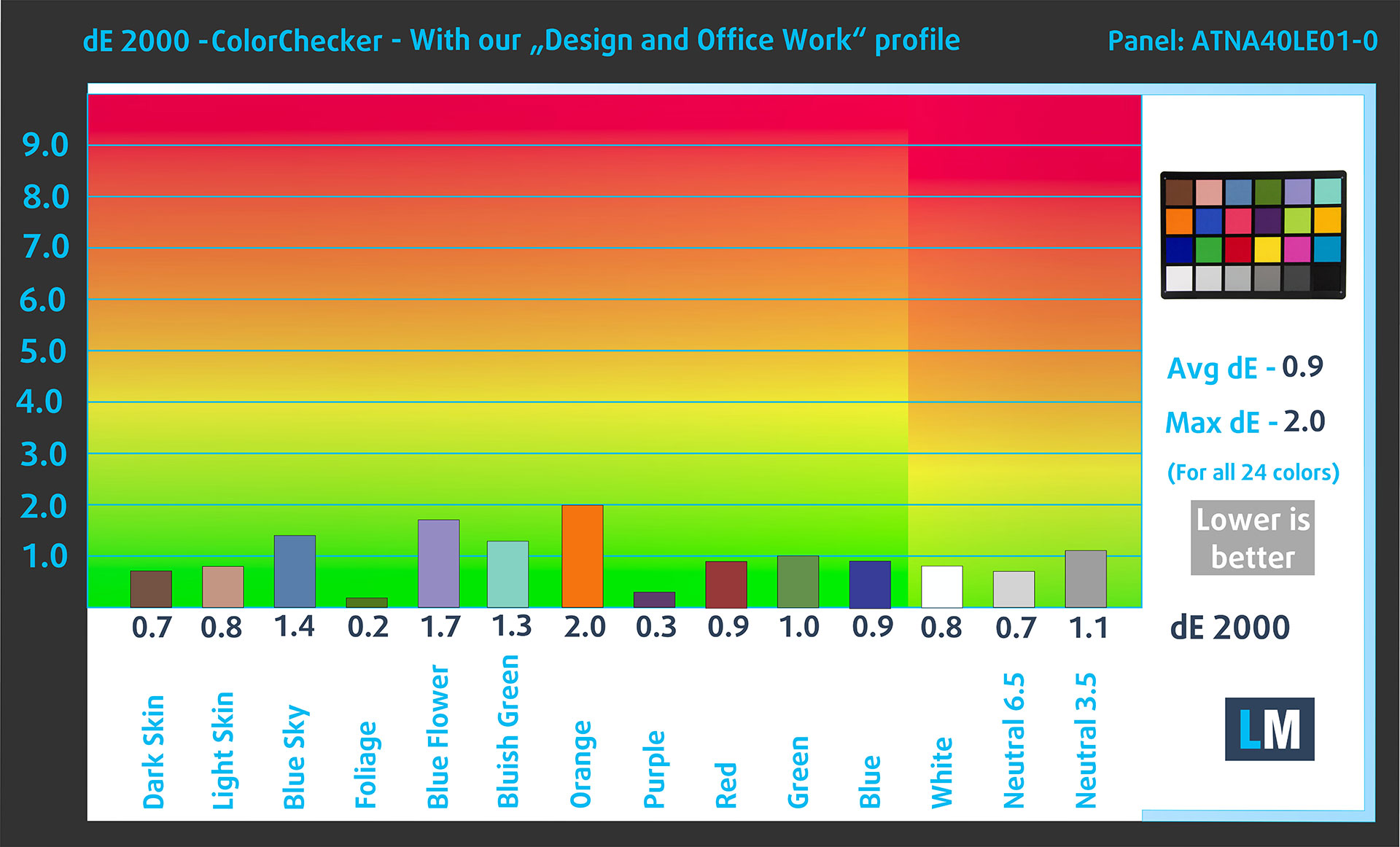
(Fig. 3) ASUS ExpertBook Ultra (B9406) with our display profile
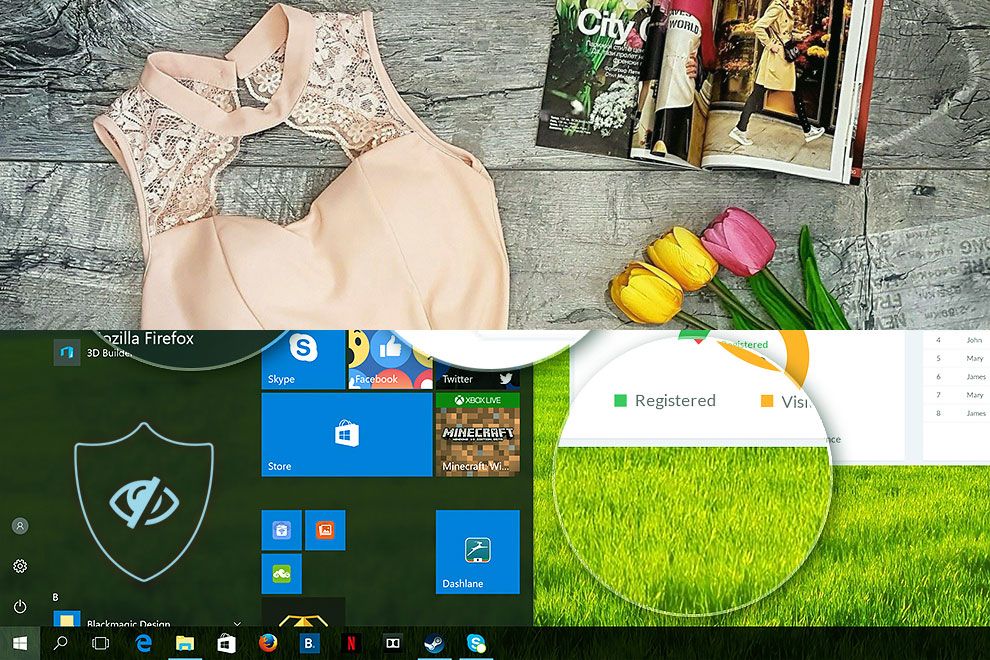
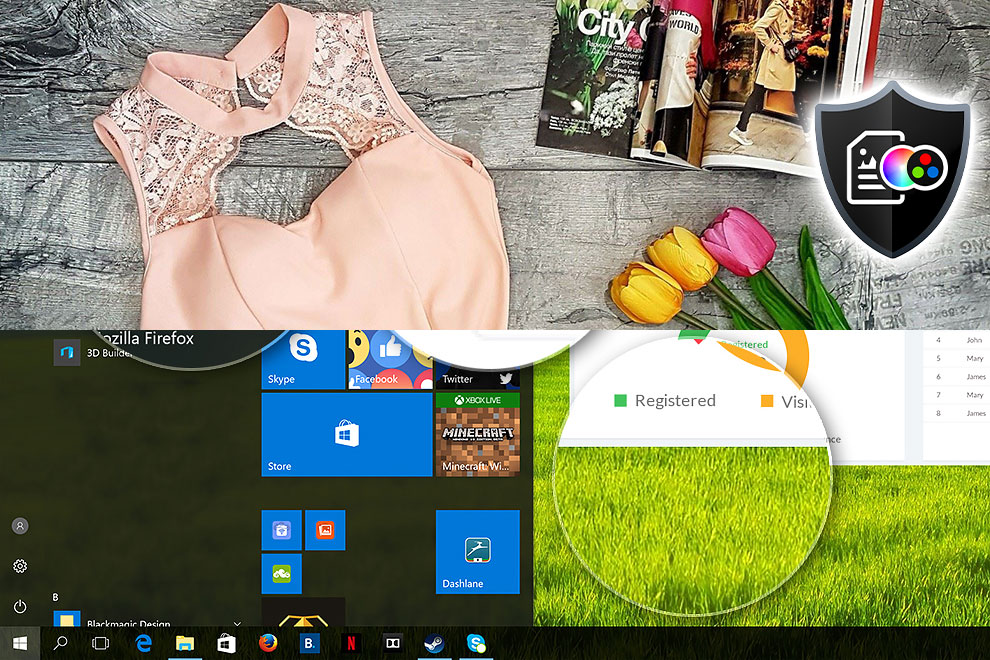
Comparison in the Display P3 color space.
Here’s an illustration of what the Design and Office Work profile aims to deliver:
Left: No Profile | Drag the slider to see the difference | Right: Design & Office Profile
Visibility in dark scenes
Have you ever watched a movie with dark scenes where you could barely see anything? This often happens because many display panels struggle to differentiate the darkest nuances, making them appear the same.
The next figure illustrates how well the display reproduces these dark nuances. The left side of the image shows the display with stock settings, and the right side shows it with our Gaming and Movies profile activated.
The horizontal axis shows the grayscale levels, while the vertical axis shows the corresponding display brightness.
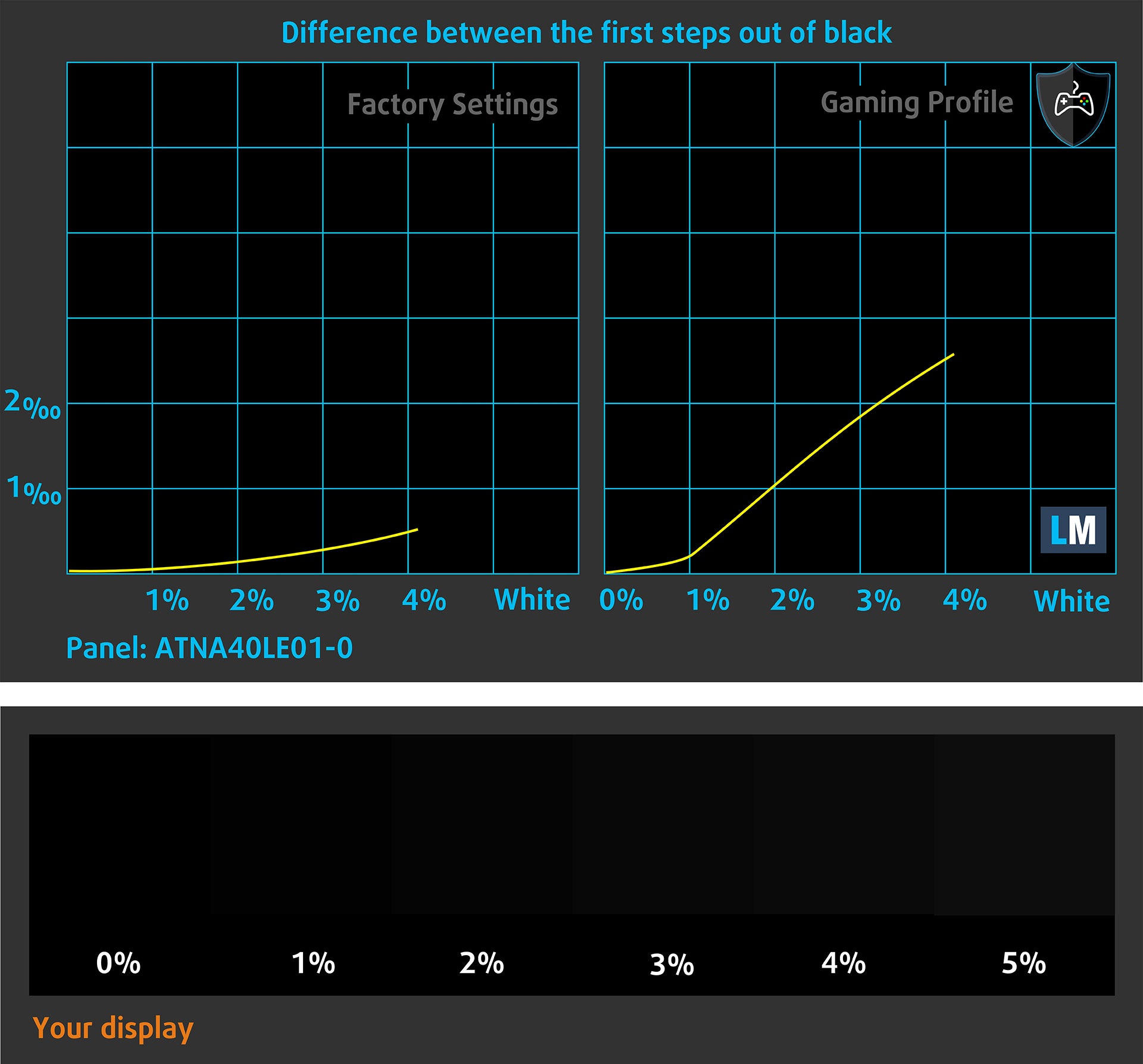
You can also check how your display handles the darkest nuances, but keep in mind that this also depends on the settings of your current display and the surrounding light conditions.
Health Impact: PWM (Screen flickering)
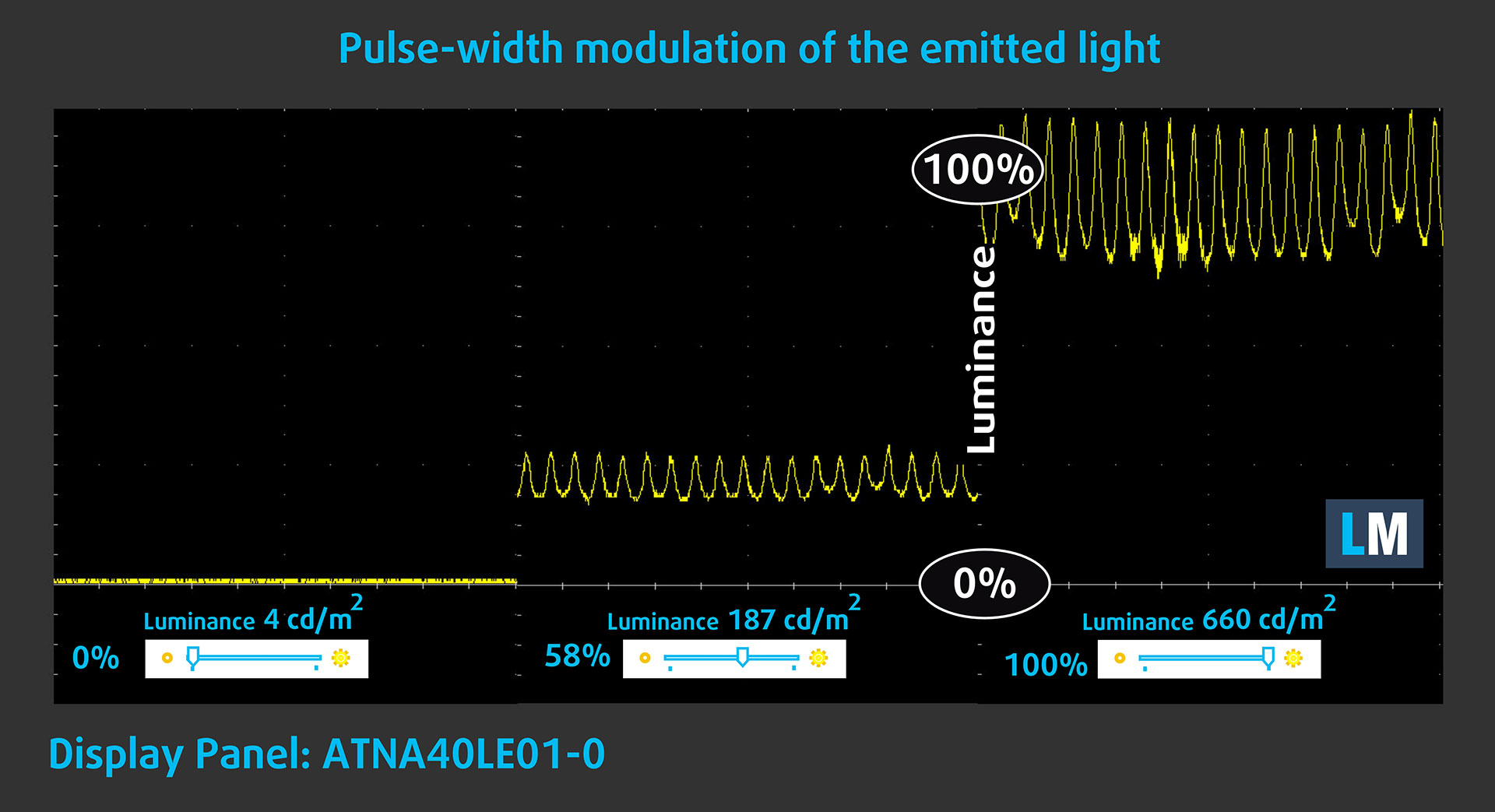
Some displays use PWM to regulate brightness, which means that instead of reducing the light intensity, they pulse or flicker. Our brain merges the image, so it appears darker, but this can increase eye strain, especially when the pulse frequency is low. You can read more about that in our dedicated article on PWM.
In the graph below, you can see the intensity of light at different brightness levels. The vertical axis shows the brightness of the emitted light, while the horizontal axis shows time.
The display light of the ASUS ExpertBook Ultra (B9406) pulsates across the entire brightness range, but the modulation amplitude remains limited. This makes it less concerning than many OLED implementations, although users who are particularly sensitive to flicker should still keep this behavior in mind.
Health Impact: blue light emissions
Installing our Health-Guard profile reduces blue-light emissions and improves viewing comfort while keeping the screen colors perceptually accurate. It may be helpful during evening use.
You can find more information about that in our dedicated article on Blue Light.
Health Impact: Screen Reflectance
Glossy-coated displays can cause eye fatigue in high ambient light conditions due to reflections. We measure the level of screen reflection with the display turned off, at a 60° angle.
The reflectance of the ASUS ExpertBook Ultra (B9406)’s screen is just 25.1 GU—an exceptional result and one of the lowest values we have measured.
Low Reflectance: < 45 GU
Medium Reflectance: 45 – 80 GU
High Reflectance: > 80 GU
Get our profiles
Since our profiles are tailored for each individual display model, this article and its respective profile package are meant for ASUS ExpertBook Ultra (B9406) configurations with ATNA40LE01-0 (SDC4217), 2880 x 1800, OLED panel.
*Should you have problems with downloading the purchased file, try using a different browser to open the link you’ll receive via e-mail. If the download target is a .php file instead of an archive, change the file extension to .zip or contact us at [email protected].
Read more about the profiles HERE.
In addition to receiving efficient and health-friendly profiles, by buying LaptopMedia's products you also support the development of our labs, where we test devices in order to produce the most objective reviews possible.

Design and Office
The Design and Office profile makes display colors as close to real as possible.Ideal not only for professionals but also for everyday users, it meets sRGB standards (D65 white point, sRGB gamma) with minimal DeltaE for precise color reproduction on your panel.

Gaming and Movies
Have you ever watched a movie where, during dark scenes, you can barely see anything? Many displays fail to distinguish dark tones properly. Our Gaming and Movies profile enhances low-light performance, like HDR tech, using a gamma curve tailored to human perception — ideal for gamers seeking faster reactions and clearer visuals.

Health-Guard
Our Health-Guard profile protects your eyes by eliminating PWM flickering, reducing strain and fatigue, and minimizing harmful Blue light exposure that can disrupt sleep and health. It uses software dimming and a gamma curve tailored to human perception for comfort and safety during screen use.
Get All The Profiles With 33% Discount!

Sound Quality
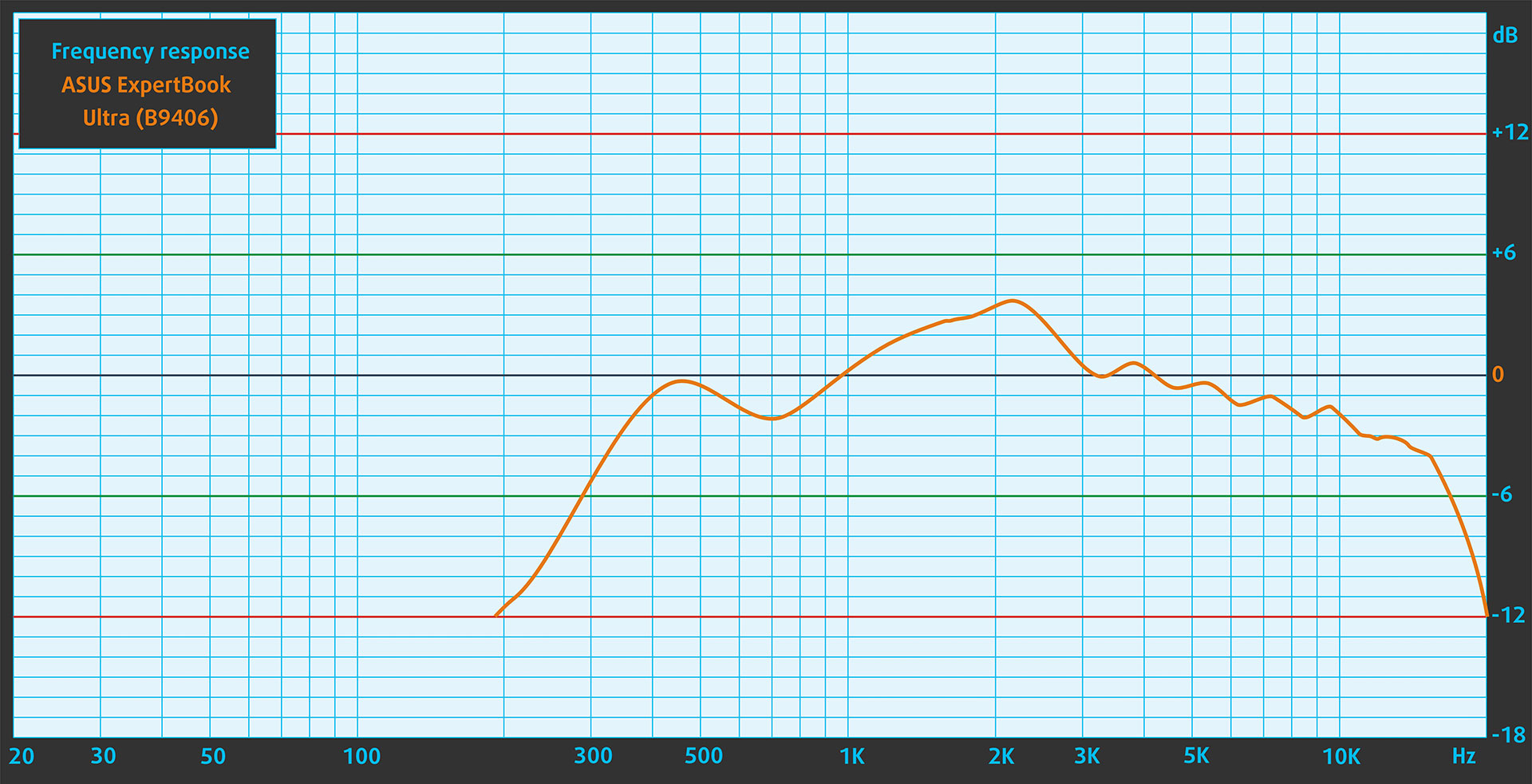
The ASUS ExpertBook Ultra (B9406) uses a six-speaker audio system with Dolby Atmos support. In our listening test, the sound quality was impressive for such a thin laptop, with clear and well-balanced low, mid, and high frequencies.
Work Performance: CPU, Storage, AI
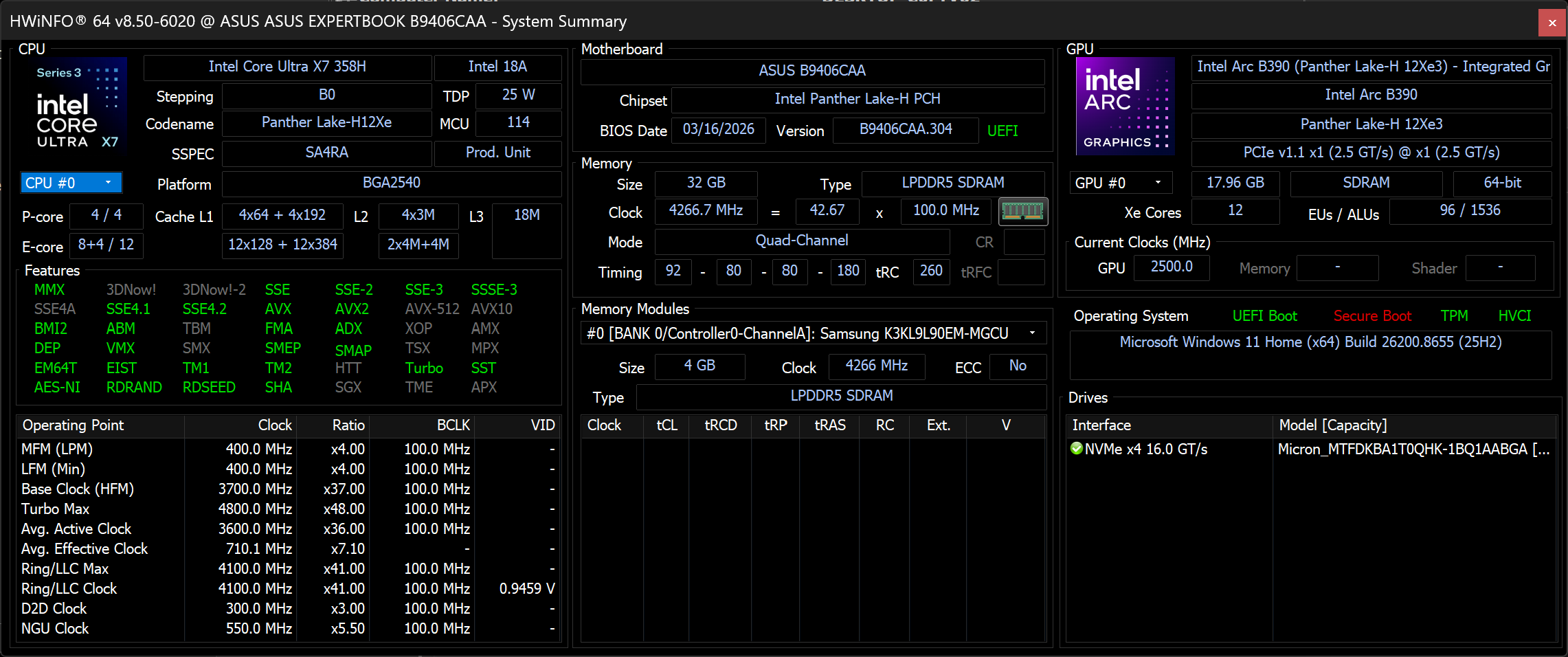
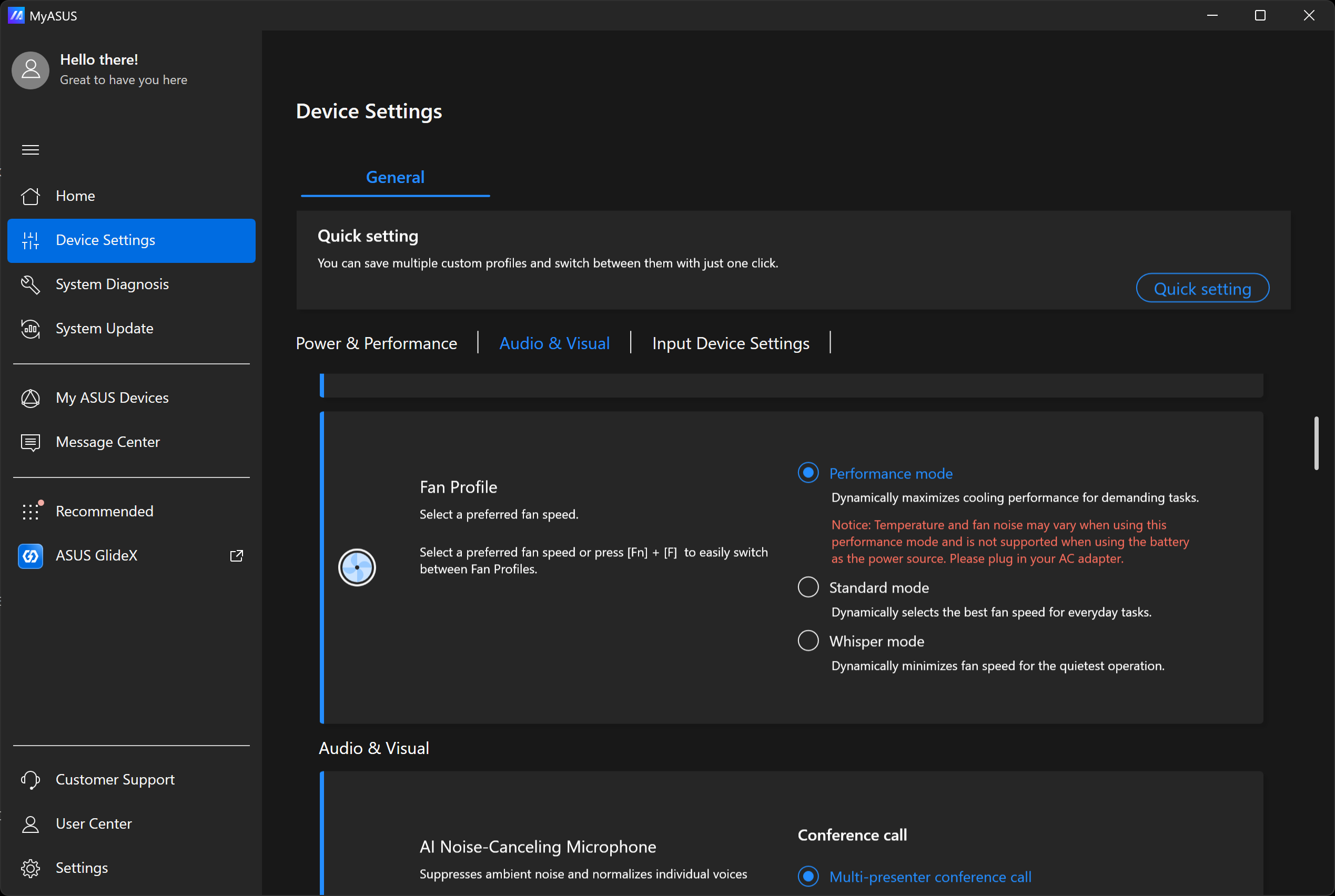
All performance and temperature tests were conducted with Performance mode activated in MyASUS:
CPU and Work Performance
The ASUS ExpertBook Ultra (B9406) is available with several Intel Core Ultra processors, starting with the Core Ultra 5 325 and extending to 16-core options such as the Core Ultra 7 356H, Core Ultra X7 358H, and Core Ultra X9 388H with vPro. The higher-tier processors feature an Intel AI Boost NPU rated at up to 50 TOPS, while the Core Ultra 5 325 reaches up to 47 TOPS. Our configuration uses the Core Ultra X7 358H. For a broader comparison with other laptop processors, check our Top Laptop CPU Ranking.
The Core Ultra X7 358H delivers an excellent balance between responsiveness and sustained performance. Its single-core result is close to that of the Core Ultra 7 255H in the Dell Pro Max 14 (detailed review), while the ExpertBook moves slightly ahead in both multi-core workloads and 3D rendering despite its exceptionally light chassis.
Its advantage is considerably larger against thinner premium systems powered by lower-power processors. Compared with the Core Ultra 7 355 in the Lenovo Yoga 9i 2-in-1 Aura Edition (14″, Gen 11) (detailed review), the ExpertBook is around 40% faster in Geekbench 6 Multi-Core and approximately 77% faster in Cinebench 2024. This makes it far better suited to sustained compilation, content creation, and rendering workloads than the typical premium ultraportable.
Single-core performance ensures smooth operation and responsiveness in operating systems, providing a better user experience.
Results are from the Geekbench 6 Single-Core test (higher is better)

Multi-core performance is essential for handling complex and demanding tasks, such as Video editing, CAD, and Scientific simulations.
Results are from the Geekbench 6 Multi-Core test (higher is better)
Here, we evaluate the CPU's performance using a real-world 3D rendering task, assessing its ability to handle complex computations and rendering workloads efficiently.
Results are from the Cinebench 2024 Multi-Core test (higher is better)
Storage Performance
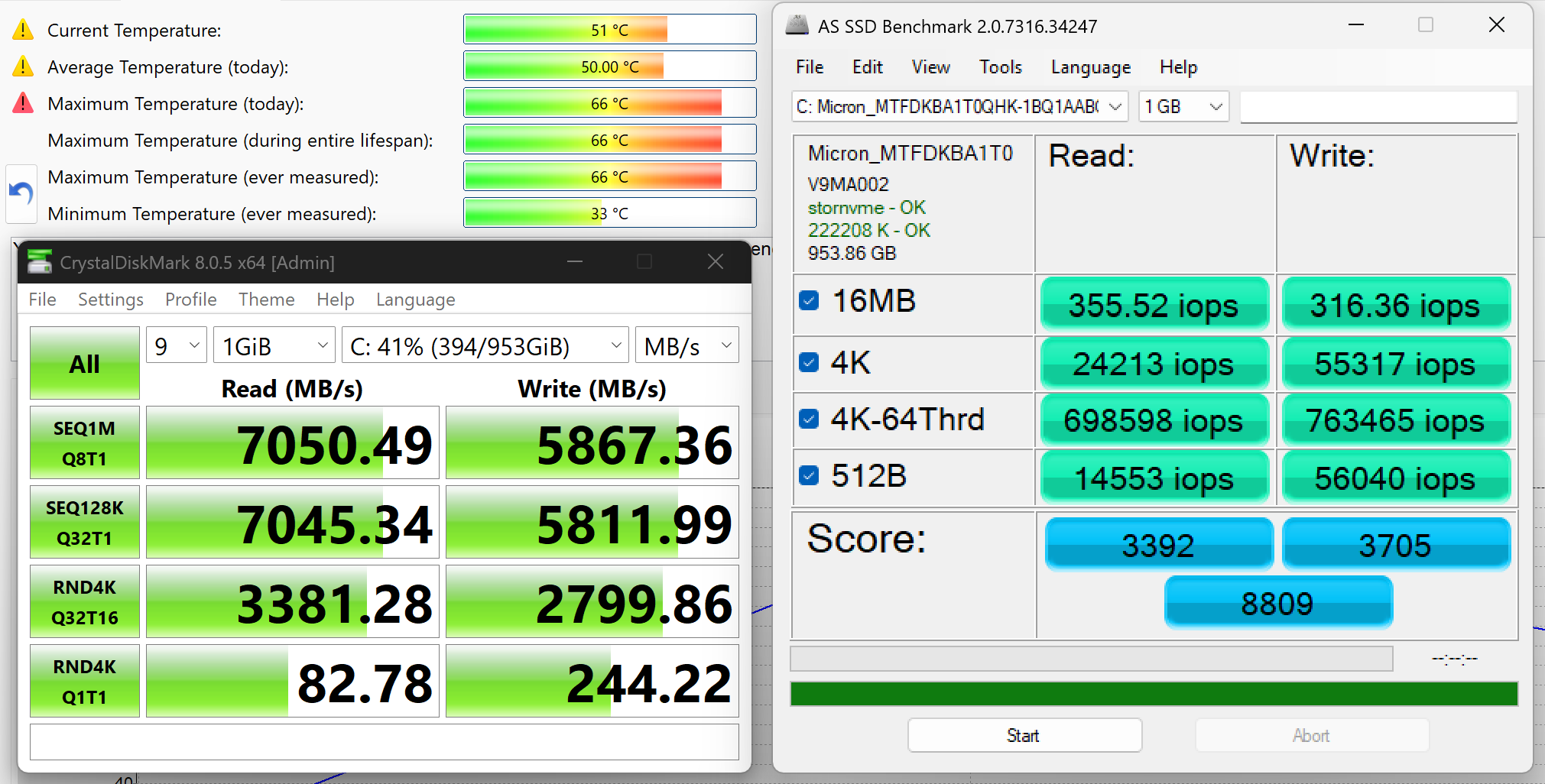
We ordered a configuration with 1TB of storage, and our machine uses a Micron MTFDKBA1T0QHK-1BQ1AABGA NVMe SSD. It is a PCIe 4.0 x4 drive with 953.86GB of usable capacity.
In our benchmark, the SSD reached approximately 7.1GB/s in sequential reads and 5.9GB/s in sequential writes. These are strong results that come close to saturating the practical bandwidth available from a PCIe 4.0 x4 connection. Temperatures remained within an acceptable range for a high-performance drive in such a thin chassis, peaking at 66°C during testing.
AI Performance
Here you can see the position of the GPUs and CPUs (NPUs) found within the ASUS ExpertBook Ultra (B9406) in our AI Hardware Performance Rankings based on their AI processing power, measured in TOPS (Tera Operations Per Second) - a critical metric indicating the computational throughput, particularly for AI tasks.
The first column shows peak performance for INT8/FP8 precision, which is the most widespread metric for evaluating AI inference capabilities. We exclude Sparsity to provide a more accurate reflection of AI performance in dense computation scenarios where sparsity optimizations may not be applicable. The second and third columns show the performance with Sparsity, and FP4 TFLOPS, when supported.
For SoCs, the results reflect the peak performance of the integrated NPU. Additionally, it’s important to note that, according to Microsoft, a NPU must have at least 40 TOPS of AI computing power for the PC to be considered “AI-capable.”
| # | GPU / CPU (NPU) | TOPS INT8/FP8 No Sparsity | TOPS INT8/FP8 Sparsity | TFLOPS FP4 Sparsity |
|---|---|---|---|---|
| 1542. | Intel Core Ultra X7 358H | 50 | — | — |
| 1564. | Intel Core Ultra 7 356H | 50 | — | — |
GPU and Gaming Performance
The ASUS ExpertBook Ultra (B9406) relies exclusively on integrated graphics, with configurations featuring Intel Graphics, Intel Arc B390, or Intel Arc Pro B390. Our Core Ultra X7 358H configuration uses the 12-Xe-core Intel Arc B390, which shares the system memory rather than having dedicated VRAM. For a broader comparison with other laptop GPUs, check our Top Laptop Graphics Ranking.
The Arc B390 is considerably more capable than the integrated graphics typically found in premium business ultrabooks. It outperforms the Intel Arc Graphics 140V in the Dell XPS 13 9350 (detailed review) by around 73% in 3DMark Time Spy and 68% in Wild Life Extreme. Its lead over the Intel Arc 140T in the Dell Pro Max 14 (detailed review) is similarly substantial.
This gives the ExpertBook enough graphics performance for GPU-accelerated creative work and modern games at sensible resolutions and settings. It is still not a replacement for a gaming laptop with dedicated graphics, but among ultra-light business machines, the Arc B390 is a major advantage rather than merely a basic display adapter.
The results are from 3DMark Time Spy (Graphics). Higher is better.
The results are from 3DMark Wild Life Extreme Unlimited. Higher is better.
Gaming tests

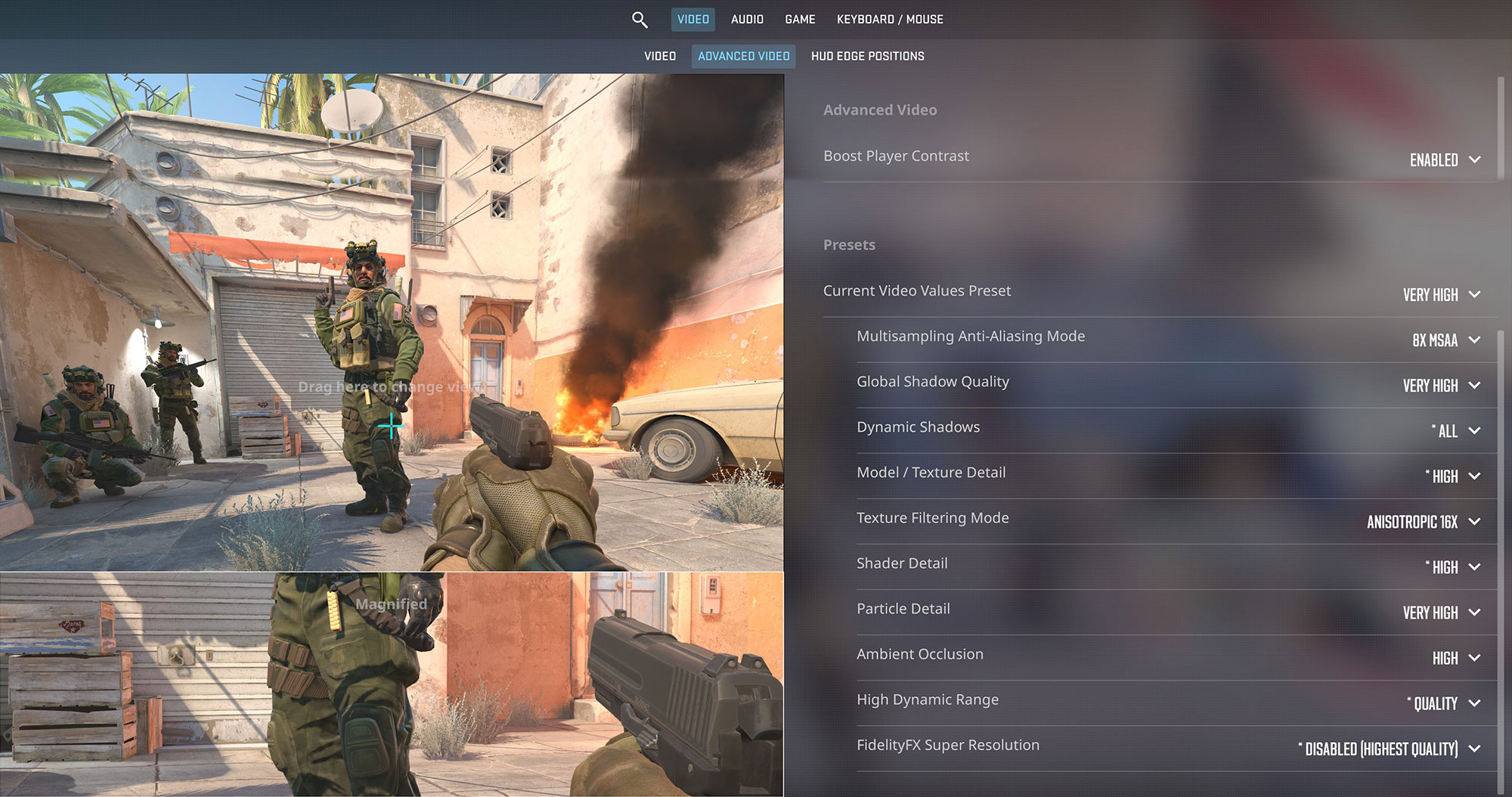
In Counter-Strike 2, the ASUS ExpertBook Ultra averages 38 FPS at 2880 × 1800 on the Very High preset. This is insufficient for competitive play, so reducing both the resolution and graphics settings is necessary to take meaningful advantage of the 120Hz display.
| Counter Strike 2 | 1800p, Very High (Check settings) |
| Average FPS | 38 FPS |

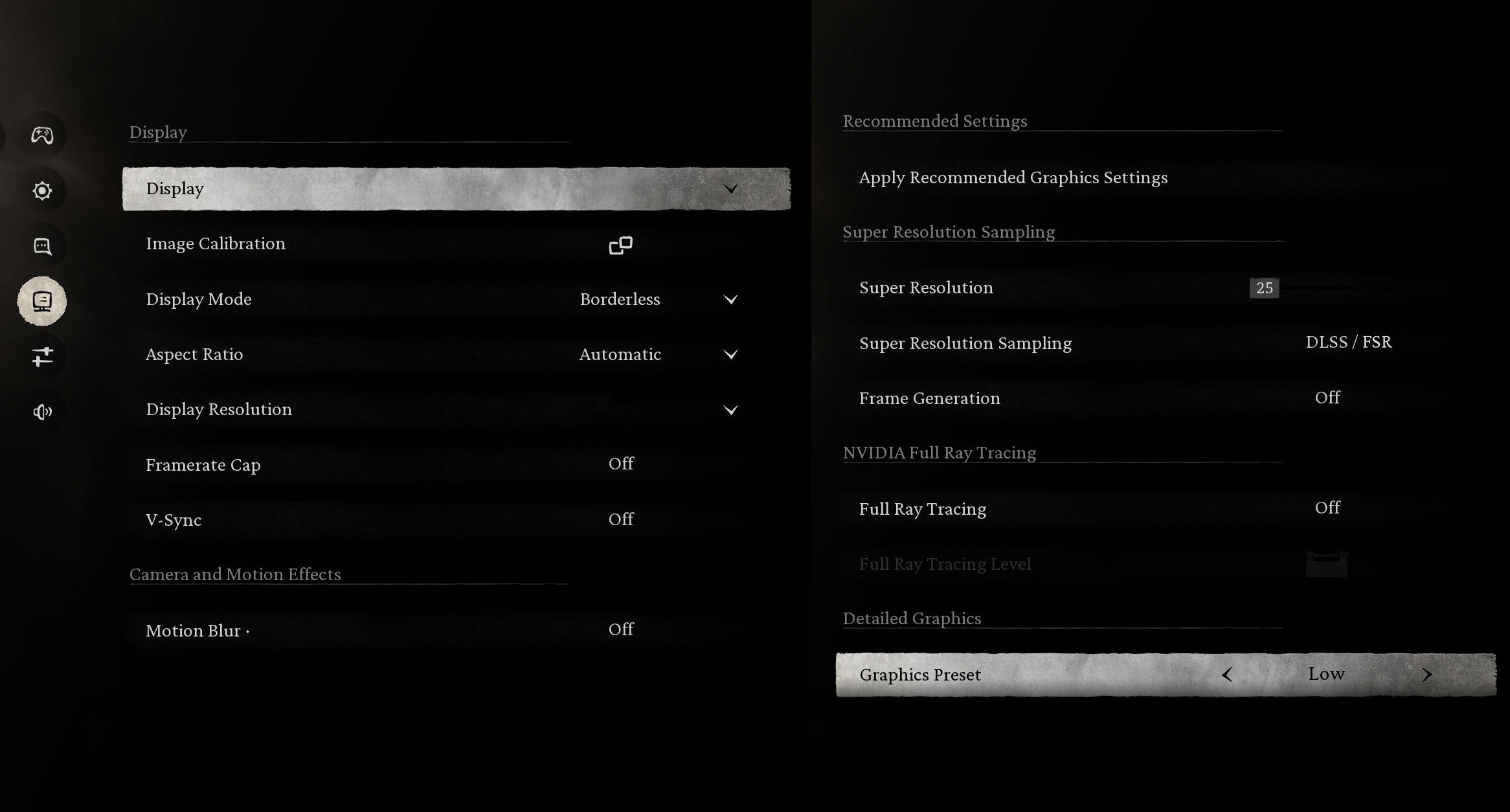
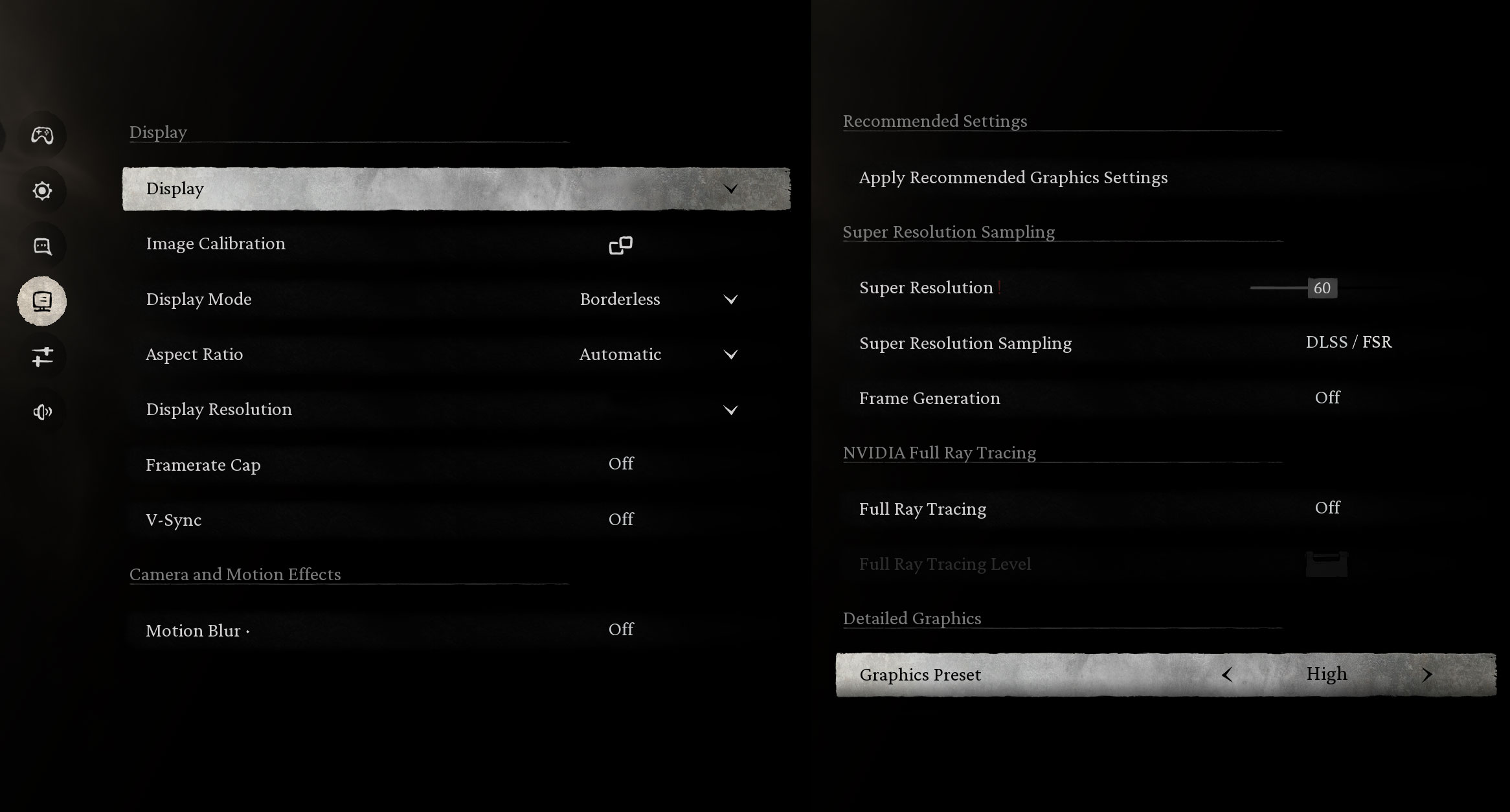
The Intel Arc B390 performs unusually well for integrated graphics in Black Myth: Wukong. At a 2880 × 1800 output resolution, the laptop averages 83 FPS on the Low preset and 48 FPS on High, making the game playable without a dedicated GPU.
| Black Myth: Wukong | 1800p, Low (Check settings) | 1800p, High (Check settings) |
| Average FPS | 83 FPS | 48 FPS |

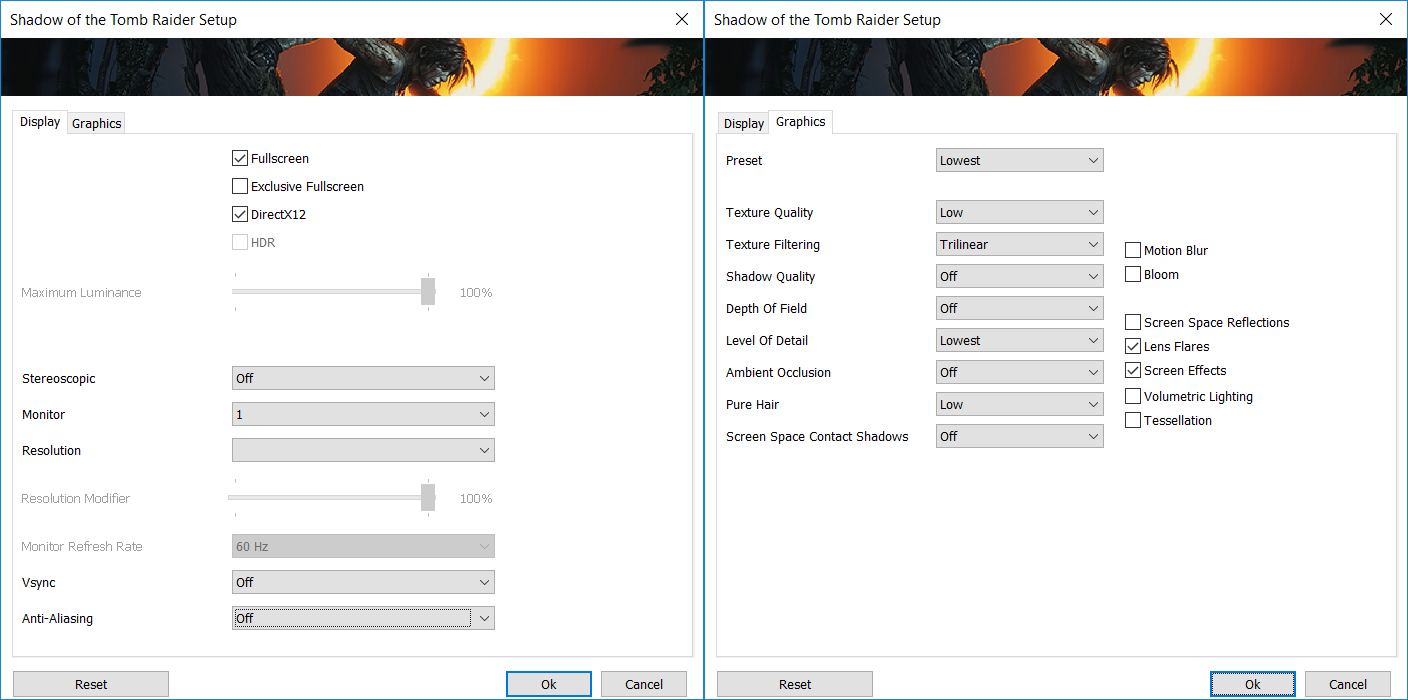
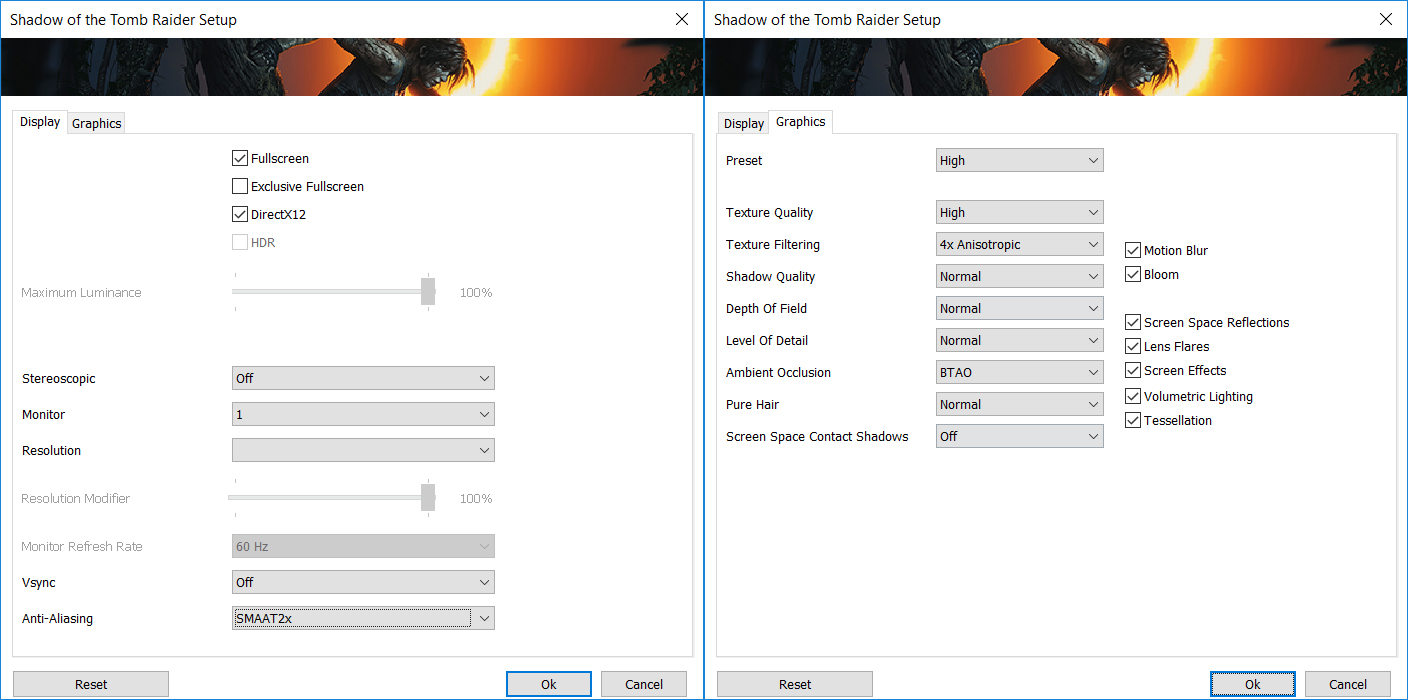
Shadow of the Tomb Raider also runs well for a system using integrated graphics. At 2880 × 1800, the laptop averages 77 FPS on the Lowest preset and 42 FPS on High, leaving enough performance for a playable single-player experience.
| Shadow of the Tomb Raider | 1800p, Lowest (Check settings) | 1800p, High (Check settings) |
| Average FPS | 77 FPS | 42 FPS |
Temperatures and Comfort, Noise, Stability
At idle, we measured a CPU package temperature of 41 °C. The laptop is generally quiet, but our retail machine does exhibit coil whine. The electrical noise is faint and can easily go unnoticed in a typical daytime environment, but it becomes audible when working at night in a very quiet room. Importantly, we could hear it both while the system was idle and under load, so it is not limited to a particular workload or power state. Users who are especially sensitive to high-frequency electrical noise should keep this in mind.
Office Work, Web Development, Design
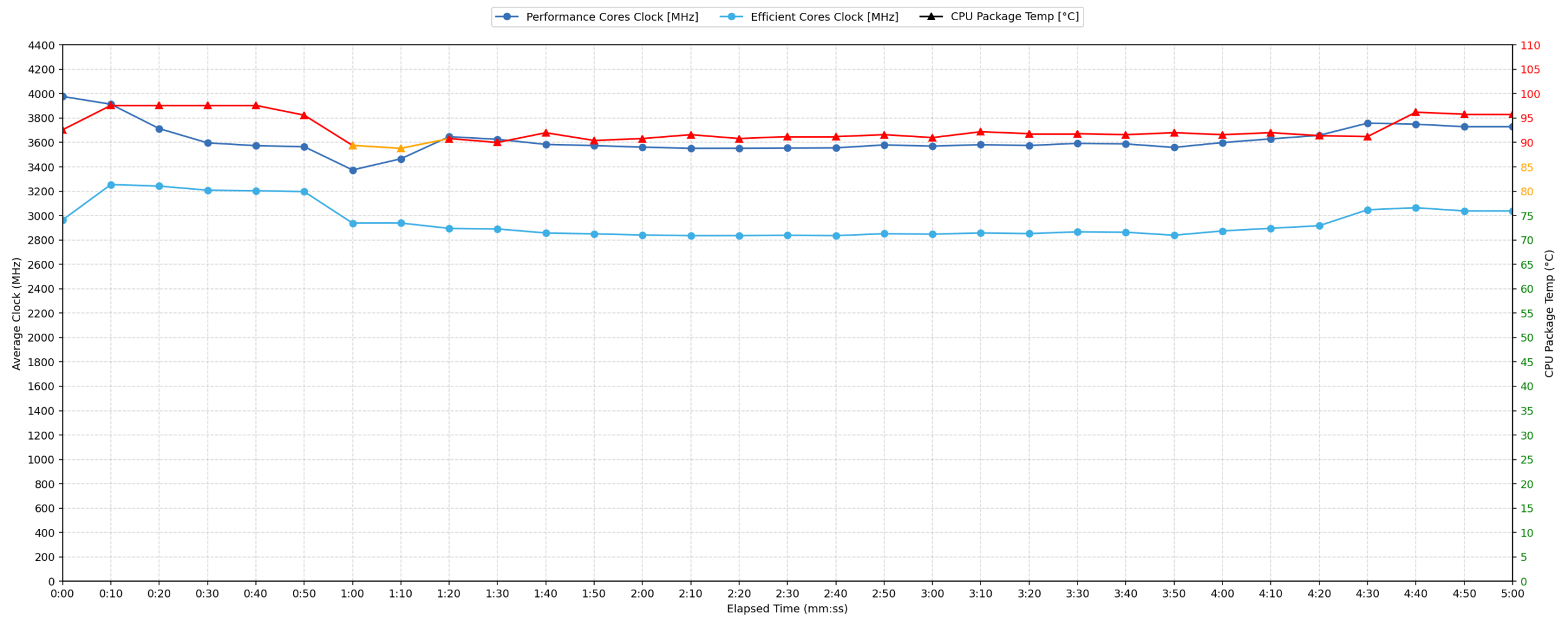
Short periods (0:00 – 0:10 s) of 100% CPU load
This test shows the CPU behavior during short periods of serious load. It is important for users looking for laptops suitable for tasks such as Web Design and Programming.
| Intel Core Ultra X7 358H | Avg. P-Core Clock | Avg. CPU Temp. | Avg. CPU Power |
| ASUS ExpertBook Ultra (B9406) | 3977 MHz | 92 °C | 48 W |
During short bursts of full CPU load, the ASUS ExpertBook Ultra (B9406) allows the Intel Core Ultra X7 358H to operate very aggressively. In the first five seconds, the P-cores reach up to 4298 MHz, while CPU package power peaks at 53 W. Across the complete 10-second test, the processor maintains an average P-core clock of 3977 MHz at an average power draw of 48 W.
The performance is impressive for such a thin and lightweight laptop, but it comes with high operating temperatures. The CPU averages 92 °C during the short-load test and briefly reaches a peak of 98 °C, placing it very close to its maximum operating temperature.
Video Editing, Scientific Computing, Software Compilation, 3D Rendering
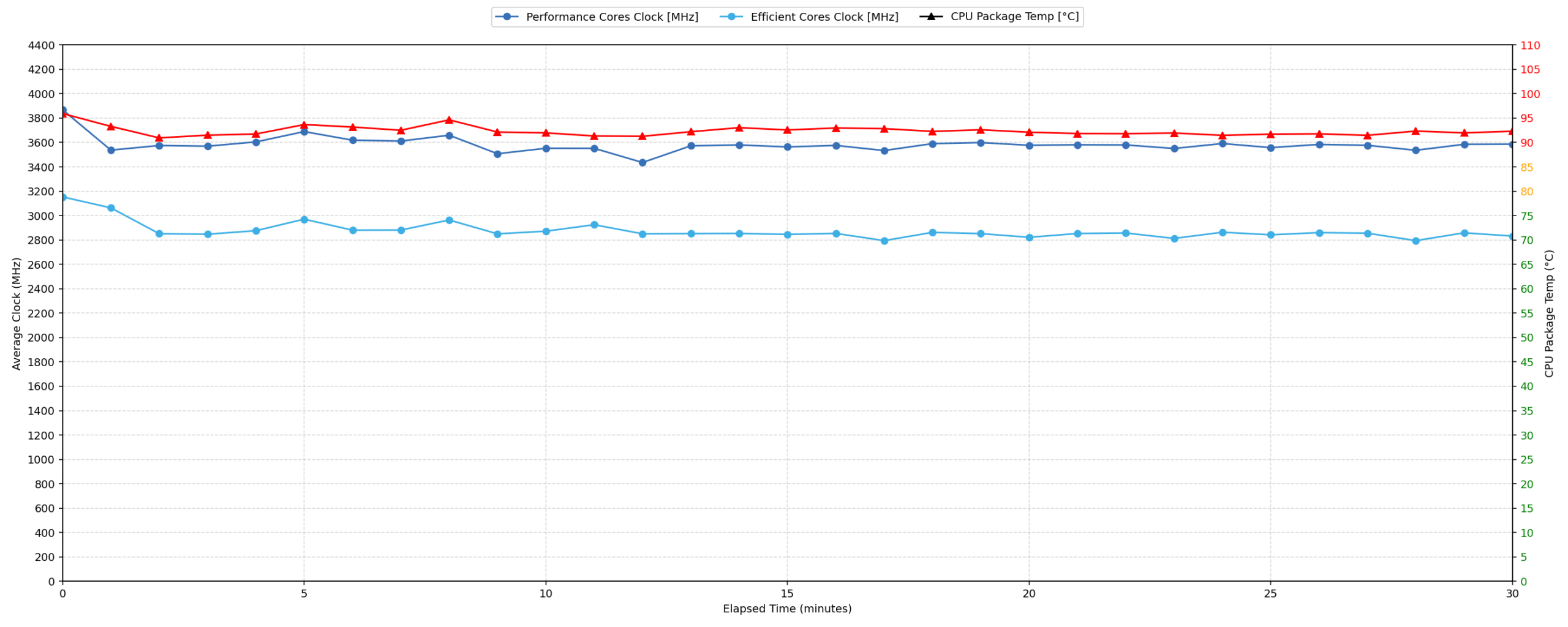
Long periods (0:00 – 30:00 min) of 100% CPU load
This test shows the CPU behavior during long periods of serious load. It is important for users looking for laptops suitable for tasks such as Video Editing and 3D Rendering.
| Intel Core Ultra X7 358H | Avg. P-Core Clock | Avg. CPU Temp. | Avg. CPU Power |
| ASUS ExpertBook Ultra (B9406) | 3579 MHz | 92 °C | 45 W |
Under a sustained 30-minute workload, the ASUS ExpertBook Ultra (B9406) maintains an average P-core clock of 3579 MHz at an average CPU package power of 45 W. Between the first and fifth minute, the power draw settles at approximately 45 W. The lowest recorded clock within the 30-second to 5-minute interval is 3359 MHz, representing a reduction of 939 MHz compared with the initial peak.
After the expected reduction from its short-term boost frequencies, the processor continues to sustain a relatively high power level for the remainder of the test. This is a strong result for a laptop weighing only 1.1 kg, although ASUS clearly prioritizes performance over low internal temperatures. The CPU averages 92 °C throughout the complete stress test, once again placing it in the high-temperature category.
Battery Life
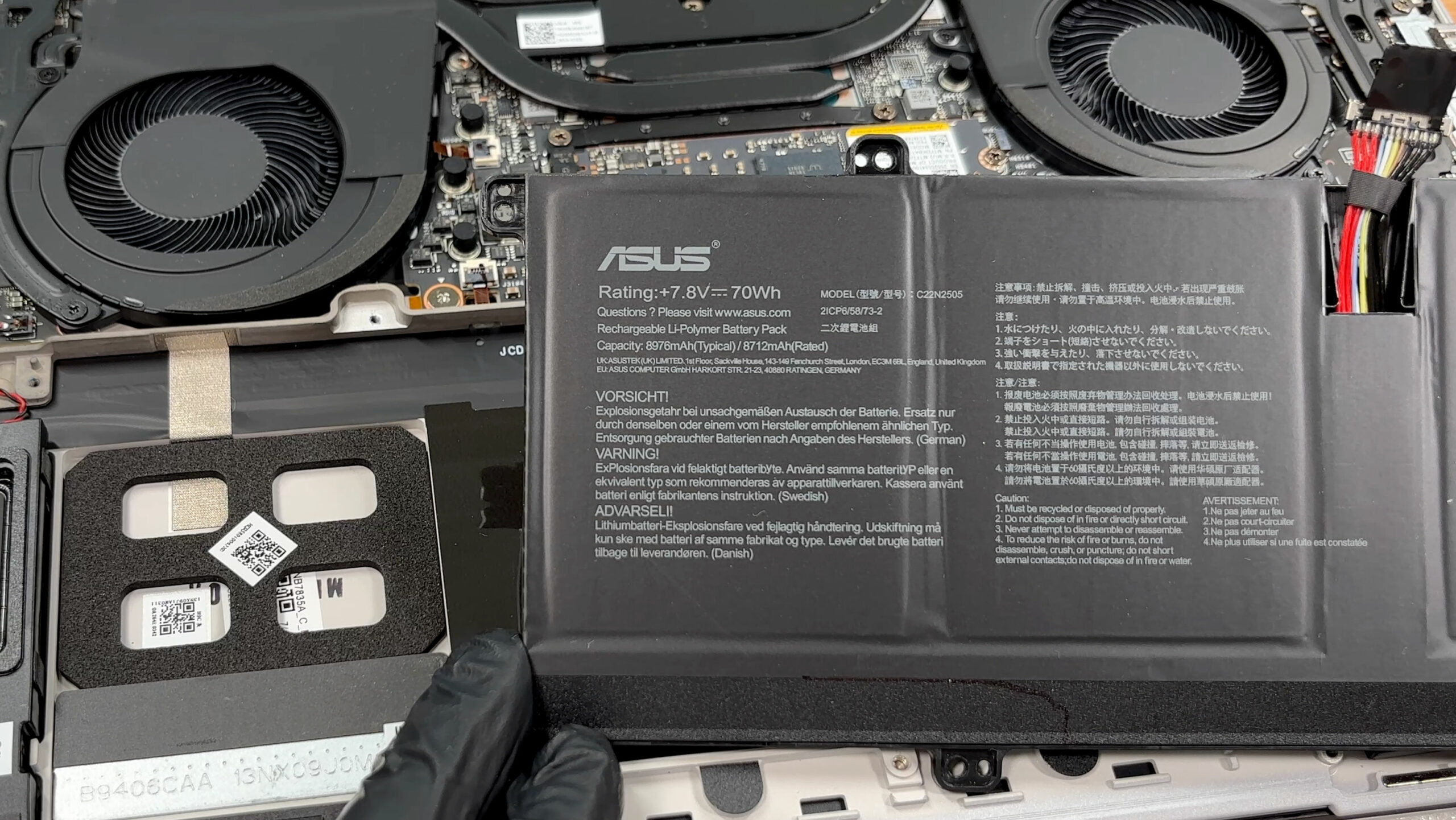
The ASUS ExpertBook Ultra (B9406) uses a 70Wh lithium-polymer battery, model C22N2505. It has a nominal voltage of 7.8V and a rated capacity of 8712mAh.
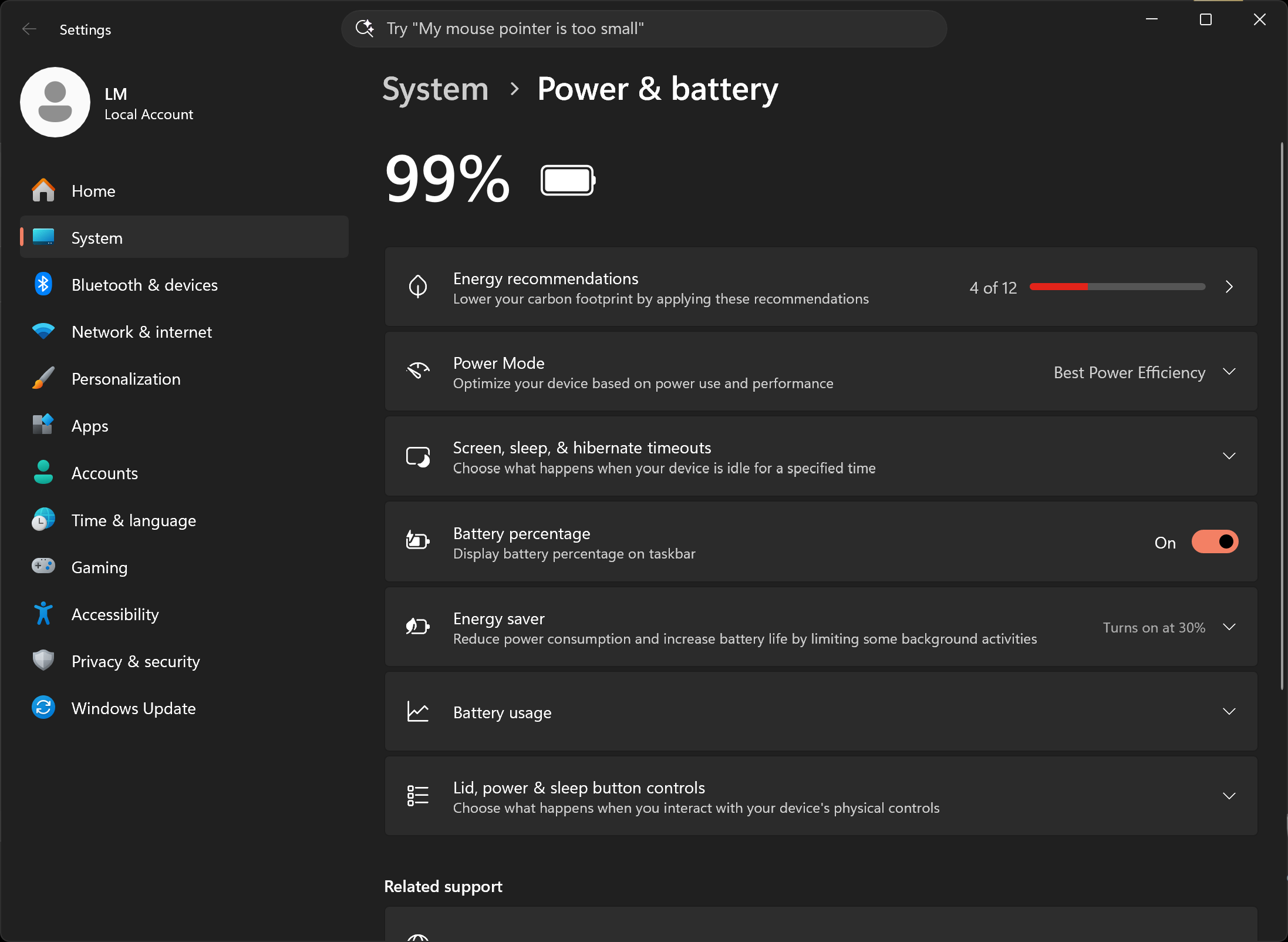
In our offline video playback test, the laptop lasted 14 hours and 19 minutes. The test was conducted at 180 nits in SDR mode, with the Best power efficiency mode selected in Windows.
This is a strong result for an ultra-light laptop equipped with a high-resolution Tandem OLED display and a comparatively powerful H-series processor, although it is not class-leading. The Dell Pro 14 Premium (PA14250) (detailed review) lasts around 44 minutes longer despite using a smaller 60Wh battery, while the Lenovo ThinkPad X9-14 Gen 1 (detailed review) extends the advantage to almost three hours with only 55Wh. The ExpertBook therefore delivers strong video-playback endurance, but its large 70Wh battery does not translate into the highest efficiency among current premium business ultraportables.
Brightness: 180 nits; Display Mode: SDR
Time to Full Discharge: Higher is Better

Disassembly, Upgrade options, and Maintenance
Accessing the internals requires removing ten Torx T5 screws and carefully releasing the clips around the bottom panel with a plastic pry tool. The screws are not all the same length, so keeping track of their original positions is important. Once the cover is removed, the internal layout is clean and well organized, with the cooling system occupying the upper section and the battery filling most of the lower half.
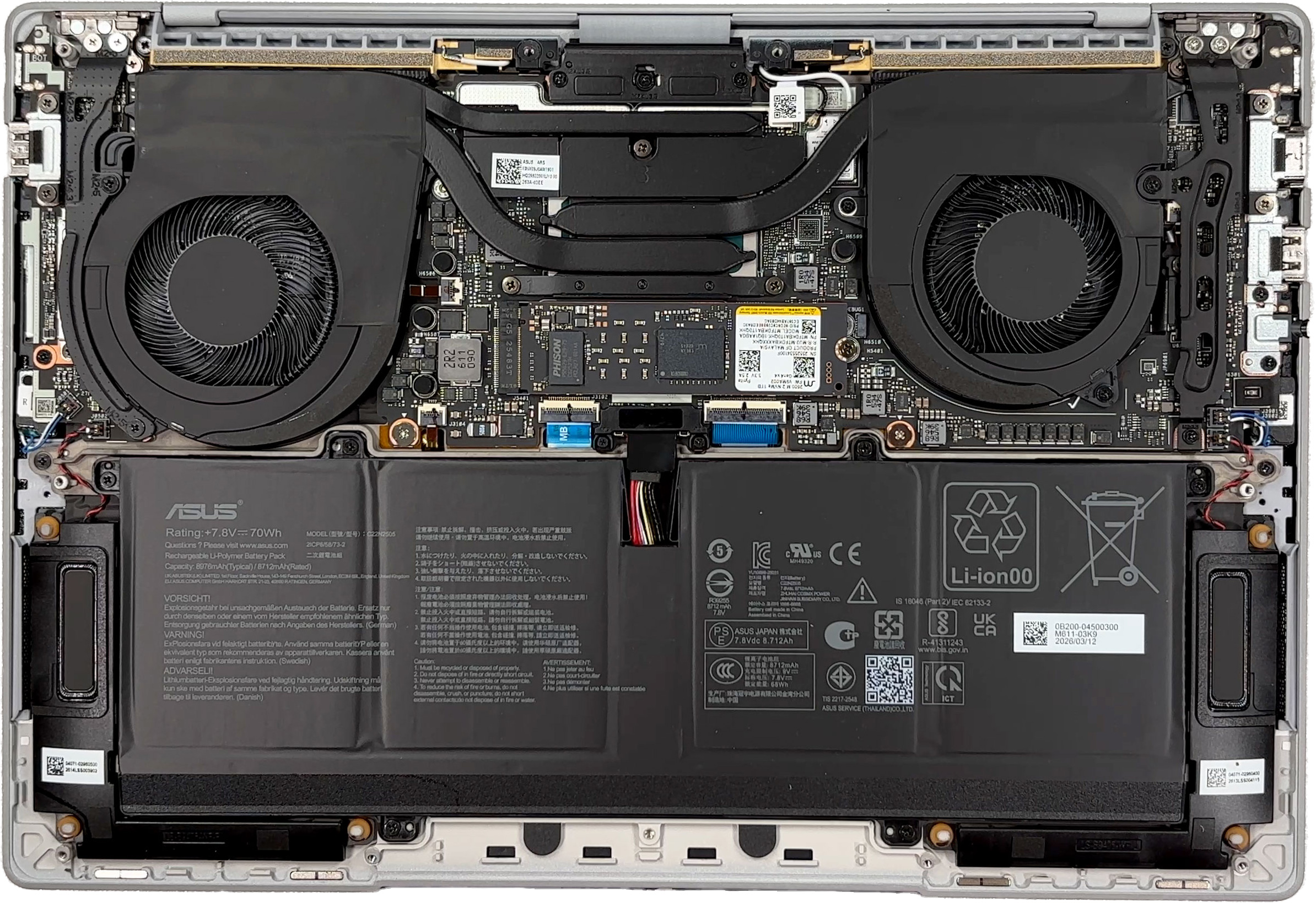
The cooling solution uses two fans connected to a broad heat-pipe assembly covering the processor area. Both fans are accessible after removing the bottom panel, which makes routine cleaning relatively straightforward, although removing the complete cooling system requires further disassembly.
Storage upgradeability is limited to a single M.2 2280 slot. Our machine includes a 1TB Micron 2600 NVMe SSD operating over PCIe 4.0 x4, while other configurations in the series can be offered with up to 2TB of storage. A thermal pad is provided beneath the drive, but there is no mounting position for shorter M.2 form factors. Since there is only one internal SSD slot, RAID 0 is not supported.
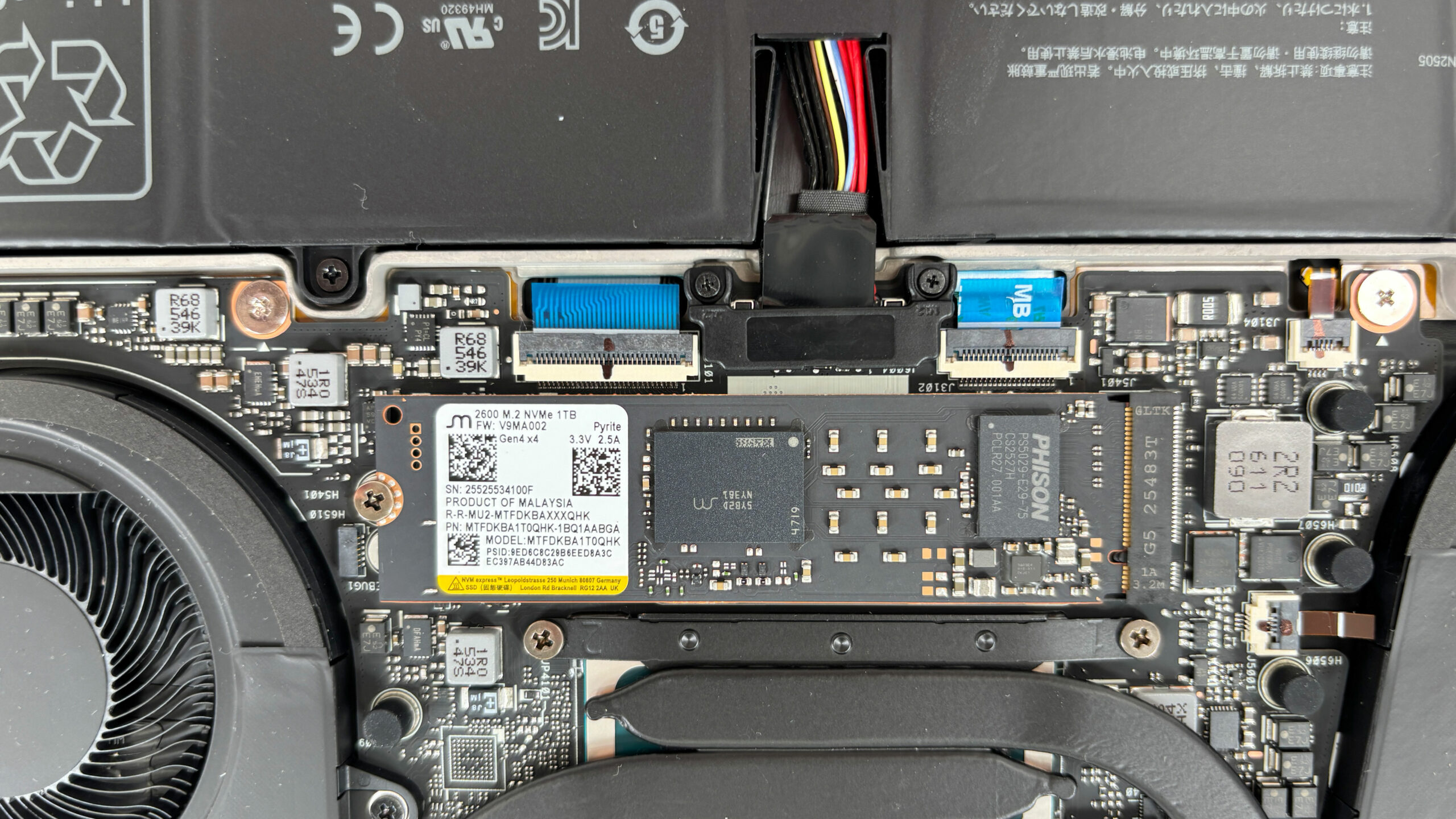
The memory is soldered directly to the motherboard, so there are no SO-DIMM slots and no possibility of upgrading it after purchase. This configuration has 32GB of LPDDR5X memory operating at 8533 MT/s, while selected versions of the series can be configured with up to 64GB. Choosing the required capacity at the time of purchase is therefore especially important.
The 70Wh lithium-polymer battery is secured inside a tray-shaped supporting frame. After disconnecting its cable and removing the retaining screws, the battery and its supporting frame can be lifted out as a single assembly. This is preferable to a permanently bonded design and should make eventual battery replacement considerably easier.
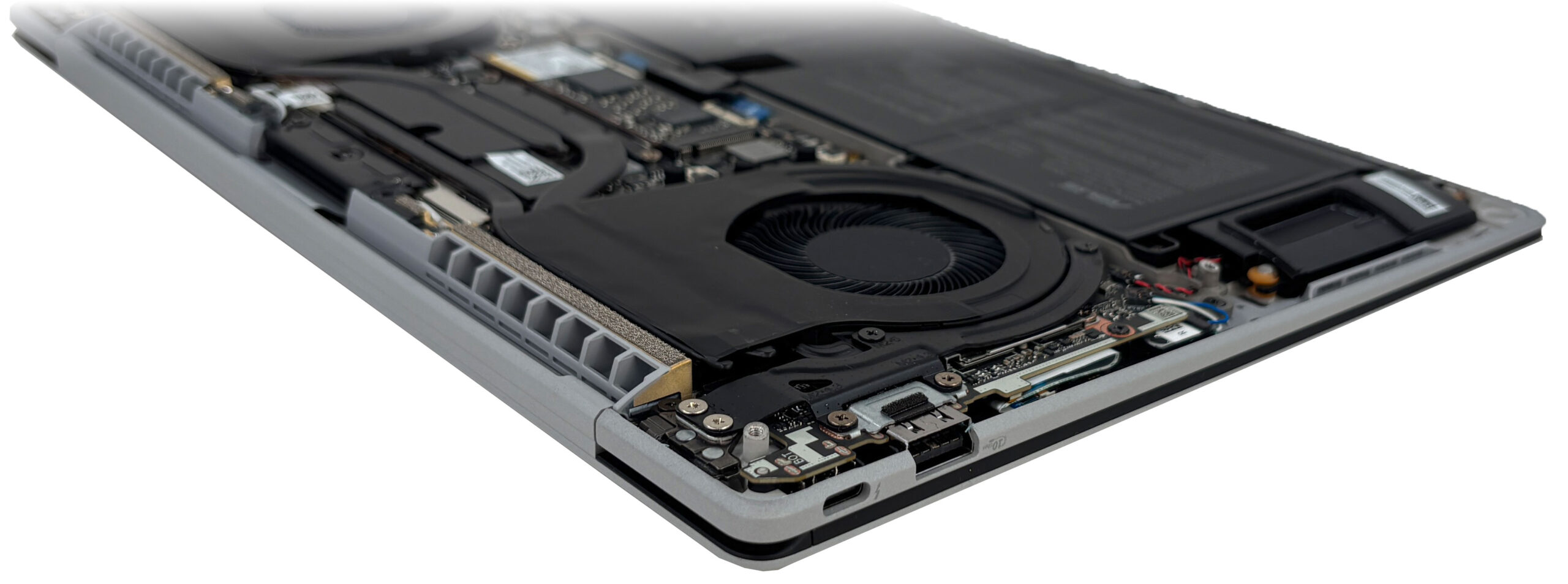
The wireless hardware is not provided as a removable M.2 card. Our configuration uses an integrated Intel Wi-Fi 7 BE211 solution with Bluetooth support, soldered to the motherboard beneath part of the cooling assembly. As a result, neither the wireless module nor the memory can be replaced independently, leaving the SSD and battery as the main practical upgradeable or replaceable components.
Overall, maintenance is reasonably straightforward thanks to the accessible cooling fans, removable battery, and standard SSD, but long-term upgradeability is restricted by the single storage slot and soldered memory and wireless hardware.
Verdict
The ASUS ExpertBook Ultra (B9406) is one of the few premium business laptops that successfully combines genuine ultraportability with high sustained performance. Our machine weighs just 1.137 kg, yet its cooling system allows the Intel Core Ultra X7 358H to maintain approximately 45W during prolonged workloads. The unusually capable Intel Arc B390 integrated graphics further distinguish it from most thin-and-light business systems.
This combination does not come without compromises. The hinge tension is looser than we would expect at this price, our retail machine produces audible coil whine in quiet environments, and the processor reaches high internal temperatures under sustained load. Upgradeability is also limited by the soldered memory and wireless hardware, together with a single M.2 storage slot.
You can check the prices and configurations in our Specs System: https://laptopmedia.com/series/asus-expertbook-ultra-b9406/
✅ The Good
The standout achievement of the ExpertBook Ultra is its sustained CPU performance. The Core Ultra X7 358H maintains approximately 45W during prolonged workloads, placing this 1.137 kg laptop ahead of many similarly sized premium systems. The Intel Arc B390 is equally noteworthy, providing substantially more graphics performance than the integrated solutions found in most current business ultraportables.
The 120Hz Tandem OLED touchscreen is another major strength. It covers the full sRGB and DCI-P3 gamuts, offers excellent factory color accuracy, reaches 1510 nits in HDR with an 8% white fill, and delivers the effectively infinite contrast expected from OLED technology. Its Corning Gorilla Matte surface also produces exceptionally low reflectance. The panel uses brightness pulsations, but their modulation amplitude remains limited across the tested range.
Everyday usability is also excellent. The magnesium-aluminum chassis is extremely light, feels sufficiently robust, and resists fingerprints remarkably well. The glass haptic touchpad is among the best we have used recently, while the placement of one Thunderbolt 4 and one USB Type-A port on each side makes charging and docking particularly convenient. A physical camera shutter and biometric authentication through both IR facial recognition and a fingerprint reader complete the package.
❌ The Bad
The most noticeable physical weakness is the loose hinge tension. The display remains stable while typing on a desk, but it can swing backward if the open laptop is moved or pulled abruptly. This behavior is disappointing for a premium business device and may be particularly noticeable when carrying the laptop open or using it on your lap.
Our retail machine also produces audible coil whine. The electrical noise is faint in a typical daytime environment, but it becomes noticeable when working at night in a quiet room. We could hear it both while the system was idle and under load.
The cooling system prioritizes performance over low internal temperatures, with the CPU averaging 92°C during sustained heavy workloads. The processor nevertheless maintains stable clocks and power, so this is primarily a thermal characteristic rather than evidence of severe throttling. Long-term flexibility is more clearly restricted: the RAM and wireless hardware are soldered, while storage is limited to a single M.2 slot.
🆚 The Competitors
Compared with the Lenovo ThinkPad X9-14 Gen 1 (detailed review), the ExpertBook places considerably greater emphasis on performance. The ASUS is substantially faster in both CPU and graphics workloads, while the ThinkPad lasts almost three hours longer in our offline video-playback test.
The Dell Pro 14 Premium (PA14250) (detailed review) also delivers around 44 minutes more video playback despite its smaller 60Wh battery. However, the ExpertBook has a decisive advantage in computational and graphics performance, making it the more suitable choice for users whose work extends beyond standard office productivity.
Ultimately, the ASUS ExpertBook Ultra (B9406) is best suited to professionals who need unusually high CPU and integrated-GPU performance in an exceptionally light package. Buyers who prioritize silent operation, maximum battery efficiency, a firmer hinge, or future hardware upgrades should consider the alternatives more carefully.
Pros
- Outstanding sustained CPU performance for an ultra-light laptop
- Exceptionally powerful Intel Arc B390 integrated graphics
- Thin, lightweight, and fingerprint-resistant magnesium-aluminum chassis
- Bright, color-accurate 120Hz Tandem OLED touchscreen with very low reflectance
- Excellent glass haptic touchpad
- Practical port layout with Thunderbolt 4 and USB Type-A on both sides
- Physical camera shutter, IR facial recognition, and fingerprint reader
Cons
- Hinge tension is too loose for a premium business laptop
- Audible coil whine on our retail machine
- High CPU temperatures under sustained heavy workloads
- Soldered RAM and wireless hardware
 Author: Simeon NikolovEditor-in-Chief at LaptopMedia.com with 20+ years of experience in testing and analyzing laptops and mobile devices.
 Author: eng. Kroum NikolovHead of Engineering at LaptopMedia.com, inventor and innovator with 40+ years of experience in electronics and high technology.

![[August 2026] Amazon Italy: Top 10 Best-Selling Laptops – Apple MacBook Neo Claims the Crown as Budget and Mid-Range Windows Machines Dominate Volume](https://laptopmedia.com/wp-content/uploads/2026/09/Best-Selling-Laptops-IT-Top-10-400x225.jpg)
![[August 2026] Amazon Italy: Top 7 Best-Selling Gaming Laptops – ASUS V16 Claims the #1 Spot Amid Strong Mid-Range Demand](https://laptopmedia.com/wp-content/uploads/2026/09/Best-Selling-Gaming-Laptops-IT-Top-10-400x225.jpg)
![[August 2026] Best-Selling Laptop Brands on Amazon Italy – Lenovo Dominates Market Share and Revenue Leadership](https://laptopmedia.com/wp-content/uploads/2026/09/IT-Best-Brands-400x225.jpg)
![[August 2026] Amazon India: Top 10 Best-Selling Laptops – Apple MacBook Neo Dominates the Charts with Massive Sales Lead](https://laptopmedia.com/wp-content/uploads/2026/09/Best-Selling-Laptops-IN-Top-10-400x225.jpg)
![[August 2026] Amazon India: Top 10 Best-Selling Gaming Laptops – HP Victus 15 Dominates the Market with Massive Unit Lead](https://laptopmedia.com/wp-content/uploads/2026/09/Best-Selling-Gaming-Laptops-IN-Top-10-400x225.jpg)

honestly with the 2 fan cooling system i expected a max temperatuer of like 60°C or 70°C so if the temperature is that high even with 2 fans then what even is tthe point in having 2 fans you can expect that performance from just 1 fan with a crappy fan curve and also not to mention that there is also no dedicated gpu either. It was alot of fun seeing the teardown and all the info about it tho. i will be returning!