HP OmniBook 5 16 (16-bc1000) review – Big Screen, Solid CPU, Limited Upgrades
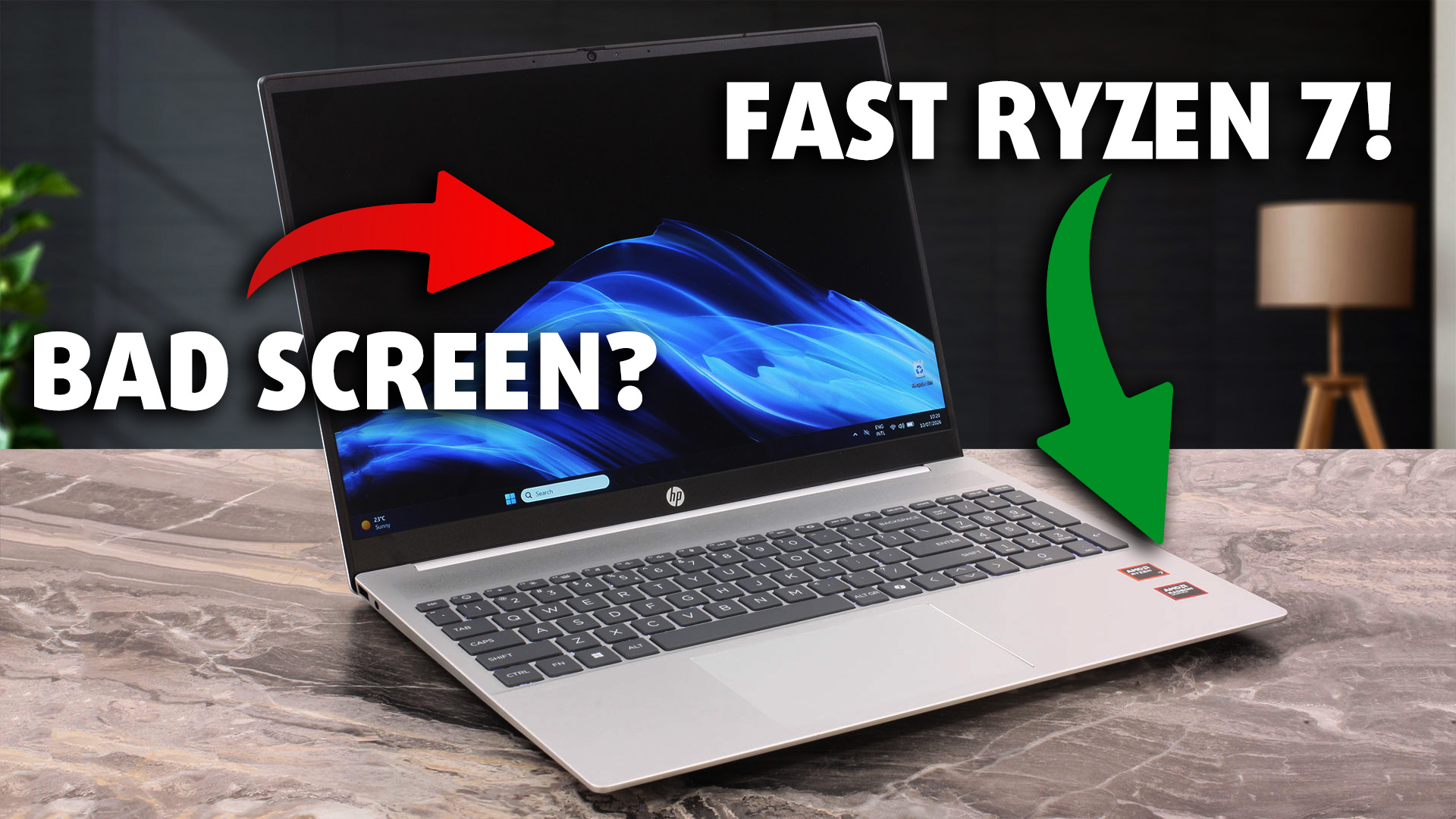 The HP OmniBook 5 16 (16-bc1000) is a practical, straightforward laptop aimed at home and office users who value a spacious 16-inch workspace and dependable everyday performance more than premium materials or cutting-edge features. Our Ryzen 7 8840U configuration handles browsing, office applications, multitasking, software development, and lighter creative workloads comfortably, while the Radeon 780M also provides enough graphics performance for casual gaming at reduced settings.
That said, the OmniBook’s mainstream positioning comes with several meaningful compromises. Its limited display gamut, soldered memory, single SSD slot, and lack of higher-end connectivity reduce its appeal for creative professionals and buyers planning substantial future upgrades.
You can check the prices and configurations in our Specs System: https://laptopmedia.com/series/hp-omnibook-5-16-ag0000-bc0000/
TESTED CONFIGURATION:
– AMD Ryzen 7 8840U
– AMD Radeon 780M
– 16GB LPDDR5-6400 RAM
– 1TB NVMe SSD
– 16.0″, 1920 × 1200 (WUXGA), IPS
Contents
Specs, Drivers, What’s in the box
HP OmniBook 5 (16-ag0000, ag1000, bc0000, bc1000, af1000, ba1000) - Specs
- CPU
- Intel Core i7-1355U #175 in Top CPUs Intel Core i5-1335U #183 in Top CPUs Intel Core i5-1334U #172 in Top CPUs Intel Core i3-1315U #196 in Top CPUs Intel Core Ultra 9 288V #126 in Top CPUs Intel Core Ultra 9 285H #57 in Top CPUs Intel Core Ultra 5 225U #130 in Top CPUs Intel Core 7 150U #179 in Top CPUs AMD Ryzen AI 7 445 #124 in Top CPUs AMD Ryzen AI 7 350 #74 in Top CPUs AMD Ryzen AI 5 340 #113 in Top CPUs AMD Ryzen 7 8840U #104 in Top CPUs AMD Ryzen 5 8540U #161 in Top CPUsIntel Core Ultra 7 255U AMD Ryzen AI 5 330
- GPU
- Intel UHD Graphics (Alder Lake, 64EU) #315 in Top GPUs Intel Iris Xe Graphics G7 (96EU) #323 in Top GPUs Intel Iris Xe Graphics G7 (80EU) #318 in Top GPUs Intel Graphics (4-Cores) #290 in Top GPUs Intel Arc Graphics 140V #200 in Top GPUs Intel Arc 140T #216 in Top GPUs AMD Radeon 860M #268 in Top GPUs AMD Radeon 840M #264 in Top GPUs AMD Radeon 780M #267 in Top GPUs AMD Radeon 740M #261 in Top GPUsAMD Radeon 820M

- HDD/SSD
- up to 8000GB SSD + up to 500GB HDD
- M.2 Slot
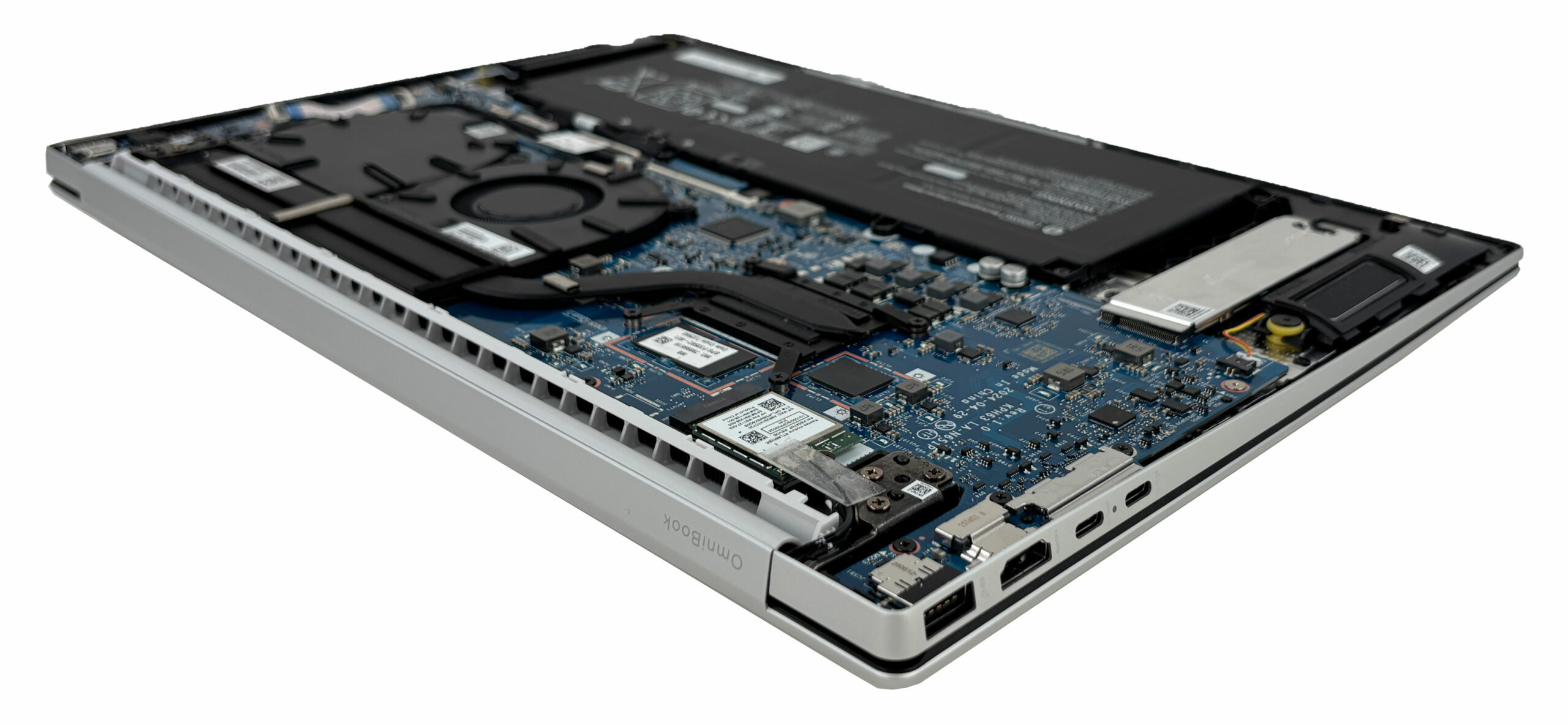
- 1x 2280 M.2 NVMe PCIe 4.0 x4 See photo
- RAM
- up to 32GB
- OS
- Windows 11 Home, Windows 11 Pro, No OS, Windows 10 Pro
- Battery
- 59Wh
- Body material
- Plastic / Polycarbonate, Magnesium alloy
- Dimensions
- 357.63 x 254.76 x 17.78 - 18.54 mm (14.08" x 10.03" x 0.70")
- Weight
- 1.80 kg (4 lbs)
- Ports and connectivity
- 1x USB Type-A
- 3.2 Gen 1 (5 Gbps)
- 1x USB Type-A
- 3.2 Gen 2 (10 Gbps)
- 2x USB Type-C
- 3.2 Gen 2 (10 Gbps), Power Delivery (PD), DisplayPort, Sleep and Charge
- HDMI
- 2.1
- Card reader
- Ethernet LAN
- Wi-Fi
- Wi-Fi 6E
- Bluetooth
- 5.3
- Audio jack
- 3.5mm Combo Jack
- Features
- Fingerprint reader
- optional
- Web camera
- HP True Vision 1080p FHD IR camera with temporal noise reduction
- Backlit keyboard
- optional
- Microphone
- Integrated dual array digital microphones
- Speakers
- Dual Speakers, HP Audio Boost, DTS:X Ultra
- Security Lock slot
All HP OmniBook 5 (16-ag0000, ag1000, bc0000, bc1000, af1000, ba1000) configurations
Drivers
All drivers and utilities for this notebook can be found here: https://support.hp.com/bg-en/drivers/hp-omnibook-5-16-inch-laptop-pc-16-bc1000/2102788682
What’s in the box?
HP keeps the packaging straightforward: the laptop itself, the setup documentation, and a 65 W USB-C power adapter.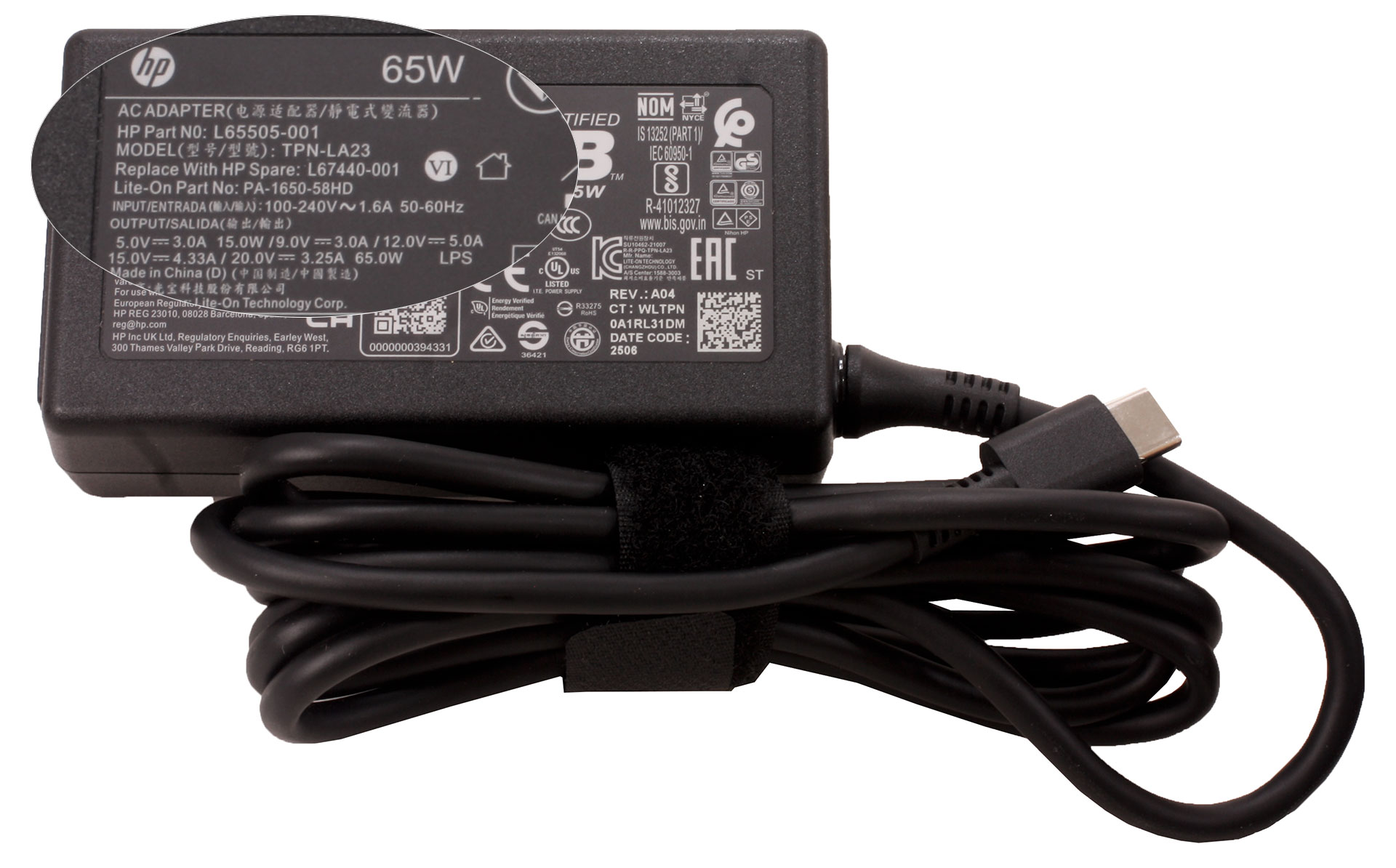
It’s a clean, simple unboxing that gets you powered up and straight to business.
Design and construction
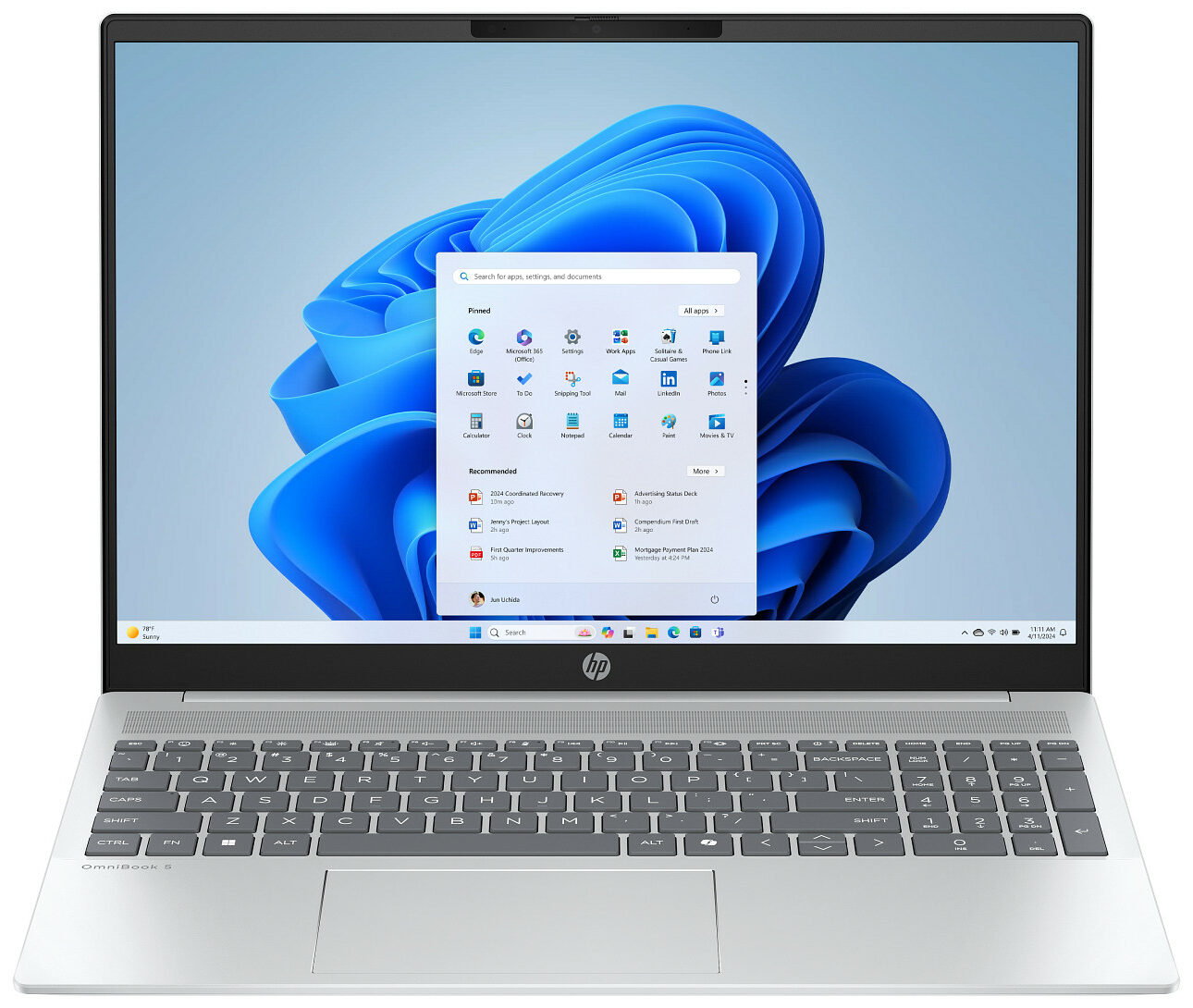
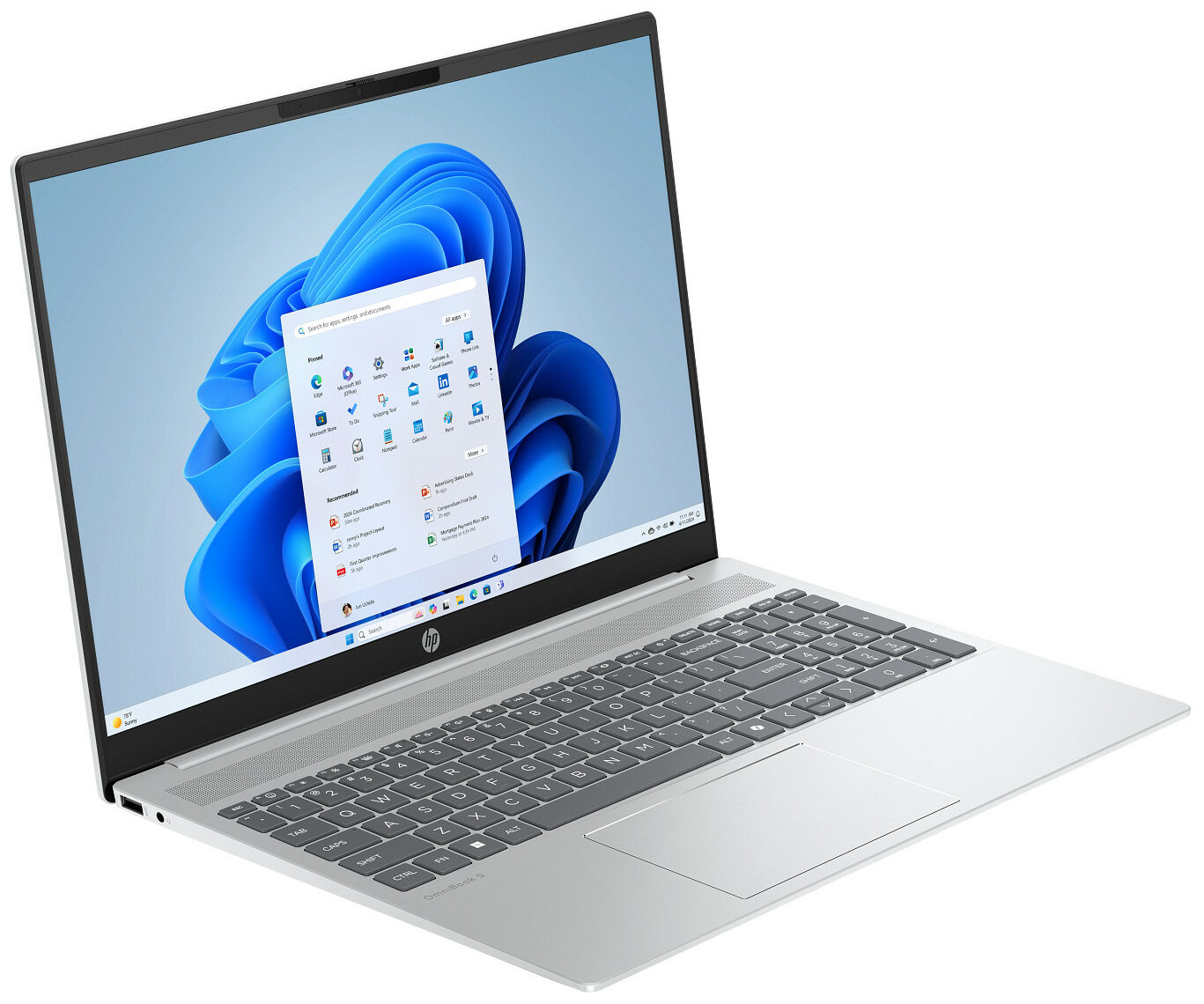
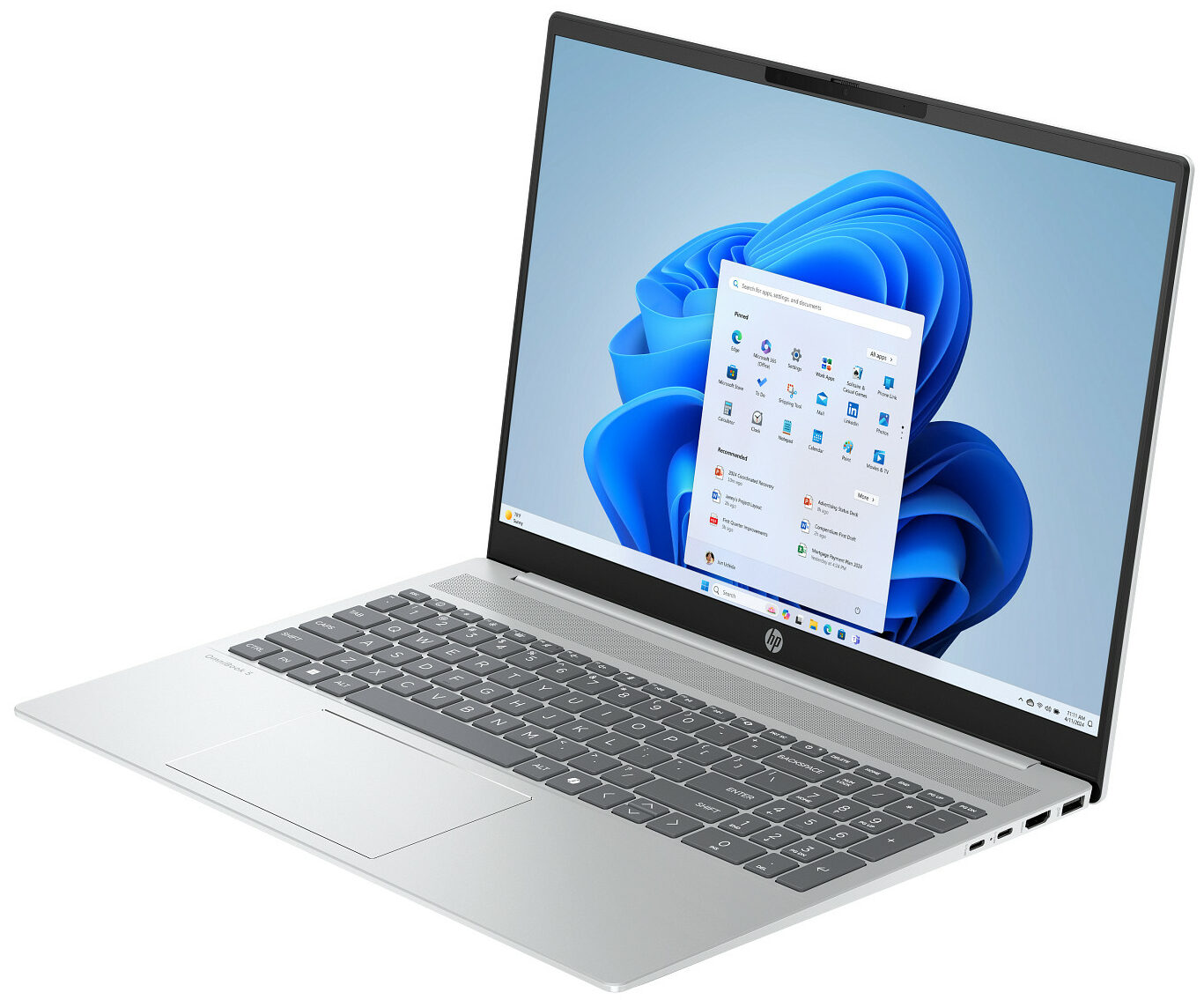
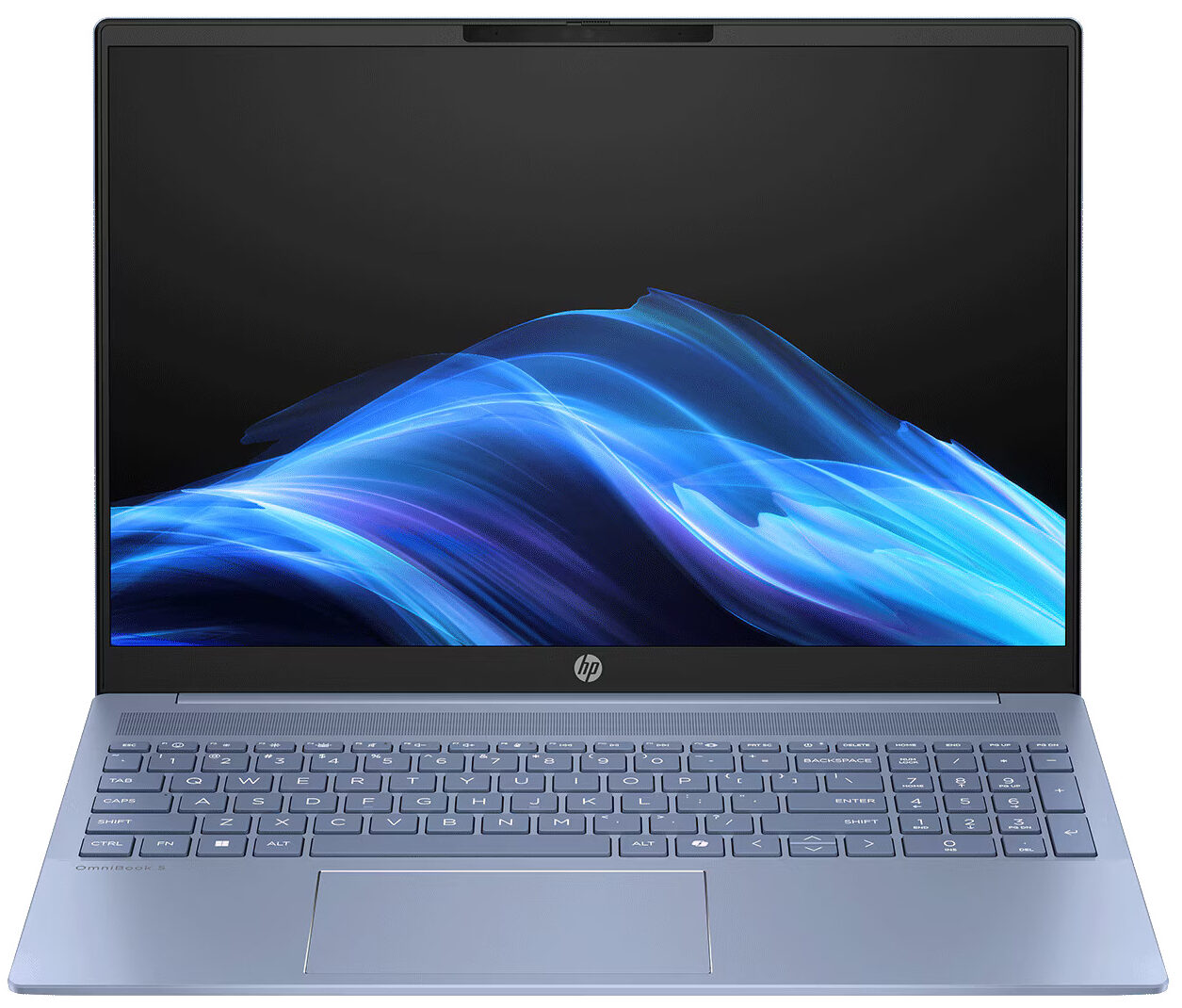
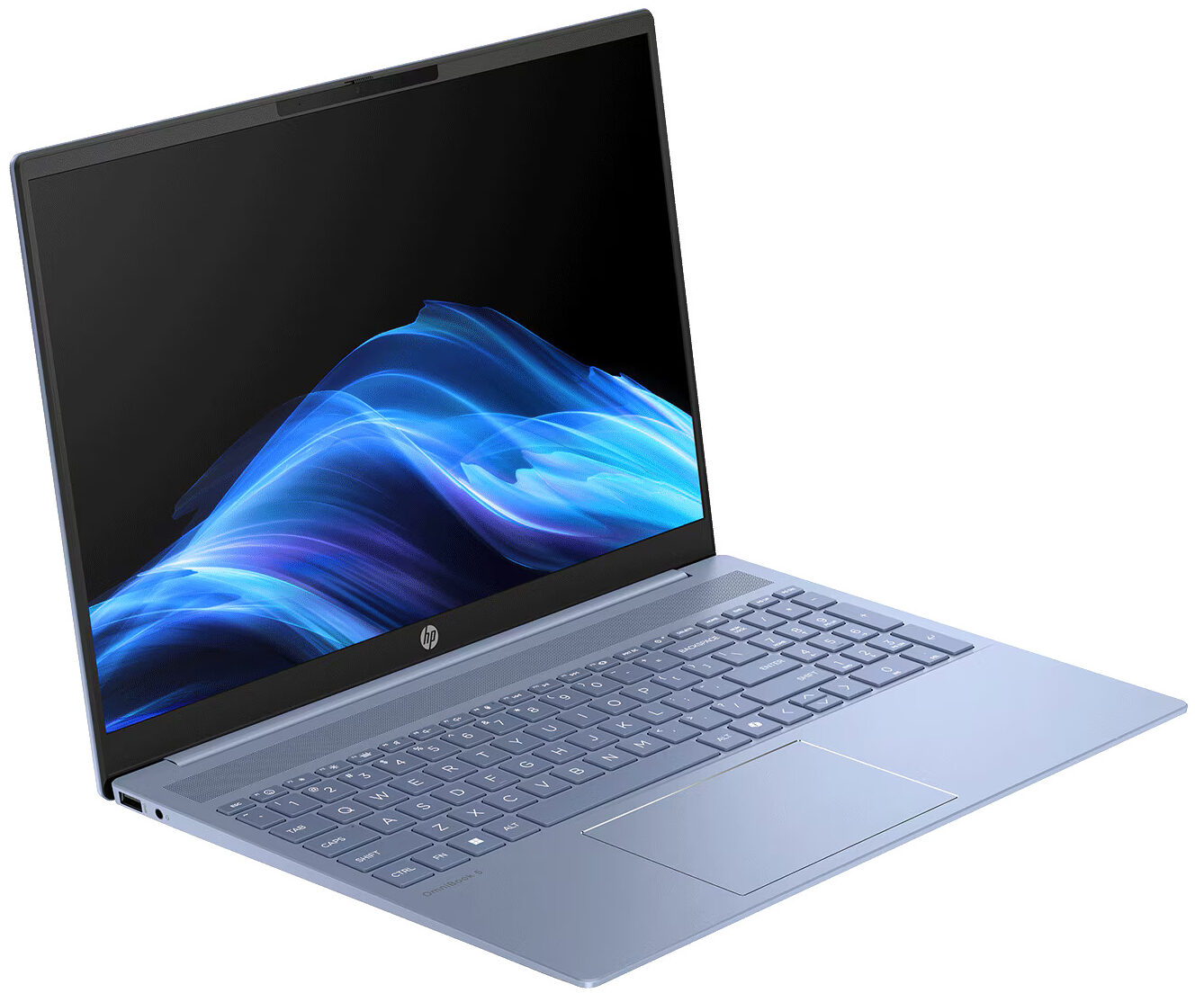
The HP OmniBook 5 16 (16-bc1000) embraces a clean and elegant design language aimed squarely at home and office users who appreciate a minimalist aesthetic. There are no aggressive angles, contrasting gaming accents, or decorative lighting. Instead, the laptop relies on simple lines, softly rounded corners, and a wide speaker grille above the keyboard, which gives the interior a cohesive and well-finished appearance.
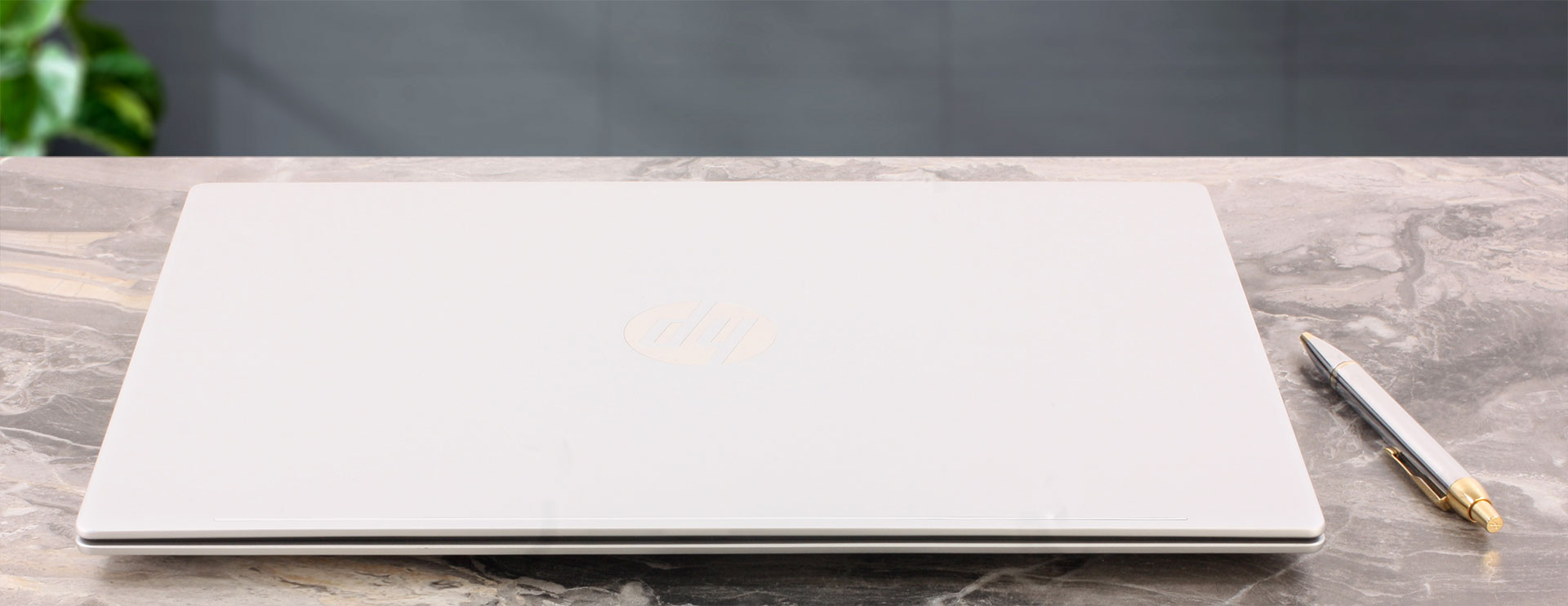
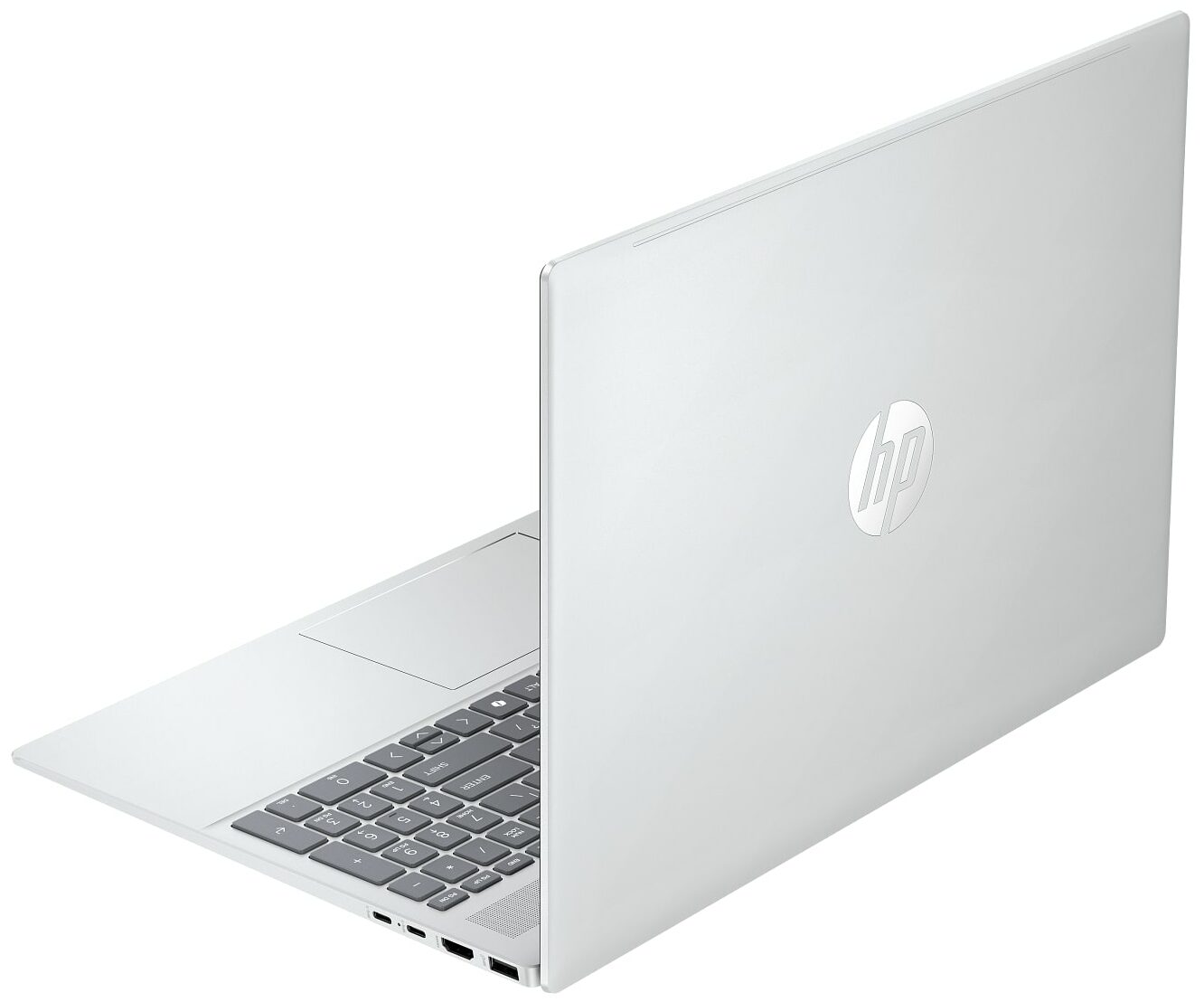
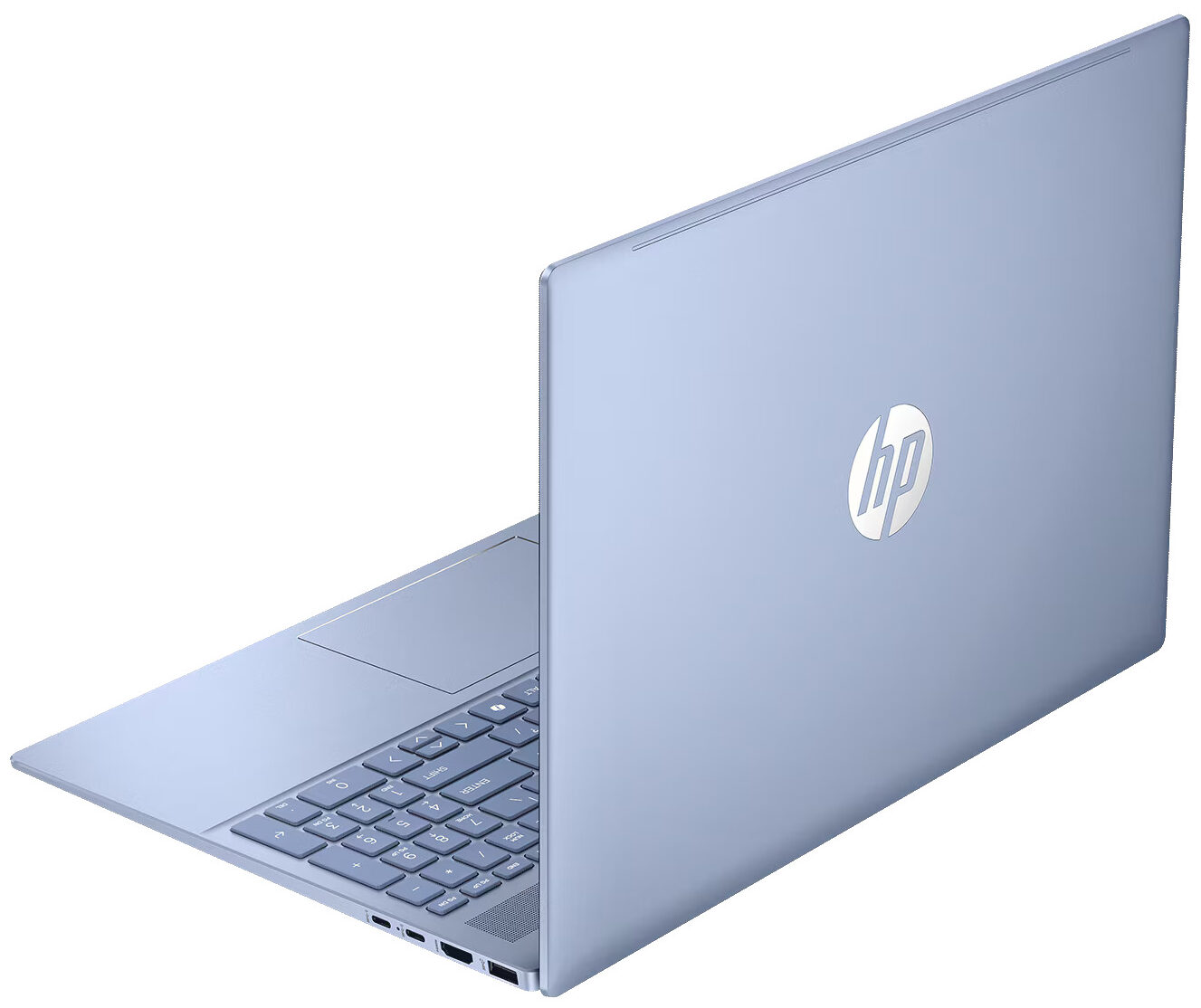
We ordered a configuration in Glacier Silver, combining a light-silver chassis with a contrasting gray keyboard. As far as we could establish, this is the only color officially offered for the 16-bc1000 series, although availability may differ between regions. One of the most practical advantages of the matte silver finish is how effectively it conceals fingerprints and smudges. Even after several weeks of regular use without cleaning, our machine continued to look remarkably fresh.
HP has chosen a hybrid construction rather than a full aluminum unibody design. Recycled metal is used for several major exterior components, including the lid and keyboard deck, while plastic remains present around the display and in some smaller structural elements. This combination helps keep the chassis reasonably light while maintaining adequate rigidity.
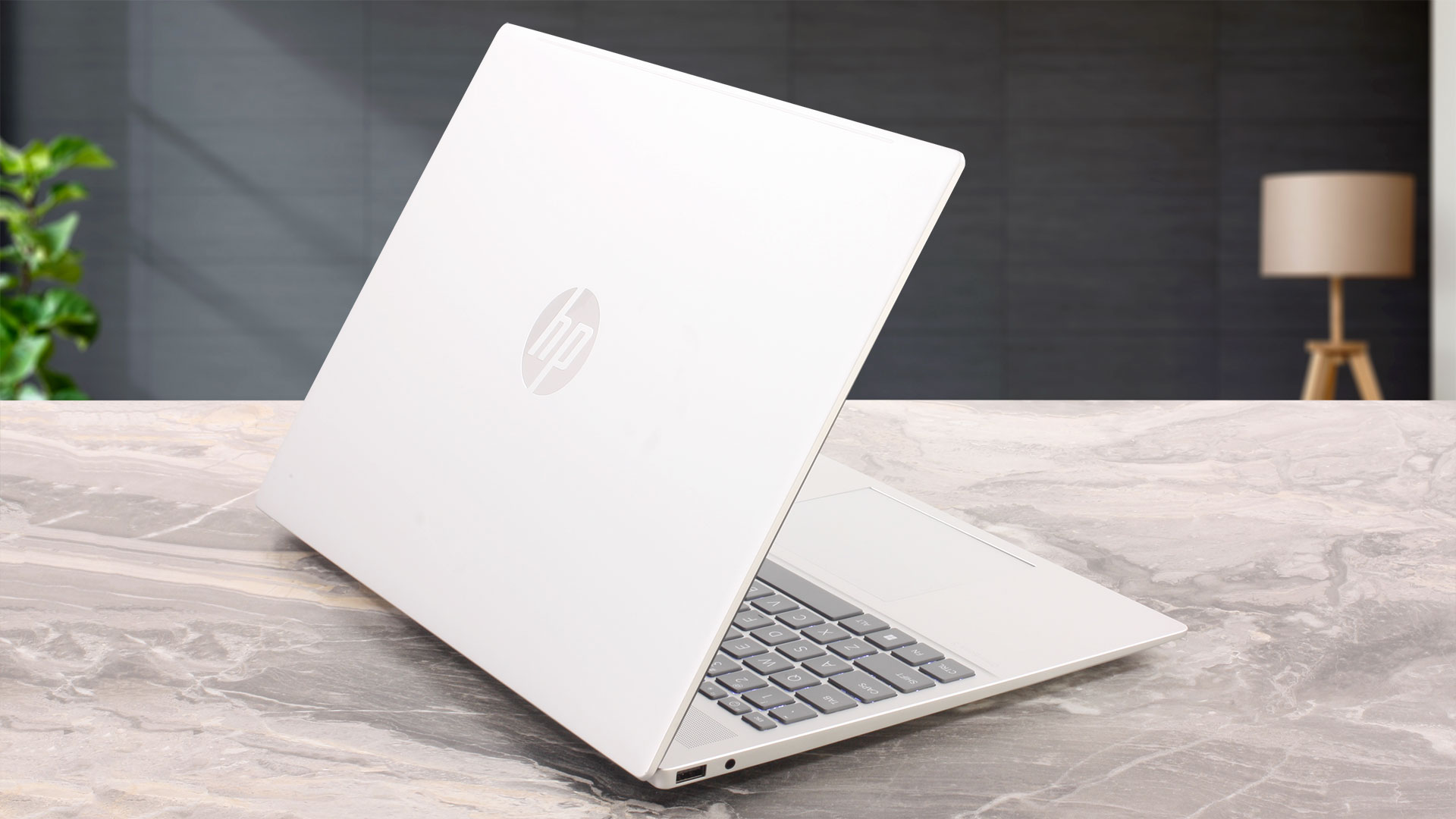
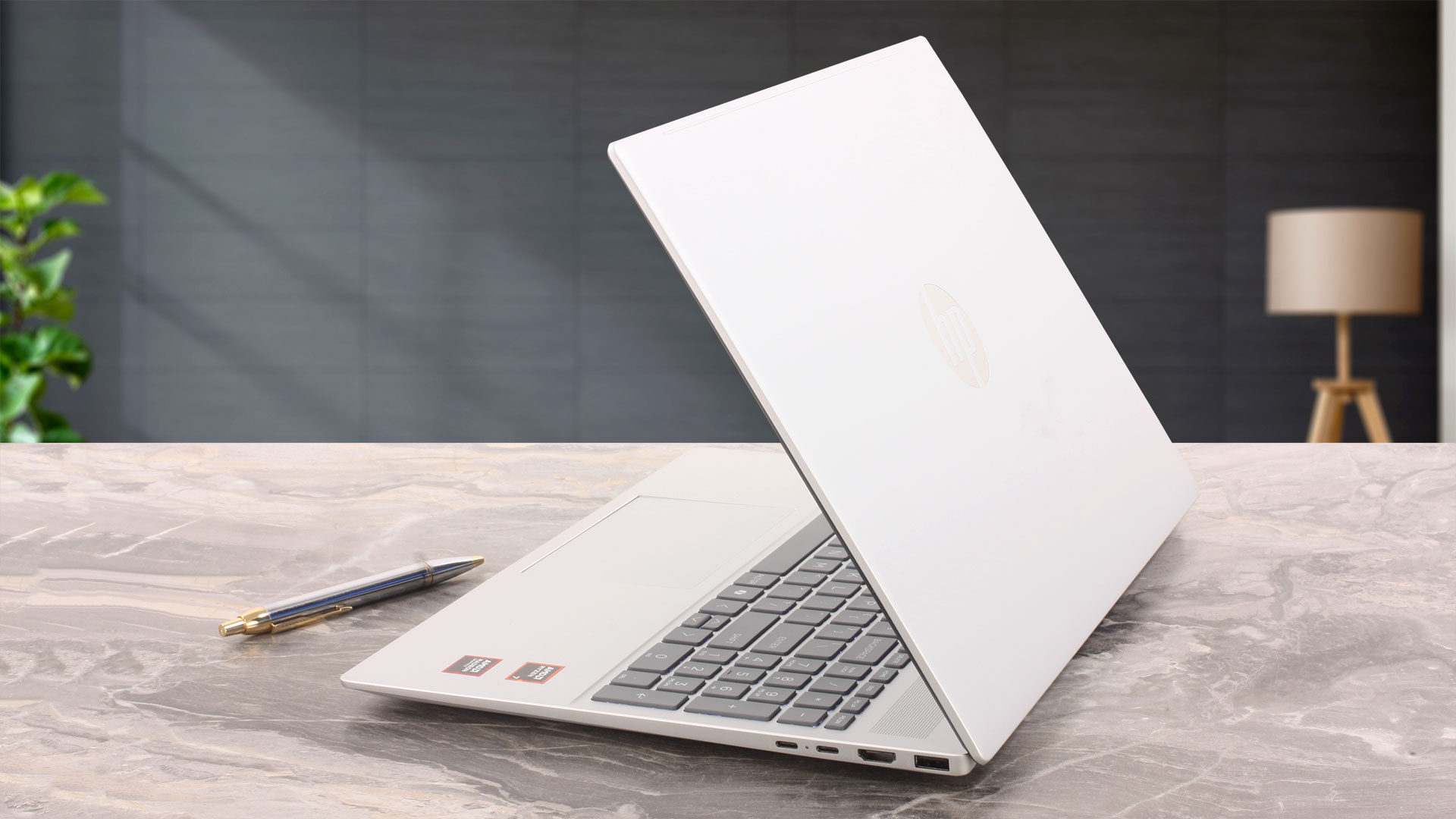
There is a small amount of flex in the center of the keyboard when deliberate pressure is applied, while the middle of the lid also yields slightly under a stronger push. Neither behavior feels concerning, however, and the OmniBook leaves an overall impression of sufficient structural stability for its class.
Portability is also quite reasonable for a 16-inch laptop. While HP officially lists the weight at approximately 1.77–1.79 kg, our machine weighed slightly less at 1.74 kg.
| HP OmniBook 5 16 (16-bc1000) | Dimensions | Weight |
| Metric units | 357.7 x 254.8 x 17.9–18.6 mm | 1.74 kg |
| U.S. customary | 14.08 x 10.03 x 0.70–0.73 in | 3.84 lbs |
You will need both hands to open the OmniBook. The hinges are fairly stiff, and the base lifts from the desk when we attempt to raise the lid with one hand. Their movement is smooth and consistent, however, and the display remains stable at the selected angle.
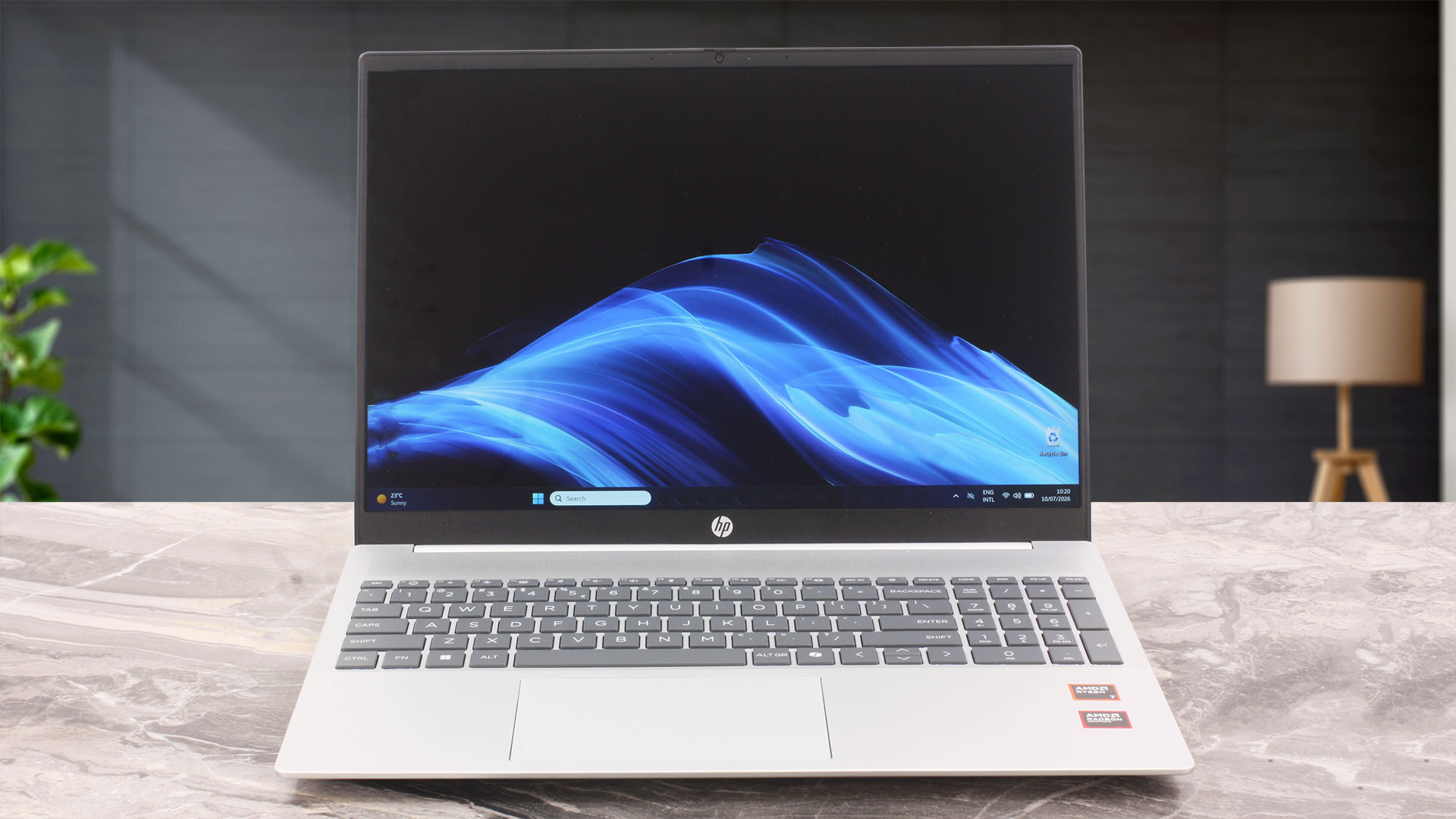
The maximum opening angle is limited to approximately 110 degrees, so the screen cannot lie flat at 180 degrees. This slightly restricts its ergonomic flexibility, particularly when the laptop is positioned on a low stand. The rear of the base is not lifted by the display lid, so there is no ErgoLift-style effect to increase the airflow underneath.
Once opened, the laptop presents an officially stated 88.9% screen-to-body ratio. The side and top bezels are reasonably thin, while the lower bezel is noticeably thicker and carries the HP logo. The upper bezel houses an HP True Vision 1080p FHD camera with temporal noise reduction and a pair of digital microphones. A physical privacy shutter is included, but the camera lacks an infrared sensor, so Windows Hello facial recognition is not supported.
The 16-inch chassis provides enough room for a full keyboard layout with a dedicated NumPad. The number-pad keys are slightly narrower than those in the main section, but the inclusion remains useful for spreadsheets, calculations, and accounting work.
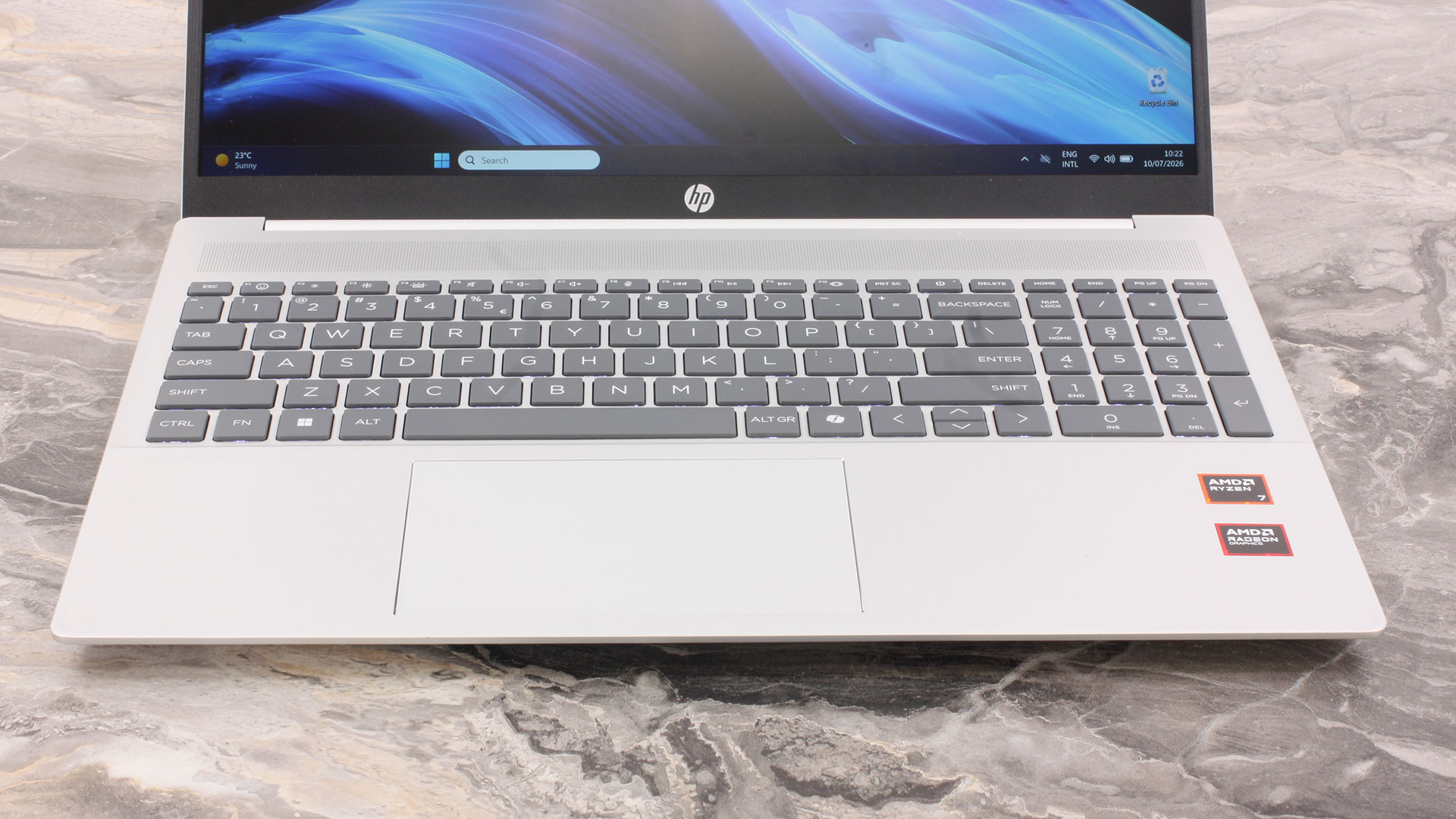
The keyboard is comfortable during longer typing sessions. Its key travel feels slightly shorter than average, but the feedback is clear and consistent. The keyboard also features a backlight for use in darker environments.
There are two layout details worth noting. The Left and Right arrow keys are full-sized, while the Up and Down arrows share the space of a single key and can be less convenient during fast document or spreadsheet navigation. The Power button is also integrated into the function row directly beside the Esc key. Its position is unusual, although it is sufficiently separated from the main typing area to reduce the risk of accidental presses.
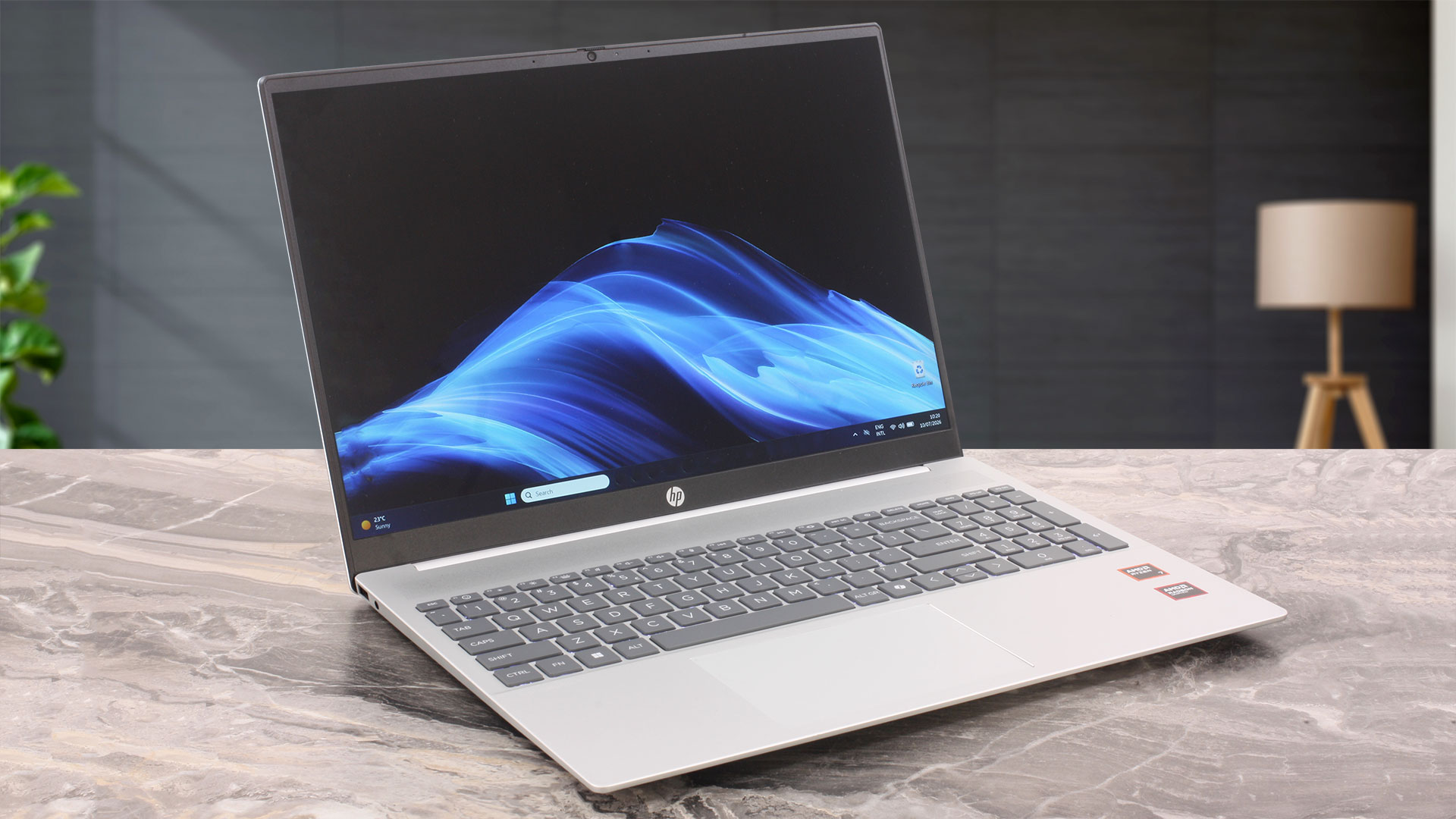
Our configuration does not include biometric authentication. The Power button does not contain a fingerprint reader, and the webcam cannot provide Windows Hello facial recognition.
The touchpad is comfortably wide and offers enough room for everyday navigation and Windows gestures. Its surface tracks accurately, while the physical mechanism produces a consistent and reassuring click.
Ports and Connectivity
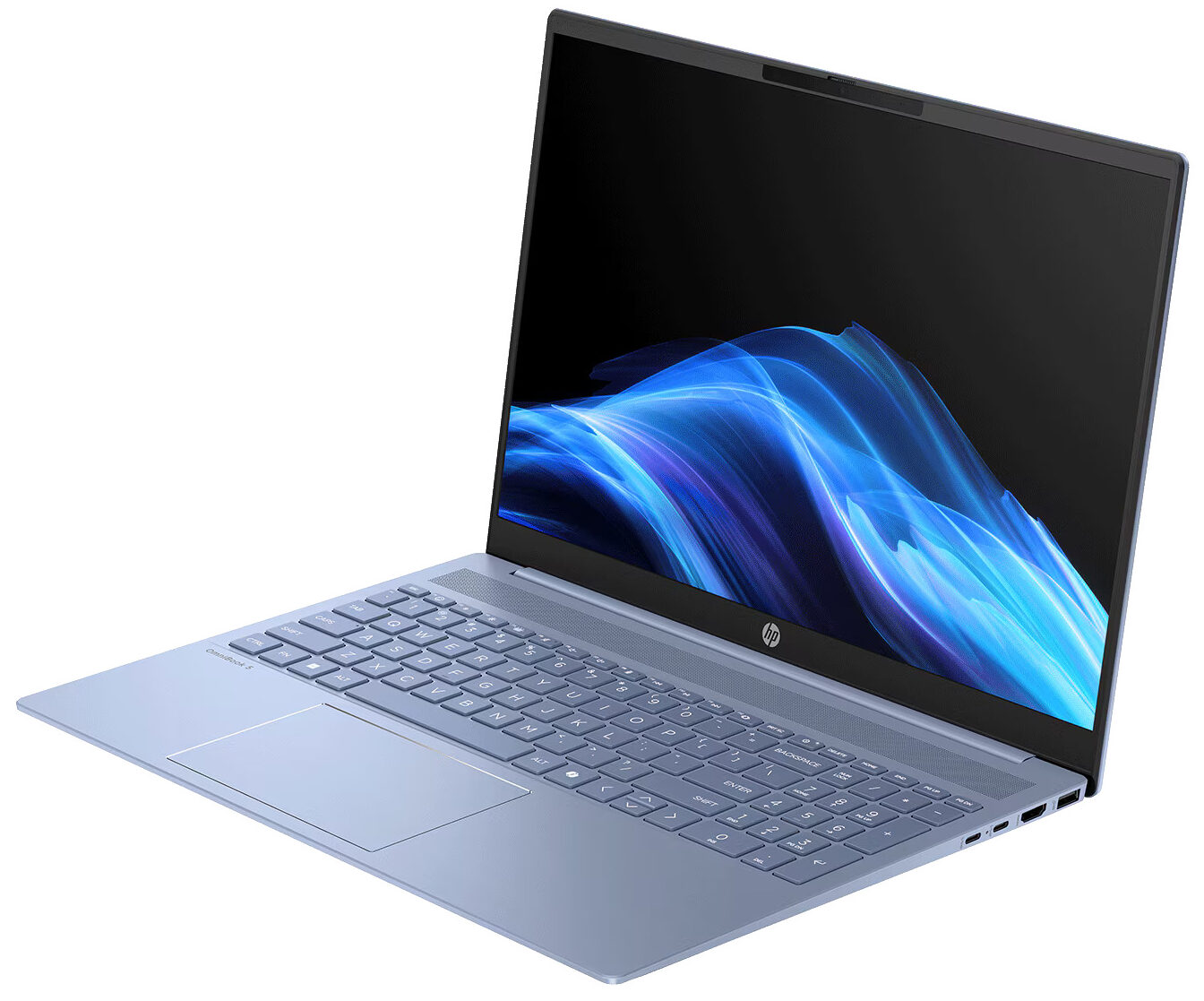
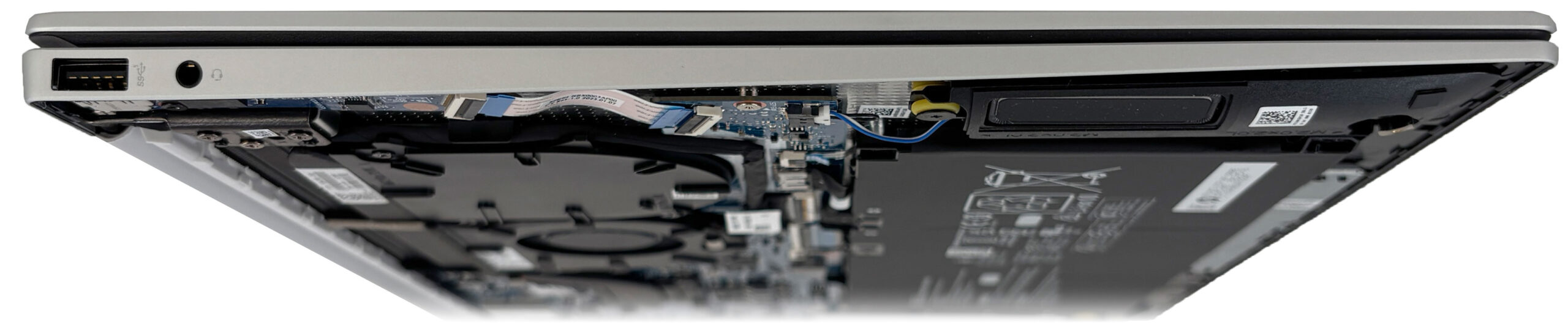
The HP OmniBook 5 16 (16-bc1000) uses a noticeably asymmetrical port layout, with most of its connectivity concentrated on the right side of the chassis. The left side is particularly sparse, housing only a 3.5 mm headphone/microphone combo jack and one USB Type-A port with a 5 Gbps transfer rate. The latter is suitable for lower-bandwidth peripherals such as a mouse, keyboard receiver, or printer.
The right side serves as the laptop’s main connectivity hub. It includes an HDMI 2.1 port, one faster 10 Gbps USB Type-A port, and two USB Type-C ports, each supporting transfer speeds of up to 10 Gbps. Both Type-C connectors also provide DisplayPort 1.4a output and USB Power Delivery, allowing them to be used for external displays and charging.

Since the included USB-C power adapter occupies one of these ports, only one Type-C connector remains available while the laptop is charging. Right-handed users should also consider that the power, HDMI, and both USB-C connections are positioned beside the mouse area, where several connected cables may become intrusive. There are no ports on the rear of the chassis.

The overall selection covers the essentials, but there are several notable omissions. The laptop does not offer USB4 or Thunderbolt, limiting peak USB bandwidth to 10 Gbps and preventing compatibility with devices that specifically require USB4 or Thunderbolt. There is also no built-in Ethernet port, memory card reader, or SIM slot, so additional adapters may be necessary for wired networking and direct photo transfers.
Our configuration is equipped with a Realtek RTL8852BE wireless adapter, providing Wi-Fi 6 connectivity with a 2×2 antenna configuration. It does not support the 6 GHz band available with Wi-Fi 6E or the newer features of Wi-Fi 7. Bluetooth 5.3 is also included for connecting wireless mice, keyboards, headphones, and other accessories.
Display and Sound Quality, Display Profiles
We ordered the HP OmniBook 5 16 (16-bc1000) with the non-touch 16-inch WUXGA (1920 × 1200), 60 Hz IPS display, identified as LGD0796. HP also lists a touchscreen option with the same resolution, refresh rate, and advertised 300-nit brightness and 62.5% sRGB coverage. However, the touchscreen configuration may use a different panel, so our measurements and display profiles apply only to the non-touch LGD0796 tested here.
Our panel reached an average brightness of 325 nits and covered 52% of the sRGB gamut using our CIE 1976 measurement methodology.
| HP OmniBook 5 16 (16-bc1000) | 16″, WUXGA (1920 x 1200), 60 Hz, IPS (LG Philips LGD0796) | 16″, WUXGA (1920 x 1200), 60 Hz, IPS, touchscreen (panel may vary) |
| Touchscreen | No | Yes |
| Brightness | 325 nits (confirmed) | 300 nits (official) |
| Diagonal | 16.0 inches (40.6 cm) | 16.0 inches (40.6 cm) |
| Panel Type | IPS | IPS |
| Resolution | 1920 x 1200 pixels | 1920 x 1200 pixels |
| Max Refresh Rate | 60 Hz | 60 Hz |
| Aspect Ratio | 16:10 | 16:10 |
| Pixel Density | 141 PPI | 141 PPI |
| ‘Retina’ Distance | 62 cm or greater | 62 cm or greater |
The 16:10 aspect ratio provides noticeably more vertical workspace than a traditional 16:9 display, which is useful when working with documents, spreadsheets, and web pages. At 141 PPI, the image is sufficiently sharp for normal office use, although it does not offer the fine text rendering of a higher-resolution 2.5K or 3K panel.
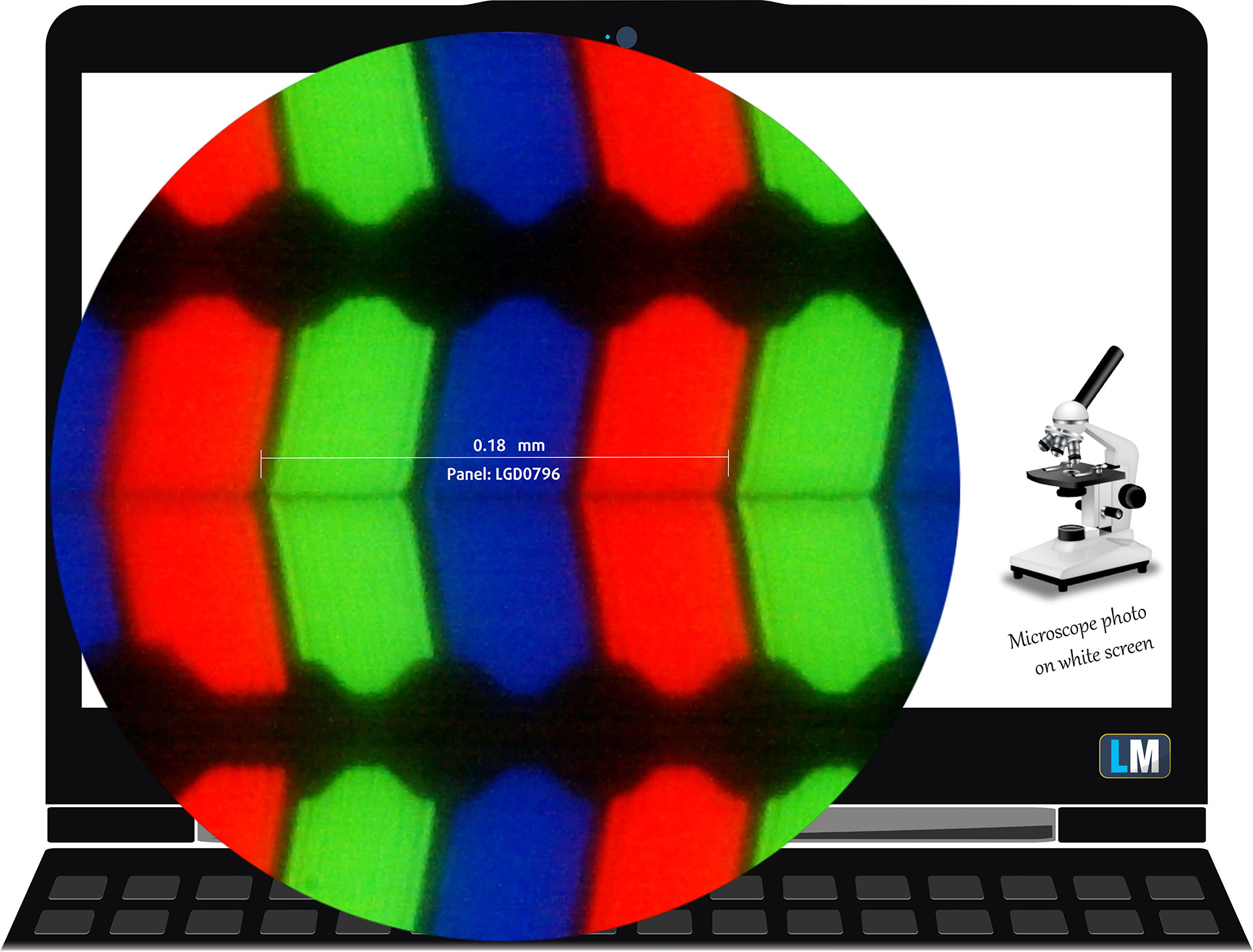
The 16-inch, 1920 × 1200, 60 Hz IPS display under our microscope
Viewing Angles
The viewing angles are wide. We take photos from different angles to evaluate the image quality.
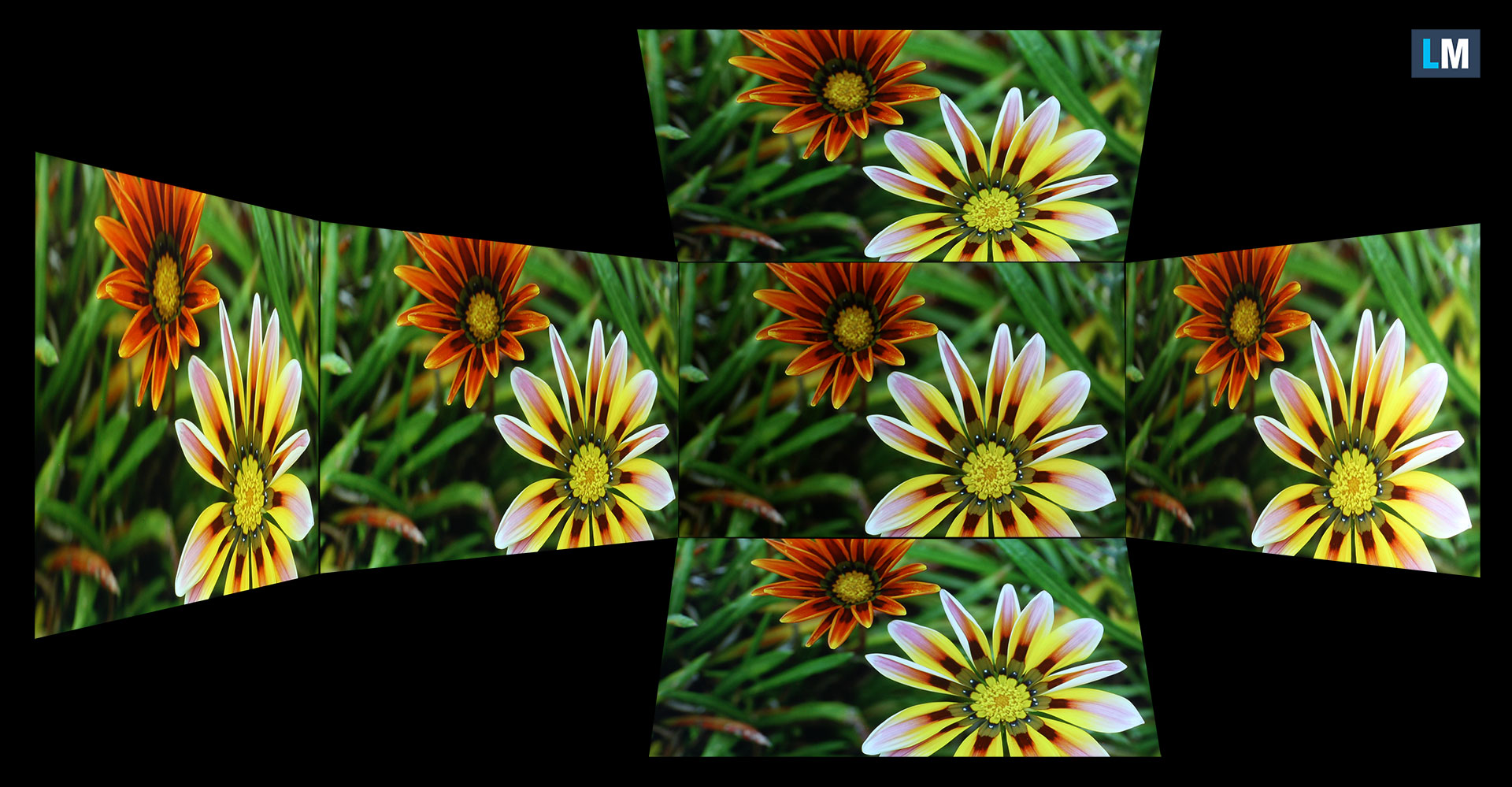
Below is a video recorded with locked focus and exposure.
Color Coverage
The sail-shaped diagram represents the visible color space, while the black curved line represents Pointer’s gamut, which approximates the colors commonly found in nature.
We also compare the panel of the HP OmniBook 5 16 (16-bc1000) with several widely used color spaces:
Standard/Web Content: sRGB – the standard color space used by most websites, applications, and consumer content
Photography and Print: Adobe RGB – a wider gamut commonly used in professional photography and print workflows
Cinema and Video: DCI-P3 – a wider color space used in digital cinema, video production, and many premium displays
UHD and HDR Reference: Rec.2020 – a very wide color space used as a reference container by UHD and HDR standards
HP OmniBook 5 16 (16-bc1000): the yellow dashed triangle (– – – – – –) represents the range of colors this display can show.
In our tests, we calculated the total color coverage of the display at 52% of the sRGB color gamut and 41% of the DCI-P3 color gamut (CIE 1976).
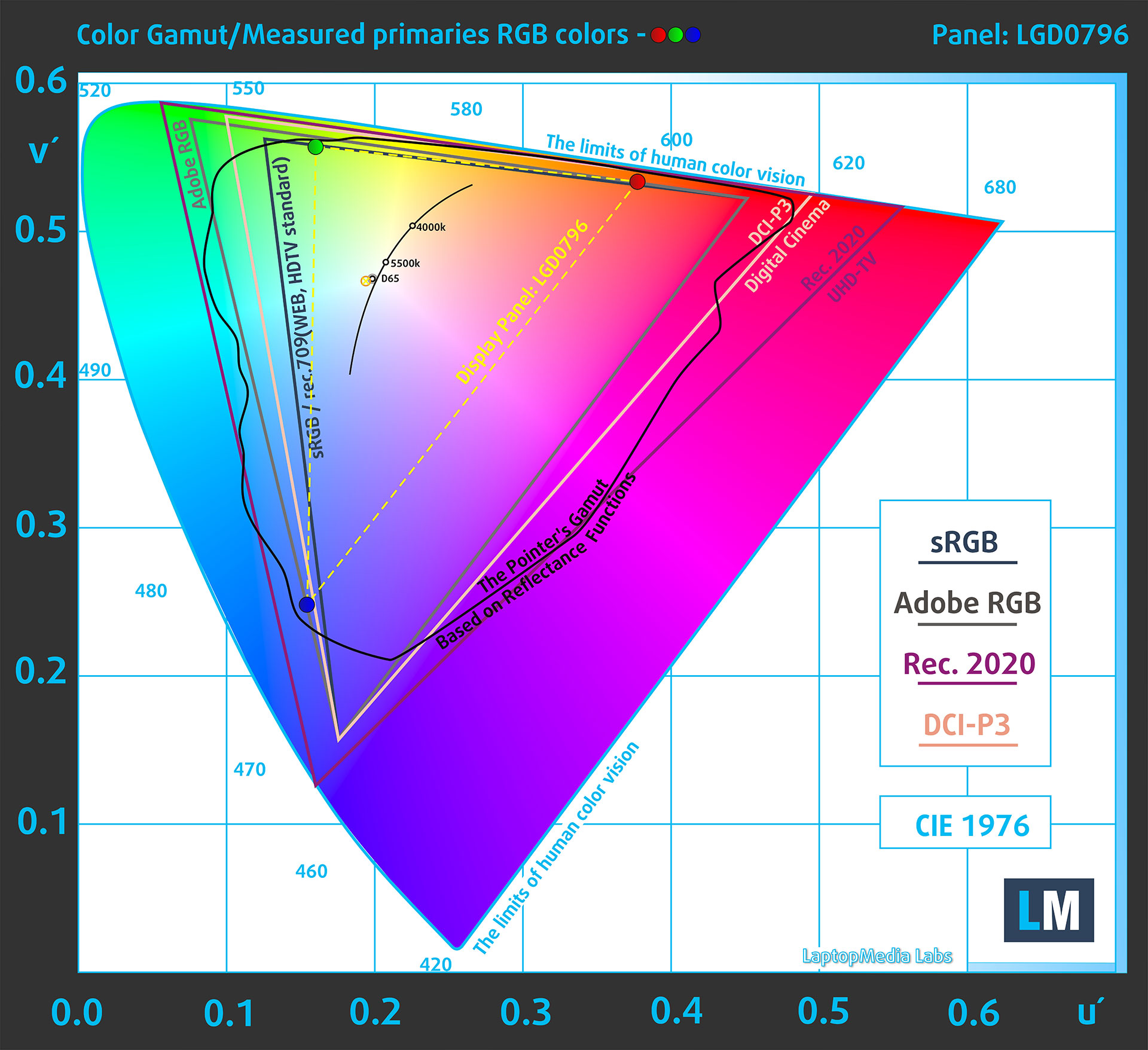
(Fig. 1) HP OmniBook 5 16 (16-bc1000) covers 52% of the sRGB gamut
Brightness and Contrast
We measured 323 cd/m² in the center of the screen and an average of 325 cd/m² across the panel, with a maximum luminance deviation of 8%.
This is slightly higher than HP’s advertised 300-nit figure and is sufficient for comfortable indoor use, particularly when combined with the screen’s relatively low-reflectance matte surface.
The Correlated Color Temperature (CCT) on a white screen at maximum brightness is 6900 K, which gives whites a slightly cooler appearance than the 6500 K reference point.
We measured a contrast ratio of 1340:1.
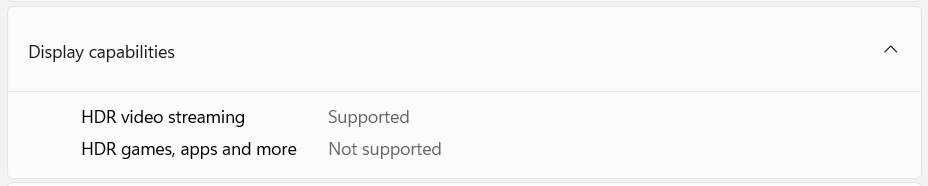
Windows lists HDR video streaming as available, but HDR cannot be enabled for games, applications, or the Windows desktop. The panel’s EDID also reports no HDR capability, meaning HDR video is processed and displayed within the limitations of this SDR screen rather than reproduced with genuine HDR brightness, contrast, or color volume.
Uniformity: Luminance, Contrast, and Color Deviation
The figure below shows the results from our uniformity test across different sections of the screen. It is measured at 182 nits (Windows slider = 79%) – a brightness level we consider typical for standard working conditions.
DeltaE values below 4.0 are acceptable for regular users. For those working with colors, screens with DeltaE values no higher than 2.0 are recommended.
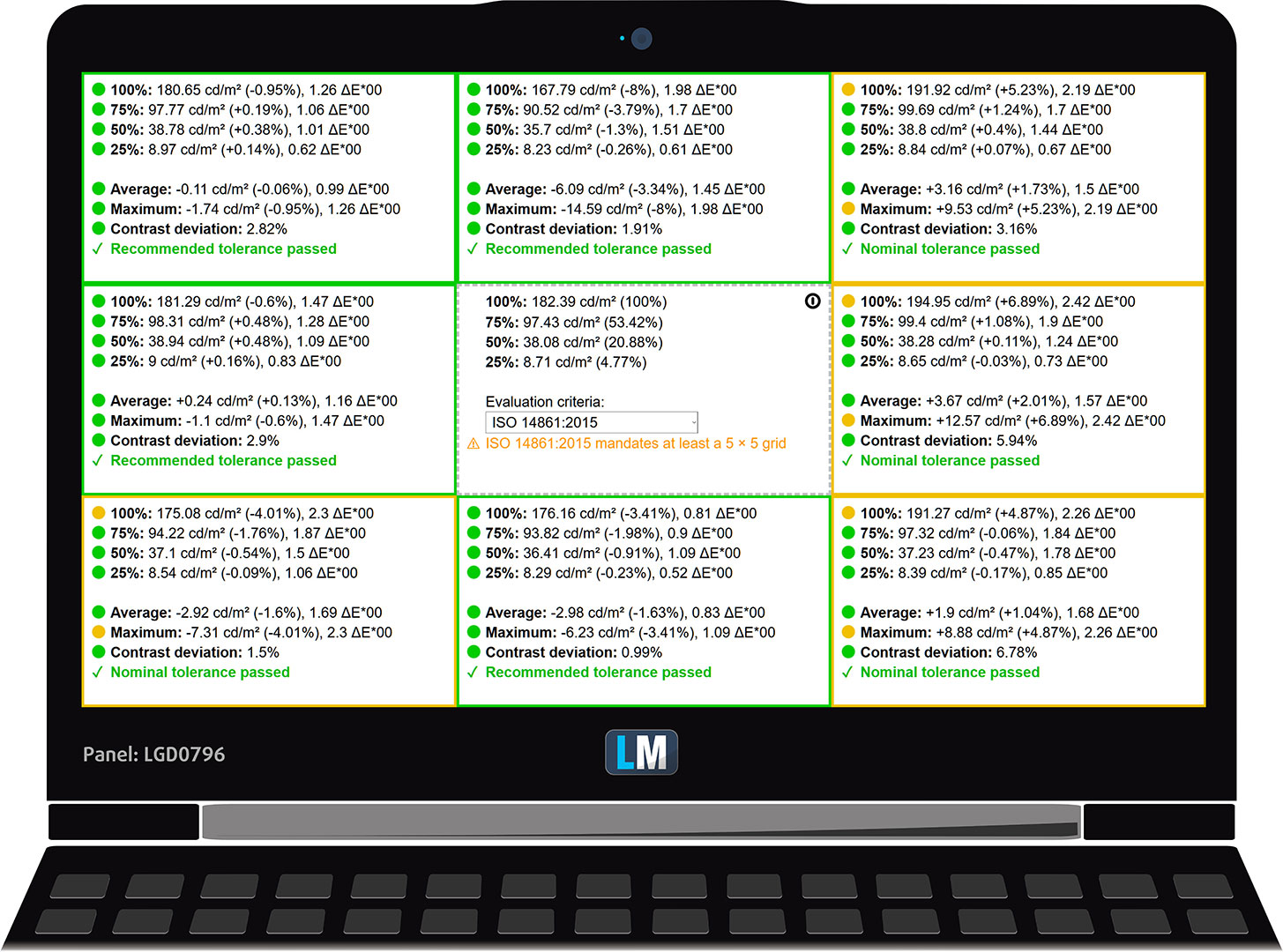
Overall, the panel shows good uniformity. Every measured area passed at least our nominal tolerance, with the largest luminance deviation reaching 8% in the upper-center section and the highest color deviation reaching 2.42 dE00 in the center-right section. These variations are unlikely to be distracting during normal office use.
Color Accuracy
Let’s check the difference between real colors and those you will see on the HP OmniBook 5 16 (16-bc1000). We measure that distance in DeltaE – the higher the value, the greater the visible difference.
Values below 4.0 are acceptable for regular users, while values below 2.0 are suitable for color-sensitive work. Differences below 1.0 are generally difficult to perceive under normal viewing conditions.
For the next graph, we selected 24 common colors, including dark and light skin tones, blue sky, green grass, and others.
At factory settings, the HP OmniBook 5 16 (16-bc1000) produced an average color error of 5.0 dE 2000 (Fig. 2). Our Design and Office Work profile reduced it to 4.1 dE 2000 (Fig. 3), but the improvement remains modest because the panel has a limited color gamut.
Calibration improves the grayscale balance and reduces the average color error, but it cannot reproduce colors that fall outside the panel’s limited native gamut. The display therefore remains unsuitable for color-critical photo, video, and design work.
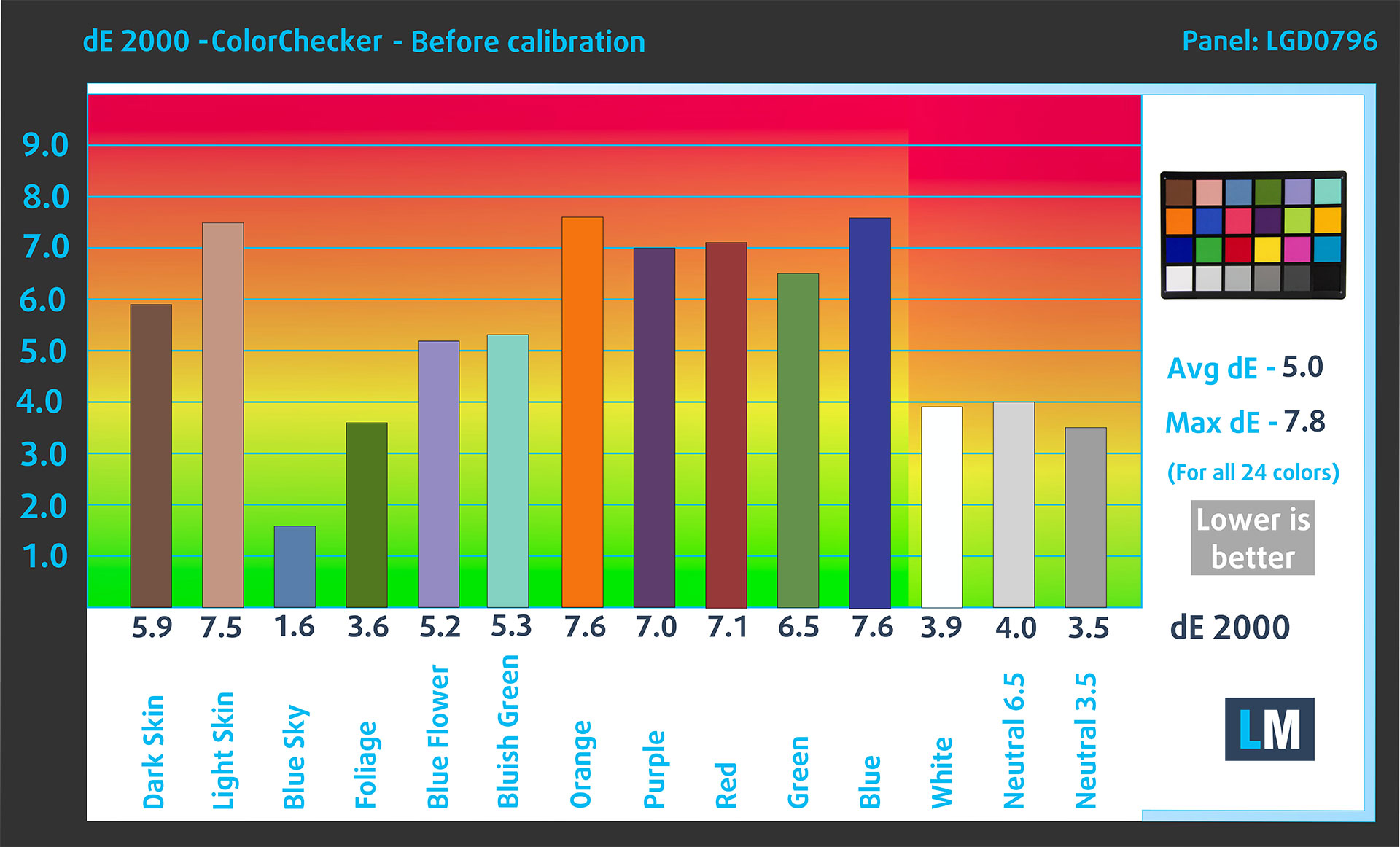
(Fig. 2) HP OmniBook 5 16 (16-bc1000) in its factory condition
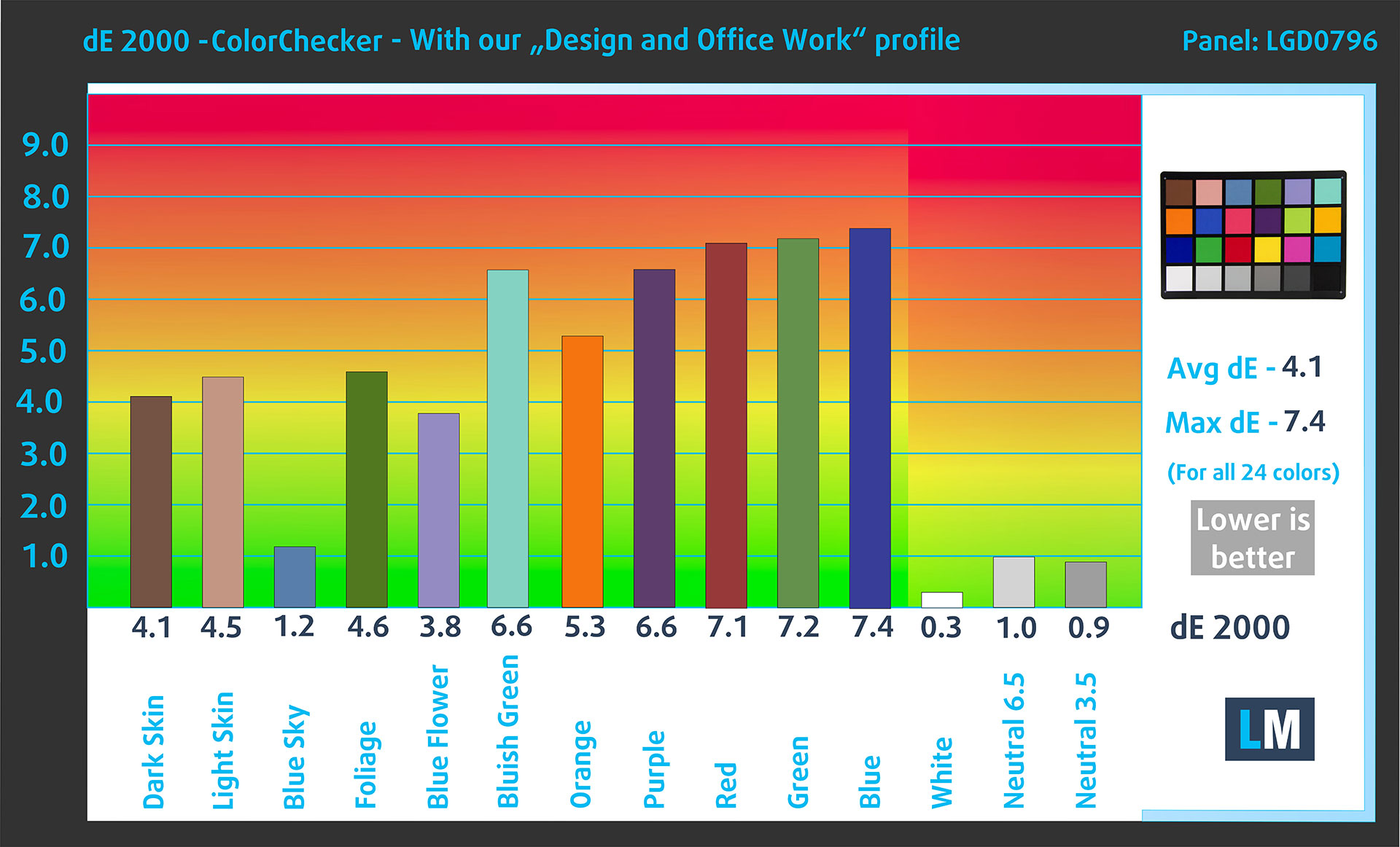
(Fig. 3) HP OmniBook 5 16 (16-bc1000) with our display profile
Comparison in the sRGB color space.
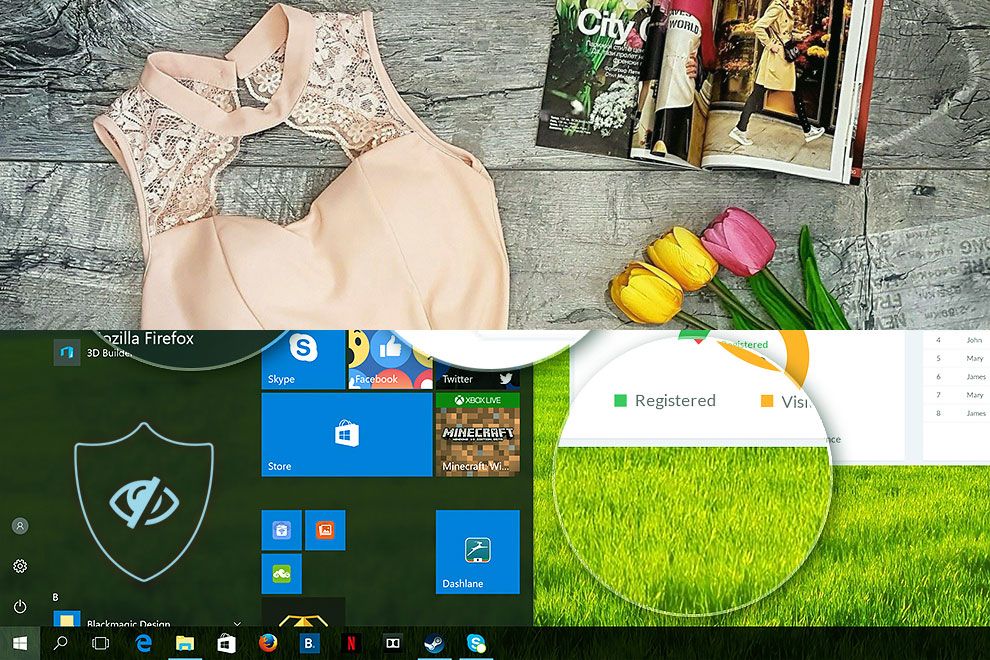
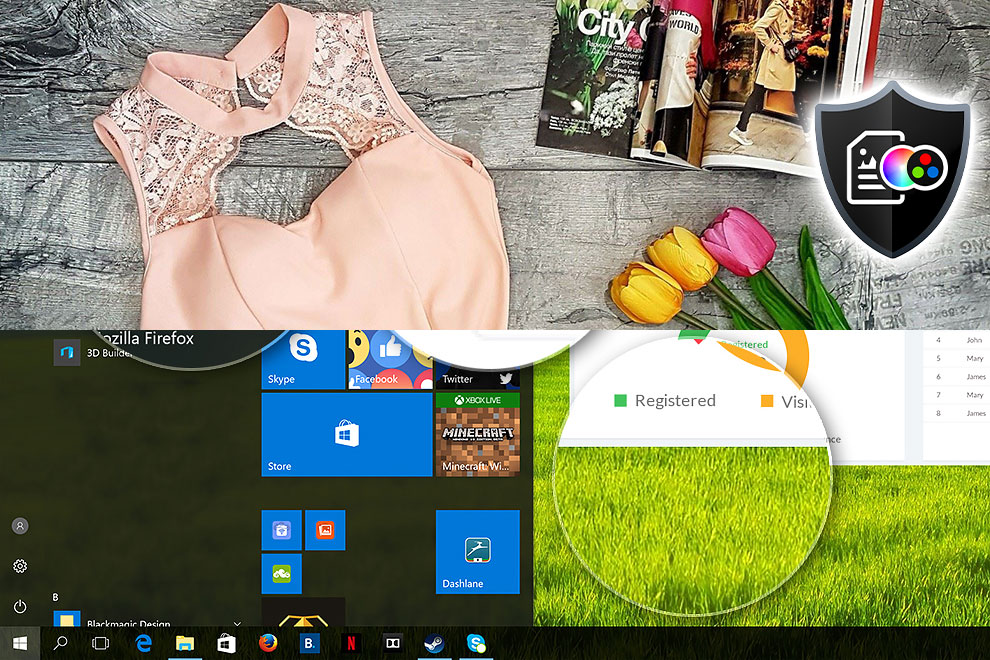
Here is an illustration of what the Design and Office Work profile aims to deliver:
Left: No Profile | Drag the slider to see the difference | Right: Design & Office Profile
Visibility in Dark Scenes
Have you ever watched a movie with dark scenes where you could barely see anything? This often happens because many display panels struggle to differentiate the darkest nuances, making them appear the same.
The next figure illustrates how well the display reproduces these dark nuances. The left side of the image shows the display with stock settings, and the right side shows it with our Gaming and Movies profile activated.
The horizontal axis shows the grayscale levels, while the vertical axis shows the corresponding display brightness.
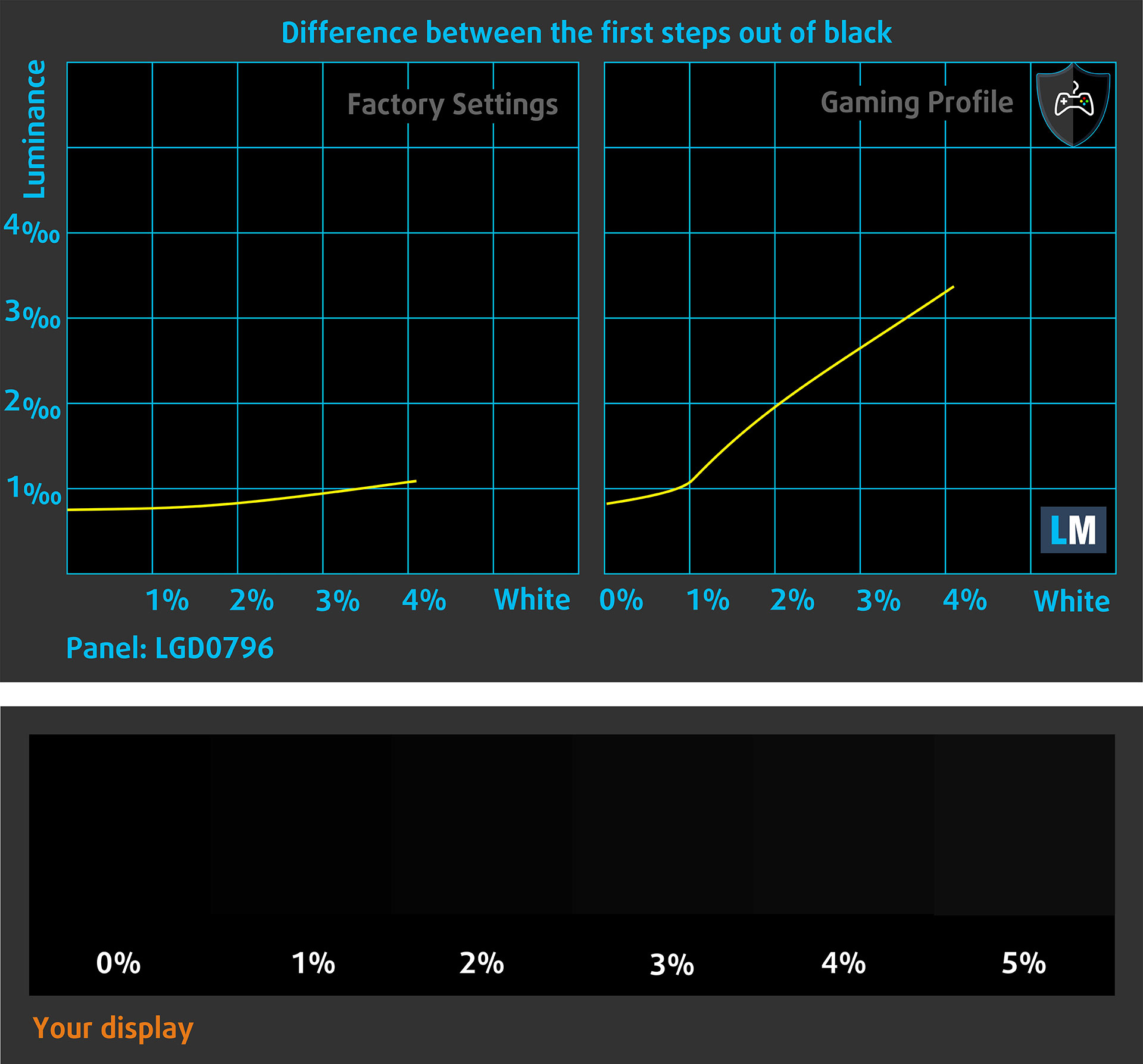
You can also check how your display handles the darkest nuances, but keep in mind that the result also depends on the settings of your current display and the surrounding light conditions.
Response Time (Gaming Capabilities)
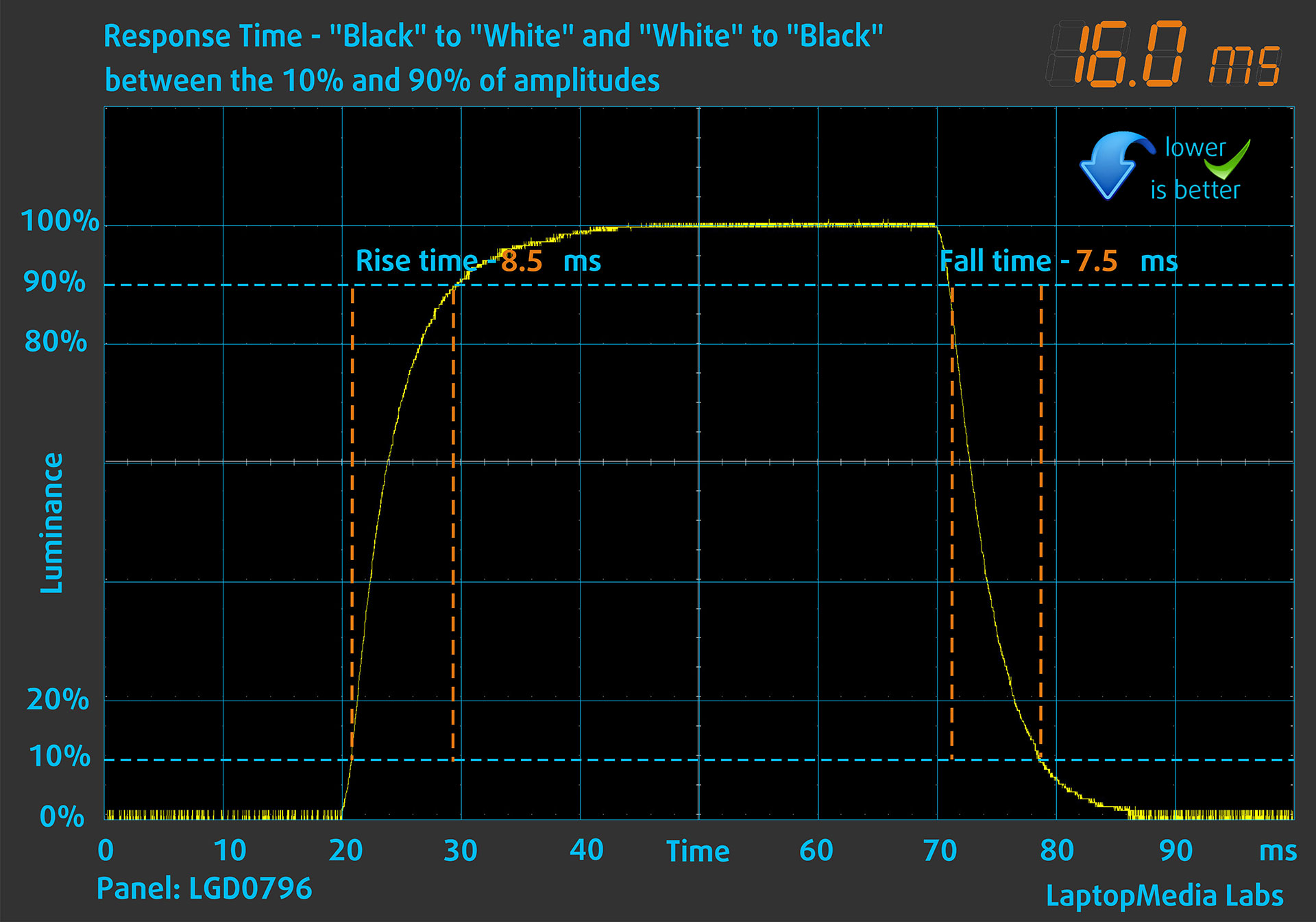
We test the reaction time of the pixels with the usual “black-to-white” and “white-to-black” method from 10% to 90% and vice versa.
We recorded a combined rise-and-fall time of 16.0 ms.
After that, we test the reaction time of the pixels with the usual Gray-to-Gray method, from 50% White to 80% White and vice versa, between 10% and 90% of the amplitude.
In this test, we measured a combined rise-and-fall time of 31.3 ms.
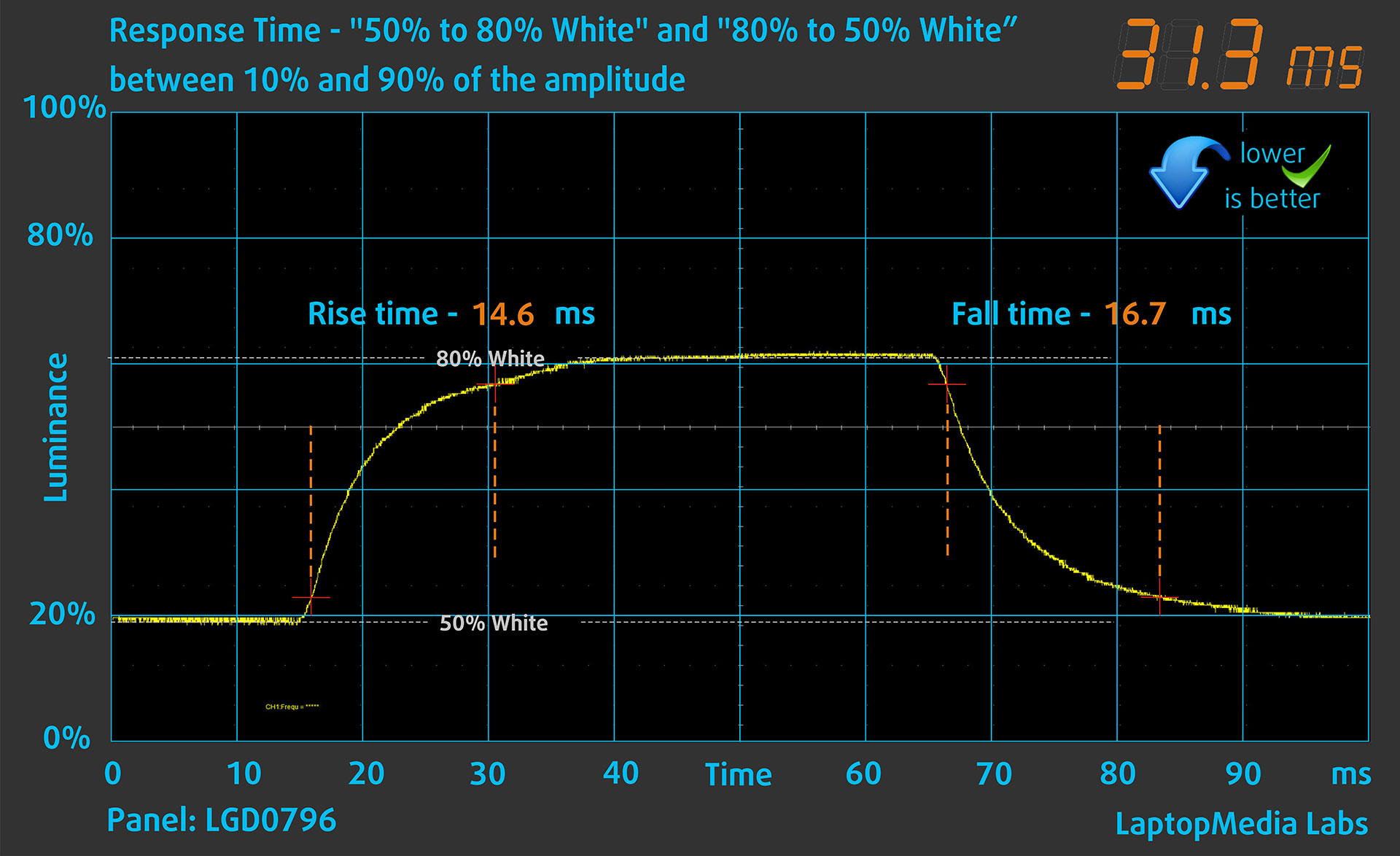
The Gray-to-Gray result indicates relatively slow intermediate pixel transitions, which can produce visible trailing during rapid movement. Together with the 60 Hz refresh-rate ceiling, this makes the display better suited to office work and video playback than fast-paced gaming.
The EDID advertises AMD FreeSync support within a narrow 40–60 Hz range. This can help reduce tearing when the frame rate remains inside that window, but it does not overcome the slow pixel response times or the 60 Hz maximum refresh rate.
Health Impact: PWM (Screen Flickering)
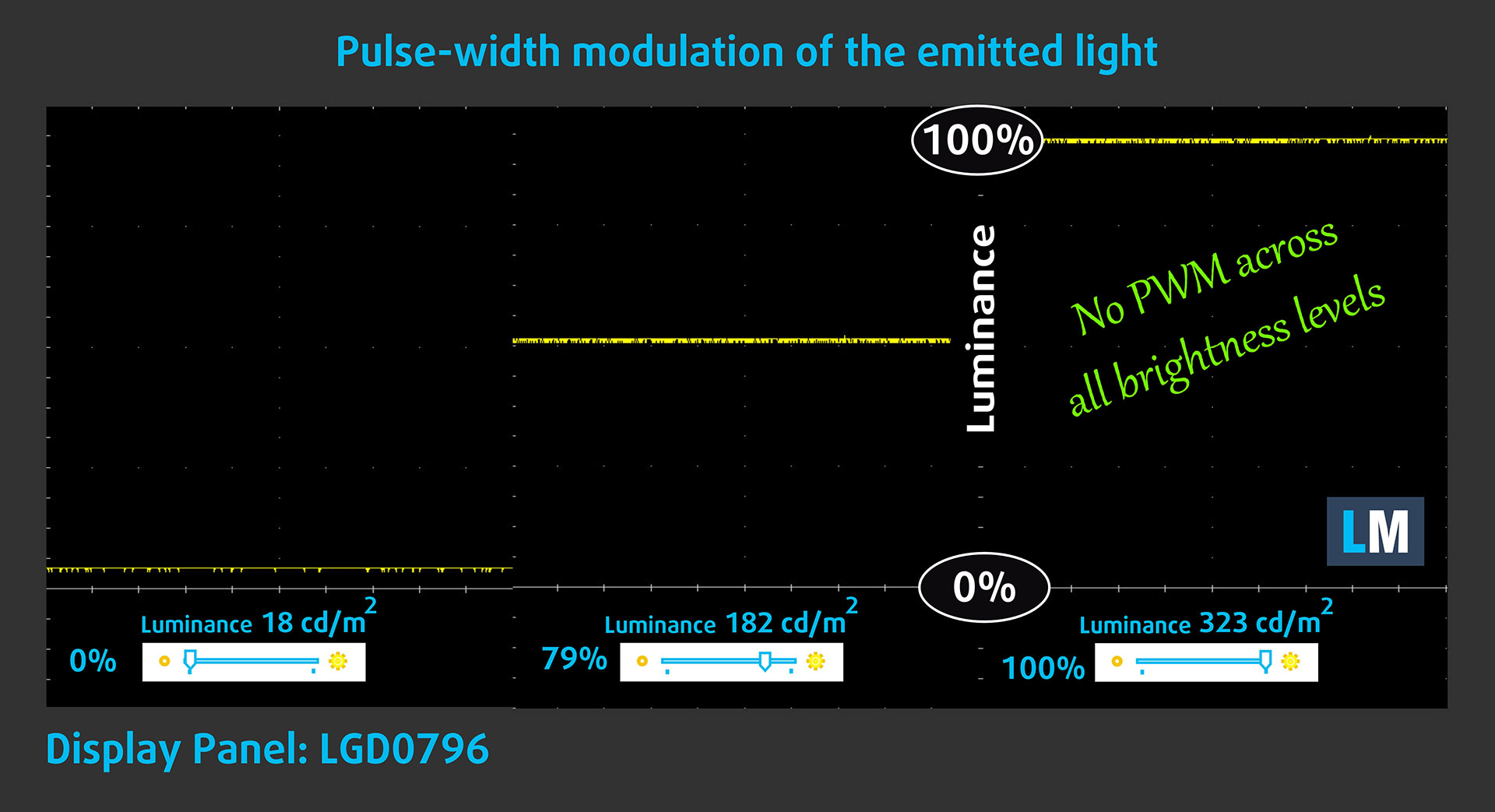
Some displays use PWM to regulate brightness, which means that instead of reducing the light intensity, they pulse or flicker. Our brain merges the image, so it appears darker, but this can increase eye strain, especially when the pulse frequency is low. You can read more about that in our dedicated article on PWM.
In the graph below, you can see the intensity of light at different brightness levels. The vertical axis shows the brightness of the emitted light, while the horizontal axis shows time.
The HP OmniBook 5 16 (16-bc1000)‘s display does not use PWM to regulate brightness at any tested level, making it comfortable for prolonged work in this respect.
Health Impact: Blue Light Emissions
Our Health-Guard profile reduces blue light emissions and may improve viewing comfort during evening use while keeping colors perceptually accurate. For maximum color accuracy, use the Design and Office Work profile.
You can find more information in our dedicated article on Blue Light.
Health Impact: Screen Reflectance
Displays with higher surface reflectance can cause eye fatigue in bright ambient conditions due to reflections. We measure the level of screen reflection with the display turned off, at a 60° angle.
The measured reflectance of the HP OmniBook 5 16 (16-bc1000)’s screen is 52.1 GU. This places the panel in our medium-reflectance category, but toward its better end, and the matte surface remains effective at suppressing distracting reflections in normal indoor environments.
Low Reflectance: < 45 GU
Medium Reflectance: 45–80 GU
High Reflectance: > 80 GU
Display Verdict
Overall, the LGD0796 is a practical office-oriented display rather than a multimedia showcase. Its strengths include higher-than-advertised brightness, a respectable 1340:1 contrast ratio, wide viewing angles, relatively low reflectance, and completely PWM-free brightness control.
Its major weaknesses are the narrow color gamut, modest factory color accuracy, 60 Hz refresh rate, and slow Gray-to-Gray response times. It is comfortable for documents, browsing, and prolonged everyday work, but it is not suitable for professional color work or fast competitive gaming.
Sound Quality
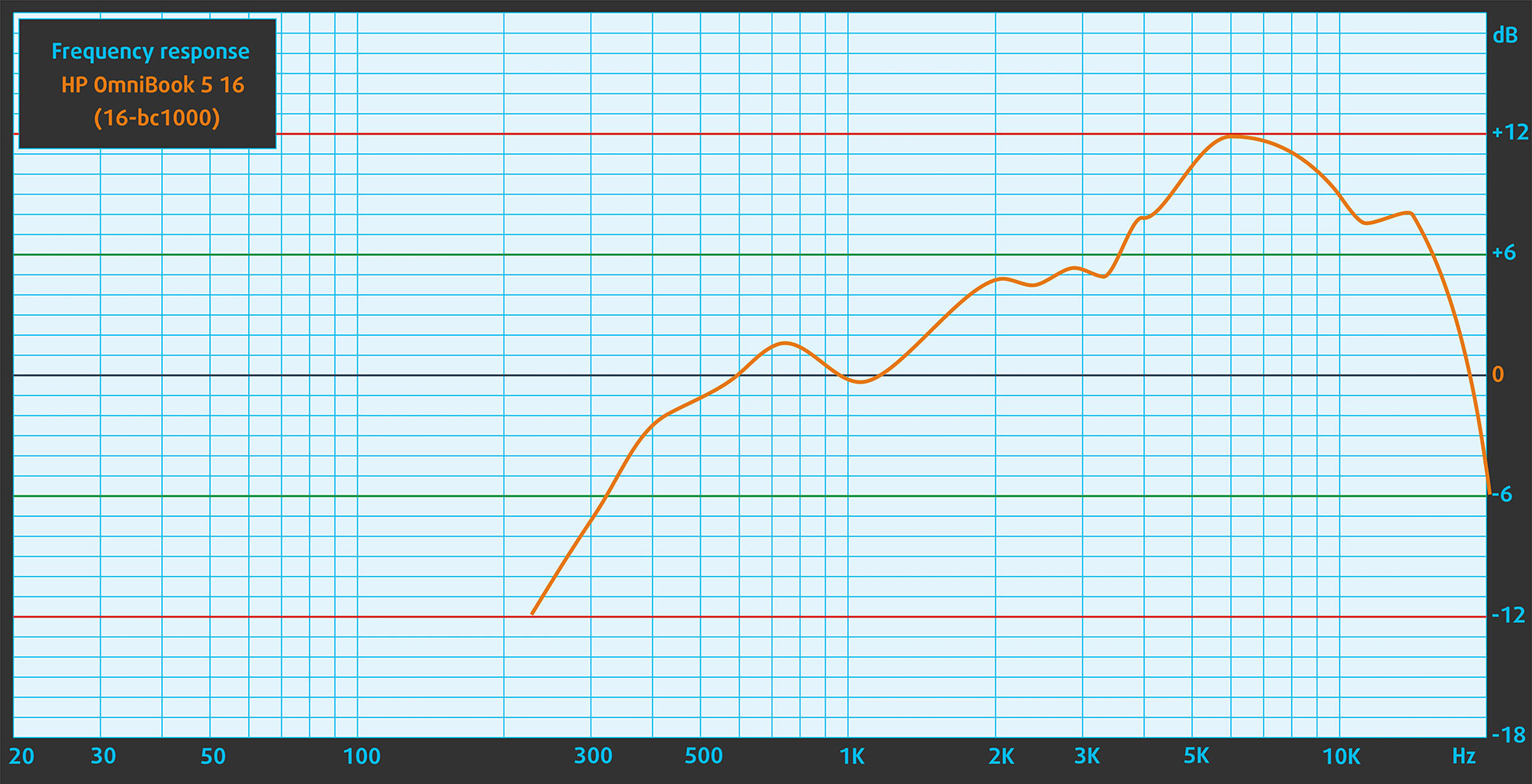
The HP OmniBook 5 16 (16-bc1000)’s speakers prioritize vocal clarity over fullness. Voices remain easy to understand, but the low frequencies lack depth, while the upper midrange and treble are noticeably emphasized. As a result, speech, podcasts, and video calls sound clear, but music and cinematic effects lack weight and warmth.
Get Our Profiles
Since our profiles are tailored for each individual display model, this article and its respective profile package are intended for HP OmniBook 5 16 (16-bc1000) configurations with the LGD0796, 1920 × 1200 IPS panel.
Should you have problems downloading the purchased file, try using a different browser to open the link you will receive via email. If the download target is a .php file instead of an archive, change the file extension to .zip or contact us at [email protected].
Read more about the profiles HERE.
In addition to receiving efficient and health-friendly profiles, by buying LaptopMedia's products you also support the development of our labs, where we test devices in order to produce the most objective reviews possible.

Design and Office
The Design and Office profile makes display colors as close to real as possible.Ideal not only for professionals but also for everyday users, it meets sRGB standards (D65 white point, sRGB gamma) with minimal DeltaE for precise color reproduction on your panel.

Gaming and Movies
Have you ever watched a movie where, during dark scenes, you can barely see anything? Many displays fail to distinguish dark tones properly. Our Gaming and Movies profile enhances low-light performance, like HDR tech, using a gamma curve tailored to human perception — ideal for gamers seeking faster reactions and clearer visuals.

Health-Guard
Our Health-Guard profile protects your eyes by eliminating PWM flickering, reducing strain and fatigue, and minimizing harmful Blue light exposure that can disrupt sleep and health. It uses software dimming and a gamma curve tailored to human perception for comfort and safety during screen use.
Get All The Profiles With 33% Discount!

Work Performance: CPU, Storage, AI
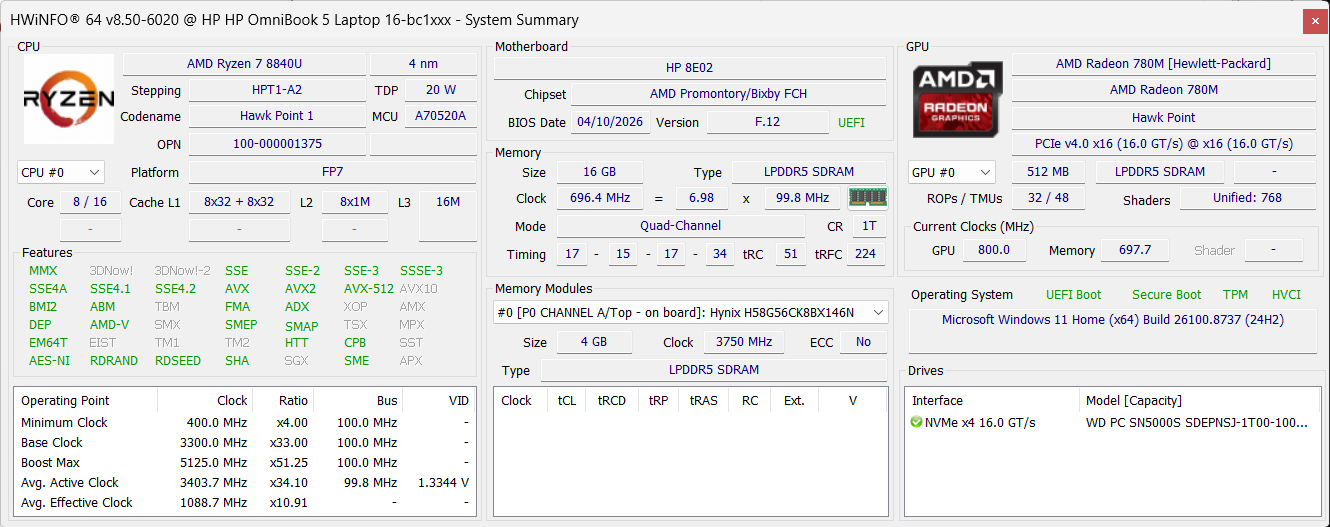
All performance and temperature tests are conducted with Performance mode activated in myHP:
CPU and Work Performance
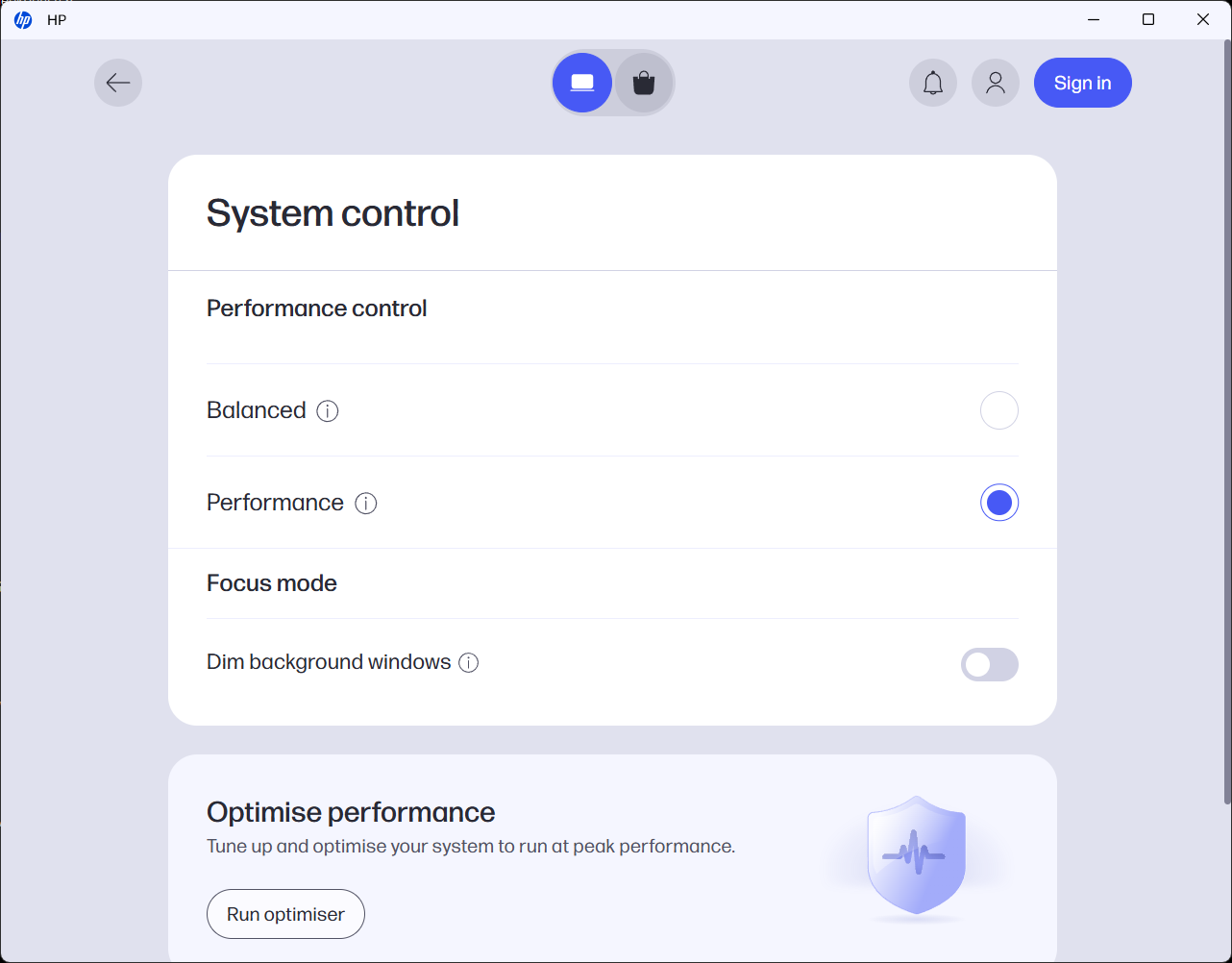
The HP OmniBook 5 16 (16-bc1000) is available with AMD Ryzen U-series processors, including the Ryzen 7 8840U and Ryzen 5 8540U. The Ryzen 7 option has 8 cores and 16 threads, while the Ryzen 5 uses a 6-core, 12-thread design, so the higher-tier CPU offers more headroom for multitasking and demanding productivity workloads. The Ryzen 7 8840U also incorporates an AMD Ryzen AI NPU rated at up to 16 TOPS. For a broader comparison, check our Top Laptop CPU Ranking.
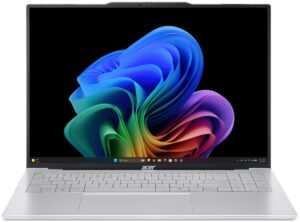
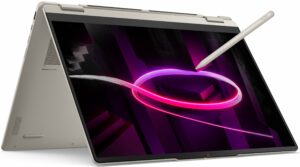
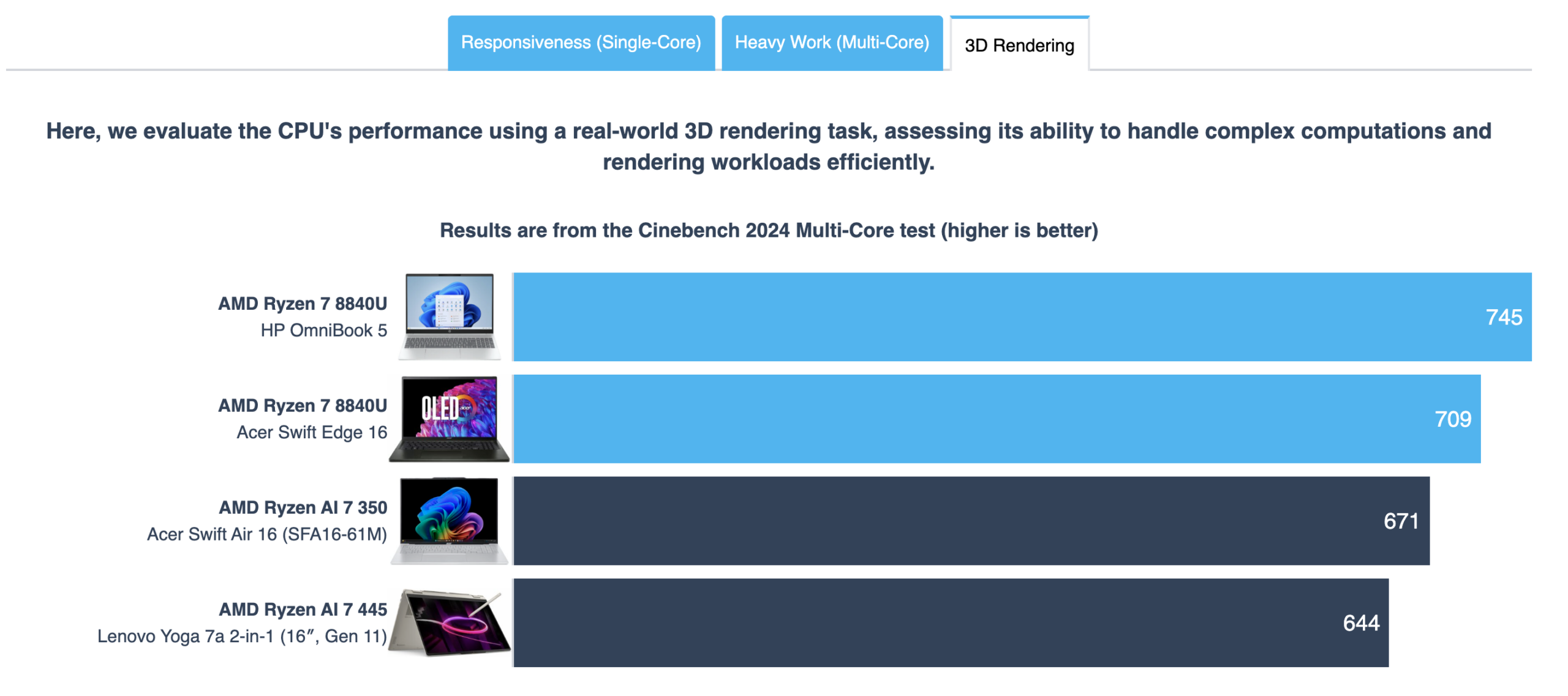
Our Ryzen 7 8840U configuration delivers competitive multi-core performance, keeping pace with newer Ryzen AI systems such as the Lenovo Yoga 7a 2-in-1 (16″, Gen 11) (detailed review). Its single-core responsiveness falls behind the Ryzen AI 7 350 in the Acer Swift Air 16 (SFA16-61M) (detailed review), but the OmniBook performs particularly well in sustained 3D rendering, where it leads all three comparison machines. Even against the Acer Swift Edge 16 (detailed review) with the same Ryzen 7 8840U, the HP finishes rendering workloads faster, suggesting effective sustained power and thermal tuning.
Single-core performance ensures smooth operation and responsiveness in operating systems, providing a better user experience.
Results are from the Geekbench 6 Single-Core test (higher is better)
Multi-core performance is essential for handling complex and demanding tasks, such as Video editing, CAD, and Scientific simulations.
Results are from the Geekbench 6 Multi-Core test (higher is better)
Here, we evaluate the CPU's performance using a real-world 3D rendering task, assessing its ability to handle complex computations and rendering workloads efficiently.
Results are from the Cinebench 2024 Multi-Core test (higher is better)
Storage Performance
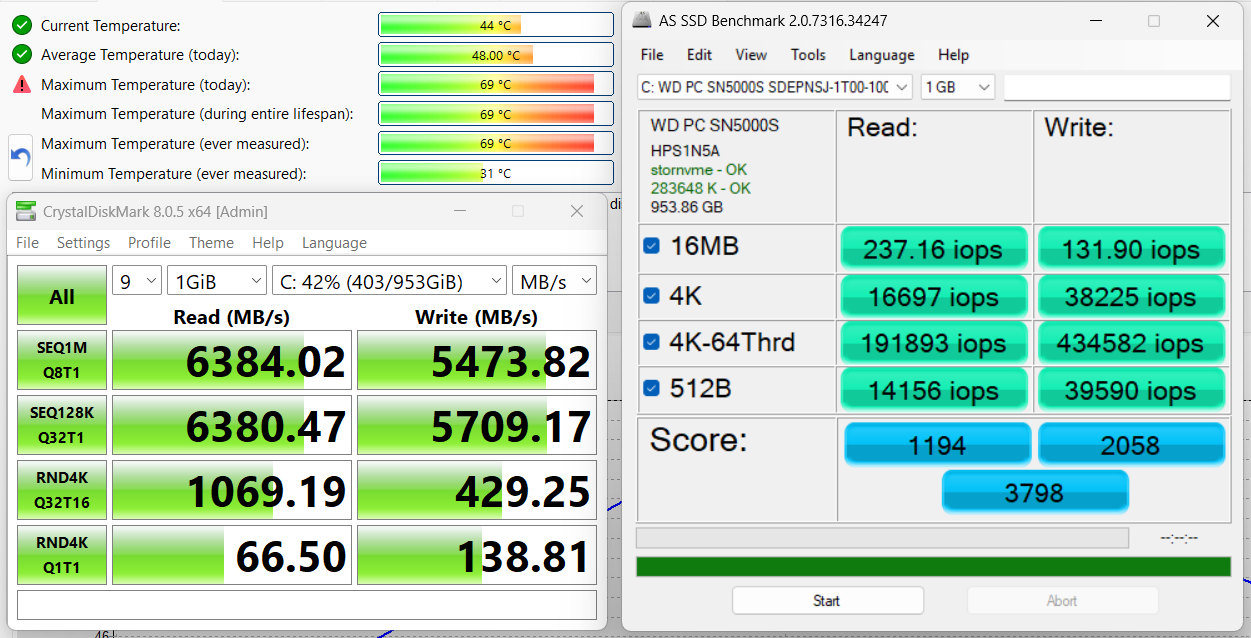
We ordered a configuration with 1TB of storage, and the HP OmniBook 5 16 arrived with a WD PC SN5000S (SDEPNSJ-1T00-1006). It is a PCIe 4.0 x4 NVMe drive, reaching 6.4 GB/s sequential read and 5.7 GB/s sequential write speeds in our benchmark. The SSD peaked at 69°C during testing, which is on the warm side but not concerning.
AI Performance
Here you can see the position of the GPUs and CPUs (NPUs) found within the HP OmniBook 5 (16-ag0000, ag1000, bc0000, bc1000, af1000, ba1000) in our AI Hardware Performance Rankings based on their AI processing power, measured in TOPS (Tera Operations Per Second) - a critical metric indicating the computational throughput, particularly for AI tasks.
The first column shows peak performance for INT8/FP8 precision, which is the most widespread metric for evaluating AI inference capabilities. We exclude Sparsity to provide a more accurate reflection of AI performance in dense computation scenarios where sparsity optimizations may not be applicable. The second and third columns show the performance with Sparsity, and FP4 TFLOPS, when supported.
For SoCs, the results reflect the peak performance of the integrated NPU. Additionally, it’s important to note that, according to Microsoft, a NPU must have at least 40 TOPS of AI computing power for the PC to be considered “AI-capable.”
| # | GPU / CPU (NPU) | TOPS INT8/FP8 No Sparsity | TOPS INT8/FP8 Sparsity | TFLOPS FP4 Sparsity |
|---|---|---|---|---|
| 1544. | AMD Ryzen AI 5 330 | 50 | — | — |
| 1549. | AMD Ryzen AI 5 340 | 50 | — | — |
| 1554. | AMD Ryzen AI 7 350 | 50 | — | — |
| 1558. | AMD Ryzen AI 7 445 | 50 | — | — |
| 1583. | Intel Core Ultra 9 288V | 48 | — | — |
| 1706. | AMD Ryzen 7 8840U | 16 | — | — |
| 1736. | Intel Core Ultra 9 285H | 13 | — | — |
GPU and Gaming Performance
Graphics depend on the selected processor, with the Ryzen 7 8840U paired with AMD Radeon 780M Graphics and the Ryzen 5 8540U using AMD Radeon 740M Graphics. These are integrated GPUs, so they are mainly intended for everyday use, media playback, office work, and light creative tasks rather than demanding gaming. The Radeon 780M is the stronger option and should be noticeably better for light GPU-accelerated workloads. You can compare both solutions in our Top Laptop Graphics Ranking.
The Radeon 780M in our OmniBook performs close to the same GPU in the Acer Swift Edge 16 (detailed review), although the Acer maintains a larger advantage in 3DMark Wild Life Extreme. More importantly, the HP comfortably outperforms the newer but lower-tier Radeon 860M in the Acer Swift Air 16 (SFA16-61M) (detailed review) and the Radeon 840M in the Lenovo Yoga 7a 2-in-1 (16″, Gen 11) (detailed review). It remains a capable integrated solution for esports and older games at modest settings, but demanding modern titles will require reduced resolution, low detail levels, and often upscaling.
The results are from 3DMark Time Spy (Graphics). Higher is better.
The results are from 3DMark Wild Life Extreme Unlimited. Higher is better.
HP OmniBook 5 (16-ag0000, ag1000, bc0000, bc1000, af1000, ba1000) GPU variants
Here you can see an approximate comparison between the GPUs that can be found in the HP OmniBook 5 (16-ag0000, ag1000, bc0000, bc1000, af1000, ba1000) models on the market. This way you can decide for yourself which HP OmniBook 5 (16-ag0000, ag1000, bc0000, bc1000, af1000, ba1000) model is the best bang for your buck.
Note: The chart shows the cheapest different GPU configurations so you should check what the other specifications of these laptops are by clicking on the laptop’s name / GPU.
The results are from 3DMark Time Spy (Graphics). Higher is better.
Results are from the 3DMark: Wild Life (Graphics) benchmark (higher the score, the better)
Gaming Tests

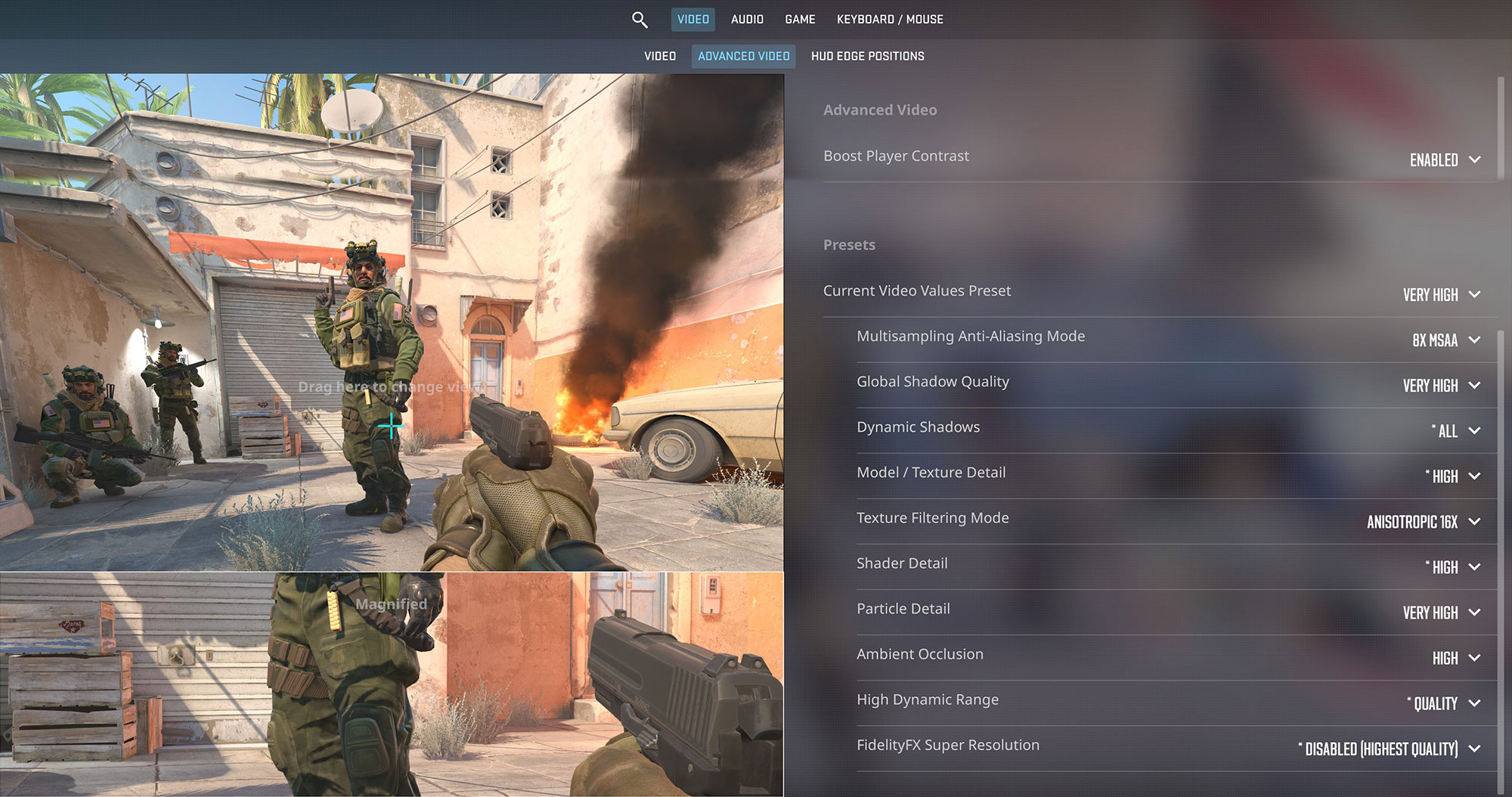
In Counter-Strike 2, the HP OmniBook 5 16 averaged 39 FPS at 1920 × 1200 on the Very High preset. This is technically playable, but not well suited to a competitive shooter where lower input latency and higher frame rates are important. Reducing the graphical settings—and potentially the resolution—should provide a noticeably smoother and more responsive experience.
| Counter-Strike 2 | 1200p, Very High (Check settings) |
| Average FPS | 39 FPS |

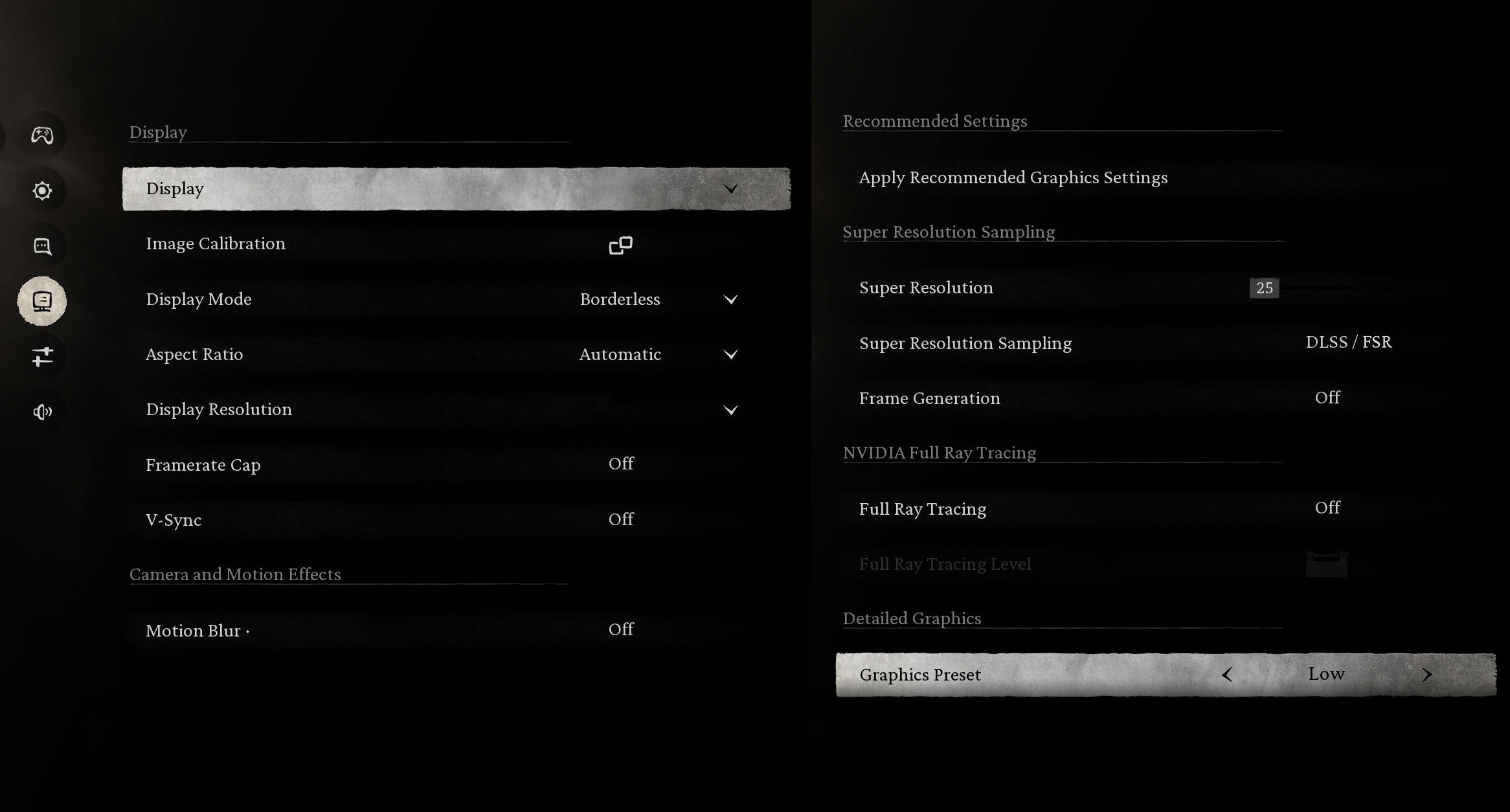
Black Myth: Wukong averaged 61 FPS at 1920 × 1200 using the Low preset, with FSR upscaling set to a 30% Super Resolution value and Frame Generation disabled. This is a strong result for integrated graphics, but it should not be interpreted as native-resolution performance; the reduced settings and aggressive upscaling also come with a noticeable loss of image quality.
| Black Myth: Wukong | 1200p, Low (Check settings) |
| Average FPS | 61 FPS |

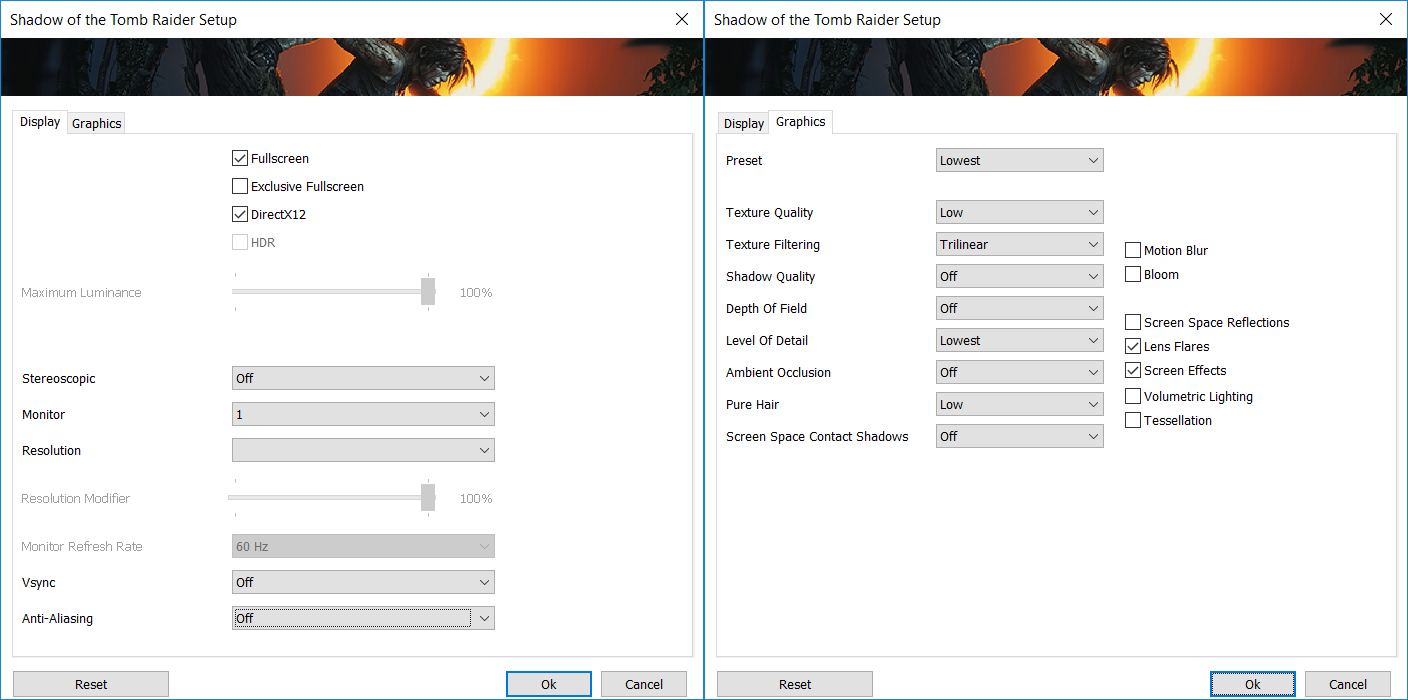
Less demanding and older AAA titles are comfortably within the capabilities of the OmniBook 5 16. In Shadow of the Tomb Raider, the laptop averaged 63 FPS at 1920 × 1200 on the Lowest preset, providing a smooth and playable single-player experience.
| Shadow of the Tomb Raider | 1200p, Lowest (Check settings) |
| Average FPS | 63 FPS |
Overall, the Radeon 780M is capable enough for esports games, older AAA releases, and even some newer demanding titles, provided that you are willing to use low graphical settings. The laptop is not a dedicated gaming machine, but its integrated GPU offers considerably more flexibility than basic office-oriented graphics solutions.
CPU Temperatures and Stability
At idle, the AMD Ryzen 7 8840U maintains a CPU package temperature of approximately 46°C, while the cooling fan remains inactive and the notebook operates silently.
Office Work, Web Development, Design
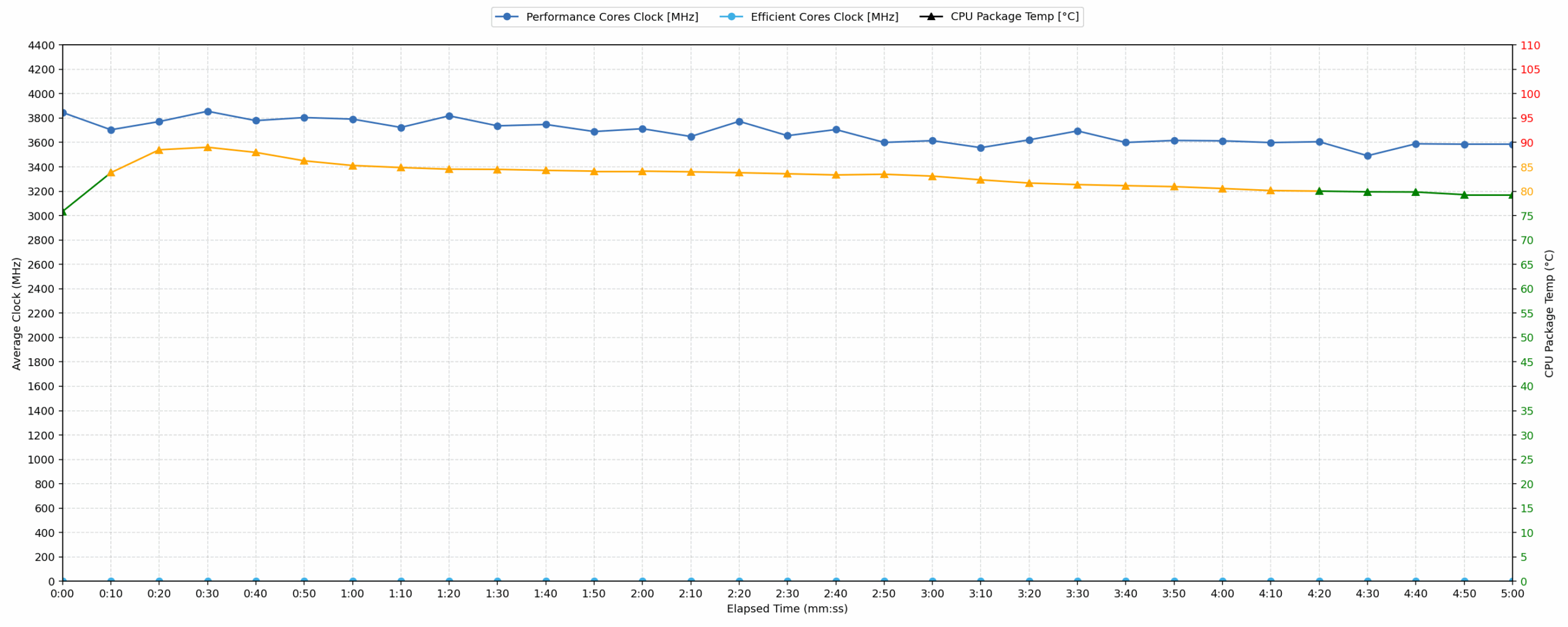
Short periods (0:00–0:10 s) of 100% CPU load
This test shows the CPU behavior during short bursts of heavy load. It is relevant to everyday workloads such as web development, programming, image editing, and other tasks that place brief but intensive demands on the processor.
| AMD Ryzen 7 8840U | Avg. CPU Clock | Avg. CPU Temp. | Avg. CPU Power |
| HP OmniBook 5 16 (16-bc1000) | 3846 MHz | 75°C | 29 W |
During short workloads, the Ryzen 7 8840U boosts to an average clock of nearly 3.85 GHz while drawing 29 W. The average temperature of 75°C remains well controlled for a short all-core burst. This behavior is well suited to applications that alternate between light activity and brief periods of heavier processing.
Video Editing, Scientific Computing, Software Compilation, 3D Rendering
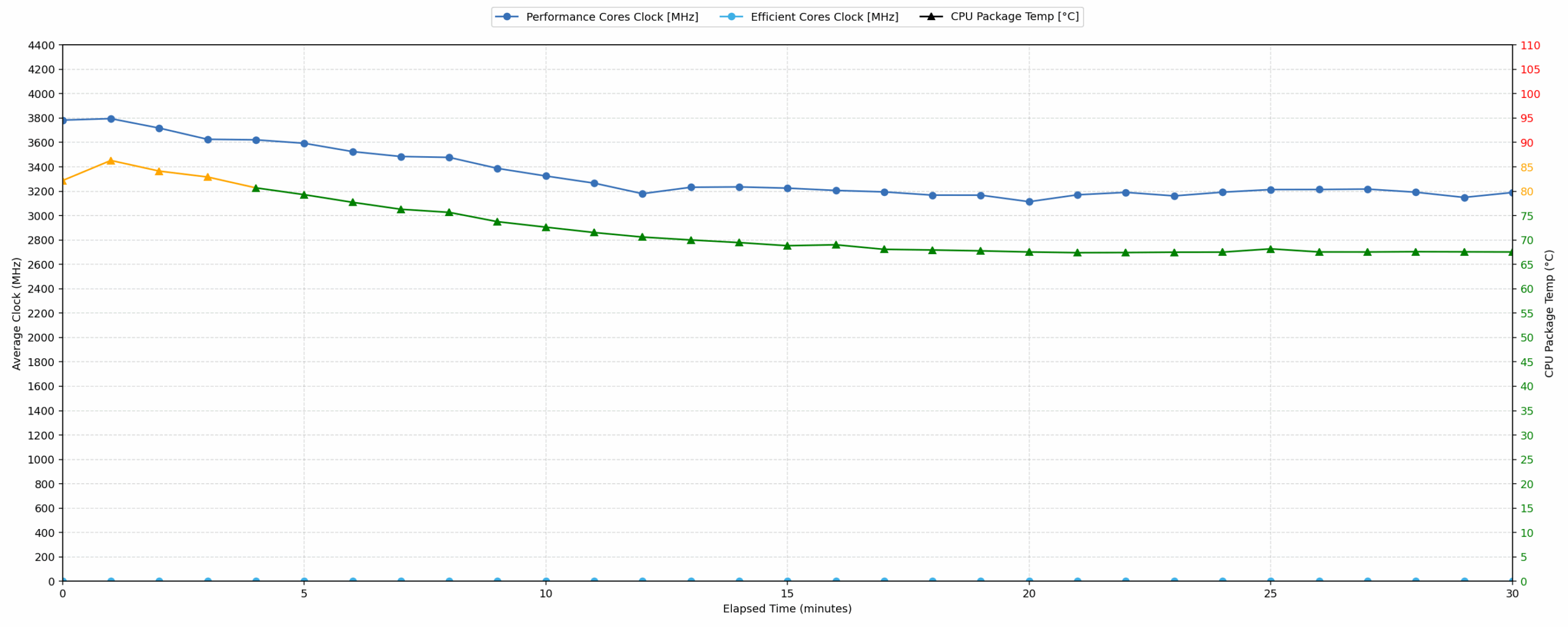
Long periods (0:00–30:00 min) of 100% CPU load
This test shows the CPU behavior during prolonged heavy load. It is relevant to sustained workloads such as video encoding, software compilation, scientific calculations, and CPU-based 3D rendering.
| AMD Ryzen 7 8840U | Avg. CPU Clock | Avg. CPU Temp. | Avg. CPU Power |
| HP OmniBook 5 16 (16-bc1000) | 3324 MHz | 72°C | 22 W |
Under a continuous 30-minute workload, the processor settles at an average clock of 3.32 GHz and a sustained power level of 22 W. Compared with the short-load test, clock speed decreases by around 14%, while the average temperature falls slightly to 72°C. This indicates that the laptop prioritizes controlled power consumption and manageable thermals during prolonged work rather than maintaining its maximum short-term boost indefinitely.
The sustained result remains solid for a general-purpose 16-inch notebook. The moderate average temperature suggests that long-term performance is governed primarily by the system’s power tuning rather than by the processor approaching its maximum operating temperature.
Battery Life
The HP OmniBook 5 16 (16-bc1000) uses a three-cell lithium-polymer battery with a rated capacity of 59.16 Wh. It lasted 8 hours and 39 minutes in our local video playback test with the display set to 180 nits in SDR mode.
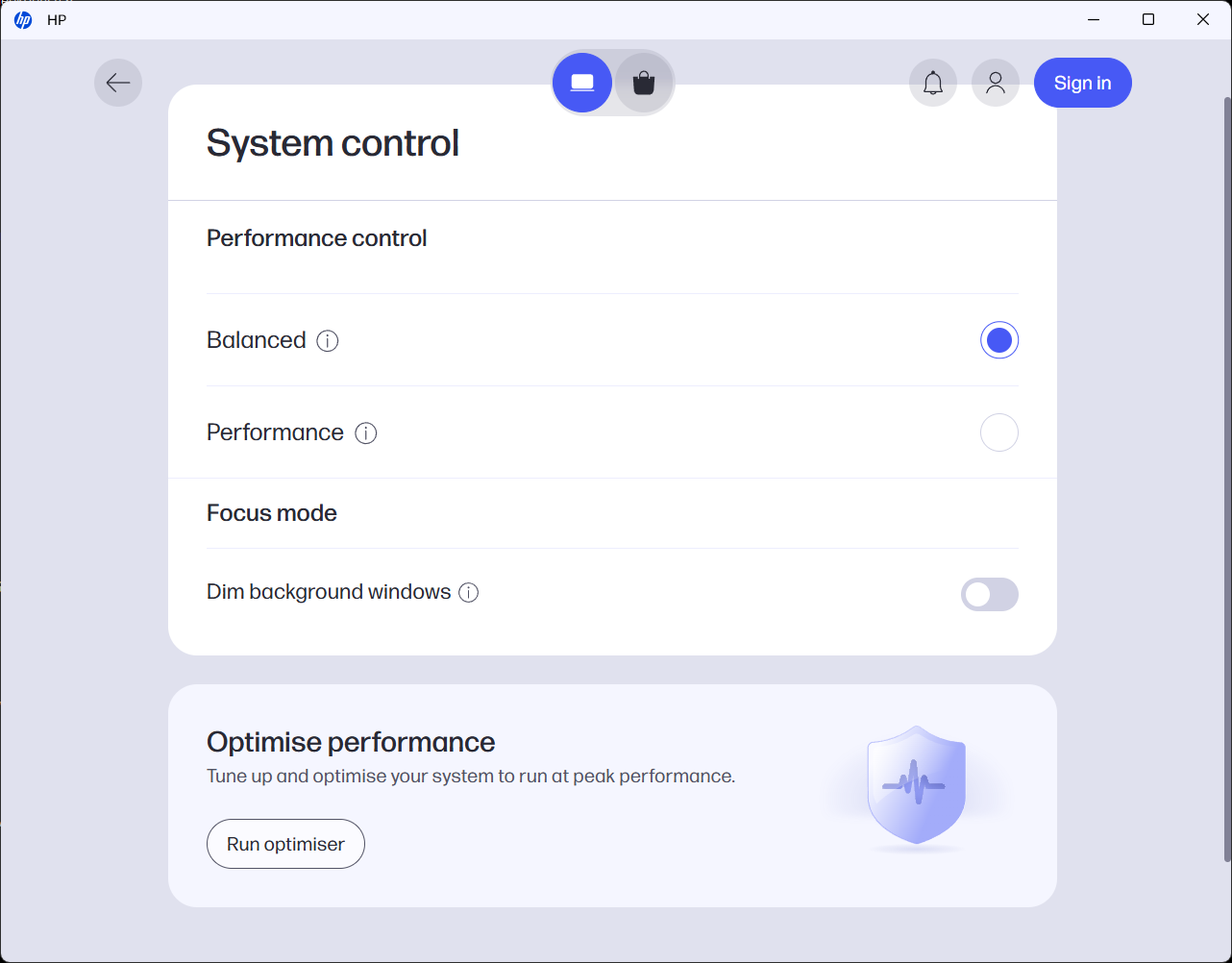
We tested the laptop with Balanced mode selected in myHP and Best power efficiency enabled in Windows Settings.
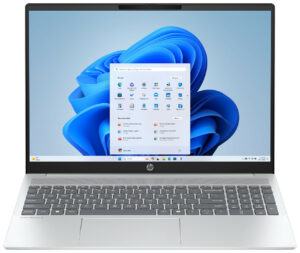
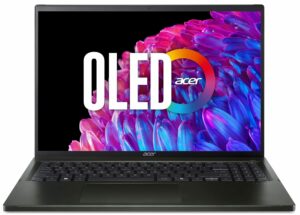
The result is respectable for a 16-inch laptop, although it is not class-leading. The Acer Swift Air 16 (SFA16-61M) (detailed review) lasts noticeably longer despite using a smaller 50 Wh battery, while the Lenovo Yoga 7a 2-in-1 (16″, Gen 11) (detailed review) achieves a smaller advantage with its considerably larger 70 Wh battery. Keep in mind that this result represents local video playback rather than mixed productivity, so real-world runtime will depend heavily on workload, brightness, and wireless activity.
Brightness: 180 nits; Display Mode: SDR
Time to Full Discharge: Higher is Better
Disassembly, Upgrade Options, and Maintenance
The bottom panel is secured by only four screws and a series of plastic clips around the edges. The screws are not identical in length, so their original positions should be preserved during reassembly. After removing them, the cover can be released with a plastic pry tool, although some of the clips require a little patience. Once inside, the main replaceable components are clearly accessible.
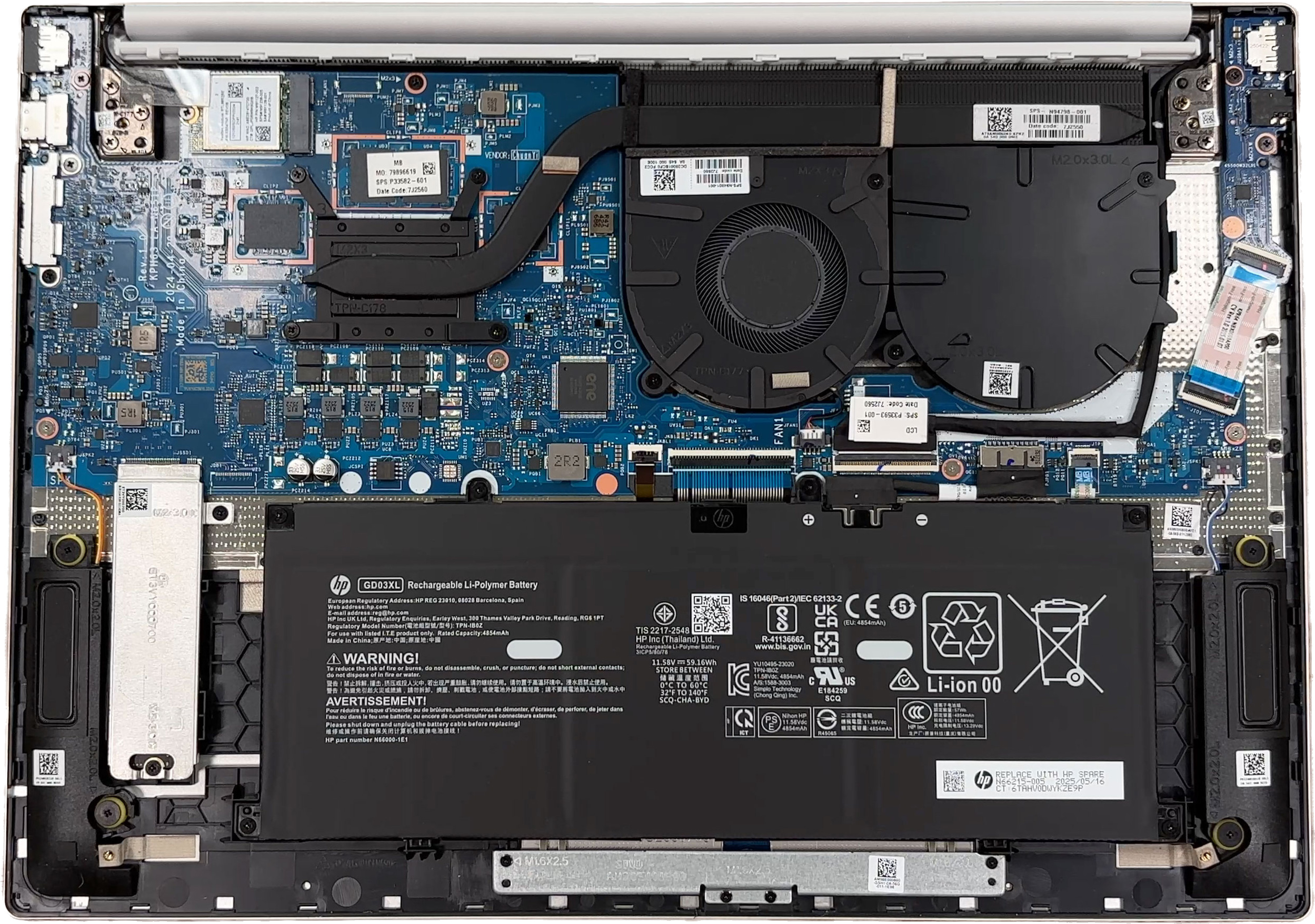
The cooling system consists of a single fan, one heat pipe, and a long heatsink positioned along the rear edge of the chassis. Our configuration is powered by the AMD Ryzen 7 8840U, while the series is also available with a Ryzen 5 processor. In both cases, the CPU is soldered directly to the motherboard and cannot be upgraded.
Beside the installed fan is a covered, fan-shaped cavity. Although it resembles space intended for a second fan, our configuration does not contain the necessary cooling hardware, and this area should not be considered a ready-made upgrade location.
The memory is soldered as well. Our laptop has 16GB of LPDDR5-6400 RAM, implemented through four 4GB SK Hynix packages, and there are no SO-DIMM slots. HP lists 16GB as the maximum memory capacity for this series, so buyers cannot expand it later and must choose the required capacity at the time of purchase.
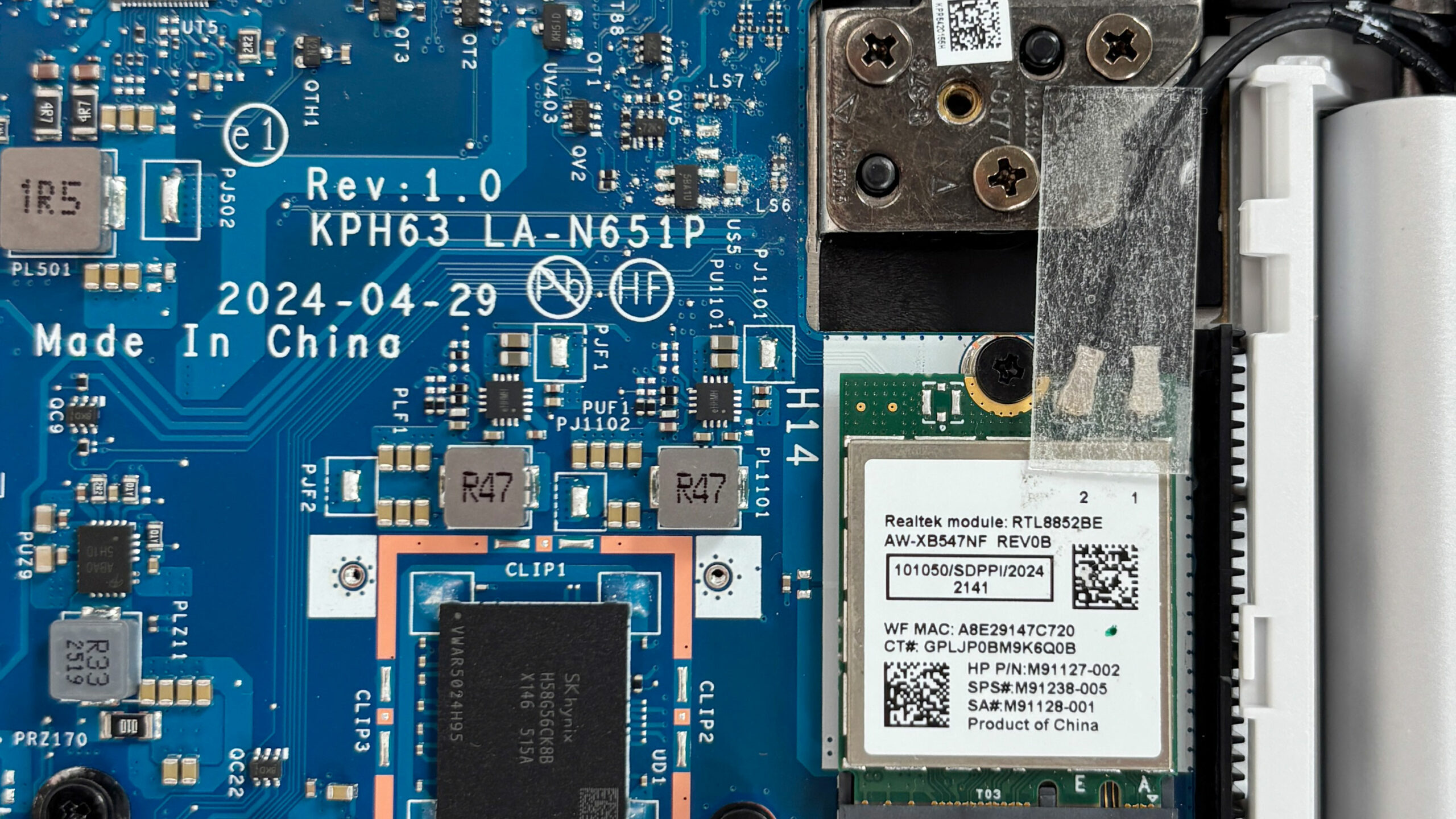
Storage is handled by a single M.2 2280 PCIe 4.0 x4 slot. Our machine arrived with a 1TB WD PC SN5000S (SDEPNSJ-1T00-1006) NVMe SSD. The drive is covered by a metal shield with a thermal pad on its underside, allowing it to serve both as protection and as a heat spreader.
Since there is no second internal M.2 slot, increasing the storage capacity requires replacing the existing SSD rather than adding another drive. Users will therefore need to clone the original SSD or reinstall Windows and restore their personal data from a backup.
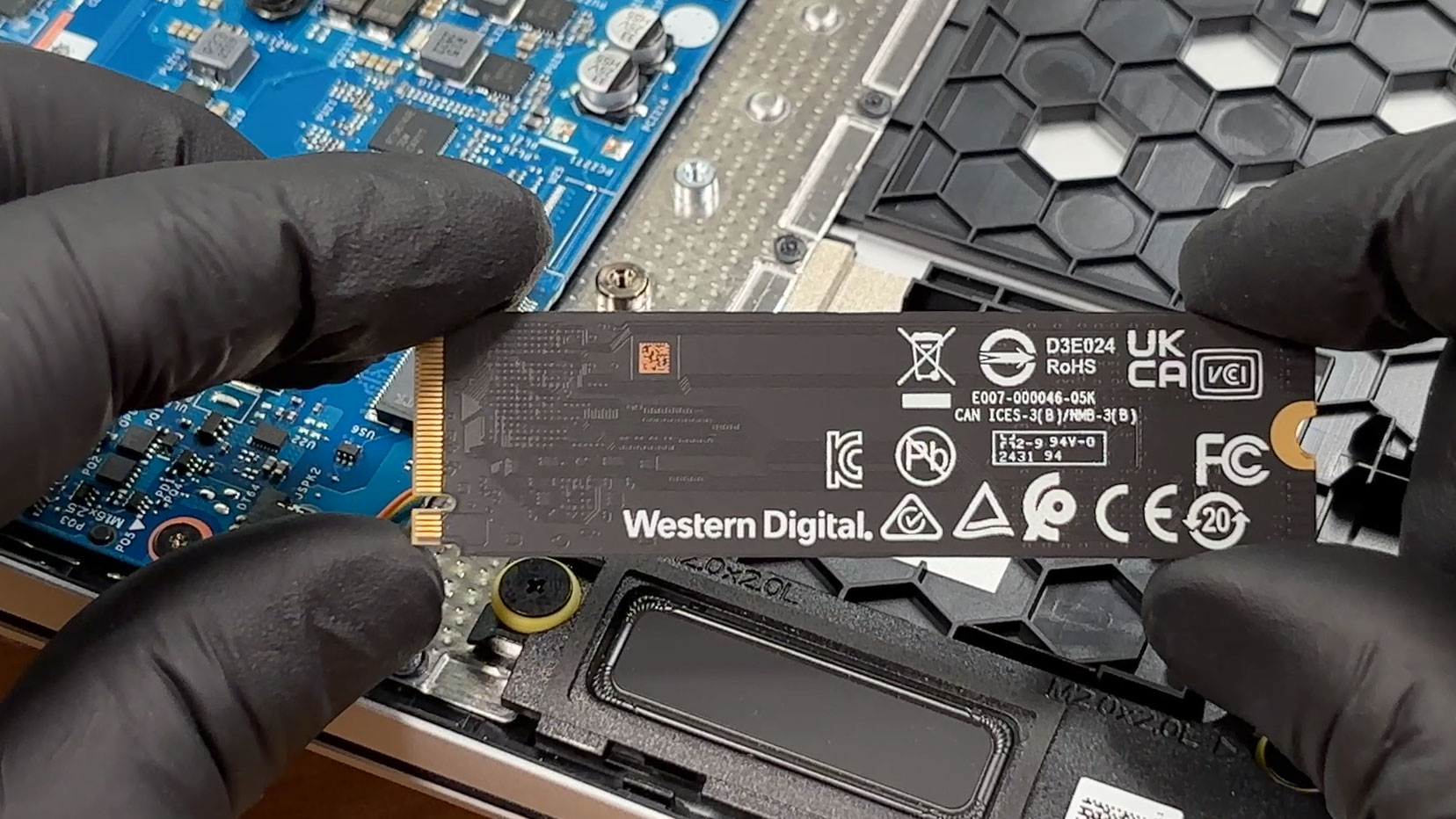
The wireless module is replaceable and occupies a standard M.2 slot. Our configuration uses a Realtek RTL8852BE card with Wi-Fi 6 and Bluetooth 5.3, while some versions of the series may instead be equipped with a MediaTek Wi-Fi 6E module. A small plastic cover protects the antenna connectors and helps keep them securely attached.
The three-cell 59 Wh battery is secured with screws and can be removed without taking out the motherboard. Its connector should be disconnected before servicing the SSD, wireless card, cooling system, or other internal components.
The cooling fan, speakers, SSD, wireless module, and battery are all separate and serviceable components. The soldered processor and memory, however, place clear limits on meaningful hardware upgrades.
Overall, routine maintenance is relatively straightforward thanks to the four-screw bottom cover and accessible internal layout. The fan can be cleaned, the battery and wireless card can be replaced, and the SSD can be upgraded, but the absence of SO-DIMM slots and a second M.2 slot makes the OmniBook 5 16 considerably less flexible for long-term expansion.
Verdict
✅ The Good
One of the laptop’s strongest qualities is the AMD Ryzen 7 8840U processor. Everyday responsiveness is good, and the OmniBook performs particularly well during sustained CPU workloads, where it maintains competitive clock speeds without pushing temperatures uncomfortably high. The integrated Radeon 780M is also considerably more capable than basic office-oriented graphics, making older games, esports titles, and even some newer releases playable at reduced settings and, where necessary, with upscaling.
The design is clean, professional, and highly practical. The matte Glacier Silver finish does an excellent job of concealing fingerprints, even after weeks of regular use. The keyboard is comfortable, includes a dedicated NumPad, and is complemented by a physical webcam shutter. The chassis also feels sufficiently sturdy for its class despite some mild flex under deliberate pressure.
The display is not particularly colorful, but it does have several strengths for office use. Our panel exceeded its advertised brightness, reaching an average of 325 nits, delivered a respectable 1340:1 contrast ratio, and remained completely free of PWM at every tested brightness level. Its matte surface and relatively low reflectance further improve comfort during prolonged indoor use.
Battery life is respectable rather than exceptional. The laptop lasted 8 hours and 39 minutes in our local video playback test, which should be sufficient for extended light use, although heavier multitasking and higher display brightness will reduce the real-world runtime.
❌ The Bad
The display’s main weakness is its limited color coverage. With only 52% sRGB coverage, colors lack the richness and accuracy required for professional photo editing, video production, or other color-sensitive work. The 60 Hz refresh rate and slow Gray-to-Gray response times also make motion look less fluid than on modern high-refresh panels and can produce visible trailing in fast-moving content.
Upgradeability is similarly restricted. The 16GB of memory is soldered and cannot be expanded, while the single M.2 slot means that increasing storage capacity requires replacing the existing SSD. Buyers should therefore choose the required memory and storage configuration carefully at the time of purchase.
The port selection covers the basics but lacks USB4 or Thunderbolt, an Ethernet port, and a memory card reader. Both USB-C ports and the HDMI connector are also positioned on the right side, which can create cable clutter beside an external mouse.
There are a few additional usability compromises. The Up and Down arrow keys are half-height, the Power button occupies an unusual position beside the Esc key, the lid cannot be opened with one hand, and its maximum opening angle is limited to approximately 110 degrees. Our configuration also lacks both a fingerprint reader and an IR camera for Windows Hello.
Although the Ryzen 7 8840U includes a 16-TOPS Ryzen AI NPU, this is not a Copilot+ PC. The NPU can accelerate supported local AI workloads, but it does not meet Microsoft’s 40-TOPS requirement for the full Copilot+ feature set.
🆚 The Competitors
Compared with the Acer Swift Air 16 (SFA16-61M) (detailed review), the OmniBook feels like the more conventional work-focused option. The Acer is dramatically lighter, offers a substantially more vibrant OLED display, and lasts longer in our video playback test. The HP, however, delivers stronger sustained CPU rendering performance and may appeal more to users who prefer a matte IPS panel and a full NumPad.
The Lenovo Yoga 7a 2-in-1 (16″, Gen 11) (detailed review) occupies a more premium category. It offers convertible functionality, a higher-quality display, more modern wireless connectivity, and a more refined construction, but it also commands a higher price. The OmniBook remains the more economical choice for buyers who primarily need a large display, competent productivity performance, and a traditional laptop form factor.
Overall, the HP OmniBook 5 16 is best suited to office users, students, and home buyers who want a capable large-screen laptop without paying for premium extras. Its processor performance and practical design are convincing, but the limited display gamut and restricted upgradeability should be considered carefully before purchase.
You can check the prices and configurations in our Specs System: https://laptopmedia.com/series/hp-omnibook-5-16-ag0000-bc0000/
Pros
- Strong sustained CPU performance for productivity workloads
- Capable Radeon 780M integrated graphics
- Fingerprint-resistant matte finish
- Matte, PWM-free display with good contrast and 325-nit average brightness
- Comfortable backlit keyboard with a dedicated NumPad
- Physical webcam privacy shutter
- Replaceable SSD, Wi-Fi module, and battery
Cons
- Very limited display color coverage
- Soldered memory with a maximum official capacity of 16GB
- Only one internal M.2 slot
- No USB4, Thunderbolt, Ethernet, or card reader
- Slow display response times and a 60 Hz refresh rate
- No fingerprint reader or IR camera on our configuration
- Limited opening angle and no one-handed opening
 Author: Simeon NikolovEditor-in-Chief at LaptopMedia.com with 20+ years of experience in testing and analyzing laptops and mobile devices.
 Author: eng. Kroum NikolovHead of Engineering at LaptopMedia.com, inventor and innovator with 40+ years of experience in electronics and high technology.

![[August 2026] Amazon Italy: Top 10 Best-Selling Laptops – Apple MacBook Neo Claims the Crown as Budget and Mid-Range Windows Machines Dominate Volume](https://laptopmedia.com/wp-content/uploads/2026/09/Best-Selling-Laptops-IT-Top-10-400x225.jpg)
![[August 2026] Amazon Italy: Top 7 Best-Selling Gaming Laptops – ASUS V16 Claims the #1 Spot Amid Strong Mid-Range Demand](https://laptopmedia.com/wp-content/uploads/2026/09/Best-Selling-Gaming-Laptops-IT-Top-10-400x225.jpg)
![[August 2026] Best-Selling Laptop Brands on Amazon Italy – Lenovo Dominates Market Share and Revenue Leadership](https://laptopmedia.com/wp-content/uploads/2026/09/IT-Best-Brands-400x225.jpg)
![[August 2026] Amazon India: Top 10 Best-Selling Laptops – Apple MacBook Neo Dominates the Charts with Massive Sales Lead](https://laptopmedia.com/wp-content/uploads/2026/09/Best-Selling-Laptops-IN-Top-10-400x225.jpg)
![[August 2026] Amazon India: Top 10 Best-Selling Gaming Laptops – HP Victus 15 Dominates the Market with Massive Unit Lead](https://laptopmedia.com/wp-content/uploads/2026/09/Best-Selling-Gaming-Laptops-IN-Top-10-400x225.jpg)