Lenovo IdeaPad Slim 5a (16″, Gen 11) review – 2.8K OLED, Ryzen AI 7 450, and Rare Upgradeability
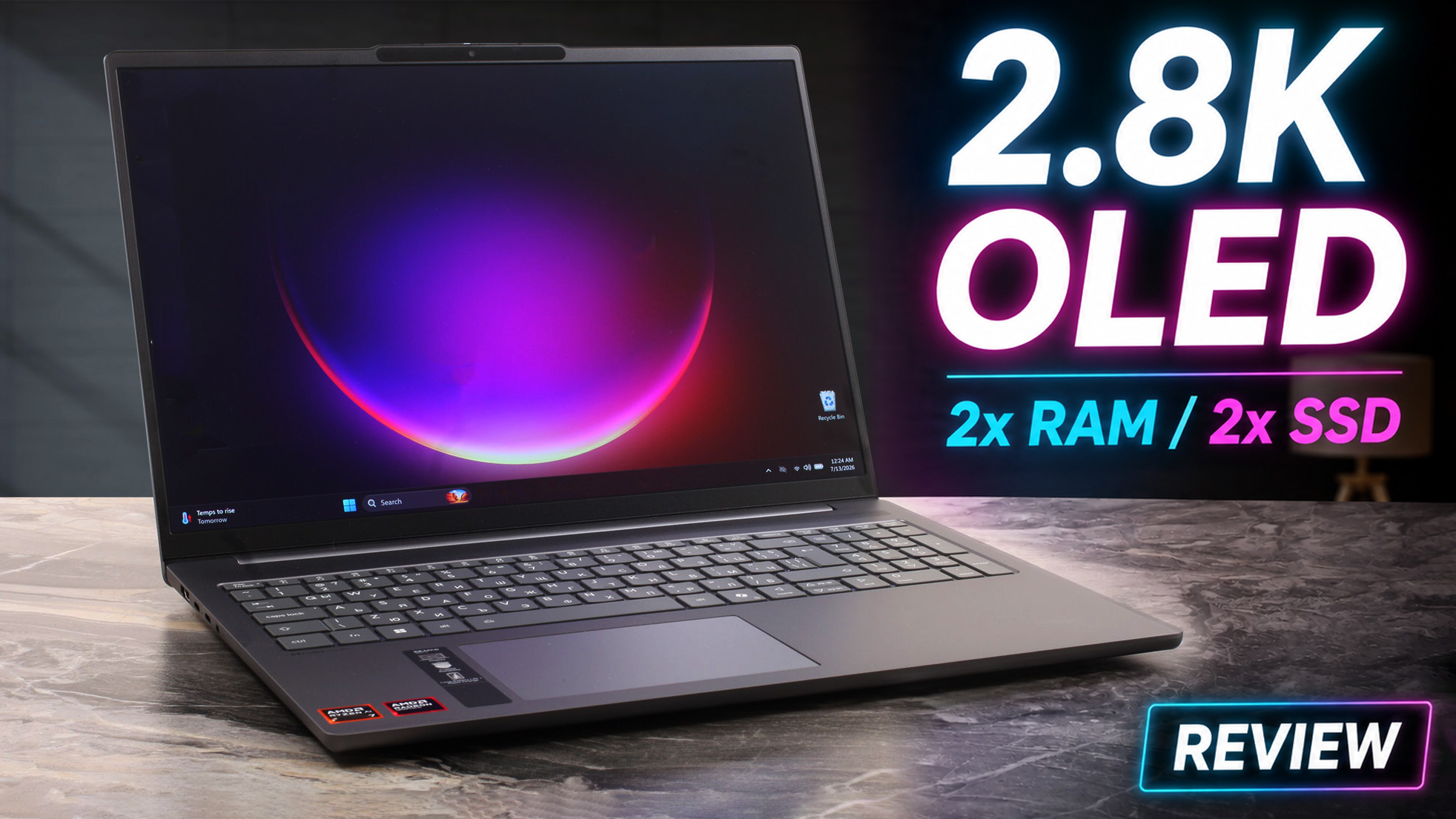 The Lenovo IdeaPad Slim 5a (16″, Gen 11) is a well-rounded 16-inch laptop that combines strong performance, practical upgradeability, and a clean aluminum design. Our higher-end configuration, equipped with the Ryzen AI 7 450, 32 GB of dual-channel memory, an 80 Wh battery, and the 2.8K 120 Hz OLED display, is particularly capable. It is suitable for students, professionals, content creators, and home users who want a large, high-quality screen without moving into workstation or gaming-laptop territory.
The exact configuration matters greatly, however. The series ranges from a basic WUXGA IPS panel with limited 45% NTSC coverage to the excellent OLED display tested here, while the Ryzen AI 7 450 also provides substantially stronger CPU and graphics performance than the lower processor options. Buyers should therefore pay close attention to the full specification rather than relying on the IdeaPad Slim 5a name alone.
With the right configuration and competitive pricing, the IdeaPad Slim 5a is one of the more practical 16-inch laptops in its class. Its strongest advantages are the excellent OLED panel, sustained processor performance, and unusually generous upgrade options.
You can check the prices and configurations on our Lenovo IdeaPad Slim 5a (16″, Gen 11) Specs System page.
TESTED CONFIGURATION:
– AMD Ryzen AI 7 450
– AMD Radeon 860M
– 32 GB DDR5-5600 RAM
– 1 TB NVMe SSD
– 16.0″, 2880 × 1800 (2.8K), 120 Hz OLED
Contents
Specs, Drivers, What’s in the Box
Lenovo IdeaPad Slim 5i/5a (16", Gen 11) - Specs
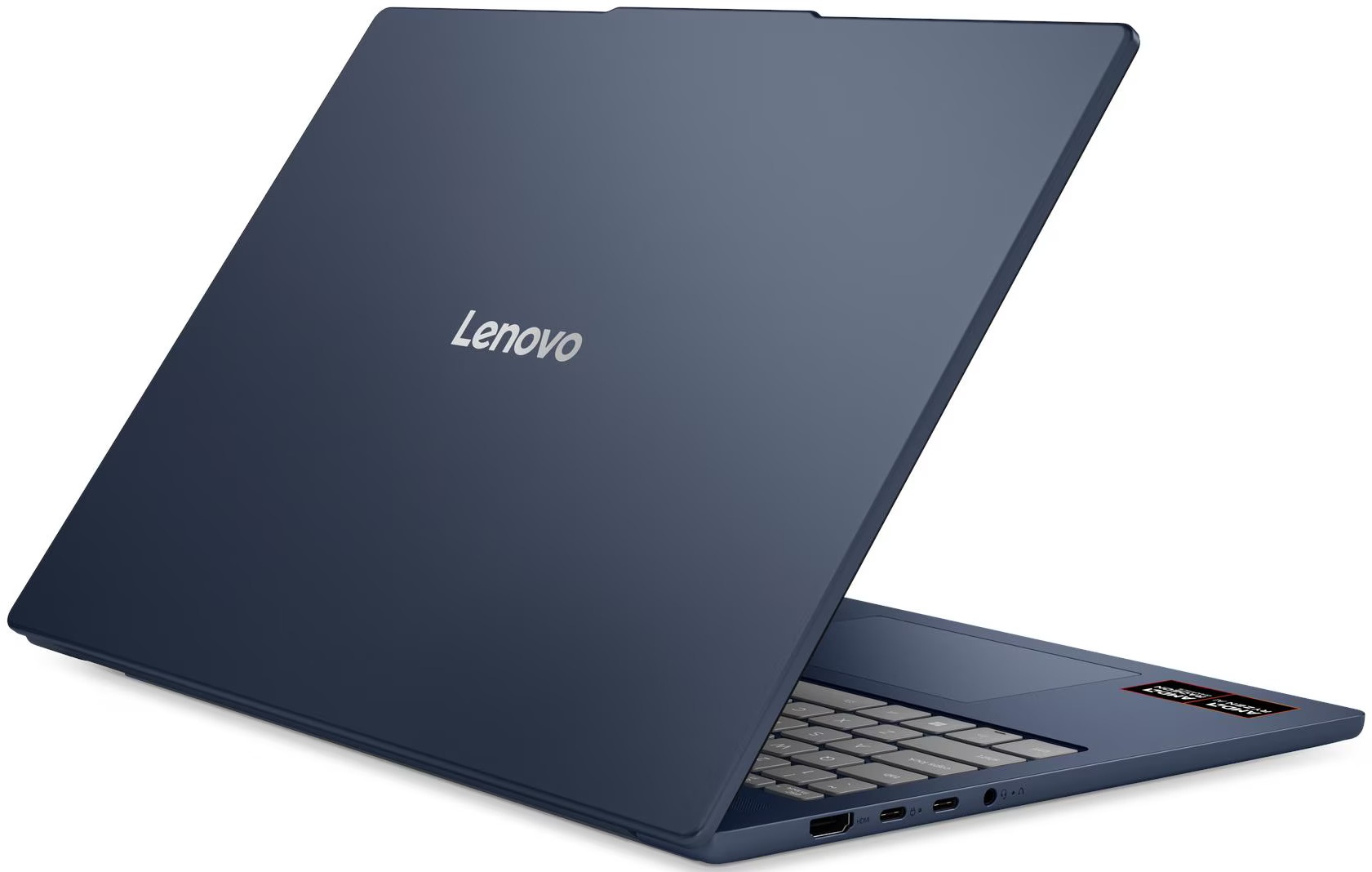
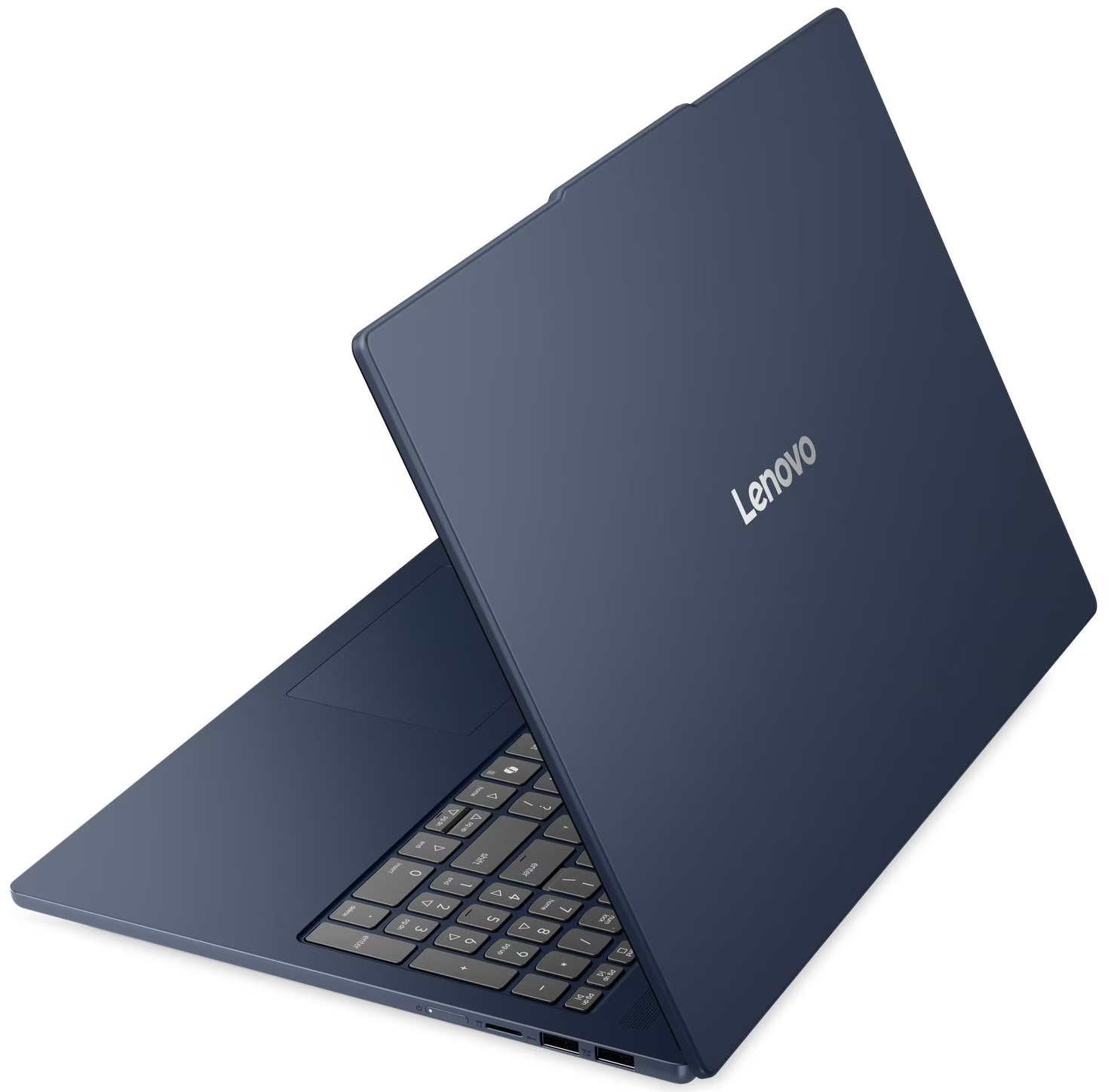
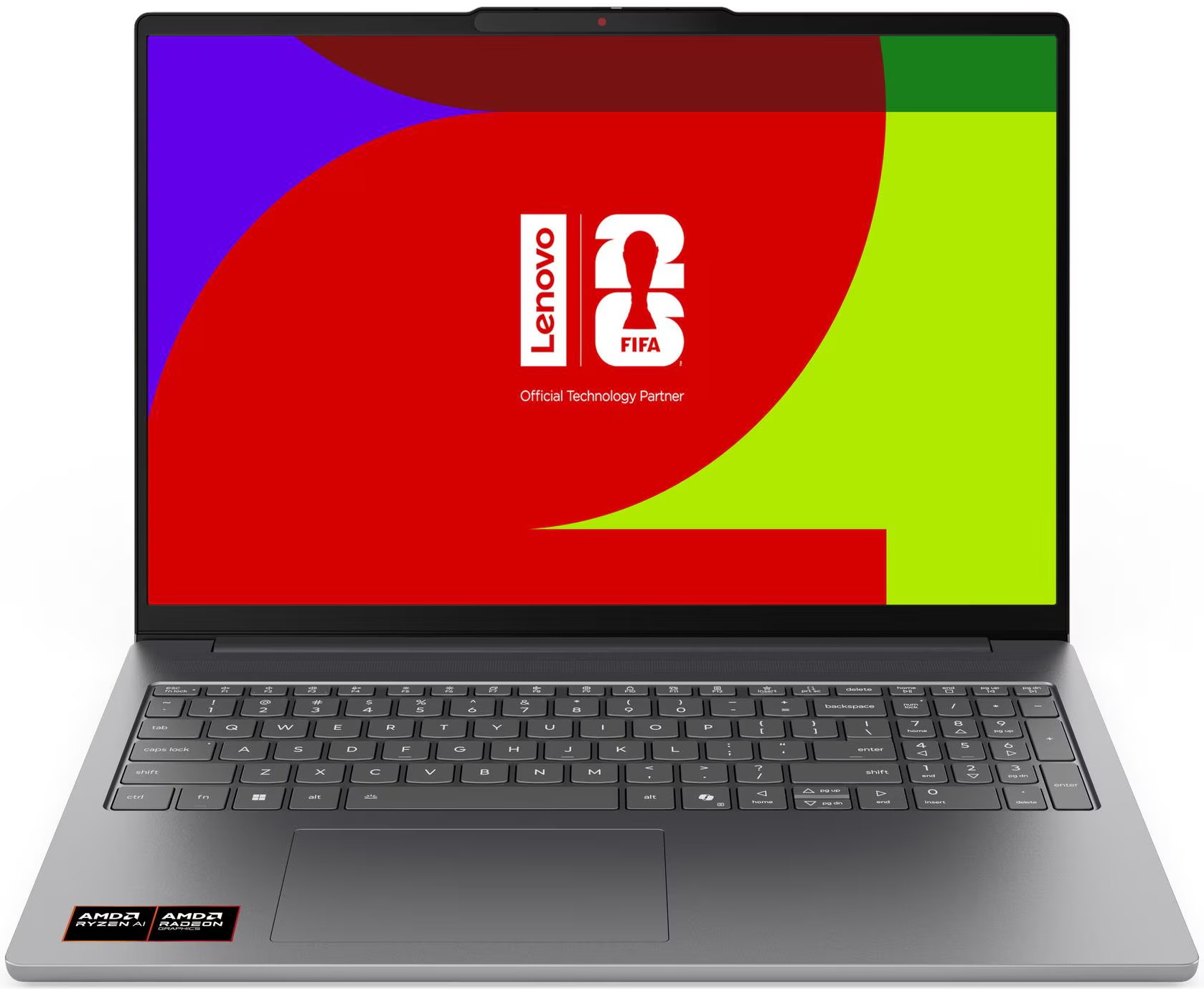
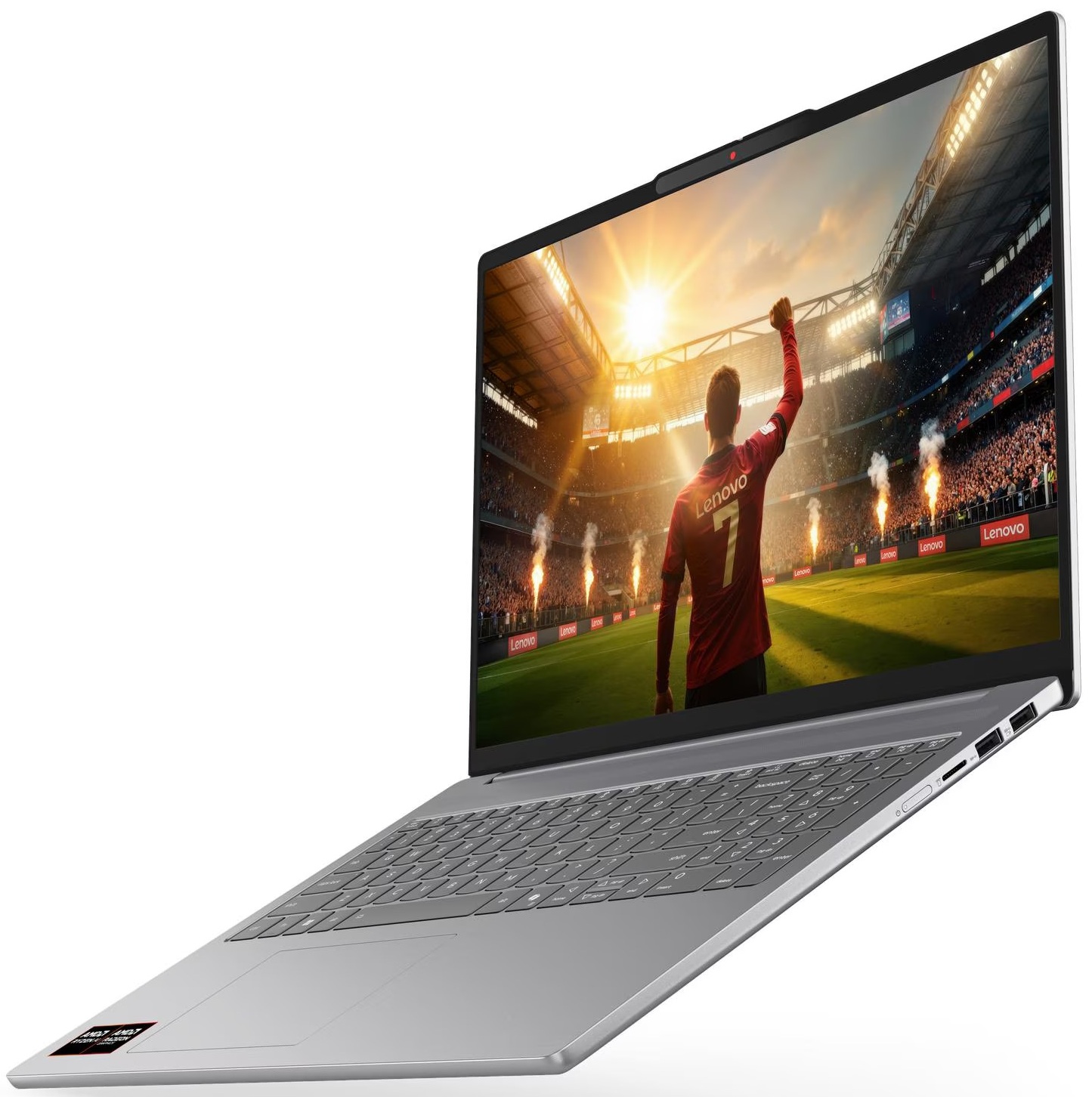
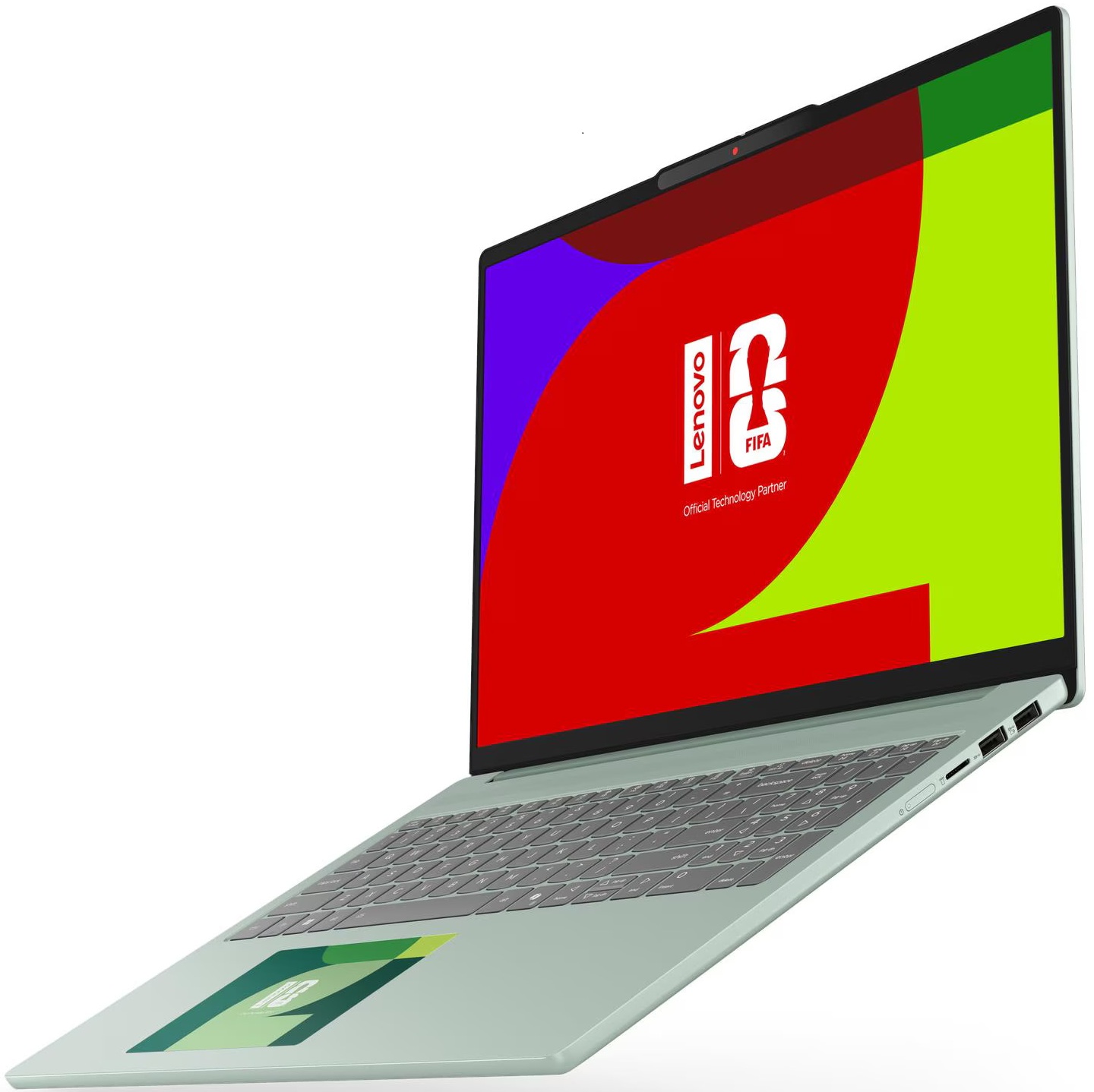
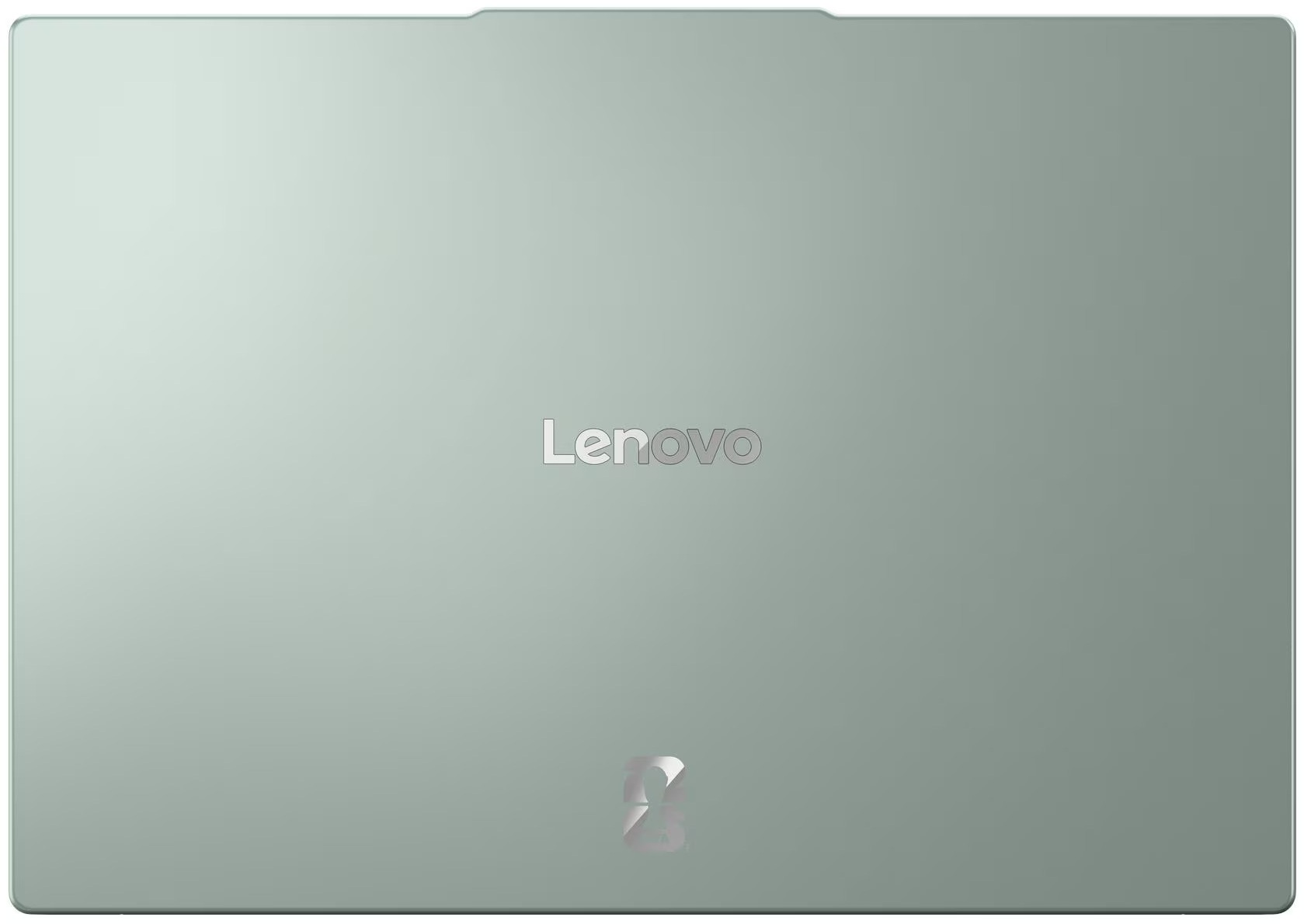
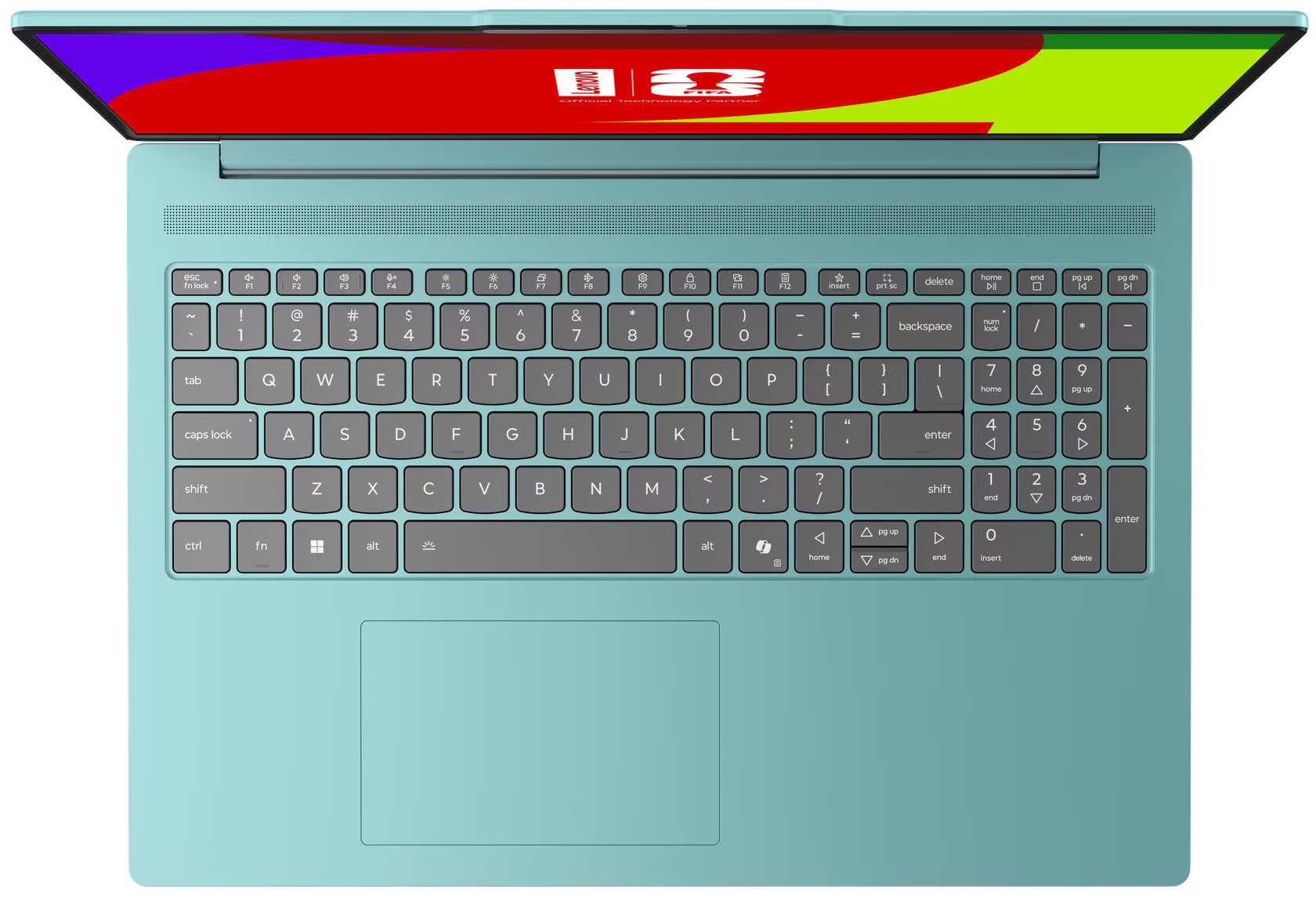
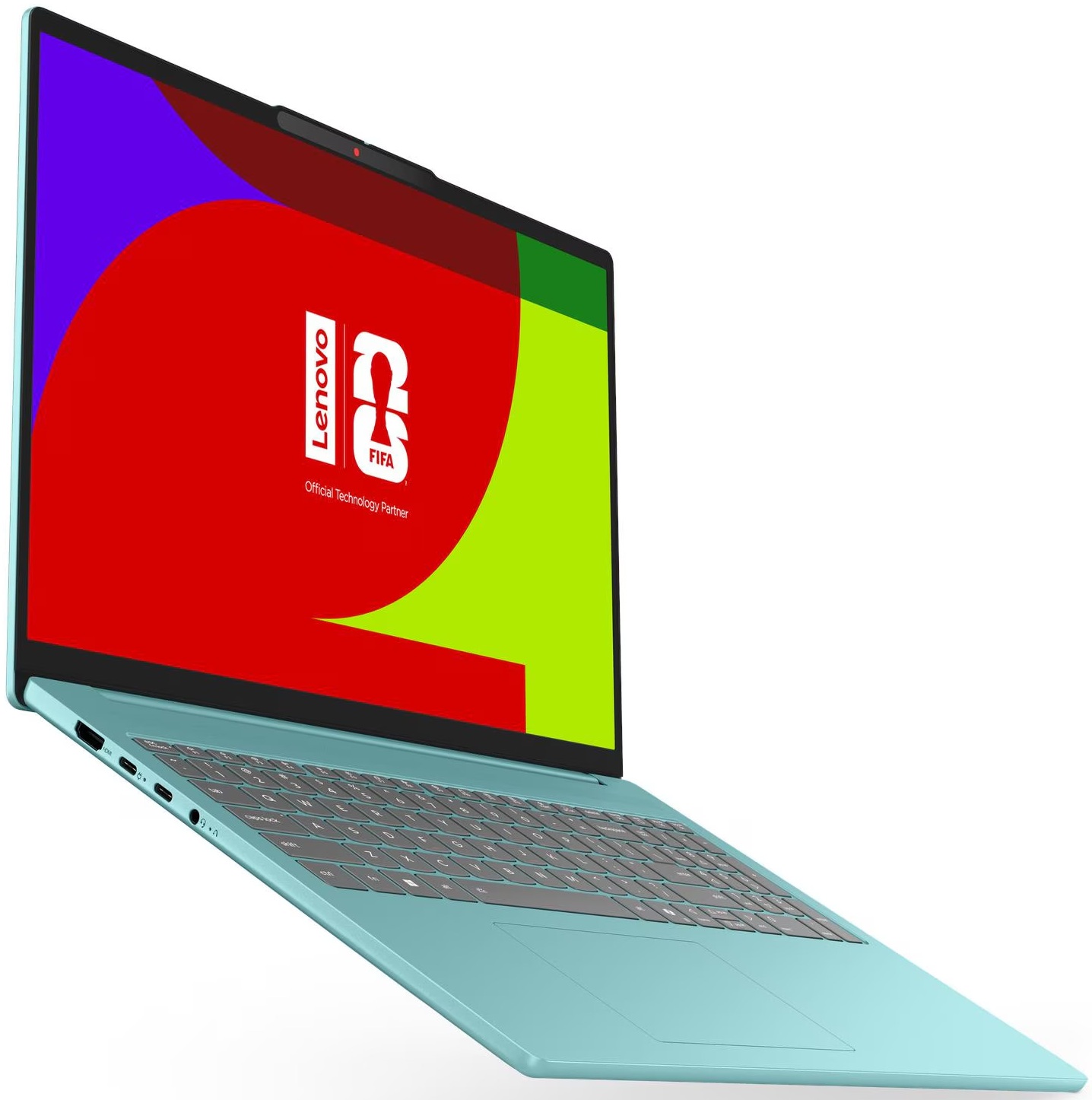
- CPU
- Intel Core Ultra 7 356H #28 in Top CPUs Intel Core Ultra 7 355 #122 in Top CPUs AMD Ryzen AI 7 450 #62 in Top CPUs AMD Ryzen AI 7 445 #124 in Top CPUs AMD Ryzen AI 5 430 #160 in Top CPUs AMD Ryzen AI 5 340 #113 in Top CPUs AMD Ryzen 7 260 #76 in Top CPUs AMD Ryzen 5 240 #120 in Top CPUsIntel Core Ultra 5 325 Intel Core Ultra 5 322

- HDD/SSD
- up to 2000GB SSD
- M.2 Slot
- 1x 2242 M.2 NVMe PCIe 4.0 x4 + 1x 2280 M.2 NVMe PCIe 4.0 x2 See photo
- RAM
- up to 32GB
- OS
- Windows 11 Home, No OS, Windows 11 Pro
- Battery
- 80Wh
- Body material
- Aluminum
- Dimensions
- 356.5 x 250.6 x 16.9 mm (14.04" x 9.87" x 0.67")
- Weight
- 1.65 kg (3.6 lbs)
- Ports and connectivity
- 1x USB Type-A
- 3.2 Gen 1 (5 Gbps)
- 1x USB Type-A
- 3.2 Gen 1 (5 Gbps), Sleep and Charge
- 2x USB Type-C
- 3.2 Gen 2 (10 Gbps), Power Delivery (PD), DisplayPort
- HDMI
- 2.1 (4K@60Hz)
- Card reader
- microSD (microSD, microSDHC, microSDXC)
- Ethernet LAN
- Wi-Fi
- Wi-Fi 6E / Wi-Fi 7
- Bluetooth
- 5.3 / 5.4
- Audio jack
- 3.5mm Combo Jack
- Features
- Fingerprint reader
- Web camera
- 5.0MP, with privacy shutter, fixed focus
- Backlit keyboard
- optional
- Microphone
- Dual-microphone array
- Speakers
- Stereo speakers, 2W x2, optimized with Dolby Audio™
- Security Lock slot
All Lenovo IdeaPad Slim 5i/5a (16″, Gen 11) configurations
Drivers
All drivers and utilities for this notebook can be found here: Lenovo IdeaPad Slim 5 16AGP11 Drivers and Software
What’s in the Box?
Unboxing the IdeaPad Slim 5a is a very sparse experience, with the box feeling almost empty when you open it.
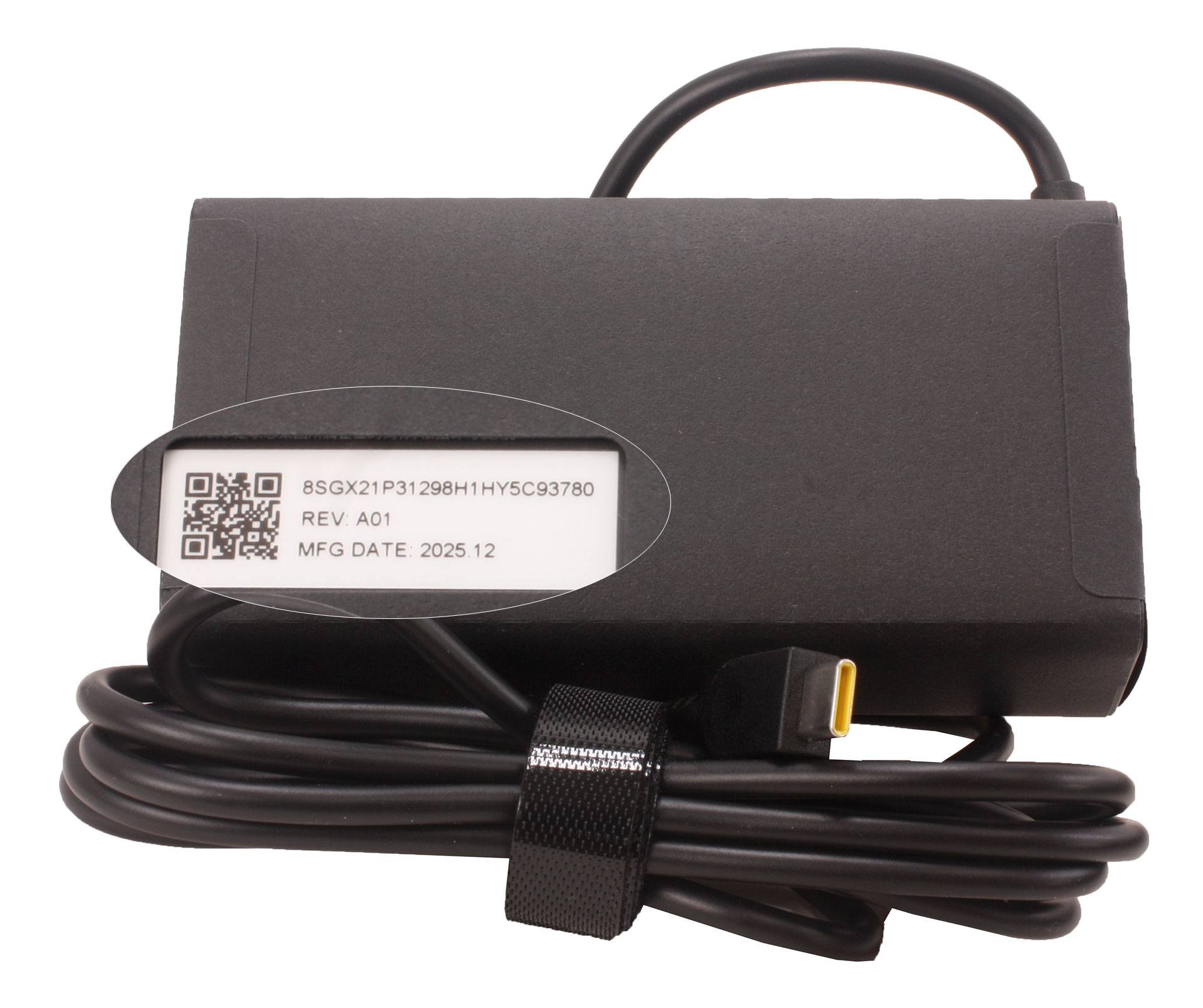
Inside, you’ll find only the machine itself, a few setup booklets, and its 100W power adapter.
Design and Construction
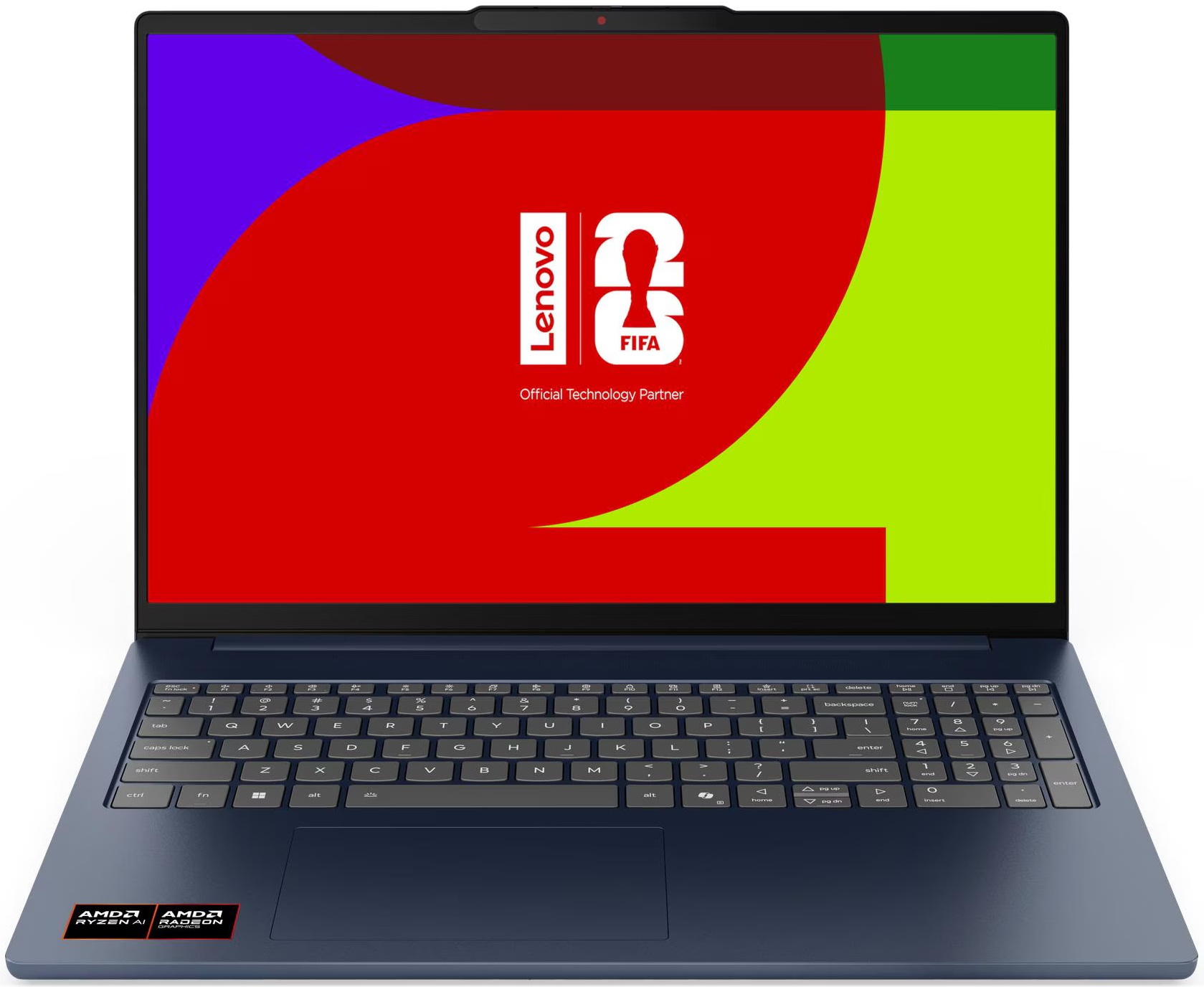
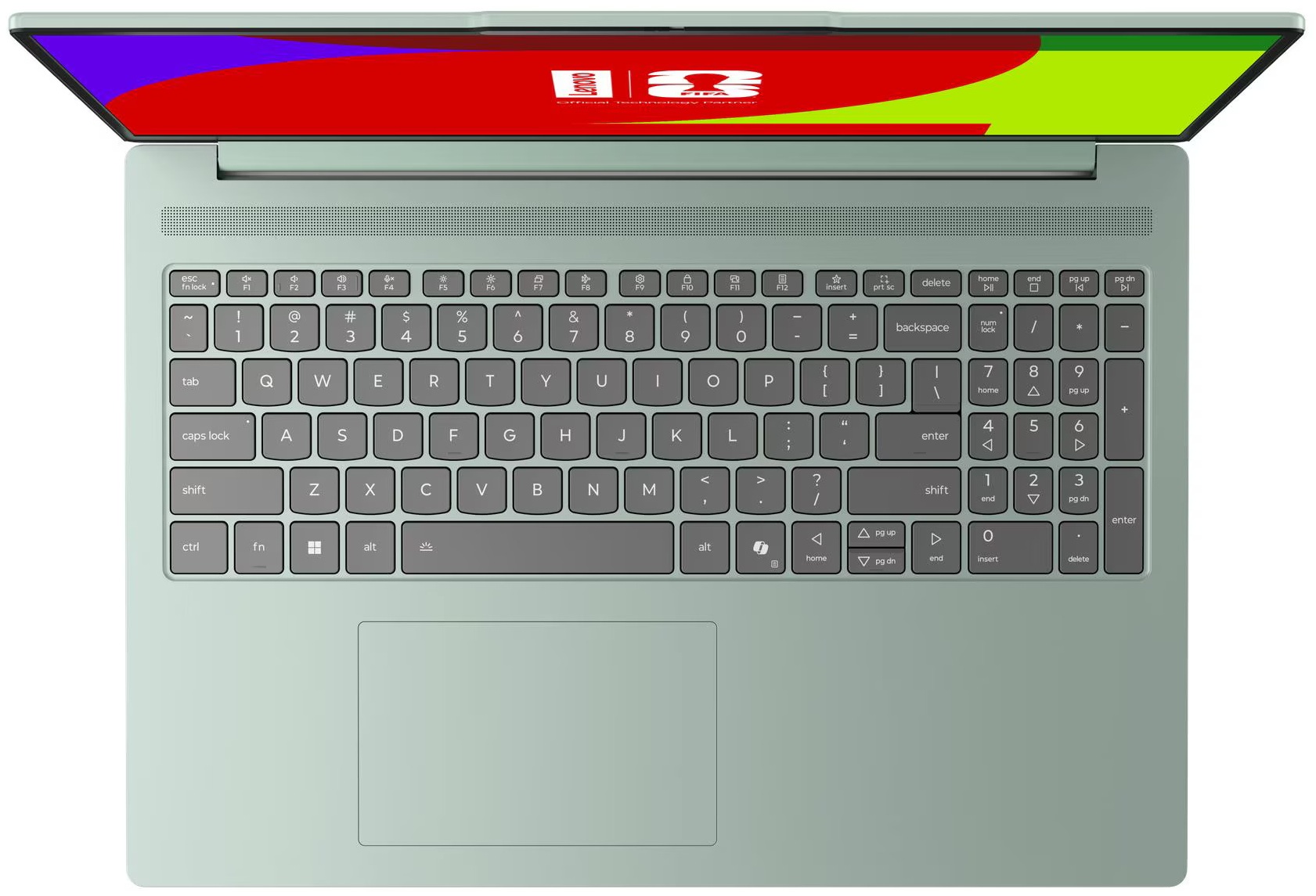
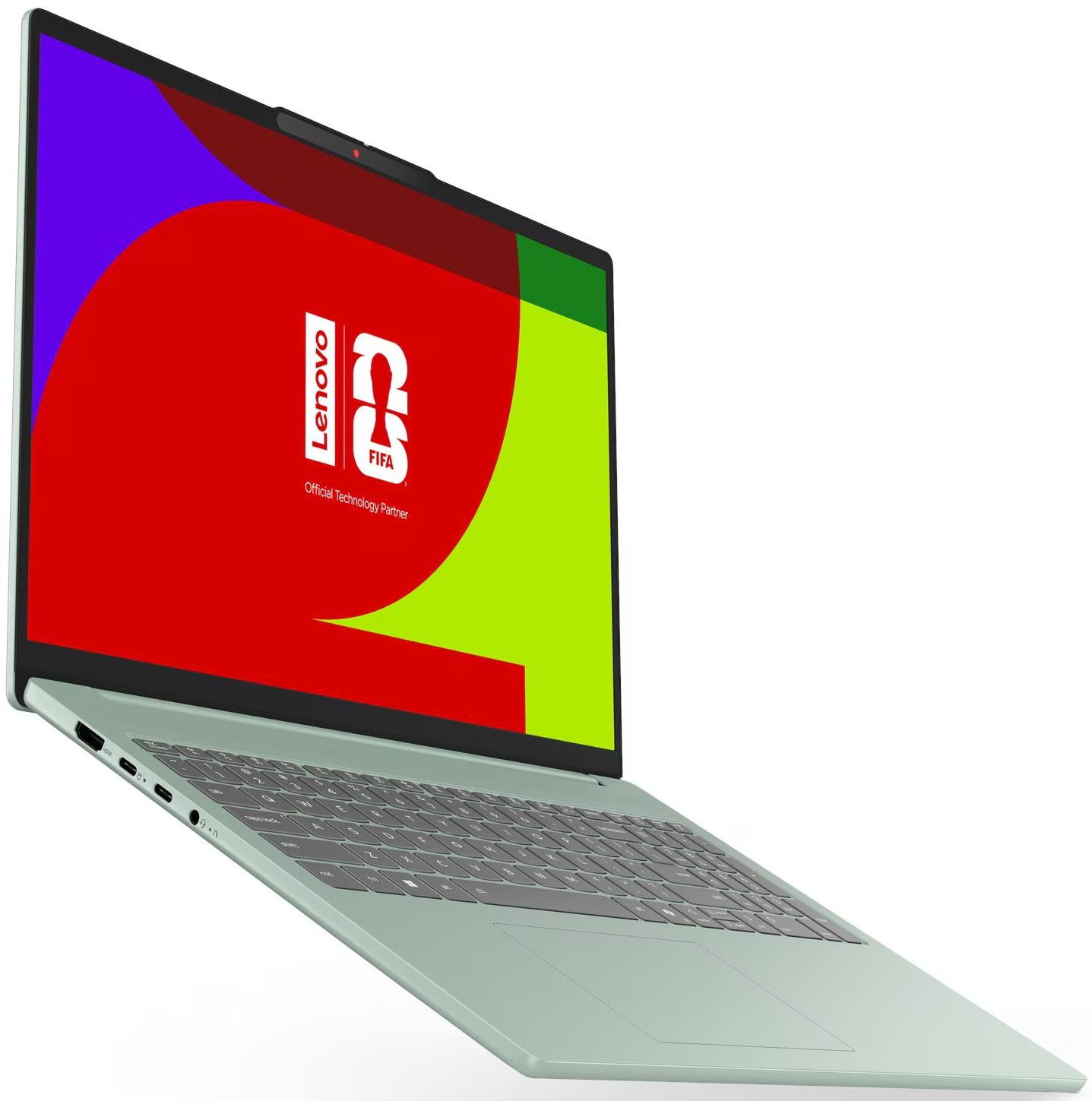
The Lenovo IdeaPad Slim 5a (16″, Gen 11) has a clean, modern, and professional appearance, without any of the aggressive styling associated with gaming laptops. We ordered a configuration in “Luna Grey,” a matte grey-graphite finish that appears slightly lighter or darker depending on the surrounding light. Lenovo also offers the series in “Cosmic Blue.”
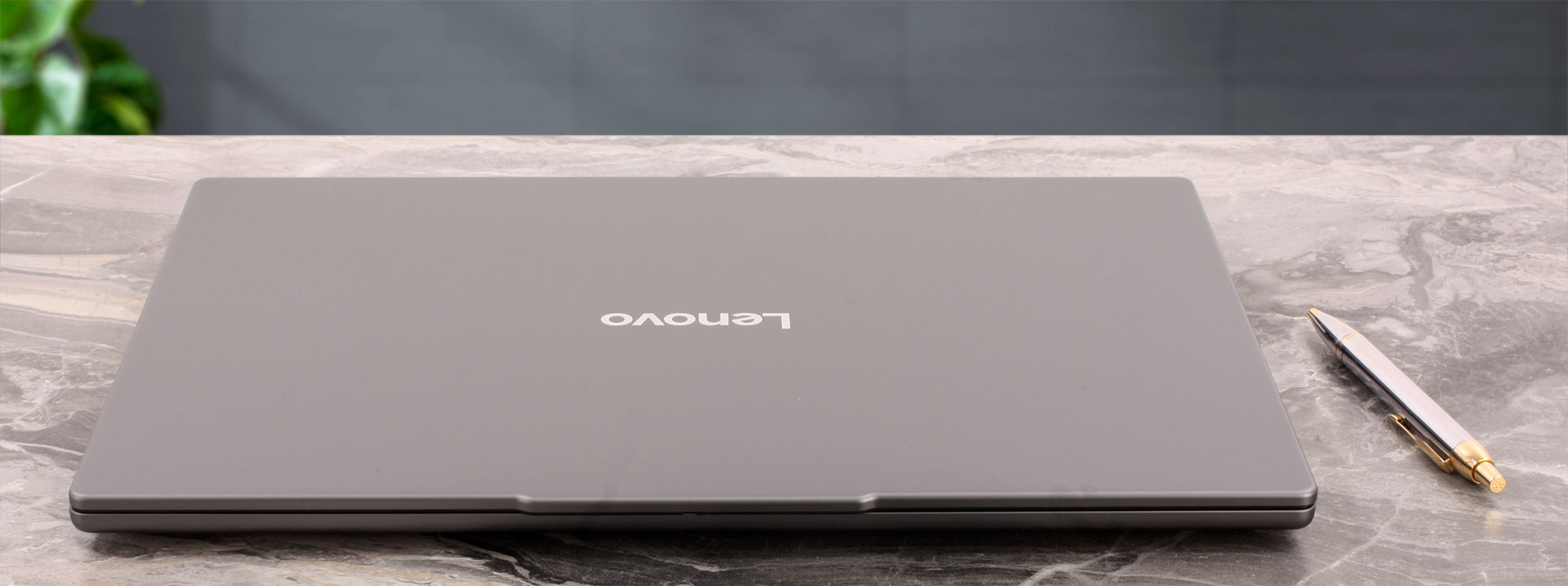
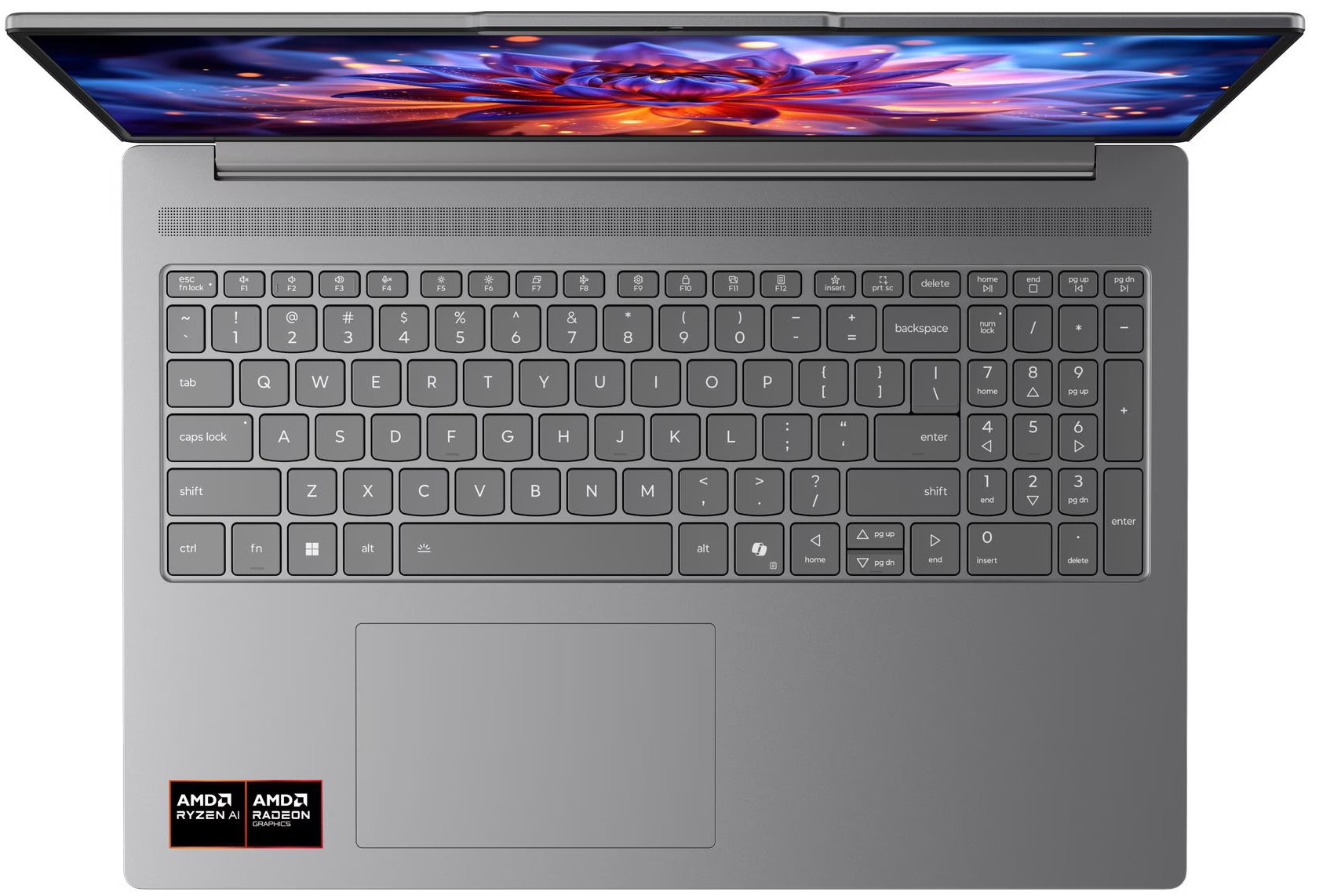
The lid is almost completely plain, with a centrally positioned Lenovo logo and a small protruding section along the upper edge. This accommodates the camera module and also provides a convenient grip for opening the laptop. Inside, the wide palm rests, large touchpad, full-sized keyboard, and long perforated grille above the keys give the machine a suitably modern appearance for its price category.
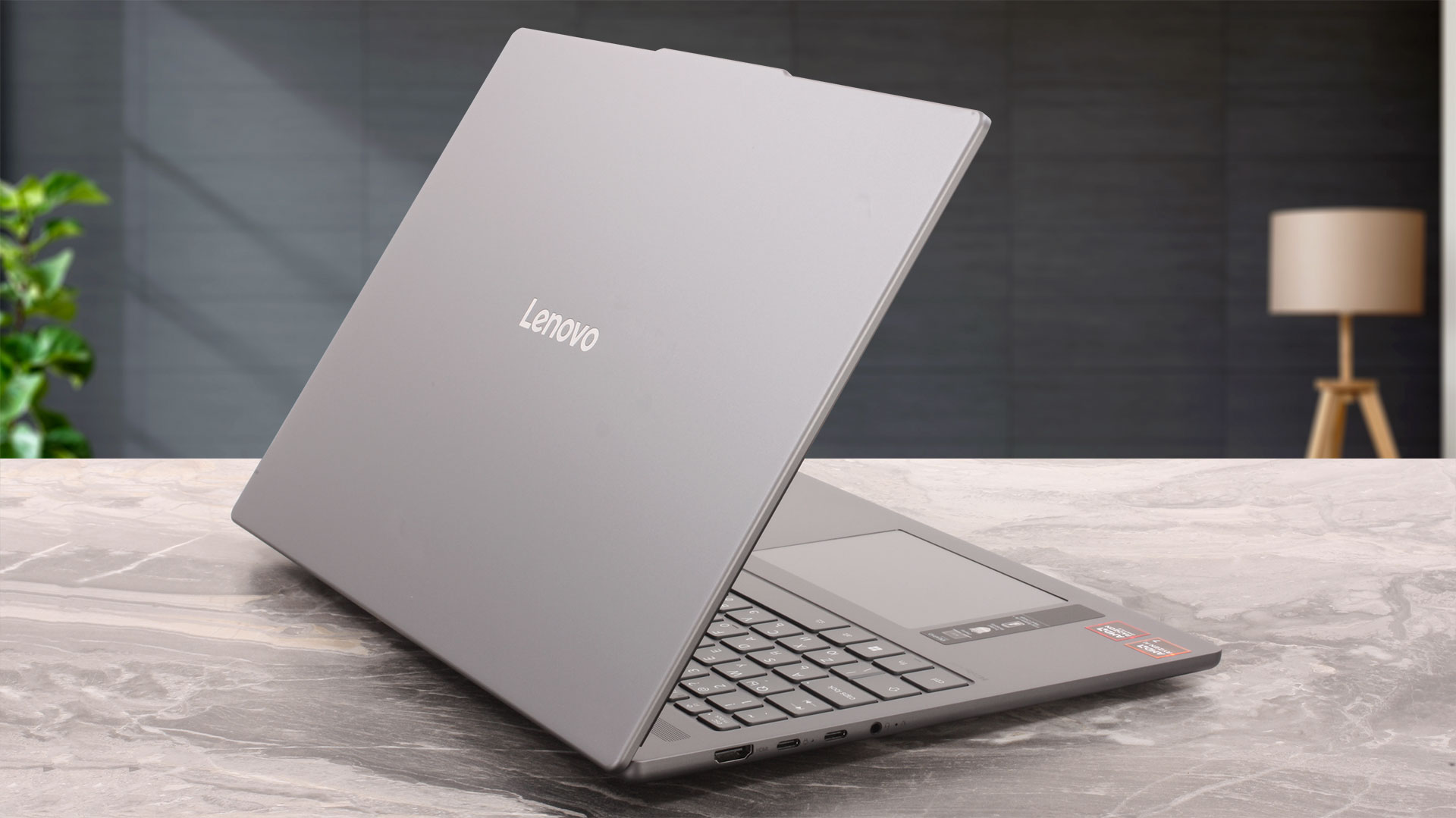
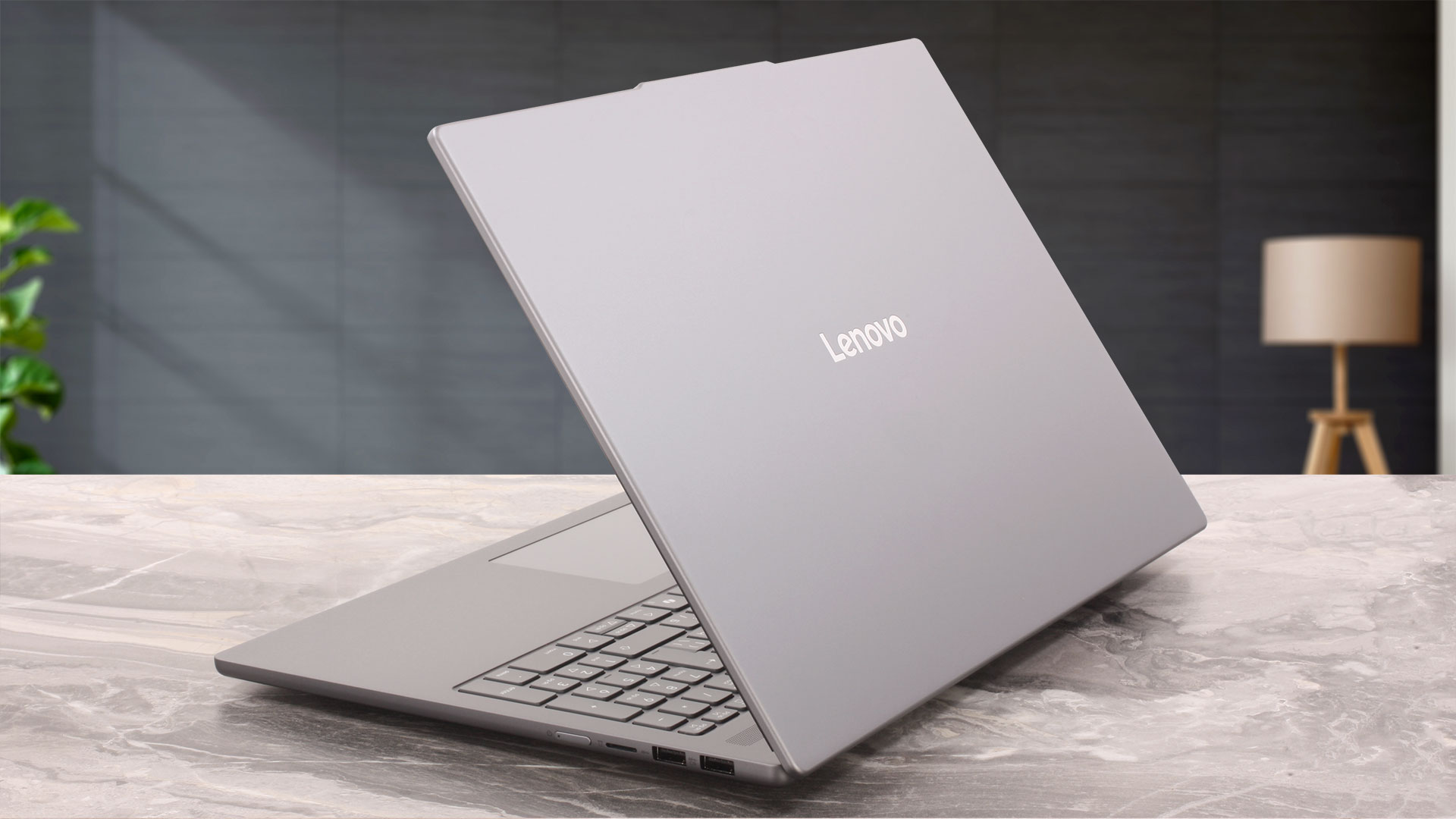
One of the most practical qualities of the anodized, sandblasted finish is its resistance to visible fingerprints. Even after several weeks of regular use without being wiped down, our machine remained visibly clean. This is a notable advantage over darker metal finishes that tend to collect smudges quickly.
Lenovo uses aluminum for both the lid and the bottom cover. The chassis feels solid, with almost no noticeable flex around the keyboard or palm rests. Pressing firmly on the center of the closed lid produces a small amount of movement, but not enough to raise concerns during normal use. At 16.9 mm, the laptop is relatively thin for a 16-inch model that still provides two SODIMM slots and space for two M.2 SSDs. Depending on the display, battery, and configuration, Lenovo lists the series at between 1.65 and 1.85 kg. Our configuration, equipped with the larger 80 Wh battery, weighed 1.761 kg in our own measurement.
| Lenovo IdeaPad Slim 5a (16″, Gen 11) | Dimensions | Weight |
| Metric units | 356.5 × 250.6 × 16.9 mm | 1.761 kg |
| U.S. customary | 14.03 × 9.87 × 0.67 in | 3.88 lbs |
The lid can be opened with one hand, although the movement is not completely smooth at the beginning. The base initially rises slightly together with the display before dropping back onto the desk, after which the lid can be opened the rest of the way without assistance. The hinges therefore feel relatively firm, but not so tight that two-handed operation is required. They also hold the display securely, with no noticeable wobble while typing. The display opens to approximately 165 degrees, providing a wide adjustment range, although it cannot lie completely flat.
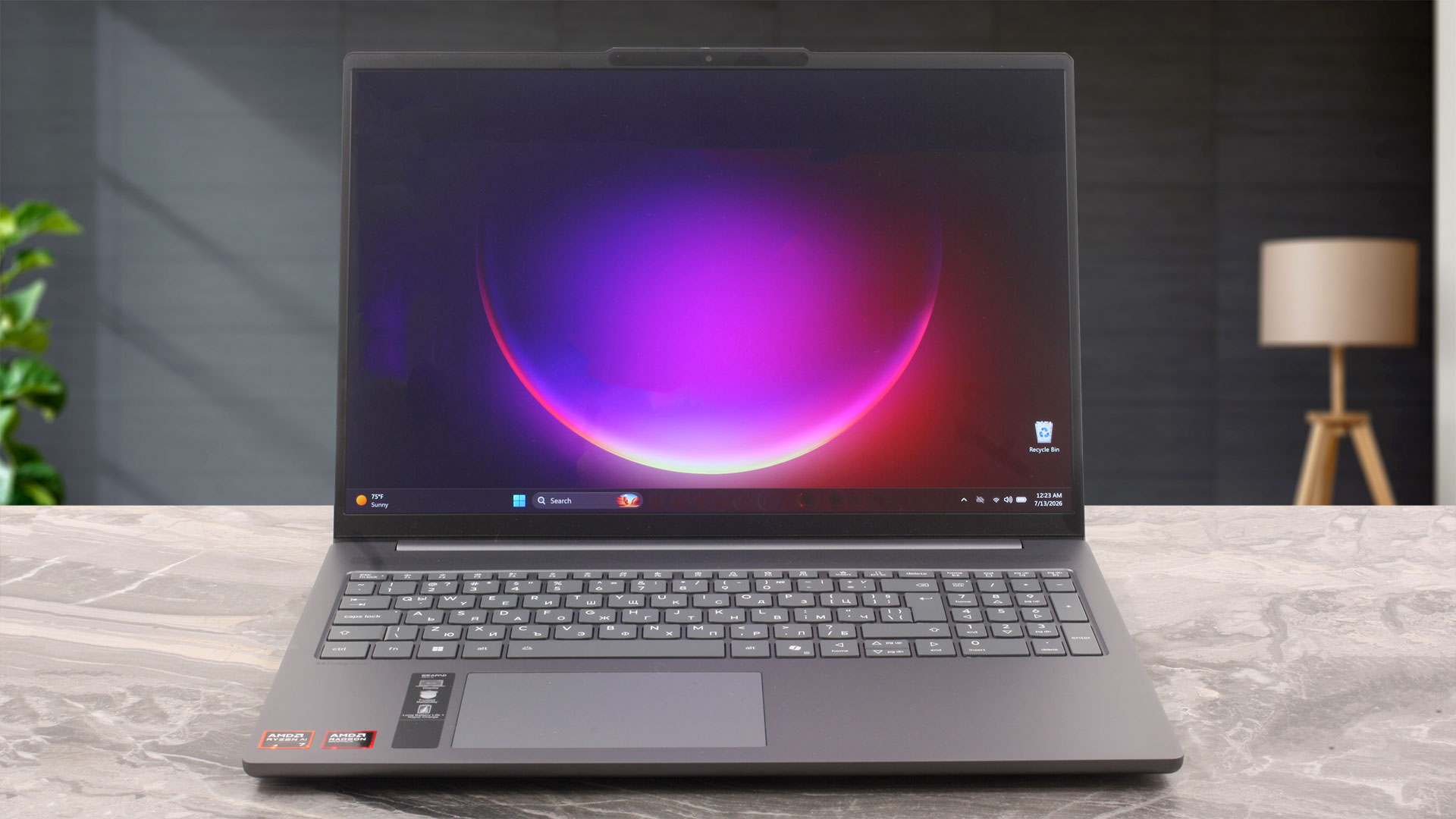
The side and upper bezels are relatively thin, while the bottom bezel is noticeably wider. Lenovo claims a 90% active-area ratio. The protruding section above the display houses an FHD 1080p RGB + IR camera, a ToF sensor for presence detection, and the hardware required for Windows Hello facial recognition. Other configurations in the series can instead be equipped with a 5MP RGB camera. A physical privacy shutter is included, allowing the camera lens to be blocked when it is not in use.
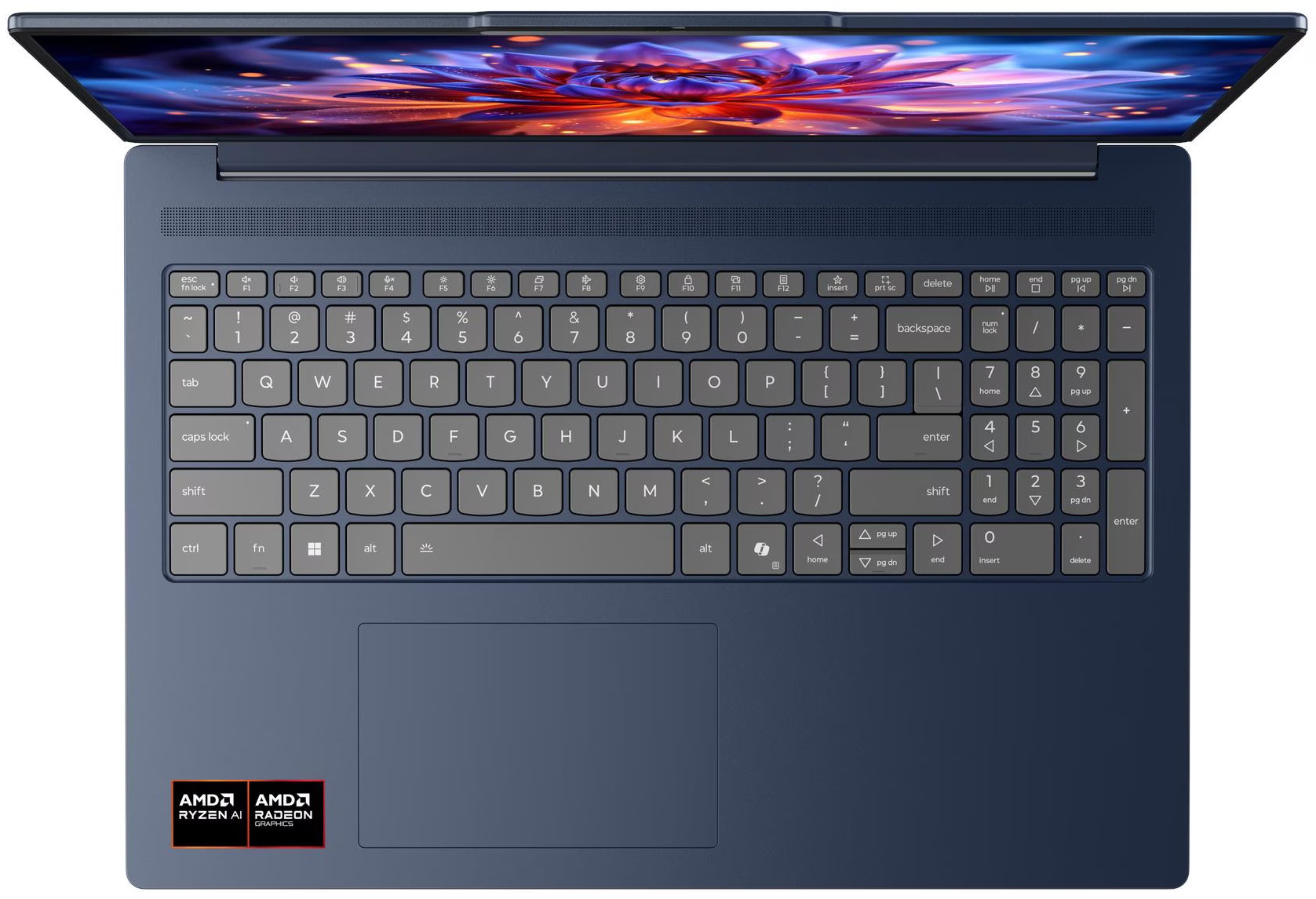
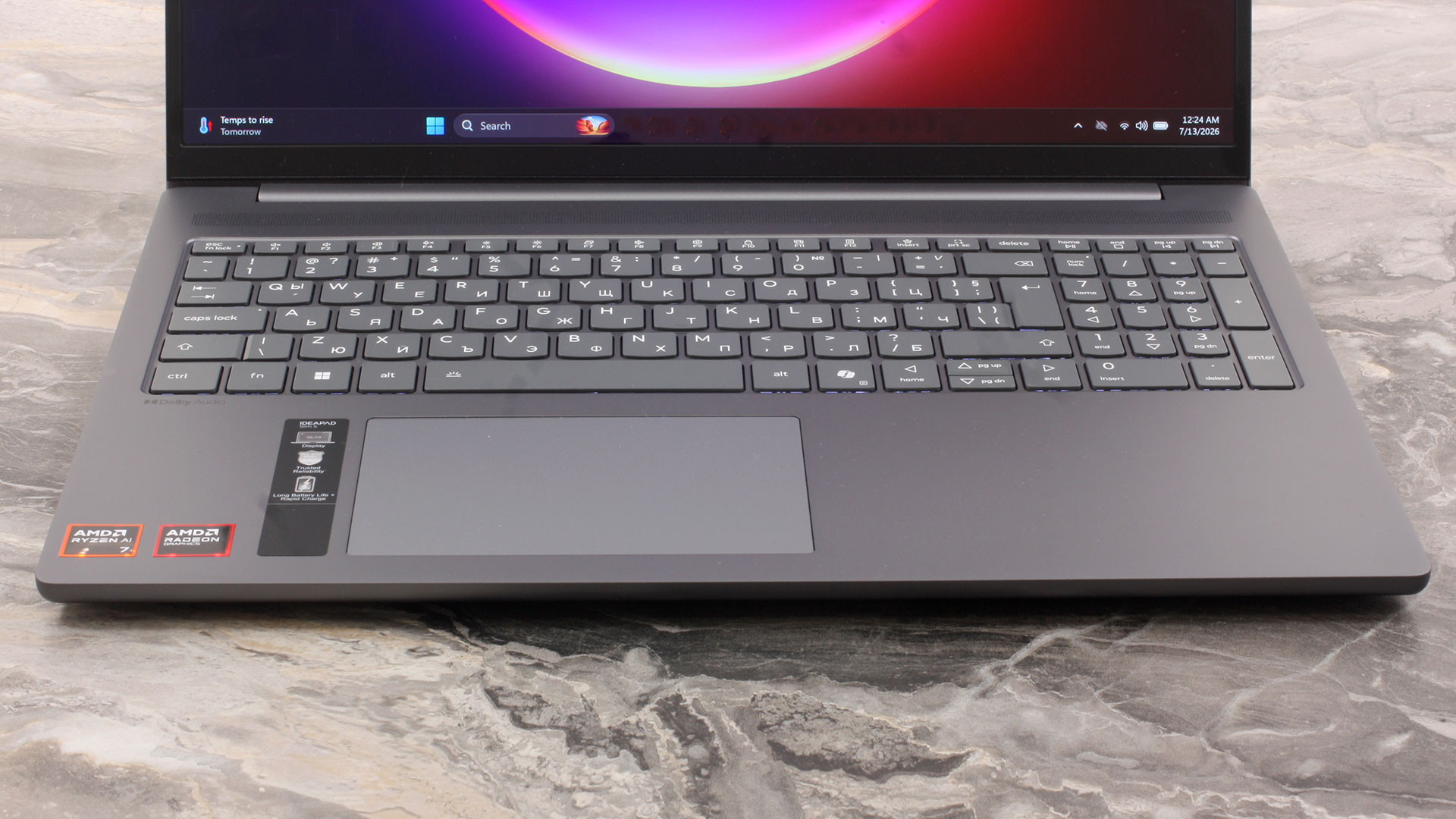
The six-row keyboard makes good use of the 16-inch chassis by including a dedicated NumPad. Its keys are slightly narrower than those in the main section, but it retains a separate Enter key and is useful for spreadsheets and frequent numerical input. The keyboard provides 1.3 mm of key travel and our configuration includes LED backlighting with three brightness levels, although backlighting is optional across the series. The typing experience is comfortable, but the layout has one notable weakness: the Up and Down arrow keys are half-height and positioned tightly within the main keyboard block, making them less convenient to locate by touch.
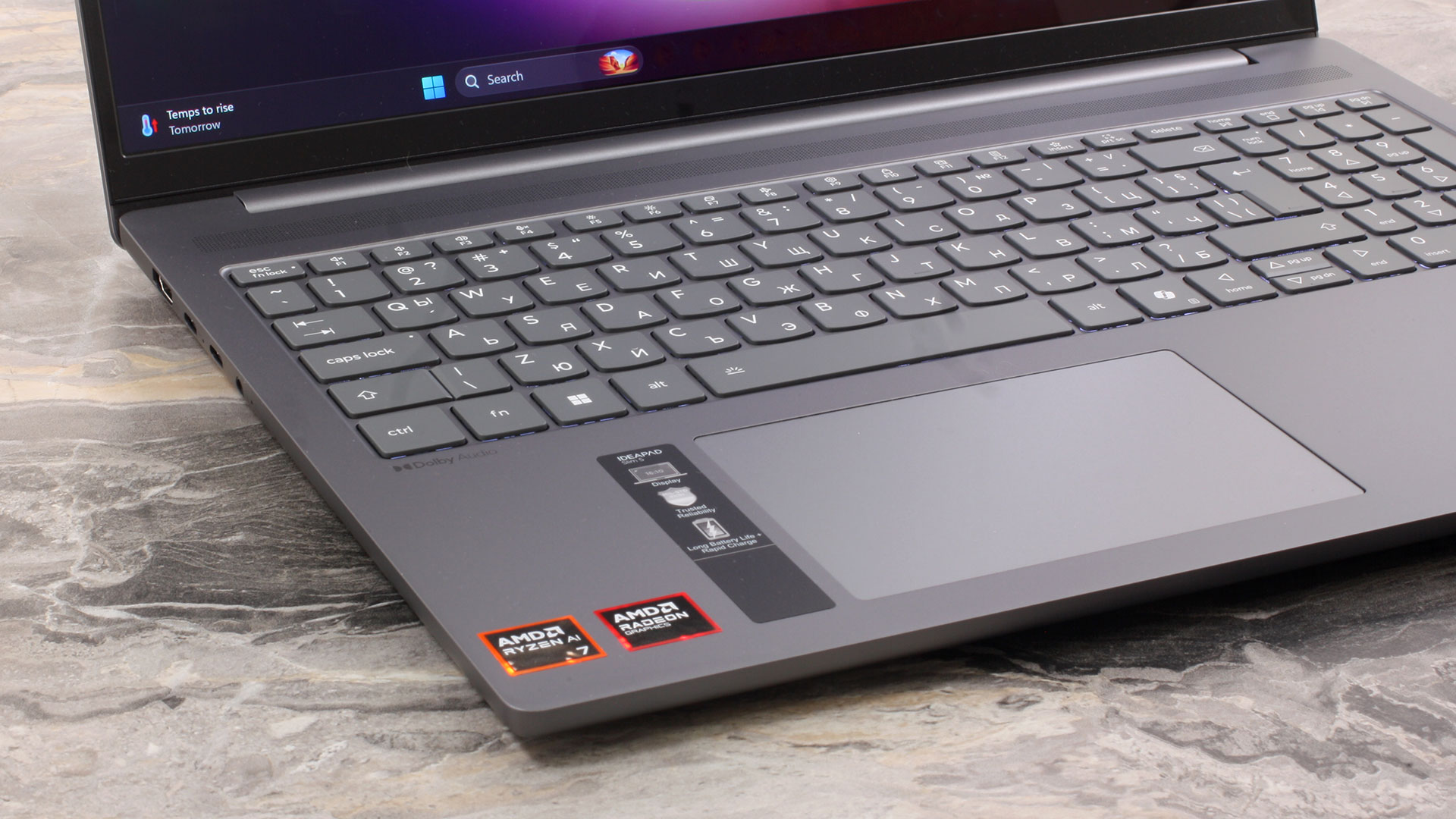
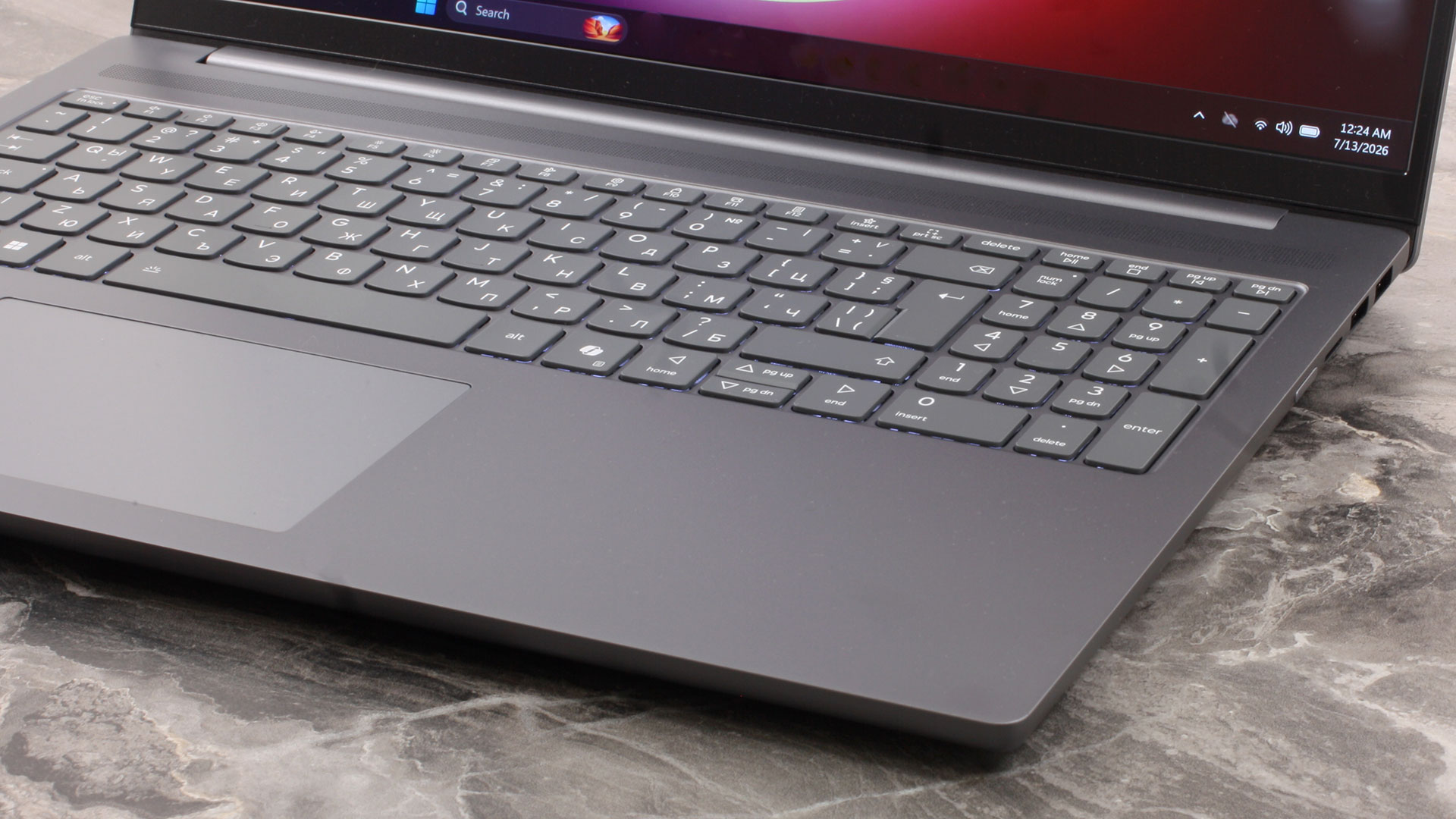
There is no fingerprint reader, so biometric authentication on our configuration relies on the IR camera and Windows Hello. Below the keyboard is a large 120 × 75 mm (4.72 × 2.95 inches) buttonless Mylar touchpad. It is aligned with the spacebar rather than the geometric center of the chassis, which provides a more natural hand position on a laptop equipped with a NumPad. It supports Microsoft Precision Touchpad gestures and delivers precise, reliable tracking. The integrated click mechanism also feels pleasant, although the required force varies considerably across the surface: the lower section clicks easily, while the upper portion is noticeably harder to press.
Ports and Connectivity
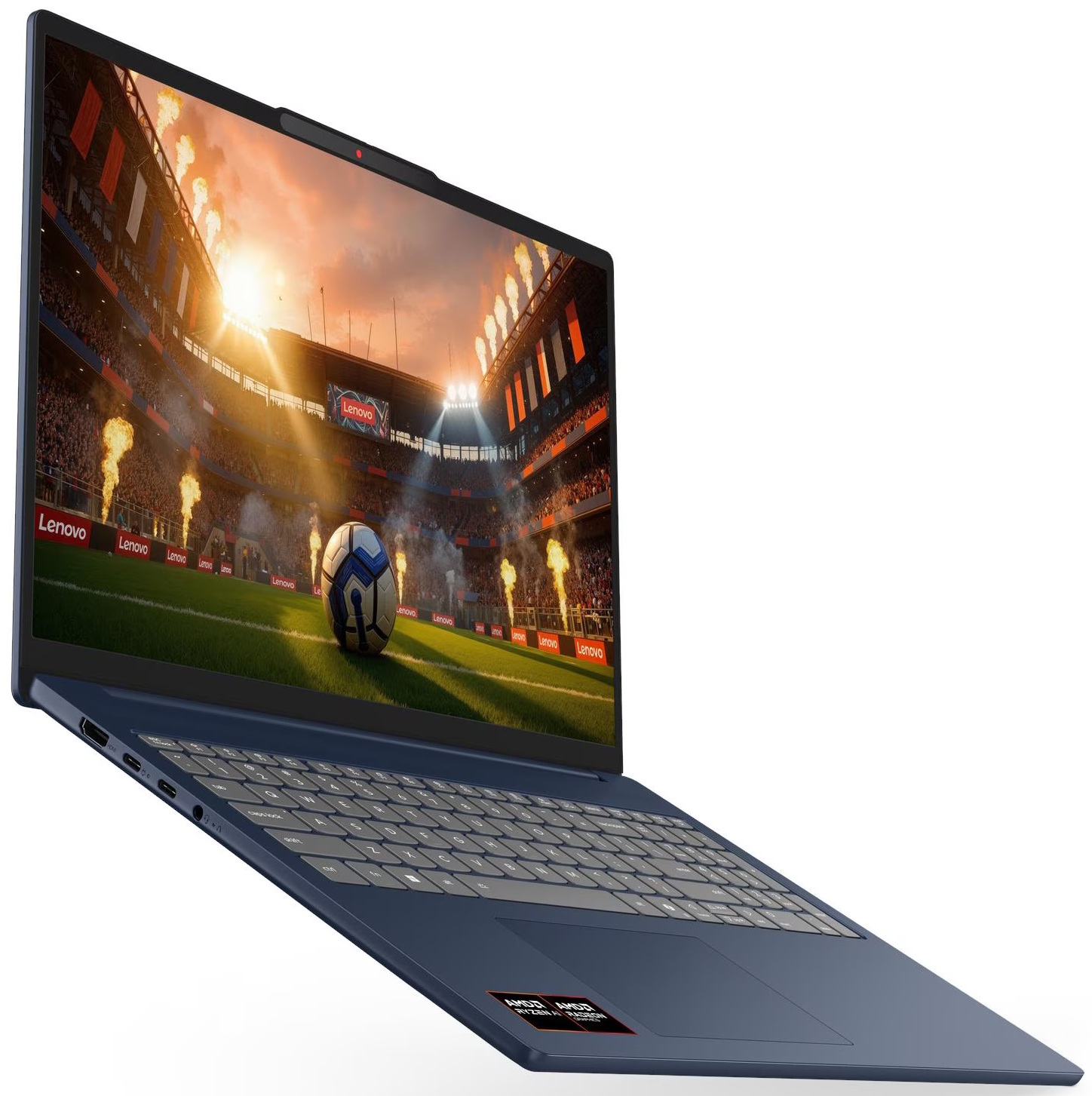
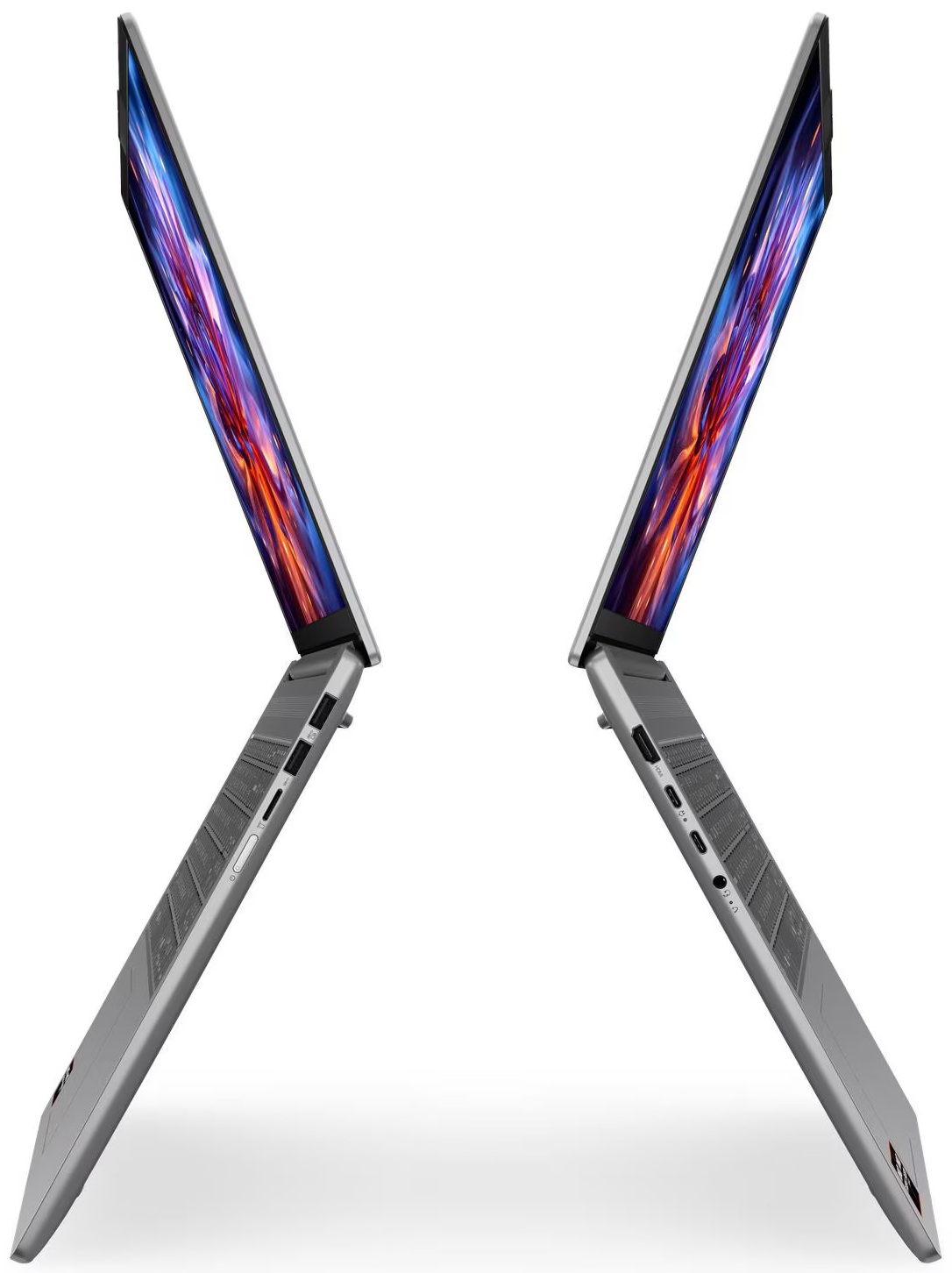
The Lenovo IdeaPad Slim 5a (16″, Gen 11) places its main display and charging connections on the left side of the chassis. The first is an HDMI 2.1 port, although Lenovo specifies a maximum output of 4K at 60 Hz. Therefore, despite the HDMI 2.1 designation, users should not expect 4K at 120 Hz or 8K output from this port.
Next to it are two USB Type-C ports operating at up to 10 Gbps. Both support DisplayPort 1.4 and USB Power Delivery input between 65W and 100W, allowing the laptop to be charged through either connector. Each USB-C port can also drive an external display at up to 4K and 60 Hz. Together with the HDMI output, the laptop supports up to three external displays in addition to its built-in screen. This is useful for multi-monitor office setups, although the absence of USB4 or Thunderbolt limits data transfers to 10 Gbps and rules out some higher-bandwidth docks and external devices. A 3.5 mm headphone and microphone combo jack completes the left-side selection.
Having both USB-C ports on the same side is less convenient than a split layout, as charging and docking cables must always approach the laptop from the left. It is also worth remembering that connecting the charger occupies one of the two Type-C ports, since there is no separate power connector.

The right side houses the power button, a microSD card reader, and two USB Type-A ports. Both Type-A connectors operate at up to 5 Gbps, while the rearmost one supports Lenovo’s Always On function. This allows it to supply power to a connected device while the laptop is switched off, sleeping, or hibernating, provided the feature is enabled in Lenovo Vantage or the firmware settings.

There are no ports along the rear edge. The laptop also lacks an integrated Ethernet connector, so wired networking requires a USB adapter or dock. A full-sized SD card reader would have been more useful for photographers and videographers, although the included microSD slot is still a welcome addition on a thin consumer laptop.

Wireless hardware varies across the series, with configurations offering either Wi-Fi 6 or Wi-Fi 7. Our machine is equipped with a Wi-Fi 7 (802.11be) 2×2 module together with Bluetooth 5.4. Wi-Fi 7 can provide higher throughput, lower latency, and better performance on busy networks, but realizing those benefits requires a compatible router, suitable regional support, and the appropriate drivers. Lenovo also notes that Bluetooth may operate at a lower version depending on the operating system and driver configuration. There is no built-in WWAN or SIM-card support.
Display and Sound Quality, Display Profiles
We ordered the Lenovo IdeaPad Slim 5a (16″, Gen 11) with the highest-end display available for the series: a 16-inch 2.8K (2880 × 1800), 120 Hz OLED panel identified as LEN160WQ+ (LEN8BAF). It is a non-touch display with a 16:10 aspect ratio, a claimed peak brightness of 500 nits, and full DCI-P3 color coverage.
More affordable configurations are available with several WUXGA (1920 × 1200) panels. These range from a basic 60 Hz IPS option with limited 45% NTSC coverage to 120 Hz IPS displays covering 100% of sRGB, including a touchscreen variant. Lenovo also offers a 60 Hz WUXGA OLED panel with 100% DCI-P3 coverage. The display choice therefore has a major effect on the overall quality of the laptop, and results from our 2.8K OLED configuration should not be applied to the entry-level IPS version.
| Lenovo IdeaPad Slim 5a (16″, Gen 11) | 16″, WUXGA IPS, 60 Hz, 45% NTSC | 16″, WUXGA IPS, 120 Hz, 100% sRGB | 16″, WUXGA IPS Touch, 120 Hz, 100% sRGB | 16″, WUXGA OLED, 60 Hz, 100% DCI-P3 | 16″, 2.8K OLED, 120 Hz, 100% DCI-P3 (LEN160WQ+ / LEN8BAF) |
| Touchscreen | No | No | Yes | No | No |
| Brightness | 400 nits | 400 nits | 400 nits | 300 nits | 500 nits |
| Diagonal | 16.0 inches (40.6 cm) | 16.0 inches (40.6 cm) | 16.0 inches (40.6 cm) | 16.0 inches (40.6 cm) | 16.0 inches (40.6 cm) |
| Panel Type | IPS | IPS | IPS | OLED | OLED |
| Resolution | 1920 × 1200 pixels | 1920 × 1200 pixels | 1920 × 1200 pixels | 1920 × 1200 pixels | 2880 × 1800 pixels |
| Max Refresh Rate | 60 Hz | 120 Hz | 120 Hz | 60 Hz | 120 Hz |
| Aspect Ratio | 16:10 | 16:10 | 16:10 | 16:10 | 16:10 |
| Pixel Density | 141 PPI | 141 PPI | 141 PPI | 141 PPI | 212 PPI |
| ‘Retina’ Distance | Greater than or equal to 62 cm | Greater than or equal to 62 cm | Greater than or equal to 62 cm | Greater than or equal to 62 cm | Greater than or equal to 41 cm |
The 2.8K panel reaches a high pixel density of 212 PPI, making individual pixels indistinguishable from a viewing distance of approximately 41 cm. Text, interface elements, and detailed images consequently appear sharp at normal laptop viewing distances.
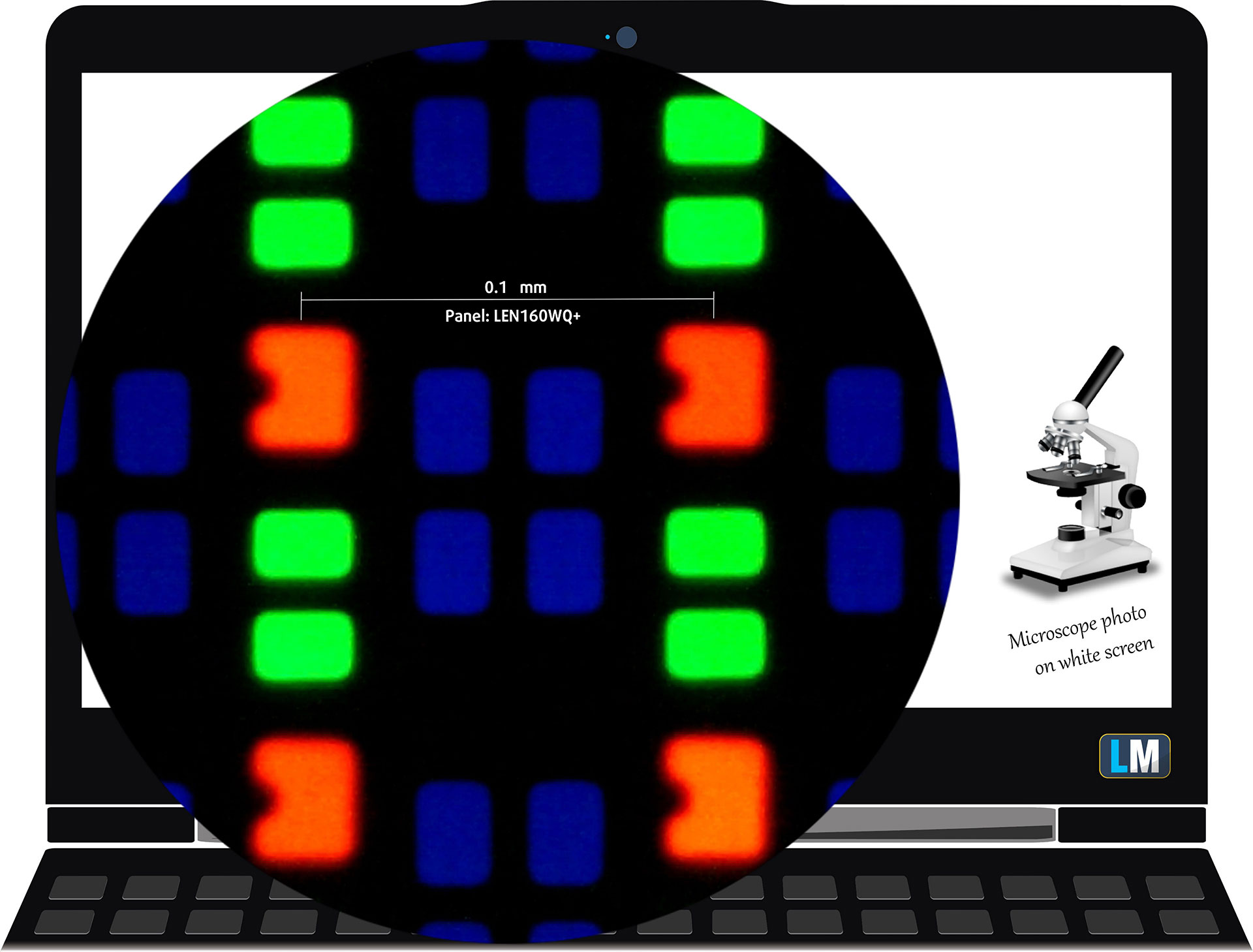
The 2.8K (2880 × 1800), 120 Hz OLED display variant under our microscope
Viewing Angles
The viewing angles are good. We take photos from different angles to evaluate the quality.
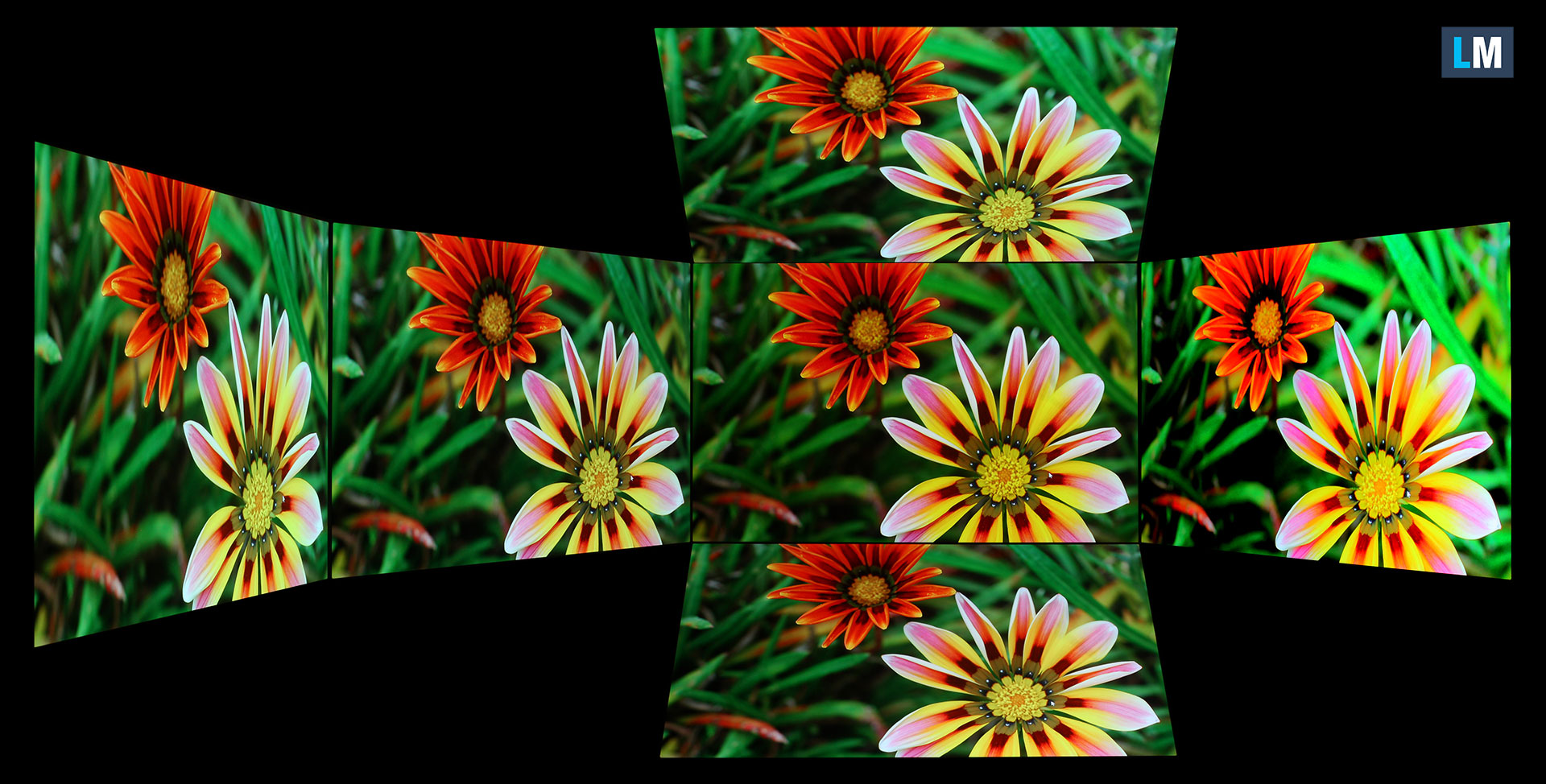
We also include a video recorded with locked focus and exposure.
Color Coverage
The sail-shaped diagram represents the colors visible to the human eye, while the black curved line shows Pointer’s gamut, which approximates colors commonly found in nature.
We also compare the panel of the Lenovo IdeaPad Slim 5a (16″, Gen 11) with several widely used color spaces:
Standard/For Web: sRGB – widely used for websites, consumer content, and most Windows applications
For Print: AdobeRGB – commonly used in professional photo editing, graphic design, and print production
For Photographers/Video Editors: DCI-P3 – a wide color space used for video production, HDR content, and modern premium displays
Premium HDR: Rec.2020 – an even wider color standard used as a target for UHD and HDR video content
Lenovo IdeaPad Slim 5a (16″, Gen 11): the yellow dashed triangle (– – – – – –) represents the range of colors this display can reproduce.
In our tests, the display covered 100% of the sRGB color gamut and 100% of the DCI-P3 color gamut. This makes it suitable not only for entertainment but also for color-sensitive photo and video work, provided the application uses appropriate color management.
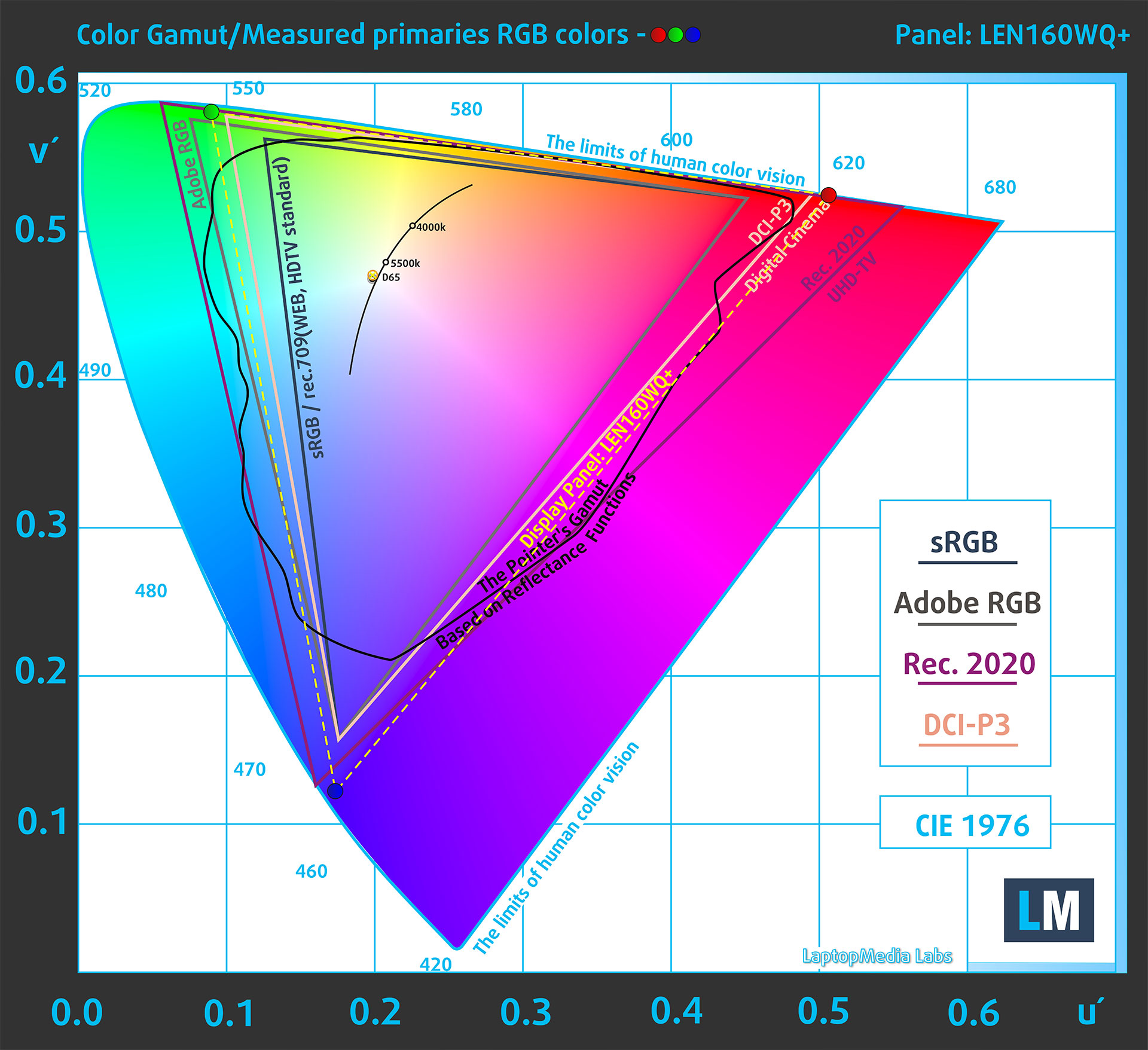
(Fig. 1) The Lenovo IdeaPad Slim 5a (16″, Gen 11) covers 100% of the DCI-P3 gamut
Brightness and Contrast
Windows recognizes the display as HDR-capable, while the panel carries VESA DisplayHDR True Black 1000 certification. In our measurements, HDR peak brightness reached 1060 cd/m² with an 8% white fill and remained at an impressive 640 cd/m² with the entire screen displaying white.

The maximum measured brightness in SDR mode was 497 cd/m², almost exactly matching Lenovo’s advertised 500-nit specification.
The Correlated Color Temperature on a white screen at maximum brightness was 6250K. This is slightly warmer than the 6500K reference point commonly used for sRGB and DCI-P3 content.
Contrast is effectively infinite because each OLED pixel can switch off completely when displaying black. This produces genuinely dark blacks and significantly stronger perceived contrast than a conventional IPS panel.
Uniformity: Luminance, Contrast, and Color Deviation
The figure below shows the results from our uniformity test across different sections of the screen. It was measured at 182 nits, corresponding to a Windows brightness setting of 65%, which we consider representative of typical indoor use.
DeltaE values below 4.0 are acceptable for regular use, while values no higher than 2.0 are preferable for color-sensitive work.
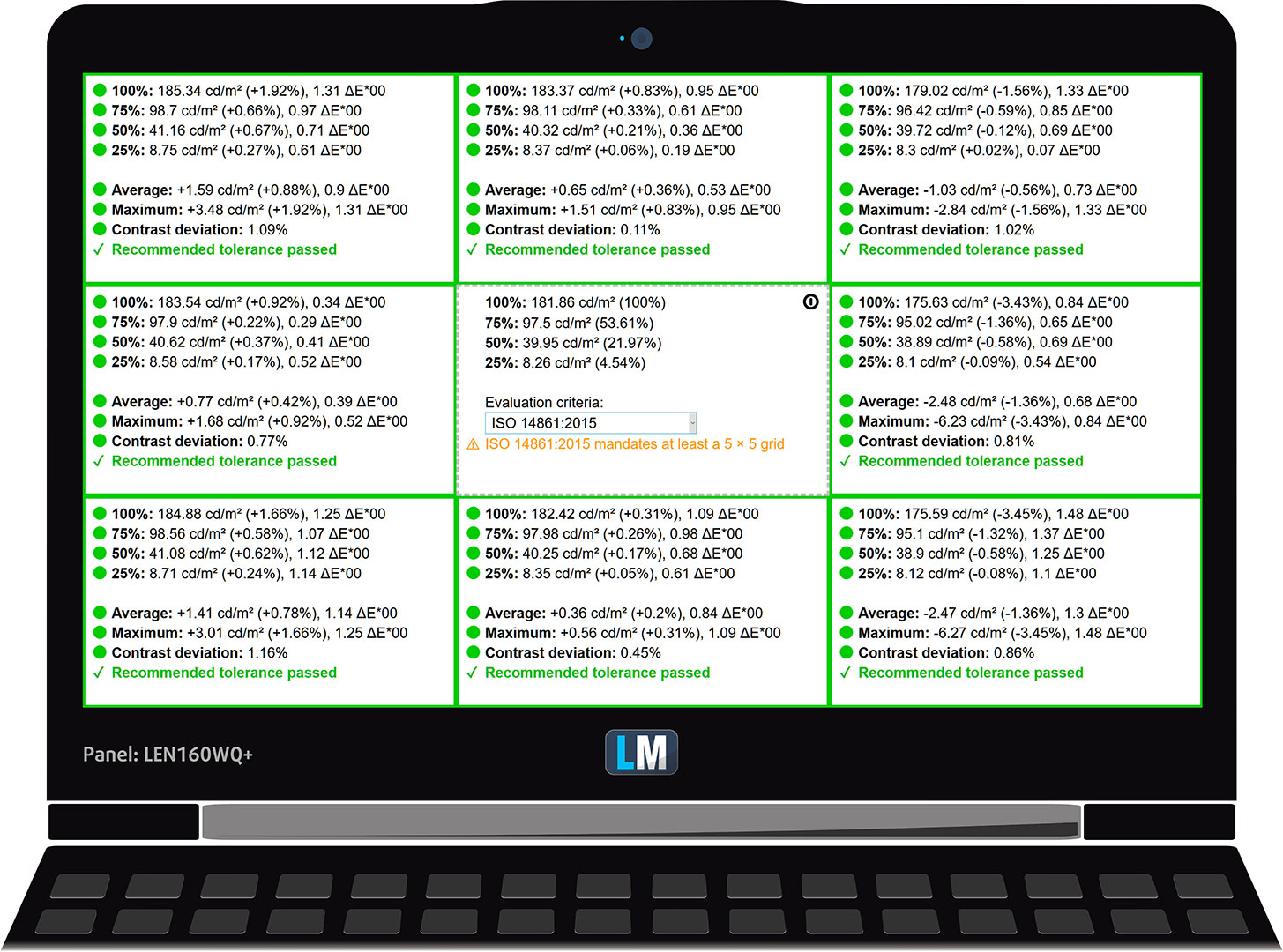
Uniformity is excellent. Relative to the 181.86 cd/m² center measurement, the largest luminance deviation was only 3.45%, recorded in the lower-right section of the panel. The maximum color deviation across the tested areas was 1.48 dE2000, and every measured zone passed our recommended tolerance. In practice, the display shows no meaningful brightness or color inconsistencies across its surface.
Color Accuracy
Let’s check the difference between real colors and those displayed by the Lenovo IdeaPad Slim 5a (16″, Gen 11). We measure this difference using DeltaE – the higher the value, the more visible the color error.
Values below 4.0 are acceptable for regular users, while values below 2.0 are suitable for color-sensitive work. A result below 1.0 generally means that the difference is indistinguishable to the naked eye.
For the following test, we selected 24 commonly encountered colors, including light and dark skin tones, blue sky, and green grass.
At factory settings, the Lenovo IdeaPad Slim 5a (16″, Gen 11) achieved an excellent average color error of 1.4 dE2000 (Fig. 2). Applying our Design and Office Work profile reduced the average to 1.0 dE2000 (Fig. 3). The panel is therefore already suitable for color-sensitive work in its factory condition, while our profile improves its accuracy further.
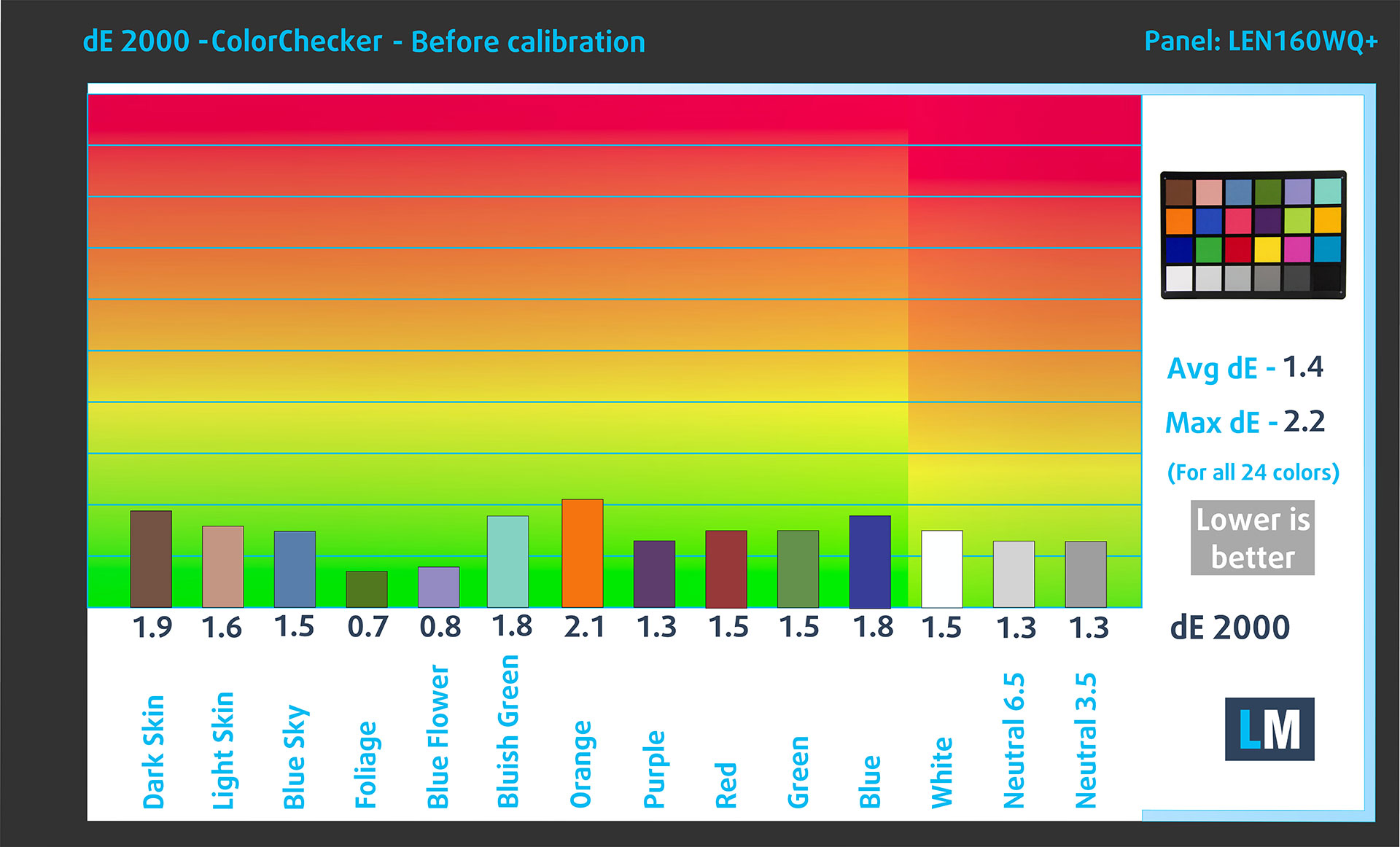
(Fig. 2) Lenovo IdeaPad Slim 5a (16″, Gen 11) in its factory condition
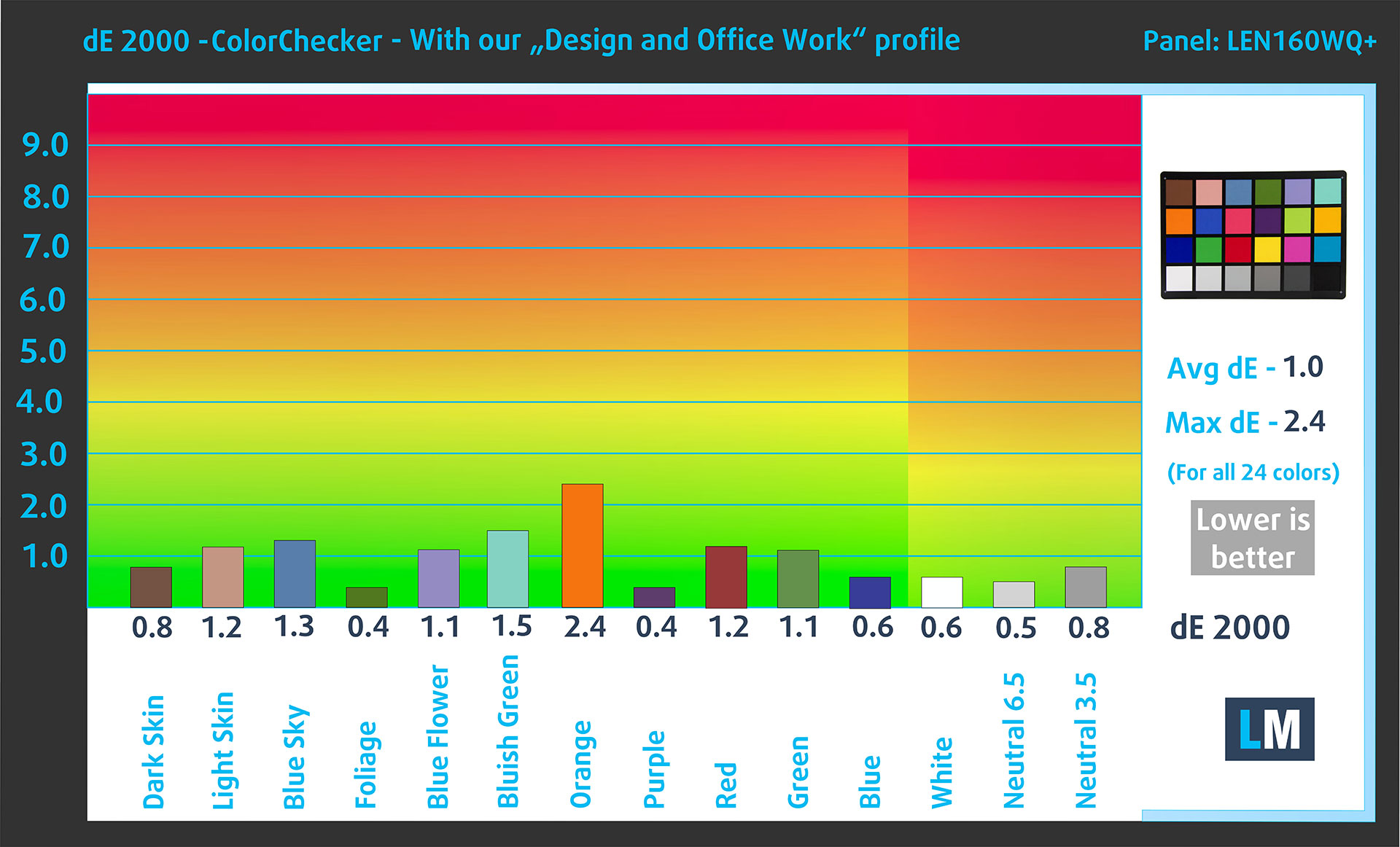
(Fig. 3) Lenovo IdeaPad Slim 5a (16″, Gen 11) with our display profile
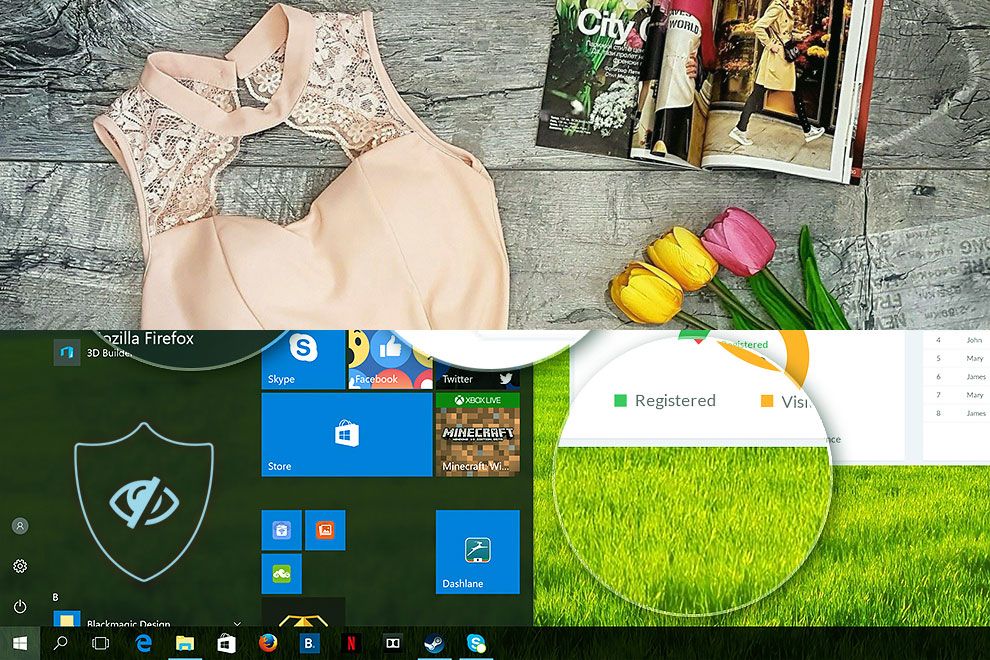
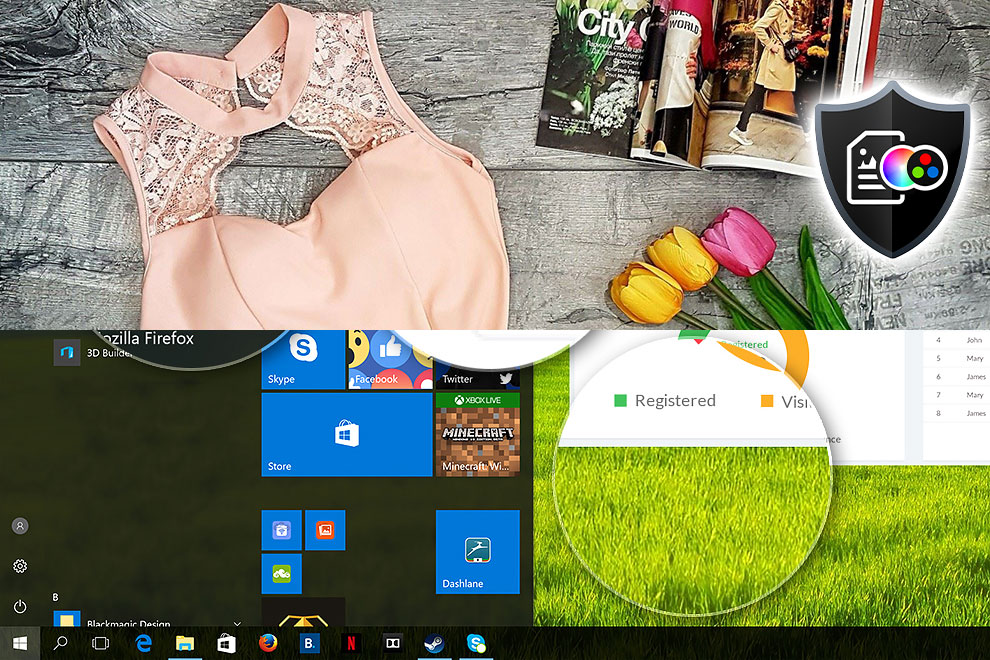
Comparison in the Display P3 color space.
Here’s an illustration of what the Design and Office Work profile aims to deliver:
Left: No Profile | Drag the slider to see the difference | Right: Design & Office Profile
Visibility in Dark Scenes
Have you ever watched a movie with dark scenes where details were difficult to distinguish? This often happens because some displays struggle to separate the darkest grayscale levels, causing multiple shades to appear almost identical.
The following figure illustrates how well the display reproduces these dark nuances. The left side shows the panel at its factory settings, while the right side shows it with our Gaming and Movies profile activated.
The horizontal axis represents the grayscale levels, while the vertical axis shows the corresponding display brightness.
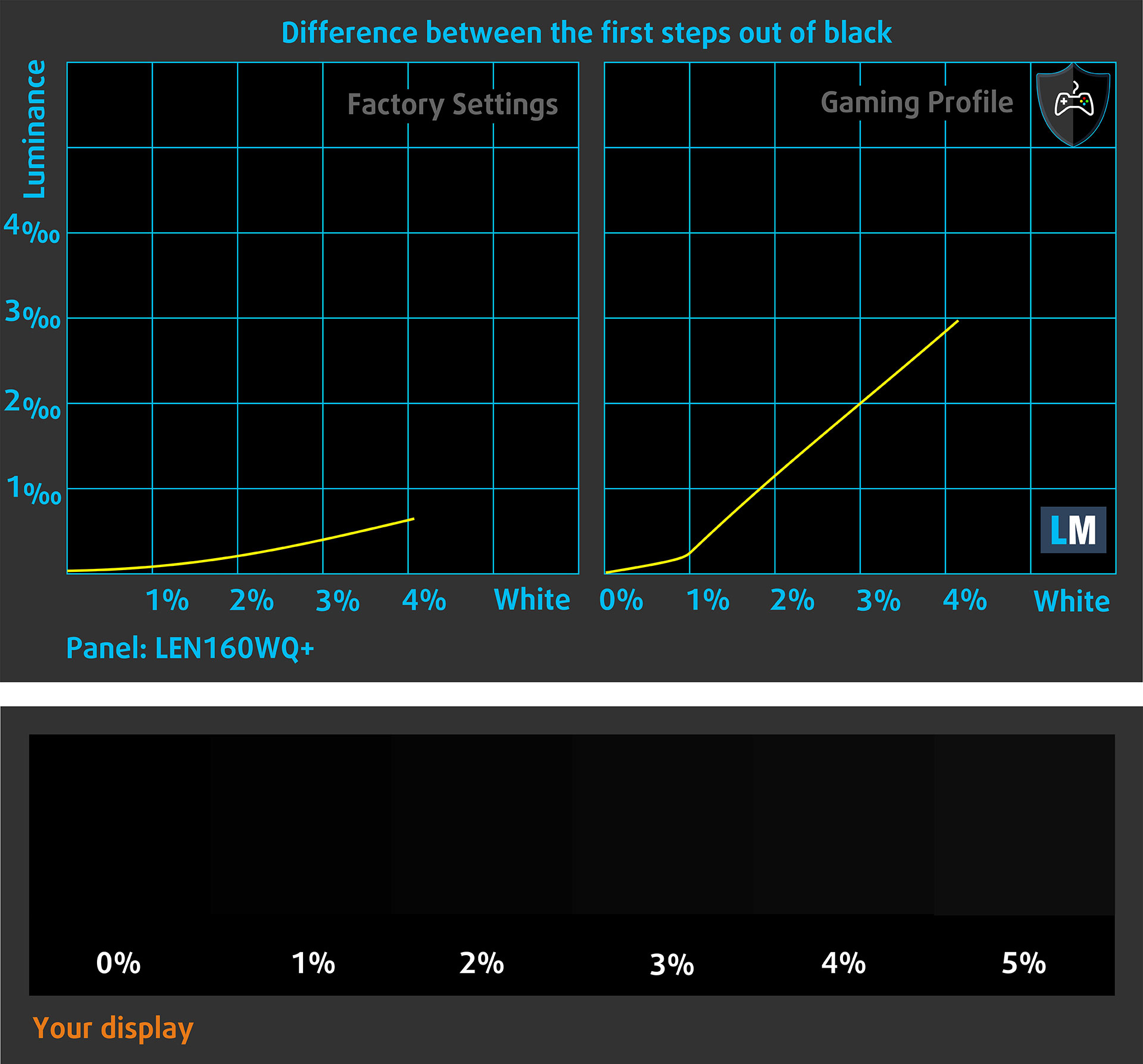
At its factory settings, the OLED panel reproduces absolute black perfectly, but the first few near-black shades remain compressed and some shadow detail can be difficult to distinguish. Our Gaming and Movies profile lifts these darkest levels, making details in dim scenes considerably easier to see.
You can also check how your display handles the darkest nuances, but keep in mind that the result depends on the capabilities and settings of your current screen, as well as the surrounding light conditions.
Health Impact: PWM (Screen Flickering)
Some displays use PWM to regulate brightness, which means that instead of continuously reducing the light output, they rapidly pulse the image. The brain merges these pulses into what appears to be a darker picture, but low-frequency or high-amplitude modulation can increase eye strain for sensitive users. You can read more in our dedicated article on PWM.
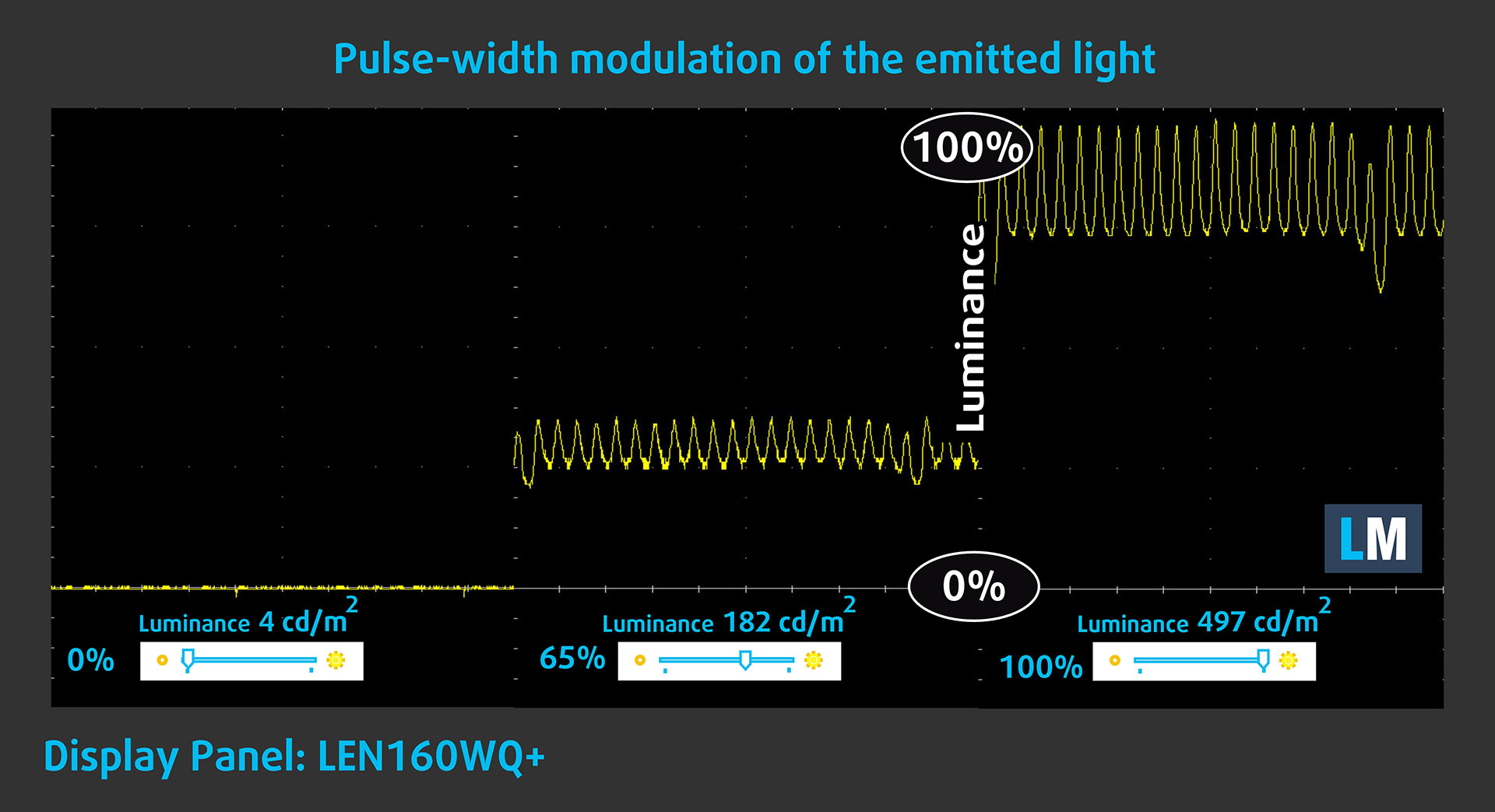
The following graph shows the intensity of the emitted light at different brightness settings. The vertical axis represents light intensity, while the horizontal axis represents time.
At minimum brightness, the emitted light remains essentially stable. At the measured 65% and 100% brightness levels, the panel uses low-amplitude luminance pulsations. Their limited modulation makes this OLED display relatively comfortable for prolonged use compared with panels that exhibit deeper brightness fluctuations, although particularly sensitive users should still consider the measured waveform.
Health Impact: Blue Light Emissions
Installing our Health-Guard profile reduces blue-light emissions and can improve viewing comfort during evening use while keeping the screen colors perceptually accurate.
You can find more information in our dedicated article about blue light and our solutions.
Health Impact: Screen Reflectance
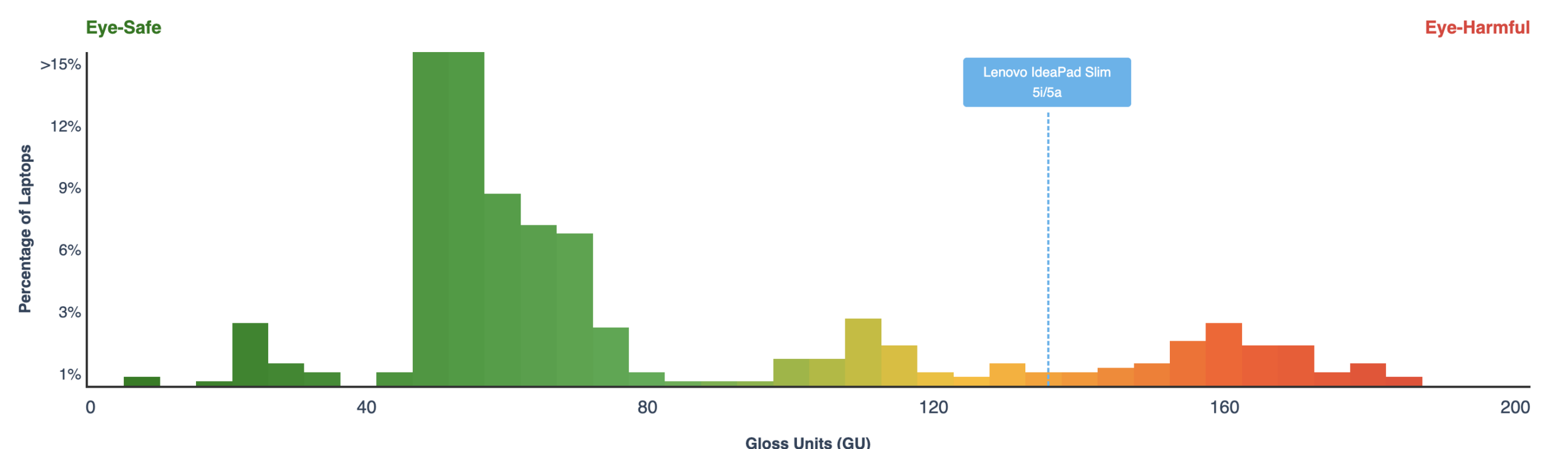
Glossy displays can cause additional eye fatigue in brightly lit environments because surrounding light sources and objects remain visible as reflections. We measure screen reflectance with the display switched off and positioned at an angle of 60 degrees.
The Lenovo IdeaPad Slim 5a (16″, Gen 11) recorded a reflectance value of 133 GU. This is firmly within our highly reflective category and represents the most significant drawback of the otherwise excellent OLED panel. Bright windows, lamps, and outdoor environments can produce clearly visible and potentially distracting reflections, although the high brightness helps the display remain usable.
Low Reflectance: < 45 GU
Medium Reflectance: 45–80 GU
High Reflectance: > 80 GU
Sound Quality
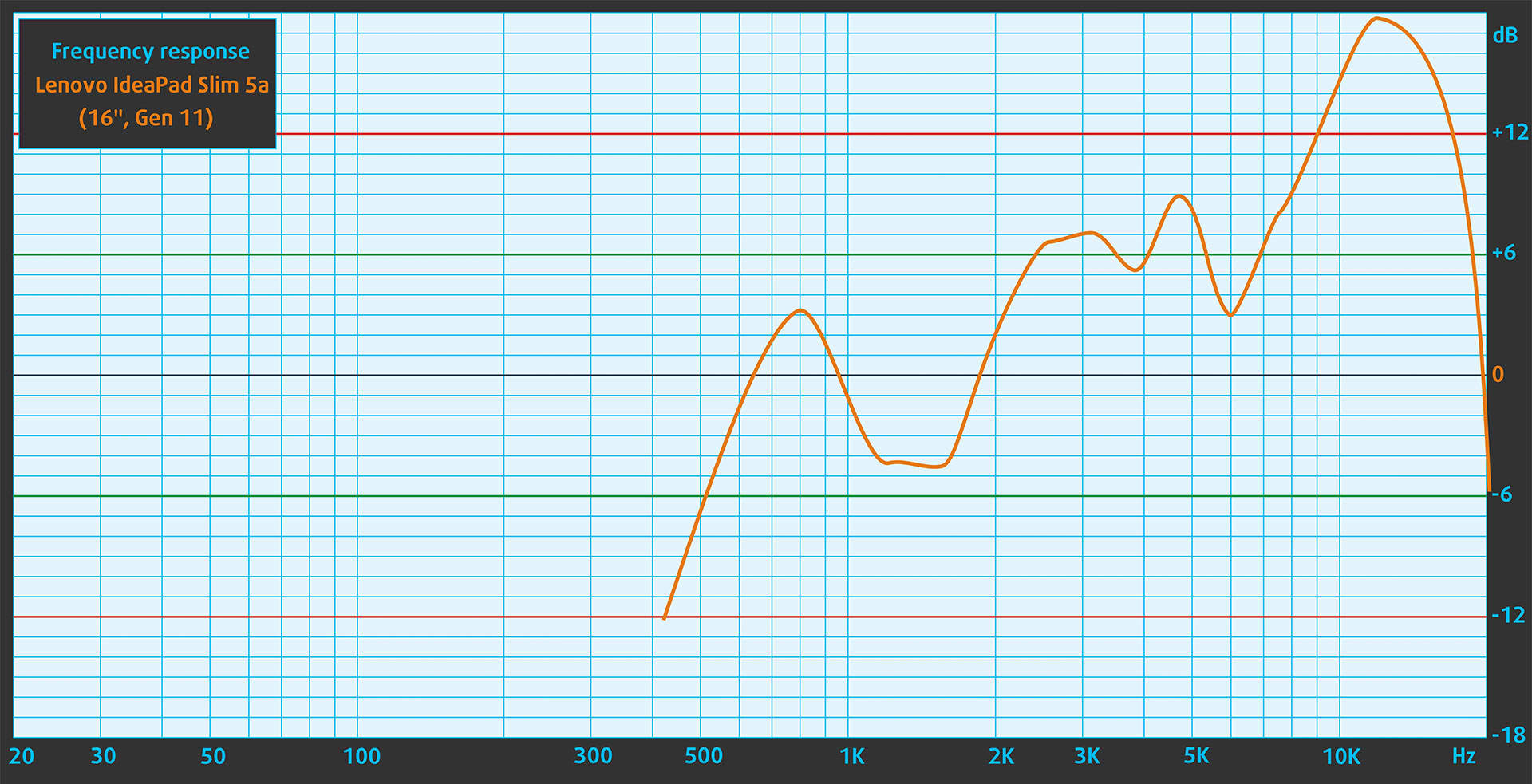
The built-in speakers reproduce speech clearly, but bass output is very limited. The measured frequency response is also uneven, with a pronounced rise through the upper-mid and treble regions. As a result, voices and fine details remain distinct, but music can sound thin and noticeably bright, particularly at higher volume levels.
Get Our Display Profiles
Since our profiles are tailored to each individual display model, this article and its respective profile package are intended for Lenovo IdeaPad Slim 5a (16″, Gen 11) configurations equipped with the LEN160WQ+ (LEN8BAF), 2880 × 1800 OLED panel.
Should you encounter problems downloading the purchased file, try opening the link you receive by email in another browser. If the downloaded file has a .php extension instead of being an archive, change its extension to .zip or contact us at [email protected].
Read more about the profiles HERE.
In addition to receiving efficient and health-friendly profiles, by buying LaptopMedia's products you also support the development of our labs, where we test devices in order to produce the most objective reviews possible.

Design and Office
The Design and Office profile makes display colors as close to real as possible.Ideal not only for professionals but also for everyday users, it meets sRGB standards (D65 white point, sRGB gamma) with minimal DeltaE for precise color reproduction on your panel.

Gaming and Movies
Have you ever watched a movie where, during dark scenes, you can barely see anything? Many displays fail to distinguish dark tones properly. Our Gaming and Movies profile enhances low-light performance, like HDR tech, using a gamma curve tailored to human perception — ideal for gamers seeking faster reactions and clearer visuals.

Health-Guard
Our Health-Guard profile protects your eyes by eliminating PWM flickering, reducing strain and fatigue, and minimizing harmful Blue light exposure that can disrupt sleep and health. It uses software dimming and a gamma curve tailored to human perception for comfort and safety during screen use.
Get All The Profiles With 33% Discount!

Work Performance: CPU, Storage, AI
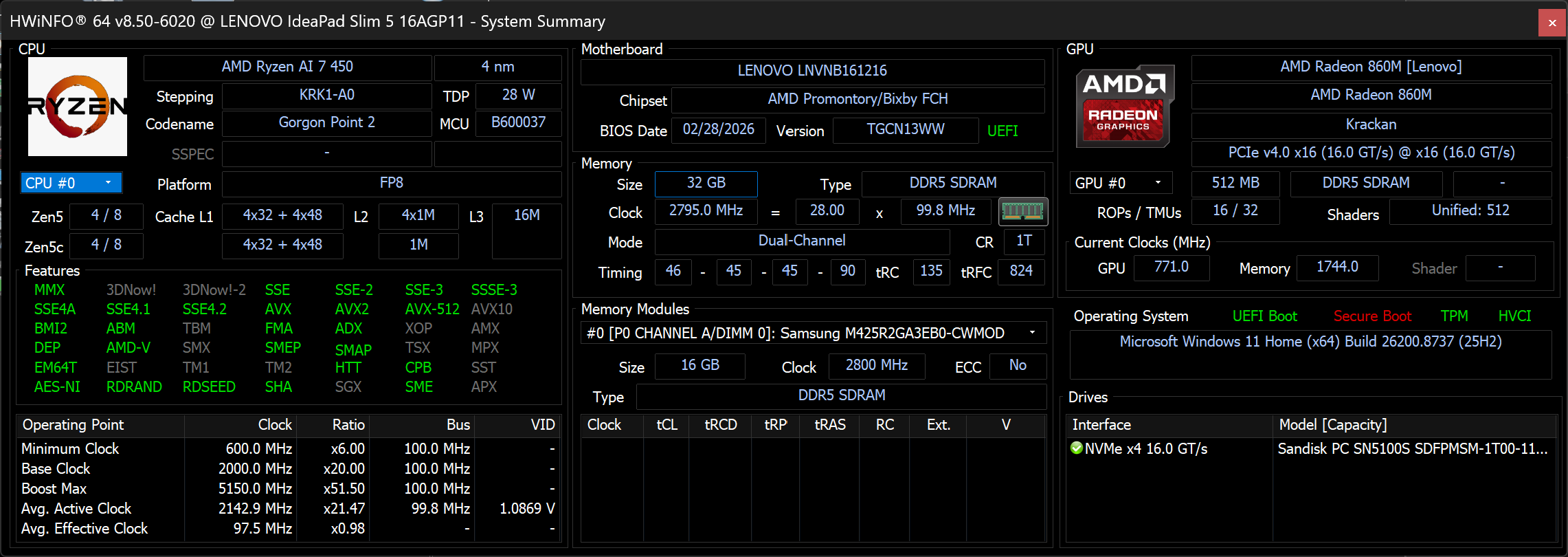
All performance and temperature tests were conducted with Performance mode enabled in Lenovo Vantage:
CPU and Work Performance
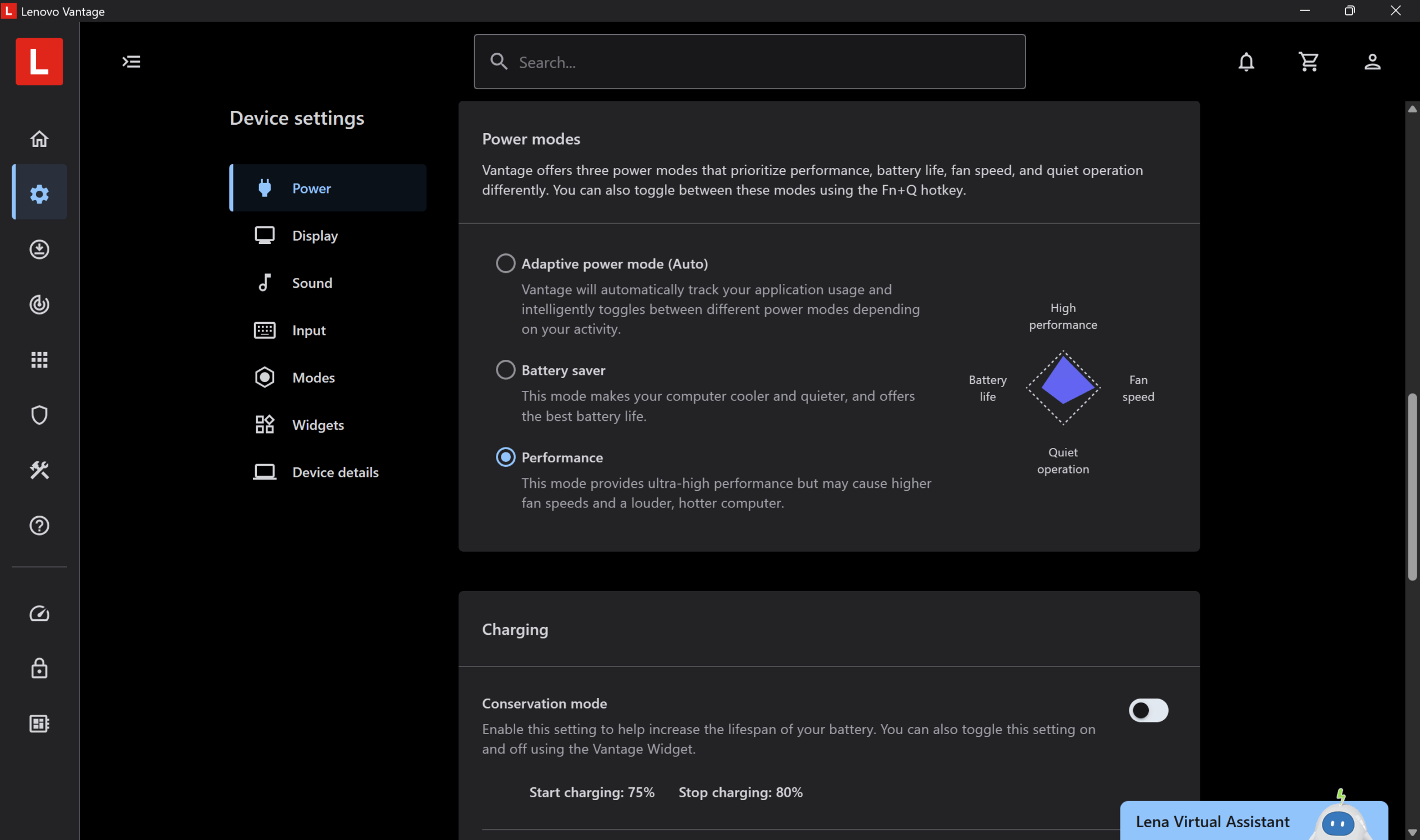
The Lenovo IdeaPad Slim 5a (16″, Gen 11) is available with AMD Ryzen AI 400-series processors, including the Ryzen AI 5 430, Ryzen AI 7 445, and Ryzen AI 7 450. Depending on the market, Ryzen AI 5 435 configurations may also be available. The range extends from a 4-core, 8-thread processor to the 8-core, 16-thread Ryzen AI 7 450, giving the higher-end configurations considerably more headroom for multitasking, content creation, and sustained CPU-heavy workloads.
All of these processors include an NPU rated at up to 50 TOPS, so the Ryzen AI 5 and Ryzen AI 7 branding does not indicate a difference in dedicated NPU capability. The more meaningful distinctions are in CPU core count, integrated graphics, and combined platform performance, which ranges from up to 58 to 66 TOPS depending on the processor. For a broader comparison, check our Top Laptop CPU Ranking.
The Ryzen AI 7 450 performs particularly well in this chassis. Its single-core lead over the Ryzen AI 7 350 in the Acer Swift Air 16 (detailed review) is modest, but it is around 28% faster in Geekbench 6 Multi-Core and 41% faster in Cinebench 2024. It also comfortably outperforms the Ryzen AI 7 445 in the Lenovo Yoga 7a 2-in-1 (16″, Gen 11) (detailed review), making the 450 the clearly preferable option for heavier work. Even against the Core Ultra 9 288V in the Acer Swift 16 AI (detailed review), the IdeaPad holds a substantial advantage in sustained multi-core and rendering workloads. These results reflect not only the processor itself but also Lenovo’s relatively generous power tuning and cooling implementation.
Single-core performance ensures smooth operation and responsiveness in operating systems, providing a better user experience.
Results are from the Geekbench 6 Single-Core test (higher is better)
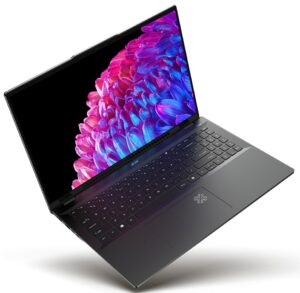
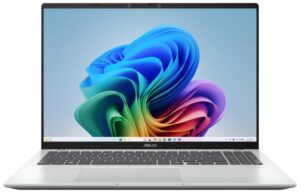
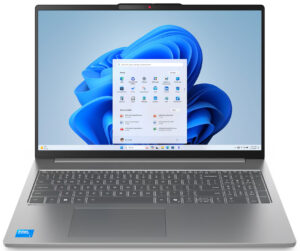
Multi-core performance is essential for handling complex and demanding tasks, such as Video editing, CAD, and Scientific simulations.
Results are from the Geekbench 6 Multi-Core test (higher is better)
Here, we evaluate the CPU's performance using a real-world 3D rendering task, assessing its ability to handle complex computations and rendering workloads efficiently.
Results are from the Cinebench 2024 Multi-Core test (higher is better)
Storage Performance
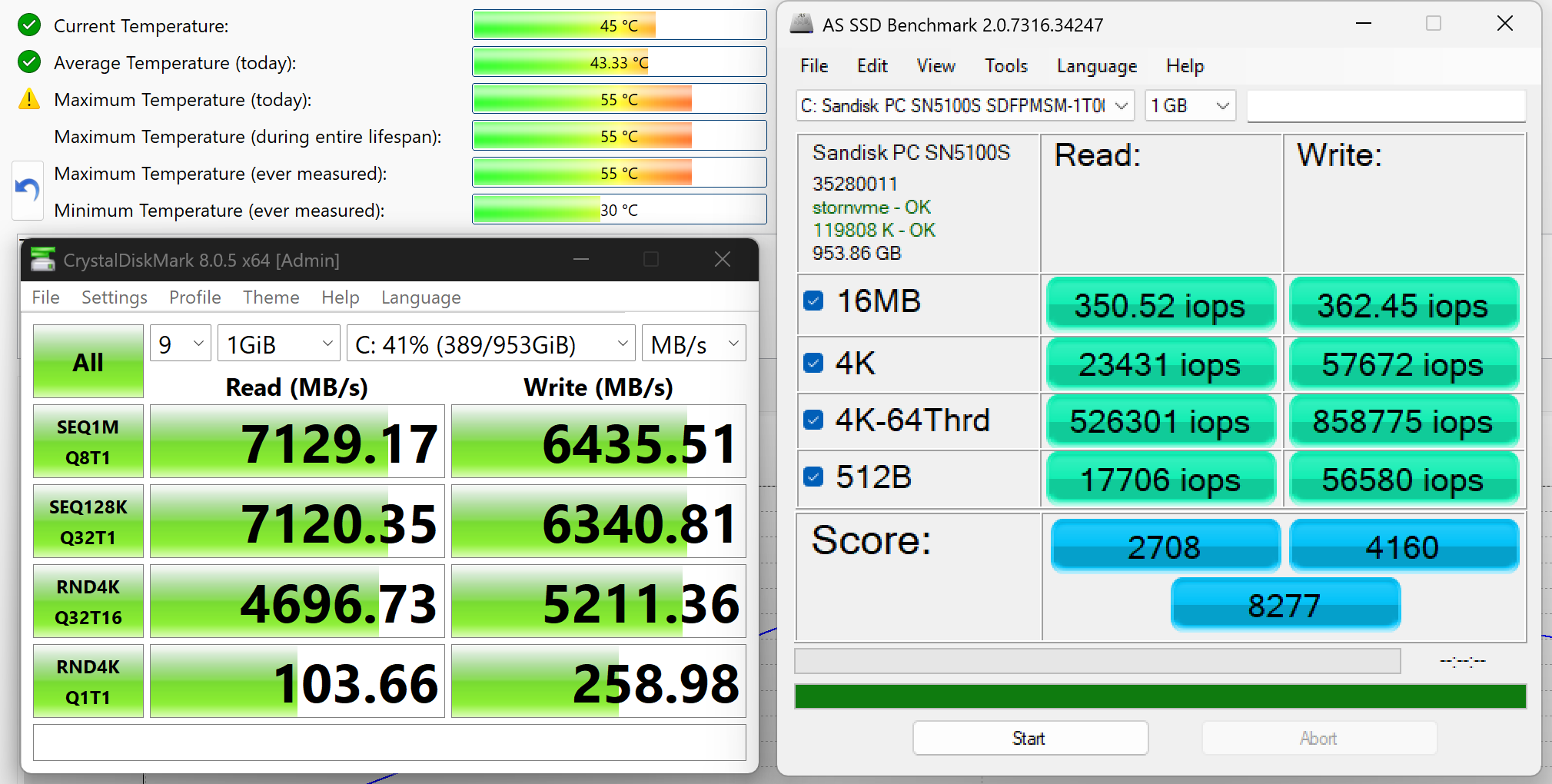
We ordered a configuration with 1 TB of storage, and our Lenovo IdeaPad Slim 5a (16″, Gen 11) arrived with a SanDisk PC SN5100S (SDFPMSM-1T00-1101) PCIe 4.0 NVMe SSD. Storage suppliers may vary between configurations and production batches, so the results below apply specifically to the drive installed in our machine.
Performance is excellent. In CrystalDiskMark, the SSD reached 7.13 GB/s sequential read and 6.44 GB/s sequential write speeds. It also delivered strong random performance, which should help the system remain responsive during application launches, file operations, and heavier multitasking.
Thermals are equally reassuring. The drive peaked at only 55°C during our testing, while its recorded average was approximately 43°C. These are comfortable operating temperatures for a high-performance PCIe 4.0 SSD in a slim laptop.
AI Performance
Here you can see the position of the GPUs and CPUs (NPUs) found within the Lenovo IdeaPad Slim 5i/5a (16", Gen 11) in our AI Hardware Performance Rankings based on their AI processing power, measured in TOPS (Tera Operations Per Second) - a critical metric indicating the computational throughput, particularly for AI tasks.
The first column shows peak performance for INT8/FP8 precision, which is the most widespread metric for evaluating AI inference capabilities. We exclude Sparsity to provide a more accurate reflection of AI performance in dense computation scenarios where sparsity optimizations may not be applicable. The second and third columns show the performance with Sparsity, and FP4 TFLOPS, when supported.
For SoCs, the results reflect the peak performance of the integrated NPU. Additionally, it’s important to note that, according to Microsoft, a NPU must have at least 40 TOPS of AI computing power for the PC to be considered “AI-capable.”
| # | GPU / CPU (NPU) | TOPS INT8/FP8 No Sparsity | TOPS INT8/FP8 Sparsity | TFLOPS FP4 Sparsity |
|---|---|---|---|---|
| 1541. | Intel Core Ultra 7 356H | 50 | — | — |
| 1559. | AMD Ryzen AI 5 430 | 50 | — | — |
| 1560. | AMD Ryzen AI 5 340 | 50 | — | — |
| 1568. | AMD Ryzen AI 7 445 | 50 | — | — |
| 1573. | AMD Ryzen AI 7 450 | 50 | — | — |
| 1578. | Intel Core Ultra 7 355 | 49 | — | — |
| 1590. | Intel Core Ultra 5 325 | 46 | — | — |
| 1594. | Intel Core Ultra 5 322 | 46 | — | — |
| 1708. | AMD Ryzen 5 240 | 16 | — | — |
| 1713. | AMD Ryzen 7 260 | 16 | — | — |
GPU and Gaming Performance
Graphics are handled by integrated AMD Radeon solutions. The Ryzen AI 5 430, Ryzen AI 5 435, and Ryzen AI 7 445 are paired with the Radeon 840M, while the Ryzen AI 7 450 in our configuration uses the considerably faster Radeon 860M. The latter benefits from eight graphics compute units instead of four, as well as the dual-channel DDR5 memory configuration in our machine.
The Radeon 860M is suitable for everyday work, media playback, GPU-accelerated creative applications, and lighter gaming at 1080p or 1200p with reduced settings. It remains an integrated GPU, however, so the native 2880 × 1800 resolution of our OLED display is generally too demanding for modern games. You can compare it with other integrated and discrete laptop GPUs in our Top Laptop Graphics Ranking.
The Radeon 860M performs especially well in this chassis, scoring around 23–26% higher than the same GPU in the Acer Swift Air 16 (detailed review). It is also substantially faster than the Radeon 840M in the Lenovo Yoga 7a 2-in-1 (16″, Gen 11) (detailed review), confirming that the Ryzen AI 7 450 is the preferable configuration for gaming and GPU-heavy work. Intel’s Arc Graphics 140V remains clearly faster in the Acer Swift 16 AI (detailed review) and Dell 16 Plus (detailed review), but the IdeaPad delivers strong performance for an integrated Radeon solution.
The results are from 3DMark Time Spy (Graphics). Higher is better.
The results are from 3DMark Wild Life Extreme Unlimited. Higher is better.
Gaming Tests

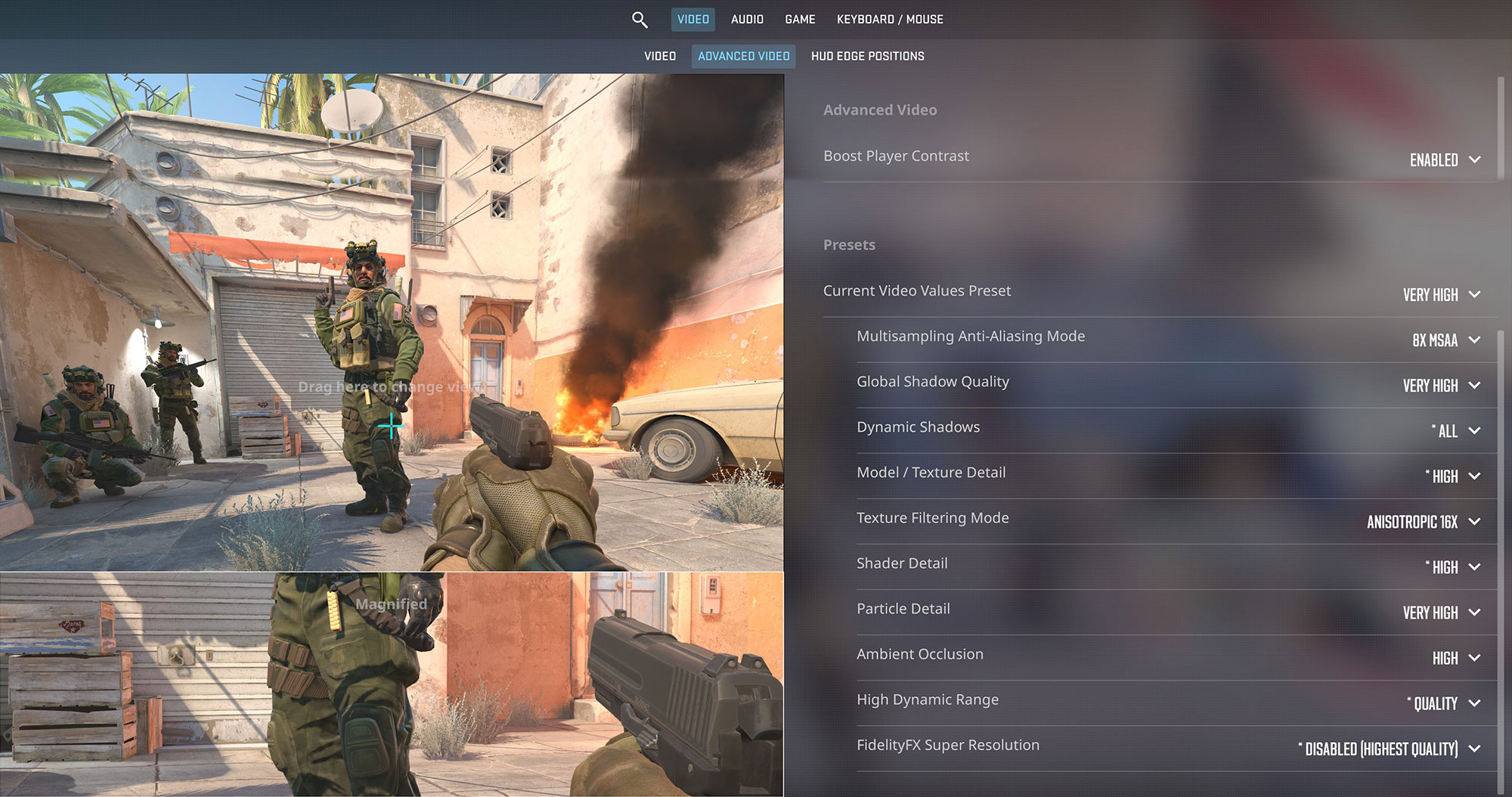
The integrated AMD Radeon 860M handles Counter-Strike 2 well when the resolution is kept under control. At 1920 × 1200 and the Very High preset, our configuration averaged 76 FPS, providing a smooth and responsive experience. Increasing the resolution to 2880 × 1800 reduced the result to 24 FPS, showing that the OLED panel’s native resolution is too demanding at these settings. For the best balance between image quality and performance, 1200p is the more practical choice.
| Counter-Strike 2 | 1200p, Very High (Check settings) | 1800p, Very High (Check settings) |
| Average FPS | 76 FPS | 24 FPS |

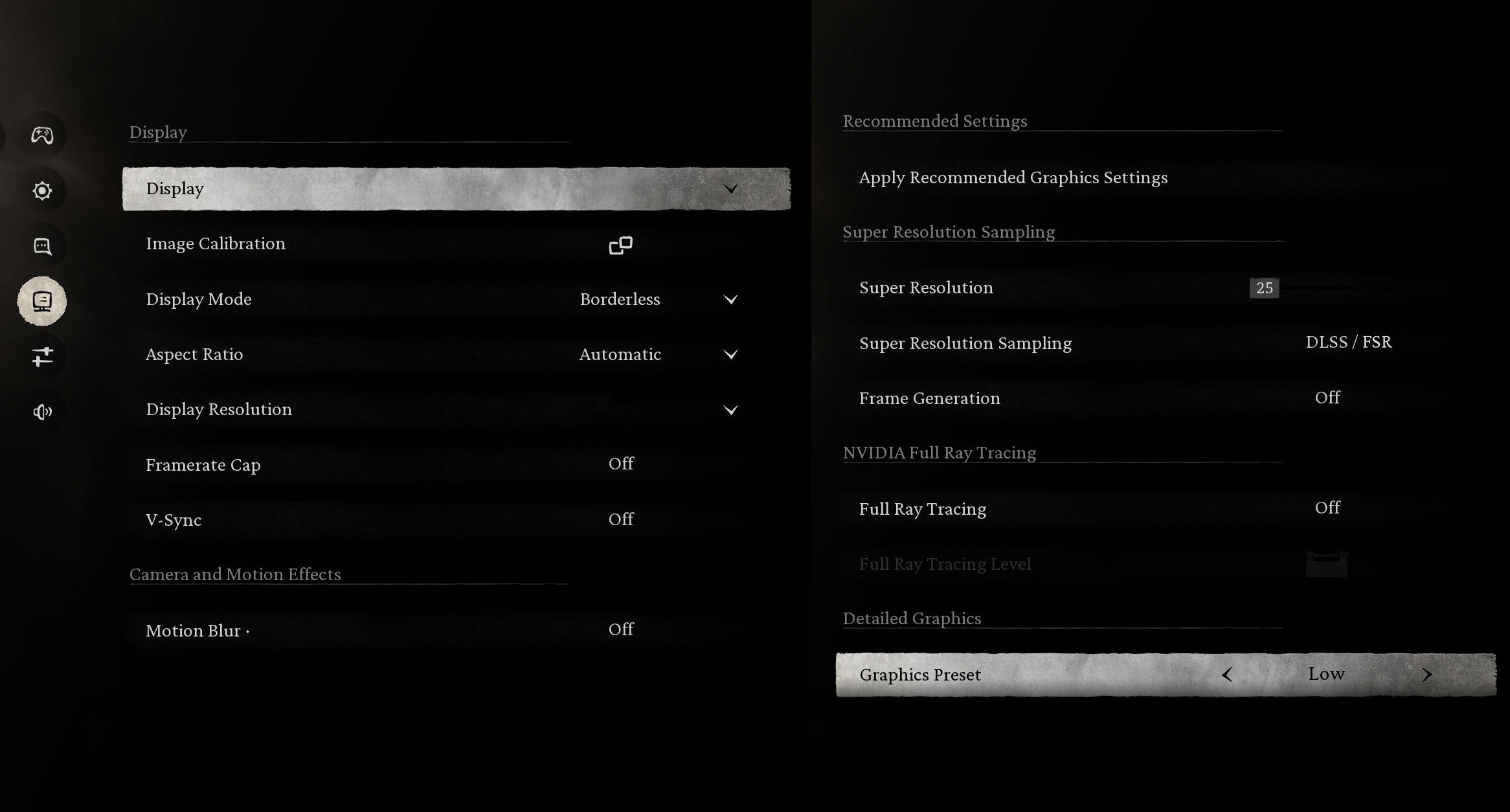
Black Myth: Wukong is considerably more demanding, yet the Radeon 860M averaged 48 FPS at a 2880 × 1800 output resolution with the Low preset. The test used a Super Resolution setting of 22, Super Resolution Sampling set to 2, and Frame Generation disabled. Full Ray Tracing was also disabled. This is a playable benchmark result for an integrated GPU, but the game is not being rendered internally at the full 2.8K resolution, and it also displayed a low-VRAM warning during the test.
| Black Myth: Wukong | 2880 × 1800 output, Low, Super Resolution 22, Sampling 2, Frame Generation Off (Check settings) |
| Average FPS | 48 FPS |

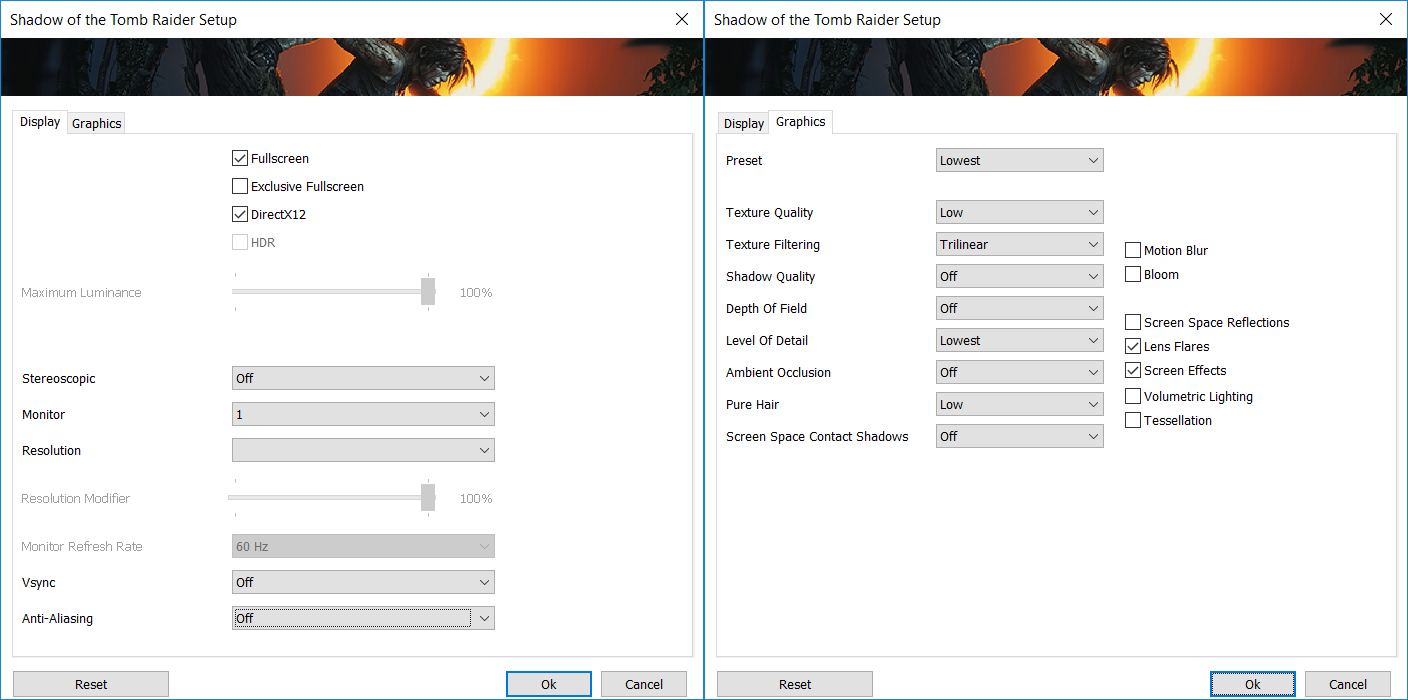
Shadow of the Tomb Raider also demonstrates the importance of choosing an appropriate resolution. At 1920 × 1200 and the Lowest preset, the laptop averaged a smooth 75 FPS. Running the same settings at 2880 × 1800 reduced performance to 37 FPS, which remains usable for a single-player title but offers substantially less headroom.
| Shadow of the Tomb Raider | 1200p, Lowest (Check settings) | 1800p, Lowest (Check settings) |
| Average FPS | 75 FPS | 37 FPS |
Overall, the Radeon 860M is capable of enjoyable light and occasional AAA gaming, but 1920 × 1200 is generally the sensible target. The native 2.8K resolution is better reserved for desktop work, video, and less demanding games.
Temperatures and Comfort, Noise, Stability
At idle, the AMD Ryzen AI 7 450 maintains a CPU package temperature of approximately 39°C, while the laptop remains completely silent.
Office Work, Web Development, Design
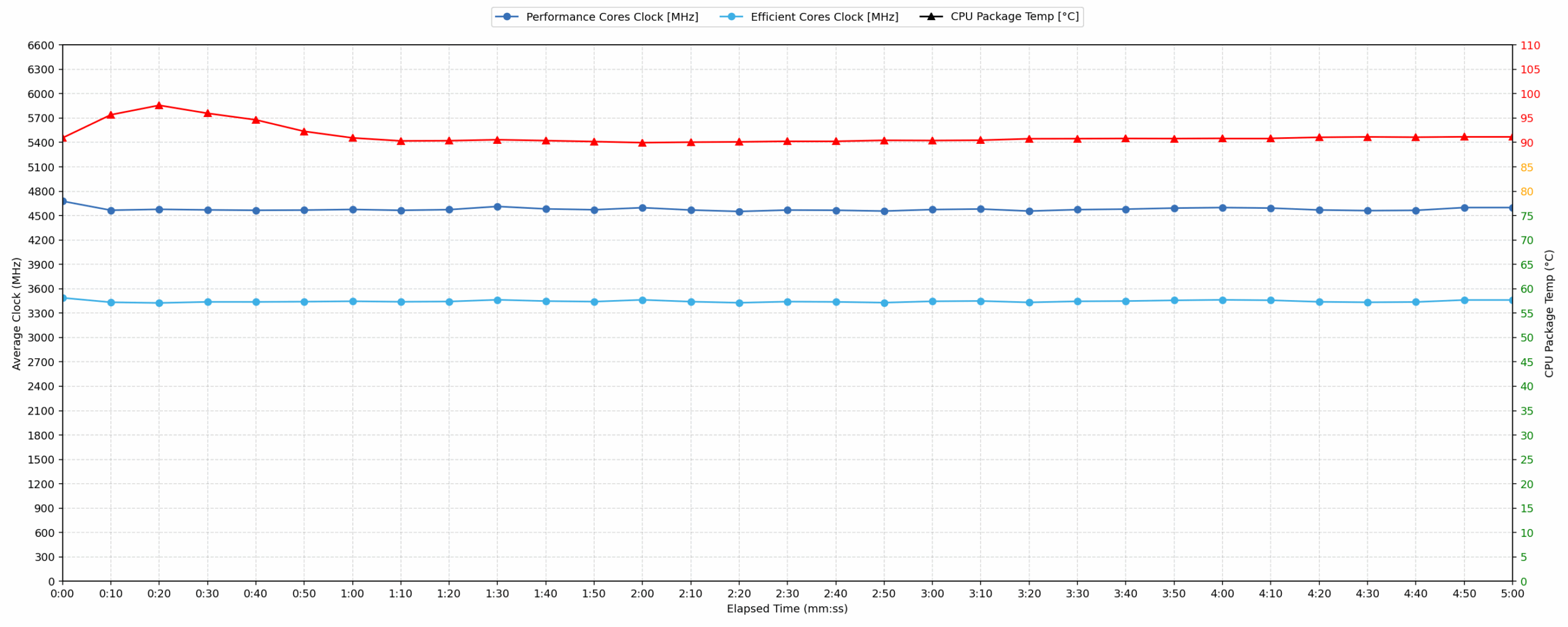
Short periods (0:00–0:10 s) of 100% CPU load
This test shows how the CPU behaves during short bursts of intensive load. It is particularly relevant to everyday tasks such as launching applications, processing code, editing documents, and working in web-development or design software.
| AMD Ryzen AI 7 450 | Avg. CPU Clock | Avg. CPU Temp. | Avg. CPU Power |
| Lenovo IdeaPad Slim 5a (16″, Gen 11) | 4677 MHz | 90°C | 56W |
During the 10-second test, the Ryzen AI 7 450 maintained an average clock speed of 4677 MHz while drawing 56W on average. Within the first five seconds, it briefly reached 4781 MHz and a peak power draw of 59W.
The processor responds aggressively to short workloads, but this tuning also results in high temperatures. The average reached 90°C, with a brief peak of 99°C. Lenovo is clearly prioritizing immediate performance in Performance mode rather than maintaining lower CPU temperatures.
Video Editing, Scientific Computing, Software Compilation, 3D Rendering
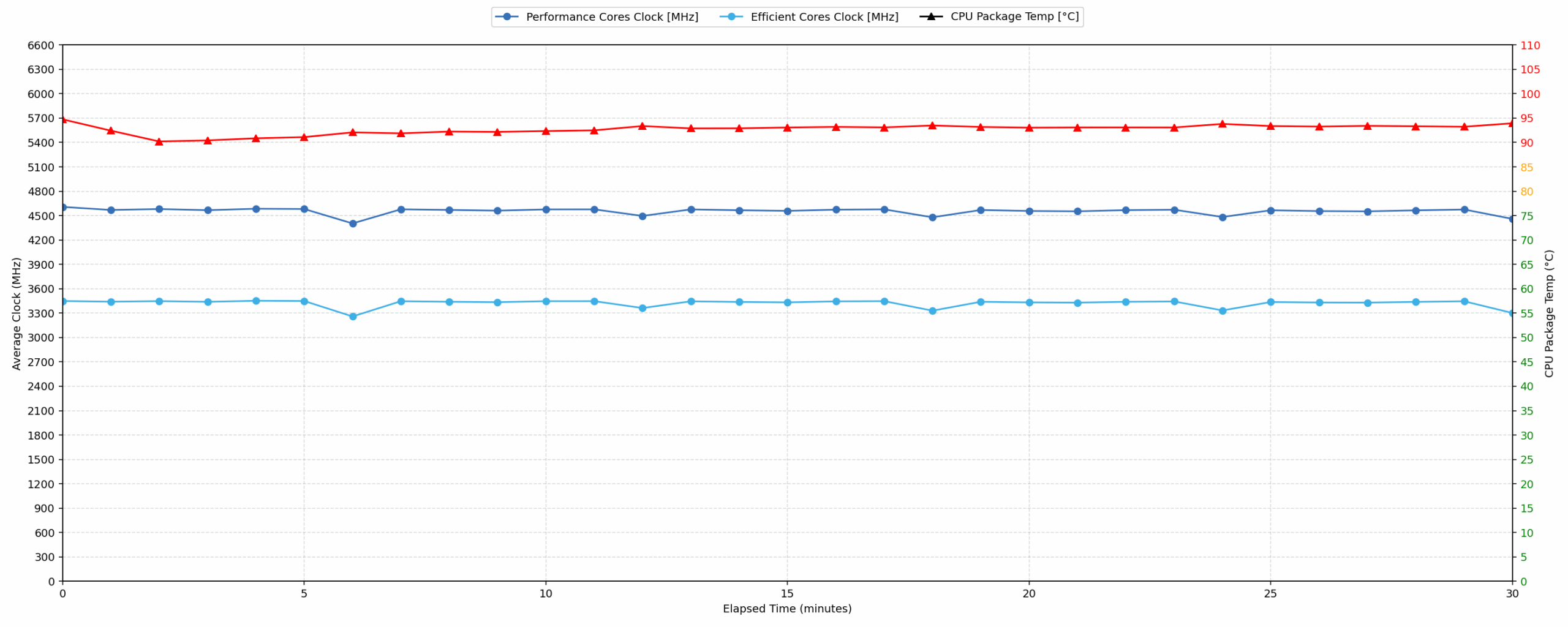
Long periods (0:00–30:00 min) of 100% CPU load
This test examines the CPU during a prolonged period of intensive load. It is relevant to demanding workloads such as video encoding, software compilation, scientific computing, and CPU-based 3D rendering.
| AMD Ryzen AI 7 450 | Avg. CPU Clock | Avg. CPU Temp. | Avg. CPU Power |
| Lenovo IdeaPad Slim 5a (16″, Gen 11) | 4551 MHz | 92°C | 49W |
Under continuous full CPU load for 30 minutes, the IdeaPad Slim 5a maintained an average clock speed of 4551 MHz at 49W. This is only moderately below its short-burst performance, showing that the cooling system can sustain a high level of processor performance without a major reduction in clock speed over time.
The trade-off is temperature. The CPU averaged 92°C throughout the test, which is high for prolonged operation. Performance remains stable, but the results confirm that the system’s Performance mode favors sustained speed over cooler operation.
Battery Life
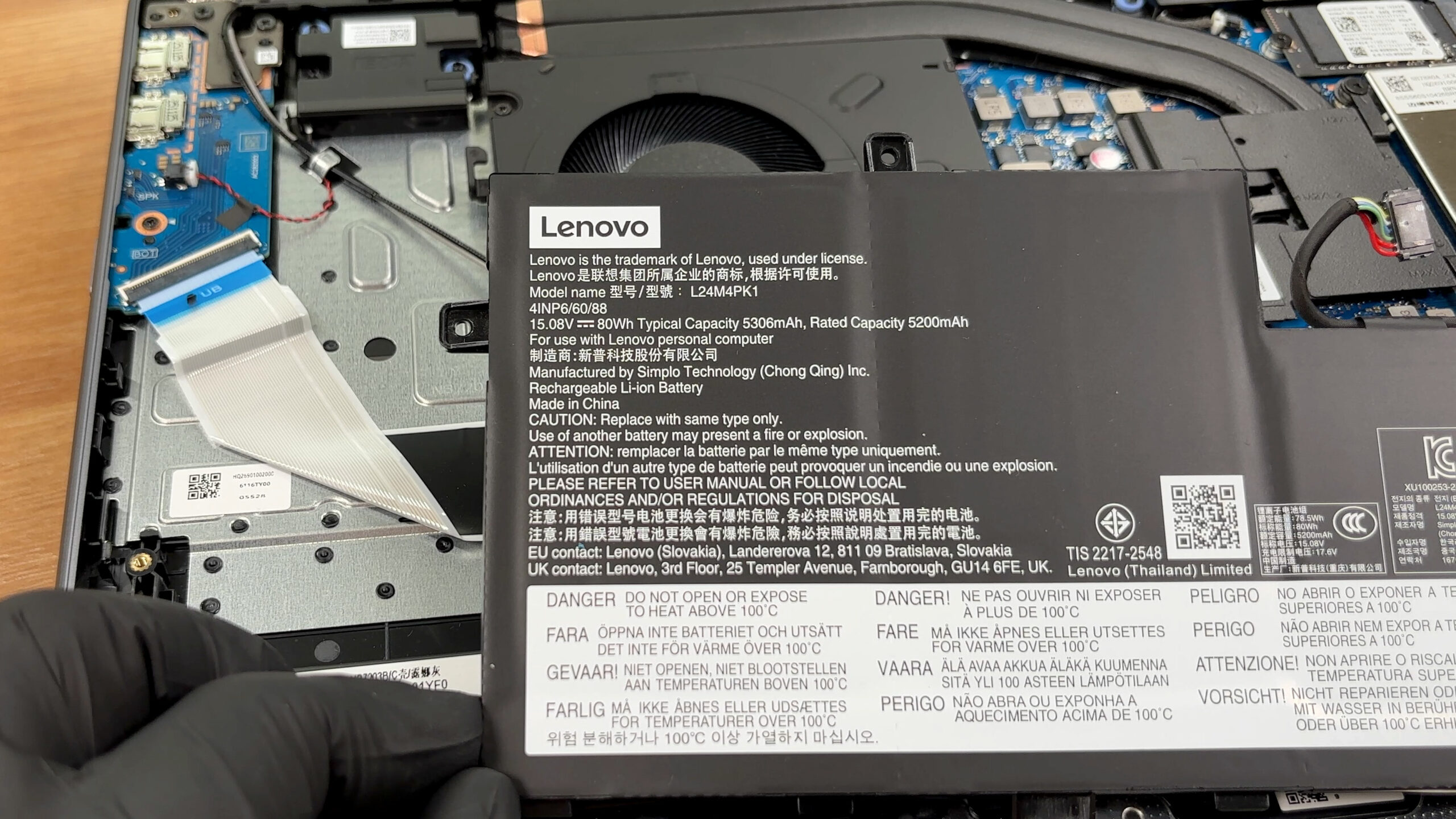
The Lenovo IdeaPad Slim 5a (16″, Gen 11) uses a four-cell lithium-ion battery, model L24M4PK1. It has a nominal voltage of 15.08V, a typical capacity of 5306mAh, a rated capacity of 5200mAh, and stores 80 Wh of energy.
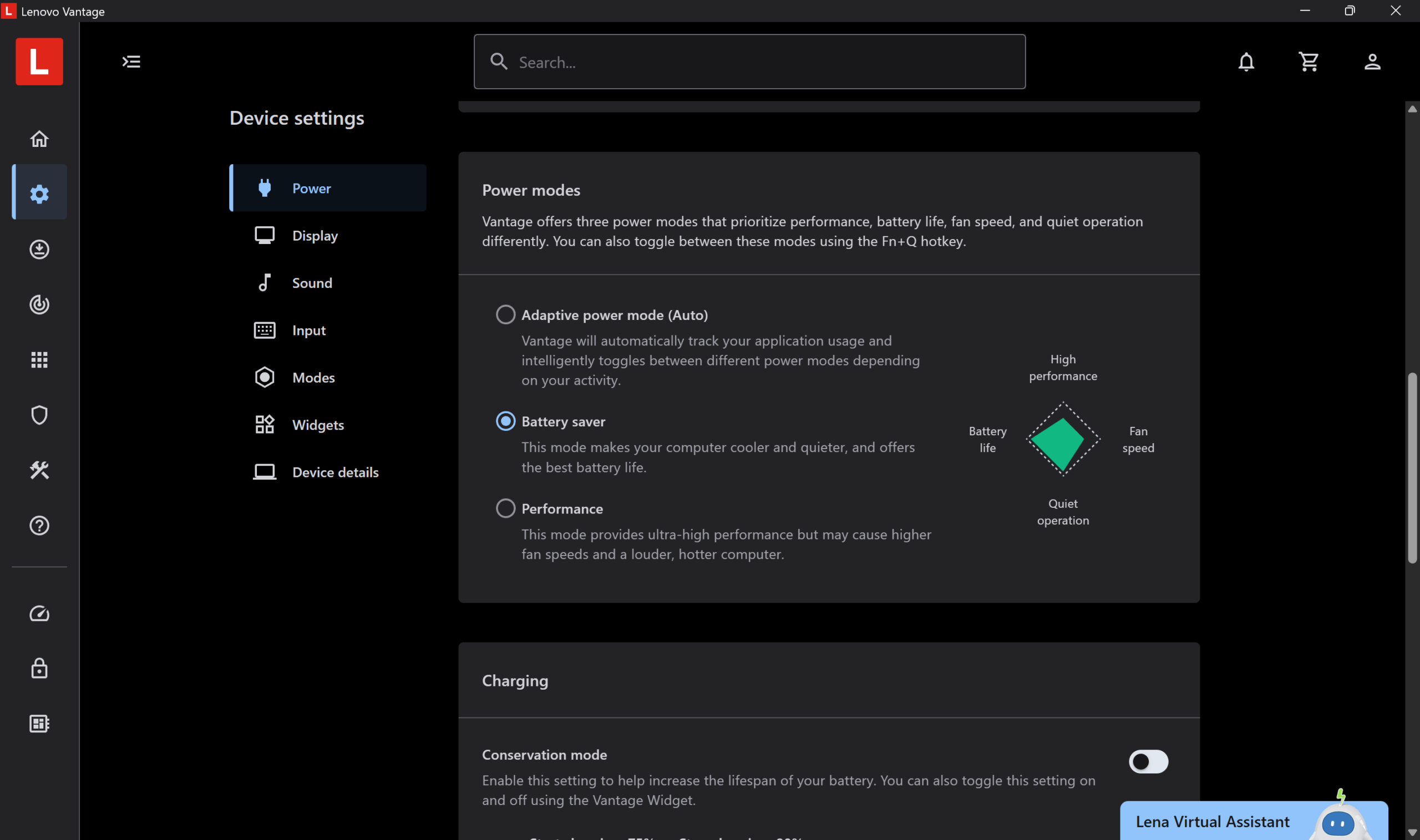
In our offline video playback test, the laptop lasted 11 hours and 34 minutes. The test was conducted at 180 nits in SDR mode, with the display set to 60 Hz and Battery Saver selected in Lenovo Vantage.
The result is solid, but not exceptional considering the large 80 Wh battery. The IdeaPad lasts longer than the Dell 16 Plus (detailed review) and Lenovo Yoga 7a 2-in-1 (16″, Gen 11) (detailed review), but the Acer Swift 16 AI (detailed review) delivers considerably longer playback from a smaller 70 Wh battery. The Acer Swift Air 16 (detailed review) also finishes only 1 hour and 17 minutes behind despite using a much smaller 50 Wh battery. The high-resolution OLED panel is likely one of the main factors limiting overall efficiency.
Brightness: 180 nits; Display Mode: SDR
Time to Full Discharge: Higher is Better
Disassembly, Upgrade Options, and Maintenance
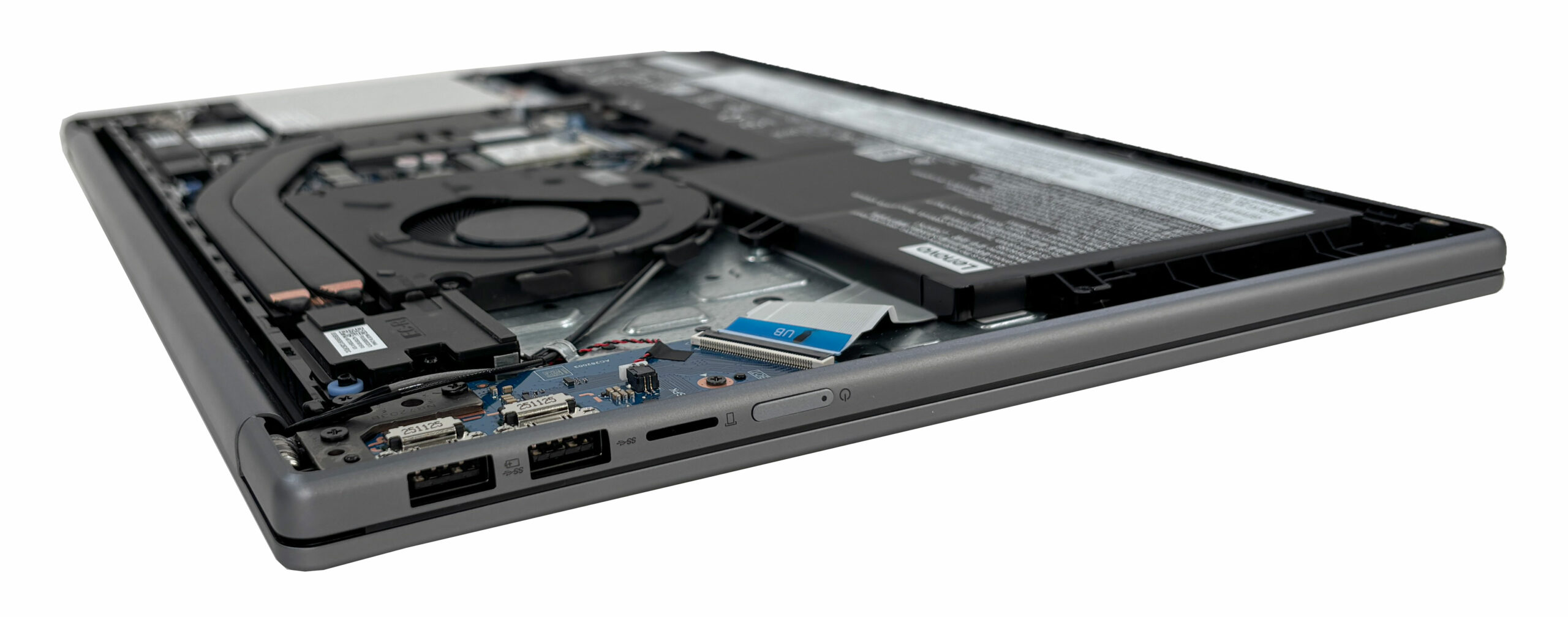
Accessing the internals is relatively straightforward. After removing the six screws securing the bottom panel, the remaining perimeter clips can be released with a plastic pry tool. The screws are not all the same length, so their original positions should be preserved during reassembly. As always, the battery connector should be disconnected before replacing or handling any internal components.
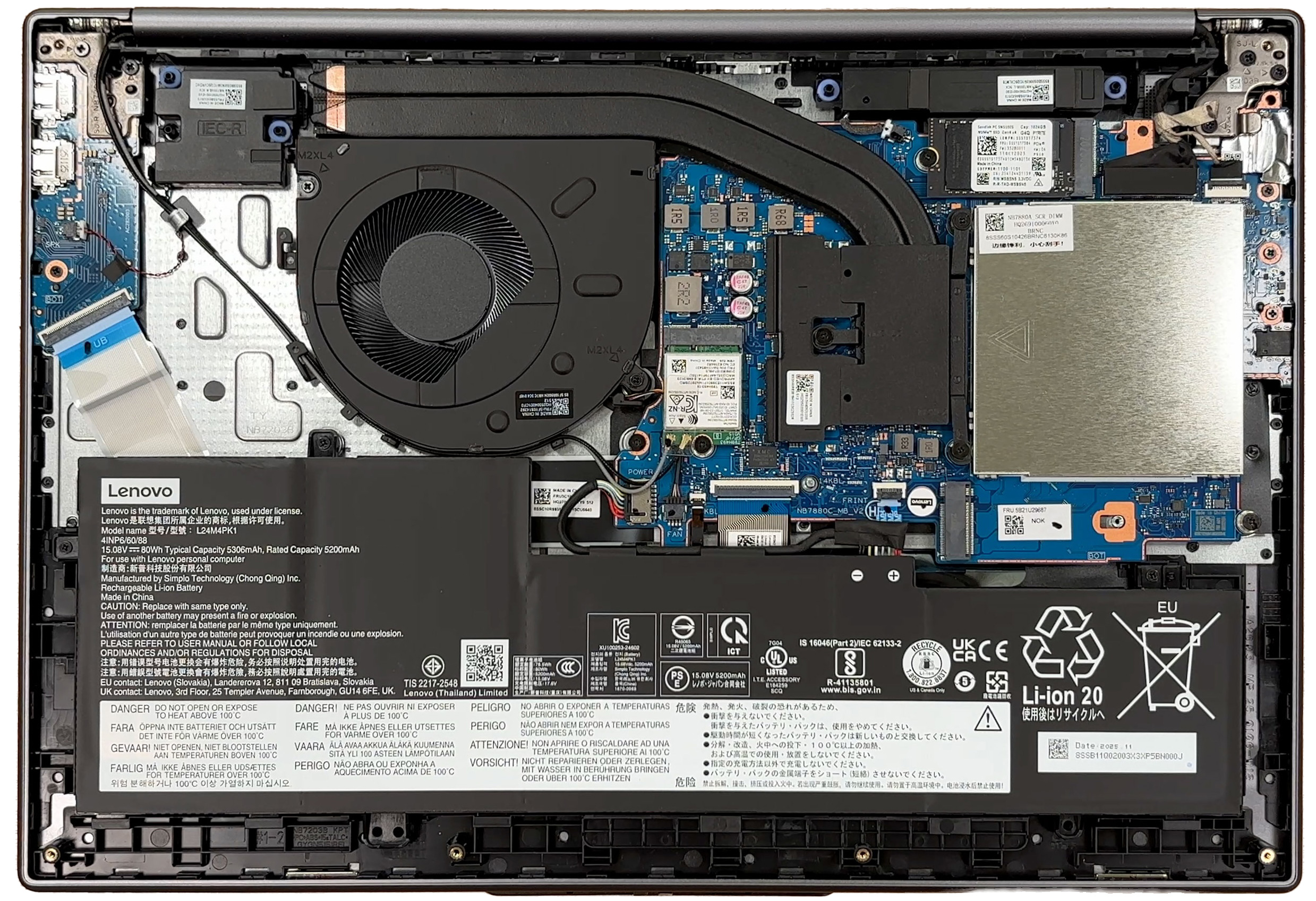
The cooling system consists of a single fan and two heat pipes covering the processor. Since this configuration does not include a discrete GPU, the cooling assembly handles the Ryzen AI 7 450 and its integrated Radeon 860M graphics. The design is relatively simple, but our performance tests show that it can maintain high CPU clock speeds under prolonged load, albeit at high operating temperatures.
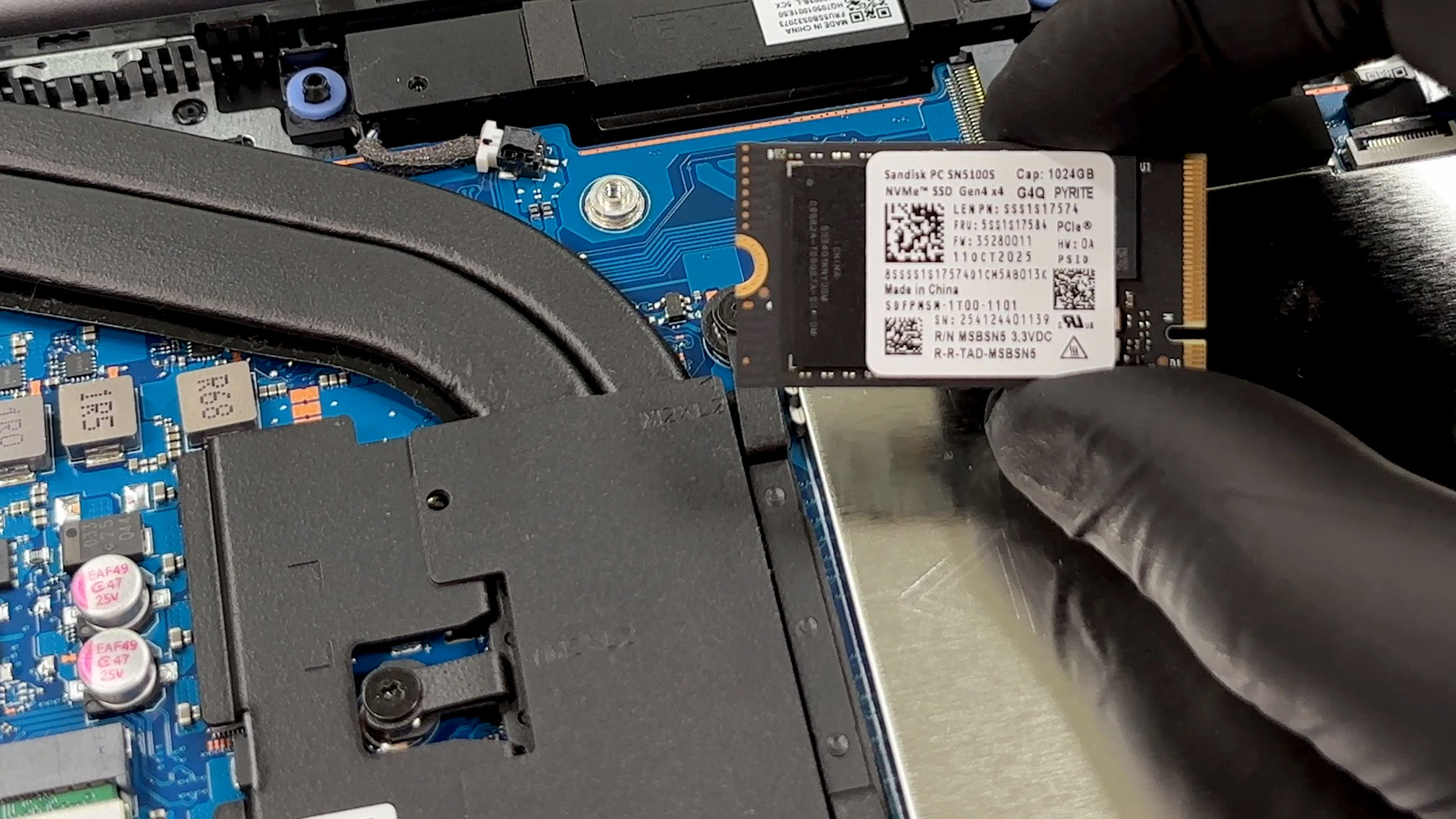
Our Ryzen AI 7 450 configuration provides two PCIe 4.0 x4 M.2 slots. The primary slot supports the shorter 2242 form factor and contains the factory-installed 1 TB SanDisk PC SN5100S NVMe SSD. The second slot accepts a full-length M.2 2280 drive, allowing the storage capacity to be expanded without replacing the original SSD. There is no space for a 2.5-inch SATA drive.
This storage configuration varies slightly with the processor. On models equipped with the Ryzen AI 5 430, Ryzen AI 5 435, or Ryzen AI 7 445, the secondary M.2 2280 slot is electrically limited to PCIe 4.0 x2. The Ryzen AI 7 450 configuration tested here provides a full PCIe 4.0 x4 connection for both slots.
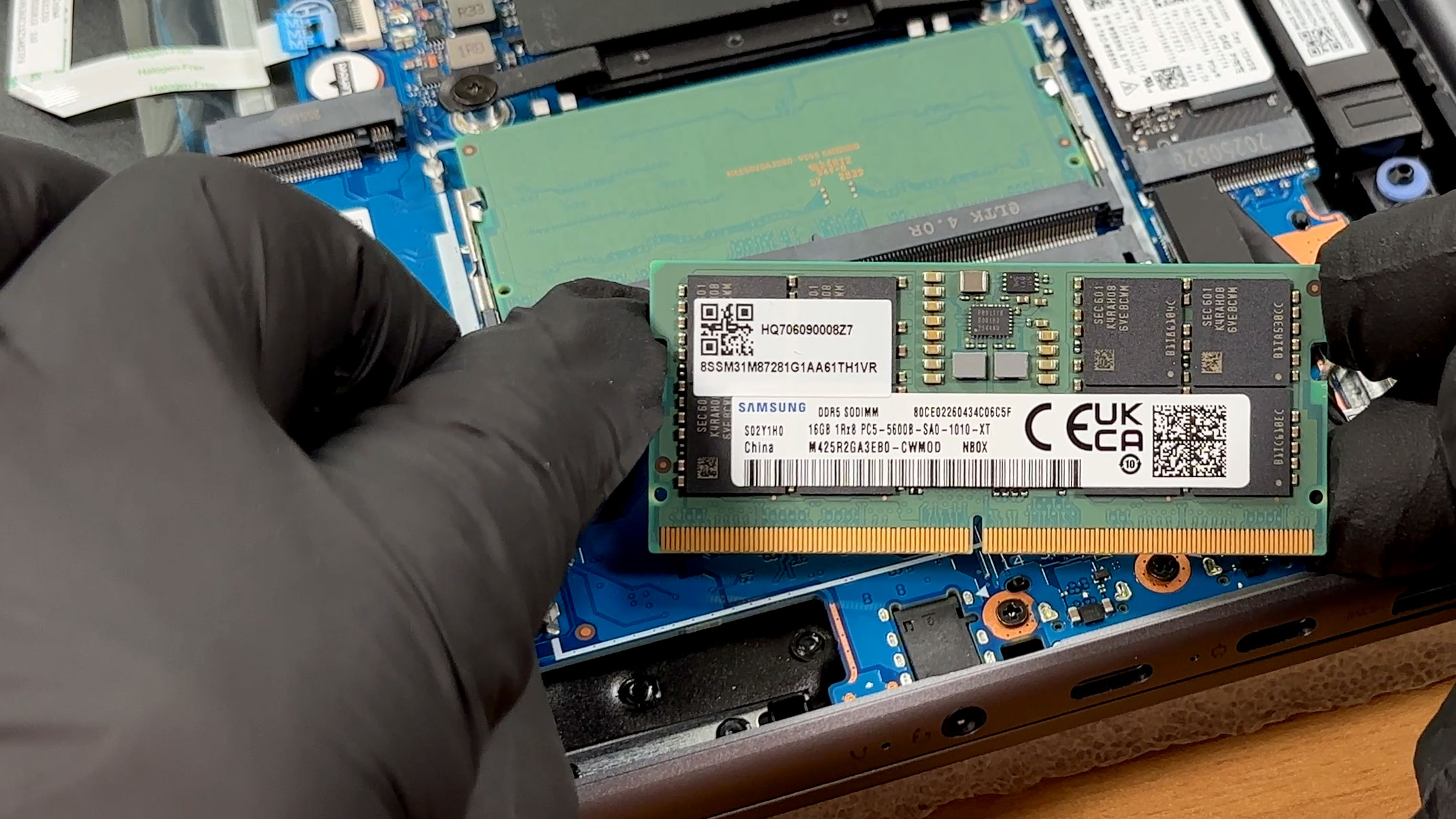
Memory is fully upgradeable through two DDR5 SO-DIMM slots. Lenovo officially offers the series with up to 32 GB of DDR5-5600 memory, and our configuration already reaches that advertised maximum with two 16 GB Samsung modules operating in dual-channel mode. However, this should be treated as Lenovo’s official configuration limit rather than a confirmed technical maximum for the platform, unless higher-capacity modules are tested.
The memory slots are protected by a removable metal shield secured by several small retaining clips. It must be aligned carefully before being pressed back into place, as forcing it at an angle could bend the clips.
The series can be configured with 50 Wh, 60 Wh, or 80 Wh batteries. The configuration we ordered uses the largest four-cell, 80 Wh option. The battery is secured with screws and can be replaced independently rather than being permanently bonded to the chassis.
Care is required during reinstallation. The tabs along the lower edge of the battery must enter the corresponding chassis grooves correctly. If the battery is left sitting slightly too high, the bottom-cover clips will not engage properly.
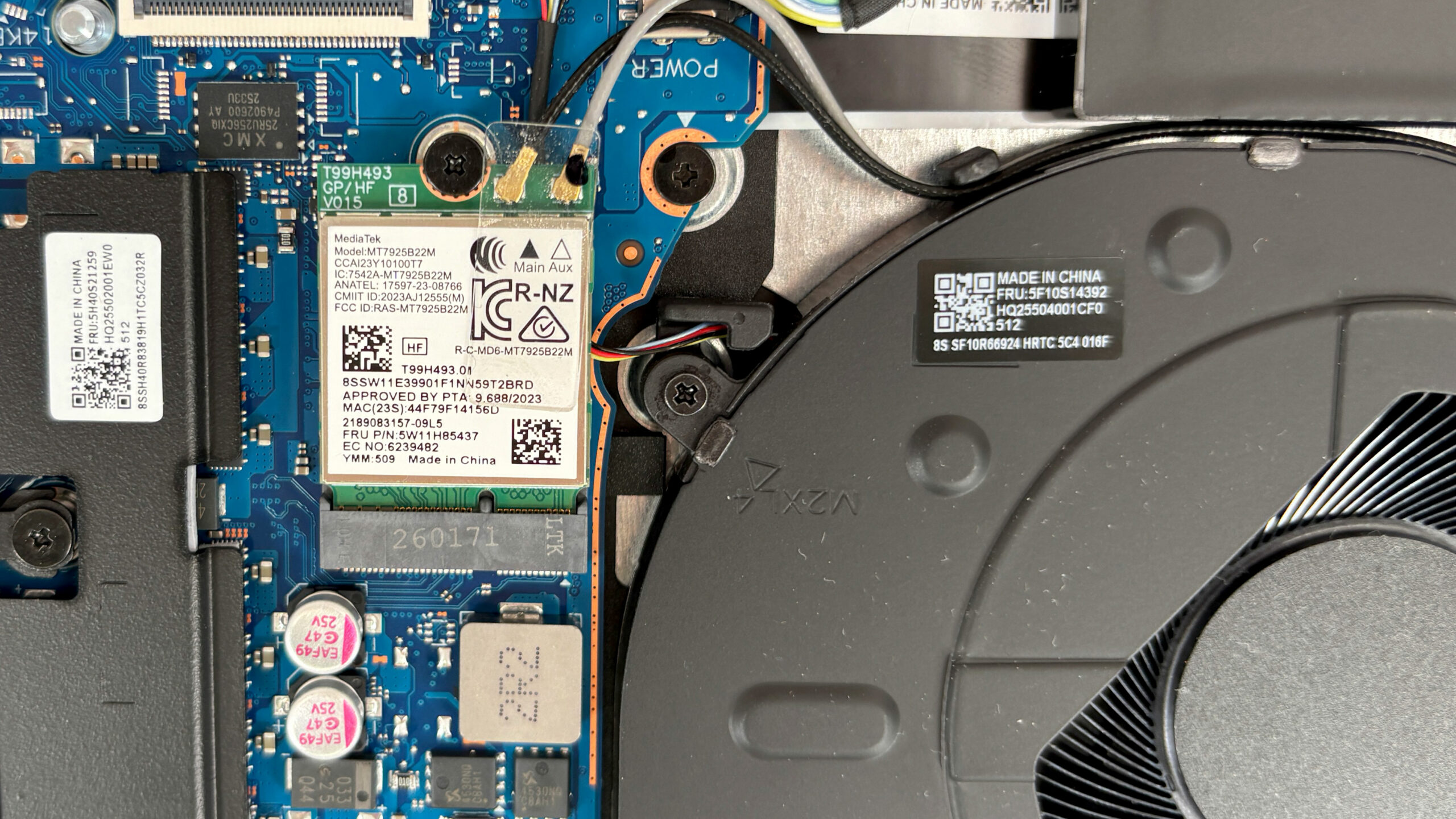
The wireless module is also replaceable. Our machine uses a MediaTek MT7925 M.2 card with Wi-Fi 7 and Bluetooth 5.4. It can be removed after carefully disconnecting the two antenna leads and undoing its retaining screw.
Overall, the IdeaPad Slim 5a offers unusually good upgradeability for a modern slim laptop. Both memory modules, the wireless card, and the battery are replaceable, while the second M.2 slot makes storage expansion particularly easy. The main restrictions are the 2242-only primary SSD position and Lenovo’s official 32 GB memory configuration ceiling.
Verdict
✅ The Good
The highlight of our configuration is its 2.8K 120 Hz OLED display. It combines effectively infinite contrast with full sRGB and DCI-P3 coverage, a measured SDR brightness of 497 nits, and excellent factory color accuracy of 1.4 dE2000. HDR brightness peaked at 1060 nits in our test, while the mild luminance pulsations make the panel less problematic for prolonged use than OLED displays with stronger modulation.
Upgradeability is another major advantage. Unlike many current slim laptops, the IdeaPad Slim 5a provides two accessible DDR5 SO-DIMM slots and two M.2 SSD slots. The memory, wireless module, battery, and storage devices can all be replaced, giving the machine considerably better long-term flexibility than competitors with soldered components.
The Ryzen AI 7 450 also performs very well in this chassis. Lenovo allows the processor to maintain high power and clock speeds during sustained workloads, resulting in strong multi-core and rendering performance. The Radeon 860M is also capable of light gaming and some modern titles at 1920 × 1200 with appropriate settings.
The aluminum exterior feels solid and remains remarkably resistant to fingerprints. The keyboard is comfortable, includes a NumPad and three-stage backlighting, while the large touchpad offers precise tracking and a pleasant click. Other useful features include the physical camera shutter, Windows Hello facial recognition, Wi-Fi 7, and a microSD card reader.
Battery life is respectable as well. Our 80 Wh configuration lasted 11 hours and 34 minutes in the offline video playback test. This is a solid result for video consumption, although mixed everyday use will generally produce a shorter runtime and some competitors achieve better efficiency with smaller batteries.
❌ The Bad
The main performance-related compromise is temperature. In Performance mode, the Ryzen AI 7 450 averaged 92°C during a sustained 30-minute CPU load. Clock speeds remained stable, so this does not indicate serious throttling, but Lenovo clearly prioritizes performance over lower operating temperatures in this mode.
The OLED display is also highly reflective. Its measured reflectance of 133 GU means that windows, lamps, and other bright objects can remain clearly visible on the screen. The high brightness helps, but reflections can still be distracting in strongly lit rooms or outdoors.
Connectivity is adequate rather than exceptional. Neither USB-C port supports USB4 or Thunderbolt, limiting wired data transfers to 10 Gbps. Both USB-C connectors are located on the left side, and charging occupies one of them because there is no separate power connector. HDMI output is also limited to 4K at 60 Hz.
The keyboard’s half-height Up and Down arrow keys are cramped, while the touchpad becomes noticeably harder to click toward its upper edge. There is also no fingerprint reader, although the IR camera provides an effective alternative through Windows Hello.
🆚 The Competitors
Compared with the Acer Swift Air 16 (detailed review), the IdeaPad Slim 5a delivers substantially stronger sustained CPU performance, faster graphics from its Radeon 860M implementation, and far better upgradeability. The Acer counters with dramatically lower weight and a more portable design, making it more attractive for users who frequently carry their laptop.
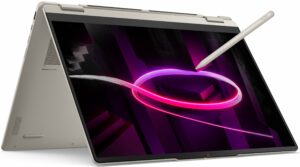
The Lenovo Yoga 7a 2-in-1 (16″, Gen 11) (detailed review) offers the flexibility of a 360-degree hinge, touchscreen operation, and convertible use. However, the IdeaPad configuration tested here is considerably faster than the Yoga’s Ryzen AI 7 445 configuration and provides fully replaceable memory. The IdeaPad is therefore the more practical choice for conventional laptop use and heavier workloads, while the Yoga remains better suited to users who specifically need tablet and pen functionality.
You can check the prices and configurations on our Lenovo IdeaPad Slim 5a (16″, Gen 11) Specs System page.
Pros
- Excellent 2.8K 120 Hz OLED display with full DCI-P3 coverage
- Very good factory color accuracy and strong HDR brightness
- Two upgradeable RAM slots and two M.2 SSD slots
- Strong sustained Ryzen AI 7 450 performance
- Capable Radeon 860M integrated graphics
- Solid, fingerprint-resistant aluminum exterior
- Comfortable keyboard with NumPad and three-stage backlighting
- Precise, generously sized touchpad
- Respectable battery life of 11 hours and 34 minutes
- Wi-Fi 7, microSD reader, IR camera, and physical privacy shutter
Cons
- CPU averages 92°C under prolonged load in Performance mode
- Highly reflective glossy OLED panel
- No USB4 or Thunderbolt support
- Both USB-C ports are located on the left side
- HDMI output is limited to 4K at 60 Hz
- Cramped half-height Up and Down arrow keys
- No fingerprint reader
 Author: Simeon NikolovEditor-in-Chief at LaptopMedia.com with 20+ years of experience in testing and analyzing laptops and mobile devices.
 Author: eng. Kroum NikolovHead of Engineering at LaptopMedia.com, inventor and innovator with 40+ years of experience in electronics and high technology.

![[August 2026] Best-Selling Laptop Brands on Amazon Japan – Apple Dominates Market Share and Revenue Led by Strong Unit Sales](https://laptopmedia.com/wp-content/uploads/2026/09/CO.JP-Best-Brands-1-400x225.jpg)
![[August 2026] Best-Selling Laptop Brands on Amazon USA – Apple Dominates Market Revenue and Volume Despite Lower Model Diversity](https://laptopmedia.com/wp-content/uploads/2026/09/COM-Best-Brands-1-400x225.jpg)
![[August 2026] Amazon Germany: Top 8 Best-Selling Gaming Laptops – Acer Dominates the Market as the Premium Nitro V 17 AI Takes the #1 Spot](https://laptopmedia.com/wp-content/uploads/2026/09/Best-Selling-Gaming-Laptops-DE-Top-10-1-400x225.jpg)
![[August 2026] Best-Selling Laptop Brands on Amazon France – Apple Dominates Revenue Despite Lenovo and HP Leading in Catalog Breadth and Volume](https://laptopmedia.com/wp-content/uploads/2026/09/FR-Best-Brands-1-400x225.jpg)
![[August 2026] Amazon Italy: Top 10 Best-Selling Laptops – Apple MacBook Neo Claims the Crown as Budget and Mid-Range Windows Machines Dominate Volume](https://laptopmedia.com/wp-content/uploads/2026/09/Best-Selling-Laptops-IT-Top-10-400x225.jpg)