Recensione del Lenovo IdeaPad Slim 3 (16″, 2023) – conveniente e super efficiente
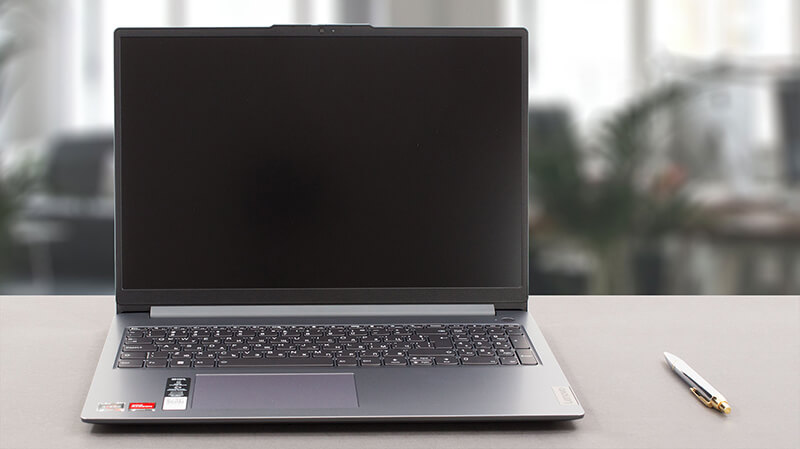 Oggi abbiamo la versione slim di uno dei notebook più popolari sul mercato: il Lenovo IdeaPad 3. Ufficialmente si chiama Lenovo IdeaPad Slim 3 (16″, 2023), o Lenovo IdeaPad Slim 3 16ABR8 (o semplicemente Gen 8).
In realtà, l’appellativo “Slim” indica che si tratta di un modello generico, a differenza dell’IdeaPad Gaming e della serie IdeaPad Flex, che sono abbastanza autoesplicativi. La nostra configurazione è dotata di uno dei tre processori AMD Ryzen: Ryzen 3 7330U, Ryzen 5 7530U o Ryzen 7 7730U.
Sono basati sui chip 5x25U – per esempio, il Ryzen 7 7730U è praticamente il Ryzen 7 5825U sotto mentite spoglie. Ciò significa che sono “limitati” al supporto PCIe Gen 3 e alla memoria DDR4.
D’altra parte, ci aspettiamo che la macchina sia davvero efficiente e molto potente per il lavoro quotidiano e il consumo di contenuti multimediali, che è lo scopo ultimo di questa macchina. Inoltre, siamo felici di vedere che l’unica opzione di visualizzazione comprende un pannello IPS da 16 pollici a 1200p, senza unità TN a bassa risoluzione.
Potete controllare i prezzi e le configurazioni nel nostro sistema di specifiche: https://laptopmedia.com/series/lenovo-ideapad-slim-3-16-2023/
Contents
- Specifiche, Driver, Contenuto della confezione
- Design e costruzione
- Qualità del display, impatto sulla salute (PWM), suono
- Acquista i nostri profili
- Prestazioni: CPU, GPU, Test di gioco
- [Guida eBook + Strumenti] Come MASSIMIZZARE Il Tuo Laptop
- Temperature e comfort, durata della batteria
- Smontaggio, opzioni di aggiornamento e manutenzione
- Il verdetto
Specifiche, Driver, Contenuto della confezione
Lenovo IdeaPad Slim 3 (16", 2023) - Specifiche
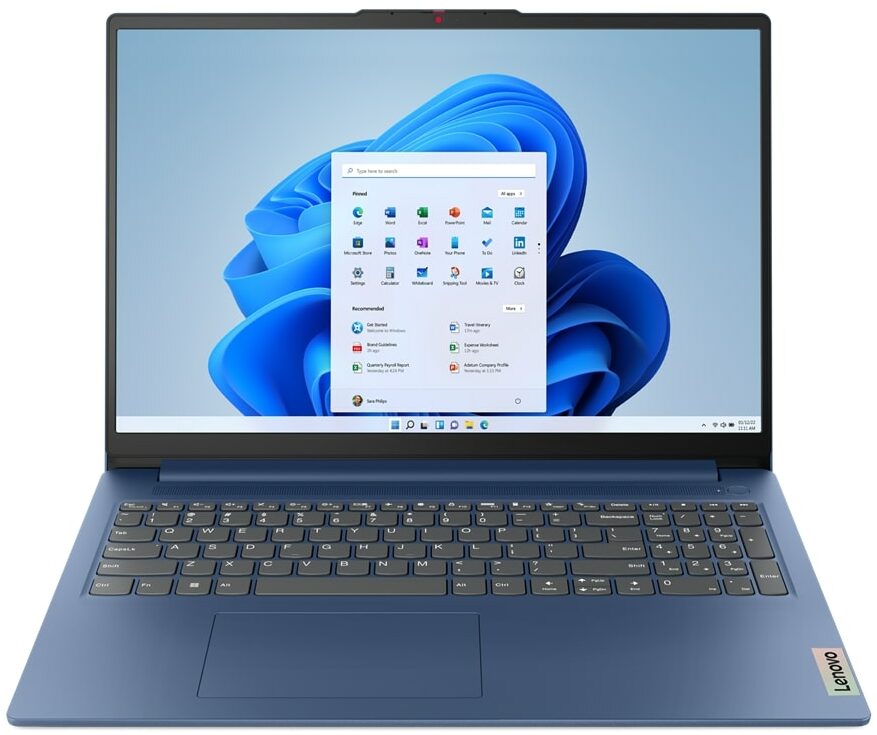


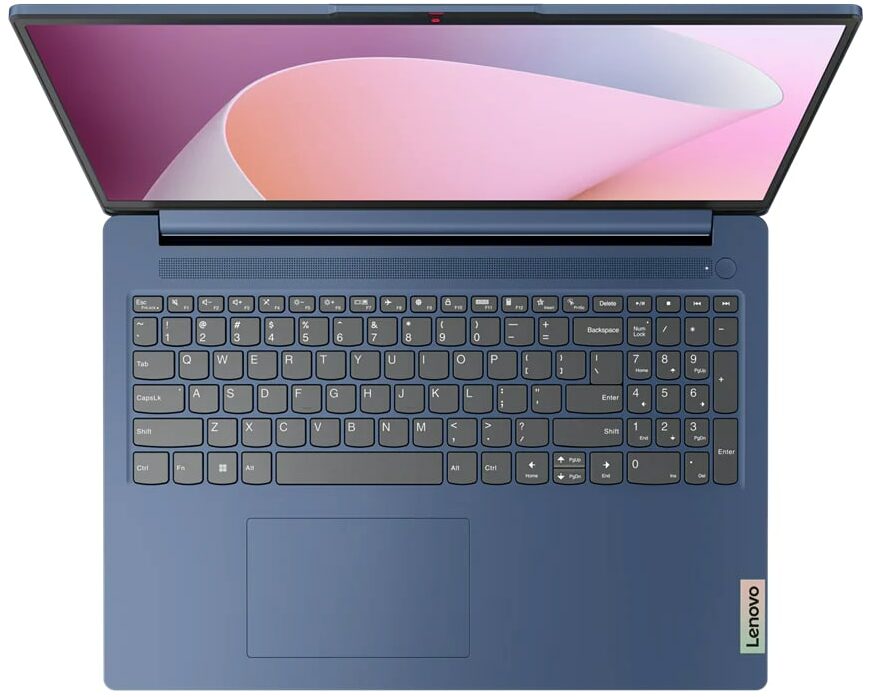
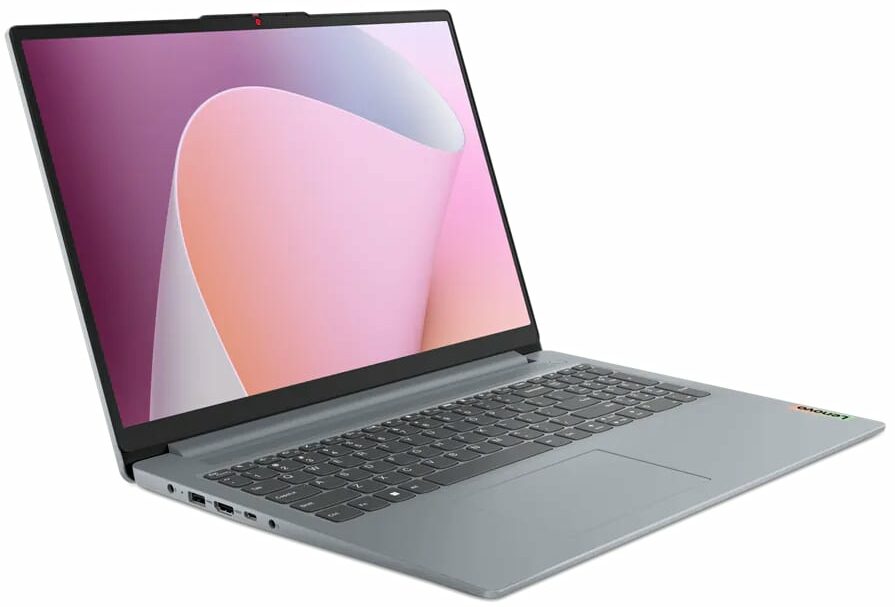


- Display
- 16.0”, WUXGA (1920 x 1200), IPS

- HDD/SSD
- fino a 4000GB SSD
- Slot M.2
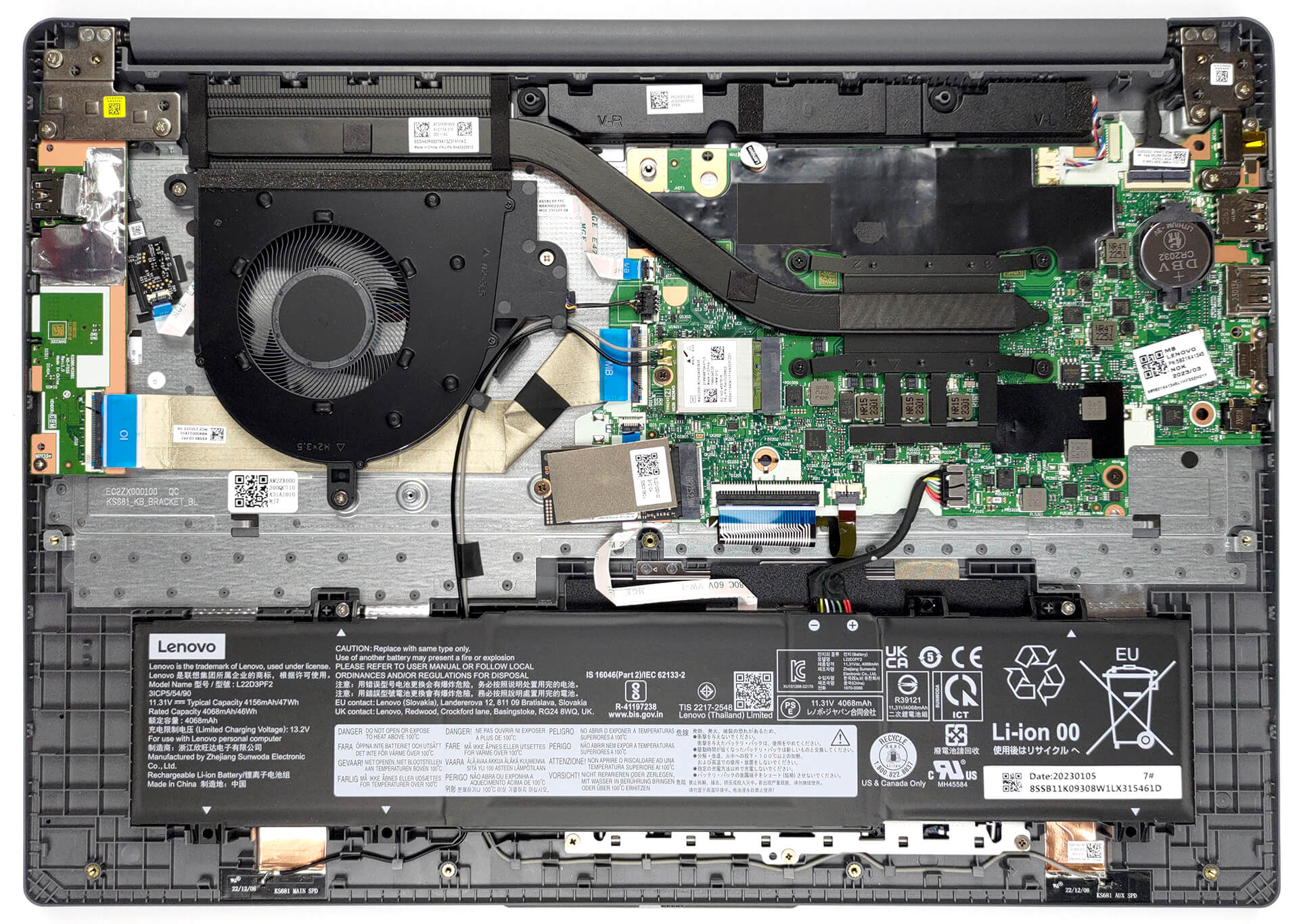
- 1x 2242 M.2 NVMe PCIe 3.0 x4 Vedi foto
- RAM
- up to 16GB
- SO
- No OS, Windows 11 Home, Windows 11 Pro, Linux, Windows 10 Pro, DOS, Windows 10 Home
- Batteria
- 47Wh
- Materiale del corpo
- Plastic / Polycarbonate
- Dimensioni
- 359.2 x 257 x 17.9 - 18.4 mm (14.14" x 10.12" x 0.70")
- Peso
- 1.74 kg (3.8 lbs)
- Porte e connettività
- 2x USB Type-A
- 3.2 Gen 1 (5 Gbps)
- 1x USB Type-C
- 3.2 Gen 1 (5 Gbps), Power Delivery (PD), DisplayPort
- HDMI
- 1.4
- Lettore di schede
- SD (SD, SDHC, SDXC, MMC)
- LAN Ethernet
- Wi-Fi
- 802.11ax
- Bluetooth
- 5.1
- Jack audio
- 3.5mm Combo Jack
- Caratteristiche
- Lettore di impronte digitali
- optional
- Webcam
- HD / FHD with Privacy Shutter, Fixed Focus
- Tastiera retroilluminata
- optional
- Microfono
- Dual-microphone array with noise-cancelling
- Altoparlanti
- 2x 1.5W User-facing stereo speakers, optimized by Dolby Audio
- Unità ottica
- Slot per lucchetto di sicurezza
Tutti Lenovo IdeaPad Slim 3 (16″, 2023) configurazioni
Driver
Tutti i driver e le utility per questo notebook sono disponibili qui: https://pcsupport.lenovo.com/us/en/products/laptops-and-netbooks/ideapad-s-series-netbooks/ideapad-slim-3-16abr8/downloads/driver-list
Cosa c’è nella confezione?
All’interno troviamo il notebook stesso, alcuni documenti e un adattatore di alimentazione da 65 W, dotato di una spina a barile.

 Author: Alex Iliev
 Author: eng. Kroum NikolovHead of Engineering at LaptopMedia.com, inventor and innovator with 40+ years of experience in electronics and high technology.

![[Maggio 2026] Amazon Global: i 10 laptop da gaming più venduti – L’ASUS TUF Gaming A15, modello economico, domina il mercato](https://laptopmedia.com/wp-content/uploads/2026/06/Best-Selling-Gaming-Laptops-GLOBAL-Top-10-400x225.jpg)
![[Maggio 2026] Amazon Global: i 10 laptop più venduti – Il conveniente “MacBook Neo” di Apple conquista il primo posto, nonostante le ottime vendite dei modelli Air e Pro](https://laptopmedia.com/wp-content/uploads/2026/06/Best-Selling-Laptops-GLOBAL-Top-10-400x225.jpg)
![[Maggio 2026] Le marche di laptop più vendute su Amazon Global: Apple domina sia in termini di unità vendute che di fatturato](https://laptopmedia.com/wp-content/uploads/2026/06/GLOBAL-Best-Brands-400x225.jpg)
BUYER BEWARE. The touchpad is placed very far to the left of center and is VERY uncomfortable. I have also had too many times where the cursor scrolls over something and either opens or closes the page. I have adjusted the settings without any help. Very annoying when something you are working on closes or a website closes and you need to try to go back and figure out where you were. I have had this over 6 months and plan on looking for another brand during the after xmas sales. Too bad as this is my 3rd Lenovo laptop… Leggi di più »
If your work is important, turn on the radio mouse and don’t bother with touchpads. especially in the initial series of laptops, where all the components are entry-level. I basically don’t use them, except for rare cases when I find myself somewhere with a laptop without a radio mouse.
It’s much worse that there is no RJ45 here; it’s simply impossible to get a stable and fast network without buying an external usb2lan adapter (with which there are often various problems, unlike built-in rj45). And this is especially strange for a business/office series. And in reality, bringing this port outside costs a penny – +$5. The second significant problem is the poor video ports. Lenovo claims Display Port v1.2 Alt Mode in usb-c is outdated 15 years ago and HDMI 1.4b is 13 years outdated. You will not be able to display HDR images on TV/projectors/monitors from this laptop… Leggi di più »
The third, possible problem – in the review checked the screen panel from BOE, but Lenovo often imstall Innolux n160jce-ell in this series, which may have low-frequency PWM. And Lenovo does not indicate Flicker Free panels for this series in psref, as for other series. Therefore, you need to be careful with this, especially when buying a model without Windows, because if there is no OS included, you can check the flickering only by booting from a WinPE flash drive with pre-integrated video drivers for this series or from some Linux distribution that understands the SoC of this series and… Leggi di più »