Recensione del Lenovo IdeaPad Slim 3 (16″, 2023) – conveniente e super efficiente
Il verdetto
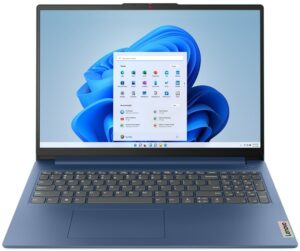
 I grandi notebook economici sono ancora i più venduti sul mercato. Anche se non offrono tecnologie all’avanguardia, sono in grado di fornire tutto ciò di cui si ha bisogno per le esigenze informatiche quotidiane. Ecco perché l’IdeaPad Slim 3 (16″, 2023) è un prodotto così valido.
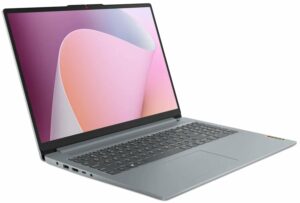
Siamo davvero colpiti dalla sua selezione di porte. Include solo USB veloci e la porta USB Type-C offre persino le funzionalità Power Delivery e DisplayPort. Il lettore di schede SD è presente solo per addolcire l’offerta.
Certo, ci sono alcune caratteristiche che non ci piacciono. Ad esempio, la memoria è saldata alla scheda madre. Inoltre, se si sceglie una memoria da 8 GB, la si ottiene in modalità a canale singolo, il che compromette le prestazioni grafiche.
A questo proposito, anche il Ryzen 3 7330U ha una potenza sufficiente per affrontare qualsiasi carico. Naturalmente, questo se non si diventa troppo avidi e non gli si chiede di manipolare un progetto 3D di grandi dimensioni.
Il pannello IPS del Lenovo IdeaPad Slim 3 (16″, 2023) ha una risoluzione WUXGA, angoli di visione confortevoli e un buon rapporto di contrasto. Inoltre, la sua retroilluminazione non utilizza il PWM per la regolazione della luminosità. Purtroppo, copre una quantità molto bassa della gamma di colori sRGB (49%).
Questo è indice di misure di riduzione dei costi. Una delle più evidenti è la qualità costruttiva. Il dispositivo si piega in modo assurdo quando si cerca di ruotarlo, quindi è meglio lasciar perdere.
D’altra parte, i dispositivi di input sono piuttosto buoni e la durata della batteria è straordinaria. È possibile ottenere fino a 12 ore di navigazione sul Web dal suo pacchetto di 47Wh. In effetti, questo è il motivo più convincente per acquistare questo prodotto.
Inoltre, è molto sottile e super leggero, considerando il suo schermo da 16 pollici. Alla fine della giornata, il prezzo sarà un fattore decisivo e attualmente c’è poco da scegliere se si ha bisogno di un pacchetto completo, come l’IdeaPad Slim 3 (16″, 2023).
Potete controllare i prezzi e le configurazioni nel nostro sistema di specifiche: https://laptopmedia.com/series/lenovo-ideapad-slim-3-16-2023/
Pros
- Lettore di impronte digitali opzionale
- Corpo sottile e leggero
- Nessun PWM (BOE NV160WUM-N48 (BOE0B76))
- Slot per schede SD e buona selezione di porte
- Prestazioni sorprendentemente buone
- Ottima durata della batteria
Cons
- Struttura in plastica di qualità mediocre
- Memoria saldata
- 49% di copertura sRGB (BOE NV160WUM-N48 (BOE0B76))
 Author: Alex Iliev
 Author: eng. Kroum NikolovHead of Engineering at LaptopMedia.com, inventor and innovator with 40+ years of experience in electronics and high technology.

![[Agosto 2026] Classifica globale delle GPU per laptop più vendute su Amazon: Apple domina la scena, mentre la RTX 5060 di NVIDIA è in testa alla classifica delle schede dedicate](https://laptopmedia.com/wp-content/uploads/2026/09/Best-Selling-GPUs-GLOBAL-Top-10-400x225.jpg)
![[Agosto 2026] Classifica globale delle CPU per laptop più vendute su Amazon: Apple domina sia nella fascia economica che in quella premium; A18 Pro e M5 sbaragliano Intel e AMD nell’agosto 2026](https://laptopmedia.com/wp-content/uploads/2026/09/Best-Selling-CPUs-GLOBAL-Top-10-400x225.jpg)
![[Agosto 2026] Amazon Global: i 10 laptop più venduti – L’Apple MacBook Neo domina le classifiche mentre i portatili Windows economici e di fascia media si contendono i volumi di vendita](https://laptopmedia.com/wp-content/uploads/2026/09/Best-Selling-Laptops-GLOBAL-Top-10-400x225.jpg)
![[Agosto 2026] Le marche di laptop più vendute su Amazon Global: Apple domina in termini di fatturato, mentre HP è in testa per varietà di modelli](https://laptopmedia.com/wp-content/uploads/2026/09/GLOBAL-Best-Brands-400x225.jpg)
![[Agosto 2026] Amazon Global: i 10 laptop da gaming più venduti – L’HP Victus 15 conquista il primo posto mentre i modelli economici dominano la classifica](https://laptopmedia.com/wp-content/uploads/2026/09/Best-Selling-Gaming-Laptops-GLOBAL-Top-10-400x225.jpg)

BUYER BEWARE. The touchpad is placed very far to the left of center and is VERY uncomfortable. I have also had too many times where the cursor scrolls over something and either opens or closes the page. I have adjusted the settings without any help. Very annoying when something you are working on closes or a website closes and you need to try to go back and figure out where you were. I have had this over 6 months and plan on looking for another brand during the after xmas sales. Too bad as this is my 3rd Lenovo laptop… Leggi di più »
If your work is important, turn on the radio mouse and don’t bother with touchpads. especially in the initial series of laptops, where all the components are entry-level. I basically don’t use them, except for rare cases when I find myself somewhere with a laptop without a radio mouse.
It’s much worse that there is no RJ45 here; it’s simply impossible to get a stable and fast network without buying an external usb2lan adapter (with which there are often various problems, unlike built-in rj45). And this is especially strange for a business/office series. And in reality, bringing this port outside costs a penny – +$5. The second significant problem is the poor video ports. Lenovo claims Display Port v1.2 Alt Mode in usb-c is outdated 15 years ago and HDMI 1.4b is 13 years outdated. You will not be able to display HDR images on TV/projectors/monitors from this laptop… Leggi di più »
The third, possible problem – in the review checked the screen panel from BOE, but Lenovo often imstall Innolux n160jce-ell in this series, which may have low-frequency PWM. And Lenovo does not indicate Flicker Free panels for this series in psref, as for other series. Therefore, you need to be careful with this, especially when buying a model without Windows, because if there is no OS included, you can check the flickering only by booting from a WinPE flash drive with pre-integrated video drivers for this series or from some Linux distribution that understands the SoC of this series and… Leggi di più »