ASUS ROG Zephyrus (GX501VI) display profiles – Quality and Health impact results
 The ASUS ROG Zephyrus has an excellent screen suitable not only for gaming but for multimedia purposes as well. Just a few tweaks allow you to use this panel at its full potential. The packages contain the usual Office work, Design & Gaming and Health-Guard profiles, each of which will improve the overall image quality in certain aspects. You can read more about them here and how to use them. We also suggest reading our dedicated article regarding blue light emissions and PWM and how our custom Health-Guard profile reduces Blue Light’s impact and eliminates the harmful PWM.
The ASUS ROG Zephyrus (GX501VI) has a Full HD IPS panel with 92% sRGB color gamut coverage, high contrast ratio (1130:1), relatively low maximum brightness (251 cd/m2) for an IPS display and slightly colder than the optimal color temperature – 6900K.
Since our profiles are tailored for each individual display model, this article and its respective profile package are meant for the ASUS ROG Zephyrus (GX501VI) with 15.6″ panel manufactured by AUO with model number B156HAN04.2 featuring FHD (1920 x 1080) resolution and the machine can be found at Amazon.com: ASUS ROG Zephyrus (GX501VI).
*Should you have problems with downloading the purchased file, try using a different browser to open the link you’ll receive via e-mail. If the download target is a .php file instead of an archive, change the file extension to .zip or contact us at [email protected].
Oltre a ricevere profili efficienti e salutari, acquistando i prodotti di LaptopMedia sosterrai anche lo sviluppo dei nostri laboratori, dove testiamo i dispositivi per produrre le recensioni più oggettive possibili.

Office Work
Office Work dovrebbe essere usato principalmente da utenti che passano la maggior parte del tempo a guardare testi, tabelle o semplicemente a navigare. Questo profilo mira a fornire una migliore distinzione e chiarezza mantenendo una curva gamma piatta (2.20), una temperatura colore nativa e colori percettivamente accurati.

Design e Gaming
Questo profilo è rivolto ai designer che lavorano con i colori professionalmente, nonché per giochi e film. Design and Gaming porta i pannelli dei display ai loro limiti, rendendoli il più accurati possibile nello standard sRGB IEC61966-2-1 per Web e HDTV, con punto di bianco D65.

Health-Guard
Health-Guard elimina la dannosa Modulazione di Larghezza d'Impulso (PWM) e riduce la Luce Blu negativa che influisce sui nostri occhi e sul nostro corpo. Essendo personalizzato per ogni pannello, riesce a mantenere i colori percettivamente accurati. Health-Guard simula la carta, quindi la pressione sugli occhi è notevolmente ridotta.
Ottieni tutti e 3 i profili con il 33% di sconto

Office Work
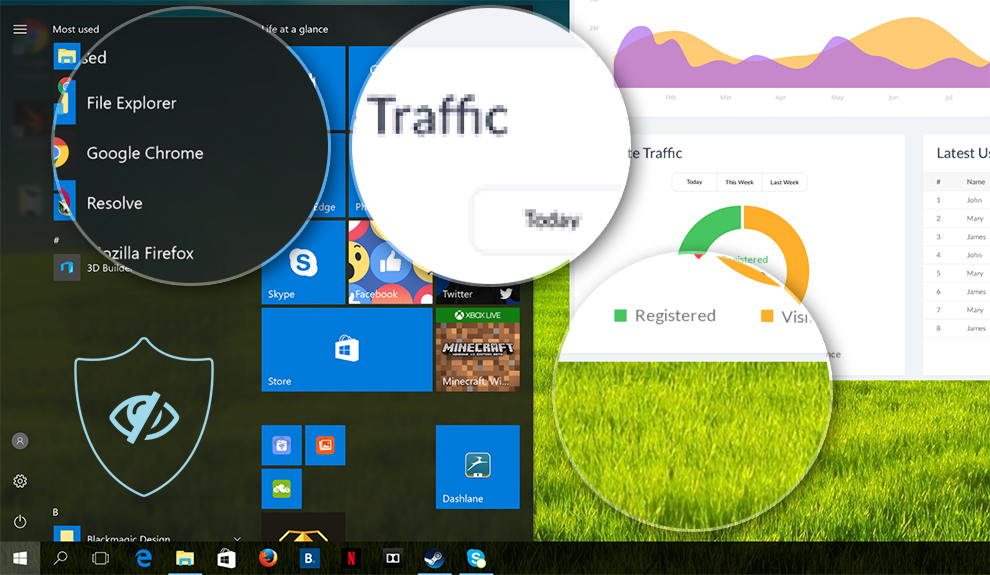
This profile aims to deliver better distinctness and clarity by keeping a flat gamma curve (2.20), native color temperature and perceptually accurate colors.
Left: No Profile | Drag the slider to see the difference | Right: Office Work Profile
Design and Gaming
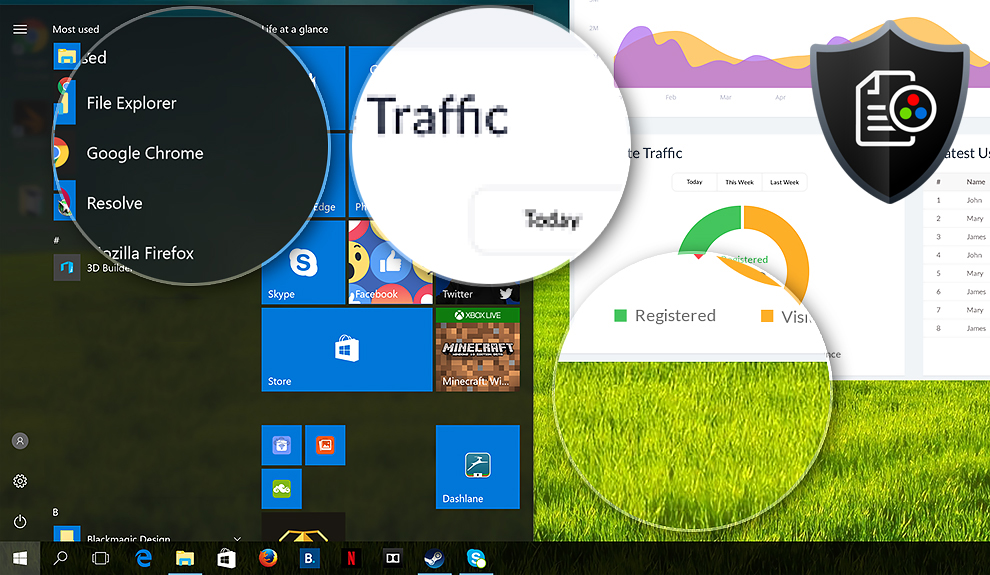
Left: No Profile | Drag the slider to see the difference | Right: Design & Gaming Profile


This profile is aimed at designers who work with colors professionally, and for games and movies as well. “Design and Gaming” takes display panels to their limits, making them as accurate as possible in the sRGB IEC61966-2-1 standard for Web and HDTV, at white point D65.
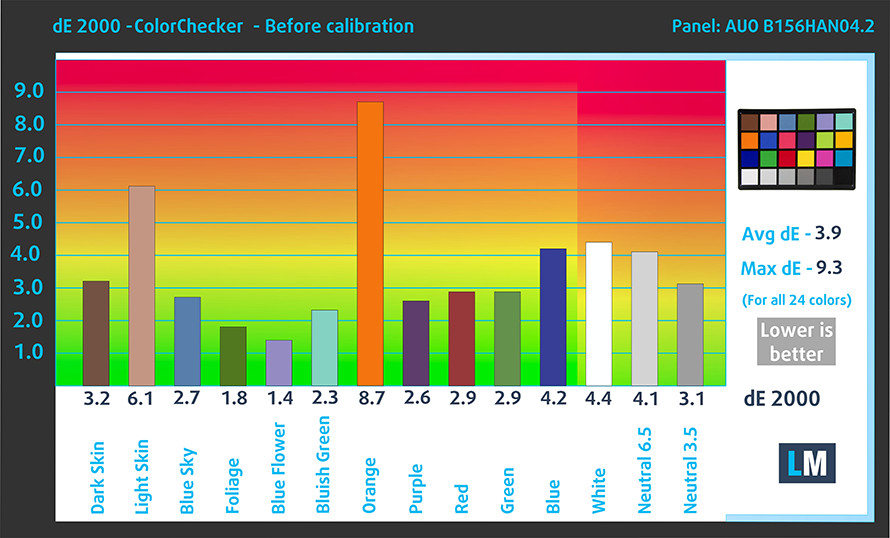

It also regulates the first steps out of black so you can have even faster reflexes when playing in dark virtual environments…or just see everything in the darkest scenes in movies.
Left: No Profile | Drag the slider to see the difference | Right: Design & Gaming Profile



Health-Guard profile
Left: No Profile | Drag the slider to see the difference | Right: Health-Guard Profile


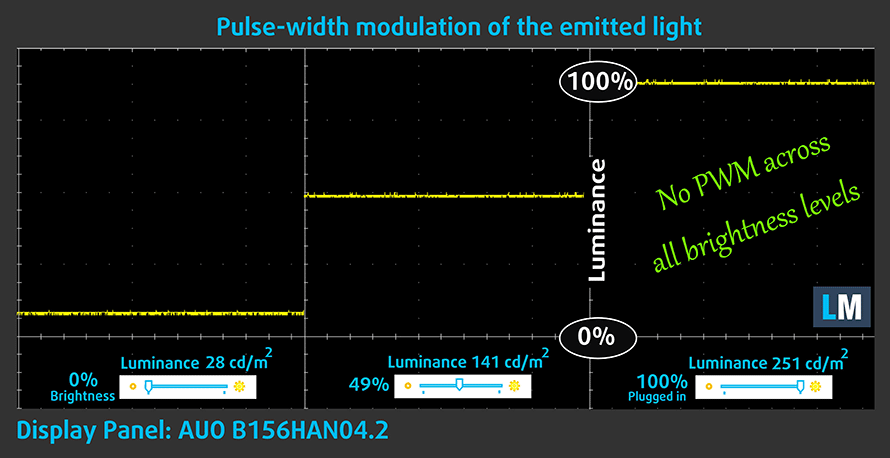
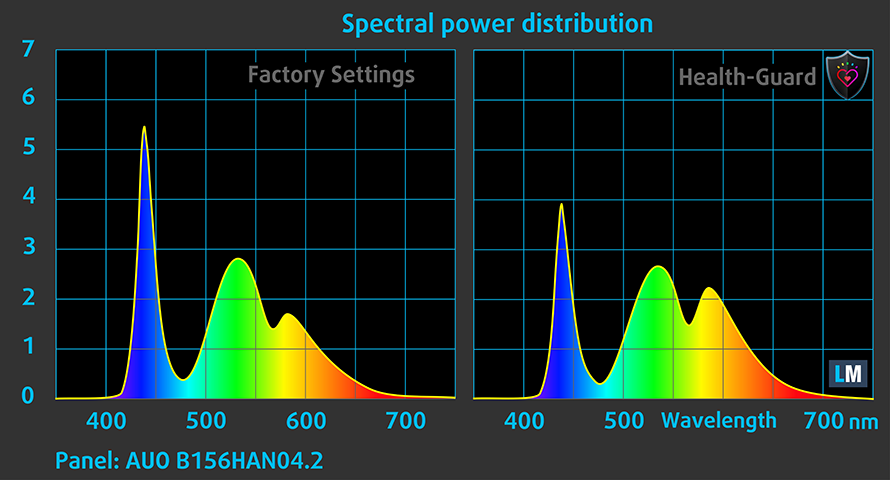
As for the Health-Guard profile, it reduces the blue light impact and eliminates the PWM. But since the panel doesn’t use PWM this profile will only come in handy for the blue light emissions.
Pro Tip: As the Health-Guard profile simulates paper and has as accurate as possible colors, it could be a great tool for prepress designers!
Installing and using the profiles
You can find a guide for installing and using the profiles HERE.
You can find the available configurations and their prices here: http://amzn.to/2hJCLMT
And here you can find the full review of the ASUS ROG Zephyrus GX501VI.
 Author: Rossen Pandev

![[Agosto 2026] Amazon Global: i 10 laptop più venduti – L’Apple MacBook Neo domina le classifiche mentre i portatili Windows economici e di fascia media si contendono i volumi di vendita](https://laptopmedia.com/wp-content/uploads/2026/09/Best-Selling-Laptops-GLOBAL-Top-10-400x225.jpg)
![[Agosto 2026] Le marche di laptop più vendute su Amazon Global: Apple domina in termini di fatturato, mentre HP è in testa per varietà di modelli](https://laptopmedia.com/wp-content/uploads/2026/09/GLOBAL-Best-Brands-400x225.jpg)
![[Agosto 2026] Amazon Global: i 10 laptop da gaming più venduti – L’HP Victus 15 conquista il primo posto mentre i modelli economici dominano la classifica](https://laptopmedia.com/wp-content/uploads/2026/09/Best-Selling-Gaming-Laptops-GLOBAL-Top-10-400x225.jpg)
![[August 2026] Best-Selling Laptop Brands on Amazon Japan – Apple Dominates Market Share and Revenue Led by Strong Unit Sales](https://laptopmedia.com/wp-content/uploads/2026/09/CO.JP-Best-Brands-1-400x225.jpg)
![[August 2026] Best-Selling Laptop Brands on Amazon USA – Apple Dominates Market Revenue and Volume Despite Lower Model Diversity](https://laptopmedia.com/wp-content/uploads/2026/09/COM-Best-Brands-1-400x225.jpg)
