Inside HP 250 G7 – disassembly and upgrade options
HP 250 G7 is one of the many budget options on the market. However, a lot of people view it as a cheap alternative to the ProBook series of HP. However, does it offer some of the most significant features of a ProBook – upgradability? Let’s find out.
Check out all HP 250 G7 prices and configurations in our Specs System or read more in our In-depth Review.

1. Remove the bottom plate
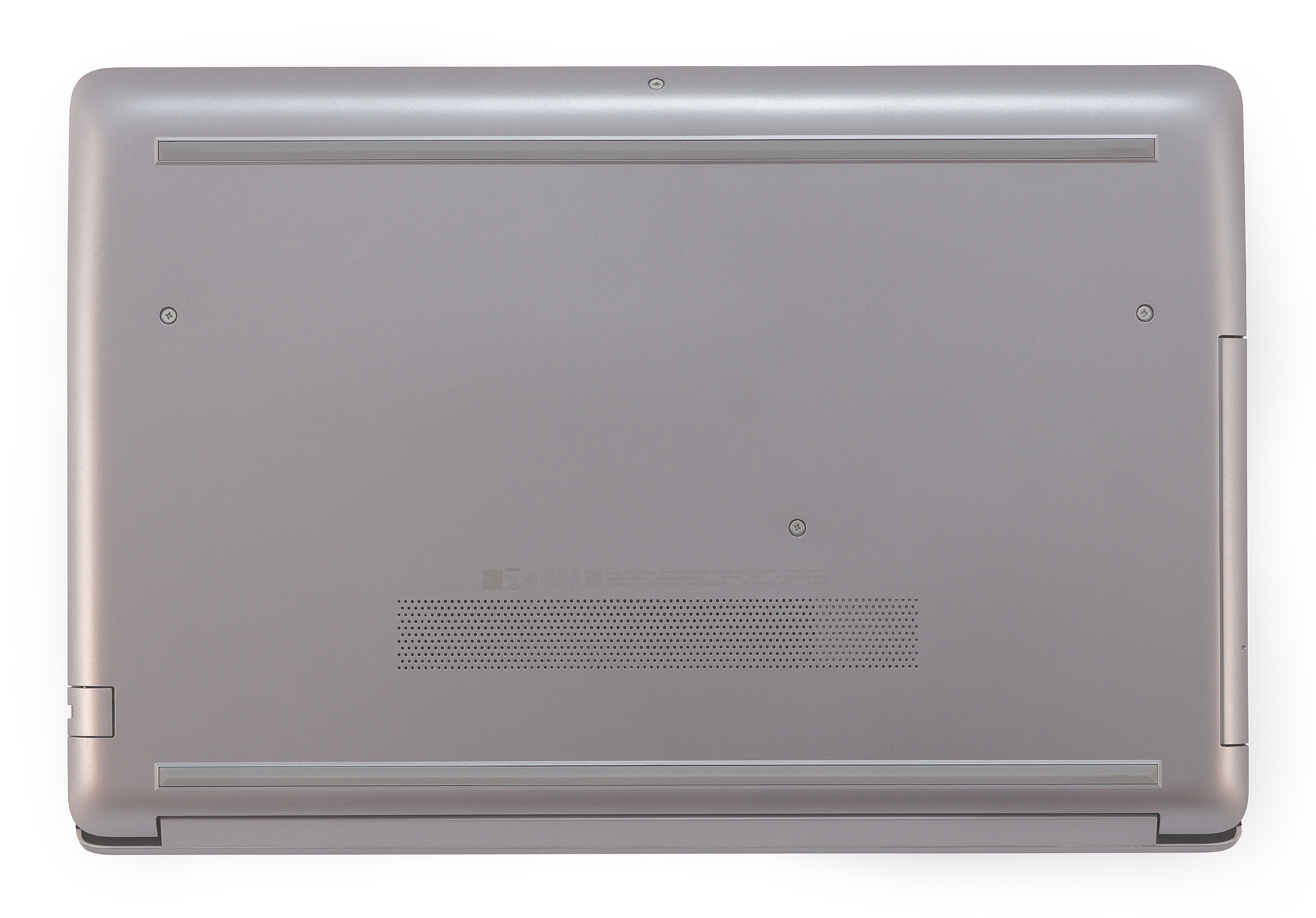
HP didn’t miss the opportunity to hide most of the screws of this laptop. However, unlike with the Spectre x360 15 (15-df0000) – we found it easier to remove the rubber feet, thus to reveal 7 more screws. They sum up to a total of 11 when we add the already visible ones. By the way, the middle one is holding the optical drive in place, so don’t forget to remove that first, before you try prying up the bottom plate.
2. Battery
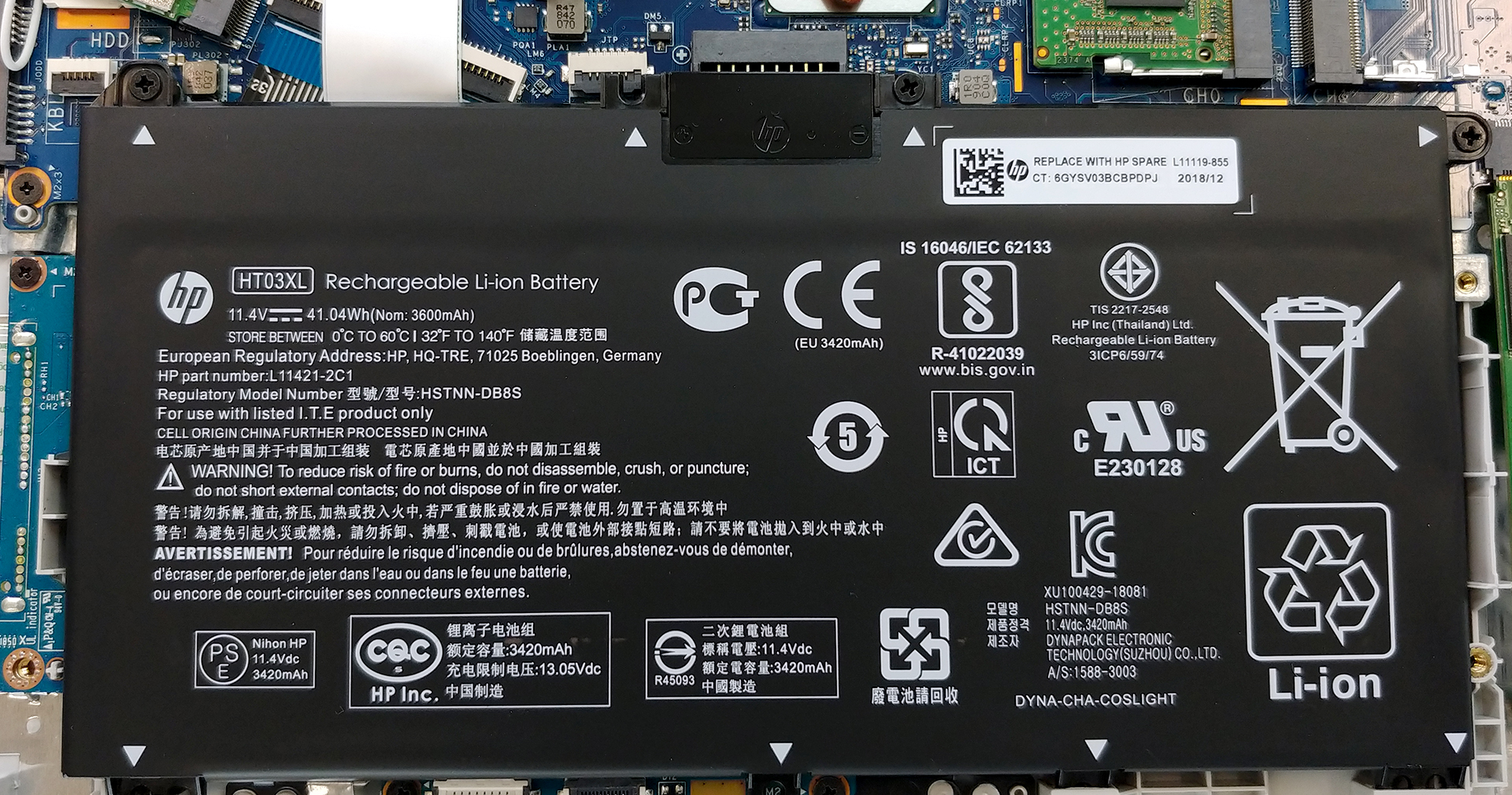
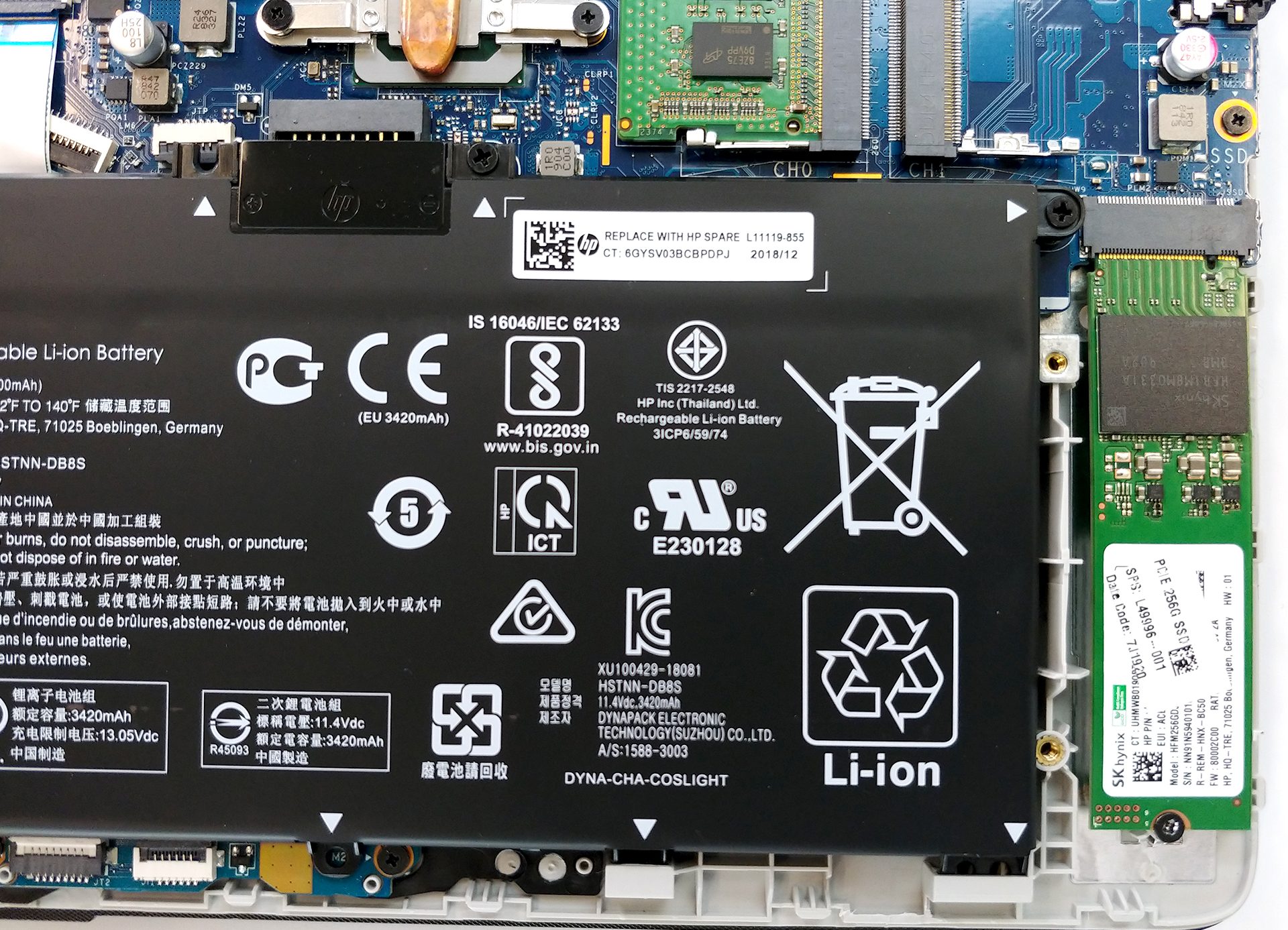
Remember, that the first thing you have to do when you are upgrading your hardware is to disconnect the power – in this case – the battery. It uses a plug-in connector, which means that the moment you lift it up, it disconnects from the motherboard. So, in order to remove it, you just need to unscrew three Phillips-head screws – that’s it. In terms of capacity, we are talking about a 41Wh 3-cell unit. It is capable of going through more than 7 hours of web browsing and 6 hours of video playback.
Luminosità: 180 nit; Modalità Display: SDR
Tempo di Scarica Completa: Più Alto è Meglio
Per simulare condizioni reali, abbiamo usato il nostro script per la navigazione web automatica attraverso oltre 70 siti web.
Utilizziamo il benchmark integrato di F1 2017 in loop per simulare il gioco reale.
3. Memory and storage
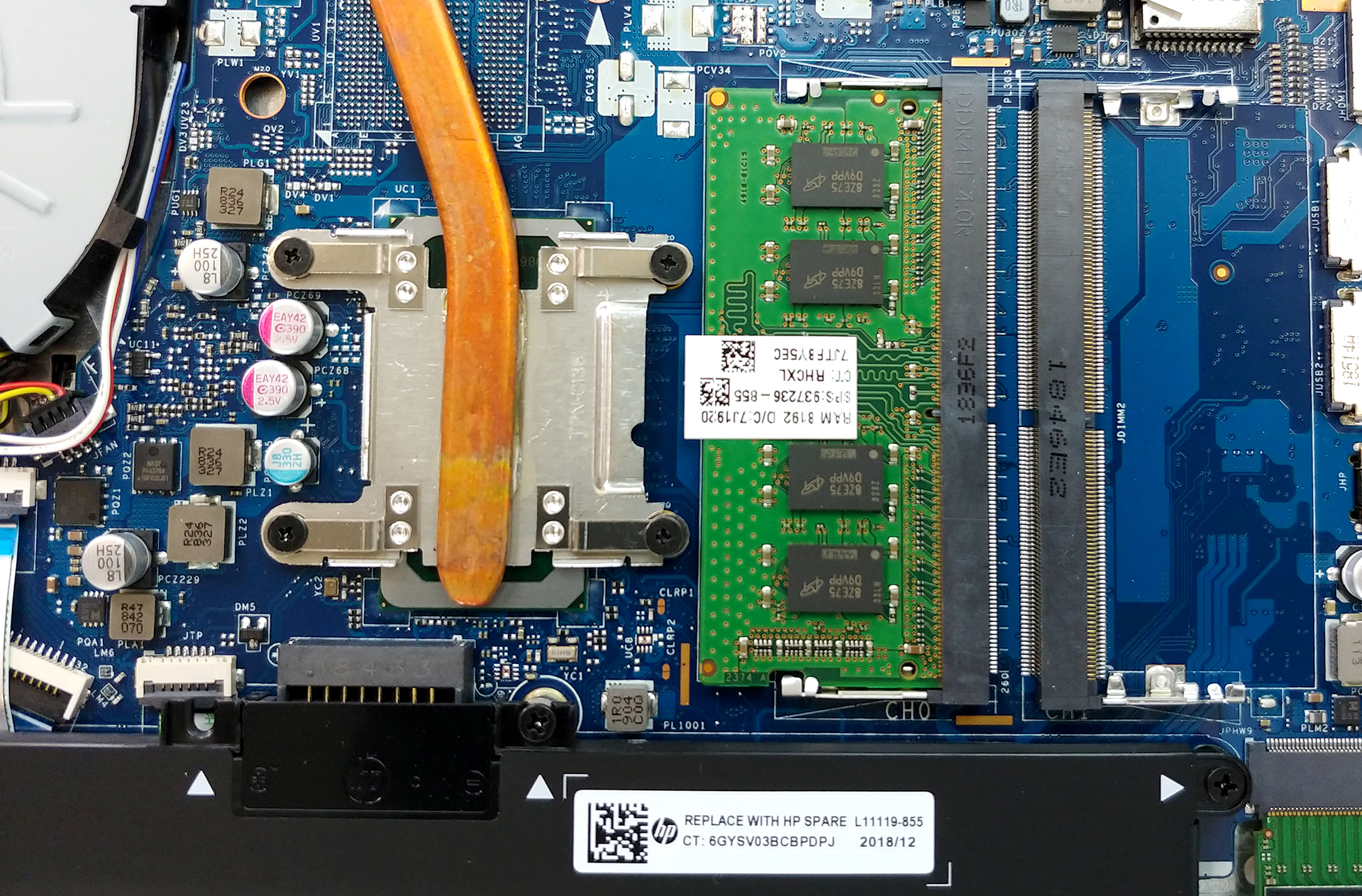
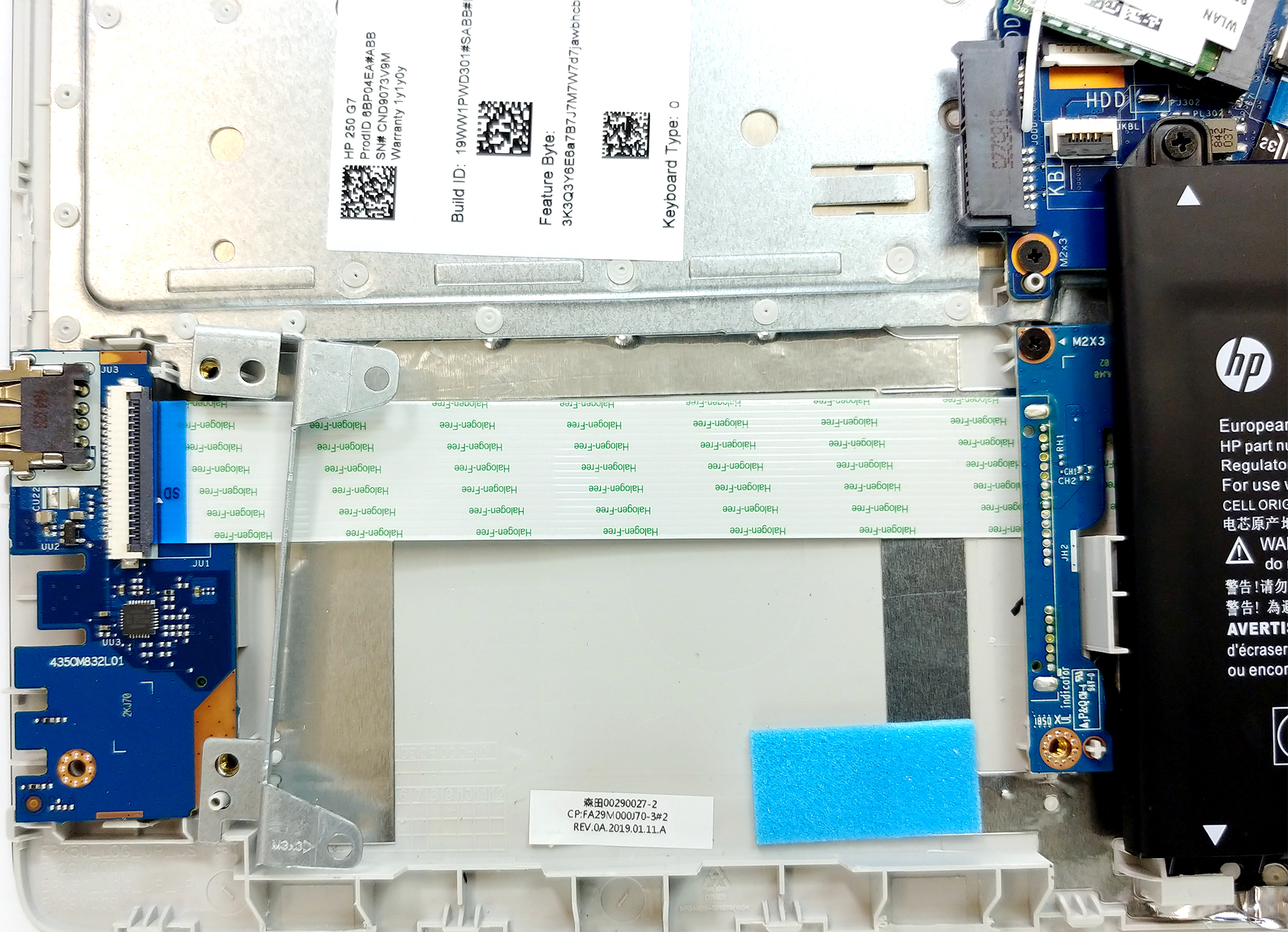
Memory-wise there are two RAM DIMMs that support up to 32GB of RAM (depending on the CPU) with speeds of up to 2400 MHz. On the storage department, there is an M.2 PCIe x2 slot on the right of the battery and some space for a SATA drive on the left. Interestingly, the bracket that is used to mount the SATA device on is moving freely once you remove the bottom plate since it sharing a screw with the plate itself.
4. Cooling system
Nothing too amusing here – a single heat pipe, connected to a single heat spreader, cooled off by a single fan. In our review, we saw the device to be extremely quiet and to achieve a reasonable temperature from a Core i5-8265U.

| Intel Core i5-8265U (15W TDP) | 0:02 – 0:10 sec | 0:15 – 0:30 sec | 10:00 – 15:00 min |
|---|---|---|---|
| HP 250 G7 | 2.32 GHz (B+45%)@ 68°C | 2.32 GHz (B+45%)@ 77°C | 1.89 GHz (B+18%)@ 71°C |
Check out all HP 250 G7 prices and configurations in our Specs System or read more in our In-depth Review.
 Author: Alex Iliev

![[July 2026] Amazon Canada: Top 10 Best-Selling Laptops – Apple MacBook Neo Dominates the Market to Claim the #1 Spot](https://laptopmedia.com/wp-content/uploads/2026/08/Best-Selling-Laptops-CA-Top-10-2-400x225.jpg)
![[July 2026] Best-Selling Laptop Brands on Amazon Japan – HP and Lenovo Dominate Units and Revenue Amid Fierce Competition](https://laptopmedia.com/wp-content/uploads/2026/08/CO.JP-Best-Brands-2-400x225.jpg)
![[Luglio 2026] Amazon Italia: i 10 laptop più venduti – L’Apple MacBook Neo conquista il primo posto in una classifica dominata dai modelli economici](https://laptopmedia.com/wp-content/uploads/2026/08/Best-Selling-Laptops-IT-Top-10-400x225.jpg)
![[Luglio 2026] Amazon Italia: i 5 laptop da gaming più venduti – L’ASUS V16 conquista il primo posto, mentre i modelli di fascia media dominano le vendite](https://laptopmedia.com/wp-content/uploads/2026/08/Best-Selling-Gaming-Laptops-IT-Top-10-400x225.jpg)
![[Luglio 2026] Le marche di laptop più vendute su Amazon Italia: HP è in testa per volume, mentre Apple domina in termini di fatturato](https://laptopmedia.com/wp-content/uploads/2026/08/IT-Best-Brands-400x225.jpg)
