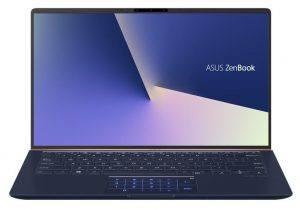
ASUS ZenBook 14 UX433
ASUS ZenBook 14 UX433 - Specifiche
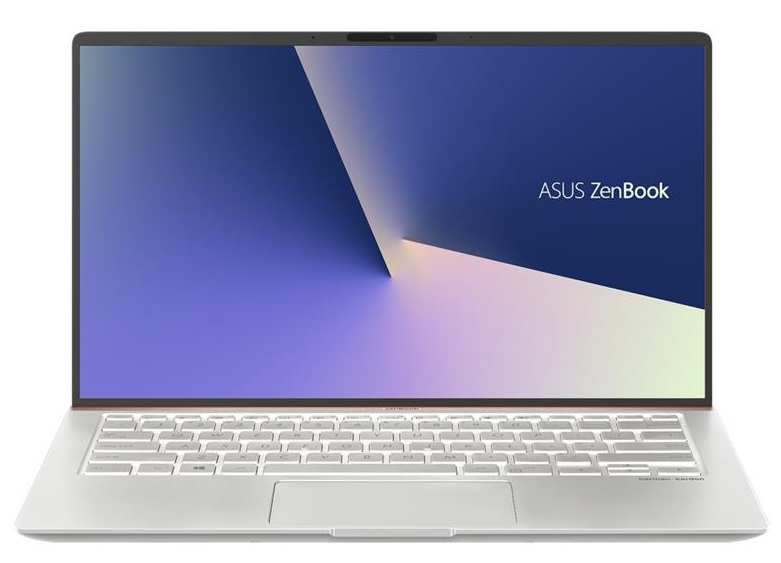
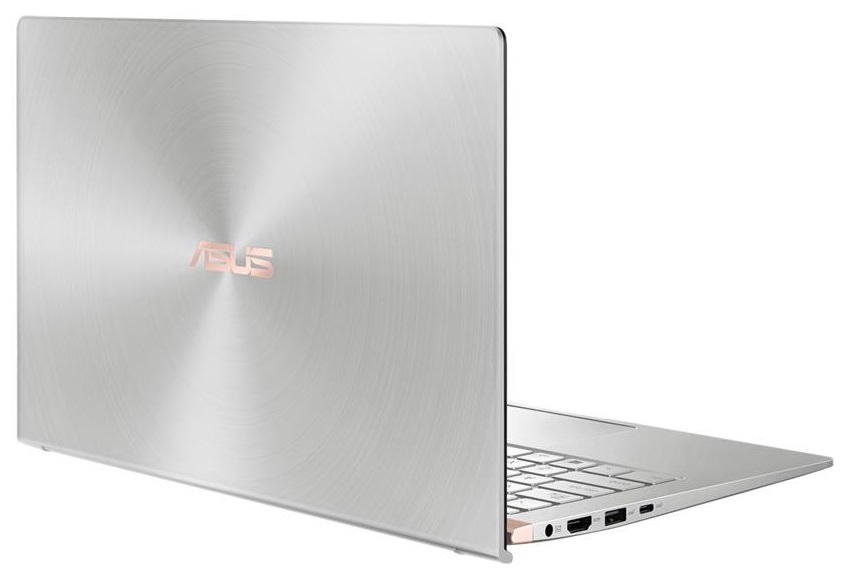
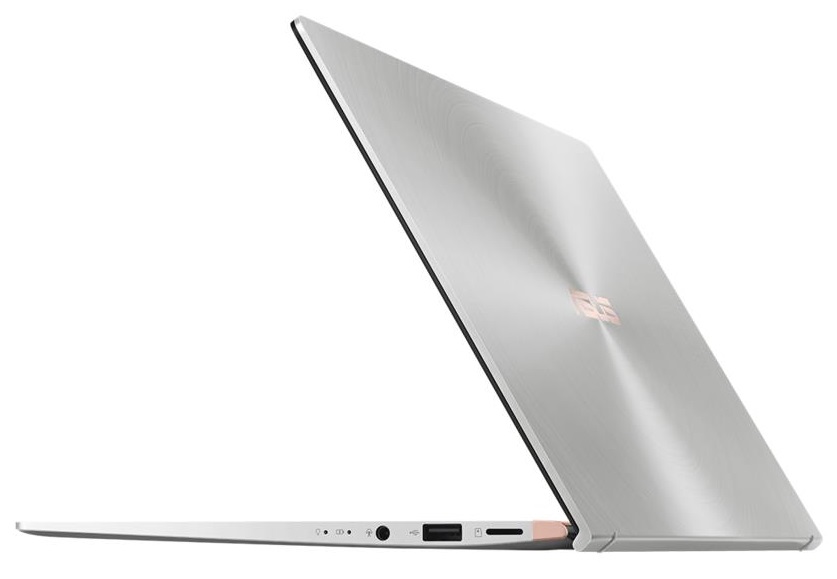
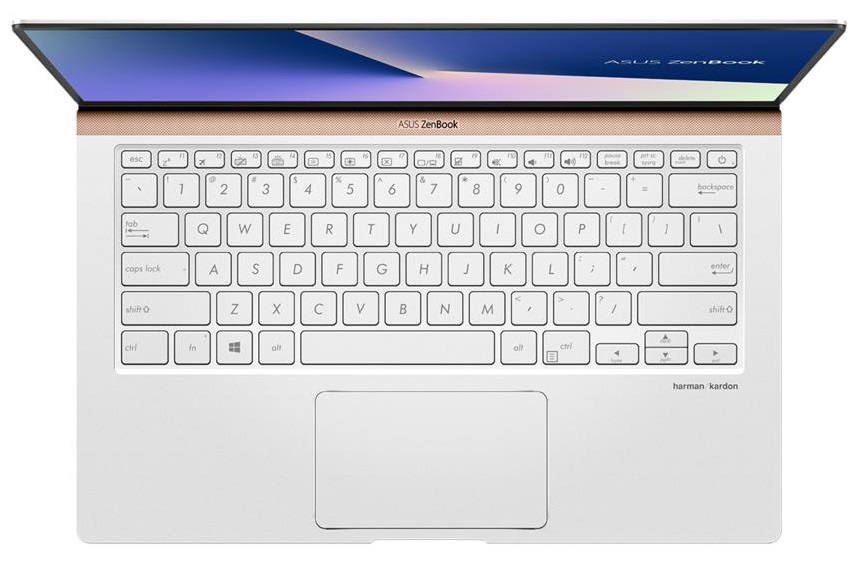
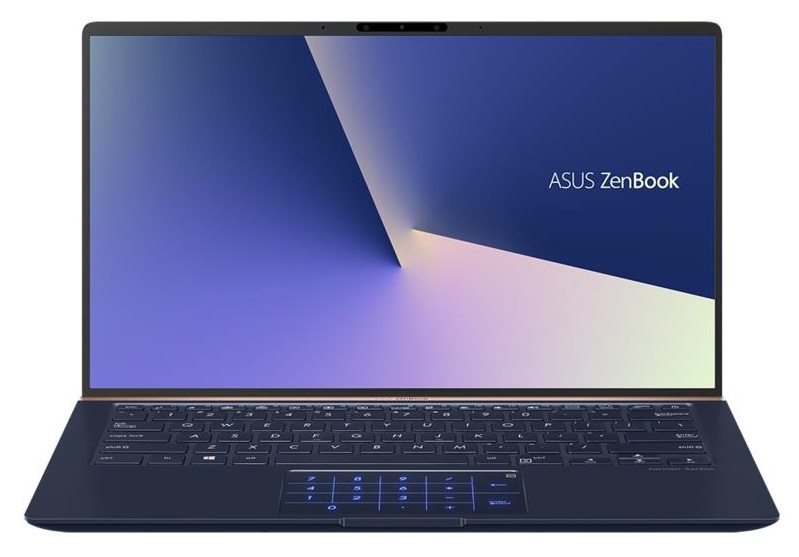
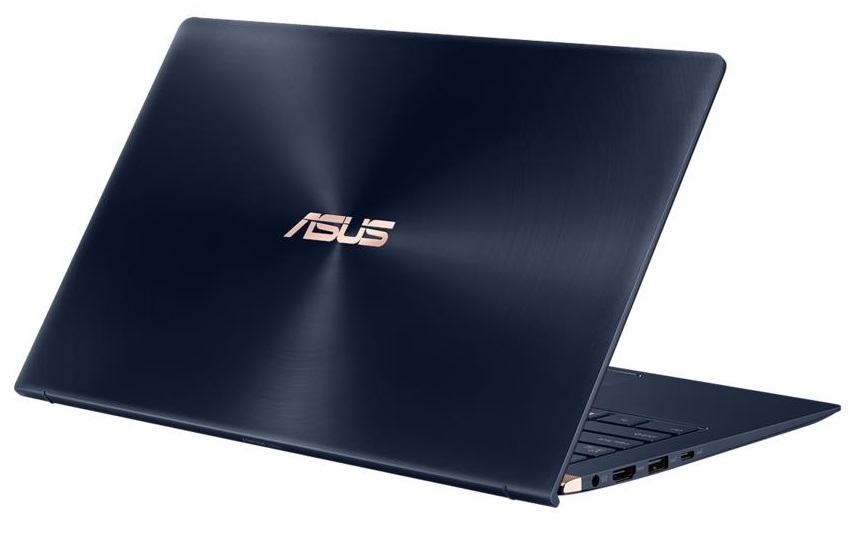
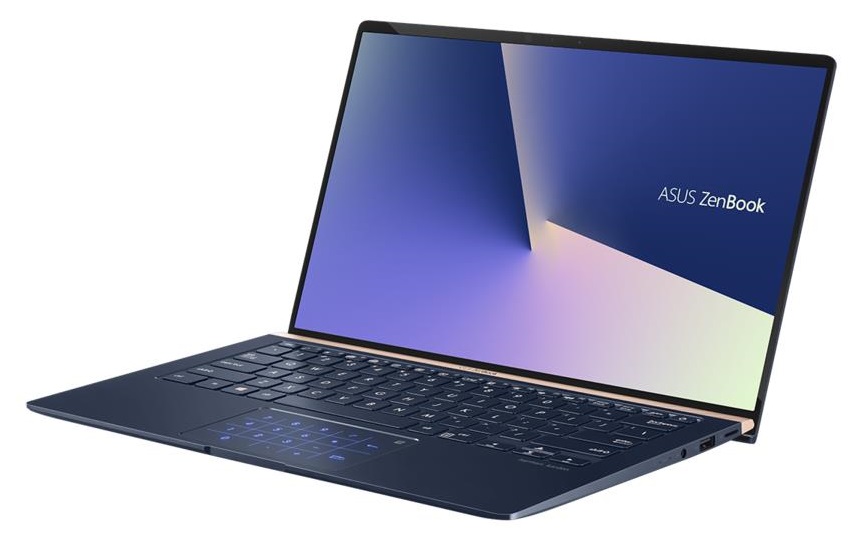
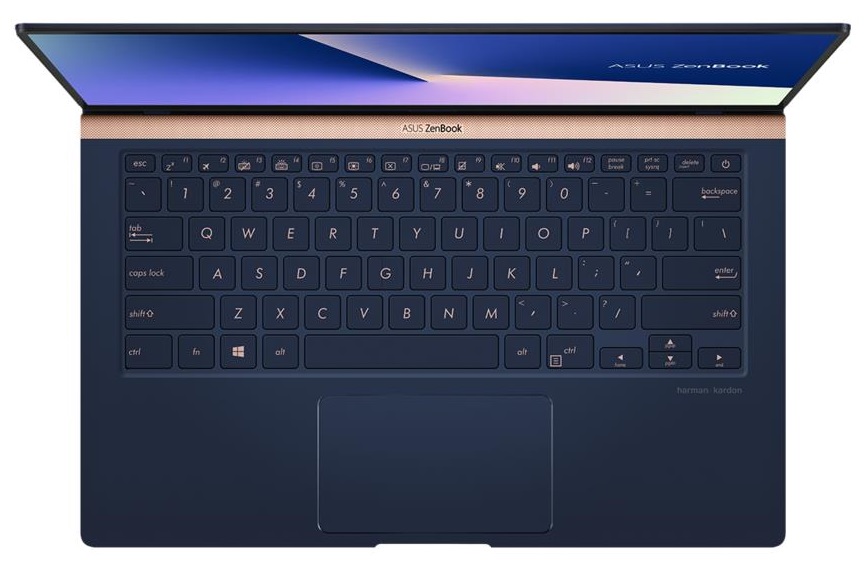

- HDD/SSD
- fino a 2000GB SSD
- Slot M.2
- 1x 2280 PCIe 3.0 x4 NVMe M.2 slot
- RAM
- up to 16GB
- SO
- Windows 10 Home, Windows 10 Pro, No OS
- Batteria
- 50Wh, 3-cell
- Dimensioni
- 319 x 199 x 15.9 mm (12.56" x 7.83" x 0.63")
- Peso
- 1.09 kg (2.4 lbs)
- Porte e connettività
- 1x USB Type-C
- 3.2 Gen 2 (10 Gbps)
- 1x USB Type-A
- 3.2 Gen 1 (5 Gbps)
- 1x USB Type-A
- 2.0
- HDMI
- Lettore di schede
- Micro SD
- LAN Ethernet
- Wi-Fi
- 802.11ac
- Bluetooth
- 5.0
- Jack audio
- combo audio / microphone jack
- Caratteristiche
- Lettore di impronte digitali
- Webcam
- HD 720p
- Tastiera retroilluminata
- optional
- Microfono
- Altoparlanti
- Unità ottica
- Slot per lucchetto di sicurezza
Tutti ASUS ZenBook 14 UX433 configurazioni



Acquista i nostri profili per AUO B140HAN03.2 / 14.0”, Full HD (1920 x 1080), IPS
Oltre a ricevere profili efficienti e salutari, acquistando i prodotti di LaptopMedia sosterrai anche lo sviluppo dei nostri laboratori, dove testiamo i dispositivi per produrre le recensioni più oggettive possibili.

Office Work
Office Work dovrebbe essere usato principalmente da utenti che passano la maggior parte del tempo a guardare testi, tabelle o semplicemente a navigare. Questo profilo mira a fornire una migliore distinzione e chiarezza mantenendo una curva gamma piatta (2.20), una temperatura colore nativa e colori percettivamente accurati.

Design e Gaming
Questo profilo è rivolto ai designer che lavorano con i colori professionalmente, nonché per giochi e film. Design and Gaming porta i pannelli dei display ai loro limiti, rendendoli il più accurati possibile nello standard sRGB IEC61966-2-1 per Web e HDTV, con punto di bianco D65.

Health-Guard
Health-Guard elimina la dannosa Modulazione di Larghezza d'Impulso (PWM) e riduce la Luce Blu negativa che influisce sui nostri occhi e sul nostro corpo. Essendo personalizzato per ogni pannello, riesce a mantenere i colori percettivamente accurati. Health-Guard simula la carta, quindi la pressione sugli occhi è notevolmente ridotta.
Ottieni tutti e 3 i profili con il 33% di sconto

Prestazioni CPU
Qui potete trovare la differenza di prezzo/prestazioni tra tutte le CPU che vengono in ASUS ZenBook 14 UX433 Serie.
I risultati provengono dal test CPU Cinebench R23 (più alto è il punteggio, meglio è)
Prestazioni GPU
Qui potete trovare la differenza di prezzo/prestazioni tra tutte le GPU che vengono in ASUS ZenBook 14 UX433 Serie.
I risultati provengono da 3DMark Time Spy (Graphics). Un valore più alto è migliore.
ASUS ZenBook 14 UX433 recensione approfondita
Once again ASUS is trying to reinvent portability. The ZenBook 14 UX433 (which visually is very reminiscent of the UX480) is branded like a 14-inch notebook in a 13-inch form factor. Well, this is usually a gimmick used by the manufacturers to say that their laptop is very small in terms of area. Expectedly, the case is the same with this device as well - it simply can't be the same length as a smaller-screen device. However, with the help of the ErgoLift technology, it is considerably narrower than most of the notebooks.Even though they have limited space inside, ASUS has equipped the[...]

Pro
- 13 hours of web browsing on battery power
- Elegant super small form factor
- GeForce MX150 option
- Decently bright and colorful screen (AUO B140HAN03.2)
- It doesn't use PWM to adjust screen brightness (AUO B140HAN03.2)
- ScreenPad option and adequate keyboard
Contro
- Huge light bleed from the bottom right corner (AUO B140HAN03.2)
- Lack of Type-C charging
Giochi che puoi giocare su questa serie di laptop

Resolution: 1920 x 1080 (Full HD) |
NORMAL |
HIGH |
VERY HIGH |
MAX |
|---|---|---|---|---|
 | 101 FPS RIPRODUCI VIDEO | 44 FPS RIPRODUCI VIDEO | 23 FPS RIPRODUCI VIDEO | - RIPRODUCI VIDEO |
| NVIDIA GeForce MX250 (25W) | 84 FPS RIPRODUCI VIDEO | 37 FPS RIPRODUCI VIDEO | 20 FPS RIPRODUCI VIDEO | 6 FPS RIPRODUCI VIDEO |

Resolution: 1920 x 1080 (Full HD) |
MIN |
MAX |
|---|---|---|
| 527 FPS RIPRODUCI VIDEO | 43 FPS RIPRODUCI VIDEO |
| NVIDIA GeForce MX250 (25W) | 210 FPS RIPRODUCI VIDEO | 49 FPS RIPRODUCI VIDEO |

Resolution: 1920 x 1080 (Full HD) |
VERY LOW |
MED |
MAX |
|---|---|---|---|
| 230 FPS RIPRODUCI VIDEO | 195 FPS RIPRODUCI VIDEO | 187 FPS RIPRODUCI VIDEO |
| NVIDIA GeForce MX350 | 191 FPS RIPRODUCI VIDEO | 176 FPS RIPRODUCI VIDEO | 153 FPS RIPRODUCI VIDEO |

Resolution: 1920 x 1080 (Full HD) |
LOW |
NORMAL |
HIGH |
MAX |
|---|---|---|---|---|
| 125 FPS RIPRODUCI VIDEO | 85 FPS RIPRODUCI VIDEO | 69 FPS RIPRODUCI VIDEO | 57 FPS RIPRODUCI VIDEO |
| NVIDIA GeForce MX250 (25W) | 104 FPS RIPRODUCI VIDEO | 71 FPS RIPRODUCI VIDEO | 61 FPS RIPRODUCI VIDEO | 44 FPS RIPRODUCI VIDEO |

Resolution: 1920 x 1080 (Full HD) |
LOW |
MED |
MAX |
|---|---|---|---|
| 125 FPS RIPRODUCI VIDEO | 100 FPS RIPRODUCI VIDEO | 86 FPS RIPRODUCI VIDEO |
| NVIDIA GeForce MX250 (25W) | 118 FPS RIPRODUCI VIDEO | 94 FPS RIPRODUCI VIDEO | 77 FPS RIPRODUCI VIDEO |

Resolution: 1920 x 1080 (Full HD) |
LOW |
MED |
HIGH |
EPIC |
|---|---|---|---|---|
| 35 FPS RIPRODUCI VIDEO | 14 FPS RIPRODUCI VIDEO | 6 FPS RIPRODUCI VIDEO | 4 FPS RIPRODUCI VIDEO |
| NVIDIA GeForce MX350 | 38 FPS RIPRODUCI VIDEO | 17 FPS RIPRODUCI VIDEO | - RIPRODUCI VIDEO | - RIPRODUCI VIDEO |

Resolution: 1920 x 1080 (Full HD) |
MIN |
MED |
ULTRA |
|---|---|---|---|
| 259 FPS RIPRODUCI VIDEO | 66 FPS RIPRODUCI VIDEO | 31 FPS RIPRODUCI VIDEO |
| NVIDIA GeForce MX350 | 241 FPS RIPRODUCI VIDEO | 75 FPS RIPRODUCI VIDEO | 36 FPS RIPRODUCI VIDEO |

Resolution: 1920 x 1080 (Full HD) |
VERY LOW |
MED |
HIGH |
ULTRA |
|---|---|---|---|---|
| 45 FPS RIPRODUCI VIDEO | 33 FPS RIPRODUCI VIDEO | 32 FPS RIPRODUCI VIDEO | 23 FPS RIPRODUCI VIDEO |
| NVIDIA GeForce MX350 | 50 FPS RIPRODUCI VIDEO | 37 FPS RIPRODUCI VIDEO | 34 FPS RIPRODUCI VIDEO | - RIPRODUCI VIDEO |

Resolution: 1920 x 1080 (Full HD) |
MIN |
MED |
MAX |
|---|---|---|---|
| 48 FPS RIPRODUCI VIDEO | 37 FPS RIPRODUCI VIDEO | 25 FPS RIPRODUCI VIDEO |
| NVIDIA GeForce MX250 (25W) | 43 FPS RIPRODUCI VIDEO | 31 FPS RIPRODUCI VIDEO | 20 FPS RIPRODUCI VIDEO |

Resolution: 1920 x 1080 (Full HD) |
PERF. |
ORIG. |
ENCH. |
|---|---|---|---|
| 86 FPS RIPRODUCI VIDEO | 78 FPS RIPRODUCI VIDEO | 71 FPS RIPRODUCI VIDEO |
| NVIDIA GeForce MX250 (25W) | 89 FPS RIPRODUCI VIDEO | 66 FPS RIPRODUCI VIDEO | 65 FPS RIPRODUCI VIDEO |




