Inside Lenovo Ideapad L340 Gaming (15″) – disassembly and upgrade options
Finally, an Ideapad that is specifically branded for gaming! However, is it going to be as successful as the Legion brand? Let’s see, because one of the main things people factor in before buying a laptop is to what extent it can be upgraded, how futureproof it is.
Check out all Lenovo Ideapad L340 Gaming (15″) prices and configurations in our Specs System, or read our In-Depth review.

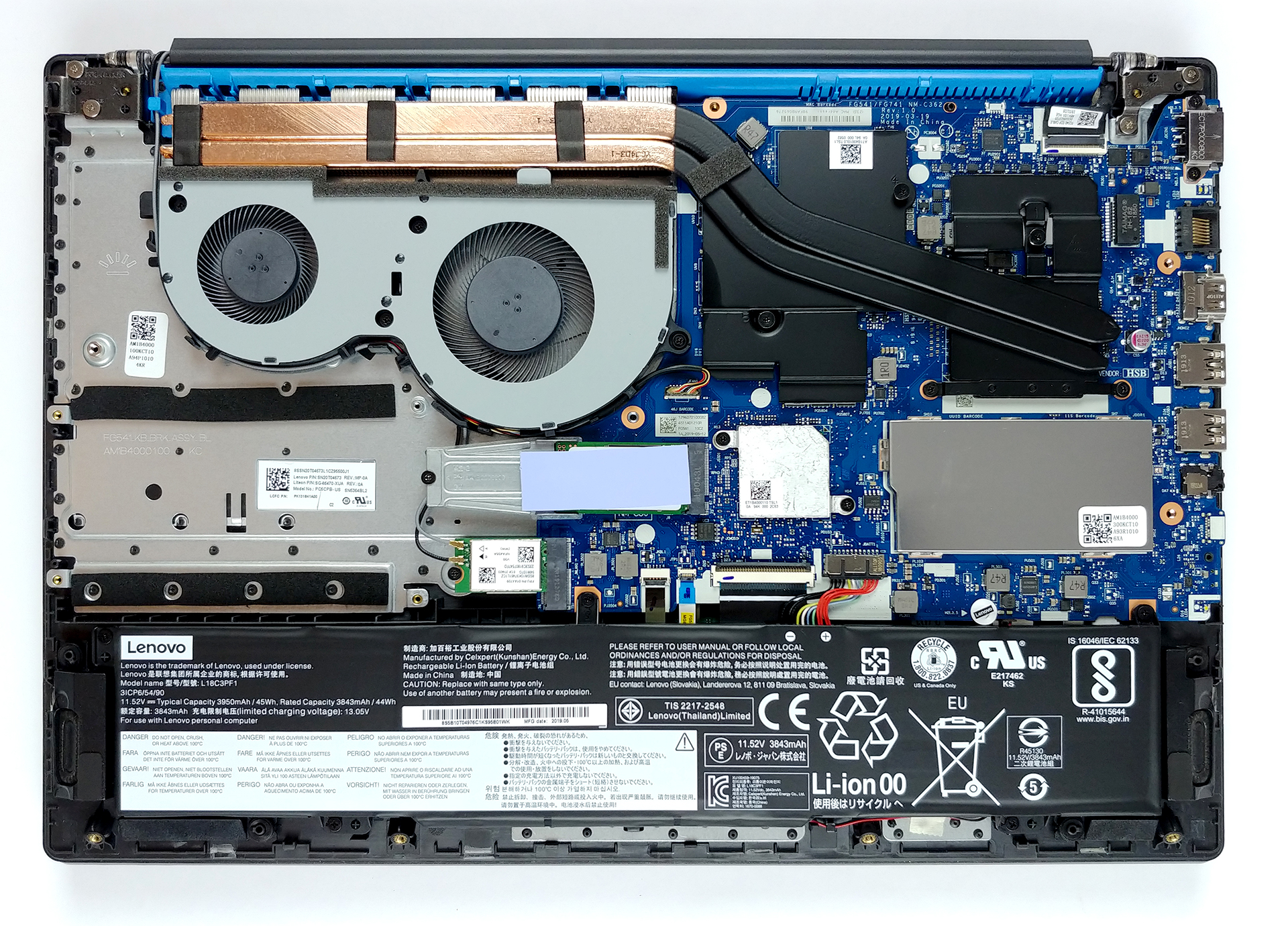
1. Remove the bottom plate
Its bottom plate is secured in7 hours of web browsing and around 5 hours and 45 minutes of video playback. place by 11 Phillips-head screws. After that, the panel itself needs some prying action to get off the chassis and be careful not to break any of the plastic clips, since they are extremely fragile.
2. Battery
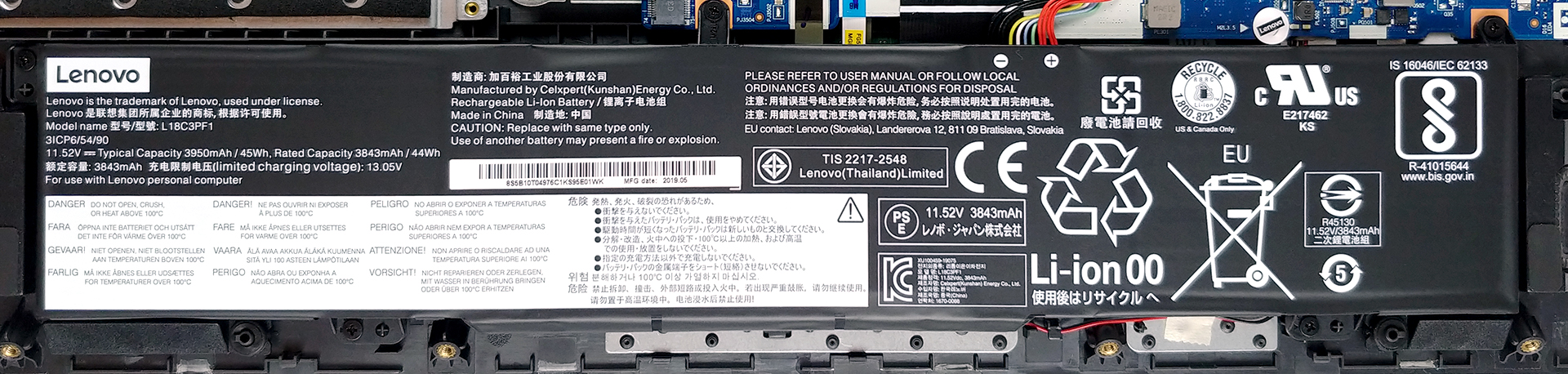
Traditionally, the first thing you should when you upgrade your device is to disconnect all of the power going to it. This, in the case with laptops, means to remove the battery connector from the motherboard. Essentially, if you want to change the battery pack, there are five Phillips-head screws that hold it onto the chassis. The battery itself is a 45Wh unit and we were kind of surprised by the autonomous time it delivered – 7 hours of Web browsing and around 5 hours and 45 minutes of video playback.
3. Memory and storage
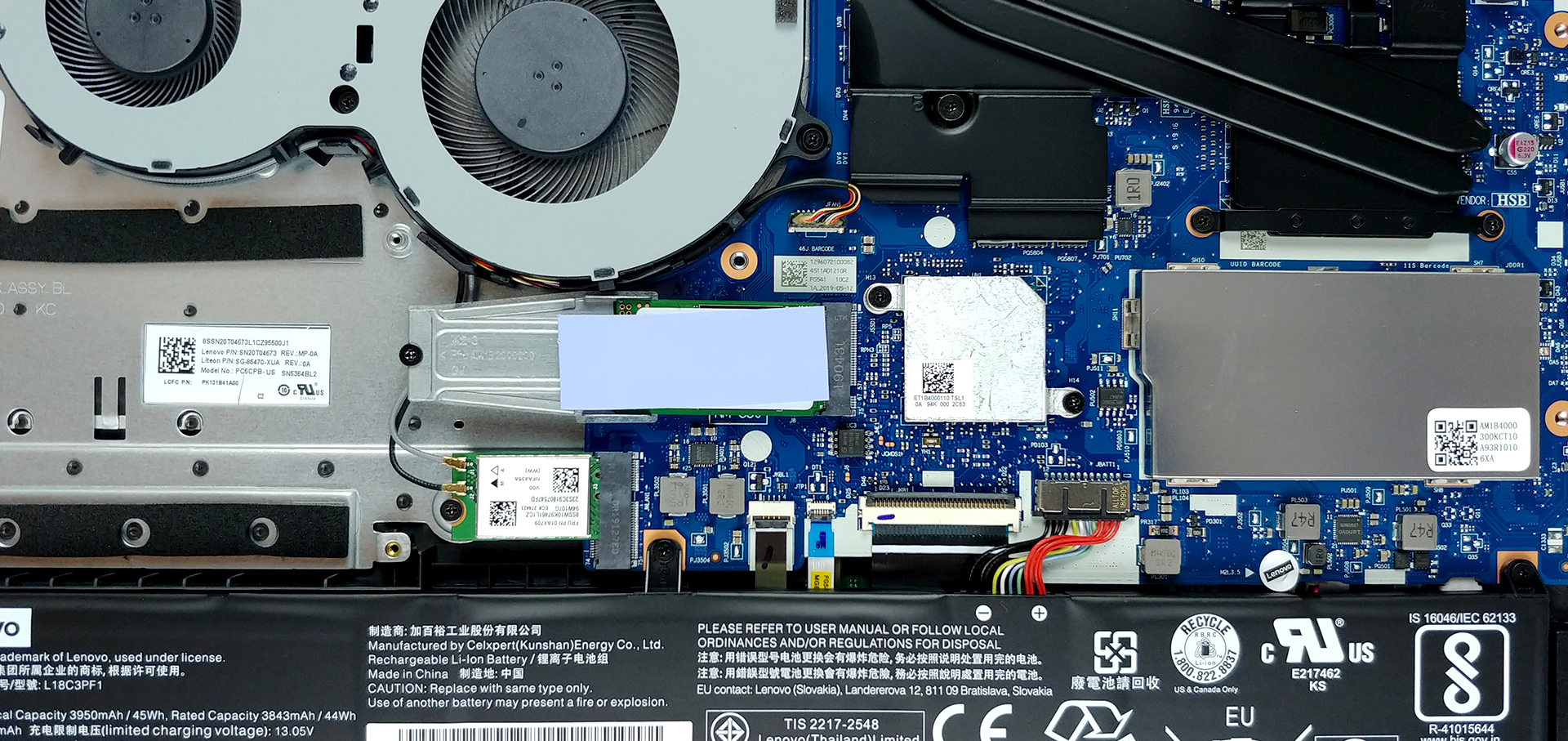
So, let’s start with the storage – there is one obvious M.2 NVMe-enabled drive. However, just beneath it, there is a SATA connector on the motherboard that is used to connect a 2.5″ drive (you can see the mounting points to the left of the M.2 SSD). Memory-wise, there is sadly only one RAM DIMM, plus 4GB of soldered memory. Yep, not the way you do a “Gaming” laptop, Lenovo, you should know best.
4. Cooling solution
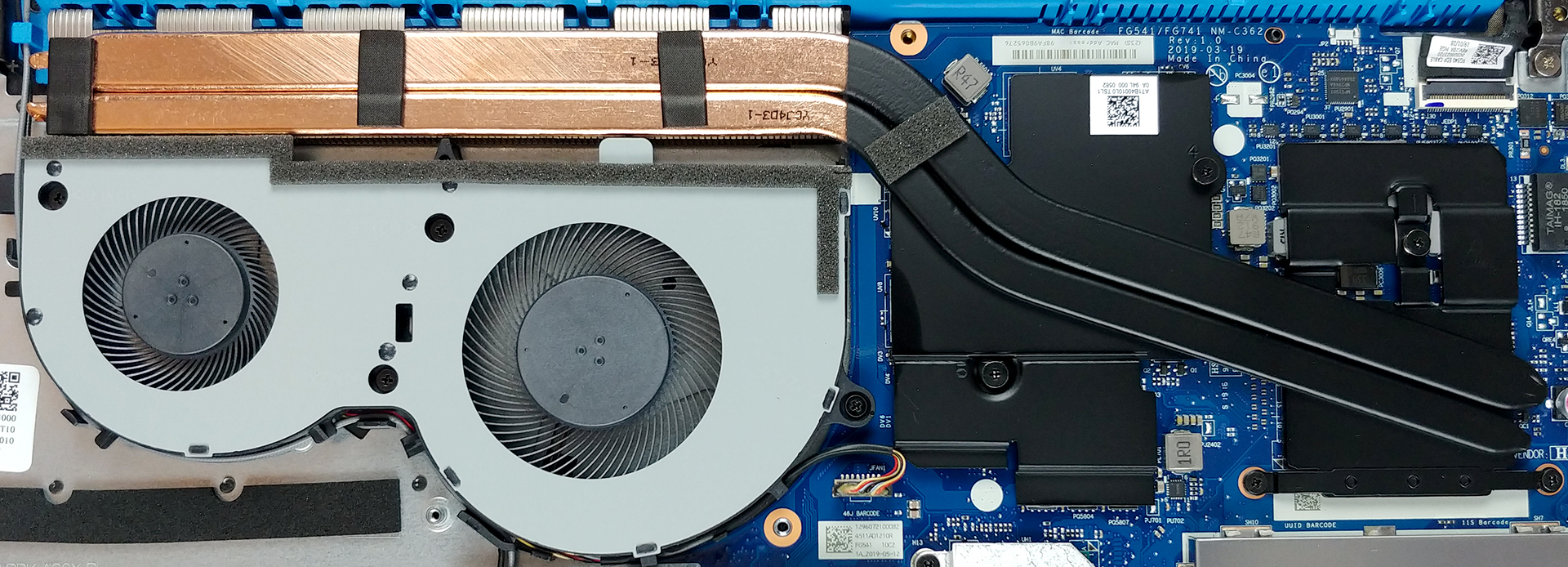
Here you can see the cooling system that is pretty much the same as the one on Lenovo Ideapad 330-15ICH. Additionally, the design it uses is pretty similar to the one we saw on the Acer Nitro 5 (both the new and the old one). Usually, having two heat pipes that lead to the same fans and heat sinks, however, it seems like this is working pretty nice on the Ideapad L340 Gaming (15″). What is the worst thing in this type of cooling is that the fan that is closest to the chips is doing the hard work, while the other is not being utilized to its full potential.
Check out all Lenovo Ideapad L340 Gaming (15″) prices and configurations in our Specs System, or read our In-Depth review.
 Author: Alex Iliev

![[2026年6月] Amazonグローバルにおけるノートパソコンのベストセラーブランド ― 販売台数と売上高の両面で、Appleが圧倒的な優位性を示す](https://laptopmedia.com/wp-content/uploads/2026/07/GLOBAL-Best-Brands-400x225.jpg)
![[2026年6月] アマゾン・グローバル:ノートパソコン売上ランキングトップ10――Appleの新型「MacBook Neo」が1位に躍り出て、手頃な価格帯で市場を再編](https://laptopmedia.com/wp-content/uploads/2026/07/Best-Selling-Laptops-GLOBAL-Top-10-400x225.jpg)
![[2026年6月] アマゾン・グローバル:ゲーム用ノートPC売上ランキングトップ10――エイサーの「Nitro V 16S AI」が販売台数で首位を独占、ASUSが総売上高で首位に立つ](https://laptopmedia.com/wp-content/uploads/2026/07/Best-Selling-Gaming-Laptops-GLOBAL-Top-10-400x225.jpg)
![[2026年6月] AmazonにおけるノートPC用GPUの世界販売ランキング ― NVIDIA RTX 5060が専用GPU部門で首位を獲得](https://laptopmedia.com/wp-content/uploads/2026/07/Best-Selling-GPUs-GLOBAL-Top-10-400x225.jpg)
![[2026年6月] AmazonにおけるノートPC用CPUの世界販売ランキング ― Apple M5が首位を独占、AMD Ryzen 7 260がプレミアム層で堅調なシェアを獲得](https://laptopmedia.com/wp-content/uploads/2026/07/Best-Selling-CPUs-GLOBAL-Top-10-400x225.jpg)

Where do I get the connector I need to connect an SSD drive to the motherboard ? It’s a flex cable
lenovo sells these cable you need, but the wait time for shipping can be two – three months. they are about $10
where is the cpu?, I want to change the thermal paste
Can I upgrade the ram from 4GB (the not soldered one) to 8GB or even 16GB? Will it work ?
4gb would be the stock one, but you can add up to 16gb of ram.
Up to 32
You said you got 7 hours of battery while web browsing, what battery settings where you using?
Hi there where is the display plugged into the motherboard im experiencing screen flicker?
i have this laptop but i have version with 8gb ram in stock but diffrent cpu my is I5-9300h
Hola muy buenas quería preguntar
¿de que forma puedo ampliar el almacenamiento?
Puedes hacerlo tanto con una unidad SATA de 2,5″ como con un SSD M.2 NVMe.
—
You can expand your storage with both a 2.5″ SATA drive, and an M.2 NVMe SSD.