Top 5 reasons to BUY or NOT to buy the MSI Stealth 15M
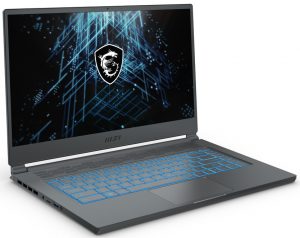
 Ever since we saw this laptop in person, we couldn’t help but compare it to the older GS65 Stealth. They seem to use the same chassis, but with some obvious design changes, which we think are for the better. The MSI Stealth 15M is a light gaming laptop, which has enough performance to handle intense 1080p gaming.
By the way, there are two variants of this device, depending on the CPU. The first one dubbed the A10Sx, uses Tiger Lake G CPUs, mainly the Core i5-1135G7 and the i7-1165G7. Then there is the A10Ux, which has Tiger Lake H performance and is the device we have today. Regardless of what you pick, you get an RTX 3060 (Laptop), so you know gaming is going to be a delight, which you can take anywhere with you.
Today we are presenting you with LaptopMedia’s top 5 picks about the MSI Stealth 15M.
MSI Stealth 15M: Full Specs / In-depth Review
3 reasons to BUY the MSI Stealth 15M
1. Design and build quality
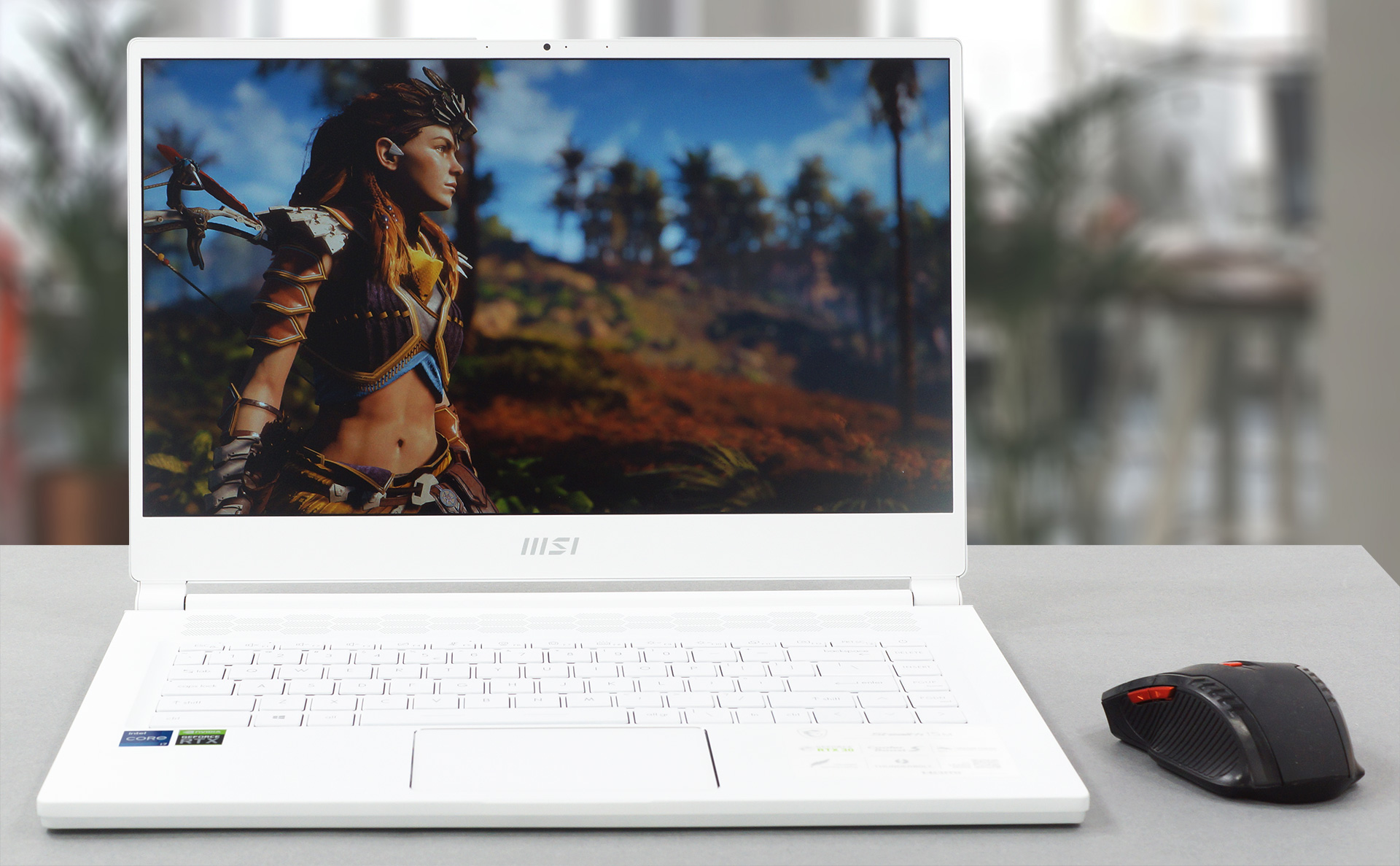
Different than most of its competitors, the laptop is entirely made out of aluminum. This makes it able to withstand a significant amount of force, without any major flexing. It is also one of the lightest and thinnest gaming notebooks, weighing only 1.70 kg (3.75 lbs) while being just 16.15 mm (0.64″) tall. There are also two color options to choose from, either Pure White or Carbon Grey. Both of them look spectacular, with our preference being the White one. The laptop is very stylish, with sleek body lines all around the place.
2. Upgradeability
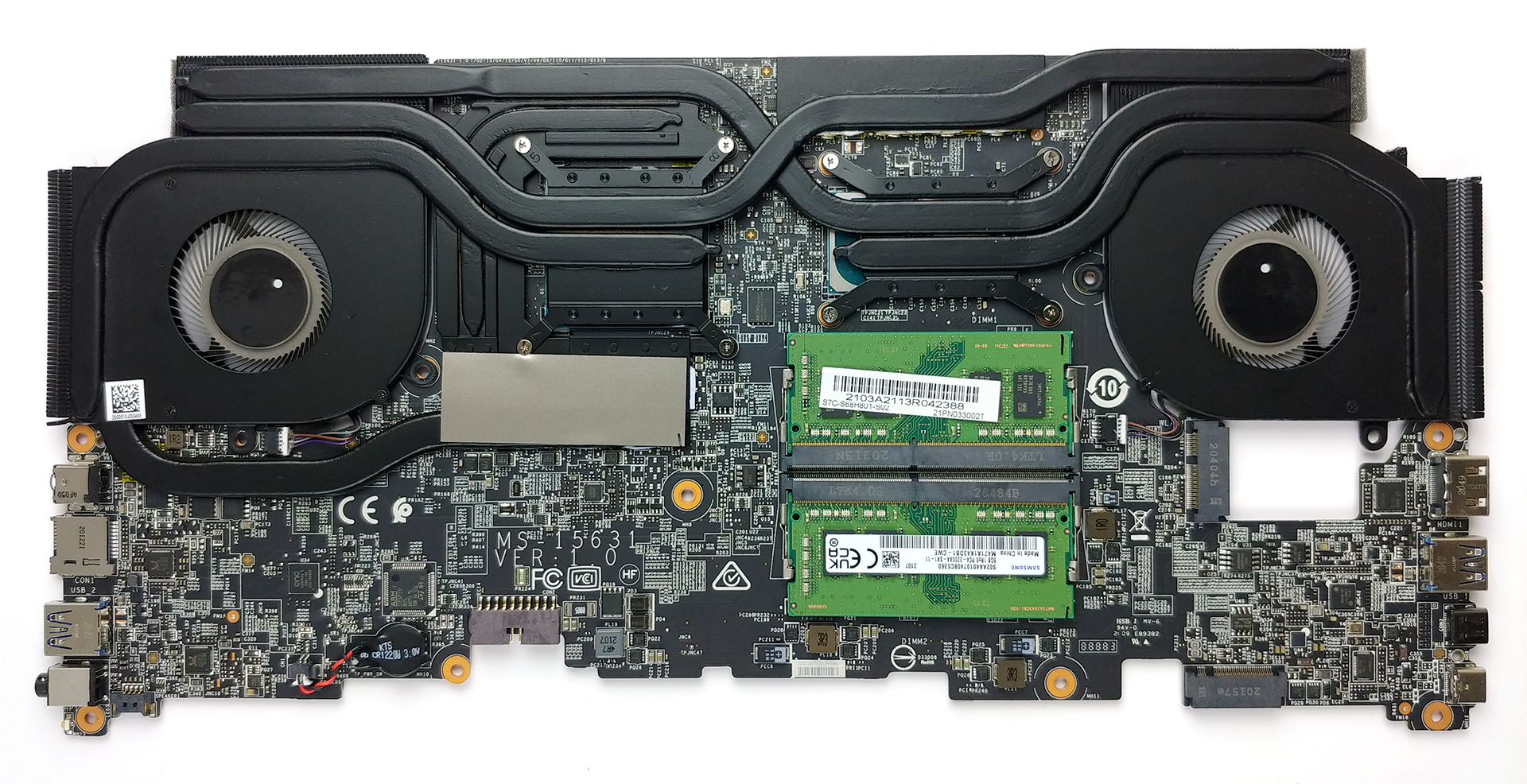
The laptop offers superb upgradeability, with both the RAM and storage being available for future expansion. You get two SODIMM RAM slots, which run in dual-channel and can fit up to 64GB of memory. There are also two M.2 PCIe x4 drives, on the opposite sides of the motherboard.
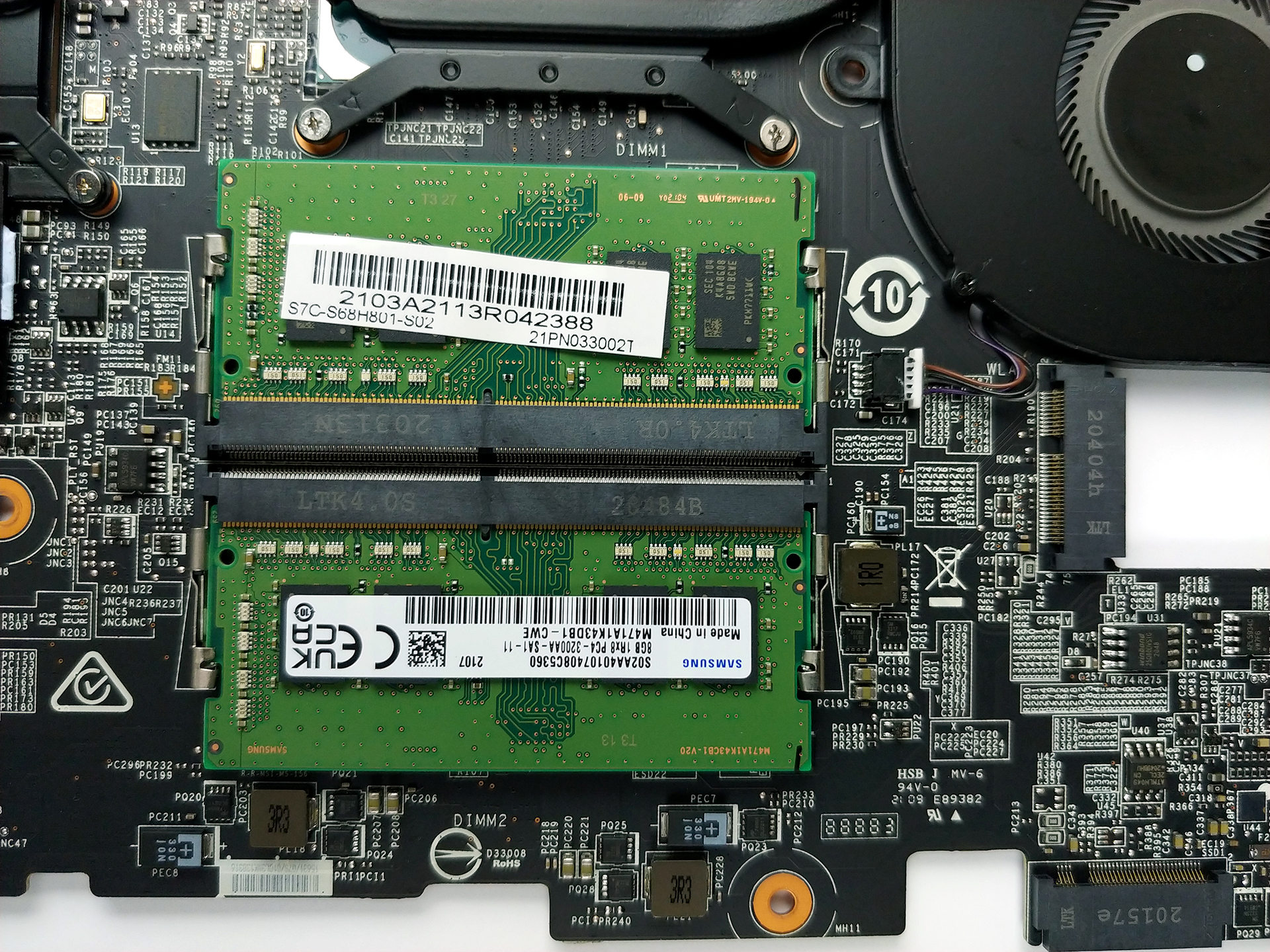
We will leave our teardown video here since the process of getting to both the SODIMM and storage slots is a bit more finicky.
3. Display
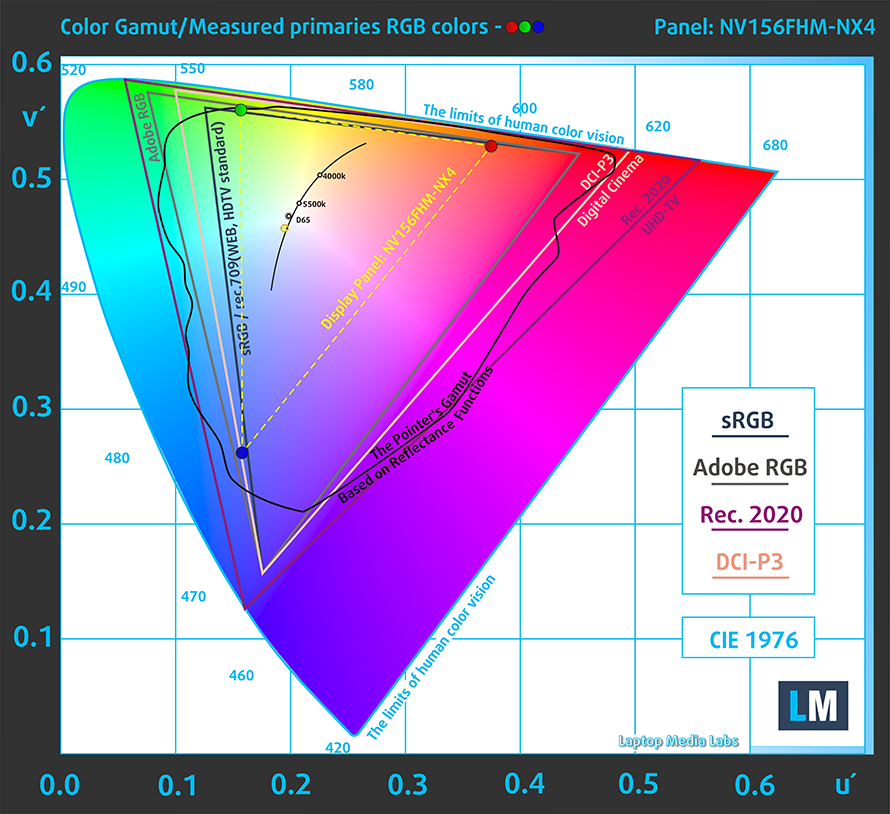
The laptop offers a single 15.6-inch Full HD IPS panel, which has comfortable viewing angles, a maximum brightness of 254 nits in the middle of the screen, and 248 nits as an average across the entire area of the screen. The contrast ratio is quite high, sitting at 1130:1. In terms of color coverage, the unit does rather poorly, covering only 51% of the sRGB color gamut.
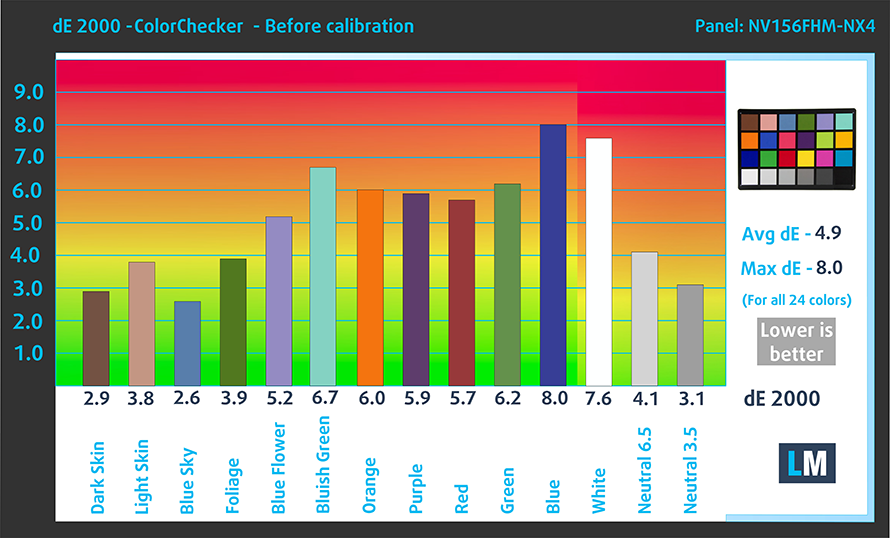
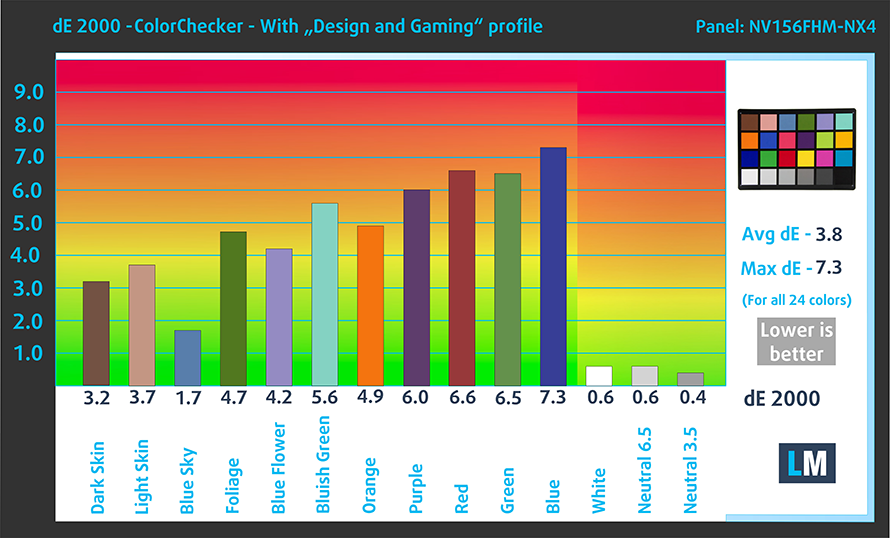
We tested the color accuracy of the display using the 24 most commonly used colors, both with the factory settings (left) and with our Design and Gaming profile applied (right).
Buy our profiles
Since our profiles are tailored for each display model, this article and its respective profile package are meant for MSI Stealth 15M configurations with 15.6″ FHD IPS BOE NV156FHM-NX4 (BOE0910).
*Should you have problems with downloading the purchased file, try using a different browser to open the link you’ll receive via e-mail. If the download target is a .php file instead of an archive, change the file extension to .zip or contact us at [email protected].
Read more about the profiles HERE.
効率的で健康に優しいプロファイルを受け取ることに加え、LaptopMediaの製品を購入することで、可能な限り客観的なレビューを作成するためにデバイスをテストする私たちのラボの開発を支援することにもなります。

Office Work
Office Workは、テキストや表を見たり、ウェブサーフィンにほとんどの時間を費やすユーザーに主に使用されるべきです。このプロファイルは、フラットなガンマカーブ(2.20)、ネイティブな色温度、知覚的に正確な色を維持することで、より良い鮮明さと明瞭さを提供することを目指しています。

Design and Gaming
このプロファイルは、プロとして色を扱うデザイナーや、ゲームや映画向けです。Design and Gamingは、ディスプレイパネルの性能を最大限に引き出し、WebおよびHDTVのsRGB IEC61966-2-1規格(D65ホワイトポイント)で可能な限り正確な色を再現します。

3つのプロファイルをすべて33%割引で入手

2 reasons NOT to buy the MSI Stealth 15M
1. Battery life
The laptop comes with a mid-sized unit of 52Wh. It lasts for 6 hours and 40 minutes of Web browsing, 5 hours and 31 minutes of video playback, and 55 minutes of gaming, which isn’t as good as we expected. One of its main competitors, the ASUS TUF Dash F15, while having a larger battery, delivers much better battery life.
As with all of our battery tests, we have the Windows Better performance setting turned on, screen brightness adjusted to 120 nits and all other programs turned off except for the one we are testing the notebook with.
2. Cooling
The cooling solution in this laptop consists of a total of six heat pipes. The CPU and GPU get two each, then there is one more which cools down the VRMs. The last one isn’t connected to any heat sink and cools down the graphics memory, which can get pretty hot during heavy gaming sessions.
Max CPU load
As for the CPU and GPU stress tests, both of them quickly reached temperatures of more than 90°C. Even after 15 minutes of testing, the temperature stayed the same, while the clock speeds decreased.
| Intel Core i7-11375H (35W TDP) | 0:02 – 0:10 sec | 0:15 – 0:30 sec | 10:00 – 15:00 min |
|---|---|---|---|
| MSI Stealth 15M | 3.53 GHz (B+7%) @ 94°C @ 42W | 3.44 GHz (B+4%) @ 94°C @ 39W | 3.35 GHz (B+2%) @ 94°C @ 37W |
Real-life gaming
| NVIDIA GeForce RTX 3060 | GPU frequency/ Core temp (after 2 min) | GPU frequency/ Core temp (after 30 min) | GPU frequency/ Core temp (Max Fan) |
|---|---|---|---|
| MSI Stealth 15M | 907 MHz @ 61°C @ 40W | 865 MHz @ 65°C @ 40W | 1024 MHz @ 53°C @ 40W |
While MSI advertises a 65W TDP, we found the RTX 3060 to work at only 40W, even after 30 minutes of testing. Also, the clock speeds fell down below 1.0GHz. You can manually overclock it via the Dragon Center app, but even then the TDP stays the same. At least the temperatures are really low.
Gaming comfort
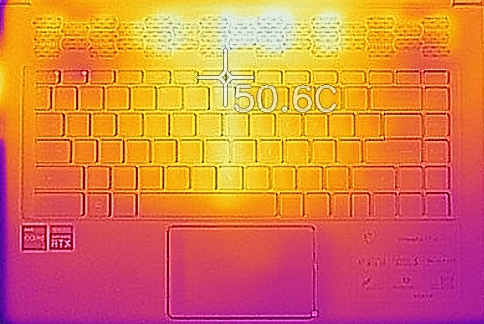
The notebook had a maximum outside temperature of 50.6°C, located in the center top portion of the keyboard. The laptop also gets quite noisy, while its GPU is running at around 50-60°C, which is really weird. Furthermore, the noise from the fans is a bit rattly, unless you max them out.
All MSI Stealth 15M configurations:
 Author: Severin Kolakov

![[2026年6月] Amazonグローバルにおけるノートパソコンのベストセラーブランド ― 販売台数と売上高の両面で、Appleが圧倒的な優位性を示す](https://laptopmedia.com/wp-content/uploads/2026/07/GLOBAL-Best-Brands-400x225.jpg)
![[2026年6月] アマゾン・グローバル:ノートパソコン売上ランキングトップ10――Appleの新型「MacBook Neo」が1位に躍り出て、手頃な価格帯で市場を再編](https://laptopmedia.com/wp-content/uploads/2026/07/Best-Selling-Laptops-GLOBAL-Top-10-400x225.jpg)
![[2026年6月] アマゾン・グローバル:ゲーム用ノートPC売上ランキングトップ10――エイサーの「Nitro V 16S AI」が販売台数で首位を独占、ASUSが総売上高で首位に立つ](https://laptopmedia.com/wp-content/uploads/2026/07/Best-Selling-Gaming-Laptops-GLOBAL-Top-10-400x225.jpg)
![[2026年6月] AmazonにおけるノートPC用GPUの世界販売ランキング ― NVIDIA RTX 5060が専用GPU部門で首位を獲得](https://laptopmedia.com/wp-content/uploads/2026/07/Best-Selling-GPUs-GLOBAL-Top-10-400x225.jpg)
![[2026年6月] AmazonにおけるノートPC用CPUの世界販売ランキング ― Apple M5が首位を独占、AMD Ryzen 7 260がプレミアム層で堅調なシェアを獲得](https://laptopmedia.com/wp-content/uploads/2026/07/Best-Selling-CPUs-GLOBAL-Top-10-400x225.jpg)

I have the newest model of this laptop, i7 11375H, 3060, 1TB m.2 16gb ram. It only has one m.2 slot, not two.