Lenovo Ideapad S145 15 review – budget multimedia device with a modern look
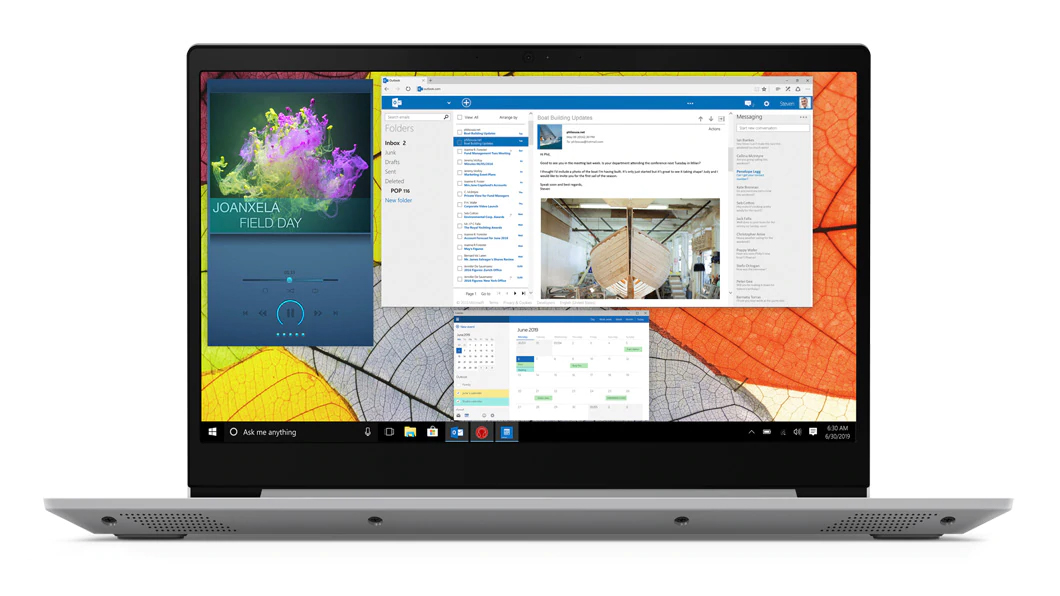 On the bottom end of the Ideapad brand, there is a laptop that is going to target a wide variety of people. It is offered in both a Pentium form and in an Intel Core iteration. However, no matter which option you choose, there is one thing in common – the philosophy about price management.
With that said, the laptop is going to appeal more to students and people that prefer to stay on the budget, rather than go for a flashy notebook. Although it is clearly visible where Lenovo has done the cost-cutting – the plastic body and the lack of a TN panel, we have to admit that the laptop looks quite stunning on the outside.
You can check the prices and configurations in our Specs System: https://laptopmedia.com/series/lenovo-ideapad-s145-15/
Contents
Specs Sheet
Lenovo IdeaPad S145 技術仕様表
Not available
What’s in the box?
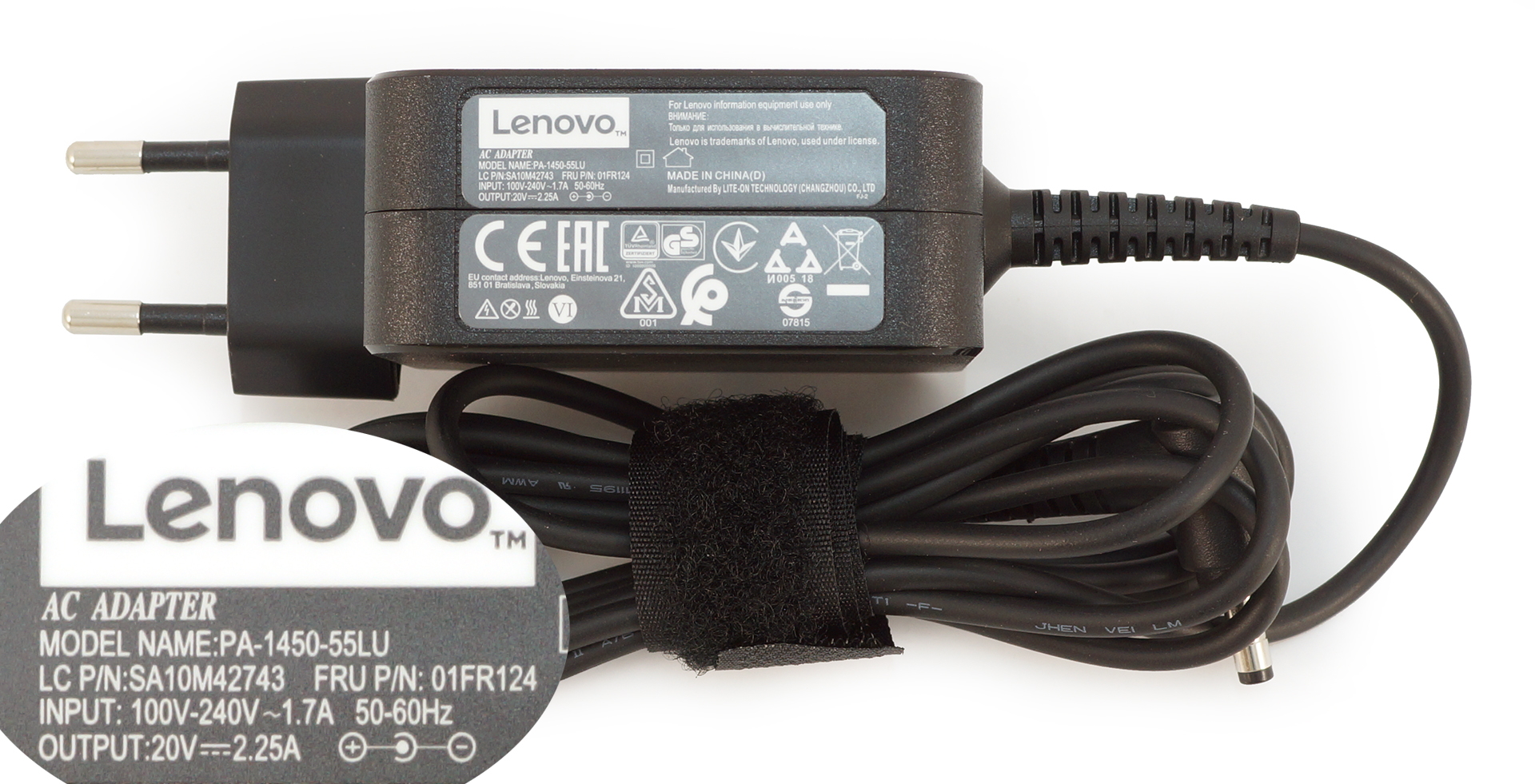
Inside the box, you’ll find some paper manuals, the laptop and a 45W charging brick (MX110 equipped version should come with a 65W charger).
Design and construction
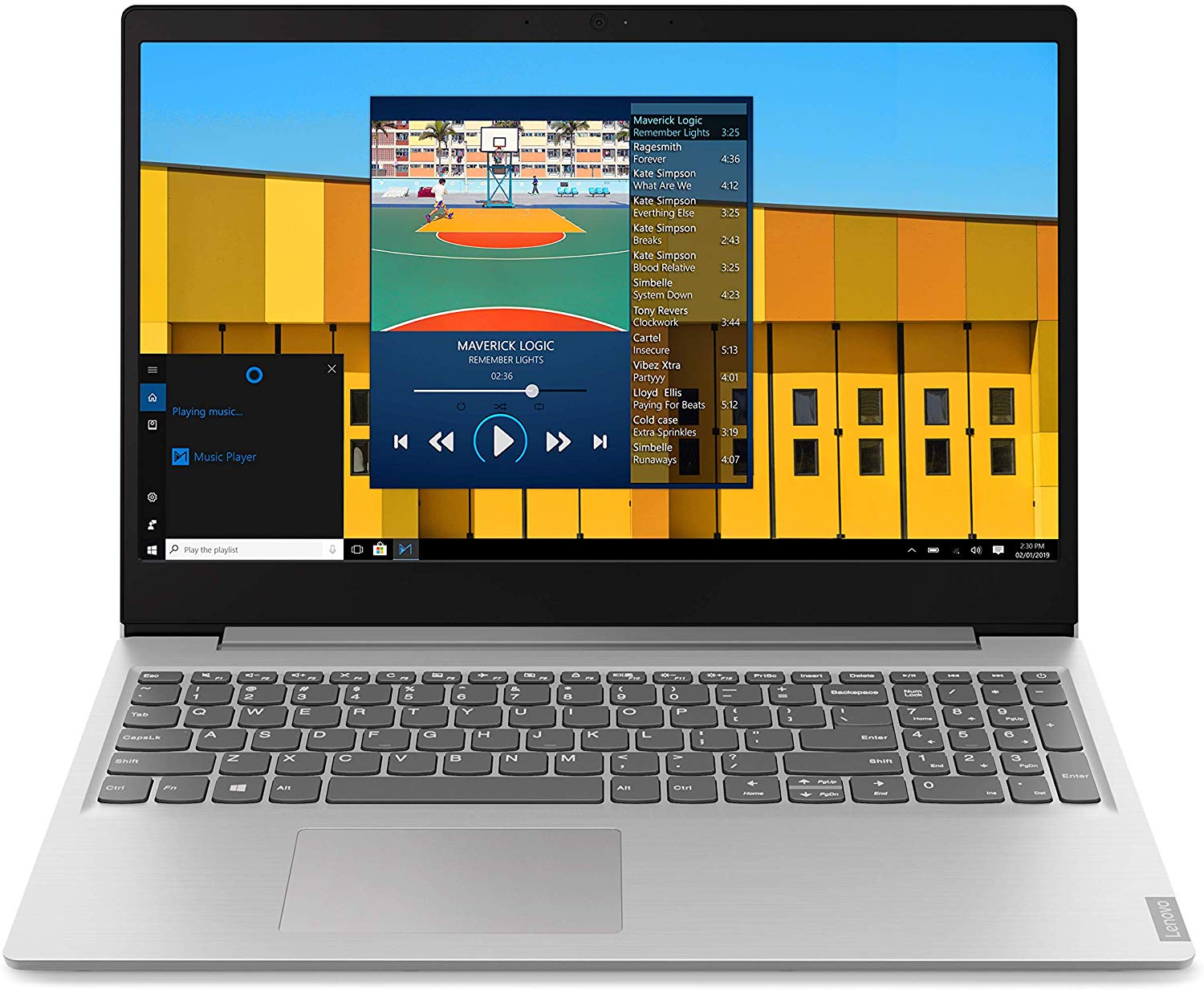
The stylish design we were talking about is backed by the mere 1.85 kg weight and the profile of 19.9 mm. Sadly, the building material pick for this laptop is only plastic and not a very sturdy one as well. There is some flex to the body if you try to bend it and the entire surface looks very, very prone to scratches.
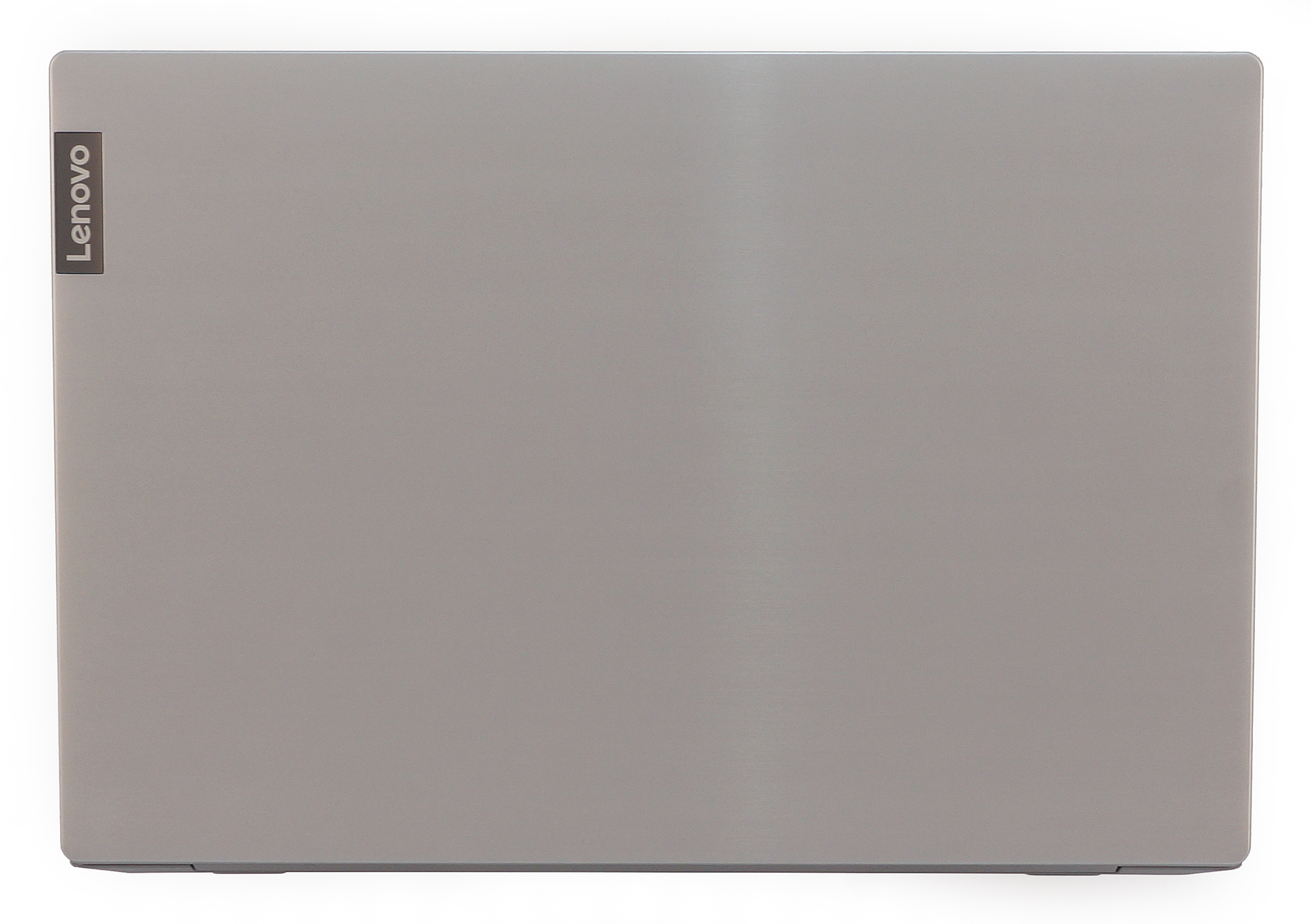
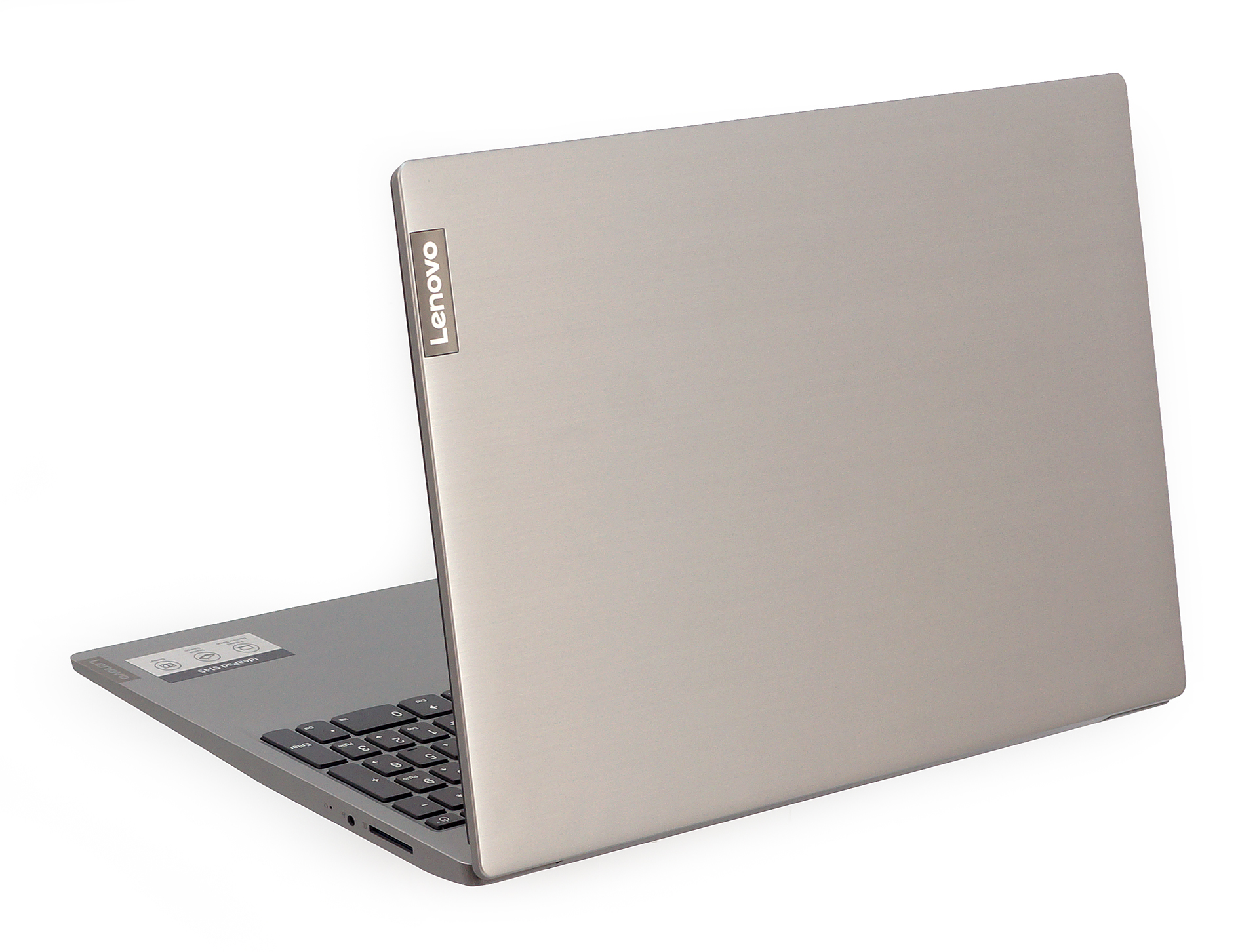
Ideapad S145 15″ needs a little help from the other hand when you open the lid up. The lid itself bends within the normal range and it is good to see rather thin side bezels.

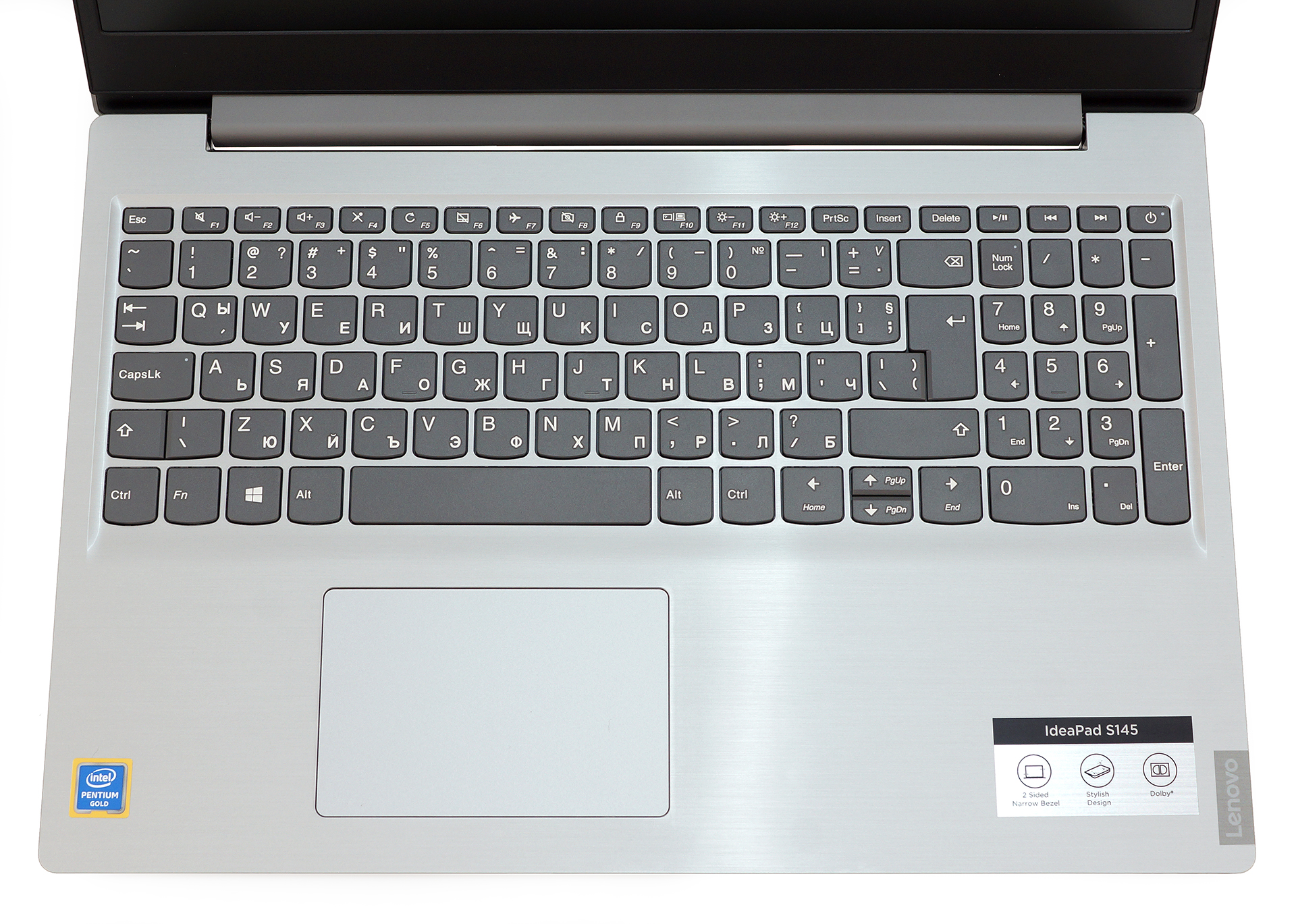
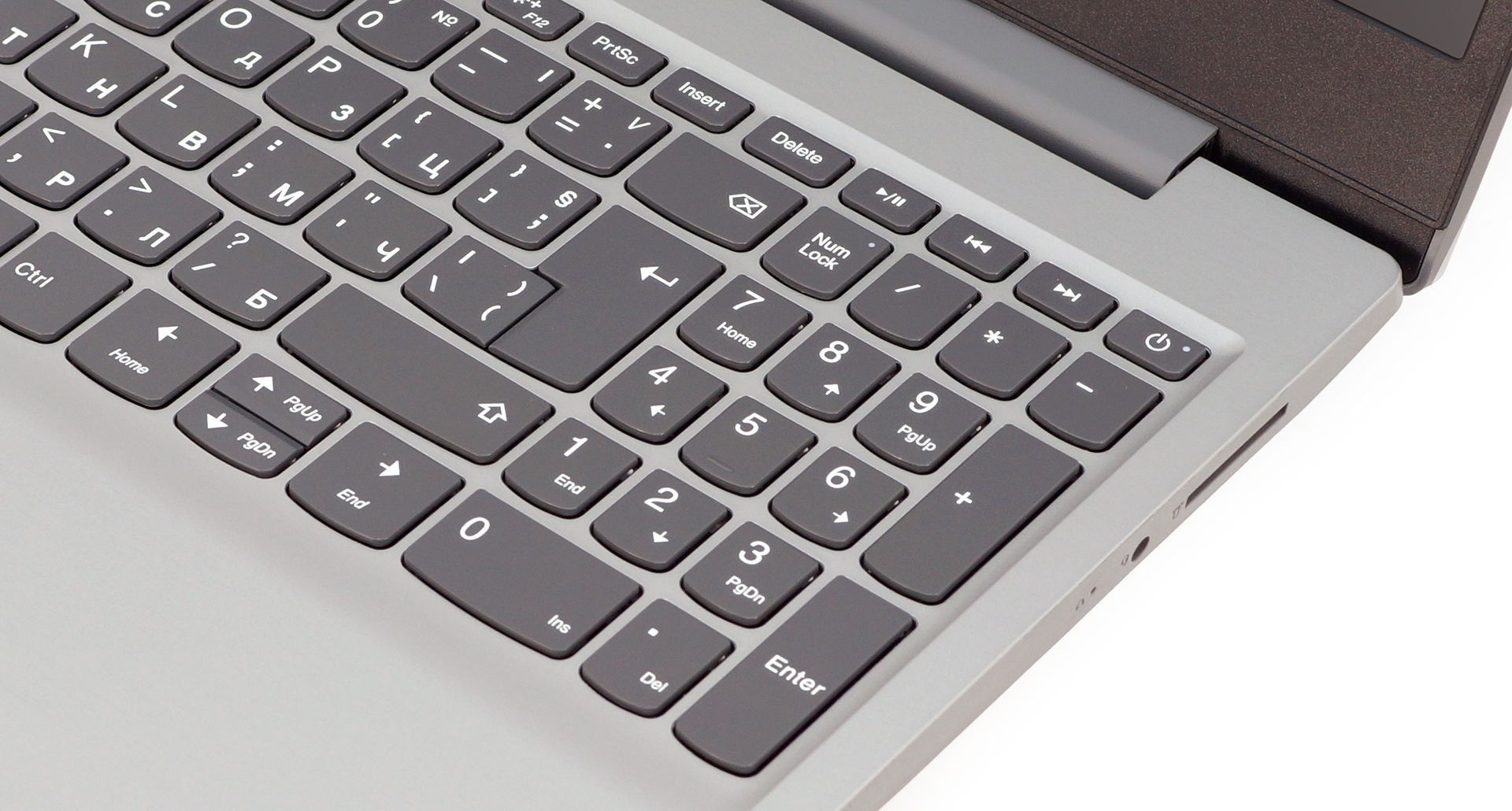
Then there is the keyboard. We won’t lie to you, we got a little excited when we saw the U-shaped keys and the included NumPad section. Sadly, though in the end, we were quite disappointed. Not by the keyboard itself, although it has shallower travel than our lickings, it is clicky enough – there is a very substantial bend on the base when you type more vigorously and it can be a tiny bit disturbing. On the other side, the touchpad is accurate but a little slow.
At the bottom are located the ventilation grills, speaker cut-outs, while the heat exhaust is placed between the base and the lid.

Ports
Most of the I/O is placed on the left side of the device – there is the charging plug, an HDMI connector, three USB Type-A ports (one 2.0 and two 3.1 (Gen. 1)). On the right are only the SD card reader and the headphone jack.


Disassembly and upgrade options
Taking the Ideapad S145 15 apart is a pretty simple task. You just need a Phillips screwdriver and a plastic pry tool. After you remove the screws, just lift the bottom plate up with the help of the pry tool.
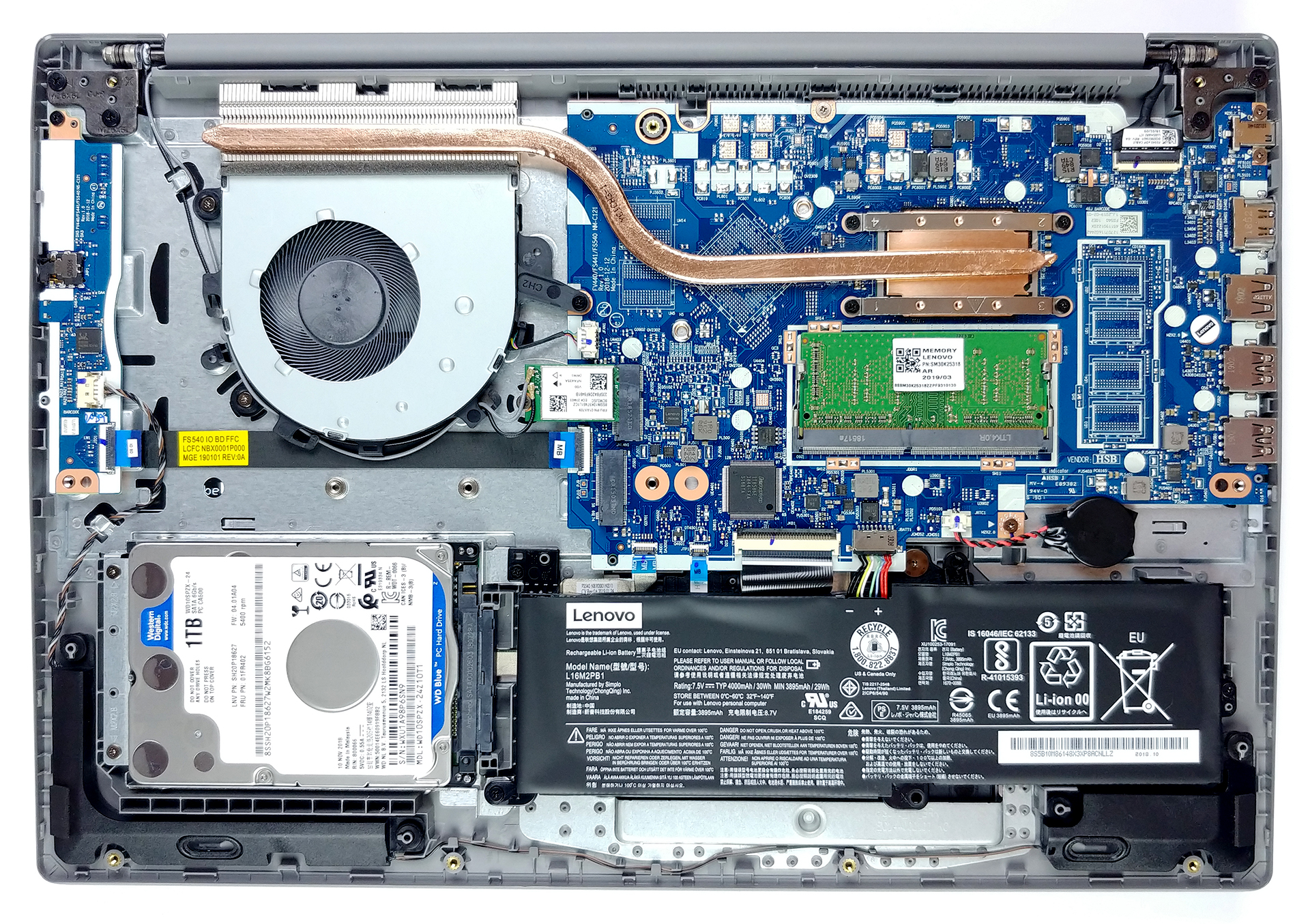
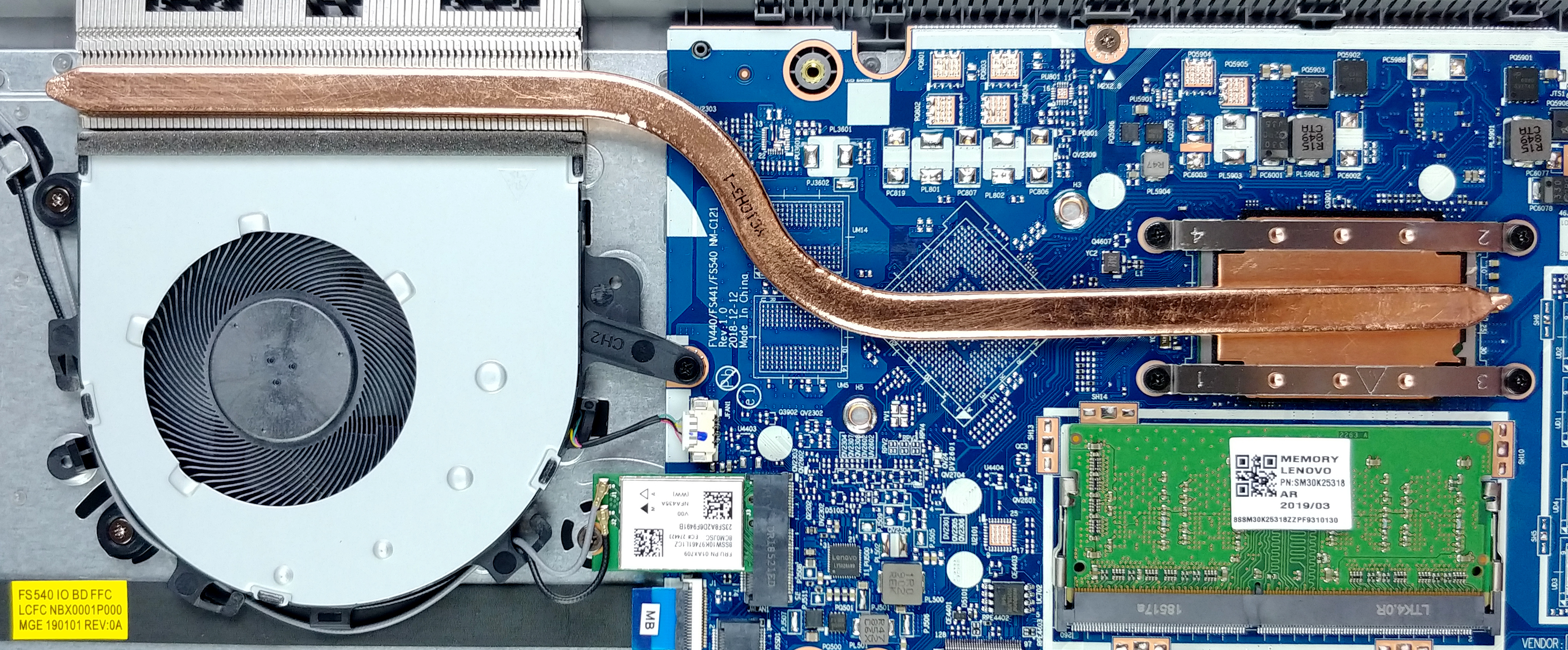
In the cooling department, we see nothing unexpected. A single heat pipe cools off the processor. However, there are signs for the optional GeForce MX110, so we reckon the model equipped with it will include a second heat pipe.
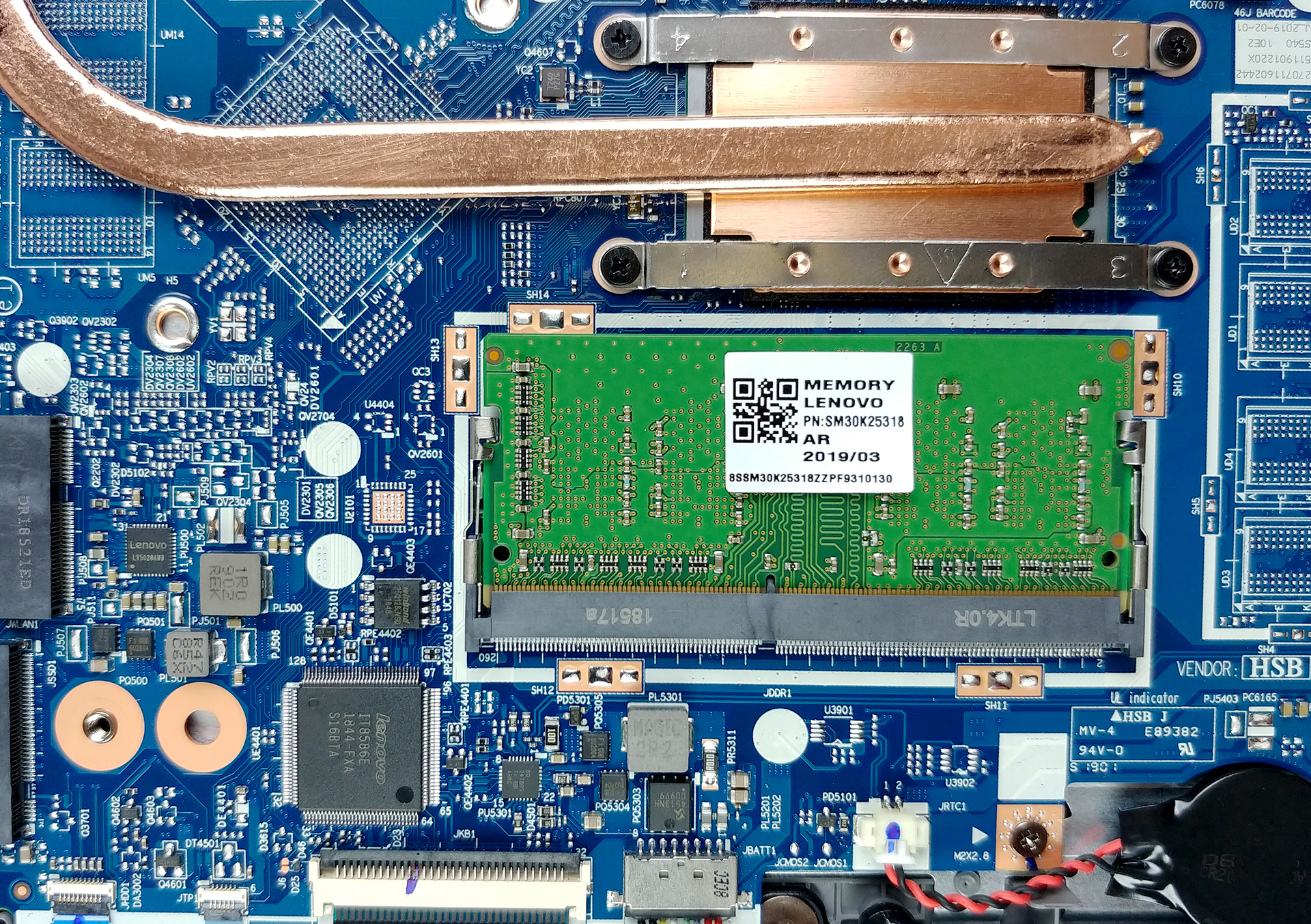
There is only one DDR4 RAM module, while on the storage side you’ll see a 2.5″ SATA drive and an M.2 slot.
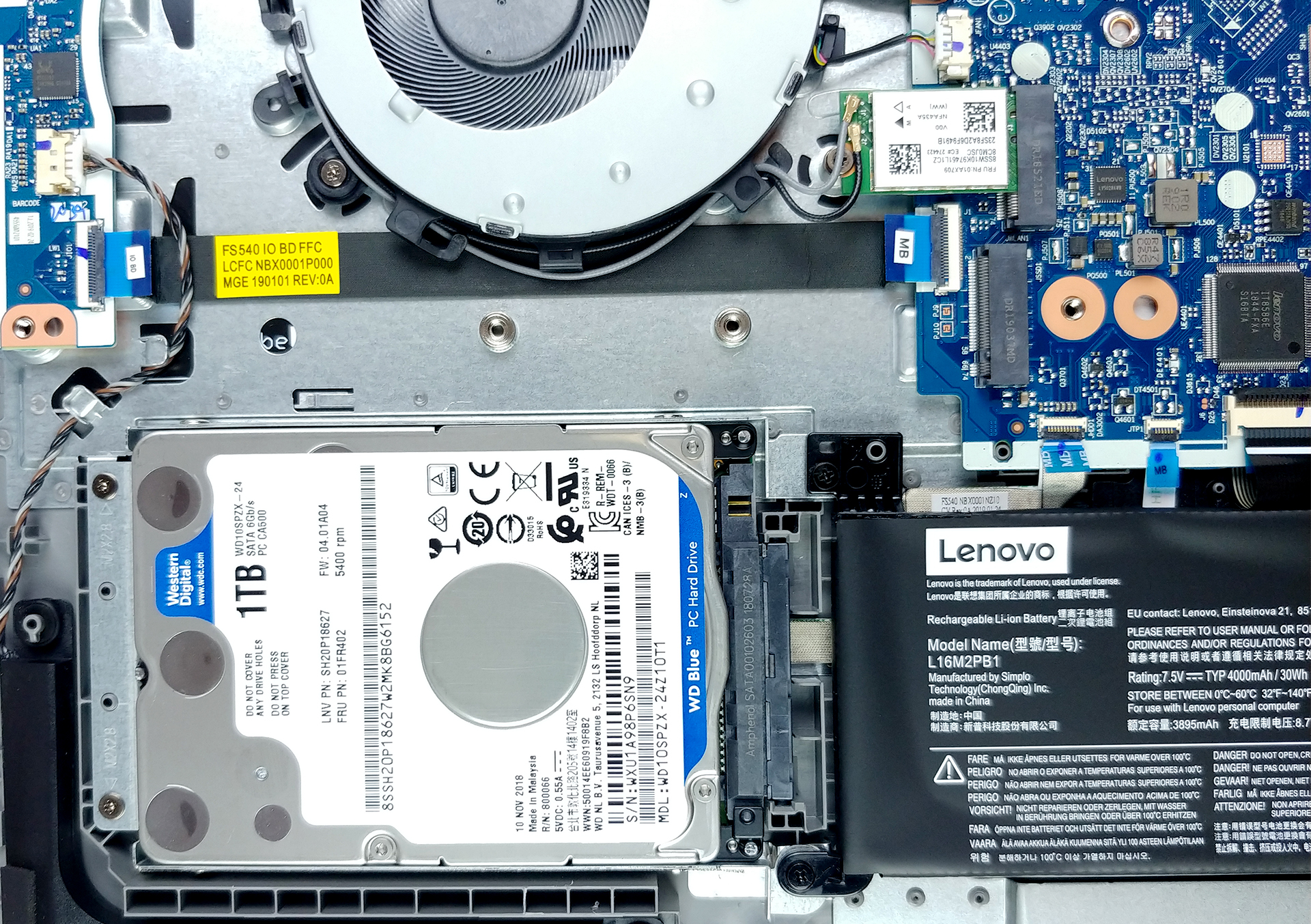
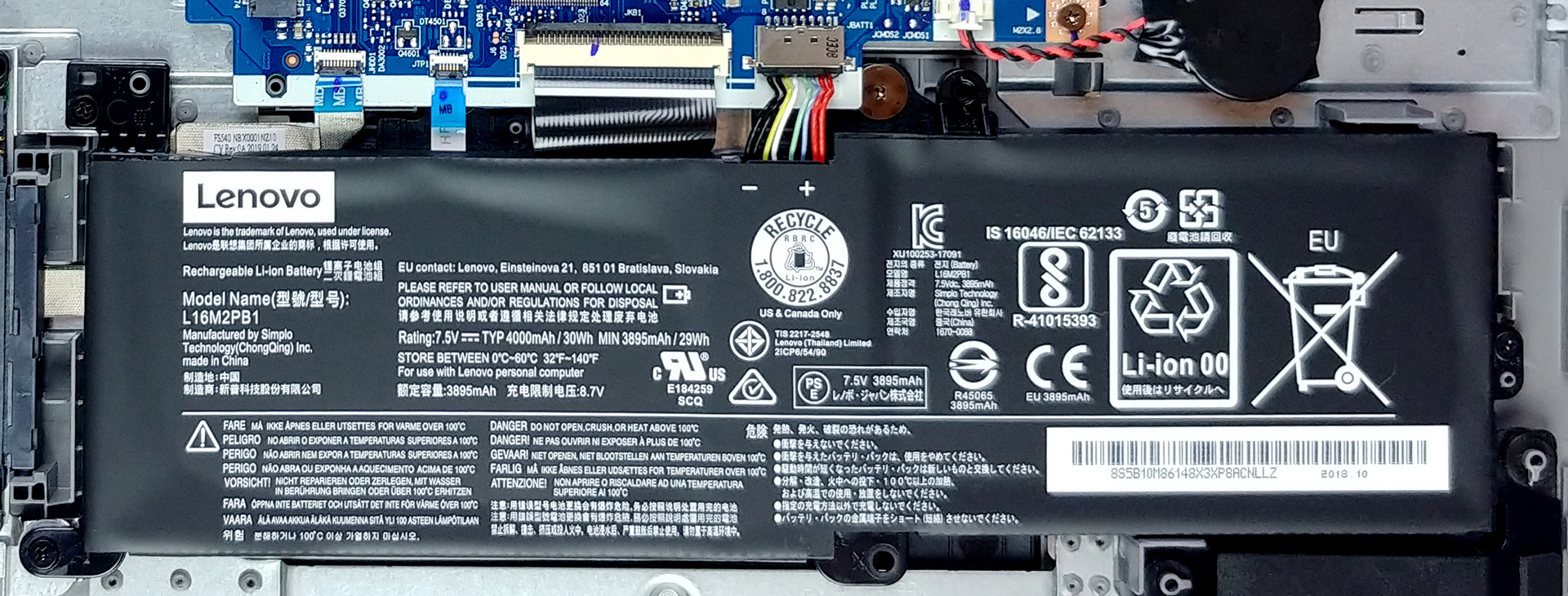
Battery-wise we weren’t really impressed. It packs a tiny 30Wh unit that in our opinion wouldn’t last very much. For comparison the HP 15 (15-da0000) came equipped with a 41Wh one).
Display quality
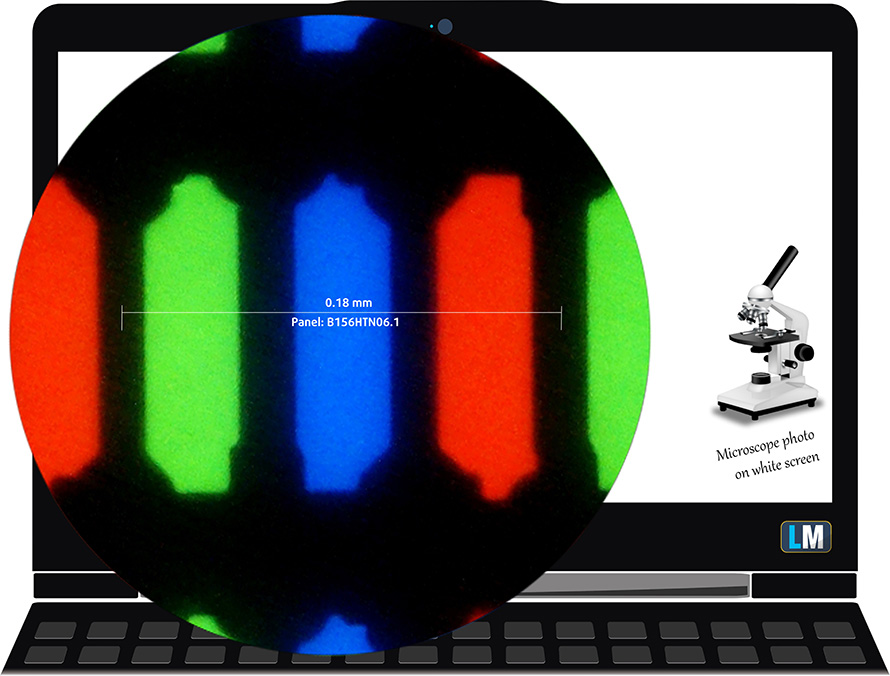
Lenovo Ideapad S145 is equipped with Full HD TN panel bearing a model number AUO B156HTN06.1 (AUO61ED). Its diagonal is 15.6″ (39.62 cm), and the resolution 1920 х 1080 pixels. The screen ratio is 16:9, and we are looking at a pixel density of – 142 ppi, and a pitch of 0.18 х 0.18 mm. The screen turns into Retina when viewed at distance equal to or greater than 60cm (24″) (from this distance one’s eye stops differentiating the separate pixels, and it is normal for looking at a laptop).
Expectedly, viewing angles are terrible. We offer images at 45° to evaluate image quality.

We measured a maximum brightness of 217 nits in the middle of the screen and 214 nits as an average for the whole area, with a maximum deviation of 6%. The Correlated Color Temperature on a white screen is 6980K – slightly colder than the optimal for the sRGB standard of 6500K. The average color temperature through the grey scale before profiling is even warmer – 12000K – very cold, bluish light, corrected by our profiles.
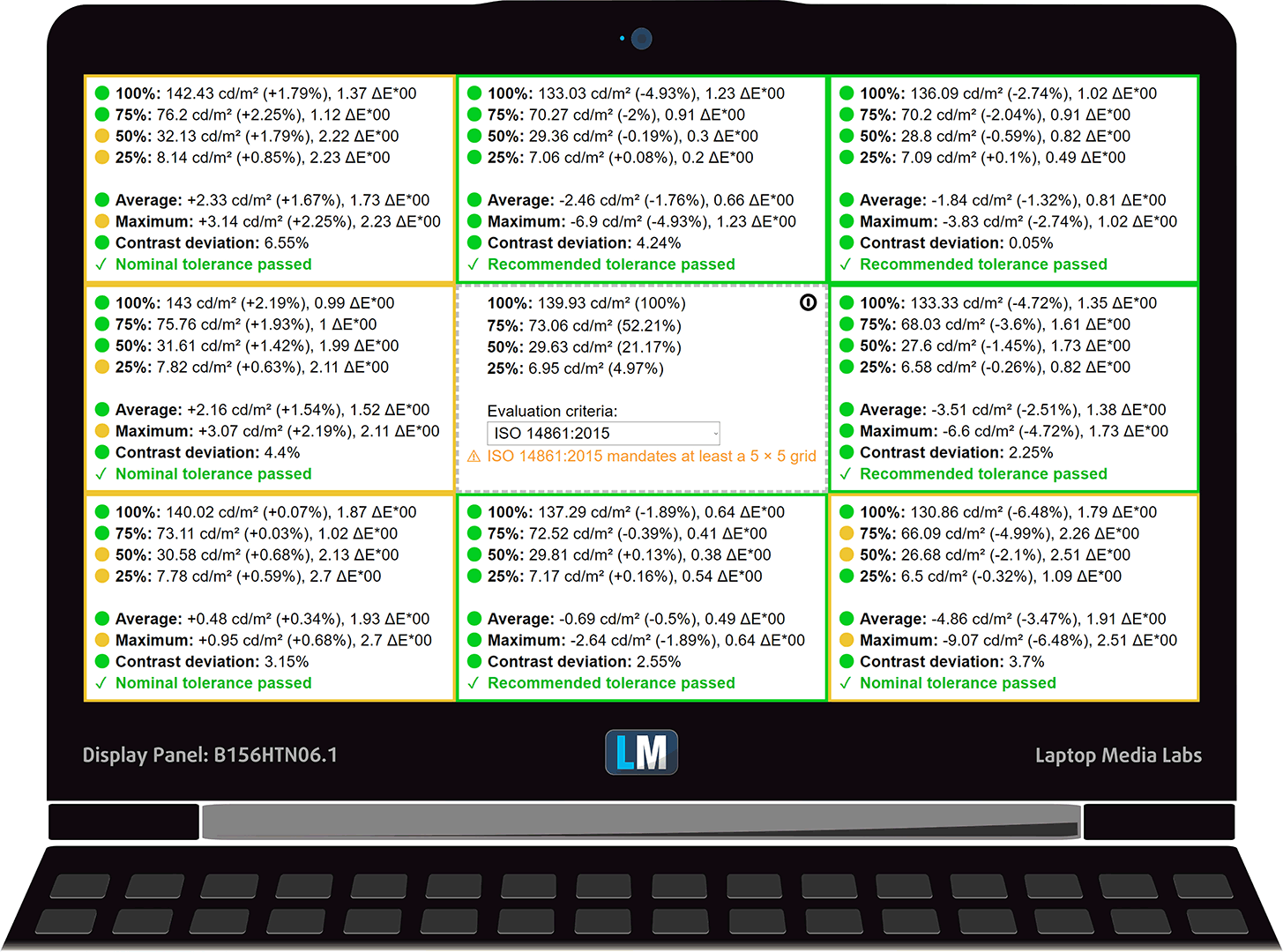
In the illustration below you can see how the display performs from a uniformity perspective. In other words, the leakage of light from the light source.
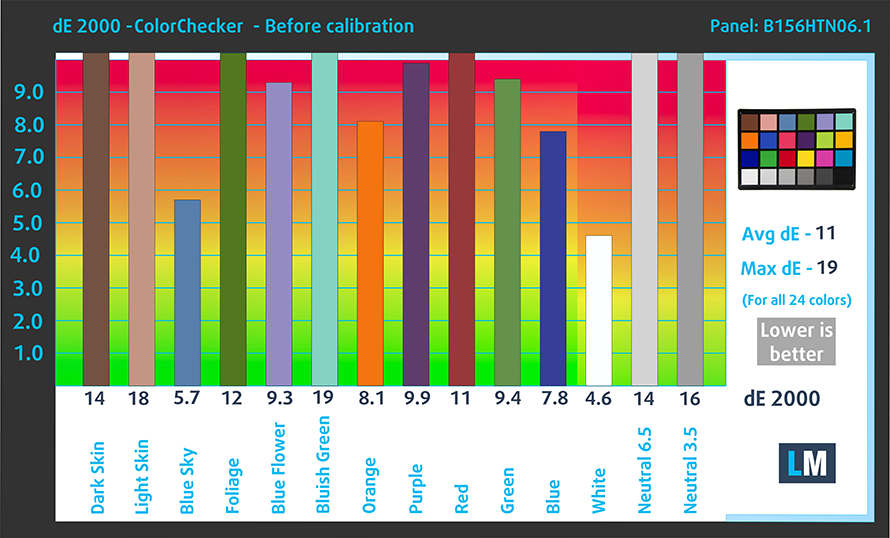
Values of dE2000 over 4.0 should not occur, and this parameter is one of the first you should check if you intend to use the laptop for color sensitive work. The contrast ratio is poor – 420:1.
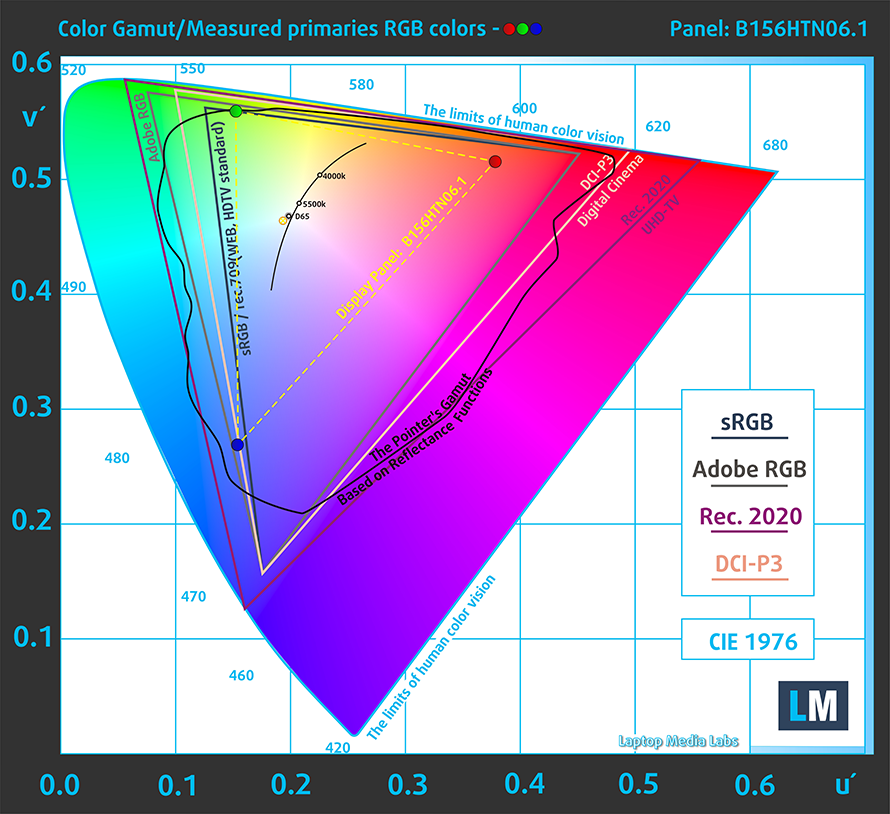
To make sure we are on the same page, we would like to give you a little introduction to the sRGB color gamut and the Adobe RGB. To start, there’s the CIE 1976 Uniform Chromaticity Diagram that represents the visible specter of colors by the human eye, giving you a better perception of the color gamut coverage and the color accuracy.
Inside the black triangle, you will see the standard color gamut (sRGB) that is being used by millions of people in HDTV and on the web. As for the Adobe RGB, this is used in professional cameras, monitors, etc for printing. Basically, colors inside the black triangle are used by everyone and this is the essential part of the color quality and color accuracy of a mainstream notebook.
Still, we’ve included other color spaces like the famous DCI-P3 standard used by movie studios, as well as the digital UHD Rec.2020 standard. Rec.2020, however, is still a thing of the future and it’s difficult for today’s displays to cover that well. We’ve also included the so-called Michael Pointer gamut, or Pointer’s gamut, which represents the colors that naturally occur around us every day.
The yellow dotted line shows Lenovo Ideapad S145’s color gamut coverage.
Its display covers only 51% of the sRGB/ITU-R BT.709 (web/HDTV standard) in CIE1976.
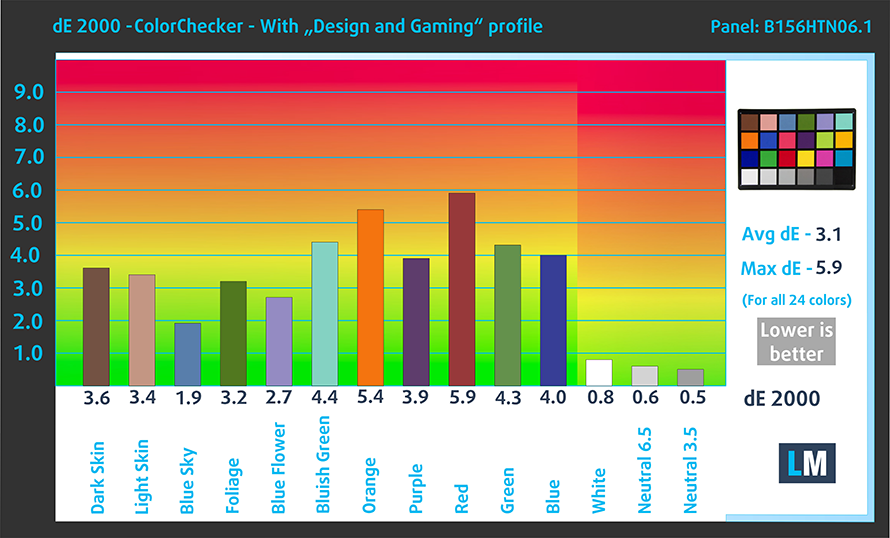
Our “Design and Gaming” profile delivers optimal color temperature (6500K) at 140 cd/m2 luminance and sRGB gamma mode.
We tested the accuracy of the display with 24 commonly used colors like light and dark human skin, blue sky, green grass, orange, etc. You can check out the results at factory condition and also, with the “Design and Gaming” profile.
Below you can compare the scores of Lenovo Ideapad S145 with the default settings (left), and with the “Gaming and Web design” profile (right).
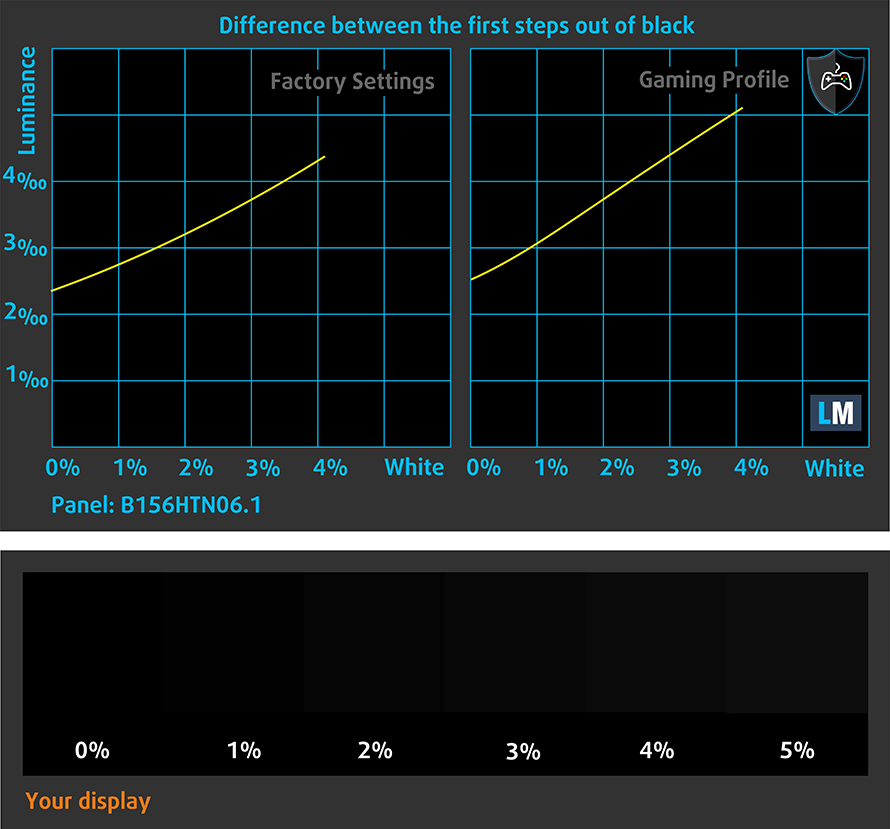
The next figure shows how well the display is able to reproduce really dark parts of an image, which is essential when watching movies or playing games in low ambient light.
The left side of the image represents the display with stock settings, while the right one is with the “Gaming and Web Design” profile activated. On the horizontal axis, you will find the grayscale and on the vertical axis – the luminance of the display. On the two graphs below you can easily check for yourself how your display handles the darkest nuances but keep in mind that this also depends on the settings of your current display, the calibration, the viewing angle, and the surrounding light conditions.
Response time (Gaming capabilities)
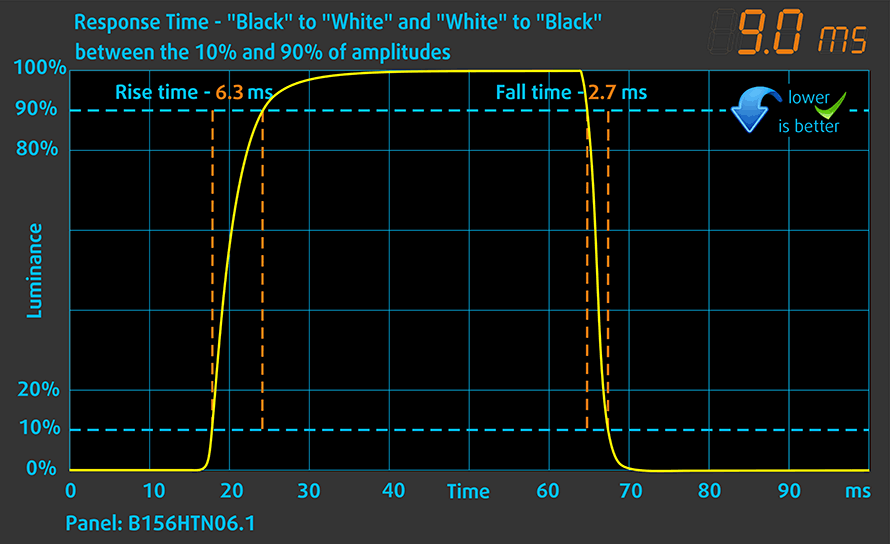
We test the reaction time of the pixels with the usual “black-to-white” and “white-to-black” method from 10% to 90% and vice versa.
We recorded Fall Time + Rise Time = 9 ms – a fast reaction time.
PWM (Screen flickering)
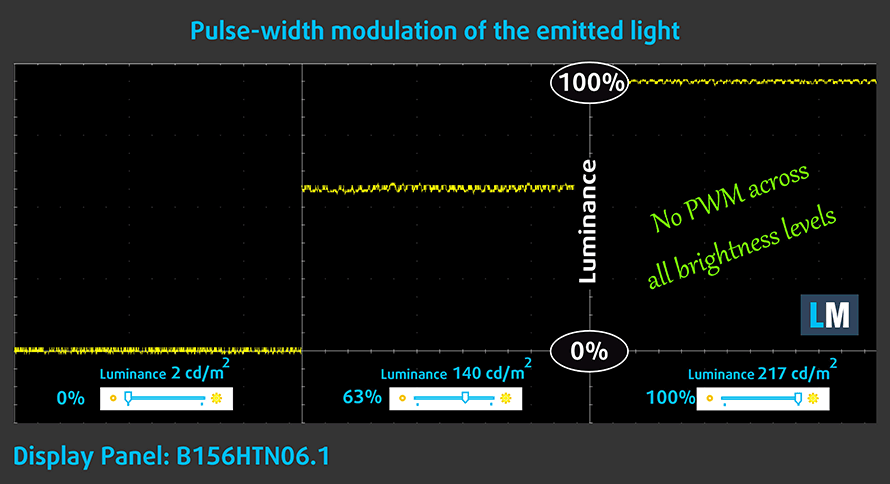
Pulse-width modulation (PWM) is an easy way to control monitor brightness. When you lower the brightness, the light intensity of the backlight is not lowered, but instead turned off and on by the electronics with a frequency indistinguishable to the human eye. In these light impulses, the light/no-light time ratio varies, while brightness remains unchanged, which is harmful to your eyes. You can read more about that in our dedicated article on PWM.
Ideapad S145’s backlight is free of flickers across all of the brightness levels. This makes it comfortable for extended periods of use in this aspect ratio.
Blue light emissions
Installing our Health-Guard profile not only eliminates PWM but also reduces the harmful Blue Light emissions while keeping the colors of the screen perceptually accurate. If you’re not familiar with the Blue light, the TL;DR version is – emissions that negatively affect your eyes, skin and your whole body. You can find more information about that in our dedicated article on Blue Light.
Conclusion
Lenovo Ideapad S145 has a TN Full HD panel. Its reaction time is quick and it doesn’t use PWM to adjust brightness levels. On the downside, its naturally poor viewing angles, mediocre contrast ratio, and narrow color coverage result in a rather unpleasant viewing experience.
Buy our profiles
Since our profiles are tailored for each individual display model, this article and its respective profile package are meant for Lenovo Ideapad S145 15″ configurations with 15.6″ FHD TN AUO B156HTN06.1 (AUO61ED).
*Should you have problems with downloading the purchased file, try using a different browser to open the link you’ll receive via e-mail. If the download target is a .php file instead of an archive, change the file extension to .zip or contact us at [email protected].
Read more about the profiles HERE.
効率的で健康に優しいプロファイルを受け取ることに加え、LaptopMediaの製品を購入することで、可能な限り客観的なレビューを作成するためにデバイスをテストする私たちのラボの開発を支援することにもなります。

Office Work
Office Workは、テキストや表を見たり、ウェブサーフィンにほとんどの時間を費やすユーザーに主に使用されるべきです。このプロファイルは、フラットなガンマカーブ(2.20)、ネイティブな色温度、知覚的に正確な色を維持することで、より良い鮮明さと明瞭さを提供することを目指しています。

Design and Gaming
このプロファイルは、プロとして色を扱うデザイナーや、ゲームや映画向けです。Design and Gamingは、ディスプレイパネルの性能を最大限に引き出し、WebおよびHDTVのsRGB IEC61966-2-1規格(D65ホワイトポイント)で可能な限り正確な色を再現します。

3つのプロファイルをすべて33%割引で入手

Sound
This laptop produces sound that has average quality – it lacks the punch and its volume is not very high.
Drivers
We found all of the drivers and utilities for the Ideapad S145 (15″) here: https://pcsupport.lenovo.com/bg/en/products/laptops-and-netbooks/ideapad-s-series-netbooks/s145-15iwl/downloads
Battery
Now, we conduct the battery tests with Windows Better performance setting turned on, screen brightness adjusted to 120 nits and all other programs turned off except for the one we are testing the notebook with. Ideapad S145 15’s mere 30Whs were enough for just 4 hours and a half of web browsing and 5 hours of video playback.
輝度: 180 nits; 表示モード: SDR
完全放電までの時間: 長いほど良い

実生活の状況をシミュレートするため、70以上のウェブサイトを自動で閲覧する独自のスクリプトを使用しました。
CPU options
As we mentioned Ideapad S145 15 has a lot of options to choose from. If you are a fan of AMD, you can go for the AMD A4-9125, A6-9225 or A9-9425. If you sympathize team Blue – the options are as follow – Celeron 4205U, Pentium Gold 5405U and then the substantially more powerful Core i5-8265U and Core i7-8565U.
結果はCinebench R23のCPUテストによるもの(スコアが高いほど優れています)
GPU options
Same goes for the graphics card options – the integrated ones are AMD Radeon R3, R4, and R5, Intel HD Graphics 62 and UHD Graphics 620. In addition to them, there is one more GPU that can be used – the NVIDIA GeForce MX110.
Lenovo IdeaPad S145 15" (15API/15IGM/15IKB) GPU バリアント
ここでは、市場に出回っている [シリーズ] モデルで見つけることができる GPU 間のおおよその比較を確認できます。 このようにして、どの [シリーズ] モデルが費用対効果が最も高いかを自分で決めることができます。
注:この表は最も安い異なるGPU構成を表示しているので、ノートパソコンの名前/GPUをクリックして、これらのノートパソコンの他の仕様が何であるかを確認する必要があります。
結果は3DMark Time Spy (Graphics)のものです。数値が高いほど良い。

結果は3DMark: Fire Strike (Graphics)ベンチマークのものです(スコアが高いほど良い)
結果はUnigine Superpositionベンチマークのものです(スコアが高いほど良い)
Gaming tests

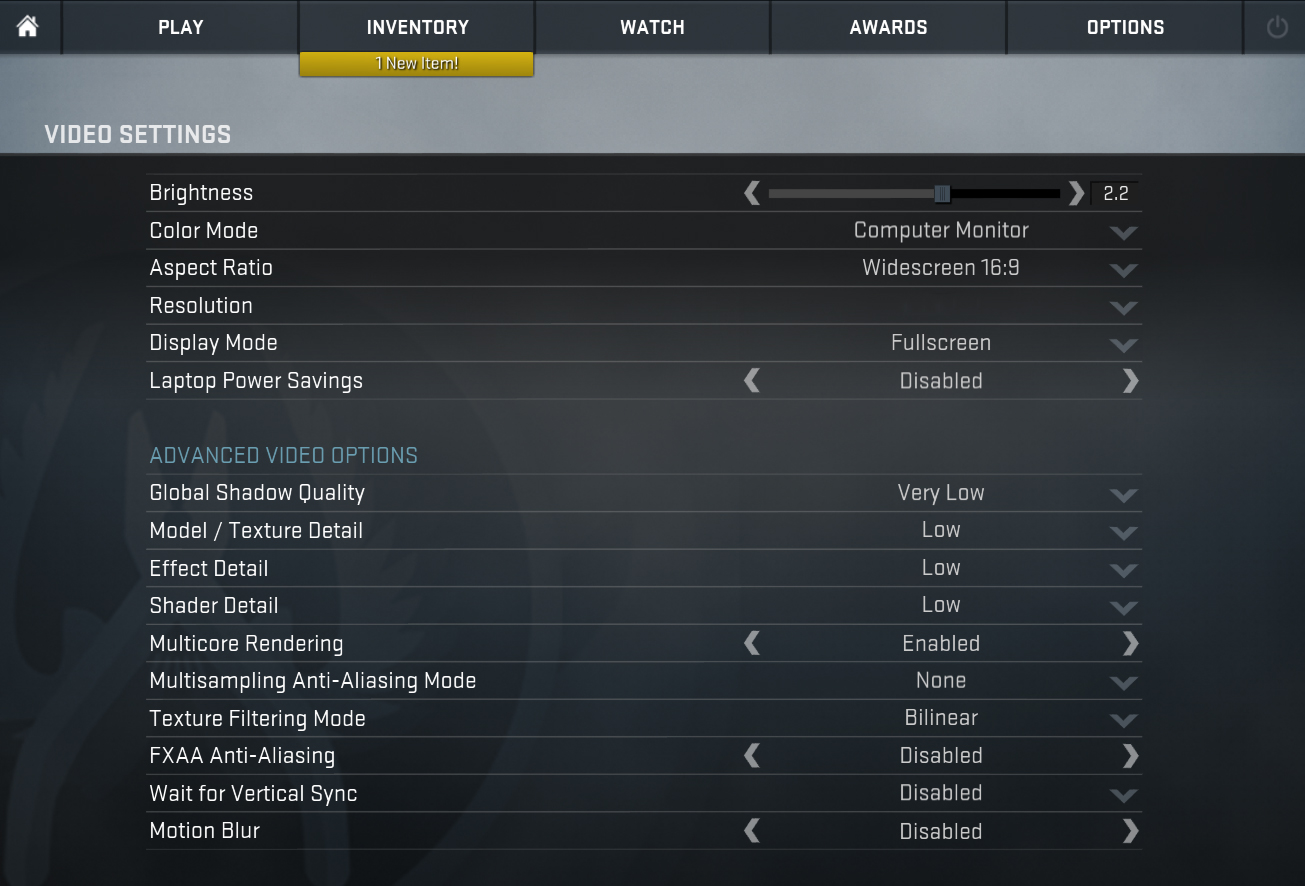
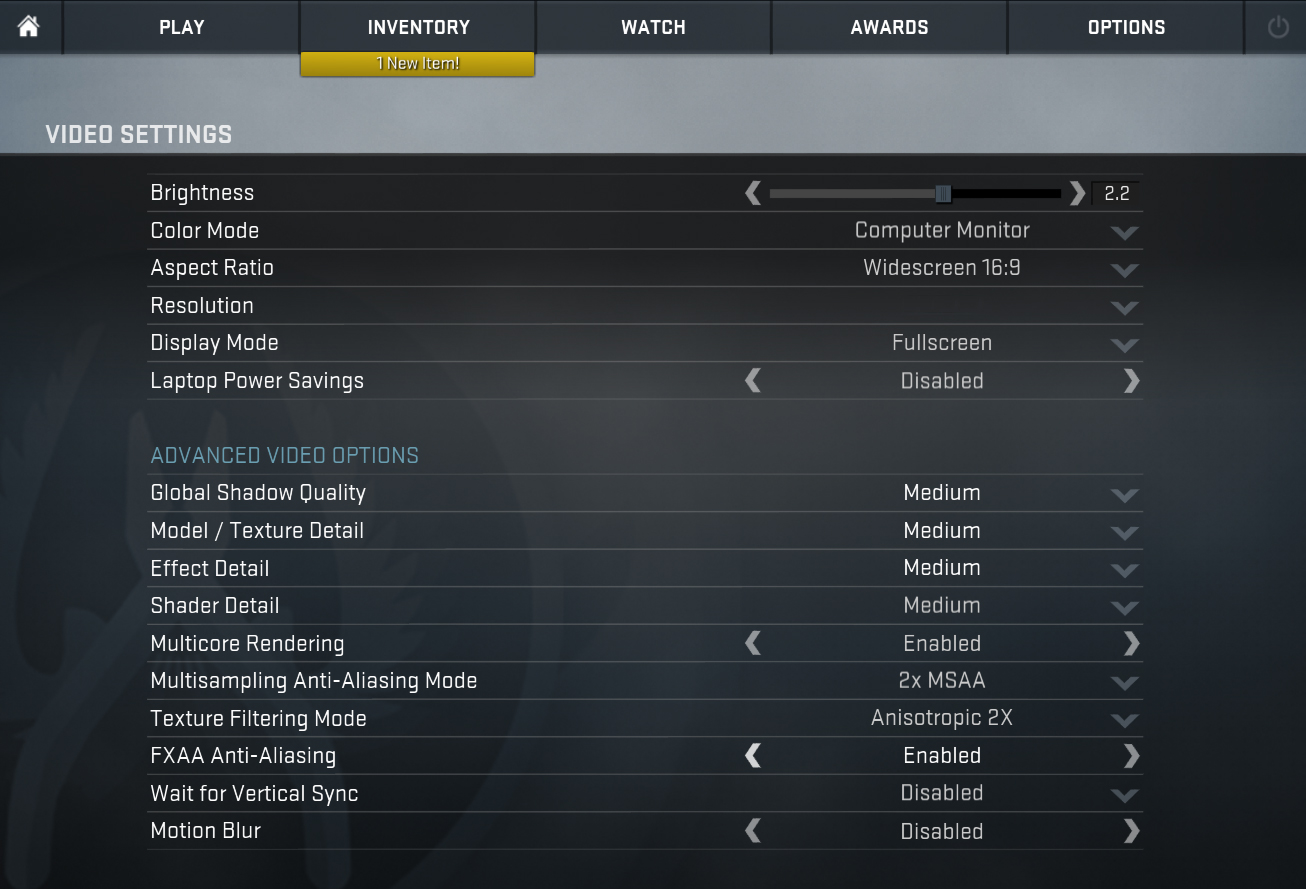
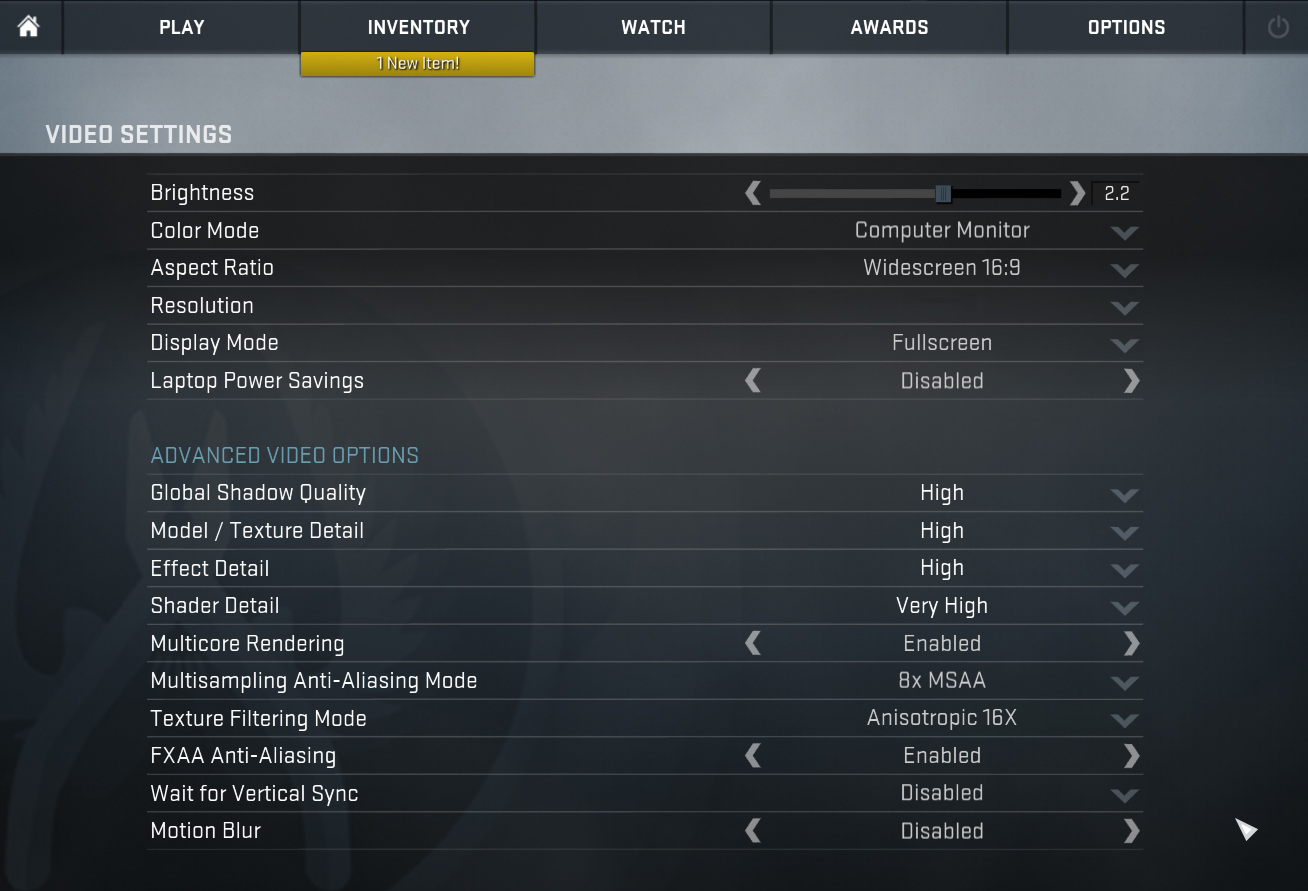
| CS:GO | HD 1080p, Low (Check settings) | HD 1080p, Medium (Check settings) | HD 1080p, MAX (Check settings) |
|---|---|---|---|
| Average FPS | 19 fps | – fps | – fps |

| DOTA 2 | HD 1080p, Low (Check settings) | HD 1080p, Normal (Check settings) | HD 1080p, High (Check settings) |
|---|---|---|---|
| Average FPS | 33 fps | – fps | – fps |
Temperatures and comfort
Max CPU load
In this test we use 100% on the CPU cores, monitoring their frequencies and chip temperature. The first column shows a computer’s reaction to a short load (2-10 seconds), the second column simulates a serious task (between 15 and 30 seconds), and the third column is a good indicator of how good the laptop is for long loads such as video rendering.

Average core temperature (base frequency + X); CPU temp.
| Intel Pentium Gold 5405U (15W TDP) | 0:02 – 0:10 sec | 0:15 – 0:30 sec | 10:00 – 15:00 min |
|---|---|---|---|
| Lenovo Ideapad S145 15 | 2.30 GHz @ 48°C | 2.30 GHz @ 52°C | 2.30 GHz @ 56°C |
There is nothing much to say here. The Ideapad S145 utilizes the Pentium Gold 5405U at its maximum frequency at all times, while at the same time it reached a maximum temperature of 56C.
Comfort during maximum load
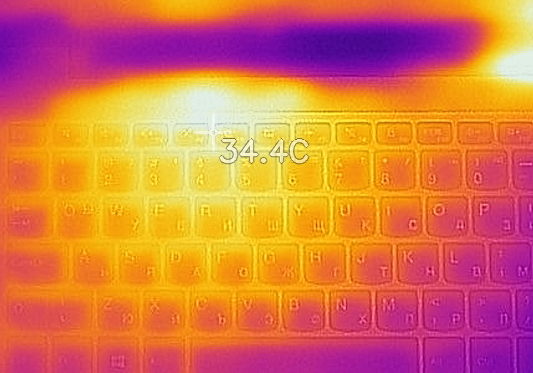
Lenovo Ideapad S145 15 produce hardly any noise from its fan. Additionally, the Pentium Gold 5405U did not produce a lot of heat as well, as we measured a maximum temperature of 34.4C between the “F4” and “F5” keys.

Verdict
Despite the Ideapad S145 15’s wide versatility, we found it to lack some key features. Yes, the device clearly looks pretty, especially given the competition at the bottom end of the budget. However, we would give up the looks for the convenience given by the DVD reader and the RJ-45 connector of HP 15 (15-da0000) for example.
That’s not all, though. One of the biggest concerns we had was with the battery. It is only a 30Wh unit that will last you through no more than 4 hours and a half of web browsing. Add the lack of an IPS panel to the mixture and you will end up with a pretty average budget offering.
Thankfully, the laptop is made pretty easy to disassemble and offers you decent upgradability. Additionally, it doesn’t heat up and it is barely audible during full load.
Last but not least, let’s talk about that Full HD TN panel (AUO B156HTN06.1 (AUO61ED)). It is not the brightest out there, it has uncomfortable viewing angles at it can display only half of the colors of sRGB. Well, at least it doesn’t use PWM to adjust its brightness levels so it shouldn’t present any excessive harm to your eyesight in this aspect.
Should you buy it? First, you should definitely get your priorities straight. Do you need a super feature-packed machine or you get satisfied with the little things?
Pros
- Adequate price
- Cool and quiet
- The screen doesn’t use PWM for brightness adjustment (AUO B156HTN06.1 (AUO61ED))
- Thin and light body
Cons
- Poor build quality
- Bendy base
- Poor viewing angles and contrast ratio (AUO B156HTN06.1 (AUO61ED))
- Only 50% of sRGB is covered (AUO B156HTN06.1 (AUO61ED))
- Mediocre battery life
You can check the prices and configurations in our Specs System: https://laptopmedia.com/series/lenovo-ideapad-s145-15/
 Author: Alex Iliev
 Author: eng. Kroum NikolovHead of Engineering at LaptopMedia.com, inventor and innovator with 40+ years of experience in electronics and high technology.

![[2026年6月] Amazonグローバルにおけるノートパソコンのベストセラーブランド ― 販売台数と売上高の両面で、Appleが圧倒的な優位性を示す](https://laptopmedia.com/wp-content/uploads/2026/07/GLOBAL-Best-Brands-400x225.jpg)
![[2026年6月] アマゾン・グローバル:ノートパソコン売上ランキングトップ10――Appleの新型「MacBook Neo」が1位に躍り出て、手頃な価格帯で市場を再編](https://laptopmedia.com/wp-content/uploads/2026/07/Best-Selling-Laptops-GLOBAL-Top-10-400x225.jpg)
![[2026年6月] アマゾン・グローバル:ゲーム用ノートPC売上ランキングトップ10――エイサーの「Nitro V 16S AI」が販売台数で首位を独占、ASUSが総売上高で首位に立つ](https://laptopmedia.com/wp-content/uploads/2026/07/Best-Selling-Gaming-Laptops-GLOBAL-Top-10-400x225.jpg)
![[2026年6月] AmazonにおけるノートPC用GPUの世界販売ランキング ― NVIDIA RTX 5060が専用GPU部門で首位を獲得](https://laptopmedia.com/wp-content/uploads/2026/07/Best-Selling-GPUs-GLOBAL-Top-10-400x225.jpg)
![[2026年6月] AmazonにおけるノートPC用CPUの世界販売ランキング ― Apple M5が首位を独占、AMD Ryzen 7 260がプレミアム層で堅調なシェアを獲得](https://laptopmedia.com/wp-content/uploads/2026/07/Best-Selling-CPUs-GLOBAL-Top-10-400x225.jpg)


Really well done on this review. Goes beyond the level of analysis expected, don’t find this on other websites.
This site should be on the top of the list. Very well described. Getting all knowledge to suggest best laptop to my clients. Thanks.
Does it bend like a tablet tho?
This Lenovo IdeaPad S145 does not compare to my Dell Inspiron or any other computer I’ve used in my 37 years of computer use. It is the worst and such a waste of money.
is there only one slot for ram or two?
I researched this, so let me clarify a bit for everyone with what I found: 1. There are TWO basic models of this laptop: 81MV0001US and 81NV0001US. 2. The former (81M) includes the series S145–14IWL and S145–15IWL, which have a DDR4 SODIMM onboard slot that is empty plus an onboard slot that is occupied. 3. The latter (81N) includes series S145–14AST, S145–14IGM, S145–15AST, and S145–15IGM, with a DDR4 SODIMM. I suspect the 4GB module is soldered onto both, but have not yet confirmed this, but only the 81M can have memory ADDED to it, For more information, see the User… 続きを読む »
As at 29-12-2019 Harvey Norman is advertising the S145-2R with 8GB RAM and 256GB SSD, ie an upgrade compared to the model reviewed. See https://www.harveynorman.com.au/lenovo-ideapad-s145-2r-15-6-inch-laptop.html On a separate note, I bought a Lenovo T470 Thinkpad a couple of years ago (i5 processor, 8GB and 256GB SSD). It has been great apart from the keyboard. Most manufacturers place the mouse touchpad a little to the left of centre (God knows why). but Lenovo pushes it further to the left. Looking at the pictures, this model looks even more extreme than my T470. I find it VERY uncomfortable. Too often I “right… 続きを読む »
facinante analisis sigan asi son un exito
Hasta cuánto de memoria ram puedo aumentar?
No artigo “disassembly and upgrade options” menciona que depende do CPU do modelo: On this laptop you are going to find only one RAM DIMM and the memory support depends on the processor you chose.