Inside Dynabook Tecra A50-J – disassembly and upgrade options
This device is a good choice for business computing. Also, you have some options for upgrades down the line. Take a look!
Check out all Dynabook Tecra A50-J prices and configurations in our Specs System or read more in our In-Depth review.
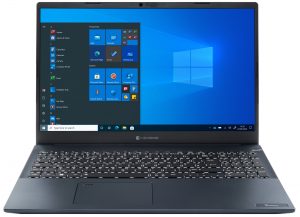
1. Remove the bottom plate
This laptop’s bottom panel is held in place by 9 Phillips-head screws. After you undo them, pry the panel with a plastic tool. Then, lift it away from the device.
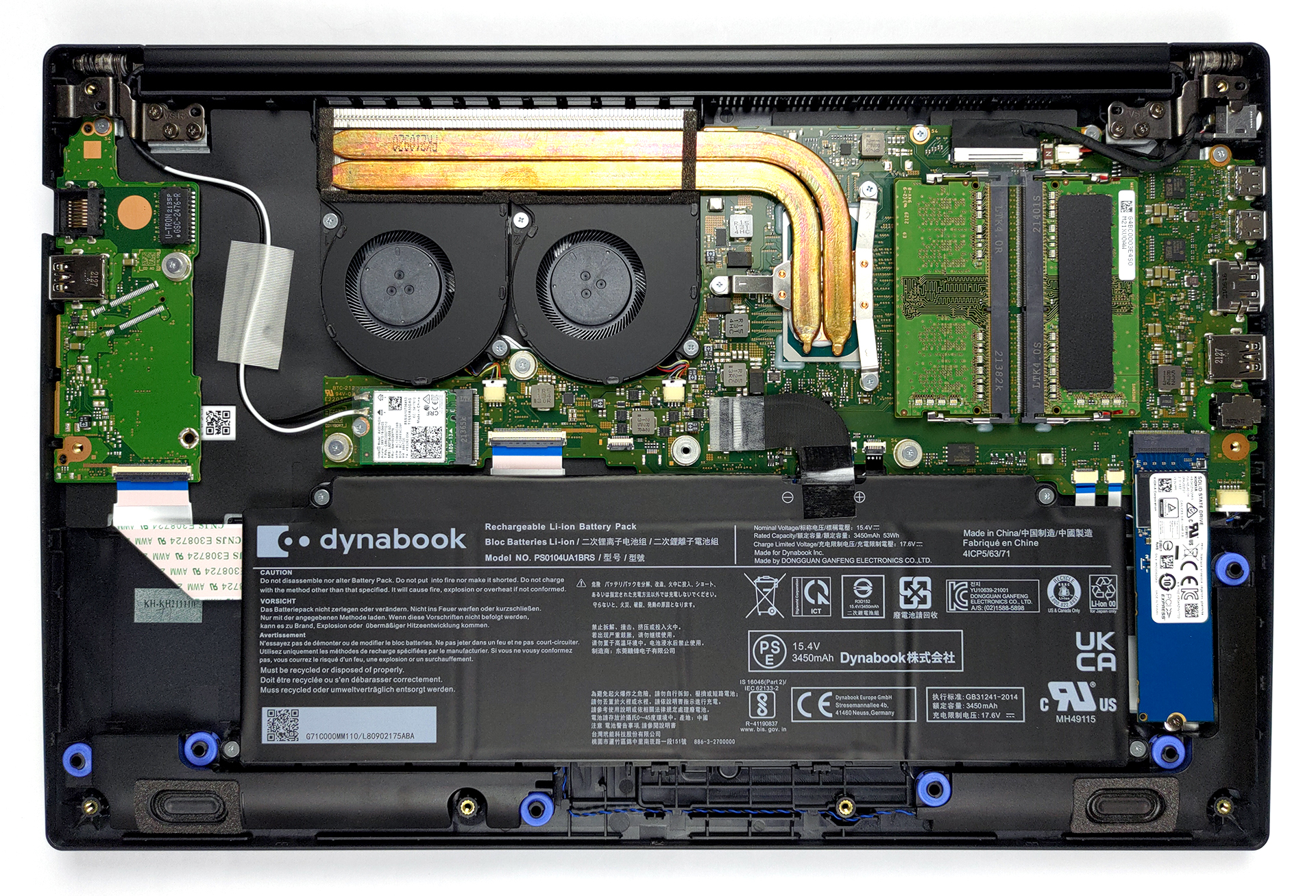
2. Battery
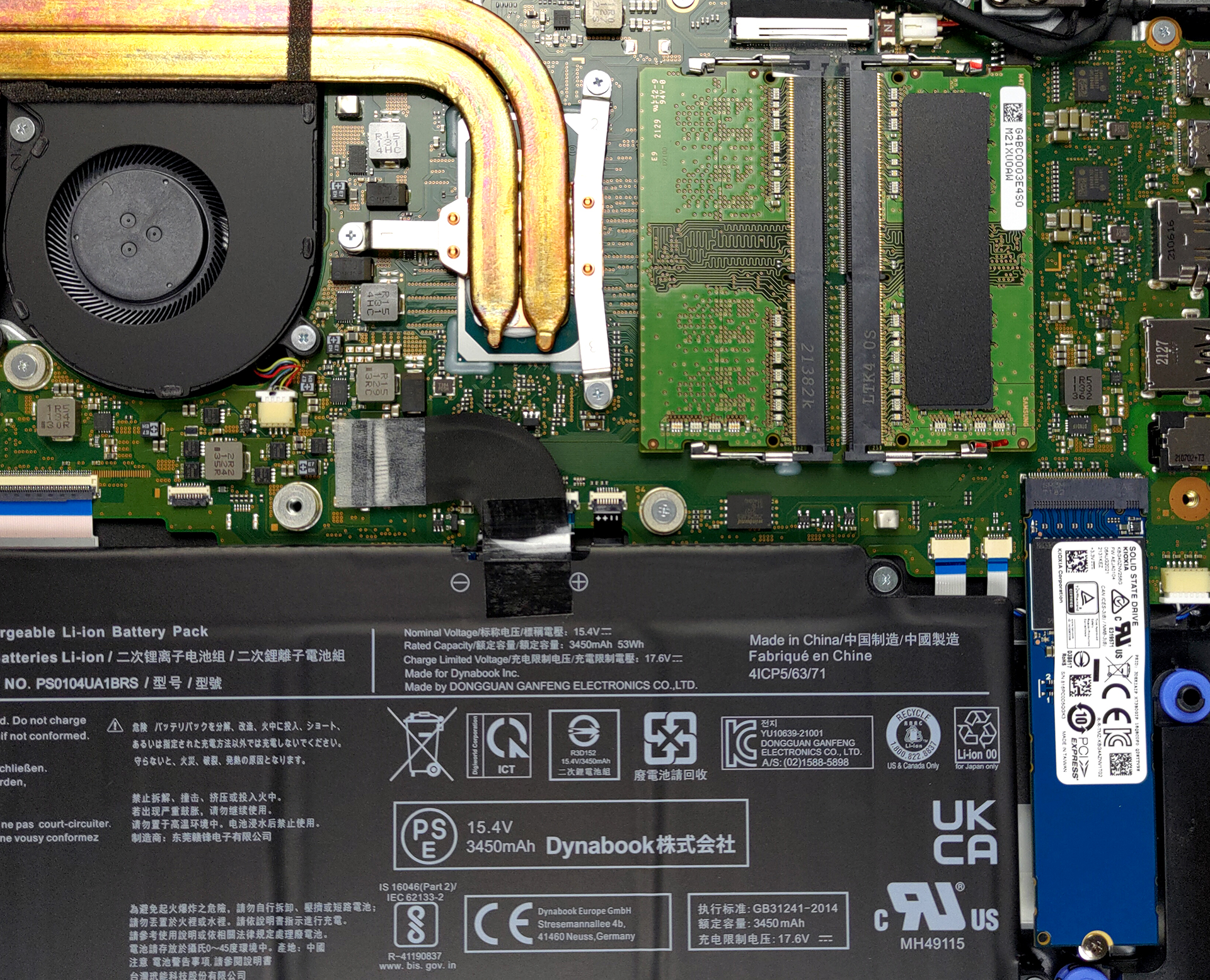
Inside, we see a 53Wh battery. It lasted us for 11 hours of Web browsing, or 8 hours of video playback. Interestingly, the internals look exactly the same as those on the 14-inch version of this laptop. So, if you want to take the battery out, you need to unplug the connector and undo 4 Phillips-head screws.
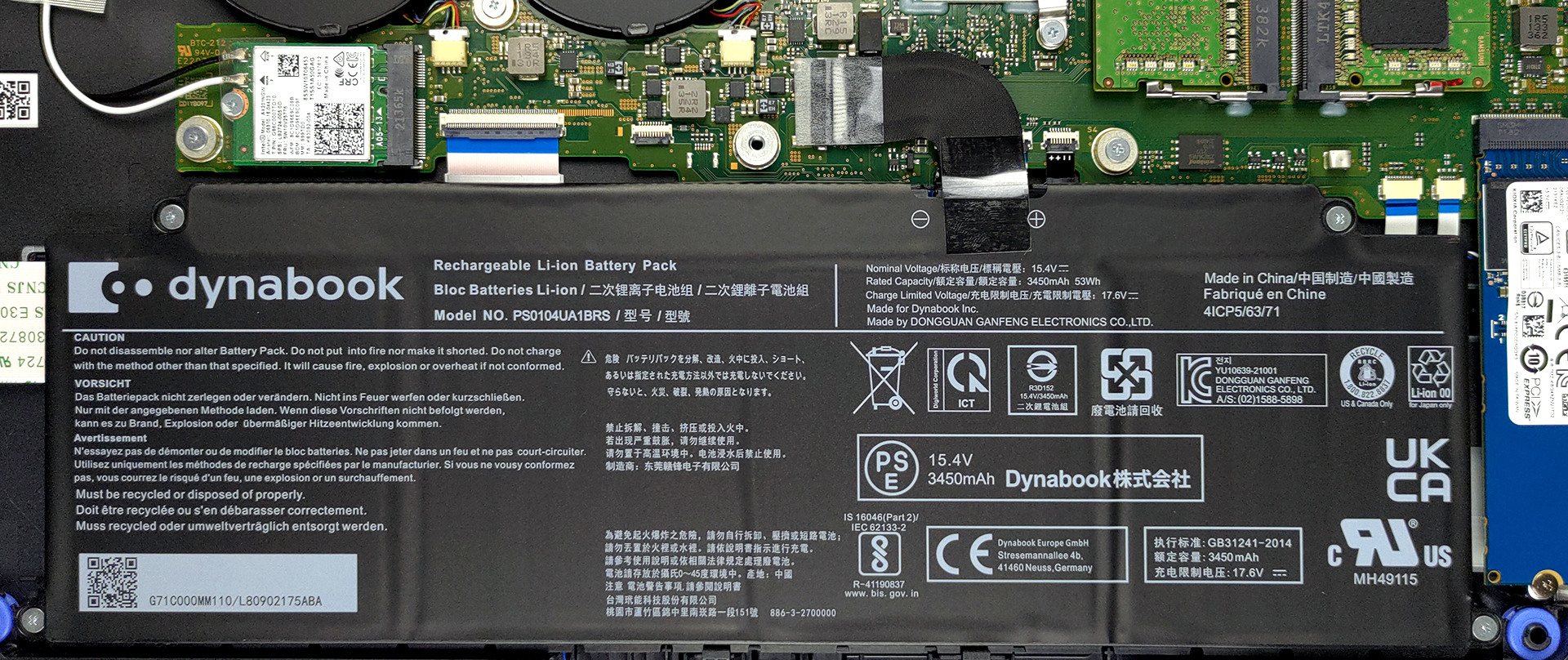
3. Memory and storage
When it comes to the upgrade options, you get two SODIMM slots for memory expansion. They fit DDR4 sticks of RAM and work in dual-channel. Storage-wise, there is one M.2 PCIe x4 slot.
4. Cooling system
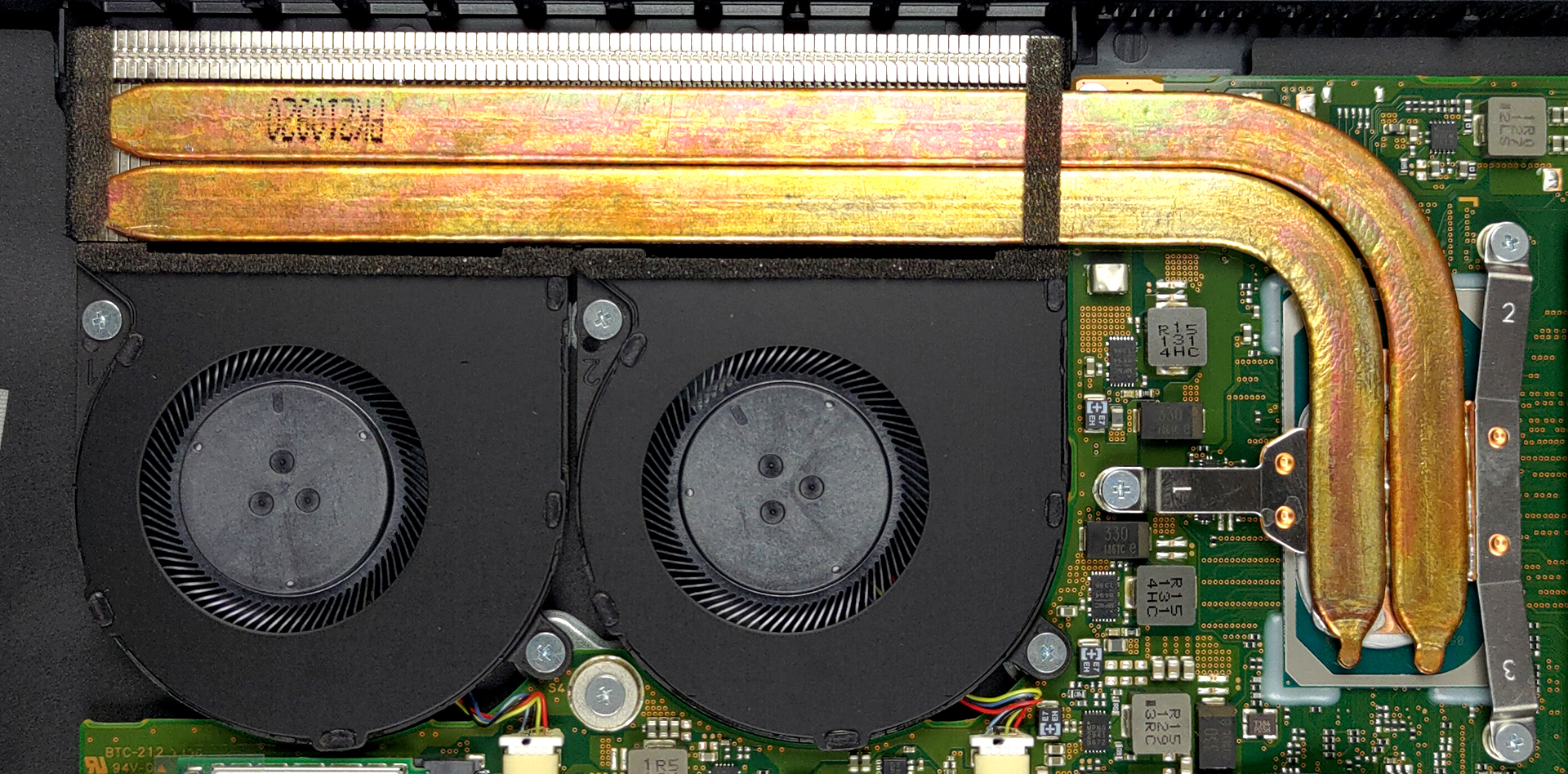
Looking at the cooling, we see two heat pipes, leading the way to a long heat sink. Furthermore, two fans are blowing the heat away.
Check out all Dynabook Tecra A50-J prices and configurations in our Specs System or read more in our In-Depth review.
Dynabook Tecra A50-J uitgebreide review
Chances are high that you are not very familiar with the Dynabook brand. And this is to be expected, given how new the name is to the world. However, it acts as the moral and physical successor to the Toshiba brand in the laptop world, and they hope they can rebuild the long-lost trust in the platform.Ultimately, Dynabook is mostly invested in the business notebook world. With laptops like the Portege and the Tecra, we should see a worthy competition to the ThinkPads and Latitudes of the world. However, how does the company plan to do that? Well, firstly, the Tecra A50-J we have here toda[...]
Pros
- Capable cooling and decent performance
- Privacy shutter + Fingerprint reader
- 2x Thunderbolt 4 + MicroSD card reader
- No PWM (Innolux N156HCA-EAB (CMN15E7))
- Abundance of ports
- Decent upgrade options
Minpunten
- Unsatisfactory speakers
- 56% of sRGB coverage (Innolux N156HCA-EAB (CMN15E7))
 Author: Alex Iliev

![[juni 2026] Bestverkochte laptopmerken op Amazon Global – Apple’s ongeëvenaarde dominantie in aantal verkochte exemplaren en omzet](https://laptopmedia.com/wp-content/uploads/2026/07/GLOBAL-Best-Brands-400x225.jpg)
![[juni 2026] Amazon Global: Top 10 bestverkochte laptops – De nieuwe MacBook Neo van Apple stormt naar de eerste plaats en zet de markt op zijn kop dankzij zijn betaalbaarheid](https://laptopmedia.com/wp-content/uploads/2026/07/Best-Selling-Laptops-GLOBAL-Top-10-400x225.jpg)
![[juni 2026] Amazon Global: Top 10 van best verkochte gaminglaptops – De Nitro V 16S AI van Acer domineert de verkoopcijfers, terwijl ASUS qua totale omzet aan kop gaat](https://laptopmedia.com/wp-content/uploads/2026/07/Best-Selling-Gaming-Laptops-GLOBAL-Top-10-400x225.jpg)
![[juni 2026] Wereldwijde ranglijst van bestverkochte laptop-GPU’s op Amazon – De NVIDIA RTX 5060 is de bestverkochte speciale GPU](https://laptopmedia.com/wp-content/uploads/2026/07/Best-Selling-GPUs-GLOBAL-Top-10-400x225.jpg)
![[juni 2026] Wereldwijde ranglijst van bestverkochte laptop-CPU’s op Amazon – Apple M5 domineert, AMD Ryzen 7 260 verovert een stevig aandeel in het premiumsegment](https://laptopmedia.com/wp-content/uploads/2026/07/Best-Selling-CPUs-GLOBAL-Top-10-400x225.jpg)