How to open ASUS ROG Zephyrus M16 (GU604, 2023) – disassembly and upgrade options
This laptop’s insides are mesmerizing. They comprise a labyrinth of heat pipes and are infused with a couple of SODIMM slots, and M.2 PCIe x4 storage slots.
Check out all ASUS ROG Zephyrus M16 (GU604, 2023) prices and configurations in our Specs System, or read more in our In-Depth review.
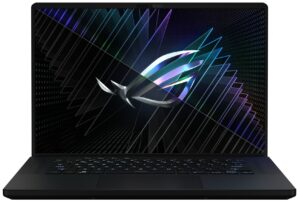
1. Remove the bottom plate
To get inside this device, you first need to remove a total of 7 rubber caps. Then, undo all 15 Phillips-head screws, and pry the bottom panel with a plastic tool. Start from the gap opened by the screw in the bottom left corner.
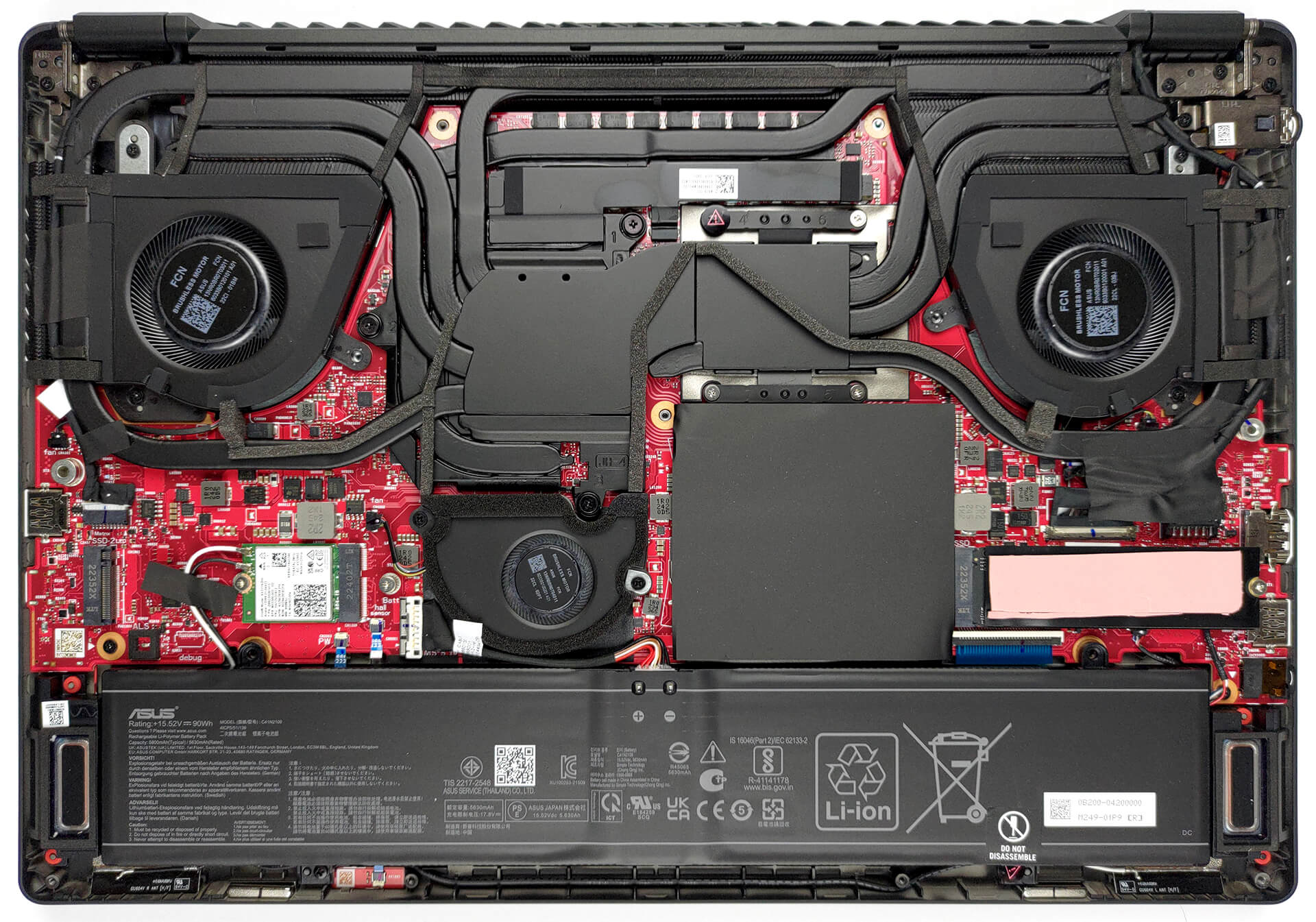
2. Remove the battery
Here, we find a 90Wh battery. To remove it, unplug the battery connector from the motherboard, and undo the two Phillips-head screws, which mount the battery to the chassis.
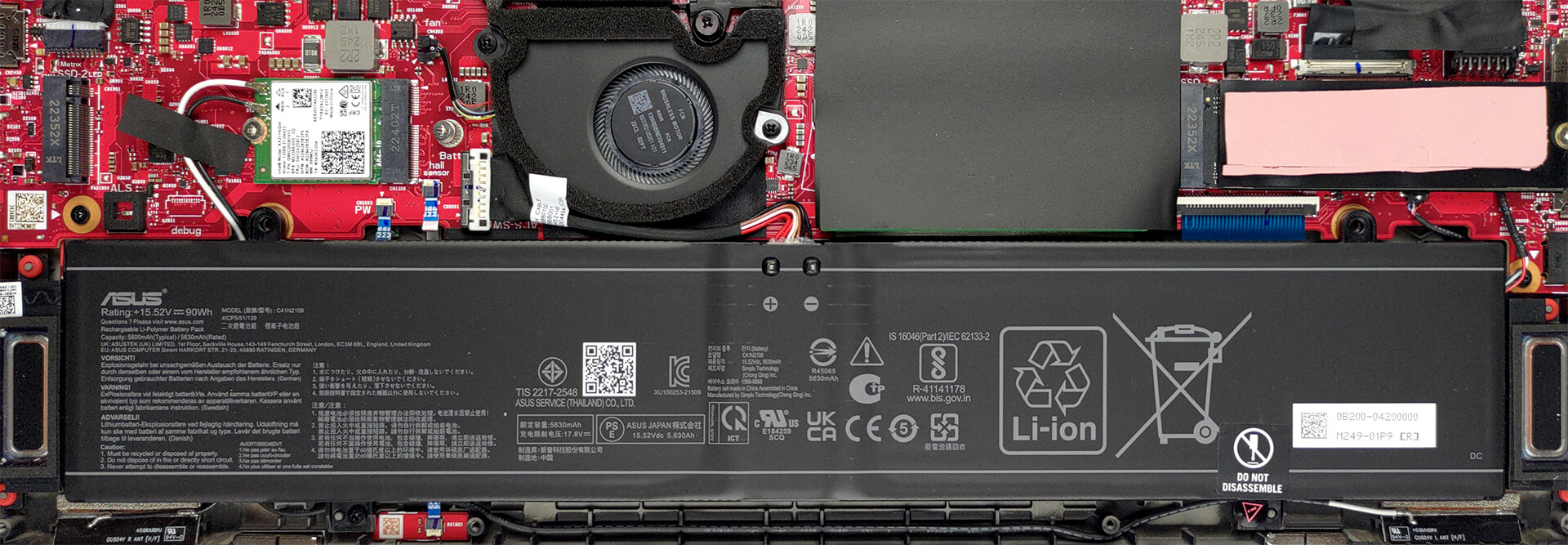
3. Upgrade memory and storage
Underneath black insulation, you will find the two SODIMM slots. They work with DDR5 RAM and support a maximum total of 64GB. Then, there are the two M.2 PCIe x4 slots. They both support Gen 4 SSDs.

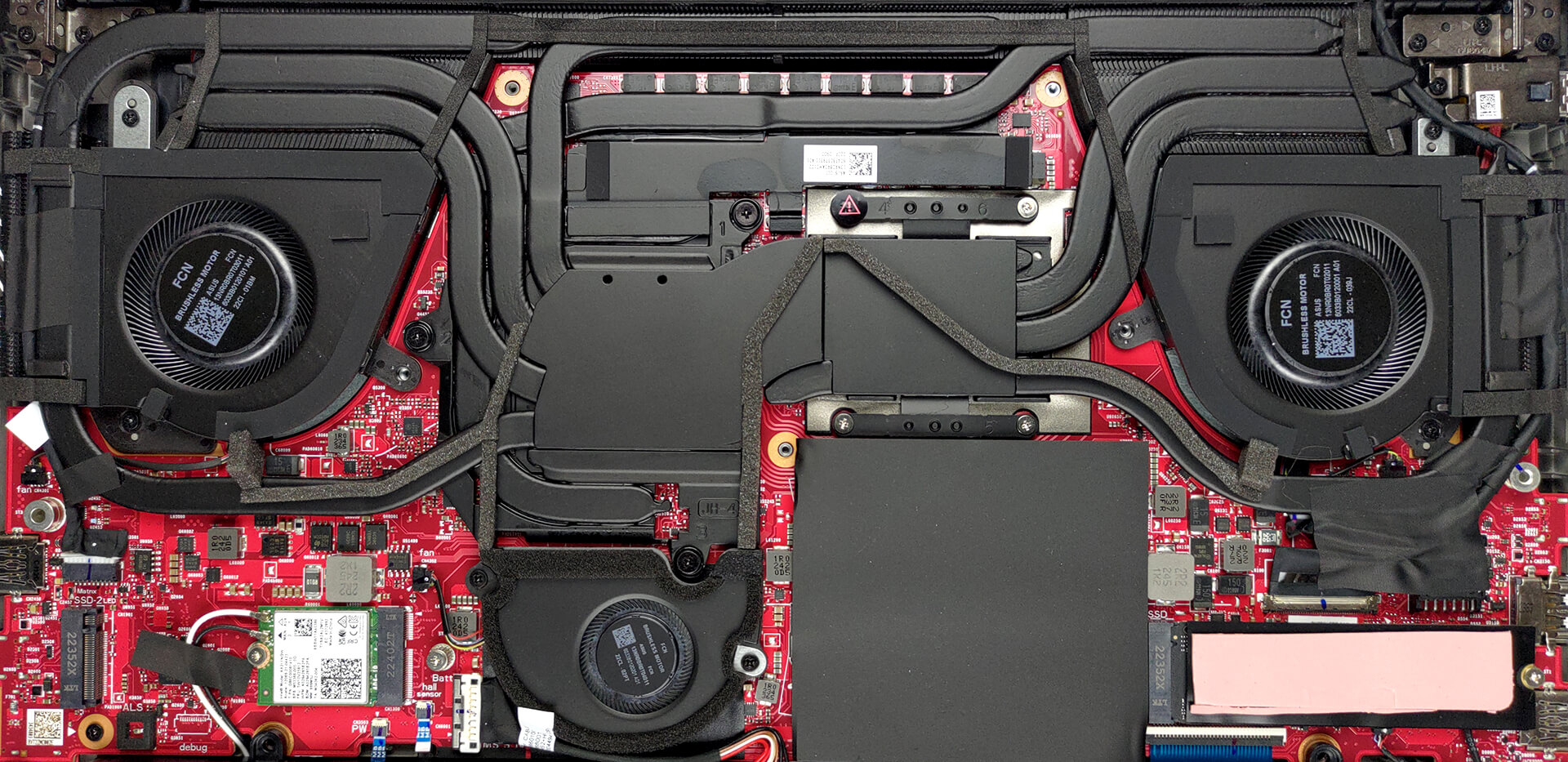
4. Cooling system
Cooling-wise, there are three heat pipes, shared between the CPU and the GPU. You get one more for each of them, which leads to a heat sink of its own. A sixth heat pipe deals with the VRMs and the graphics memory, while two fans blow through the four heat sinks. A system fan, located right above the battery runs some cool air through the final heat sink.
Check out all ASUS ROG Zephyrus M16 (GU604, 2023) prices and configurations in our Specs System, or read more in our In-Depth review.
ASUS ROG Zephyrus M16 GU604 dogłębna recenzja
Podmarka ASUS ROG Zephyrus zawsze polegała na łączeniu stylu z superszybkim sprzętem. Łatwiej to powiedzieć niż zrobić, ponieważ procesory i układy graficzne w urządzeniach mobilnych stały się naprawdę głodne mocy.Ten głód przekłada się na dużą ilość ciepła. Aby uzyskać dobre zarządzanie temperaturą, laptop potrzebuje albo wielu rurek cieplnych, albo nieporęcznej komory parowej. Niezależnie od tego, co wybierze producent, sama objętość miedzi znacznie zwiększy wagę urządzenia.Właśnie dlatego budowa ROG Zephyrus M16 (GU604, 2023) była nieuchronnie [...]
Pros
- Bright RGB
- Dobra konfiguracja chłodzenia + ciekły metal na procesorze
- 98% pokrycie DCI-P3 (BOE NE160QDM-NM4 (BOE0B74))
- Panel 240 Hz z bardzo krótkim czasem reakcji pikseli (BOE NE160QDM-NM4 (BOE0B74))
- HDR, G-Sync i przełącznik MUX na pokładzie
- Obsługa Wi-Fi 6E i 2,5 Gbit Ethernet
- Świetna klawiatura i touchpad
- 2x DDR5 SODIMM + 2x sloty M.2 PCIe x4
- Duży wybór portów
Cons
- Głośna podczas grania
- Klawiatura nagrzewa się podczas grania
 Author: Alex Iliev

![[Sierpień 2026] Globalny ranking najlepiej sprzedających się procesorów graficznych do laptopów na Amazonie – Apple nie ma sobie równych, a model RTX 5060 firmy NVIDIA zajmuje pierwsze miejsce w kategorii kart dedykowanych](https://laptopmedia.com/wp-content/uploads/2026/09/Best-Selling-GPUs-GLOBAL-Top-10-400x225.jpg)
![[Sierpień 2026] Globalny ranking najlepiej sprzedających się procesorów do laptopów na Amazonie – Apple dominuje zarówno w segmencie budżetowym, jak i premium: modele A18 Pro i M5 zdecydowanie wyprzedzają Intel i AMD w sierpniu 2026 roku](https://laptopmedia.com/wp-content/uploads/2026/09/Best-Selling-CPUs-GLOBAL-Top-10-400x225.jpg)
![[Sierpień 2026] Amazon Global: 10 najlepiej sprzedających się laptopów – Apple MacBook Neo dominuje w rankingach, podczas gdy niedrogie i średniej klasy laptopy z systemem Windows walczą o udział w rynku](https://laptopmedia.com/wp-content/uploads/2026/09/Best-Selling-Laptops-GLOBAL-Top-10-400x225.jpg)
![[Sierpień 2026 r.] Najlepiej sprzedające się marki laptopów w serwisie Amazon Global – Apple dominuje pod względem przychodów, a HP przoduje pod względem różnorodności modeli](https://laptopmedia.com/wp-content/uploads/2026/09/GLOBAL-Best-Brands-400x225.jpg)
![[Sierpień 2026 r.] Amazon Global: 10 najlepiej sprzedających się laptopów do gier – HP Victus 15 zdobywa pierwsze miejsce, a rankingi zdominowały modele w przystępnej cenie](https://laptopmedia.com/wp-content/uploads/2026/09/Best-Selling-Gaming-Laptops-GLOBAL-Top-10-400x225.jpg)
