ASUS Vivobook S 14 Flip OLED (TN3402) – Top 5 Pros and Cons
 Vivobooks are quietly becoming some of the most popular laptops that ASUS offers. The company pairs great designs with decent hardware and features, all of that for a good price, so it’s no wonder they’re selling a good amount of units.
Today we have a 14-inch convertible from the Vivobook brand, which also comes with really strong hardware from last year’s Ryzen 5000H-series. Choosing these CPUs is quite smart, as you’re getting very similar performance to the new 6000H-series, but you’re also able to lower the overall price of the notebook, as the 5000H-series isn’t in big demand right now. The only thing you’re missing out on is the integrated RDNA 2 graphics, but if you’re not going to play that many games, the older Vega-based units will still be alright.
Today we’re presenting you with LaptopMedia’s top 5 picks about the ASUS Vivobook S 14 Flip OLED (TN3402).
ASUS Vivobook S 14 Flip OLED (TN3402): Full Specs / In-depth Review
4 reasons to BUY the ASUS Vivobook S 14 Flip OLED (TN3402)
1. Design and build quality
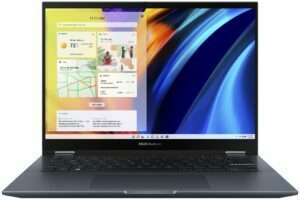
The Vivobook uses aluminum for its lid, while the base is made from plastic. However, the laptop feels quite nice in the hand. There are a lot of small details that overall make the laptop feel interesting. The lid has something like a protruding plaque with the ASUS Vivobook brand. The front of the lid, on the other hand, is protected by glass. This makes it quite durable and resistant to flex. We’d go as far as to say that it’s stronger than the base. That said, the base is still fairly rigid, as even with harsh typing, the keyboard deck doesn’t bend. In terms of dimensions, the Vivobook keeps itself pretty light, despite the 45W processors, weighing only 1.50 kg and having a profile of 18.9 mm.

2. Display quality
The 16:10 14-inch OLED panel is the star of the show here, coming with a 2.8K resolution and a 90Hz refresh rate. An OLED panel ensures excellent visibility in both dark and well-lit environments. The viewing angles are very good, and the display reaches up to 357 nits of brightness. Since OLED panels light up each pixel on its own, black colors are essentially turned off pixels, which results in an infinite contrast ratio. You also get 100% sRGB and DCI-P3 coverage, so you can tackle any type of professional color work.
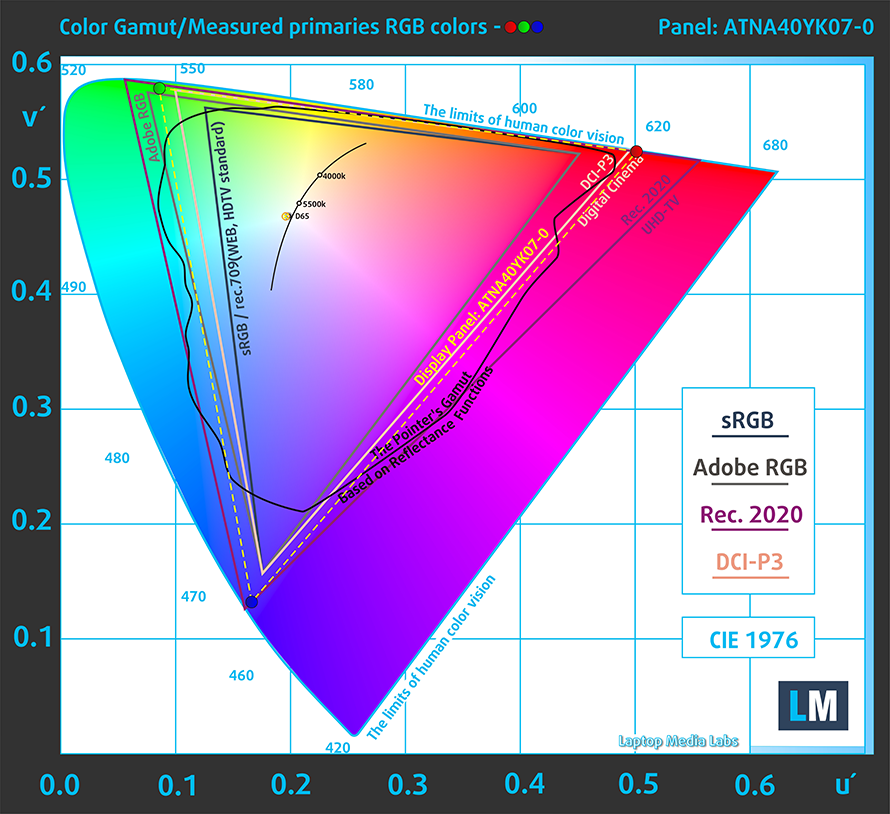
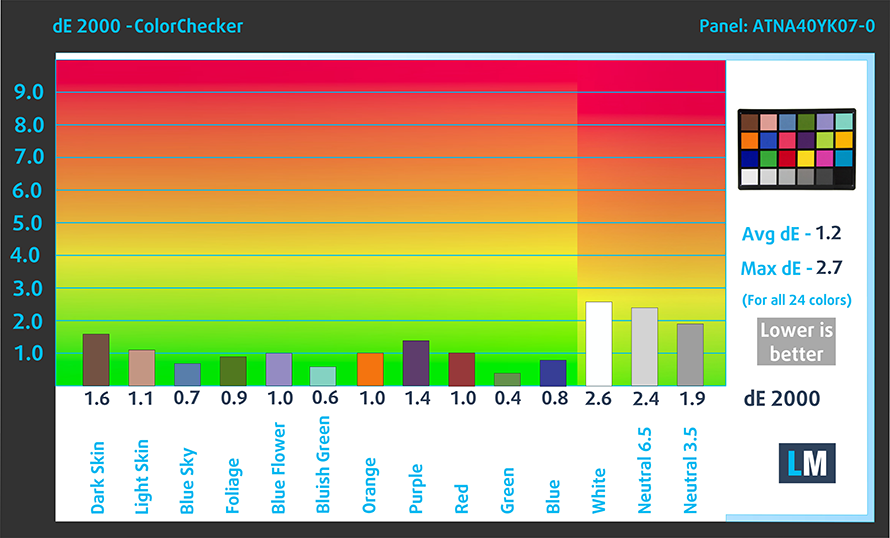
The panel is quite accurate on its own, delivering a dE value of 1.3 in the DCI-P3 gamut and 1.2 in the sRGB gamut. Here are the results of our test.
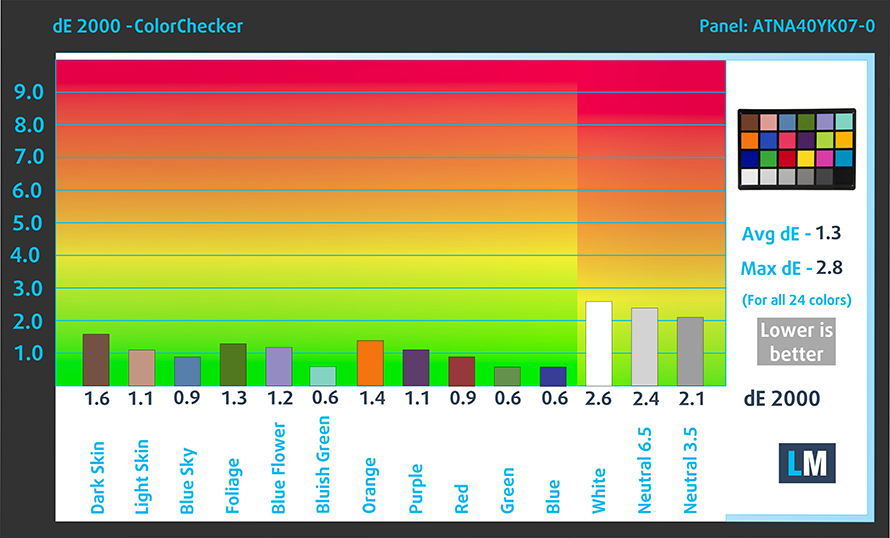 P3-D65 mode
 sRGB mode
Buy our profiles
Since our profiles are tailored for each individual display model, this article and its respective profile package are meant for ASUS Vivobook S 14 Flip OLED (TN3402) configurations with a 14.0″ Samsung ATNA40YK07-0 (SDC4171) (2880 x 1800p) OLED panel.
*Should you have problems with downloading the purchased file, try using a different browser to open the link you’ll receive via e-mail. If the download target is a .php file instead of an archive, change the file extension to .zip or contact us at [email protected].
Read more about the profiles HERE.
Oprócz otrzymywania wydajnych i przyjaznych dla zdrowia profili, kupując produkty LaptopMedia, wspierasz również rozwój naszych laboratoriów, w których testujemy urządzenia w celu tworzenia jak najbardziej obiektywnych recenzji.

Office Work
Office Work powinien być używany głównie przez użytkowników, którzy spędzają większość czasu patrząc na teksty, tabele lub po prostu przeglądając internet. Ten profil ma na celu zapewnienie lepszej wyrazistości i klarowności poprzez utrzymanie płaskiej krzywej gamma (2.20), natywnej temperatury barwowej i percepcyjnie dokładnych kolorów.

Design and Gaming
Ten profil jest przeznaczony dla projektantów, którzy pracują z kolorami zawodowo, a także do gier i filmów. Design and Gaming wykorzystuje panele wyświetlaczy do granic ich możliwości, czyniąc je tak dokładnymi, jak to tylko możliwe w standardzie sRGB IEC61966-2-1 dla stron internetowych i telewizji HD, przy punkcie bieli D65.

Health-Guard
Health-Guard eliminuje szkodliwą modulację szerokości impulsu (PWM) i redukuje negatywne niebieskie światło, które wpływa na nasze oczy i ciało. Ponieważ jest on dostosowany do każdego panelu, udaje mu się utrzymać percepcyjnie dokładne kolory. Health-Guard symuluje papier, dzięki czemu nacisk na oczy jest znacznie zmniejszony.
Zdobądź wszystkie 3 profile z 33% zniżką

3. Upgradeability
As with most other 14-inch laptops, there’s up to 8GB of soldered DDR4 memory, along with one SODIMM slot. In terms of storage, there’s one M.2 slot for Gen 3 SSDs.
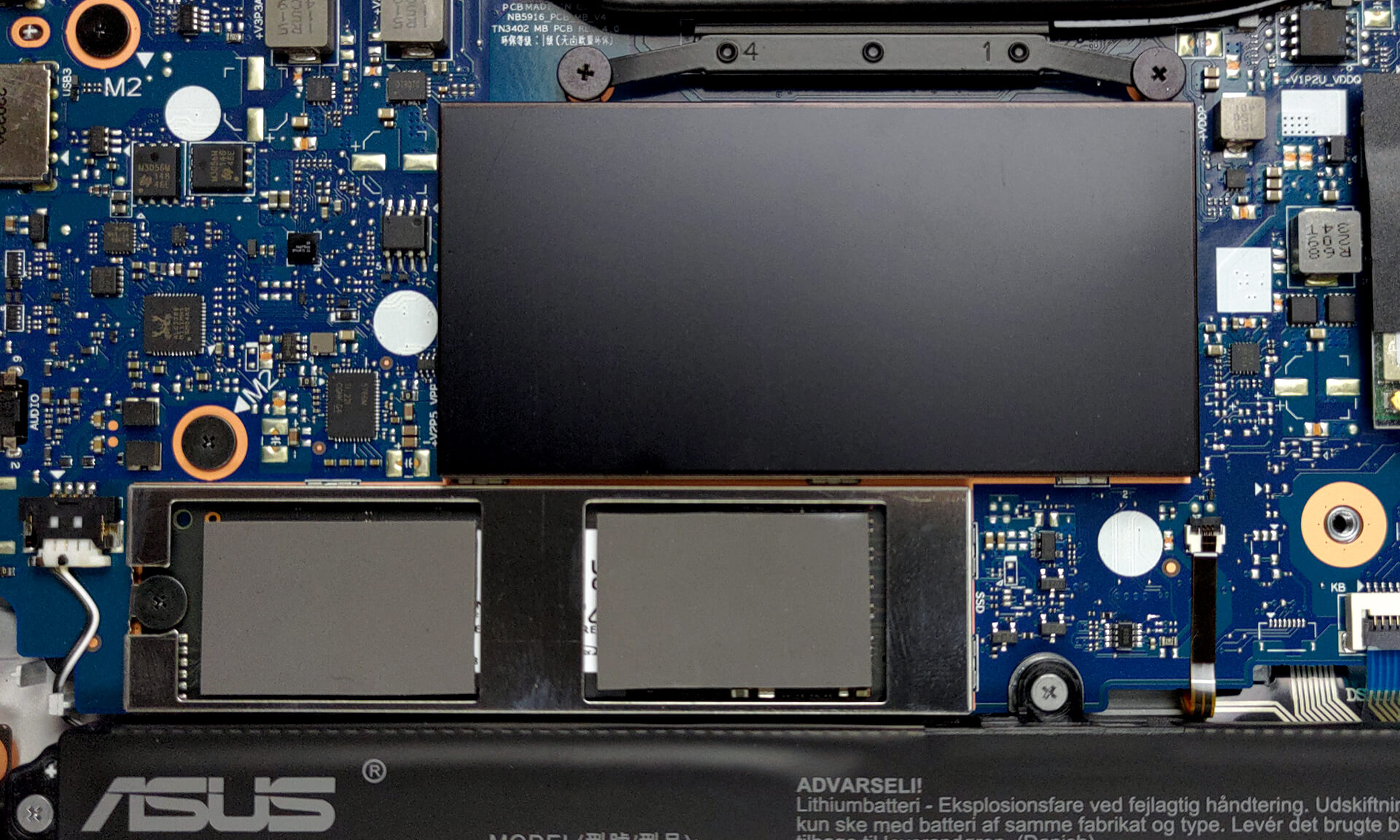
Here is our teardown video, which shows how to upgrade the ASUS Vivobook S 14 Flip OLED.
4. Input devices
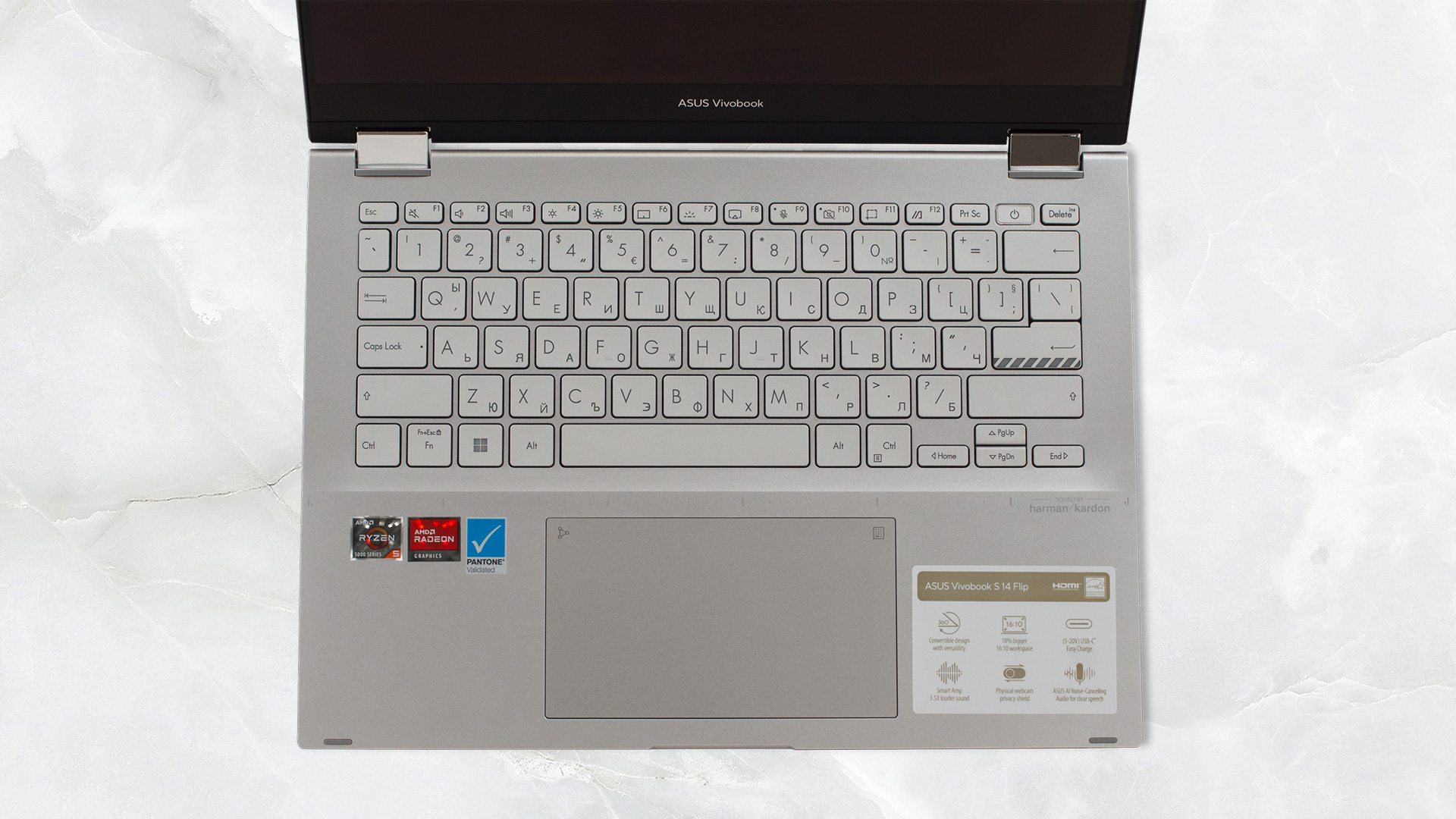
First of all, the lid opens smoothly with one hand, which generally attests to good build quality. Once opened, we’re exposed to the base, and we see the keyboard, with a power button that doubles as a fingerprint reader. The board has good key travel, considering the thin profile, and clicky feedback, so typing is comfortable. The touchpad has symbols in the upper right and left corners. These activate the NumberPad and the Calculator app, respectively. The pad is smooth and responsive, but we’d expect nothing else.
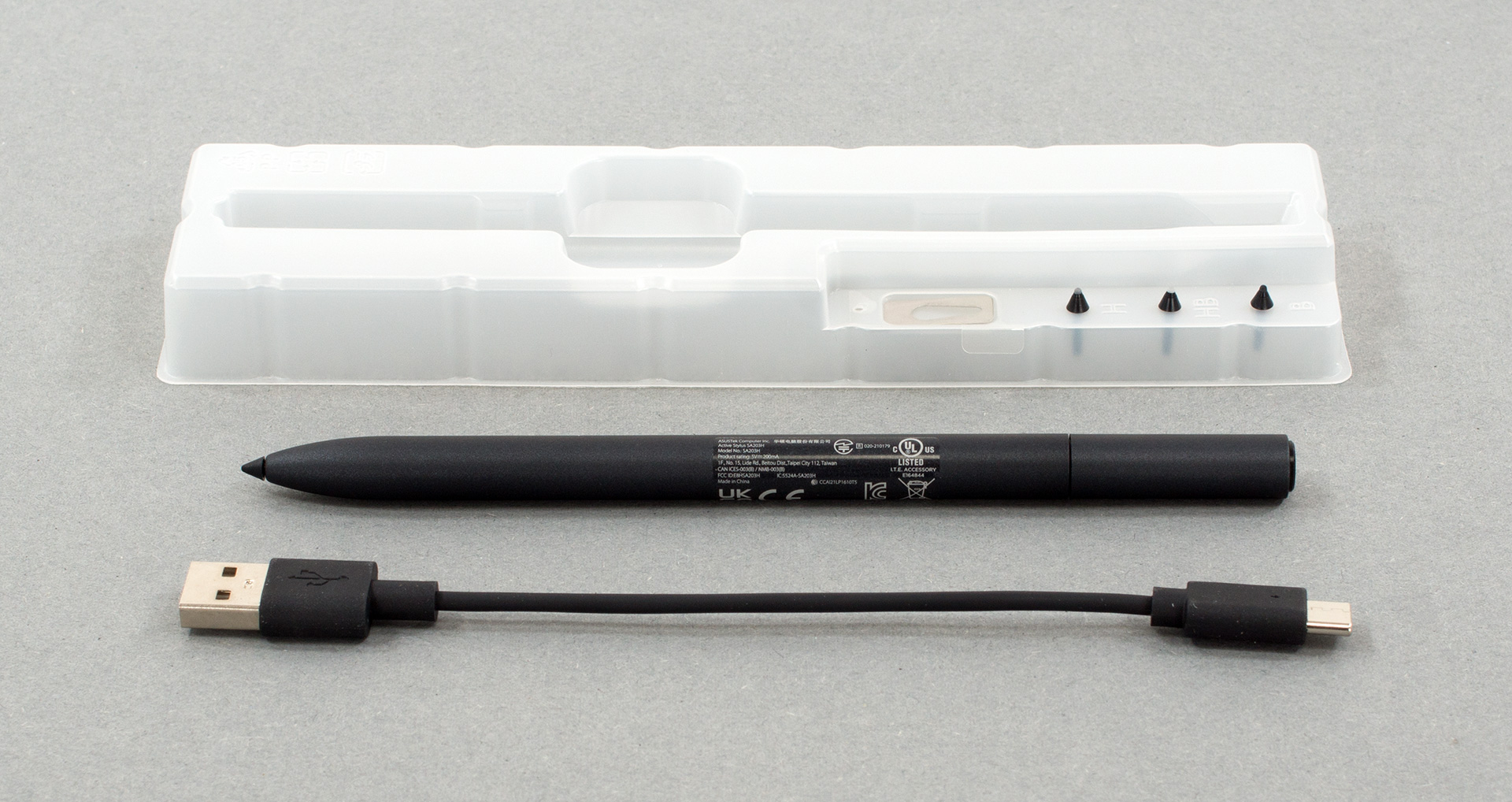
Inside the box, you’ll also find an ASUS pen along with plastic tips and a Type-C to Type-A cable.
1 reason NOT to buy the ASUS Vivobook S 14 Flip OLED (TN3402)
1. I/O
The laptop doesn’t have the best I/O, but it’s still fairly good, as you get two USB Type-A ports. However, one of them runs at 2.0 speeds, so you should leave it for a mouse or other peripheral. There’s also an audio jack, one Type-C 3.2 (Gen. 2) port, and an HDMI 2.0 connector.


All ASUS Vivobook S 14 Flip OLED (TN3402) configurations:
 Author: Severin Kolakov

![[Czerwiec 2026 r.] Najlepiej sprzedające się marki laptopów w serwisie Amazon Global – bezkonkurencyjna dominacja firmy Apple pod względem liczby sprzedanych egzemplarzy i przychodów](https://laptopmedia.com/wp-content/uploads/2026/07/GLOBAL-Best-Brands-400x225.jpg)
![[Czerwiec 2026] Amazon Global: 10 najlepiej sprzedających się laptopów – nowy MacBook Neo firmy Apple szturmem zdobywa pierwsze miejsce, zmieniając oblicze rynku dzięki przystępnej cenie](https://laptopmedia.com/wp-content/uploads/2026/07/Best-Selling-Laptops-GLOBAL-Top-10-400x225.jpg)
![[Czerwiec 2026] Amazon Global: 10 najlepiej sprzedających się laptopów do gier – model Nitro V 16S AI firmy Acer dominuje pod względem sprzedaży, podczas gdy firma ASUS zajmuje pierwsze miejsce pod względem całkowitych przychodów](https://laptopmedia.com/wp-content/uploads/2026/07/Best-Selling-Gaming-Laptops-GLOBAL-Top-10-400x225.jpg)
![[Czerwiec 2026] Globalny ranking najlepiej sprzedających się kart graficznych do laptopów na Amazonie – NVIDIA RTX 5060 to najlepiej sprzedająca się dedykowana karta graficzna](https://laptopmedia.com/wp-content/uploads/2026/07/Best-Selling-GPUs-GLOBAL-Top-10-400x225.jpg)
![[Czerwiec 2026] Globalny ranking najlepiej sprzedających się procesorów do laptopów na Amazonie – Apple M5 dominuje, a AMD Ryzen 7 260 zdobywa solidny udział w segmencie premium](https://laptopmedia.com/wp-content/uploads/2026/07/Best-Selling-CPUs-GLOBAL-Top-10-400x225.jpg)
