ASUS ZenBook Pro 15 OLED (UM535) – Top 5 Pros and Cons
 Usually, a designer or an artist early in his journey can do their work and practice with what tech they have available, which is always the best way to figure out if art and design really are up your alley. However, once you figure that out and decide that this is a hobby/profession that you want to pursue further, you have to start thinking about a proper device to handle the needs of a Creator’s workflow.
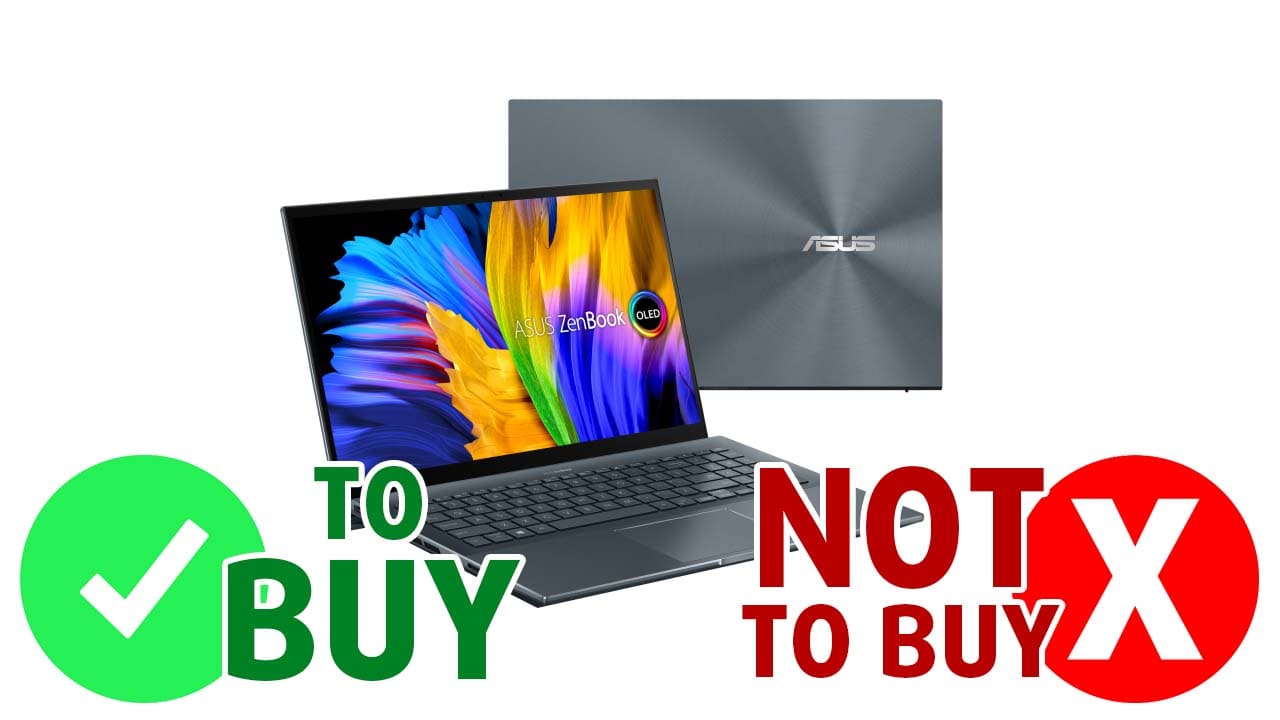
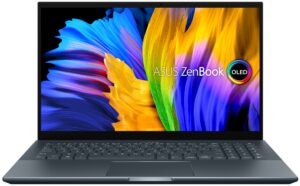
The ASUS ZenBook Pro 15 OLED (UM535) is a bit overkill and pricey, but we’ll be damned if it wasn’t a beastly machine with an OLED panel, powerful Ryzen processors, and Ampere graphics, which will increase Rendering performance due to its NVENC encoding capabilities.
Today we are presenting you with LaptopMedia’s top 5 picks about the ASUS ZenBook Pro 15 OLED (UM535).
ASUS ZenBook Pro 15 OLED (UM535): Full Specs / In-depth Review
4 reasons to BUY the ASUS ZenBook Pro 15 OLED (UM535)
1. Design and build quality
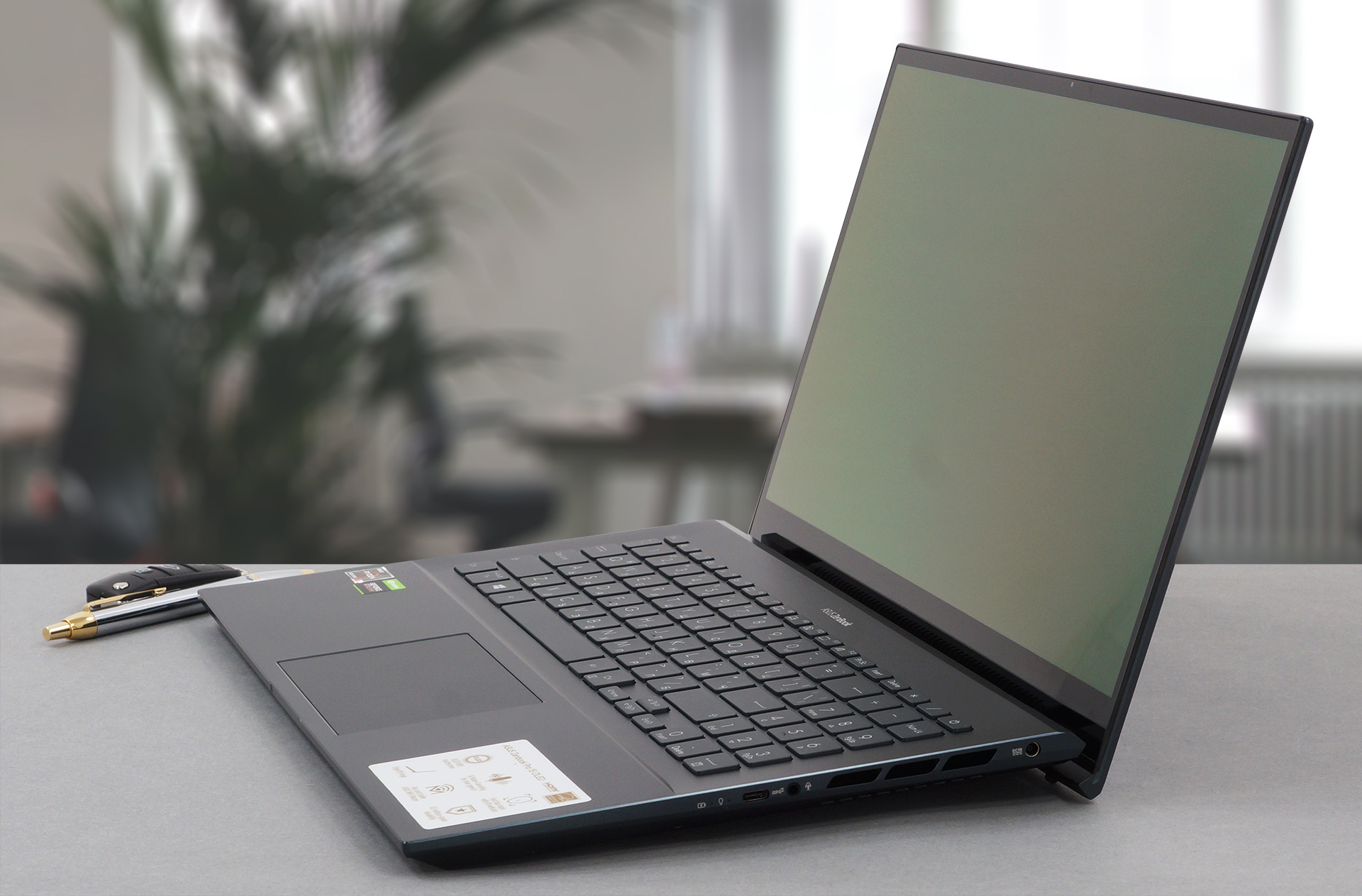
As with all members of the ZenBook Pro OLED family, you have some of the best build quality on the market, with a sharp-looking, aluminum lid, and chassis. The body is durable and can withstand serious twists and flexes thanks to the additional Glass screen cover, which adds a degree of structural support for the lid, along with scratch protection to the display. The lid opens easily with one hand, which also works to lift the back of the base off of the ground, creating some much-needed space for the fans on the bottom. This is not the lightest notebook, packing H-series processors, it manages to weigh 2.00 kg, which is still manageable.
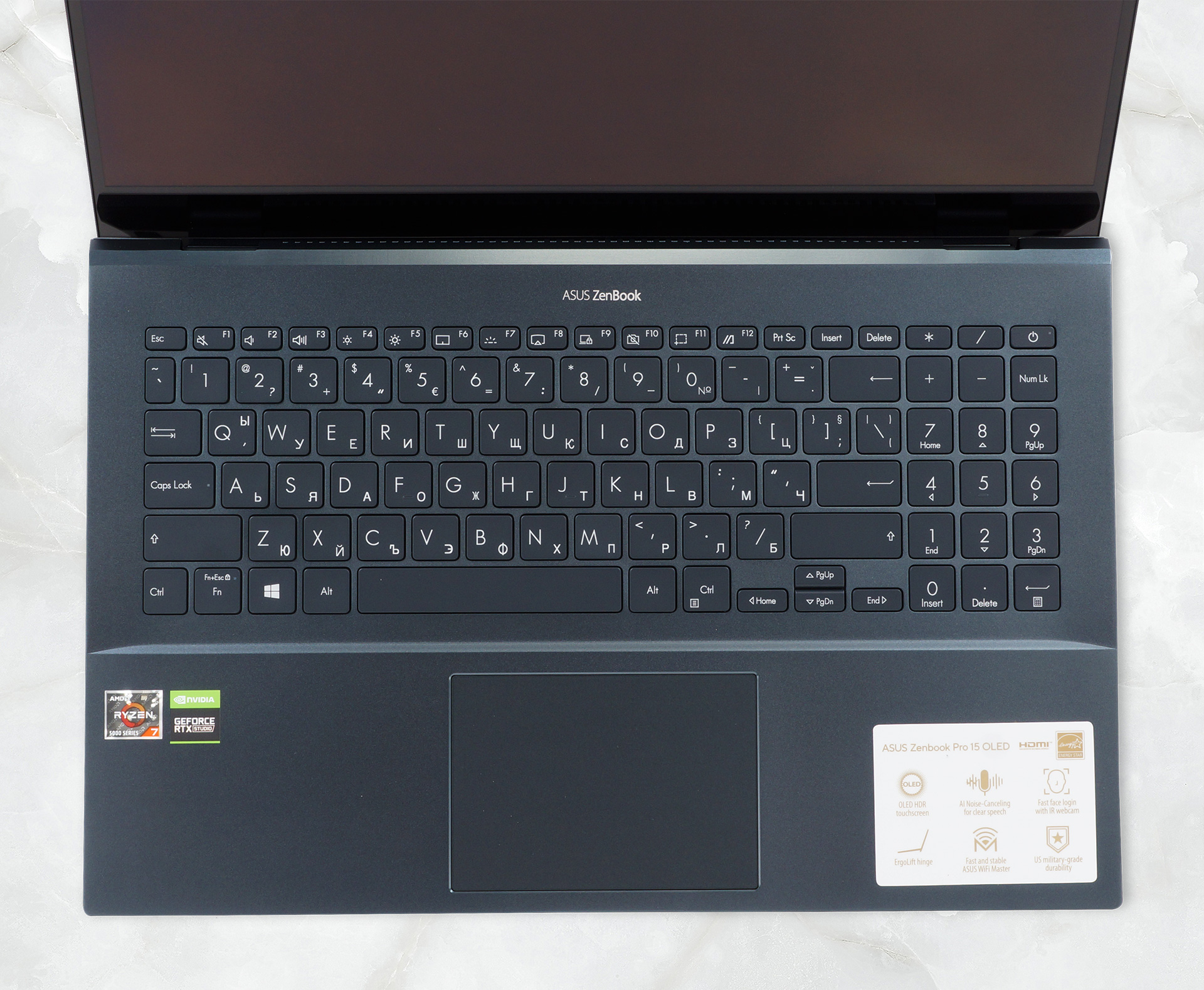
The base has a decently-sized keyboard with a NumPad and tiny arrow keys. In terms of comfort, it is one of the better that we have tested, utilizing as much of the 18 mm profile as possible to deliver long key travel, and clicky feedback. The touchpad is also covered in glass, like the display, ensuring smooth gliding, and has great accuracy.
2. Display quality
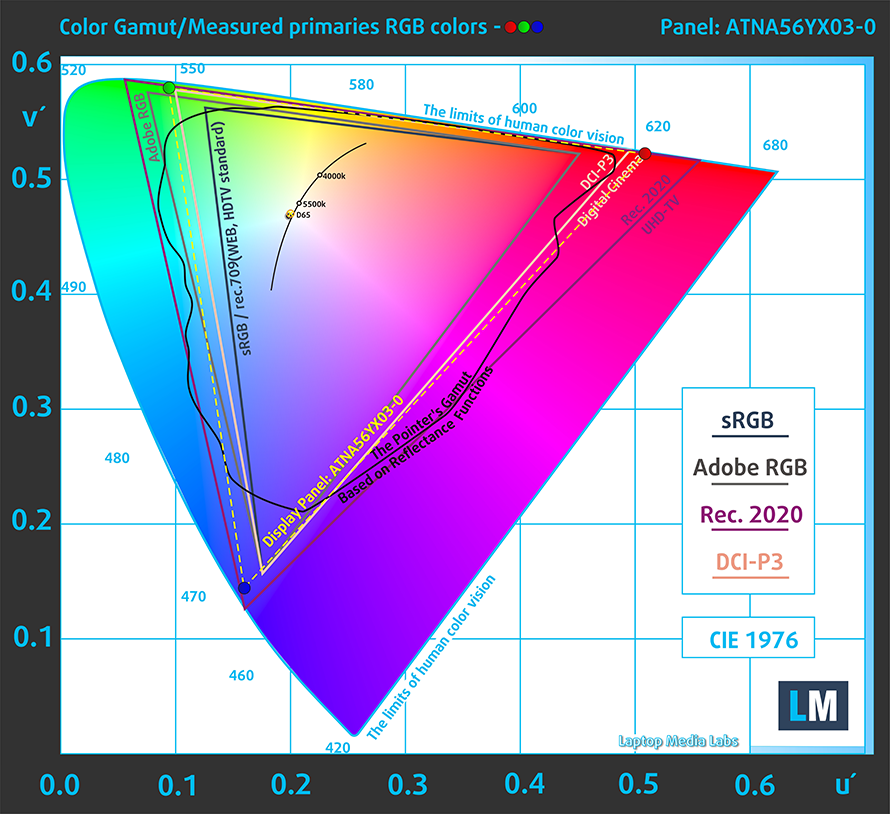
You’ll find good use of both the Full HD and the 4K UHD displays, but the latter will increase battery usage, thus lowering the battery life. We tested the Full HD display, which comes with excellent viewing angles, True Black colors, a max brightness of 392 nits, and an infinite contrast ratio, thanks to the nature of OLED panels. In terms of color coverage, the panel covers 100% of the sRGB and DCI-P3 color gamuts.
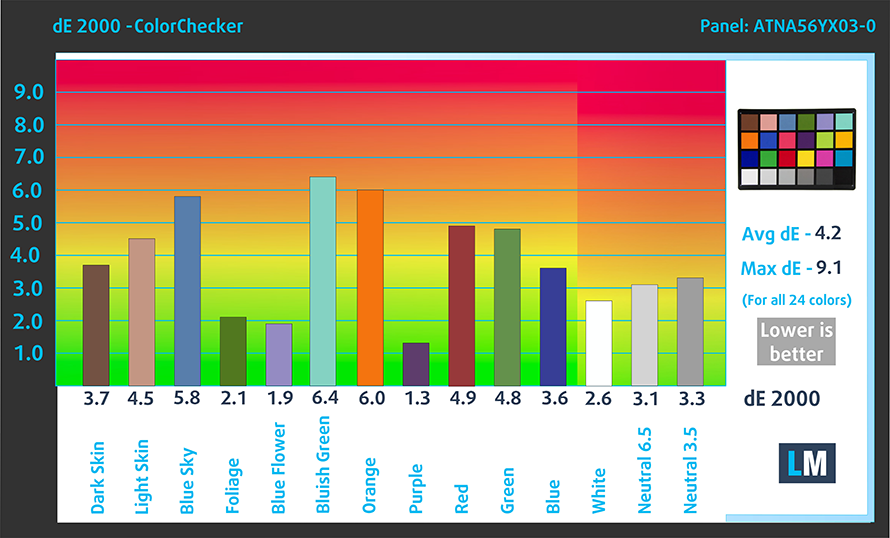
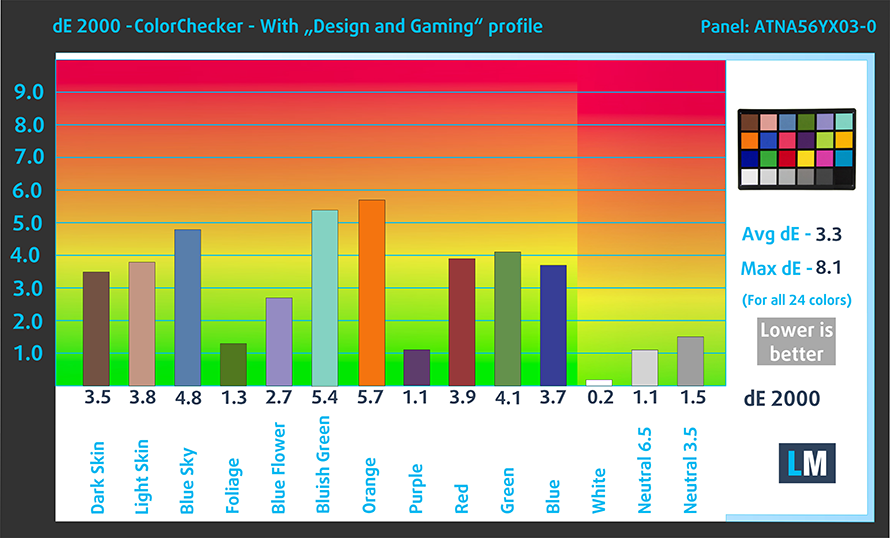
The panel is surprisingly stubborn when it comes to its color accuracy, with the stock settings (left) delivering a dE value of 4.2. With our Design and Gaming profile applied (right), we get a dE value of 3.3, which still isn’t below the widely accepted value of 2.
Buy our profiles
Since our profiles are tailored for each individual display model, this article and its respective profile package are meant for ASUS ZenBook Pro 15 OLED (UM535) configurations with 15.6″ Samsung ATNA56YX03-0 (SDC4161) (1920 x 1080p) AMOLED panel.
*Should you have problems with downloading the purchased file, try using a different browser to open the link you’ll receive via e-mail. If the download target is a .php file instead of an archive, change the file extension to .zip or contact us at [email protected].
Read more about the profiles HERE.
Oprócz otrzymywania wydajnych i przyjaznych dla zdrowia profili, kupując produkty LaptopMedia, wspierasz również rozwój naszych laboratoriów, w których testujemy urządzenia w celu tworzenia jak najbardziej obiektywnych recenzji.

Office Work
Office Work powinien być używany głównie przez użytkowników, którzy spędzają większość czasu patrząc na teksty, tabele lub po prostu przeglądając internet. Ten profil ma na celu zapewnienie lepszej wyrazistości i klarowności poprzez utrzymanie płaskiej krzywej gamma (2.20), natywnej temperatury barwowej i percepcyjnie dokładnych kolorów.

Design and Gaming
Ten profil jest przeznaczony dla projektantów, którzy pracują z kolorami zawodowo, a także do gier i filmów. Design and Gaming wykorzystuje panele wyświetlaczy do granic ich możliwości, czyniąc je tak dokładnymi, jak to tylko możliwe w standardzie sRGB IEC61966-2-1 dla stron internetowych i telewizji HD, przy punkcie bieli D65.

Health-Guard
Health-Guard eliminuje szkodliwą modulację szerokości impulsu (PWM) i redukuje negatywne niebieskie światło, które wpływa na nasze oczy i ciało. Ponieważ jest on dostosowany do każdego panelu, udaje mu się utrzymać percepcyjnie dokładne kolory. Health-Guard symuluje papier, dzięki czemu nacisk na oczy jest znacznie zmniejszony.
Zdobądź wszystkie 3 profile z 33% zniżką

3. Battery life
With a beefy 96Wh battery pack, the laptop lasts for 17 hours and 13 minutes of Web browsing, or 16 hours and 26 minutes of video playback, which is among the best that we have seen from powerful laptops with H-series CPUs. Now, we conduct the battery tests with Windows Better performance setting turned on, screen brightness adjusted to 120 nits, and all other programs turned off except for the one we are testing the notebook with.
4. Performance
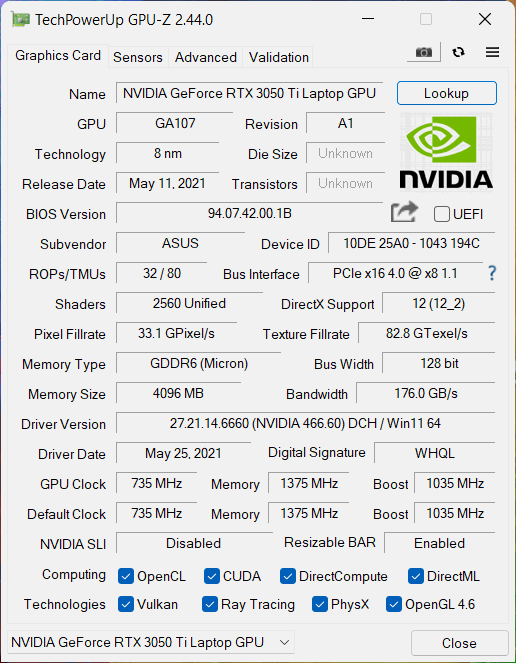
The laptop offers a lot of power from its Ryzen 5000H-series chips and RTX 3050 Ti GPU.
CPU benchmarks
Here you see the Ryzen 7 5800H-powered device outperforming some of its competitors in both 3D and 2D Rendering.
Wyniki pochodzą z testu CPU Cinebench R23 (im wyższy wynik, tym lepiej)
GPU benchmarks
The RTX 3050 Ti is spot on when it comes to Creator workflow, while also sporting enough gaming performance for the times when you want to relax and play a favorite title of yours.
Wyniki pochodzą z testu 3DMark Time Spy (Graphics). Wyższy wynik jest lepszy.
Wyniki pochodzą z benchmarku 3DMark Fire Strike (Graphics) (im wyższy wynik, tym lepiej)
Wyniki pochodzą z testu 3DMark Wild Life Extreme Unlimited. Wyższy wynik jest lepszy.
Wyniki pochodzą z benchmarku Unigine Superposition (im wyższy wynik, tym lepiej)
Gaming tests

| Metro Exodus | Full HD, Low (Check settings) | Full HD, High (Check settings) | Full HD, Extreme (Check settings) |
|---|---|---|---|
| Average FPS | 93 fps | 44 fps | 21 fps |

| Borderlands 3 | Full HD, Medium (Check settings) | Full HD, High (Check settings) | Full HD, Badass (Check settings) |
|---|---|---|---|
| Average fps | 77 fps | 57 fps | 45 fps |

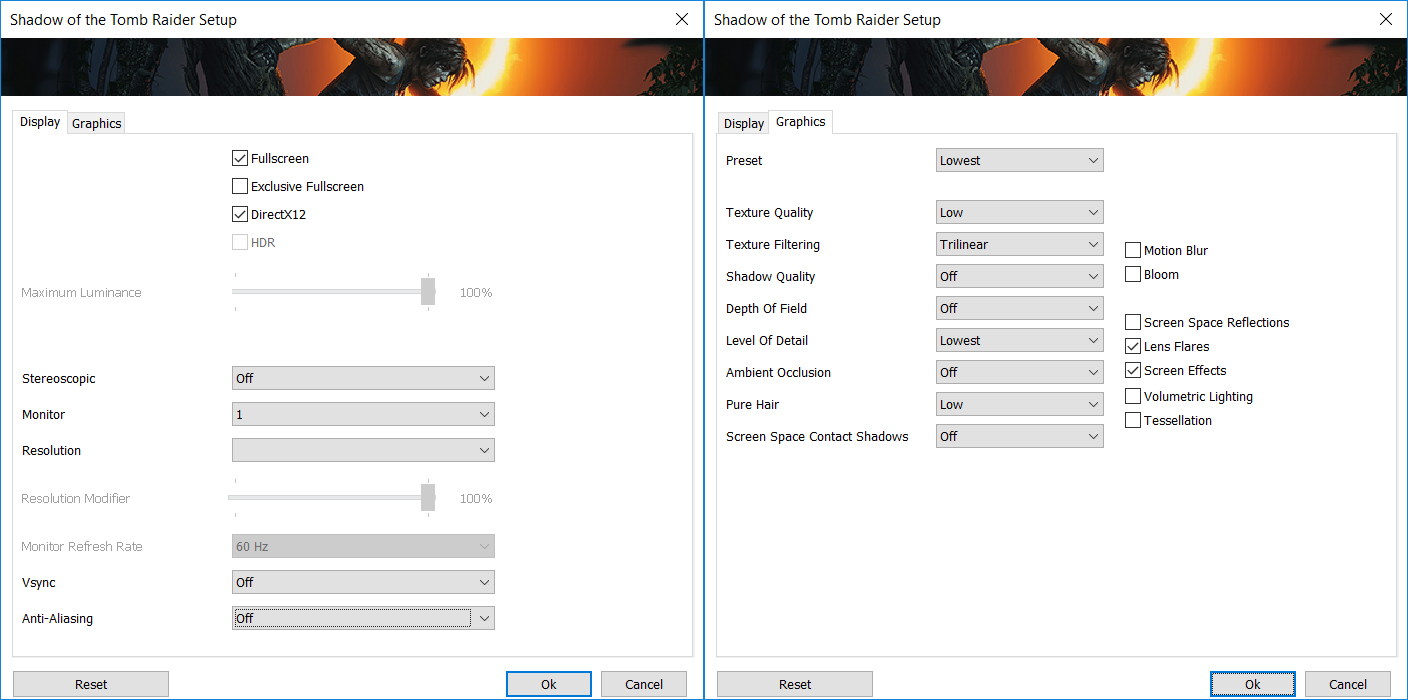
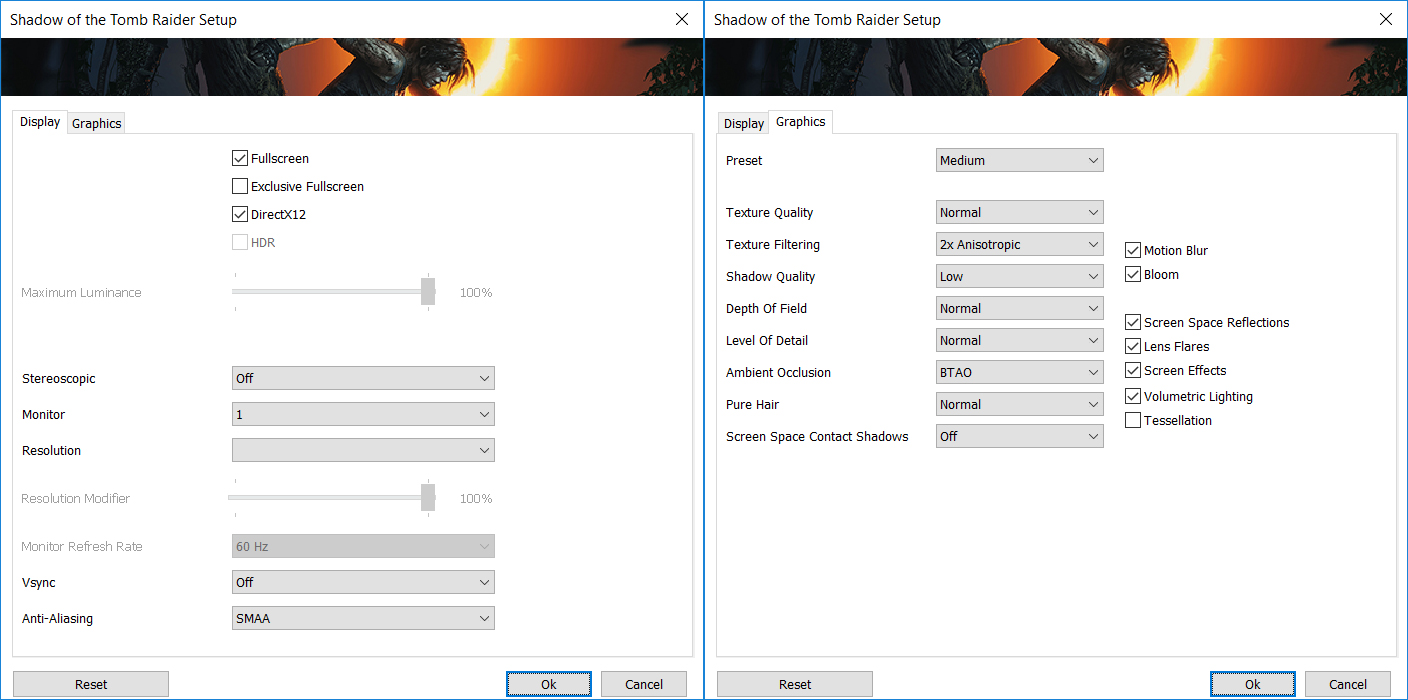
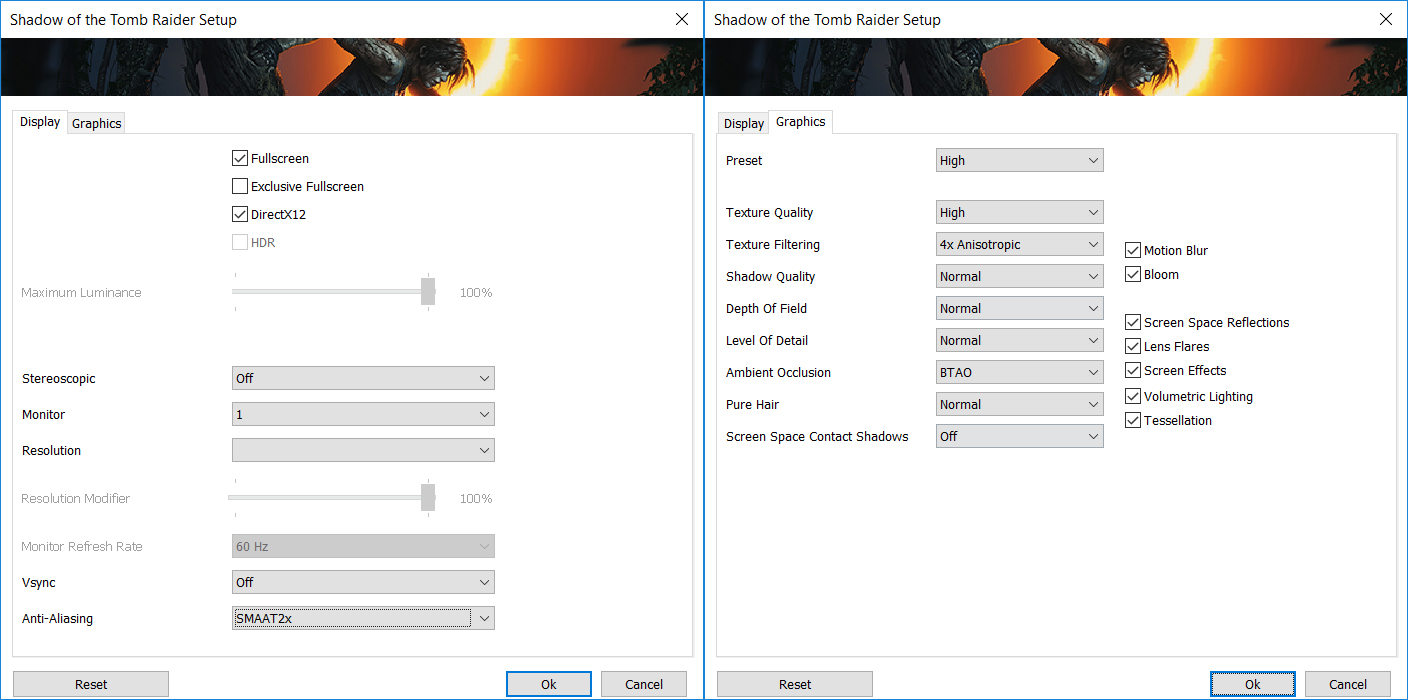
| Shadow of the Tomb Raider (2018) | Full HD, Lowest (Check settings) | Full HD, Medium (Check settings) | Full HD, High (Check settings) |
|---|---|---|---|
| Average | 121 fps | 80 fps | 72 fps |

| Tom Clancy’s Ghost Recon Wildlands | Full HD, Medium (Check settings) | Full HD, High (Check settings) | Full HD, Very High (Check settings) |
|---|---|---|---|
| Average fps | 74 fps | 67 fps | 59 fps |
1 reason NOT to buy the ASUS ZenBook Pro 15 OLED (UM535)
1. Upgradeability
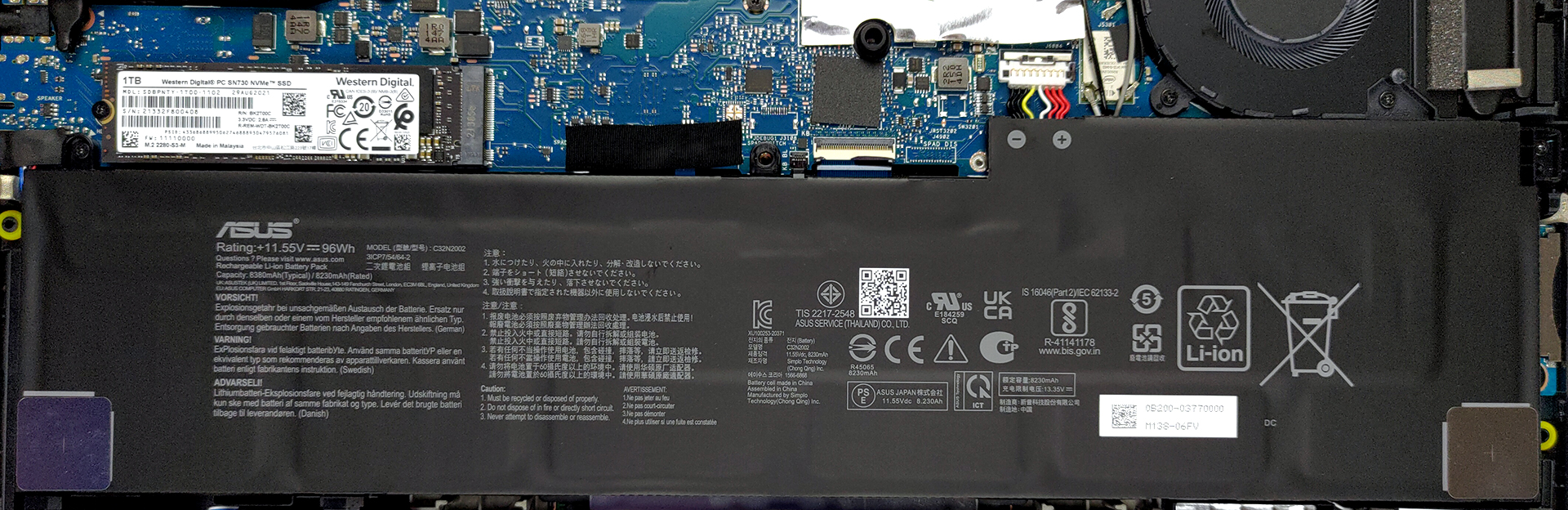
Lastly, while the package is hard to resist, a major turn-off for many people will be the lack of upgradeability. Coming with only soldered RAM, albeit up to 32GB of it, which is the current sweet spot for most workstations, however, you might not be as secure in the future. Storage-wise, there is a single M.2 PCIe x4 slot for SSD expansion, should you deem one necessary.
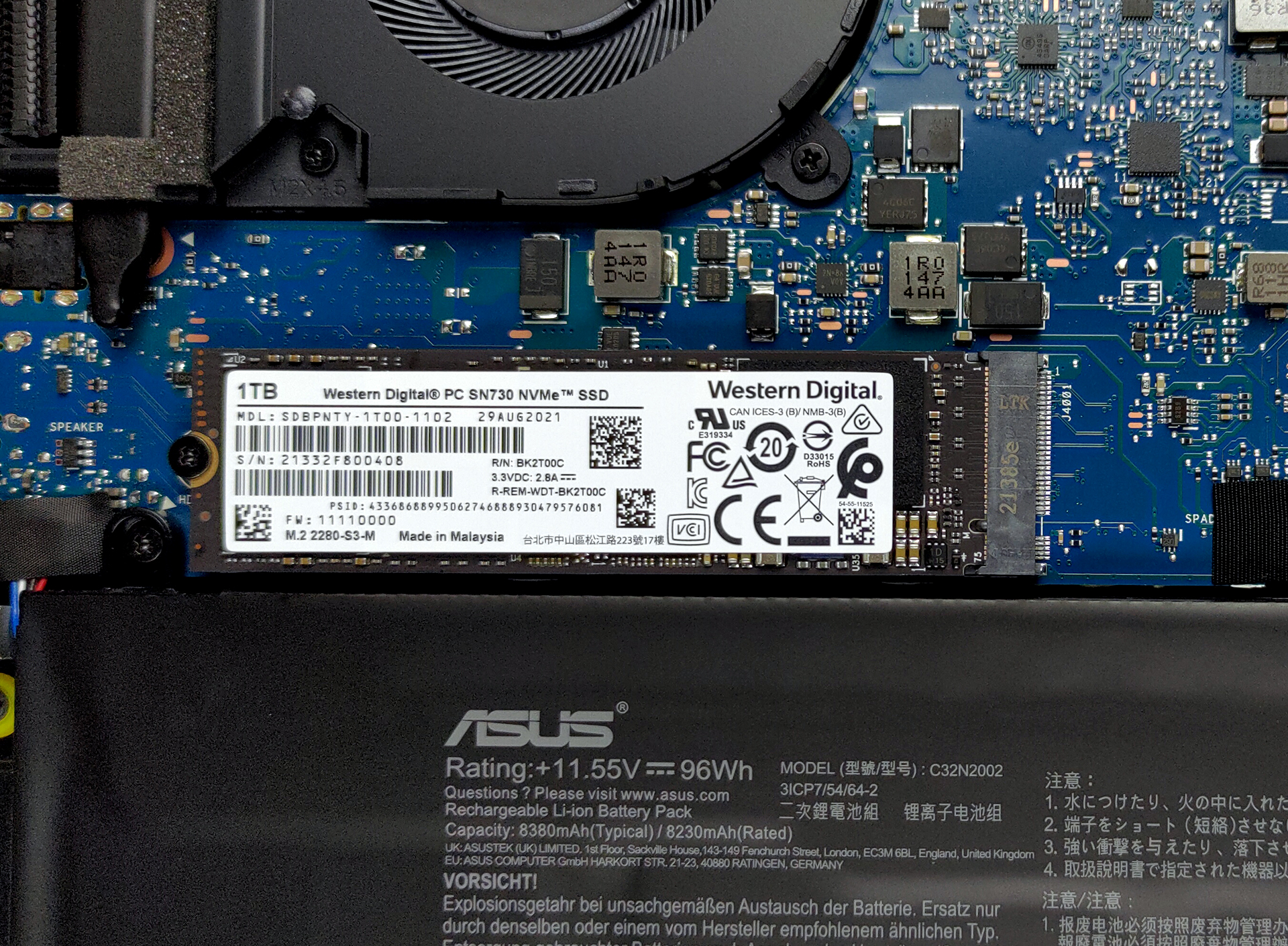
Here is our teardown video, which gives you an inside look at the laptop, while also showing how to access the single SSD slot.
All ASUS ZenBook Pro 15 OLED (UM535) configurations:
 Author: Severin Kolakov

![[Sierpień 2026] Amazon Global: 10 najlepiej sprzedających się laptopów – Apple MacBook Neo dominuje w rankingach, podczas gdy niedrogie i średniej klasy laptopy z systemem Windows walczą o udział w rynku](https://laptopmedia.com/wp-content/uploads/2026/09/Best-Selling-Laptops-GLOBAL-Top-10-400x225.jpg)
![[Sierpień 2026 r.] Najlepiej sprzedające się marki laptopów w serwisie Amazon Global – Apple dominuje pod względem przychodów, a HP przoduje pod względem różnorodności modeli](https://laptopmedia.com/wp-content/uploads/2026/09/GLOBAL-Best-Brands-400x225.jpg)
![[Sierpień 2026 r.] Amazon Global: 10 najlepiej sprzedających się laptopów do gier – HP Victus 15 zdobywa pierwsze miejsce, a rankingi zdominowały modele w przystępnej cenie](https://laptopmedia.com/wp-content/uploads/2026/09/Best-Selling-Gaming-Laptops-GLOBAL-Top-10-400x225.jpg)
![[August 2026] Best-Selling Laptop Brands on Amazon Japan – Apple Dominates Market Share and Revenue Led by Strong Unit Sales](https://laptopmedia.com/wp-content/uploads/2026/09/CO.JP-Best-Brands-1-400x225.jpg)
![[August 2026] Best-Selling Laptop Brands on Amazon USA – Apple Dominates Market Revenue and Volume Despite Lower Model Diversity](https://laptopmedia.com/wp-content/uploads/2026/09/COM-Best-Brands-1-400x225.jpg)