How to open ASUS Vivobook 15 OLED (X1505) – disassembly and upgrade options
Like the 16-inch version, this machine has one SODIMM slot and one M.2 PCIe x4 storage slot. They are pretty easy to access too.
Check out all ASUS Vivobook 15 OLED (X1505) prices and configurations in our Specs System, or read more in our In-Depth review.
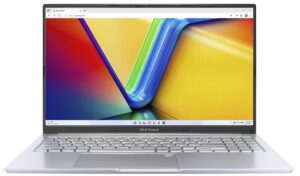
1. Remove the bottom plate
To open this device, undo the 10 Phillips-head screws holding its bottom panel to the chassis. After that, pry it with a plastic tool, and lift it away.

2. Remove the battery
Here, you get a 50Wh battery pack. To take it out, unplug the connector and undo the 5 Phillips-head screws that keep the battery attached to the device.

3. Upgrade memory and storage
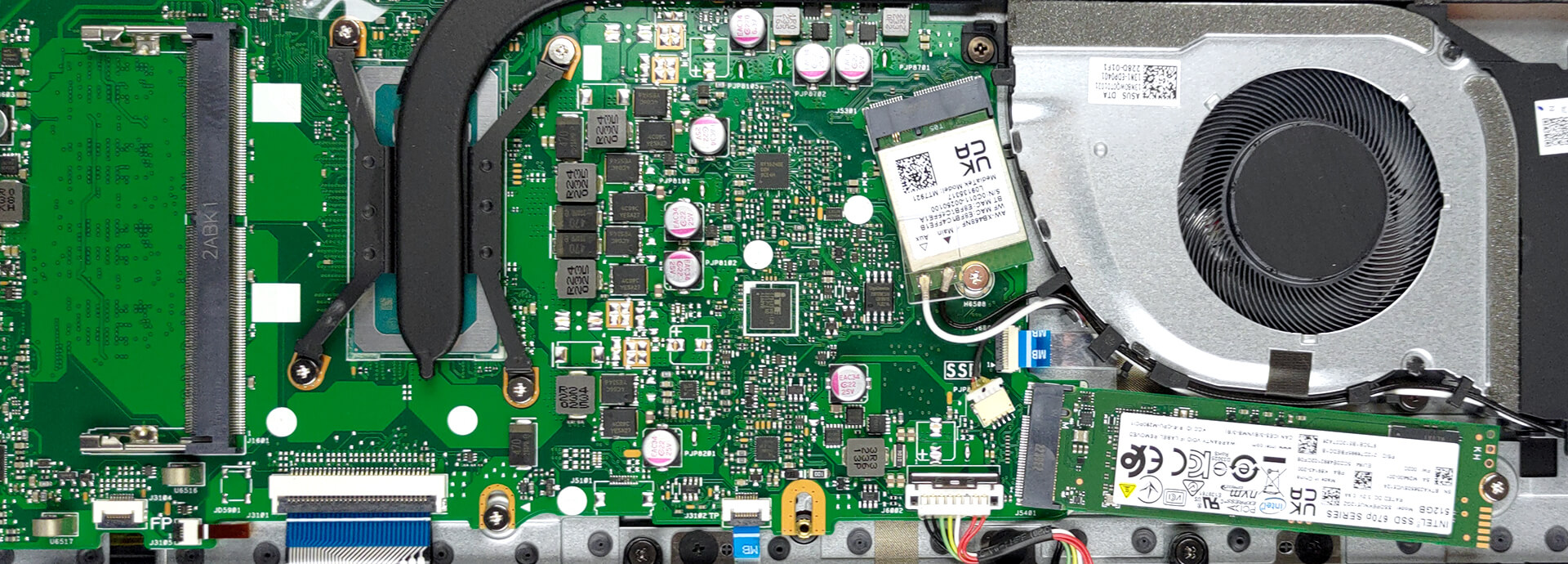
Memory-wise, you will get either 4 or 8GB of DDR4 RAM soldered to the motherboard. If you need, you can expand it via one SODIMM slot. As for storage, you get one M.2 PCIe x4 slot. It supports both Gen 3 and Gen 4 SSDs.
4. Cooling system
In terms of cooling, there is one heat pipe, two heat sinks, and one fan that blows the heat away.

Check out all ASUS Vivobook 15 OLED (X1505) prices and configurations in our Specs System, or read more in our In-Depth review.
ASUS Vivobook 15 OLED (X1505 / S1505 / A1505 / R1505) dogłębna recenzja
Po raz kolejny otrzymaliśmy niedrogiego 15-calowego laptopa do codziennego użytku. Ale nie jest to zwykły multimedialny koń roboczy. Dlaczego? Cóż, ponieważ jest wyposażony w wyświetlacz OLED. W rzeczywistości można wybierać między dwoma panelami - 1080p 60Hz lub 2,8K 120Hz.Oczywiście sprawia to, że ASUS Vivobook 15 OLED (X1505) jest siłą, z którą należy się liczyć. Oprócz apetycznego ekranu, za produktem stoi całkiem wydajny sprzęt. Mówimy o procesorach 15W lub 45W Alder Lake od Intela, z 13. generacją siedzącą i czekającą za rogiem.Nie spodziewamy się[...]
Pros
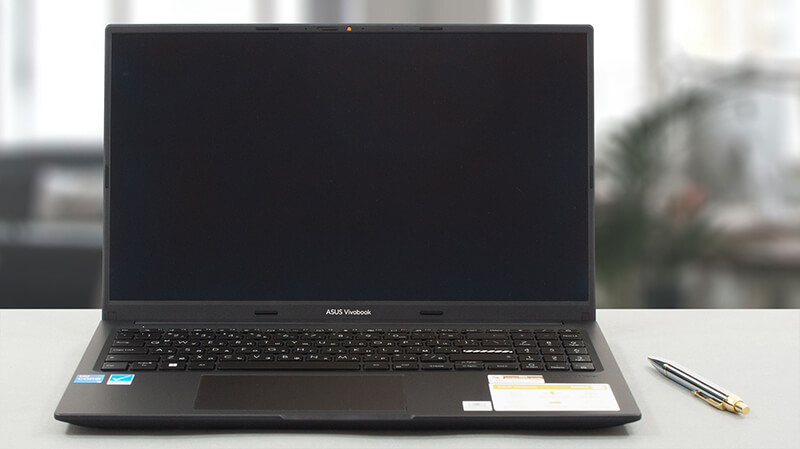
- Niedrogi i szybki
- 100% pokrycie kolorów DCI-P3 (Samsung ATNA56YX03-0 (SDC4161))
- Nieskończony współczynnik kontrastu (Samsung ATNA56YX03-0 (SDC4161))
- Szalenie szybki czas reakcji pikseli (Samsung ATNA56YX03-0 (SDC4161))
- Powłoka antybakteryjna
- Wygodna klawiatura i touchpad
- Kamera z przesłoną chroniącą prywatność
Cons
- Brak czytnika kart SD
- Port USB typu C służy tylko do przesyłania danych
- Wykorzystuje PWM (ustalony przez aplikację innej firmy) (Samsung ATNA56YX03-0 (SDC4161))
- Tylko plastik dla materiałów budowlanych
 Author: Alex Iliev

![[Czerwiec 2026 r.] Najlepiej sprzedające się marki laptopów w serwisie Amazon Global – bezkonkurencyjna dominacja firmy Apple pod względem liczby sprzedanych egzemplarzy i przychodów](https://laptopmedia.com/wp-content/uploads/2026/07/GLOBAL-Best-Brands-400x225.jpg)
![[Czerwiec 2026] Amazon Global: 10 najlepiej sprzedających się laptopów – nowy MacBook Neo firmy Apple szturmem zdobywa pierwsze miejsce, zmieniając oblicze rynku dzięki przystępnej cenie](https://laptopmedia.com/wp-content/uploads/2026/07/Best-Selling-Laptops-GLOBAL-Top-10-400x225.jpg)
![[Czerwiec 2026] Amazon Global: 10 najlepiej sprzedających się laptopów do gier – model Nitro V 16S AI firmy Acer dominuje pod względem sprzedaży, podczas gdy firma ASUS zajmuje pierwsze miejsce pod względem całkowitych przychodów](https://laptopmedia.com/wp-content/uploads/2026/07/Best-Selling-Gaming-Laptops-GLOBAL-Top-10-400x225.jpg)
![[Czerwiec 2026] Globalny ranking najlepiej sprzedających się kart graficznych do laptopów na Amazonie – NVIDIA RTX 5060 to najlepiej sprzedająca się dedykowana karta graficzna](https://laptopmedia.com/wp-content/uploads/2026/07/Best-Selling-GPUs-GLOBAL-Top-10-400x225.jpg)
![[Czerwiec 2026] Globalny ranking najlepiej sprzedających się procesorów do laptopów na Amazonie – Apple M5 dominuje, a AMD Ryzen 7 260 zdobywa solidny udział w segmencie premium](https://laptopmedia.com/wp-content/uploads/2026/07/Best-Selling-CPUs-GLOBAL-Top-10-400x225.jpg)
