How to open Dell Latitude 14 7430 – disassembly and upgrade options
The situation regarding Dell Latitude 14 7430’s memory is a bit boring. You can’t upgrade it post-purchase, but the maximum capacity is 32GB. Interestingly, the memory type is DDR4 for the 15W processors and LPDDR5 for the 28W CPUs.
Check out all Dell Latitude 14 7430 prices and configurations in our Specs System, or read more in our In-Depth review.


1. Remove the bottom plate
To open this device, you need to undo 8 captive Phillips-head screws. Then, pry the bottom panel with a plastic tool, starting from the hinge gaps.
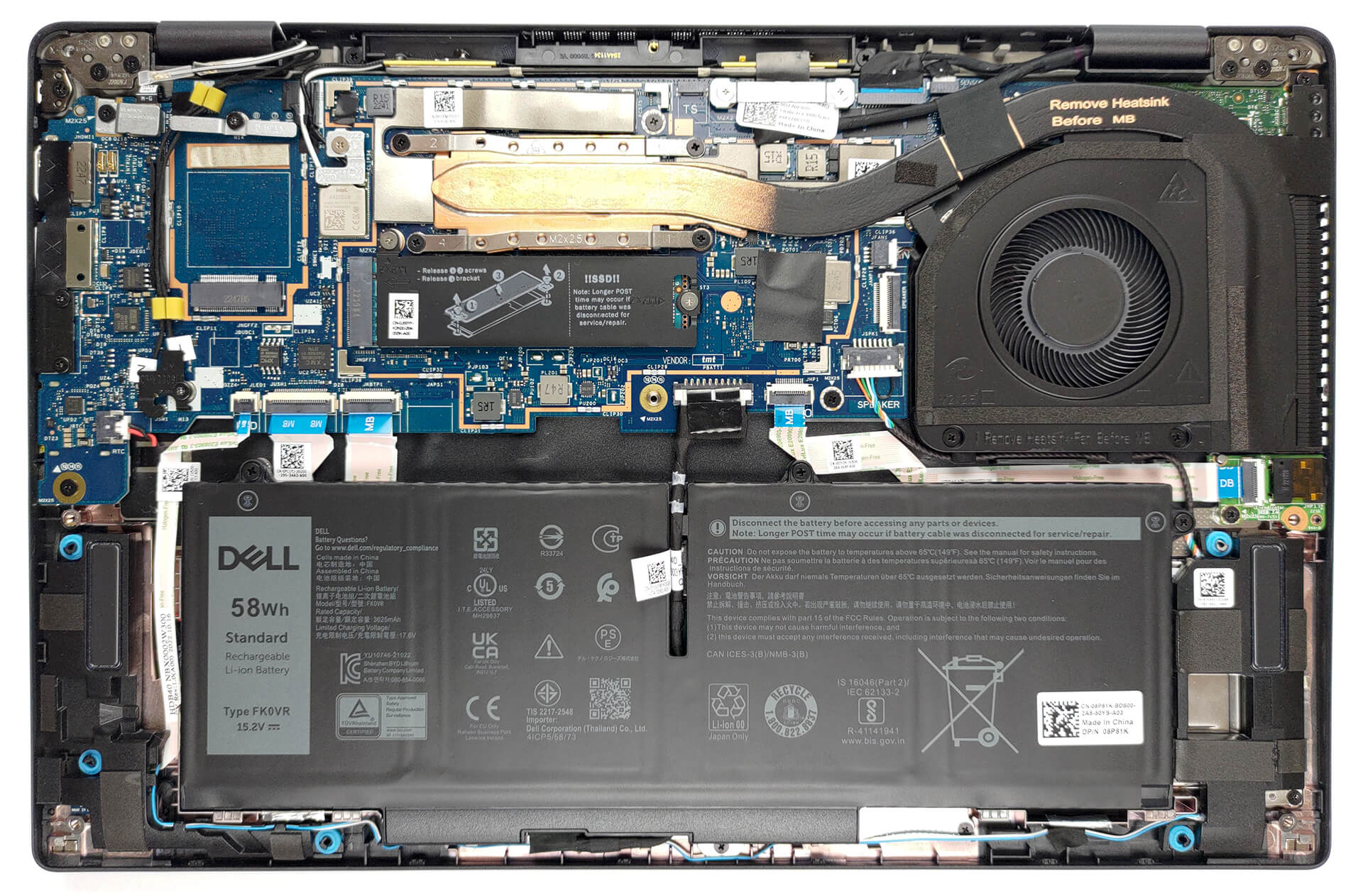
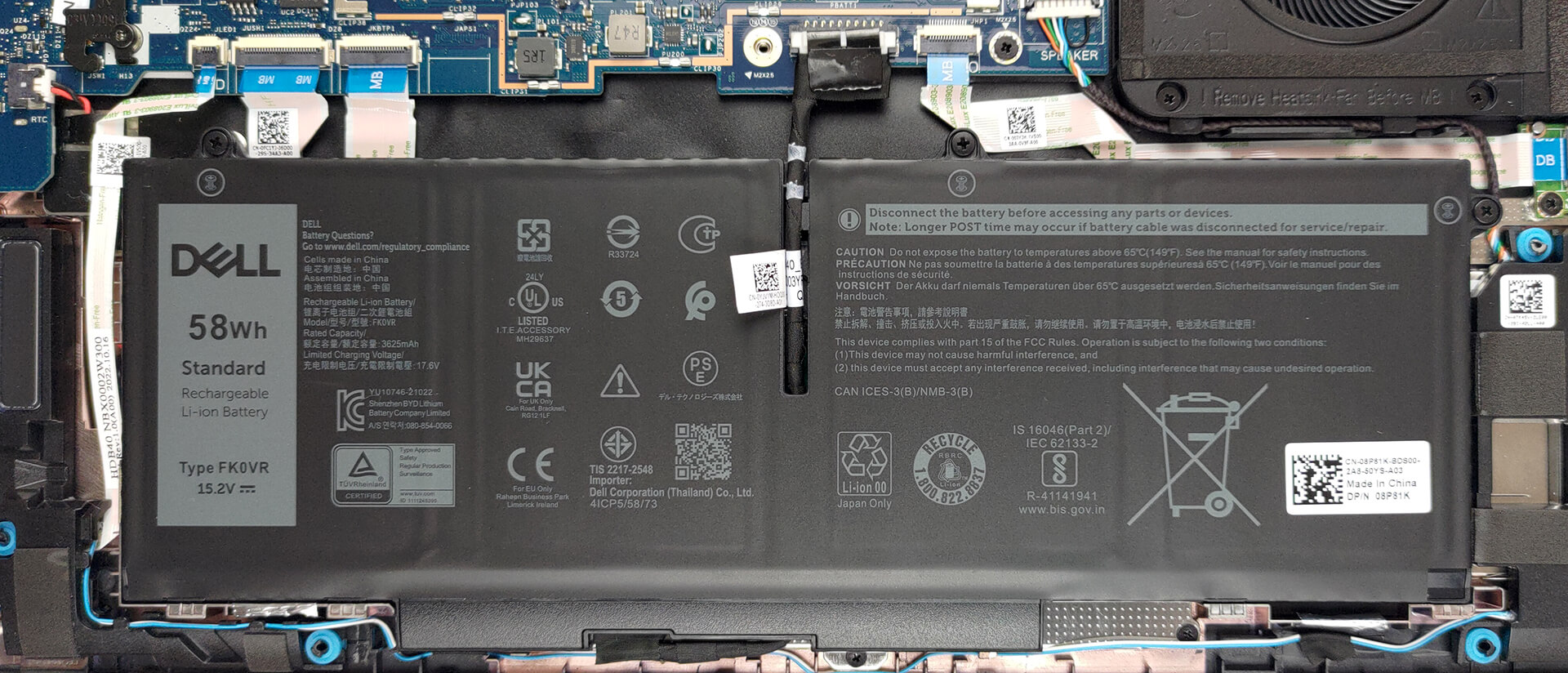
2. Remove the battery
Inside, we get a 58Wh battery pack. To remove it, unplug the battery connector, and undo the three captive Phillips-head screws.
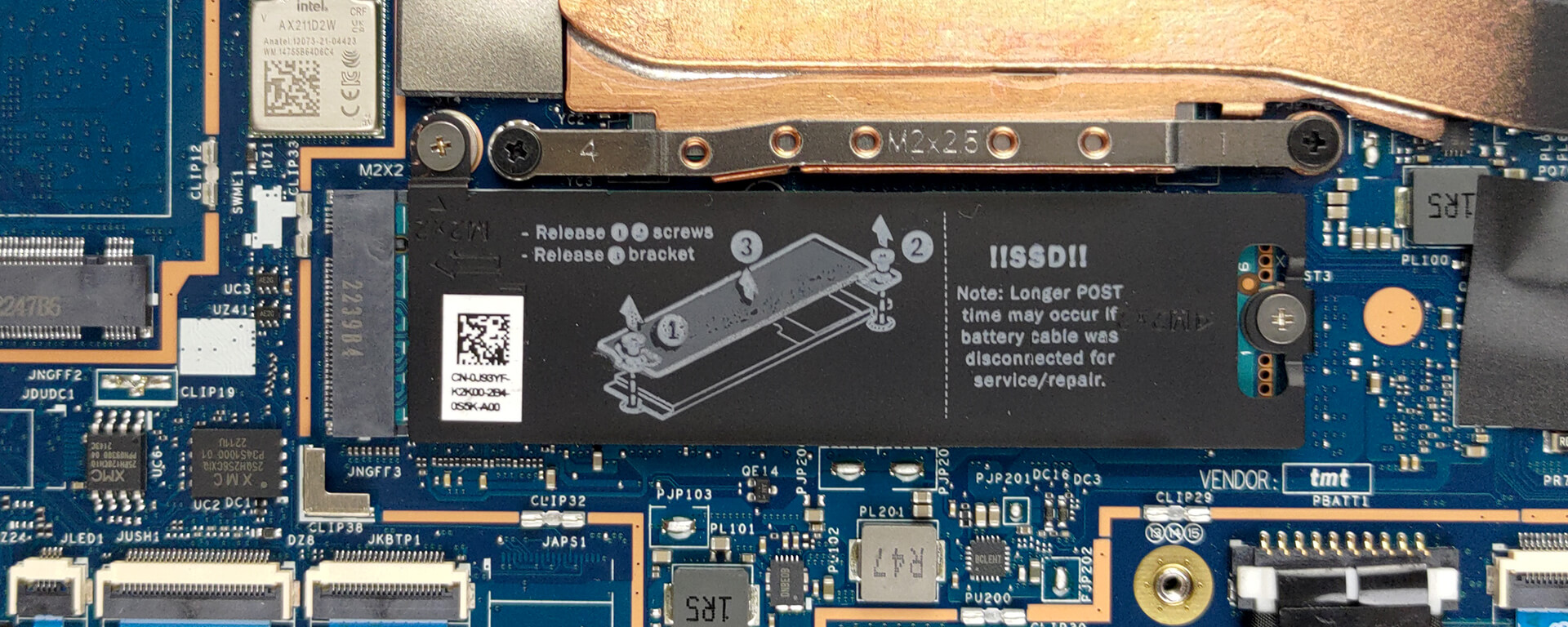
3. Upgrade memory and storage
Here, the memory is soldered to the motherboard. The maximum capacity you can get is 32GB, while the type depends on the processor. The 15W models get DDR4 RAM, while the 28W versions are equipped with LPDDR5 memory. As for storage, there is one M.2 PCIe x4 slot, which supports Gen 4 SSDs.
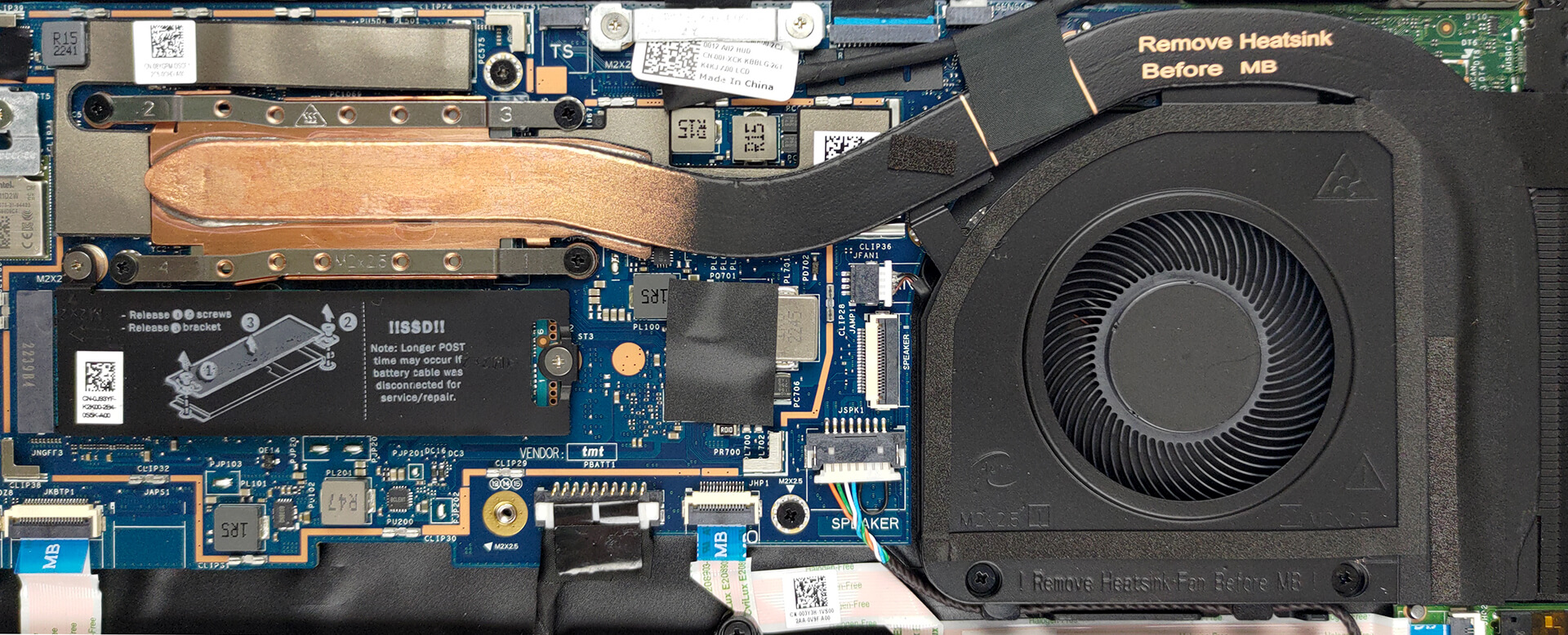
4. Cooling system
This notebook’s cooling comprises one heat pipe, a side-mounted heat sink, and a fan.
Check out all Dell Latitude 14 7430 prices and configurations in our Specs System, or read more in our In-Depth review.
Dell Latitude 14 7430 dogłębna recenzja
Czasy dominacji Lenovo i Della na rynku biznesowym już dawno minęły. ASUS tworzy teraz świetne urządzenia, podczas gdy niektóre słabsze firmy, takie jak Dynabook i Fujitsu, produkują bardzo przekonujące notebooki.ALE! Dziś zajmiemy się jednym laptopem - Dell Latitude 14 7430. Jest to urządzenie biznesowe klasy premium, skierowane do poważnych ludzi, którzy chcą wykonywać swoją pracę w najbardziej wydajny i bezpieczny sposób.Pod względem sprzętowym można wybierać pomiędzy wysoką wydajnością i prawie tak wysoką wydajnością, ale z dłuższym czasem pracy na [...]

Pros
- Tona oprogramowania zabezpieczającego + czujnik zbliżeniowy wykrywający człowieka
- Brak PWM (LG 0HXCK-140WFH (LGD068D))
- Obsługa Wi-Fi 6, opcjonalna łączność 5G i opcjonalny czytnik Smart Card
- Materiały konstrukcyjne do wyboru: karbon i aluminium
- Wygodna klawiatura
- Opcjonalny czytnik linii papilarnych i system rozpoznawania twarzy IR
- Szeroki zakres wejść/wyjść, w tym dwa złącza Thunderbolt 4
Cons
- Cena premium
- Gorsza żywotność baterii niż w zeszłym roku
- Pokrywa 50% kolorów sRGB (LG 0HXCK-140WFH (LGD068D))
- Pamięć jest przylutowana do płyty głównej
 Author: Alex Iliev

![[Sierpień 2026] Globalny ranking najlepiej sprzedających się procesorów graficznych do laptopów na Amazonie – Apple nie ma sobie równych, a model RTX 5060 firmy NVIDIA zajmuje pierwsze miejsce w kategorii kart dedykowanych](https://laptopmedia.com/wp-content/uploads/2026/09/Best-Selling-GPUs-GLOBAL-Top-10-400x225.jpg)
![[Sierpień 2026] Globalny ranking najlepiej sprzedających się procesorów do laptopów na Amazonie – Apple dominuje zarówno w segmencie budżetowym, jak i premium: modele A18 Pro i M5 zdecydowanie wyprzedzają Intel i AMD w sierpniu 2026 roku](https://laptopmedia.com/wp-content/uploads/2026/09/Best-Selling-CPUs-GLOBAL-Top-10-400x225.jpg)
![[Sierpień 2026] Amazon Global: 10 najlepiej sprzedających się laptopów – Apple MacBook Neo dominuje w rankingach, podczas gdy niedrogie i średniej klasy laptopy z systemem Windows walczą o udział w rynku](https://laptopmedia.com/wp-content/uploads/2026/09/Best-Selling-Laptops-GLOBAL-Top-10-400x225.jpg)
![[Sierpień 2026 r.] Najlepiej sprzedające się marki laptopów w serwisie Amazon Global – Apple dominuje pod względem przychodów, a HP przoduje pod względem różnorodności modeli](https://laptopmedia.com/wp-content/uploads/2026/09/GLOBAL-Best-Brands-400x225.jpg)
![[Sierpień 2026 r.] Amazon Global: 10 najlepiej sprzedających się laptopów do gier – HP Victus 15 zdobywa pierwsze miejsce, a rankingi zdominowały modele w przystępnej cenie](https://laptopmedia.com/wp-content/uploads/2026/09/Best-Selling-Gaming-Laptops-GLOBAL-Top-10-400x225.jpg)
