How to open MSI Stealth 16 Studio (A13V) – disassembly and upgrade options
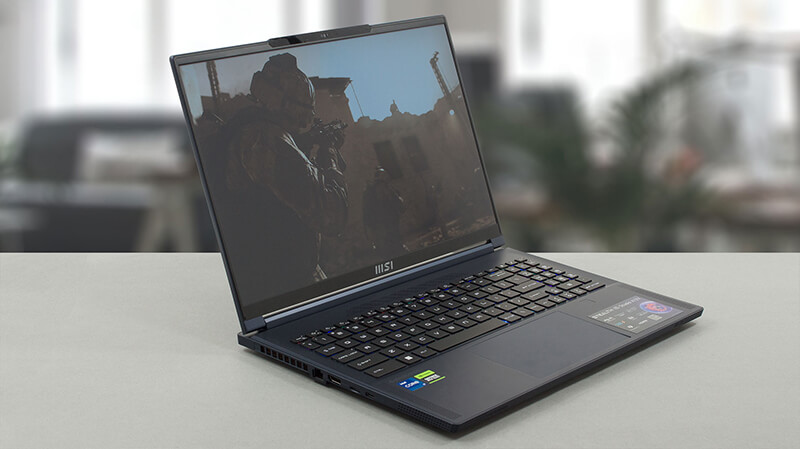
This is one of the most impressive laptops on the market right now. The upgrade options are part of its great features.
Check out all MSI Stealth 16 Studio (A13V) prices and configurations in our Specs System, or read more in our In-Depth review.


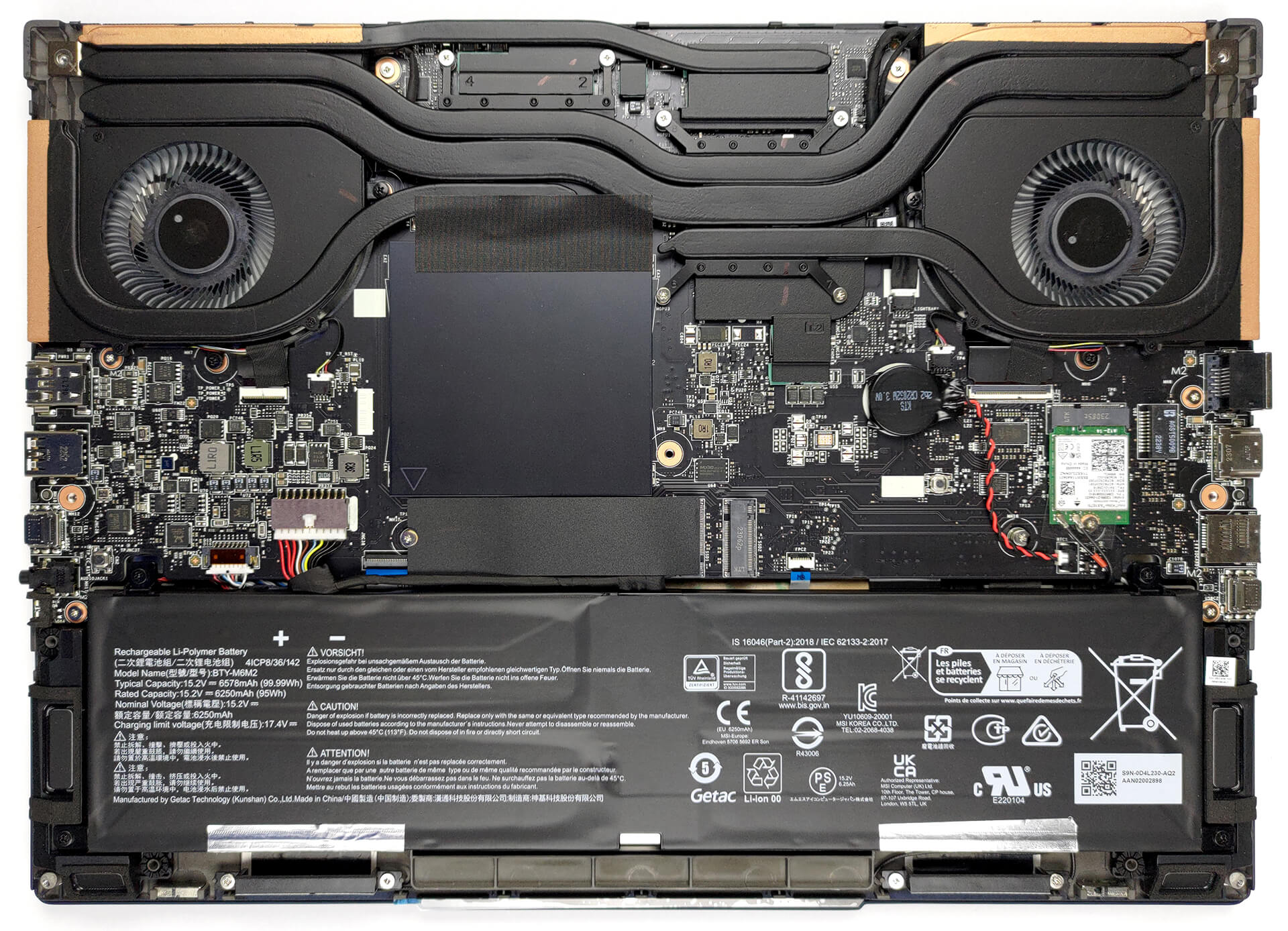
1. Remove the bottom plate
To open this machine, you need to undo 7 Phillips-head screws. After that, pry the bottom panel with a plastic tool, and lift it away from the chassis.
2. Remove the battery
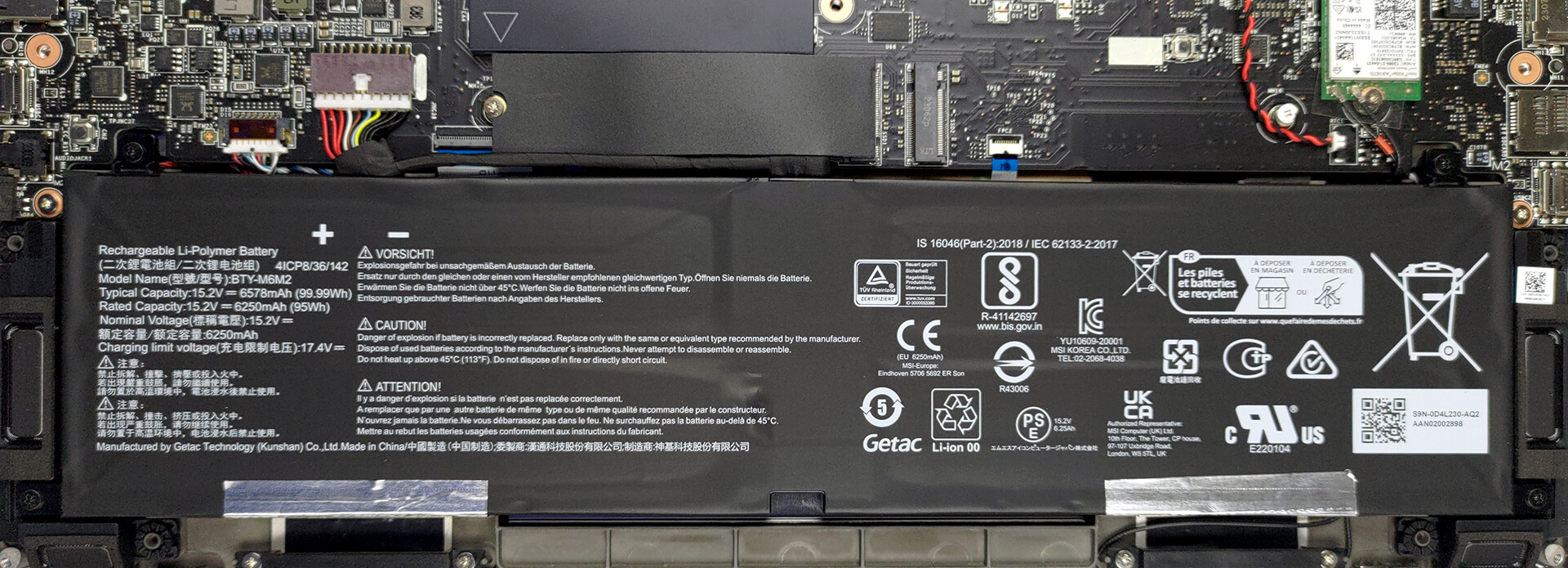
This unit comes with a 99.9Wh battery pack. It lasts for 9 hours of either Web browsing or video playback. To remove it undo 4 Phillips-head screws that hold it to the chassis, and unplug the battery connector from the motherboard.
3. Upgrade memory and storage
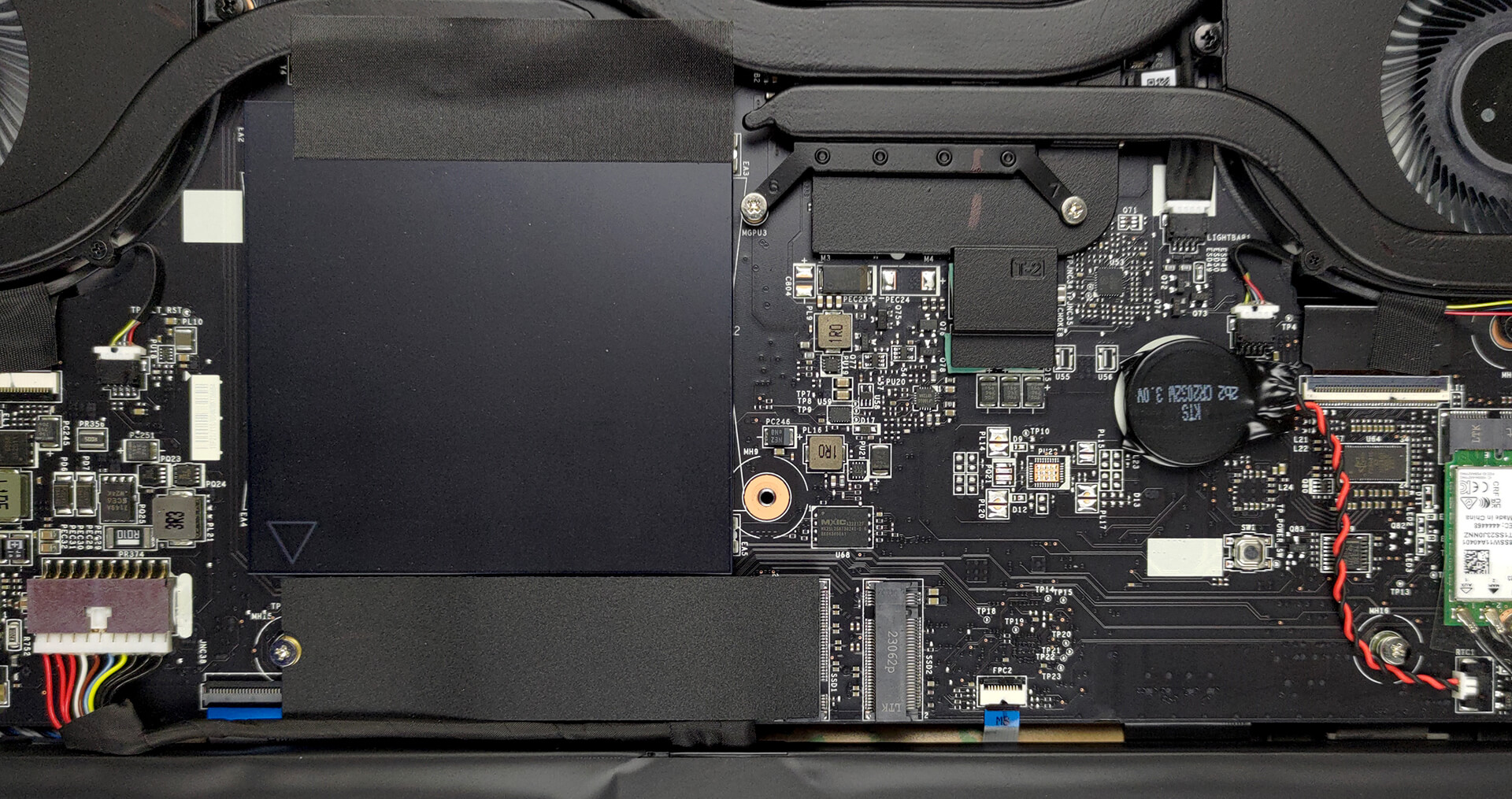
Here, you see two SODIMM slots, which support up to 64GB of DDR5 RAM in total. As for storage, there are two M.2 PCIe x4 slots, both of which support Gen 4 SSDs.
4. Cooling system
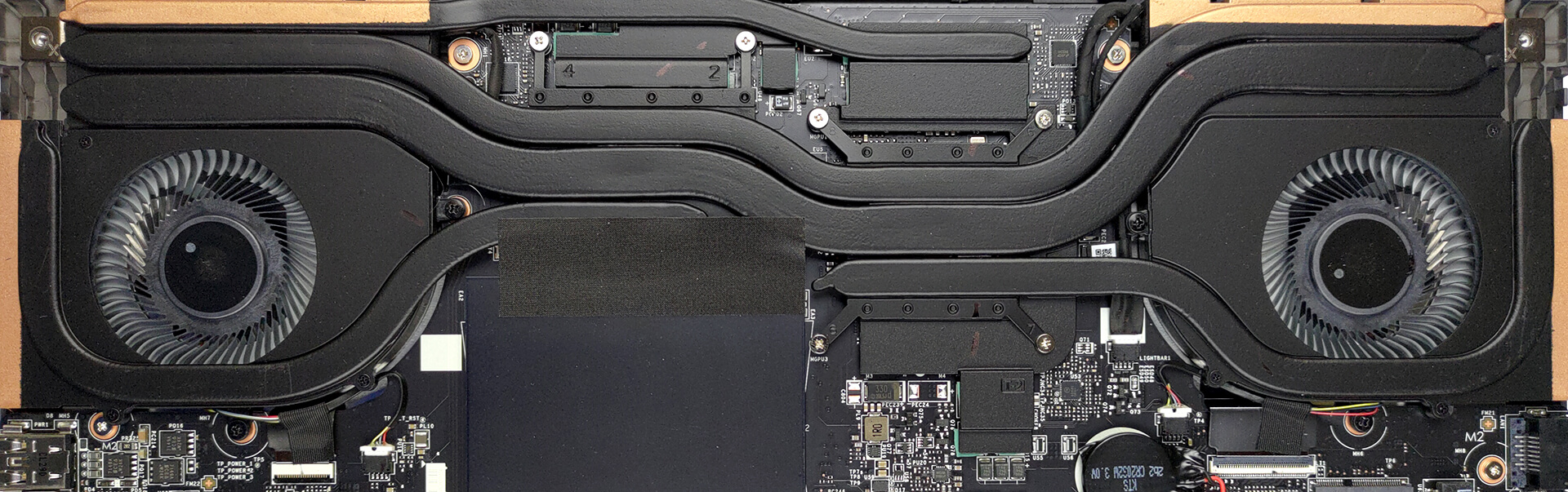
Cooling-wise, there are two heat pipes shared between the CPU and the GPU, with one more dedicated to each of them. In addition, there is one more heat pipe dedicated to the VRMs and the graphics memory. Furthermore, there are two fans and four heat sinks.
Check out all MSI Stealth 16 Studio (A13V) prices and configurations in our Specs System, or read more in our In-Depth review.
MSI Stealth 16 Studio (A13Vx) dogłębna recenzja
Cienka granica między komputerami gamingowymi i biznesowymi. W przeszłości urządzeń z obu tych dziedzin nie można było pomylić z drugimi - notebooki gamingowe były grube, ciężkie i agresywne, podczas gdy laptopy biznesowe wydawały się stylowe i ogólnie neutralne.Oto MSI Stealth 16 Studio (A13V). Jest to urządzenie, które wygląda jakby przełamywało Matrixa. Jest cienki, lekki i bardzo dobrze wygląda. Ale to zdecydowanie jego najważniejsze cechy.To, co stawia oczekiwania wyżej, to sprzęt. Wyposażony jest w najnowsze i najlepsze procesory Intela 13. generacji o TD[...]
Pros
- Czytnik linii papilarnych i skaner rozpoznawania twarzy IR
- 2x gniazda M.2 PCIe x4 Gen 4, 2x gniazda DDR5 RAM SODIMM w trybie dwukanałowym/li>
- Obejmuje 100% gamy kolorów DCI-P3 i ma dokładne odwzorowanie kolorów dzięki naszemu profilowi do gier i projektowania stron internetowych (AUO B160QAN02.3 (AUO26A9)).
- Zgrabny panel z krótkim czasem reakcji (AUO B160QAN02.3 (AUO26A9))
- Brak PWM (AUO B160QAN02.3 (AUO26A9))
- Przełącznik MUX
- Szeroki wybór portów
- Przyzwoita żywotność baterii
- Klawiatura pozostaje stosunkowo chłodna po długich sesjach grania
- Dobra jakość wykonania
Cons
- Podwozie jest trochę hałaśliwe
- Krótki skok klawiszy
 Author: Alex Iliev

![[Lipiec 2026] Globalny ranking najlepiej sprzedających się kart graficznych do laptopów na Amazon – RTX 5060 dominuje w segmencie premium, a Intel nadal króluje w segmencie budżetowym](https://laptopmedia.com/wp-content/uploads/2026/08/Best-Selling-GPUs-GLOBAL-Top-10-400x225.jpg)
![[Lipiec 2026] Globalny ranking najlepiej sprzedających się procesorów do laptopów na Amazonie – Apple dominuje w segmencie premium, a Intel utrzymuje pozycję lidera w klasyfikacji ogólnej](https://laptopmedia.com/wp-content/uploads/2026/08/Best-Selling-CPUs-GLOBAL-Top-10-400x225.jpg)
![[July 2026] Amazon Canada: Top 10 Best-Selling Laptops – Apple MacBook Neo Dominates the Market to Claim the #1 Spot](https://laptopmedia.com/wp-content/uploads/2026/08/Best-Selling-Laptops-CA-Top-10-2-400x225.jpg)
![[July 2026] Best-Selling Laptop Brands on Amazon Japan – HP and Lenovo Dominate Units and Revenue Amid Fierce Competition](https://laptopmedia.com/wp-content/uploads/2026/08/CO.JP-Best-Brands-2-400x225.jpg)
![[July 2026] Amazon Italy: Top 10 Best-Selling Laptops – Apple MacBook Neo Claims the #1 Spot Amid Budget-Friendly Dominance](https://laptopmedia.com/wp-content/uploads/2026/08/Best-Selling-Laptops-IT-Top-10-400x225.jpg)
