Inside Lenovo IdeaPad Gaming 3 (15″, 2022) – disassembly and upgrade options
Even though the IdeaPad Gaming 3 (15″, 2022) is an inexpensive product, it comes with DDR5 memory, which is great.
Check out all Lenovo IdeaPad Gaming 3 (15″, 2022) prices and configurations in our Specs System, or read more in our In-Depth review.
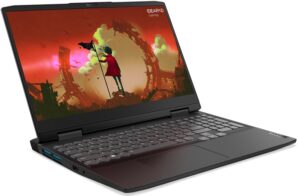
1. Remove the bottom plate
To get inside this laptop you first need to undo two Phillips-head screws located on the back, and two on the bottom panel. Then, pull the plastic shroud. After that, undo all 10 Phillips-head screws left on the bottom panel, and pry it with a plastic tool.
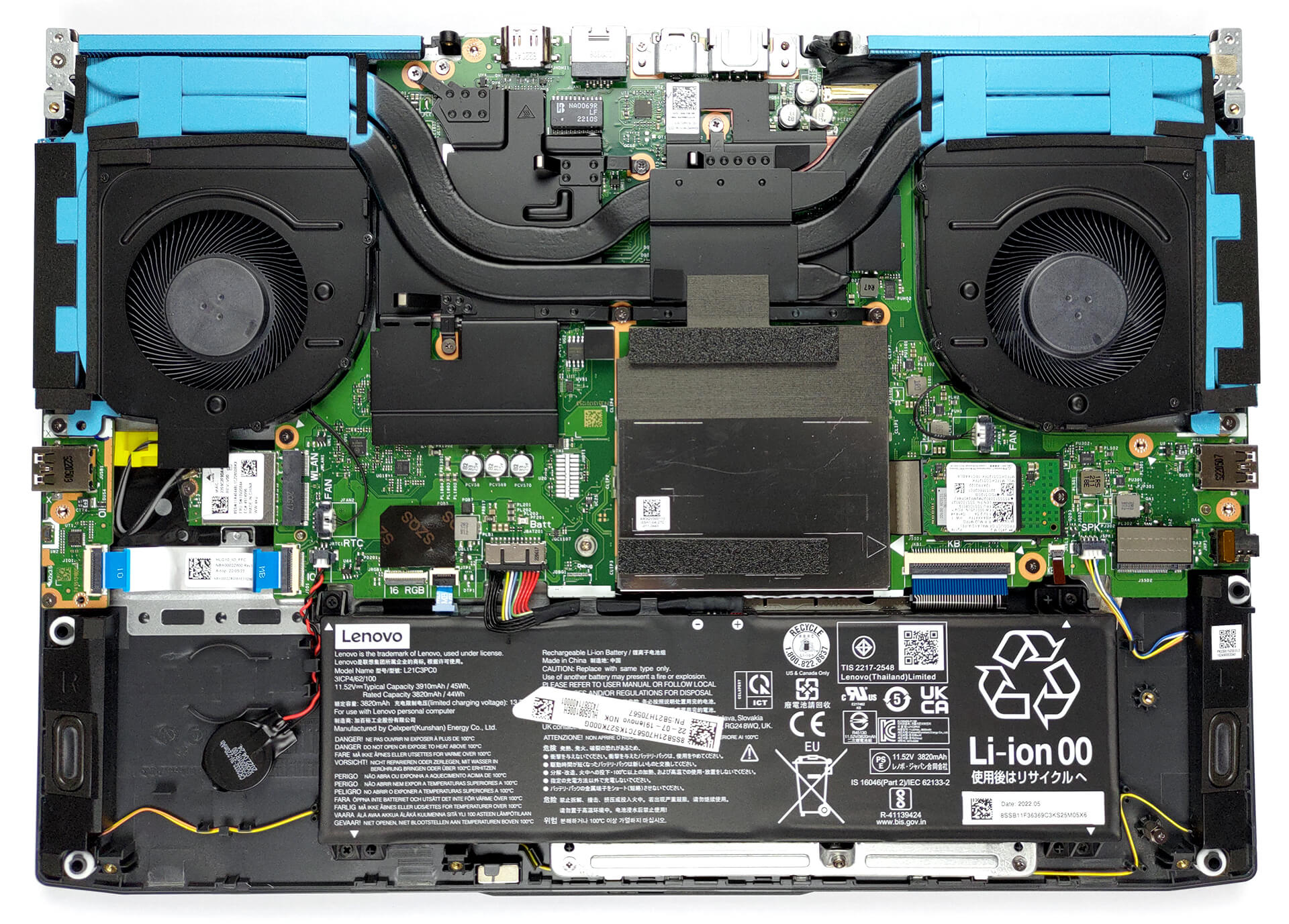
2. Battery
Inside, we see a 45Wh battery pack. It lasts for more than 6 hours of either Web browsing or video playback, which is not a great result. To take it out, unplug the battery connector from the motherboard, and undo all 4 Phillips-head screws that keep it in place.
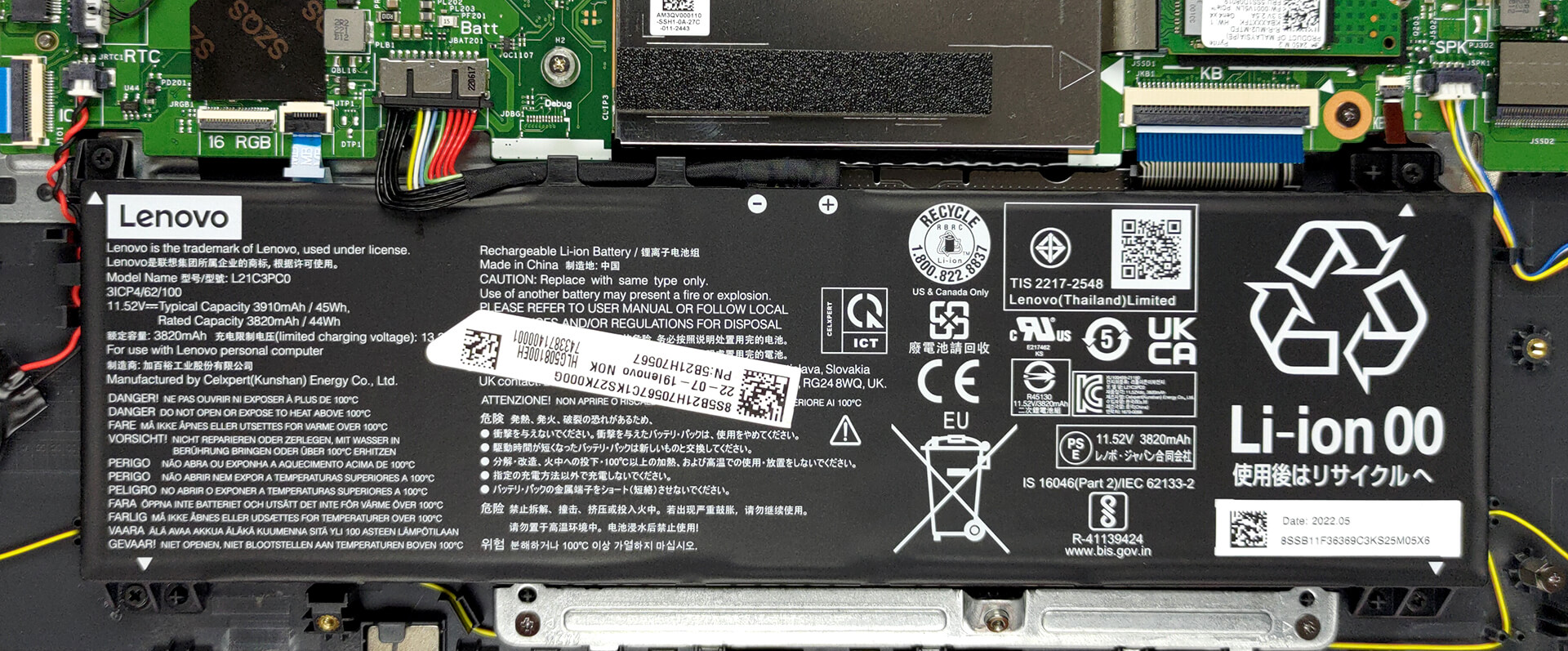
3. Memory and storage
Remove the metal shroud to access the two SODIMM slots. They work with DDR5 modules and we are pretty confident that you can fit up to 64GB in total. Storage-wise, there are two M.2 PCIe x4 slots. The 42mm one supports Gen 4 drives, while the 80mm one is limited to Gen 3 SSDs.

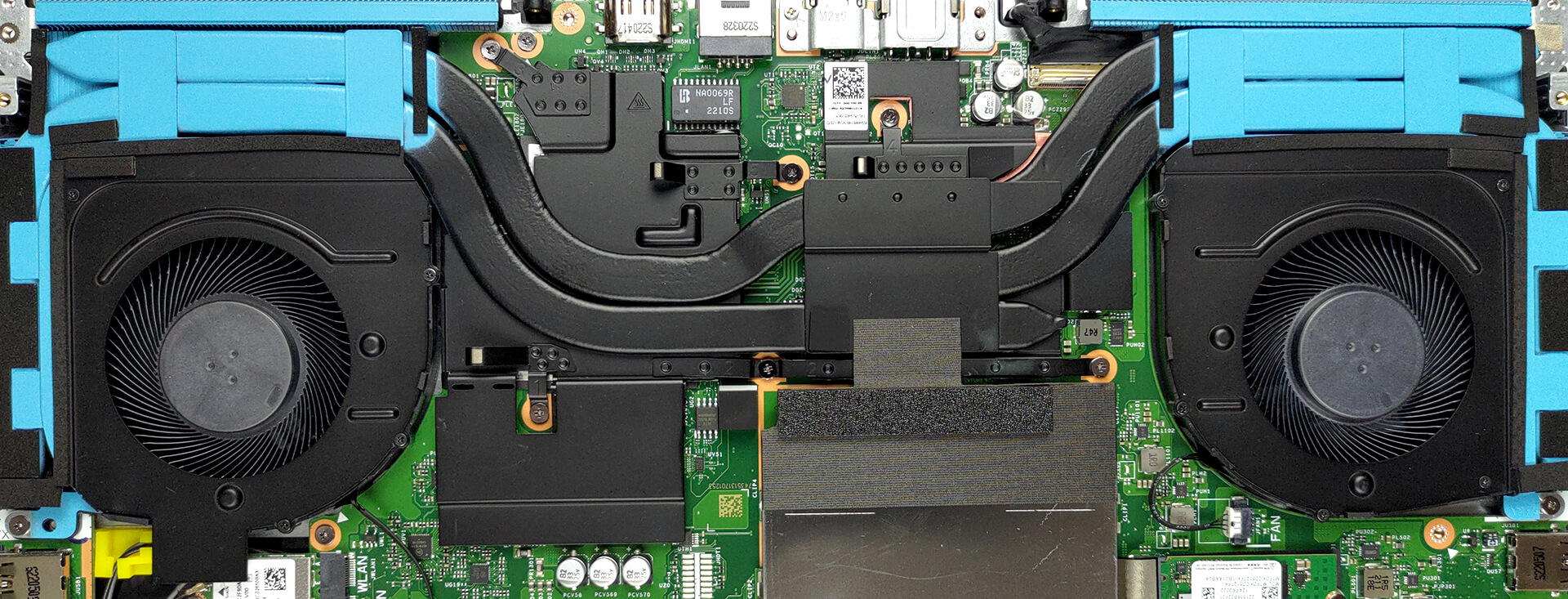
4. Cooling system
In terms of cooling, two heat pipes are shared between the CPU and GPU, a third one meant for the processor, plus a total of four heat sinks, and two fans. Furthermore, there are heat spreaders cooling the VRMs and the graphics memory.
Check out all Lenovo IdeaPad Gaming 3 (15″, 2022) prices and configurations in our Specs System, or read more in our In-Depth review.
Lenovo IdeaPad Gaming 3 (15", 2022) dogłębna recenzja
Podobnie jak seria TUF firmy ASUS, Lenovo wypuszcza swoje notebooki IdeaPad Gaming 3 w dwóch wersjach. Oczywiście jedna z nich jest wyposażona w chipset Intela, podczas gdy druga jest wyposażona w chipset AMD. Ponieważ mieliśmy już okazję przyjrzeć się temu z Team Blue, teraz zobaczymy, czy model AMD jest lepszy. A w przyszłości zamierzamy dokonać dogłębnego porównania między nimi i być może niektórymi konkurentami w tym segmencie rynku.Czego więc należy oczekiwać od tego laptopa? Cóż, ma zmieniony wygląd zewnętrzny, który teraz bardzo przypomina serię Legion.[...]
Pros
- Fantastyczny stosunek ceny do wydajności
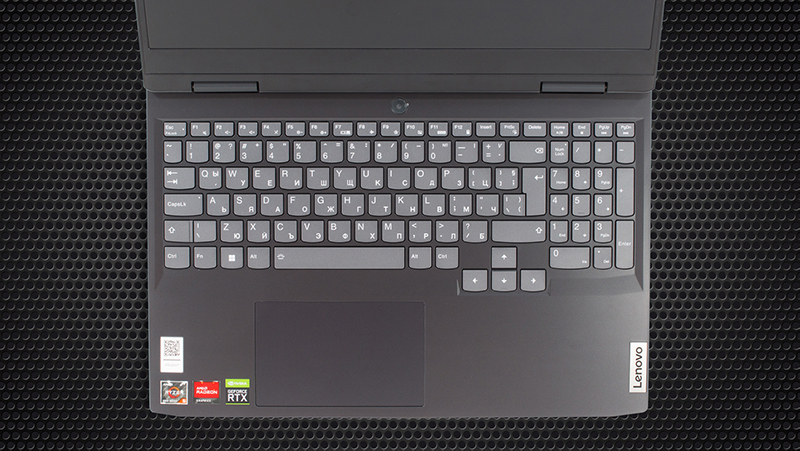
- Świetna klawiatura z opcjonalnym podświetleniem RGB
- 2x SODIMM DDR5 + 2x gniazda M.2 (jedno obsługuje dyski 4. generacji)
- Przyzwoite chłodzenie
- Brak PWM (BOE NV156FHM-NX1, BOE0A81)
Cons
- Brak czytnika kart SD
- Tylko 50% pokrycia palety sRGB (BOE NV156FHM-NX1, BOE0A81)
- Słabe zawiasy, powodujące podskakiwanie pokrywy
 Author: Alex Iliev

![[Czerwiec 2026 r.] Najlepiej sprzedające się marki laptopów w serwisie Amazon Global – bezkonkurencyjna dominacja firmy Apple pod względem liczby sprzedanych egzemplarzy i przychodów](https://laptopmedia.com/wp-content/uploads/2026/07/GLOBAL-Best-Brands-400x225.jpg)
![[Czerwiec 2026] Amazon Global: 10 najlepiej sprzedających się laptopów – nowy MacBook Neo firmy Apple szturmem zdobywa pierwsze miejsce, zmieniając oblicze rynku dzięki przystępnej cenie](https://laptopmedia.com/wp-content/uploads/2026/07/Best-Selling-Laptops-GLOBAL-Top-10-400x225.jpg)
![[Czerwiec 2026] Amazon Global: 10 najlepiej sprzedających się laptopów do gier – model Nitro V 16S AI firmy Acer dominuje pod względem sprzedaży, podczas gdy firma ASUS zajmuje pierwsze miejsce pod względem całkowitych przychodów](https://laptopmedia.com/wp-content/uploads/2026/07/Best-Selling-Gaming-Laptops-GLOBAL-Top-10-400x225.jpg)
![[Czerwiec 2026] Globalny ranking najlepiej sprzedających się kart graficznych do laptopów na Amazonie – NVIDIA RTX 5060 to najlepiej sprzedająca się dedykowana karta graficzna](https://laptopmedia.com/wp-content/uploads/2026/07/Best-Selling-GPUs-GLOBAL-Top-10-400x225.jpg)
![[Czerwiec 2026] Globalny ranking najlepiej sprzedających się procesorów do laptopów na Amazonie – Apple M5 dominuje, a AMD Ryzen 7 260 zdobywa solidny udział w segmencie premium](https://laptopmedia.com/wp-content/uploads/2026/07/Best-Selling-CPUs-GLOBAL-Top-10-400x225.jpg)
