Inside MSI GF63 8RD – disassembly and upgrade options
This laptop is one of the sleekest looking gaming devices on the market. It has a beautiful design, which hides the true personality of the device. How about the inside, though? Well, let’s check it out, shall we?
Check out all MSI GF63 8RD prices and configurations in our Specs System or read more in our In-depth Review.
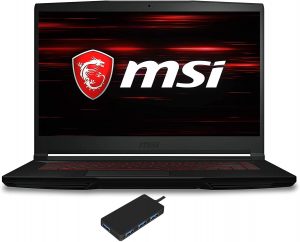
1. Remove the bottom plate
Getting inside of this laptop will most definitely void your warranty, so think twice before you do this. Once again you have to remove the entire bottom plate in order to access all of the sweet internals. This can happen after you unscrew a total of 12 Phillips-head screws. Then pry it up – just be careful because these plastic clips are a glance away from braking.
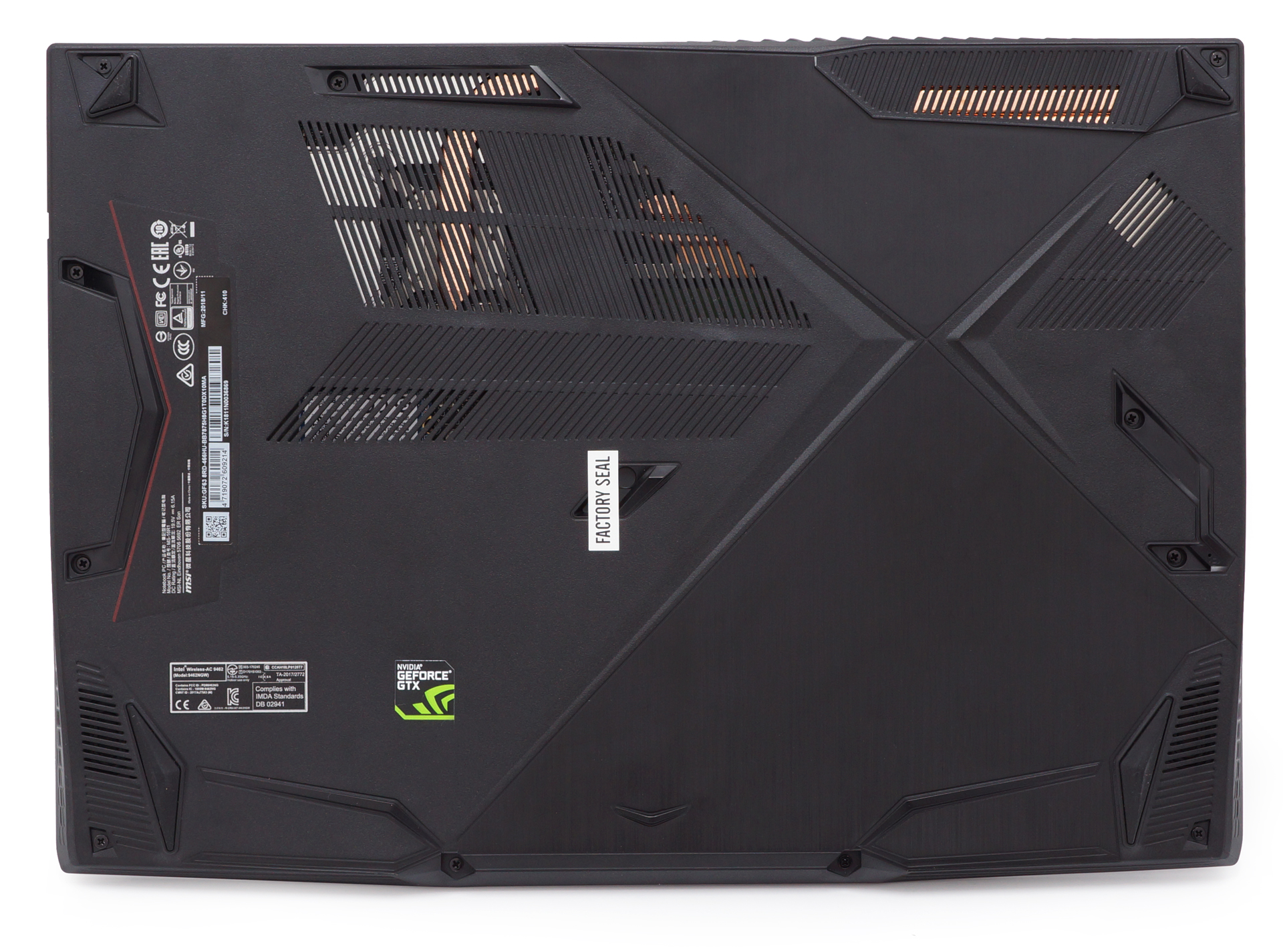
2. Battery
In accordance with the thinness of the laptop, the battery is held in place by some strong sticky pads. It is rated at 51Wh with all of the information of the battery printed on its back… not a very smart decision, if you’re not trying to hide something.
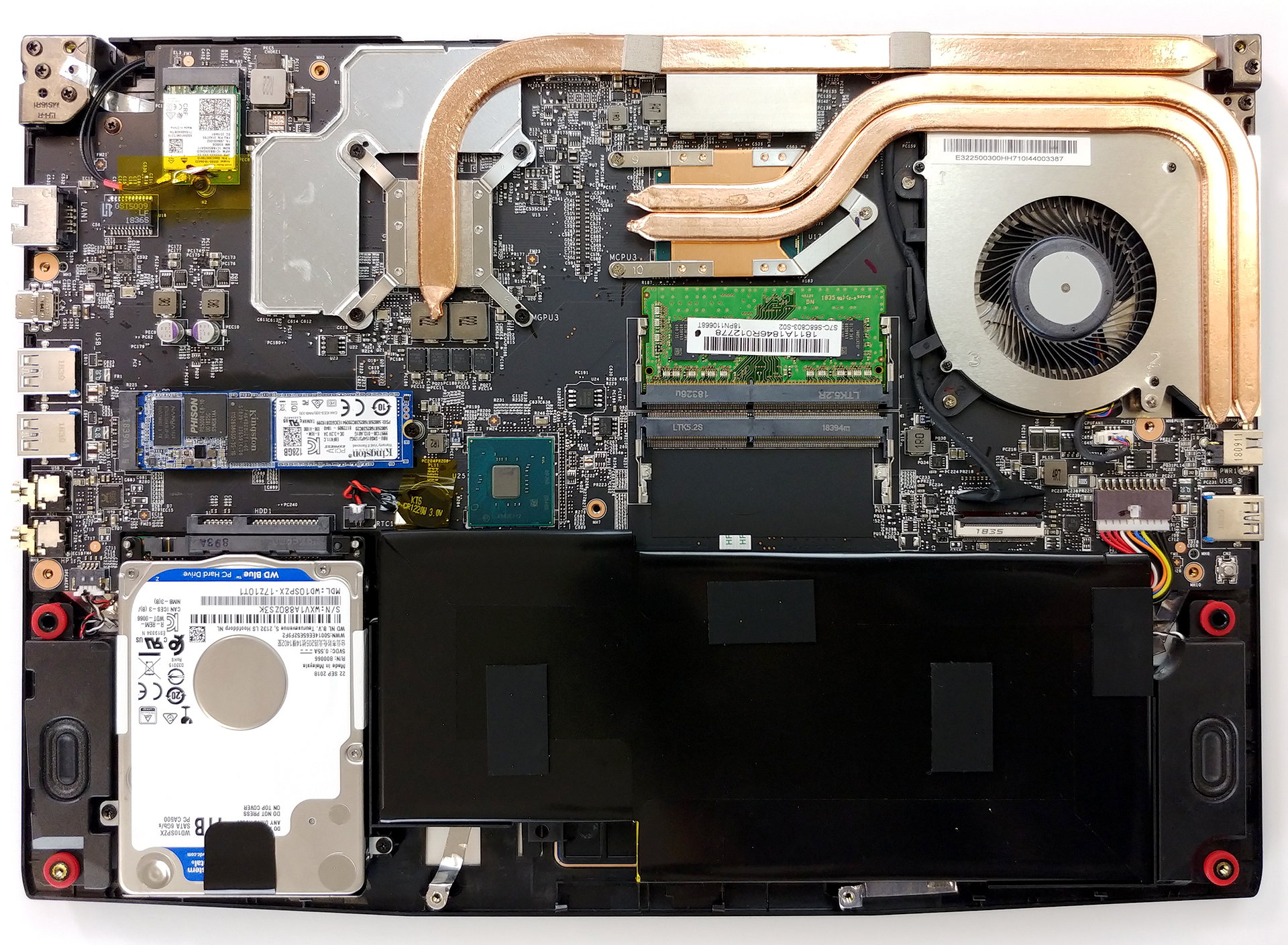
3. Memory and storage
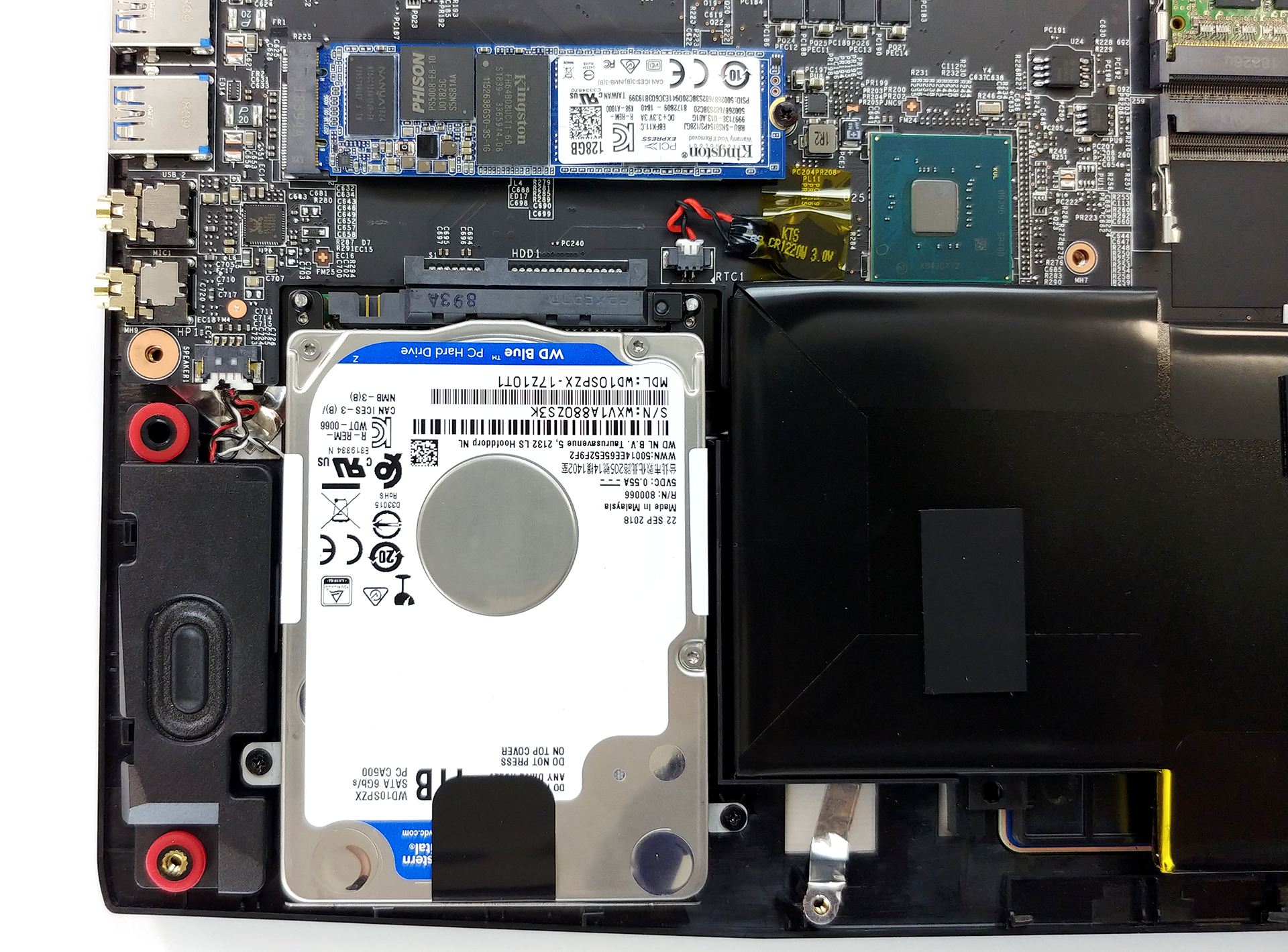
We are happy to see a full selection of memory and storage options. There are two RAM DIMMs, supporting up to 32 GB of DDR4 memory. They are the traditional slots, which hold the PCBs in place with two clips on either side of it. On the storage side, we see a SATA drive right next to the battery. There are two screws holding it in place, while the M.2 SSD above it is held by just a single one. By the way, it does support NVMe drives.
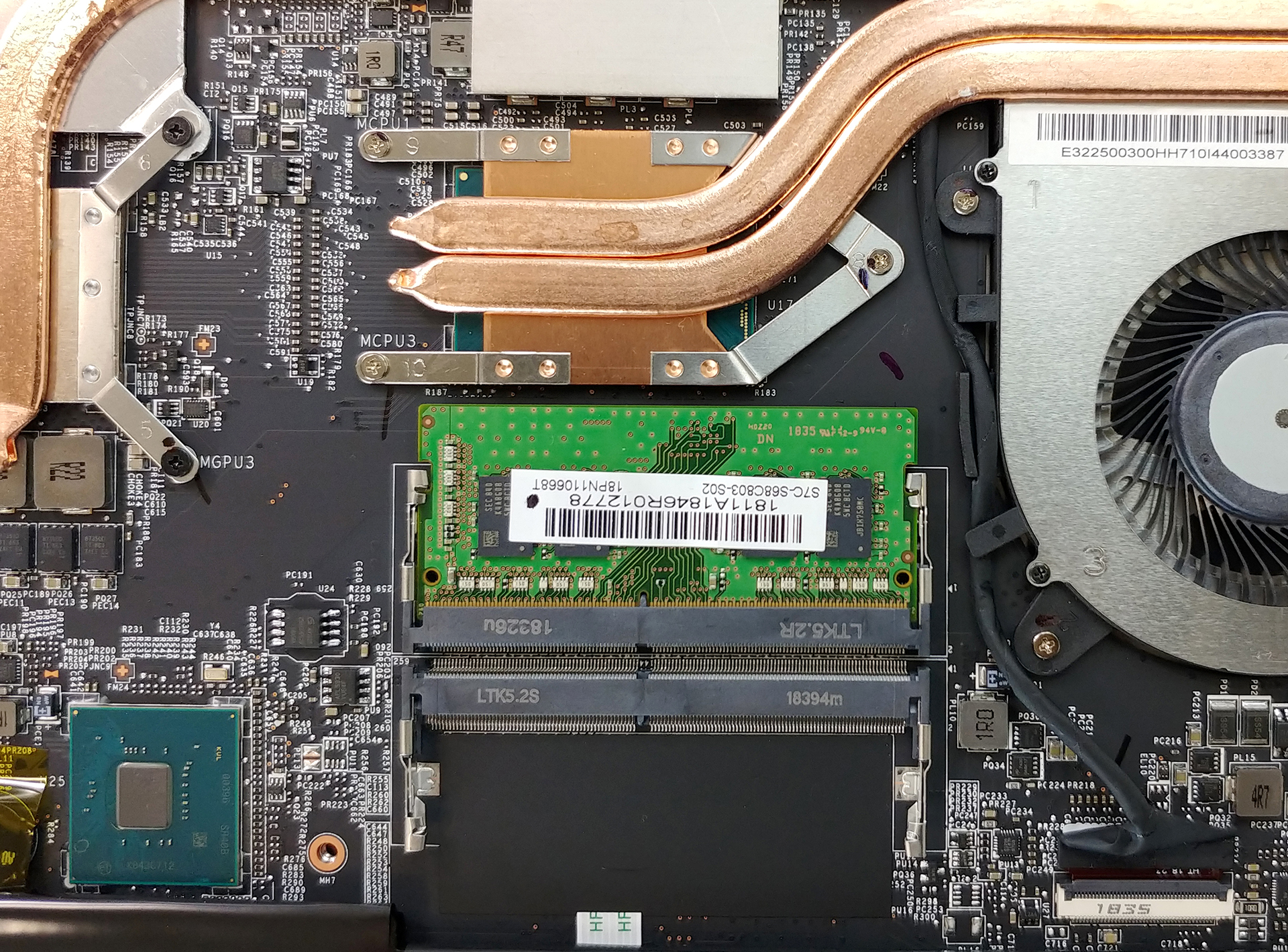
4. Cooling system
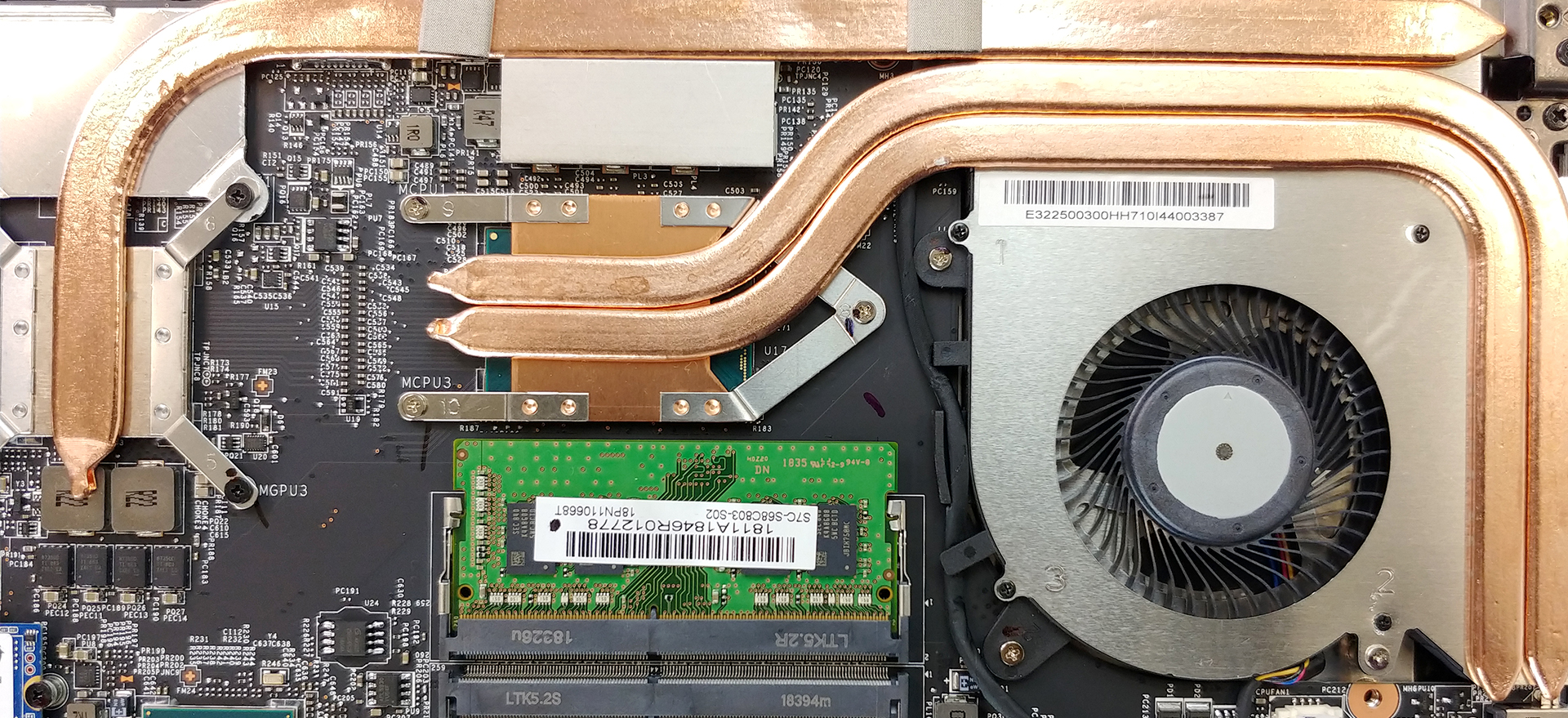
Interestingly, this gaming laptop is cooled by a single but rather big fan. We are glad that MSI resisted the temptation of cooling the GPU and the CPU using the same heat pipes. Instead, they’ve opted for a big single heat pipe cooling the graphics card and two thinner – the processor. In our temperature test, however, we found out that the GTX 1050 Ti gets quite hot in this cooling setup.
Check out all MSI GF63 8RD prices and configurations in our Specs System or read more in our In-depth Review.
 Author: Alex Iliev

![[October 2026] Best-Selling Laptop Brands on Amazon Global – Apple Dominates Revenue Despite HP Leading in Model Variety](https://laptopmedia.com/wp-content/uploads/2026/11/GLOBAL-Best-Brands-400x225.jpg)
![[October 2026] Amazon Global: Top 10 Best-Selling Laptops – Apple Dominates the Global Market as the M5-Powered MacBook Air 13 Claims the #1 Spot](https://laptopmedia.com/wp-content/uploads/2026/11/Best-Selling-Laptops-GLOBAL-Top-10-400x225.jpg)
![[October 2026] Amazon Global: Top 10 Best-Selling Gaming Laptops – HP Victus 15 Claims the Crown as Budget-Friendly Configurations Dominate Global Sales](https://laptopmedia.com/wp-content/uploads/2026/11/Best-Selling-Gaming-Laptops-GLOBAL-Top-10-400x225.jpg)
![[October 2026] Global Ranking of Best-Selling Laptop GPUs on Amazon – Apple M5 Dominates as NVIDIA’s RTX 5060 Leads Dedicated GPUs in October 2026](https://laptopmedia.com/wp-content/uploads/2026/11/Best-Selling-GPUs-GLOBAL-Top-10-400x225.jpg)
![[October 2026] Global Ranking of Best-Selling Laptop CPUs on Amazon – Apple’s M5 Dominates as Intel and AMD Battle for Scraps](https://laptopmedia.com/wp-content/uploads/2026/11/Best-Selling-CPUs-GLOBAL-Top-10-400x225.jpg)

Good Article Thanks. I want to repaste my MSI GF63-8RD do you guys have a video for that?