Lenovo ThinkPad P1 Gen 5 – Top 5 Pros and Cons
 The P1 mobile workstation from Lenovo is one of the thinnest laptops with a good amount of power and quality features that you can get your hands on.
It comes with very potent hardware, our model featuring a Core i7-12700H and an RTX A1000 Studio-grade graphics card. Combine that with a tall 16:10 display and a sizeable battery, you’ve got a device that can do professional work undisturbed, regardless of if you’re plugged into a wall or not.
Today we present you with LaptopMedia’s top 5 picks about the Lenovo ThinkPad P1 Gen 5.
Lenovo ThinkPad P1 Gen 5: Full Specs / In-depth Review
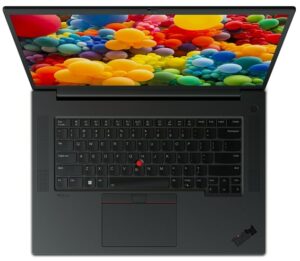
4 reasons to BUY the Lenovo ThinkPad P1 Gen 5
1. Upgradeability
Starting off, you want to keep your laptop performing well, and some of that comes down to introducing more resources, like RAM and storage. For that reason, the P1 offers two SODIMM slots for DDR5 memory and two M.2 slots for Gen 4 SSDs. The SSD slots also have RAID support.

Here is our detailed teardown video, which shows how to access both the RAM and SSD slots.
2. Battery life
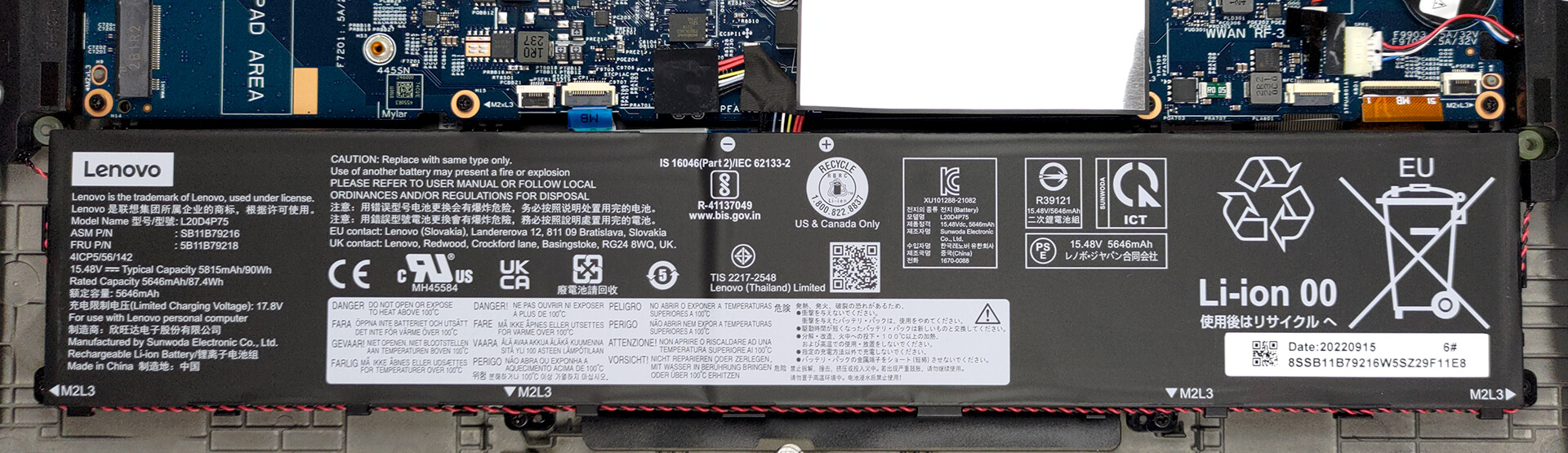
With a 90Wh battery pack, we see the ThinkPad deliver 14 hours and 48 minutes of Web browsing, or 10 hours and 36 minutes of video playback. Now, we conduct the battery tests with the Windows Better performance setting turned on, screen brightness adjusted to 120 nits, and all other programs turned off except for the one we are testing the notebook with.
3. Display quality
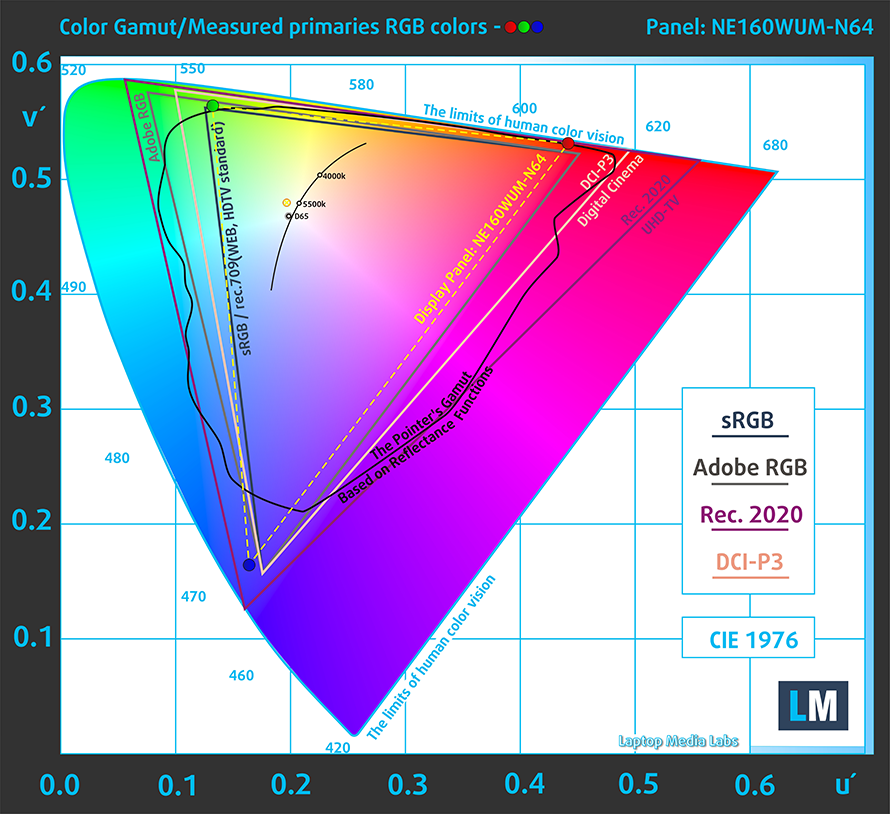
There are three display options, which you can see in our full review. We tested the FHD+ IPS panel which comes with excellent viewing angles and a peak brightness of 346 nits. The contrast ratio is very high at 1800:1. It covers 92% of the sRGB gamut, which is enough for most types of web-based color work.
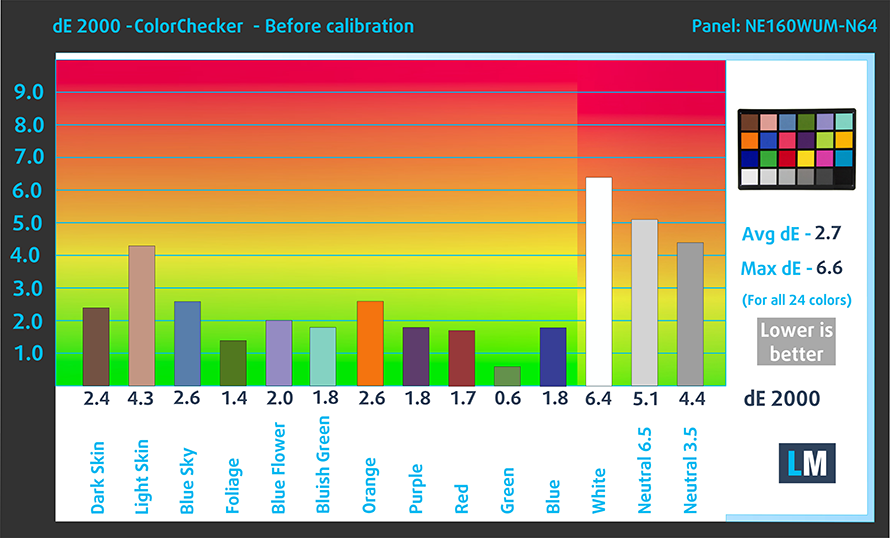
The color accuracy is fantastic as well, once we apply our Design and Gaming profile, lowering the dE value to 1.3. Here are the results of our test, with both the stock settings (left) and with our profile applied (right).

Buy our profiles
Since our profiles are tailored for each individual display model, this article and its respective profile package are meant for Lenovo ThinkPad P1 Gen 5 configurations with 16.0″ BOE NE160WUM-N64 (LEN41B5) (WUXGA, 1920 x 1200) IPS.
*Should you have problems with downloading the purchased file, try using a different browser to open the link you’ll receive via e-mail. If the download target is a .php file instead of an archive, change the file extension to .zip or contact us at [email protected].
Read more about the profiles HERE.
Oprócz otrzymywania wydajnych i przyjaznych dla zdrowia profili, kupując produkty LaptopMedia, wspierasz również rozwój naszych laboratoriów, w których testujemy urządzenia w celu tworzenia jak najbardziej obiektywnych recenzji.

Office Work
Office Work powinien być używany głównie przez użytkowników, którzy spędzają większość czasu patrząc na teksty, tabele lub po prostu przeglądając internet. Ten profil ma na celu zapewnienie lepszej wyrazistości i klarowności poprzez utrzymanie płaskiej krzywej gamma (2.20), natywnej temperatury barwowej i percepcyjnie dokładnych kolorów.

Design and Gaming
Ten profil jest przeznaczony dla projektantów, którzy pracują z kolorami zawodowo, a także do gier i filmów. Design and Gaming wykorzystuje panele wyświetlaczy do granic ich możliwości, czyniąc je tak dokładnymi, jak to tylko możliwe w standardzie sRGB IEC61966-2-1 dla stron internetowych i telewizji HD, przy punkcie bieli D65.

Health-Guard
Health-Guard eliminuje szkodliwą modulację szerokości impulsu (PWM) i redukuje negatywne niebieskie światło, które wpływa na nasze oczy i ciało. Ponieważ jest on dostosowany do każdego panelu, udaje mu się utrzymać percepcyjnie dokładne kolory. Health-Guard symuluje papier, dzięki czemu nacisk na oczy jest znacznie zmniejszony.
Zdobądź wszystkie 3 profile z 33% zniżką

4. I/O
The port selection includes good coverage, with two Thunderbolt 4 ports, two USB Type-A 3.2 (Gen. 1) ports, an SD card reader, an HDMI 2.1 port, an audio jack, and a power connector. You can also get an optional NanoSIM slot.


1 reason NOT to buy the Lenovo ThinkPad P1 Gen 5
1. The Price
Currently, on Lenovo’s website, the ThinkPad P1 Gen 5 is listed at a price of $2,174.42. Considering that this is for the base variant with a Core i7-12700H and the RTX A1000, we feel like you’re really paying more than what you’re actually getting, purely in terms of performance. Then again, if you also value the upgradeability, populated I/O, and battery, while also having the cache to spend, there’s nothing wrong in going for the ThinkPad P1.
All Lenovo ThinkPad P1 Gen 5 configurations:
 Author: Severin Kolakov

![[Czerwiec 2026 r.] Najlepiej sprzedające się marki laptopów w serwisie Amazon Global – bezkonkurencyjna dominacja firmy Apple pod względem liczby sprzedanych egzemplarzy i przychodów](https://laptopmedia.com/wp-content/uploads/2026/07/GLOBAL-Best-Brands-400x225.jpg)
![[Czerwiec 2026] Amazon Global: 10 najlepiej sprzedających się laptopów – nowy MacBook Neo firmy Apple szturmem zdobywa pierwsze miejsce, zmieniając oblicze rynku dzięki przystępnej cenie](https://laptopmedia.com/wp-content/uploads/2026/07/Best-Selling-Laptops-GLOBAL-Top-10-400x225.jpg)
![[Czerwiec 2026] Amazon Global: 10 najlepiej sprzedających się laptopów do gier – model Nitro V 16S AI firmy Acer dominuje pod względem sprzedaży, podczas gdy firma ASUS zajmuje pierwsze miejsce pod względem całkowitych przychodów](https://laptopmedia.com/wp-content/uploads/2026/07/Best-Selling-Gaming-Laptops-GLOBAL-Top-10-400x225.jpg)
![[Czerwiec 2026] Globalny ranking najlepiej sprzedających się kart graficznych do laptopów na Amazonie – NVIDIA RTX 5060 to najlepiej sprzedająca się dedykowana karta graficzna](https://laptopmedia.com/wp-content/uploads/2026/07/Best-Selling-GPUs-GLOBAL-Top-10-400x225.jpg)
![[Czerwiec 2026] Globalny ranking najlepiej sprzedających się procesorów do laptopów na Amazonie – Apple M5 dominuje, a AMD Ryzen 7 260 zdobywa solidny udział w segmencie premium](https://laptopmedia.com/wp-content/uploads/2026/07/Best-Selling-CPUs-GLOBAL-Top-10-400x225.jpg)
