Lenovo ThinkPad Z16 Gen 1 – Top 5 Pros and Cons
 The ThinkPad brand, while being exceptionally popular in the business industry, does have a sort of bland look, with all laptops coming in black, with the same rectangular industrial design.
This is what Lenovo is trying to change for the 30th anniversary of the brand, by introducing a new series, the Z-series, which has totally revamped the design. While the Z13 does struggle with cooling, due to its small stature, the larger Z16 is much better equipped for handling high-powered processors from the Ryzen 6000H-series.
Today we present you with LaptopMedia’s top 5 picks about the Lenovo ThinkPad Z16 Gen 1.
Lenovo ThinkPad Z16 Gen 1: Full Specs / In-depth Review
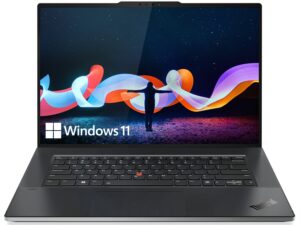
3 reasons to BUY the Lenovo ThinkPad Z16 Gen 1
1. Cooling
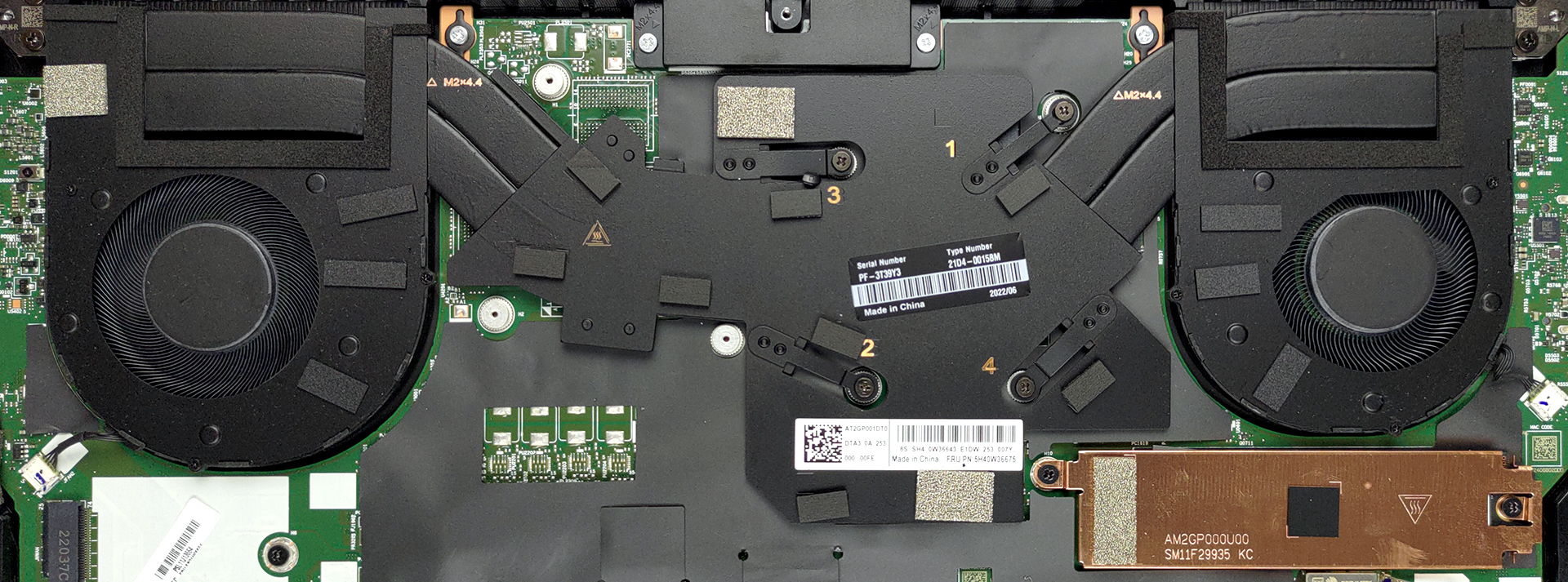
The setup here is improved, with two fans on the sides and two heat pipes that stretch along them.
Max CPU load
| D Ryzen 7 PRO 6850H (45W TDP) | 0:02 – 0:10 sec | 0:15 – 0:30 sec | 10:00 – 15:00 min |
|---|---|---|---|
| Lenovo ThinkPad Z16 Gen 1 | 3.68 GHz @ 84°C @ 62W | 3.47 GHz @ 88°C @ 54W | 3.40 GHz @ 95°C @ 53W |
As you can see, the cooling is enough for the Ryzen 7, as the clock speeds are high and the wattage is consistent. Yes, the CPU heats up significantly, but we’re happy overall.
Comfort during full load
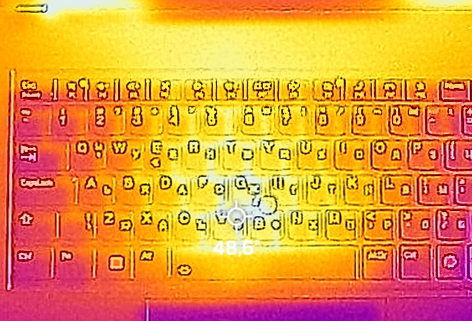
The fans get really loud, and the base heats up significantly, hovering close to 50°C.
2. Display quality
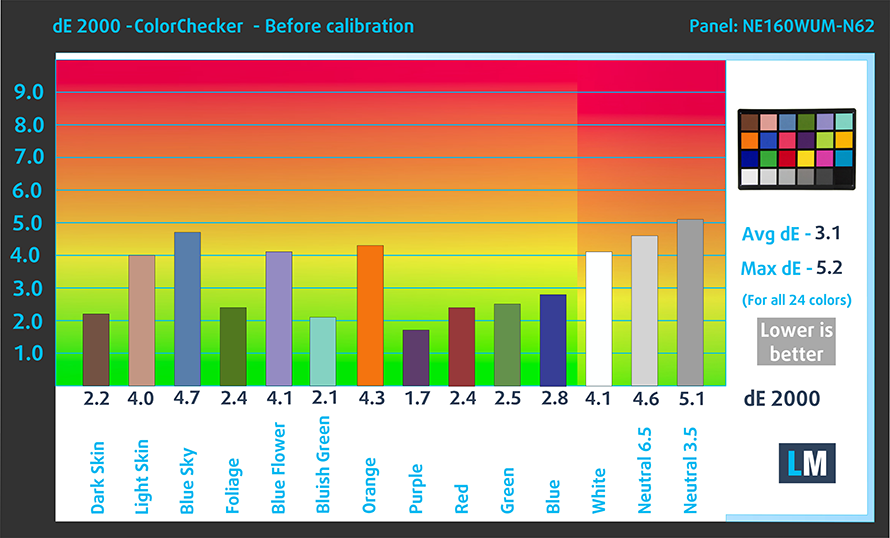
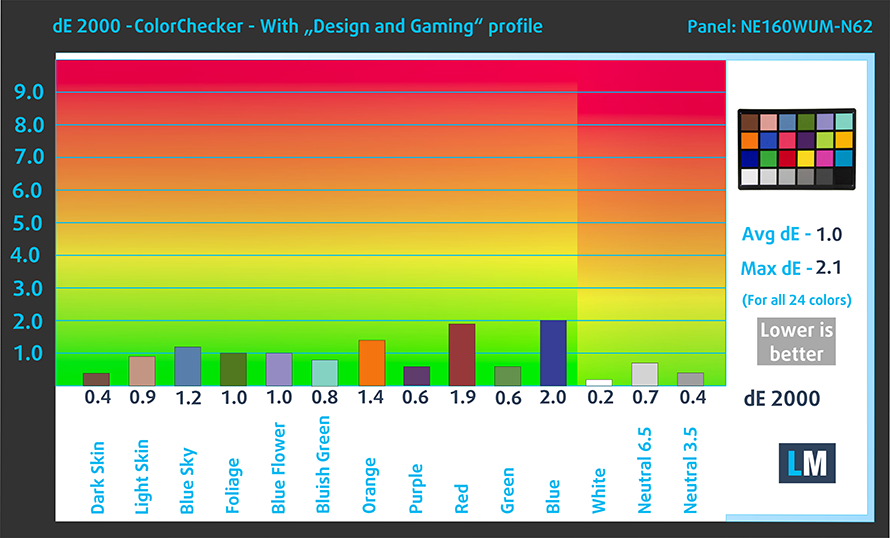
The 16-inch FHD+ IPS panel on the front has great viewing angles, a peak brightness of 455 nits in the middle of the screen, 437 nits average across the surface, and a maximum deviation of 9%. The contrast ratio is pretty high, at 1670:1. You’d be able to do Creator work on the display, as it covers 98% of the sRGB color gamut, while colors get really accurate, reaching a dE value of 1.0 when using our Design and Gaming profile.
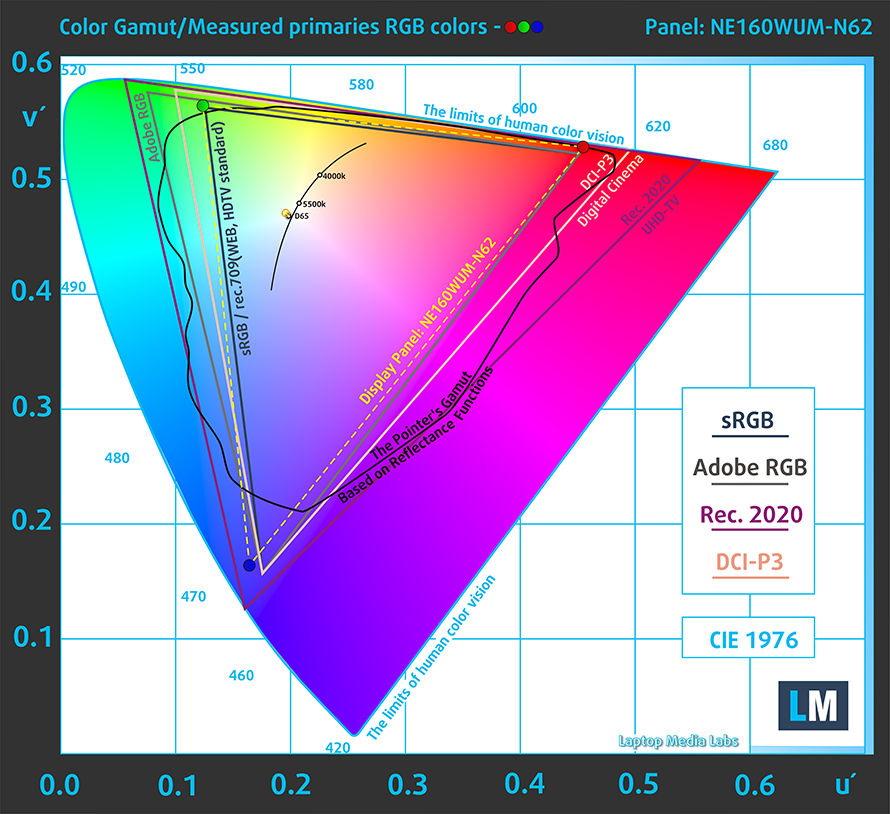
Here are the results of our color accuracy test with both the stock settings (left) and with our Design and Gaming profile (right).
Buy our profiles
Since our profiles are tailored for each individual display model, this article and its respective profile package are meant for Lenovo ThinkPad Z16 Gen 1 configurations with 16.0″ BOE NE160WUM-N62 (LEN41B5) (WUXGA, 1920 x 1200) IPS.
*Should you have problems with downloading the purchased file, try using a different browser to open the link you’ll receive via e-mail. If the download target is a .php file instead of an archive, change the file extension to .zip or contact us at [email protected].
Read more about the profiles HERE.
Oprócz otrzymywania wydajnych i przyjaznych dla zdrowia profili, kupując produkty LaptopMedia, wspierasz również rozwój naszych laboratoriów, w których testujemy urządzenia w celu tworzenia jak najbardziej obiektywnych recenzji.

Office Work
Office Work powinien być używany głównie przez użytkowników, którzy spędzają większość czasu patrząc na teksty, tabele lub po prostu przeglądając internet. Ten profil ma na celu zapewnienie lepszej wyrazistości i klarowności poprzez utrzymanie płaskiej krzywej gamma (2.20), natywnej temperatury barwowej i percepcyjnie dokładnych kolorów.

Design and Gaming
Ten profil jest przeznaczony dla projektantów, którzy pracują z kolorami zawodowo, a także do gier i filmów. Design and Gaming wykorzystuje panele wyświetlaczy do granic ich możliwości, czyniąc je tak dokładnymi, jak to tylko możliwe w standardzie sRGB IEC61966-2-1 dla stron internetowych i telewizji HD, przy punkcie bieli D65.

Health-Guard
Health-Guard eliminuje szkodliwą modulację szerokości impulsu (PWM) i redukuje negatywne niebieskie światło, które wpływa na nasze oczy i ciało. Ponieważ jest on dostosowany do każdego panelu, udaje mu się utrzymać percepcyjnie dokładne kolory. Health-Guard symuluje papier, dzięki czemu nacisk na oczy jest znacznie zmniejszony.
Zdobądź wszystkie 3 profile z 33% zniżką

3. Battery life
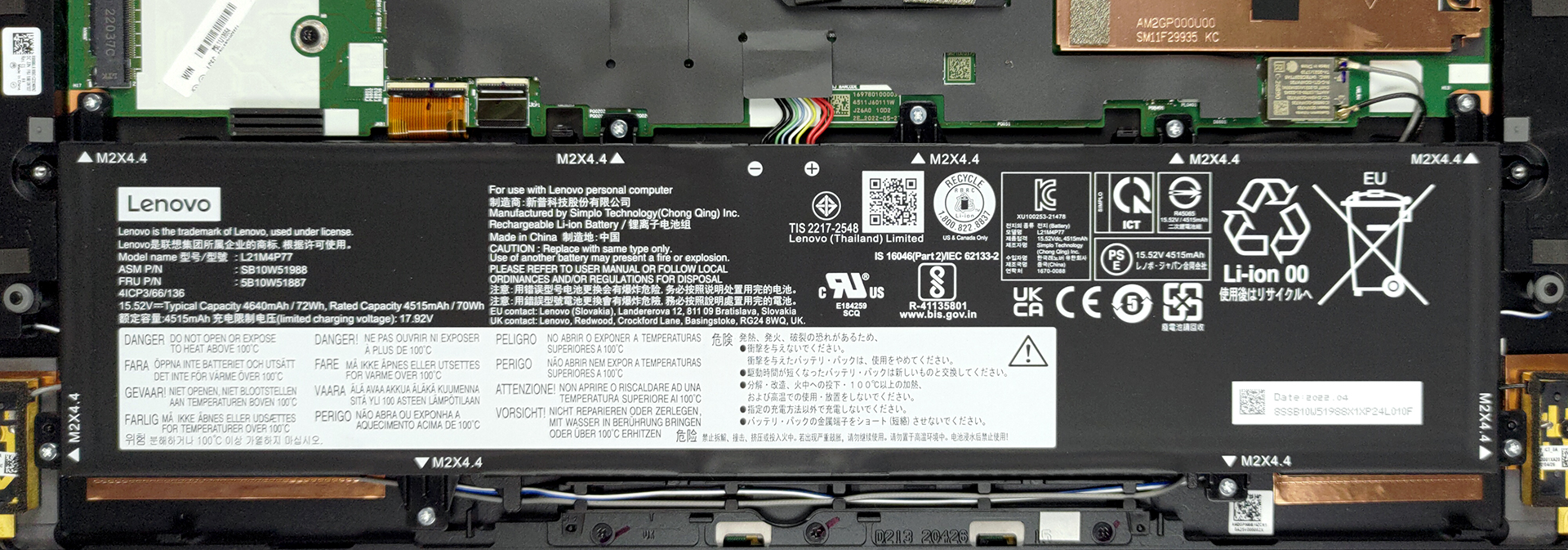
The 72Wh battery pack gives us exceptional results, lasting for 20 hours of Web browsing, or 18 hours and 31 minutes of video playback. Now, we conduct the battery tests with the Windows Better performance setting turned on, screen brightness adjusted to 120 nits, and all other programs turned off except for the one we are testing the notebook with.
2 reasons NOT to buy the Lenovo ThinkPad Z16 Gen 1
1. I/O
The port selection isn’t up to ThinkPad standards, offering two USB 4.0 ports, one USB Type-C 3.2 (Gen. 2) port, an SD card reader, and a 3.5 mm audio jack.


2. Upgradeability
The laptop arrives with soldered LPDDR5 RAM, with up to 32GB that works in quad-channel mode and runs at 6400 MHz. Storage-wise, there’s a single M.2 PCIe x4 slot that supports Gen 4 SSDs.
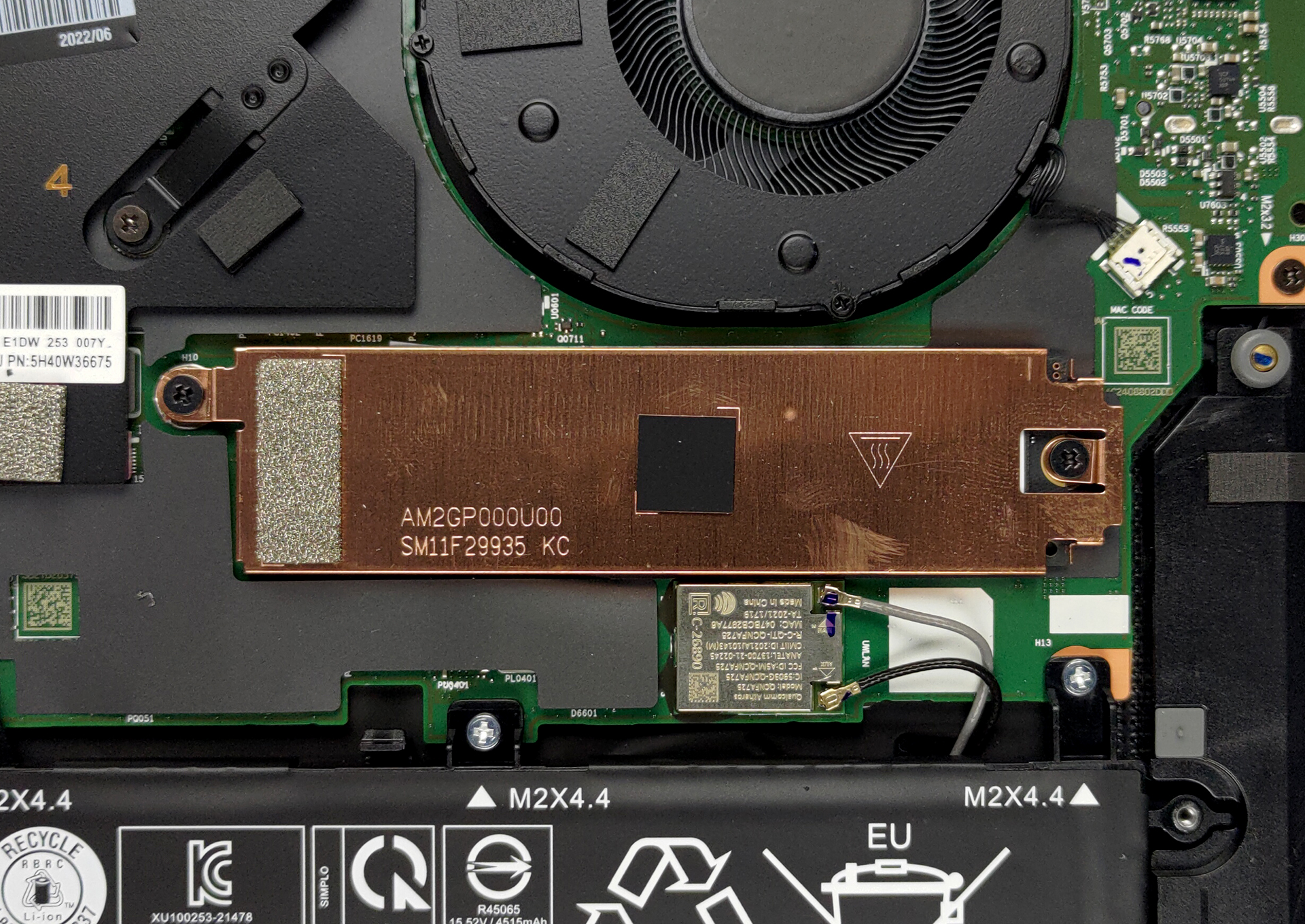
Here is our detailed teardown video, which shows how to access the single storage slot.
All Lenovo ThinkPad Z16 Gen 1 configurations:
 Author: Severin Kolakov

![[Czerwiec 2026 r.] Najlepiej sprzedające się marki laptopów w serwisie Amazon Global – bezkonkurencyjna dominacja firmy Apple pod względem liczby sprzedanych egzemplarzy i przychodów](https://laptopmedia.com/wp-content/uploads/2026/07/GLOBAL-Best-Brands-400x225.jpg)
![[Czerwiec 2026] Amazon Global: 10 najlepiej sprzedających się laptopów – nowy MacBook Neo firmy Apple szturmem zdobywa pierwsze miejsce, zmieniając oblicze rynku dzięki przystępnej cenie](https://laptopmedia.com/wp-content/uploads/2026/07/Best-Selling-Laptops-GLOBAL-Top-10-400x225.jpg)
![[Czerwiec 2026] Amazon Global: 10 najlepiej sprzedających się laptopów do gier – model Nitro V 16S AI firmy Acer dominuje pod względem sprzedaży, podczas gdy firma ASUS zajmuje pierwsze miejsce pod względem całkowitych przychodów](https://laptopmedia.com/wp-content/uploads/2026/07/Best-Selling-Gaming-Laptops-GLOBAL-Top-10-400x225.jpg)
![[Czerwiec 2026] Globalny ranking najlepiej sprzedających się kart graficznych do laptopów na Amazonie – NVIDIA RTX 5060 to najlepiej sprzedająca się dedykowana karta graficzna](https://laptopmedia.com/wp-content/uploads/2026/07/Best-Selling-GPUs-GLOBAL-Top-10-400x225.jpg)
![[Czerwiec 2026] Globalny ranking najlepiej sprzedających się procesorów do laptopów na Amazonie – Apple M5 dominuje, a AMD Ryzen 7 260 zdobywa solidny udział w segmencie premium](https://laptopmedia.com/wp-content/uploads/2026/07/Best-Selling-CPUs-GLOBAL-Top-10-400x225.jpg)
