Top 5 reasons to BUY or NOT to buy the Acer Aspire 3 (A317-33)
 The Acer Aspire 3 (A317-33) is a pretty interesting device. It is on the very low-end, which is a very saturated market that is full of cheap offerings, which have not that much to offer, with hardware that is best suited for web browsing and the occasional email checks, oh and let’s not forget about media consumption.
What this Acer laptop offers is a big 17-inch IPS display, which is a lot to take in when you consider the price. Also, the addition of the Jasper Lake internals, which have a whopping TDP of only 6W, make for a very quiet and power-efficient laptop. To say that we expected less, would be an understatement. This laptop managed to deliver a great experience, for the price.
Today we are presenting you with LaptopMedia’s top 5 picks about the Acer Aspire 3 (A317-33).
Acer Aspire 3 (A317-33): Full Specs / In-depth Review

4 reasons to BUY the Acer Aspire 3 (A317-33)
1. Design and build quality
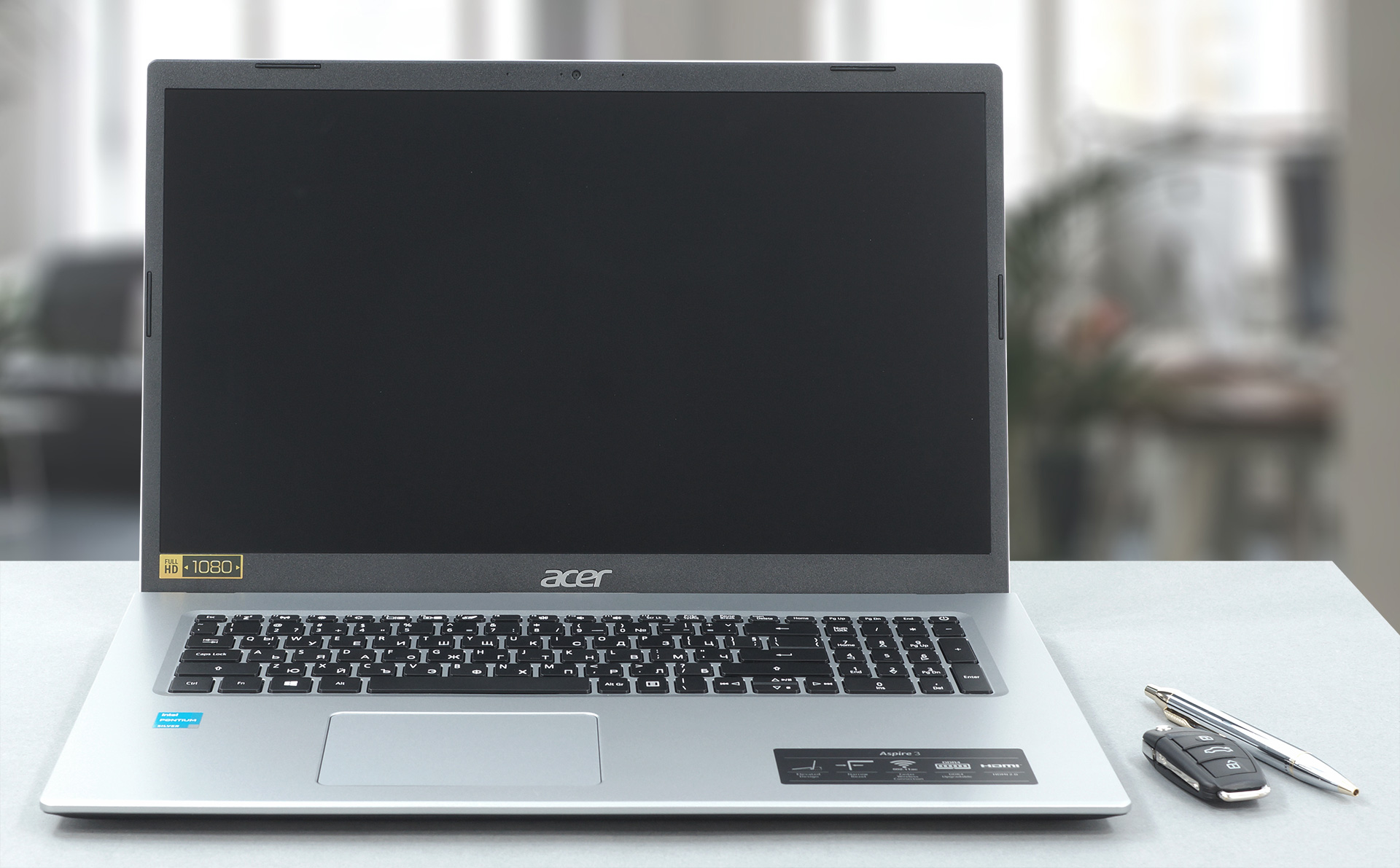
This laptop, despite being made entirely from plastic, offers a surprising amount of durability. It is very rigid, with the base resisting, when we tried to apply force to it and even the lid managed to stay intact. The design is also on par, being very modern and up to standards for 2021. The lid doesn’t open with a single hand, but when it opens, it acts as a lever, lifting up the base, to give the fan and the cooling setup more room to breathe. Pretty impressive stuff at this price point. The bezels are nice and thin, giving more room to the huge 17.3-inch screen. Weighing 2.60 kg and being nearly 21 mm thick, this isn’t a portable device, and it’s best suiting that you leave it at home or in your office.
2. Upgradeability
With this laptop being of enormous proportions, Acer hasn’t sacrificed the upgradeability. Open up the bottom panel, and you’ll see two SODIMM RAM slots, which Acer says can hold up to 16GB of RAM in dual-channel, but if the past it to be believed, the laptop can for sure hold at least double that. There is also one M.2 PCIe x4 slot, which is already full. There is also enough room for a 2.5-inch SATA drive, but Acer hasn’t included the accessories for it, such as a holding bracket and cables, so you’ll have to do that on your own.
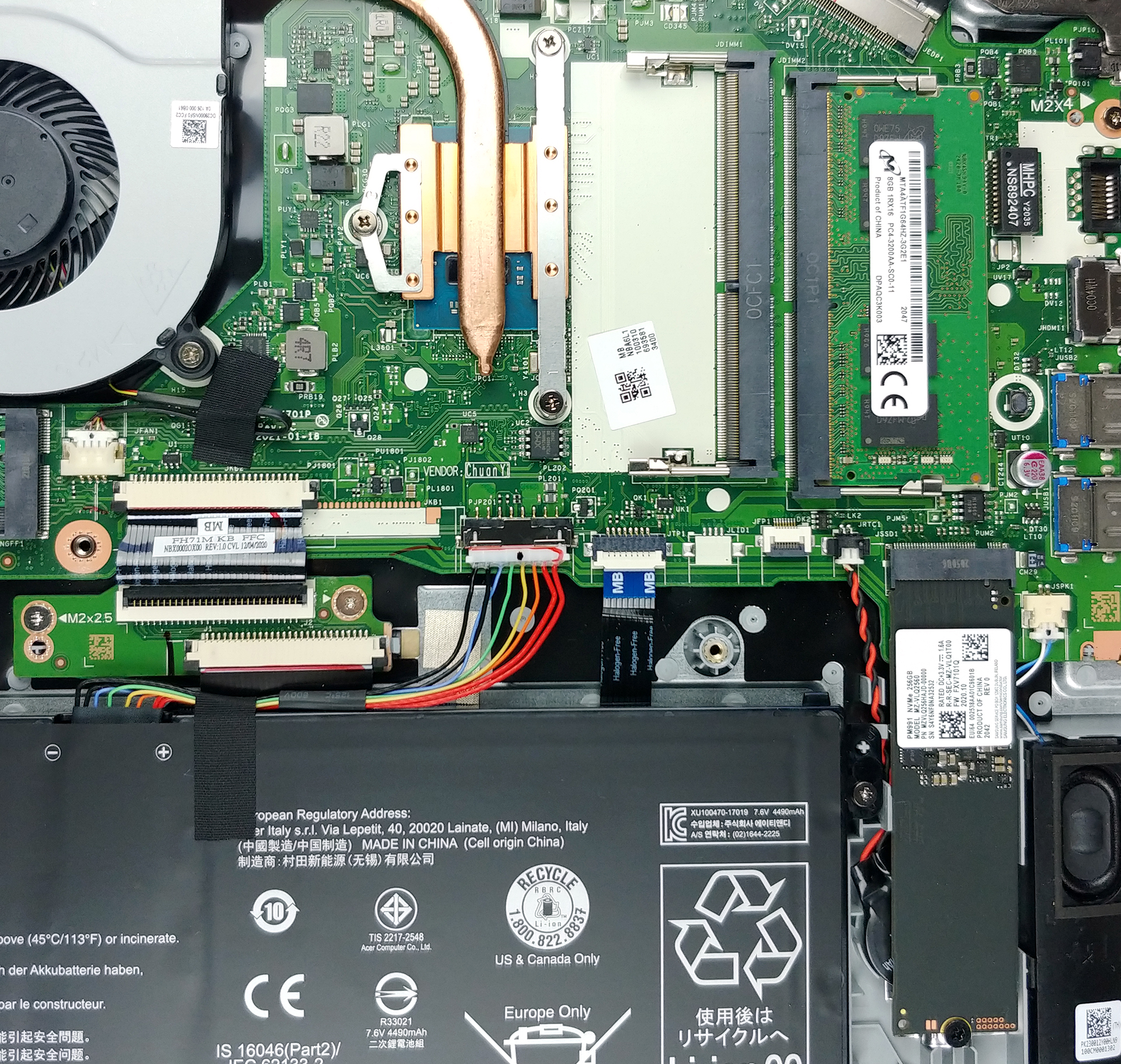
If you want to upgrade the RAM or storage, but have no idea how, here is our detailed teardown video, which explains how to safely access all the slots and drives on the machine.
3. Display
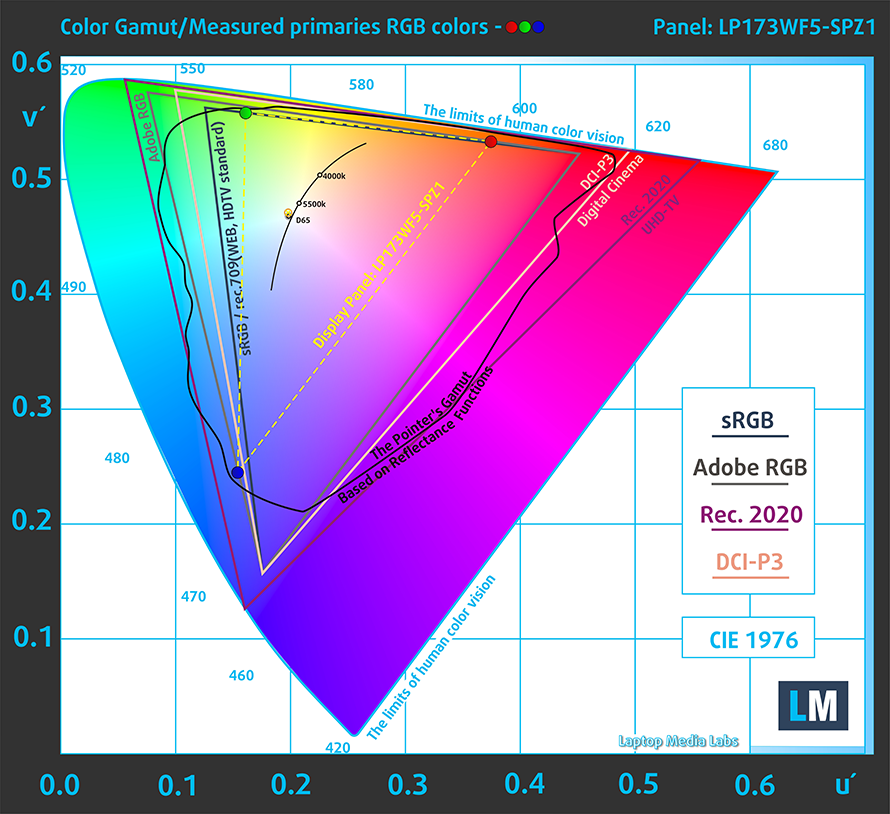
The Acer Aspire 3 (A317-33) comes with a 17.3-inch Full HD IPS screen that has comfortable viewing angles, a maximum brightness of 299 nits, and a high contrast ratio of 1080:1. The panel shows no signs of PWM usage across any brightness levels and has a 52% coverage of the sRGB color gamut.
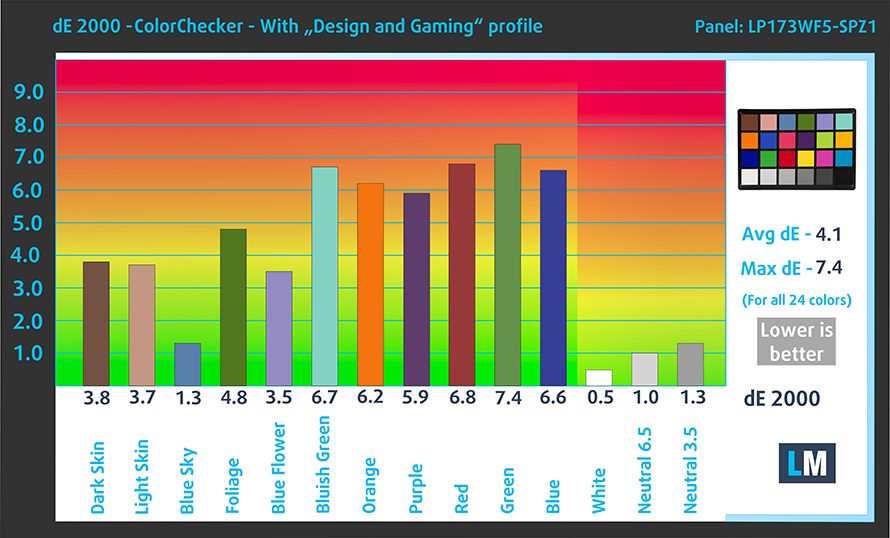
The color accuracy isn’t the best with the test results with both the factory settings (left) and with our Design and gaming profile applied (right) not being within the standard range.

Buy our profiles
Since our profiles are tailored for each individual display model, this article and its respective profile package are meant for Acer Aspire 3 (A317-33) configurations with 17.3″ FHD IPS LG LP173WF5-SPZ1 (LGD0671).
*Should you have problems with downloading the purchased file, try using a different browser to open the link you’ll receive via e-mail. If the download target is a .php file instead of an archive, change the file extension to .zip or contact us at [email protected].
Read more about the profiles HERE.
Oprócz otrzymywania wydajnych i przyjaznych dla zdrowia profili, kupując produkty LaptopMedia, wspierasz również rozwój naszych laboratoriów, w których testujemy urządzenia w celu tworzenia jak najbardziej obiektywnych recenzji.

Office Work
Office Work powinien być używany głównie przez użytkowników, którzy spędzają większość czasu patrząc na teksty, tabele lub po prostu przeglądając internet. Ten profil ma na celu zapewnienie lepszej wyrazistości i klarowności poprzez utrzymanie płaskiej krzywej gamma (2.20), natywnej temperatury barwowej i percepcyjnie dokładnych kolorów.

Design and Gaming
Ten profil jest przeznaczony dla projektantów, którzy pracują z kolorami zawodowo, a także do gier i filmów. Design and Gaming wykorzystuje panele wyświetlaczy do granic ich możliwości, czyniąc je tak dokładnymi, jak to tylko możliwe w standardzie sRGB IEC61966-2-1 dla stron internetowych i telewizji HD, przy punkcie bieli D65.

Health-Guard
Health-Guard eliminuje szkodliwą modulację szerokości impulsu (PWM) i redukuje negatywne niebieskie światło, które wpływa na nasze oczy i ciało. Ponieważ jest on dostosowany do każdego panelu, udaje mu się utrzymać percepcyjnie dokładne kolory. Health-Guard symuluje papier, dzięki czemu nacisk na oczy jest znacznie zmniejszony.
Zdobądź wszystkie 3 profile z 33% zniżką

4. Performance and cooling
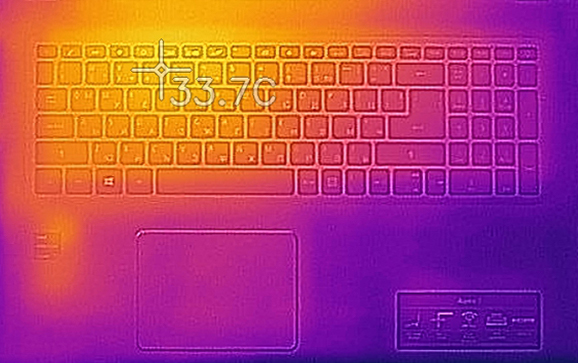
Considering the little Pentium chip that our unit had, the laptop performed well. Of course, it doesn’t crush benchmarks or nearly anything, but it offers just enough punch to make for an effortless experience while using the laptop. Also, the 6W TDP means that the CPU remained very cool, with the surface temperature under full load reaching only 33.7°C and the CPU finished our stress test with a temperature of 52°C while running at 2.13 GHz.
Here are some benchmark results between the Acer Aspire 3 (A317-33) and other laptops in its price and performance range.
CPU benchmarks
Wyniki pochodzą z testu CPU Cinebench R23 (im wyższy wynik, tym lepiej)
GPU benchmarks
Wyniki pochodzą z testu 3DMark Time Spy (Graphics). Wyższy wynik jest lepszy.
Wyniki pochodzą z benchmarku 3DMark Fire Strike (Graphics) (im wyższy wynik, tym lepiej)
Wyniki pochodzą z benchmarku Unigine Superposition (im wyższy wynik, tym lepiej)
1 reason NOT to buy the Acer Aspire 3 (A317-33)
1. Battery life
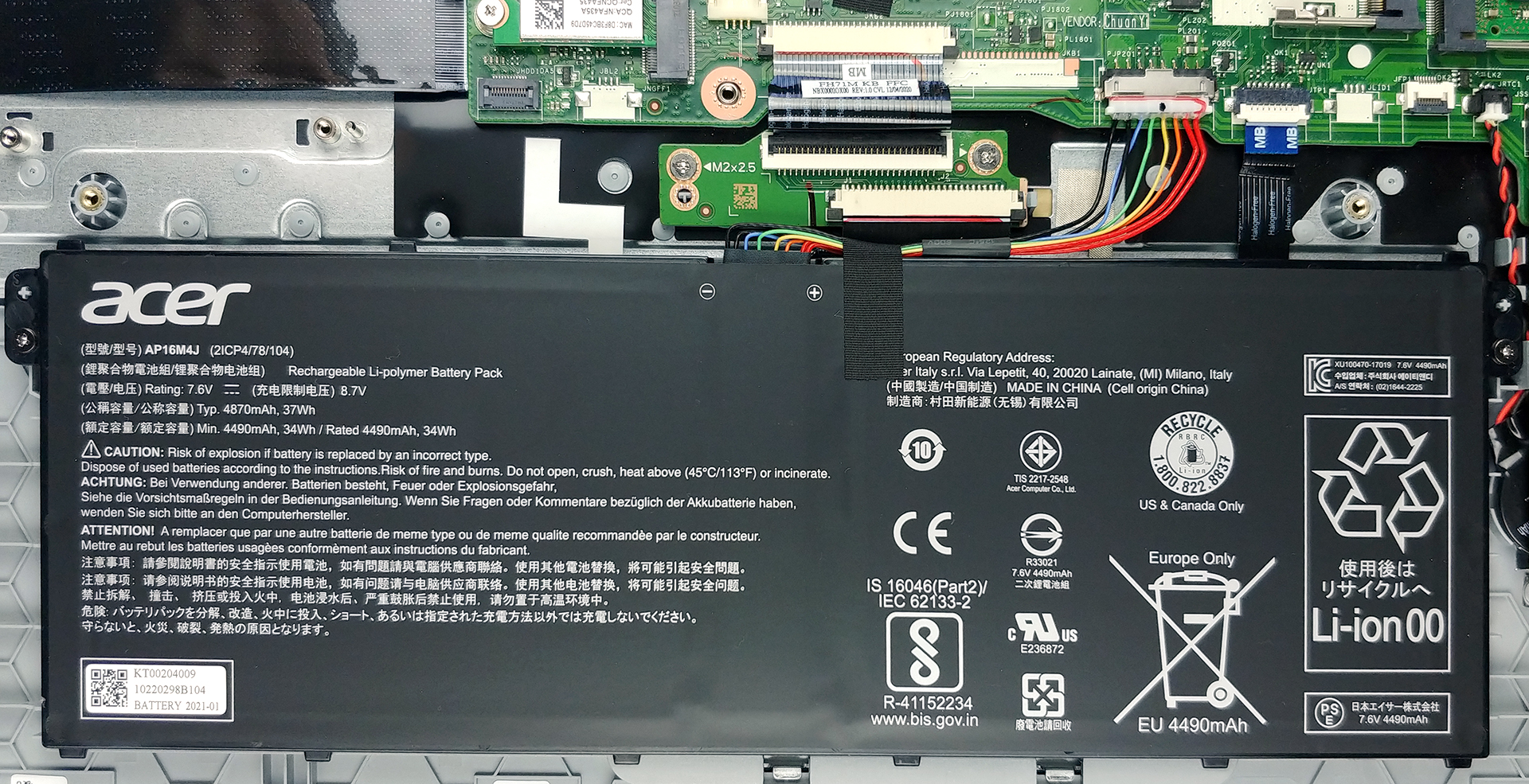
The battery life is one of the shortcomings of this device, but we won’t judge it too harshly. It comes with a relatively small 37Wh unit, which should be enough to power the Jasper Lake CPU for a while, however, this wasn’t the case in our battery tests. The laptop lasted for 6 hours and 37 minutes of Web browsing, and 5 hours and 31 minutes of video playback. The tests were done with the Windows Better performance setting turned on, screen brightness adjusted to 120 nits, and all other programs turned off except for the one we are testing the notebook with.
All Acer Aspire 3 (A317-33) configurations:
 Author: Severin Kolakov

![[Lipiec 2026] Globalny ranking najlepiej sprzedających się kart graficznych do laptopów na Amazon – RTX 5060 dominuje w segmencie premium, a Intel nadal króluje w segmencie budżetowym](https://laptopmedia.com/wp-content/uploads/2026/08/Best-Selling-GPUs-GLOBAL-Top-10-400x225.jpg)
![[Lipiec 2026] Globalny ranking najlepiej sprzedających się procesorów do laptopów na Amazonie – Apple dominuje w segmencie premium, a Intel utrzymuje pozycję lidera w klasyfikacji ogólnej](https://laptopmedia.com/wp-content/uploads/2026/08/Best-Selling-CPUs-GLOBAL-Top-10-400x225.jpg)
![[July 2026] Amazon Canada: Top 10 Best-Selling Laptops – Apple MacBook Neo Dominates the Market to Claim the #1 Spot](https://laptopmedia.com/wp-content/uploads/2026/08/Best-Selling-Laptops-CA-Top-10-2-400x225.jpg)
![[July 2026] Best-Selling Laptop Brands on Amazon Japan – HP and Lenovo Dominate Units and Revenue Amid Fierce Competition](https://laptopmedia.com/wp-content/uploads/2026/08/CO.JP-Best-Brands-2-400x225.jpg)
![[July 2026] Amazon Italy: Top 10 Best-Selling Laptops – Apple MacBook Neo Claims the #1 Spot Amid Budget-Friendly Dominance](https://laptopmedia.com/wp-content/uploads/2026/08/Best-Selling-Laptops-IT-Top-10-400x225.jpg)
