Recenzja ASUS Vivobook Pro 15 OLED (N6506) – zabójczy wyświetlacz, wytrzymała bateria, drobne kompromisy
Temperatury i komfort, czas pracy na baterii, porównanie ustawień wydajności
Maksymalne obciążenie CPU
W tym teście wykorzystujemy 100% rdzeni CPU, monitorując ich częstotliwości i temperaturę układu. Pierwsza kolumna pokazuje reakcję komputera na krótkie obciążenie (2-10 sekund), druga kolumna symuluje poważne zadanie (między 15 a 30 sekund), a trzecia kolumna jest dobrym wskaźnikiem tego, jak dobry jest laptop do długich obciążeń, takich jak renderowanie wideo.
Średnia częstotliwość rdzenia P; Średnia częstotliwość rdzenia E; Średnia częstotliwość rdzenia LP E; Temp. procesora; Moc pakietu
| Intel Core Ultra 9 185H (moc podstawowa 28 W) | 0:02 – 0:10 sek | 0:15 – 0:30 sek | 10:00 – 15:00 min |
|---|---|---|---|
| ASUS Vivobook Pro 15 OLED (N6506) “Tryb pełnej prędkości wentylatora” | 3,79 GHz @ 3,25 GHz @ 2,16 GHz @ 91°C @ 114W | 3,16 GHz @ 2,85 GHz @ 2,49 GHz @ 95°C @ 86W | 3,26 GHz @ 2,57 GHz @ 1,70 GHz @ 73°C @ 65W |
| ASUS Vivobook Pro 15 OLED (N6506) “Wydajny tryb wentylatora” | 3,74 GHz @ 3,08 GHz @ 1,88 GHz @ 82°C @ 114W | 3,47 GHz @ 3,22 GHz @ 2,41 GHz @ 94°C @ 106W | 3,02 GHz @ 2,35 GHz @ 1,59 GHz @ 72°C @ 60W |
| ASUS Zenbook DUO (UX8406) | 3,13 GHz @ 2,54 GHz @ 1,68 GHz @ 78°C @ 64W | 2,55 GHz @ 2,25 GHz @ 1,39 GHz @ 90°C @ 53W | 2,09 GHz @ 1,88 GHz @ 1,00 GHz @ 78°C @ 35W |
Opcjonalny Core Ultra 9 185H jest w stanie utrzymać bardzo wysokie zegary przy krótkim obciążeniu. Co ciekawe, przy średnim obciążeniu częstotliwości rdzeni P i E są wyższe w “Wydajnym trybie wentylatora” w porównaniu do ustawienia wstępnego “Pełna prędkość”. Temperatura w tym przypadku przekracza 90°C, ale na dłuższą metę wszystko wygląda dobrze – 3,26 GHz dla rdzeni P i temperatura 73°C, co jest bardzo dobrym wynikiem.
Prawdziwe granie
| NVIDIA GeForce RTX 4060 | Częstotliwość GPU/temperatura rdzenia (po 2 min) | Częstotliwość GPU/temperatura rdzenia (po 30 min) |
|---|---|---|
| ASUS Vivobook Pro 15 OLED (N6506) “Tryb pełnej prędkości wentylatora” | 2540 MHz @ 84°C @ 109W | 2564 MHz @ 82°C @ 108W |
| ASUS Vivobook Pro 15 OLED (N6506) “Tryb wydajnego wentylatora” | 2247 MHz @ 76°C @ 85W | 2306 MHz @ 76°C @ 89W |
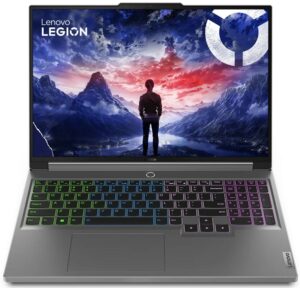
| Lenovo Legion 5i (16, Gen 9) | 2715 MHz @ 73°C @ 111W | 2715 MHz @ 71°C @ 110W |
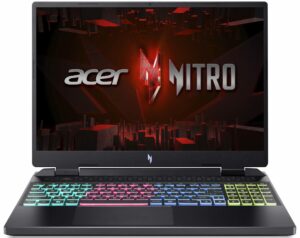
| Acer Nitro 16 (AN16-41) | 2580 MHz @ 68°C @ 102W | 2595 MHz @ 66°C @ 102W |
| Acer Nitro 17 (AN17-51) wstępne ustawienie “Turbo” | 2520 MHz @ 78°C @ 112W | 2520 MHz @ 81°C @ 111W |
| Acer Nitro 17 (AN17-51) ustawienie wstępne “Wydajność” | 2490 MHz @ 73°C @ 108W | 2490 MHz @ 73°C @ 108W |
| ASUS TUF Gaming A15 (FA507, 2023) | 2520 MHz @ 78°C @ 112W | 2520 MHz @ 81°C @ 111W |
| Lenovo ThinkBook 16p Gen 4 | 2475 MHz @ 76°C @ 107W | 2475 MHz @ 77°C @ 108W |
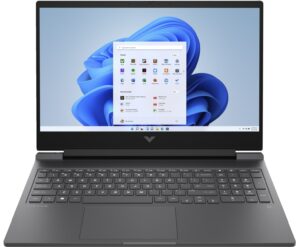
| HP Victus 16 (16-r0000) | 2520 MHz @ 77°C @ 107W | 2520 MHz @ 76°C @ 107W |
Po półgodzinnej rozgrywce GeForce RTX 4060 utrzymuje taktowanie rdzenia na poziomie ~2564 MHz i 108 W TGP. Częstotliwość jest w porządku, biorąc pod uwagę limit mocy. Oczywiście, niektóre maszyny w powyższej tabeli mogą pochwalić się wyższymi częstotliwościami, ale większość z nich to urządzenia do gier, podczas gdy Vivobook Pro 15 OLED (N6506) jest przeznaczony do tworzenia treści, a jego wentylatory nie są zbyt głośne.
Rzućmy okiem na poniższą tabelę, która pokazuje porównanie dwóch najwyższych trybów wentylatora, które również bezpośrednio wpływają na moc urządzenia. Jak widać, różnica między tymi dwoma ustawieniami nie jest znacząca.
| Wynik 3DMark Time Spy Graphics | Wynik 3DMark Time Spy CPU | Wynik 3DMark Fire Strike Graphics | Wynik Unigine Superposition | Wynik Cinebench R23 Multi Core | Wynik Cinebench R24 Multi Core | Photoshop (niższy oznacza lepszy) | |
|---|---|---|---|---|---|---|---|
| “Tryb pełnej prędkości wentylatora” | 10645 ( +6%) | 11845 ( +1%) | 26489 (+2% ) | 6215 (+7% ) | 19611 (+2% ) | 1028 | 4,60 s (-1%) |
| “Tryb wydajnego wentylatora” | 10010 | 11702 | 25877 | 5828 | 19279 | 1025 | 4,63 s |
Komfort grania
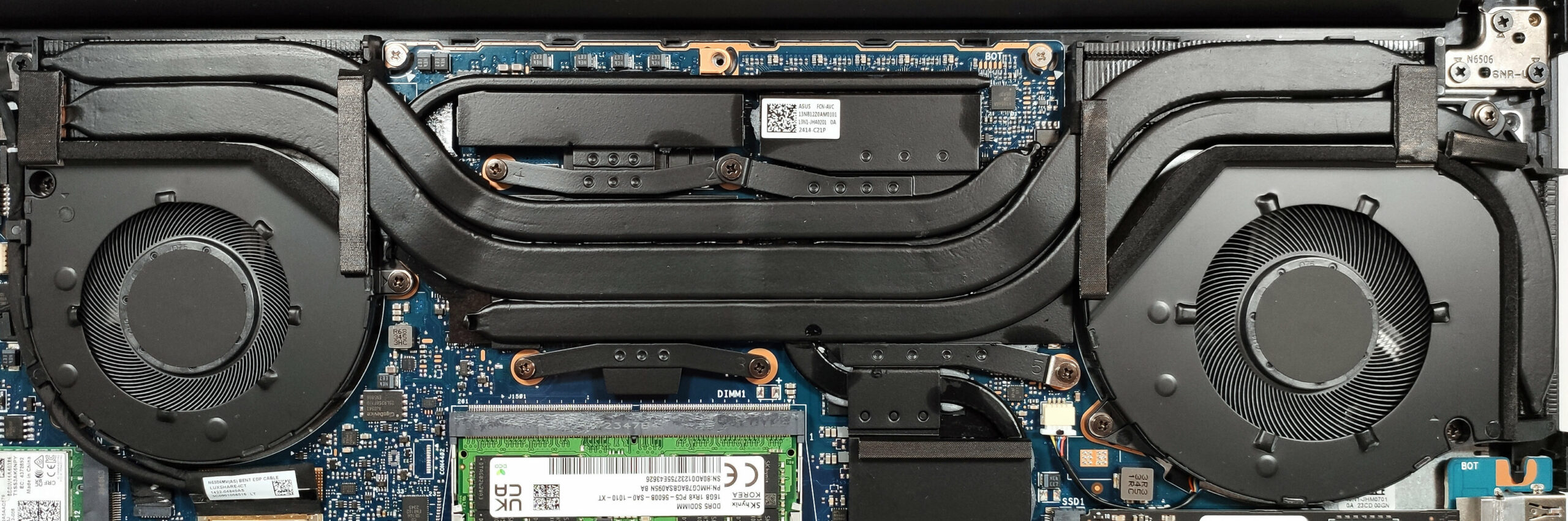
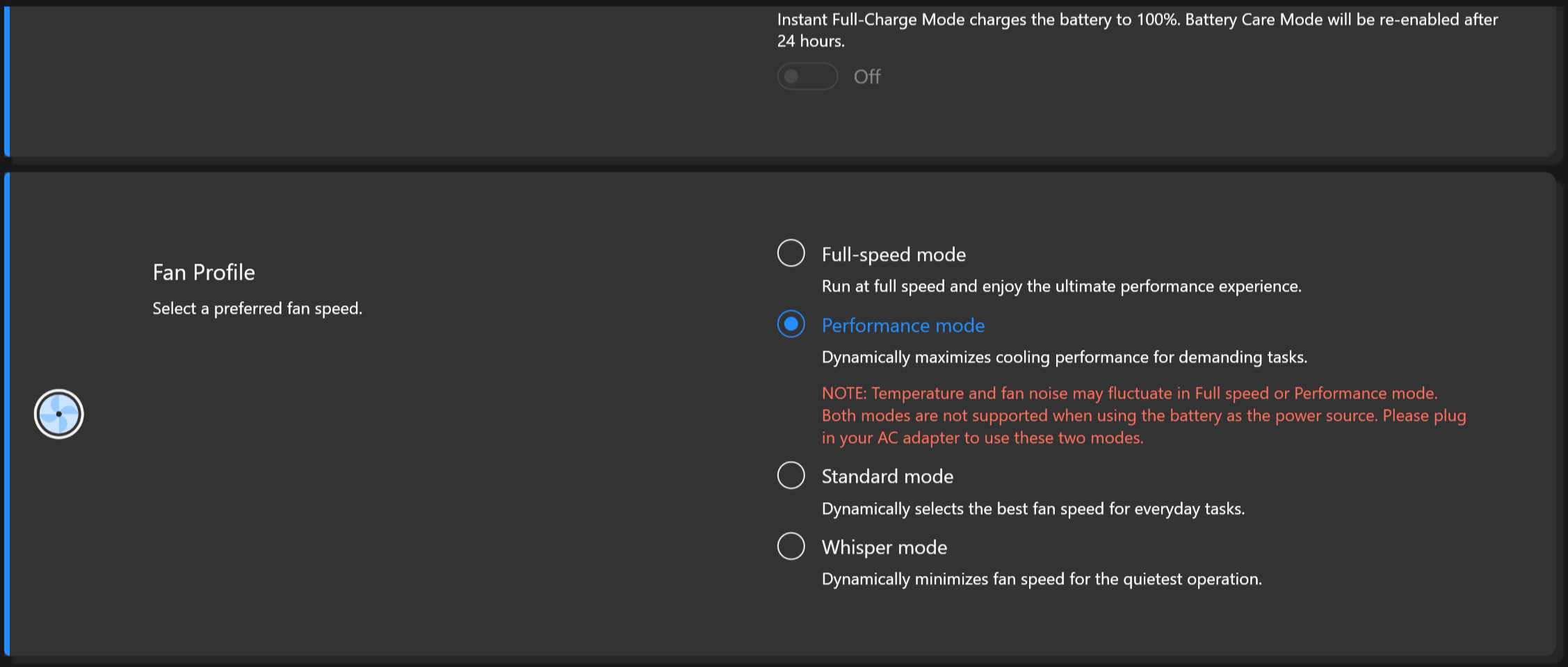
Pokład klawiatury jest nieco ciepły, gdy elementy wewnętrzne są maksymalnie obciążone. Mimo to, płyta nie nagrzewa się zbytnio, co jest wygodne do pracy. Hałas wentylatora jest w porządku w trybie “Performance”, ale jeśli chcesz uzyskać najlepszą możliwą wydajność, musisz wybrać profil wentylatora “Full-speed”. Wtedy hałas jest powyżej średniej, ale powiedzmy, że większość laptopów do gier jest jeszcze głośniejsza. Ustawienie “Szept” jest właściwym wyborem do codziennego użytku.
Bateria
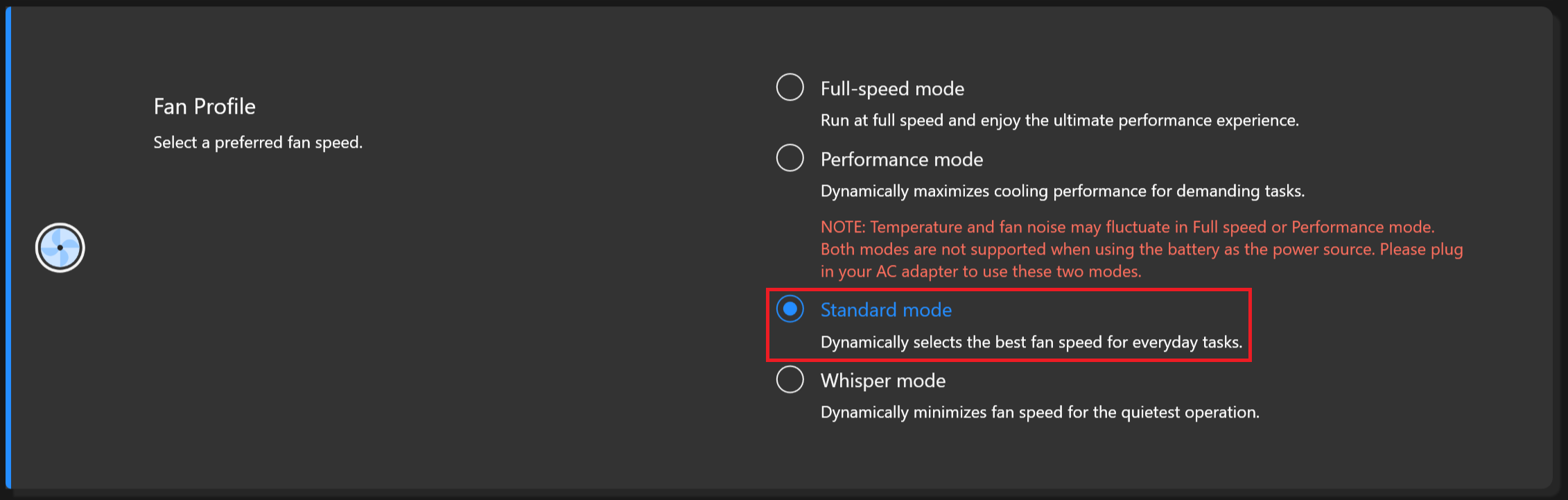
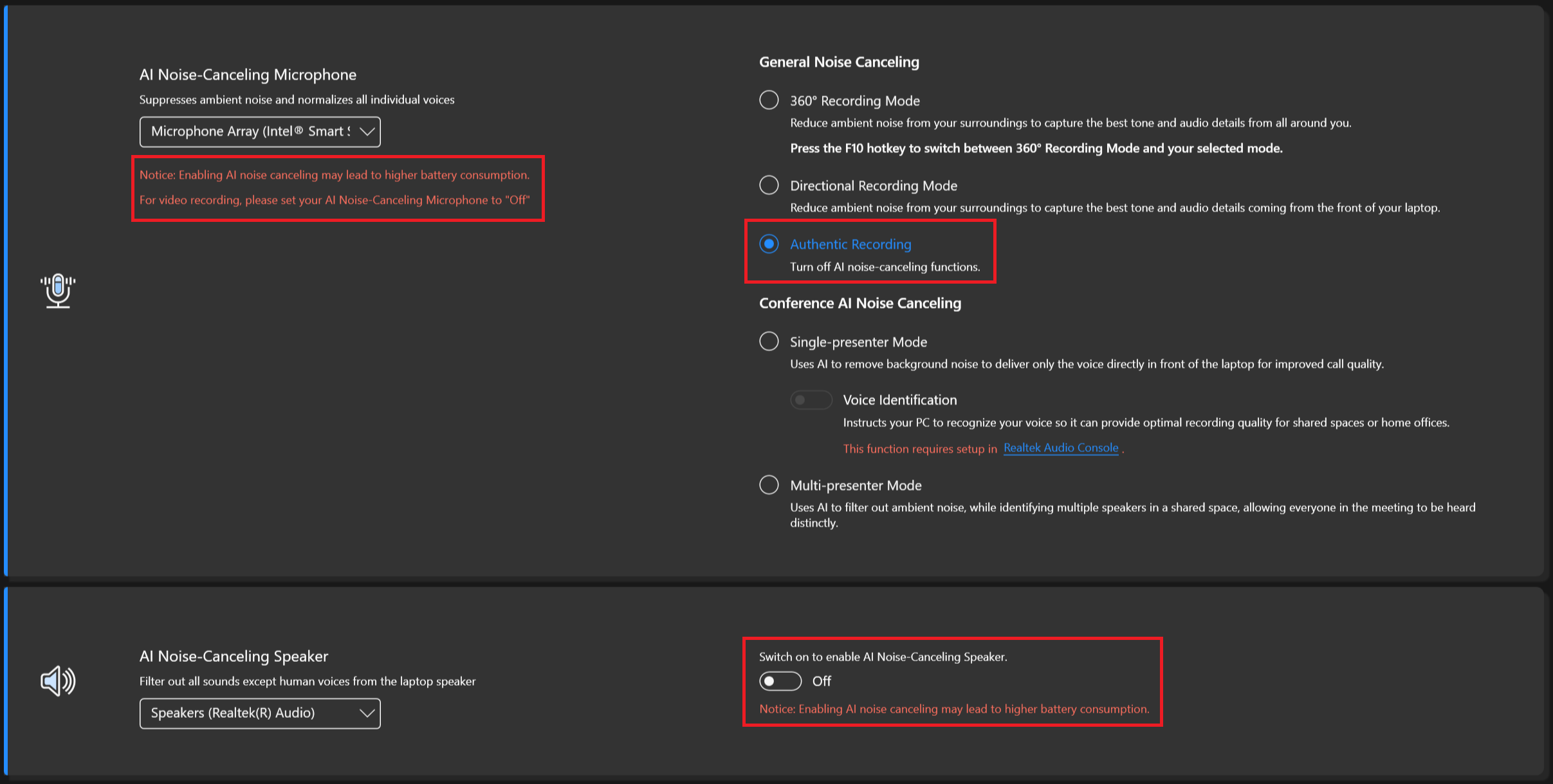
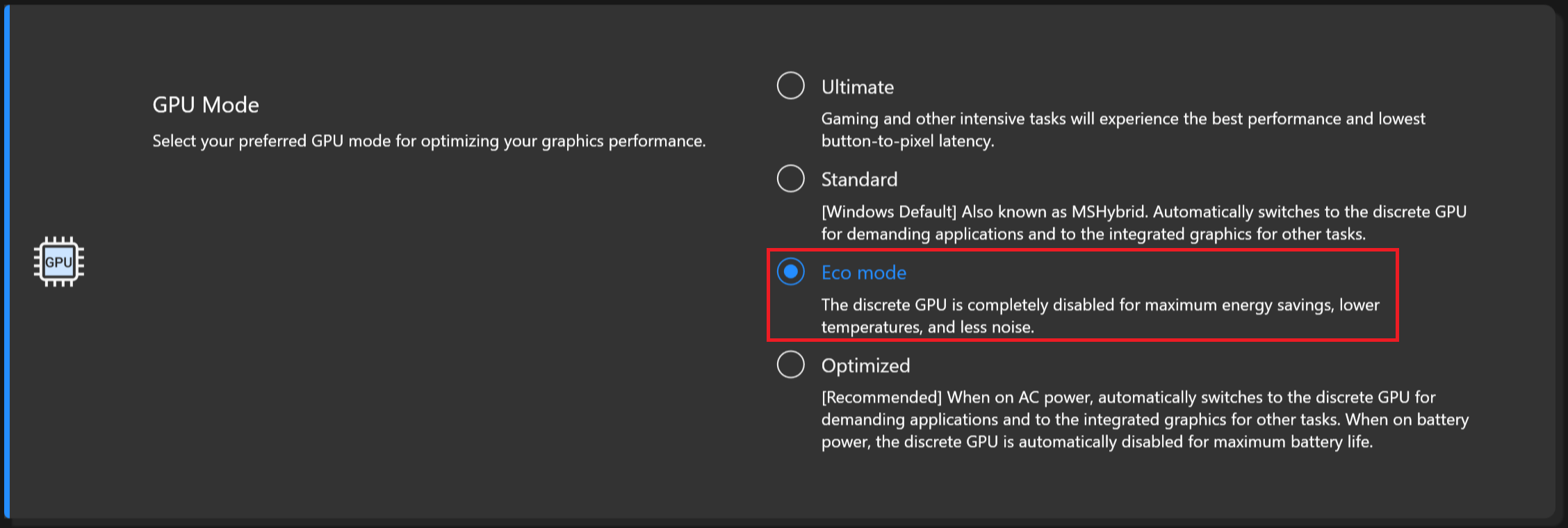
Teraz przeprowadzamy testy baterii z włączonym ustawieniem Lepsza wydajność systemu Windows, jasnością ekranu ustawioną na 120 nitów i wszystkimi innymi programami wyłączonymi z wyjątkiem tego, z którym testujemy notebook. Akumulator o pojemności 75 Wh wystarcza na 25 godzin przeglądania Internetu lub 6 godzin i 40 minut odtwarzania wideo. To bardzo dobry wynik! Aby go osiągnąć, należy zastosować ustawienie wstępne “Zrównoważony” w menu “Zasilanie i bateria” systemu Windows, wybrać tryb “Standardowy wentylator, całkowicie wyłączyć funkcję redukcji szumów, użyć opcji “Dynamiczna częstotliwość odświeżania” i wybrać tryb “Eco” dla procesora graficznego w aplikacji MyASUS.

Jasność: 180 nitów; Tryb Wyświetlania: SDR
Czas do Pełnego Rozładowania: Wyższy jest Lepszy
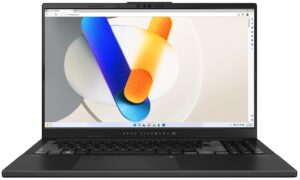
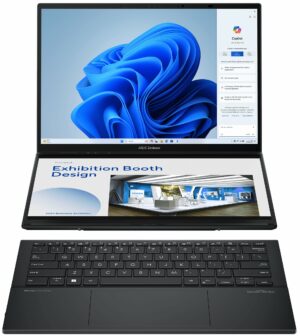

Aby symulować rzeczywiste warunki, użyliśmy własnego skryptu do automatycznego przeglądania ponad 70 stron internetowych.
 Author: Nikolay Palaozov
 Author: eng. Kroum NikolovHead of Engineering at LaptopMedia.com, inventor and innovator with 40+ years of experience in electronics and high technology.

![[Sierpień 2026] Globalny ranking najlepiej sprzedających się procesorów graficznych do laptopów na Amazonie – Apple nie ma sobie równych, a model RTX 5060 firmy NVIDIA zajmuje pierwsze miejsce w kategorii kart dedykowanych](https://laptopmedia.com/wp-content/uploads/2026/09/Best-Selling-GPUs-GLOBAL-Top-10-400x225.jpg)
![[Sierpień 2026] Globalny ranking najlepiej sprzedających się procesorów do laptopów na Amazonie – Apple dominuje zarówno w segmencie budżetowym, jak i premium: modele A18 Pro i M5 zdecydowanie wyprzedzają Intel i AMD w sierpniu 2026 roku](https://laptopmedia.com/wp-content/uploads/2026/09/Best-Selling-CPUs-GLOBAL-Top-10-400x225.jpg)
![[Sierpień 2026] Amazon Global: 10 najlepiej sprzedających się laptopów – Apple MacBook Neo dominuje w rankingach, podczas gdy niedrogie i średniej klasy laptopy z systemem Windows walczą o udział w rynku](https://laptopmedia.com/wp-content/uploads/2026/09/Best-Selling-Laptops-GLOBAL-Top-10-400x225.jpg)
![[Sierpień 2026 r.] Najlepiej sprzedające się marki laptopów w serwisie Amazon Global – Apple dominuje pod względem przychodów, a HP przoduje pod względem różnorodności modeli](https://laptopmedia.com/wp-content/uploads/2026/09/GLOBAL-Best-Brands-400x225.jpg)
![[Sierpień 2026 r.] Amazon Global: 10 najlepiej sprzedających się laptopów do gier – HP Victus 15 zdobywa pierwsze miejsce, a rankingi zdominowały modele w przystępnej cenie](https://laptopmedia.com/wp-content/uploads/2026/09/Best-Selling-Gaming-Laptops-GLOBAL-Top-10-400x225.jpg)

Does the laptop support the installing of a 32GB stick of memory in the sodimm slot or intalling it results in the system not booting up, not recognize the memory or behave strangely? On the zephyrus g14 2022 Asus claims a maximum memory of 32GB but I knew of people reaching 48GB with no problem changing the 16GB stick with a 32GB one.
Thank you in advance.
According to ASUS, the maximum amount of RAM supported is 24GB. However, since the CPU can support up to 96GB, the Vivobook Pro 15 OLED likely wouldn’t have issues running with up to 56GB of DDR5-5600MHz RAM (8GB soldered + 48GB in the SODIMM slot).
Yes. But 32GB is a 2 rank memory, so the frequency will be lowered to 4800 and the total speed will be around 40GB/s.
Thank you for such a comprehensive review. I would really appreciate if you could incorporate the fan noise for a normal workload – web browsing, movies, etc. This is often left out in favor of fan noise at full load, which is seldom relevant.
How would you categorize the fan noise under normal office work, please?
It’s basically silent, occasionally there is some fan noise but it’s very quiet. Does get very loud sometimes during intensive workloads, but silent mode should do the trick in most cases.
Is the GPU eco mode disabled when the laptop is connected via the power brick? 🙁
With my current asus laptop I usually always have eco mode on even when connected to power to keep my laptop cool (often have it my lap or chest)
For the display what is the max brightness in HDR (small window and full screen)? Also what is the colour accuracy like in HDR?
Measuring color accuracy in HDR mode is more complex and influenced by various external and internal factors, which is why our current measurements are limited to SDR mode. Additionally, manufacturers typically prioritize more attractive picture over color accuracy in HDR. If you aim for the most realistic colors, working in SDR mode is the better option.
Regarding the size of the white window when measuring screen brightness, we’ve conducted tests with both 10% fill and fullscreen fill. In both cases, the max brightness was similar, just below 400 nits.
Did you really get 25 hours of browser time or is that a mistake?
I have this laptop at idle on minimum brightness consumes about 9 watts, that is about 8 hours of idle time with no applications running.
Any activity increases the consumption and the actual browser time is about 6 hours.
But I have a second module 32 GB, maybe the reason is this, or the drivers are not installed correctly. Installed different Windows builds several times, different drivers – nothing helps.
Hi,
I have this laptop, and with browsing on chrome, I only get 2-3 hours. Could you tell me what settings you are using?
Even though they said 25 hours, 6 hours is still better than the 3 hours that I’m getting.
I’m on silent mode, and it’s fairly new. I usually just use google docs and some other websites like amazon, makerworld, but nothing super power intensive.
Thank you!!
Just use Optimal Operation mode to disconnect Nvidia from the battery (this is crucial) and Standard or Quiet cooler mode.
If only 2-3 hours in this case as well,
1. Look in Task Manager to see which applications are loading the CPU and/or graphics card
2. Install drivers for your laptop from the official Asus website, because other, even newer drivers not from Asus may not work correctly.
Thank you so much for your helpful response! I looked in the Task Manager and found that a few background apps like steam were using a lot of resources, so I just closed out of them, and with a few chrome tabs, I also let MyASUS auto install some drivers, and I’m getting much better battery life! (Nvidia was already disconnected and quiet mode was on before.)
Thanks for your help! I’m getting around an estimate of around 5 hours, seeing that I lost around 50 percent after 3 hours.
Hi,
Please tell me how you got it to 25 hours of battery life!!! I can’t even get 3 hours on this thing and I’m just doing basic web browsing with google docs!
Anything helps!!
Thank you so much!