Recenzja Lenovo IdeaPad Slim 3 (16″, 2023) – niedrogi i superwydajny
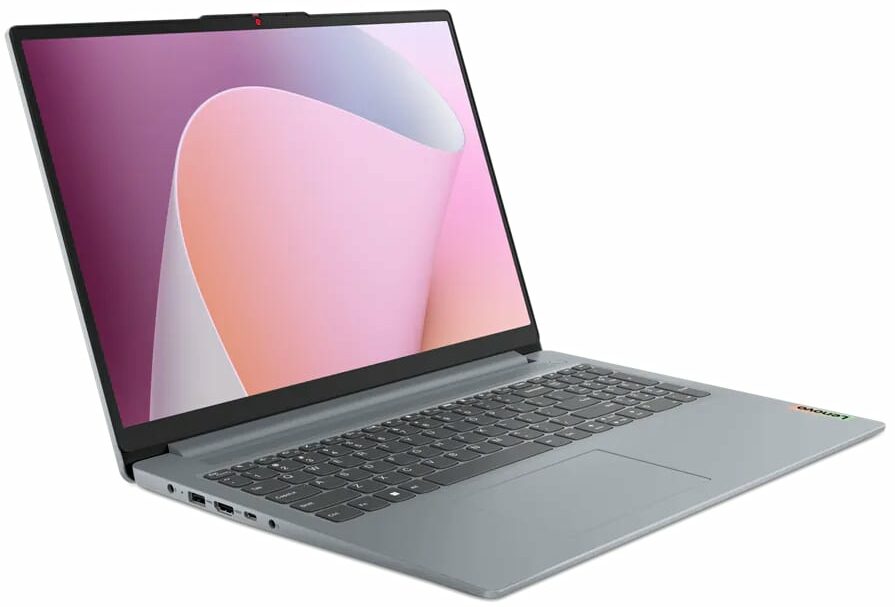
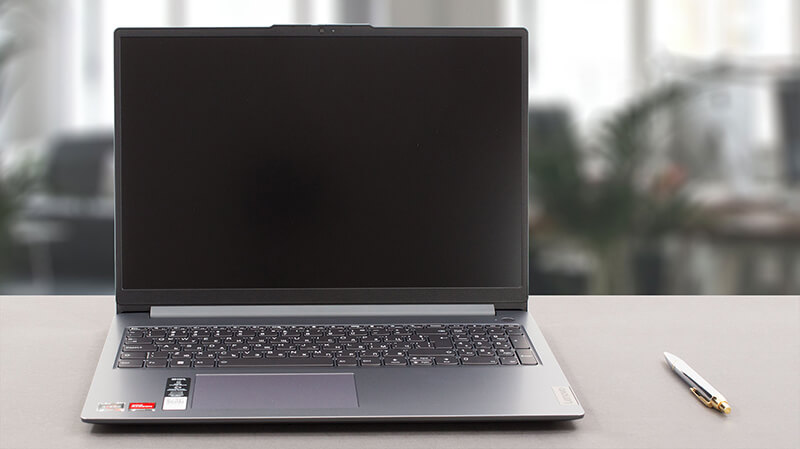 Dziś mamy dla Was odchudzoną wersję jednego z najpopularniejszych notebooków na rynku – Lenovo IdeaPad 3. Oficjalnie nosi on nazwę Lenovo IdeaPad Slim 3 (16″, 2023) lub Lenovo IdeaPad Slim 3 16ABR8 (lub po prostu Gen 8).
W rzeczywistości przydomek “Slim” wskazuje, że jest to model ogólny – w przeciwieństwie do IdeaPad Gaming i serii IdeaPad Flex, które są dość oczywiste. Nasza konfiguracja jest wyposażona w jeden z trzech procesorów AMD Ryzen – Ryzen 3 7330U, Ryzen 5 7530U lub Ryzen 7 7730U.
Bazują one na układach 5x25U – przykładowo, Ryzen 7 7730U to tak naprawdę Ryzen 7 5825U w przebraniu. Oznacza to, że jesteś “ograniczony” do obsługi PCIe 3. generacji, a także pamięci DDR4.
Z drugiej strony spodziewamy się, że maszyna będzie naprawdę wydajna i wystarczająco mocna do codziennej pracy i konsumpcji multimediów – coś, do czego ta maszyna jest ostatecznie przeznaczona. Co więcej, cieszymy się, że jedyną opcją wyświetlacza jest 16-calowy panel IPS 1200p – bez bzdurnej jednostki TN o niskiej rozdzielczości.
Ceny i konfiguracje można sprawdzić w naszym systemie specyfikacji: https://laptopmedia.com/series/lenovo-ideapad-slim-3-16-2023/
Contents
- Specyfikacja, sterowniki, zawartość pudełka
- Projekt i konstrukcja
- Jakość wyświetlacza, wpływ na zdrowie (PWM), dźwięk
- Kup nasze profile
- Wydajność: CPU, GPU, testy gamingowe
- [Przewodnik eBook + Narzędzia] Jak MAKSIMALNIE WYKORZYSTAĆ Swój Laptop
- Temperatury i komfort, żywotność baterii
- Demontaż, opcje aktualizacji i konserwacja
- Werdykt
Specyfikacja, sterowniki, zawartość pudełka
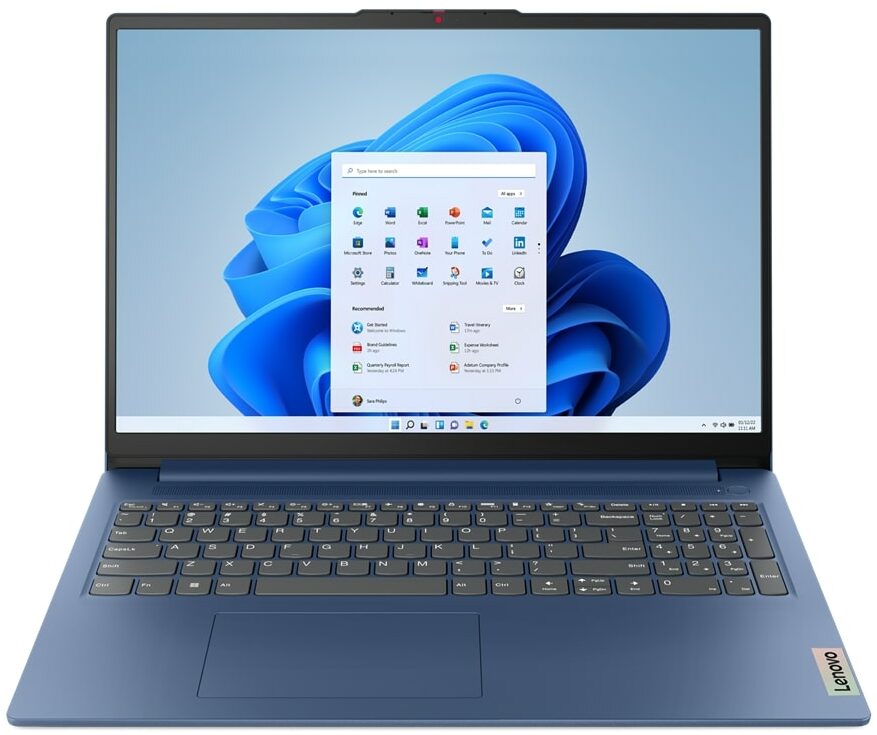
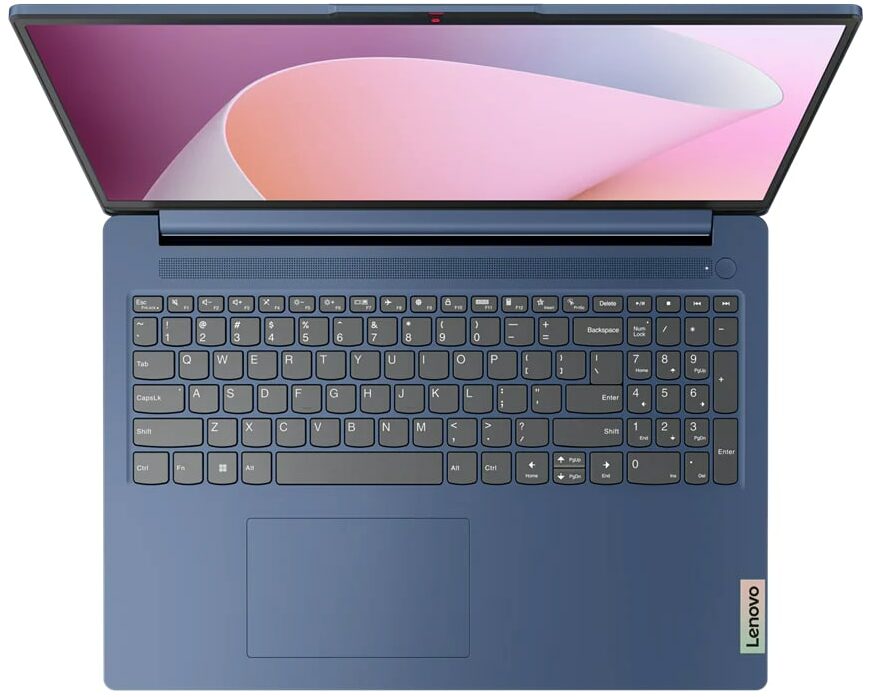
Lenovo IdeaPad Slim 3 (16", 2023) - Specyfikacja




- Wyświetlacz
- 16.0”, WUXGA (1920 x 1200), IPS

- HDD/SSD
- do 4000GB SSD
- Gniazdo M.2
- 1x 2242 M.2 NVMe PCIe 3.0 x4 Zobacz zdjęcie
- RAM
- up to 16GB
- System operacyjny
- Windows 11 Home, Windows 11 Pro, Linux, Windows 10 Pro, DOS, Windows 10 Home, No OS
- Bateria
- 47Wh
- Materiał obudowy
- Plastic / Polycarbonate
- Wymiary
- 359.2 x 257 x 17.9 - 18.4 mm (14.14" x 10.12" x 0.70")
- Waga
- 1.74 kg (3.8 lbs)
- Porty i łączność
- 2x USB Type-A
- 3.2 Gen 1 (5 Gbps)
- 1x USB Type-C
- 3.2 Gen 1 (5 Gbps), Power Delivery (PD), DisplayPort
- HDMI
- 1.4
- Czytnik kart
- SD (SD, SDHC, SDXC, MMC)
- Ethernet LAN
- Wi-Fi
- 802.11ax
- Bluetooth
- 5.1
- Gniazdo audio
- 3.5mm Combo Jack
- Cechy
- Czytnik linii papilarnych
- optional
- Kamera internetowa
- HD / FHD with Privacy Shutter, Fixed Focus
- Podświetlana klawiatura
- optional
- Mikrofon
- Dual-microphone array with noise-cancelling
- Głośniki
- 2x 1.5W User-facing stereo speakers, optimized by Dolby Audio
- Napęd optyczny
- Gniazdo blokady bezpieczeństwa
Wszystkie Lenovo IdeaPad Slim 3 (16″, 2023) konfiguracje
Sterowniki
Wszystkie sterowniki i programy narzędziowe dla tego notebooka można znaleźć tutaj: https://pcsupport.lenovo.com/us/en/products/laptops-and-netbooks/ideapad-s-series-netbooks/ideapad-slim-3-16abr8/downloads/driver-list
Co znajduje się w pudełku?
Wewnątrz znajduje się sam laptop, trochę dokumentacji i zasilacz 65 W z wtyczką w stylu beczki.

 Author: Alex Iliev
 Author: eng. Kroum NikolovHead of Engineering at LaptopMedia.com, inventor and innovator with 40+ years of experience in electronics and high technology.

![[Sierpień 2026] Globalny ranking najlepiej sprzedających się procesorów graficznych do laptopów na Amazonie – Apple nie ma sobie równych, a model RTX 5060 firmy NVIDIA zajmuje pierwsze miejsce w kategorii kart dedykowanych](https://laptopmedia.com/wp-content/uploads/2026/09/Best-Selling-GPUs-GLOBAL-Top-10-400x225.jpg)
![[Sierpień 2026] Globalny ranking najlepiej sprzedających się procesorów do laptopów na Amazonie – Apple dominuje zarówno w segmencie budżetowym, jak i premium: modele A18 Pro i M5 zdecydowanie wyprzedzają Intel i AMD w sierpniu 2026 roku](https://laptopmedia.com/wp-content/uploads/2026/09/Best-Selling-CPUs-GLOBAL-Top-10-400x225.jpg)
![[Sierpień 2026] Amazon Global: 10 najlepiej sprzedających się laptopów – Apple MacBook Neo dominuje w rankingach, podczas gdy niedrogie i średniej klasy laptopy z systemem Windows walczą o udział w rynku](https://laptopmedia.com/wp-content/uploads/2026/09/Best-Selling-Laptops-GLOBAL-Top-10-400x225.jpg)
![[Sierpień 2026 r.] Najlepiej sprzedające się marki laptopów w serwisie Amazon Global – Apple dominuje pod względem przychodów, a HP przoduje pod względem różnorodności modeli](https://laptopmedia.com/wp-content/uploads/2026/09/GLOBAL-Best-Brands-400x225.jpg)
![[Sierpień 2026 r.] Amazon Global: 10 najlepiej sprzedających się laptopów do gier – HP Victus 15 zdobywa pierwsze miejsce, a rankingi zdominowały modele w przystępnej cenie](https://laptopmedia.com/wp-content/uploads/2026/09/Best-Selling-Gaming-Laptops-GLOBAL-Top-10-400x225.jpg)

BUYER BEWARE. The touchpad is placed very far to the left of center and is VERY uncomfortable. I have also had too many times where the cursor scrolls over something and either opens or closes the page. I have adjusted the settings without any help. Very annoying when something you are working on closes or a website closes and you need to try to go back and figure out where you were. I have had this over 6 months and plan on looking for another brand during the after xmas sales. Too bad as this is my 3rd Lenovo laptop… Czytaj więcej »
If your work is important, turn on the radio mouse and don’t bother with touchpads. especially in the initial series of laptops, where all the components are entry-level. I basically don’t use them, except for rare cases when I find myself somewhere with a laptop without a radio mouse.
It’s much worse that there is no RJ45 here; it’s simply impossible to get a stable and fast network without buying an external usb2lan adapter (with which there are often various problems, unlike built-in rj45). And this is especially strange for a business/office series. And in reality, bringing this port outside costs a penny – +$5. The second significant problem is the poor video ports. Lenovo claims Display Port v1.2 Alt Mode in usb-c is outdated 15 years ago and HDMI 1.4b is 13 years outdated. You will not be able to display HDR images on TV/projectors/monitors from this laptop… Czytaj więcej »
The third, possible problem – in the review checked the screen panel from BOE, but Lenovo often imstall Innolux n160jce-ell in this series, which may have low-frequency PWM. And Lenovo does not indicate Flicker Free panels for this series in psref, as for other series. Therefore, you need to be careful with this, especially when buying a model without Windows, because if there is no OS included, you can check the flickering only by booting from a WinPE flash drive with pre-integrated video drivers for this series or from some Linux distribution that understands the SoC of this series and… Czytaj więcej »