Inside Acer Swift 5 (SF515-51T) – disassembly and upgrade options
Acer Swift 5 (SF515-51T) is currently the lightest 15-incher on the market. Of course, the main question about this device is how did they manage to pull it off. Less than a kilo at this footprint? Clearly, some other manufacturers have a lot of homework to do. However, a device like this is has a lot of sacrifices to make in order to achieve its slim design. Let’s get inside!
Check out all Acer Swift 5 (SF515-51T) prices and configurations in our Specs System or read more in our In-depth Review.

1. Remove the bottom plate
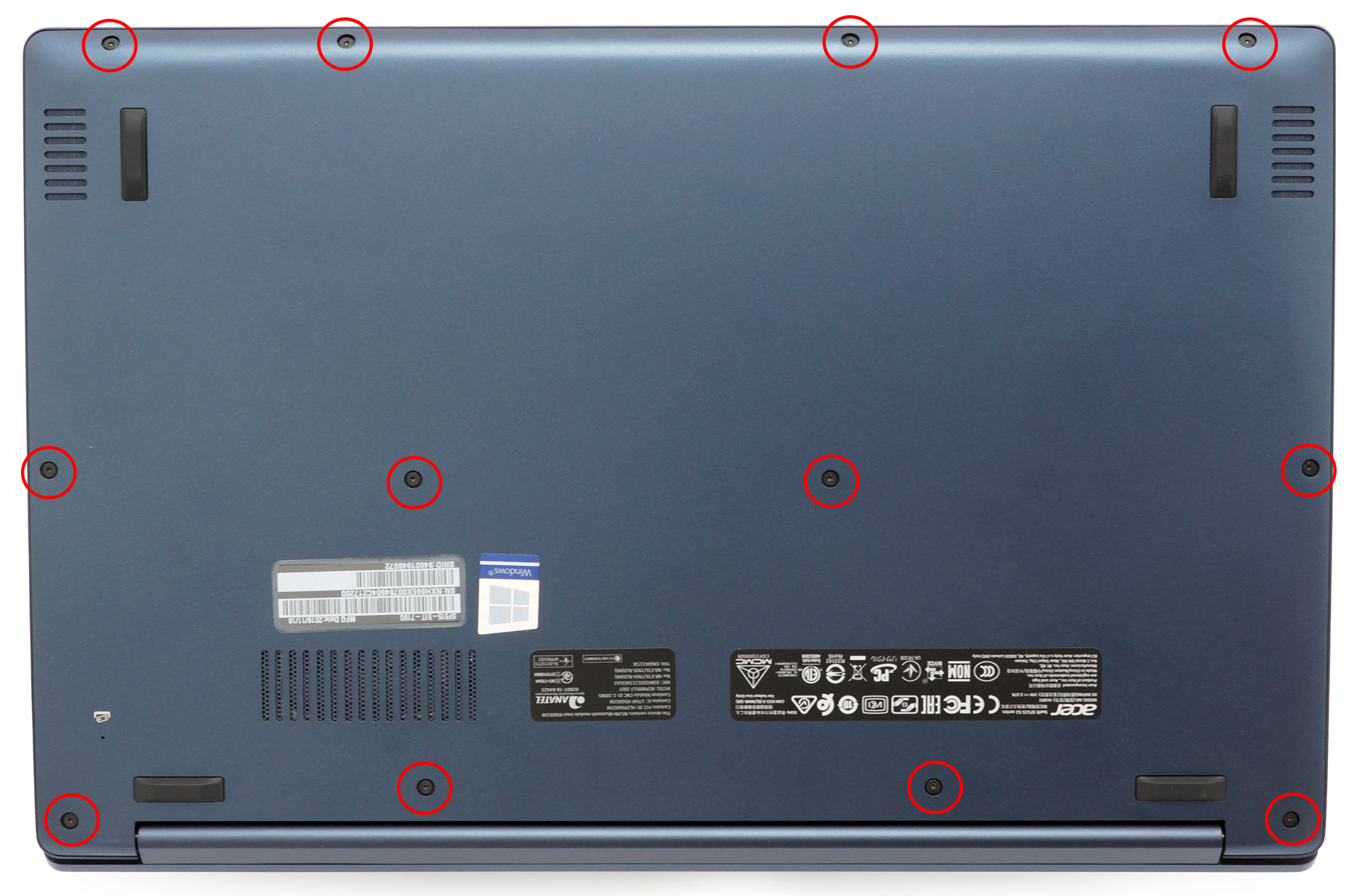
Traditionally, we start by removing the bottom plate of the laptop. We are able to do so by unscrewing a total of 12 Torx-headed screws, evenly distributed around it. Then we need a plastic pry tool to lift the magnesium alloy bottom plate from the chassis and that’s pretty much it. You can now see the incredibly small motherboard, which is located on the right of the fan, and the huge empty space inside – one of the reasons for the most efficient weight reduction techniques.

2. Battery
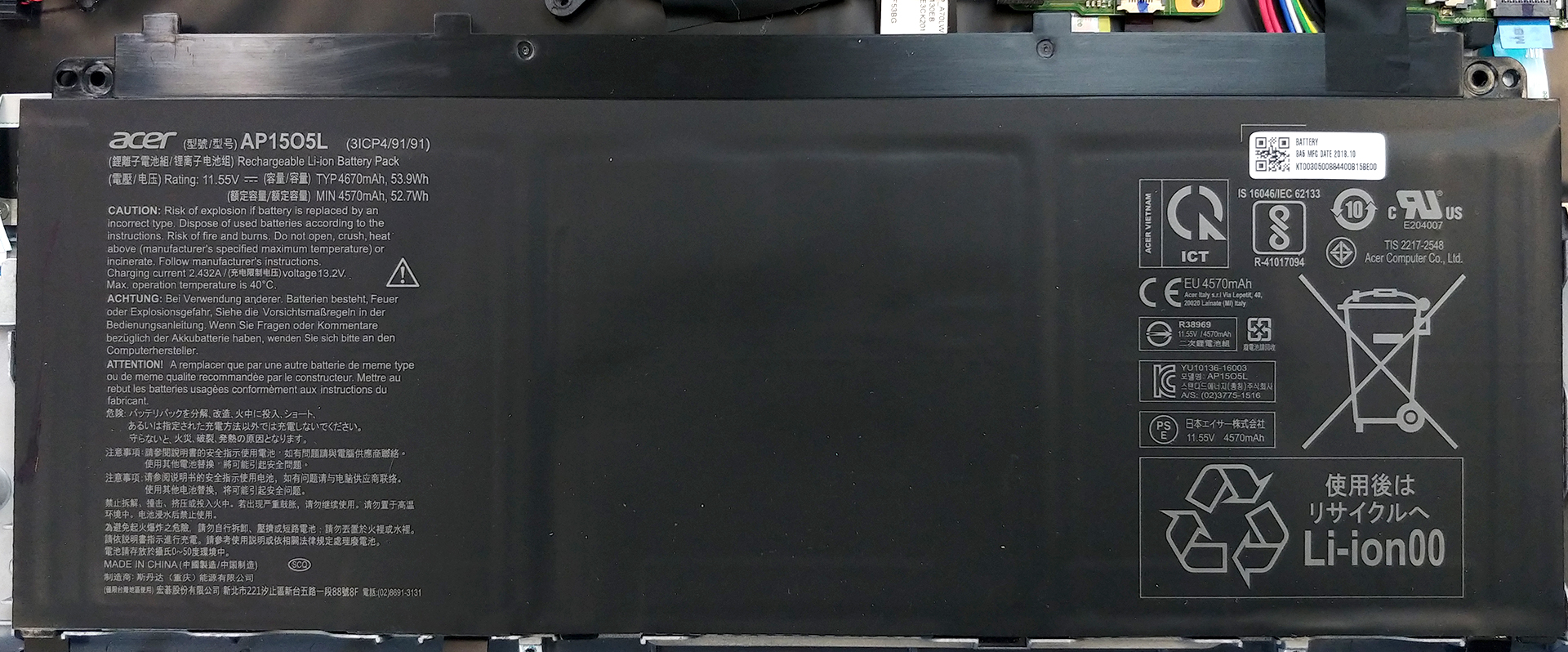
Sadly, the only thing that is easily removable and can be labeled – user-friendly for servicing is the battery. Thankfully, Acer has been rather generous and provided the Swift 5 (SF515-51T) with a hefty 53.9 Wh battery pack. We were able to easily extract around 11 hours and 15 minutes of web browsing and just under 9 hours of video playback – certainly a mandatory feature for a business laptop at this price.
3. Memory and storage
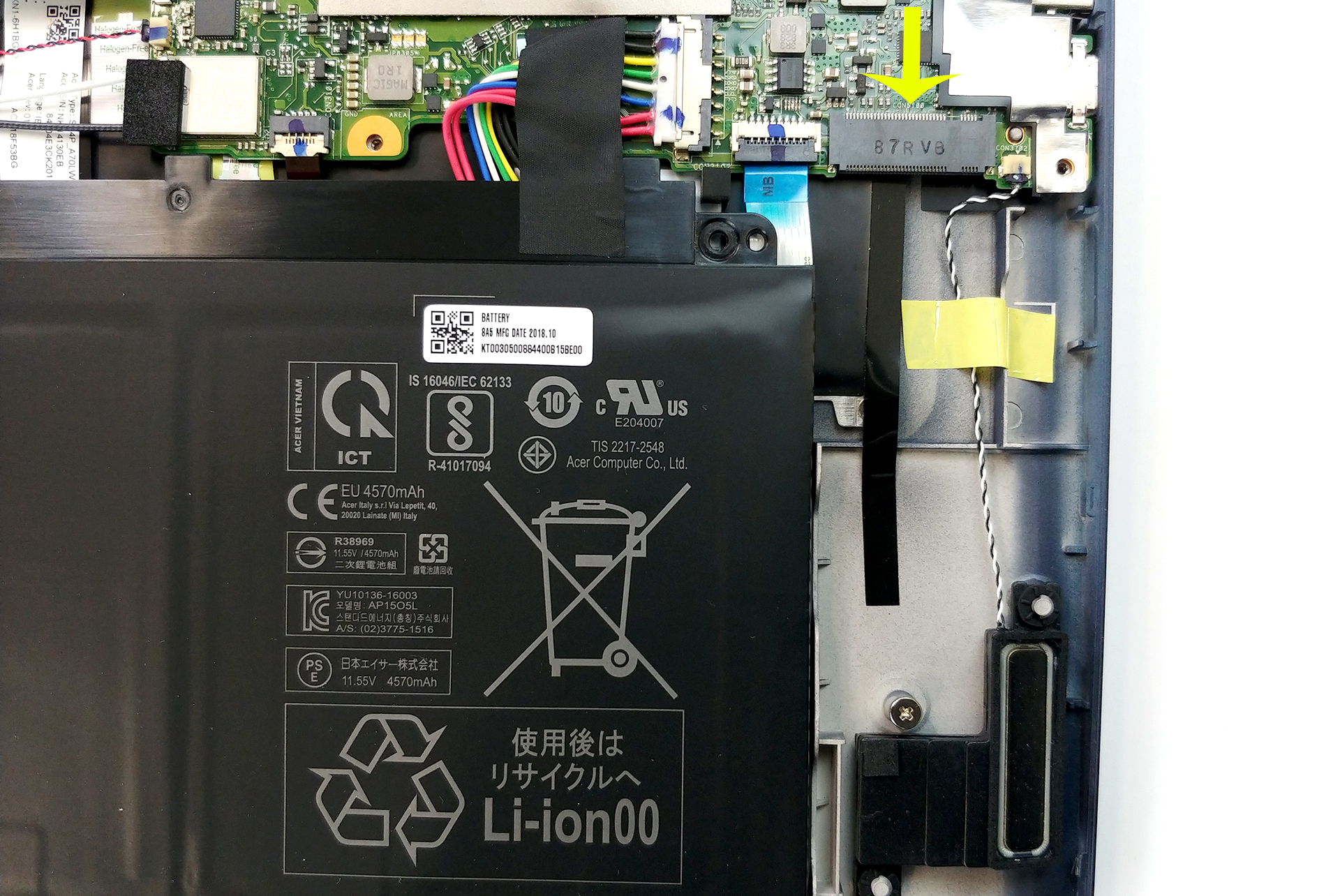
We present you the biggest drawback of this laptop’s form factor – limited upgrade options. That said, either of the RAM and storage chips is soldered to the motherboard. This means you have to be extremely cautious when buying one and surely go for the highest amount of memory/storage possible for your pocket. Despite that, there is still a single M.2 NVMe slot, located right next to the battery – an interesting solution from Acer.

4. Cooling system
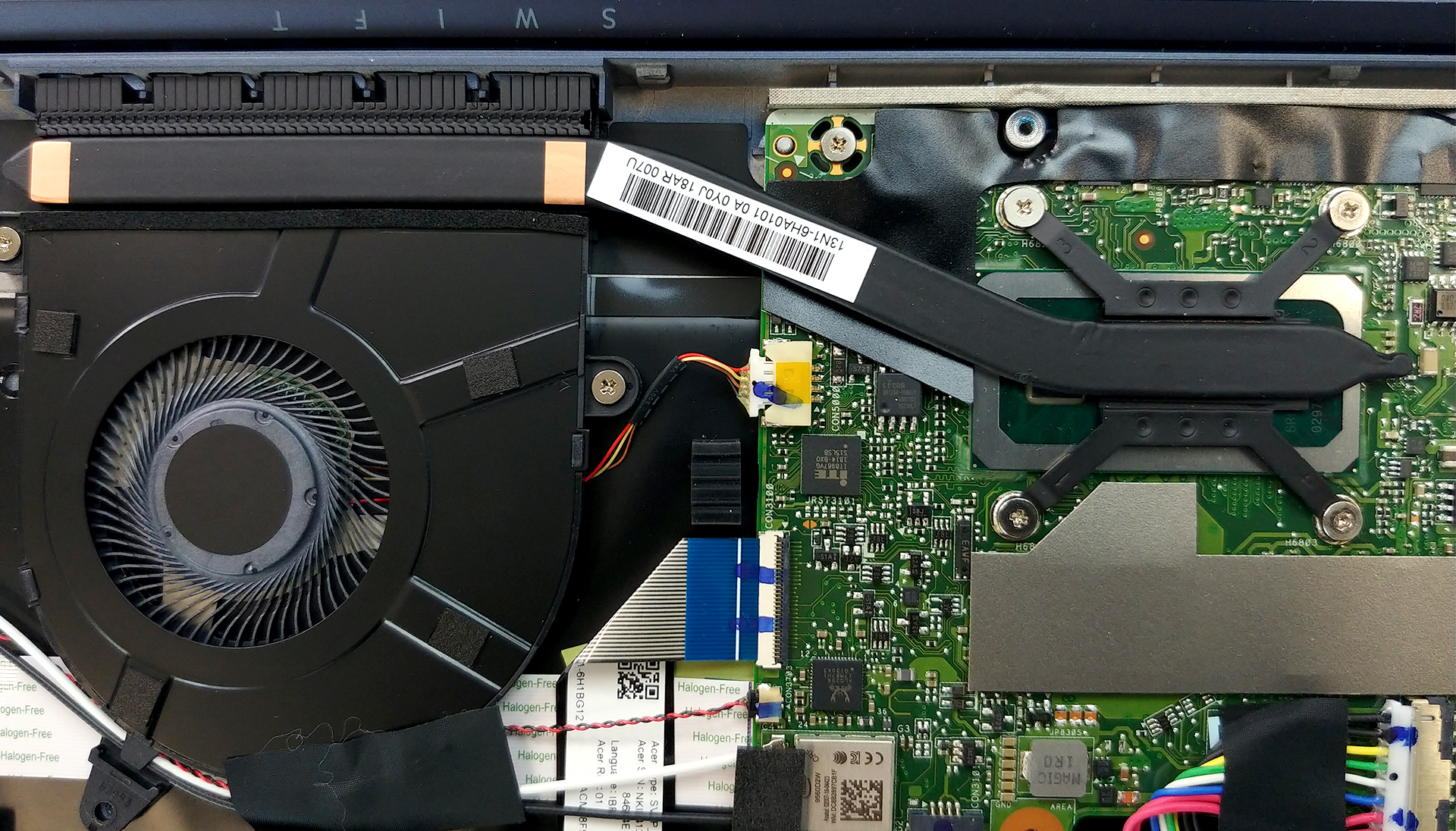
Another crippled feature of this notebook is truly the cooling. There is just too little space for the fan to breathe and the heat to dissipate. Additionally, the cooling design itself is super simple – a single, very short heat pipe going from the CPU to the heatsink. Finally, a relatively large fan is going to cool it off.
Check out all Acer Swift 5 (SF515-51T) prices and configurations in our Specs System or read more in our In-depth Review.
 Author: Alex Iliev

![[Iulie 2026] Clasamentul global al celor mai bine vândute plăci grafice pentru laptopuri de pe Amazon – RTX 5060 domină segmentul premium, iar Intel rămâne lider în segmentul economic](https://laptopmedia.com/wp-content/uploads/2026/08/Best-Selling-GPUs-GLOBAL-Top-10-400x225.jpg)
![[Iulie 2026] Clasamentul global al celor mai bine vândute procesoare pentru laptopuri de pe Amazon – Apple domină segmentul premium, iar Intel își păstrează primul loc în clasamentul general](https://laptopmedia.com/wp-content/uploads/2026/08/Best-Selling-CPUs-GLOBAL-Top-10-400x225.jpg)
![[July 2026] Amazon Canada: Top 10 Best-Selling Laptops – Apple MacBook Neo Dominates the Market to Claim the #1 Spot](https://laptopmedia.com/wp-content/uploads/2026/08/Best-Selling-Laptops-CA-Top-10-2-400x225.jpg)
![[July 2026] Best-Selling Laptop Brands on Amazon Japan – HP and Lenovo Dominate Units and Revenue Amid Fierce Competition](https://laptopmedia.com/wp-content/uploads/2026/08/CO.JP-Best-Brands-2-400x225.jpg)
![[July 2026] Amazon Italy: Top 10 Best-Selling Laptops – Apple MacBook Neo Claims the #1 Spot Amid Budget-Friendly Dominance](https://laptopmedia.com/wp-content/uploads/2026/08/Best-Selling-Laptops-IT-Top-10-400x225.jpg)

“Despite that, there is still a single M.2 NVMe slot, located right next to the battery – an interesting solution from Acer.”
Does this mean you can add another SSD?