Inside Dell Latitude 15 5520 – disassembly and upgrade options
A business laptop should be fluent in a lot of different tasks in order to in full service to its owner. Upgradability is definitely one of the most important of them.
Check out all Dell Latitude 15 5520 prices and configurations in our Specs System or read more in our In-Depth review.
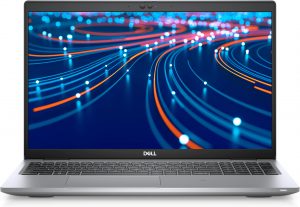
1. Remove the bottom plate
Accessing this laptop’s internals is extremely easy. You just need to undo 8 captive Phillips-head screws, and then pry the bottom panel with a plastic tool.
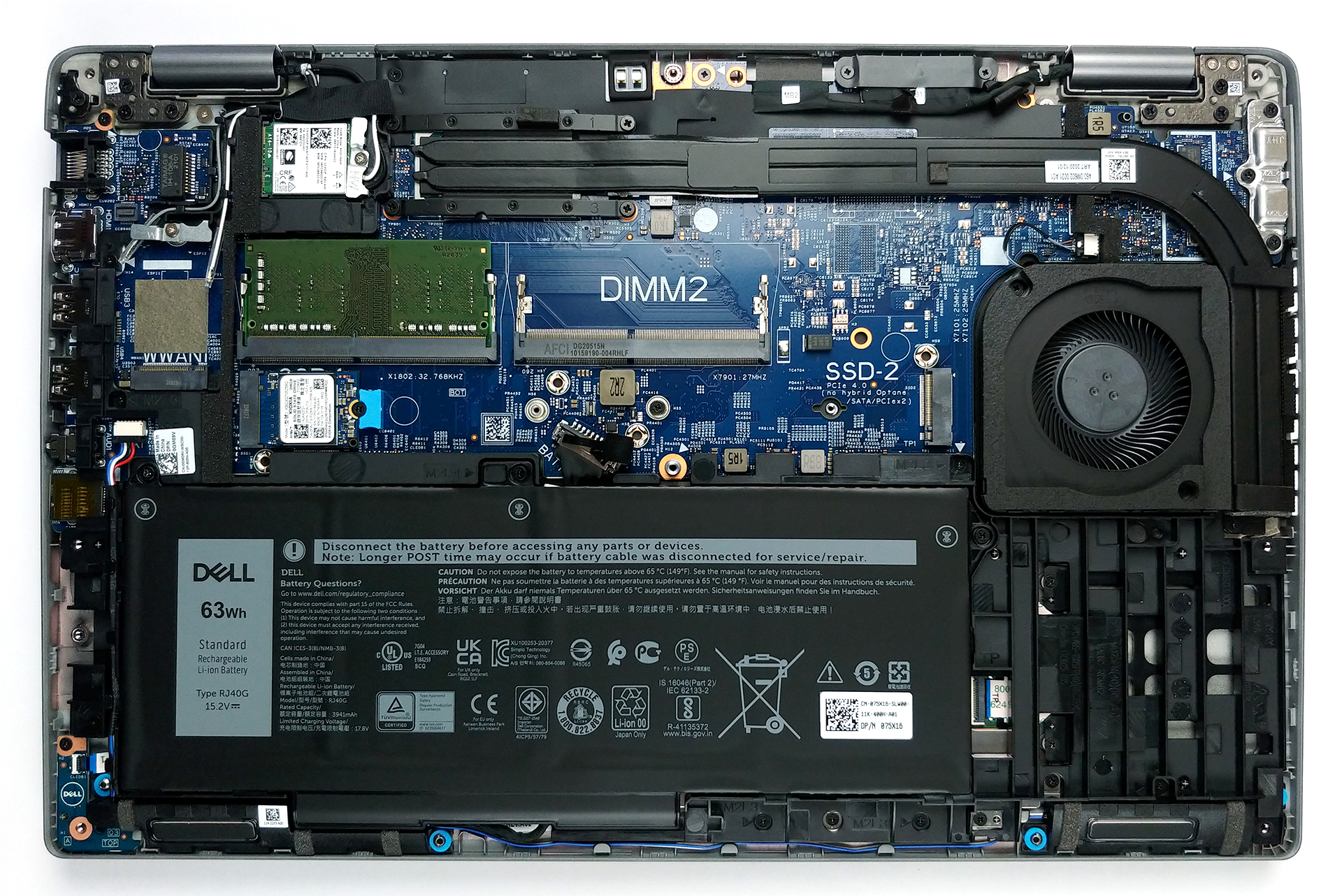
2. Battery
After you get inside, you will see the battery pack. Our unit has a 63Wh capacity, while some configurations will include a smaller 42Wh battery.
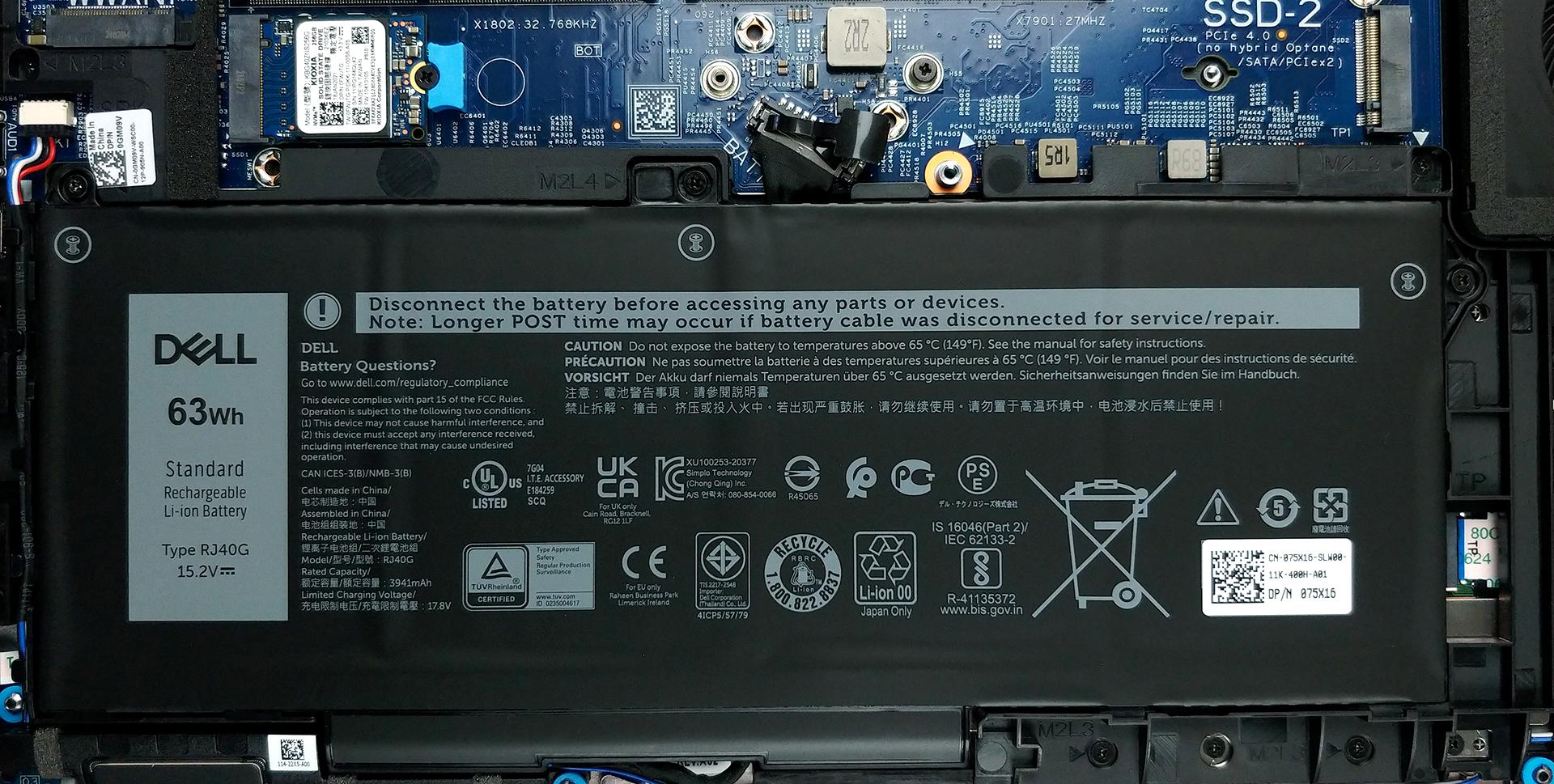
3. Мemory and storage
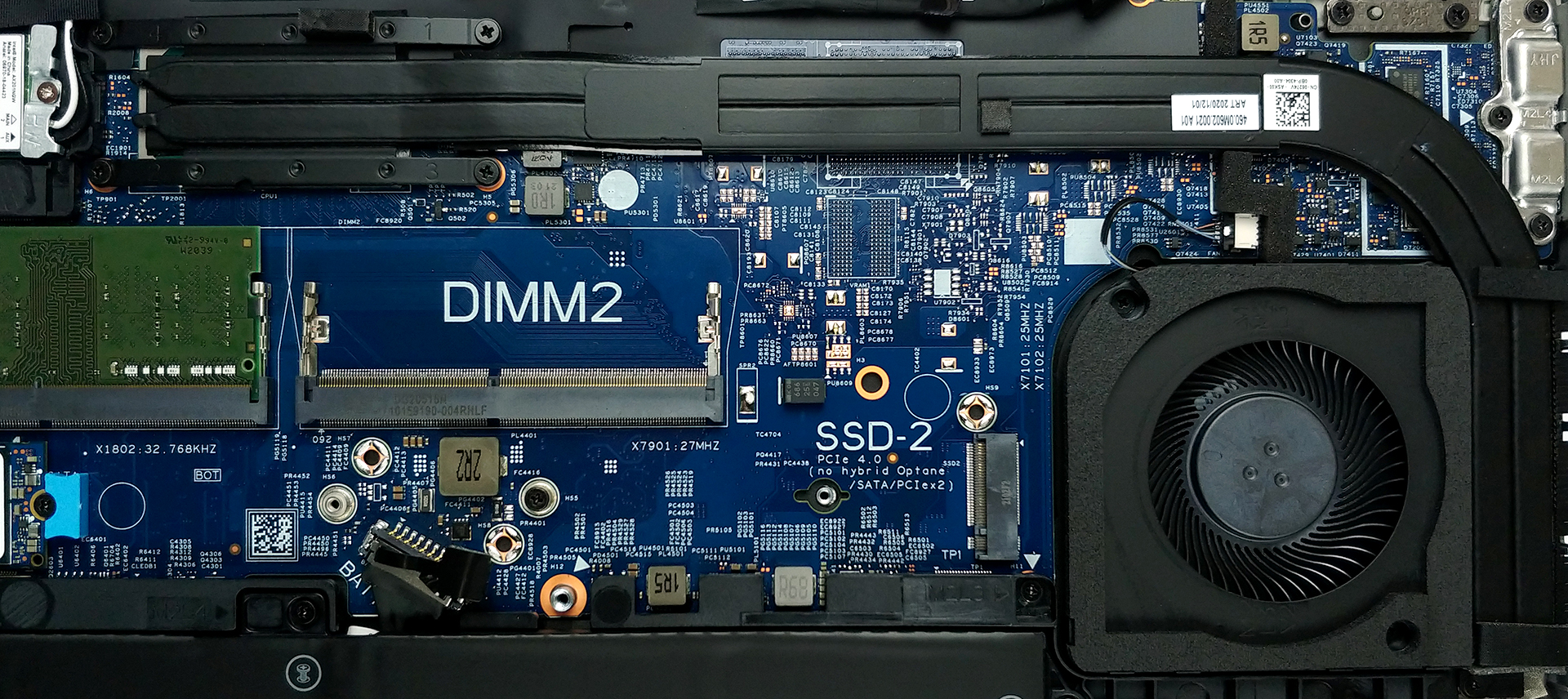
In terms of memory, there are two SODIMM slots, which support up to 64GB of dual-channel RAM in total. Storage-wise, you get two M.2 PCIe x4 slots, with that one labeled with number 2 supporting PCIe Gen 4 drives.
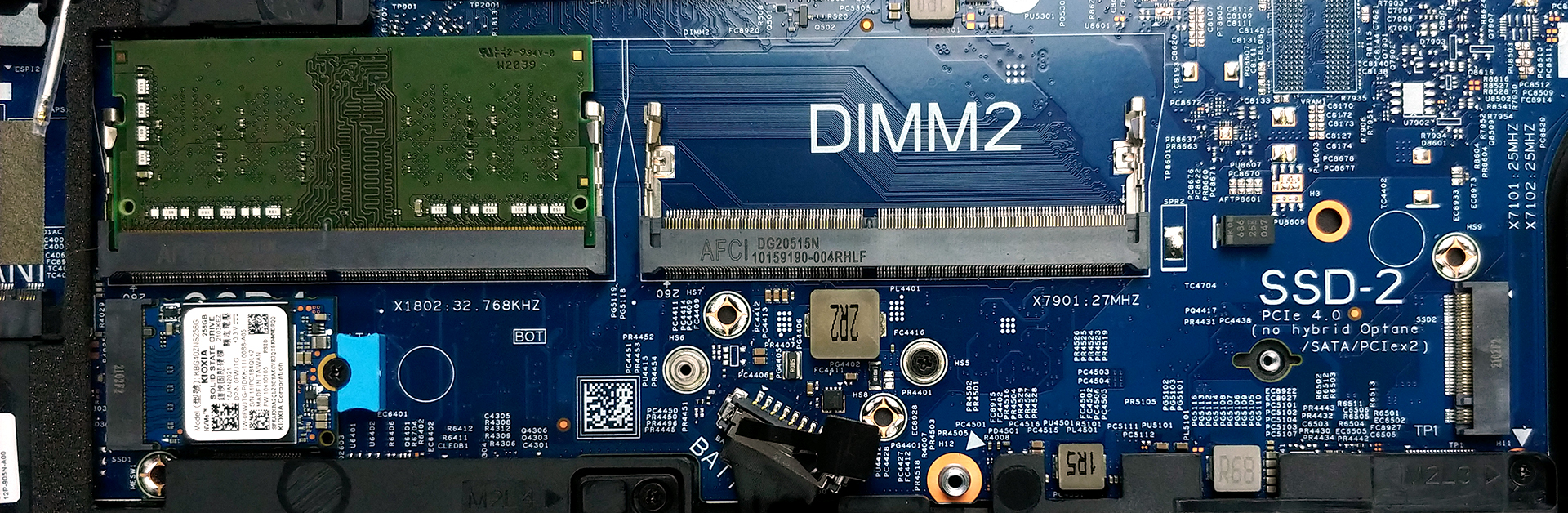
4. Cooling system
As for the cooling, there are two rather long heat pipes, connected to a side-mounted heat spreader. The tough job of getting the heat dissipated is done by the fan, which is not that big in diameter but has a pretty thick profile.
Check out all Dell Latitude 15 5520 prices and configurations in our Specs System or read more in our In-Depth review.
Dell Latitude 15 5520 recenzie detaliată
Thanks to the Tiger Lake processor lineup of Intel, the business notebooks all around the brands were basically supercharged compared to their predecessors. One of these laptops is undoubtedly the Dell Latitude 15 5520.In addition to the new chipset, you get a mild redesign, with nature being in the middle of the build materials. This year, Dell utilizes up to 21% of bioplastics, derived from a papermaking byproduct, for its entire Latitude 5000 series. Regardless of the quality of the device, we will always encourage and compliment companies that are making an effort to preserve the plan[...]
Avantaje
- Wide I/O, which includes a MicroSD card reader
- Two M.2 storage slots, one of which runs at 4.0 speeds + 2x RAM SODIMM slots
- Fingerprint reader embedded in the power button + optional IR face recognition
- Wi-Fi 6, PCIe x4, Thunderbolt 4
- Doesn't use PWM for brightness adjustment (AUO 5NG4M-B156HAN)
- Comfortable keyboard with a backlight
- Good battery life
Dezavantaje
- Covers only 53% of sRGB (AUO 5NG4M-B156HAN)
- Drops the dedicated touchpad buttons and the trackpoint
 Author: Alex Iliev

![[August 2026] Amazon Global: Top 10 cele mai vândute laptopuri – Apple MacBook Neo domină clasamentul, în timp ce laptopurile Windows din gama economică și de mijloc se luptă pentru volumul vânzărilor](https://laptopmedia.com/wp-content/uploads/2026/09/Best-Selling-Laptops-GLOBAL-Top-10-400x225.jpg)
![[August 2026] Cele mai vândute mărci de laptopuri pe Amazon Global – Apple domină în ceea ce privește veniturile, în timp ce HP se află pe primul loc în ceea ce privește varietatea de modele](https://laptopmedia.com/wp-content/uploads/2026/09/GLOBAL-Best-Brands-400x225.jpg)
![[August 2026] Amazon Global: Top 10 cele mai bine vândute laptopuri pentru jocuri – HP Victus 15 ocupă primul loc, în timp ce modelele accesibile domină clasamentul](https://laptopmedia.com/wp-content/uploads/2026/09/Best-Selling-Gaming-Laptops-GLOBAL-Top-10-400x225.jpg)
![[August 2026] Best-Selling Laptop Brands on Amazon Japan – Apple Dominates Market Share and Revenue Led by Strong Unit Sales](https://laptopmedia.com/wp-content/uploads/2026/09/CO.JP-Best-Brands-1-400x225.jpg)
![[August 2026] Best-Selling Laptop Brands on Amazon USA – Apple Dominates Market Revenue and Volume Despite Lower Model Diversity](https://laptopmedia.com/wp-content/uploads/2026/09/COM-Best-Brands-1-400x225.jpg)
