Top 5 reasons to BUY or NOT to buy the ASUS VivoBook 15 F515
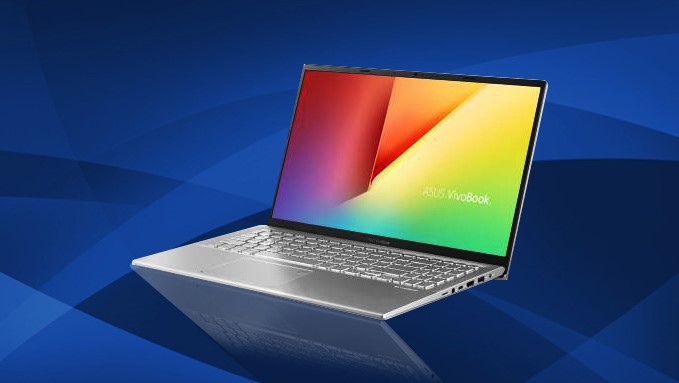 ASUS’ VivoBook lineup is targeting the younger audiences out there, offering inexpensive devices that can have capable hardware and some premium features that have usually been reserved for the more expensive and flagship lineups like the ZenBook and their gaming laptops.
Today we have one of the newer VivoBook additions, that has good hardware for the price and might as well be able to take over as one of the top choices for multimedia laptops that are perfect for students and aspiring entrepreneurs.
Today we are presenting you with LaptopMedia’s Top 5 picks about the ASUS VivoBook 15 F515.
Here is our in-depth review of the ASUS VivoBook 15 F515: https://laptopmedia.com/review/asus-vivobook-15-f515-review-corners-were-cut/
You can check the prices and configurations in our Specs System: https://laptopmedia.com/series/asus-vivobook-15-f515/
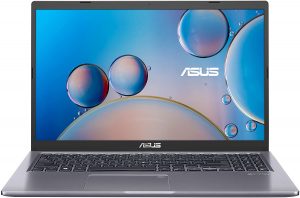
3 reasons to BUY the ASUS VivoBook 15 F515
1. The Upgradeability
Starting off with something great to see, this new VivoBook, despite being an inexpensive device, has decent upgradability. Once you remove the 10 Phillips head screws, you are greeted by the internals of the device. There you can see either 4GB or 8GB of soldered RAM and one SODIMM slot that supports up to 16GB of DDR4 RAM. Storage-wise, there is one M.2 PCIe x2 drive and one 2.5-inch drive bay.
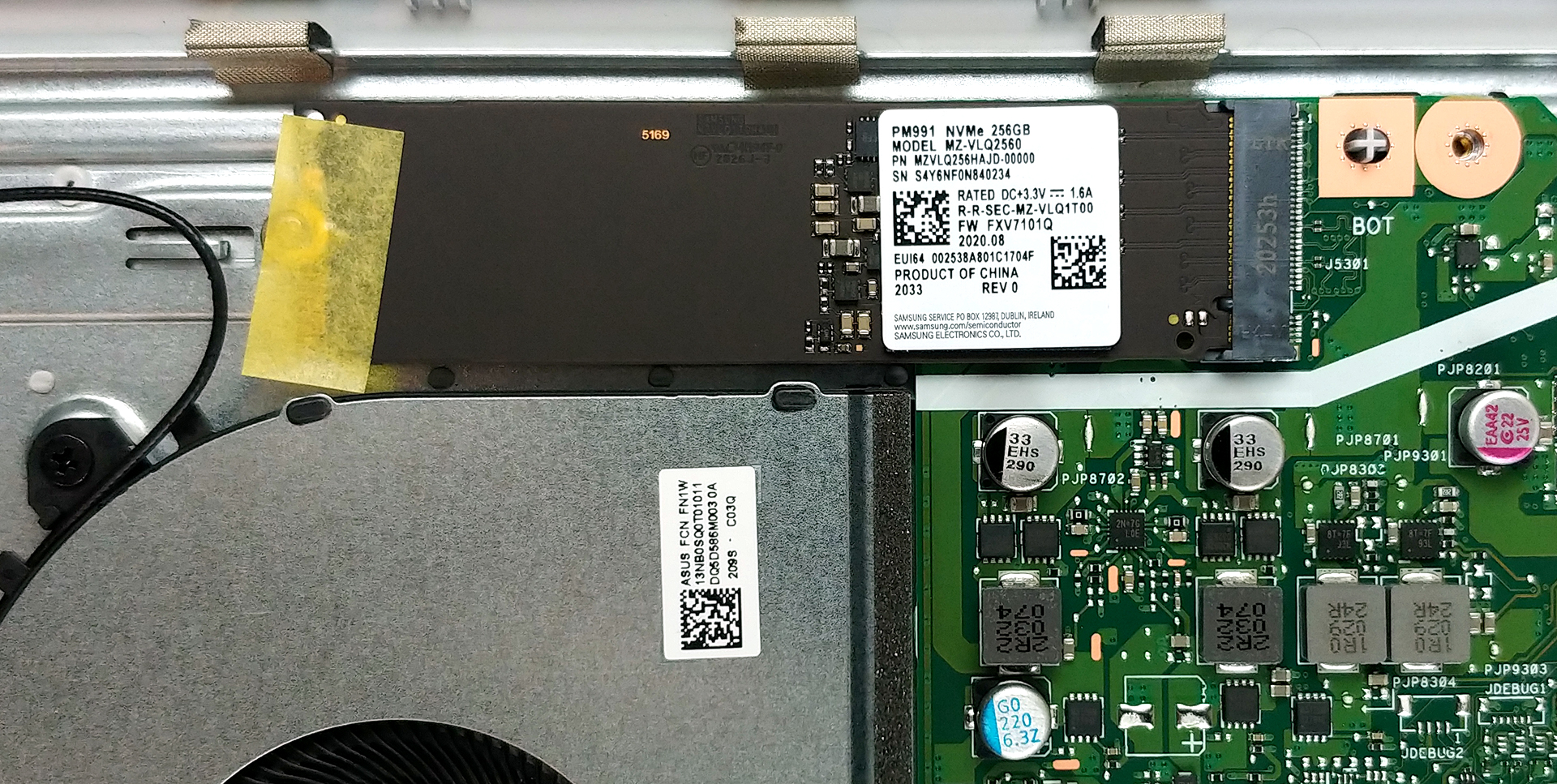
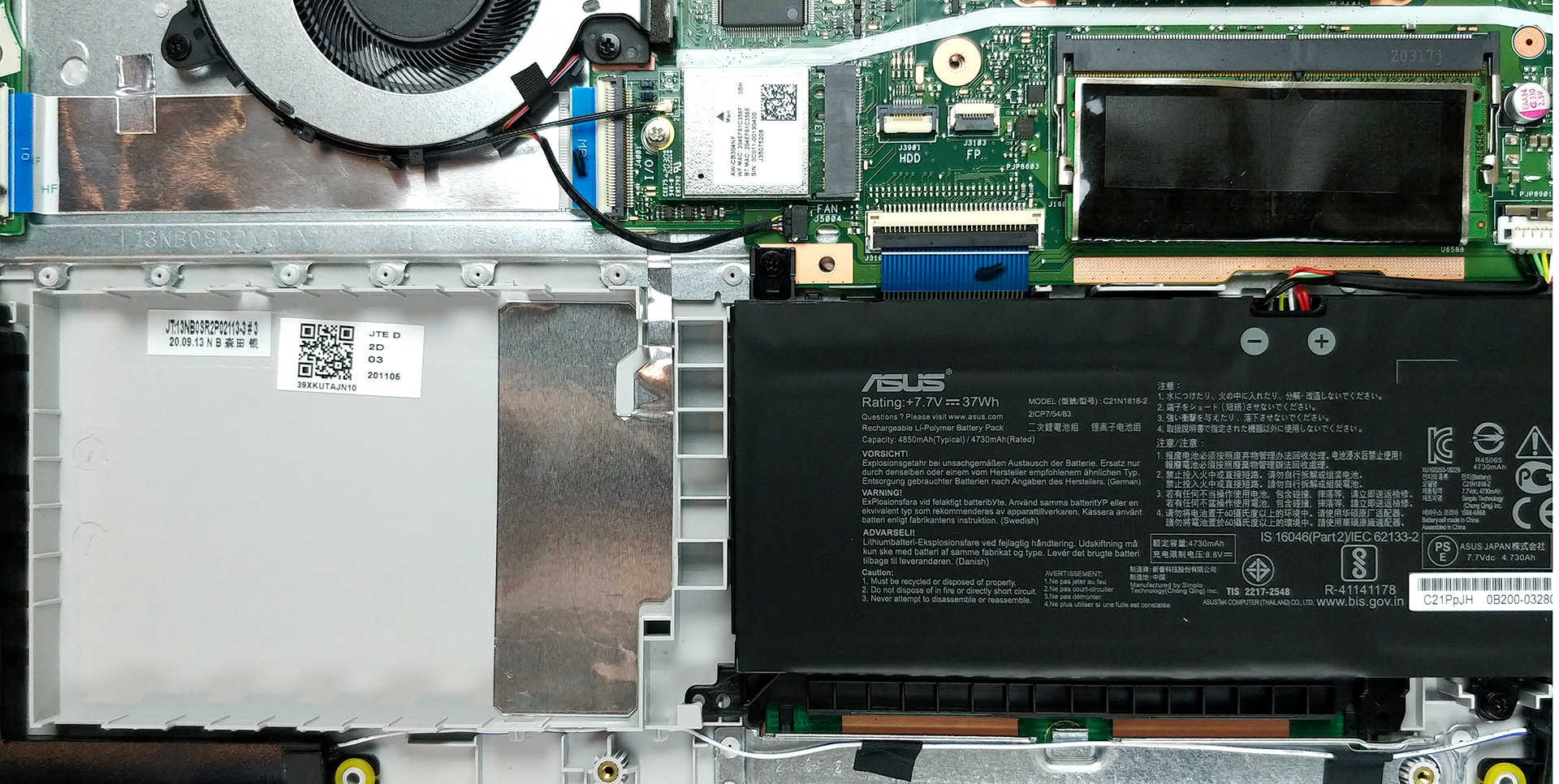
Below is a detailed video teardown of the ASUS VivoBook 15 F515:
2. The Display
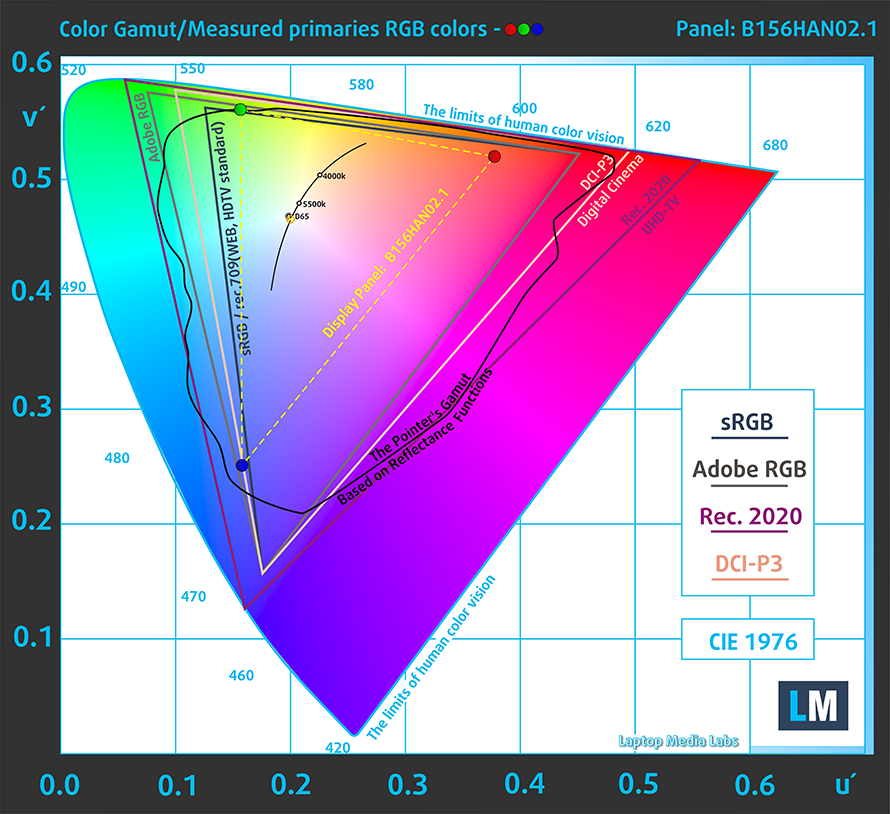
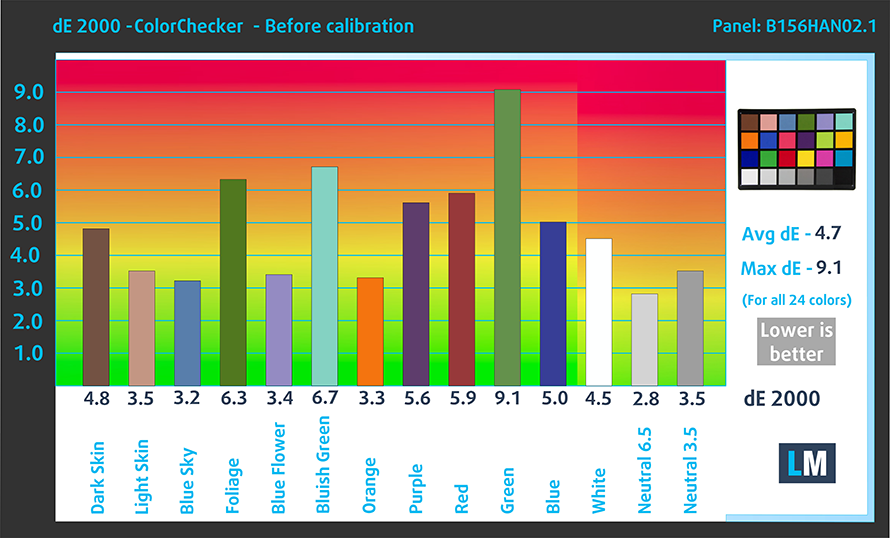
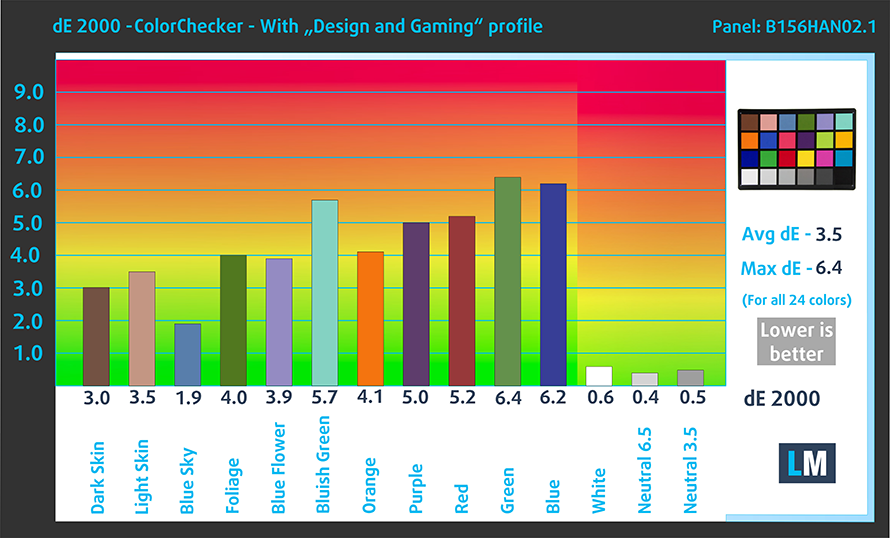
Continuing on with the display, this VivoBook has a 15.6-inch Full HD IPS screen that has excellent viewing angles and a good contrast ratio. What is more, is that it doesn’t use PWM to adjust its brightness, which is great to see on a more budget device. On the flip side, however, the color accuracy and color coverage suffer a lot, with the screen covering only 53% of the sRGB color gamut and has an average dE value of 3.5.
Below we have the results of our color accuracy test, both with factory settings (left) and with our Gaming and Web design profile applied (right).
Buy our profiles
Since our profiles are tailored for each display model, this article and its respective profile package are meant for ASUS VivoBook 15 F515 configurations with 15.6″ FHD IPS AUO B156HAN02.1 (AUO21ED).
*Should you have problems with downloading the purchased file, try using a different browser to open the link you’ll receive via e-mail. If the download target is a .php file instead of an archive, change the file extension to .zip or contact us at [email protected].
Read more about the profiles HERE.
Pe lângă primirea de profiluri eficiente și prietenoase cu sănătatea, prin cumpărarea produselor LaptopMedia sprijiniți și dezvoltarea laboratoarelor noastre, unde testăm dispozitive pentru a produce cele mai obiective recenzii posibile.

Office Work
Office Work ar trebui folosit în principal de utilizatorii care petrec cea mai mare parte a timpului uitându-se la texte, tabele sau pur și simplu navigând. Acest profil urmărește să ofere o distincție și o claritate mai bună prin menținerea unei curbe gamma plate (2.20), a temperaturii native a culorii și a culorilor perceptiv exacte.

Design and Gaming
Acest profil se adresează designerilor care lucrează profesional cu culorile, precum și pentru jocuri și filme. Design and Gaming duce panourile de afișaj la limitele lor, făcându-le cât mai precise posibil în standardul sRGB IEC61966-2-1 pentru Web și HDTV, la punctul de alb D65.

Health-Guard
Health-Guard elimină modulația dăunătoare a lățimii impulsului (PWM) și reduce lumina albastră negativă care ne afectează ochii și corpul. Deoarece este personalizat pentru fiecare panou, reușește să mențină culorile perceptiv exacte. Health-Guard simulează hârtia, astfel încât presiunea asupra ochilor este redusă considerabil.
Obține toate cele 3 profiluri cu 33% reducere

3. The Battery life
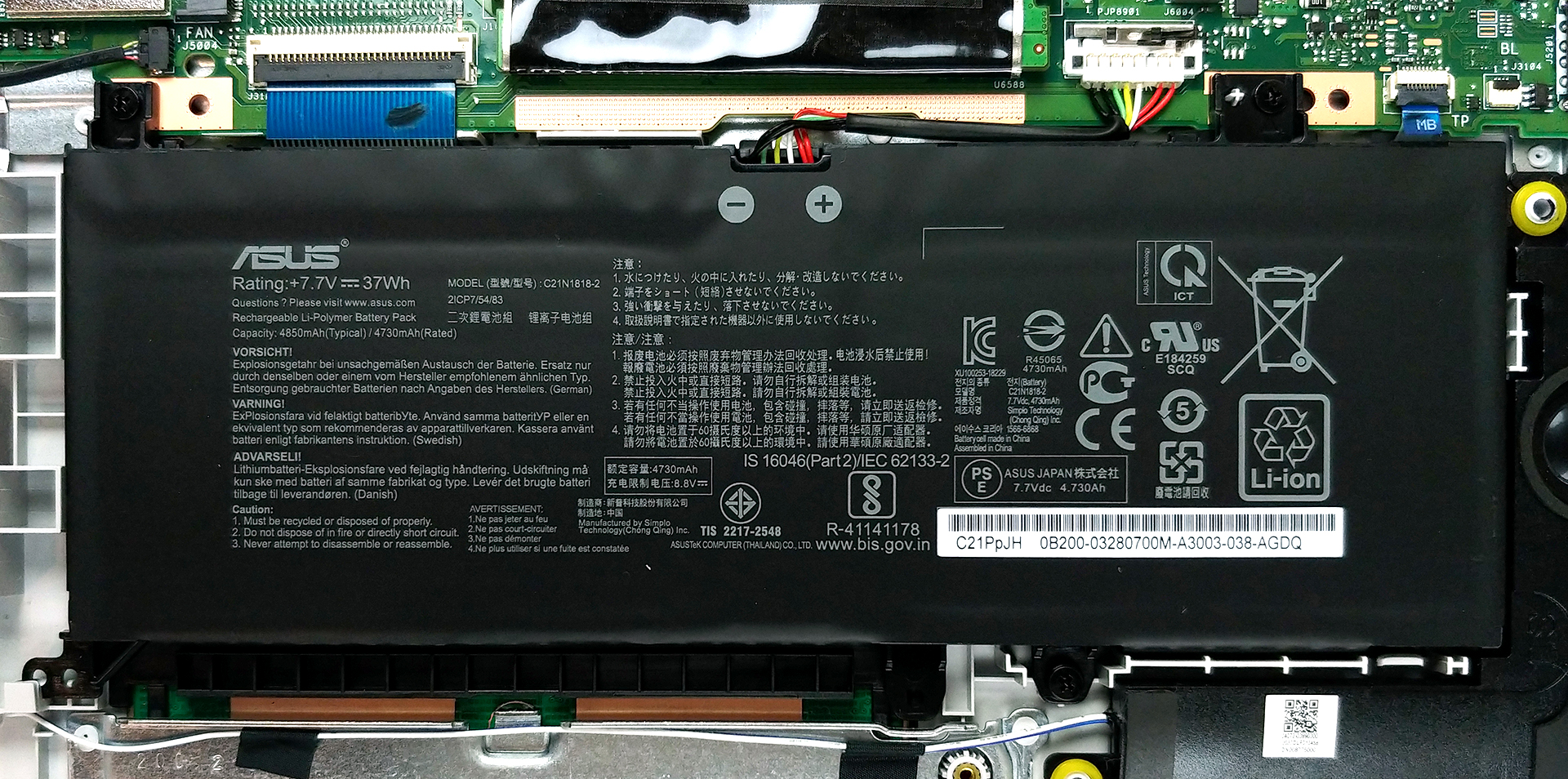
While the numbers from our battery life test aren’t the most impressive, they really surprised us considering the small 37Wh unit that is inside the VivoBook 15 F515. The battery managed to squeeze out 7 hours and 44 minutes of Web browsing and 6 hours and 40 minutes of video playback.
2 reasons NOT to buy the ASUS VivoBook 15 F515
1. The Build quality
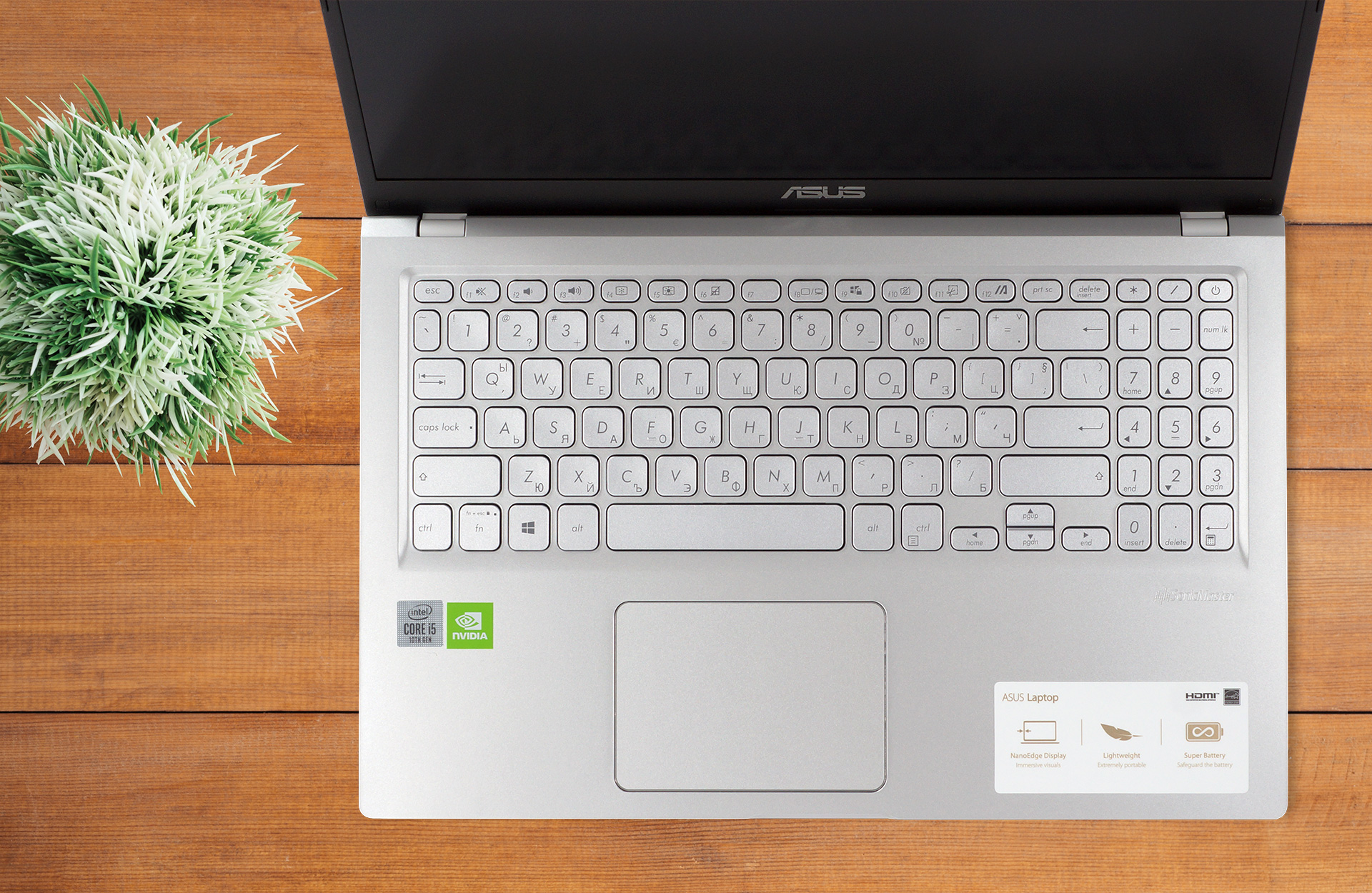
One area where this device definitely shows its budget nature is with its build quality. The whole laptop is made entirely from plastic and there is a considerable amount of flex that happens around the keyboard and the lid, which has a glossy finish.

Now that we have mentioned the keyboard, it isn’t great with its mushy feedback and metal clicks that come from the badly attached keycaps. As for the trackpad, it has inadequate tracking and high latency and is generally one of the worse that we have seen.
2. The Cooling
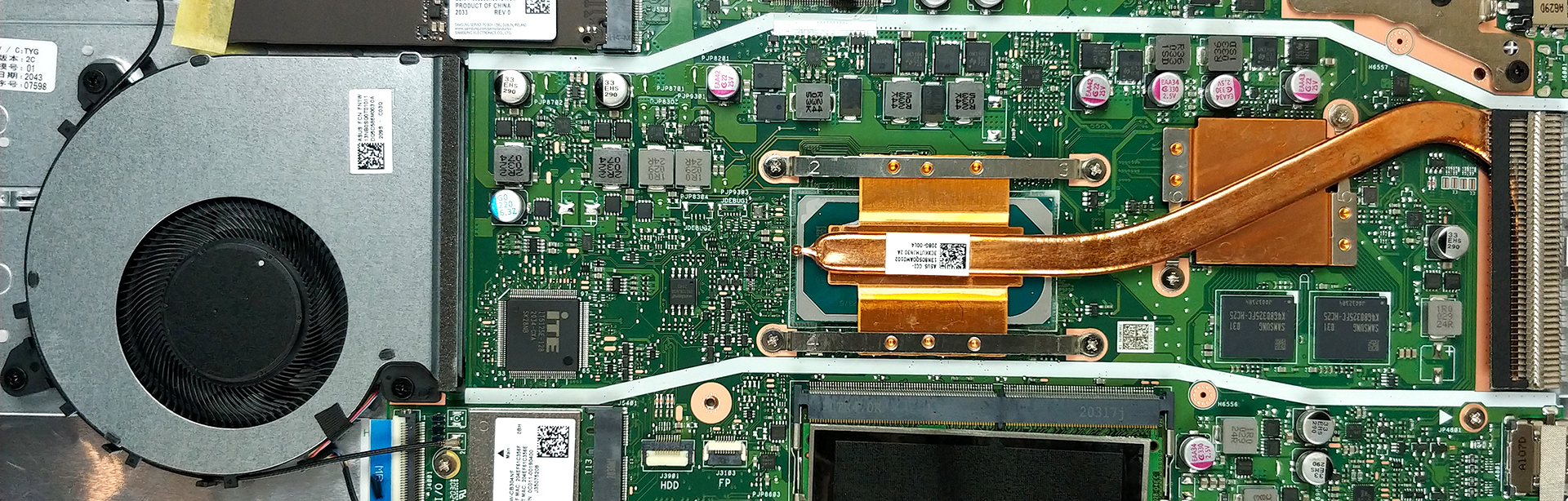
What is also not so great on this machine is the cooling solution that is implemented. From the picture below you can see one small heat pipe that has to cool both the CPU and GPU. There is one fan that is away from the heat pipe, which is rather unconventional. You can also see the two plastic walls that channel the air through the heat pipe, memory, and the VRMs.
 Author: Severin Kolakov

![[August 2026] Amazon Global: Top 10 cele mai vândute laptopuri – Apple MacBook Neo domină clasamentul, în timp ce laptopurile Windows din gama economică și de mijloc se luptă pentru volumul vânzărilor](https://laptopmedia.com/wp-content/uploads/2026/09/Best-Selling-Laptops-GLOBAL-Top-10-400x225.jpg)
![[August 2026] Cele mai vândute mărci de laptopuri pe Amazon Global – Apple domină în ceea ce privește veniturile, în timp ce HP se află pe primul loc în ceea ce privește varietatea de modele](https://laptopmedia.com/wp-content/uploads/2026/09/GLOBAL-Best-Brands-400x225.jpg)
![[August 2026] Amazon Global: Top 10 cele mai bine vândute laptopuri pentru jocuri – HP Victus 15 ocupă primul loc, în timp ce modelele accesibile domină clasamentul](https://laptopmedia.com/wp-content/uploads/2026/09/Best-Selling-Gaming-Laptops-GLOBAL-Top-10-400x225.jpg)
![[August 2026] Best-Selling Laptop Brands on Amazon Japan – Apple Dominates Market Share and Revenue Led by Strong Unit Sales](https://laptopmedia.com/wp-content/uploads/2026/09/CO.JP-Best-Brands-1-400x225.jpg)
![[August 2026] Best-Selling Laptop Brands on Amazon USA – Apple Dominates Market Revenue and Volume Despite Lower Model Diversity](https://laptopmedia.com/wp-content/uploads/2026/09/COM-Best-Brands-1-400x225.jpg)
