ASUS Vivobook 17 (X1702) review – large footprint but short battery life
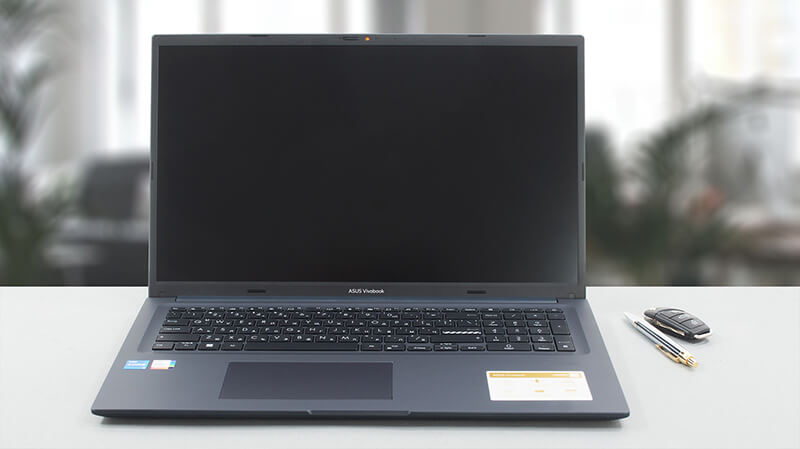 ASUS was really strong in 2022. Regardless if we’re talking about its super-premium notebooks, the ROGs that delivered the most powerful tablet, or the budget-conscious systems. Now, we are happy to see that 2023 starts pretty well, with the Vivobook 17 (X1702).
It is an affordable 17-incher, which is not scared of anything. You can find it with a 12th Gen Intel processor from either the U-series or the P-series. What makes them different, is the internal design, which gives the latter more P-cores, and a higher TDP limit of 28W. Likewise, the U-series should be more efficient, as their TDP limit is set at 15W.
Of course, all of the aforementioned is regarding the default values, because the cooling has a great impact on the performance. ASUS has an ace up its sleeve in this aspect, but we won’t spoil it too much for you.
Before we start, we have to tell you that this device’s 1080p display can be seen with a TN or an IPS panel, so be careful.
You can check the prices and configurations in our Specs System: https://laptopmedia.com/series/asus-vivobook-17-x1702-12th-gen-intel/
Contents
Specs, Drivers, What’s in the box
ASUS Vivobook 17 (X1702 / S1702 / M1702) - Özellikler
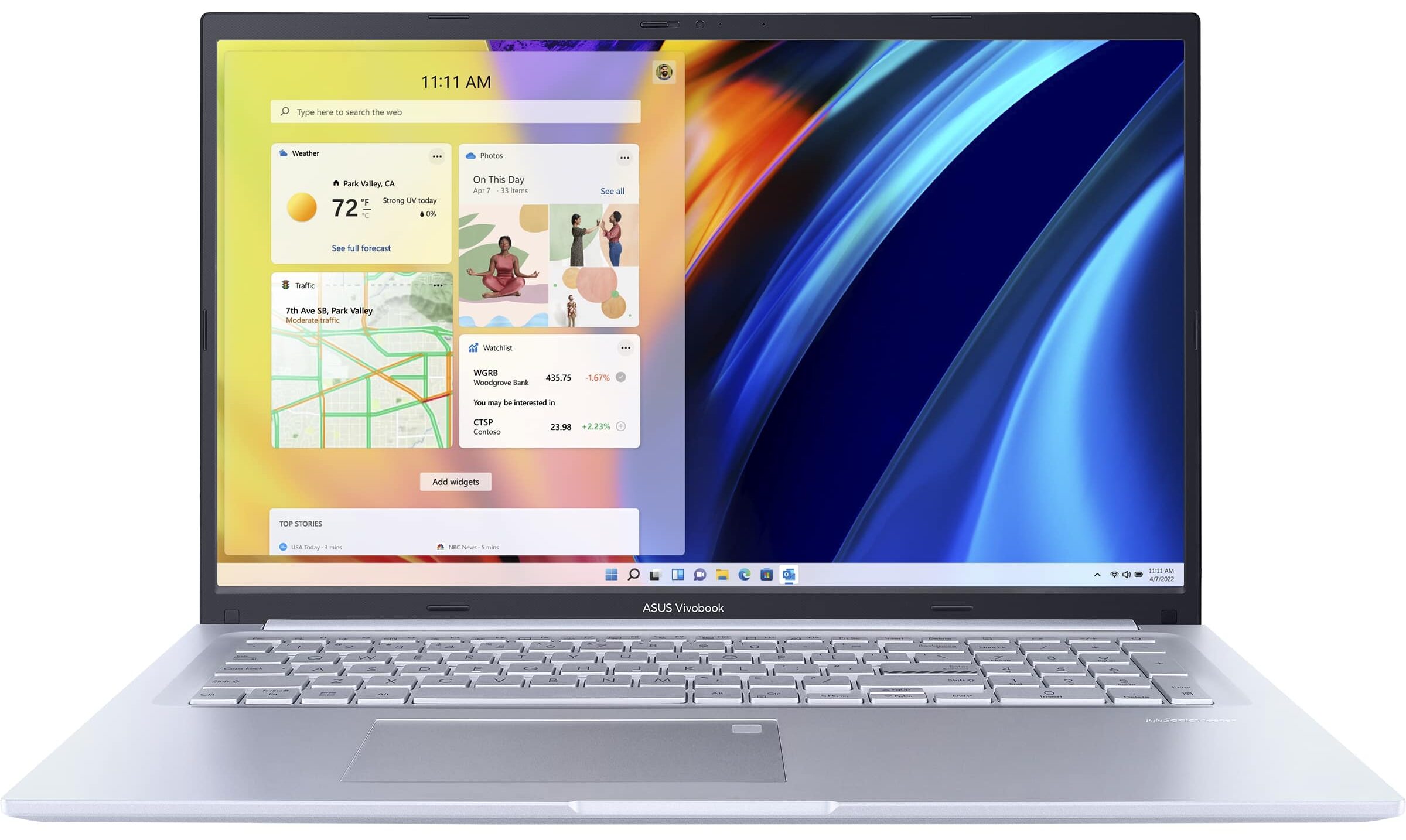
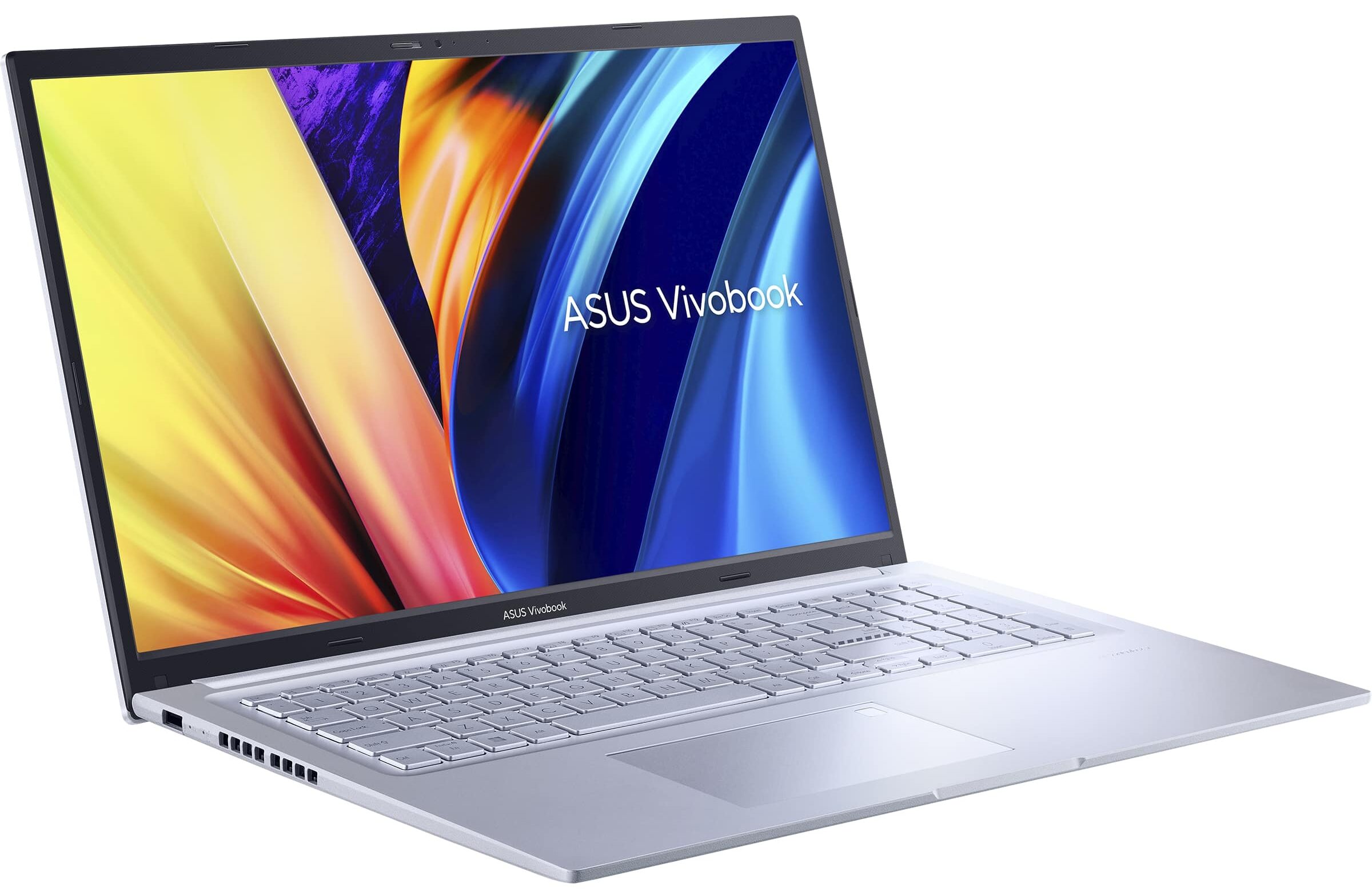
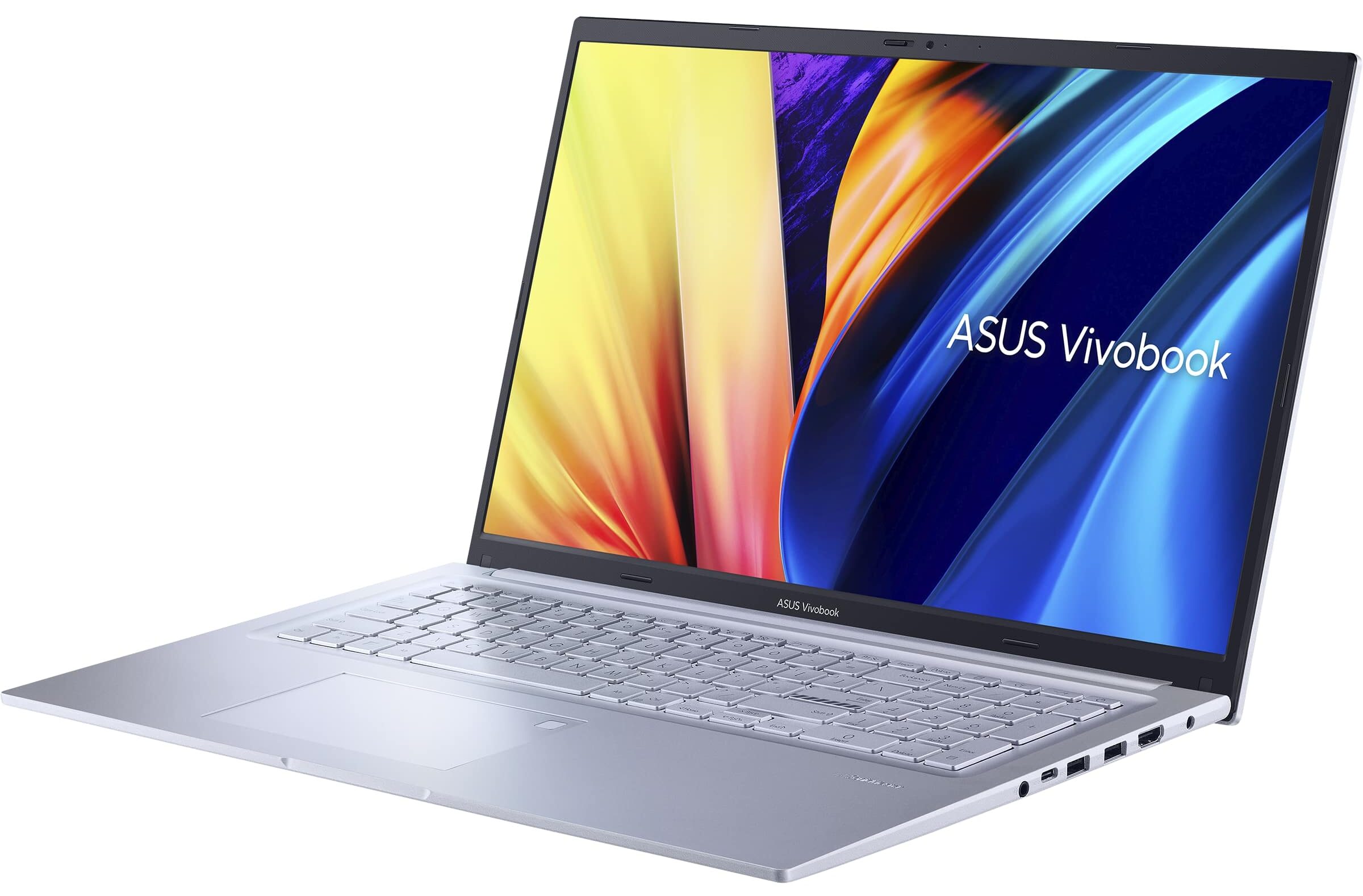
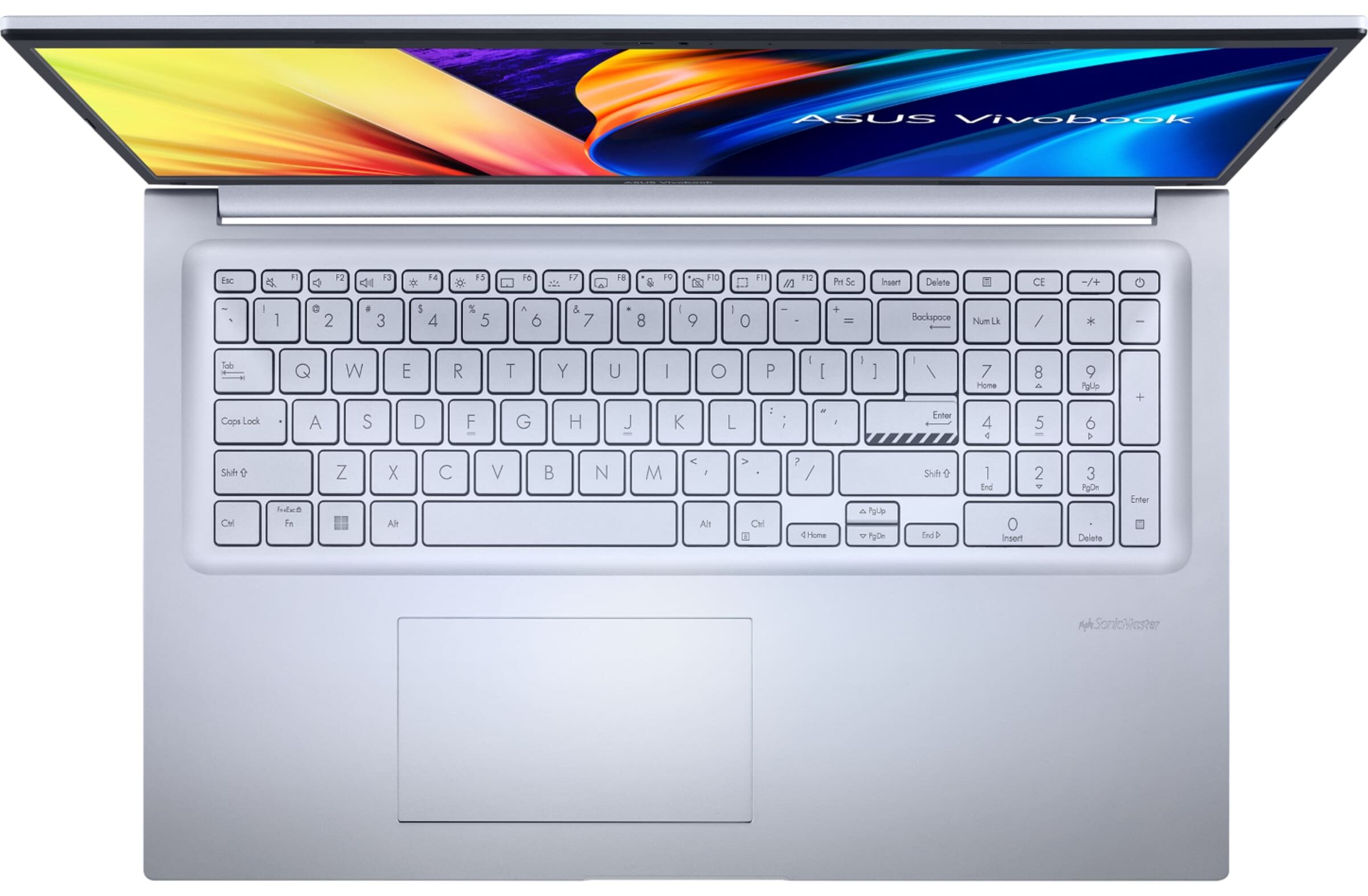
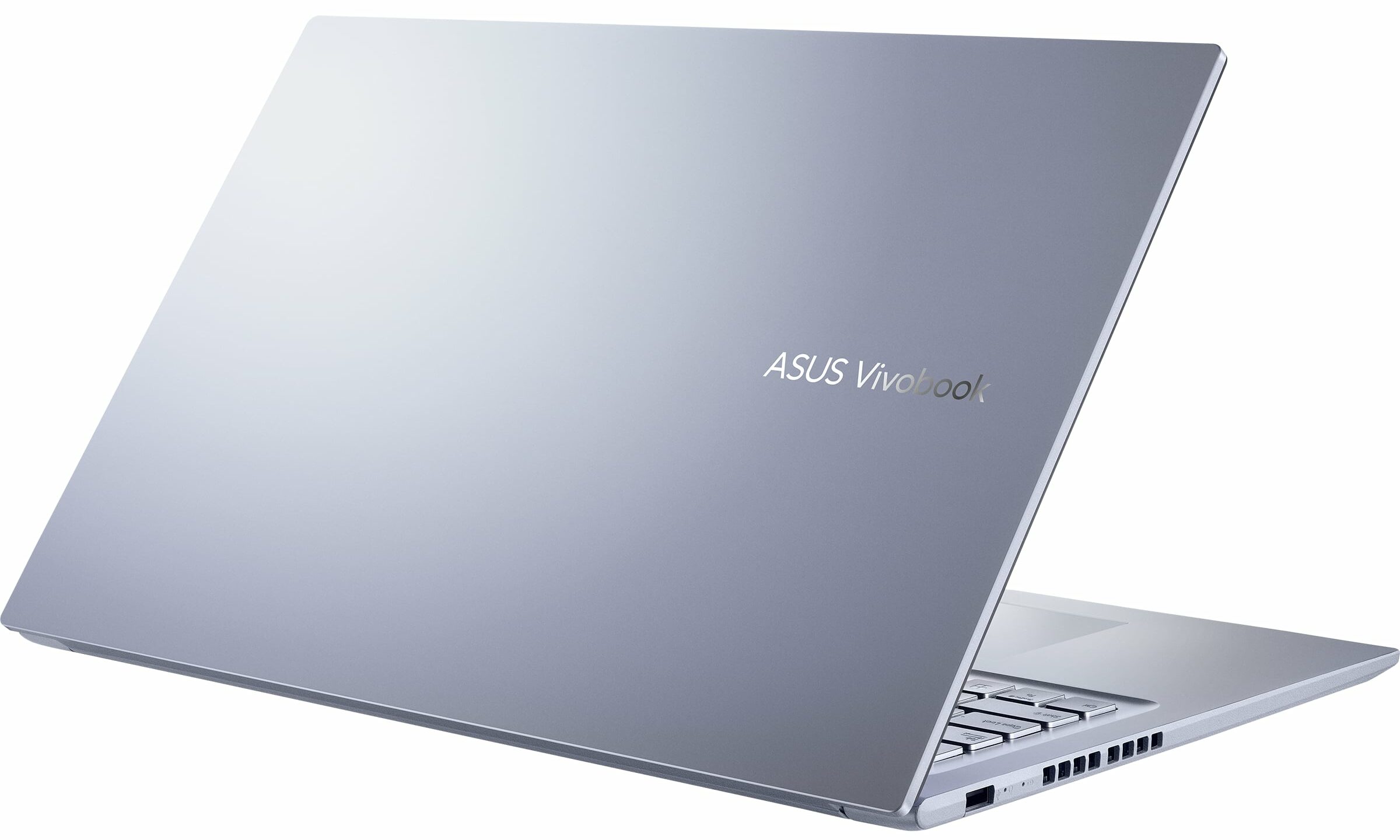


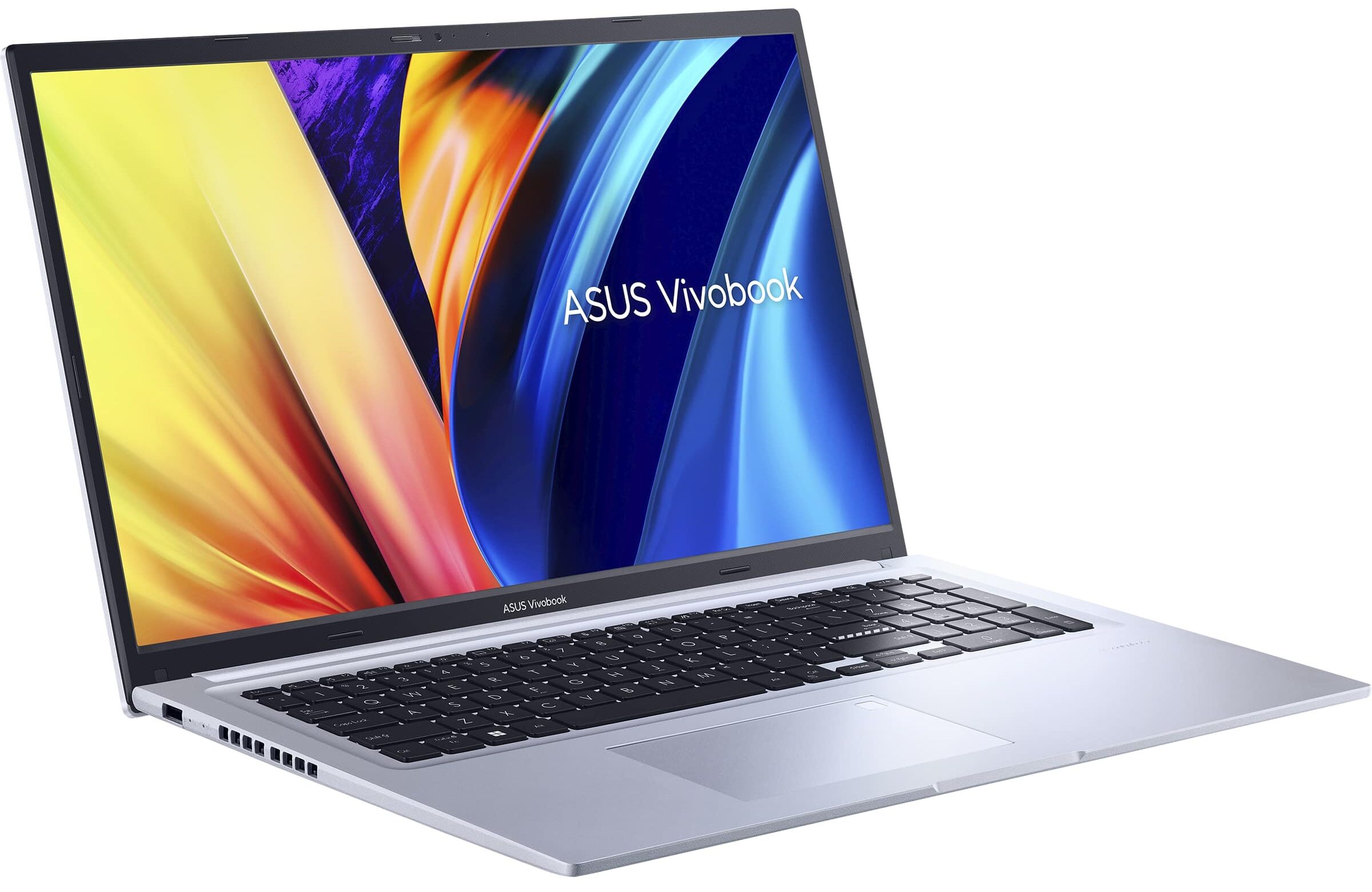
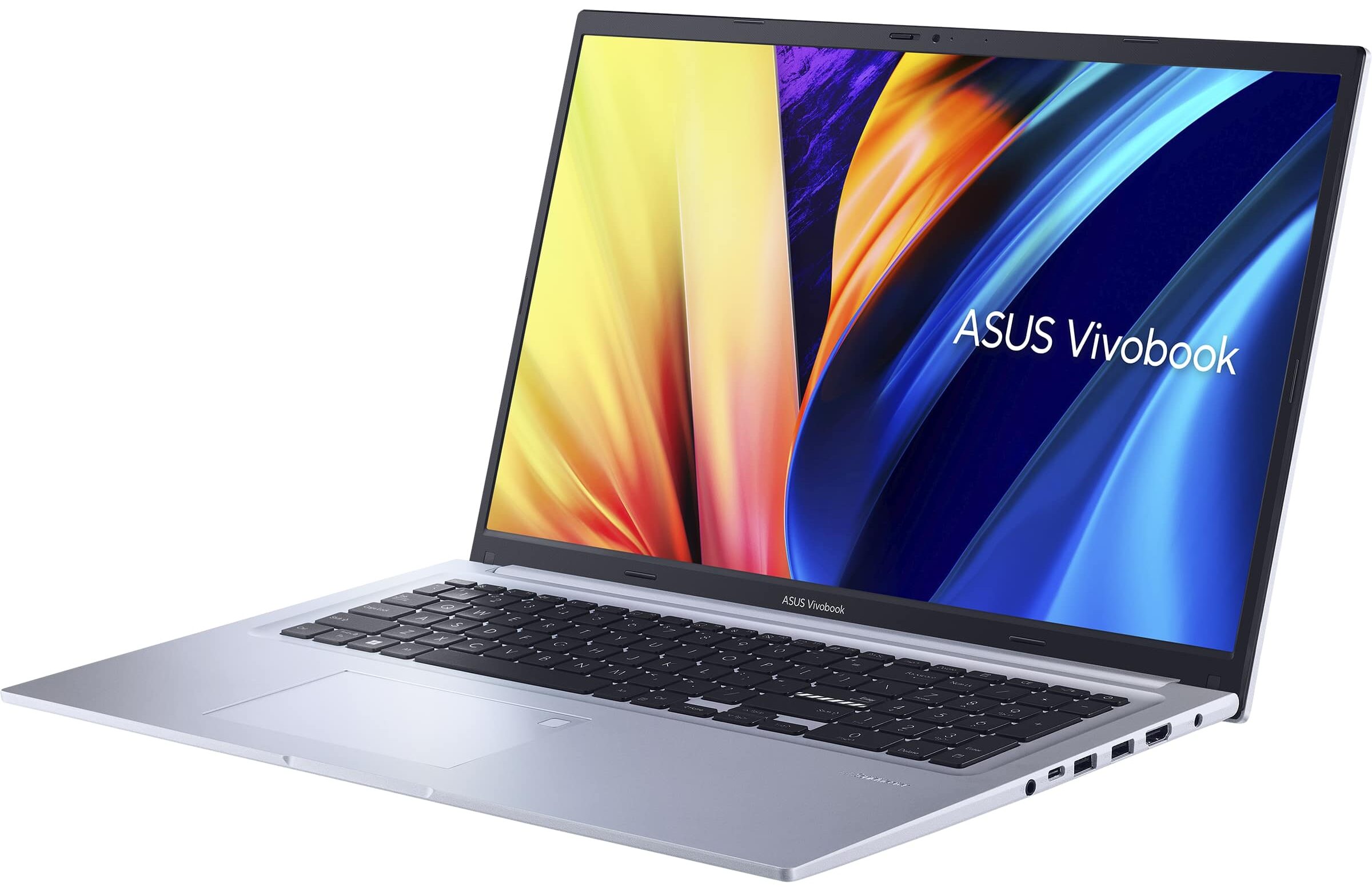




- CPU
- Intel Core i9-13900H #87 En İyi CPU'lar arasında Intel Core i7-1355U #172 En İyi CPU'lar arasında Intel Core i7-1260P #182 En İyi CPU'lar arasında Intel Core i7-1255U #156 En İyi CPU'lar arasında Intel Core i5-1240P #122 En İyi CPU'lar arasında Intel Core i3-1220P #195 En İyi CPU'lar arasında Intel Core i3-1215U #198 En İyi CPU'lar arasında AMD Ryzen 7 7730U #141 En İyi CPU'lar arasında AMD Ryzen 7 5800H #128 En İyi CPU'lar arasındaIntel Core i5-1235U
- GPU
- Intel UHD Graphics (Alder Lake, 64EU) #314 En İyi GPU'lar arasında Intel Iris Xe Graphics G7 (96EU) #322 En İyi GPU'lar arasında Intel Iris Xe Graphics G7 (80EU) #317 En İyi GPU'lar arasında AMD Radeon RX Vega 8 (R4000/5000, 35/45W) #278 En İyi GPU'lar arasında AMD Radeon RX Vega 8 (R4000/5000, 15W) #309 En İyi GPU'lar arasında

- HDD/SSD
- kadar 4000GB SSD
- M.2 Yuvası
- 1x 2280 PCIe NVMe 4.0 x4 Fotoğrafı gör
- RAM
- up to 40GB
- İS
- Windows 11 Home, Windows 11 Pro, Windows 10 Pro, Windows 11
- Pil
- 42Wh, 3-cell
- Gövde Malzemesi
- Plastic / Polycarbonate (Antibacterial coating)
- Boyutlar
- 399.3 x 254.3 x 21 mm (15.72" x 10.01" x 0.83")
- Ağırlık
- 2.10 kg (4.6 lbs)
- Portlar ve bağlantı
- 1x USB Type-A
- 2.0
- 2x USB Type-A
- 3.2 Gen 1 (5 Gbps)
- 1x USB Type-C
- 3.2 Gen 1 (5 Gbps)
- HDMI
- 1.4
- Kart Okuyucu
- Ethernet LAN
- Wi-Fi
- 802.11ax
- Bluetooth
- 5.0
- Ses jakı
- 3.5mm Combo Jack
- Özellikler
- Parmak izi okuyucu
- optional
- Web kamerası
- HD with privacy shutter
- Arkadan aydınlatmalı klavye
- optional
- Mikrofon
- Microphone with Google Assistant voice-recognition
- Hoparlörler
- Speakers by SonicMaster
- Optik sürücü
- Güvenlik Kilidi yuvası
Tümü ASUS Vivobook 17 (X1702 / S1702 / M1702) yapılandırmalar
Drivers
All drivers and utilities for this notebook can be found here: https://www.asus.com/Laptops/For-Home/Vivobook/Vivobook-17-X1702-12th-Gen-Intel/helpdesk_knowledge/
What’s in the box?
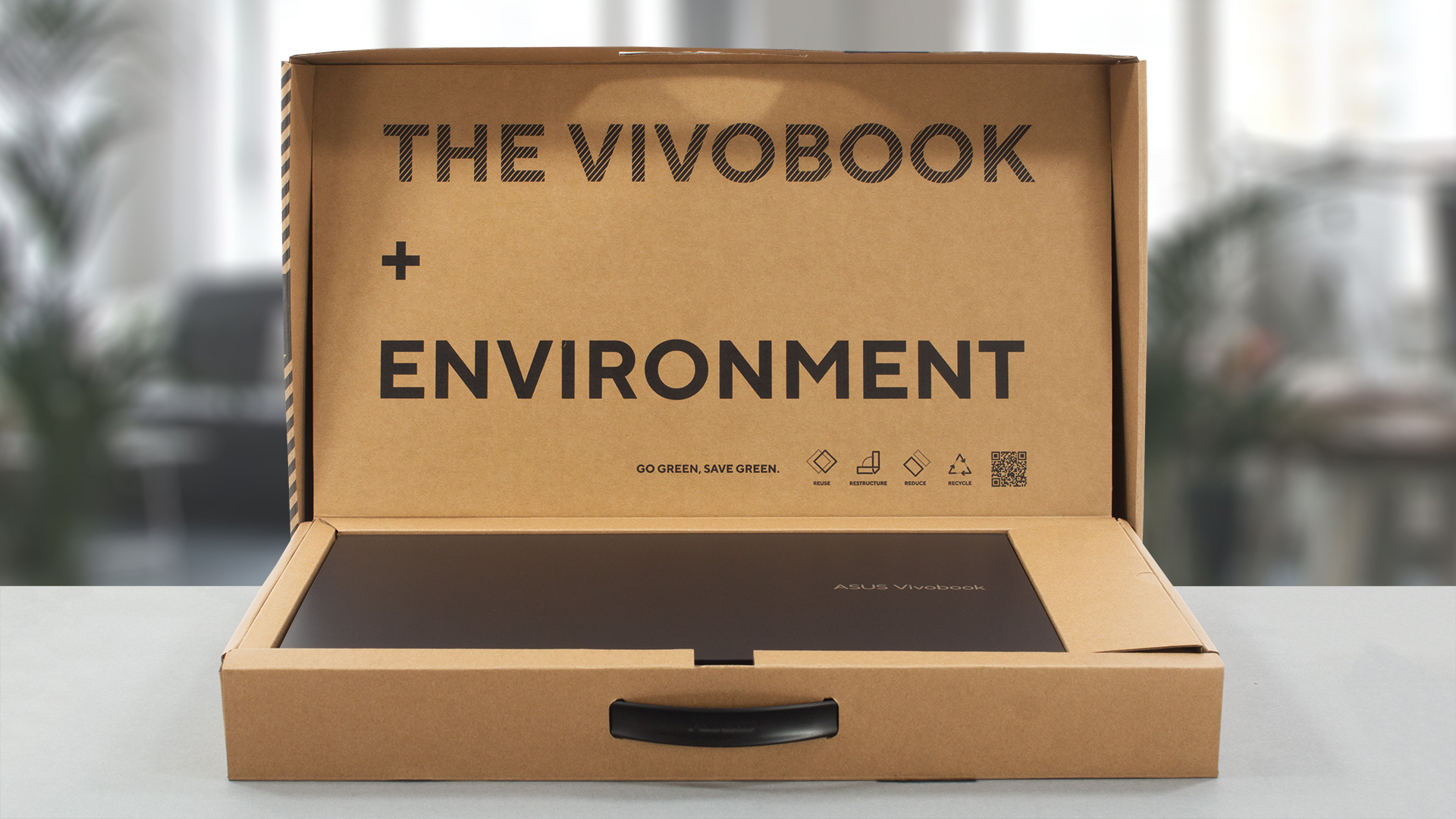
Inside the package, there is a 45W charger and the mandatory paperwork.

Design and construction
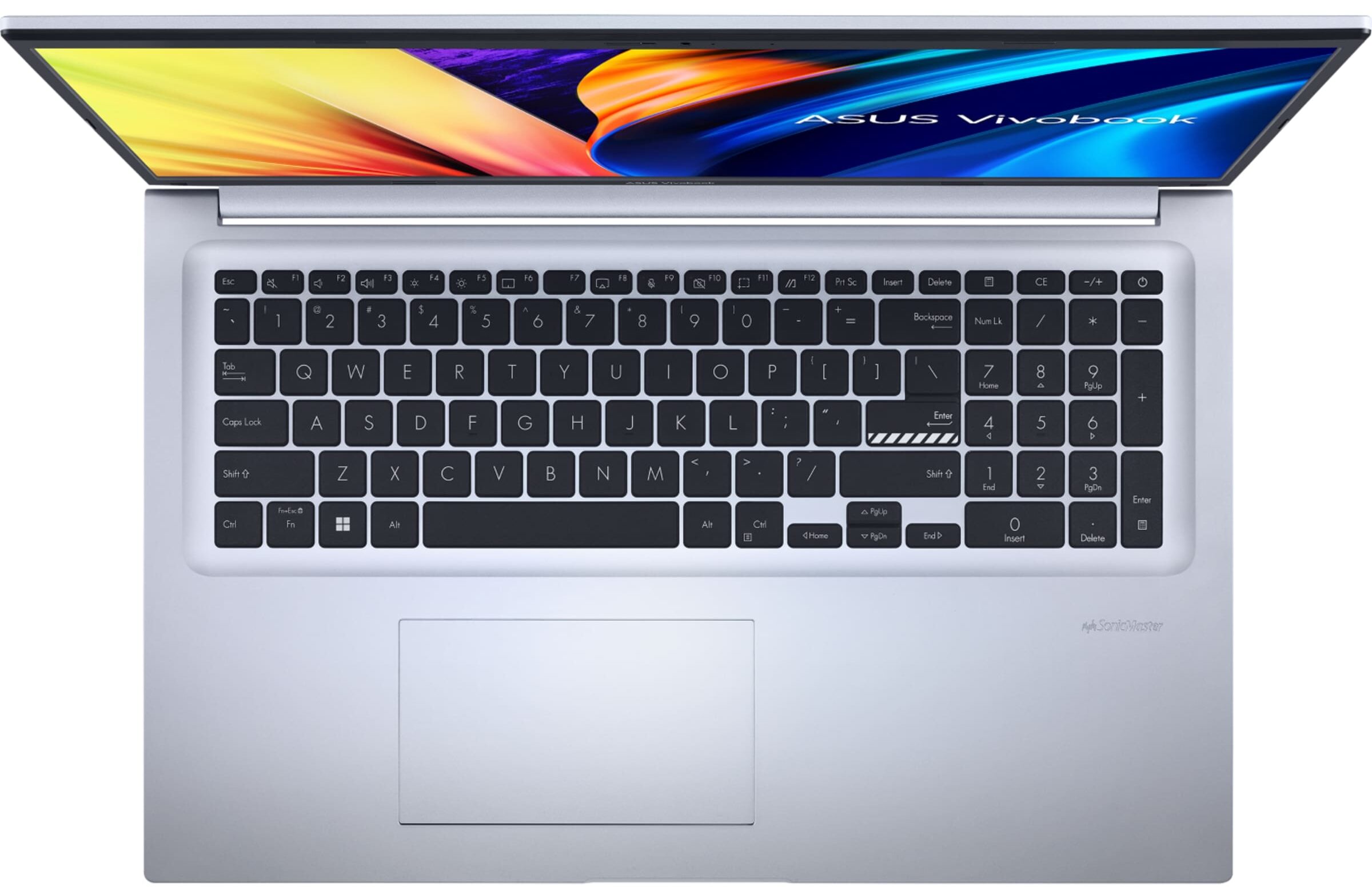
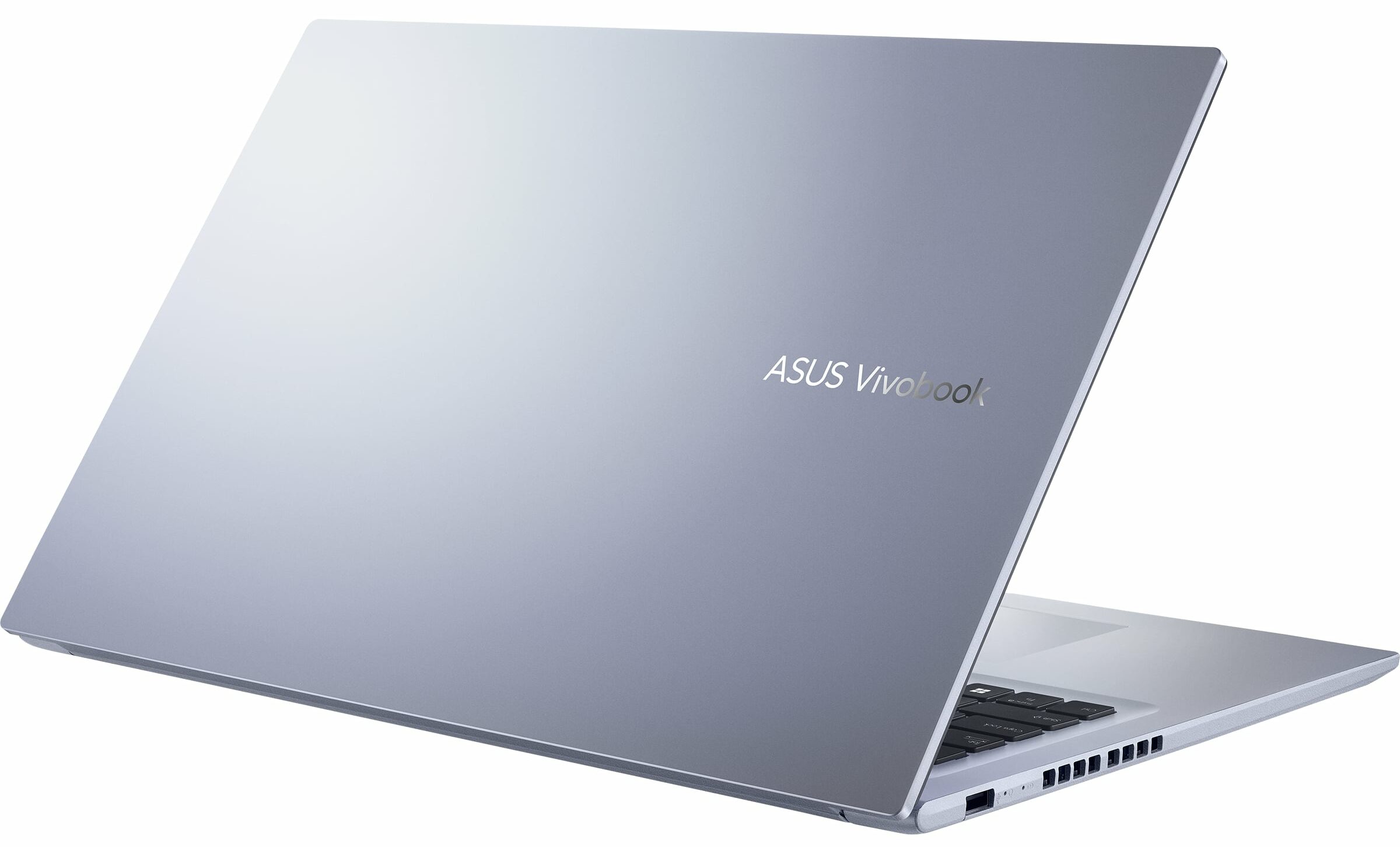
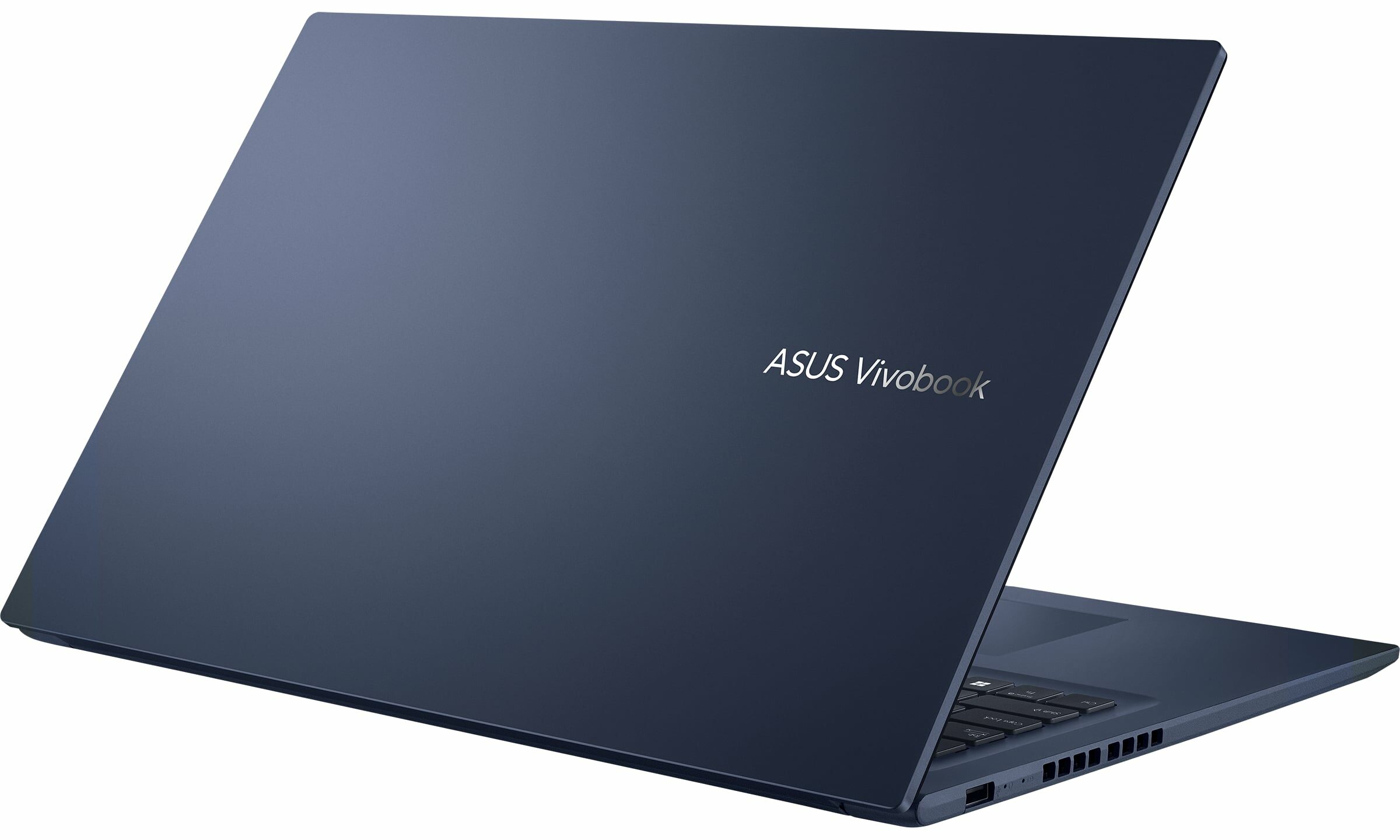
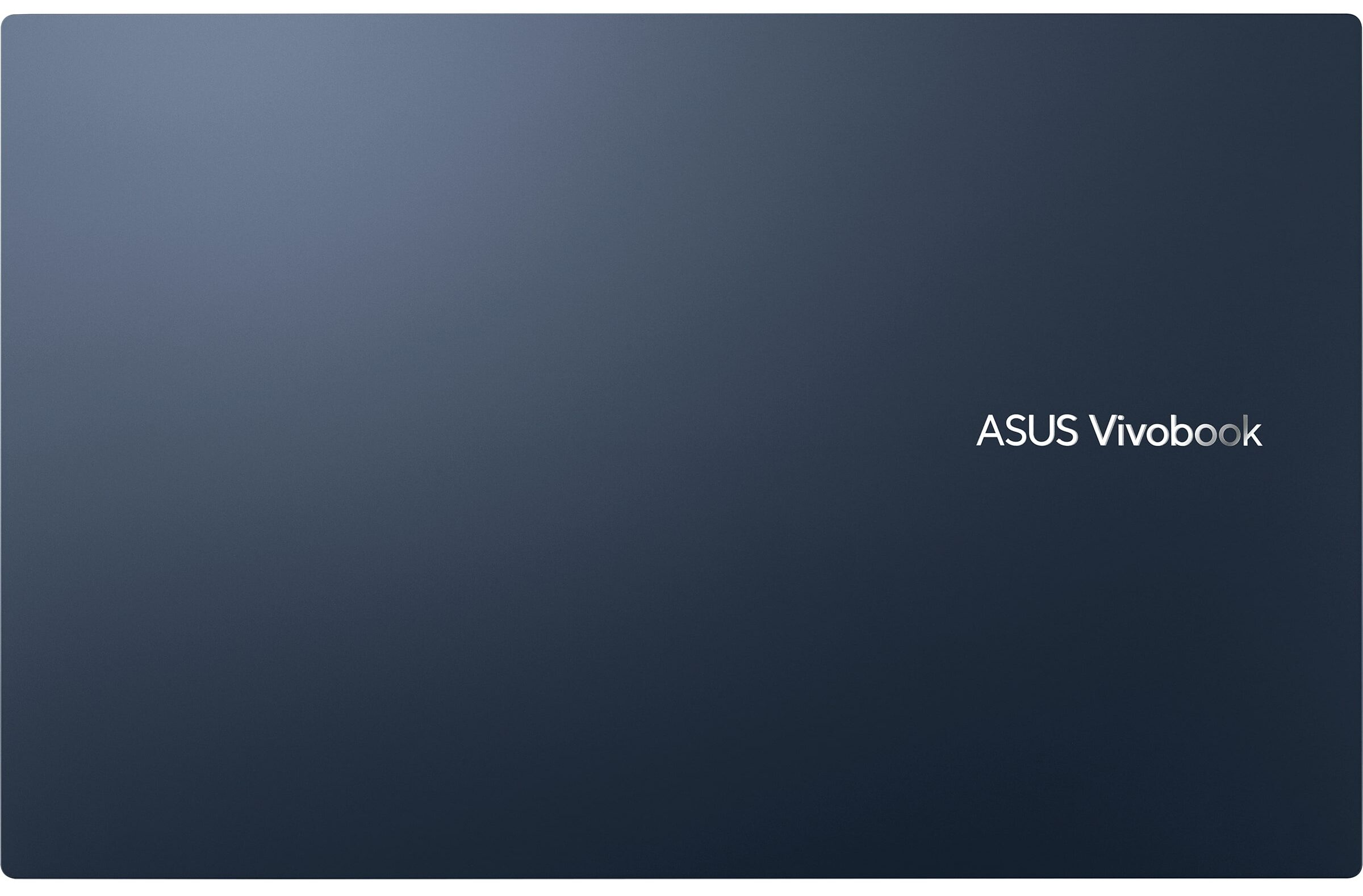
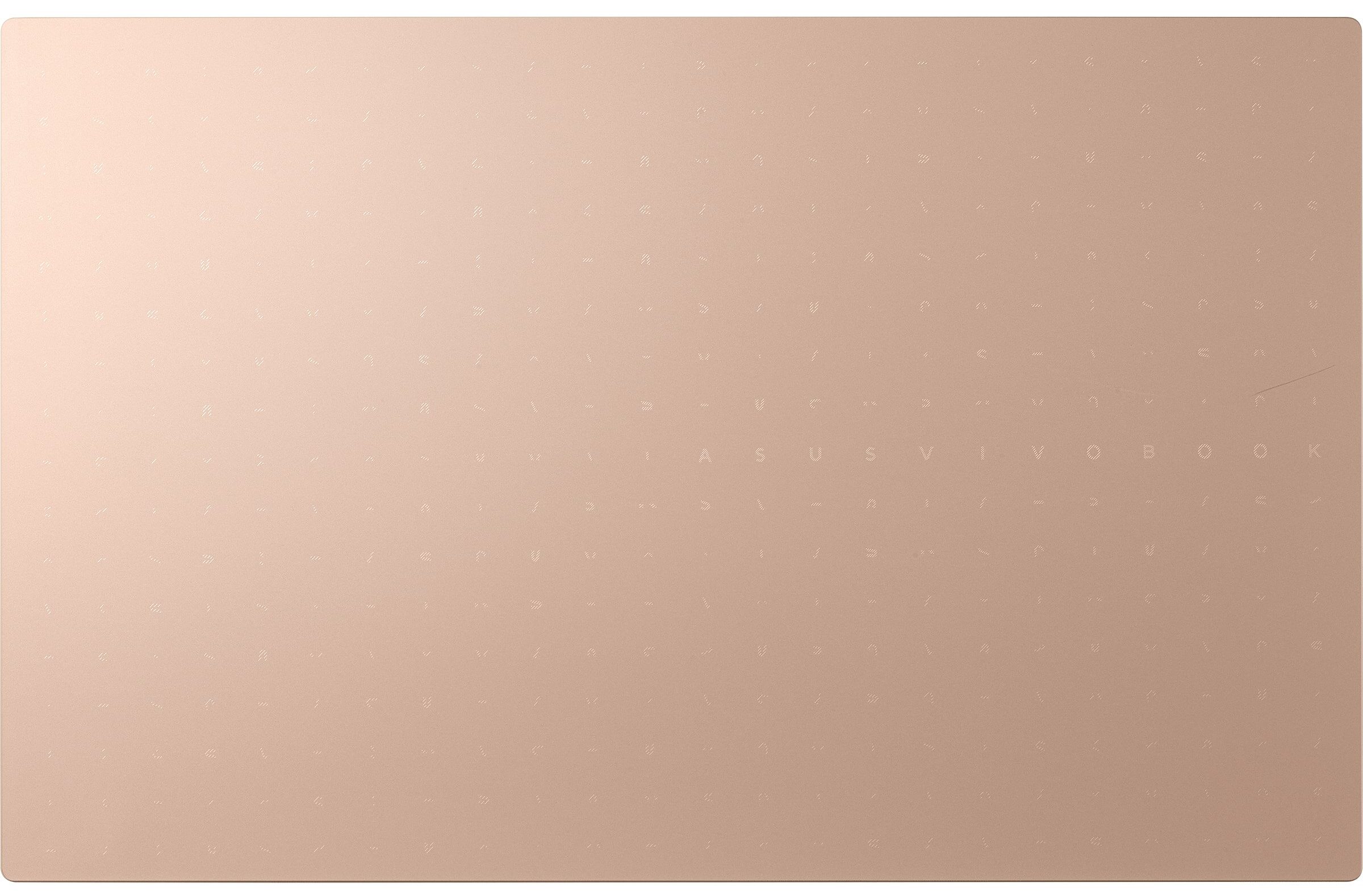
Unsurprisingly, the entire device is made out of plastic. It has decent structural integrity, although we noticed some flex when we twisted both the lid and the base.
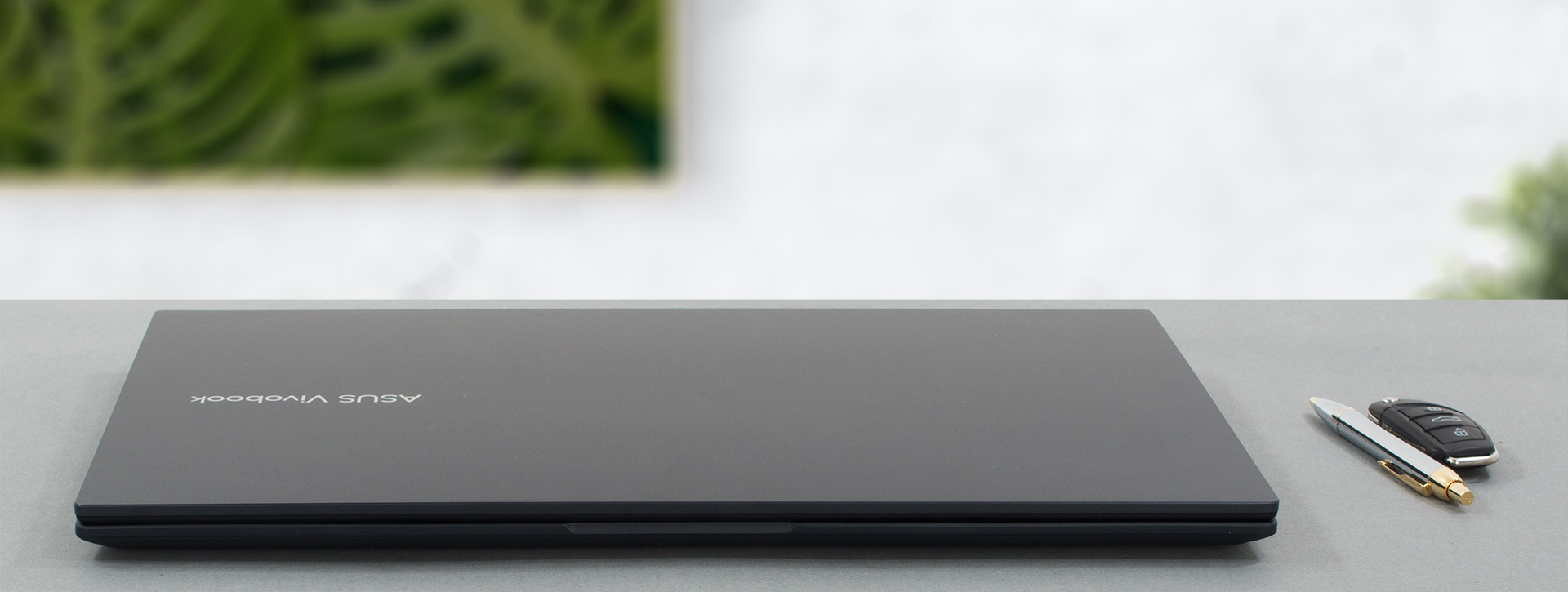
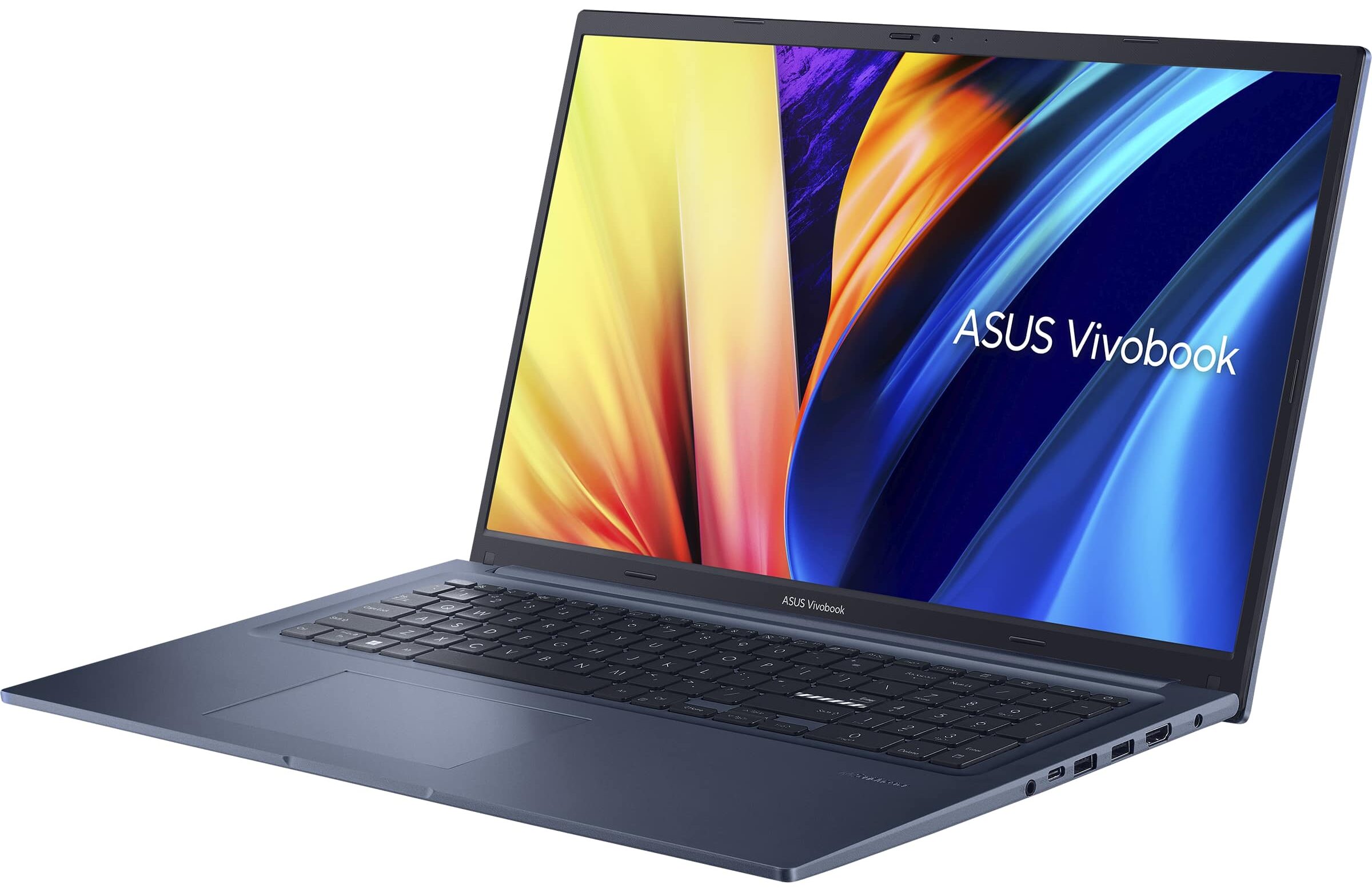
What is better is that the laptop has a profile of 21mm, and weighs only 2.10 kilos – an exceptional effort for a 17-incher. To be honest, there are some competitors in the same portability spectrum, but it’s still impressive nonetheless.
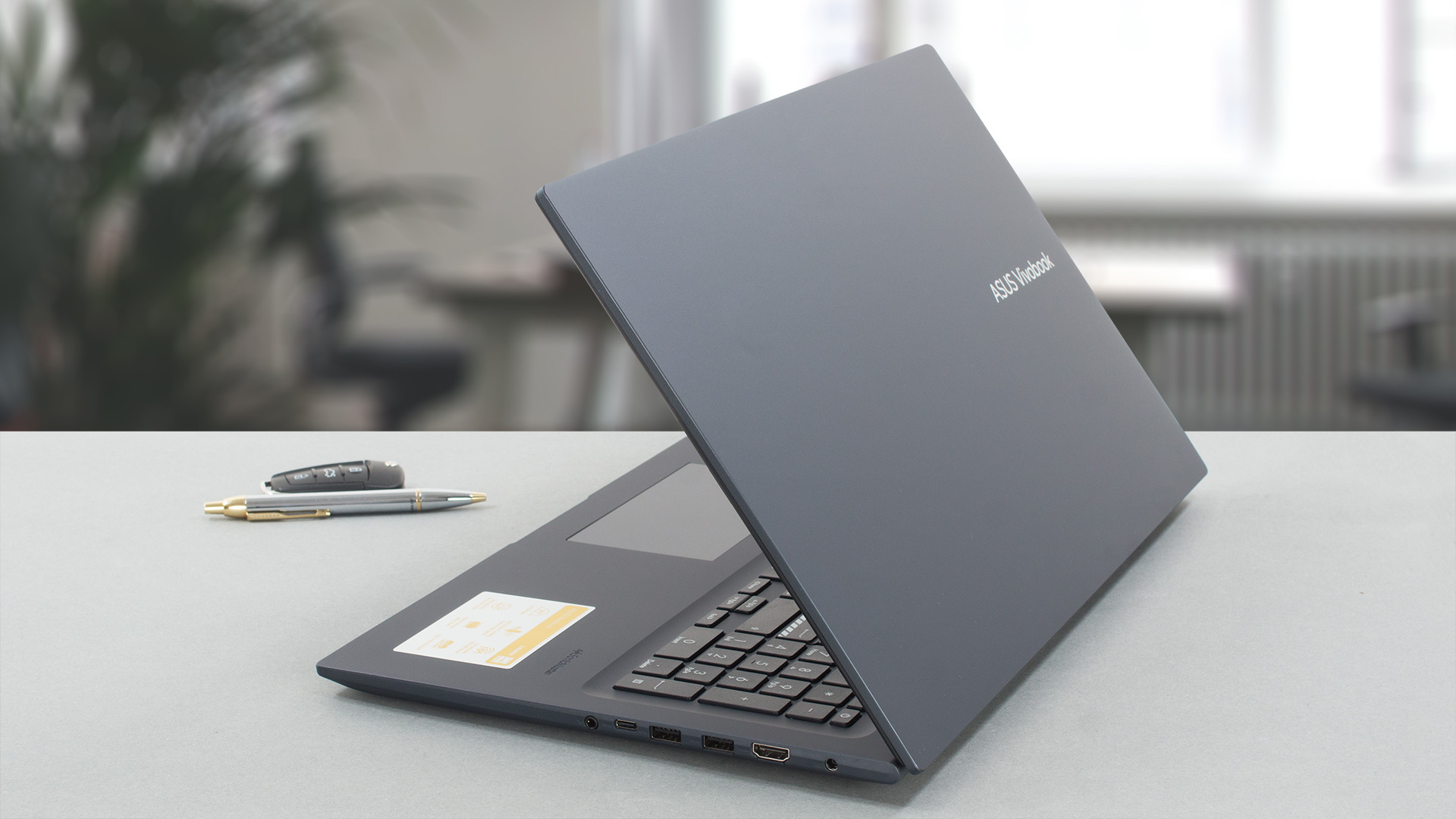
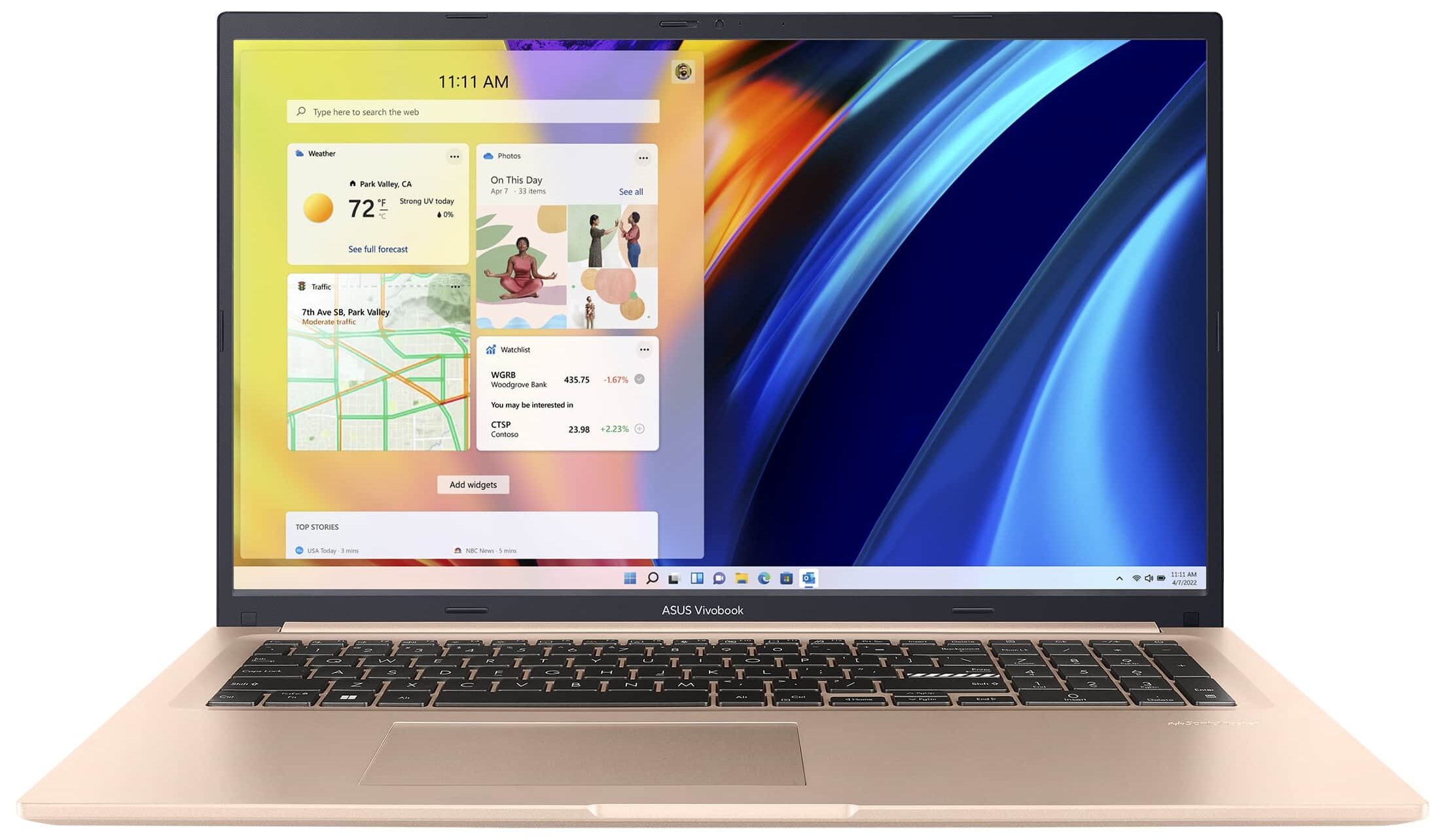
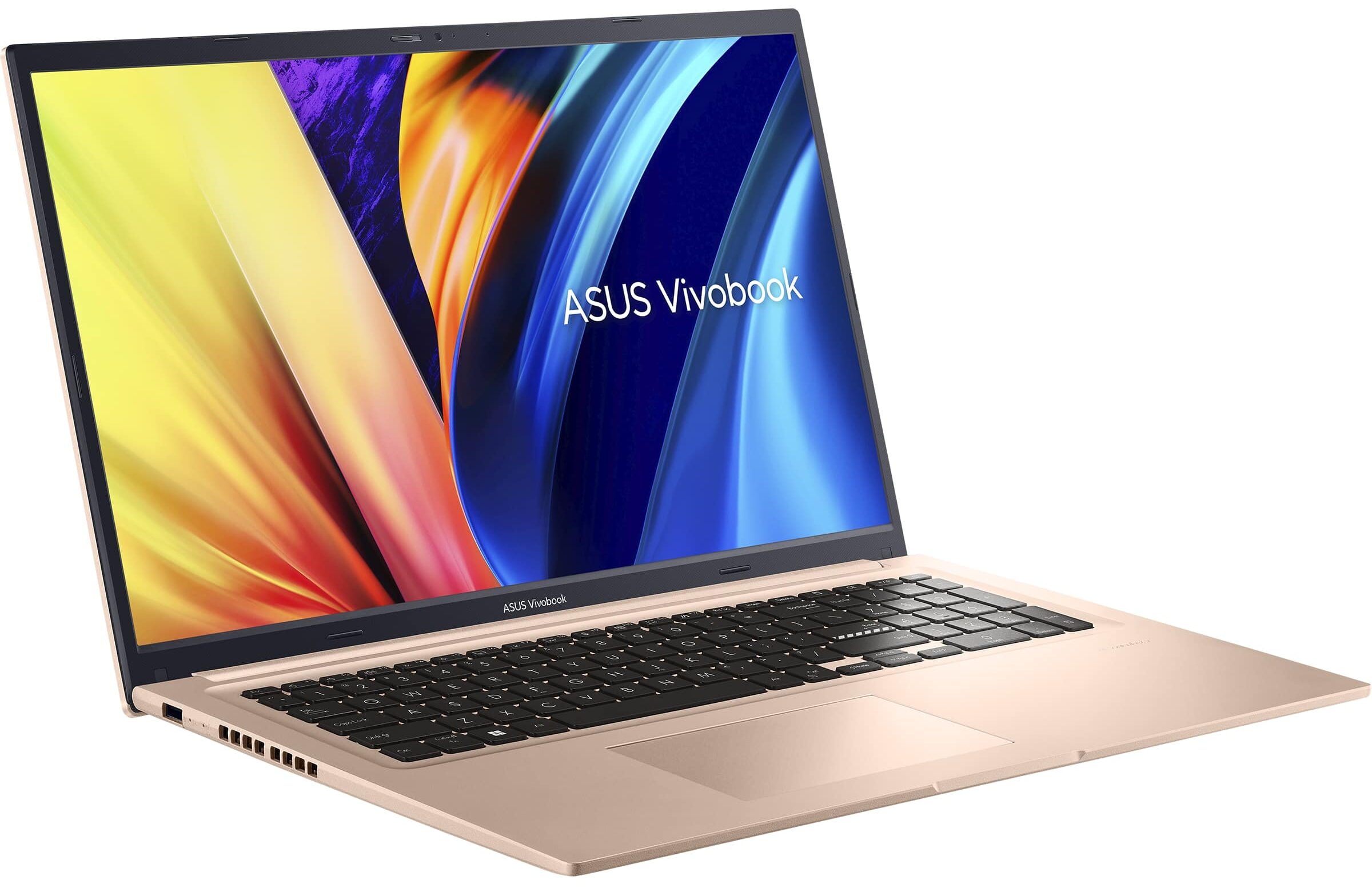
Naturally, the lid can’t be opened with a single hand. However, the bezels around the display are pretty thin, with the top one featuring an HD Web camera with a privacy shutter.
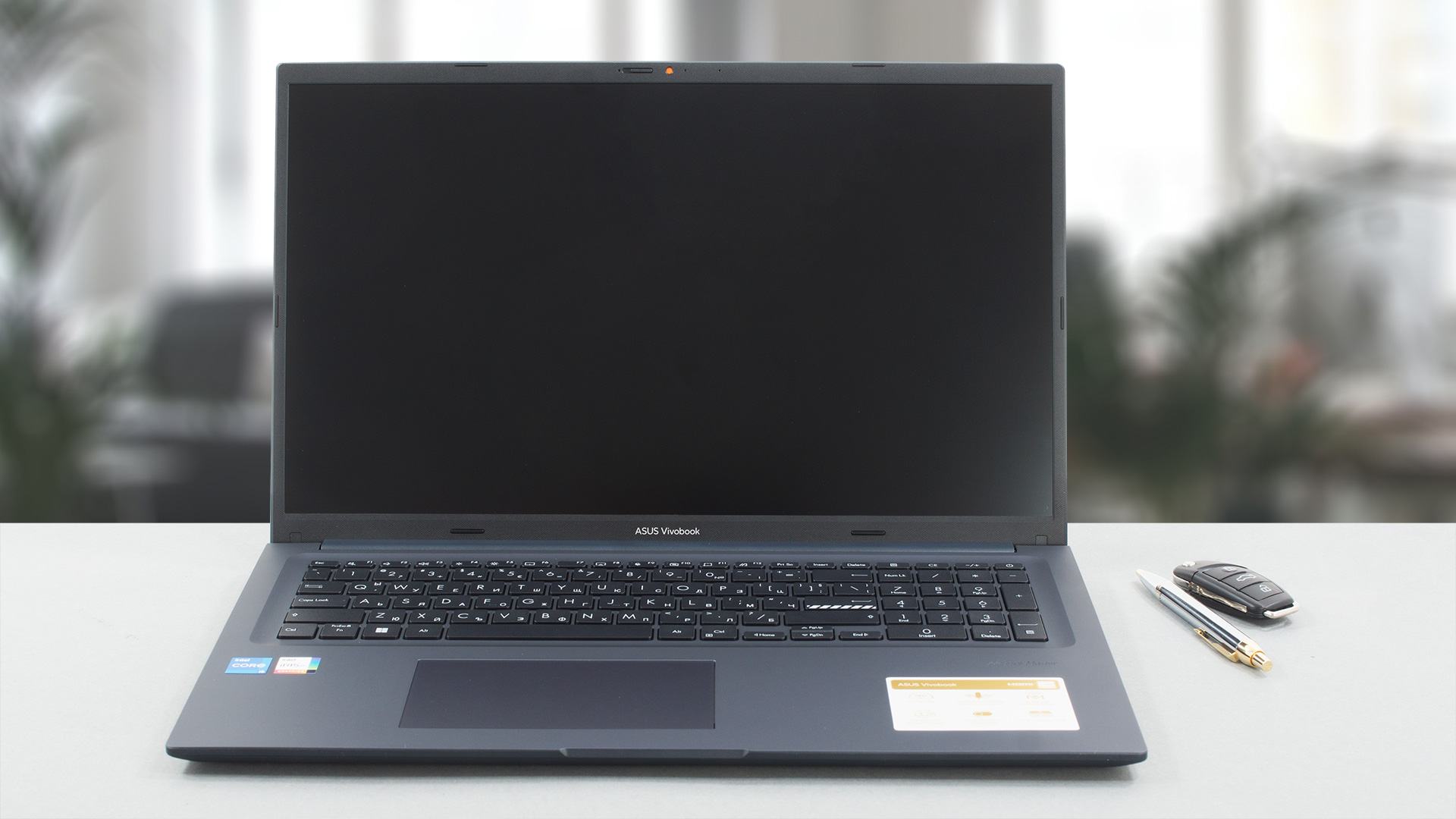
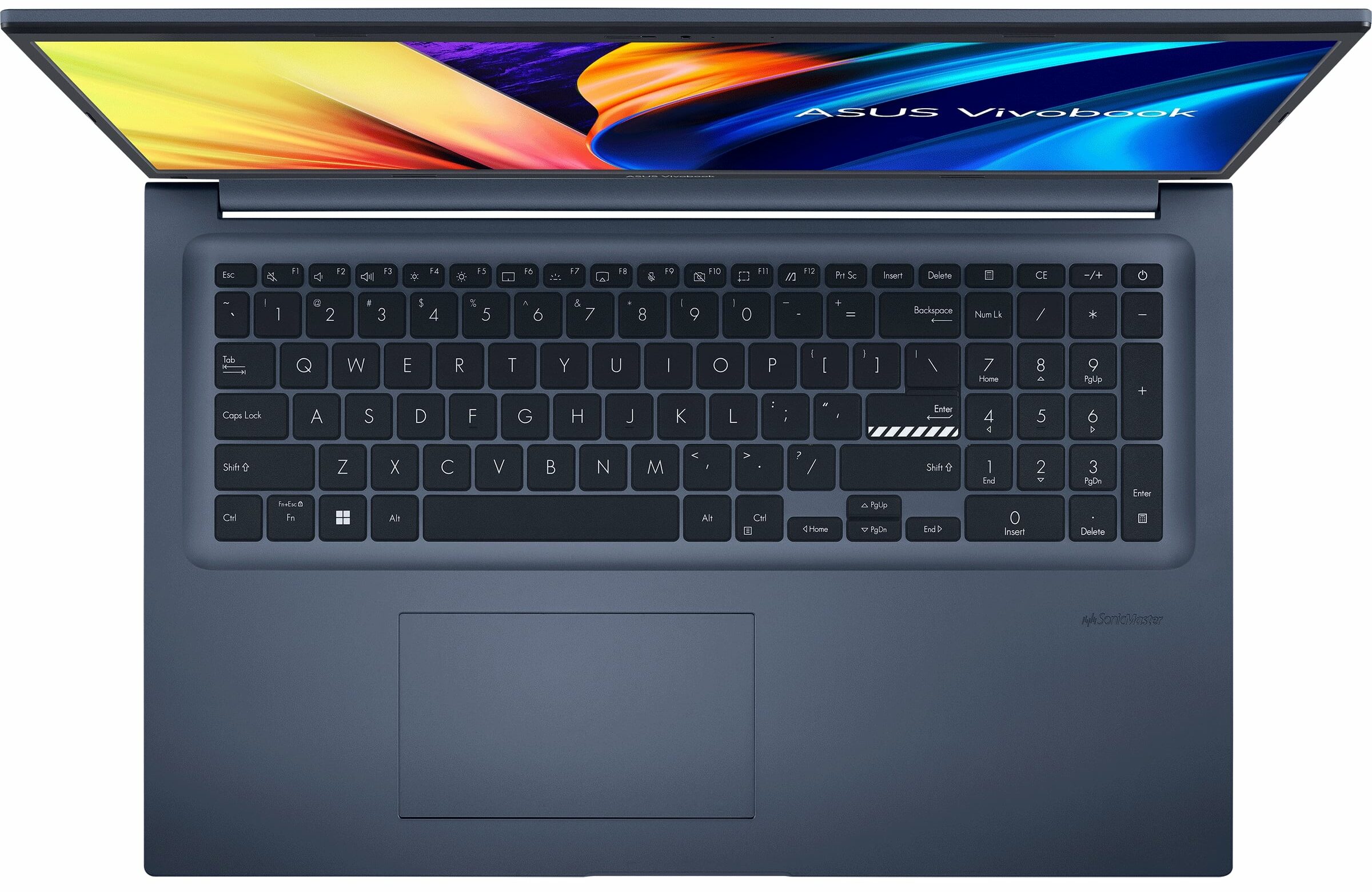
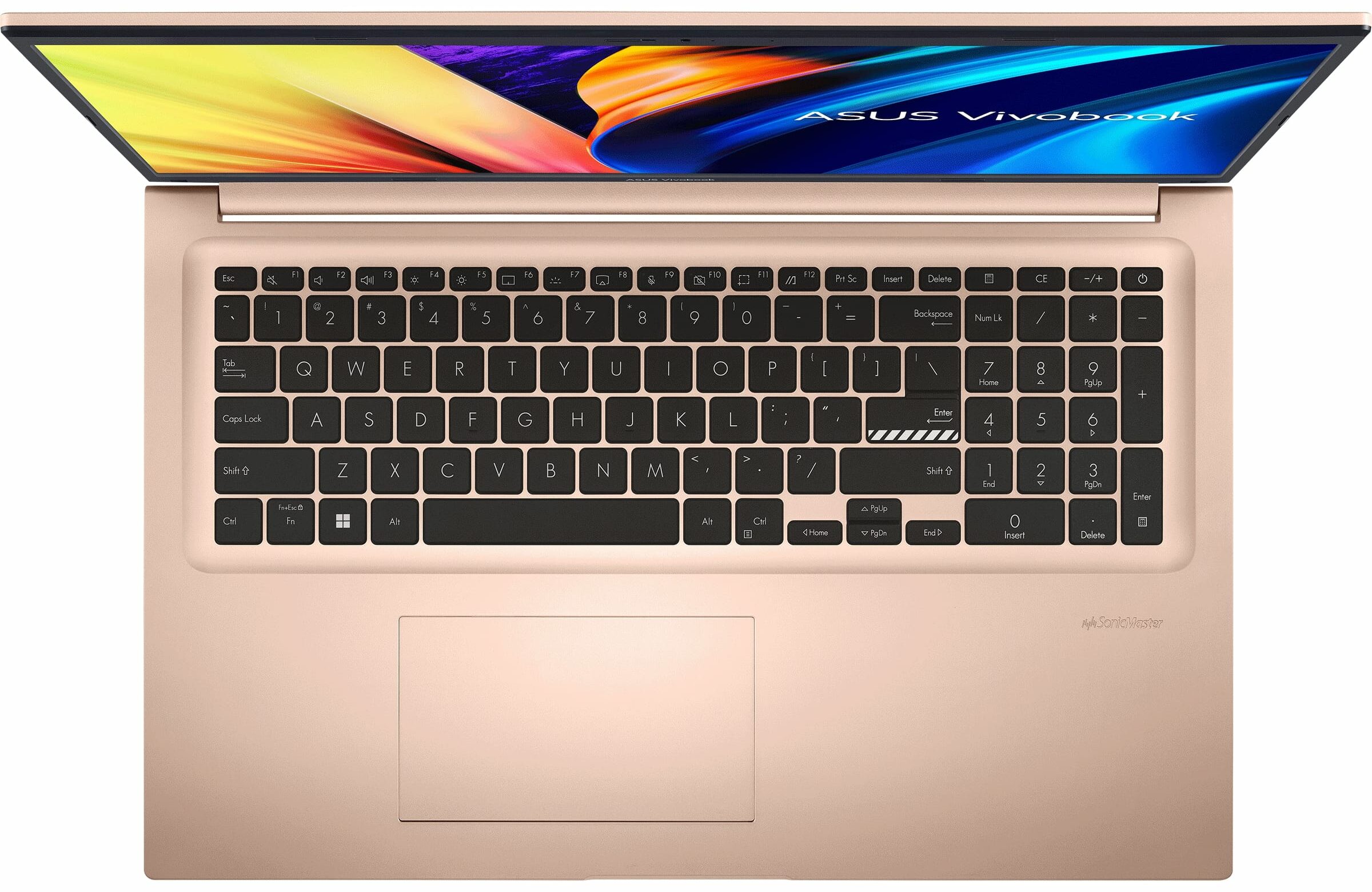
On the base, we find a NumberPad-enabled keyboard with large keycaps, but no backlight. The key travel is not too long, but the feedback is clicky, resulting in a comfortable typing experience.
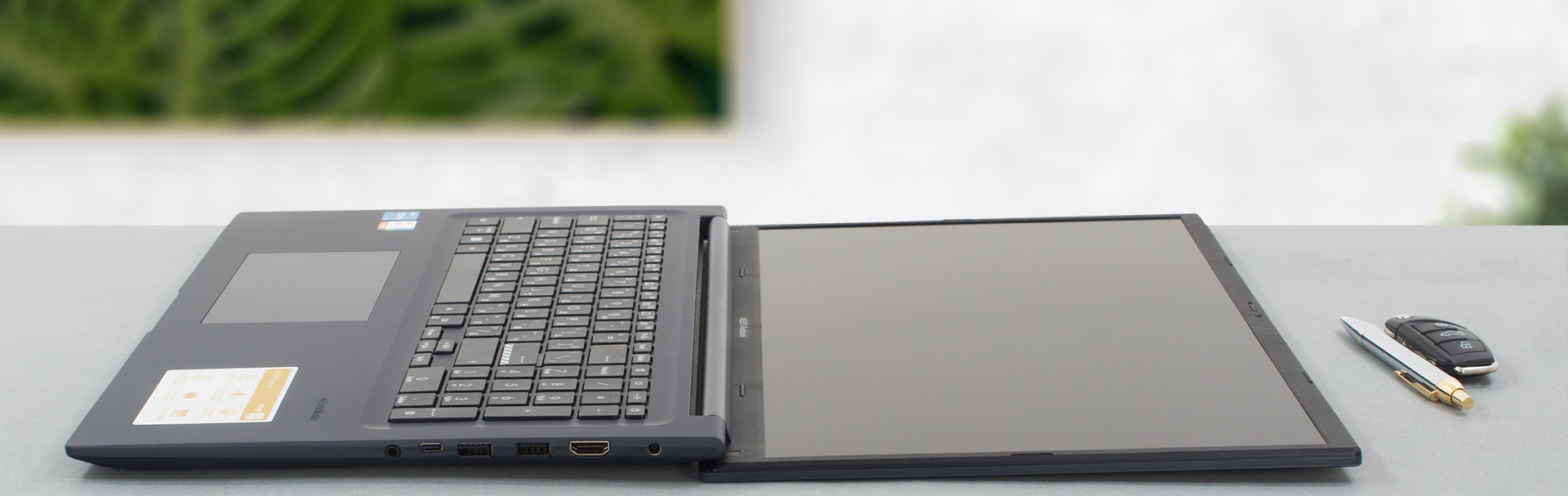
But the highlight here has to be the touchpad. It is super fast to respond and comes with very accurate tracking. Some configurations even feature a fingerprint reader.

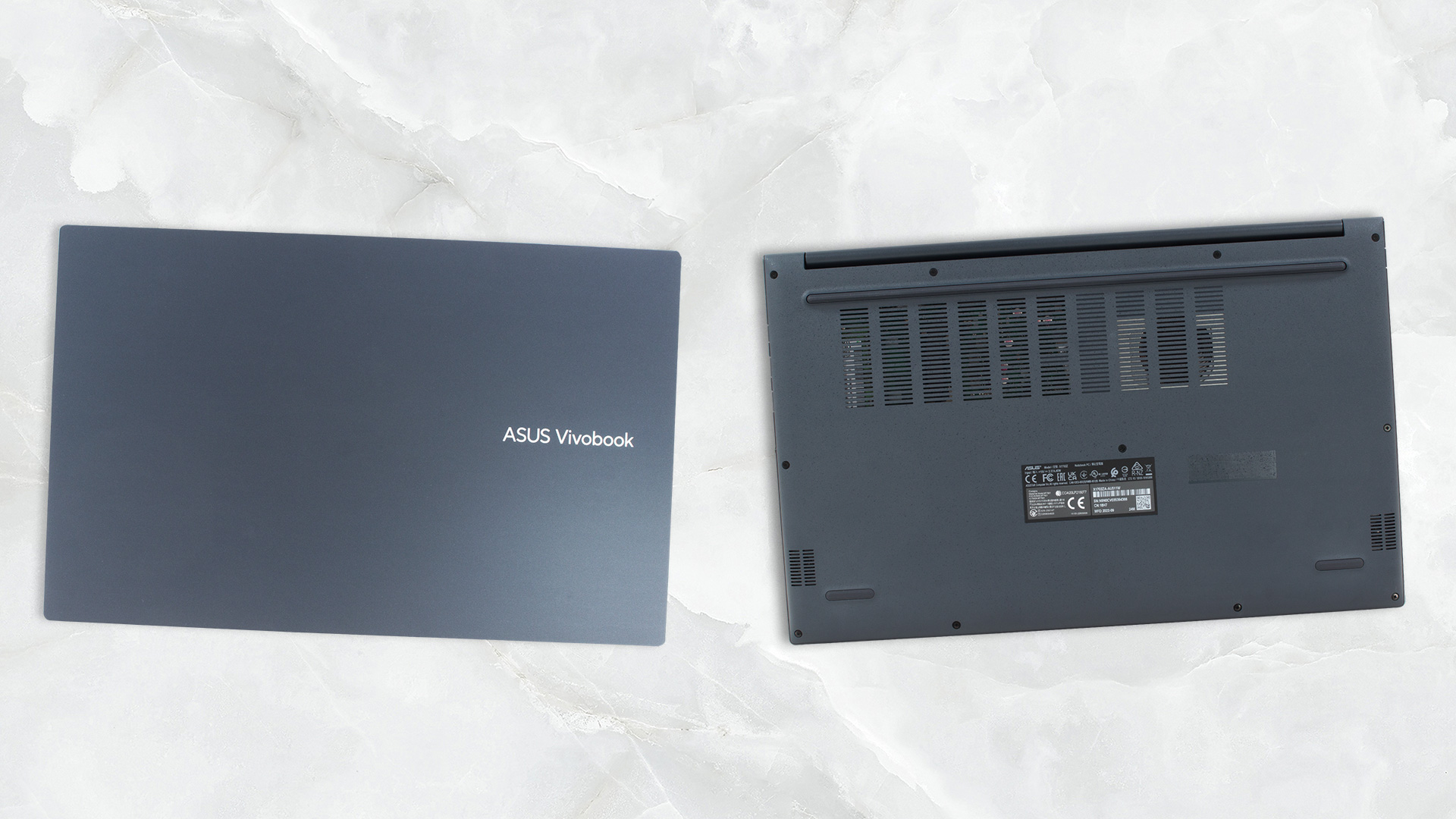
Turn the laptop upside down, and you will see the two speaker cutouts. They are joined by the ventilation grill, which provides the single fan with cool air. The hot air, in contrast, gets exhausted through two vents – one on the back, and one on the left side of the laptop.
Ports
On the left side, there is a USB Type-A 2.0 port. On the right, you get a power plug, an HDMI 1.4 connector, two USB Type-A 3.2 (Gen. 1) ports, a USB Type-C 3.2 (Gen. 1) port, and an Audio jack.


Display quality, Health impact (PWM), Sound
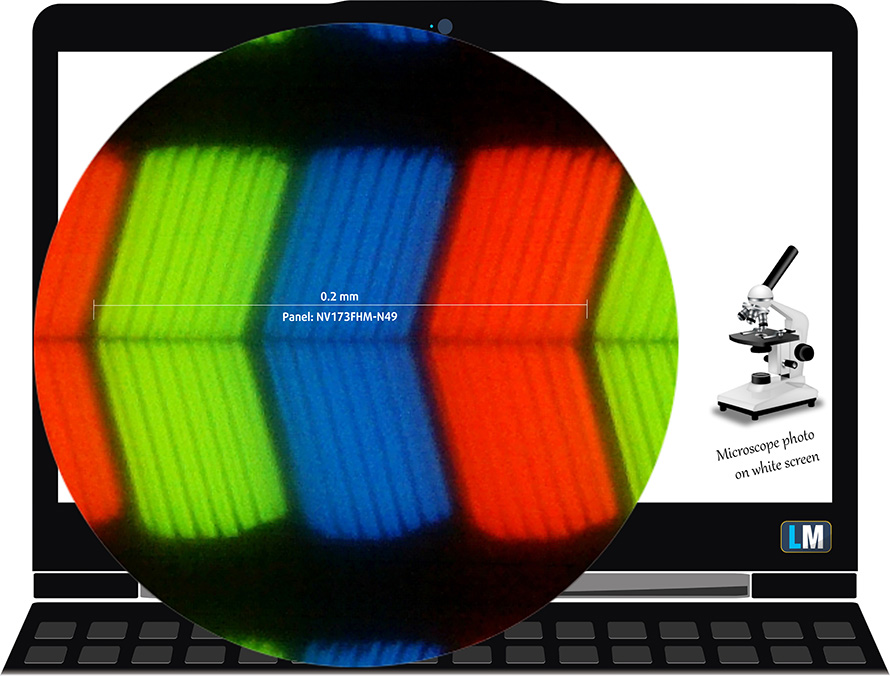
ASUS Vivobook 17 (X1702) is equipped with a Full HD IPS panel, model number BOE NV173FHM-N49 (BOE084E). It comes with a 60Hz refresh rate. Its diagonal is 17.3″ (43.9 cm), and the resolution – 1920 x 1080p. Additionally, the screen ratio is 16:9, the pixel density – 127 ppi, and their pitch – 0.2 x 0.2 mm. The screen can be considered Retina when viewed from at least 69 cm (from this distance, the average human eye can’t see the individual pixels).
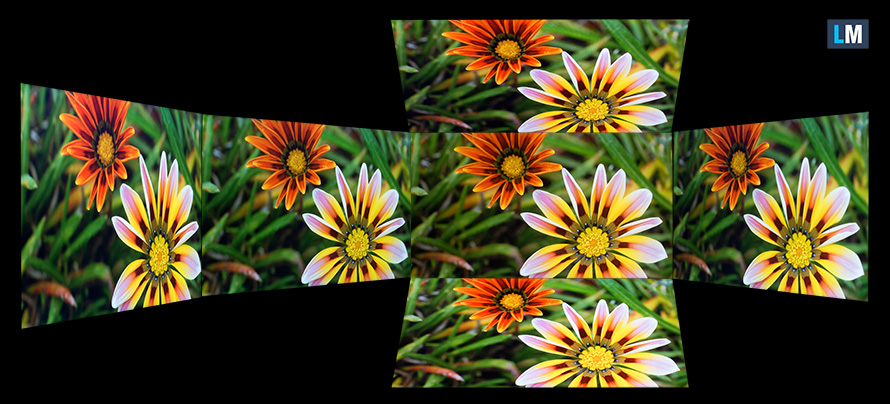
Viewing angles are good. We offer images at different angles to evaluate the quality.
Also, a video with locked focus and exposure.
The maximum measured brightness is 268 nits (cd/m2) in the middle of the screen and 249 nits (cd/m2) average across the surface with a maximum deviation of 14%. The Correlated Color Temperature on a white screen and at maximum brightness is 7010K (average) – slightly colder than the 6500K optimum for sRGB.
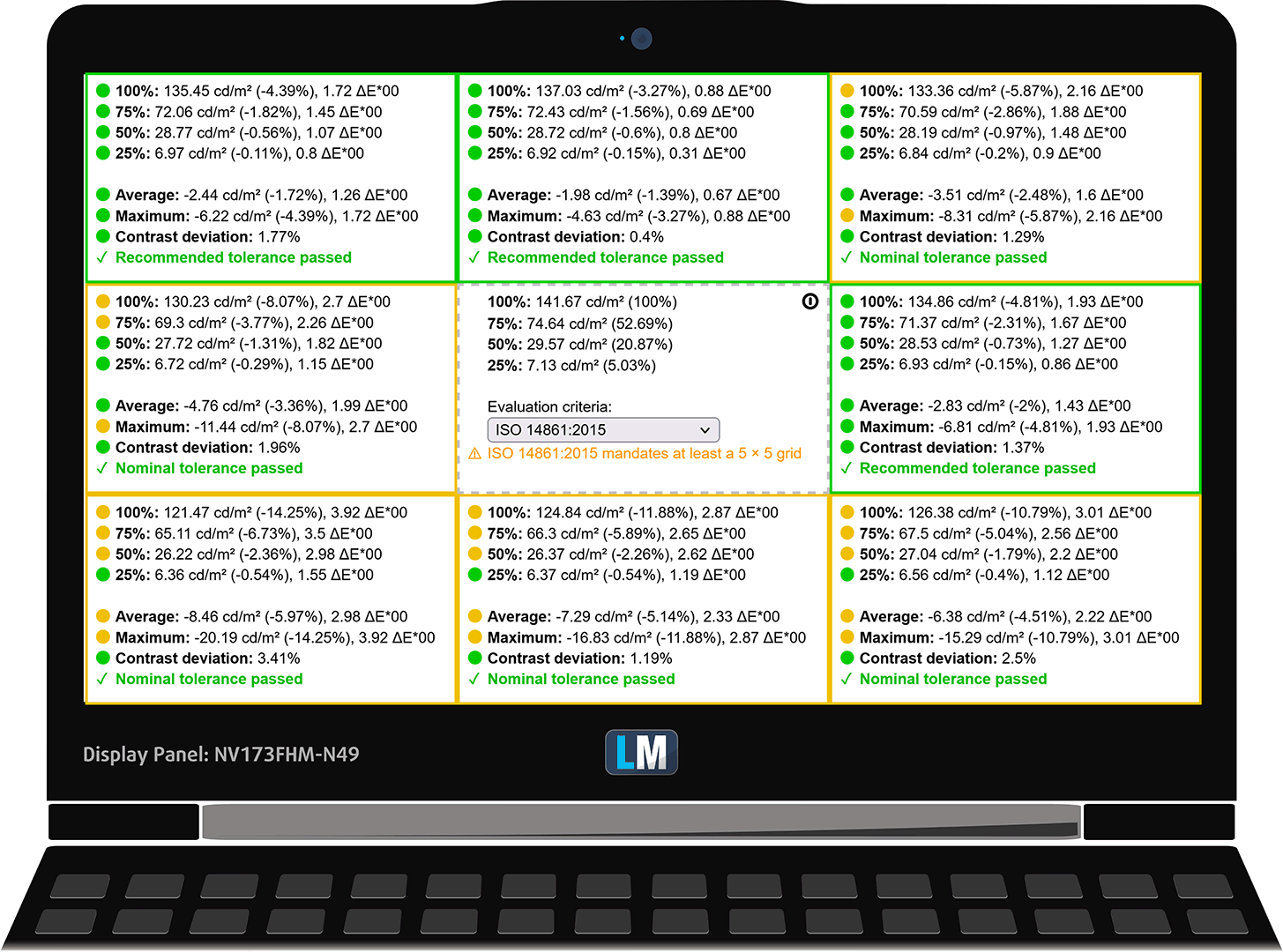
In the illustration below you can see how the display performs from a uniformity perspective. The illustration below shows how matters are for operational brightness levels (approximately 140 nits) – in this particular case at 73% Brightness (White level = 142 cd/m2, Black level = 0.11 cd/m2).
Values of dE2000 over 4.0 should not occur, and this parameter is one of the first you should check if you intend to use the laptop for color-sensitive work (a maximum tolerance of 2.0 ). The contrast ratio is good – 1310:1.
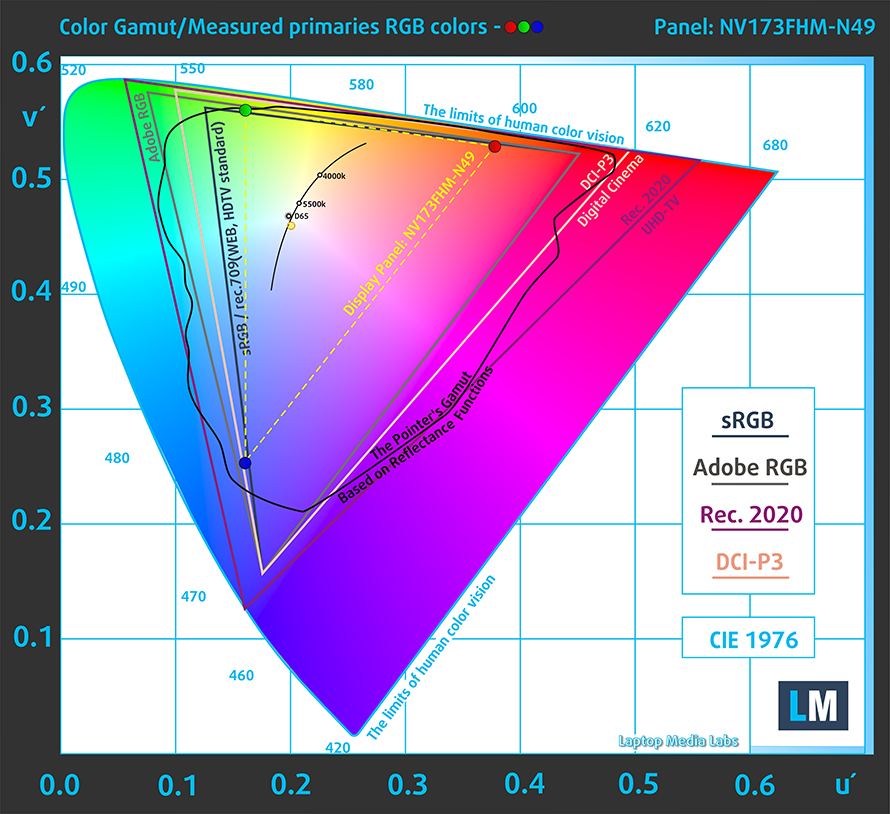
To make sure we are on the same page, we would like to give you a little introduction to the sRGB color gamut and the Adobe RGB. To start, there’s the CIE 1976 Uniform Chromaticity Diagram that represents the visible specter of colors by the human eye, giving you a better perception of the color gamut coverage and the color accuracy.
Inside the black triangle, you will see the standard color gamut (sRGB) that is being used by millions of people on HDTV and on the web. As for the Adobe RGB, this is used in professional cameras, monitors, etc for printing. Basically, colors inside the black triangle are used by everyone and this is the essential part of the color quality and color accuracy of a mainstream notebook.
Still, we’ve included other color spaces like the famous DCI-P3 standard used by movie studios, as well as the digital UHD Rec.2020 standard. Rec.2020, however, is still a thing of the future and it’s difficult for today’s displays to cover that well. We’ve also included the so-called Michael Pointer gamut, or Pointer’s gamut, which represents the colors that naturally occur around us every day.
The yellow dotted line shows ASUS Vivobook 17 (X1702)’s color gamut coverage.
Its display covers 52% of the sRGB/ITU-R BT.709 (web/HDTV standard) in CIE1976.
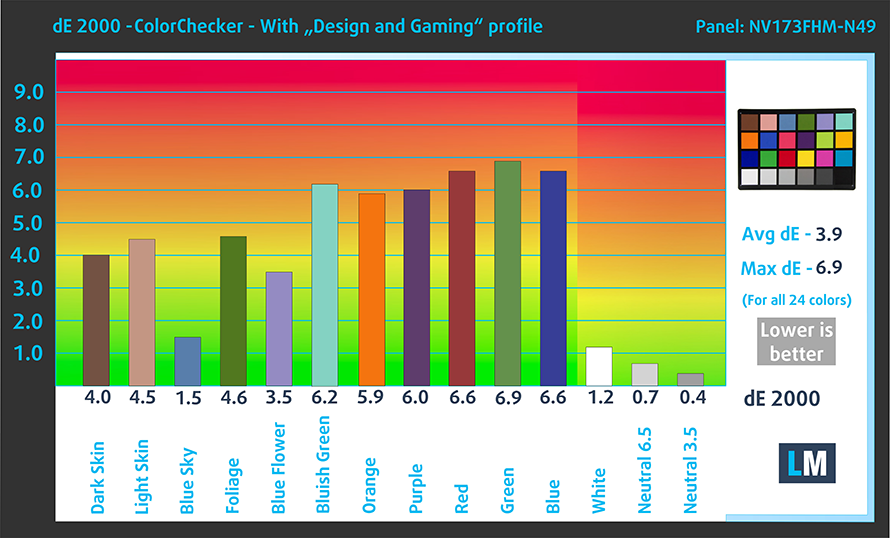
Our “Design and Gaming” profile delivers optimal color temperature (6500K) at 140 cd/m2 luminance and sRGB gamma mode.
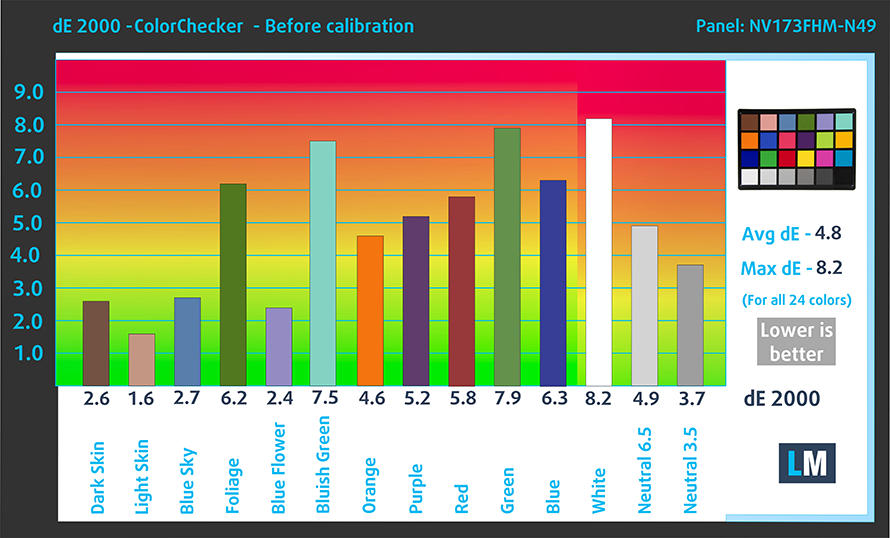
We tested the accuracy of the display with 24 commonly used colors like light and dark human skin, blue sky, green grass, orange, etc. You can check out the results at factory condition and also, with the “Design and Gaming” profile.
Below you can compare the scores of the ASUS Vivobook 17 (X1702) with the default settings (left), and with the “Gaming and Web design” profile (right).
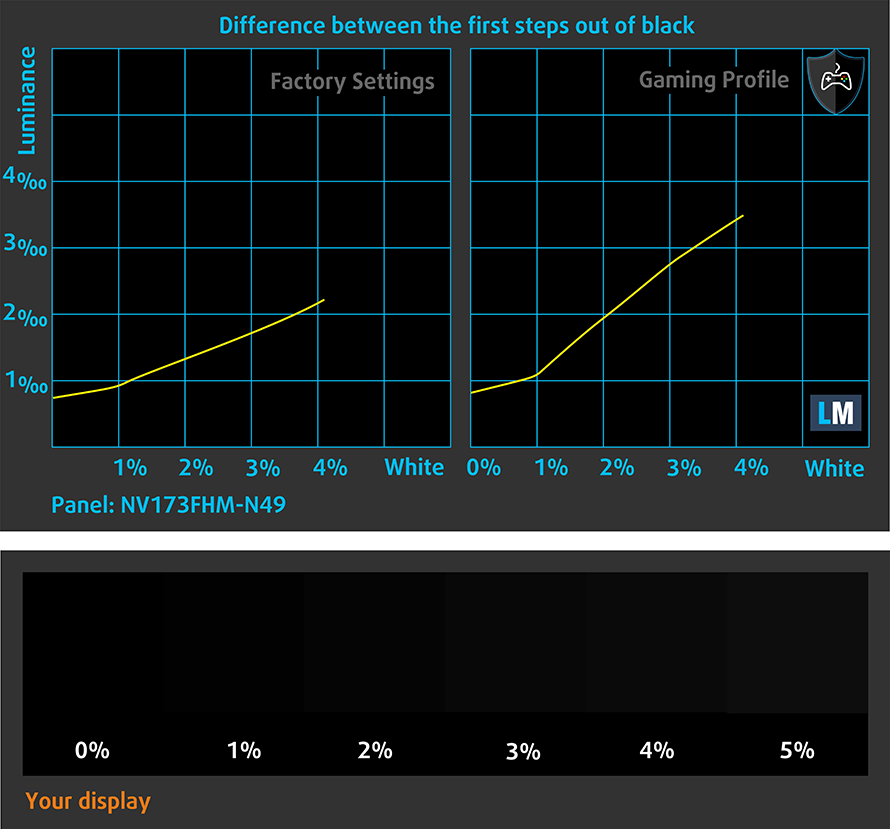
The next figure shows how well the display is able to reproduce really dark parts of an image, which is essential when watching movies or playing games in low ambient light.
The left side of the image represents the display with stock settings, while the right one is with the “Gaming and Web Design” profile activated. On the horizontal axis, you will find the grayscale, and on the vertical axis – the luminance of the display. On the two graphs below you can easily check for yourself how your display handles the darkest nuances but keep in mind that this also depends on the settings of your current display, the calibration, the viewing angle, and the surrounding light conditions.
Response time (Gaming capabilities)
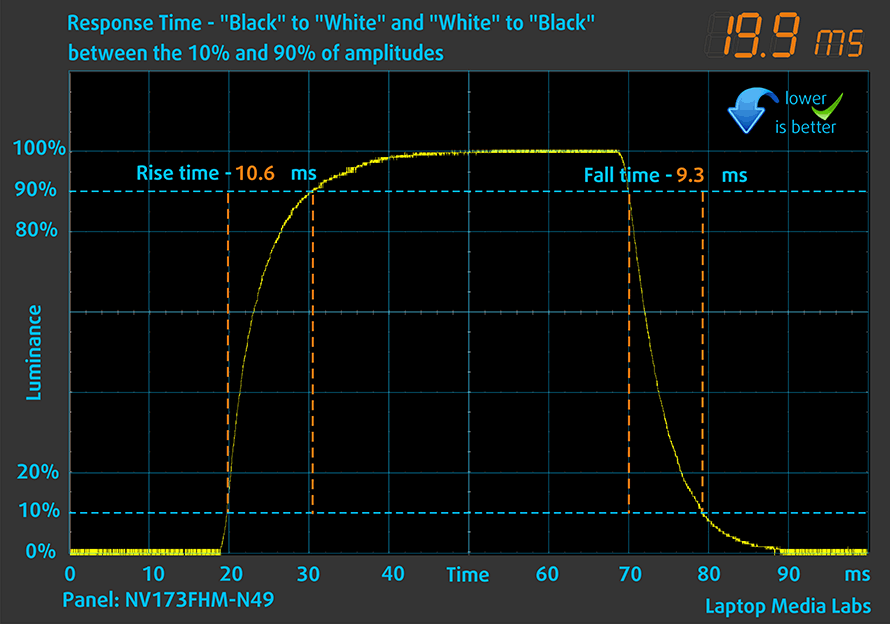
We test the reaction time of the pixels with the usual “black-to-white” and “white-to-black” method from 10% to 90% and vice versa.
We recorded Fall Time + Rise Time = 20 ms.
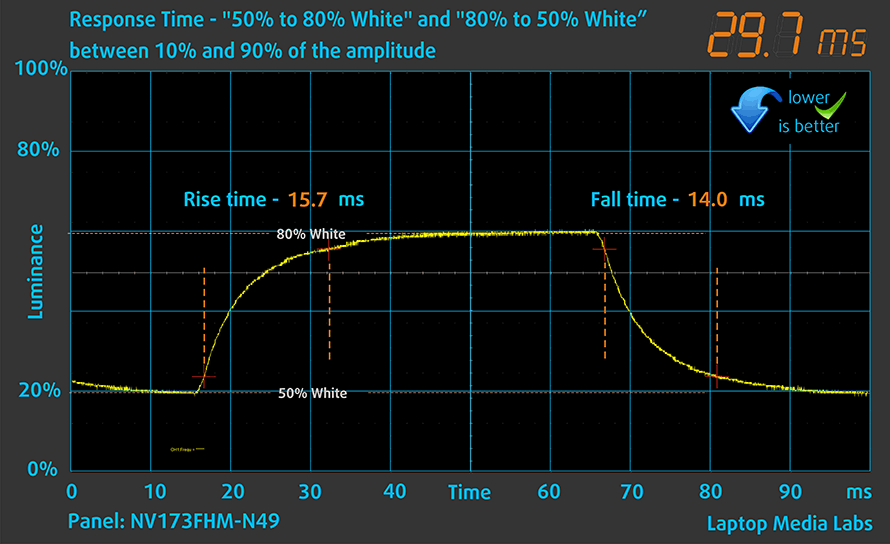
After that, we test the reaction time of the pixels with the usual “Gray-to-Gray” method from 50% White to 80% White and vice versa between 10% and 90% of the amplitude.
Health Impact: PWM (Screen flickering)
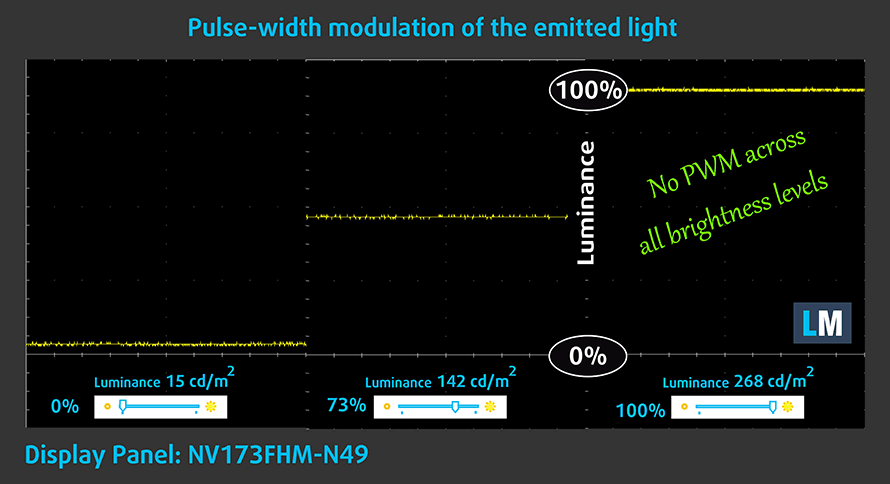
Pulse-width modulation (PWM) is an easy way to control monitor brightness. When you lower the brightness, the light intensity of the backlight is not lowered, but instead turned off and on by the electronics with a frequency indistinguishable to the human eye. In these light impulses, the light/no-light time ratio varies, while brightness remains unchanged, which is harmful to your eyes. You can read more about that in our dedicated article on PWM.
ASUS Vivobook 17 (X1702)’s display doesn’t flicker at any brightness level. This makes the screen pretty comfortable for long periods of use.
Health Impact: Blue light emissions
Installing our Health-Guard profile not only eliminates PWM but also reduces the harmful Blue Light emissions while keeping the colors of the screen perceptually accurate. If you’re not familiar with the Blue light, the TL;DR version is – emissions that negatively affect your eyes, skin, and your whole body. You can find more information about that in our dedicated article on Blue Light.
Health Impact: Gloss-level measurement
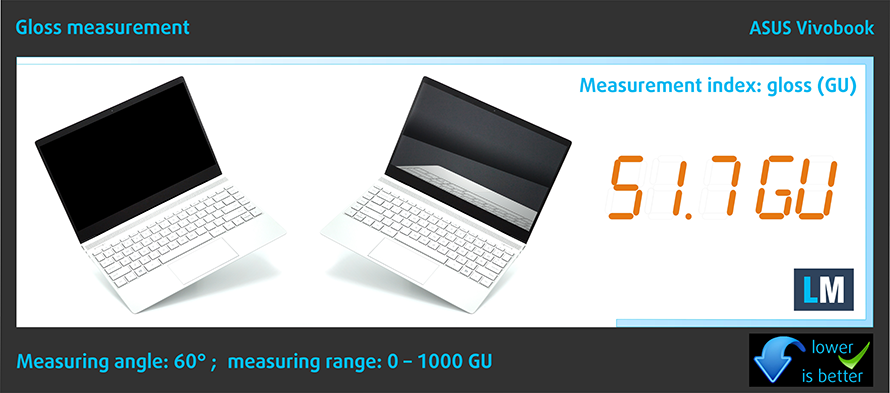
Glossy-coated displays are sometimes inconvenient in high ambient light conditions. We show the level of reflection on the screen for the respective laptop when the display is turned off and the measurement angle is 60° (in this case, the result is 51.7 GU).
Sound
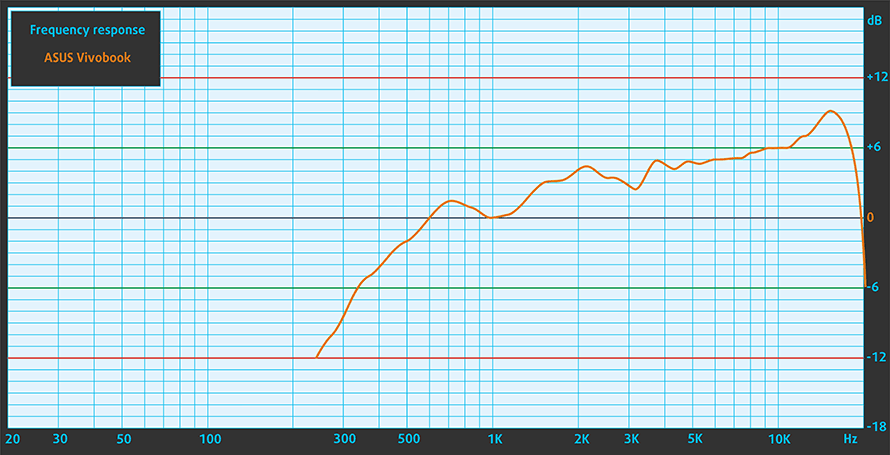
ASUS Vivobook 17 (X1702)’s speakers produce a sound of decent quality. Its low, mid, and high tones are clear of deviations.
Buy our profiles
Since our profiles are tailored for each individual display model, this article and its respective profile package are meant for ASUS Vivobook 17 (X1702) configurations with 17.3″ BOE NV173FHM-N49 (BOE084E) (1920 x 1080) IPS.
*Should you have problems with downloading the purchased file, try using a different browser to open the link you’ll receive via e-mail. If the download target is a .php file instead of an archive, change the file extension to .zip or contact us at [email protected].
Read more about the profiles HERE.
Verimli ve sağlık dostu profiller almanın yanı sıra, LaptopMedia'nın ürünlerini satın alarak, mümkün olan en objektif incelemeleri üretmek için cihazları test ettiğimiz laboratuvarlarımızın gelişimini de desteklemiş olursunuz.

Ofis Çalışması
Ofis Çalışması, çoğunlukla metinlere, tablolara bakan veya sadece gezinen kullanıcılar tarafından kullanılmalıdır. Bu profil, düz bir gama eğrisi (2.20), doğal renk sıcaklığı ve algısal olarak doğru renkler tutarak daha iyi ayırt edilebilirlik ve netlik sunmayı amaçlamaktadır.

Tasarım ve Oyun
Bu profil, renklerle profesyonel olarak çalışan tasarımcılara ve aynı zamanda oyunlara ve filmlere yöneliktir. Tasarım ve Oyun, ekran panellerini sınırlarına kadar zorlayarak Web ve HDTV için sRGB IEC61966-2-1 standardında, D65 beyaz noktasında mümkün olduğunca doğru olmalarını sağlar.

Health-Guard
Health-Guard, zararlı Darbe Genişlik Modülasyonunu (PWM) ortadan kaldırır ve gözlerimizi ve vücudumuzu etkileyen negatif Mavi Işığı azaltır. Her panel için özel olarak uyarlandığından, renkleri algısal olarak doğru tutmayı başarır. Health-Guard kağıdı simüle eder, böylece gözlerdeki baskı büyük ölçüde azalır.
3 profili de %33 indirimle alın

Performance: CPU, GPU, Gaming Tests
CPU options
Here, you can choose from the Core i3-1215U, Core i5-1235U, or Core i7-1255U from the U-series, and the Core i3-1220P, Core i5-1240P, or Core i7-1260P from the P-series.
Sonuçlar Cinebench R23 CPU testinden alınmıştır (puan ne kadar yüksek olursa o kadar iyidir)
GPU options
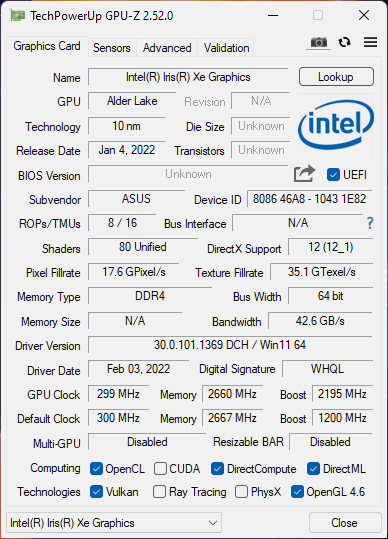
All these processor choices, and no GPU choice whatsoever. You get what is integrated inside your CPU of choice.
Sonuçlar 3DMark Time Spy (Grafik) testindendir. Yüksek olan daha iyidir.
Sonuçlar 3DMark Fire Strike (Grafik) benchmark testindendir (puan ne kadar yüksek olursa o kadar iyidir)
Sonuçlar 3DMark Wild Life Extreme Unlimited testindendir. Yüksek olan daha iyidir.
Sonuçlar Unigine Superposition benchmark testindendir (puan ne kadar yüksek olursa o kadar iyidir)
Gaming tests

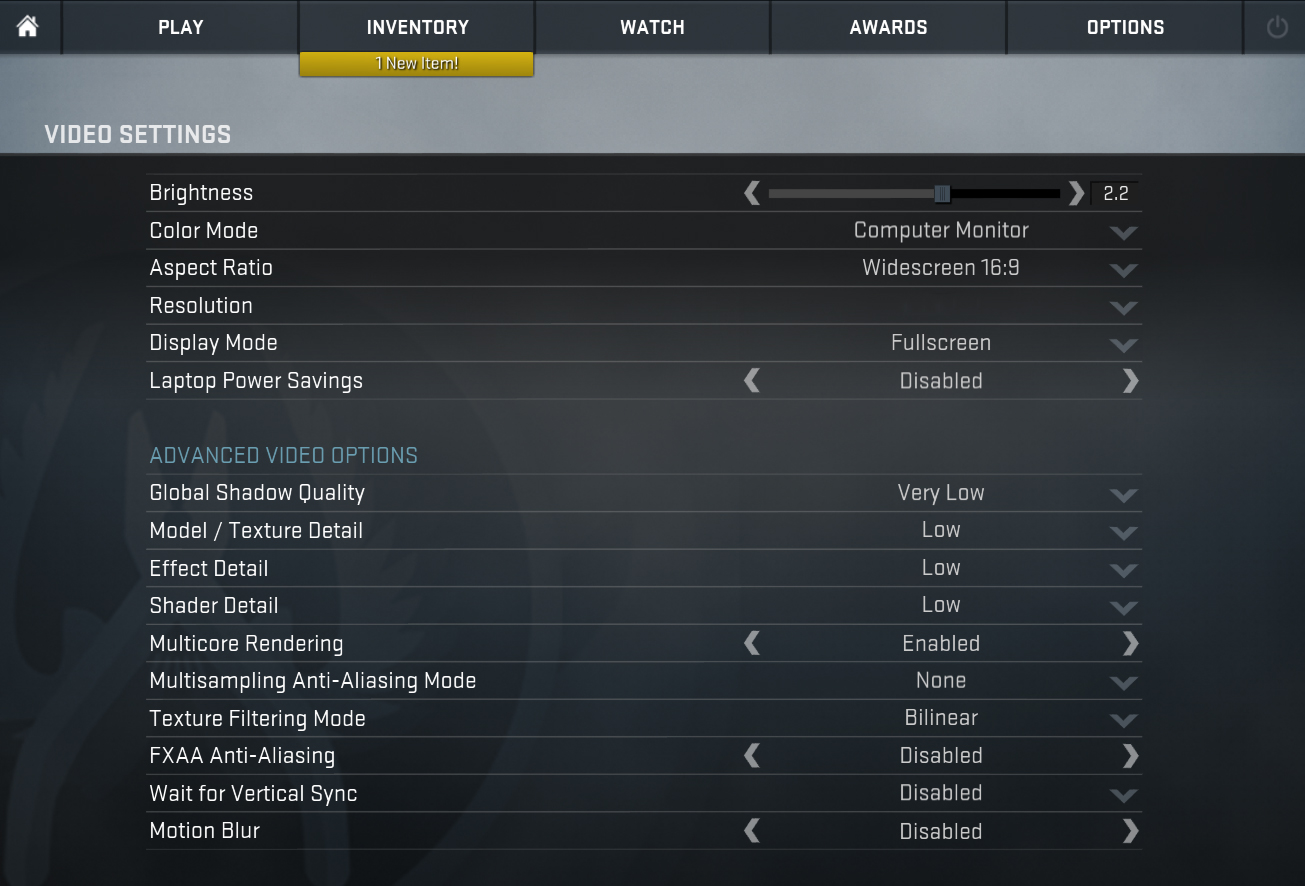
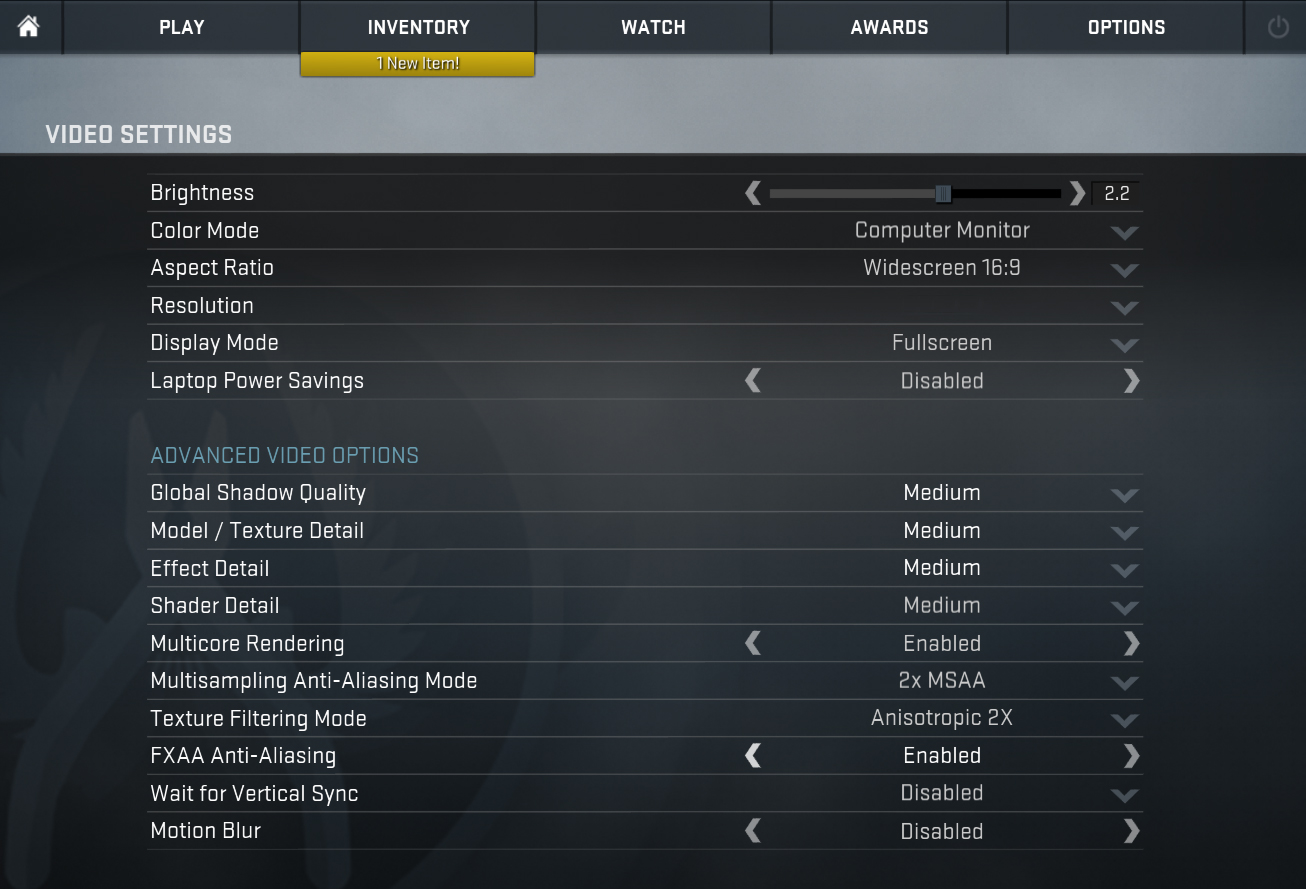
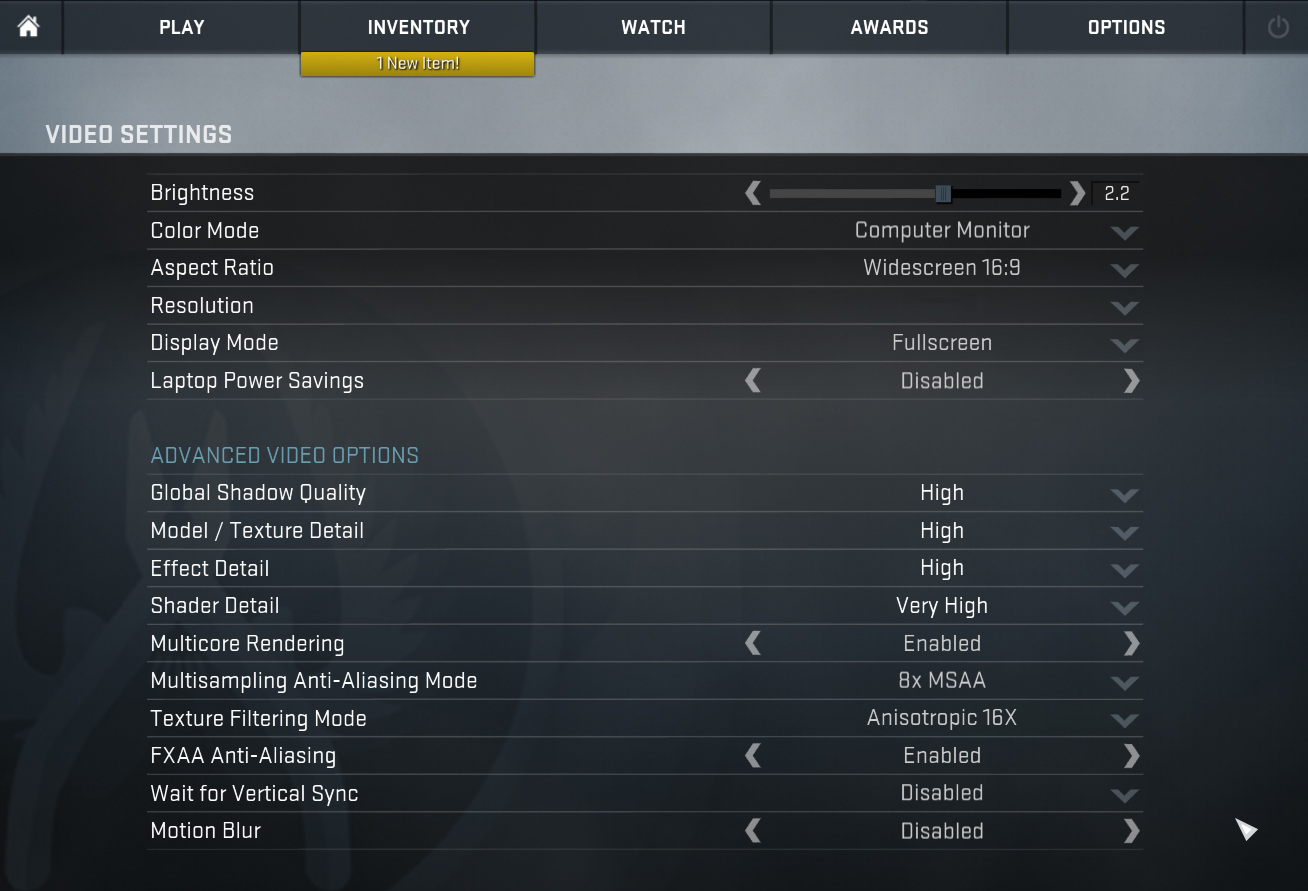
| CS:GO | HD 1080p, Low (Check settings) | HD 1080p, Medium (Check settings) | HD 1080p, MAX (Check settings) |
|---|---|---|---|
| Average FPS | 90 fps | 71 fps | 41 fps |

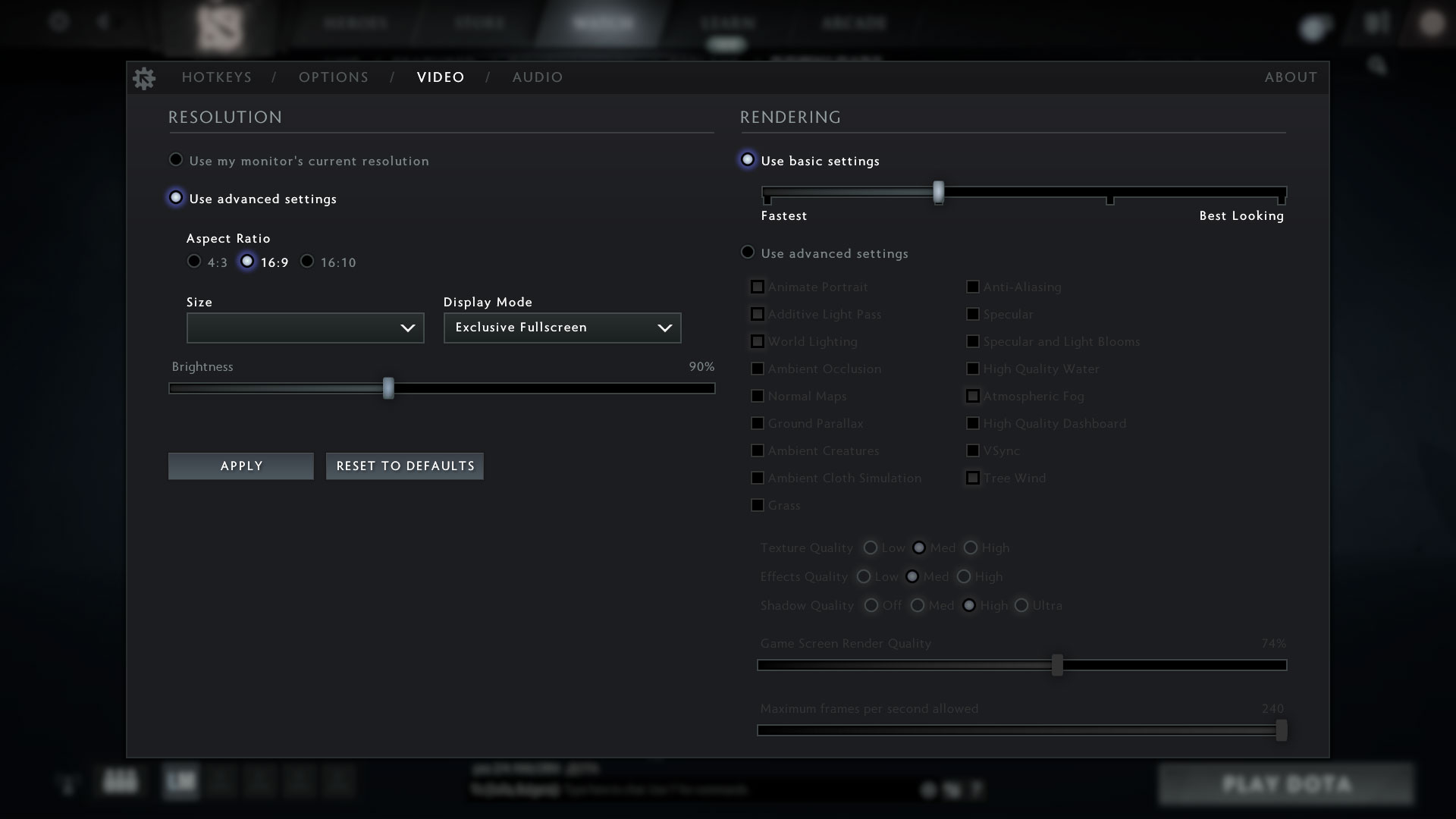
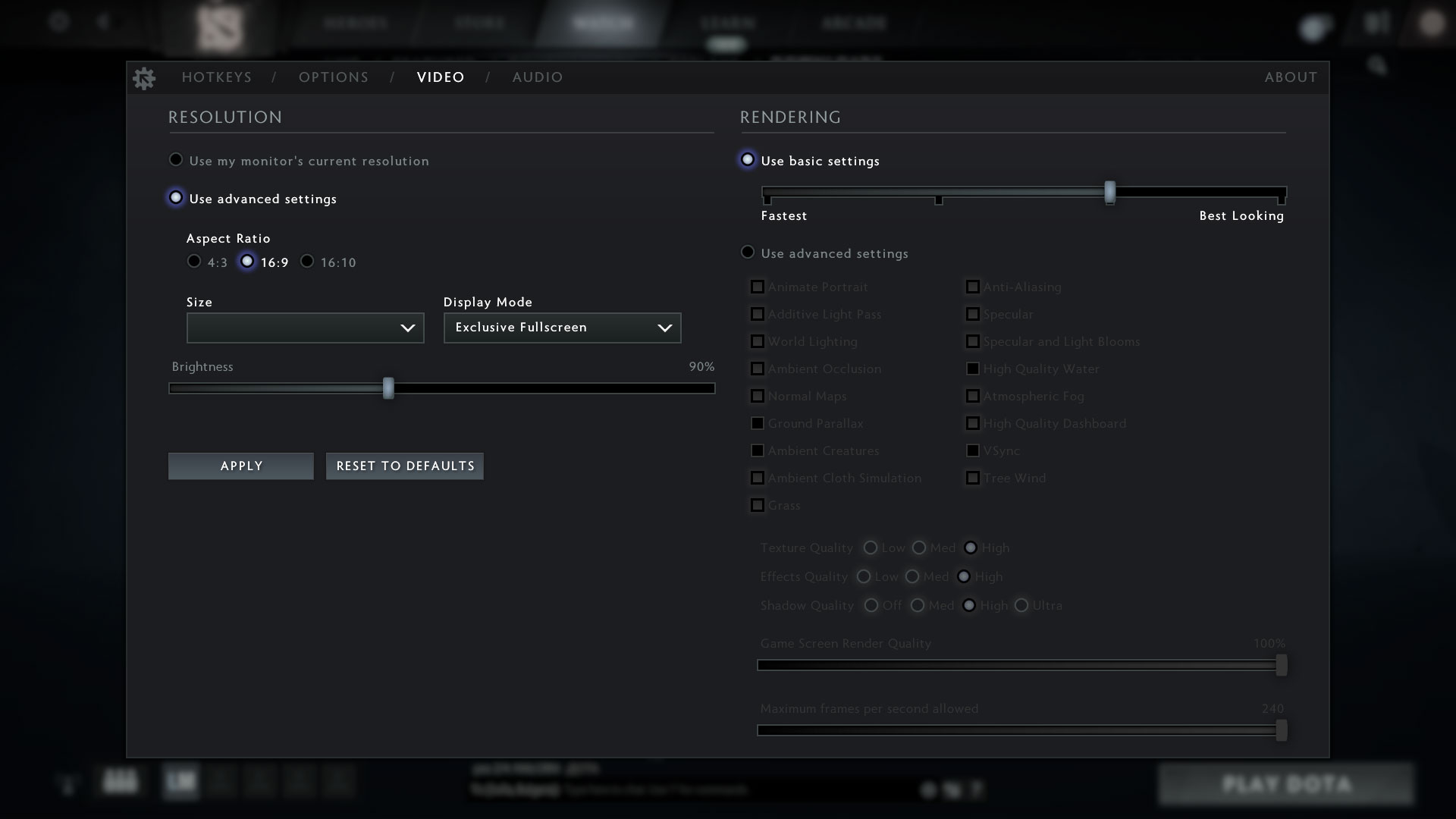
| DOTA 2 | HD 1080p, Low (Check settings) | HD 1080p, Normal (Check settings) | HD 1080p, High (Check settings) |
|---|---|---|---|
| Average FPS | 94 fps | 63 fps | 36 fps |
Temperatures and comfort, Battery Life
Max CPU load
In this test we use 100% on the CPU cores, monitoring their frequencies and chip temperature. The first column shows a computer’s reaction to a short load (2-10 seconds), the second column simulates a serious task (between 15 and 30 seconds), and the third column is a good indicator of how good the laptop is for long loads such as video rendering.
Average P-core frequency; Average E-core frequency; CPU temp.; Package Power
| Intel Core i5-1235U (15W TDP) | 0:02 – 0:10 sec | 0:15 – 0:30 sec | 10:00 – 15:00 min |
|---|---|---|---|
| ASUS Vivobook 17 (X1702) | 3.21 GHz @ 2.68 GHz @ 68°C @ 39W | 2.86 GHz @ 2.53 GHz @ 72°C @ 33W | 2.15 GHz @ 2.22 GHz @ 61°C @ 24W |
| Lenovo ThinkPad L15 Gen 3 | 3.25 GHz @ 2.69 GHz @ 88°C @ 44W | 3.05 GHz @ 2.64 GHz @ 95°C @ 41W | 1.98 GHz @ 1.92 GHz @ 70°C @ 20W |
| Fujitsu LifeBook U7512 | 3.00 GHz @ 2.54 GHz @ 88°C @ 40W | 2.40 GHz @ 2.14 GHz @ 85°C @ 28W | 2.31 GHz @ 2.07 GHz @ 83°C @ 26W |
| HP ProBook 450 G9 | 3.44 GHz @ 2.82 GHz @ 80°C @ 47W | 2.45 GHz @ 2.14 GHz @ 74°C @ 26W | 2.33 GHz @ 2.09 GHz @ 73°C @ 24W |
| HP ProBook 440 G9 | 3.25 GHz @ 2.74 GHz @ 79°C @ 46W | 2.49 GHz @ 2.23 GHz @ 87°C @ 30W | 2.20 GHz @ 2.08 GHz @ 73°C @ 24W |
| Lenovo ThinkBook 14s Yoga Gen 2 | 2.55 GHz @ 2.39 GHz @ 70°C @ 32W | 2.49 GHz @ 2.38 GHz @ 75°C @ 32W | 2.20 GHz @ 2.10 GHz @ 71°C @ 24W |
| Microsoft Surface Pro 9 | 3.32 GHz @ 2.78 GHz @ 75°C @ 46W | 3.06 GHz @ 2.54 GHz @ 82°C @ 42W | 1.91 GHz @ 1.79 GHz @ 64°C @ 19W |
| Microsoft Surface Laptop 5 (13.5″) | 3.35 GHz @ 2.84 GHz @ 69°C @ 44W | 3.27 GHz @ 2.78 GHz @ 80°C @ 42W | 2.24 GHz @ 2.17 GHz @ 71°C @ 22W |
| ASUS Vivobook 15 (X1502) | 2.91 GHz @ 2.49 GHz @ 78°C @ 39W | 2.62 GHz @ 2.37 GHz @ 81°C @ 33W | 2.30 GHz @ 2.19 GHz @ 68°C @ 27W |
| Acer TravelMate P2 (TMP215-54) | 3.67 GHz @ 3.09 GHz @ 90°C @ 55W | 2.83 GHz @ 2.55 GHz @ 85°C @ 33W | 2.59 GHz @ 2.44 GHz @ 84°C @ 28W |
| HP EliteBook 650 G9 | 3.26 GHz @ 2.80 GHz @ 89°C @ 45W | 2.63 GHz @ 2.39 GHz @ 91°C @ 32W | 2.25 GHz @ 2.15 GHz @ 79°C @ 24W |
| HP EliteBook 640 G9 | 3.27 GHz @ 2.77 GHz @ 90°C @ 45W | 2.53 GHz @ 2.32 GHz @ 90°C @ 30W | 2.32 GHz @ 2.17 GHz @ 74°C @ 24W |
| HP EliteBook 840 G9 | 3.09 GHz @ 2.75 GHz @ 83°C @ 46W | 2.73 GHz @ 2.46 GHz @ 89°C @ 37W | 1.58 GHz @ 1.67 GHz @ 61°C @ 17W |
| Lenovo ThinkPad E14 Gen 4 | 3.28 GHz @ 2.77 GHz @ 84°C @ 44W | 3.18 GHz @ 2.77 GHz @ 90°C @ 44W | 2.49 GHz @ 2.28 GHz @ 77°C @ 28W |
| HP Pavilion Plus 14 (14-eh0000) | 2.85 GHz @ 2.43 GHz @ 77°C @ 39W | 2.34 GHz @ 2.10 GHz @ 75°C @ 29W | 1.84 GHz @ 1.79 GHz @ 65°C @ 20W |
| Lenovo IdeaPad 5 (15″, 2022) | 3.60 GHz @ 3.08 GHz @ 73°C @ 55W | 3.44 GHz @ 2.95 GHz @ 88°C @ 51W | 2.80 GHz @ 2.49 GHz @ 69°C @ 35W |
| Lenovo ThinkPad L14 Gen 3 | 3.20 GHz @ 2.77 GHz @ 83°C @ 44W | 3.10 GHz @ 2.71 GHz @ 94°C @ 43W | 1.89 GHz @ 1.95 GHz @ 72°C @ 20W |
| Acer Aspire Vero (AV14-51) | 3.63 GHz @ 2.87 GHz @ 84°C @ 55W | 2.73 GHz @ 2.36 GHz @ 81°C @ 33W | 2.49 GHz @ 2.23 GHz @ 79°C @ 28W |
| MSI Modern 14 (C12M) | 3.17 GHz @ 2.69 GHz @ 77°C @ 45W | 3.10 GHz @ 2.61 GHz @ 81°C @ 45W | 2.69 GHz @ 2.45 GHz @ 78°C @ 35W |
| Dell Latitude 15 5530 | 3.57 GHz @ 3.02 GHz @ 94°C @ 52W | 2.03 GHz @ 2.09 GHz @ 76°C @ 21W | 2.24 GHz @ 2.19 GHz @ 64°C @ 23W |
This machine performs pretty well in both short and long runs. We monitored 24W of TDP at the end of the test, which is higher than the default 15W.
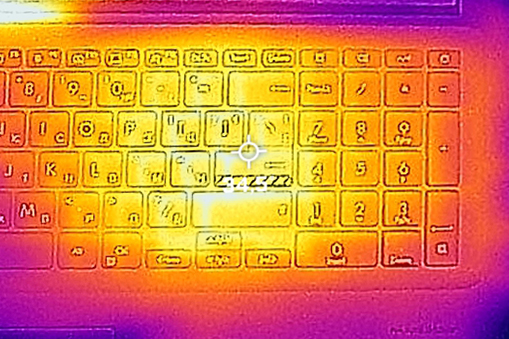
Comfort during full load
At the same time, the laptop remained both cool and quiet on the outside.
Battery
Now, we conduct the battery tests with the Windows Better performance setting turned on, screen brightness adjusted to 120 nits, and all other programs turned off except for the one we are testing the notebook with. Vivobook 17 (X1702)’s 42Wh battery lasts for 7 hours of Web browsing, or 5 hours and 28 minutes of video playback.
Parlaklık: 180 nit; Ekran Modu: SDR
Tam Deşarj Süresi: Yüksek Olan Daha İyidir

Gerçek hayat koşullarını simüle etmek için 70'ten fazla web sitesinde otomatik web taraması için kendi komut dosyamızı kullandık.
Disassembly, Upgrade options, and Maintenance
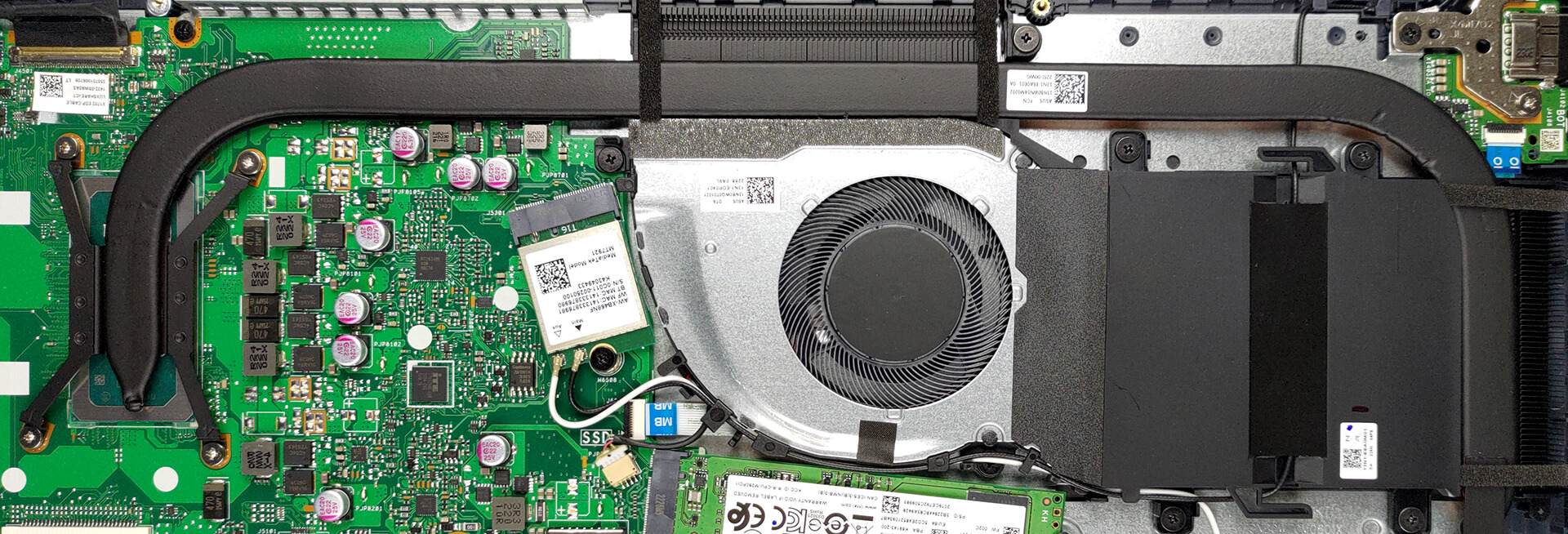
To access this notebook’s internals, you need to undo 11 Phillips-head screws. Then, pry the bottom panel with a plastic tool and lift it away from the chassis.
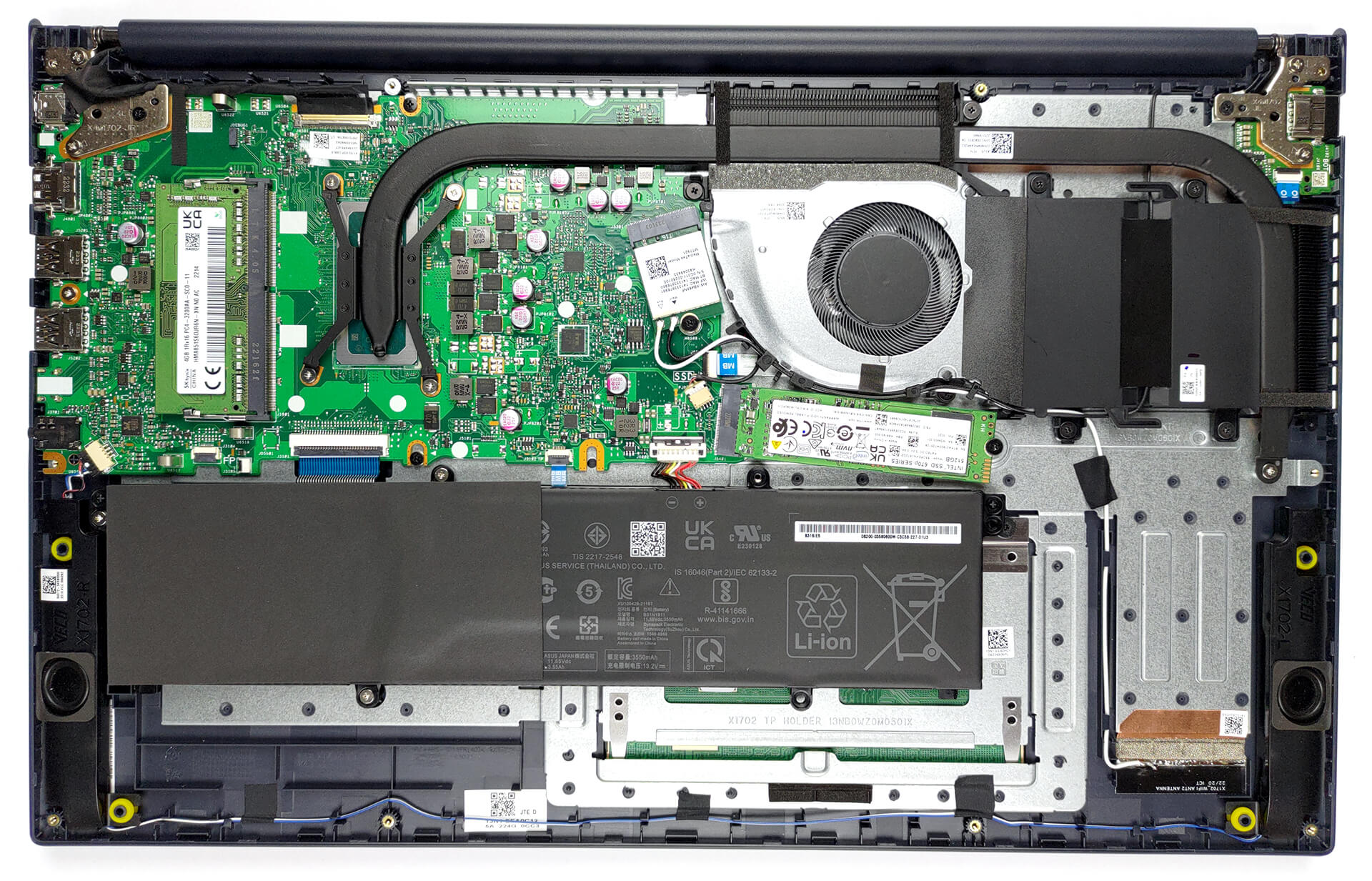
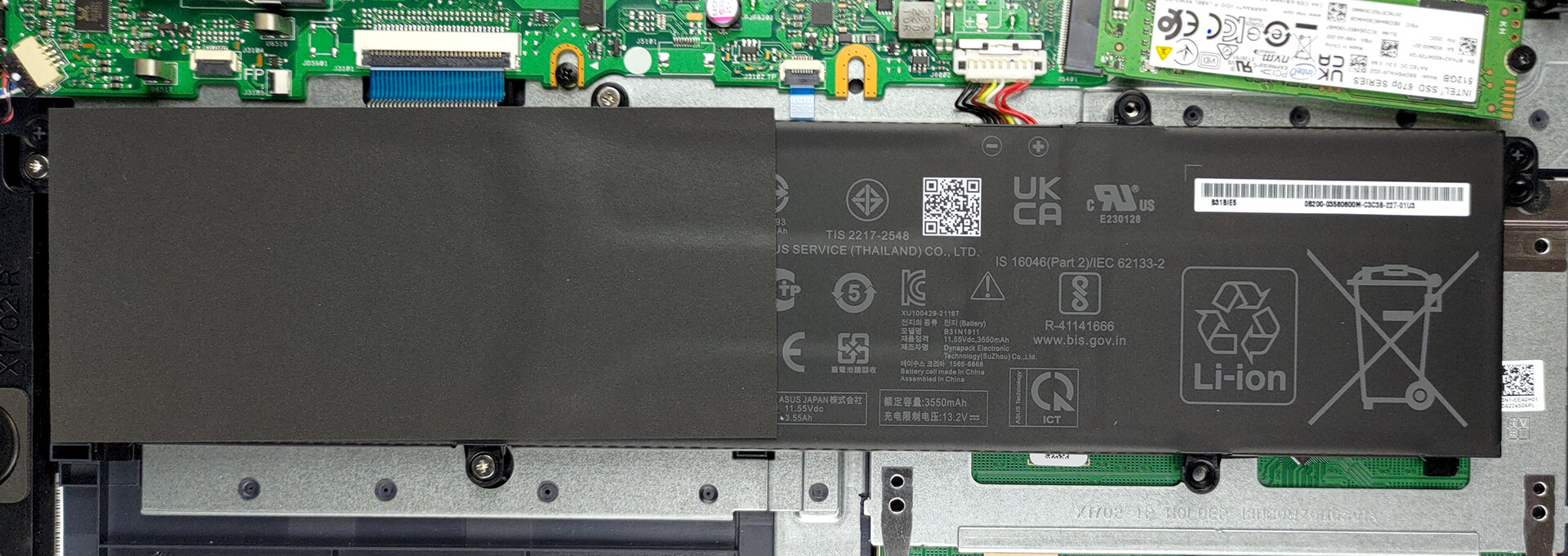
Here, we find a 42Wh battery pack. To remove it, unplug the connector from the motherboard, and undo all three Phillips-head screws.
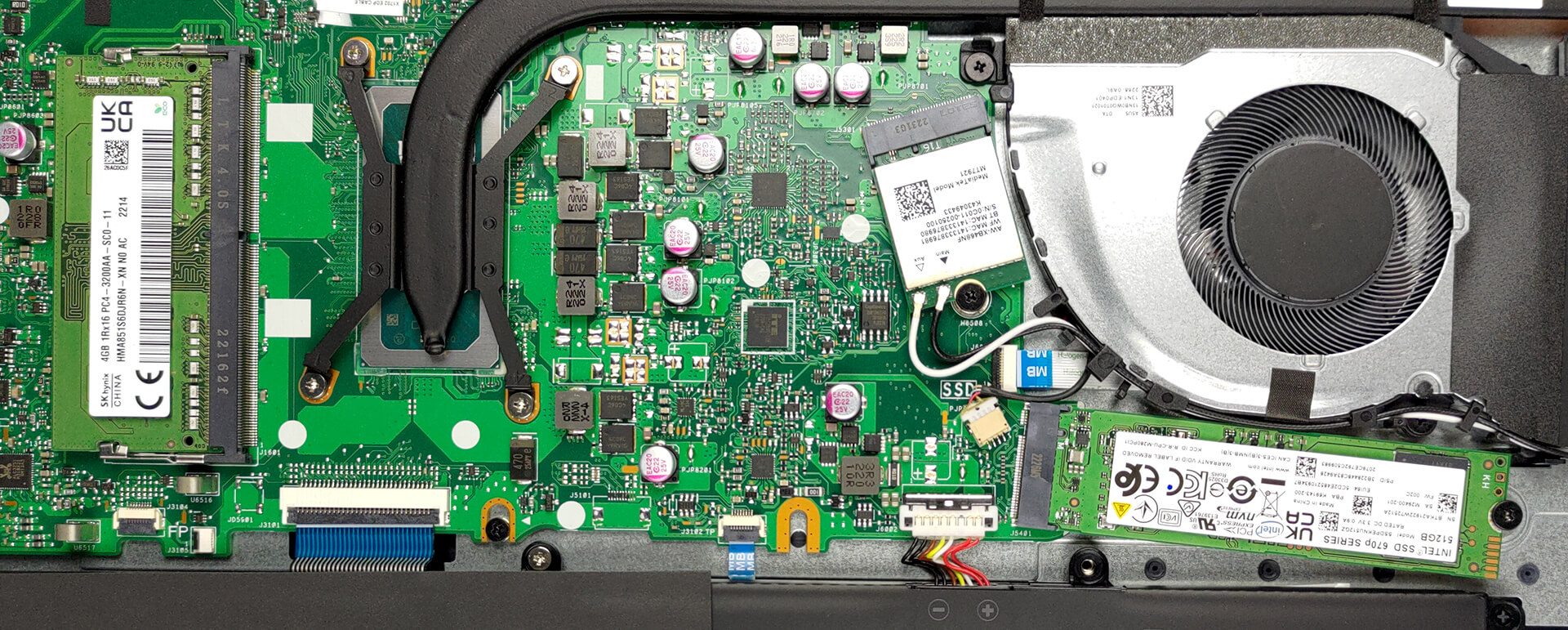
This machine comes with either 4 or 8GB of DDR4 RAM soldered to the motherboard. You can expand it further via the single SODIMM slot. Storage-wise, there is one M.2 PCIe x4 slot, which supports Gen 4 SSDs.
And for cooling, you get a long heat pipe, connecting to two heat sinks, where a single fan blows the heat away from the chassis.
Verdict
 As usual, the low-to-medium budget section of the market is saturated with tons of good devices. Those of 17-inch size are not that popular but still get into the mix. In particular, Vivobook 17 (X1702) shows a decent performance, which doesn’t drop too much after long periods of time.
More so, it provides some upgradeability, like a single RAM SODIMM slot (paired with some soldered memory), and an M.2 PCIe x4 slot for Gen 3 or Gen 4 storage.
ASUS Vivobook 17 (X1702)’s 17-inch IPS panel has a Full HD resolution, good contrast ratio, and comfortable viewing angles. It doesn’t use PWM for brightness adjustment, which is great. However, its 52% sRGB color coverage is a limiting factor in visual perception.
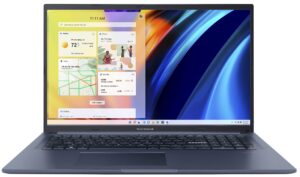
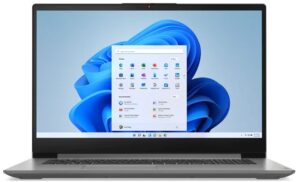
The disappointing color coverage is not too bad for a laptop in this price range. However, its battery life is drastically lower than that of one of its main competitors – the IdeaPad 3 (17″, 2022).
It lasts nearly 3 hours less in Web browsing but closes that gap to a two-hour deficit in video playback. Unfortunately, this means that you won’t be able to use your device for an entire workday only on battery power.
Thankfully, the comfort is not hindered, as its keyboard is great, while the touchpad is simply fantastic – Probably the best in its class. Again, you have to be wary of its port selection.
Since there is no SD card reader of any sort, and the USB Type-C port is limited to data transfer only, we consider it to be unsatisfactory.
At the end of the day, we think that Vivobook 17 (X1702) is worth considering. Especially if you find a good deal on it. What is a good deal on this device? Well, that’s if it’s cheaper than the IdeaPad 3 (17″, 2022).
You can check the prices and configurations in our Specs System: https://laptopmedia.com/series/asus-vivobook-17-x1702-12th-gen-intel/
Pros
- 1x SODIMM + 1x M.2 PCIe x4 Gen 4
- Comfortable keyboard
- No PWM (BOE NV173FHM-N49 (BOE084E))
- Optional fingerprint reader
- Decent performance
- Antibacterial coating
Cons
- Covers only 52% of sRGB (BOE NV173FHM-N49 (BOE084E))
- USB Type-C port is data-transfer only
- No keyboard backlight
- Lacks an SD card reader
 Author: Alex Iliev
 Author: eng. Kroum NikolovHead of Engineering at LaptopMedia.com, inventor and innovator with 40+ years of experience in electronics and high technology.

![[Mayıs 2026] Amazon’da En Çok Satan Dizüstü Bilgisayar GPU’larının Küresel Sıralaması – Apple %45 Payla İlk 3 Sırayı Kaptı; NVIDIA’nın RTX 5060’ı Özel GPU Paketinde Lider](https://laptopmedia.com/wp-content/uploads/2026/06/Best-Selling-GPUs-GLOBAL-Top-10-400x225.jpg)
![[Mayıs 2026] Amazon’da En Çok Satan Dizüstü Bilgisayar CPU’larının Küresel Sıralaması – Apple %45,2 Pazar Payı ile Rekabeti Ezip Geçiyor, M5 Hakim](https://laptopmedia.com/wp-content/uploads/2026/06/Best-Selling-CPUs-GLOBAL-Top-10-400x225.jpg)
![[May 2026] Amazon Germany: Top 7 Best-Selling Gaming Laptops – Lenovo Legion 5i Crowned Champion Amidst Fierce Mid-Range Competition](https://laptopmedia.com/wp-content/uploads/2026/06/Best-Selling-Gaming-Laptops-DE-Top-10-1-400x225.jpg)
![[May 2026] Amazon Italy: Top 10 Best-Selling Laptops – Apple MacBook Neo Reigns Supreme, Premium Models Capture Dominant Revenue Share](https://laptopmedia.com/wp-content/uploads/2026/06/Best-Selling-Laptops-IT-Top-10-400x225.jpg)
![[May 2026] Best-Selling Laptop Brands on Amazon Italy – Apple Dominates Across All Metrics](https://laptopmedia.com/wp-content/uploads/2026/06/IT-Best-Brands-400x225.jpg)


can I use a single 32GB RAM module in this laptop? Is it supported?