Acer SA222Qbi monitor – Specs, Pros / Cons: A Big Surprise to All of Us
 Turns out cheap monitors can be really damn great at handling Creator work if the Acer SA222Qbi is to be considered any evidence. In terms of specs, it doesn’t offer anything special, with a simple 21.5-inch Full HD VA panel, a 1ms response time, and AMD FreeSync support. One thing that we’d have to give props is to the mix of resolution and screen size, as the Acer SA222Qbi offers a pretty high pixel density, so the image that you’re getting is rather detailed and sharp.
However, the most important results come from our lab, where the monitor shines, with great color coverage and accuracy (Slight spoilers, the monitor becomes 3 times more accurate when using our Display Profiles).
You can check the current price of the Acer SA222Qbi here: Amazon.com'dan satın al (#CommissionsEarned)
Contents
Specs sheet, Assembly, OSD, Drivers, Design, Connectivity
| Screen size | 21.5 inch (54.6 cm) |
|---|---|
| Refresh rate | 75Hz |
| Response time | 1ms |
| Panel type | VA |
| Backlight type | LED |
| Screen finish | Matte |
| Resolution | 1920 x 1080 (FHD) |
| Technologies |
|
| I/O |
|
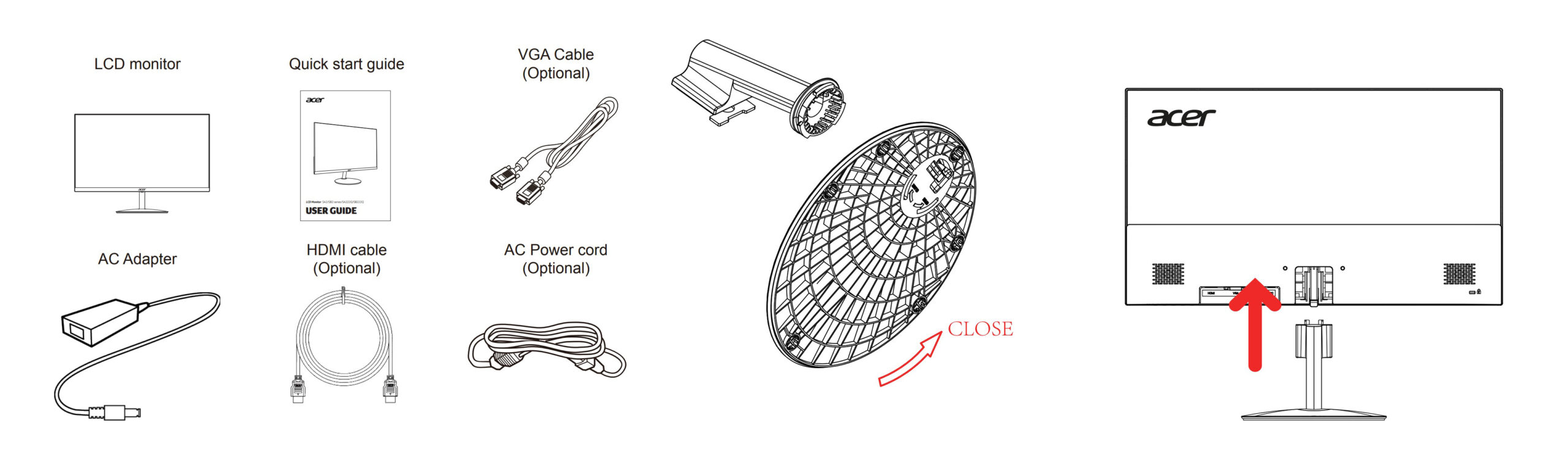
What’s in the box? Assembly
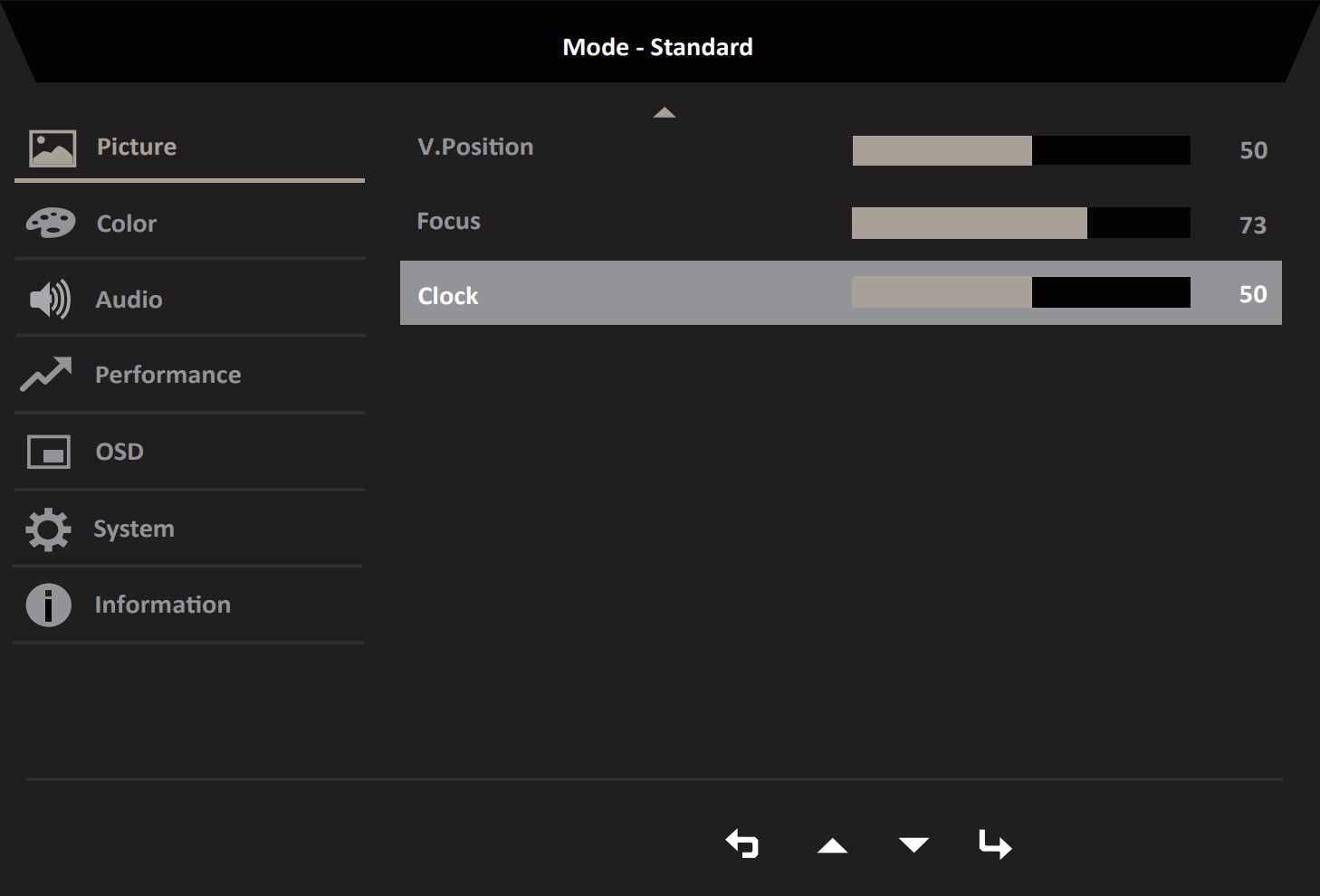
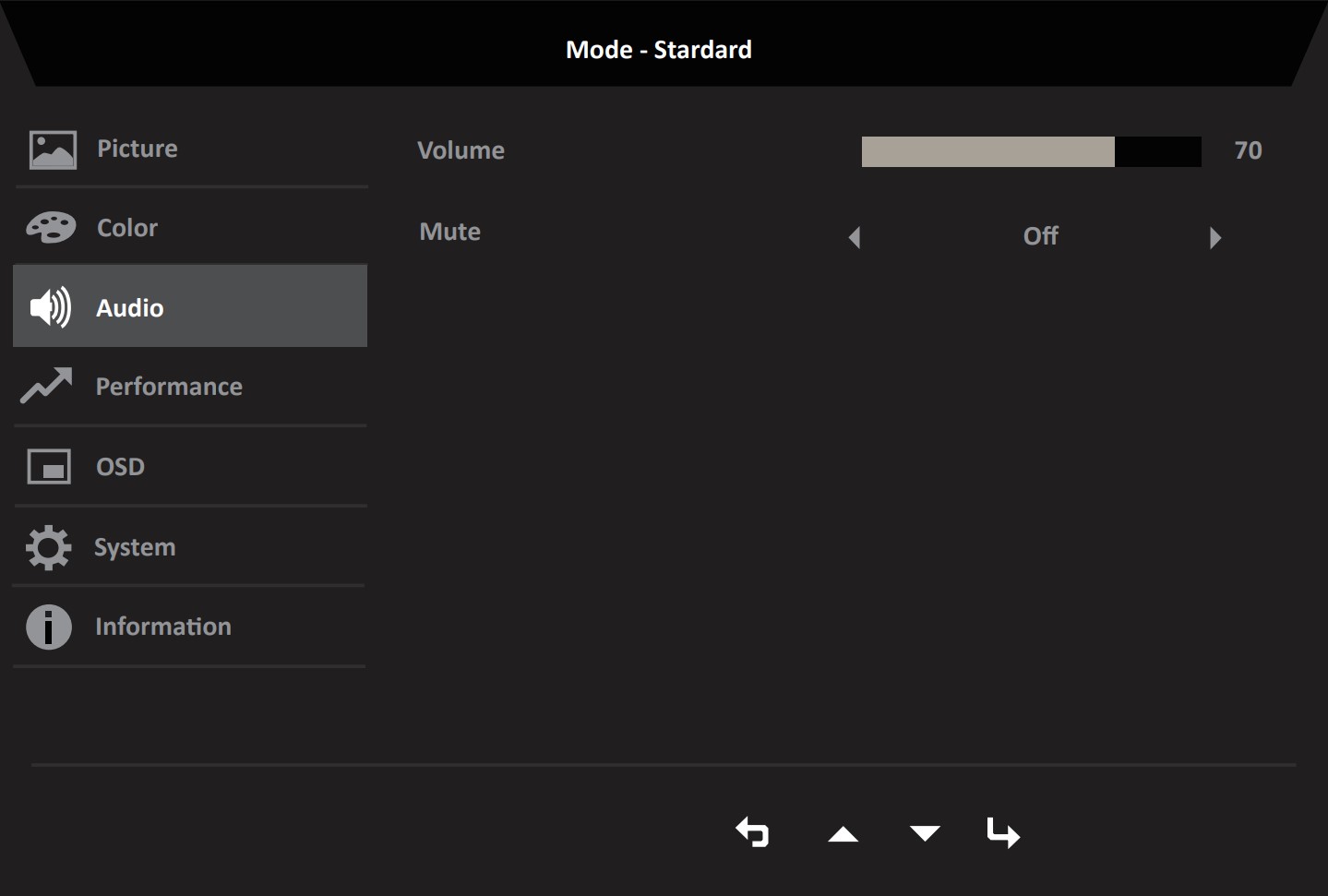
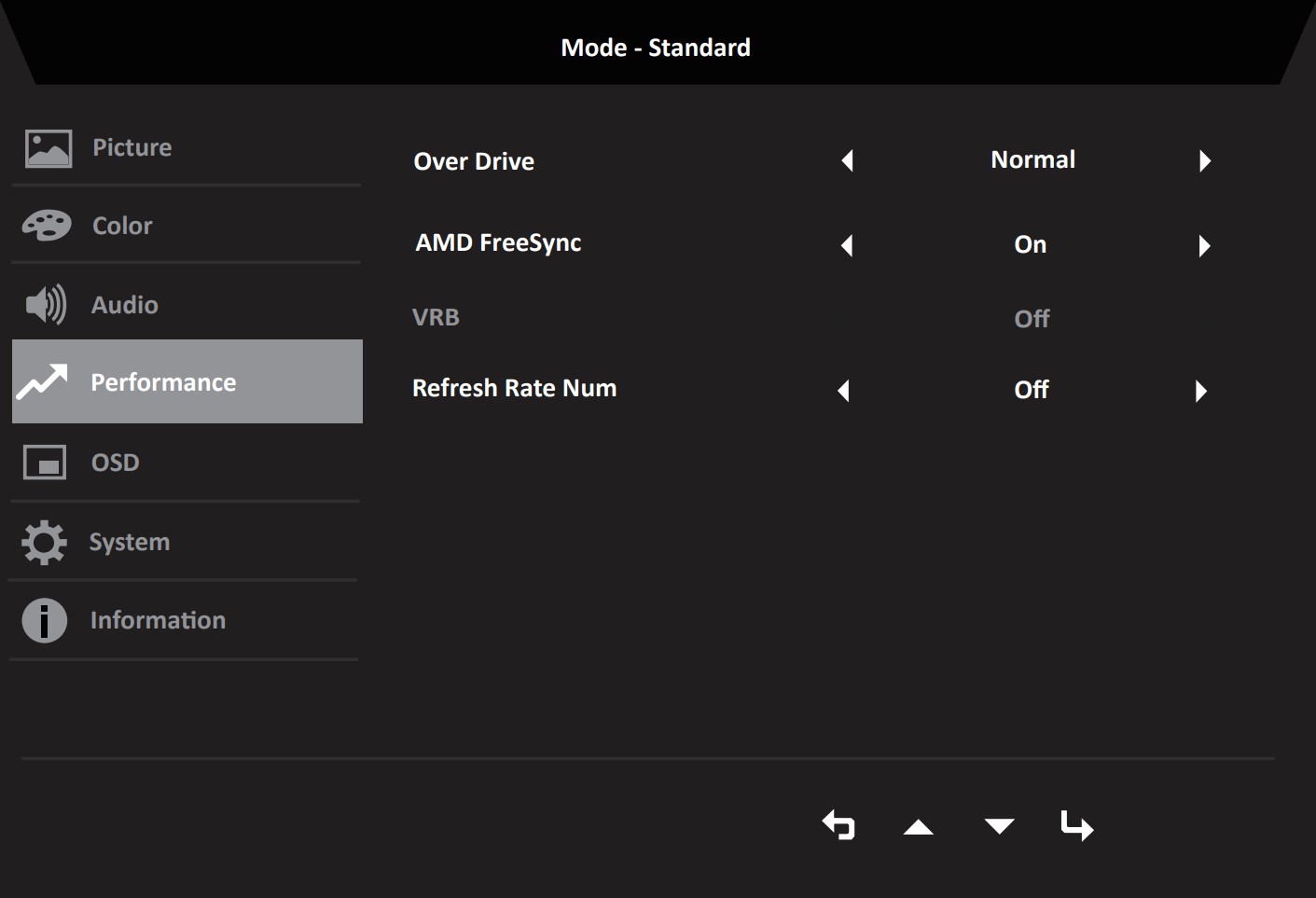
OSD Menu





Drivers and Software
You can find the drivers and the user manuals for the Acer SA222Qbi on the monitor’s official Support Page. You can also download the Acer Display Widget, which gives you OSD-level control through the OS.
Design and Connectivity
The design of the Acer SA222Qbi is nothing spectacular, however, it gets the job done. One thing we have to acknowledge is just how thin the monitor is. The lower portion of the monitor houses all the components and electronics, being just 42mm thin. This means that the top 2/3 of the screen is even thinner. There are Acer logos on the front and the back, while the bottom bezel is thinner than you’d expect, despite housing all the buttons. The port selection offers an HDMI 1.4 port, a VGA port, as well as two audio jacks.



Display quality, Buy our profiles, Verdict
The Acer SA222Qbi brings a 21.5-inch Full HD screen (1920 x 1080), which calculates to a pixel density of 102.46 PPI, a pitch of 0.2479 x 0.2479 mm, and a Retina distance of 33.55 inches or 85.21 cm. From this distance, the human eye can’t distinguish individual pixels.
The correlated color temperature on a white screen after a Factory Reset in sRGB mode is 6380 K (Luminance 150 cd/m2 at 20% Brightness). The average gamma value is 2.18.
Color coverage
Here’s an illustration (Fig. 1). The whole “sail-shaped” map below consists of all the colors we can see, while the black crooked line shows all the colors from real-world scenes and nature around us.
Then, we’ve drawn some of the most important and interesting color spaces, compared to the colors the panel of Acer SA222Qbi can show:
Standard/For Web: sRGB – widely used color space for most consumer devices, ideal for Web design and development
For Print: AdobeRGB – used in professional photo editing, graphic design, and print
For Photographers/Video Editors: DCI-P3 – used in high-end film production, post-production, and digital cinema
Premium HDR: Rec.2020 – the widest consumer ITU color standard, covering a massive 75.8% of the visible spectrum, a benchmark for premium HDR content
Acer SA222Qbi: the yellow dashed triangle (– – – – – –) represents the range of colors this monitor can display. In our tests, we calculated the total color coverage of the monitor at 93% of the sRGB color gamut.

(Fig.1) Acer SA222Qbi covers 93% of the Web colors (sRGB)
This means that if the Acer SA222Qbi tries to show any color outside of its triangle, it will show the closest color to it that’s inside the triangle.
Color accuracy
Now let’s see how big is the difference between the real colors and the ones you’ll see on the Acer SA222Qbi. We measure that distance in DeltaE – the bigger the number, the more different they look.
For the next illustration, we’ve chosen 24 common colors like dark and light skin, blue sky, green grass, etc.
Values below 2.0 are considered suitable for color-sensitive work. Before our calibration of the Acer SA222Qbi, the Average color accuracy was 3.9 dE (Fig. 2), and with our Web Design and Office Work profile, it lowered to 1.3 dE (Fig. 3), which is a 300% increase in accuracy. With a dE of 1.3, you can essentially handle any type of Color-related workflow.
 (Fig. 2) Acer SA222Qbi in its factory condition
 (Fig. 3) Acer SA222Qbi with our display profiles
Comparison in the sRGB color space (primaries and D65 white point specified in ITU-R BT.709, sRGB encoding curve).
Left: No Profile | Drag the slider to see the difference | Right: Design & Gaming Profile


Health-Guard eliminates the harmful Pulse-Width Modulation (PWM) and reduces the negative Blue Light which affects our eyes and body. Since it’s custom-tailored for every panel, it manages to keep the colors perceptually accurate (they may seem strange at first but after a few minutes our brain will start recognizing them as accurate ones – that’s how Health-Guard differs from alternatives like f.lux).
Pro Tip: As the Health-Guard profile simulates paper and has as accurate as possible colors, it could be a great tool for prepress designers!
Left: No Profile | Drag the slider to see the difference | Right: Health-Guard Profile


Gaming and Movies
We also have a third Gaming and Movies profile, which regulates the black colors, making dark areas in games and movies appear more visible, thus giving you a better viewing experience. Shooting at your opponent first can be a make-or-break moment, so make sure you’re best prepared with our profile.
Left: No Profile | Drag the slider to see the difference | Right: Design & Gaming Profile


BUY OUR DISPLAY PROFILES
Since our profiles are tailored for each individual display model, this article and its respective profile package are meant for the Acer SA222Qbi.
*Should you have problems with downloading the purchased file, try using a different browser to open the link you’ll receive via e-mail. If the download target is a .php file instead of an archive, change the file extension to .zip or contact us at [email protected].
Read more about the profiles HERE.
Here’s how to prepare thе monitor for our profiles:
1. Open the OSD menu (On-Screen Display)
2. Reset Settings: Go to Menu ➡️ Information ➡️ Reset All Settings, and click ‘Yes’.
3. Brightness: Navigate to Image ➡️ Brightness and set it to 70% for optimal viewing.
Verimli ve sağlık dostu profiller almanın yanı sıra, LaptopMedia'nın ürünlerini satın alarak, mümkün olan en objektif incelemeleri üretmek için cihazları test ettiğimiz laboratuvarlarımızın gelişimini de desteklemiş olursunuz.

Tasarım ve Ofis
Hiç karanlık sahnelerde neredeyse hiçbir şey göremediğiniz bir film izlediniz mi? Birçok ekran koyu tonları doğru bir şekilde ayırt edemez. Oyun ve Filmler profilimiz, insan algısına göre uyarlanmış bir gama eğrisi kullanarak HDR teknolojisi gibi düşük ışık performansını artırır - daha hızlı tepkiler ve daha net görseller arayan oyuncular için idealdir.

Oyun ve Filmler
Hiç karanlık sahnelerde neredeyse hiçbir şey göremediğiniz bir film izlediniz mi? Birçok ekran koyu tonları doğru bir şekilde ayırt edemez. Oyun ve Filmler profilimiz, insan algısına göre uyarlanmış bir gama eğrisi kullanarak HDR teknolojisi gibi düşük ışık performansını artırır - daha hızlı tepkiler ve daha net görseller arayan oyuncular için idealdir.

Health-Guard
Health-Guard profilimiz, gözlerinizi PWM titreşimini ortadan kaldırarak, gerginliği ve yorgunluğu azaltarak ve uyku ve sağlığı bozabilecek zararlı Mavi ışığa maruz kalmayı en aza indirerek korur. Ekran kullanımı sırasında konfor ve güvenlik için insan algısına göre uyarlanmış bir gama eğrisi ve yazılım karartma kullanır.
Tüm Profilleri %33 İndirimle Alın!

Verdict
 The Acer SA222Qbi is a standard office monitor on paper, however, with its result and a more imaginative translation of its specs, it can become a lot more. First of all, with a Full HD resolution and just a 21.5-inch screen, you get a detailed and vibrant image, the latter of which is also possible thanks to the 93% sRGB coverage.
The bigger surprise is the color accuracy improvement that we managed to squeeze out of the Acer SA222Qbi, as with our Web Design and Office Work profile, we get a 3X increase in color accuracy (the dE value that we use to measure accuracy drops from 3.9 to 1.3, which is a good thing, since lower is better). You can tackle any professional color-related workload with it.
But that’s not all, since the monitor brings some gaming flair with it. There’s a 75Hz refresh rate, a 1ms response time, and FreeSync support, so you can do a fair bit of gaming on it, as the FreeSync range works from 48 to 75Hz.
This means that as long as your game’s FPS falls within this range, FreeSync will match the refresh rate, essentially eliminating screen-tearing. For an extra helping hand, our Gaming and Movies profile can stabilize the black colors, thus making dark scenes in movies and games a lot more visible.
Lastly, the Health-Guard profile might be the most important one of the bunch, thanks to its ability to get rid of Blue Light and PWM (Flickering), both of which affect your eyes in a negative way.
You can check the current price of the Acer SA222Qbi: Amazon.com'dan satın al (#CommissionsEarned)
Pros
- Perfect combo of screen size and resolution (detailed image thanks to high pixel density)
- 75Hz refresh rate, 1ms response time, and FreeSync support
- 93% sRGB coverage
- 3X color accuracy increase with our profile (dE 3.9 => dE 1.3)
- Slim chassis
- Affordable price
Cons
- Port selection is slim
 Author: Severin Kolakov

![[Ağustos 2026] Amazon Global: En Çok Satan 10 Dizüstü Bilgisayar – Apple MacBook Neo Listelerin Zirvesinde Yer Alırken, Ekonomik ve Orta Sınıf Windows Dizüstü Bilgisayarlar Satış Hacmi İçin Rekabet Ediyor](https://laptopmedia.com/wp-content/uploads/2026/09/Best-Selling-Laptops-GLOBAL-Top-10-400x225.jpg)
![[Ağustos 2026] Amazon Global’de En Çok Satan Dizüstü Bilgisayar Markaları – Apple Gelirde Liderken, HP Model Çeşitliliği Konusunda Önde](https://laptopmedia.com/wp-content/uploads/2026/09/GLOBAL-Best-Brands-400x225.jpg)
![[Ağustos 2026] Amazon Global: En Çok Satan 10 Oyun Dizüstü Bilgisayarı – HP Victus 15 Birinci Sırayı Aldı; Listeyi Uygun Fiyatlı Modeller Hakimiyetine Aldı](https://laptopmedia.com/wp-content/uploads/2026/09/Best-Selling-Gaming-Laptops-GLOBAL-Top-10-400x225.jpg)
![[August 2026] Best-Selling Laptop Brands on Amazon Japan – Apple Dominates Market Share and Revenue Led by Strong Unit Sales](https://laptopmedia.com/wp-content/uploads/2026/09/CO.JP-Best-Brands-1-400x225.jpg)
![[August 2026] Best-Selling Laptop Brands on Amazon USA – Apple Dominates Market Revenue and Volume Despite Lower Model Diversity](https://laptopmedia.com/wp-content/uploads/2026/09/COM-Best-Brands-1-400x225.jpg)
