How to open Lenovo ThinkPad T14s Gen 3 – disassembly and upgrade options
Unfortunately, this notebook’s memory is soldered to the motherboard. On the bright side, you get one storage slot, which is better than nothing.
Check out all Lenovo ThinkPad T14s Gen 3 prices and configurations in our Specs System, or read more in our In-Depth review.
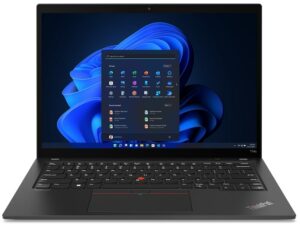
1. Remove the bottom plate
There are only 5 captive Phillips-head screws you need to undo to access this notebook’s internals. After that, pry the bottom panel with a plastic tool, and lift it away from the chassis.
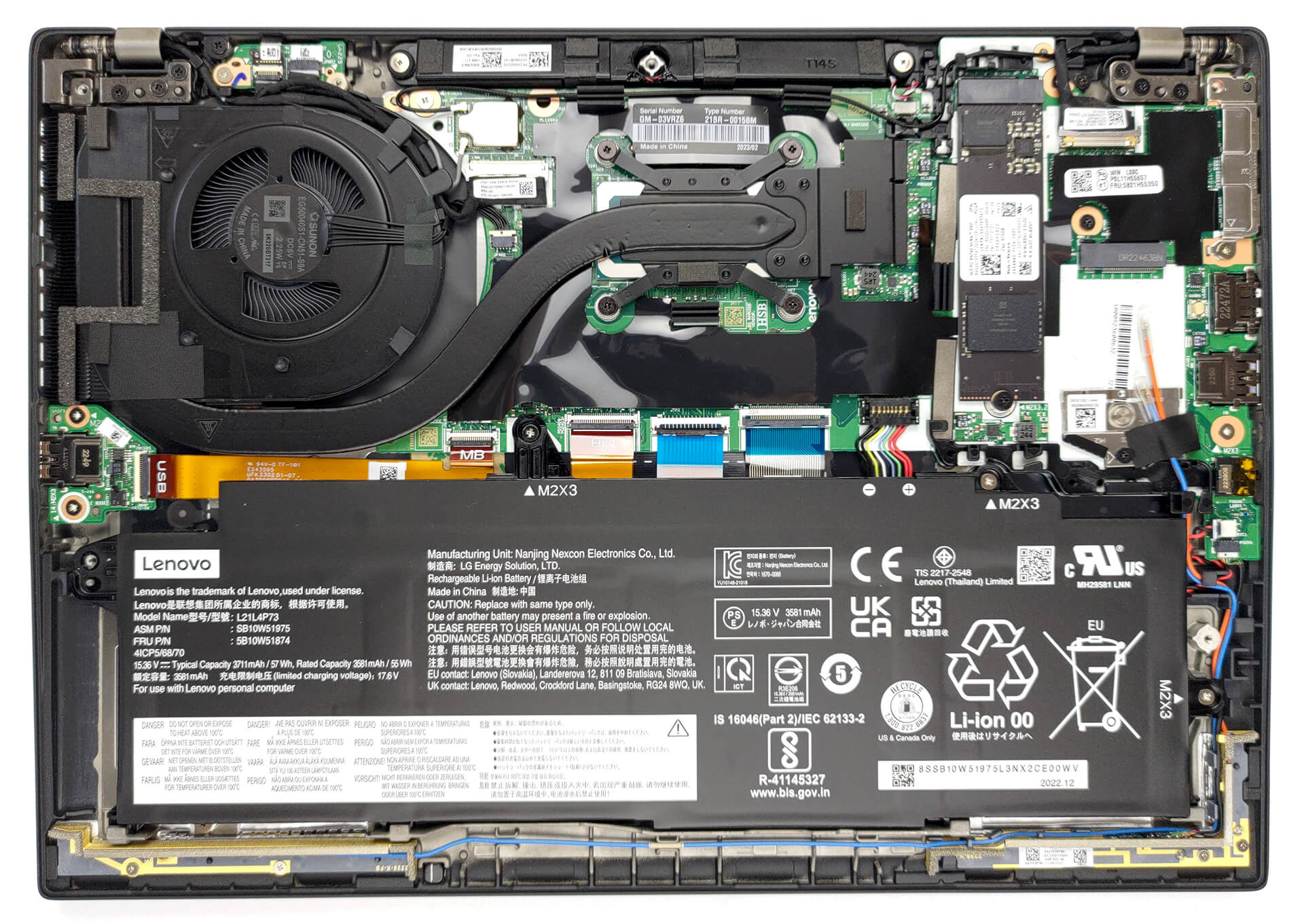
2. Remove the battery
Inside, we see a 57Wh battery pack. To remove it, unplug the battery connector, and undo the 3 Phillips-head screws keeping the device attached to the chassis.
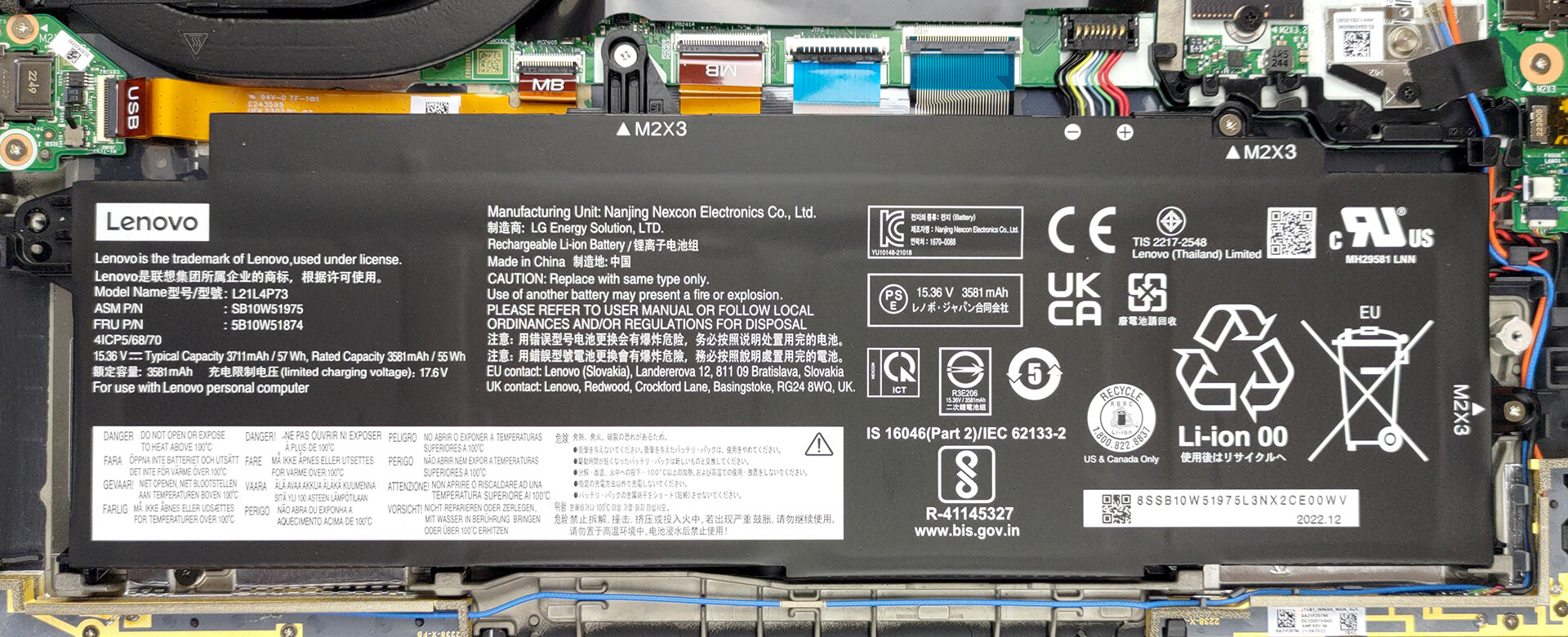
3. Upgrade memory and storage
This model can be configured with up to 32GB of LPDDR5 RAM, working at 4800MHz. And for storage, there is one M.2 PCIe x4 slot, which fits Gen 4 SSDs.

4. Cooling system
There is one heat pipe connecting the CPU to the side-mounted heat sink. A single fan blows the heat away, while one heat spreader deals with the VRMs.

Check out all Lenovo ThinkPad T14s Gen 3 prices and configurations in our Specs System, or read more in our In-Depth review.
Lenovo ThinkPad T14s Gen 3 (Intel) derinlemesine inceleme
Lenovo is the leader in the business notebook market. Its ThinkPad series is known all around the globe and even predates the Lenovo brand. But we're not going to delve into the history books of portable computers. Instead, we have a review to make, and you have a review to read.We are going to talk about the Lenovo ThinkPad T14s Gen 3. It sits in the middle of the price bracket of business notebooks. Lenovo has made it with a thought for the on-the-go professionals as well as the environment.The manufacturer is really proud of the use of recycled plastics in the speaker enclosure, th[...]

Artıları
- Its keyboard is comfortable, backlit, and spill-resistant
- Optional fingerprint reader and IR face recognition
- SIM card slot with optional 5G support
- M.2 PCIe x4 Gen 4 support
- Covers 97% of sRGB + accurate colors with our profiles (CSOT MNE007JA1-1 (LEN403A))
- No PWM (CSOT MNE007JA1-1 (LEN403A))
- Charges via Thunderbolt 4
- Quiet and reasonable performance
Eksileri
- Soldered memory
- Less powerful in long loads
- No SD card reader
 Author: Alex Iliev

![[Temmuz 2026] Amazon’da En Çok Satan Dizüstü Bilgisayar Grafik Kartlarının Küresel Sıralaması – RTX 5060, Üst Sınıf Segmentte Hakimiyet Kurarken, Intel Hala Ekonomik Segmentte Lider](https://laptopmedia.com/wp-content/uploads/2026/08/Best-Selling-GPUs-GLOBAL-Top-10-400x225.jpg)
![[Temmuz 2026] Amazon’da En Çok Satan Dizüstü Bilgisayar İşlemcilerinin Küresel Sıralaması – Apple, Üst Sınıf Segmentte Liderlik Yaparken, Intel Genel Sıralamada Birinci Sırayı Koruyor](https://laptopmedia.com/wp-content/uploads/2026/08/Best-Selling-CPUs-GLOBAL-Top-10-400x225.jpg)
![[July 2026] Amazon Canada: Top 10 Best-Selling Laptops – Apple MacBook Neo Dominates the Market to Claim the #1 Spot](https://laptopmedia.com/wp-content/uploads/2026/08/Best-Selling-Laptops-CA-Top-10-2-400x225.jpg)
![[July 2026] Best-Selling Laptop Brands on Amazon Japan – HP and Lenovo Dominate Units and Revenue Amid Fierce Competition](https://laptopmedia.com/wp-content/uploads/2026/08/CO.JP-Best-Brands-2-400x225.jpg)
![[July 2026] Amazon Italy: Top 10 Best-Selling Laptops – Apple MacBook Neo Claims the #1 Spot Amid Budget-Friendly Dominance](https://laptopmedia.com/wp-content/uploads/2026/08/Best-Selling-Laptops-IT-Top-10-400x225.jpg)
