How to open Lenovo Yoga Pro 7 (14″, 2023) – disassembly and upgrade options
Unlike many laptops with similar hardware, this one doesn’t really offer memory expansion.
Check out all Lenovo Yoga Pro 7 (14″, 2023) prices and configurations in our Specs System, or read more in our In-Depth review.
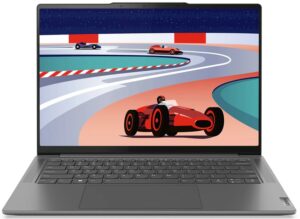
1. Remove the bottom plate
To get access to this notebook’s internals, you need to undo a total of 6 Torx-head screws. Then, pry the bottom panel with a plastic tool, starting from the back.
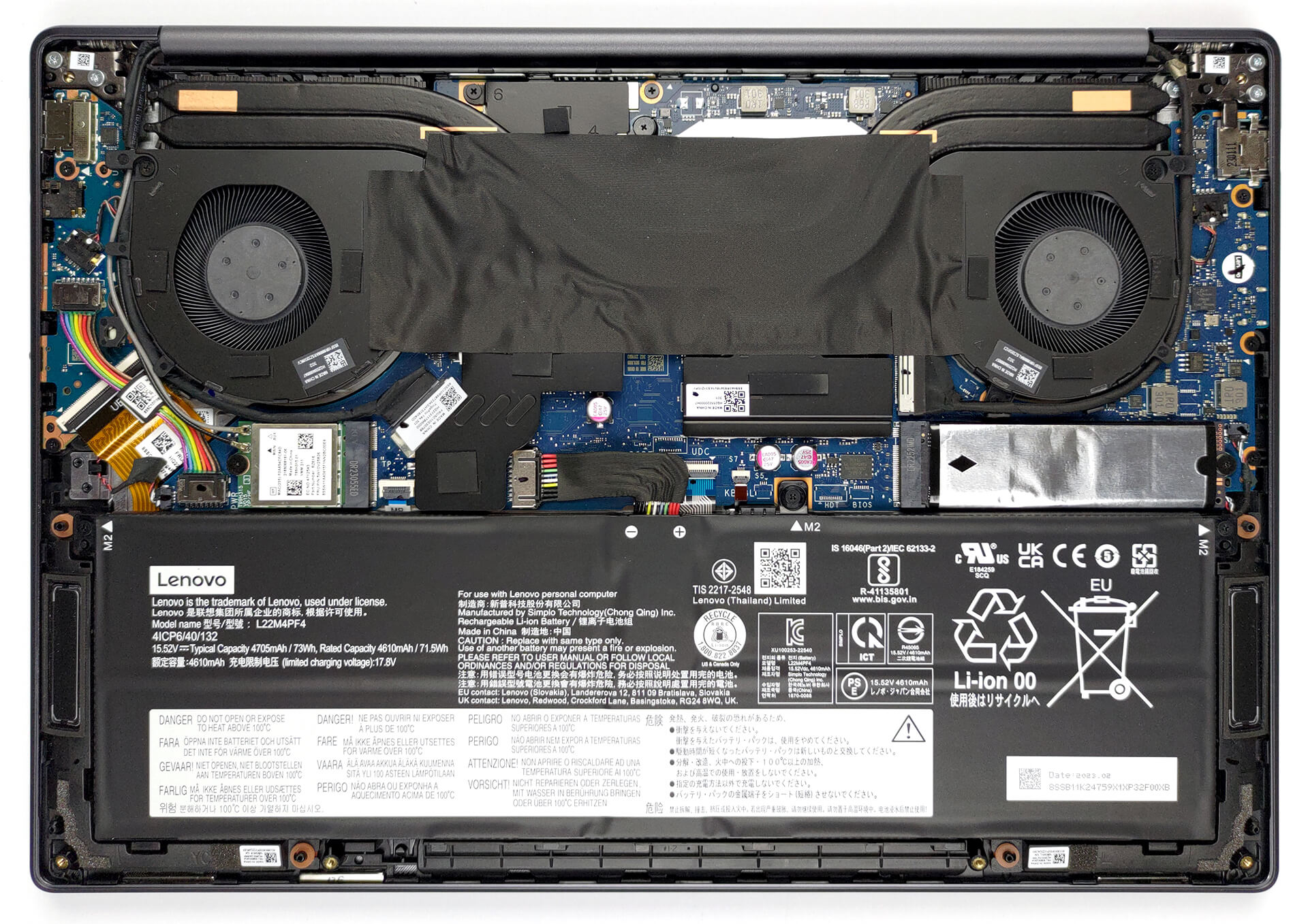
2. Remove the battery
Here, we find a 73Wh battery pack. To take it out, unplug the battery connector, then undo the three Phillips-head screws that keep the unit in place.
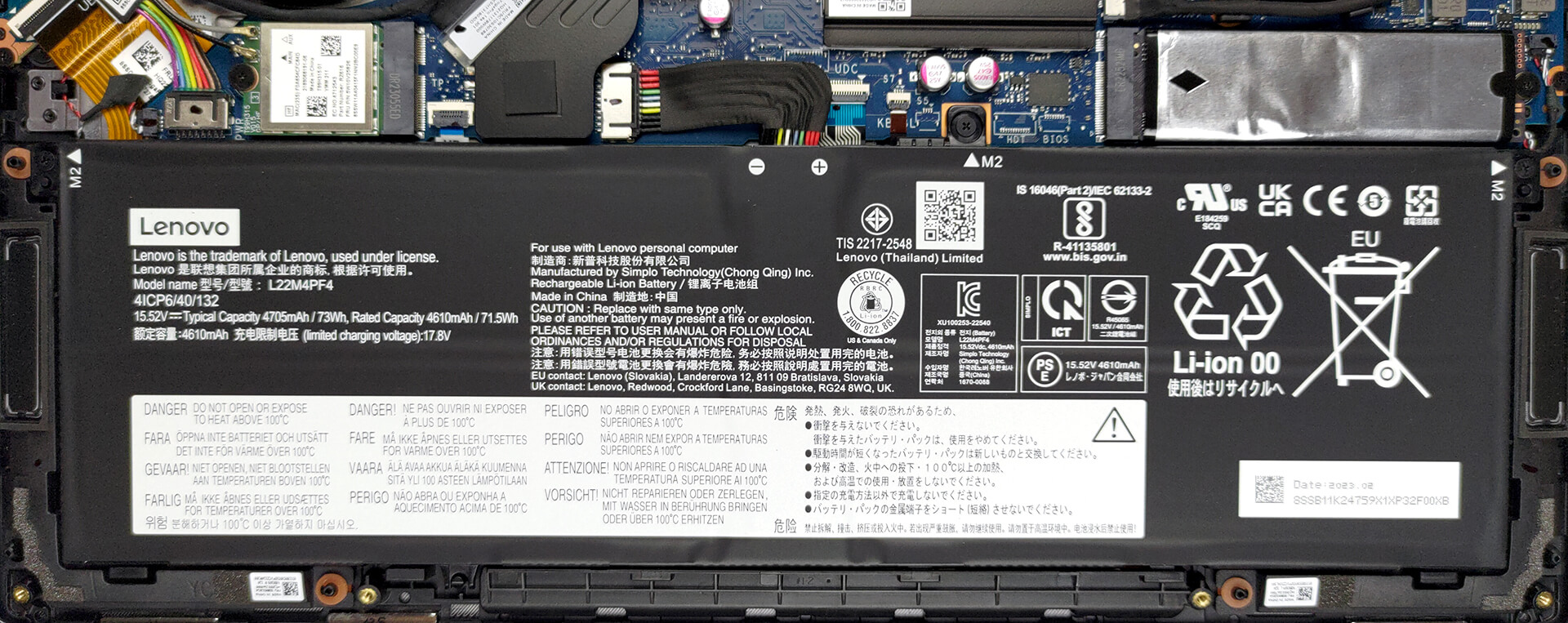
3. Upgrade memory and storage
Memory-wise, you get 16GB of LPDDR5 RAM soldered to the motherboard. Unfortunately, it can’t be expanded. However, it runs at 6400MHz, which is pretty fast. As for storage, there is one M.2 PCIe x4 slot, which works with Gen 4 SSDs.
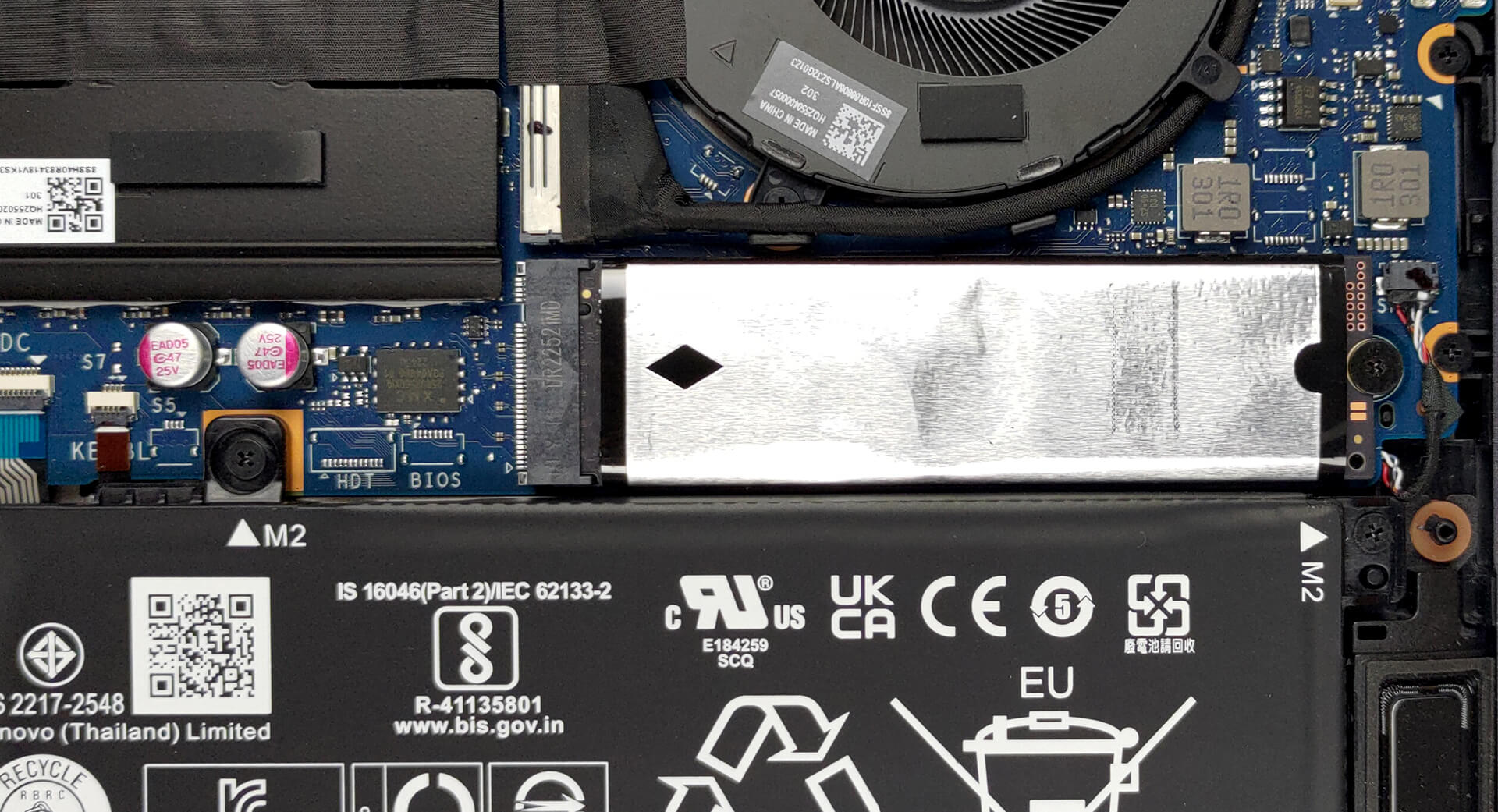
4. Cooling system
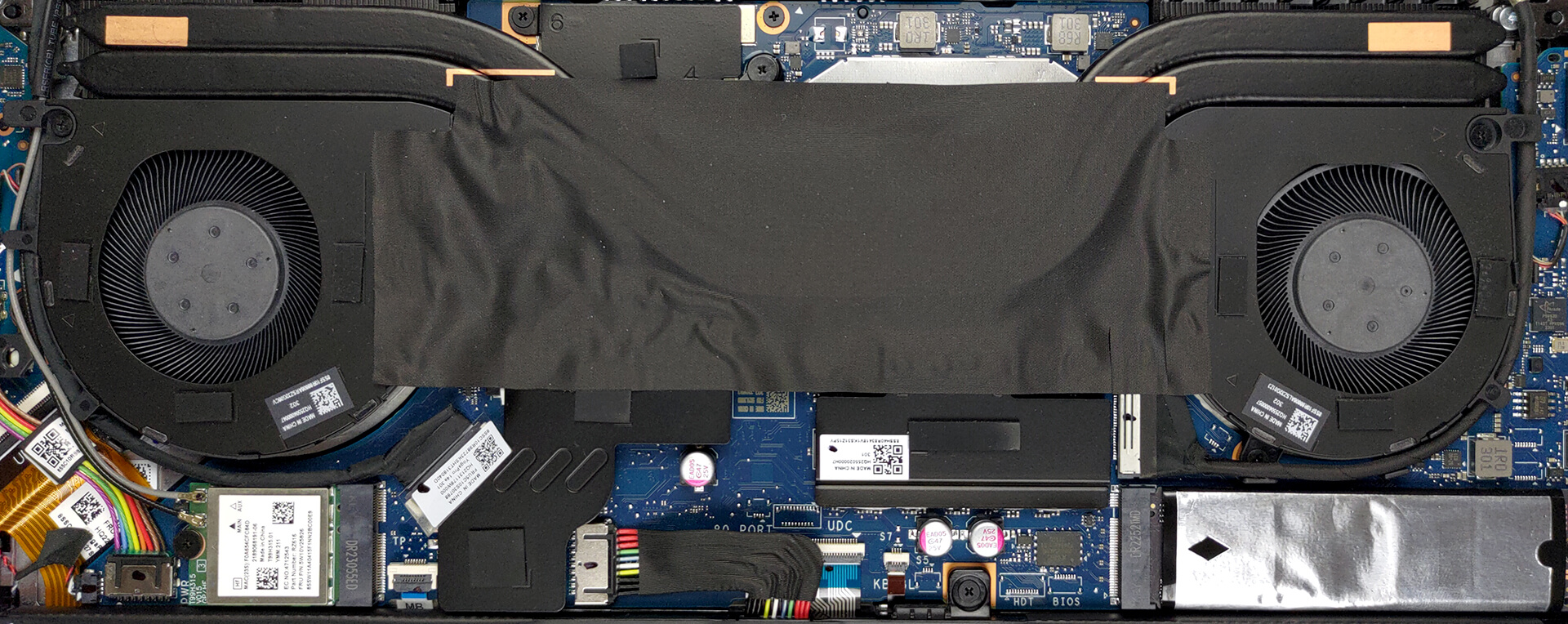
Then comes the cooling. It comprises two heat pipes, two heat sinks, and two fans. In addition, you get some heat spreaders for the VRMs and the graphics memory.
Check out all Lenovo Yoga Pro 7 (14″, 2023) prices and configurations in our Specs System, or read more in our In-Depth review.
Lenovo Yoga Pro 7 (14", 14ARP8) derinlemesine inceleme
Usually, when you think of a Yoga notebook, you imagine a convertible Lenovo that is definitely going to have a good build quality. While the last statement is still true, not many Yoga devices remain convertibles.Some even offer a huge performance to the table, which was unthinkable a couple of years ago. Well, now the Lenovo Yoga Pro 7 (14", 2023) is here to shatter the need to own a MacBook Pro 14 (or even a separate gaming device).Today, we have the AMD version with us. It includes either the Ryzen 5 7535HS or the Ryzen 7 7735HS. These CPUs are refreshed Ryzen 5 6600H, and Ryzen 7[...]

Artıları
- Good battery life
- Super rigid chassis
- 100% sRGB, 99% DCI-P3, and accurate colors with our profiles (LEN145-3K)
- No PWM (LEN145-3K)
- 1x USB4 + Gen 4 SSD support
- IR face recognition
- Proximity sensor
Eksileri
- No SD card reader
- Soldered memory
 Author: Alex Iliev

![[Haziran 2026] Amazon Global’de En Çok Satan Dizüstü Bilgisayar Markaları – Apple’ın Satış Adedi ve Gelir Açısından Rakipsiz Hakimiyeti](https://laptopmedia.com/wp-content/uploads/2026/07/GLOBAL-Best-Brands-400x225.jpg)
![[Haziran 2026] Amazon Global: En Çok Satan 10 Dizüstü Bilgisayar – Apple’ın Yeni MacBook Neo, 1. Sıraya Fırtına Gibi Yükseldi; Uygun Fiyatıyla Pazarı Yeniden Şekillendiriyor](https://laptopmedia.com/wp-content/uploads/2026/07/Best-Selling-Laptops-GLOBAL-Top-10-400x225.jpg)
![[Haziran 2026] Amazon Global: En Çok Satan 10 Oyun Dizüstü Bilgisayarı – Acer’ın Nitro V 16S AI modeli satışlarda başı çekerken, ASUS toplam gelirde lider konumda](https://laptopmedia.com/wp-content/uploads/2026/07/Best-Selling-Gaming-Laptops-GLOBAL-Top-10-400x225.jpg)
![[Haziran 2026] Amazon’da En Çok Satan Dizüstü Bilgisayar GPU’larının Küresel Sıralaması – NVIDIA RTX 5060, en çok satan özel amaçlı GPU’dur](https://laptopmedia.com/wp-content/uploads/2026/07/Best-Selling-GPUs-GLOBAL-Top-10-400x225.jpg)
![[Haziran 2026] Amazon’da En Çok Satan Dizüstü Bilgisayar İşlemcilerinin Küresel Sıralaması – Apple M5 Liderlik Yapıyor, AMD Ryzen 7 260 Üst Sınıf Segmentte Sağlam Bir Pay Elde Ediyor](https://laptopmedia.com/wp-content/uploads/2026/07/Best-Selling-CPUs-GLOBAL-Top-10-400x225.jpg)
