Inside ASUS Vivobook S 15 OLED (UM3502) – disassembly and upgrade options
Due to the older chipset, the Vivobook S 15 OLED (UM3502) only supports Gen 3 SSDs.
Check out all ASUS Vivobook S 15 OLED (UM3502) prices and configurations in our Specs System, or read more in our In-Depth review.
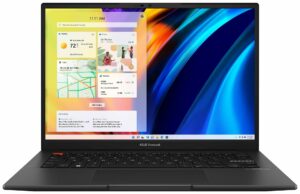
1. Remove the bottom plate
To get inside this notebook, you need to undo 10 Torx-head screws. Then, pry the bottom panel with a plastic tool, and carefully lift it away from the chassis.

2. Battery
Here, we find a 70Wh battery pack. It lasts for 16 hours and 30 minutes of Web browsing, or more than 10 hours of video playback. To take it out, you need to unplug the connector. Then, remove the steel support bracket, and undo the 6 Phillips-head screws, that keeps the battery in place.

3. Memory and storage
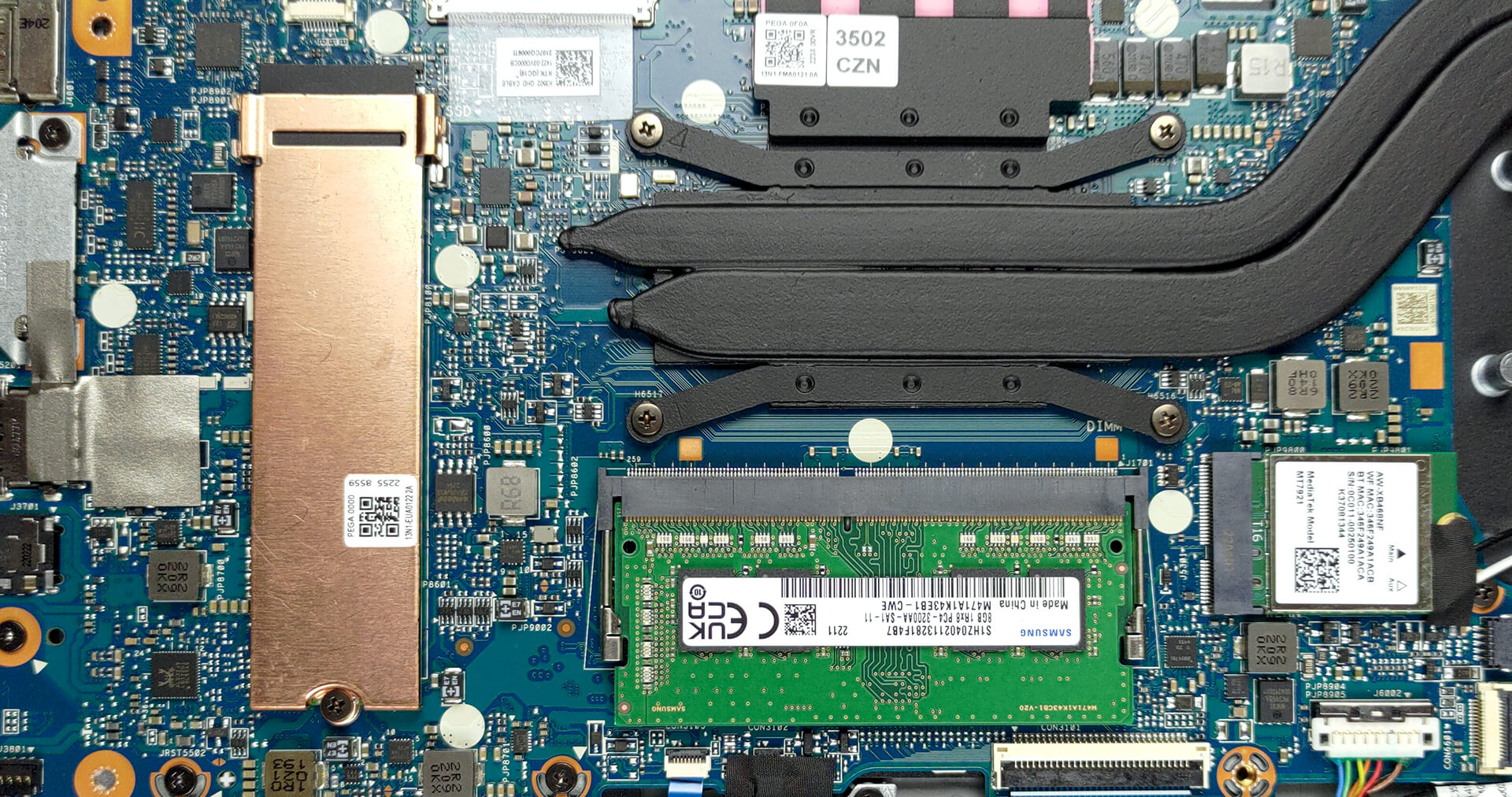
There are 8GB of DDR4 memory soldered to the motherboard, with a single SODIMM slot offering a further expansion of up to 16GB. Storage-wise, there is one M.2 PCIe x4 slot, which works with Gen 3 SSDs.
4. Cooling system
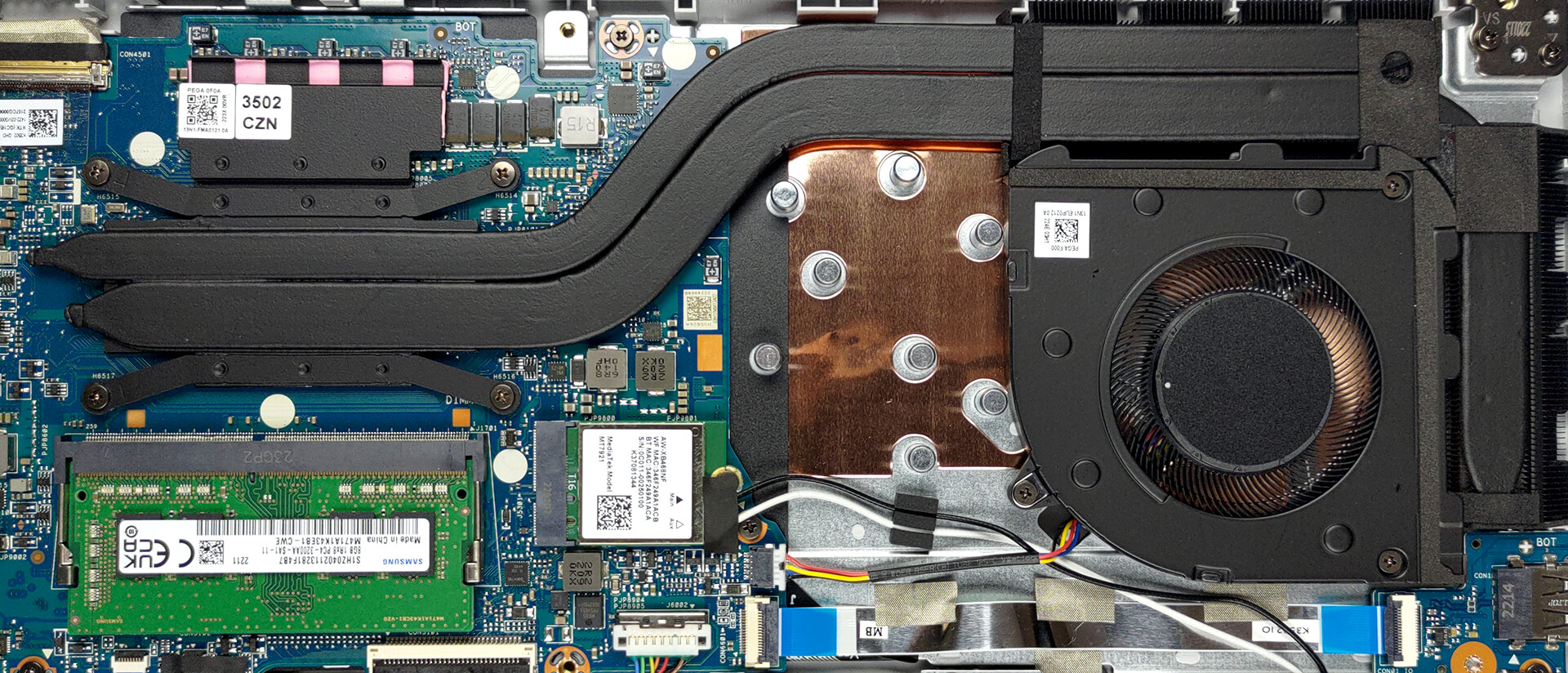
This laptop’s cooling comprises two heat pipes, two heat sinks, and one fan. Also, you will find a heat spreader on top of the VRMs.
Check out all ASUS Vivobook S 15 OLED (UM3502) prices and configurations in our Specs System, or read more in our In-Depth review.
ASUS VivoBook S 15 OLED (M3502, AMD Ryzen 5000 Series) derinlemesine inceleme
We live in a world, where laptops get more expensive. The main reason for that is the modern practice of new CPUs being released every year. But at some point, the upgrades were poised to become only incremental. This is what happened with AMD this year (at least regarding the computational performance). Essentially, this paves the way for Ryzen 5000H devices to become best-sellers again, due to their lower price.The VivoBook S 15 OLED (M3502) is one such notebook. It has a youthful vibe, paired with pretty capable hardware, and - as the name suggests, a display to die for. You still have[...]
Artıları
- Adequate pricing
- Decent performance
- 100% sRGB and DCI-P3 coverage (Samsung ATNA56AC01-0 (SDC416E))
- HDR True Black 500 support and infinite contrast ratio (Samsung ATNA56AC01-0 (SDC416E))
- 120Hz refresh rate with blazingly quick pixel response times
- Optional Wi-Fi 6 and fingerprint reader
- Great battery life
Eksileri
- PWM usage (Samsung ATNA56AC01-0 (SDC416E))
- Uses USB Type-A 2.0
- The cooling is not spectacular
 Author: Alex Iliev

![[Ağustos 2026] Amazon’da En Çok Satan Dizüstü Bilgisayar GPU’larının Küresel Sıralaması – Apple Liderliğini Sürdürüyor, NVIDIA’nın RTX 5060 Modeli Özel GPU Sıralamasında Zirvede](https://laptopmedia.com/wp-content/uploads/2026/09/Best-Selling-GPUs-GLOBAL-Top-10-400x225.jpg)
![[Ağustos 2026] Amazon’da En Çok Satan Dizüstü Bilgisayar İşlemcilerinin Küresel Sıralaması – Apple Hem Ekonomik Hem de Üst Sınıf Segmentte Hakimiyet Kuruyor: A18 Pro ve M5, Ağustos 2026’da Intel ve AMD’yi Geride Bıraktı](https://laptopmedia.com/wp-content/uploads/2026/09/Best-Selling-CPUs-GLOBAL-Top-10-400x225.jpg)
![[Ağustos 2026] Amazon Global: En Çok Satan 10 Dizüstü Bilgisayar – Apple MacBook Neo Listelerin Zirvesinde Yer Alırken, Ekonomik ve Orta Sınıf Windows Dizüstü Bilgisayarlar Satış Hacmi İçin Rekabet Ediyor](https://laptopmedia.com/wp-content/uploads/2026/09/Best-Selling-Laptops-GLOBAL-Top-10-400x225.jpg)
![[Ağustos 2026] Amazon Global’de En Çok Satan Dizüstü Bilgisayar Markaları – Apple Gelirde Liderken, HP Model Çeşitliliği Konusunda Önde](https://laptopmedia.com/wp-content/uploads/2026/09/GLOBAL-Best-Brands-400x225.jpg)
![[Ağustos 2026] Amazon Global: En Çok Satan 10 Oyun Dizüstü Bilgisayarı – HP Victus 15 Birinci Sırayı Aldı; Listeyi Uygun Fiyatlı Modeller Hakimiyetine Aldı](https://laptopmedia.com/wp-content/uploads/2026/09/Best-Selling-Gaming-Laptops-GLOBAL-Top-10-400x225.jpg)
