How to open the Lenovo LOQ (15″ Intel, 2023) – disassembly and upgrade options
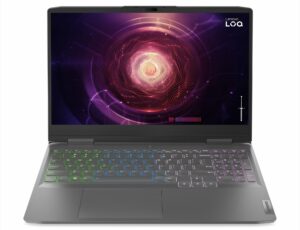
1. Removing the Back Plastic Shroud
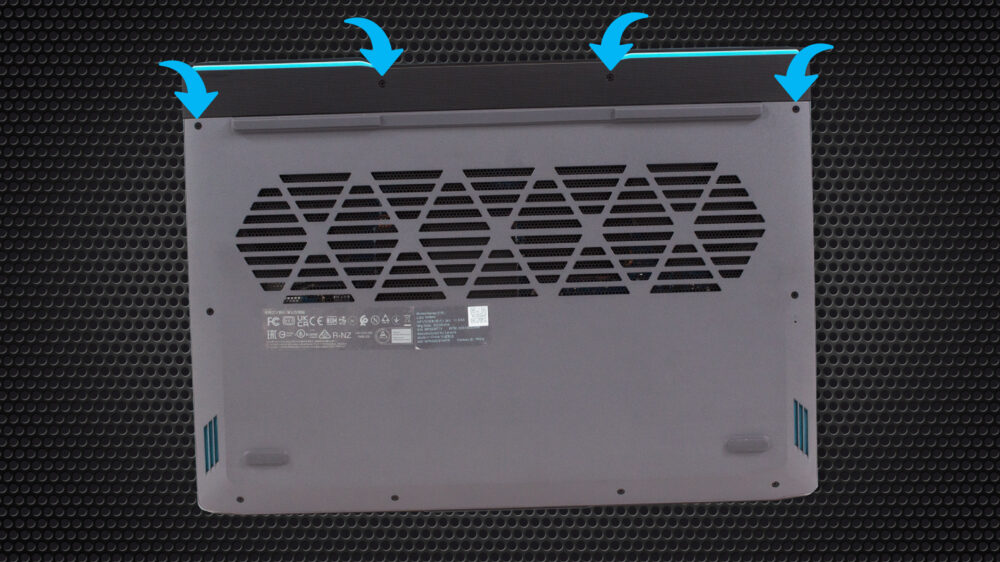
To begin disassembling the Lenovo LOQ (15″ Intel, 2023), you first need to remove the back plastic shroud. This is held in place by four Phillips-head screws. Use a Phillips-head screwdriver to undo these screws.
2. Unscrewing the Bottom Panel
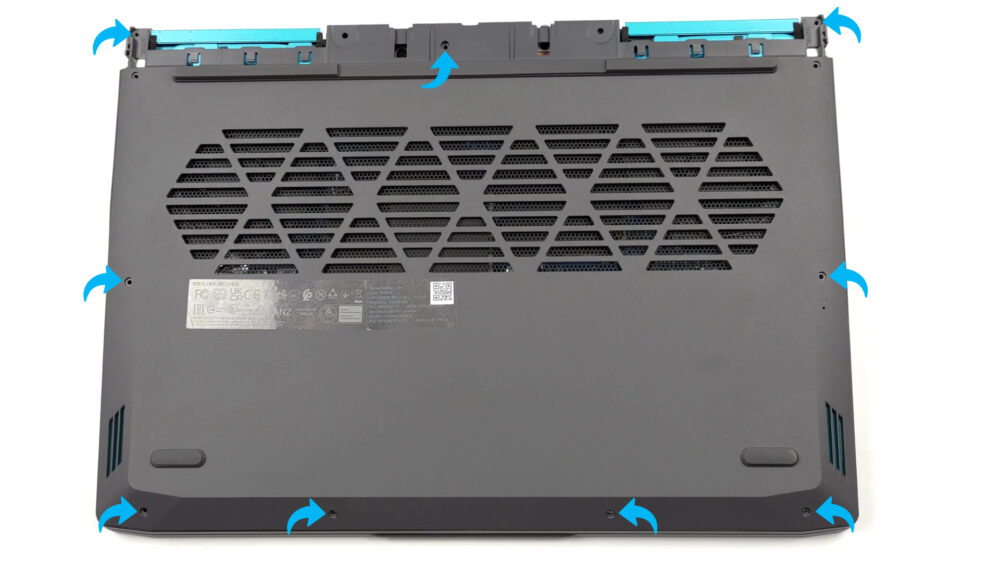
After removing the plastic shroud, proceed to undo the nine Phillips-head screws that secure the bottom panel to the chassis. Keep all screws in a safe place for reassembly.
3. Disconnecting the Battery
Once inside, you’ll find a 60Wh battery pack. To remove it, unplug the connector from the motherboard and then undo the four Phillips-head screws that keep the battery attached to the chassis.

4. Upgrading the RAM
The laptop has two SODIMM slots that support DDR5 RAM in dual-channel mode. This allows for significant performance upgrades.
You can buy DDR5 RAM modules here: Amazon.com'dan satın al (#CommissionsEarned)
5. Upgrading the Storage
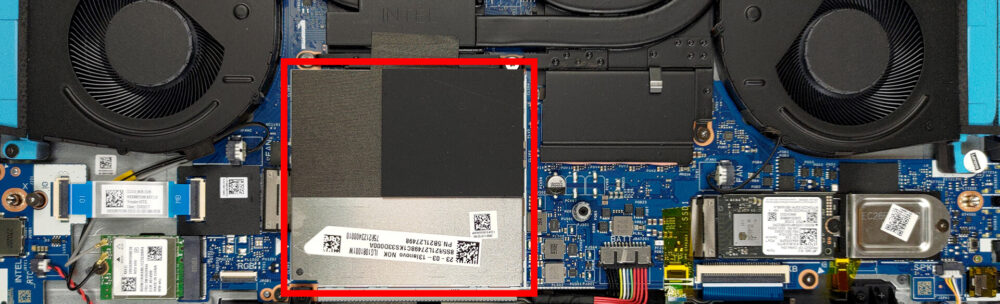
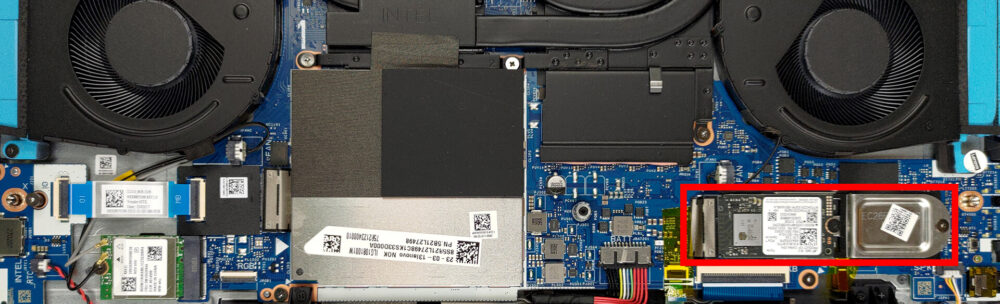
In terms of storage, there are two M.2 PCIe x4 slots available in this device. These slots support Gen 4 SSDs, providing the opportunity for considerable storage expansion.
You can buy Gen 4 M.2 SSD modules here: Amazon.com'dan satın al (#CommissionsEarned)
6. Understanding the Cooling System
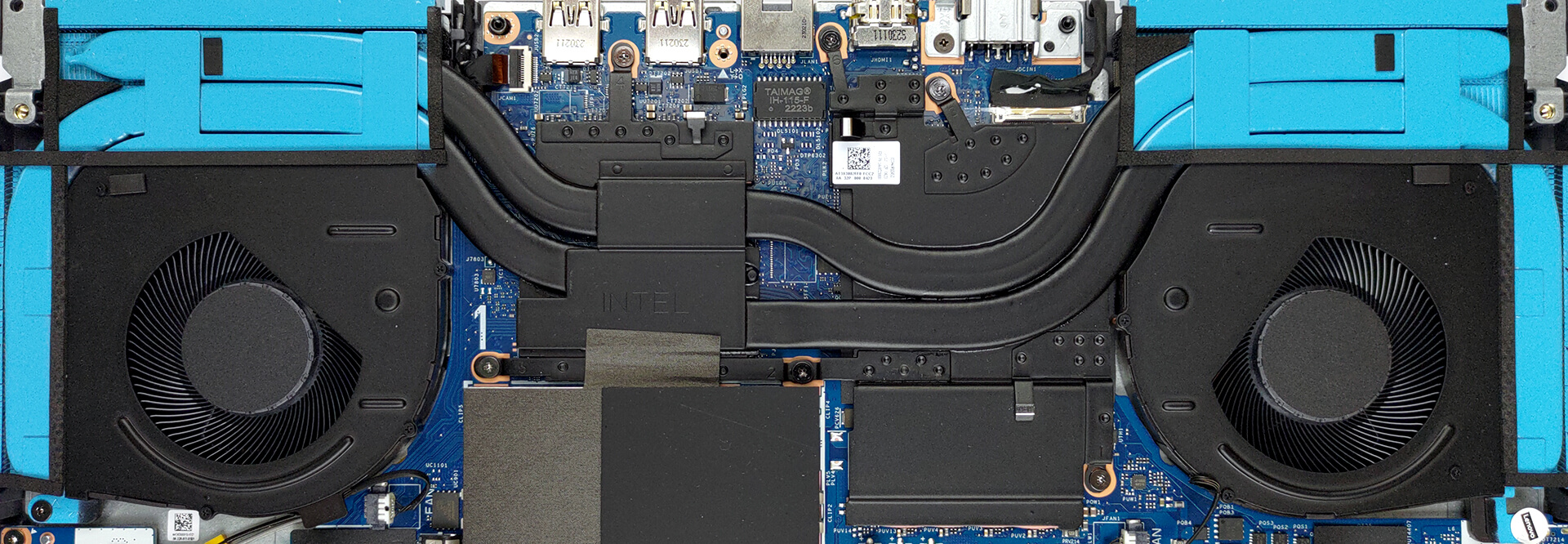
The cooling system of this laptop consists of three heat pipes, four heat sinks, and two fans. Additionally, there are a couple of heat spreaders intended for the VRMs and the graphics memory.
Note: Regular cleaning of the cooling system can help to maintain the laptop’s performance and extend its lifespan.
Lenovo LOQ 15i (15" Intel, 2023) derinlemesine inceleme
Today, we are going to review the second iteration of the Lenovo LOQ laptop. This time, it is a 15-inch model, which aims to battle with the likes of Acer's Nitro, HP's Vostro, and ASUS' TUF Gaming series of notebooks.Immediately, there is one question that arises - what is the difference between the Lenovo IdeaPad Gaming 3, and the LOQ machine? Well, we are not entirely sure, so we are going to treat the latter as a standalone product, rather than a rebranded machine.To be fair, its processor and GPU combo are pretty capable. We are talking about Intel's 13th Gen 45W CPUs, maxing out[...]
Artıları
- Pretty good gaming performance with GPU overclock function
- 2x M.2 PCIe x4 Gen 4 slots, 2x DDR5 RAM SODIMM slots in dual channel
- 144Hz refresh rate (BOE NE156FHM-NX3 (BOE0AE3))
- No PWM (BOE NE156FHM-NX3 (BOE0AE3))
- Affordable price tag
- Great keyboard
Eksileri
- Covers only 54% of sRGB (BOE NE156FHM-NX3 (BOE0AE3))
- No SD card
- No Thunderbolt 4
 Author: Severin Kolakov

![[August 2026] Amazon Italy: Top 10 Best-Selling Laptops – Apple MacBook Neo Claims the Crown as Budget and Mid-Range Windows Machines Dominate Volume](https://laptopmedia.com/wp-content/uploads/2026/09/Best-Selling-Laptops-IT-Top-10-400x225.jpg)
![[August 2026] Amazon Italy: Top 7 Best-Selling Gaming Laptops – ASUS V16 Claims the #1 Spot Amid Strong Mid-Range Demand](https://laptopmedia.com/wp-content/uploads/2026/09/Best-Selling-Gaming-Laptops-IT-Top-10-400x225.jpg)
![[August 2026] Best-Selling Laptop Brands on Amazon Italy – Lenovo Dominates Market Share and Revenue Leadership](https://laptopmedia.com/wp-content/uploads/2026/09/IT-Best-Brands-400x225.jpg)
![[August 2026] Amazon India: Top 10 Best-Selling Laptops – Apple MacBook Neo Dominates the Charts with Massive Sales Lead](https://laptopmedia.com/wp-content/uploads/2026/09/Best-Selling-Laptops-IN-Top-10-400x225.jpg)
![[August 2026] Amazon India: Top 10 Best-Selling Gaming Laptops – HP Victus 15 Dominates the Market with Massive Unit Lead](https://laptopmedia.com/wp-content/uploads/2026/09/Best-Selling-Gaming-Laptops-IN-Top-10-400x225.jpg)

What is the size of the screw?