Top 5 reasons to BUY or NOT to buy the MSI GP76 Leopard
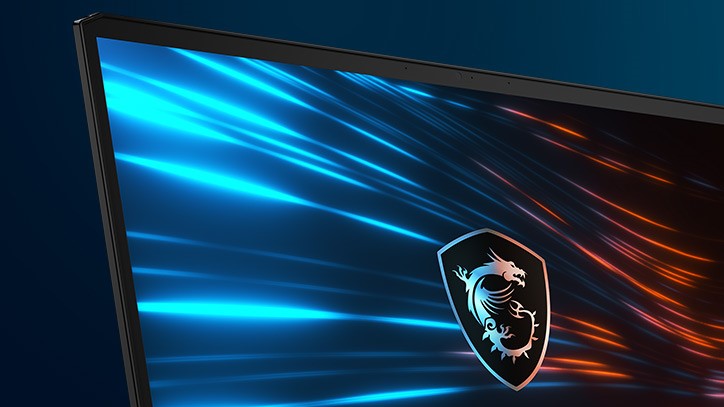 MSI is storming the castle, per se, with its multiple new offerings in the laptop market. One of them is the new GP76 Leopard, which is a proper gaming machine with a big and exceptional display and performance that is through the roof.
Visually, it looks different from its predecessor as well, having a more streamlined design, which could only make it a more desirable device. While some of the latest laptops out there come with the Zen 3 based mobile CPUs from AMD, the MSI GP76 Leopard stays true to Intel and comes with up to the Core i7-10870H, which is a monster for gaming. The real treat for gamers is the availability of the 3000-series Ampere GPUs, with all of the mobile RTX GPUs being available.
MSI GP76 Leopard: Full Specs / In-depth Review
4 reasons to BUY the MSI GP76 Leopard
1. The Design and Build quality
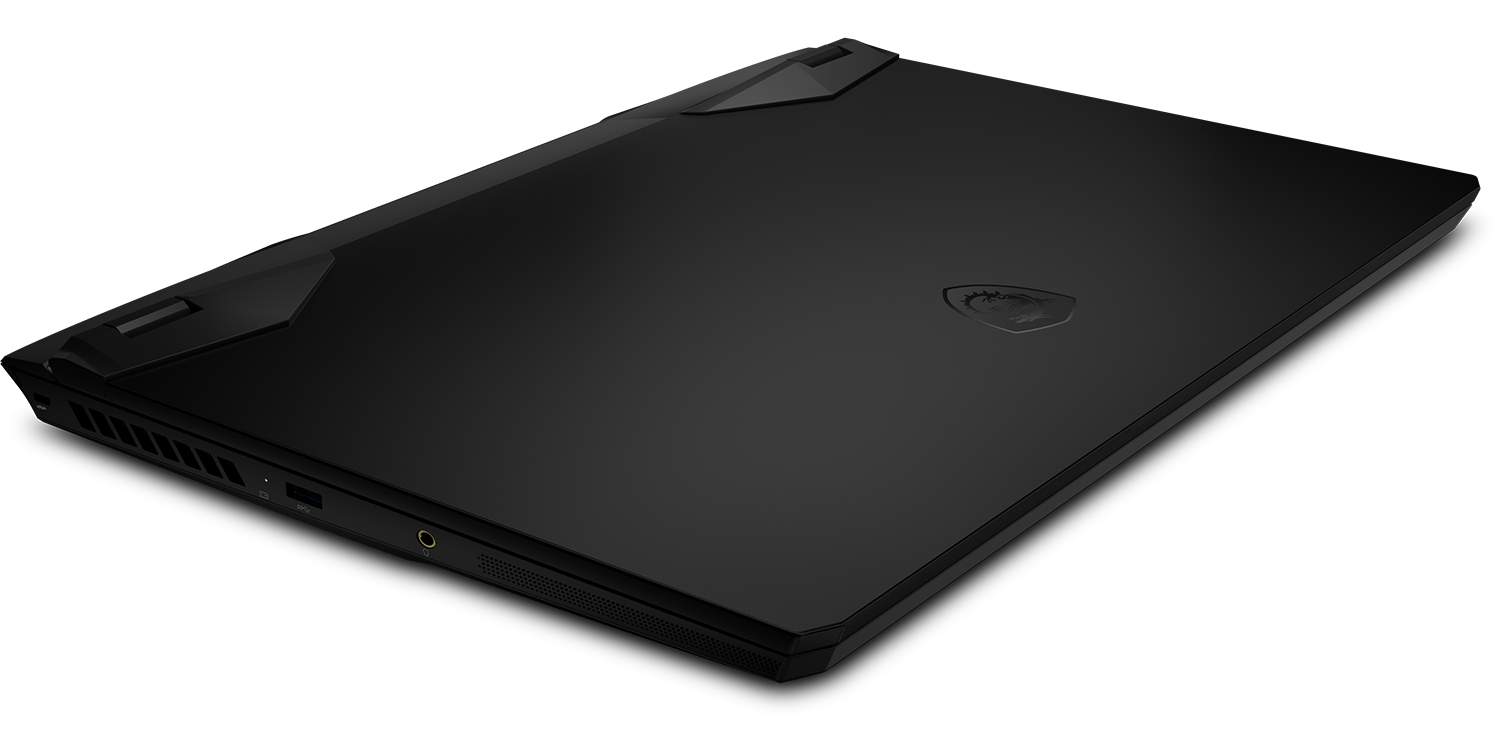
As with most of MSI’s new laptops, this one comes in an all-black attire, which is sleek and elegant. The body lines on the back and the vents are a dead giveaway that this is a gaming device, but they actually give some much-needed spice to the design of the machine. The materials used are decent, with metal for the lid and plastic for everywhere else. However, the body is quite sturdy and while the lid doesn’t flex too much, we noticed some pretty heavy color shifting.
Moving over to the Input devices, both the keyboard and touchpad are great to use. The keyboard is a unit provided by Steelseries and has a per-key RGB backlight. Moreover, the key travel is long enough and the feedback is very satisfying and clicky. The touchpad has a smooth surface, which makes the gliding and tracking exceptional.

2. The Upgradeability
Being a big gaming laptop, upgradability is one of its strong suits. Both the RAM and storage can be upgraded through the two available SODIMM slots and the two M.2 PCIe x4 drives, which can be accessed after unscrewing the screws on the bottom and popping the plate. However, you have to keep in mind that MSI puts a sticker on one of the screws, which if broken, might void your warranty.
3. The Display
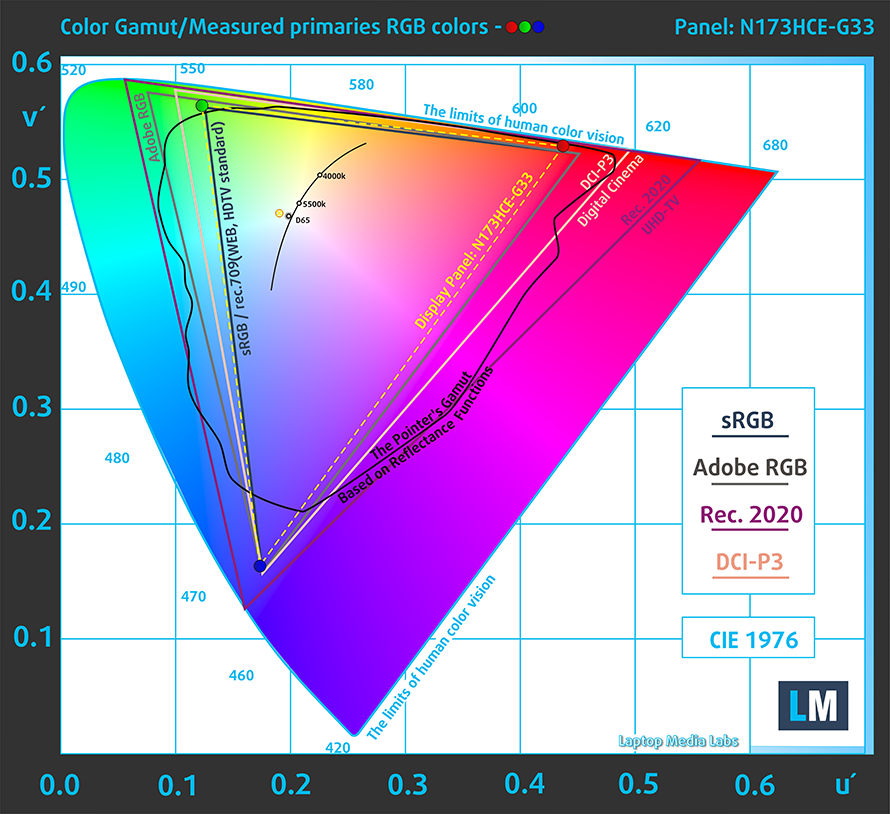
As we mentioned above, the laptop uses a 17.3-inch display, which comes in two variants (either a 144Hz or 300Hz refresh rate). Our review unit had the 144Hz panel which has a Full HD resolution, comfortable viewing angles, and a good contrast ratio. Moreover, it covers 94% of the sRGB color gamut, which is plenty for gaming and perfect for artists and designers.
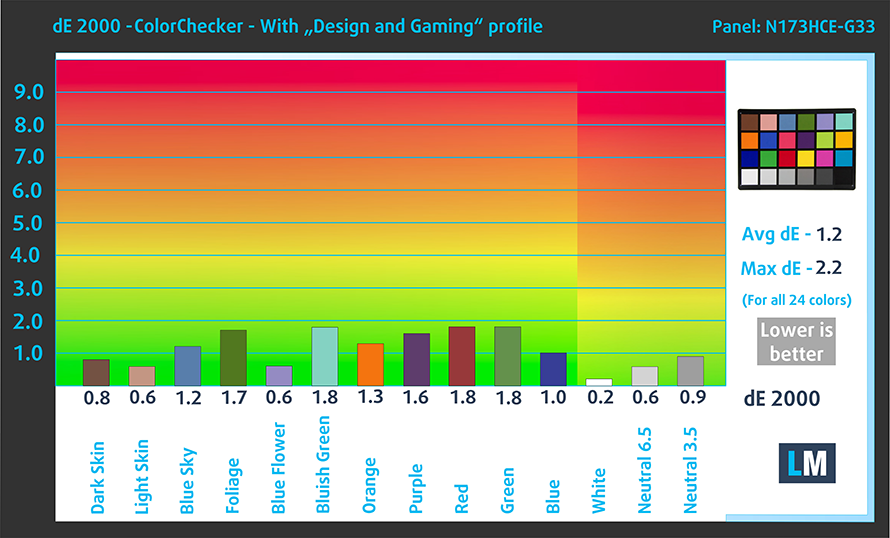
The color accuracy was great as well, especially when we had our “Gaming and web design” profile applied. Our test, which uses the 24 most commonly used colors, measured a dE value of 1.2, which is within the standard. Below you can see the results, with both the factory settings (left) and with our “Gaming and web design” profile applied (right).

Buy our profiles
Since our profiles are tailored for each individual display model, this article and its respective profile package are meant for MSI GP76 Leopard configurations with 17.3″ Innolux N173HCE-G33 (CMN176E) (FHD, 1920 × 1080) IPS.
*Should you have problems with downloading the purchased file, try using a different browser to open the link you’ll receive via e-mail. If the download target is a .php file instead of an archive, change the file extension to .zip or contact us at [email protected].
Read more about the profiles HERE.
Verimli ve sağlık dostu profiller almanın yanı sıra, LaptopMedia'nın ürünlerini satın alarak, mümkün olan en objektif incelemeleri üretmek için cihazları test ettiğimiz laboratuvarlarımızın gelişimini de desteklemiş olursunuz.

Ofis Çalışması
Ofis Çalışması, çoğunlukla metinlere, tablolara bakan veya sadece gezinen kullanıcılar tarafından kullanılmalıdır. Bu profil, düz bir gama eğrisi (2.20), doğal renk sıcaklığı ve algısal olarak doğru renkler tutarak daha iyi ayırt edilebilirlik ve netlik sunmayı amaçlamaktadır.

Tasarım ve Oyun
Bu profil, renklerle profesyonel olarak çalışan tasarımcılara ve aynı zamanda oyunlara ve filmlere yöneliktir. Tasarım ve Oyun, ekran panellerini sınırlarına kadar zorlayarak Web ve HDTV için sRGB IEC61966-2-1 standardında, D65 beyaz noktasında mümkün olduğunca doğru olmalarını sağlar.

Health-Guard
Health-Guard, zararlı Darbe Genişlik Modülasyonunu (PWM) ortadan kaldırır ve gözlerimizi ve vücudumuzu etkileyen negatif Mavi Işığı azaltır. Her panel için özel olarak uyarlandığından, renkleri algısal olarak doğru tutmayı başarır. Health-Guard kağıdı simüle eder, böylece gözlerdeki baskı büyük ölçüde azalır.
3 profili de %33 indirimle alın

4. The Cooling
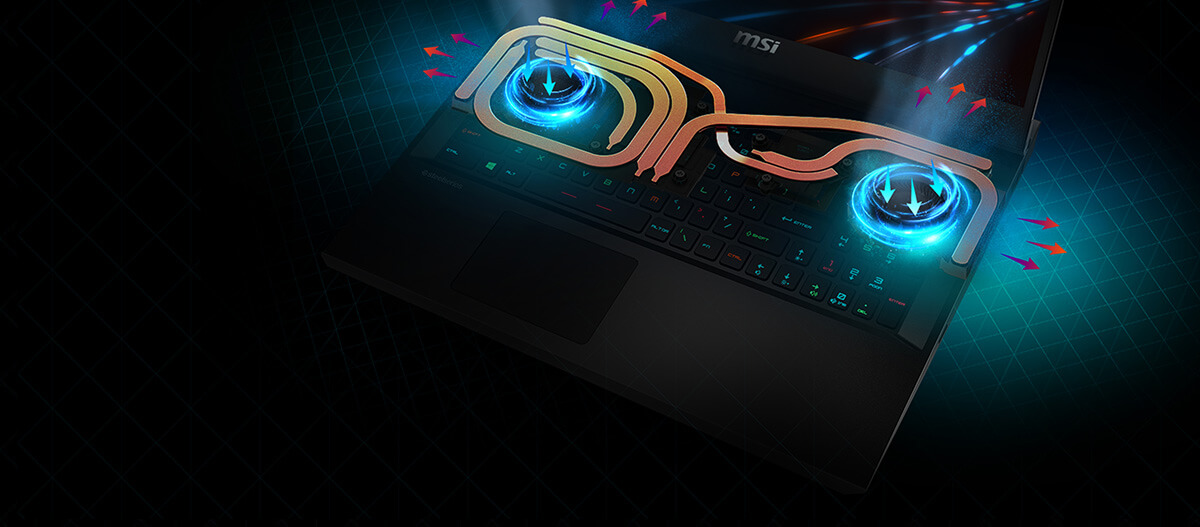
The laptop uses a pretty robust cooling solution, even going as far as to implement liquid metal. Below you can see an illustration of the cooling with its fans and heat pipes, as well as results from our stress tests.
| Intel Core i7-10870H (45W TDP) | 0:02 – 0:10 sec | 0:15 – 0:30 sec | 10:00 – 15:00 min |
|---|---|---|---|
| MSI GP76 Leopard (High Performance) | 3.67 GHz (B+67%) @ 95°C @ 103W | 3.53 GHz (B+60%) @ 95°C @ 94W | 3.33 GHz (B+51%) @ 90°C @ 80W |
The Core i7-10870H which is inside the laptop manages to run at decently high speeds, and while the temperatures are high, the cooling does a good job at maintaining a consistent temperature, even after 15 minutes of testing.
| NVIDIA GeForce RTX 3060 | GPU frequency/ Core temp (after 2 min) | GPU frequency/ Core temp (after 30 min) | GPU frequency/ Core temp (Max Fan) |
|---|---|---|---|
| MSI GP76 Leopard | 1860 MHz @ 71°C @ 129W | 1857 MHz @ 73°C @ 128W | 1869 MHz @ 67°C @ 128W |
When it came to the GPU stress test, here the RTX 3060 ran pretty well, with temperatures never going above 73°C. When we hit the fan boost button, the temperature dropped even lower, while the clock speed increases, which is amazing.
Gaming comfort
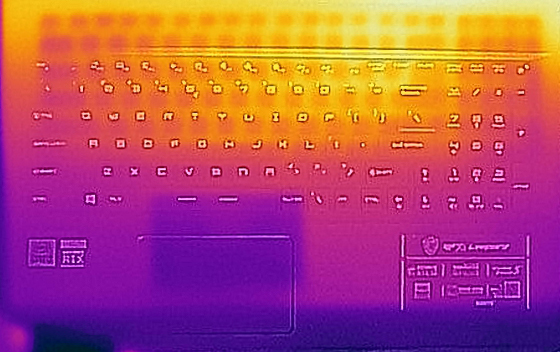
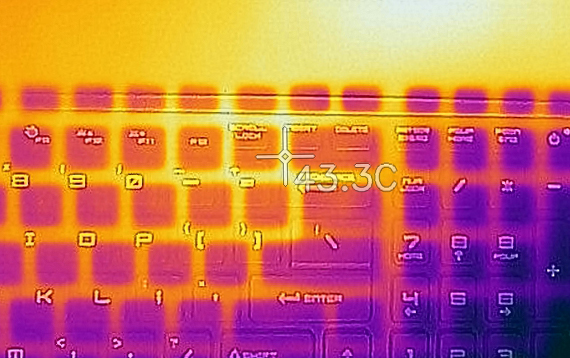
As far as the outside temperatures and noise are concerned, while using the fan boost mode, the laptop got pretty loud, but fortunately, the outside temperature remained within the usable margin of 43°C.
1 reason NOT to buy the MSI GP76 Leopard
1. The Battery life
Being a gaming device, with monstrous hardware and a huge display, the battery life is its weak spot. The laptop has a 65Wh unit, which only lasts for 4 hours and 20 minutes of Web browsing, and 4 hours and 51 minutes of video playback.
Parlaklık: 180 nit; Ekran Modu: SDR
Tam Deşarj Süresi: Yüksek Olan Daha İyidir
Gerçek hayat koşullarını simüle etmek için 70'ten fazla web sitesinde otomatik web taraması için kendi komut dosyamızı kullandık.
All MSI GP76 Leopard configurations:
 Author: Severin Kolakov

![[Temmuz 2026] Amazon’da En Çok Satan Dizüstü Bilgisayar Grafik Kartlarının Küresel Sıralaması – RTX 5060, Üst Sınıf Segmentte Hakimiyet Kurarken, Intel Hala Ekonomik Segmentte Lider](https://laptopmedia.com/wp-content/uploads/2026/08/Best-Selling-GPUs-GLOBAL-Top-10-400x225.jpg)
![[Temmuz 2026] Amazon’da En Çok Satan Dizüstü Bilgisayar İşlemcilerinin Küresel Sıralaması – Apple, Üst Sınıf Segmentte Liderlik Yaparken, Intel Genel Sıralamada Birinci Sırayı Koruyor](https://laptopmedia.com/wp-content/uploads/2026/08/Best-Selling-CPUs-GLOBAL-Top-10-400x225.jpg)
![[July 2026] Amazon Canada: Top 10 Best-Selling Laptops – Apple MacBook Neo Dominates the Market to Claim the #1 Spot](https://laptopmedia.com/wp-content/uploads/2026/08/Best-Selling-Laptops-CA-Top-10-2-400x225.jpg)
![[July 2026] Best-Selling Laptop Brands on Amazon Japan – HP and Lenovo Dominate Units and Revenue Amid Fierce Competition](https://laptopmedia.com/wp-content/uploads/2026/08/CO.JP-Best-Brands-2-400x225.jpg)
![[July 2026] Amazon Italy: Top 10 Best-Selling Laptops – Apple MacBook Neo Claims the #1 Spot Amid Budget-Friendly Dominance](https://laptopmedia.com/wp-content/uploads/2026/08/Best-Selling-Laptops-IT-Top-10-400x225.jpg)
