Dell Vostro 15 5501 review – a classy device for the small business
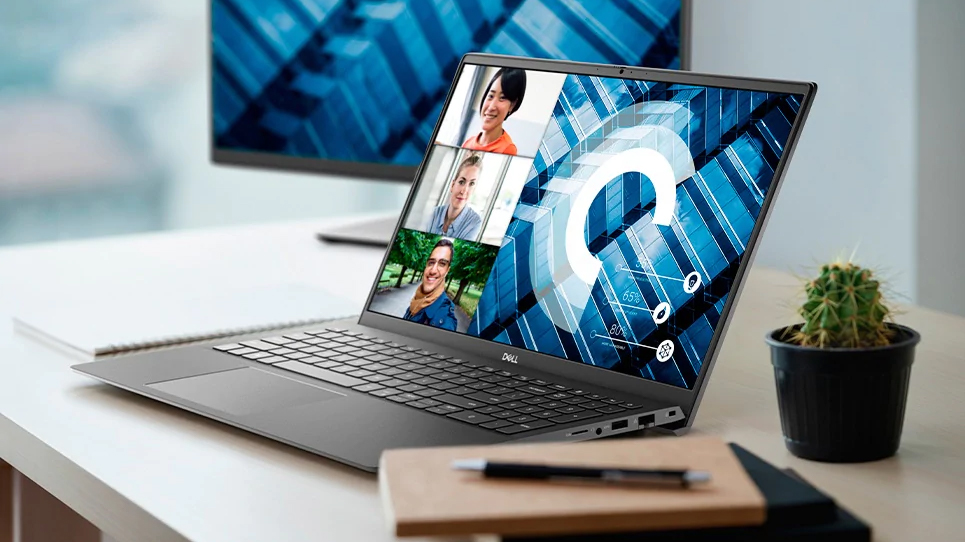 A laptop for the small business – this is how the Vostro 15 5501 is described on Dell’s official webpage. The company really wants you to know that it has a dedicated TPM 2.0 chip and a privacy cover on the camera. Also, it features the Ice Lake processor gamut of Intel, while the Tiger Lake CPUs are down the line, and should be available shortly. However, the laptops featuring the new processors might be released under a new name.
So, what do you need for a good business experience (from a laptop standpoint)? Good battery life, fast and reliable operation, and of course – security. While the Vostro series is not as fond of the latter, as Dell’s Latitude lineups, you can get a lot for your money, especially when the price is that decent.
You can check the prices and configurations in our Specs System: https://laptopmedia.com/series/dell-vostro-15-5501/
Contents
Specs Sheet
Dell Vostro 15 5501 - Özellikler

- HDD/SSD
- kadar 2000GB SSD
- M.2 Yuvası
- 2x 2280 M.2 NVMe slots Fotoğrafı gör
- RAM
- up to 32GB
- İS
- Windows 10 Pro, No OS, Windows 10 Home
- Pil
- 40Wh, 3-cell
- Gövde Malzemesi
- Plastic / Polycarbonate, Aluminum
- Boyutlar
- 356.1 x 234.5 x 14.1~ 17.9 mm (14.02" x 9.23" x 0.56")
- Ağırlık
- 1.70 kg (3.7 lbs)
- Portlar ve bağlantı
- 1x USB Type-C
- 3.2 Gen 1 (5 Gbps), Power Delivery (PD), DisplayPort
- 1x USB Type-A
- 3.2 Gen 1 (5 Gbps)
- HDMI
- 1.4b
- Kart Okuyucu
- MicroSD
- Ethernet LAN
- 10, 100, 1000 Mbit/s
- Wi-Fi
- 802.11a/b/g/n/ac/ax
- Bluetooth
- 5.1
- Ses jakı
- 3.5mm Combo Jack
- Özellikler
- Parmak izi okuyucu
- optional
- Web kamerası
- HD
- Arkadan aydınlatmalı klavye
- Mikrofon
- Dual-Array Microphone
- Hoparlörler
- 2x 2W, Stereo Speakers
- Optik sürücü
- Güvenlik Kilidi yuvası
- Wedge Lock Slot
Tümü Dell Vostro 15 5501 yapılandırmalar
What’s in the box?
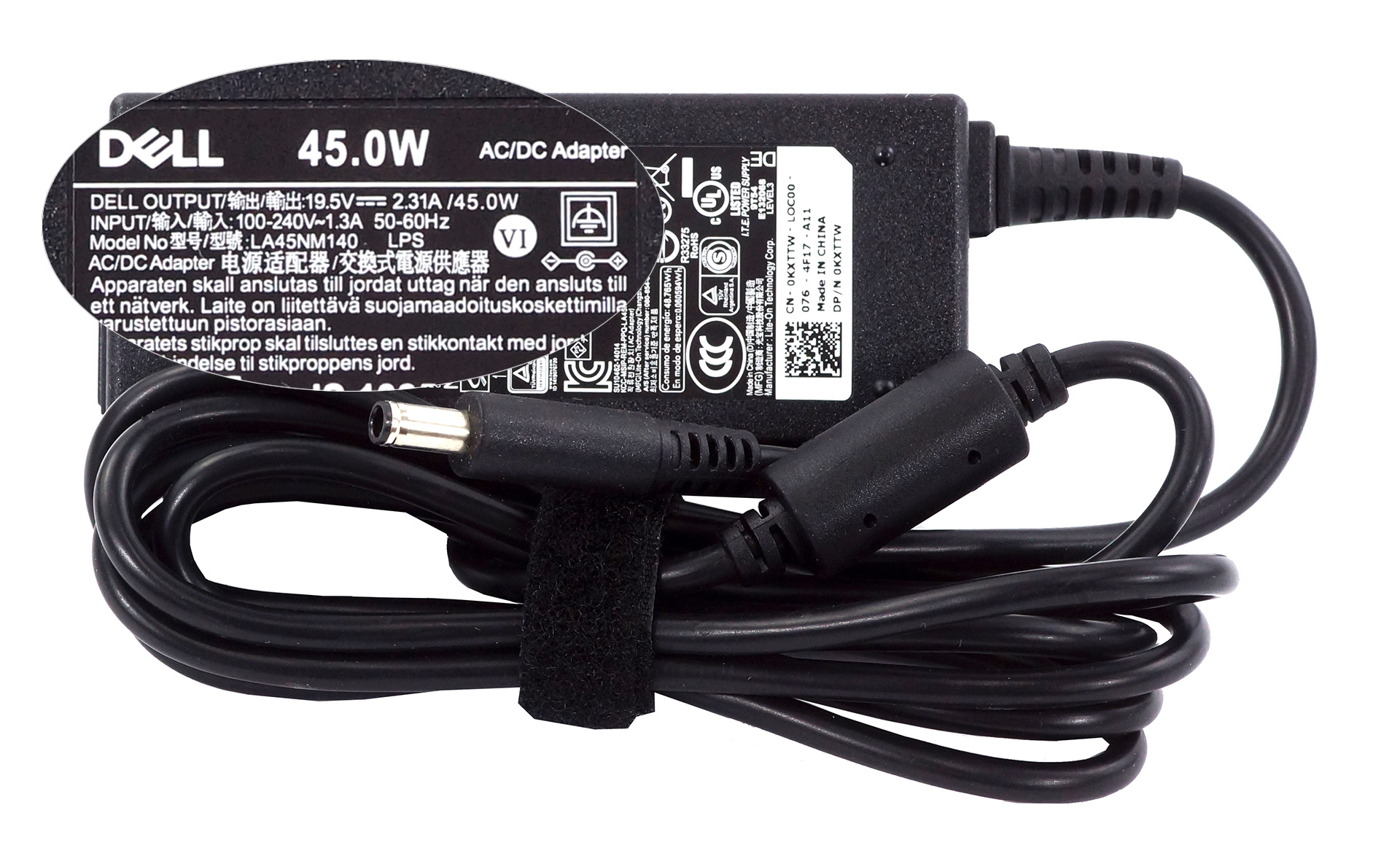
Inside the box, we found some paper manuals and a 45W power brick.
Design and construction
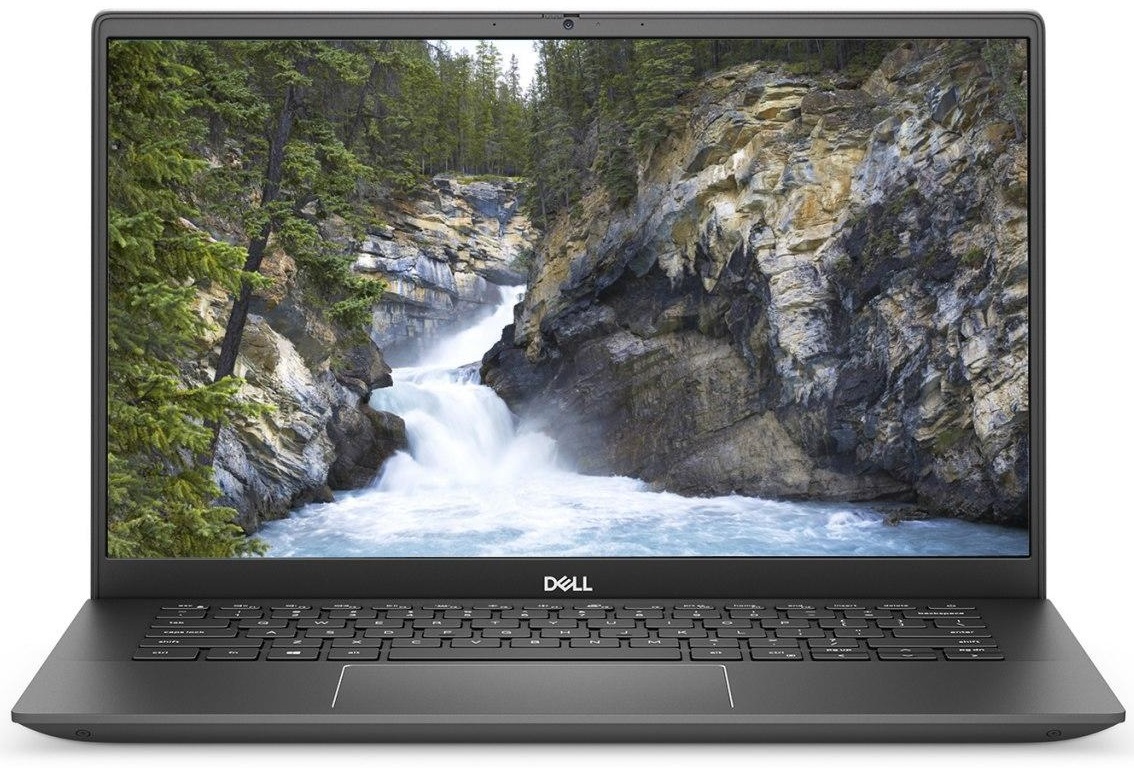
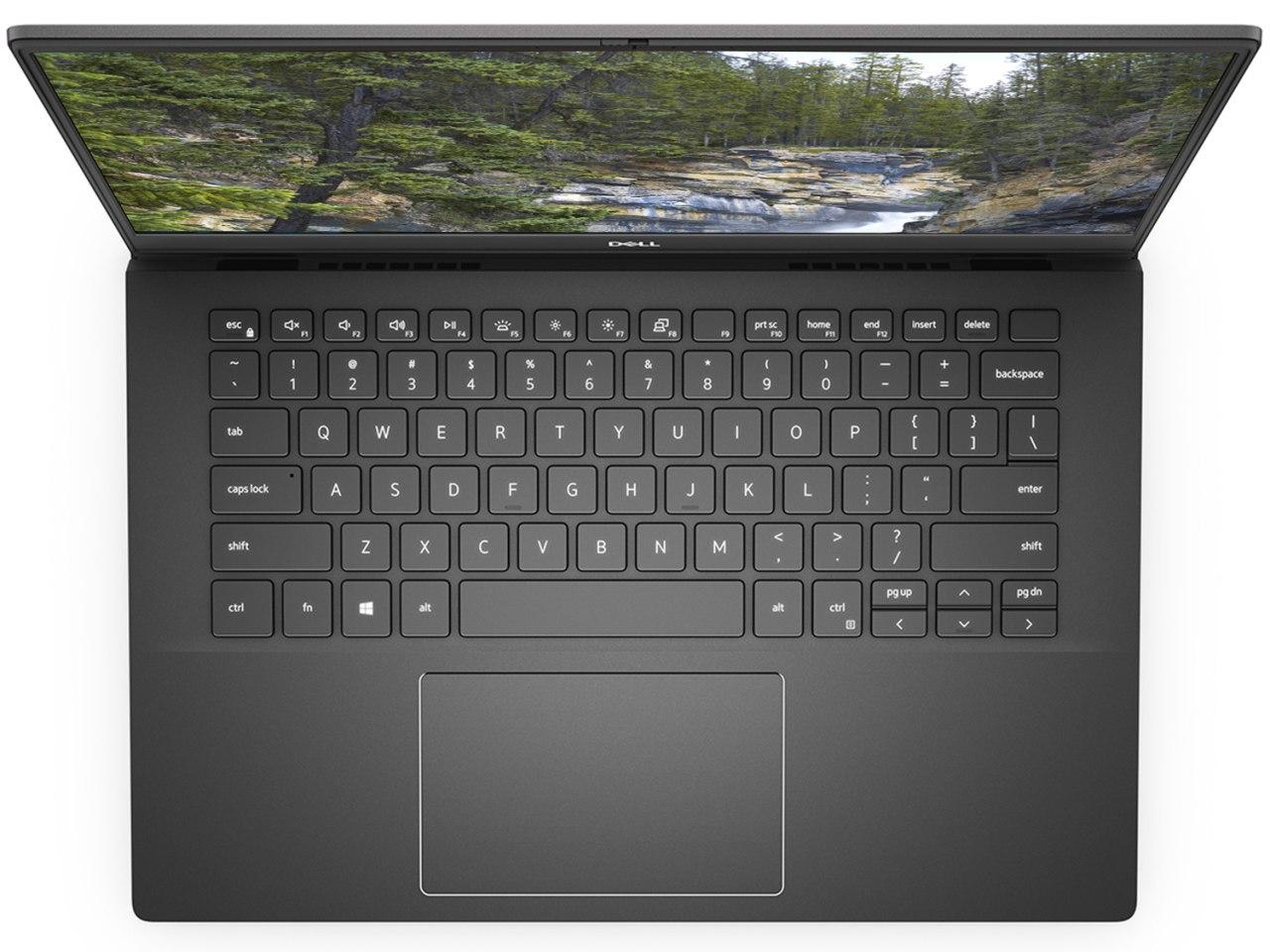
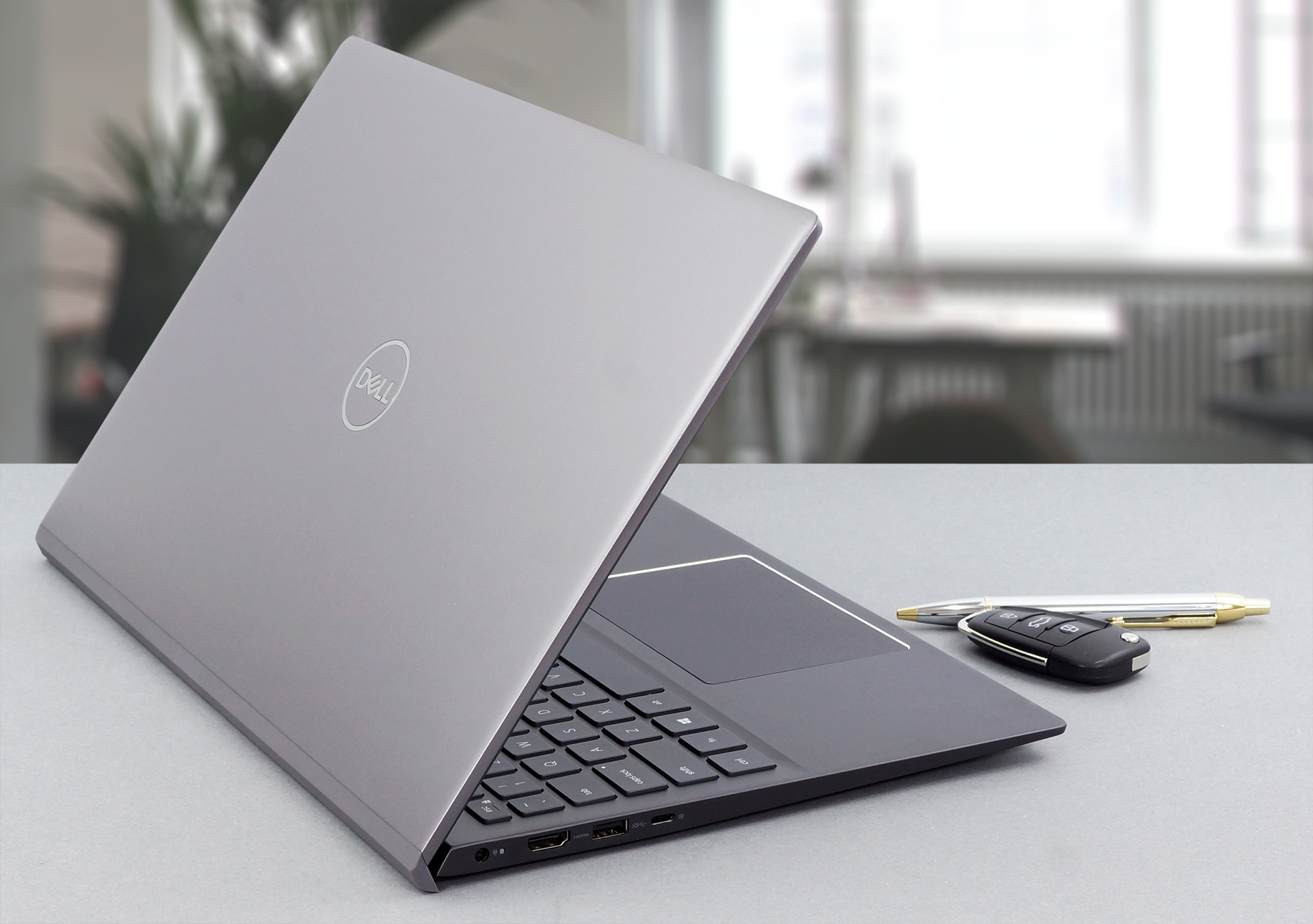
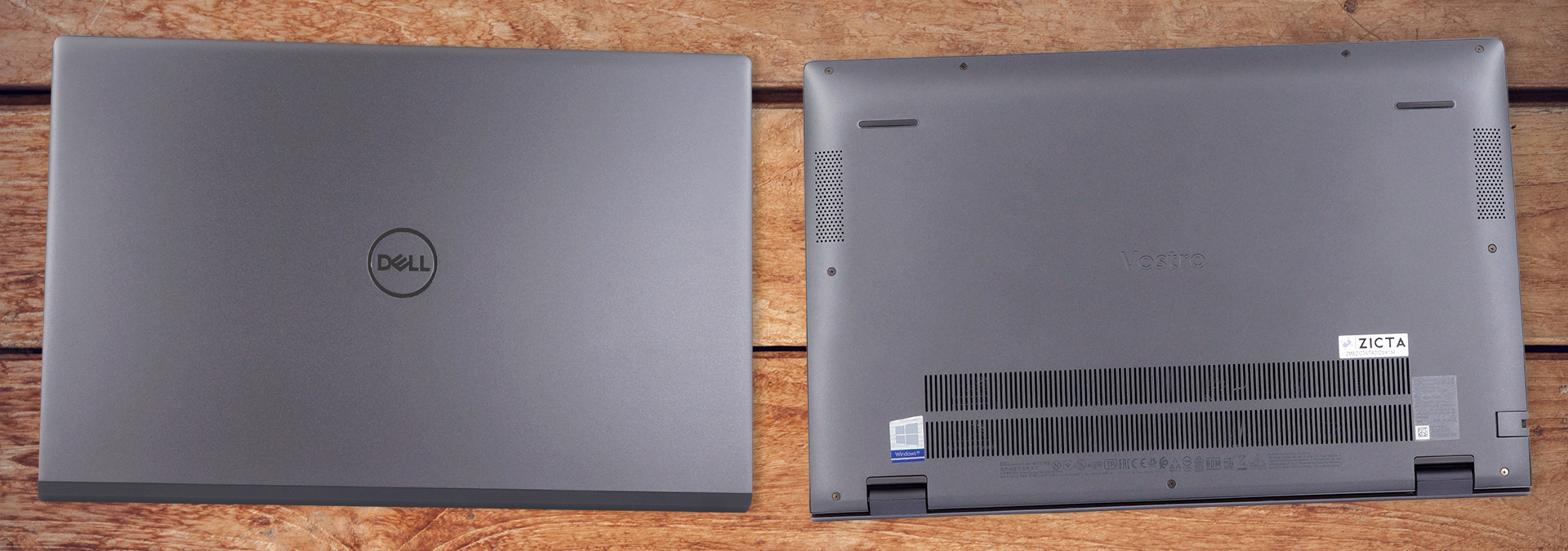
Quite honestly, the laptop looks very nice. It has a matte finish on the surface, which is aluminum on the lid and the base, by the way. Also, the device has a profile of 14.15mm in the front and 17.90mm in the back. As for the weight – it stops the scales at 1.70 kg. Everything sounds close to perfection, but then comes the structural integrity of the chassis. While it doesn’t flex vigorously when you twist it, the material bends and stays a weird shape, which results in the laptop feeling lighter in one of the edges. Indeed you can bend it backwards and eliminate the issue, but doing it numerous times will fatigue the material, and creaks may start to appear.
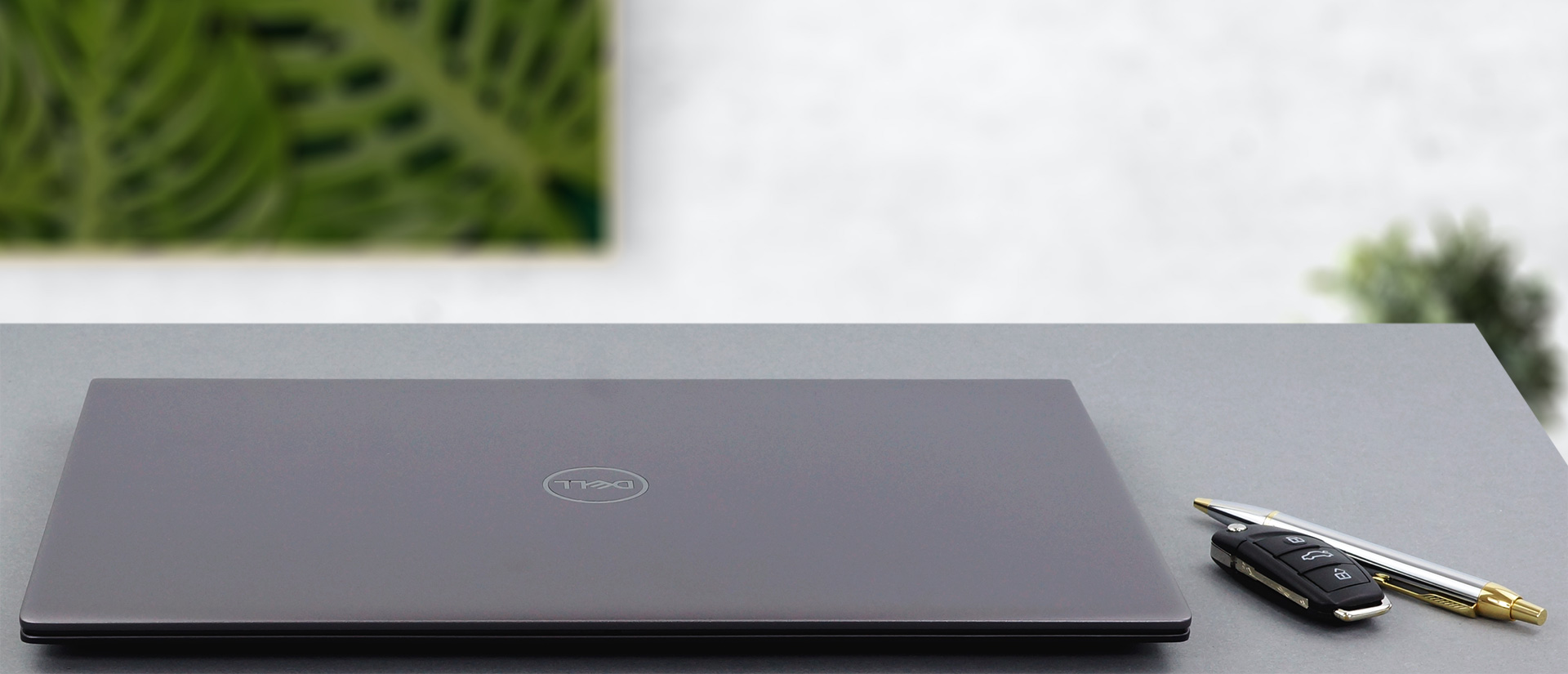
Also, opening the lid with a single hand is not an option. On the bright side, though, the bezels around the display are very thin, and the top one features the camera and the hardware shutter. By the way, the lid also lifts the base a couple of millimeters above the ground, to provide comfort for typing and more airflow to the fan.
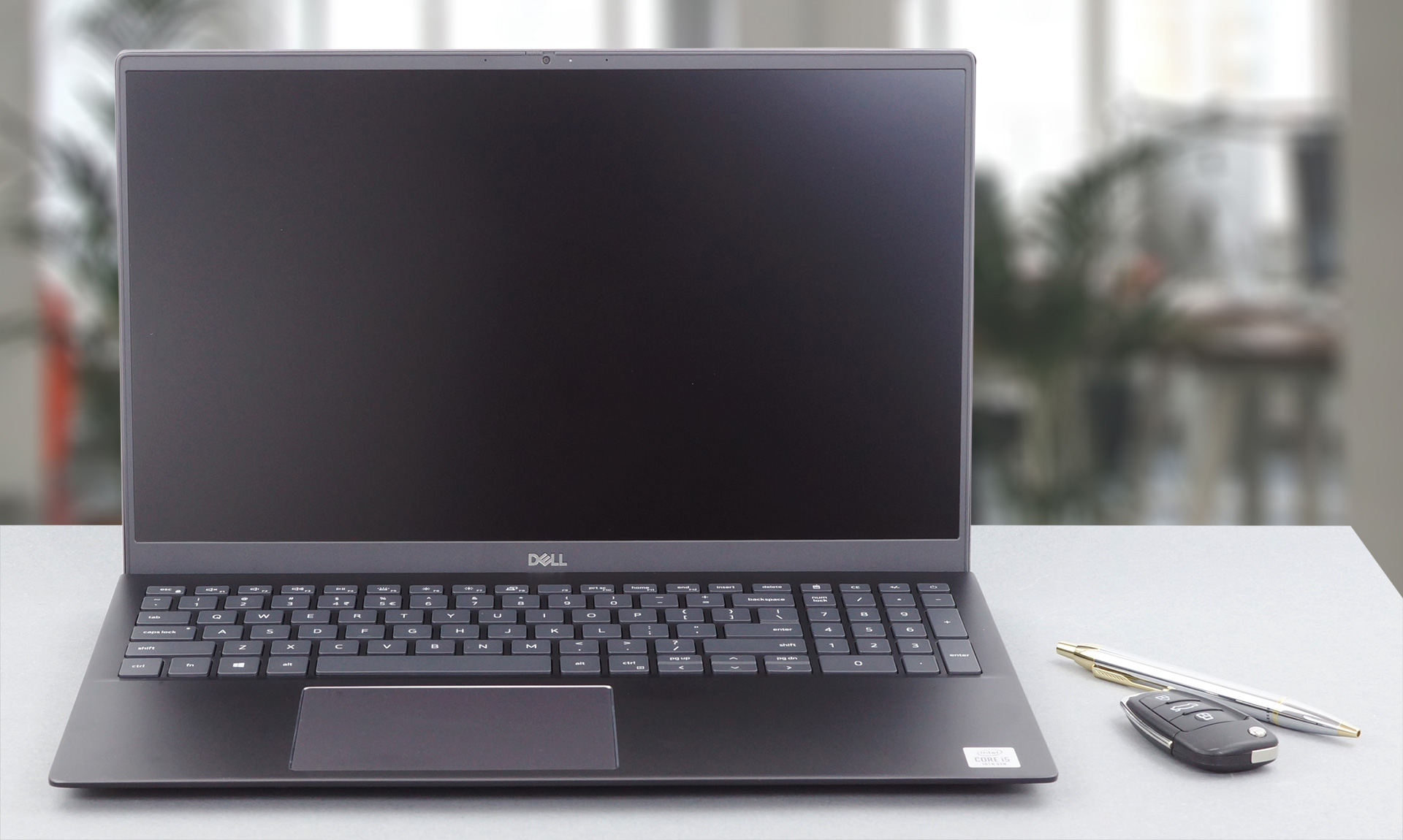
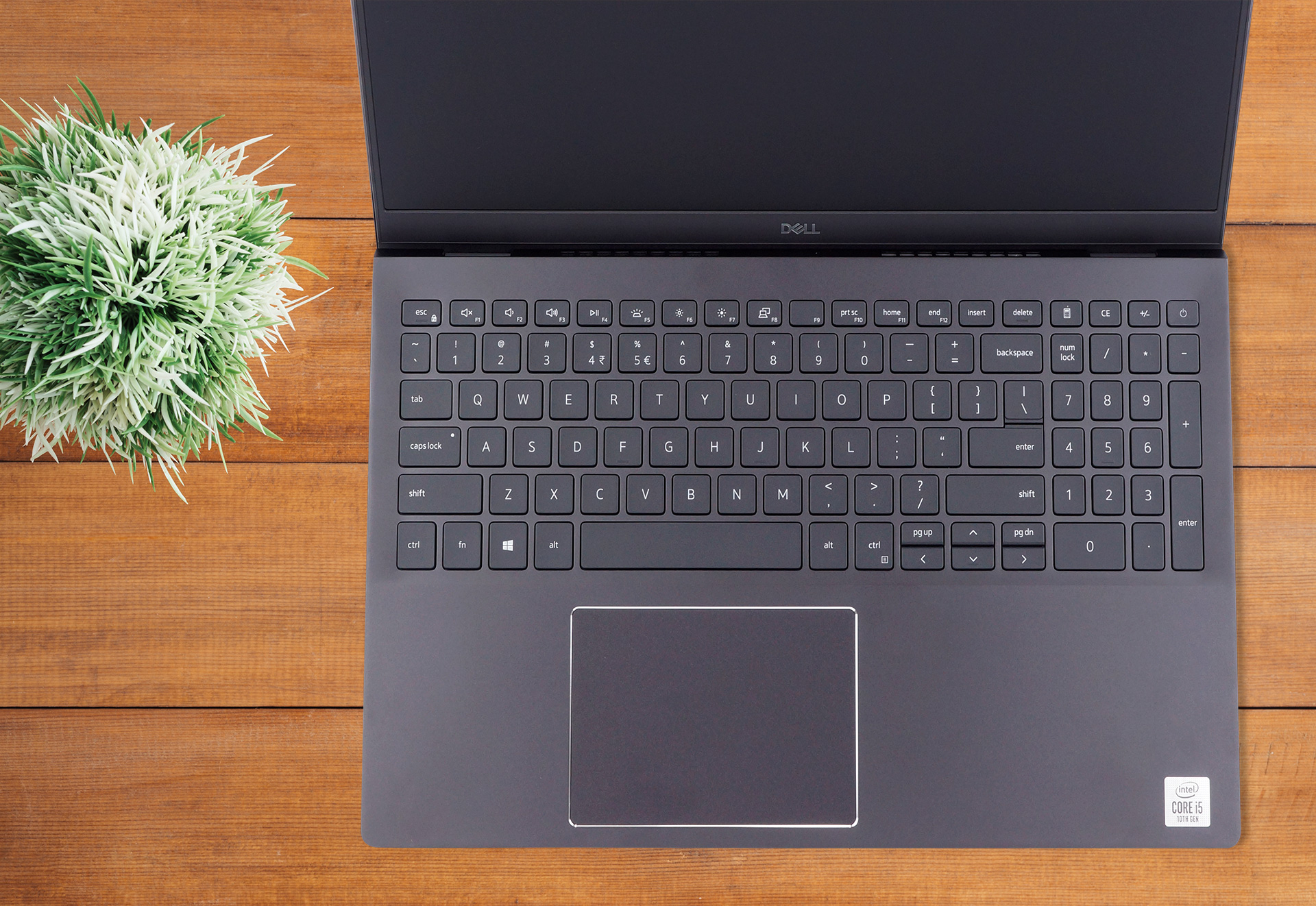
Moving to the base, we see the NumberPad-enabled keyboard. It has an optional backlight, average key travel, and somewhat clicky feedback (although it’s uneven across all keys). Also, the Arrow keys have the “Page Up” and “Page Down” sitting too close, resulting in occasional accidental misclicks.
Next goes the touchpad, which has a pretty big area for a Windows machine but is pretty much sitting at the average. By the way, when you twist the device, it registers clicks, and keep in mind these are no ghost inputs – you can definitely hear the mechanism clicking.
Turning the laptop upside-down reveals the speaker cutouts, as well as the ventilation grill. Respectively, the hot air is exhausted from behind the base, and the airflow is going straight at the bottom part of the display.
Ports
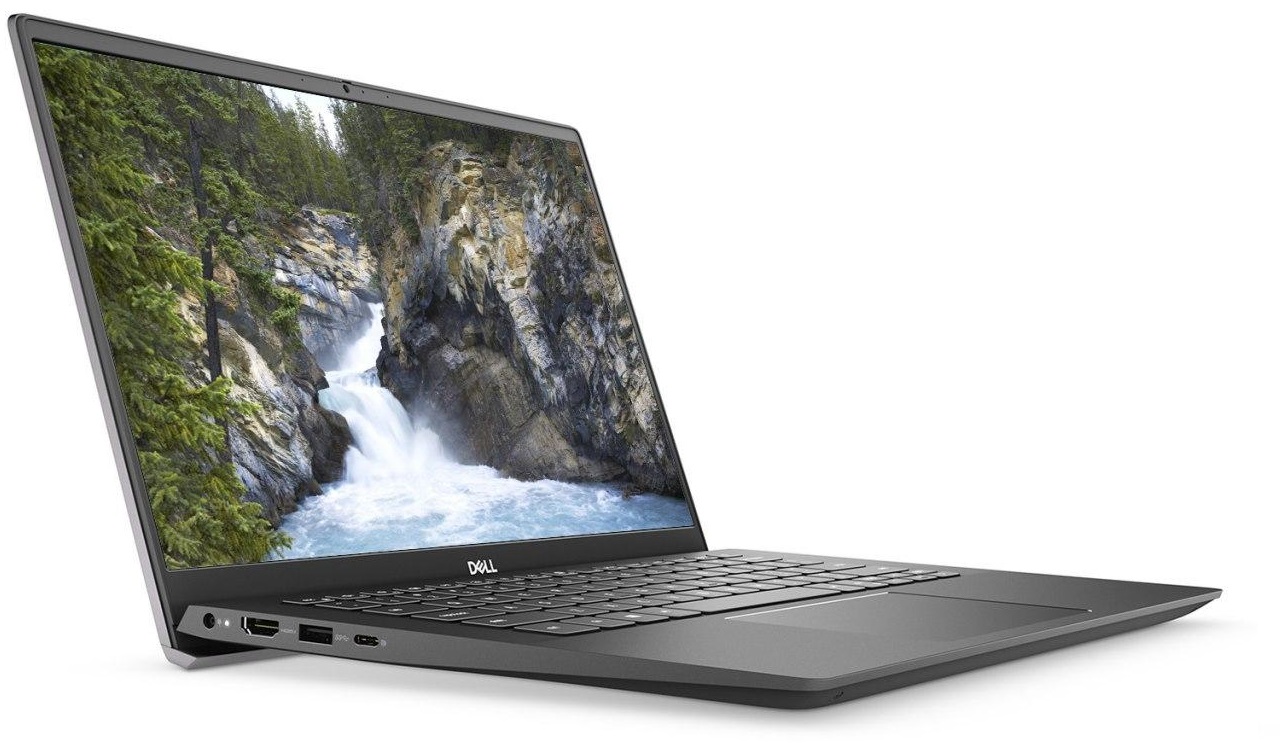
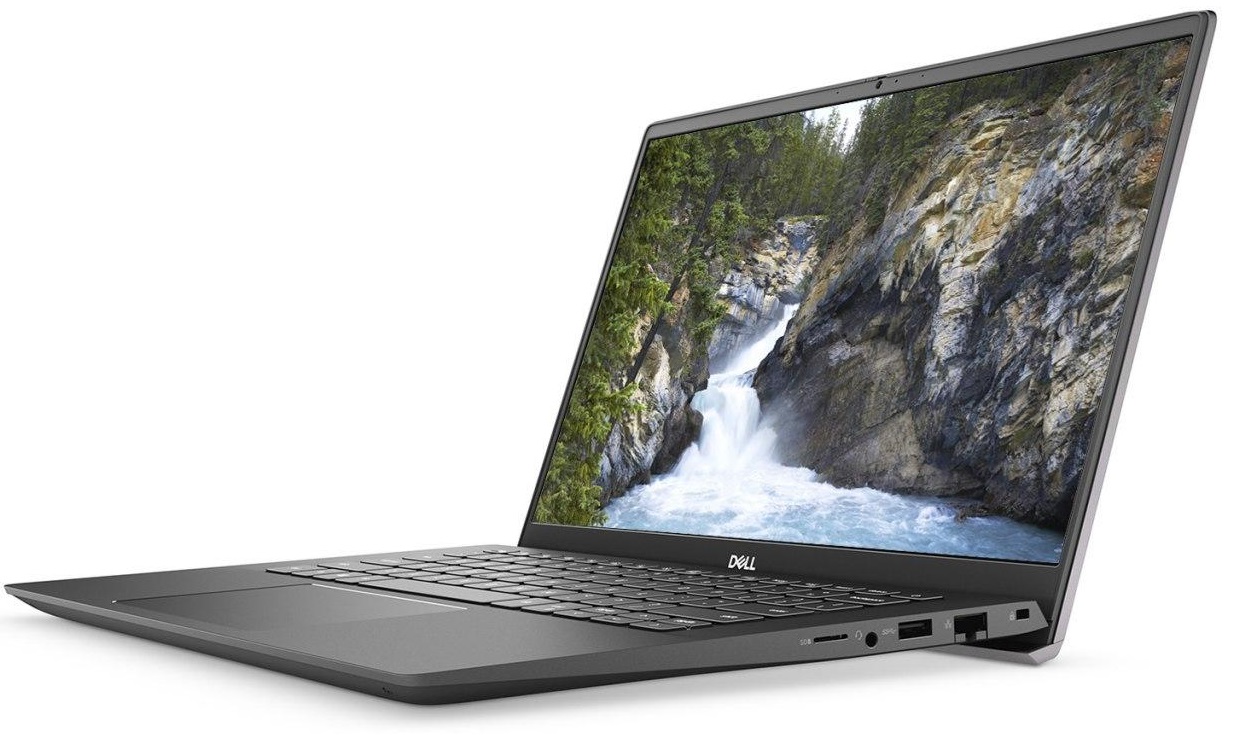
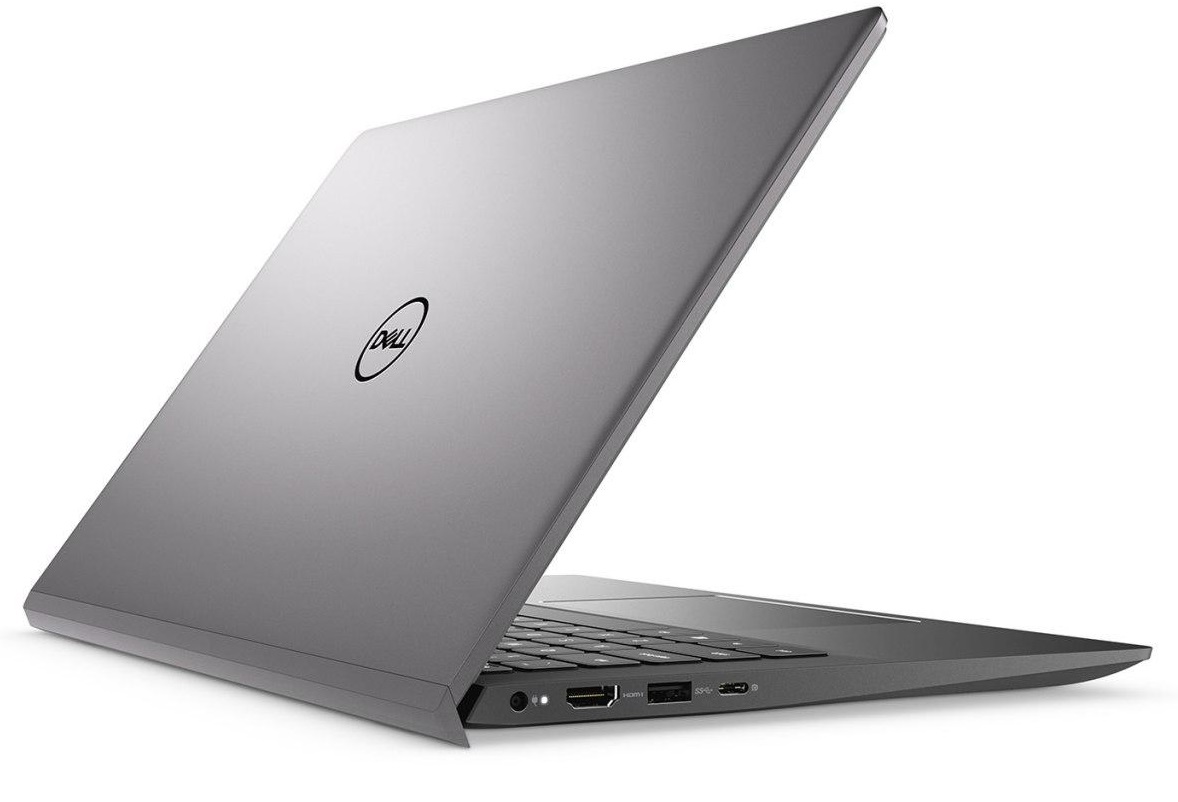
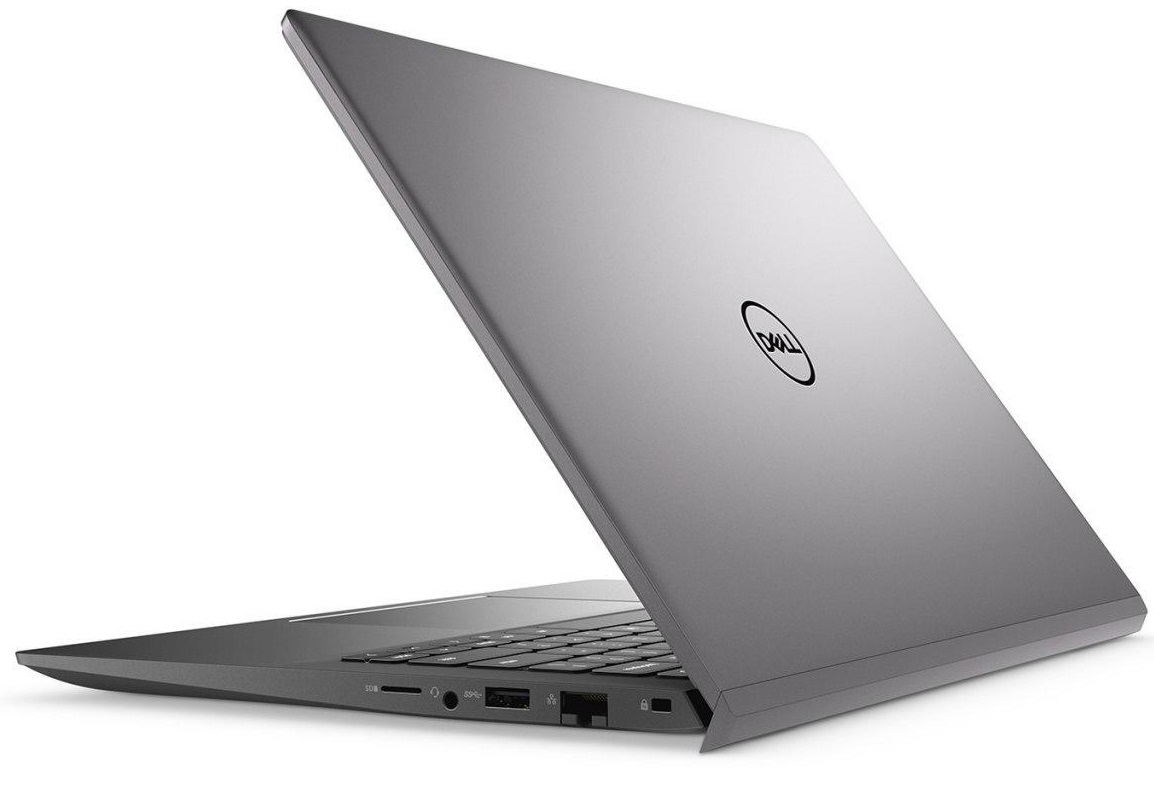
On the left side, there is the power plug, an HDMI 1.4b connector, a USB Type-A 3.2 (Gen. 1) port, and a USB Type-C 3.2 (Gen. 1) port with DisplayPort and Power Delivery functions. Switch sides, and you’ll find an RJ-45 connector, a USB Type-A 3.2 (Gen. 1) port, an audio jack, and a MicroSD card reader.


Disassembly, upgrade options, and maintenance
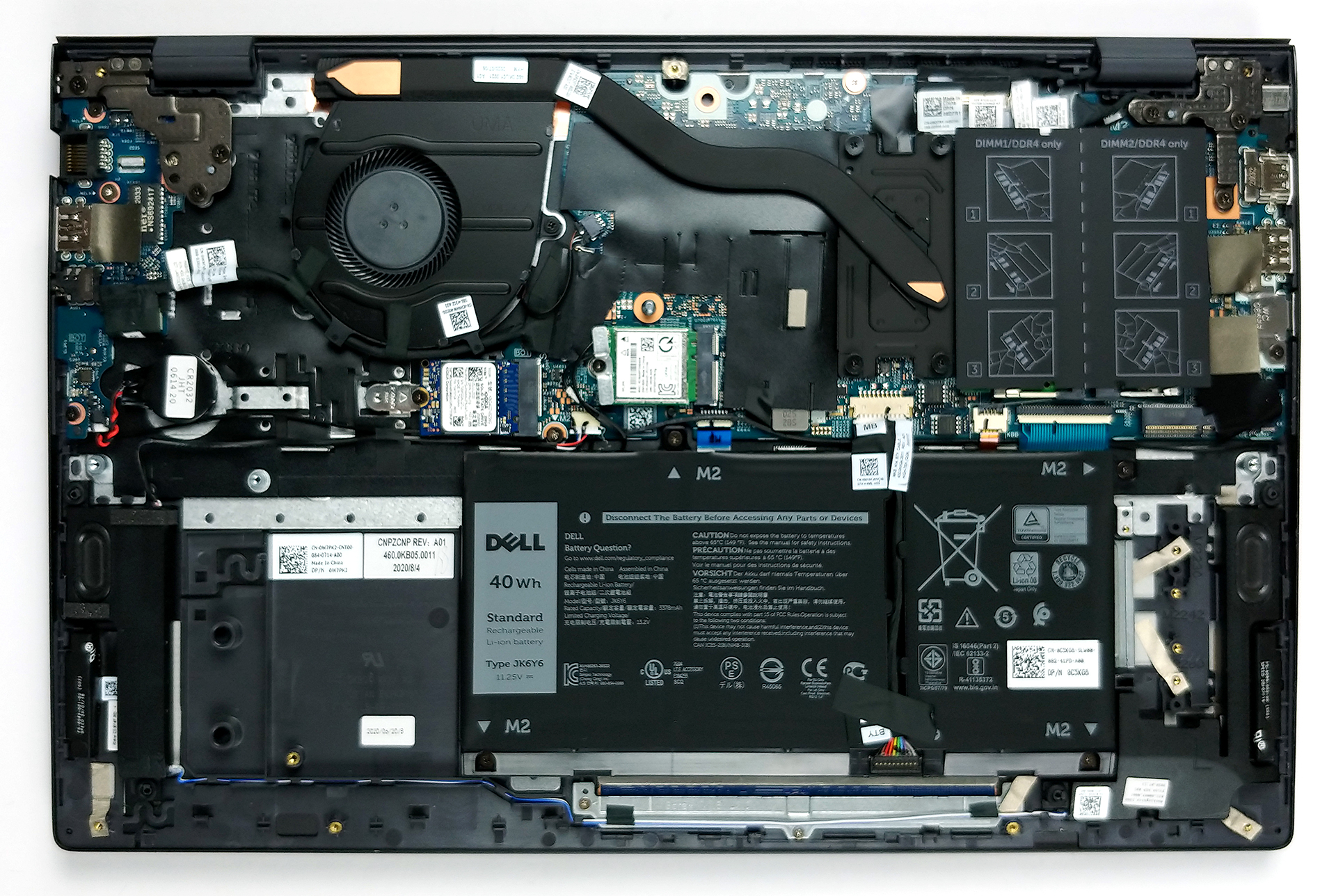
To access the internals of this device, you need to undo 9 Phillips head screws. The two in the back corners are captive, and they slightly lift the panel, so that you can pry your way around the bottom panel, starting from there.

Since there are a lot of similarities between this machine and the Inspiron 15 5501, the cooling solution is pretty much the same. We got one heat pipe, placed at an angle, and a medium-sized fan.
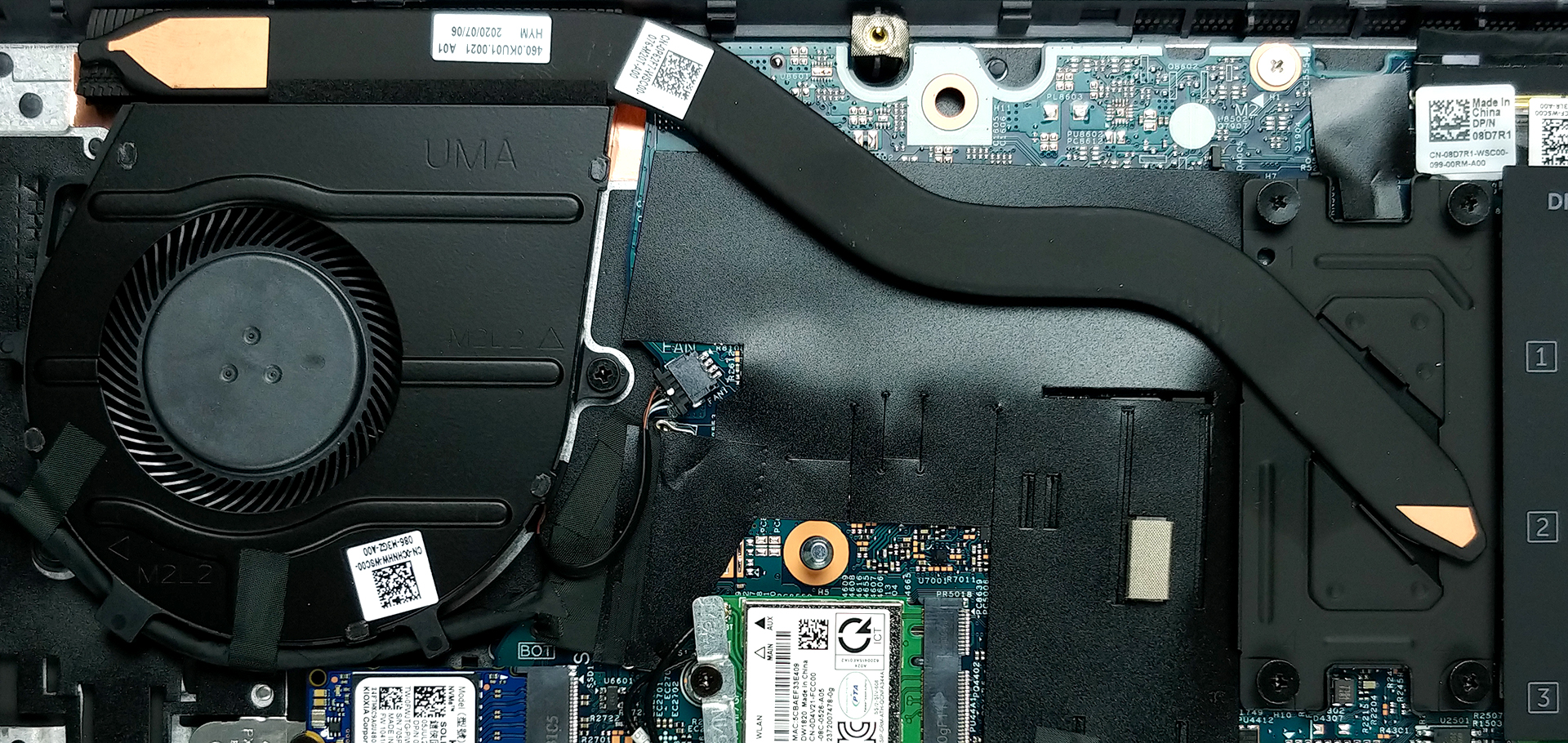
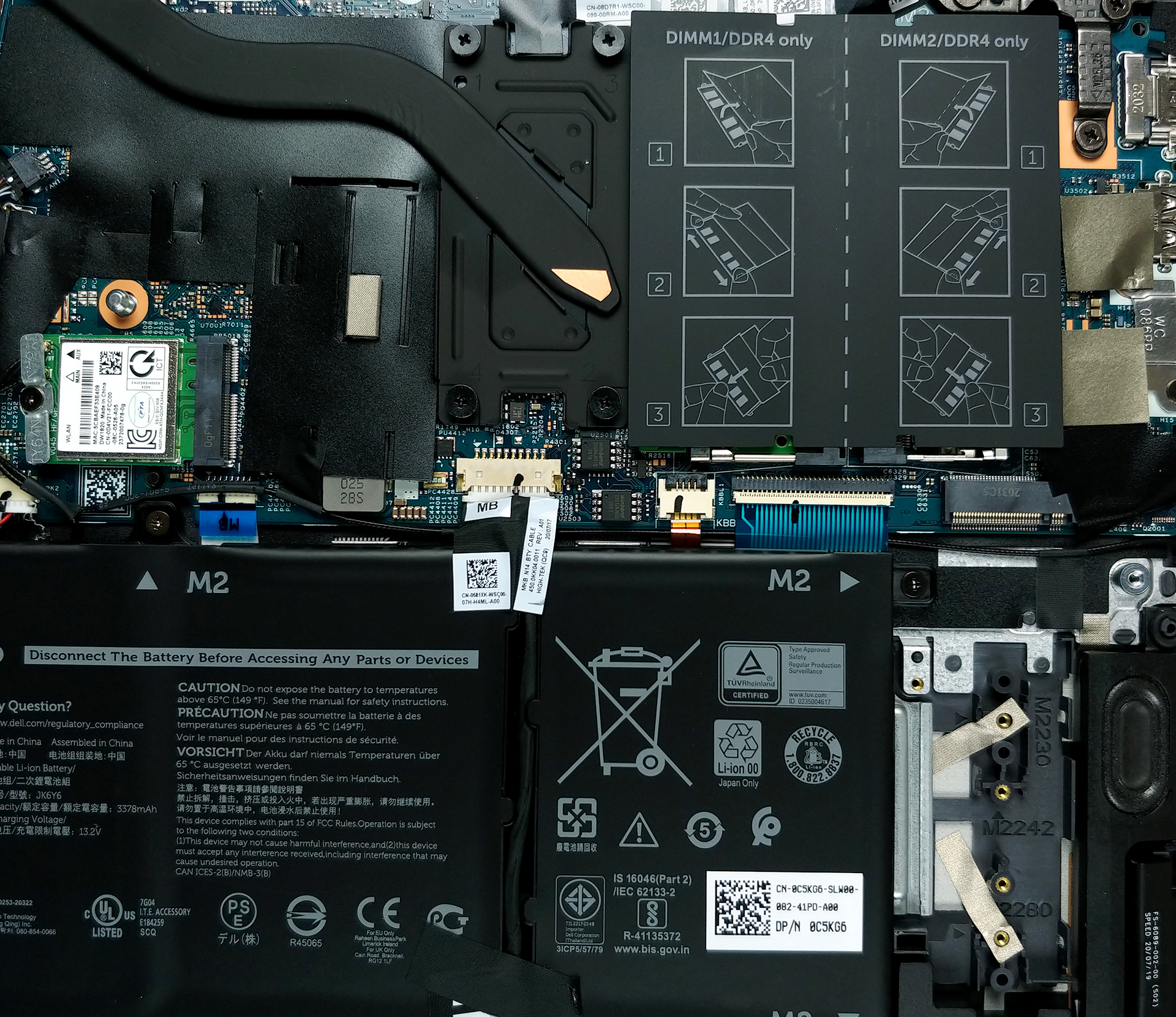
Upgradability-wise, you got two RAM SODIMM slots, that support 32GB of memory in dual-channel with a speed of 3200 MHz. Interestingly, the storage options include two M.2 slots for PCIe x4 drives.

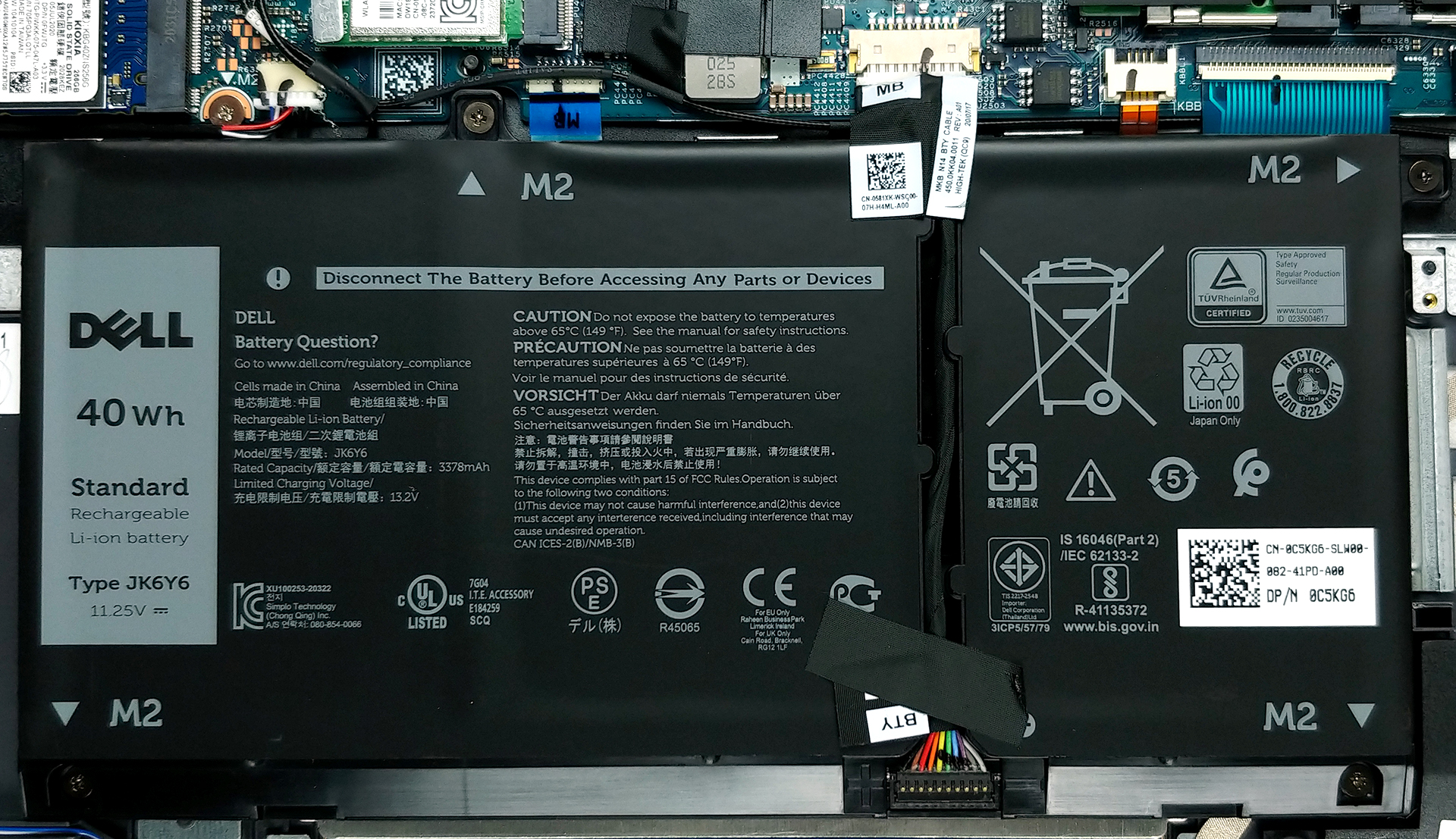
This laptop is offered with two battery variants – a 4-cell 53Wh unit, and a 3-cell 40Wh package, which is the one we got here.
Display quality
Dell Vostro 15 5501 has a Full HD IPS panel, with a model number Innolux N156HCA-EAA (CMN15E5). Its diagonal is 15.6″ (39.62 cm), and the resolution – 1920 х 1080. Additionally, the screen ratio is 16:9, the pixel density – 142 ppi, their pitch – 0.18 x 0.18 mm. The screen can be considered Retina when viewed from at least 60 cm (from this distance, the average human eye can’t see the individual pixels).

Viewing angles are excellent. We provide images at different angles.
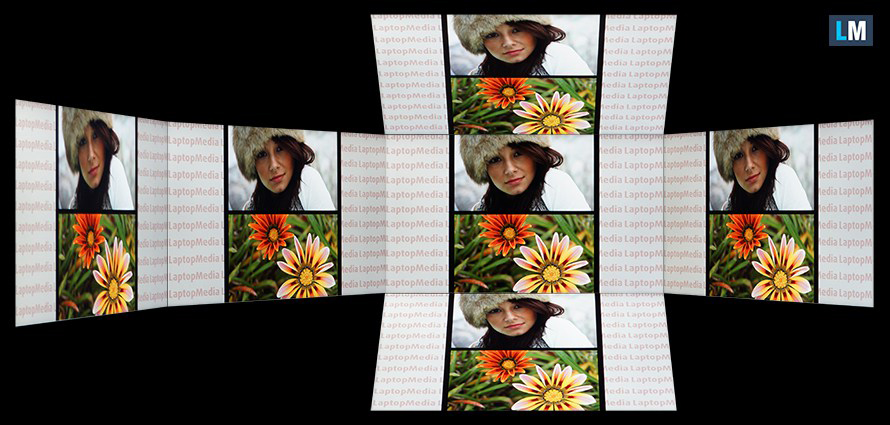
The maximum measured brightness is 238 nits (cd/m2) in the middle of the screen and 222 nits (cd/m2) average across the surface with a maximum deviation of 11%. The Correlated Color Temperature on a white screen and at maximum brightness is 6400K (average) – slightly warmer than the 6500K optimum for sRGB.
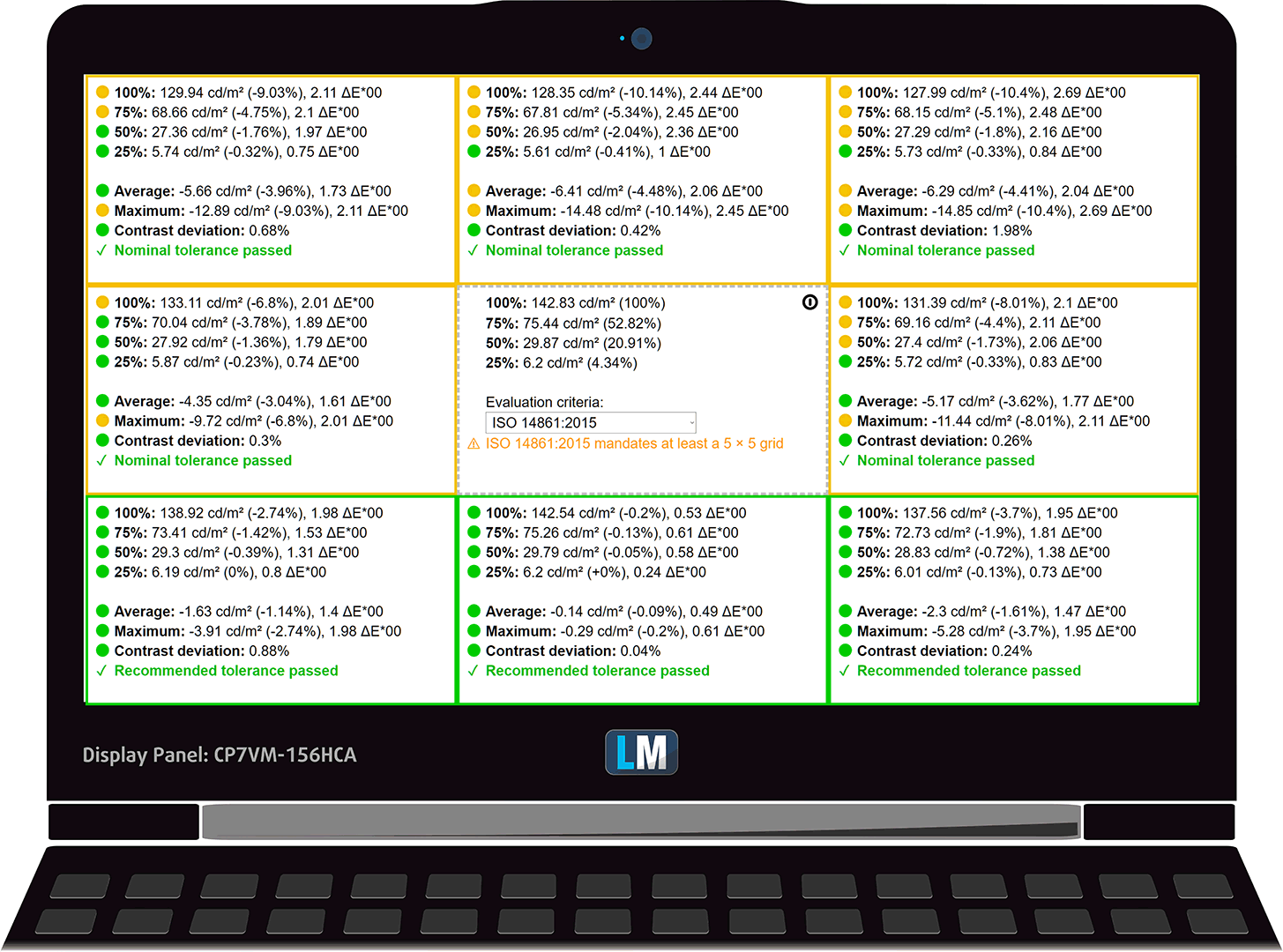
In the illustration below you can see how the display performs from a uniformity perspective. The illustration below shows how matters are for operational brightness levels (approximately 140 nits) – in this particular case at 58% Brightness (White level = 143 cd/m2, Black level = 0.10 cd/m2).
Values of dE2000 over 4.0 should not occur, and this parameter is one of the first you should check if you intend to use the laptop for color-sensitive work (a maximum tolerance of 2.0 ). The contrast ratio is good – 1250:1.
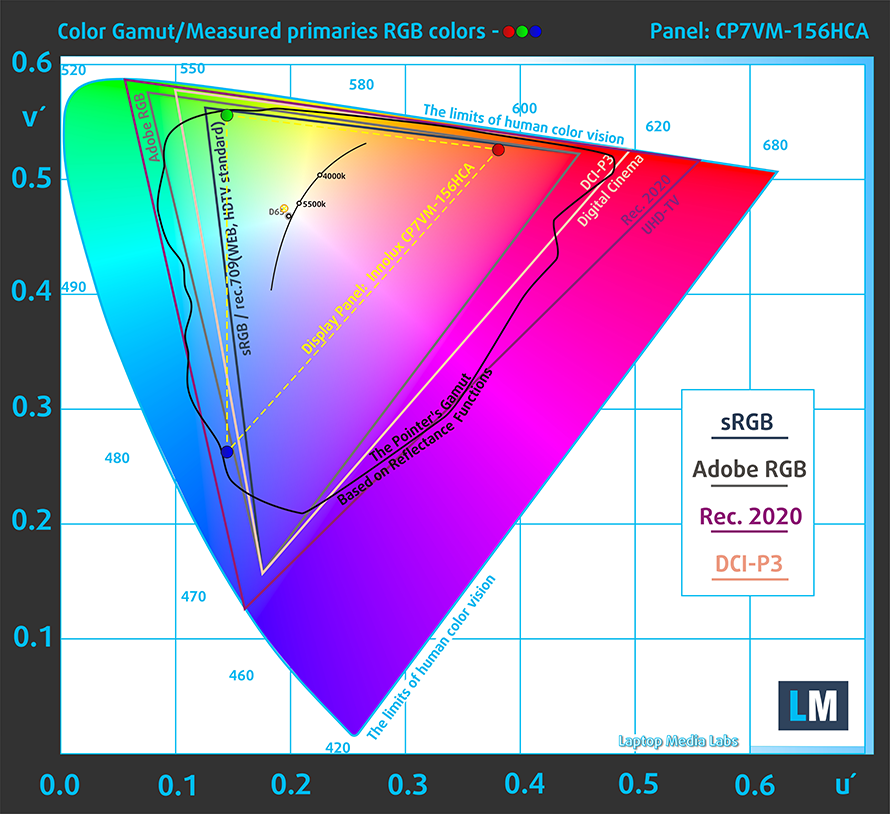
To make sure we are on the same page, we would like to give you a little introduction to the sRGB color gamut and the Adobe RGB. To start, there’s the CIE 1976 Uniform Chromaticity Diagram that represents the visible specter of colors by the human eye, giving you a better perception of the color gamut coverage and the color accuracy.
Inside the black triangle, you will see the standard color gamut (sRGB) that is being used by millions of people in HDTV and on the web. As for the Adobe RGB, this is used in professional cameras, monitors, etc for printing. Basically, colors inside the black triangle are used by everyone and this is the essential part of the color quality and color accuracy of a mainstream notebook.
Still, we’ve included other color spaces like the famous DCI-P3 standard used by movie studios, as well as the digital UHD Rec.2020 standard. Rec.2020, however, is still a thing of the future and it’s difficult for today’s displays to cover that well. We’ve also included the so-called Michael Pointer gamut, or Pointer’s gamut, which represents the colors that naturally occur around us every day.
The yellow dotted line shows Dell Vostro 15 5501’s color gamut coverage.
Sadly, its display covers just 53% of the sRGB/ITU-R BT.709 (web/HDTV standard) in CIE1976.
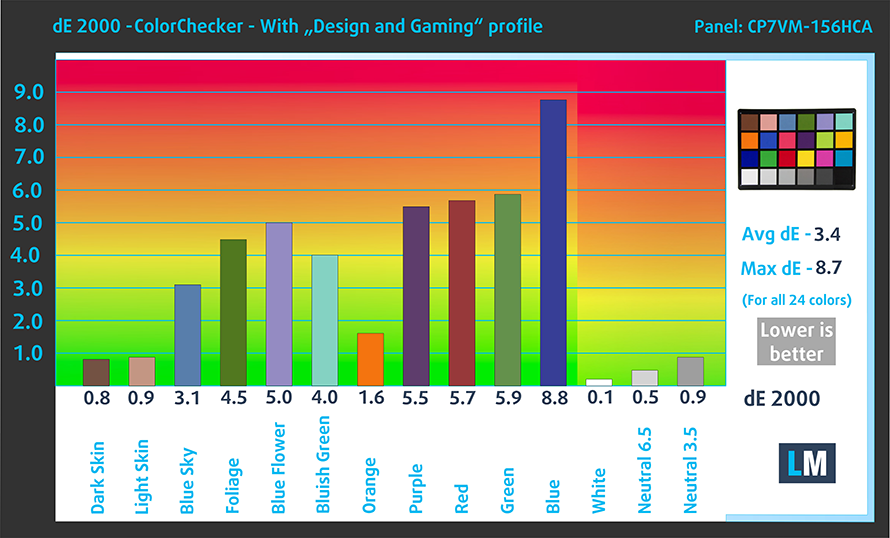
Our “Design and Gaming” profile delivers optimal color temperature (6500K) at 140 cd/m2 luminance and sRGB gamma mode.
We tested the accuracy of the display with 24 commonly used colors like light and dark human skin, blue sky, green grass, orange, etc. You can check out the results at factory condition and also, with the “Design and Gaming” profile.
Below you can compare the scores of Dell Vostro 15 5501 with the default settings (left), and with the “Gaming and Web design” profile (right).

The next figure shows how well the display is able to reproduce really dark parts of an image, which is essential when watching movies or playing games in low ambient light.
The left side of the image represents the display with stock settings, while the right one is with the “Gaming and Web Design” profile activated. On the horizontal axis, you will find the grayscale, and on the vertical axis – the luminance of the display. On the two graphs below you can easily check for yourself how your display handles the darkest nuances but keep in mind that this also depends on the settings of your current display, the calibration, the viewing angle, and the surrounding light conditions.

Response time (Gaming capabilities)
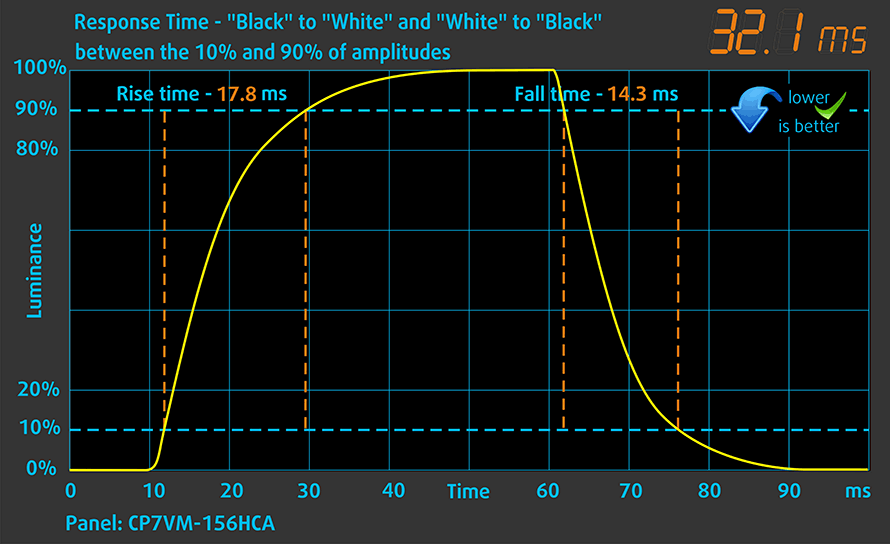
We test the reaction time of the pixels with the usual “black-to-white” and “white-to-black” method from 10% to 90% and vice versa.
We recorded Fall Time + Rise Time = 32 ms.
Health impact – PWM / Blue Light
PWM (Screen flickering)
Pulse-width modulation (PWM) is an easy way to control monitor brightness. When you lower the brightness, the light intensity of the backlight is not lowered, but instead turned off and on by the electronics with a frequency indistinguishable to the human eye. In these light impulses, the light/no-light time ratio varies, while brightness remains unchanged, which is harmful to your eyes. You can read more about that in our dedicated article on PWM.
Dell Vostro 15 5501’s display uses PWM to adjust its brightness until 61 nits. Moreover, the pulsations have a very high frequency, which makes it comfortable for long working periods.

Blue light emissions
Installing our Health-Guard profile not only eliminates PWM but also reduces the harmful Blue Light emissions while keeping the colors of the screen perceptually accurate. If you’re not familiar with the Blue light, the TL;DR version is – emissions that negatively affect your eyes, skin, and your whole body. You can find more information about that in our dedicated article on Blue Light.
Conclusions
Dell Vostro 15 5501’s IPS panel has a Full HD resolution, comfortable viewing angles, and good contrast ratio. It is also generally safe for your eyes when it comes to PWM usage, but sadly, it only covers 53% of the sRGB color gamut.
Buy our profiles
Since our profiles are tailored for each individual display model, this article and its respective profile package are meant for Dell Vostro 15 5501 configurations with 15.6″ Innolux N156HCA-EAA (CMN15E5) (FHD, 1920 × 1080) IPS.
*Should you have problems with downloading the purchased file, try using a different browser to open the link you’ll receive via e-mail. If the download target is a .php file instead of an archive, change the file extension to .zip or contact us at [email protected].
Read more about the profiles HERE.
Verimli ve sağlık dostu profiller almanın yanı sıra, LaptopMedia'nın ürünlerini satın alarak, mümkün olan en objektif incelemeleri üretmek için cihazları test ettiğimiz laboratuvarlarımızın gelişimini de desteklemiş olursunuz.

Ofis Çalışması
Ofis Çalışması, çoğunlukla metinlere, tablolara bakan veya sadece gezinen kullanıcılar tarafından kullanılmalıdır. Bu profil, düz bir gama eğrisi (2.20), doğal renk sıcaklığı ve algısal olarak doğru renkler tutarak daha iyi ayırt edilebilirlik ve netlik sunmayı amaçlamaktadır.

Tasarım ve Oyun
Bu profil, renklerle profesyonel olarak çalışan tasarımcılara ve aynı zamanda oyunlara ve filmlere yöneliktir. Tasarım ve Oyun, ekran panellerini sınırlarına kadar zorlayarak Web ve HDTV için sRGB IEC61966-2-1 standardında, D65 beyaz noktasında mümkün olduğunca doğru olmalarını sağlar.

Health-Guard
Health-Guard, zararlı Darbe Genişlik Modülasyonunu (PWM) ortadan kaldırır ve gözlerimizi ve vücudumuzu etkileyen negatif Mavi Işığı azaltır. Her panel için özel olarak uyarlandığından, renkleri algısal olarak doğru tutmayı başarır. Health-Guard kağıdı simüle eder, böylece gözlerdeki baskı büyük ölçüde azalır.
3 profili de %33 indirimle alın

Sound
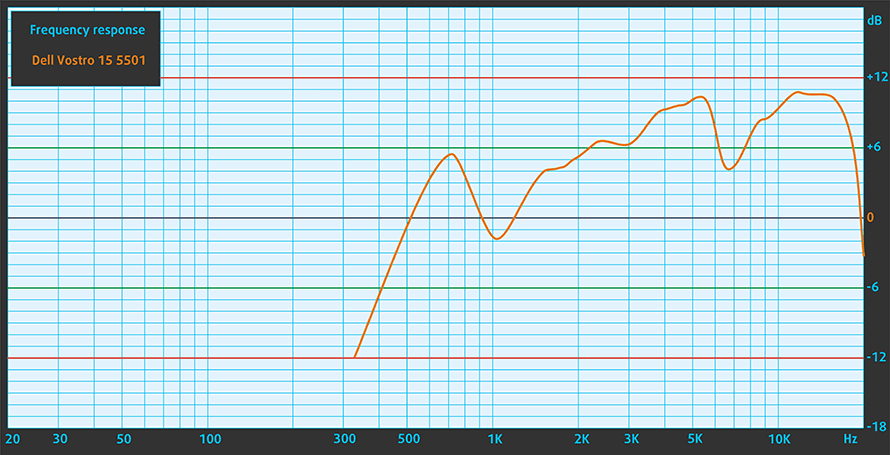
Dell Vostro 15 5501’s speakers produce a sound with decent quality. Its low, mid, and high tones are clear of deviations.
Drivers
All of the drivers and utilities for this notebook can be downloaded from here: https://www.dell.com/support/home/en-us/product-support/product/vostro-15-5501-laptop/drivers
Battery
Now, we conduct the battery tests with Windows Better performance setting turned on, screen brightness adjusted to 120 nits, and all other programs turned off except for the one we are testing the notebook with.
Parlaklık: 180 nit; Ekran Modu: SDR
Tam Deşarj Süresi: Yüksek Olan Daha İyidir


Gerçek hayat koşullarını simüle etmek için 70'ten fazla web sitesinde otomatik web taraması için kendi komut dosyamızı kullandık.
CPU options
This laptop can be purchased with three Ice Lake processors – the Core i3-1005G1, Core i5-1035G1, and the Core i7-1065G7.
Sonuçlar Cinebench 20 CPU testindendir (puan ne kadar yüksek olursa o kadar iyidir)
GPU options
This means that the integrated graphics solutions are the Intel UHD Graphics, and the Iris Plus Graphics G7. Additionally, you can configure the Vostro 15 5501 with the GeForce MX330, equipped with 2GB of GDDR5 memory.
Sonuçlar 3DMark Time Spy (Grafik) testindendir. Yüksek olan daha iyidir.
Sonuçlar 3DMark Fire Strike (Grafik) benchmark testindendir (puan ne kadar yüksek olursa o kadar iyidir)
Sonuçlar Unigine Superposition benchmark testindendir (puan ne kadar yüksek olursa o kadar iyidir)
Gaming tests


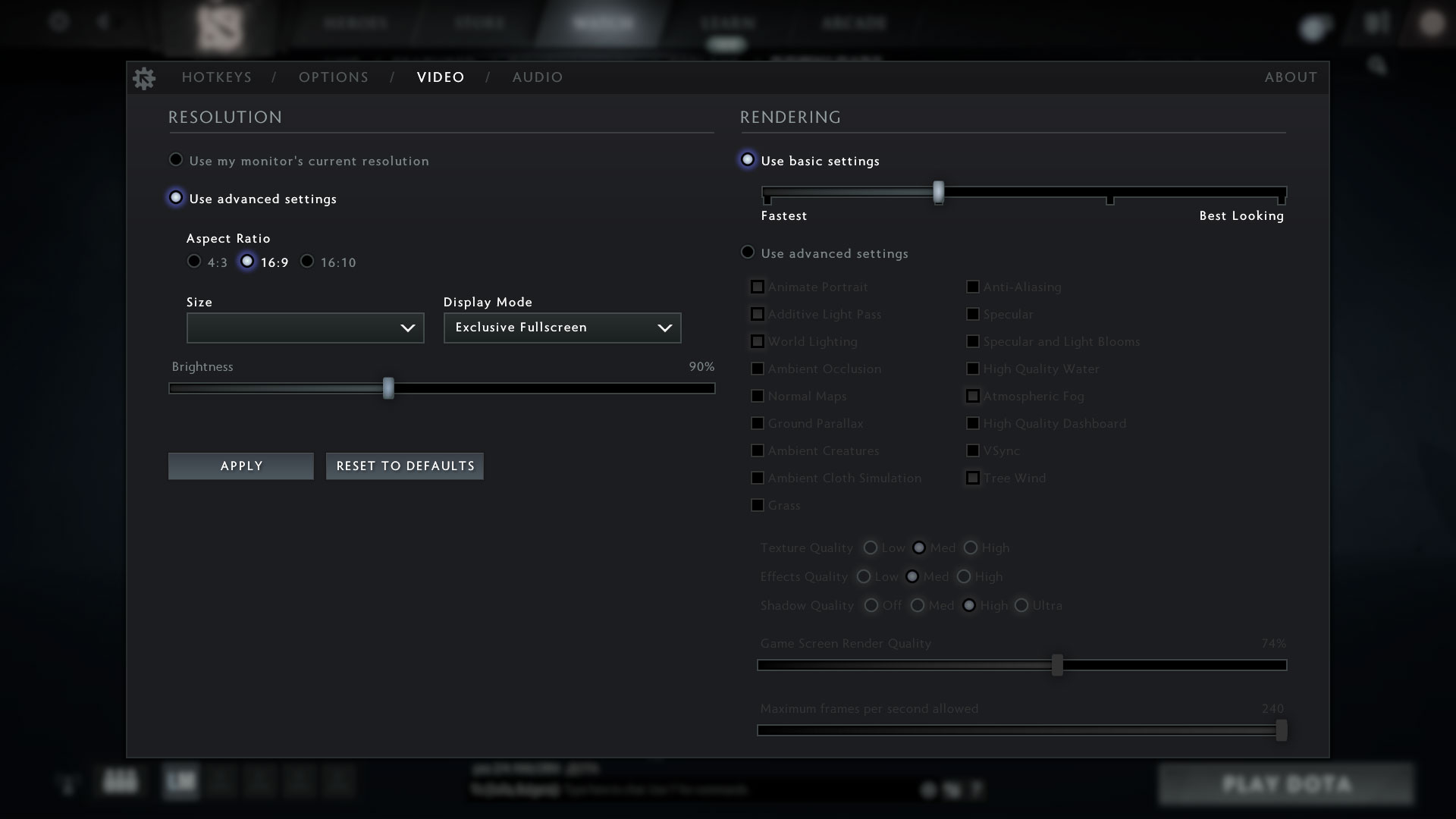
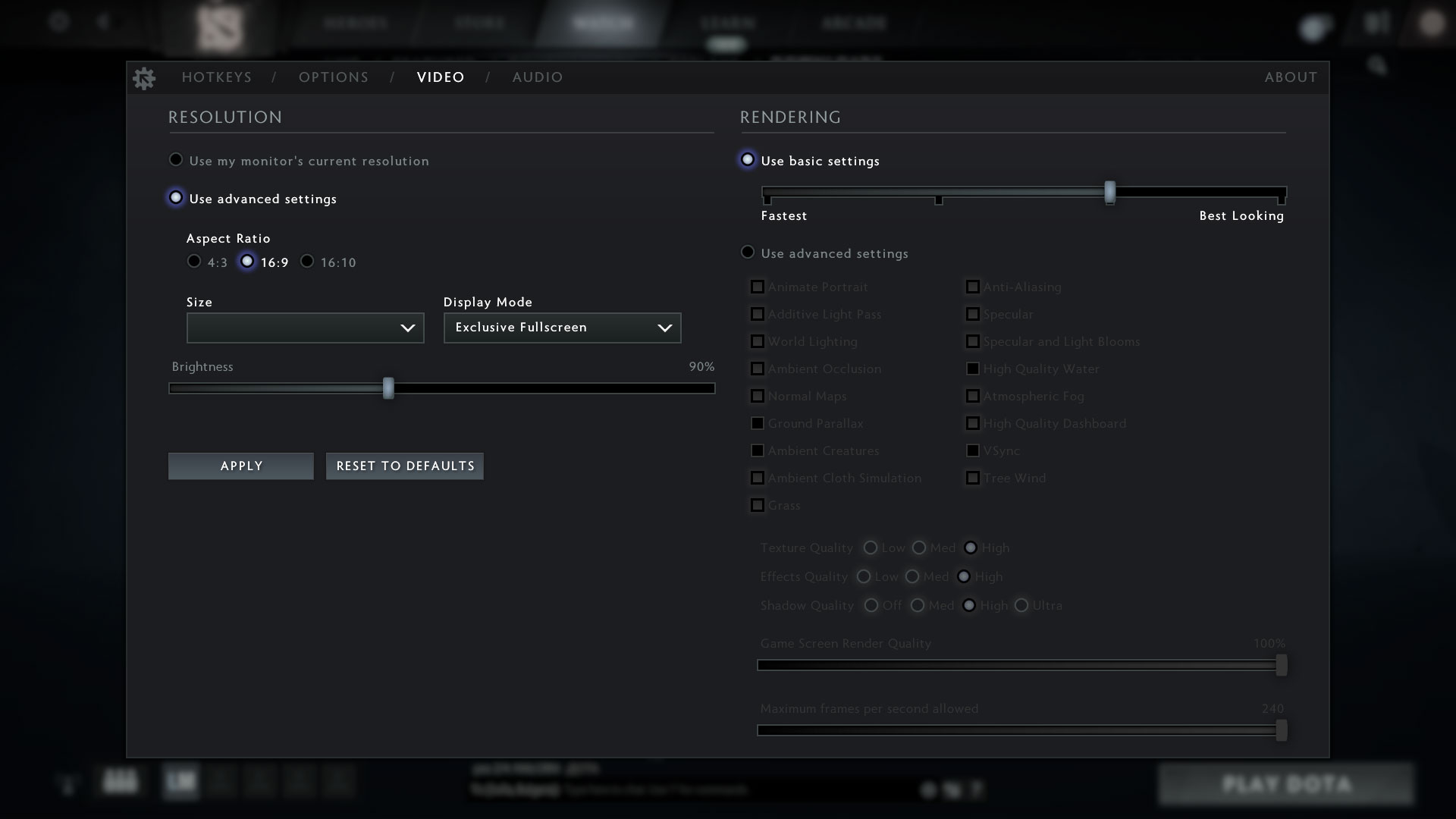
| DOTA 2 | HD 1080p, Low (Check settings) | HD 1080p, Normal (Check settings) | HD 1080p, High (Check settings) |
|---|---|---|---|
| Average FPS | 61 fps | 33 fps | – fps |
Temperatures and comfort
Max CPU load
In this test we use 100% on the CPU cores, monitoring their frequencies and chip temperature. The first column shows a computer’s reaction to a short load (2-10 seconds), the second column simulates a serious task (between 15 and 30 seconds), and the third column is a good indicator of how good the laptop is for long loads such as video rendering.
Average core frequency (base frequency + X); CPU temp.
| Intel Core i5-1035G1 (15W TDP) | 0:02 – 0:10 sec | 0:15 – 0:30 sec | 10:00 – 15:00 min |
|---|---|---|---|
| Dell Vostro 15 5501 | 2.37 GHz (B+137%) @ 99°C | 2.12 GHz (B+112%) @ 99°C | 1.65 GHz (B+65%) @ 78°C |
| Dell Inspiron 15 5501 | 2.47 GHz (B+147%) @ 99°C | 2.17 GHz (B+117%) @ 99°C | 1.62 GHz (B+62%) @ 74°C |
| ASUS ZenBook 13 UX325 | 2.35 GHz (B+135%) @ 97°C | 1.98 GHz (B+98%) @ 97°C | 1.37 GHz (B+37%) @ 68°C |
| Lenovo Ideapad Flex 5 (15) | 2.59 GHz (B+159%) @ 95°C | 2.15 GHz (B+115%) @ 95°C | 1.66 GHz (B+66%) @ 81°C |
| Lenovo Ideapad 5 (15) | 2.46 GHz (B+146%) @ 84°C | 1.95 GHz (B+95%) @ 76°C | 2.06 GHz (B+106%) @ 74°C |
| HP Pavilion 14 (14-ce3000) | 2.91 GHz (B+191%) @ 92°C | 1.82 GHz (B+82%) @ 73°C | 1.49 GHz (B+49%) @ 65°C |
| Dell Vostro 15 3591 | 2.09 GHz (B+109%) @ 75°C | 2.09 GHz (B+109%) @ 84°C | 1.77 GHz (B+77%) @ 85°C |
| Acer Aspire 5 (A515-55) | 1.98 GHz (B+98%) @ 79°C | 1.68 GHz (B+68%) @ 79°C | 1.52 GHz (B+52%) @ 79°C |
| Acer Swift 5 Pro (SF514-54GT) | 2.88 GHz (B+188%) @ 80°C | 1.62 GHz (B+62%) @ 64°C | 1.65 GHz (B+65%) @ 67°C |
| Dell Inspiron 5593 | 2.53 GHz (B+153%) @ 99°C | 2.14 GHz (B+114%) @ 94°C | 1.88 GHz (B+88%) @ 87°C |
As you can see, the Vostro 15 5501 performs exactly the same as its twin – the Inspiron 15 5501. Yet again, the cooling can’t really handle the Core i5-1035G1 working at higher clock speeds.
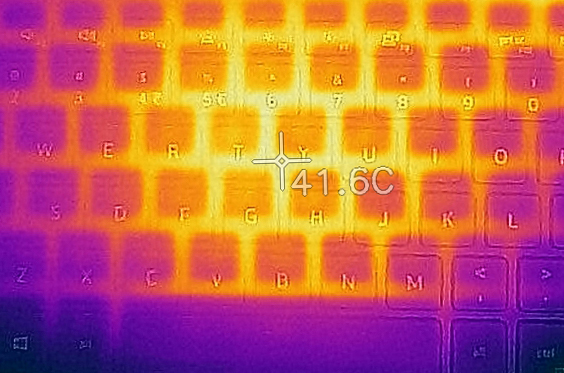
Comfort during full load
On the bright side, the laptop was neither too hot, nor too loud under the extreme workload.

Verdict
Interestingly, despite having pretty much the same looks as the Inspiron 15 5501, the Vostro 15 5501 has a worse build quality. While the lid and the base are both aluminum, we found the device to be a bit bendable… literally. Also, the smaller battery results in a shorter autonomous time.
Thankfully, there are still two RAM SODIMM slots, that can hold up to 32GB of DDR4 memory. Also, you can put two M.2 NVMe SSDs. And while the laptop lacks Thunderbolt 3 connectivity, it can still be charged through the USB Type-C port. And it can also output a DisplayPort signal, connect to the Internet, via the RJ-45 connector, and last but not least – the MicroSD card slot offers easy access to your photos.
Dell Vostro 15 5501’s IPS panel has a Full HD resolution, comfortable viewing angles, and good contrast ratio. It is also generally safe for your eyes when it comes to PWM usage, but sadly, it only covers 53% of the sRGB color gamut.
All-in-all the device is not bad. It offers quite the options for business people – like the TPM chip onboard, the privacy shutter, the fingerprint reader, and so on. However, the lack of reliability in our perspective is something you should keep in mind, before making a purchase decision.
Honestly, if you’re mostly going to leave your device in your office (or home) there wouldn’t be any problem. But if you are frequently traveling, putting your notebook in a backpack with other objects – be careful.
Pros
- Generous I/O
- Supports 2 M.2 PCIe x4 drives
- Features the Ice Lake CPUs from Intel and up to 32GB of memory
- It is equipped with an SD card reader
- Doesn’t use aggressive PWM for brightness adjustment (Innolux N156HCA-EAA (CMN15E5))
Cons
- Bendable chassis
- Covers only 53% of the sRGB gamut (Innolux N156HCA-EAA (CMN15E5))
You can check the prices and configurations in our Specs System: https://laptopmedia.com/series/dell-vostro-15-5501/
 Author: Alex Iliev
 Author: eng. Kroum NikolovHead of Engineering at LaptopMedia.com, inventor and innovator with 40+ years of experience in electronics and high technology.

![[Haziran 2026] Amazon Global’de En Çok Satan Dizüstü Bilgisayar Markaları – Apple’ın Satış Adedi ve Gelir Açısından Rakipsiz Hakimiyeti](https://laptopmedia.com/wp-content/uploads/2026/07/GLOBAL-Best-Brands-400x225.jpg)
![[Haziran 2026] Amazon Global: En Çok Satan 10 Dizüstü Bilgisayar – Apple’ın Yeni MacBook Neo, 1. Sıraya Fırtına Gibi Yükseldi; Uygun Fiyatıyla Pazarı Yeniden Şekillendiriyor](https://laptopmedia.com/wp-content/uploads/2026/07/Best-Selling-Laptops-GLOBAL-Top-10-400x225.jpg)
![[Haziran 2026] Amazon Global: En Çok Satan 10 Oyun Dizüstü Bilgisayarı – Acer’ın Nitro V 16S AI modeli satışlarda başı çekerken, ASUS toplam gelirde lider konumda](https://laptopmedia.com/wp-content/uploads/2026/07/Best-Selling-Gaming-Laptops-GLOBAL-Top-10-400x225.jpg)
![[Haziran 2026] Amazon’da En Çok Satan Dizüstü Bilgisayar GPU’larının Küresel Sıralaması – NVIDIA RTX 5060, en çok satan özel amaçlı GPU’dur](https://laptopmedia.com/wp-content/uploads/2026/07/Best-Selling-GPUs-GLOBAL-Top-10-400x225.jpg)
![[Haziran 2026] Amazon’da En Çok Satan Dizüstü Bilgisayar İşlemcilerinin Küresel Sıralaması – Apple M5 Liderlik Yapıyor, AMD Ryzen 7 260 Üst Sınıf Segmentte Sağlam Bir Pay Elde Ediyor](https://laptopmedia.com/wp-content/uploads/2026/07/Best-Selling-CPUs-GLOBAL-Top-10-400x225.jpg)


I had this model for a month, it was great but with some drawbacks. Mine had assembly errors and I bought Lenovo Yoga Slim 7 15 instead. As you mentioned build quality is not as it appears to be using aluminium. I had another configuration with 300cd/m2 and 98% color gamut screen (BOE panel). Battery life was almost half of what you show (max 5 hours web browsing 40% brightness) however the charger is very very small. Temperature was around 45° during non intensive tasks and noise wise it was most of the time silent. The Lenovo Yoga has a… Devamını oku »
ah