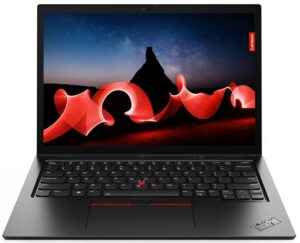
Lenovo ThinkPad L13 Yoga Gen 4 (Intel)
Lenovo ThinkPad L13 Yoga Gen 4 (Intel) - Specs




- Display
- 13.3”, WUXGA (1920 x 1200), IPS

- HDD/SSD
- up to 1000GB SSD
- M.2 Slot
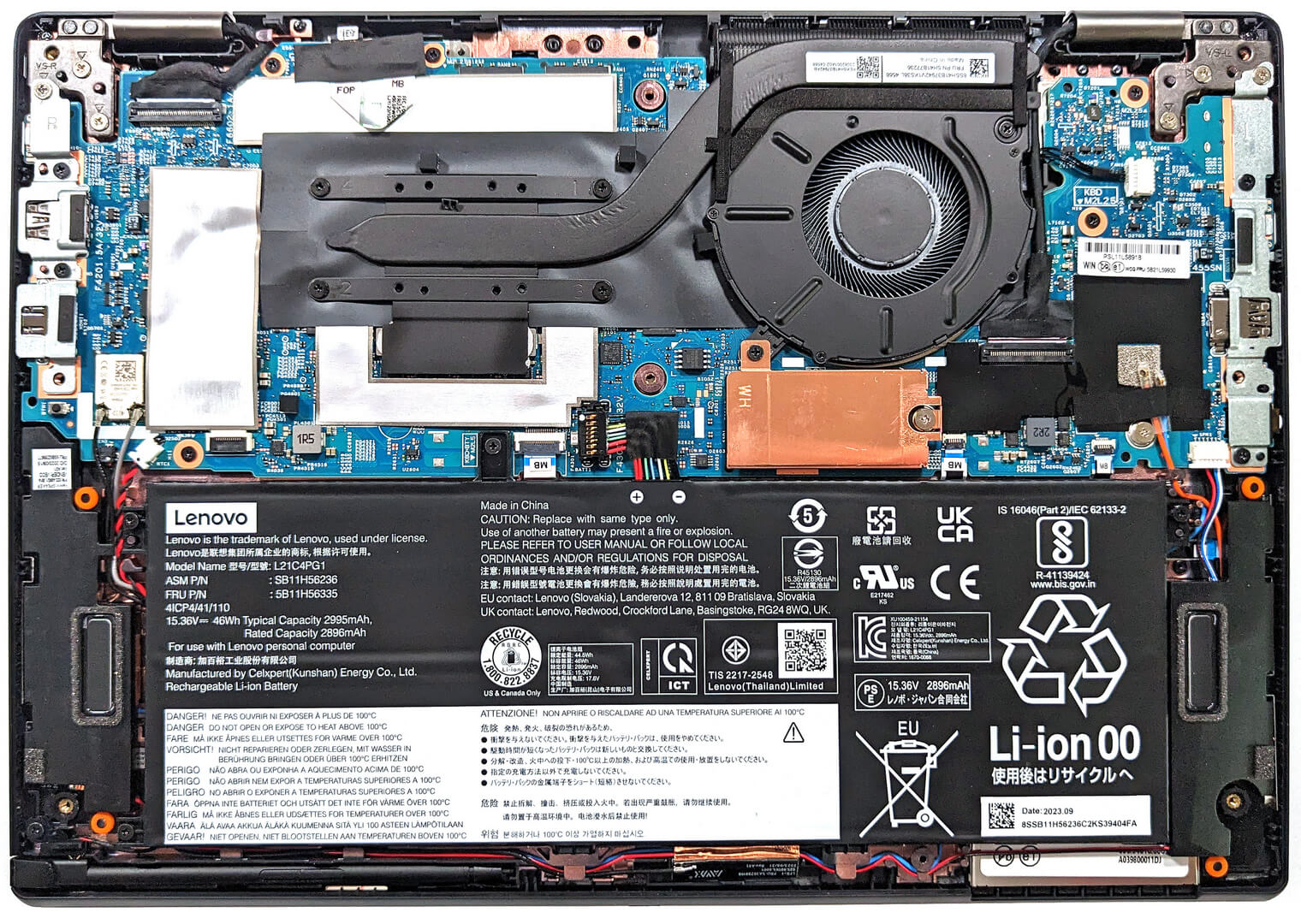
- 1x 2242 M.2 NVMe PCIe 4.0 x4 See photo
- RAM
- up to 32GB
- OS
- Windows 11 Pro, Windows 11 Home, Windows 10 Pro
- Battery
- 46Wh
- Body material
- Plastic / Polycarbonate, Aluminum, Glass Fiber
- Dimensions
- 305 x 218 x 17.06 mm (12.01" x 8.58" x 0.67")
- Weight
- 1.32 kg (2.9 lbs)
- Ports and connectivity
- 1x USB Type-A
- 3.2 Gen 1 (5 Gbps)
- 1x USB Type-A
- 3.2 Gen 1 (5 Gbps), Sleep and Charge
- 1x USB Type-C
- 3.2 Gen 2 (10 Gbps), Power Delivery (PD), DisplayPort
- 1x USB Type-C
- 4.0, Thunderbolt 4, Power Delivery (PD), DisplayPort
- HDMI
- 2.1 (4K@60Hz)
- Card reader
- Ethernet LAN
- Wi-Fi
- 802.11ax
- Bluetooth
- 5.1
- Audio jack
- 3.5mm Combo Jack
- Features
- Fingerprint reader
- optional
- Web camera
- HD / FHD with Privacy Shutter, Fixed Focus
- Backlit keyboard
- optional
- Microphone
- Dual Microphone Array, far-field, Dolby Voice
- Speakers
- 2x 2W Stereo Speakers, Dolby Audio
- Optical drive
- Security Lock slot
- Kensington Nano Lock
All Lenovo ThinkPad L13 Yoga Gen 4 (Intel) configurations
Buy our profiles for BOE NV133WUM-N61 / 13.3”, WUXGA (1920 x 1200), IPS
In addition to receiving efficient and health-friendly profiles, by buying LaptopMedia's products you also support the development of our labs, where we test devices in order to produce the most objective reviews possible.

Office Work
Office Work should be used mostly by users who spend most of the time looking at pieces of text, tables or just surfing. This profile aims to deliver better distinctness and clarity by keeping a flat gamma curve (2.20), native color temperature and perceptually accurate colors.

Design and Gaming
This profile is aimed at designers who work with colors professionally, and for games and movies as well. Design and Gaming takes display panels to their limits, making them as accurate as possible in the sRGB IEC61966-2-1 standard for Web and HDTV, at white point D65.

Health-Guard
Health-Guard eliminates the harmful Pulse-Width Modulation (PWM) and reduces the negative Blue Light which affects our eyes and body. Since it’s custom tailored for every panel, it manages to keep the colors perceptually accurate. Health-Guard simulates paper so the pressure on the eyes is greatly reduced.
Get all 3 profiles with 33% discount

CPU performance
Here you can find the price/performance difference between all the CPUs that come in the Lenovo ThinkPad L13 Yoga Gen 4 (Intel) series.
Here, we evaluate the CPU's performance using a real-world 3D rendering task, assessing its ability to handle complex computations and rendering workloads efficiently.
Results are from the Cinebench 2024 Multi-Core test (higher is better)
GPU performance
Here you can find the price/performance difference between all the GPUs that come in the Lenovo ThinkPad L13 Yoga Gen 4 (Intel) series.
The results are from 3DMark Time Spy (Graphics). Higher is better.
Lenovo ThinkPad L13 Yoga Gen 4 (Intel) in-depth review
Not so long ago, a convertible laptop was a rare find. These days, you can see such devices in many different price categories and form factors. The Lenovo ThinkPad L13 Yoga Gen 4 (Intel) is a not-so-expensive 2-in-1 office machine with a touchscreen and powerful enough hardware for business needs.Speaking of which, you can choose between five 15W Intel Raptor Lake U-series CPUs. These chips seem like the right choice for a thin and light 13-incher. There are no dGPU options but the iGPUs are paired with a LPDDR5 memory in dual-channel mode and the overall performance is at least decent. Y[...]

Pros
- Has an optional stylus in the box
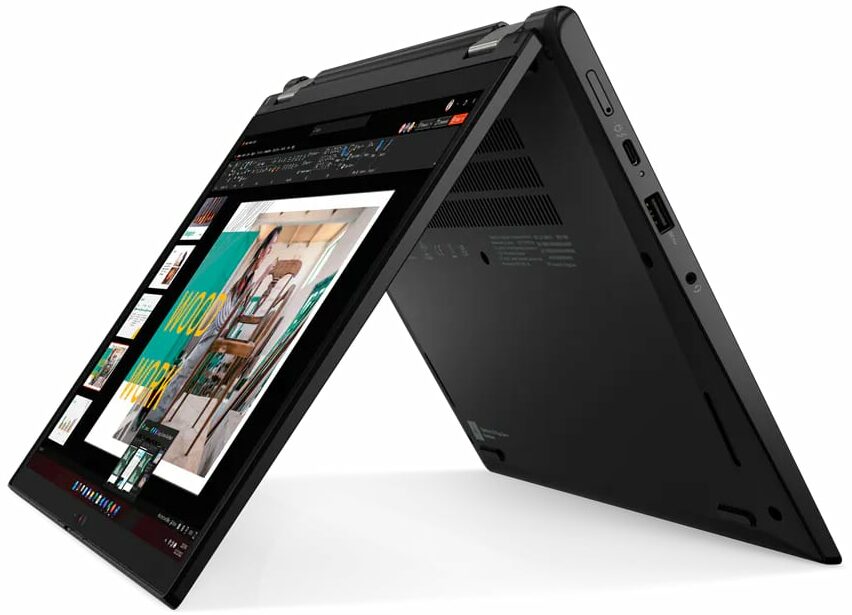
- Compact and light 2-in-1 device that supports tablet, tent, and stand modes
- Web camera with a privacy shutter
- Optional IR face recognition + fingerprint reader, FHD camera, Nano-SIM card slot, Smart card reader, and 4G support
- PWM-free (BOE NV133WUM-N61 (LEN41A0))
- Good I/O with Thunderbolt 4 / USB4
- 98% sRGB coverage + greatly improved color accuracy with our "Design and Gaming" profile (BOE NV133WUM-N61 (LEN41A0))
- Up to 32GB of LPDDR5 memory in dual-channel mode
- Great comfort under full CPU load
- Comfortable input devices
Cons
- Soldered RAM
- The CPU clocks during 100% processor load are unimpressive
- Just one M.2 slot
- Not the best chassis rigidity
How to open Lenovo ThinkPad L13 Yoga Gen 4 (Intel) – disassembly and upgrade options
Games you can play on this laptop series

Resolution: 1920 x 1080 (Full HD) |
NORMAL |
HIGH |
VERY HIGH |
MAX |
|---|---|---|---|---|
| Intel Iris Xe Graphics G7 (96EU) | 48 FPS PLAY VIDEO | 19 FPS PLAY VIDEO | - PLAY VIDEO | - PLAY VIDEO |

Resolution: 1920 x 1080 (Full HD) |
MIN |
MAX |
|---|---|---|
| Intel Iris Xe Graphics G7 (96EU) | 537 FPS PLAY VIDEO | 50 FPS PLAY VIDEO |

Resolution: 1920 x 1080 (Full HD) |
VERY LOW |
MED |
MAX |
|---|---|---|---|
| Intel Iris Xe Graphics G7 (96EU) | 231 FPS PLAY VIDEO | 183 FPS PLAY VIDEO | 142 FPS PLAY VIDEO |

Resolution: 1920 x 1080 (Full HD) |
PERF. |
ORIG. |
ENCH. |
|---|---|---|---|
| Intel Iris Xe Graphics G7 (96EU) | 53 FPS PLAY VIDEO | 47 FPS PLAY VIDEO | 41 FPS PLAY VIDEO |

Resolution: 1920 x 1080 (Full HD) |
LOW |
MAX |
|---|---|---|
| Intel Iris Xe Graphics G7 (96EU) | 119 FPS PLAY VIDEO | 49 FPS PLAY VIDEO |

Resolution: 1920 x 1080 (Full HD) |
LOW |
ULTRA |
|---|---|---|
| Intel Iris Xe Graphics G7 (96EU) | 103 FPS PLAY VIDEO | 44 FPS PLAY VIDEO |

Resolution: 1920 x 1080 (Full HD) |
MIN |
MED |
ULTRA |
|---|---|---|---|
| Intel Iris Xe Graphics G7 (96EU) | 174 FPS PLAY VIDEO | 41 FPS PLAY VIDEO | 23 FPS PLAY VIDEO |

Resolution: 1920 x 1080 (Full HD) |
HIGH PERF |
HIGH QLT |
|---|---|---|
| Intel Iris Xe Graphics G7 (96EU) | 97 FPS PLAY VIDEO | 43 FPS PLAY VIDEO |

Resolution: 1920 x 1080 (Full HD) |
LOW |
NORMAL |
HIGH |
MAX |
|---|---|---|---|---|
| Intel Iris Xe Graphics G7 (96EU) | 94 FPS PLAY VIDEO | 63 FPS PLAY VIDEO | 45 FPS PLAY VIDEO | 34 FPS PLAY VIDEO |

Resolution: 1920 x 1080 (Full HD) |
LOW |
MED |
HIGH |
ULTRA |
|---|---|---|---|---|
| Intel Iris Xe Graphics G7 (96EU) | 37 FPS PLAY VIDEO | 28 FPS PLAY VIDEO | 23 FPS PLAY VIDEO | - PLAY VIDEO |


![[May 2026] Global Ranking of Best-Selling Laptop GPUs on Amazon – Apple Dominates with 45% Share, Sweeps Top 3 Spots; NVIDIA’s RTX 5060 Leads the Dedicated GPU Pack](https://laptopmedia.com/wp-content/uploads/2026/06/Best-Selling-GPUs-GLOBAL-Top-10-400x225.jpg)
![[May 2026] Global Ranking of Best-Selling Laptop CPUs on Amazon – Apple Crushes Competition with 45.2% Market Share, M5 Dominates](https://laptopmedia.com/wp-content/uploads/2026/06/Best-Selling-CPUs-GLOBAL-Top-10-400x225.jpg)
![[May 2026] Amazon Germany: Top 7 Best-Selling Gaming Laptops – Lenovo Legion 5i Crowned Champion Amidst Fierce Mid-Range Competition](https://laptopmedia.com/wp-content/uploads/2026/06/Best-Selling-Gaming-Laptops-DE-Top-10-1-400x225.jpg)
![[May 2026] Amazon Italy: Top 10 Best-Selling Laptops – Apple MacBook Neo Reigns Supreme, Premium Models Capture Dominant Revenue Share](https://laptopmedia.com/wp-content/uploads/2026/06/Best-Selling-Laptops-IT-Top-10-400x225.jpg)
![[May 2026] Best-Selling Laptop Brands on Amazon Italy – Apple Dominates Across All Metrics](https://laptopmedia.com/wp-content/uploads/2026/06/IT-Best-Brands-400x225.jpg)