How to open Lenovo IdeaPad Slim 3 (14 AMD, Gen 8) – disassembly and upgrade options

Step 1: Opening the Lenovo IdeaPad Slim 3 (14 AMD, Gen 8)
- Ensure the Lenovo IdeaPad Slim 3 (14 AMD, Gen 8) is powered off and placed on a soft, clean surface to prevent scratches or damage.
- Remove the 9 Phillips-head screws from the bottom of the laptop.
- Use a plastic pry tool to gently lift the bottom panel, starting from one of the top two corners and carefully working your way around.
Hint: Begin prying at the corners where the gap is most noticeable to minimize the risk of damaging the panel or internal clips.

Step 2: Battery Removal
- Disconnect the battery connector from the motherboard to ensure safety during the removal process.
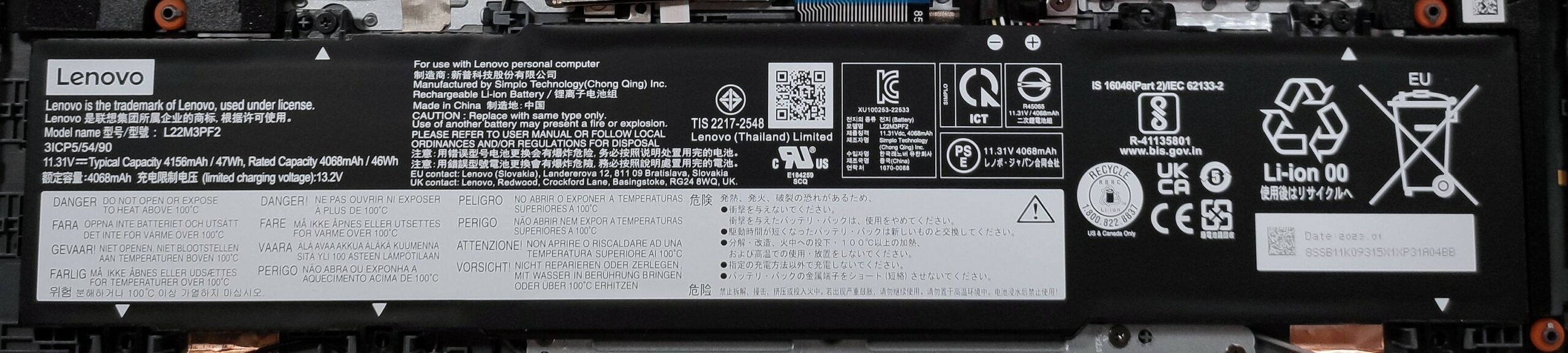
- Remove the 2 Phillips-head screws securing the 47Wh battery, then carefully lift it away from the chassis.
More info: The 47Wh battery provides up to 11 hours and 7 minutes of web browsing or 9 hours and 5 minutes of video playback, offering good battery life for daily use.
Memory Overview
The Lenovo IdeaPad Slim 3 comes with soldered RAM, supporting a maximum capacity of 16GB DDR4 3200MHz in dual-channel. Devices with 4GB and 8GB of RAM operate in single-channel mode, affecting performance.

Storage Upgrade
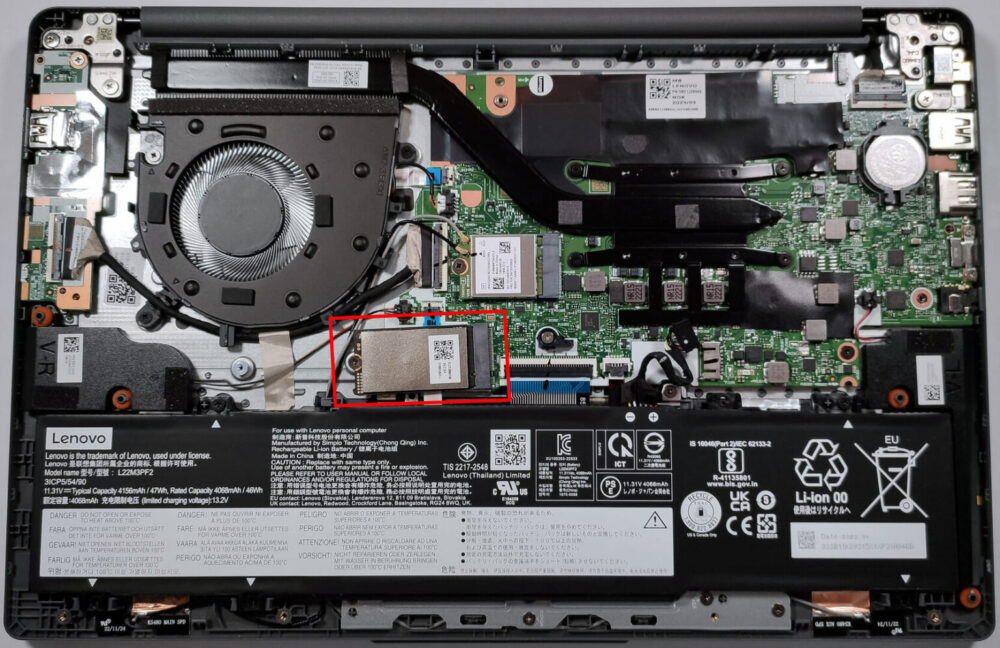
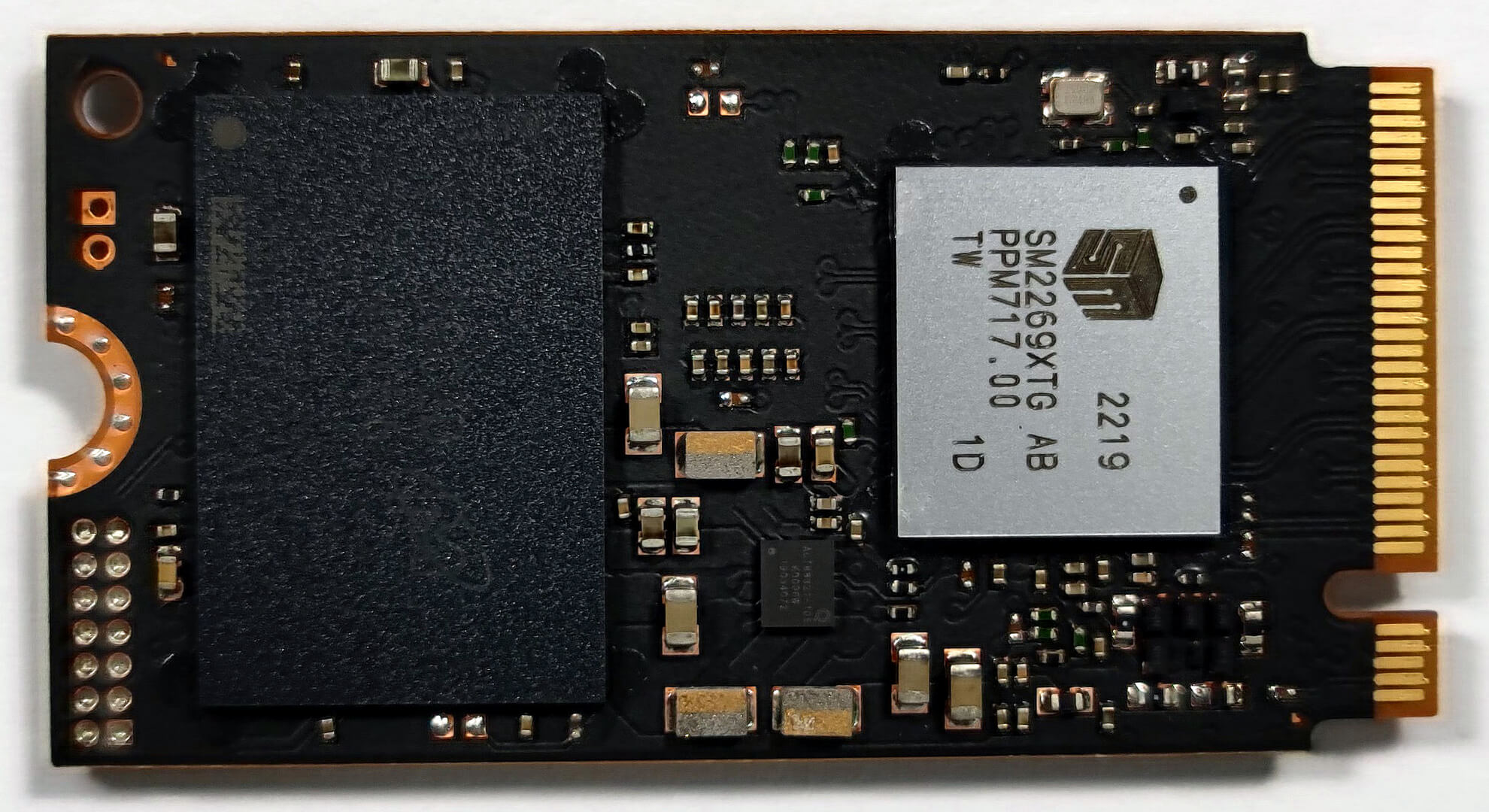
- Identify the M.2 slot compatible with Gen. 4 (2242) SSDs for storage expansion. Note that due to AMD platform limitations, the slot operates at Gen 3 speeds.
- The preinstalled NVMe SSD benefits from a thermal pad located below it, enhancing cooling to maintain optimal performance.
Hint: Don’t forget to check out our Top M.2 SSDs Performance Rankings for insights on the best storage options available.
You can buy Gen 3 M.2 2242 SSD modules here: Buy from Amazon.com.au (#CommissionsEarned)
You can buy Gen 4 M.2 2242 SSD modules here: Buy from Amazon.com.au (#CommissionsEarned)


Cooling System Overview
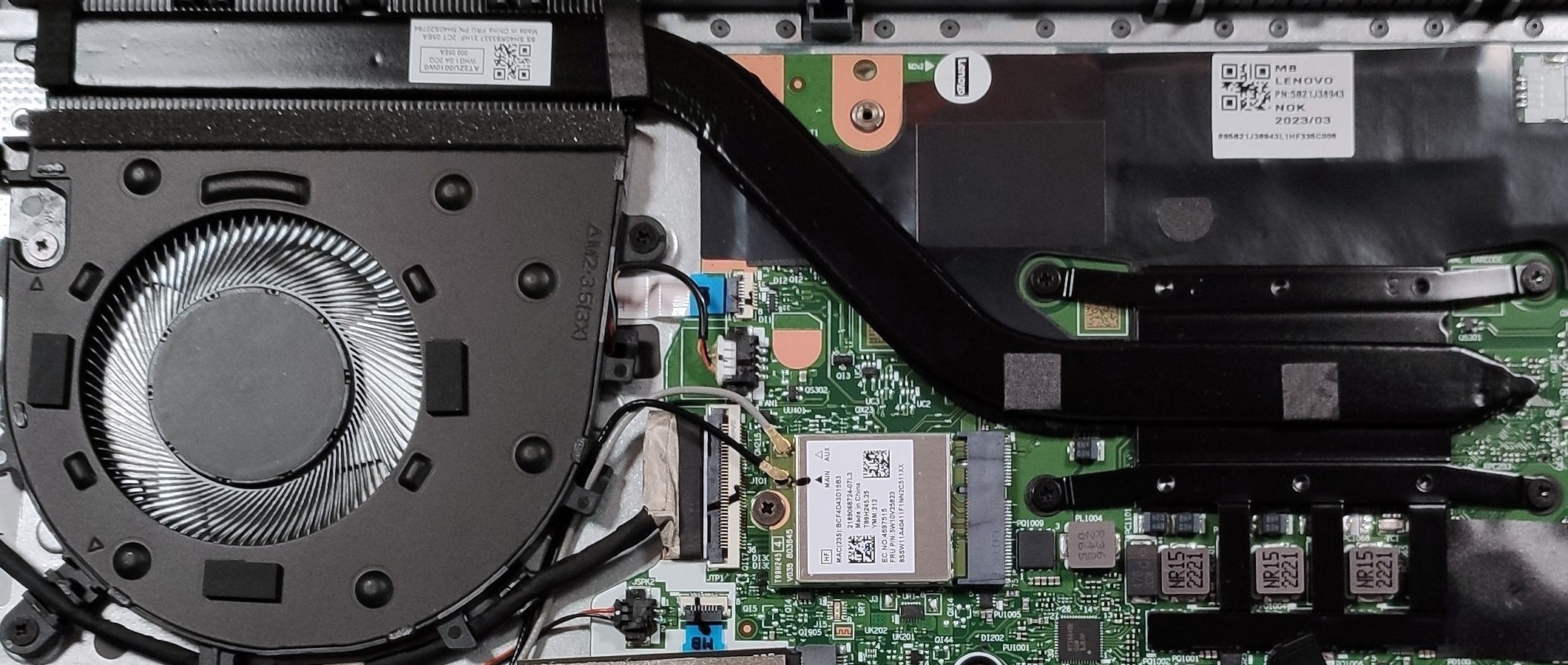
The cooling system in the Lenovo IdeaPad Slim 3 is straightforward yet effective, featuring one fan and one heat pipe to efficiently manage the thermal output of the device.
 Author: Nikolay Palaozov

![[May 2026] Global Ranking of Best-Selling Laptop GPUs on Amazon – Apple Dominates with 45% Share, Sweeps Top 3 Spots; NVIDIA’s RTX 5060 Leads the Dedicated GPU Pack](https://laptopmedia.com/wp-content/uploads/2026/06/Best-Selling-GPUs-GLOBAL-Top-10-400x225.jpg)
![[May 2026] Global Ranking of Best-Selling Laptop CPUs on Amazon – Apple Crushes Competition with 45.2% Market Share, M5 Dominates](https://laptopmedia.com/wp-content/uploads/2026/06/Best-Selling-CPUs-GLOBAL-Top-10-400x225.jpg)
![[May 2026] Amazon Germany: Top 7 Best-Selling Gaming Laptops – Lenovo Legion 5i Crowned Champion Amidst Fierce Mid-Range Competition](https://laptopmedia.com/wp-content/uploads/2026/06/Best-Selling-Gaming-Laptops-DE-Top-10-1-400x225.jpg)
![[May 2026] Amazon Italy: Top 10 Best-Selling Laptops – Apple MacBook Neo Reigns Supreme, Premium Models Capture Dominant Revenue Share](https://laptopmedia.com/wp-content/uploads/2026/06/Best-Selling-Laptops-IT-Top-10-400x225.jpg)
