Acer Aspire Go 15 (AG15-71P) Review – The Unbeatable Value Laptop for Raw Performance
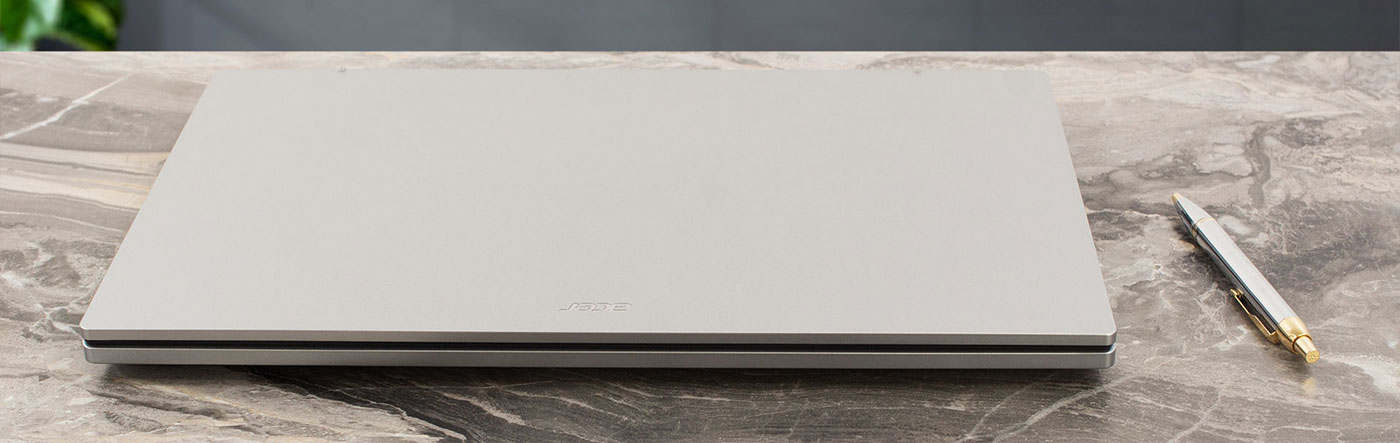
In the budget laptop market, few machines deliver raw performance like the Acer Aspire Go 15 (AG15-71P). This laptop commands attention for a very specific reason: it is currently the cheapest laptop with a powerful Core i7-13620H processor and an IPS screen. This is a significant achievement, bringing serious processing power into a price bracket usually reserved for weaker U-series CPUs. However, to hit this impressive price point, Acer has made very clear and deliberate trade-offs. The Aspire Go 15 isn’t for everyone, but for users who prioritize performance on a budget above all else, it offers a value proposition that is hard to ignore.
You can check the prices and configurations in our Specs System: https://laptopmedia.com/series/acer-aspire-go-15-ag15-71p/

Contents
Specs, Drivers, What’s in the box
Acer Aspire Go 15 (AG15-71P) - Specs
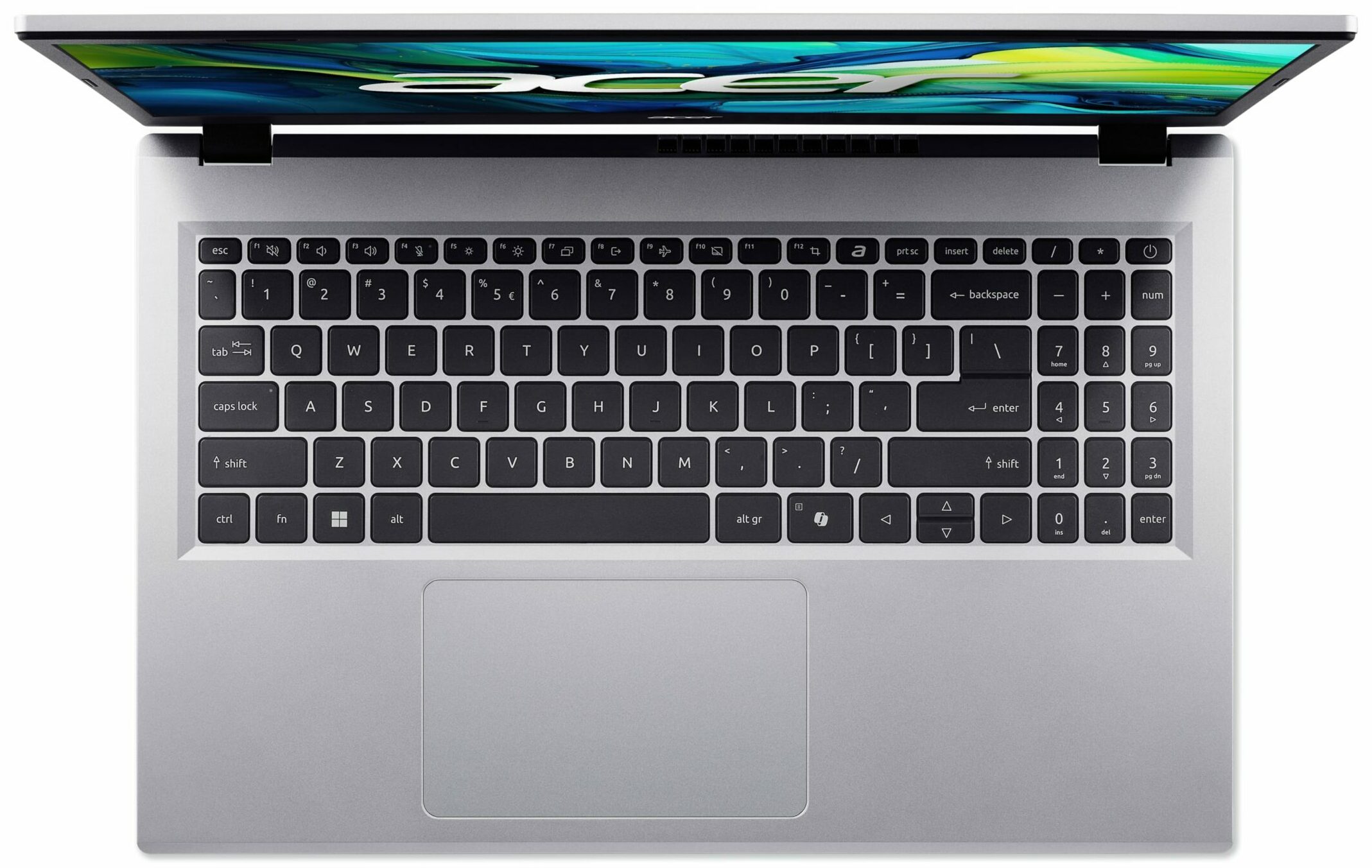
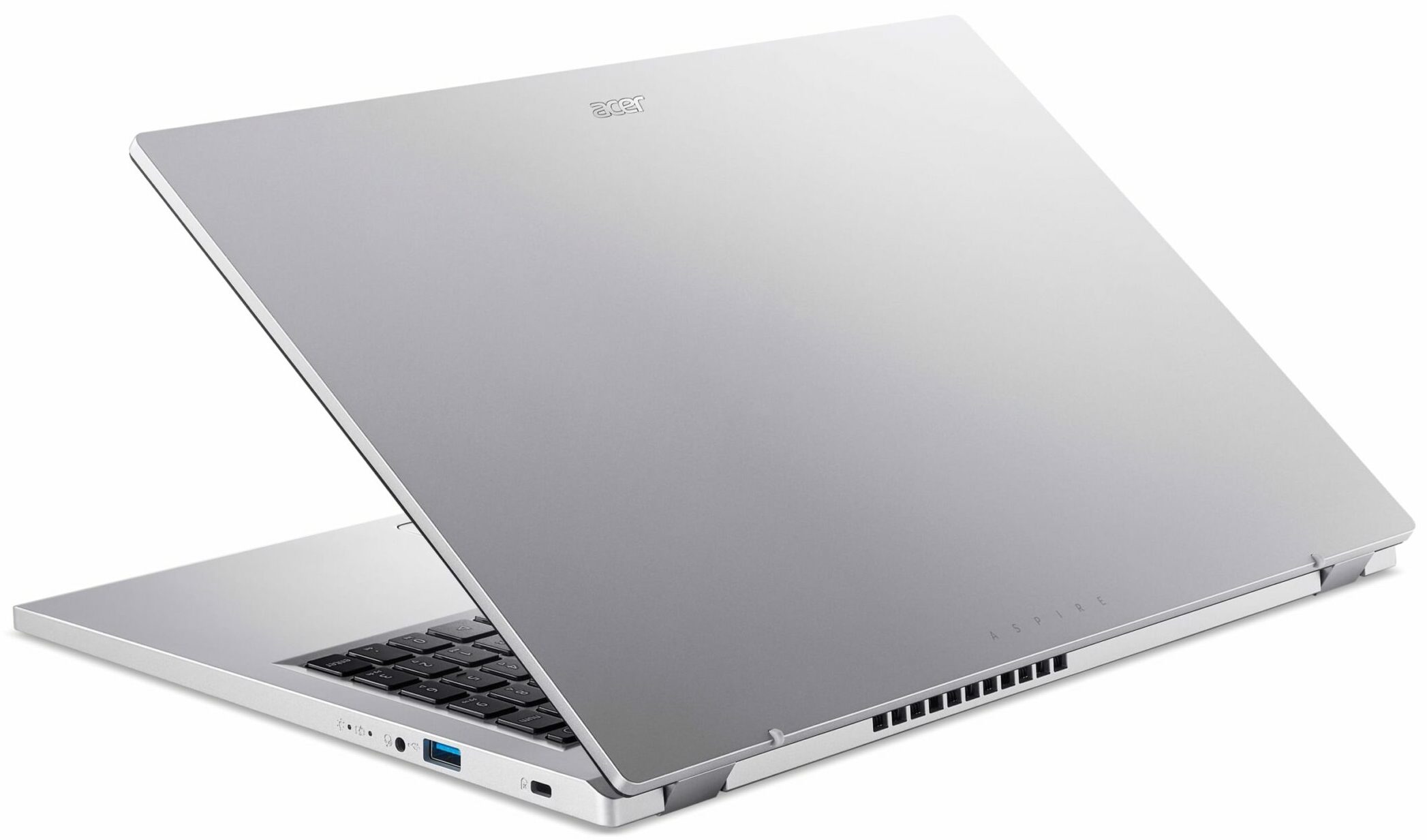

- HDD/SSD
- up to 4000GB SSD
- M.2 Slot
- 1x 2280 M.2 NVMe PCIe 4.0
- RAM
- up to 64GB
- OS
- Windows 11 Pro, Windows 11 Home, No OS
- Dimensions
- 362.9 x 237.5 x 14.6 ~ 19.95 mm (14.29" x 9.35" x 0.57")
- Weight
- 1.80 kg (4 lbs)
- Ports and connectivity
- 2x USB Type-A
- 3.2 Gen 1 (5 Gbps)
- 2x USB Type-C
- 3.2 Gen 2 (10 Gbps), Power Delivery (PD), DisplayPort
- HDMI
- 2.1
- Card reader
- Ethernet LAN
- Wi-Fi
- Wi-Fi 6E
- Bluetooth
- 5.1
- Audio jack
- 3.5mm Combo Jack
- Features
- Fingerprint reader
- Web camera
- HD
- Backlit keyboard
- optional
- Microphone
- 2x Microphones with Acer Purified Voice, AI noise reduction
- Speakers
- Stereo Speakers
- Security Lock slot
All Acer Aspire Go 15 (AG15-71P) configurations
Drivers
All drivers and utilities for this notebook can be found here: https://www.acer.com/sg-en/support/product-support/Aspire_AG15-71P/downloads?suggest=ag15-71p;0
What’s in the box?
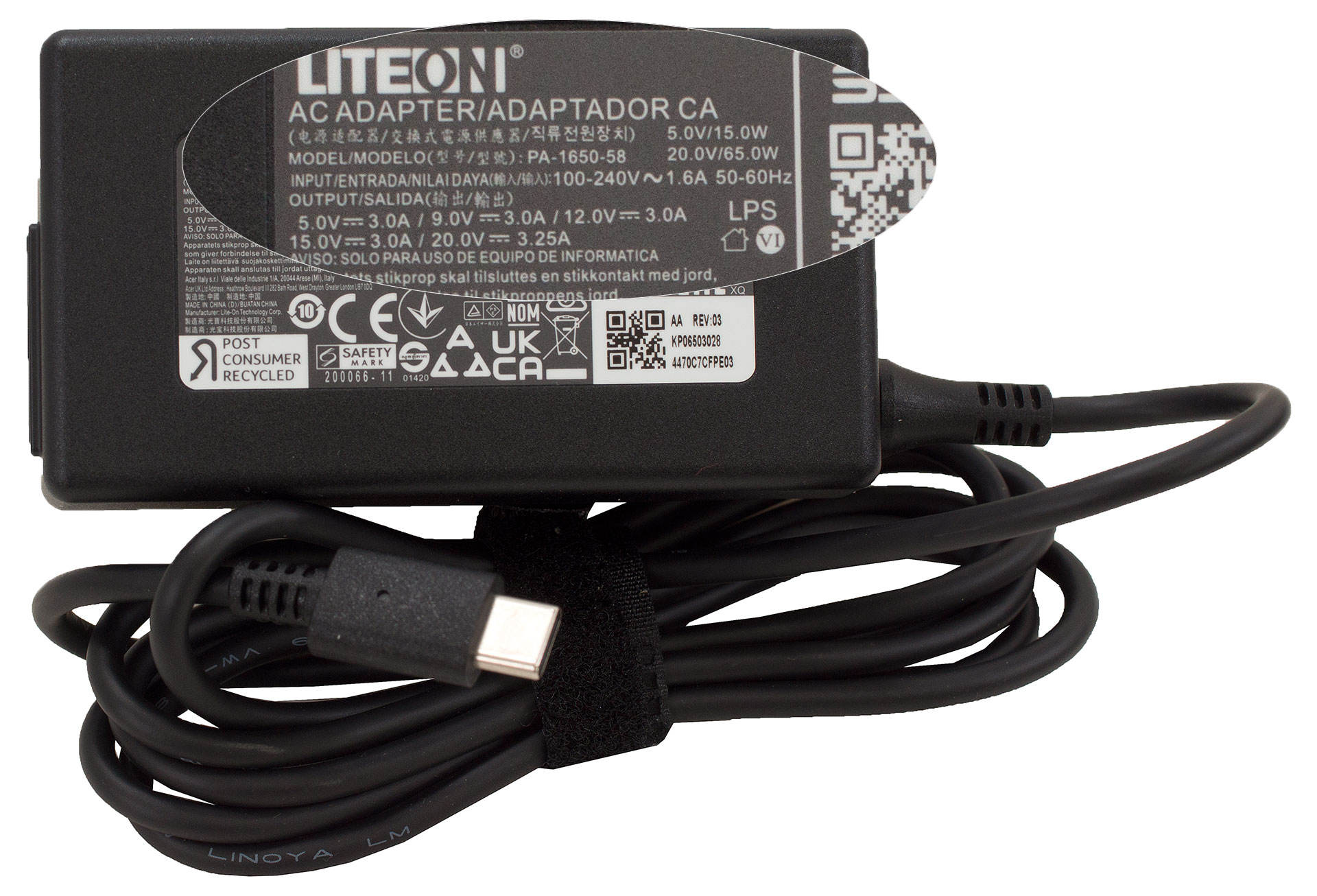
Acer keeps things refreshingly simple with the Aspire Go 15, offering a very straightforward unboxing experience.
Inside the box, you’ll find just two items: the laptop itself and its surprisingly tiny 65W power adapter.
Design and construction
The Acer Aspire Go 15 (AG15-71P) presents a classically elegant and straightforward design. It’s offered in a single grey colour, and honestly, the finish looks so good that we likely wouldn’t have chosen another even if more options were available. It’s a timeless look that fits well in any setting, from a student’s desk to a home office.
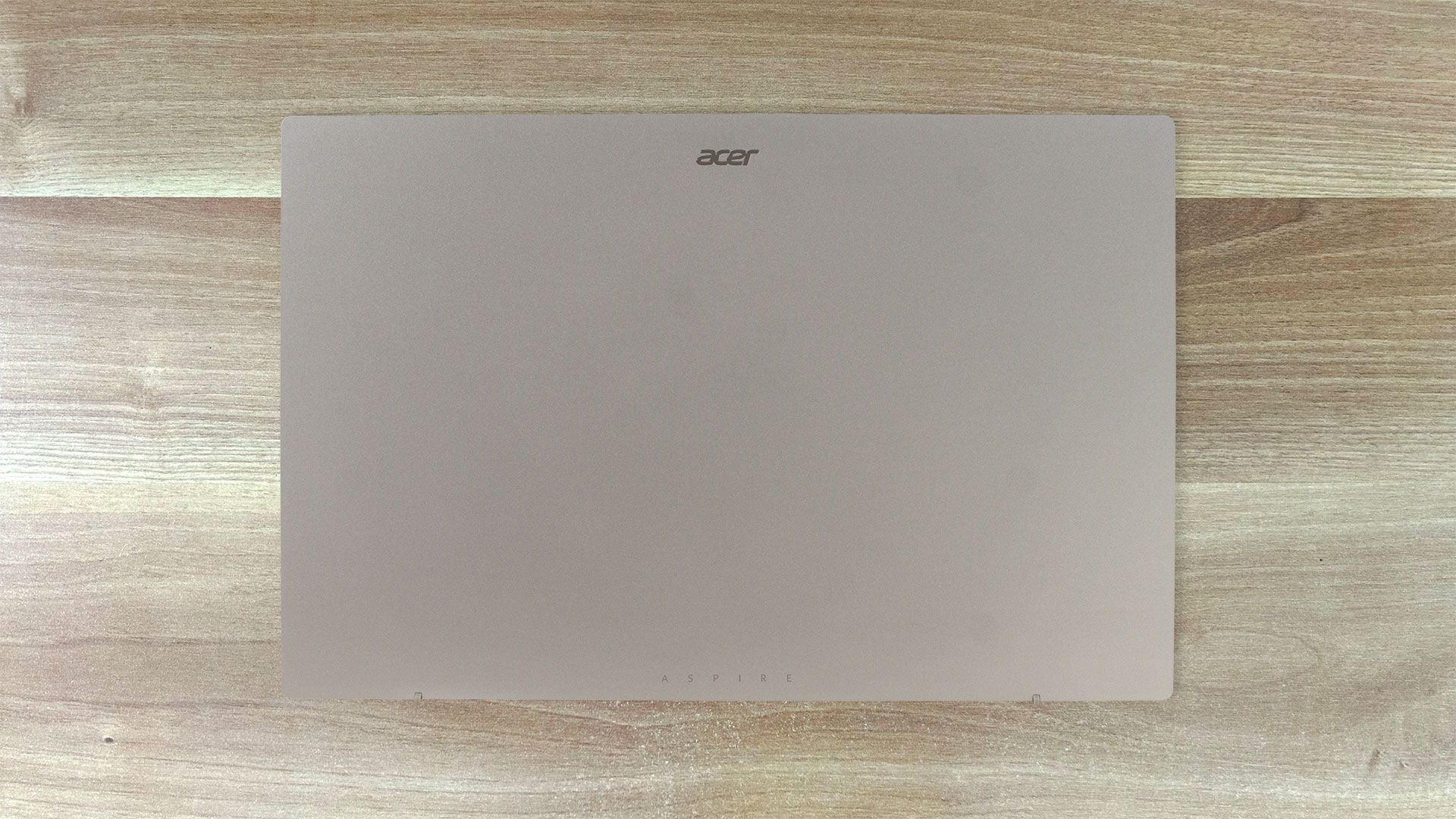
One of its best practical features is the surface finish, which Acer has refined to be impressively resistant to fingerprints, keeping the laptop looking clean without constant wiping. The entire chassis is constructed from plastic, and as is typical for this material, there is some noticeable flex if you apply firm pressure to the center of the lid or keyboard deck. However, for everyday use, this isn’t a significant issue, and the device feels perfectly adequate in terms of durability.
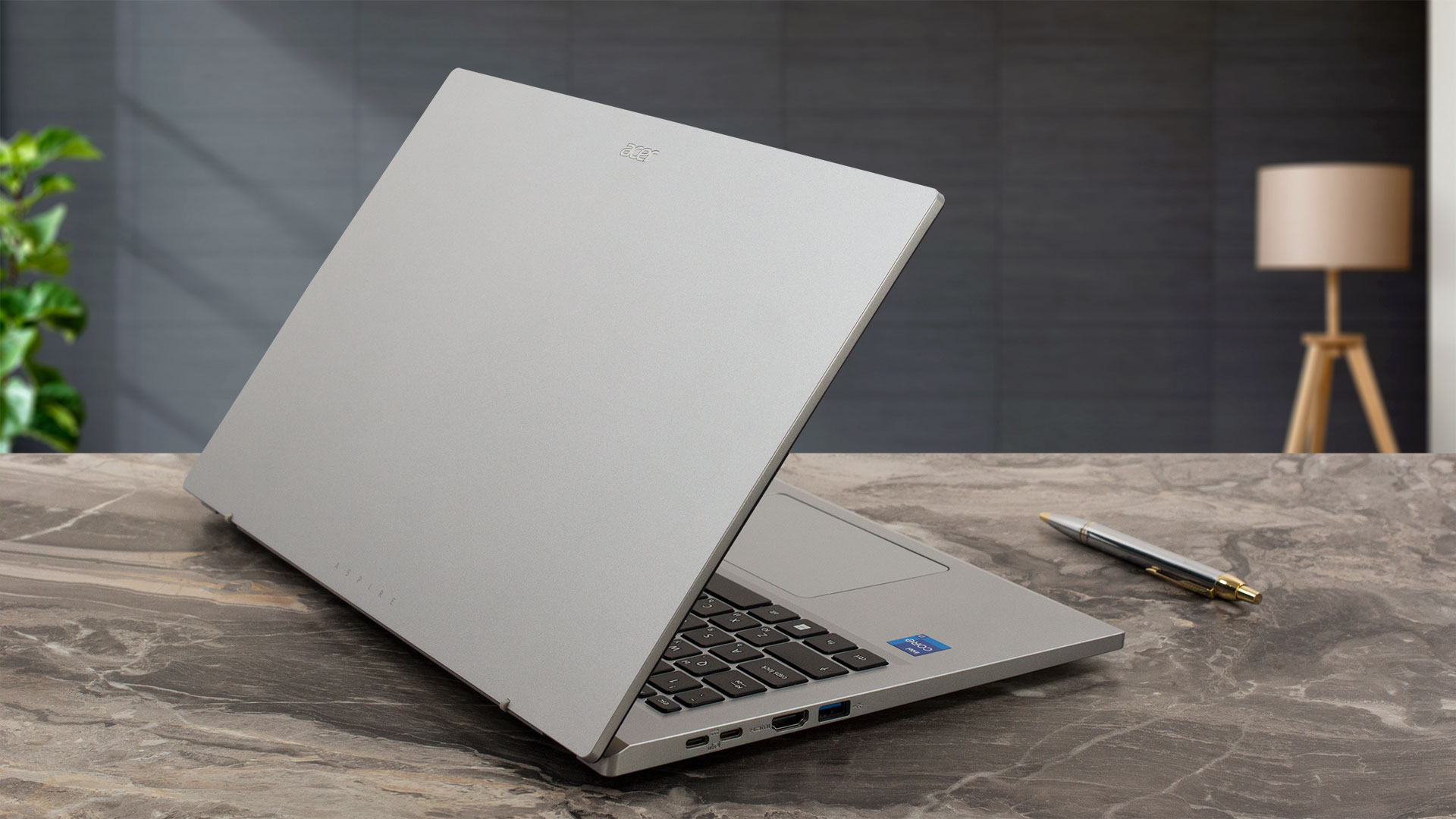
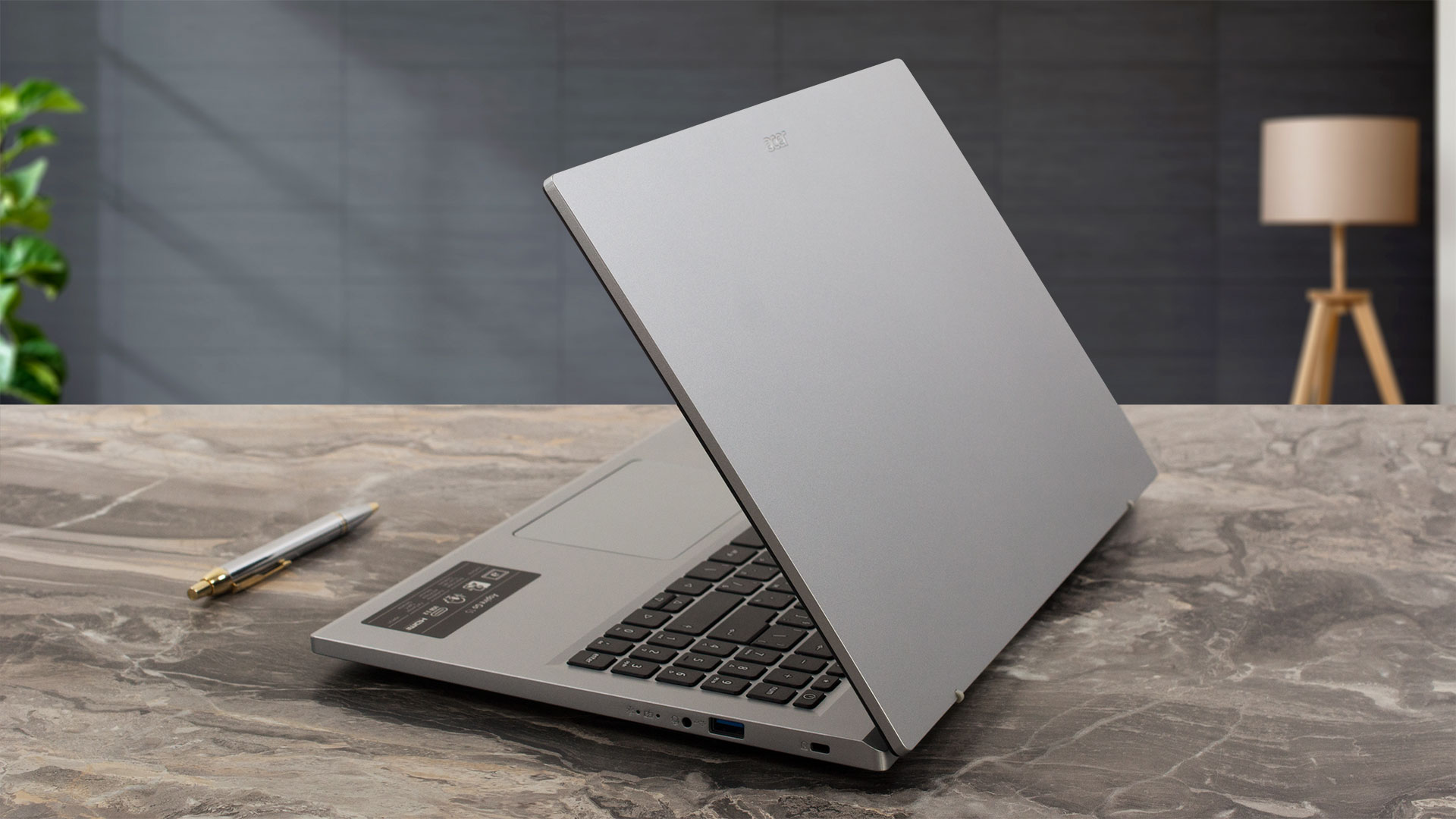
In terms of portability, the Aspire Go 15 has a tapered profile, measuring from 14.6mm at its thinnest to 19.95mm at its thickest (14.29 x 9.35 x 0.57/0.79 inches). It weighs in at 1.8 kg (3.97 lbs), which is a reasonable weight for a 15-inch machine. The screen hinge allows the display to open to a maximum angle of about 140 degrees. Since this is not a touchscreen model, this range is perfectly sufficient for all normal viewing and working scenarios. The hinge mechanism itself is quite firm, so you’ll need two hands to open the lid.
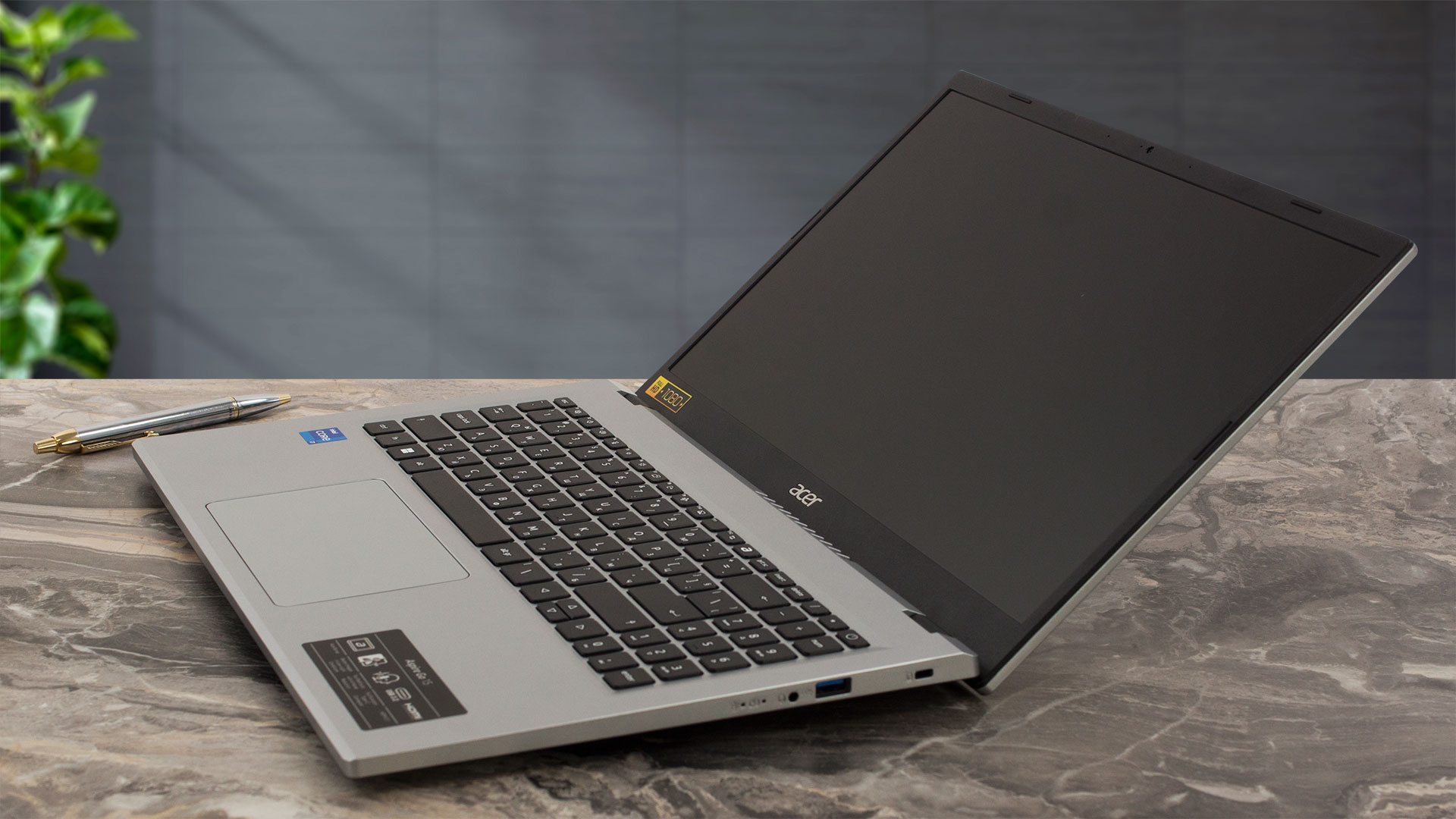
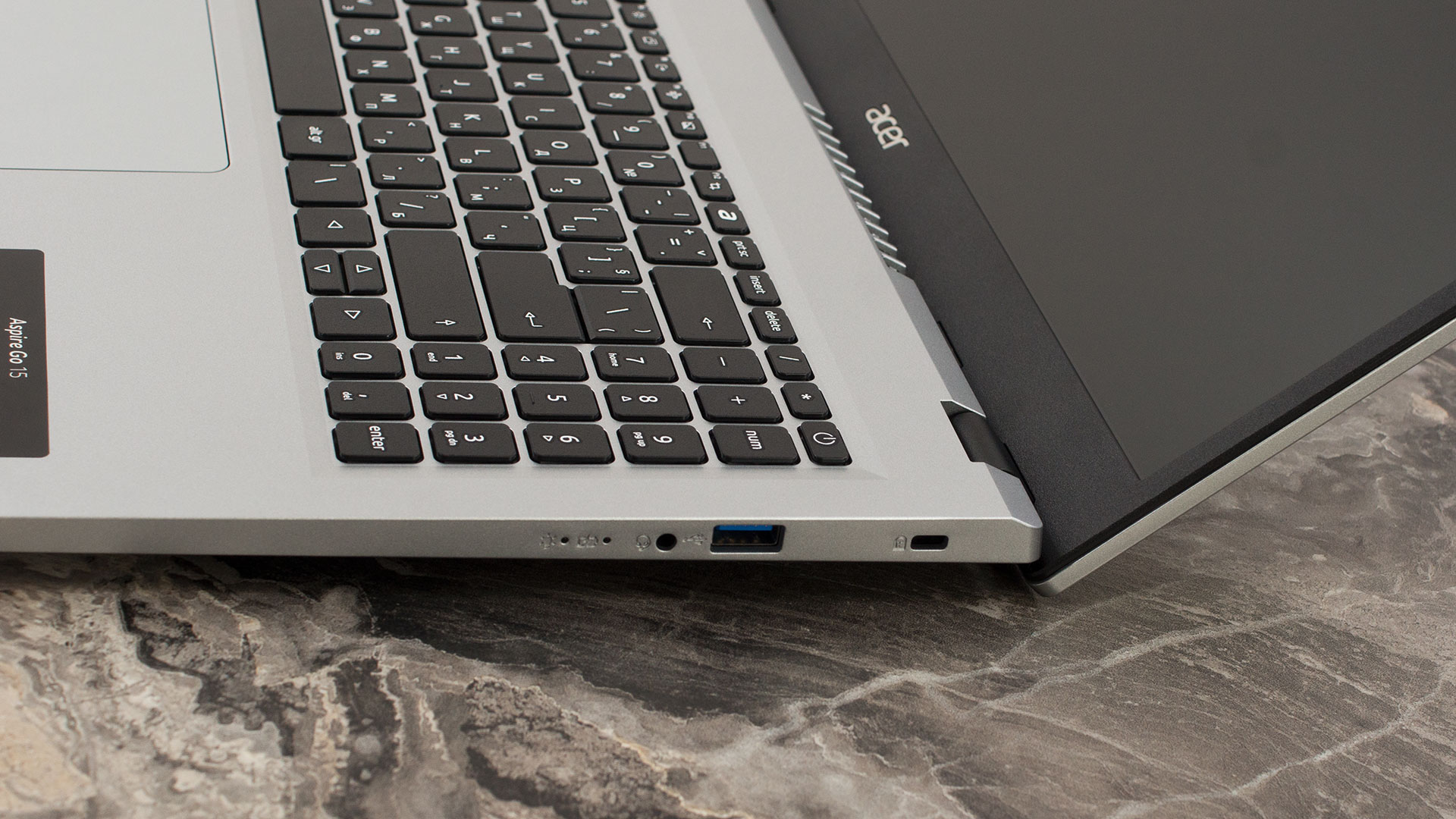
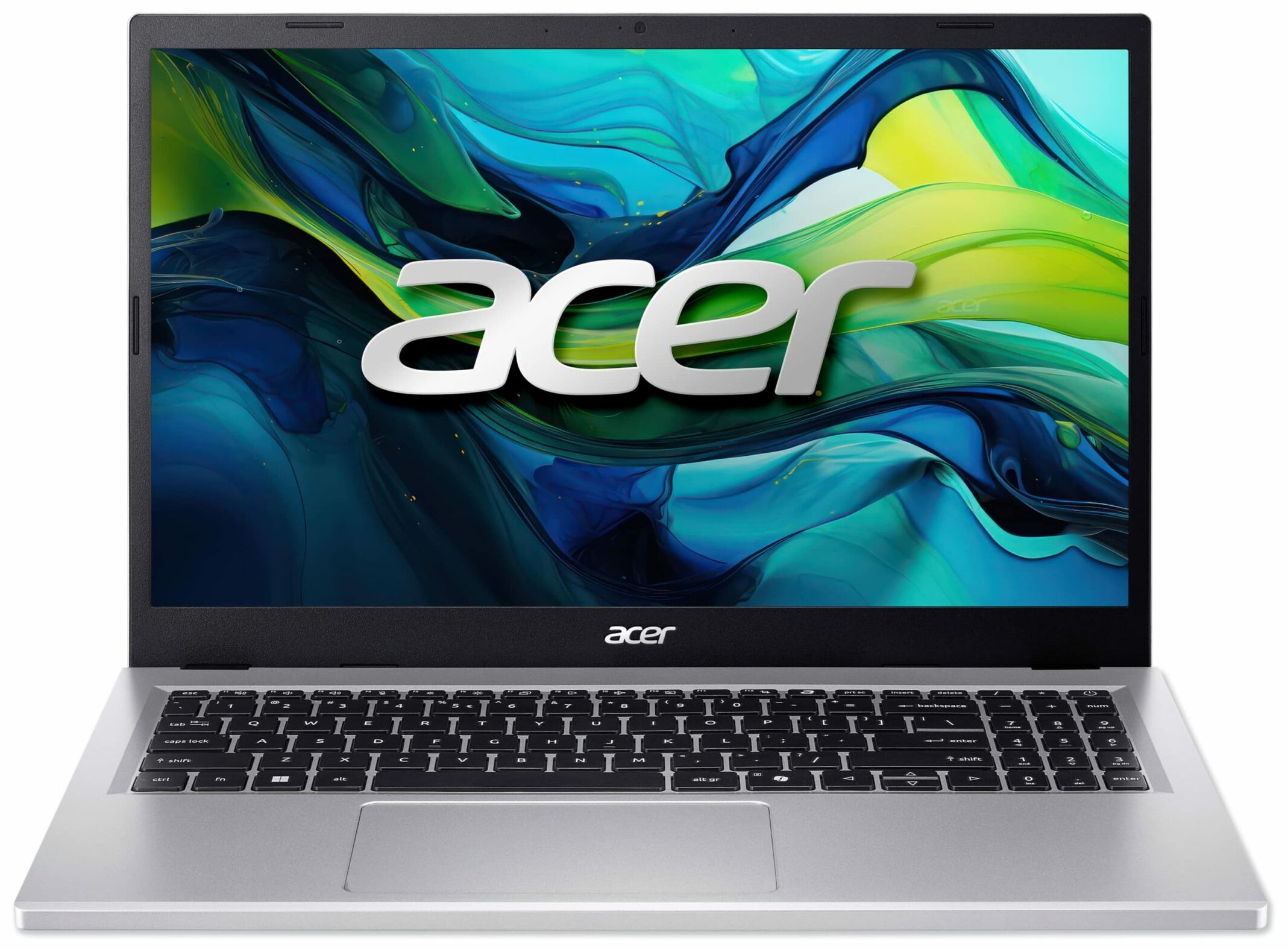
Once open, the display is framed by bezels that are on the thicker side for a modern laptop. The side bezels measure 8.5 mm (approximately 0.33 inches), while the top bezel is a more substantial 13 mm (approximately 0.51 inches). This top bezel houses the simple 1280 x 720 resolution webcam. It’s important to note a key omission here: there is no physical privacy shutter for the camera, a feature we always appreciate for guaranteed peace of mind.
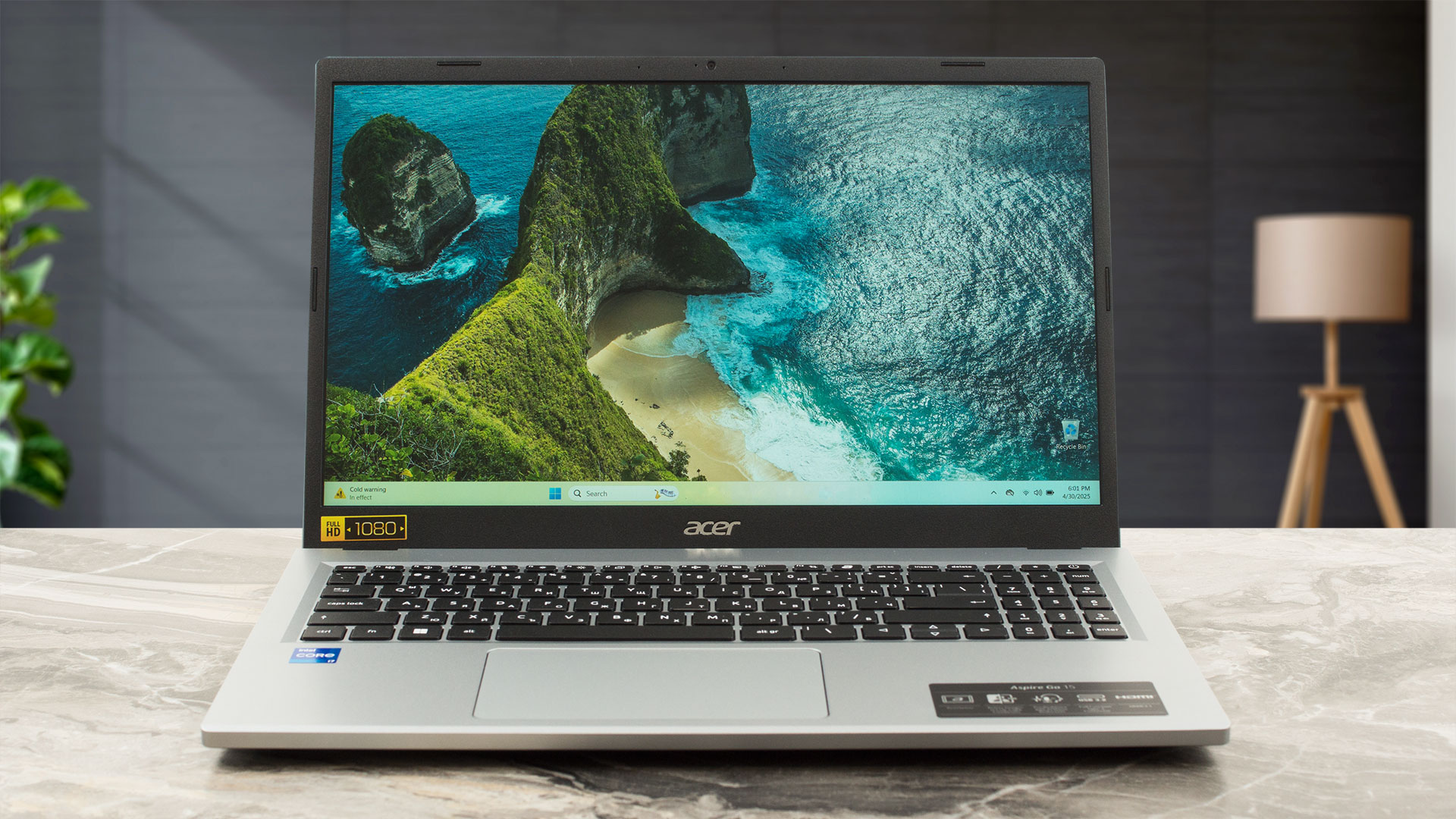
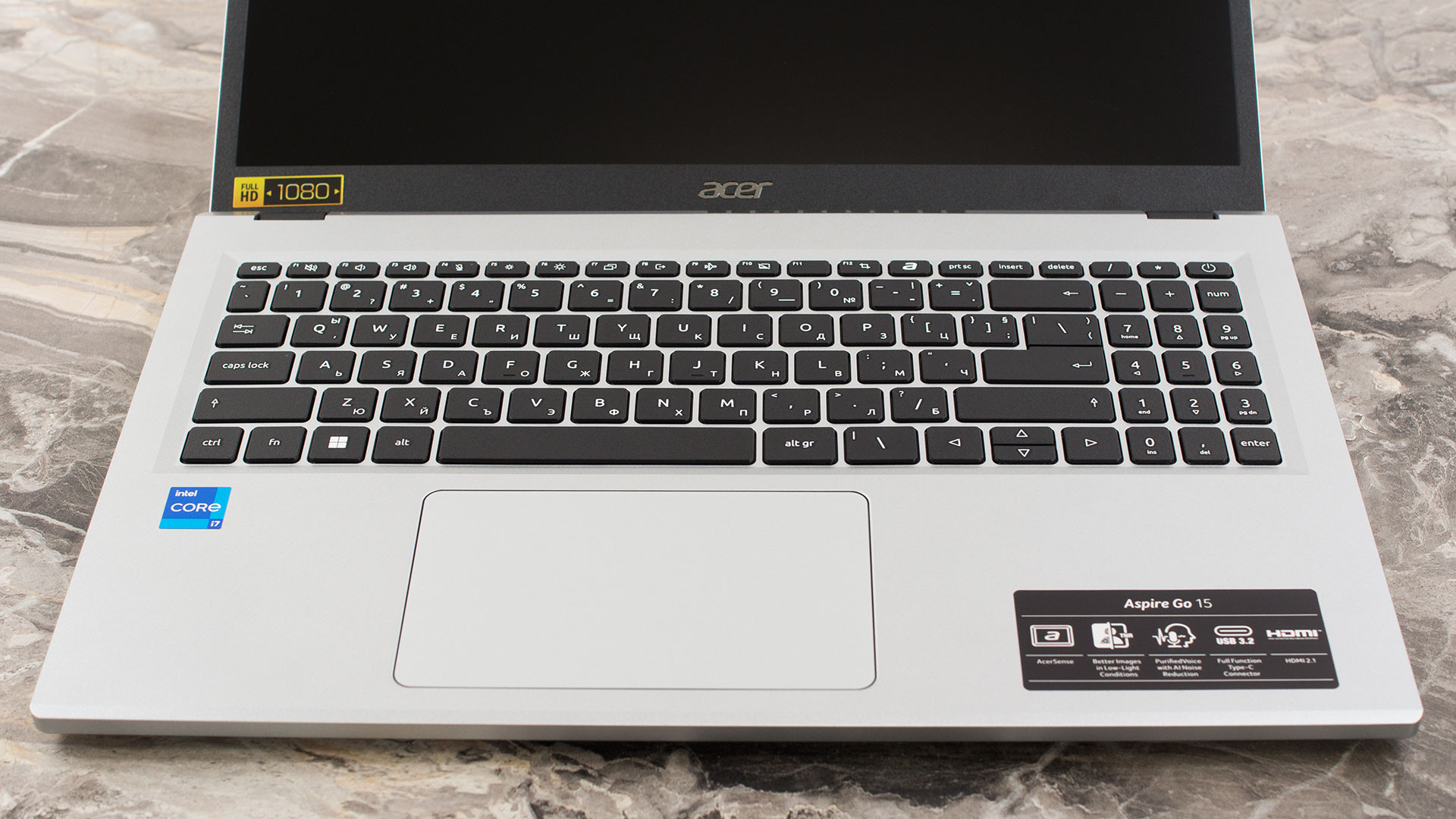
The keyboard deck is spacious and includes a full NumPad, a welcome feature for productivity. The keys on the NumPad are slightly smaller than the main set, and we have to mention the now-familiar, comically tiny Enter key on this section, a quirk of the Aspire Go line. The main keyboard itself is comfortable for typing, and while the Up and Down arrow keys are half-height, they remain acceptably usable. This model shows clear signs of its budget-oriented nature in a few key areas: there is no keyboard backlighting, making it challenging to use in dimly lit environments, and there is no fingerprint reader for biometric login. You’ll be relying on traditional passwords here. On a more positive note, the trackpad is a good size, supports multi-touch gestures, and has a pleasant surface that makes for comfortable navigation.
Ports and Connectivity
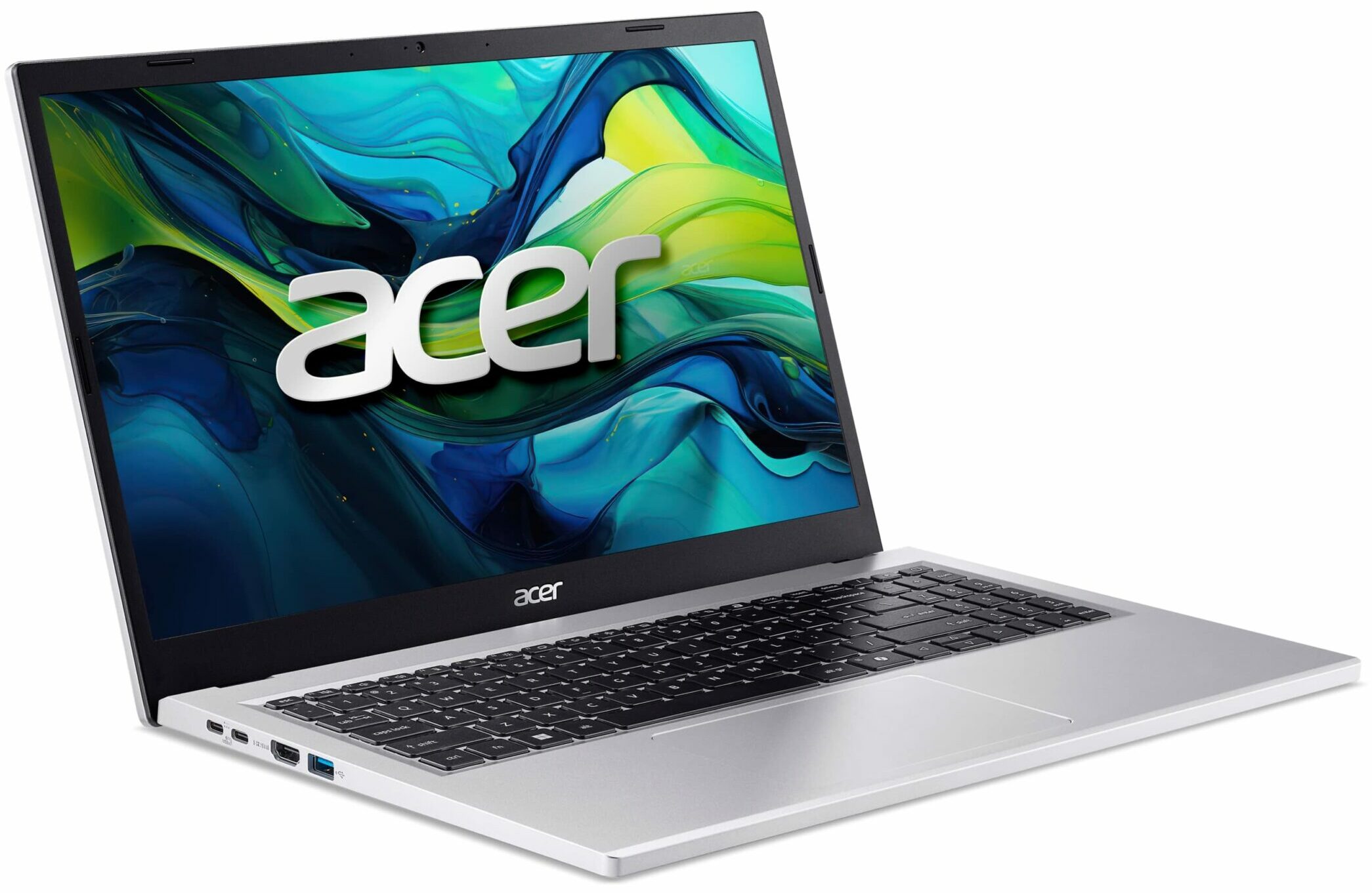
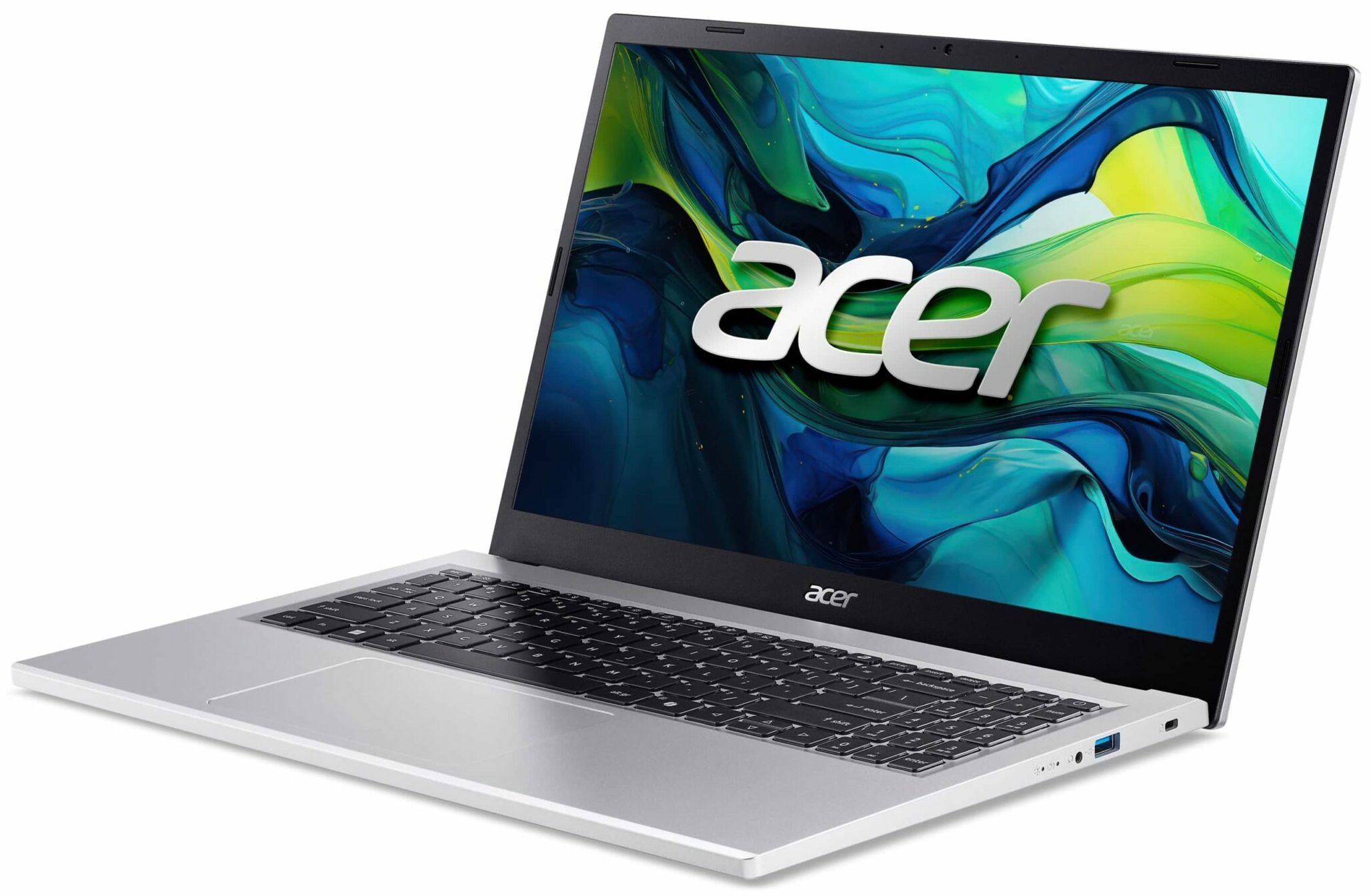
The Acer Aspire Go 15 (AG15-71P) features a functional array of ports suitable for everyday tasks, with a notable focus on USB-C. On the left side, the specifications list two USB Type-C ports. It’s important to note that the provided details specify the capabilities for only one of these ports. This primary USB-C port supports USB 3.2 Gen 2 speeds (up to 10Gbps), DisplayPort over USB-C for connecting external monitors, and can output a modest 15W (5V/3A) for charging other devices. Crucially, it also serves as a charging input for the laptop itself, accepting up to 65W (20V) of DC power. Also on the left are an HDMI 2.1 port with HDCP support and a standard USB 3.2 Gen 1 Type-A port (5Gbps).

The right side of the laptop keeps things simple, housing another USB 3.2 Gen 1 Type-A port (5Gbps), which is convenient for connecting peripherals like a mouse or an external drive. You’ll also find a standard 3.5mm combination headphone/microphone jack and a Kensington lock slot for physical security. The presence of two USB-A and two USB-C ports provides a good balance between modern and legacy connections, although users should be aware of the differing capabilities of the two USB-C ports. There is no built-in Ethernet port, so a wired network connection would require a USB adapter.

For wireless connectivity, the Aspire Go 15 is equipped with Wi-Fi 6 (802.11ax), supporting dual-band (2.4 GHz and 5 GHz) operation and MU-MIMO technology for improved performance on compatible networks. Bluetooth 5.1 or a newer version is also included for connecting wireless accessories like headphones or mice.

Display and Sound Quality, Display Profiles
You have only one display choice and while it’s not suitable for professional work (our profiles help it be considered as acceptable), it excels in Eye-Safety, which is great for programmers.
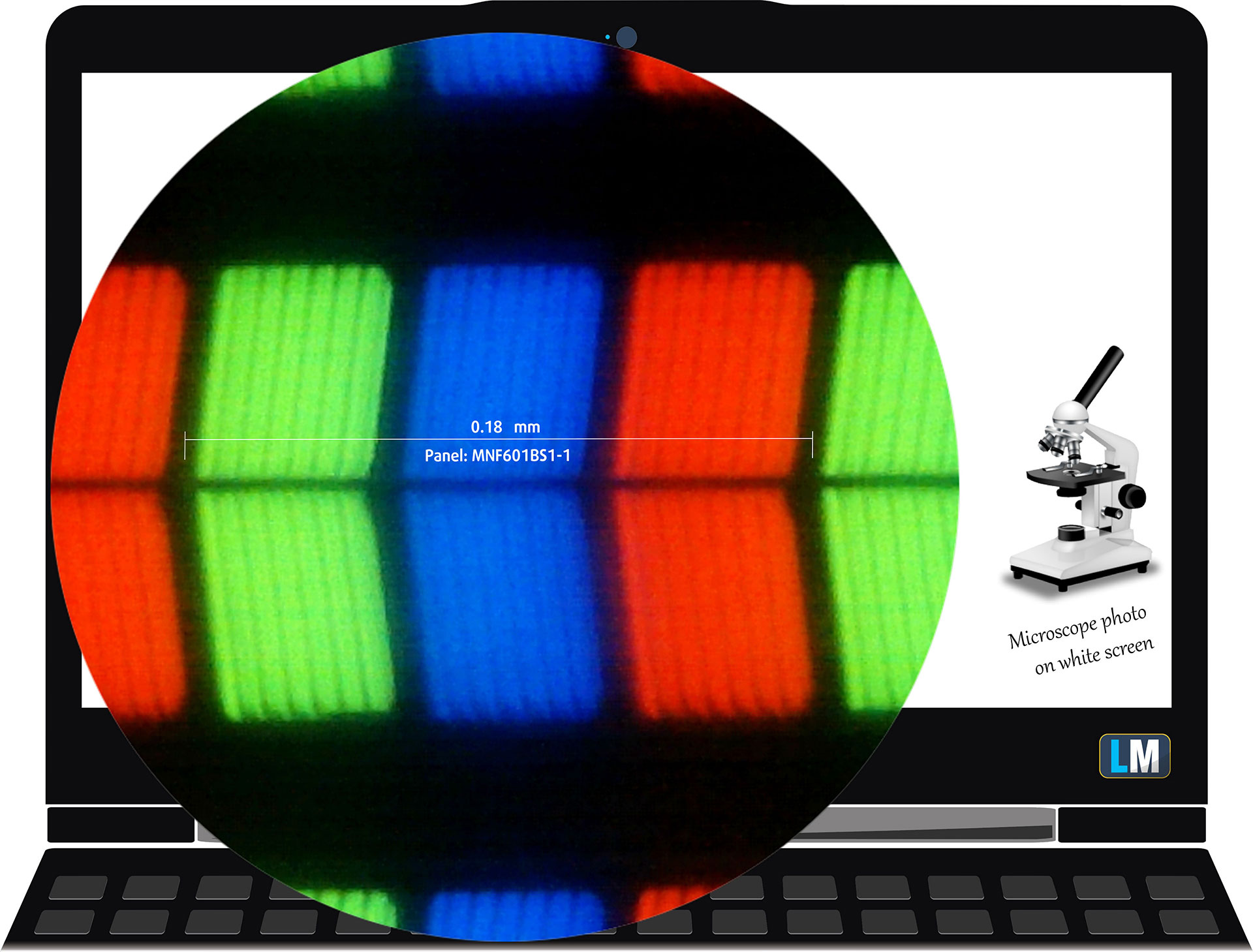
| Acer Aspire Go 15 (AG15-71P) | MNF601BS1-1 (CSO150B) |
| Diagonal | 15.6 inches (39.6 cm) |
| Panel Type | IPS |
| Resolution | 1920 x 1080 pixels |
| Max Refresh Rate | 60 Hz |
| Aspect Ratio | 16:9 |
| Pixel Density | 142 PPI |
| ‘Retina’ Distance | Greater than or equal to 60 cm |
Viewing Angles
Viewing angles are good. We take photos from different angles to evaluate the quality.

Also, a video with locked focus and exposure.
Color Coverage
The whole “sail-shaped” map below (Fig. 1) consists of all the colors we can see, while the black crooked line shows all the colors from real-world scenes and nature around us.
Then, we’ve drawn some of the most important and interesting color spaces, compared to the colors the panel of Acer Aspire Go 15 (AG15-71P) can show:
Standard/For Web: sRGB – widely used color space for most consumer devices, ideal for Web design and development
For Print: AdobeRGB – used in professional photo editing, graphic design, and print
For Photographers/Video Editors: DCI-P3 – used in high-end film production, post-production, and digital cinema
Premium HDR: Rec.2020 – the widest consumer ITU color standard, covering a massive 75.8% of the visible spectrum, a benchmark for premium HDR content
Acer Aspire Go 15 (AG15-71P): the yellow dashed triangle (– – – – – –) represents the range of colors this monitor can show.
In our tests, we calculated the total color coverage of the display at 50% of the sRGB color gamut and 39% of the DCI-P3 color gamut.
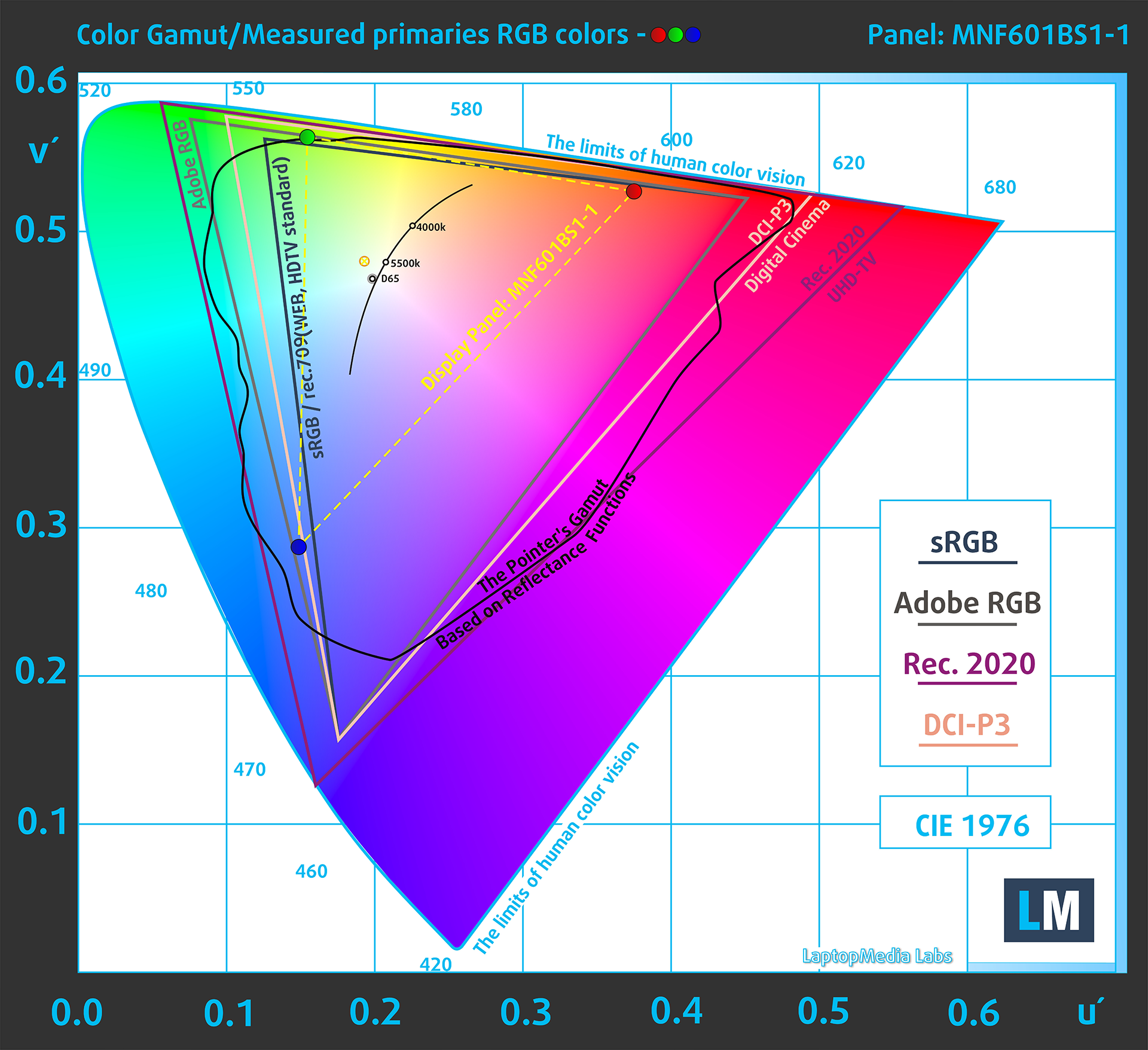
(Fig.1) Acer Aspire Go 15 (AG15-71P) covers 50% of the sRGB gamut
Brightness and Contrast
The maximum brightness in SDR mode is 316 cd/m² in the center of the screen and 300 cd/m² averaged across the surface with a maximum deviation of 12%.
The Correlated Color Temperature (CCT) on a white screen at maximum brightness is 6130K.
The contrast ratio is 1250:1.

Uniformity: Luminance, Contrast, and Color Deviation
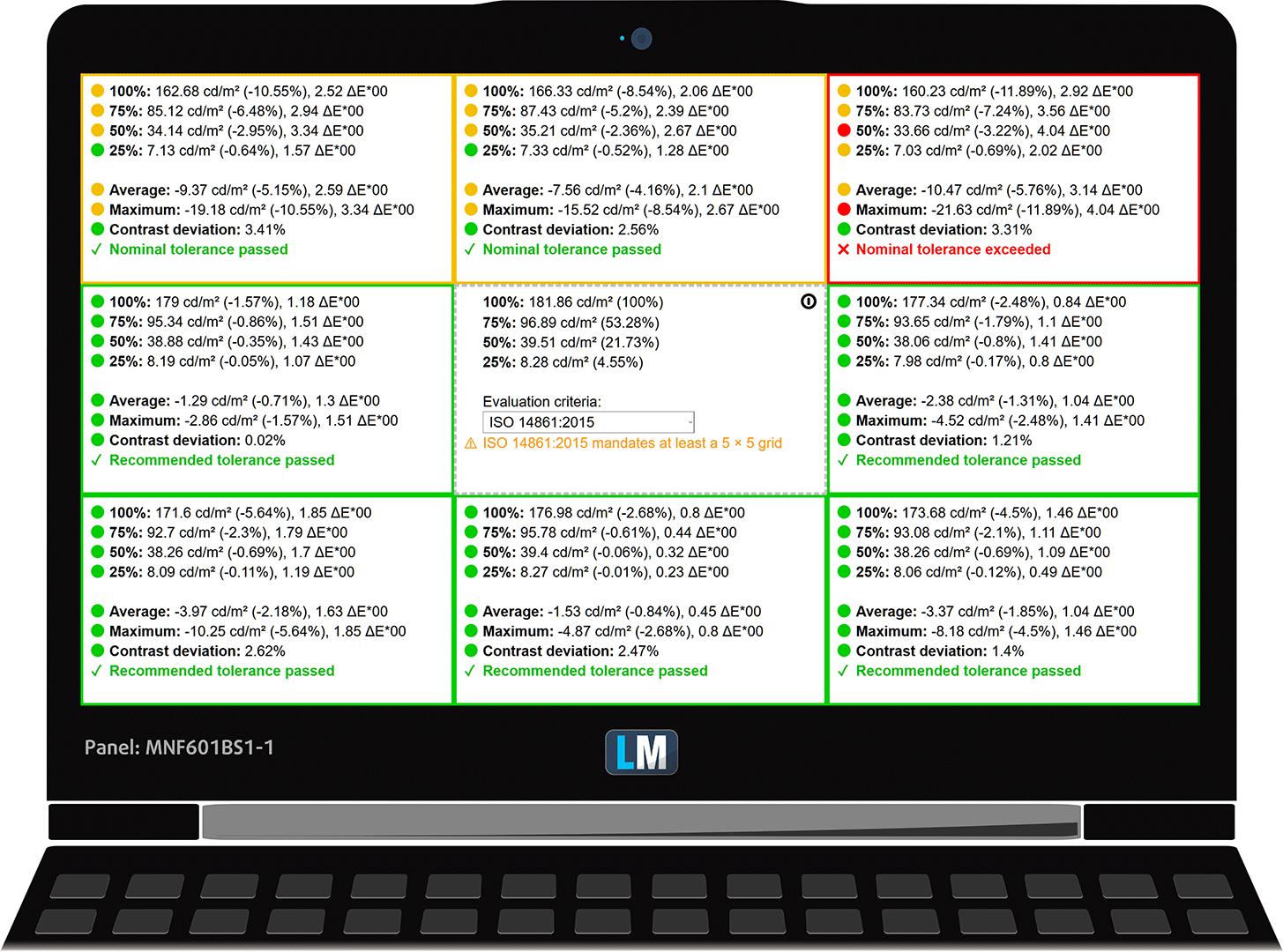
The figure below shows the results from our uniformity test across different sections of the screen. It’s measured at 182 nits (Windows slider = 49%) — a brightness level we consider typical for standard working conditions.
DeltaE values below 4.0 are acceptable for regular users. For those working with colors, screens with DeltaE values no higher than 2.0 are recommended.
Color Accuracy
Let’s check the difference between real colors and those you’ll see on the Acer Aspire Go 15 (AG15-71P). We measure that distance in DeltaE – the higher the number, the more different they look.
Values below 4.0 are acceptable for regular users, while values below 2.0 are suitable for color-sensitive work. A value below 1.0 means the difference is indistinguishable to the naked eye.
For the next graph, we’ve selected 24 common colors, including dark/light skin, blue sky, green grass, etc.
Before our calibration of the Acer Aspire Go 15 (AG15-71P), the Average color accuracy was 8.3 dE (Fig. 2), and with our Design and Office profile, it lowered to 4.6 dE (Fig. 3). This is almost 2X improvement in color accuracy!
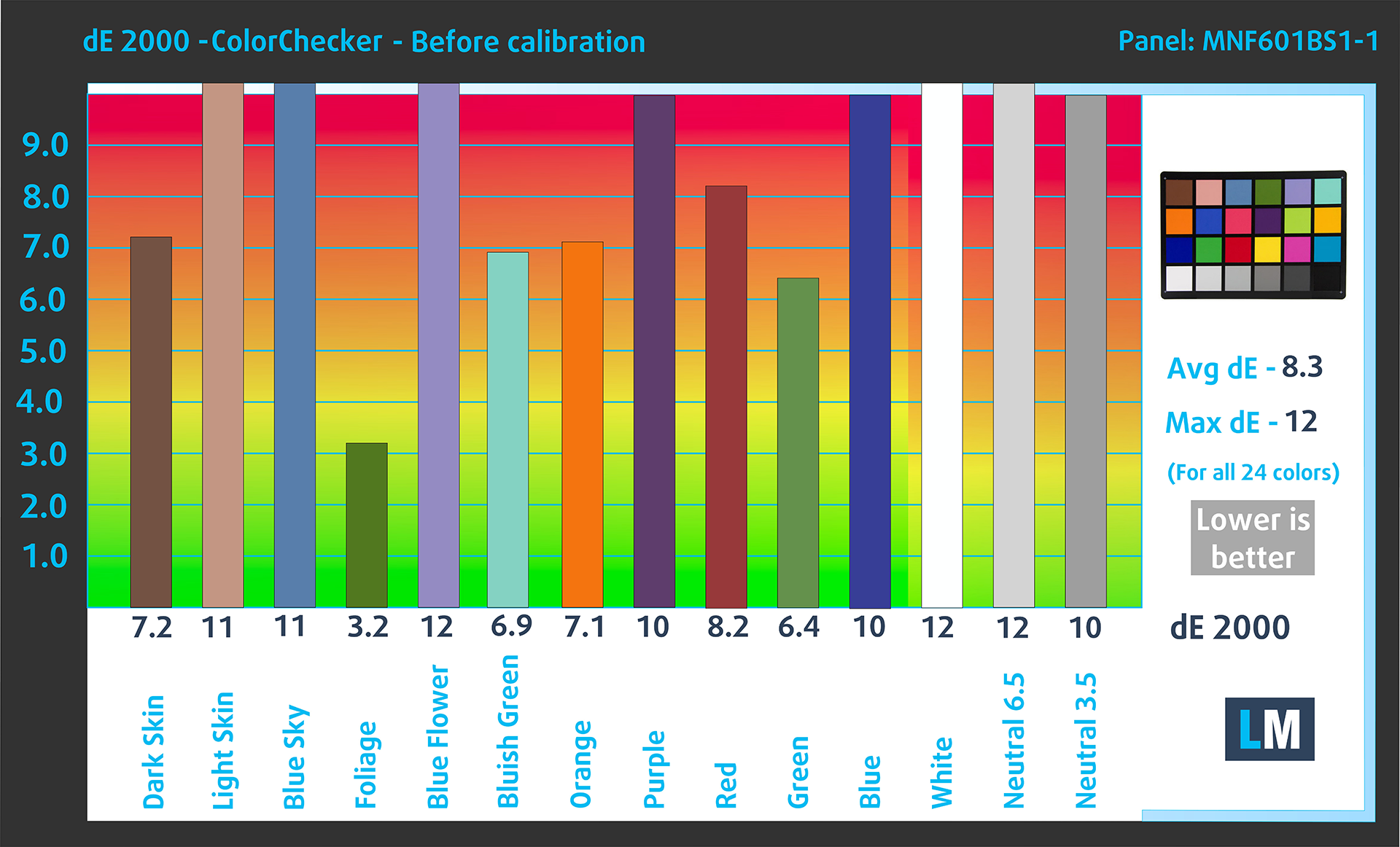
(Fig. 2) Acer Aspire Go 15 (AG15-71P) in its factory condition
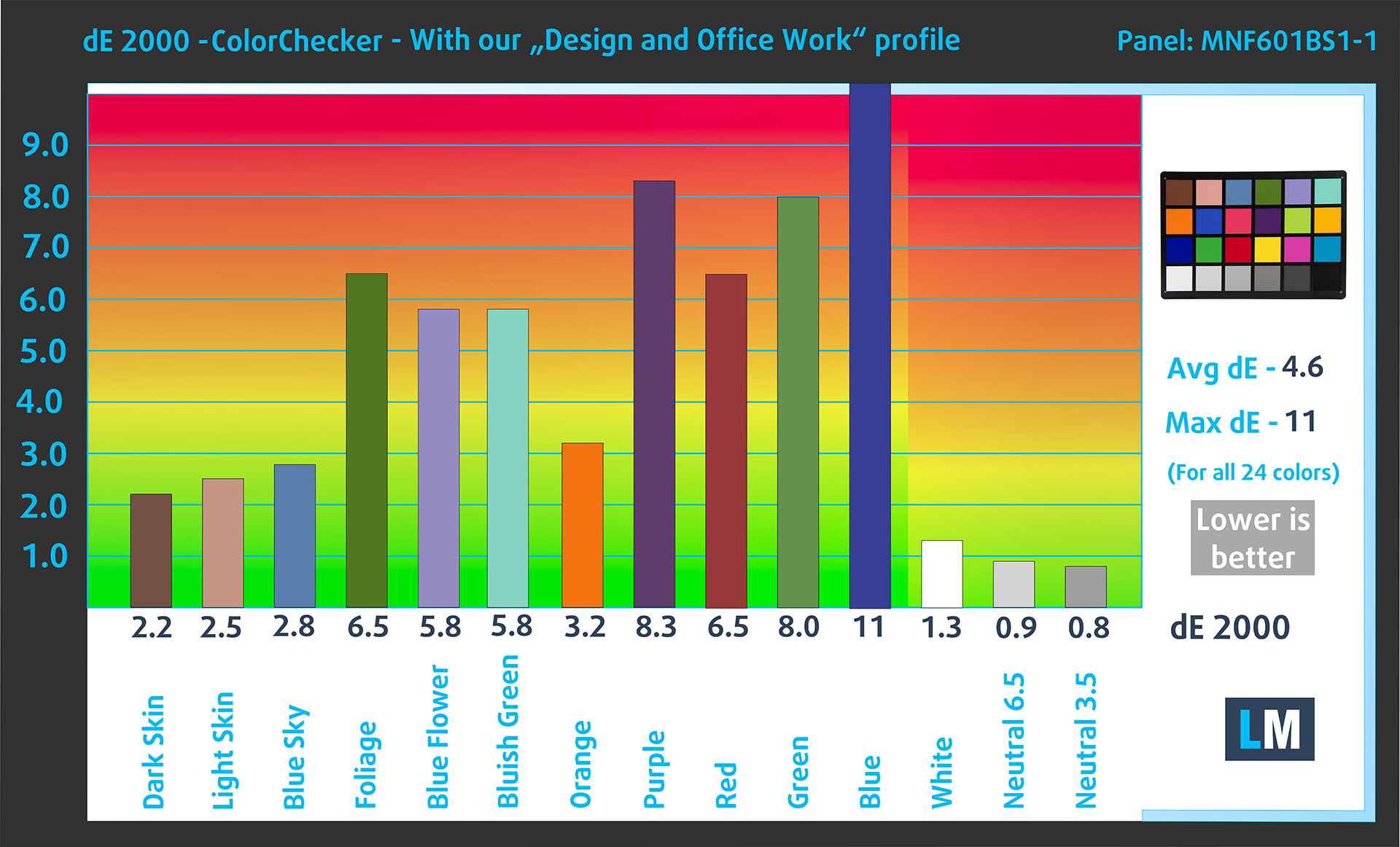
(Fig. 3) Acer Aspire Go 15 (AG15-71P) with our display profile
Comparison in the sRGB color space (primaries and D65 white point specified in ITU-R BT.709, sRGB encoding curve).
Here’s an illustration of what the Design and Office profile aims to deliver:
Left: No Profile | Drag the slider to see the difference | Right: Design & Office Profile


Visibility in dark scenes
Have you ever watched a movie with dark scenes where you could barely see anything? This often happens because many display panels struggle to differentiate the darkest nuances, making them appear the same.
The next figure illustrates how well the display reproduces these dark nuances. The left side of the image shows the display with stock settings, and the right side shows it with our Gaming and movies profile activated.
On the horizontal axis are the grayscale levels, and on the vertical axis – the corresponding display brightness.
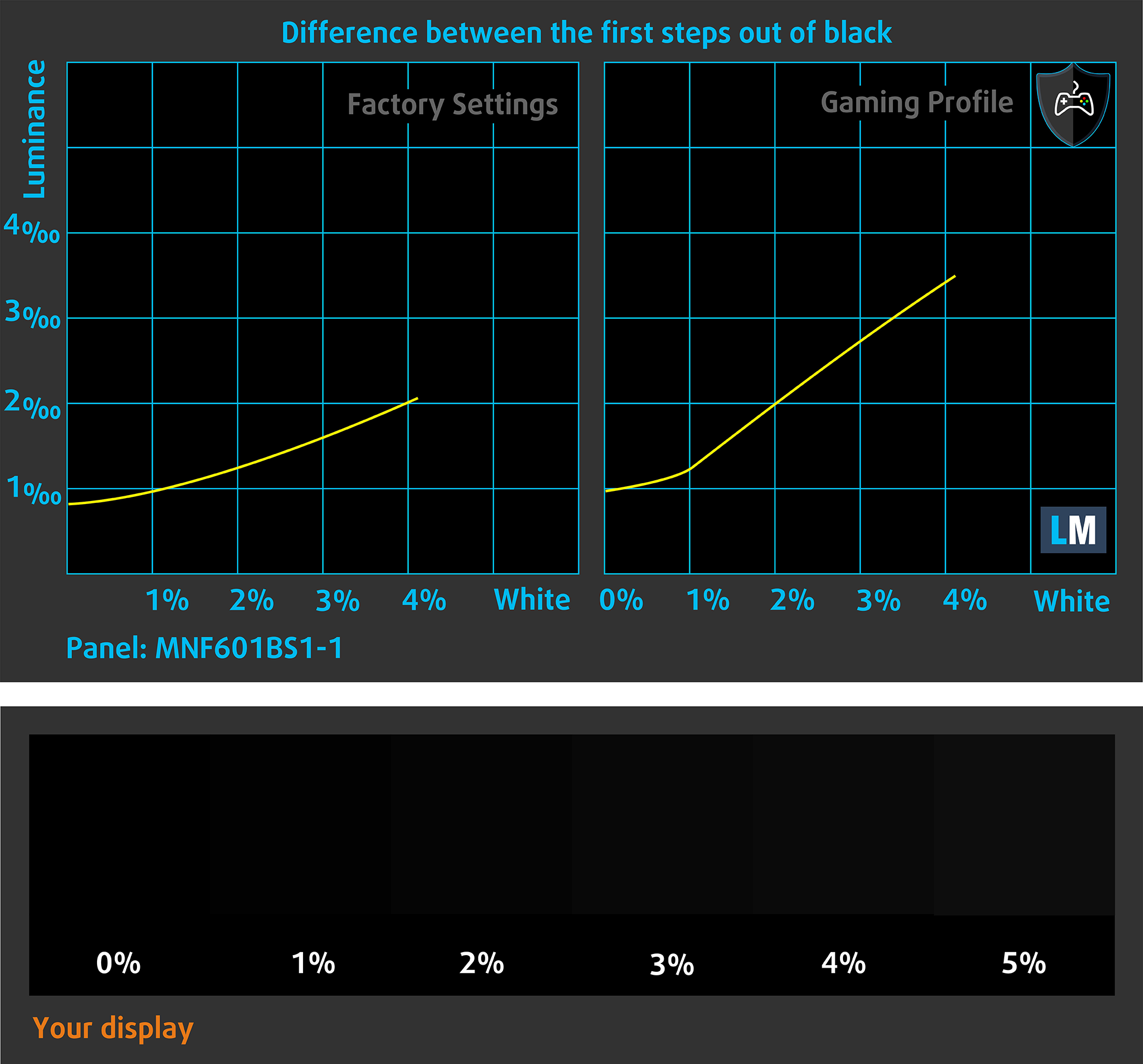
You can also check how your display handles the darkest nuances but keep in mind that this also depends on the settings of your current display and the surrounding light conditions.
Response time (Gaming capabilities)
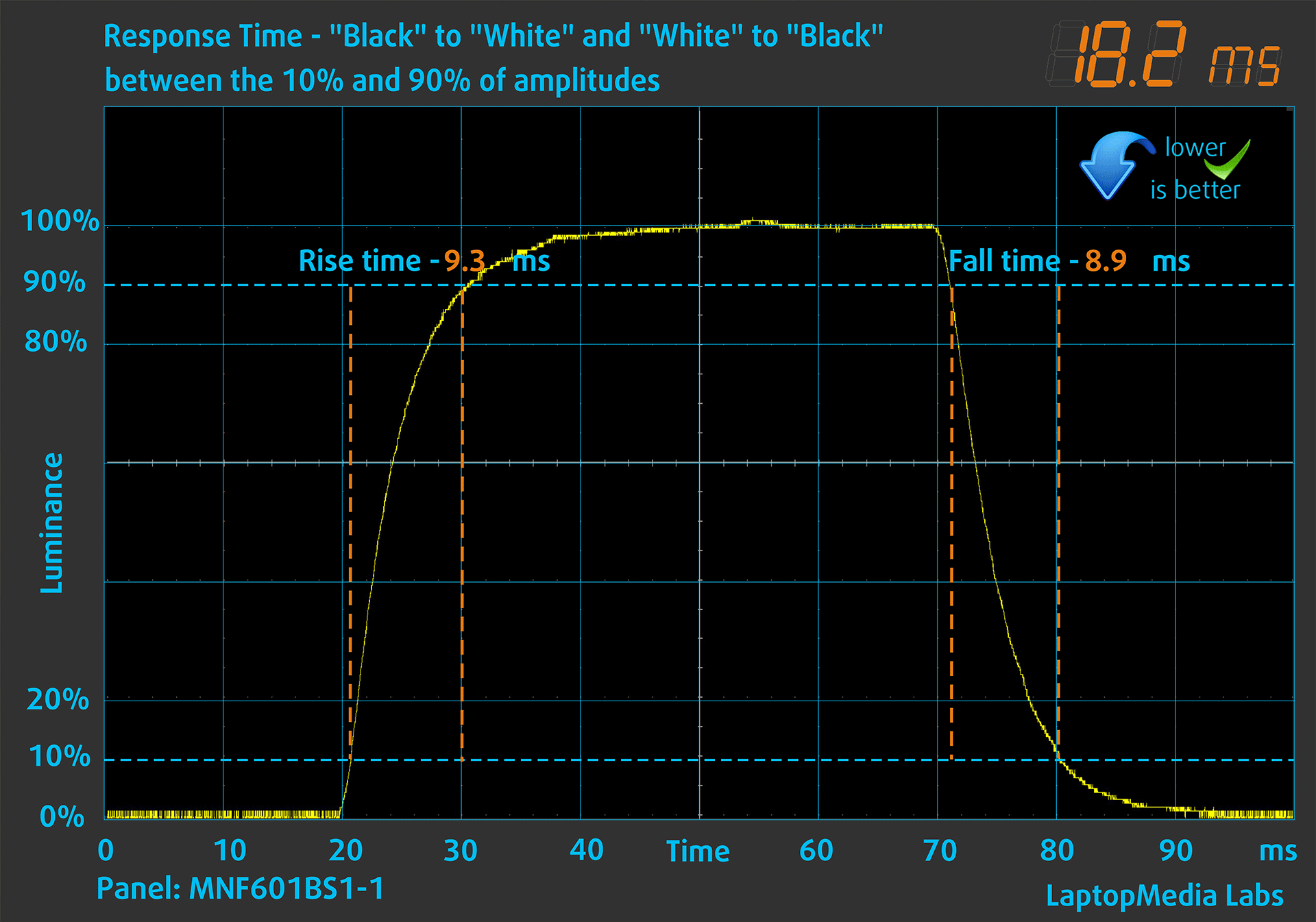
We test the reaction time of the pixels with the usual “black-to-white” and “white-to-black” method from 10% to 90% and vice versa.
We recorded Fall Time + Rise Time = 18.2 ms. Short pixel response time is a prerequisite for a smooth picture in dynamic scenes, in this case it’s not exactly short, but it’s not bad.
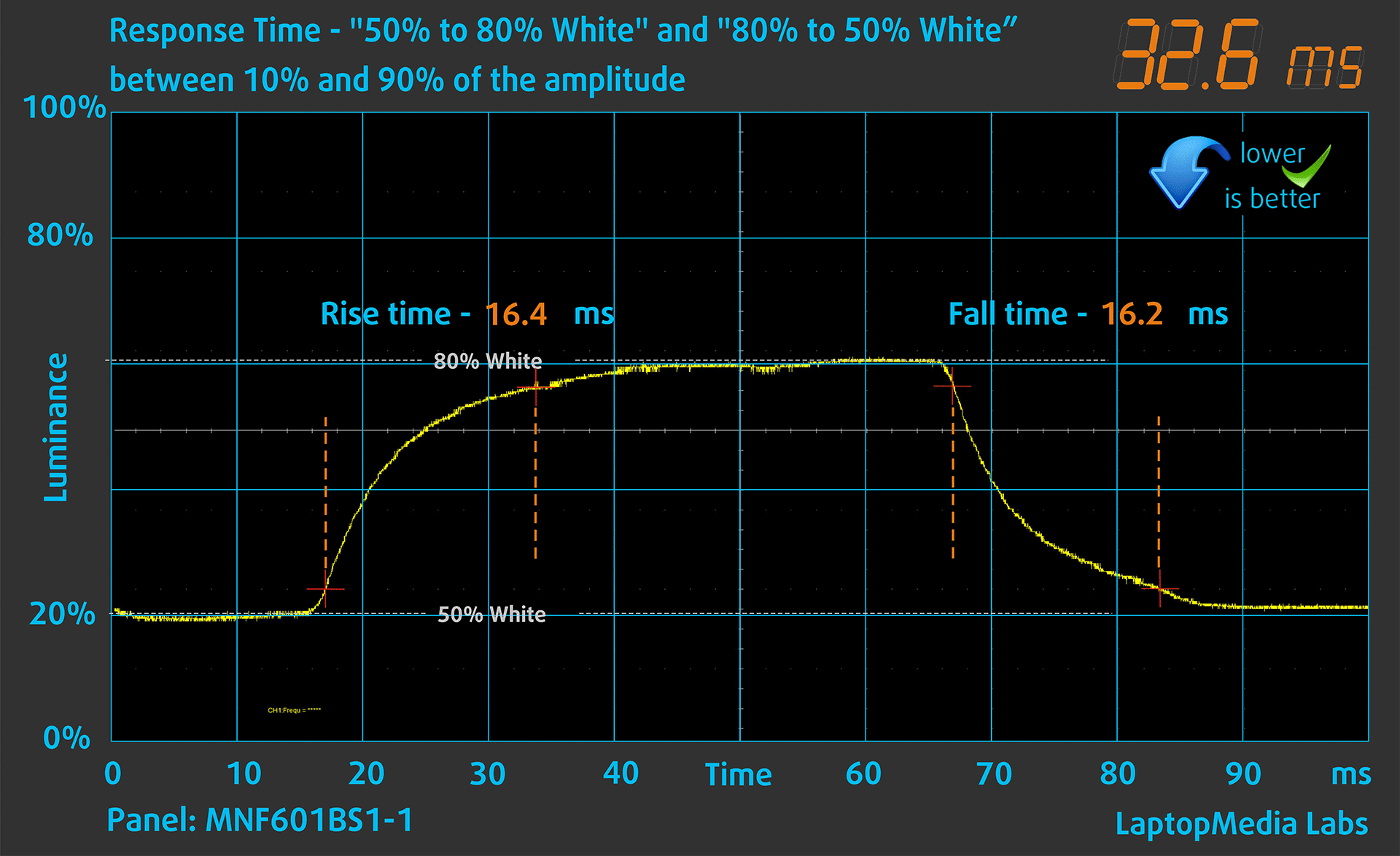
After that, we test the reaction time of the pixels with the usual “Gray-to-Gray” method from 50% White to 80% White and vice versa between 10% and 90% of the amplitude.
Health Impact: PWM (Screen flickering)
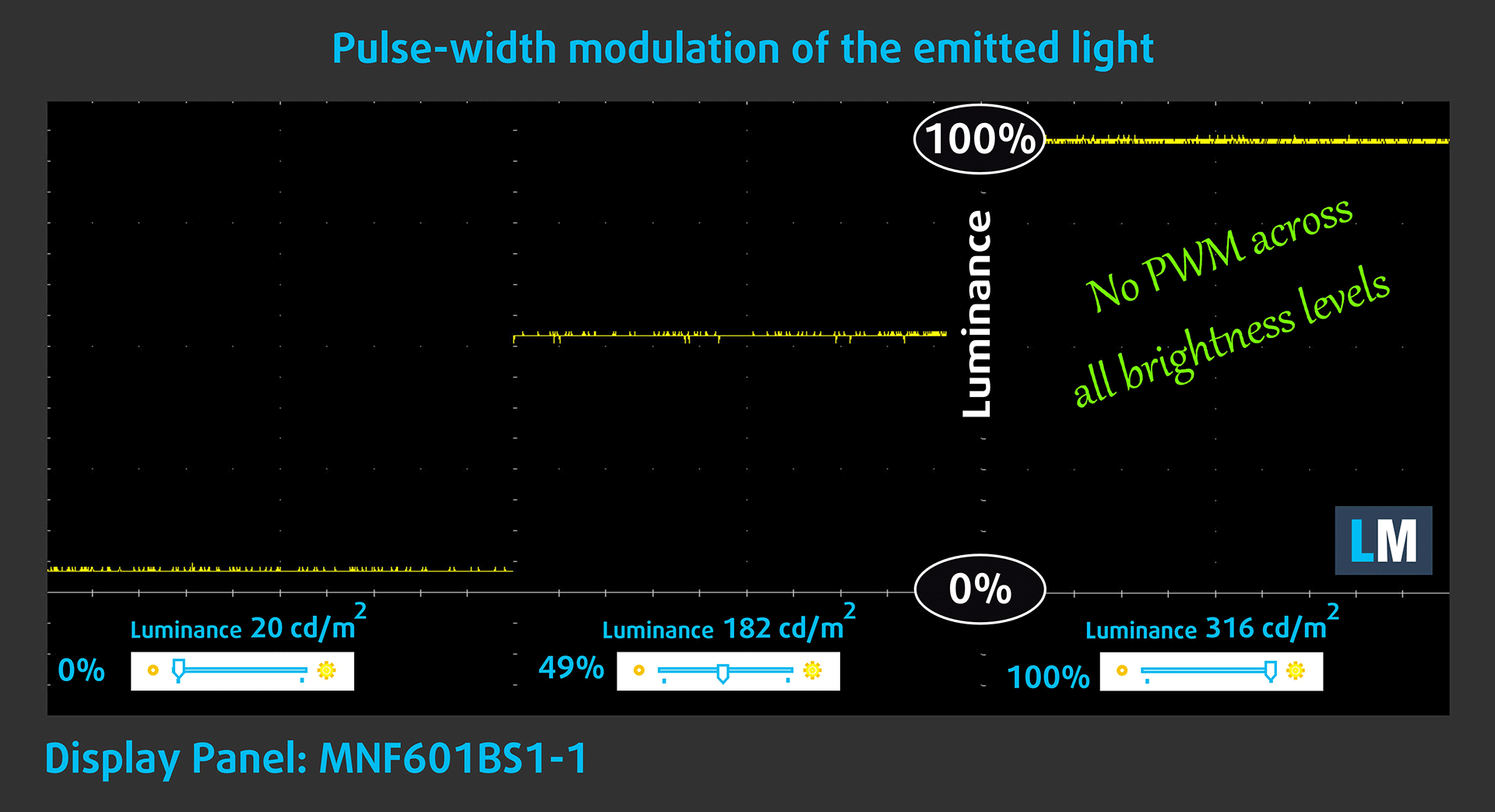
Some use PWM to regulate their brightness, which means that instead of reducing the light intensity, they pulse or flicker. Our brain merges the image, so it appears darker, but this strains both it and our vision, especially when the frequency of the pulses is low. You can read more about that in our dedicated article on PWM.
In the graph below, you see the intensity of light at different brightness levels—on the vertical axis is the brightness of the emitted light, and on the horizontal axis—time.
The light from the backlight of the Acer Aspire Go 15 (AG15-71P) display is not pulse-width modulated, providing visual comfort in the discussed aspect.
Health Impact: Blue light emissions
Installing our Health-Guard profile not only eliminates harmful PWM when the laptop uses it to control brightness but also reduces harmful Blue Light emissions while keeping the colors of the screen perceptually accurate.
If you’re not familiar with the Blue light, the TL;DR version is – emissions that negatively affect your eyes, skin, and your whole body. You can find more information about that in our dedicated article on Blue Light.
Health Impact: Screen Reflectance
Glossy-coated displays can cause eye fatigue in high ambient light conditions due to reflections. We measure the level of screen reflection with the display turned off, at a 60° angle.
The reflectance of the Acer Aspire Go 15 (AG15-71P)’s screen is 51.6 GU. This is a very good result!
High Gloss: >70 GU
Medium Gloss: 30 – 70 GU
Low Gloss: <30 GU
Get our profiles
Since our profiles are tailored for each individual display model, this article and its respective profile package are meant for Acer Aspire Go 15 (AG15-71P) configurations with MNF601BS1-1 (CSO150B), 1920 x 1080, IPS panel.
*Should you have problems with downloading the purchased file, try using a different browser to open the link you’ll receive via e-mail. If the download target is a .php file instead of an archive, change the file extension to .zip or contact us at [email protected].
Read more about the profiles HERE.
In addition to receiving efficient and health-friendly profiles, by buying LaptopMedia's products you also support the development of our labs, where we test devices in order to produce the most objective reviews possible.

Design and Office
The Design and Office profile makes display colors as close to real as possible.Ideal not only for professionals but also for everyday users, it meets sRGB standards (D65 white point, sRGB gamma) with minimal DeltaE for precise color reproduction on your panel.

Gaming and Movies
Have you ever watched a movie where, during dark scenes, you can barely see anything? Many displays fail to distinguish dark tones properly. Our Gaming and Movies profile enhances low-light performance, like HDR tech, using a gamma curve tailored to human perception — ideal for gamers seeking faster reactions and clearer visuals.

Health-Guard
Our Health-Guard profile protects your eyes by eliminating PWM flickering, reducing strain and fatigue, and minimizing harmful Blue light exposure that can disrupt sleep and health. It uses software dimming and a gamma curve tailored to human perception for comfort and safety during screen use.
Get All The Profiles With 33% Discount!

Sound
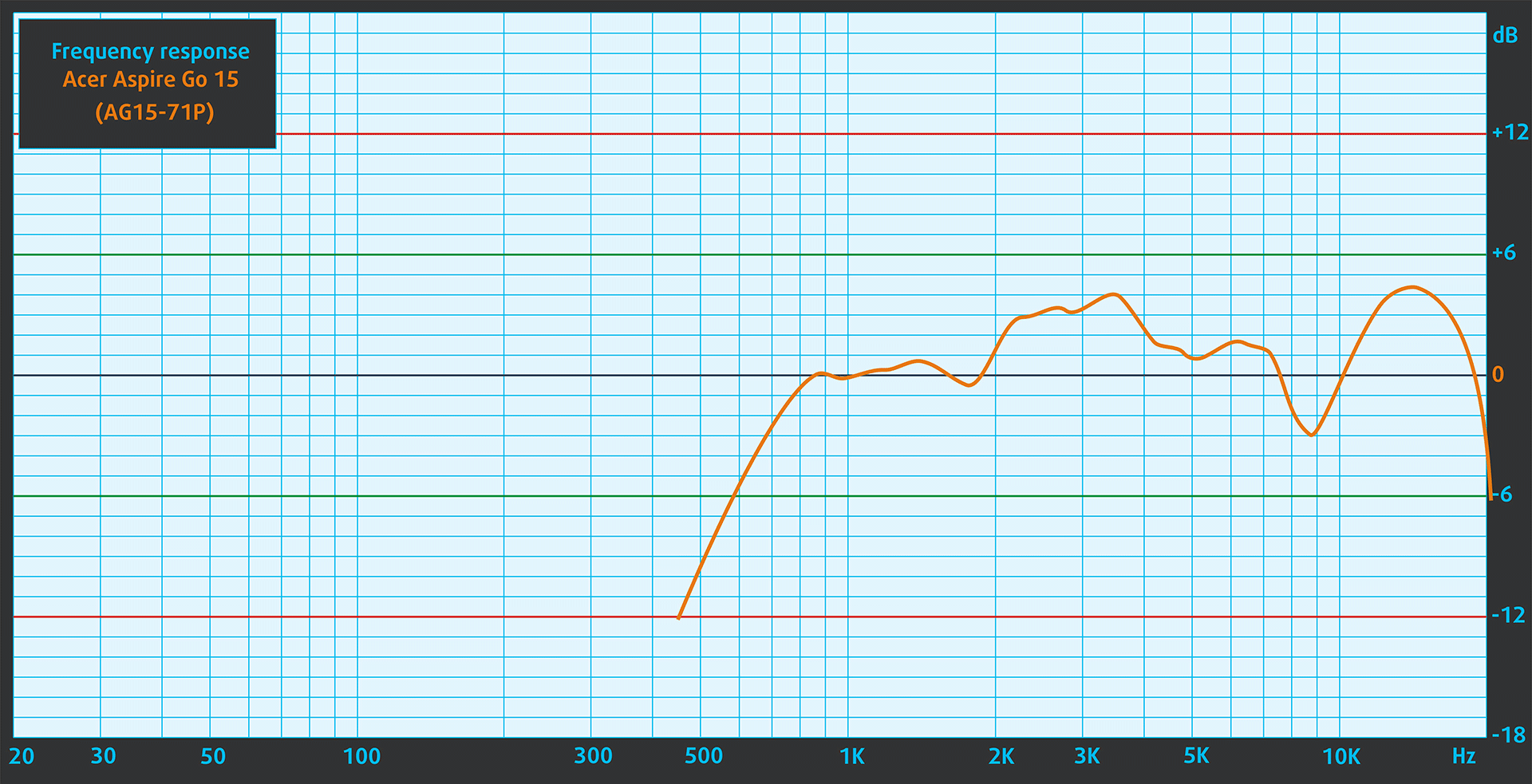
The sound of the Acer Aspire Go 15 (AG15-71P) is of relatively good quality. In the subjective listening of a sound file, the low, middle and high frequencies have slight deviations in purity.
Work Performance: CPU, Storage, AI
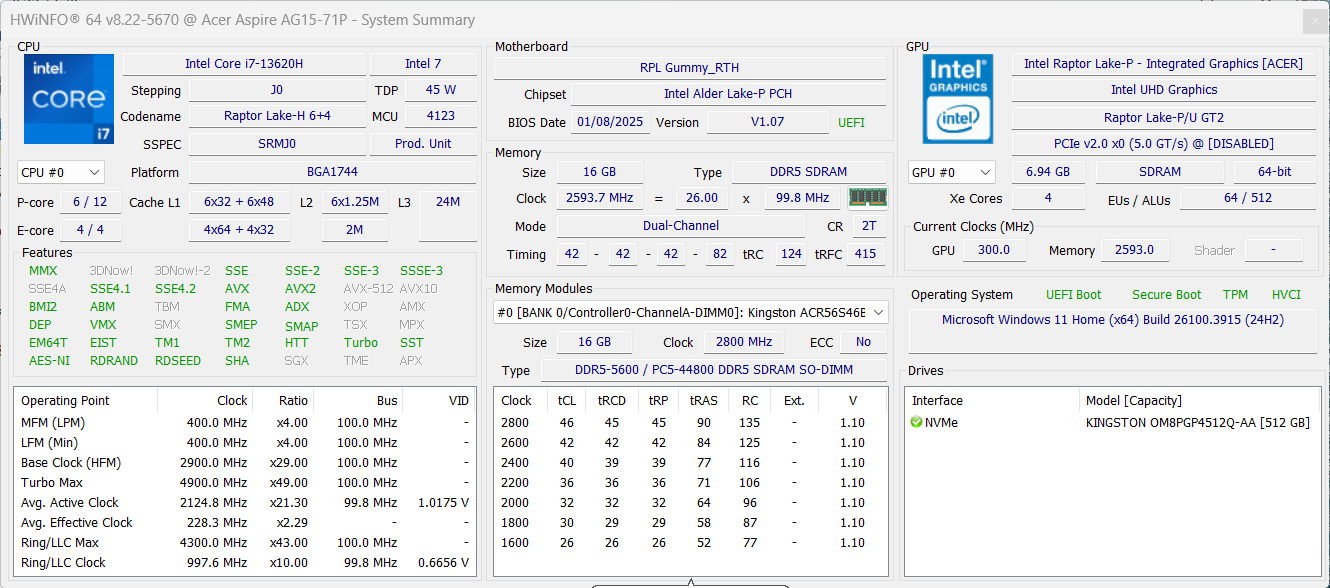
All performance and temperature tests are conducted with High Performance mode activated in Windows Settings.
CPU and Work Performance
The Acer Aspire Go 15 (AG15-71P) offers a mix of high-efficiency and higher-performance CPUs, ranging from the Intel Core i5-1334U for basic tasks to the more capable Core i5-13420H and Core i7-13620H. The latter delivers solid performance for multitasking and heavier workloads, and is currently ranked #61 in our Top Laptop CPU Ranking. This range of processors allows the Aspire Go 15 to cover a broad set of use cases, depending on the chosen configuration.
As you can see, Aspire Go 15 provides excellent performance in its price tier! Almost all laptops in the budget category use U-processors so the performance advantage in the “Heavy work” test is even higher.
Single-core performance ensures smooth operation and responsiveness in operating systems, providing a better user experience.
Results are from the Geekbench 6 Single-Core test (higher is better)
Multi-core performance is essential for handling complex and demanding tasks, such as Video editing, CAD, and Scientific simulations.
Results are from the Geekbench 6 Multi-Core test (higher is better)
Here, we evaluate the CPU's performance using a real-world 3D rendering task, assessing its ability to handle complex computations and rendering workloads efficiently.
Results are from the Cinebench 2024 Multi-Core test (higher is better)
Storage Performance
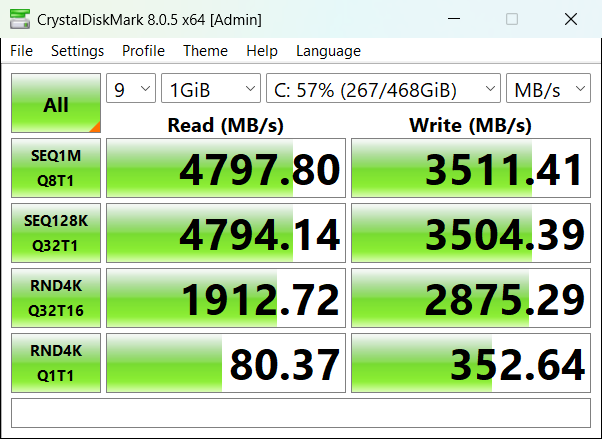
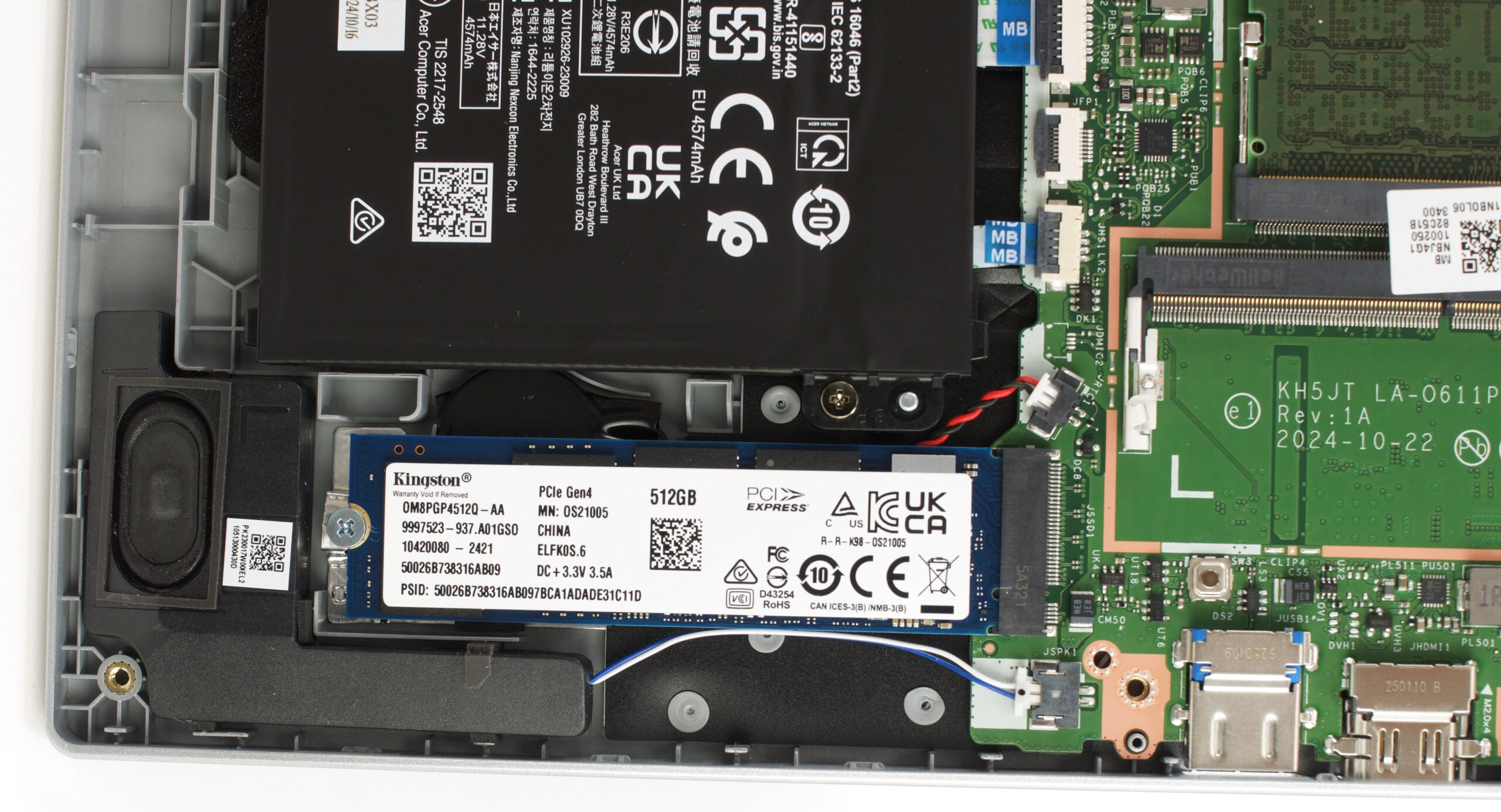
Acer Aspire Go 15 (AG15-71P) has only one 2280 PCIe Gen 4 M.2 slot for storage. We ordered a 512GB configuration, and it arrived with Kingston OM8PGP4512Q-AA SSD. It has rather good 4.8GB/sec sequential read and 3.5GB/sec sequential write speed.
AI Performance
Here you can see the position of the GPUs and CPUs (NPUs) found within the Acer Aspire Go 15 (AG15-71P) in our AI Hardware Performance Rankings based on their AI processing power, measured in TOPS (Tera Operations Per Second) - a critical metric indicating the computational throughput, particularly for AI tasks.
The first column shows peak performance for INT8/FP8 precision, which is the most widespread metric for evaluating AI inference capabilities. We exclude Sparsity to provide a more accurate reflection of AI performance in dense computation scenarios where sparsity optimizations may not be applicable. The second and third columns show the performance with Sparsity, and FP4 TFLOPS, when supported.
For SoCs, the results reflect the peak performance of the integrated NPU. Additionally, it’s important to note that, according to Microsoft, a NPU must have at least 40 TOPS of AI computing power for the PC to be considered “AI-capable.”
GPU and Gaming Performance
In terms of graphics, the laptop is equipped with integrated Intel solutions, such as UHD Graphics, UHD Graphics Xe G4, and Iris Xe Graphics G7 (80 execution units). These are suitable for general usage like media playback, web browsing, and office work, but are not designed for gaming or GPU-intensive tasks.
You can explore how they compare to other integrated and discrete GPUs in our Top Laptop Graphics Ranking.
The results are from 3DMark Time Spy (Graphics). Higher is better.
The results are from 3DMark Wild Life Extreme Unlimited. Higher is better.
Acer Aspire Go 15 (AG15-71P) GPU variants
Here you can see an approximate comparison between the GPUs that can be found in the Acer Aspire Go 15 (AG15-71P) models on the market. This way you can decide for yourself which Acer Aspire Go 15 (AG15-71P) model is the best bang for your buck.
Note: The chart shows the cheapest different GPU configurations so you should check what the other specifications of these laptops are by clicking on the laptop’s name / GPU.
The results are from 3DMark Time Spy (Graphics). Higher is better.
Results are from the 3DMark: Fire Strike (Graphics) benchmark (higher the score, the better)
Results are from the 3DMark: Wild Life (Graphics) benchmark (higher the score, the better)
Results are from the Unigine Superposition benchmark (higher the score, the better)
Gaming tests

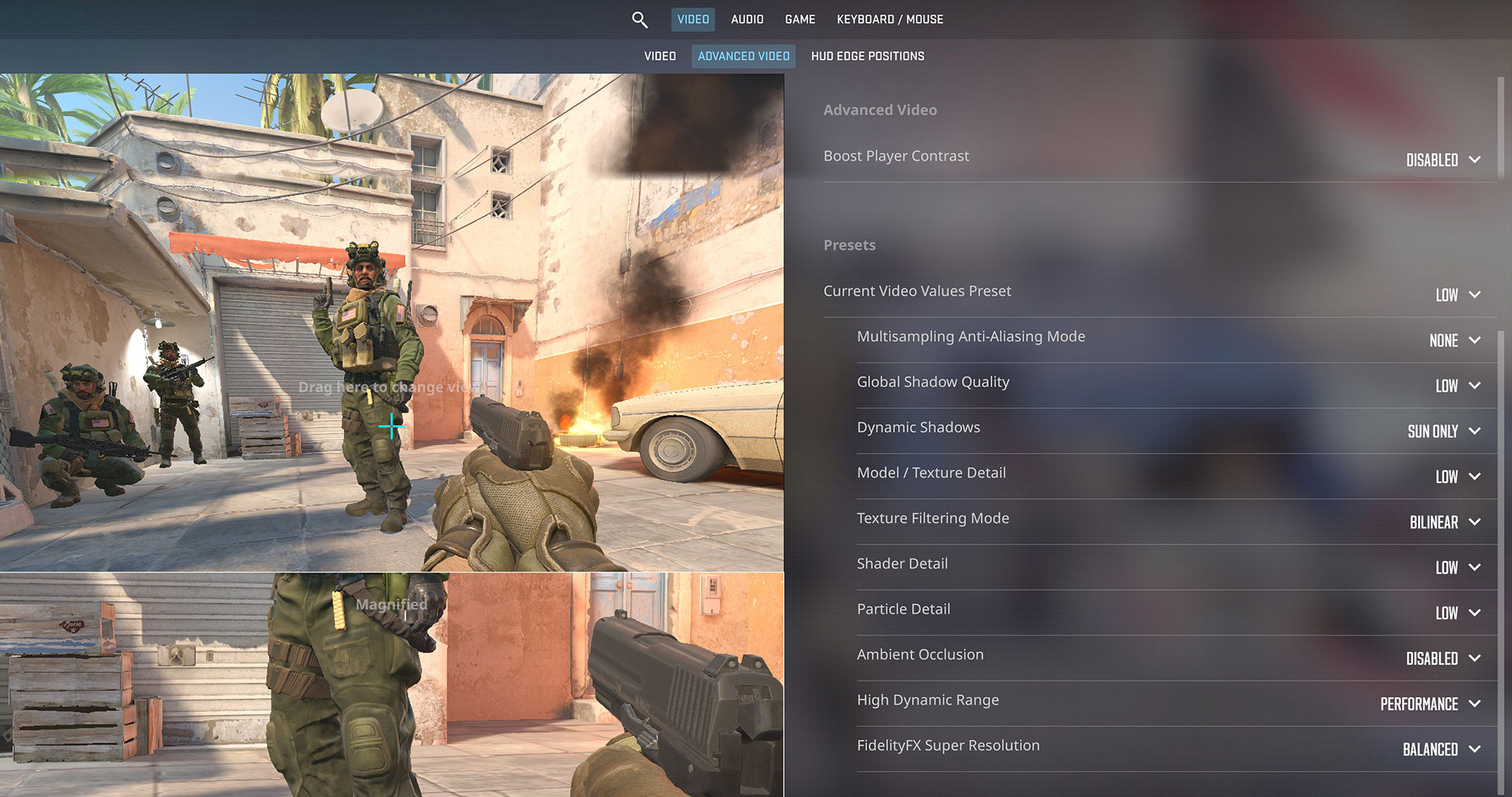
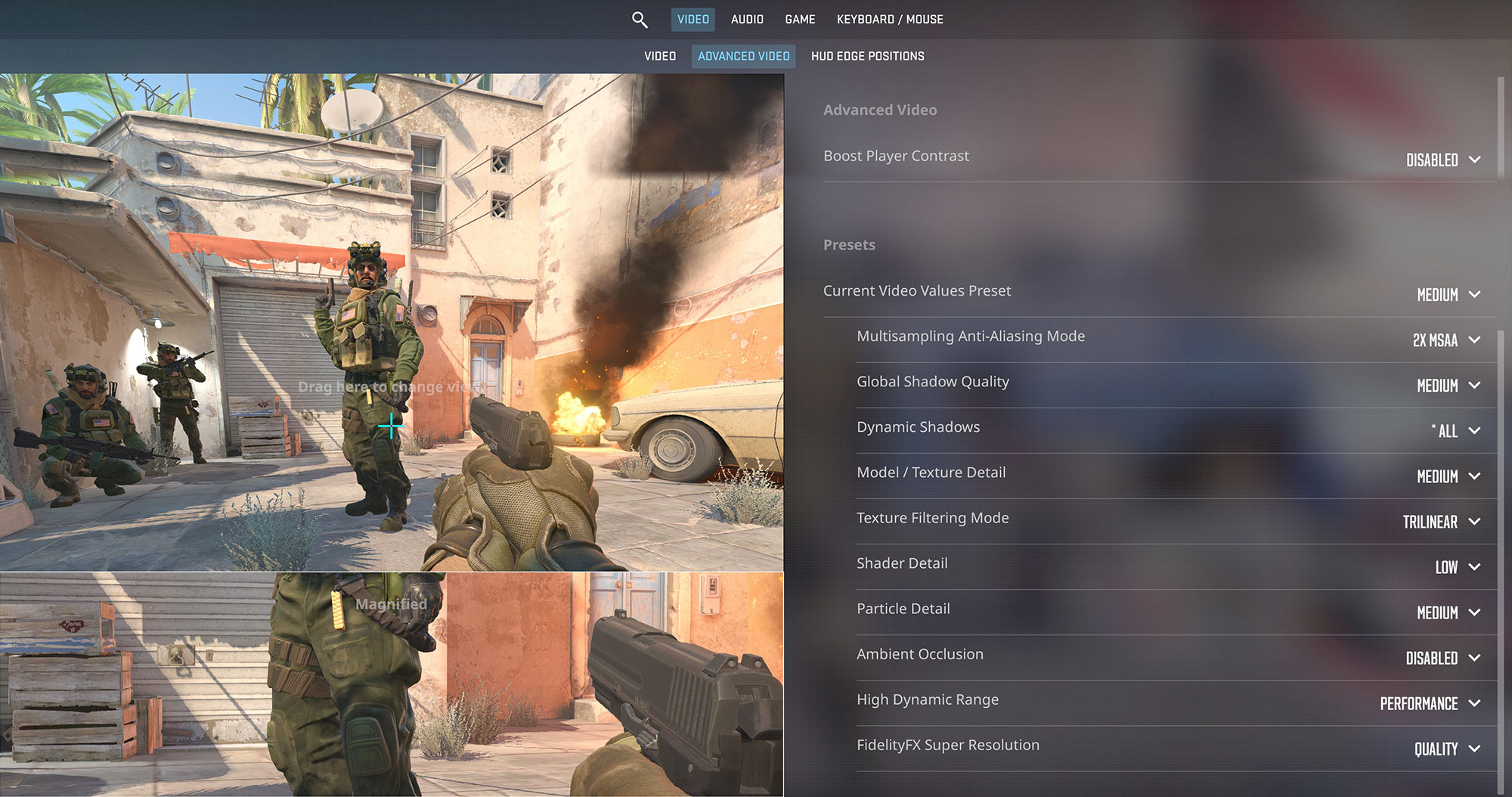
The Acer Aspire Go 15 is capable of some light gaming, particularly in well-optimized esports titles. It runs Counter-Strike 2 at a smooth 81 FPS on Low settings at 1080p. On Medium settings, it averages around 49 FPS, which is still playable for casual matches.
| Counter Strike 2 | 1080p, Low (Check settings) | 1080p, Medium (Check settings) |
| Average FPS | 81 FPS | 49 FPS |

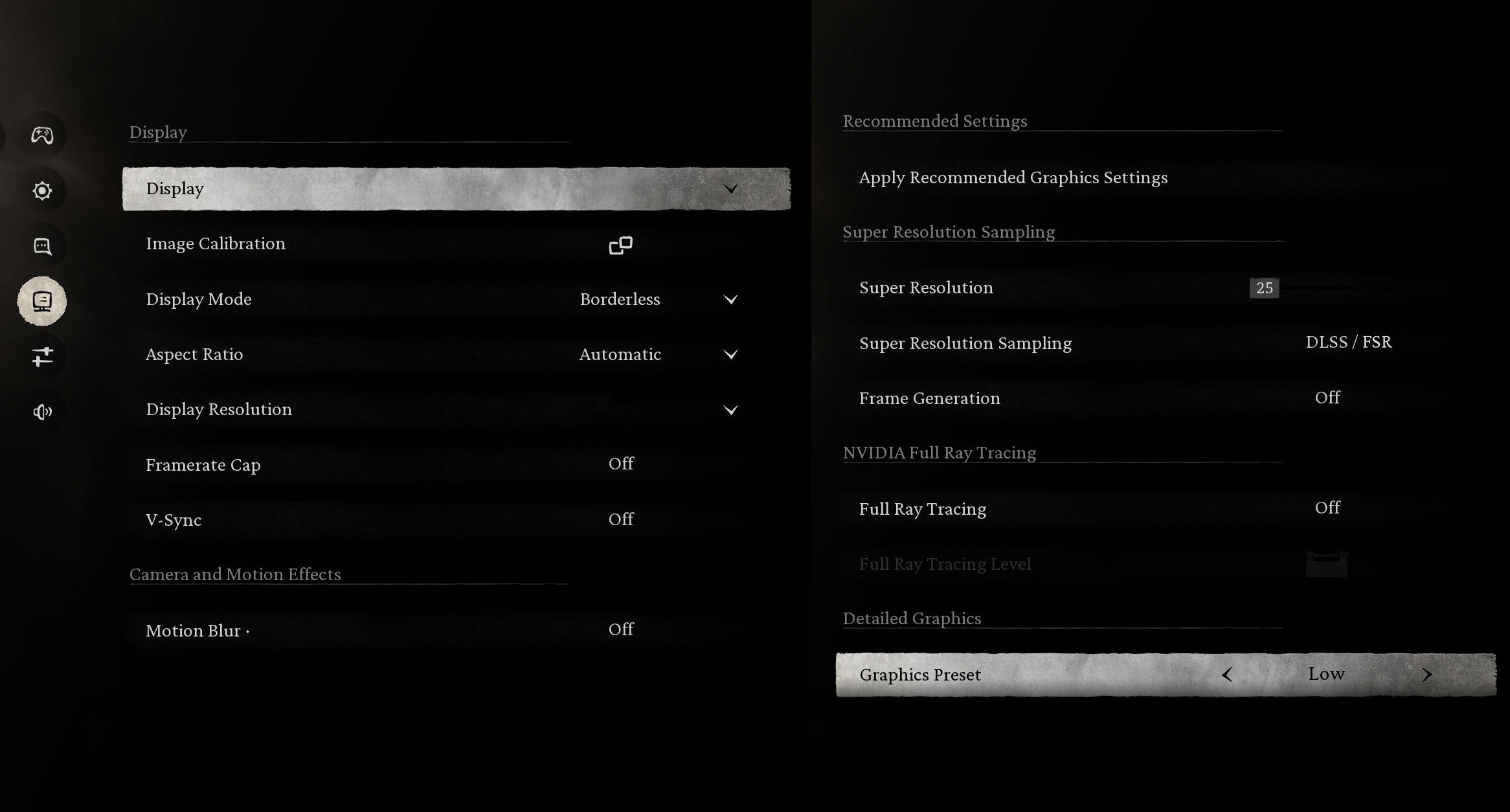
Modern, graphically intensive games like Black Myth: Wukong are too demanding for the hardware. At 1080p on Low settings, the laptop only manages 28 FPS, which is not considered a playable experience.
| Black Myth: Wukong | 1080p, Low (Check settings) |
| Average FPS | 28 FPS |

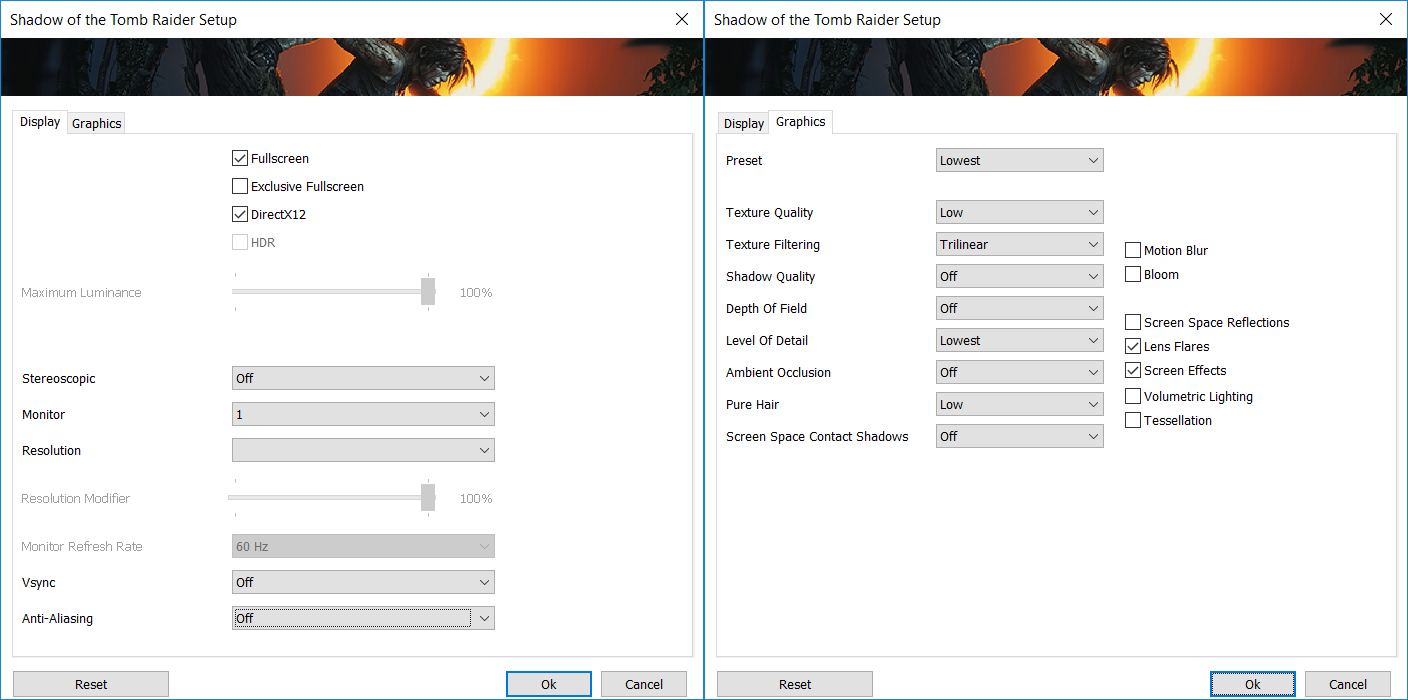
In older AAA titles such as Shadow of the Tomb Raider, the Aspire Go 15 can deliver a borderline playable experience. It achieves 36 FPS on the Lowest settings at 1080p, which is acceptable for some casual single-player gaming.
| Shadow of the Tomb Raider | 1080p, Lowest (Check settings) |
| Average FPS | 36 FPS |
Temperatures and Comfort, Noise, Stability
At idle, the CPU package of the Acer Aspire Go 15 (AG15-71P) maintains a temperature of around 50ºC, and the notebook remains completely silent.
Office Work, Web Development, Design
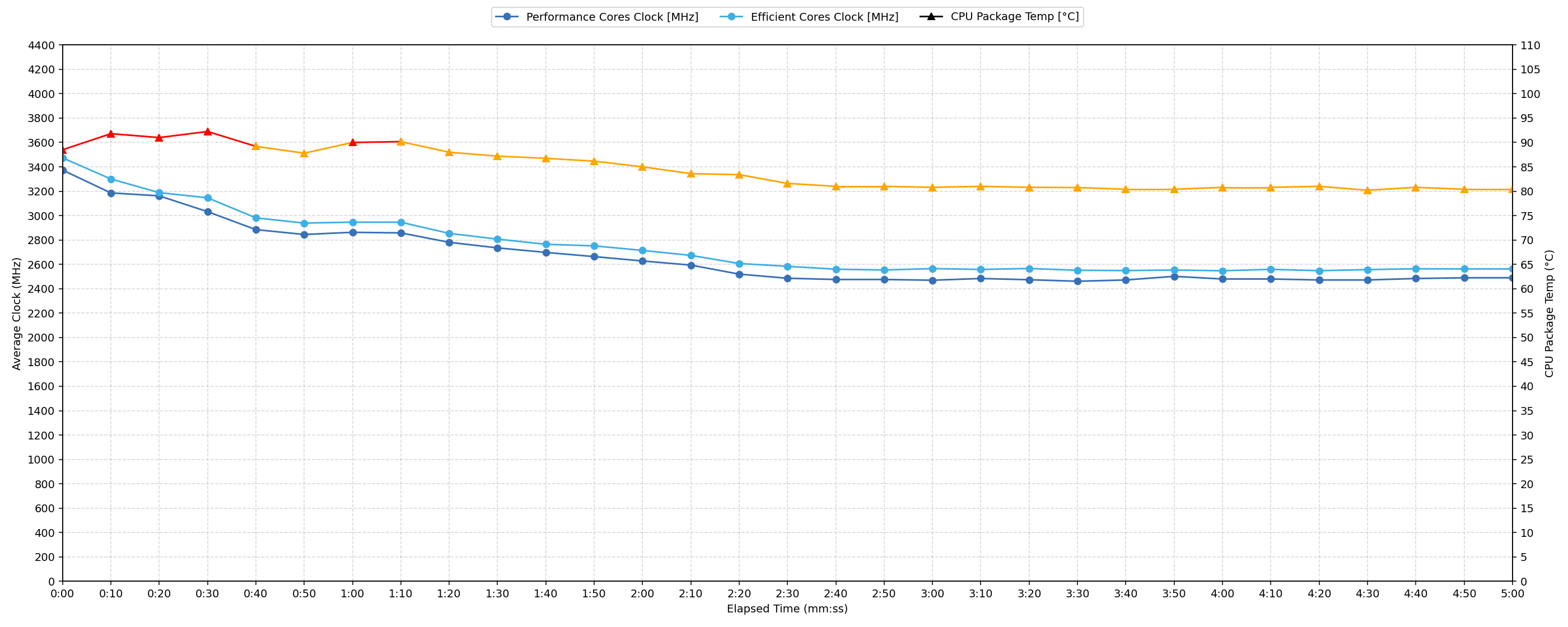
Short periods (0:00 – 0:10 s) of 100 % CPU load
This test shows the CPU behavior during short periods of serious load. It’s important for users who are looking for laptops suitable for tasks like Web Design and Programming.
| Intel Core i7-13620H | Avg. P-Core Clock | Avg. CPU Temp. | Avg. CPU Power |
| Acer Aspire Go 15 (AG15-71P) | 3373 MHz | 88 °C | 63 W |
During short, intensive bursts, the Intel Core i7-13620H in the Acer Aspire Go 15 demonstrates strong initial performance. The CPU reaches a peak clock of 3462 MHz and sustains an average of 3373 MHz over the initial 10 seconds, drawing 63W of power. While the average CPU temperature over this period is 88 °C, which is an acceptable level, the peak temperature hit 94 °C. This high peak suggests that the cooling system is significantly challenged by sudden, maximum loads, though it manages to keep the average within reasonable bounds for quick tasks.
Video editing, Scientific computing, Software compilation, 3D rendering
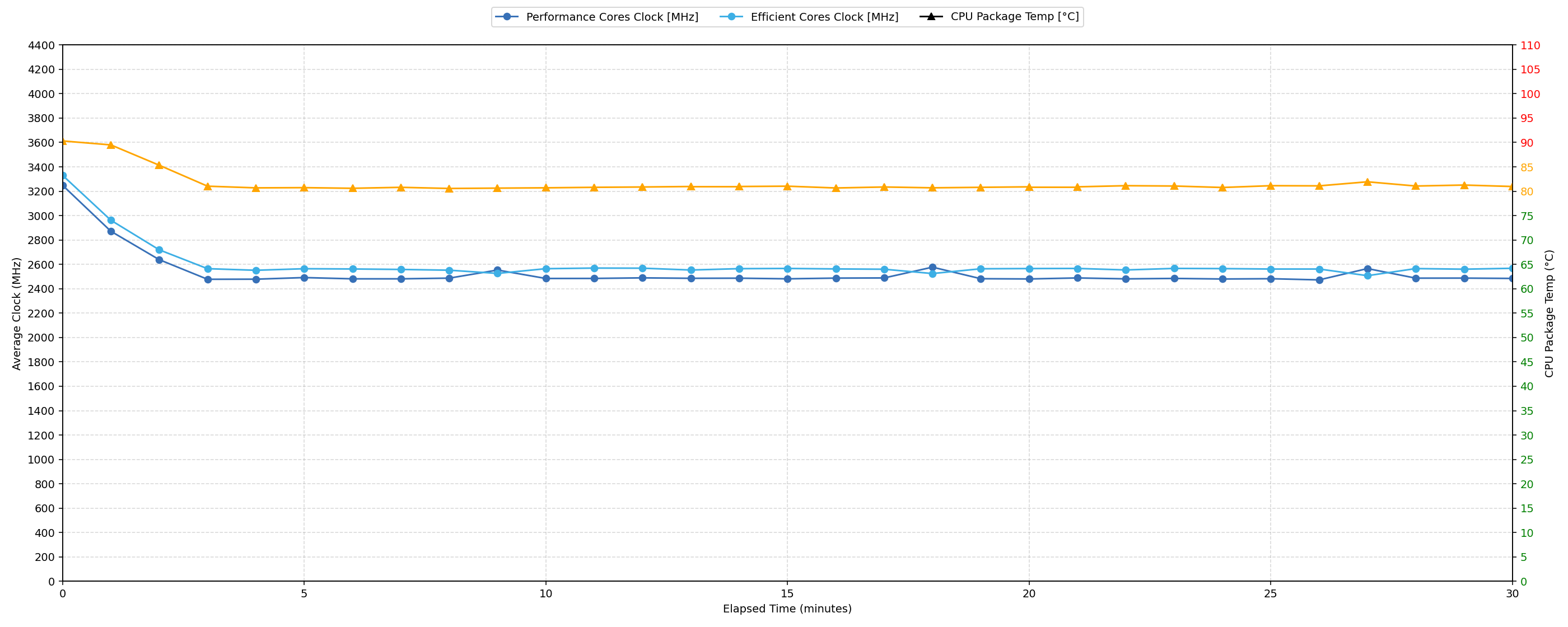
Long periods (0:00 – 30:00 min) of 100 % CPU load
This test shows the CPU behavior during long periods of serious load. It’s important for users who are looking for laptops suitable for tasks like Video Editing and 3D Rendering.
| Intel Core i7-13620H | Avg. P-Core Clock | Avg. CPU Temp. | Avg. CPU Power |
| Acer Aspire Go 15 (AG15-71P) | 2523 MHz | 81 °C | 35 W |
For sustained workloads, the Intel Core i7-13620H in the Acer Aspire Go 15 adjusts its performance to maintain thermal stability. Over 30 minutes of continuous load, the CPU averages 2523 MHz, with a minimum clock of 2439 MHz, indicating a significant clock speed drop from its initial peak. The average CPU temperature stabilizes at 81 °C, which is an acceptable level for prolonged operation, and the power draw settles at 35W. This demonstrates effective thermal management, allowing the system to handle long-duration tasks without reaching critically high temperatures, albeit at a reduced performance level compared to its peak burst.
Battery Life
We tested the battery life of Acer Aspire Go 15 (AG15-71P) with the Energy Efficient mode selected in Windows Settings. It has a 53Wh battery pack which is on the smaller side but AG15-71P manages to squeeze 5:30 hours on a single charge which we see as a very good result considering the powerful processor. If you need the best battery life though, check out the Acer Aspire Go 15 AG15-51P (detailed review) which is the best performer here with almost 10 hours on a single charge!
Brightness: 180 nits; Display Mode: SDR
Time to Full Discharge: Higher is Better

Disassembly, Upgrade options, and Maintenance
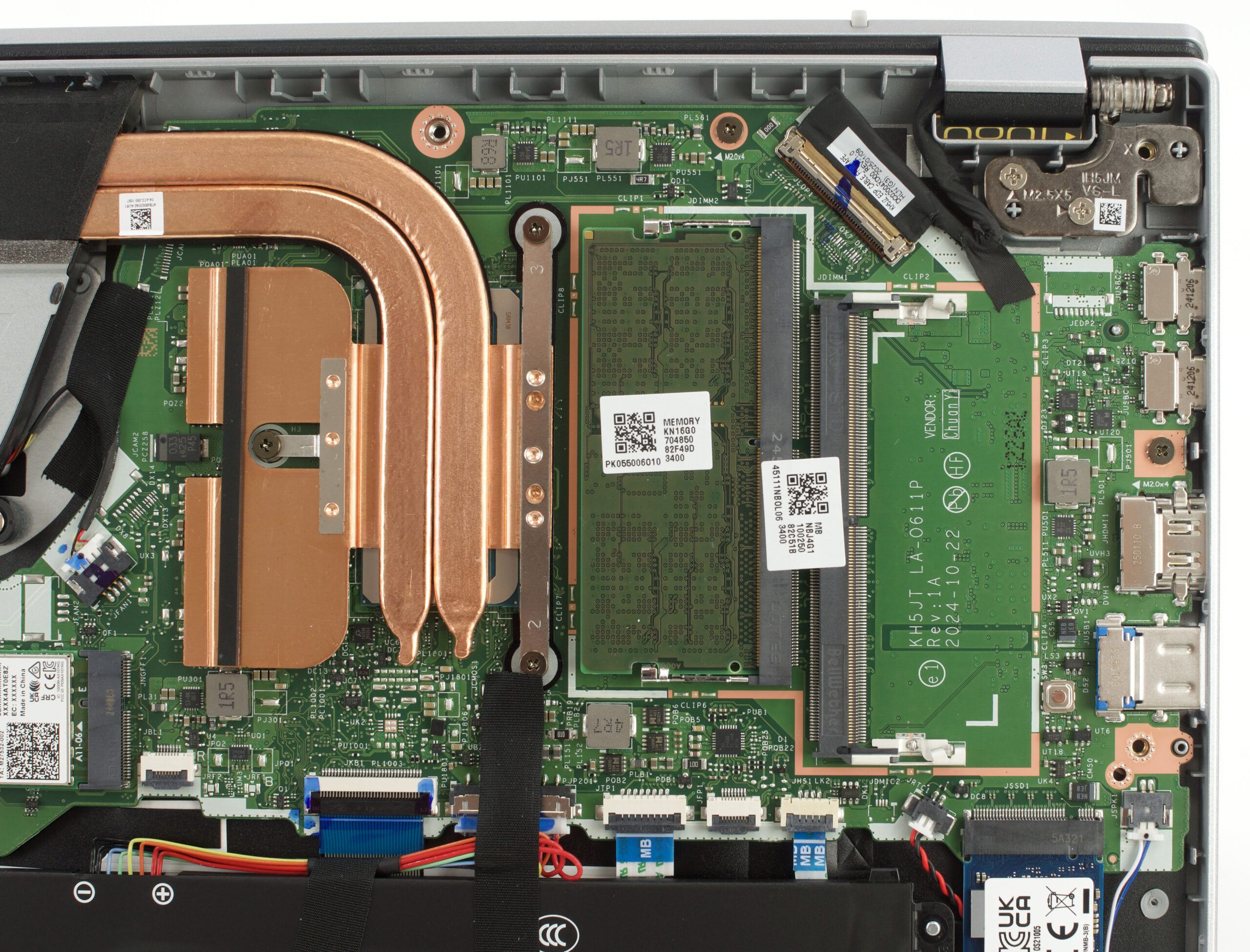
Getting inside the Aspire Go 15 is straightforward. Remove ten bottom screws with a Japanese Industrial Standard #1 screwdriver, then work a set of plastic picks around the edges to release the clips and lift the panel away without stressing them.
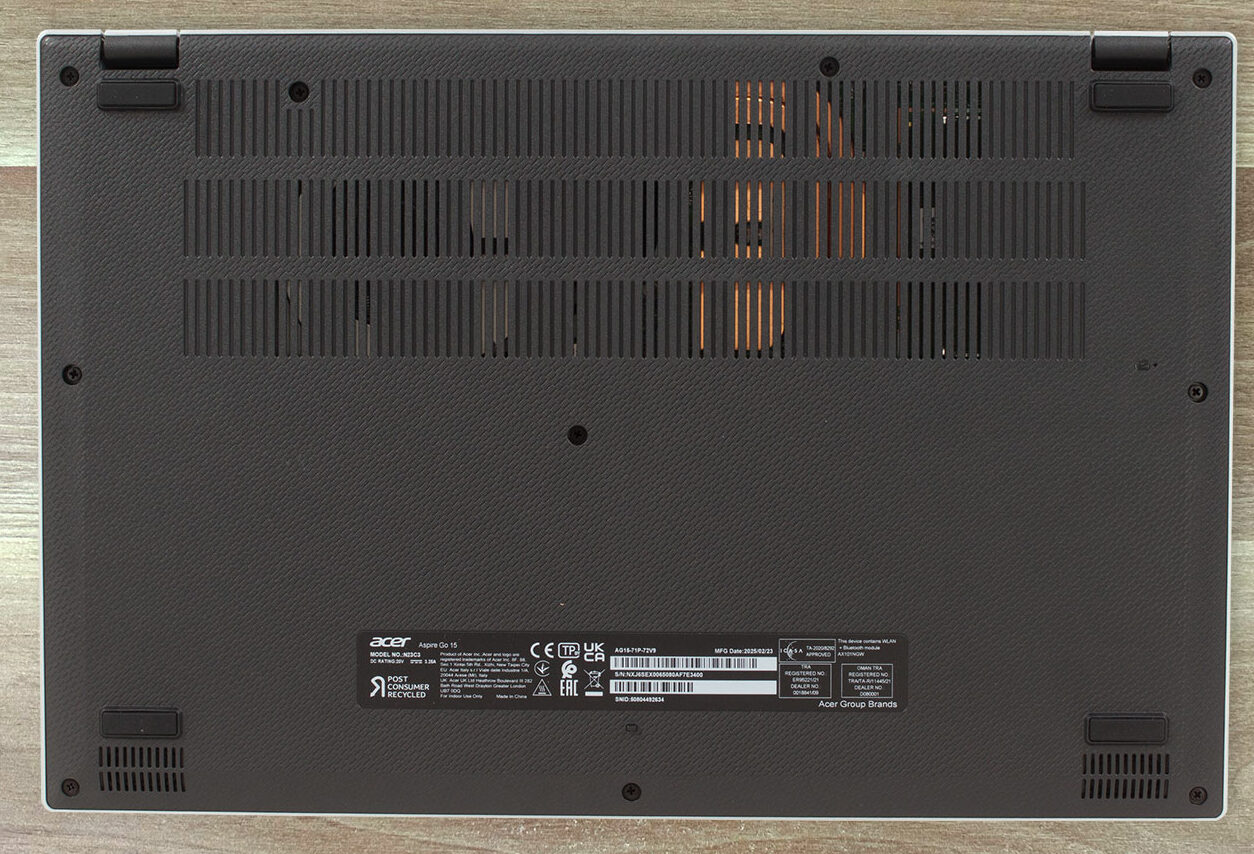
With the bottom cover off you can see the simple cooling assembly: a single radial fan and a pair of heat pipes feeding a compact fin stack. It is not a high-wattage design, but it covers the CPU and power components adequately for this class of machine.
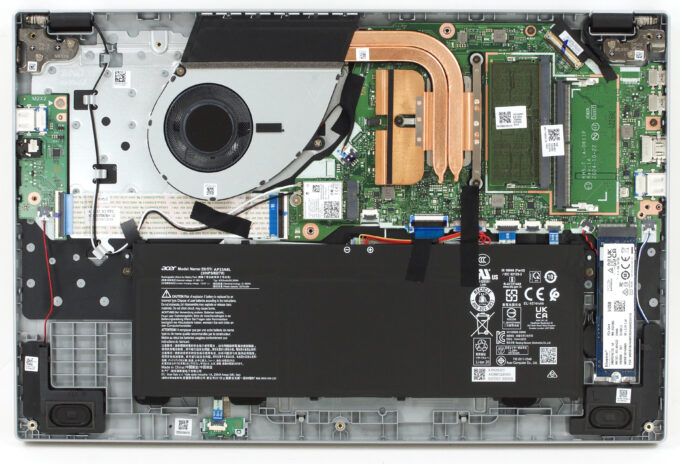
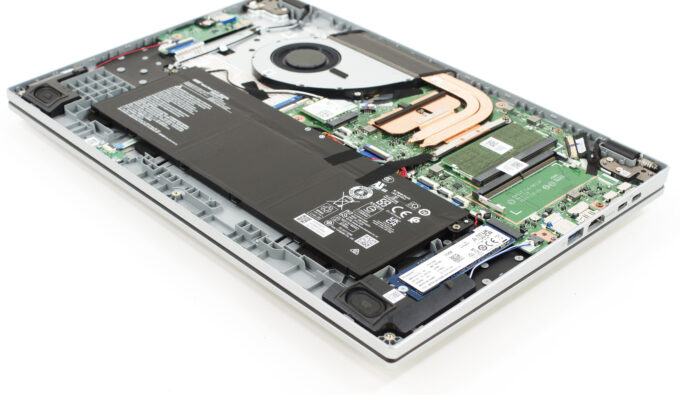
Storage is handled by one 2280 M.2 slot wired for PCIe 4.0 NVMe. Our unit arrived with a Kingston 512GB drive and the slot is fully user-replaceable. There is no 2.5-inch bay or second M.2 slot, so plan your capacity accordingly.
Memory upgrades are easy thanks to two DDR5 SO-DIMM slots, one of which is populated from the factory. Acer officially supports up to 32GB at up to 5200 MT/s, so a dual-channel configuration is just a quick swap away.
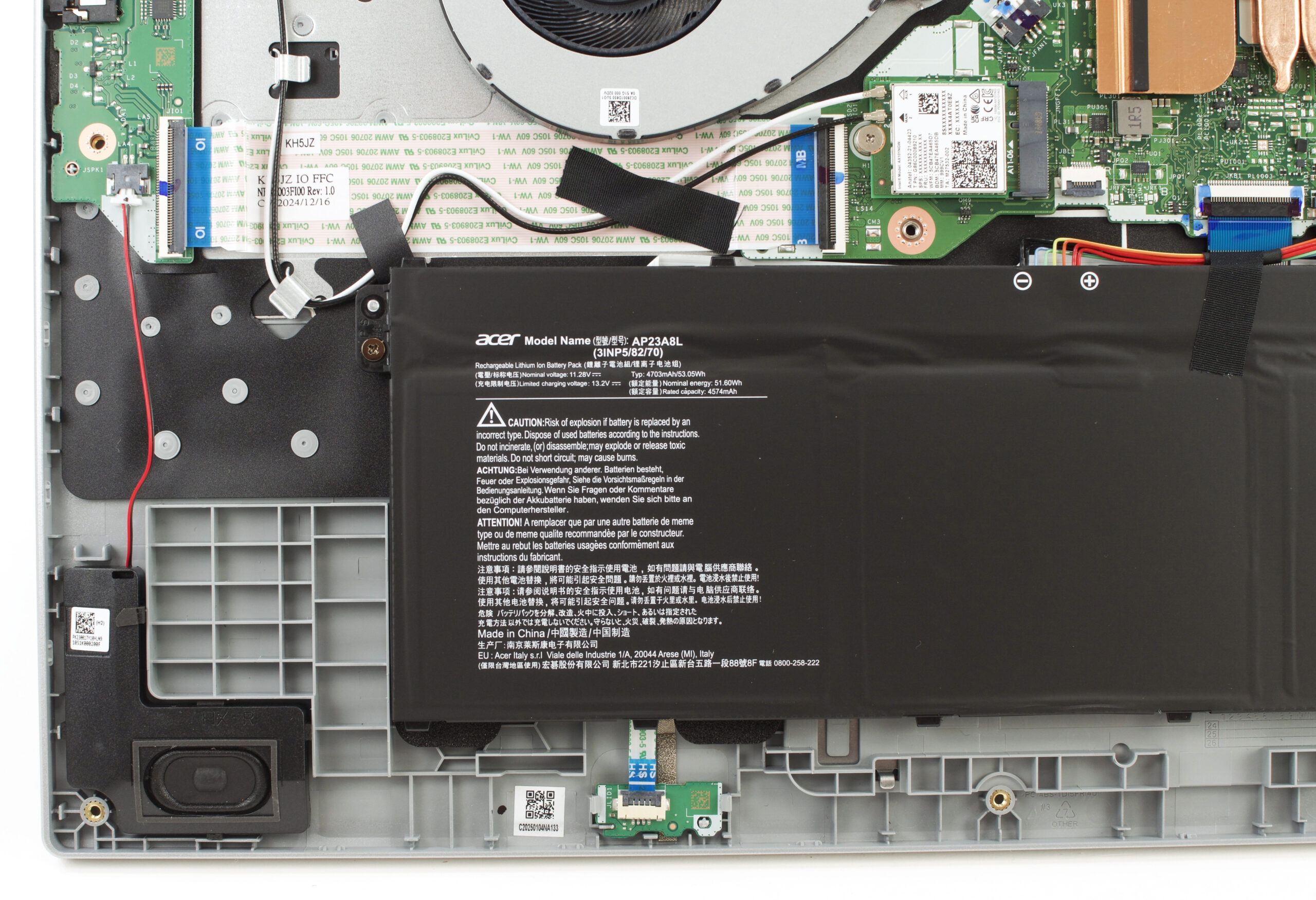
The battery is a 53Wh unit held by two screws and a single cable. Disconnect the cable first, then remove the screws with a JIS #0 driver if you need to replace it. Fast-charging is supported.
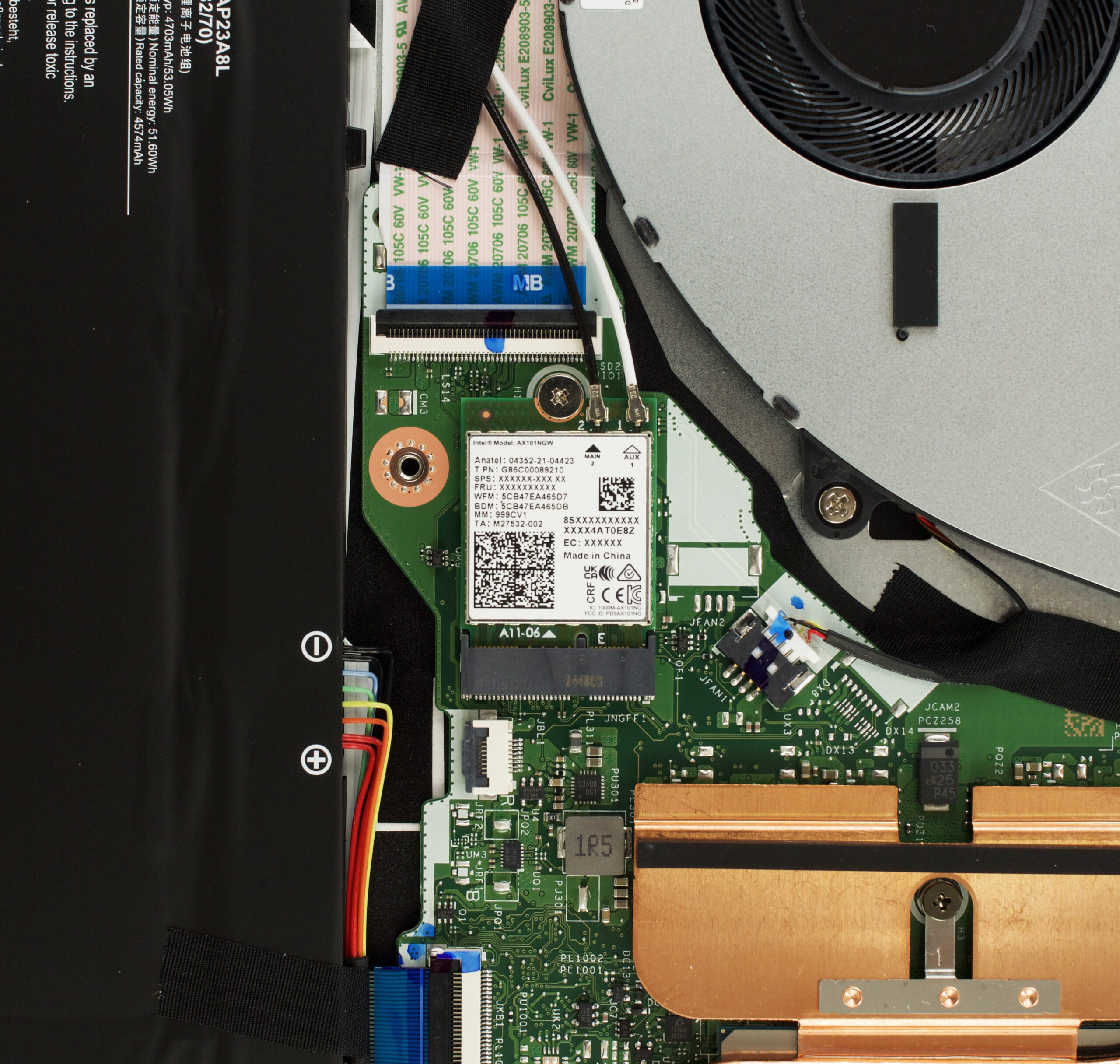
Other replaceable bits include the M.2 Wi-Fi card, which sits next to the cooling module and can be swapped if you prefer a different adapter.
Overall, this is a very serviceable budget notebook – one panel, standard screws, two RAM slots, a single NVMe bay, a replaceable battery and Wi-Fi card make routine upgrades and maintenance easy.
Verdict
The Acer Aspire Go 15 (AG15-71P) is a no-frills workhorse built around a single, compelling idea: delivering the best possible processor performance for the lowest possible price. It’s a machine that makes clear and deliberate compromises in almost every other area, from its display to its feature set – to cram a powerful H-series CPU into a budget-friendly chassis. This makes it a fascinating, if flawed, proposition.
For the user whose primary concern is raw processing power for tasks like programming or data analysis and who can look past its significant shortcomings, the Aspire Go 15 offers a value proposition that is very hard to beat.
✅ The Good
 The absolute headline feature here is the excellent performance for the price. Getting an Intel Core i7-H series processor in a laptop at this price point is exceptional, providing a significant performance uplift over the U-series CPUs found in most competitors. It’s a fantastic choice for students and professionals who need processing power on a tight budget.
This is backed by surprisingly great user serviceability. The inclusion of two SODIMM slots for RAM upgrades is a win for a budget machine, offering great long-term value and flexibility. The port selection is also very practical, with two USB-A and two USB-C ports, and the keyboard includes a full NumPad.
Most importantly, even this budget display is completely PWM-free and has low reflectance, a crucial feature for eye comfort that is often sacrificed in this price bracket. It’s a thoughtful inclusion that we really appreciate.
❌ The Bad
The most significant compromise is the display. While it’s easy on the eyes, its extremely poor color coverage at just 50% sRGB makes it completely unsuitable for any photo editing, design, or color-sensitive work. The viewing experience is dull and washed out. Our display profiles make it acceptable but you if you work with colors you should get an external monitor, or another laptop.
To hit its price point, Acer has also stripped out many quality-of-life features. There is no keyboard backlighting, no fingerprint reader, and no physical privacy shutter for the webcam. The all-plastic build also exhibits noticeable flex, and the powerful CPU throttles under sustained heavy load due to the modest cooling solution.
🆚 The Competitors
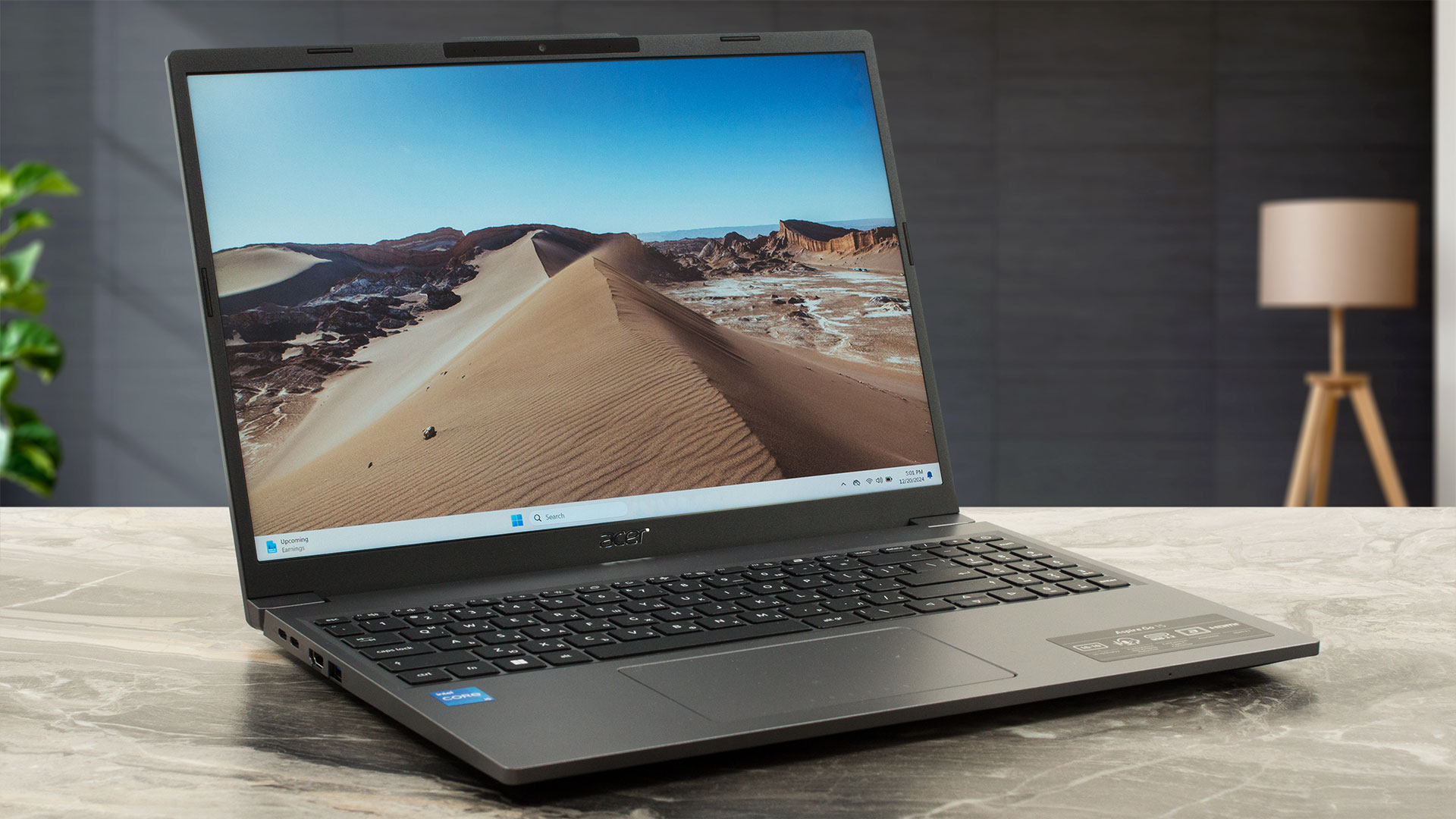 The most interesting comparison is with its own sibling, the Acer Aspire Go 15 AG15-51P (detailed review). The choice is crystal clear: this model (71P) offers vastly superior CPU performance, while the U-series equipped 51P model delivers significantly better battery life, lasting almost twice as long on a single charge.
Against other budget laptops like the Lenovo IdeaPad Slim 3 (detailed review) or Dell Vostro 3520 (detailed review), the Aspire Go 15 (AG15-71P) simply dominates on raw processing power, making it the default choice for anyone who needs to run CPU-intensive applications without breaking the bank.
You can check the prices and configurations in our Specs System: https://laptopmedia.com/series/acer-aspire-go-15-ag15-71p/
Pros
- Excellent CPU performance for the price (H-series processor)
- Great upgradeability with two user-accessible RAM slots
- Completely PWM-free display with low reflectance is great for eye comfort
- Good selection of modern and legacy ports
- Comfortable keyboard with a full NumPad
- Good battery life, considering the powerful CPU
Cons
- Display has very poor color coverage (50% sRGB)
- No keyboard backlighting
- No fingerprint reader or physical camera shutter
- Performance throttling under sustained load
- Only one M.2 slot for storage
 Author: Simeon NikolovEditor-in-Chief at LaptopMedia.com with 20+ years of experience in testing and analyzing laptops and mobile devices.
 Author: eng. Kroum NikolovHead of Engineering at LaptopMedia.com, inventor and innovator with 40+ years of experience in electronics and high technology.


![[May 2026] Amazon Global: Top 10 Best-Selling Gaming Laptops – Budget-Friendly ASUS TUF Gaming A15 Dominates the Market](https://laptopmedia.com/wp-content/uploads/2026/06/Best-Selling-Gaming-Laptops-GLOBAL-Top-10-400x225.jpg)
![[May 2026] Amazon Global: Top 10 Best-Selling Laptops – Apple’s Affordable ‘MacBook Neo’ Takes the Crown Amidst Strong Air and Pro Sales](https://laptopmedia.com/wp-content/uploads/2026/06/Best-Selling-Laptops-GLOBAL-Top-10-400x225.jpg)
![[May 2026] Best-Selling Laptop Brands on Amazon Global – Apple Dominates in Units and Revenue](https://laptopmedia.com/wp-content/uploads/2026/06/GLOBAL-Best-Brands-400x225.jpg)

Honor Magicbook 16 would beat it in most positions.
I find it in Germany for 999 EUR but that’s 30-40% more expensive than Aspire Go 15, while having much slower CPU – Ryzen 5 5600H, am I missing something?
Looks sleek though, if it hits the market here we’ll get it for a review
Wow, Feel sorry for germans. I will give you some variants later when i have time to dig through all the models and sellers