How to open Lenovo Legion Pro 7i Gen 10 (16″ Intel) – disassembly and upgrade options
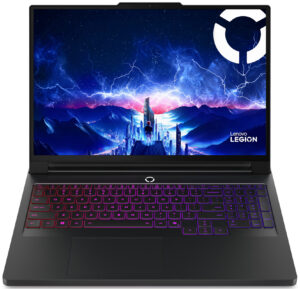
Removing the bottom plate of the Lenovo Legion Pro 7i Gen 10 (16″ Intel) is straightforward: undo ten JIS-1 screws—six long M2 × 12 mm and four short M2 × 4 mm. After loosening them, use a plastic pry tool to walk around the perimeter, finishing between the hinges to release the final clips. The panel lifts away smoothly, exposing the expansive cooling and upgrade-friendly interior.
Inside, the triple-fan cooling array stands out: two large radial fans flank a smaller center fan, each feeding a network of copper heat pipes that converge beneath dual vapor-chamber plates. Foam isolators keep airflow channeled directly through the exhaust fins instead of spilling into the chassis, ensuring optimal heat evacuation during intensive workloads.
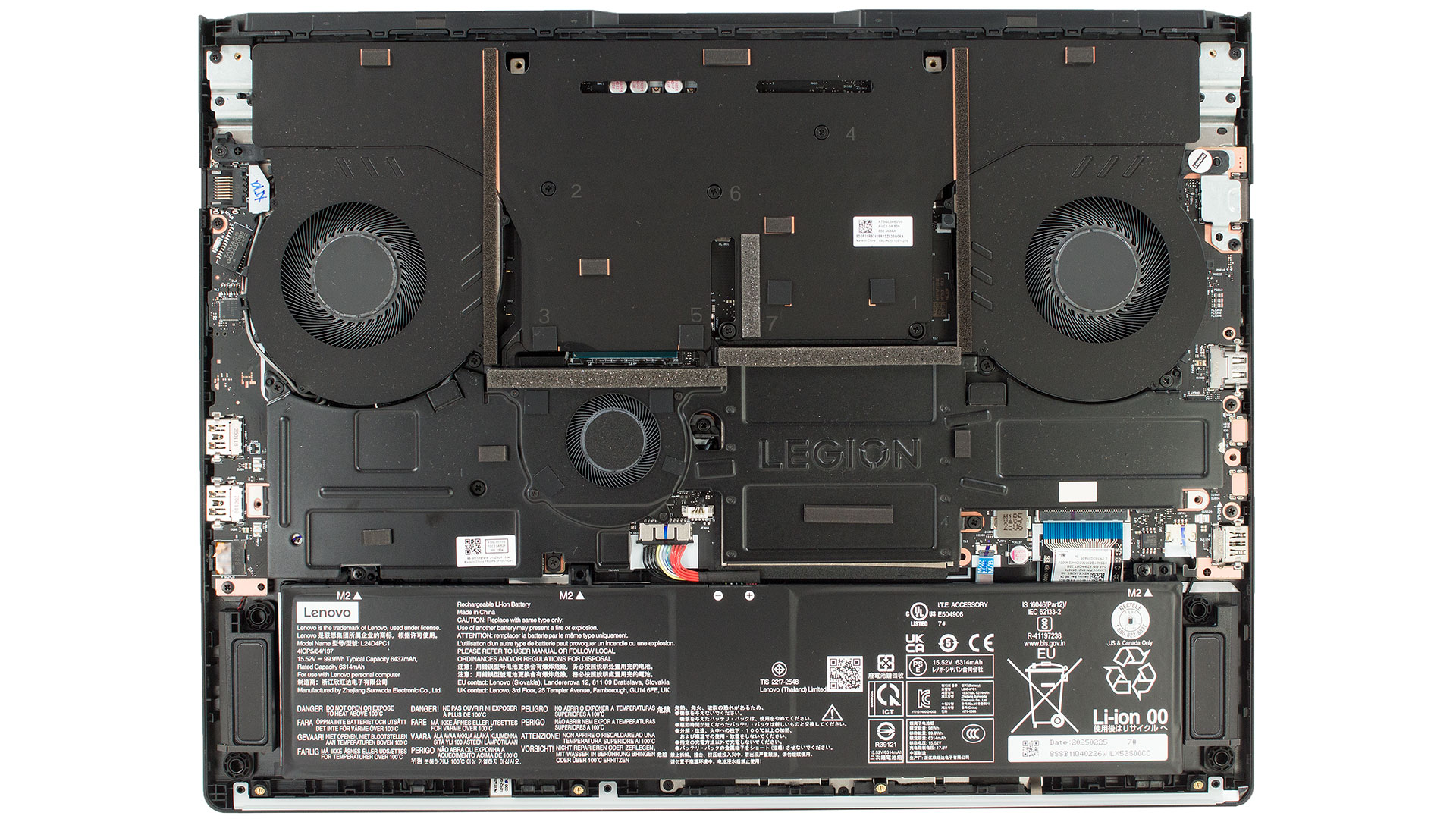
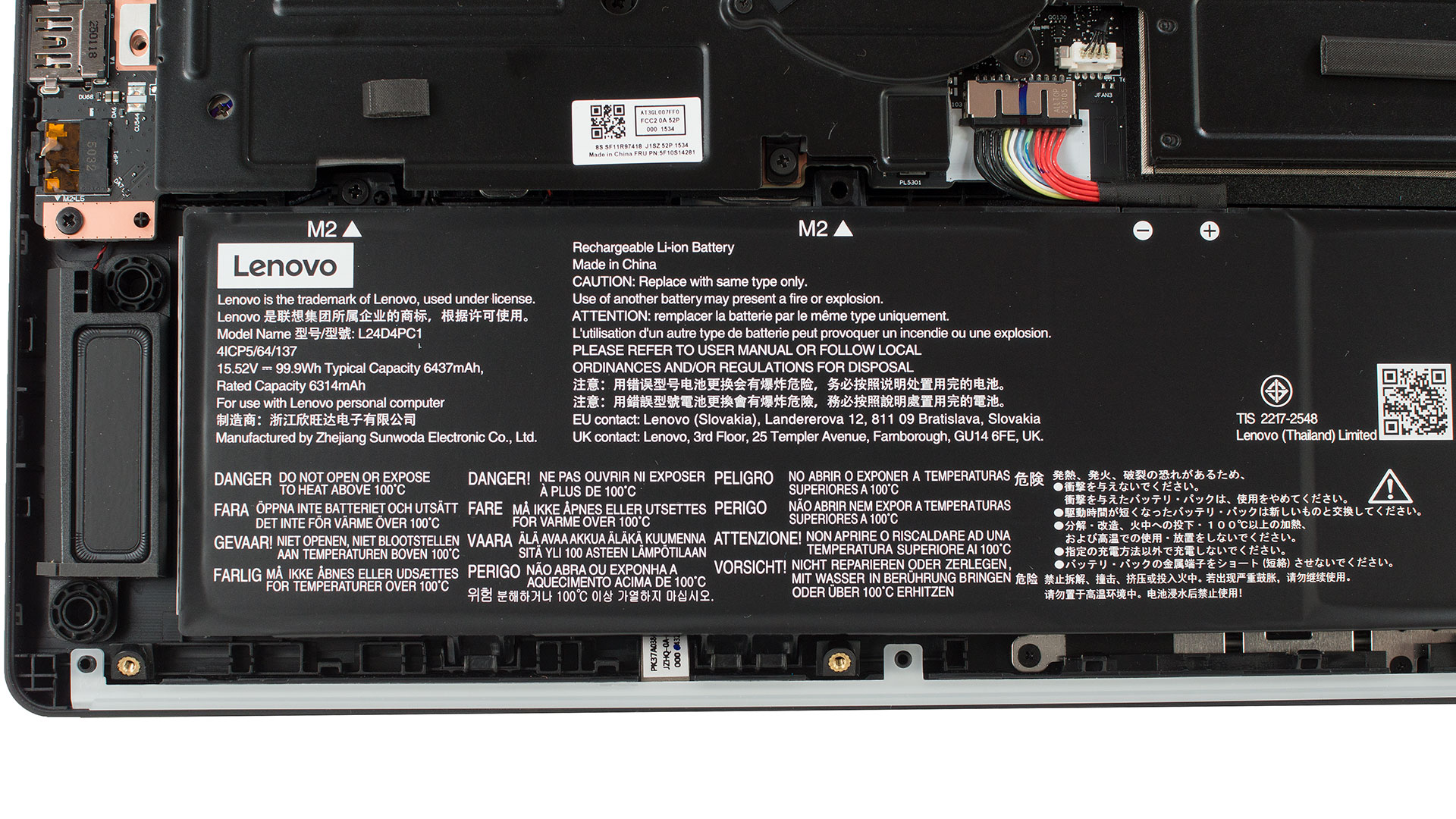
Battery
- The bottom section houses a 99.9 Wh lithium-ion battery. Removal is easy: unplug the cable and undo two screws. The pack supports Lenovo’s Super Rapid Charge, boosting charge levels to around 70% in just 30 minutes—perfect for quick top-ups before gaming or work sessions.
Memory and Storage
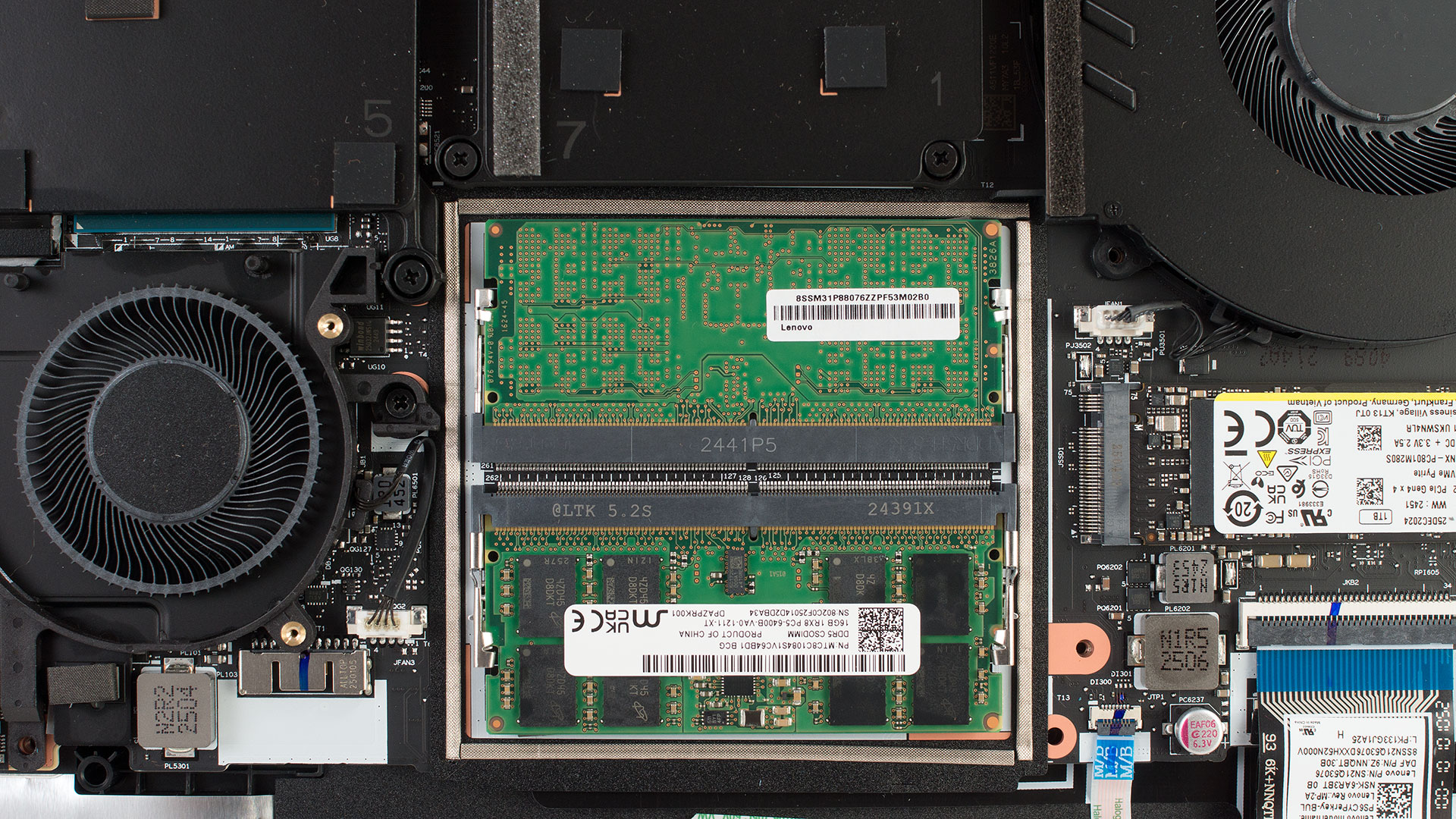
- A metal shield, doubling as a heatsink for the center fan, covers both SO-DIMM slots and the primary storage area. Undo the seven captive screws to tilt it away and access these key components.
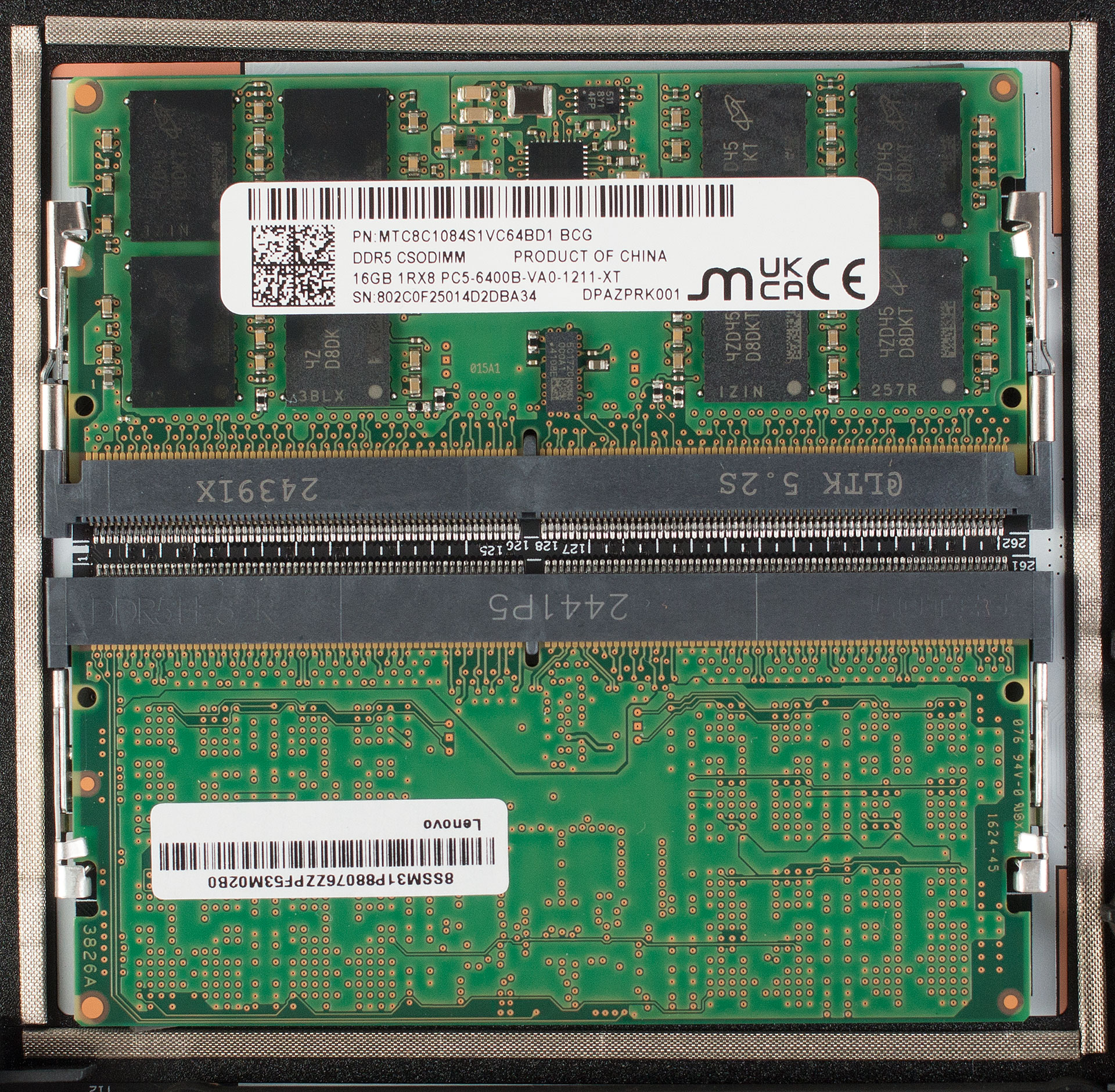
- System RAM uses two standard DDR5 SO-DIMM slots; our unit features 2 × 16 GB 6400 MHz sticks. The platform officially supports up to 64 GB. Upgrading involves popping the side retaining arms and inserting new modules at a 45-degree angle.
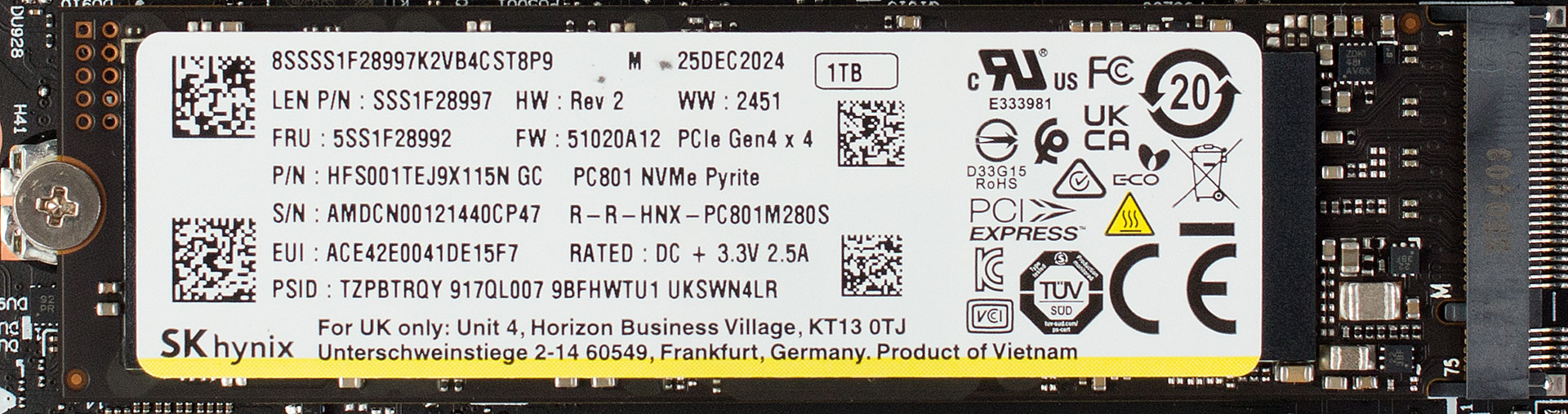
- Primary storage is split between two M.2 2280 bays: the top slot connects via PCIe 5.0 ×4, and the bottom slot runs at PCIe 4.0 ×4—ideal for adding a second SSD. Thermal pads are applied on both sides of the drive for enhanced cooling performance. Swapping drives requires only a JIS-0 screwdriver.
Hint: Don’t forget to check out our Top M.2 SSDs Performance Rankings for insights on the best storage options available.
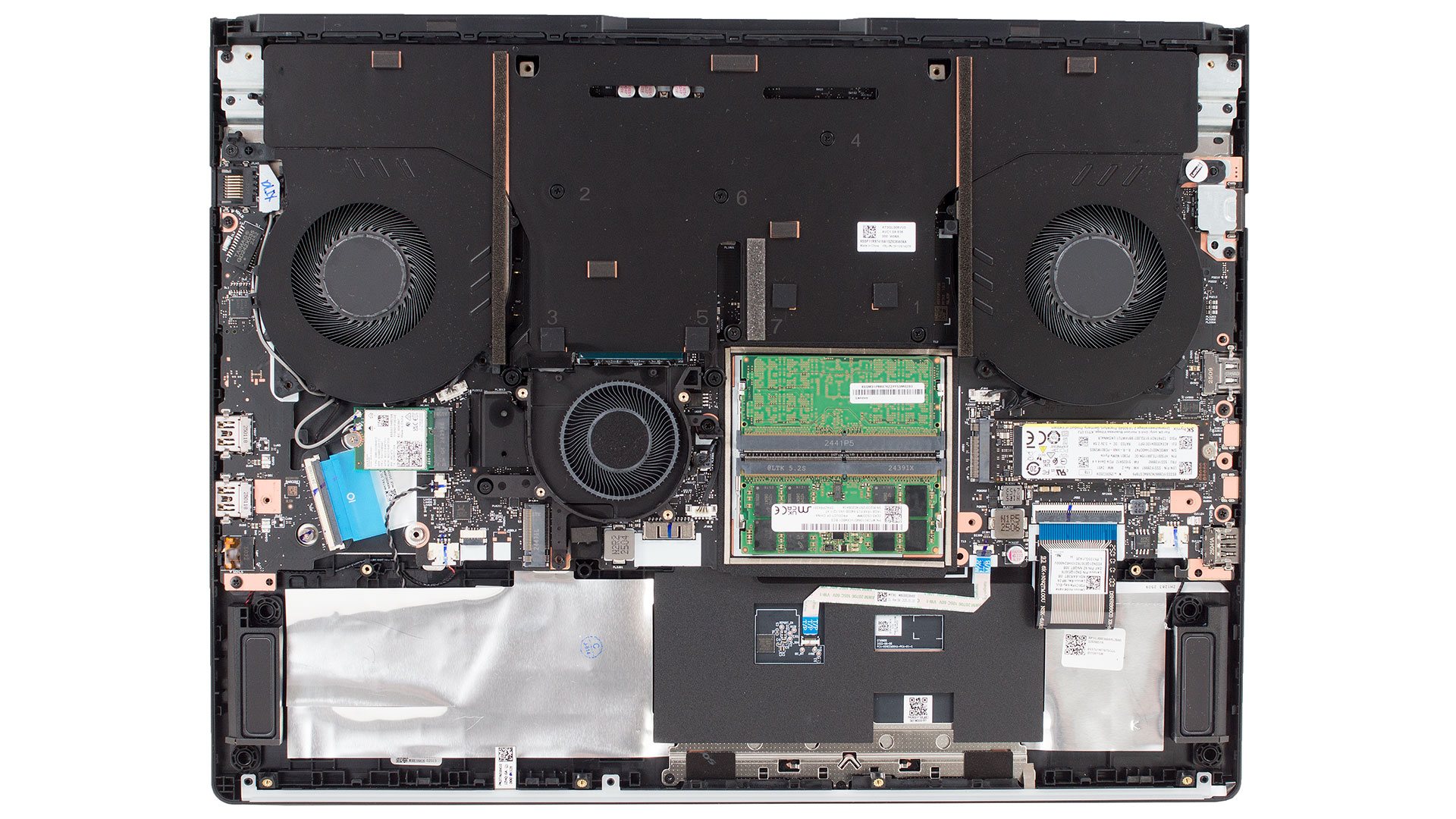
Wireless and Cooling
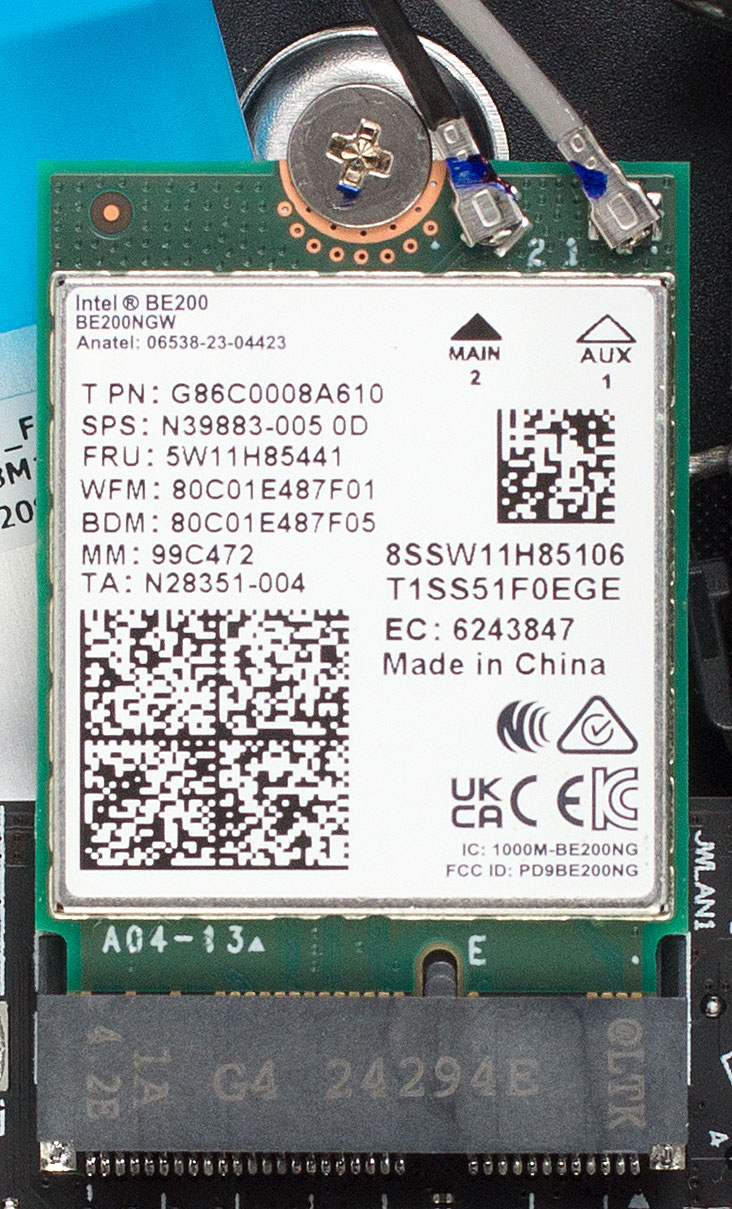
- The Wi-Fi 7 and Bluetooth 5.4 connectivity come from a replaceable Intel BE200 card, held by a single Phillips screw and two antenna clips.
- Lenovo also includes a blue rubber pull tab near the Wi-Fi module, reserved for an add-in capture card or diagnostic tool—a thoughtful detail for enthusiasts.
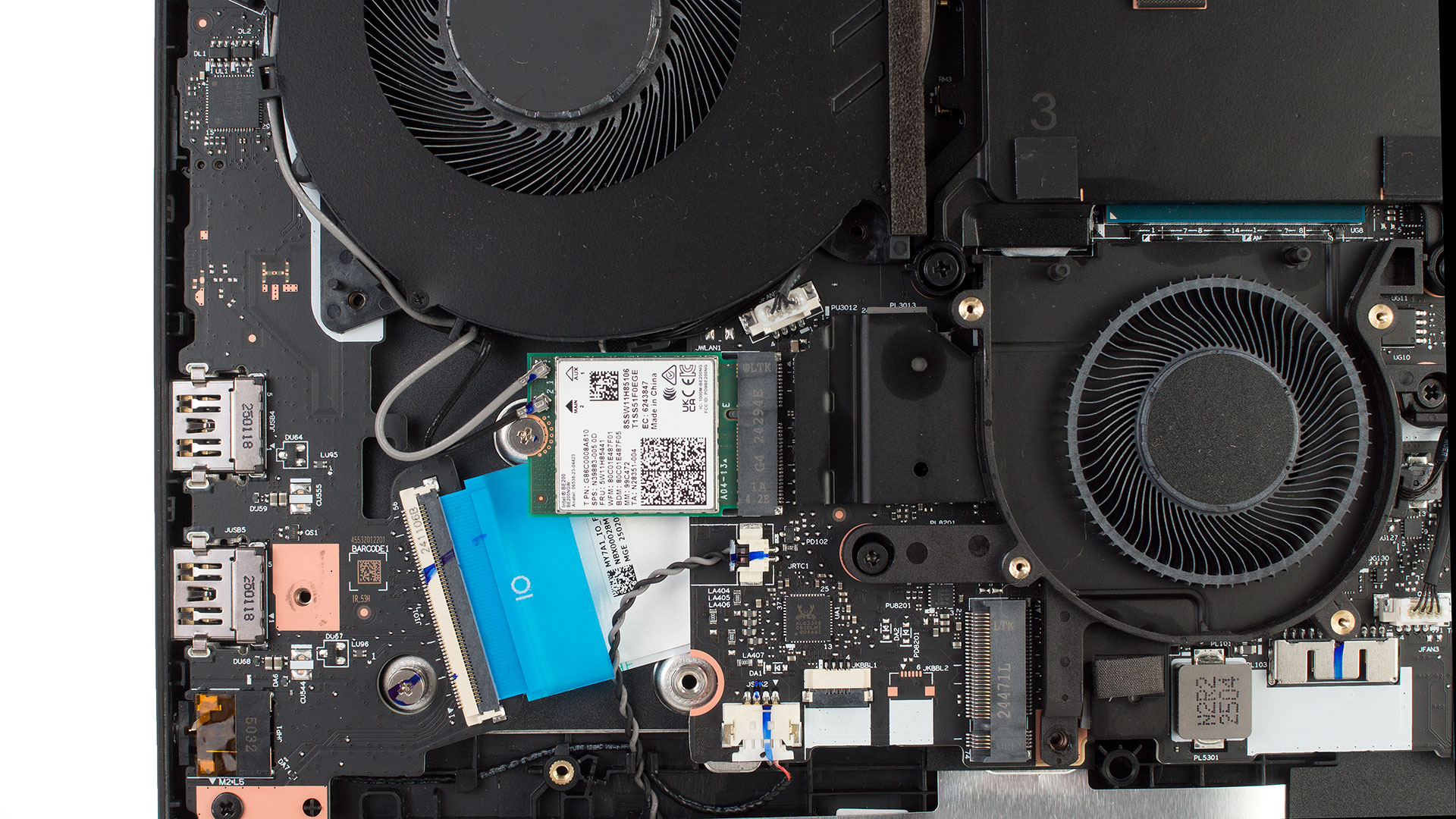
The cooling system is designed for sustained high performance: two large fans cool the VRMs and GPU power stages, while the central fan sweeps residual heat off the memory. The system’s massive vapor chambers and intricate heat pipe network ensure thermal stability even during extended heavy workloads.
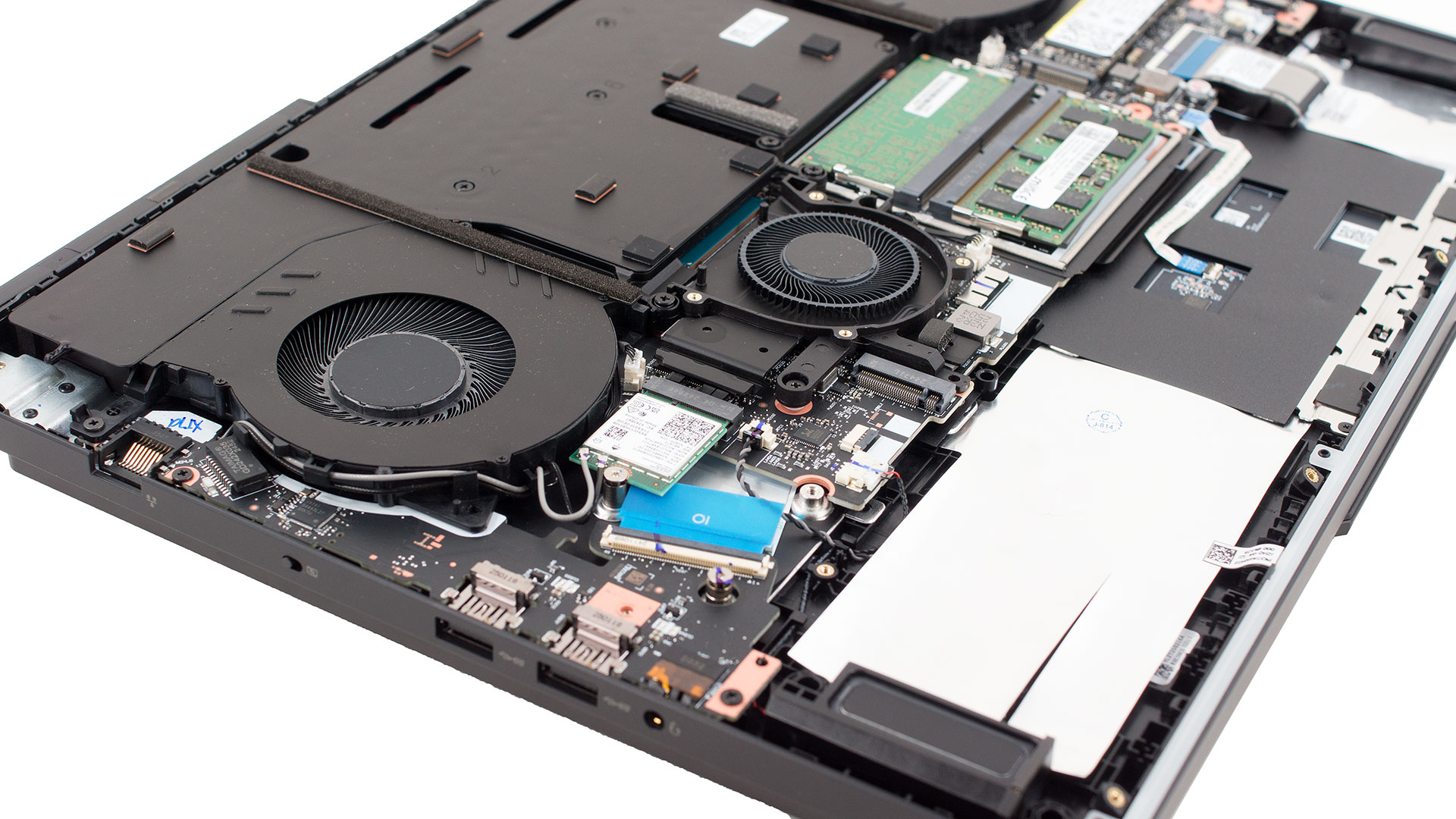
Overall, the Legion Pro 7i Gen 10 offers textbook serviceability: battery, fans, vapor-chamber cooling, dual SO-DIMMs, dual high-speed SSD slots, and the Wi-Fi module are all accessible with common tools, making upgrades or deep cleaning a breeze.
Lenovo Legion Pro 7i (16", Gen 10) in-depth review
When Lenovo unleashes a new Legion Pro, the gaming world pays close attention, and the Gen 10 model arrives with some serious firepower. Imagine pairing Intel's potent Core Ultra 9 275HX with NVIDIA's latest and most powerful beast, the RTX 5090, and then displaying it all on a breathtaking 16-inch, 2.5K, 240Hz OLED screen. It’s a recipe for a truly next-level gaming experience, wrapped in an "Eclipse Black" aluminum chassis that screams performance with its aggressive styling and customizable RGB lighting.But does this impressive spec sheet translate into flawless execution? Can[...]
Pros
- Exceptional gaming performance with Core Ultra 9 and RTX 50-series (esp. RTX 5090)
- Stunning 16-inch 2.5K 240Hz OLED display with full DCI-P3 coverage
- Excellent factory color accuracy and high brightness
- Robust and stylish all-aluminum construction with fingerprint resistance
- Excellent GPU thermal management during gaming
- Comfortable keyboard with per-key RGB and large arrow keys
- Comprehensive and high-speed port selection (TB4, USB-C DP2.1, HDMI 2.1, 2.5GbE LAN)
- Latest Wi-Fi 7 and Bluetooth 5.4 connectivity
- Good internal upgradeability (dual RAM, dual M.2 with PCIe 5.0 support)
- Physical E-shutter switch for webcam privacy
- Very good sound quality
Cons
- CPU can run very hot under sustained, heavy non-gaming CPU loads
- Glossy OLED screen is highly reflective
- Relatively high CPU idle temperatures
 Author: Dimitar Stalev

![[May 2026] Global Ranking of Best-Selling Laptop GPUs on Amazon – Apple Dominates with 45% Share, Sweeps Top 3 Spots; NVIDIA’s RTX 5060 Leads the Dedicated GPU Pack](https://laptopmedia.com/wp-content/uploads/2026/06/Best-Selling-GPUs-GLOBAL-Top-10-400x225.jpg)
![[May 2026] Global Ranking of Best-Selling Laptop CPUs on Amazon – Apple Crushes Competition with 45.2% Market Share, M5 Dominates](https://laptopmedia.com/wp-content/uploads/2026/06/Best-Selling-CPUs-GLOBAL-Top-10-400x225.jpg)
![[May 2026] Amazon Germany: Top 7 Best-Selling Gaming Laptops – Lenovo Legion 5i Crowned Champion Amidst Fierce Mid-Range Competition](https://laptopmedia.com/wp-content/uploads/2026/06/Best-Selling-Gaming-Laptops-DE-Top-10-1-400x225.jpg)
![[May 2026] Amazon Italy: Top 10 Best-Selling Laptops – Apple MacBook Neo Reigns Supreme, Premium Models Capture Dominant Revenue Share](https://laptopmedia.com/wp-content/uploads/2026/06/Best-Selling-Laptops-IT-Top-10-400x225.jpg)
![[May 2026] Best-Selling Laptop Brands on Amazon Italy – Apple Dominates Across All Metrics](https://laptopmedia.com/wp-content/uploads/2026/06/IT-Best-Brands-400x225.jpg)
