How to open MSI Katana 17 HX B14W – disassembly and upgrade options
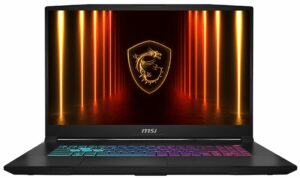
Before you start: Power the laptop off, unplug the charger and all peripherals, and hold the power button for a few seconds to discharge residual power. Work on a clean surface and use ESD protection if available.
Opening the bottom panel
- Remove all bottom screws securing the base cover.
- Use a thin plastic pry tool to release the clips around the edges, starting from an area that gives you the easiest initial gap.
- Work your way around the sides and front, then finish near the hinge side, and lift the bottom panel away.
Internal layout overview
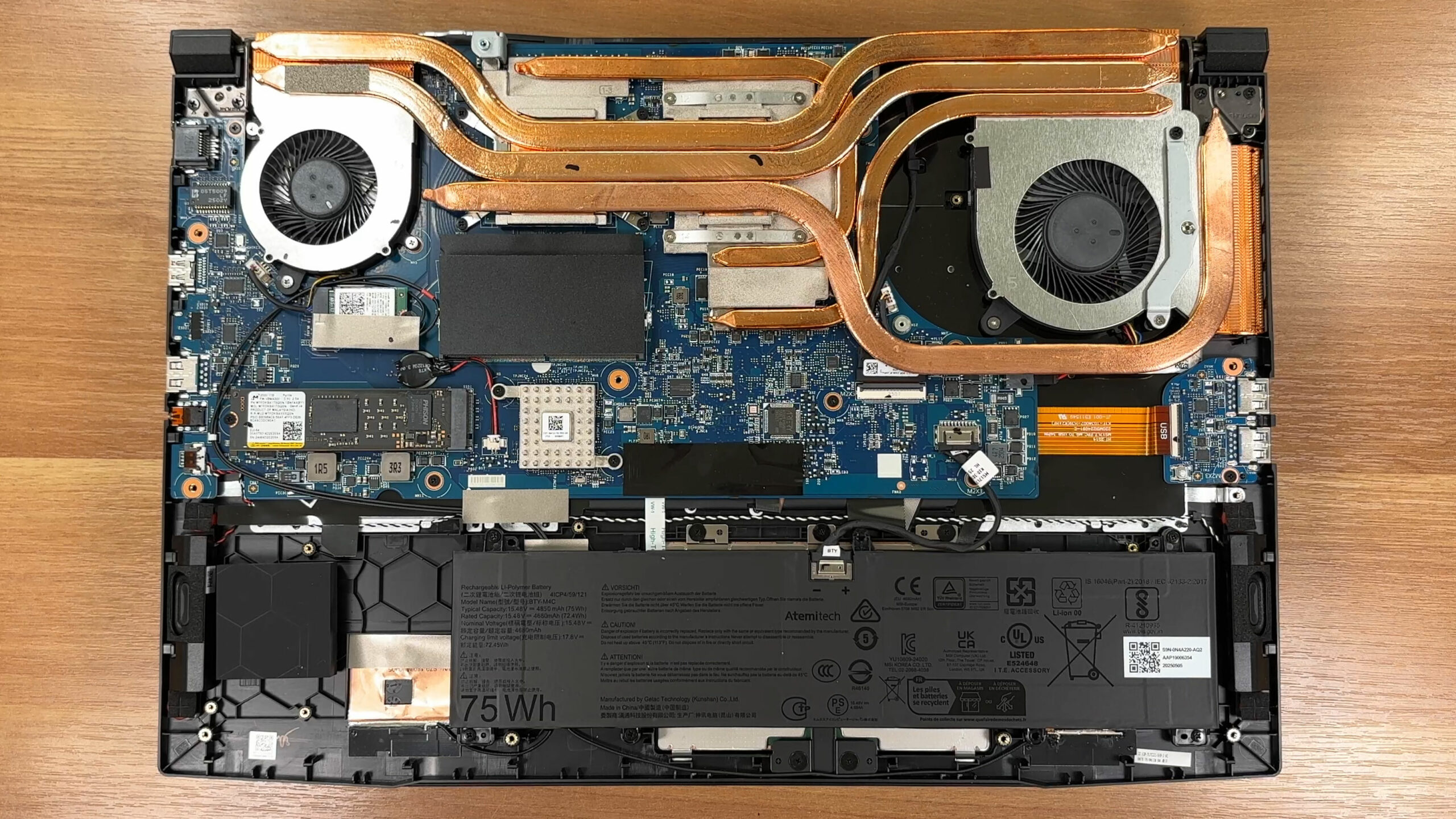
- Once inside, you’ll see a tidy layout: large cooling hardware at the top, the motherboard centered, and the battery spanning the front edge.
- Most serviceable parts are clearly labeled and easy to reach without removing secondary frames.
Battery removal and safety
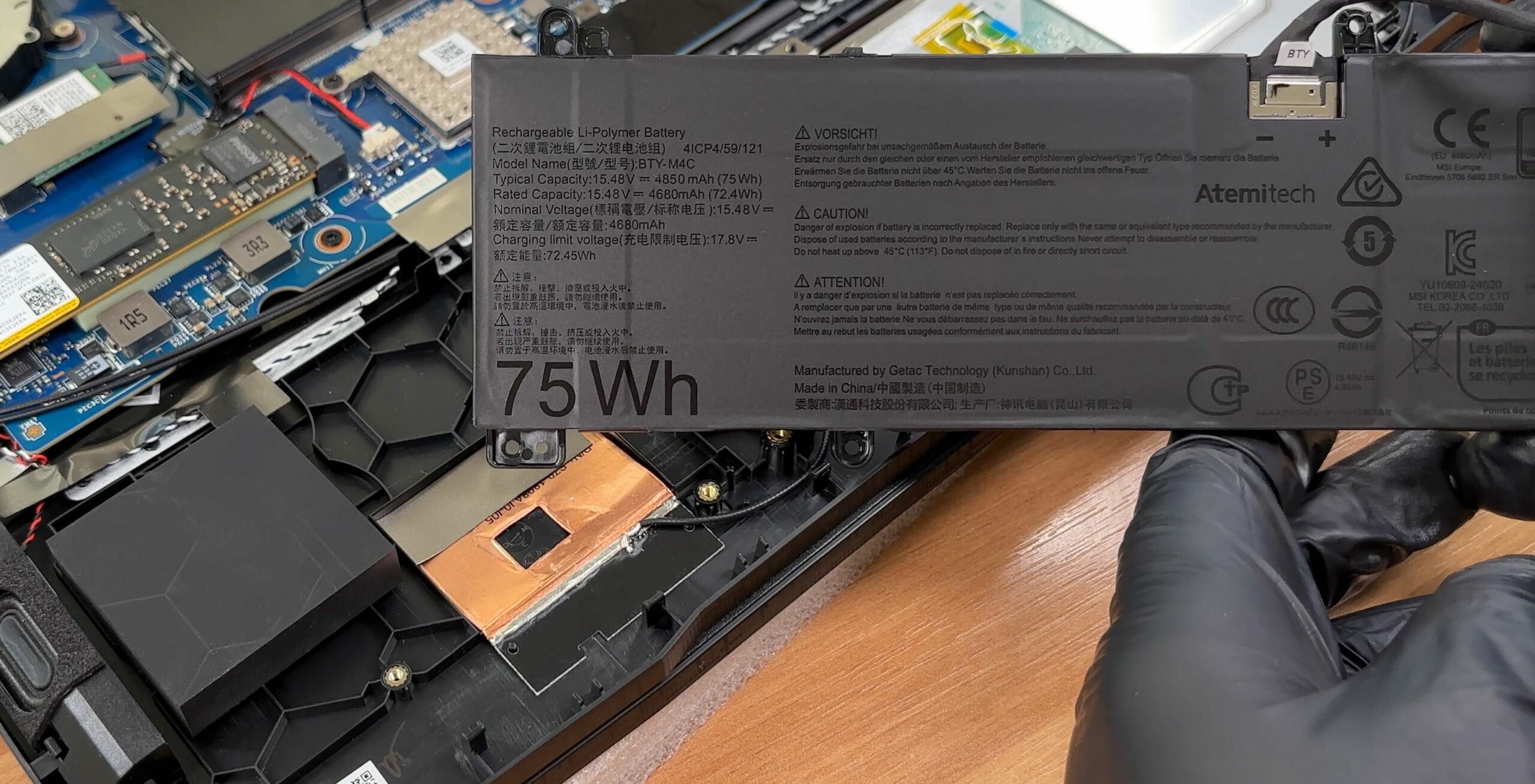
- Disconnect the battery connector first before touching memory or storage.
- The pack is a 75 Wh, 4-cell unit secured with screws and a standard pull-out connector.
- After removing the screws and any small retainer elements, the battery lifts out cleanly for replacement.
Memory upgrade
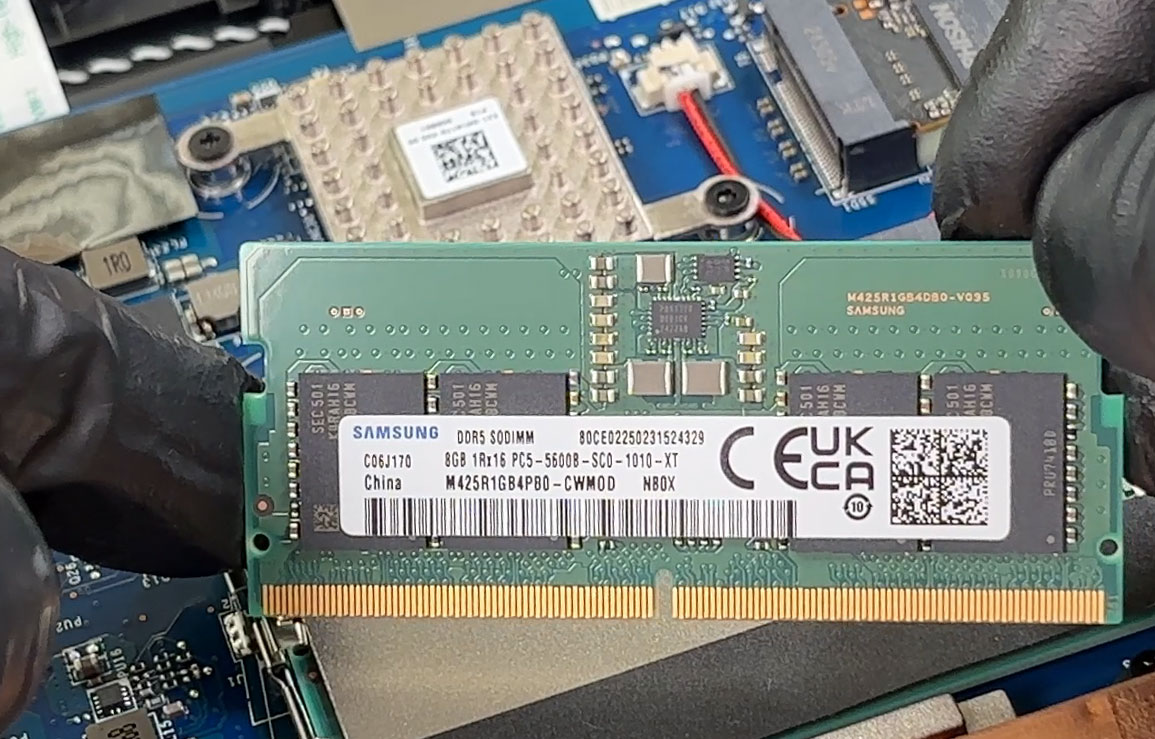
- Memory is located under a shielding sticker; peel it back carefully and reapply it during reassembly for proper EMI coverage.
- There are two DDR5 SO-DIMM slots. MSI advertises support up to DDR5-5600 and up to 96 GB total capacity, with final speed depending on CPU support and module configuration.
- Our unit arrived with 2×8 GB Samsung DDR5-5600 modules; upgrading to a matched pair is recommended for stable dual-channel operation.
Storage upgrade
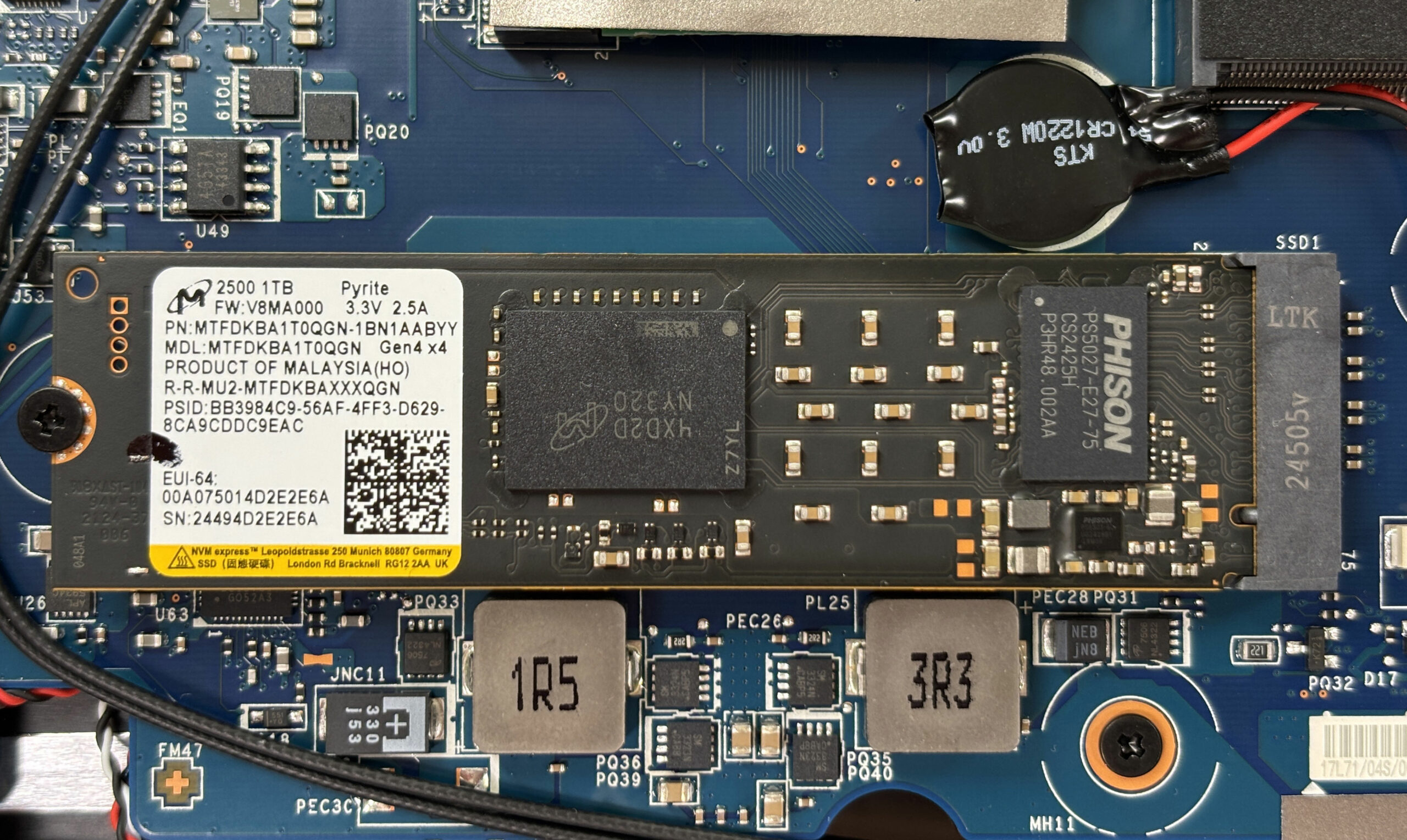
- The Katana 17 HX B14W is limited to a single M.2 slot wired for PCIe 4.0 NVMe SSDs.
- The slot is covered by a heat spreader and elastic thermal pads—remove the cover gently and reinstall it the same way to maintain good contact.
- Our configuration ships with a Micron 2500 1 TB PCIe 4.0 NVMe drive. Swapping to a larger/faster Gen4 SSD is straightforward: undo the retention screw, slide the SSD out, insert the new one at an angle, then secure it and reinstall the thermal interface.
Hint: Consider reviewing our Top M.2 SSDs Performance Rankings to select the best storage solution for your needs.
You can buy M.2 Gen4 SSDs here: Buy from Amazon.com.au (#CommissionsEarned)
Wireless card
- The wireless module is replaceable and uses the standard M.2 2230 format.
- The installed card supports Wi-Fi 6E and Bluetooth 5.3, and the antenna leads include extra retention to reduce the chance of accidental disconnects during service.
- When swapping, pop the antennas straight up, remove the retaining screw, replace the module, then press the leads back down until they click.
Cooling system and cleaning
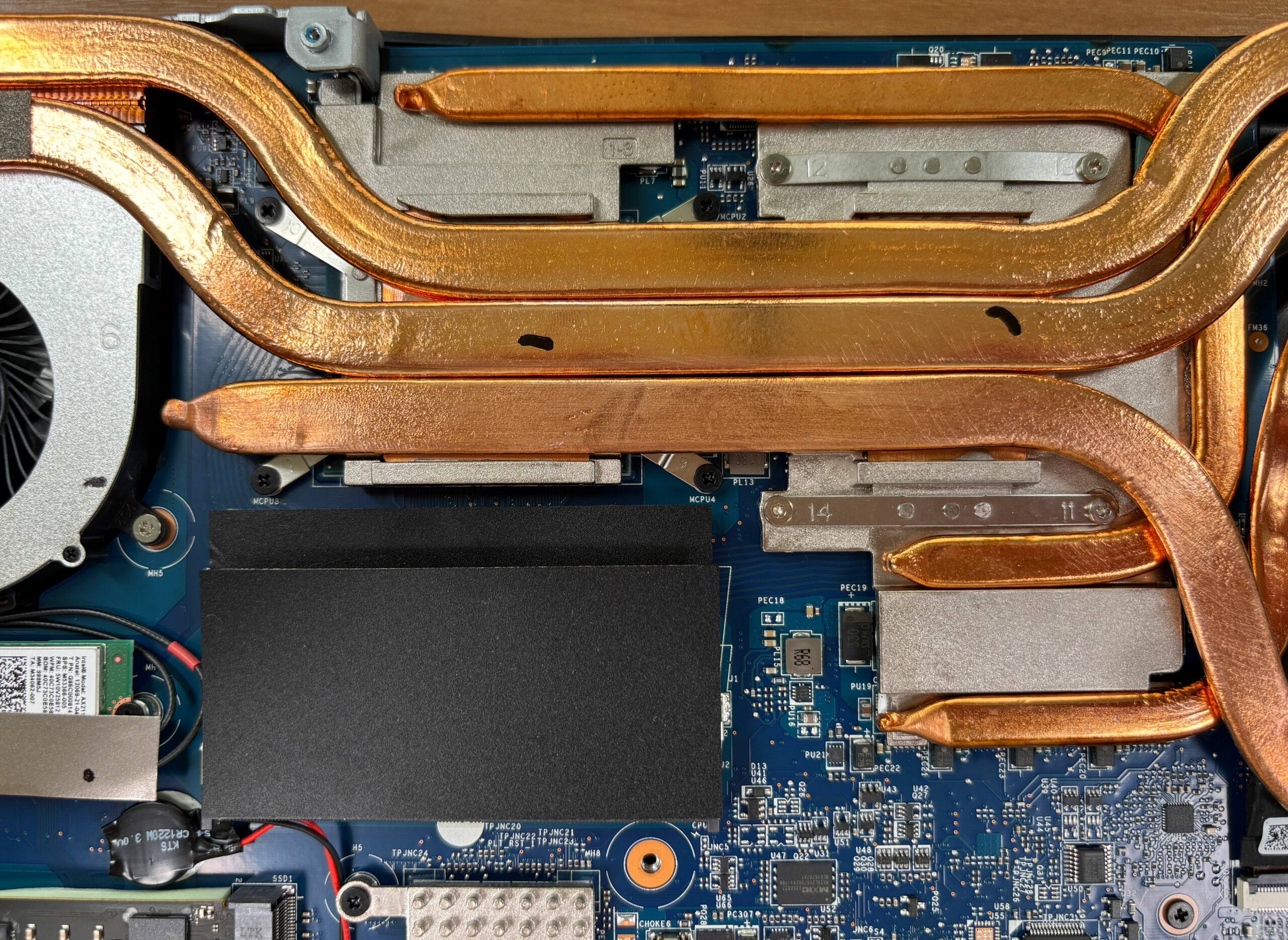
- The cooling solution uses two fans and multiple long copper heat pipes feeding dense fin stacks on both sides.
- The CPU and dGPU share part of the thermal array via broad contact plates, while smaller spreaders and thick pads cover surrounding power components.
- Routine maintenance is easy: clean dust from the fins and fan intakes regularly. Hold fan blades still while using compressed air to avoid overspinning the bearings.
Reassembly checklist
- Confirm the SSD heat spreader and thermal pads are seated flat with full contact.
- Confirm both SO-DIMMs are fully inserted and latched.
- Confirm Wi-Fi antennas are snapped on and routed away from fan blades.
- Reconnect the battery, then reinstall the bottom cover and press around the perimeter until all clips engage.
- Tighten screws evenly—snug, not over-torqued.
Summary: The MSI Katana 17 HX B14W is easy to service with quick access to RAM, the single NVMe slot, the wireless module, and a screw-mounted 75 Wh battery, while the main upgrade limitation is the presence of only one PCIe 4.0 M.2 storage bay.
MSI Katana 17 HX (B14Wx) in-depth review
The MSI Katana 17 HX (B14Wx) enters the 17-inch gaming laptop arena with a clear mission: to deliver a big-screen experience and powerful performance without the premium price tag of flagship models. At first glance, its all-plastic build might seem modest, but beneath the surface lies a machine that punches well above its weight. With a surprisingly excellent QHD display and robust internals, it aims to be the pragmatic choice for gamers who care more about frame rates and image quality than flashy materials. But does this focus on function over form result in a winning formula, or does i[...]
Pros
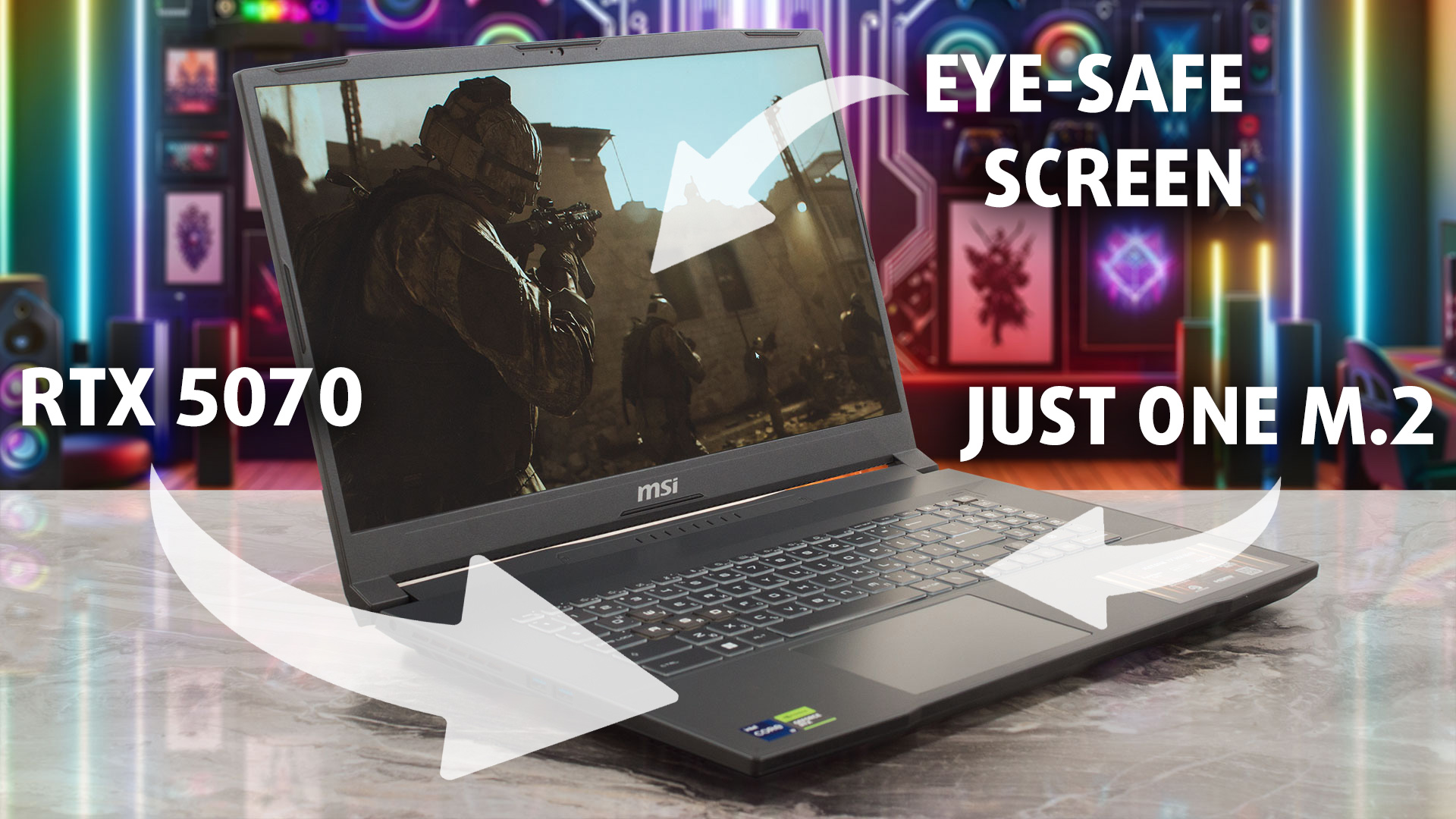
- Excellent QHD 240Hz display with great color accuracy and no PWM
- Solid gaming performance with good thermal stability
- Two user-accessible RAM slots for easy upgrades
- Fingerprint-resistant chassis
- Decent battery life for a 17-inch gaming laptop
- Full-sized arrow keys (though cramped)
Cons
- Only one M.2 slot limits storage expansion
- Small trackpad for a 17-inch laptop
- No privacy shutter or biometric login options
- Fans can be audible at idle
 Author: Dimitar Stalev

![[May 2026] Global Ranking of Best-Selling Laptop GPUs on Amazon – Apple Dominates with 45% Share, Sweeps Top 3 Spots; NVIDIA’s RTX 5060 Leads the Dedicated GPU Pack](https://laptopmedia.com/wp-content/uploads/2026/06/Best-Selling-GPUs-GLOBAL-Top-10-400x225.jpg)
![[May 2026] Global Ranking of Best-Selling Laptop CPUs on Amazon – Apple Crushes Competition with 45.2% Market Share, M5 Dominates](https://laptopmedia.com/wp-content/uploads/2026/06/Best-Selling-CPUs-GLOBAL-Top-10-400x225.jpg)
![[May 2026] Amazon Germany: Top 7 Best-Selling Gaming Laptops – Lenovo Legion 5i Crowned Champion Amidst Fierce Mid-Range Competition](https://laptopmedia.com/wp-content/uploads/2026/06/Best-Selling-Gaming-Laptops-DE-Top-10-1-400x225.jpg)
![[May 2026] Amazon Italy: Top 10 Best-Selling Laptops – Apple MacBook Neo Reigns Supreme, Premium Models Capture Dominant Revenue Share](https://laptopmedia.com/wp-content/uploads/2026/06/Best-Selling-Laptops-IT-Top-10-400x225.jpg)
