How to open Acer Nitro Lite 16 (NL16-71G) – disassembly and upgrade options

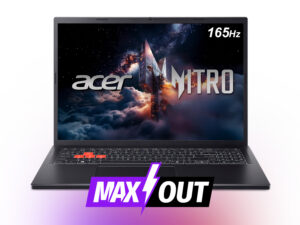
Before you start: Power the laptop down completely, unplug the charger, and hold the power button for a few seconds to discharge residual power. Use a plastic pry tool and keep screw lengths organized for reassembly.
Opening the bottom panel
- Remove the bottom cover screws (note if any are different lengths).
- Work a thin plastic pick around the edges to release the clips, then lift the panel away.
- Disconnect the battery first before touching the SSD, RAM, or Wi-Fi module.
Internal layout overview
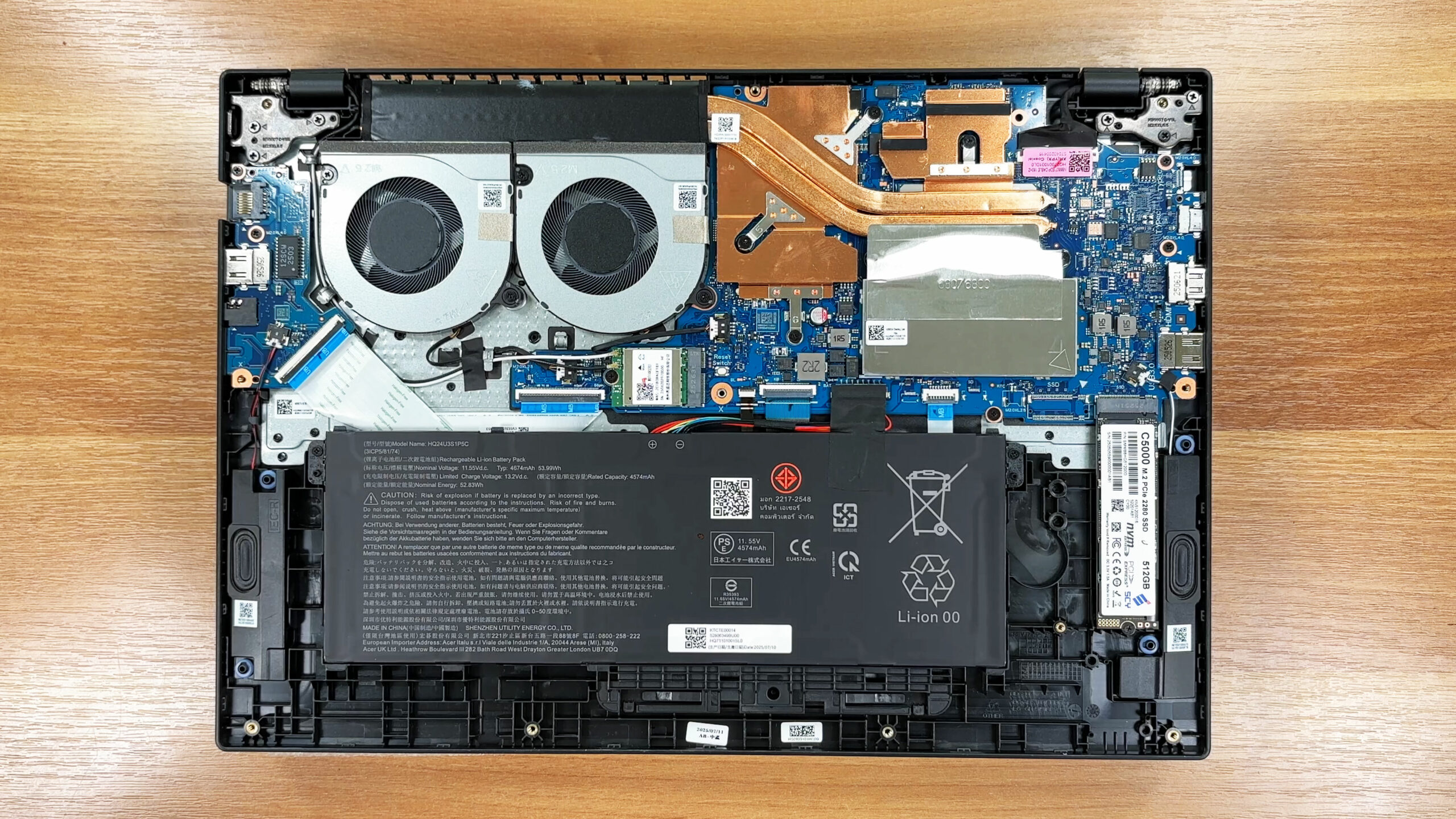
- Once inside, the layout is easy to read: the cooling hardware and mainboard are on the top side, while a smaller battery occupies part of the lower half.
- Most service points (SSD, RAM area, Wi-Fi, battery screws) are visible immediately after removing the bottom cover.
Cooling system
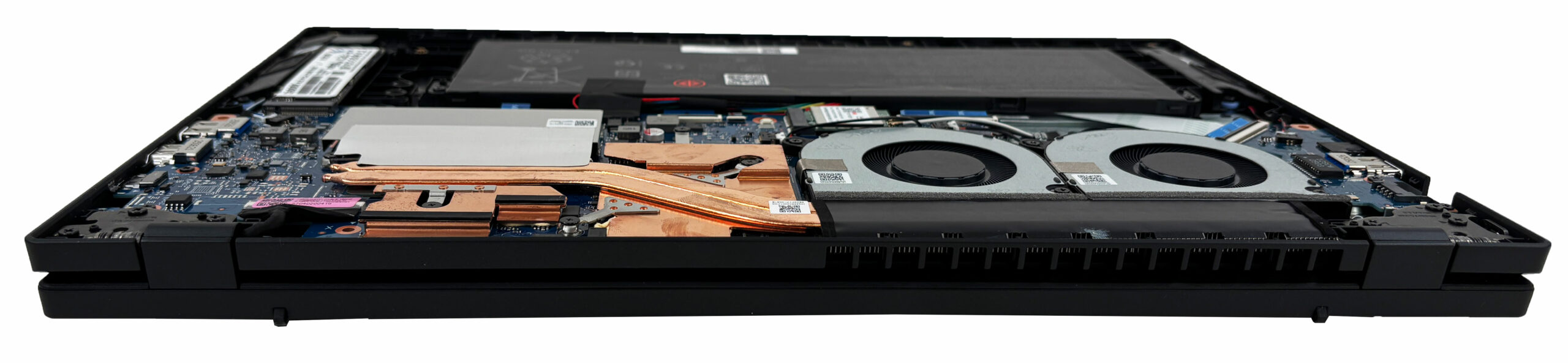
- Cooling is handled by a dual-fan setup connected to a copper heatsink + heat-pipe assembly that covers the main chips.
- Hot air is exhausted through the rear vents, so keeping the back edge clear helps sustained performance.
- Basic maintenance (dusting the fans and fin stacks) is straightforward once the bottom panel is off.
Battery
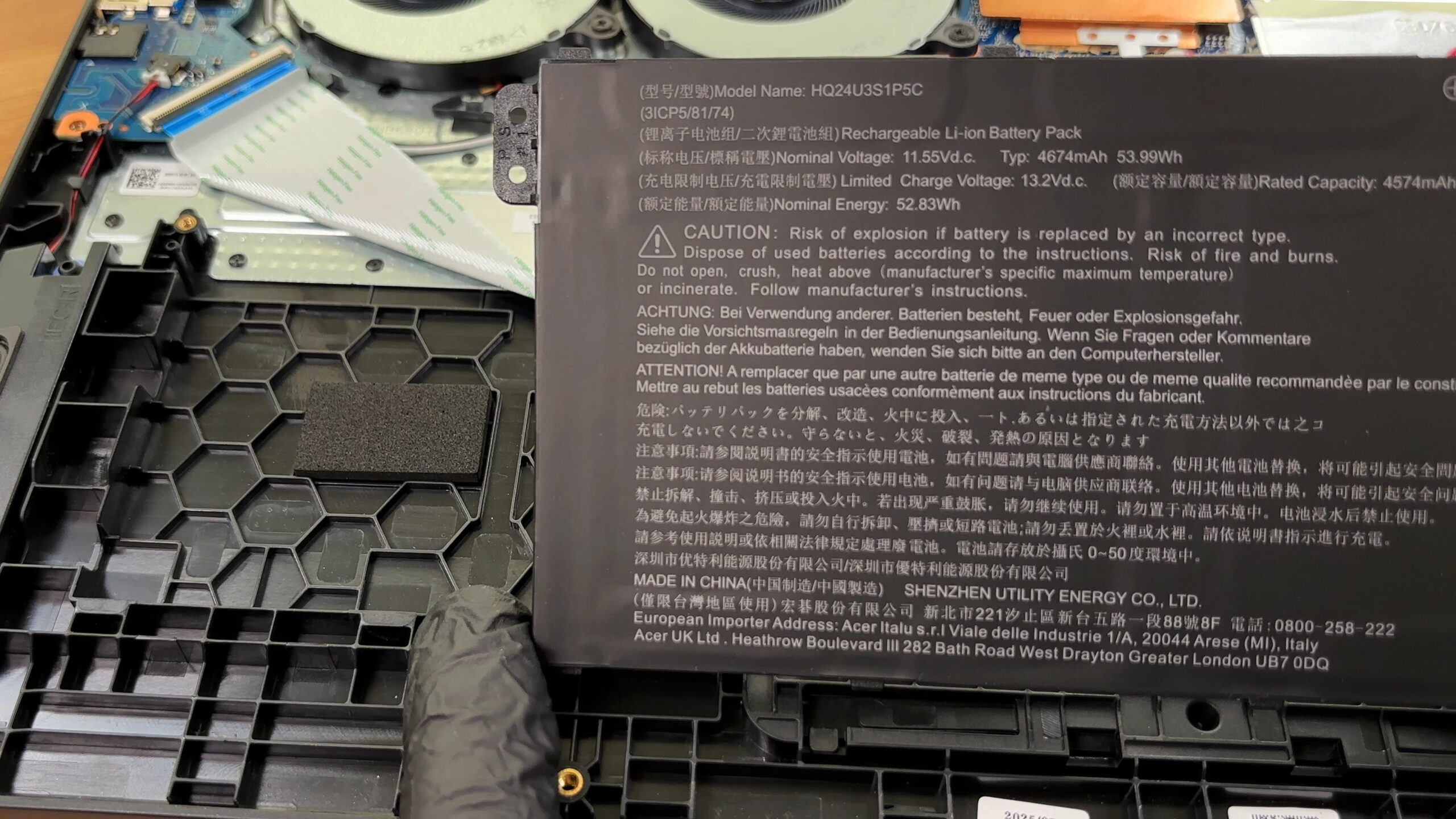
- The battery is a 3-cell Li-ion unit rated at 53.99 Wh (11.55 V).
- Removal follows the safe order: disconnect the battery cable first, then remove the mounting screws and lift the pack away.
- The pack is fully replaceable, though the chassis leaves a noticeable amount of unused space around it.
Storage upgrade
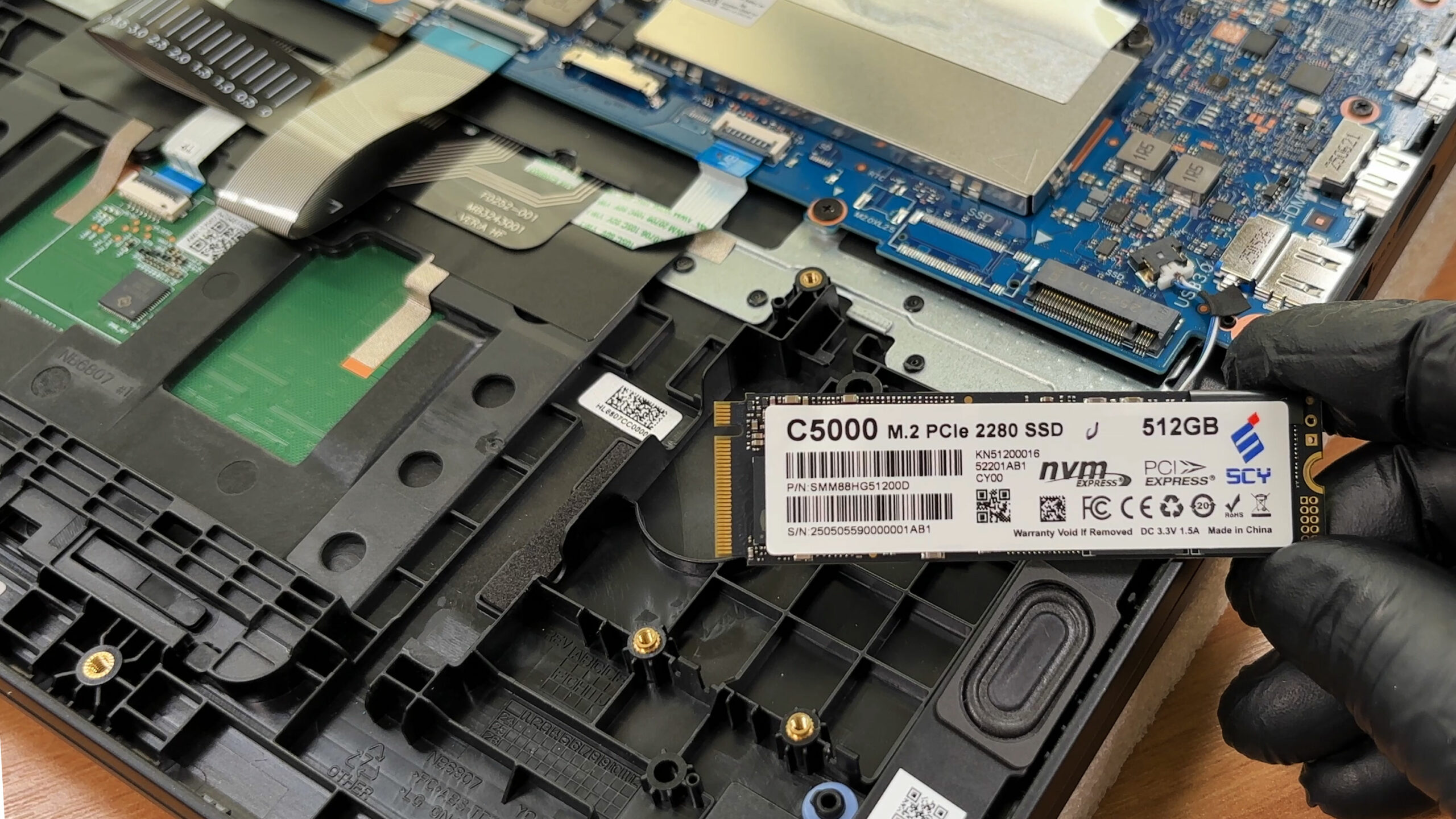
- Storage is limited to a single M.2 2280 NVMe slot.
- Our configuration ships with a 512 GB “C5000” SSD; other variants are typically offered with 1 TB as well.
- You may notice an unpopulated area that resembles a second SSD position, but the connector is not installed on this board, so dual-drive upgrades should not be expected.
- The factory SSD wrap includes a shielding layer, providing EMI protection and basic physical coverage.
Hint: If you’re choosing a replacement drive, you can compare options in our Top M.2 SSDs Performance Rankings.
You can buy M.2 Gen4 SSDs here: Buy from Amazon.com.au (#CommissionsEarned)
Memory upgrade
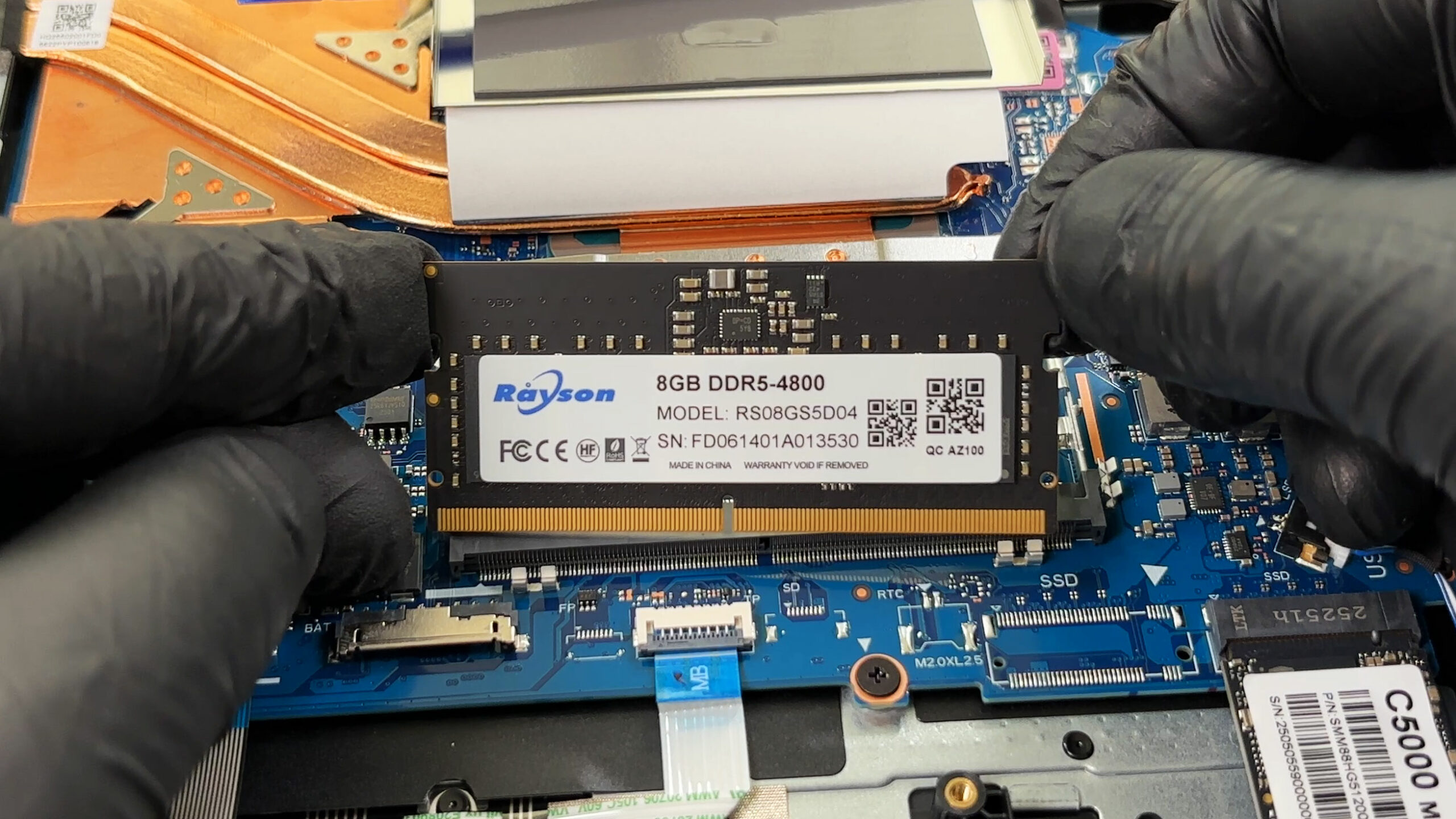
- Memory sits under a protective metal shield.
- This platform uses a partially soldered design: Acer lists up to 8 GB onboard DDR5 paired with one DDR5 SO-DIMM slot.
- Acer specifies an upgrade ceiling of up to 24 GB total with a single SO-DIMM module, which means the soldered portion is fixed at purchase.
- Our unit includes an 8 GB DDR5-4800 SO-DIMM made by Rayson. Acer’s materials may mention speeds up to 5200 MT/s, but the actual operating speed depends on the exact CPU + memory configuration.
Wireless card
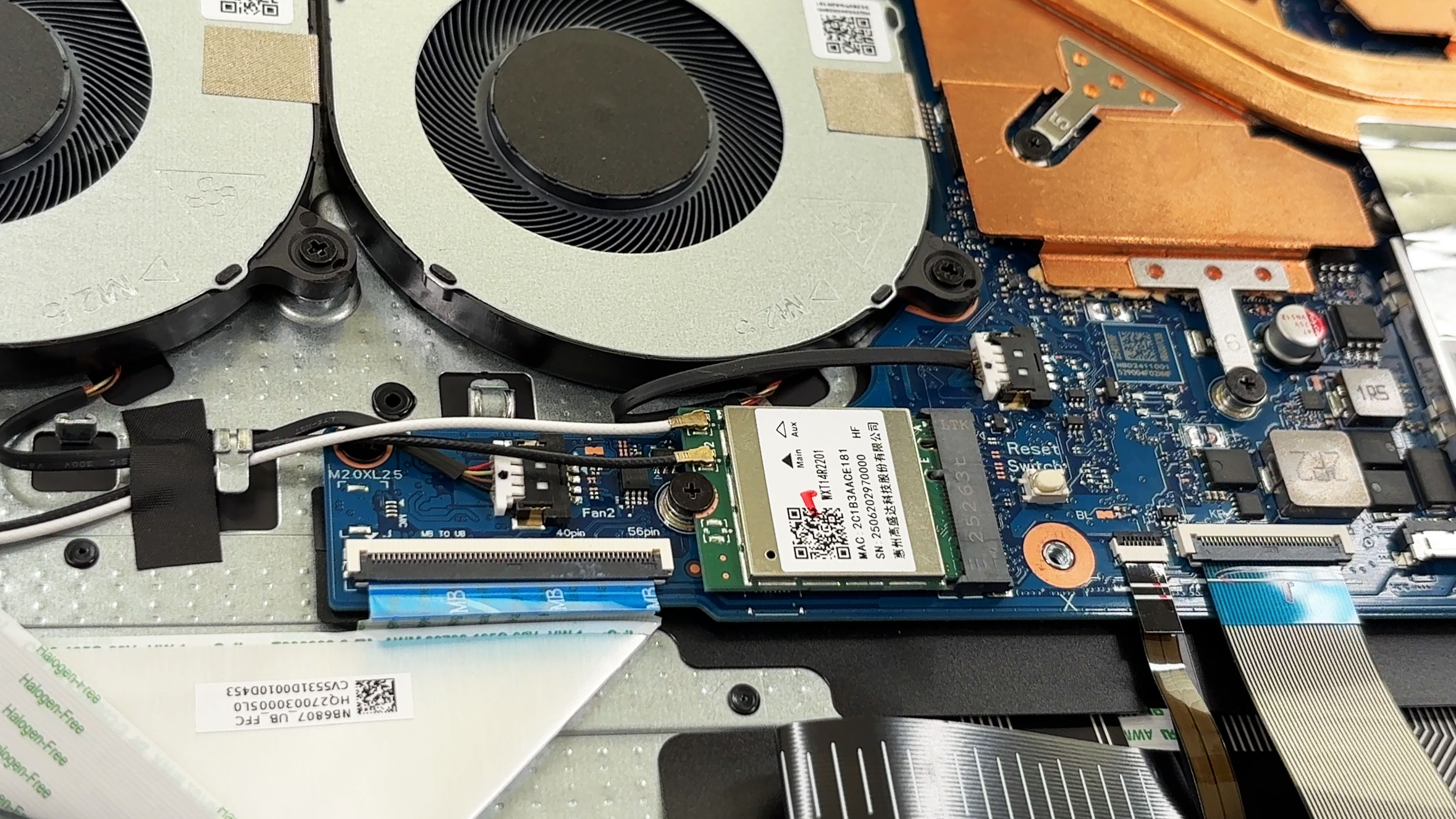
- The Wi-Fi module is replaceable via a compact M.2 card with two antenna leads.
- Our unit uses a MediaTek-based adapter labeled MTK112ARZ01, consistent with Wi-Fi 6 class connectivity for this model line.
- As usual, pop antenna leads straight up and press them back down carefully during reassembly to avoid poor reception.
Speakers and other serviceable parts
- The stereo speakers are modular and screw-mounted, so replacement is feasible without deep disassembly.
- Fans, battery, SSD, the SO-DIMM, and the Wi-Fi card are the main user-serviceable components.
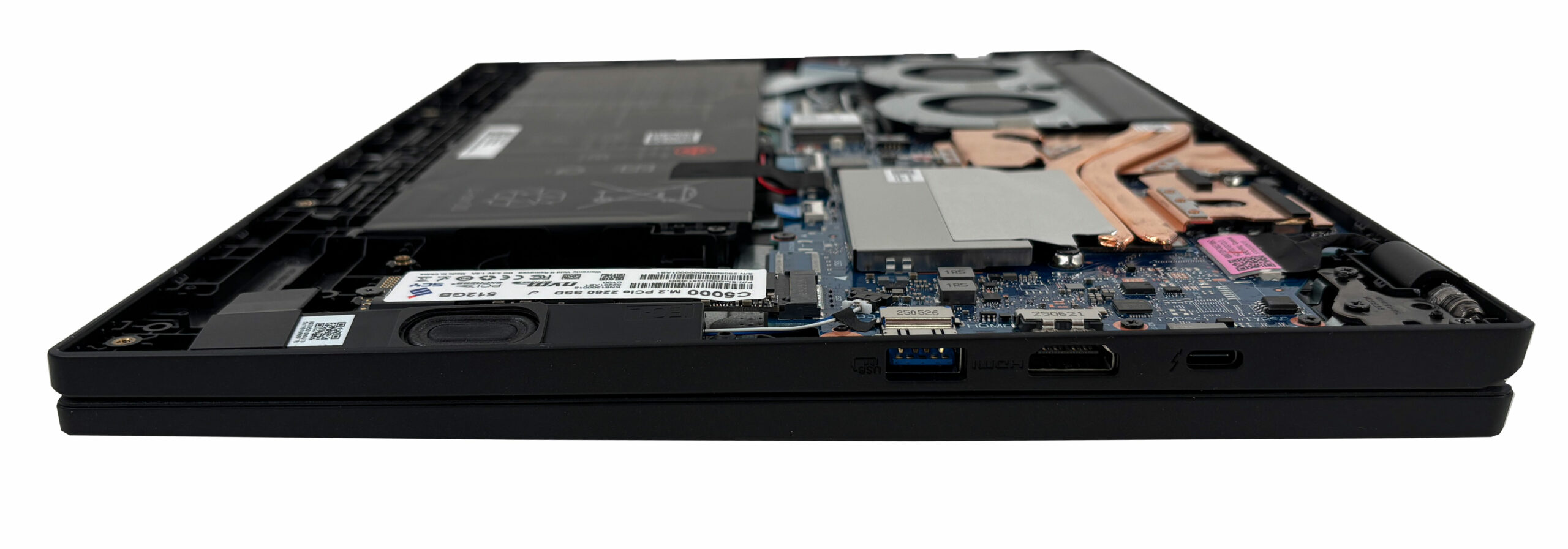
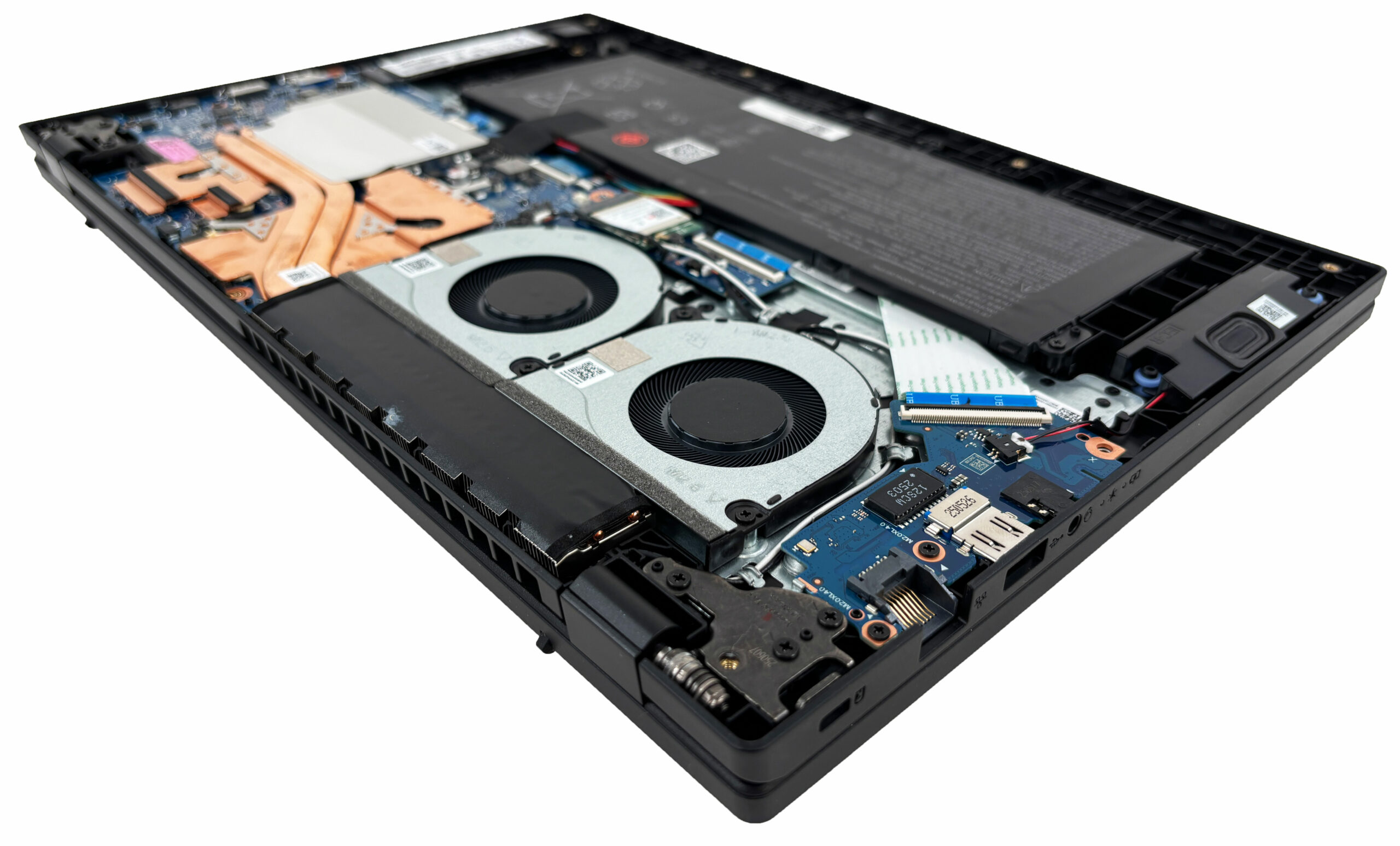
Summary: The Acer Nitro Lite 16 (NL16-71G) is fairly friendly to maintain: you get easy access to the battery, SSD, single RAM slot, and Wi-Fi card once the bottom cover is off, with the main limitations being the single M.2 slot and partially soldered memory.
Acer Nitro Lite 16 (NL16-71G) in-depth review
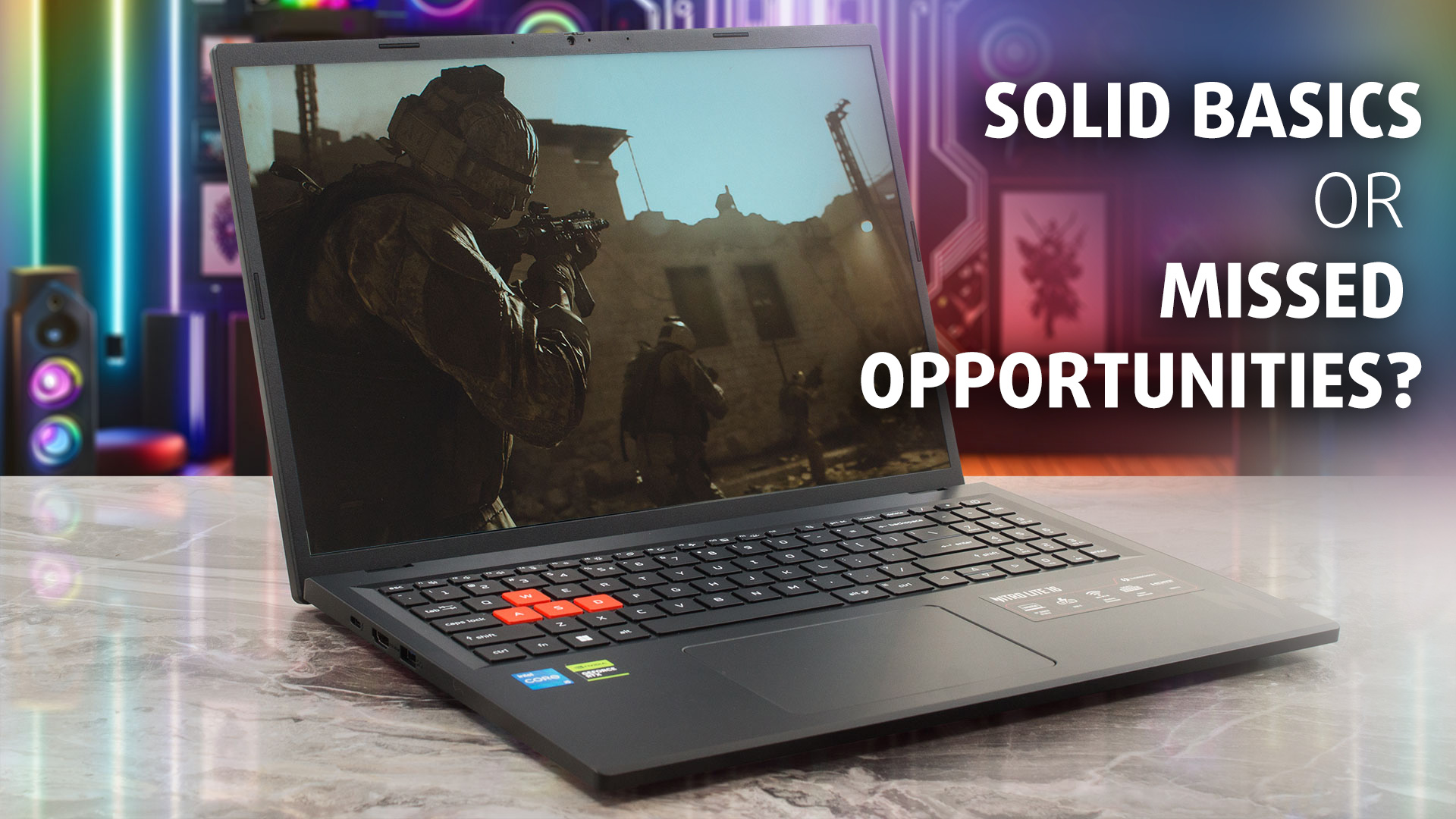
The Acer Nitro Lite 16 (NL16-71G) enters the crowded budget gaming market with a clear goal: to offer a reliable, big-screen experience without the hefty price tag. It presents a "lite" version of the popular Nitro formula, stripping away some of the aggressive styling and premium features to focus on the essentials. At first glance, it seems to tick the right boxes with a sturdy chassis, decent port selection, and a focus on cooling. But in a segment where every dollar counts, do the trade-offs Acer made to keep the price down make it a smart buy, or are you better off looking elsewhere? [...]
Pros
- Excellent thermal management keeps the system cool
- Sturdy build quality with fingerprint-resistant finish
- PWM-free display is safe for eyes
- Physical privacy shutter for the webcam
- Thunderbolt 4 and 2.5G Ethernet ports
- Good battery life for its class
Cons
- The base display has poor color coverage (51% sRGB)
- Only one USB-C port, which is also used for charging
- Limited upgradeability (1x M.2 slot, partially soldered RAM)
- Restrained CPU and GPU performance compared to rivals
 Author: Dimitar Stalev

![[May 2026] Global Ranking of Best-Selling Laptop GPUs on Amazon – Apple Dominates with 45% Share, Sweeps Top 3 Spots; NVIDIA’s RTX 5060 Leads the Dedicated GPU Pack](https://laptopmedia.com/wp-content/uploads/2026/06/Best-Selling-GPUs-GLOBAL-Top-10-400x225.jpg)
![[May 2026] Global Ranking of Best-Selling Laptop CPUs on Amazon – Apple Crushes Competition with 45.2% Market Share, M5 Dominates](https://laptopmedia.com/wp-content/uploads/2026/06/Best-Selling-CPUs-GLOBAL-Top-10-400x225.jpg)
![[May 2026] Amazon Germany: Top 7 Best-Selling Gaming Laptops – Lenovo Legion 5i Crowned Champion Amidst Fierce Mid-Range Competition](https://laptopmedia.com/wp-content/uploads/2026/06/Best-Selling-Gaming-Laptops-DE-Top-10-1-400x225.jpg)
![[May 2026] Amazon Italy: Top 10 Best-Selling Laptops – Apple MacBook Neo Reigns Supreme, Premium Models Capture Dominant Revenue Share](https://laptopmedia.com/wp-content/uploads/2026/06/Best-Selling-Laptops-IT-Top-10-400x225.jpg)
![[May 2026] Best-Selling Laptop Brands on Amazon Italy – Apple Dominates Across All Metrics](https://laptopmedia.com/wp-content/uploads/2026/06/IT-Best-Brands-400x225.jpg)
