How to open Acer Predator Helios 18 AI (PH18-73) – disassembly and upgrade options
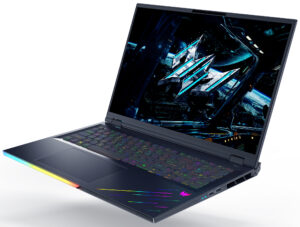
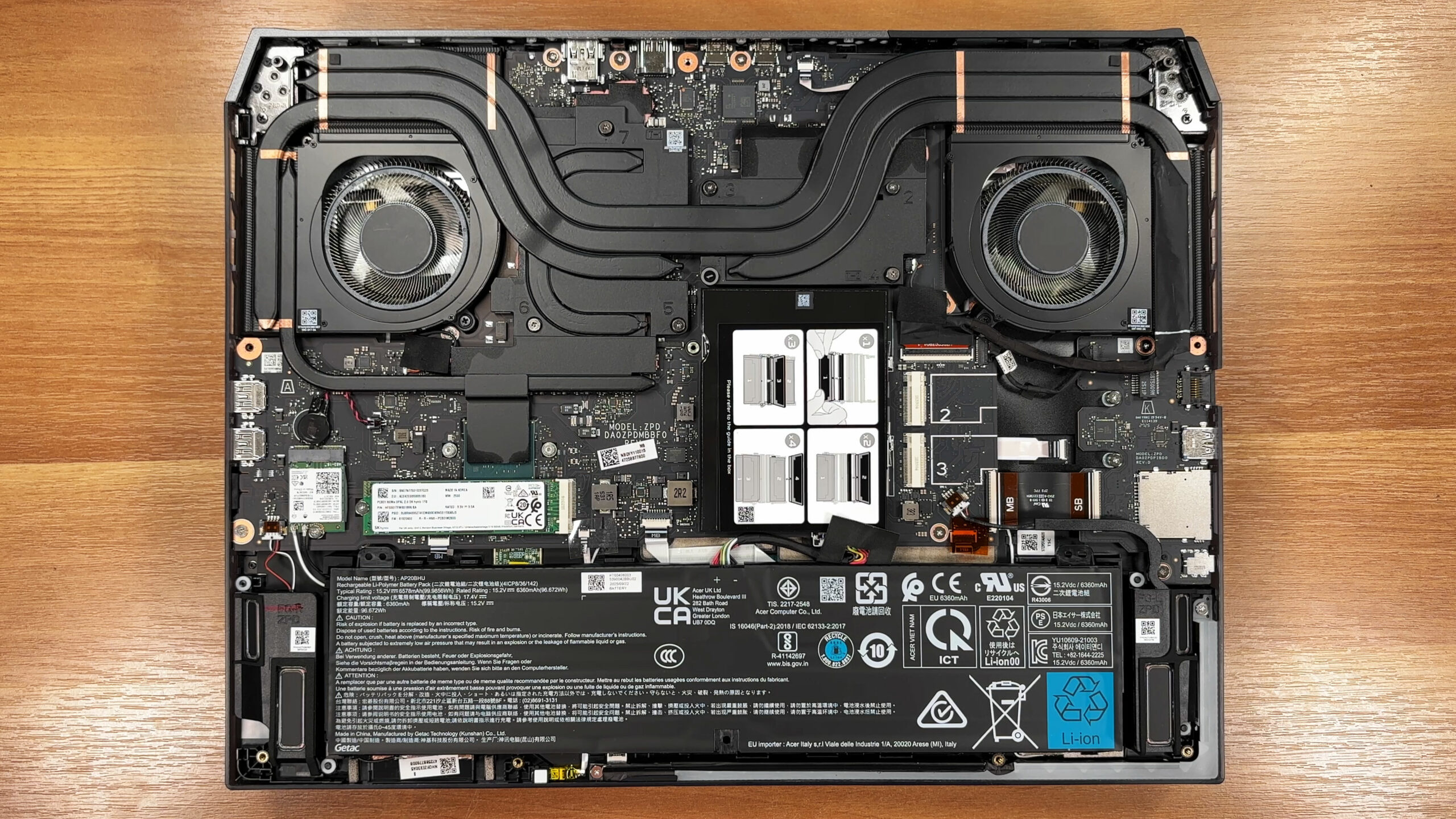
Step 1: Opening the Acer Predator Helios 18 AI (PH18-73)
- Power off the laptop and place it on a soft, clean surface.
- Undo the 10 Torx T6 screws that secure the bottom panel.
- Use a thin plastic pry tool to release the clips around the edges.
- Lift the bottom cover away from the chassis.
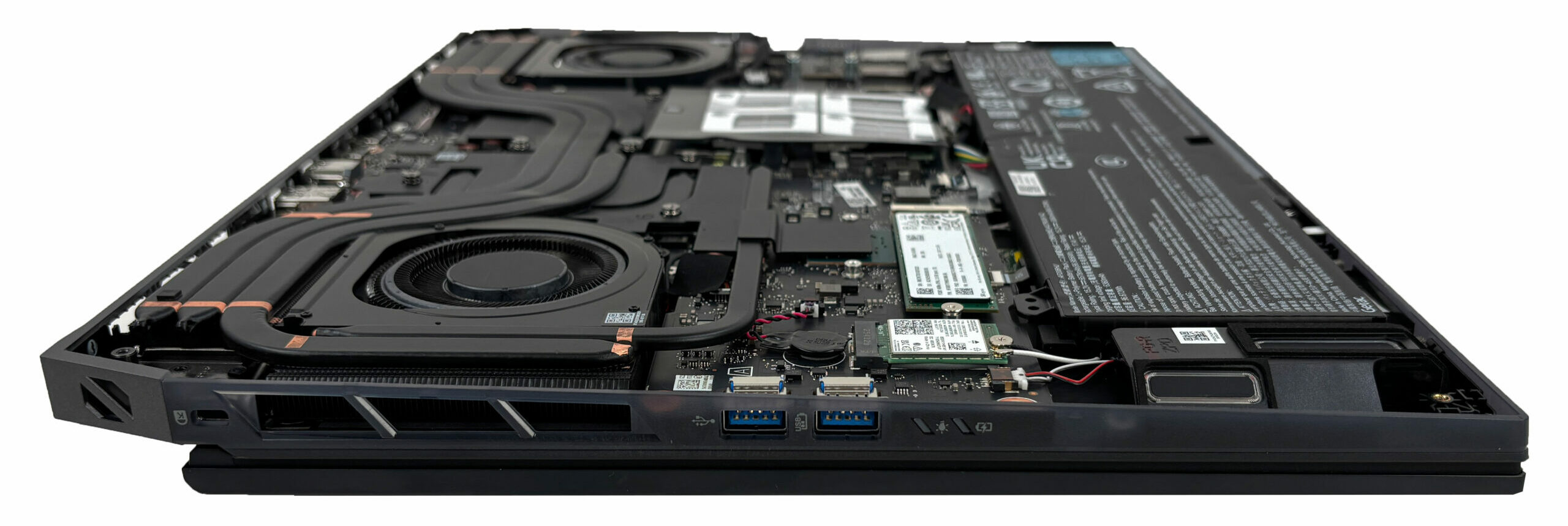
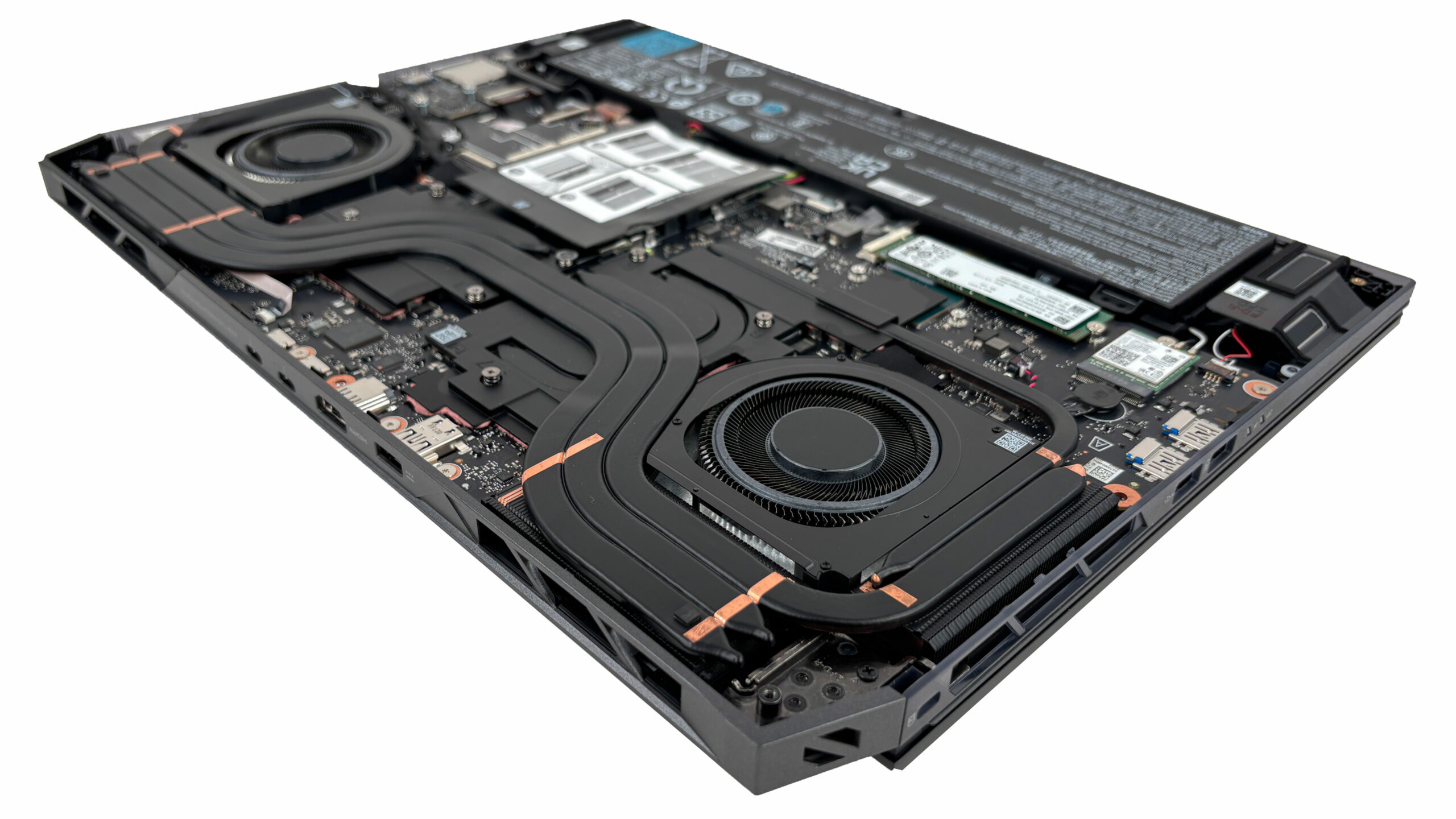
More info: Once the panel is off, the internal layout is very accessible, which makes upgrades and routine maintenance easy for a machine in this class.\
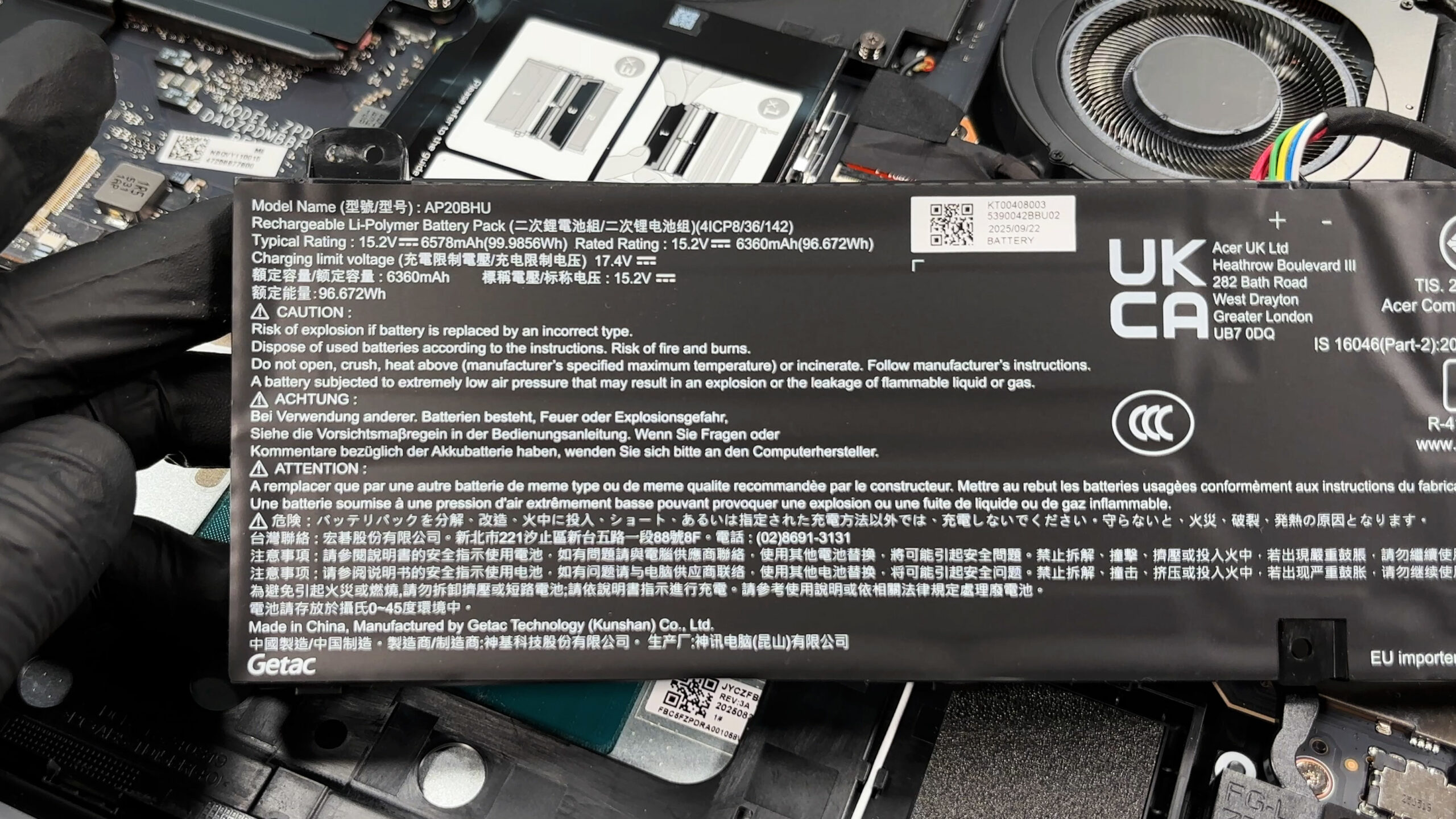
Step 2: Battery Removal
- Disconnect the battery connector from the motherboard before touching any other internal component.
- Undo the screws securing the battery pack.
- Lift the battery out of the chassis carefully.
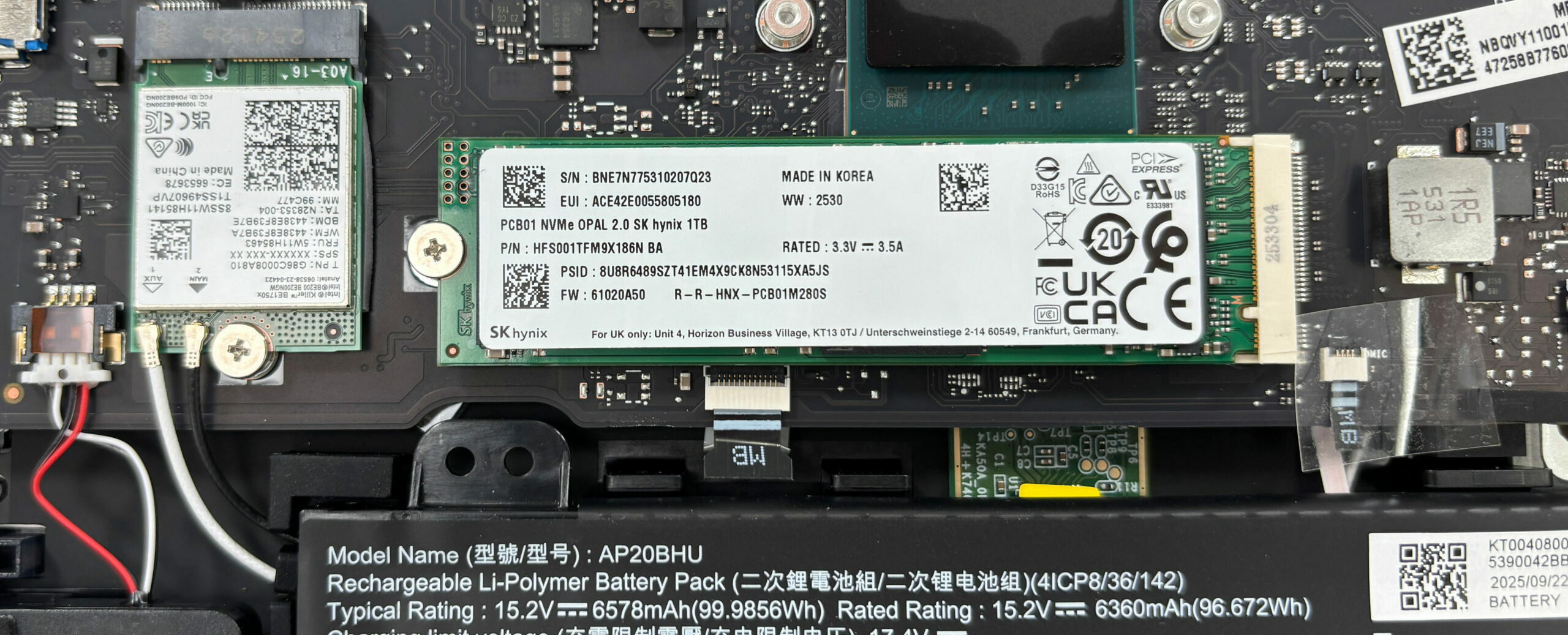
More info: The battery is a large 4-cell unit (model AP20BHU), rated at 99.9856Wh typical and 96.672Wh rated capacity, and its connector is easy to access, which is helpful for safe servicing.
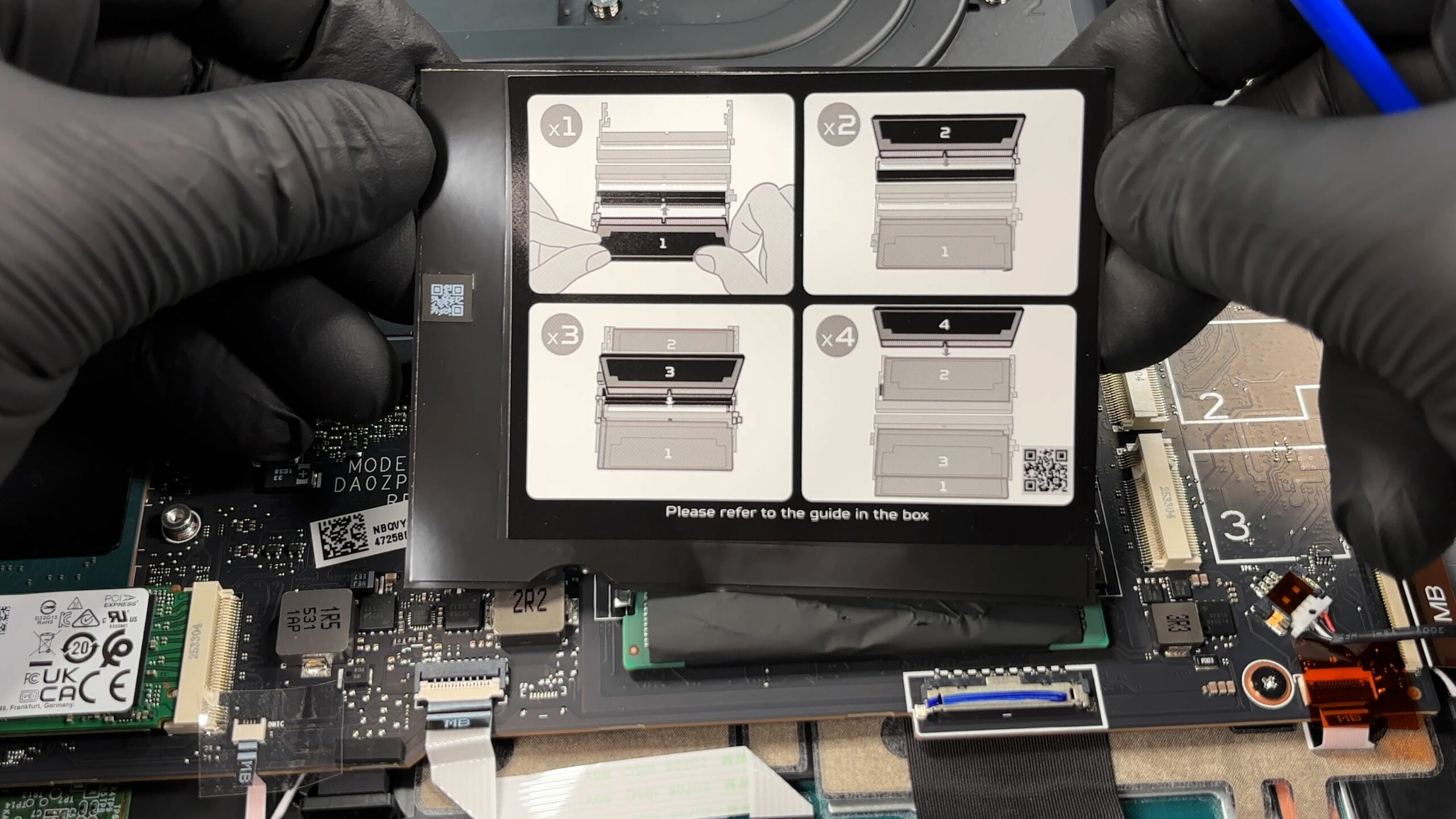
Memory Upgrade
- The laptop offers four DDR5 SODIMM slots, which is a major advantage for long-term upgradeability.
- Acer officially supports up to 192GB of total memory.
- Keep in mind that memory frequency depends on the number of installed modules:
- Up to DDR5-4400 with one or two modules
- Up to DDR5-4000 with three or four modules
- Follow the printed population guide on the internal shield to install the modules in the correct order.
- To upgrade the RAM, insert the module at an angle, then press it down until the side clips lock it in place.
You can buy DDR5 RAM modules here: Buy from Amazon.com.au (#CommissionsEarned)
Storage Upgrade
- The motherboard provides three M.2 slots labeled 1, 2, and 3.
- Slot 1 supports PCIe Gen 5 SSDs, while slots 2 and 3 support PCIe Gen 4 drives.
- Our unit comes with a 1TB SK hynix NVMe SSD installed in the primary slot.
- The other two slots are available for expansion, which makes this machine especially flexible for storage upgrades.
- There is thermal management both on the bottom cover and directly beneath the installed drive, which helps maintain stable performance during long transfers.
You can buy Gen 4 M.2 SSDs here: Buy from Amazon.com.au (#CommissionsEarned)
You can buy Gen 5 M.2 SSDs here: Buy from Amazon.com.au (#CommissionsEarned)
Hint: Don’t forget to check out our Top M.2 SSDs Performance Rankings for insights on the best storage options available.
Step 3: Cooling System Overview
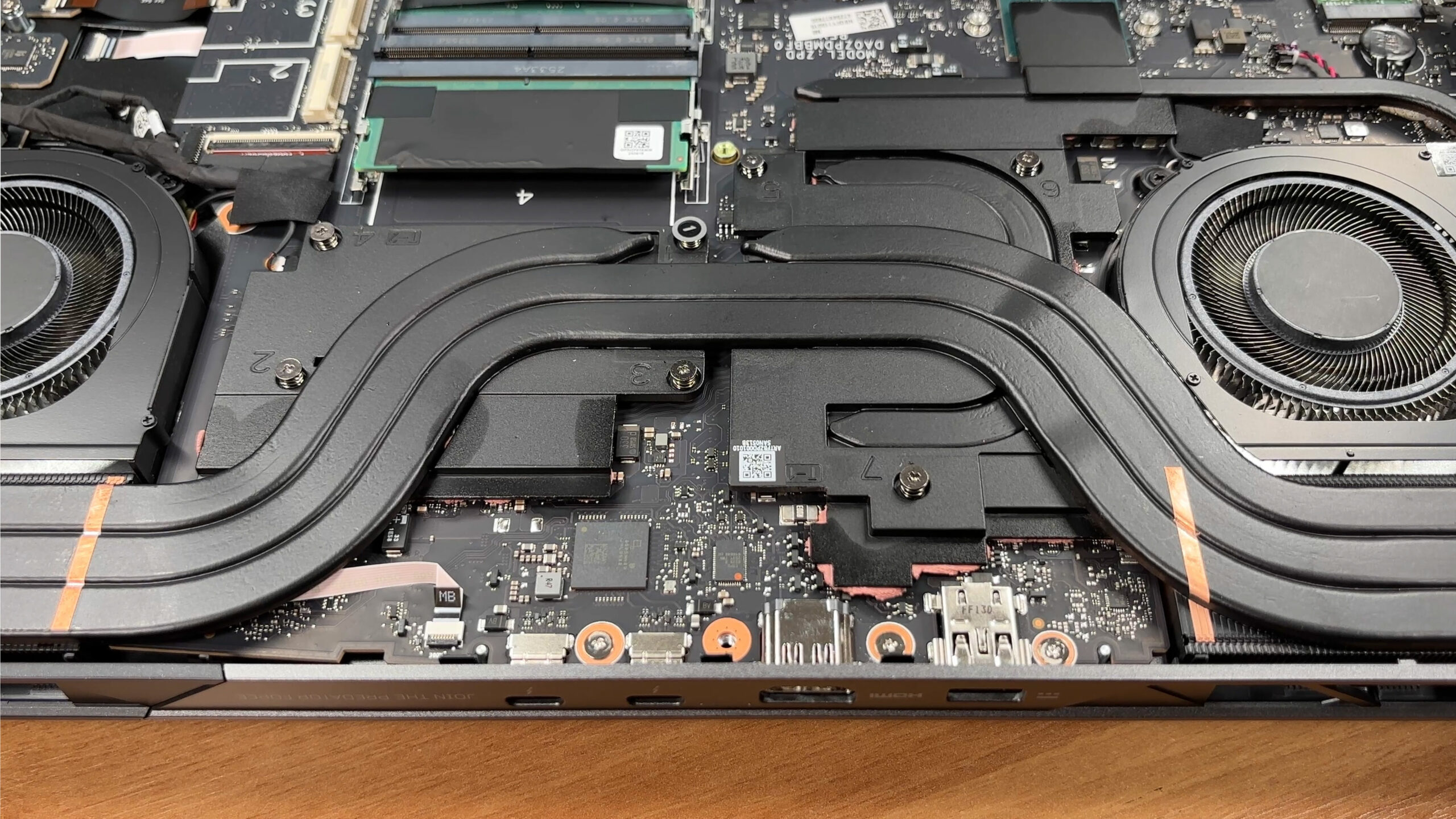
- The cooling system uses two large fans, a dense multi-heat-pipe array, and broad fin stacks feeding the side and rear exhausts.
- This is a high-capacity thermal design intended to handle both the CPU and the dedicated GPU under sustained load.
- There is also extensive thermal contact hardware around the major heat sources, which is a good sign for long gaming or workstation sessions.
More info: The M.2 Wi-Fi card is replaceable, and there are also several ribbon-connected modules around the lower section that are service-friendly. The CPU and GPU remain soldered, so the practical upgrade path is focused on RAM and storage.
Acer Predator Helios 18 AI (PH18-73) in-depth review
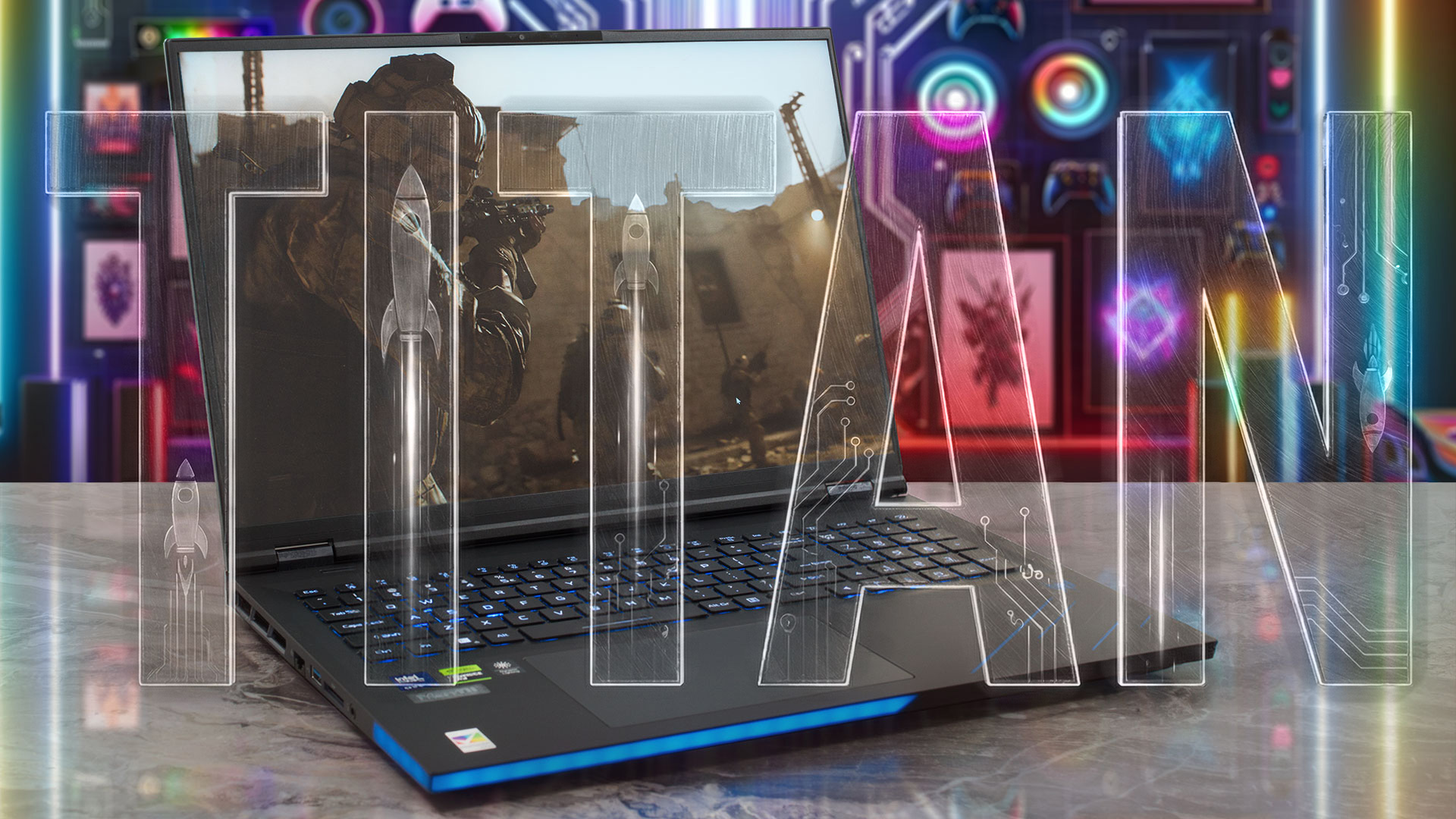
The Acer Predator Helios 18 AI (PH18-73) isn't just a laptop; it's a declaration of dominance. Built for the gamer who believes that "too much is never enough," this 18-inch behemoth packs a staggering array of features into its massive chassis. From a blindingly bright Mini LED display to dual Thunderbolt 5 ports and enough upgrade slots to rival a desktop PC, it checks every box on the enthusiast's wish list. But with great power comes great heat, and in our testing, we pushed this titan to its limits to see if its cooling system can tame the beast within. Is this the ultimate portable b[...]
Pros
- Unmatched upgradeability with 4x RAM slots and 3x M.2 slots (1x Gen 5)
- Stunning and super-bright 250Hz Mini LED display
- Dual Thunderbolt 5 ports and Wi-Fi 7 for future-proofing
- Excellent keyboard with deep travel and swappable keys
- High sustained CPU and GPU performance
- Good battery life for an 18-inch desktop replacement
Cons
- CPU runs extremely hot (100°C+) under sustained load
- Aggressive PWM flickering on the Mini LED screen
 Author: Dimitar Stalev

![[May 2026] Global Ranking of Best-Selling Laptop GPUs on Amazon – Apple Dominates with 45% Share, Sweeps Top 3 Spots; NVIDIA’s RTX 5060 Leads the Dedicated GPU Pack](https://laptopmedia.com/wp-content/uploads/2026/06/Best-Selling-GPUs-GLOBAL-Top-10-400x225.jpg)
![[May 2026] Global Ranking of Best-Selling Laptop CPUs on Amazon – Apple Crushes Competition with 45.2% Market Share, M5 Dominates](https://laptopmedia.com/wp-content/uploads/2026/06/Best-Selling-CPUs-GLOBAL-Top-10-400x225.jpg)
![[May 2026] Amazon Germany: Top 7 Best-Selling Gaming Laptops – Lenovo Legion 5i Crowned Champion Amidst Fierce Mid-Range Competition](https://laptopmedia.com/wp-content/uploads/2026/06/Best-Selling-Gaming-Laptops-DE-Top-10-1-400x225.jpg)
![[May 2026] Amazon Italy: Top 10 Best-Selling Laptops – Apple MacBook Neo Reigns Supreme, Premium Models Capture Dominant Revenue Share](https://laptopmedia.com/wp-content/uploads/2026/06/Best-Selling-Laptops-IT-Top-10-400x225.jpg)
![[May 2026] Best-Selling Laptop Brands on Amazon Italy – Apple Dominates Across All Metrics](https://laptopmedia.com/wp-content/uploads/2026/06/IT-Best-Brands-400x225.jpg)
