How to open Lenovo LOQ 15 (Gen 10, 15AHP10) – disassembly and upgrade options
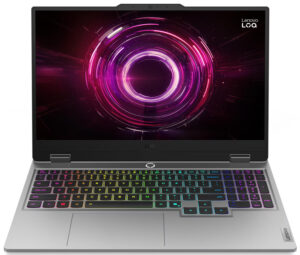
Step 1: Opening the Lenovo LOQ 15 (Gen 10, 15AHP10)
- Power off the laptop and place it on a soft, clean surface.
- Undo the 10 screws securing the bottom panel.
- Use a thin plastic pry tool to carefully release the clips around the perimeter.
- Lift the bottom cover away from the chassis.
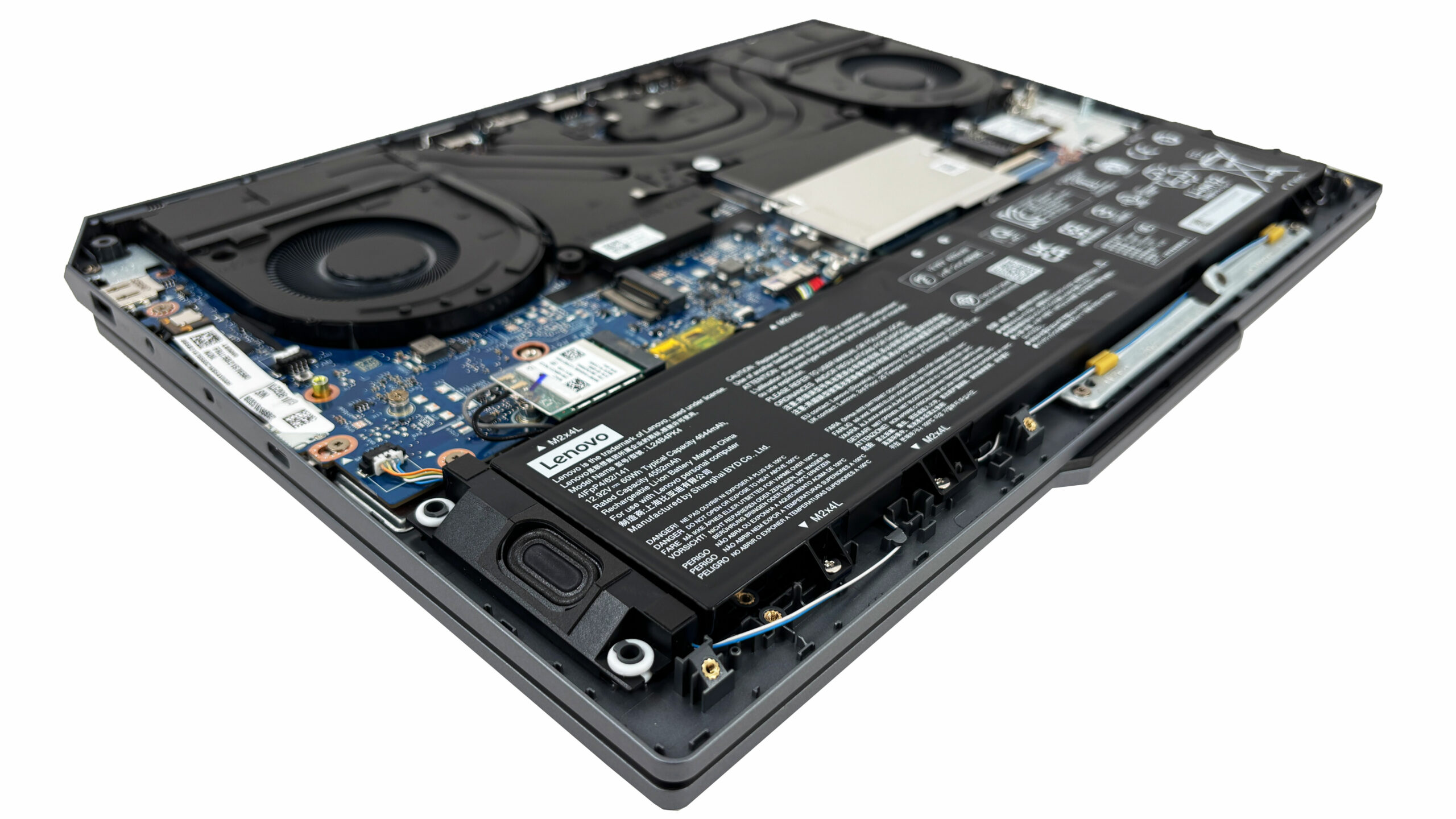
More info: Once inside, the layout is clean and easy to work with. The battery sits along the front edge, while the main upgradeable components are grouped toward the center and right side.
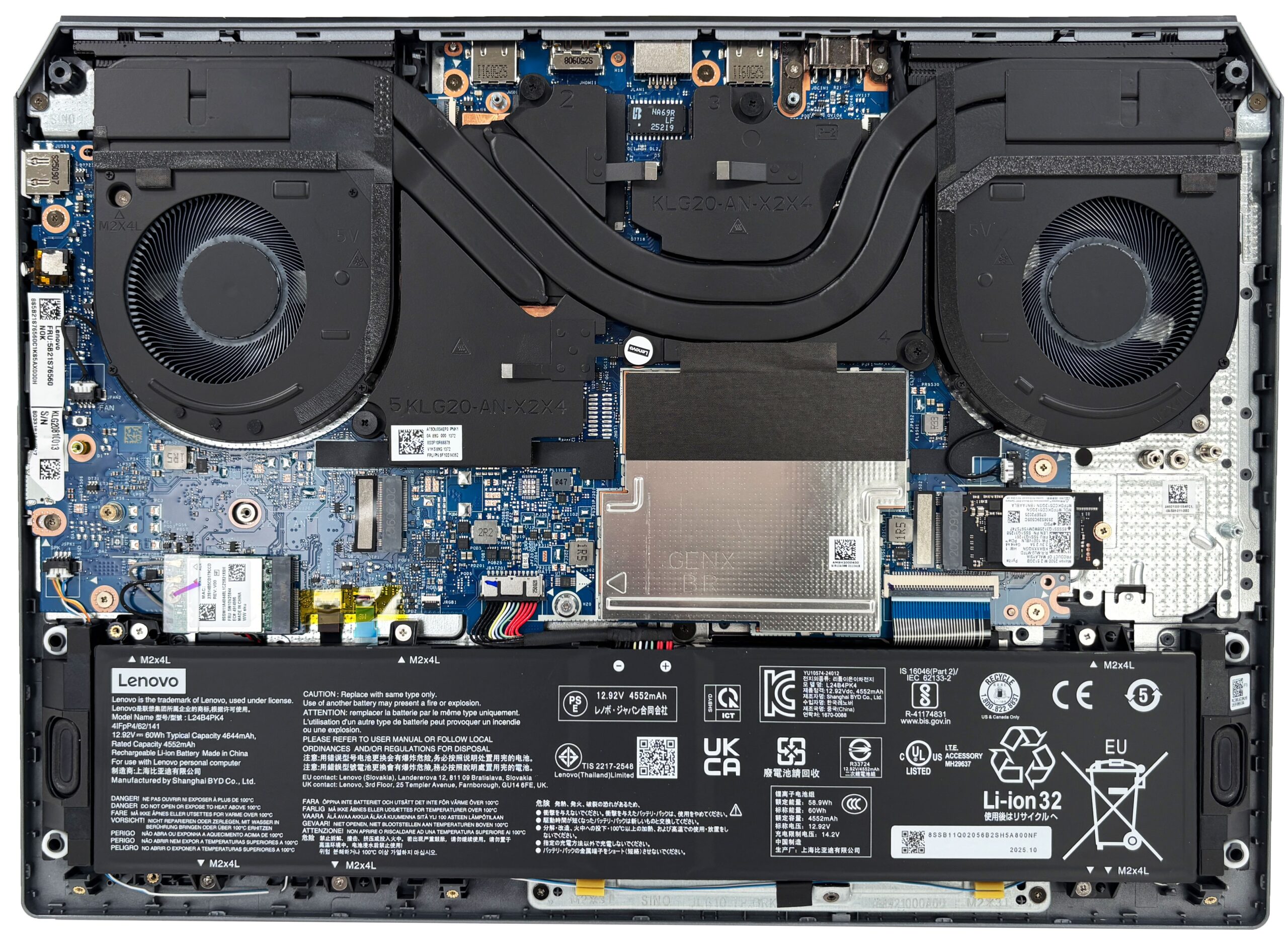
Step 2: Battery Removal
- Disconnect the battery cable from the motherboard before touching any other internal component.
- Undo the screws securing the battery pack.
- Lift the battery out of the chassis.
More info: Our configuration uses a 60Wh battery, while some versions of the series come with an 80Wh pack. Both support Rapid Charge Pro.
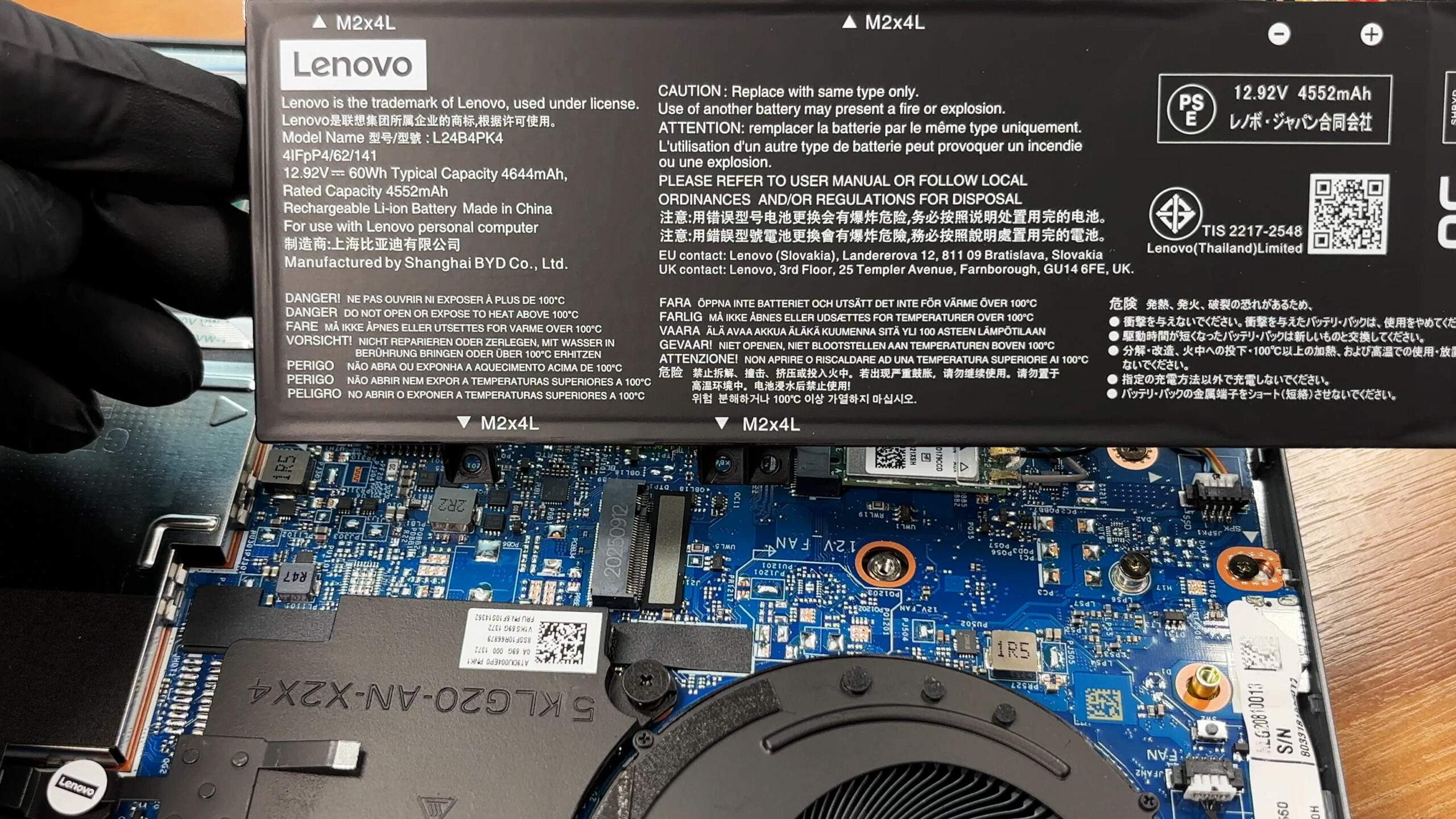
Memory Upgrade
- The memory is located under a protective shield in the middle of the motherboard.
- Remove the shield carefully to access the two DDR5 SO-DIMM slots.
- The platform is officially rated for up to 32GB of DDR5-5600 memory in dual-channel mode.
- Our unit is already configured with 32GB via two 16GB Ramaxel modules.
- To replace the memory, insert the new module at an angle and press it down until the side clips lock it in place.
You can buy DDR5 RAM modules here: Buy from Amazon.com.au (#CommissionsEarned)
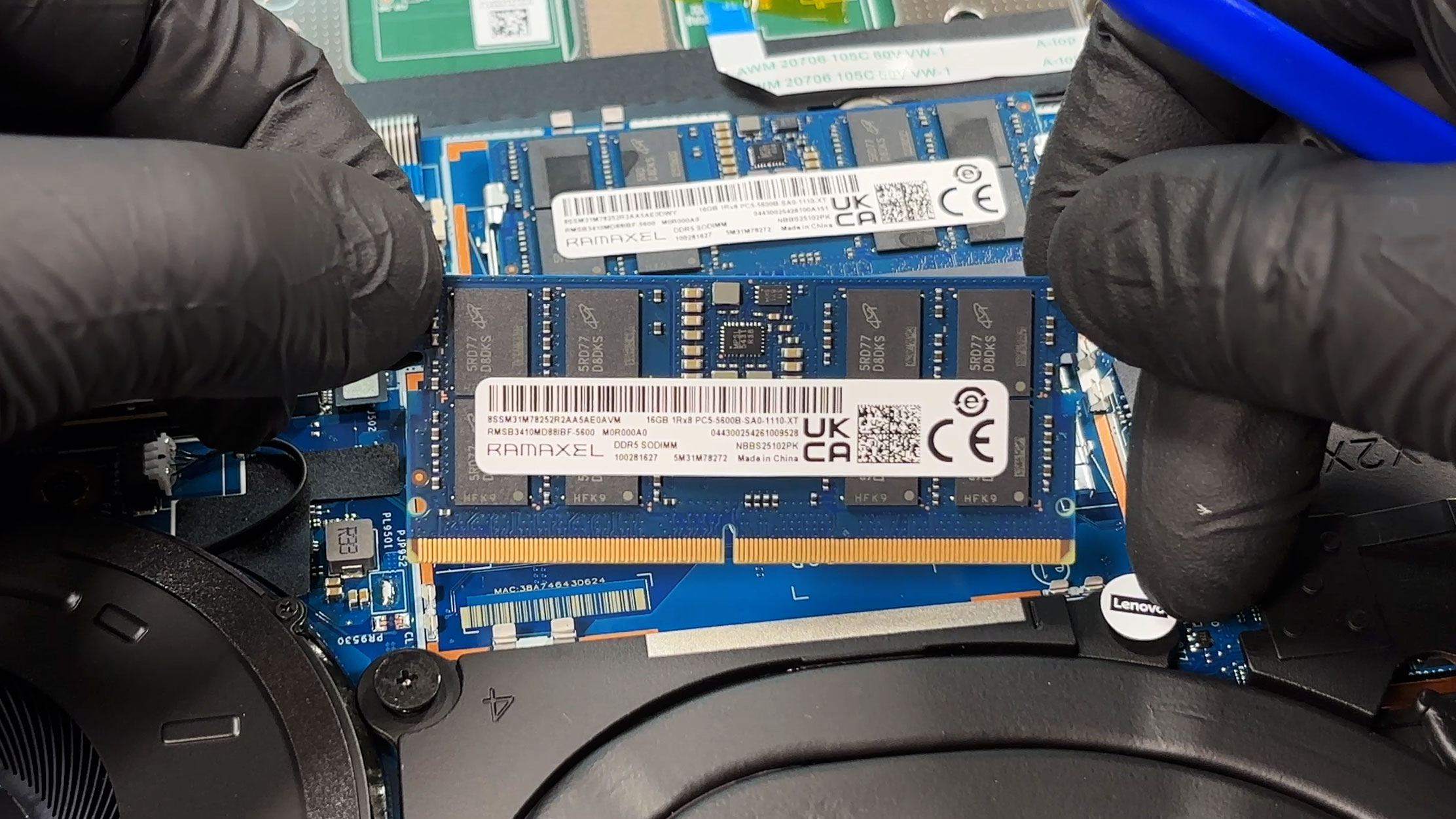
Storage Upgrade
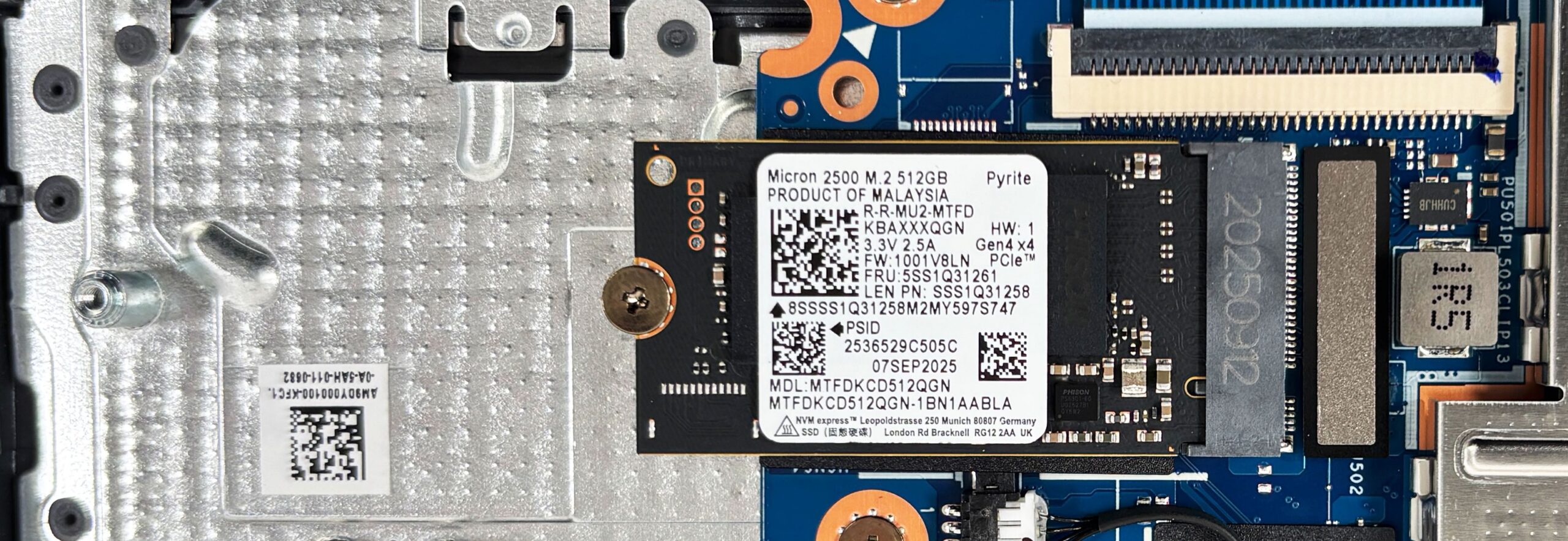
- The laptop offers two M.2 slots for NVMe SSDs.
- Our unit comes with a Micron 2500 512GB drive installed in the shorter M.2 2242 slot.
- The second slot is free for expansion.
- The chassis supports both shorter and longer M.2 drives, which gives you more flexibility when choosing an upgrade.
More info: The second SSD slot is limited to PCIe 4.0 x2 rather than x4, so keep that in mind if you plan to install a very fast secondary drive.
Hint: There are thermal pads on the inside of the bottom cover positioned above the SSD area. Make sure everything is aligned properly during reassembly so the pads make even contact.
You can buy Gen 4 M.2 SSDs here: Buy from Amazon.com.au (#CommissionsEarned)
Hint: Don’t forget to check out our Top M.2 SSDs Performance Rankings for insights on the best storage options available.
Step 3: Cooling System Overview
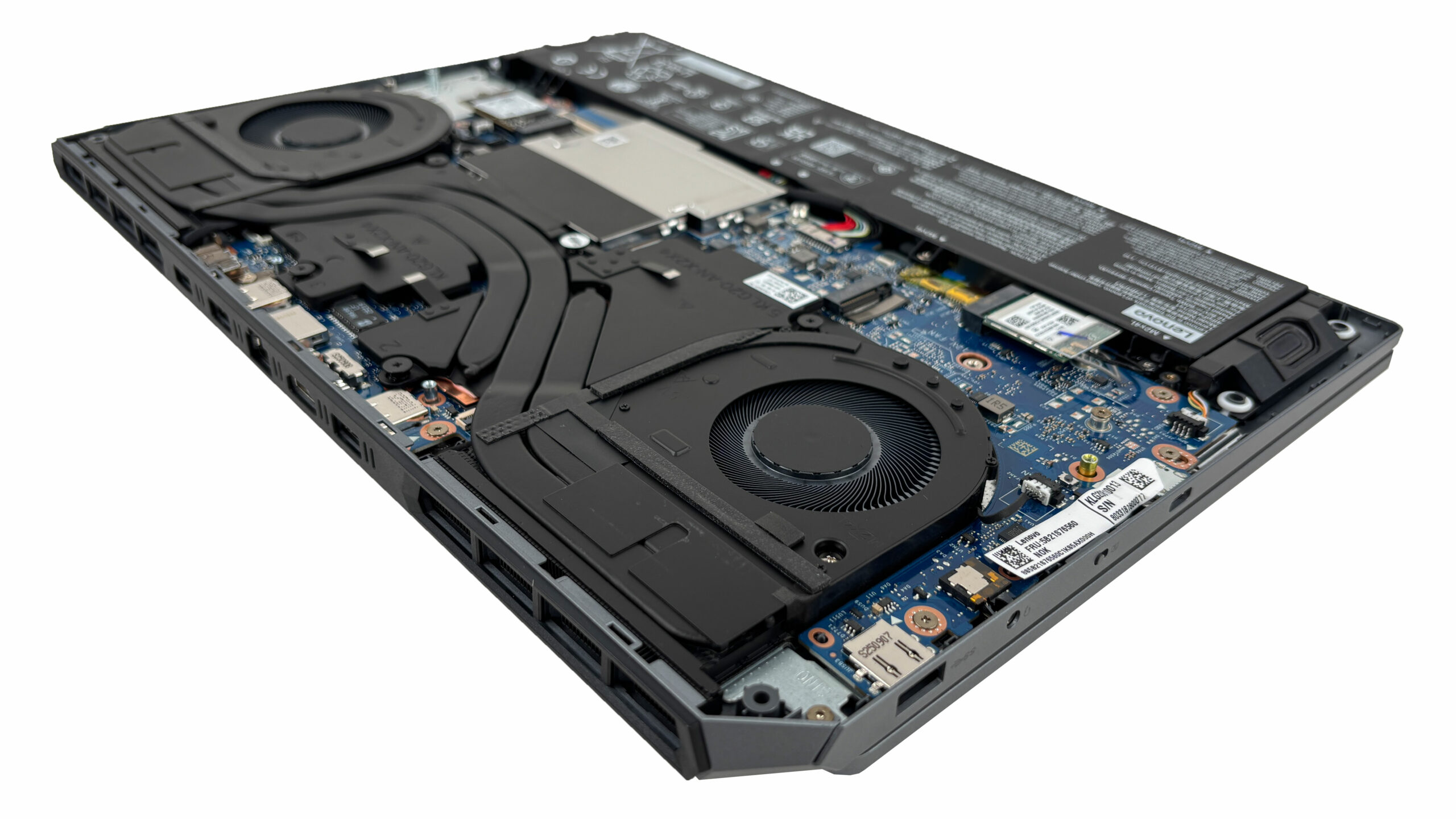
- The cooling system uses two fans, multiple heat pipes, and a shared heatsink assembly for the CPU and the discrete GPU.
- Large rear heatsinks help the laptop handle longer gaming sessions more effectively.
- The fans and the cooling assembly are accessible for cleaning once the bottom cover is removed.
More info: The Wi-Fi card is also replaceable. This unit uses a Wi-Fi 6 module with Bluetooth 5.3 in an M.2 slot.
More info: Other serviceable parts include the fans, speakers, and battery. The CPU and GPU are soldered to the motherboard. Take your time during reassembly, since there are several ribbon cables and adhesive-backed elements around the midsection that should not be misaligned or stressed.
Lenovo LOQ 15 (15", Gen 10) in-depth review
The budget gaming laptop market is a constant balancing act between performance, features, and price, and the Lenovo LOQ 15 (Gen 10, 15AHP10) attempts to walk that tightrope with the grace of its premium Legion siblings. Designed for gamers who want robust performance without the eye-watering price tag, it promises a refined, mature aesthetic and solid core specs. But in a segment where every manufacturer has to cut corners somewhere, the real test is where those cuts are made. Has Lenovo managed to deliver a cool, capable, and enduring machine, or are there hidden compromises lurking bene[...]

Pros
- Exceptional thermal management keeps the CPU very cool
- Great battery life for a gaming laptop (7+ hours)
- Excellent 144Hz display with accurate colors and no PWM
- Superb keyboard with full-sized, offset arrow keys
- Smart rear-port layout for clean cable management
- Physical privacy shutter for the webcam
Cons
- Second M.2 slot is limited to slower PCIe 4.0 x2 speeds
- Fans are audible even when idle
- No biometric login options (fingerprint or IR camera)
 Author: Dimitar Stalev

![[May 2026] Global Ranking of Best-Selling Laptop GPUs on Amazon – Apple Dominates with 45% Share, Sweeps Top 3 Spots; NVIDIA’s RTX 5060 Leads the Dedicated GPU Pack](https://laptopmedia.com/wp-content/uploads/2026/06/Best-Selling-GPUs-GLOBAL-Top-10-400x225.jpg)
![[May 2026] Global Ranking of Best-Selling Laptop CPUs on Amazon – Apple Crushes Competition with 45.2% Market Share, M5 Dominates](https://laptopmedia.com/wp-content/uploads/2026/06/Best-Selling-CPUs-GLOBAL-Top-10-400x225.jpg)
![[May 2026] Amazon Germany: Top 7 Best-Selling Gaming Laptops – Lenovo Legion 5i Crowned Champion Amidst Fierce Mid-Range Competition](https://laptopmedia.com/wp-content/uploads/2026/06/Best-Selling-Gaming-Laptops-DE-Top-10-1-400x225.jpg)
![[May 2026] Amazon Italy: Top 10 Best-Selling Laptops – Apple MacBook Neo Reigns Supreme, Premium Models Capture Dominant Revenue Share](https://laptopmedia.com/wp-content/uploads/2026/06/Best-Selling-Laptops-IT-Top-10-400x225.jpg)
![[May 2026] Best-Selling Laptop Brands on Amazon Italy – Apple Dominates Across All Metrics](https://laptopmedia.com/wp-content/uploads/2026/06/IT-Best-Brands-400x225.jpg)
