How to open Gigabyte Gaming A16 (GA63H, AMD) – disassembly and upgrade options

Step 1: Opening the laptop
- Power off the laptop and place it on a soft, clean surface.
- Remove the bottom-panel screws and carefully pry the panel off with a thin plastic tool.
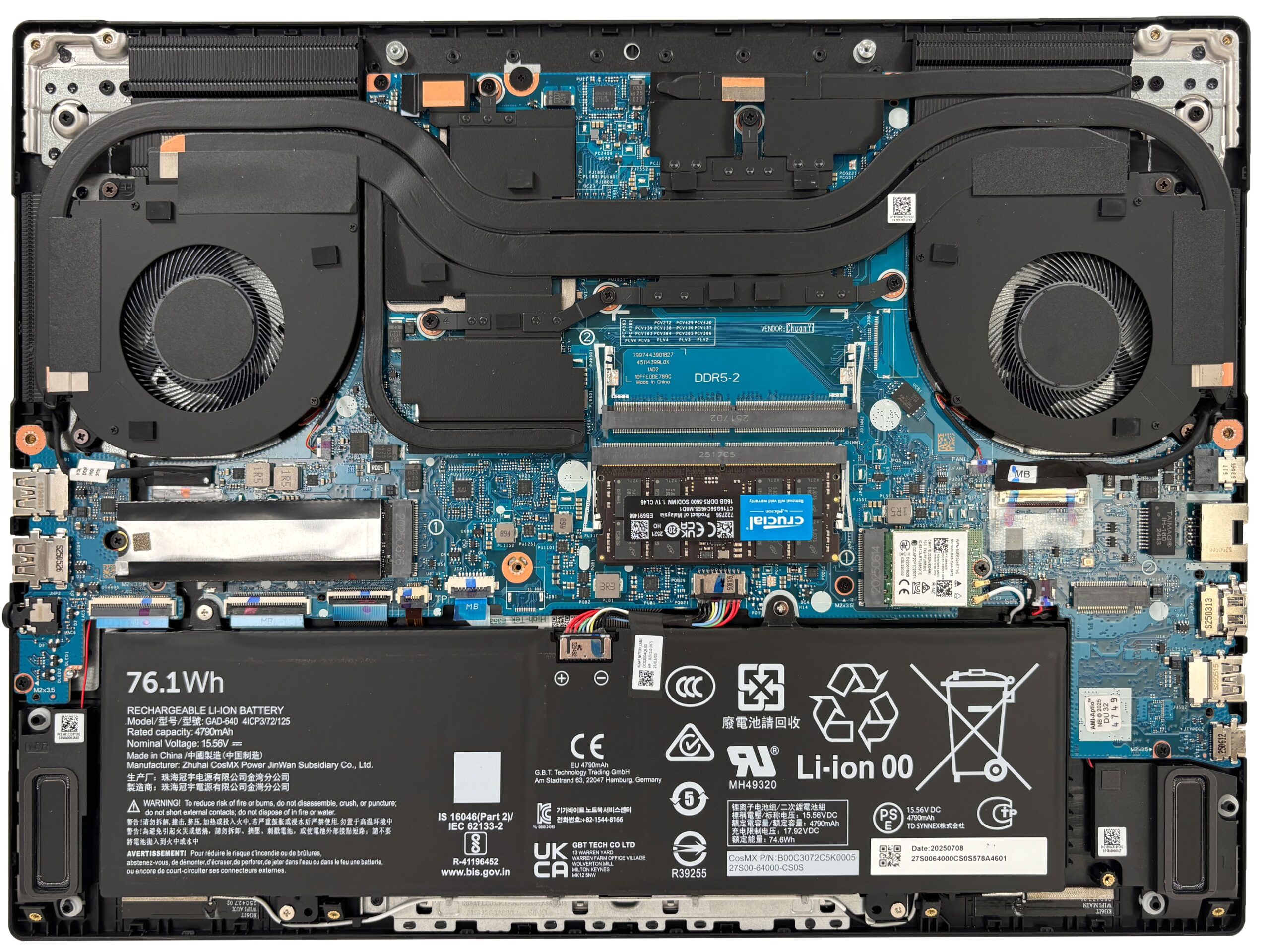
- Once the cover is removed, the internal layout is easy to follow, with the cooling system at the top and the battery and speakers in the lower section.
More info: The cooling assembly covers most of the upper half of the chassis, while the upgradeable parts are positioned in the middle for easy access.
Step 2: Battery Removal
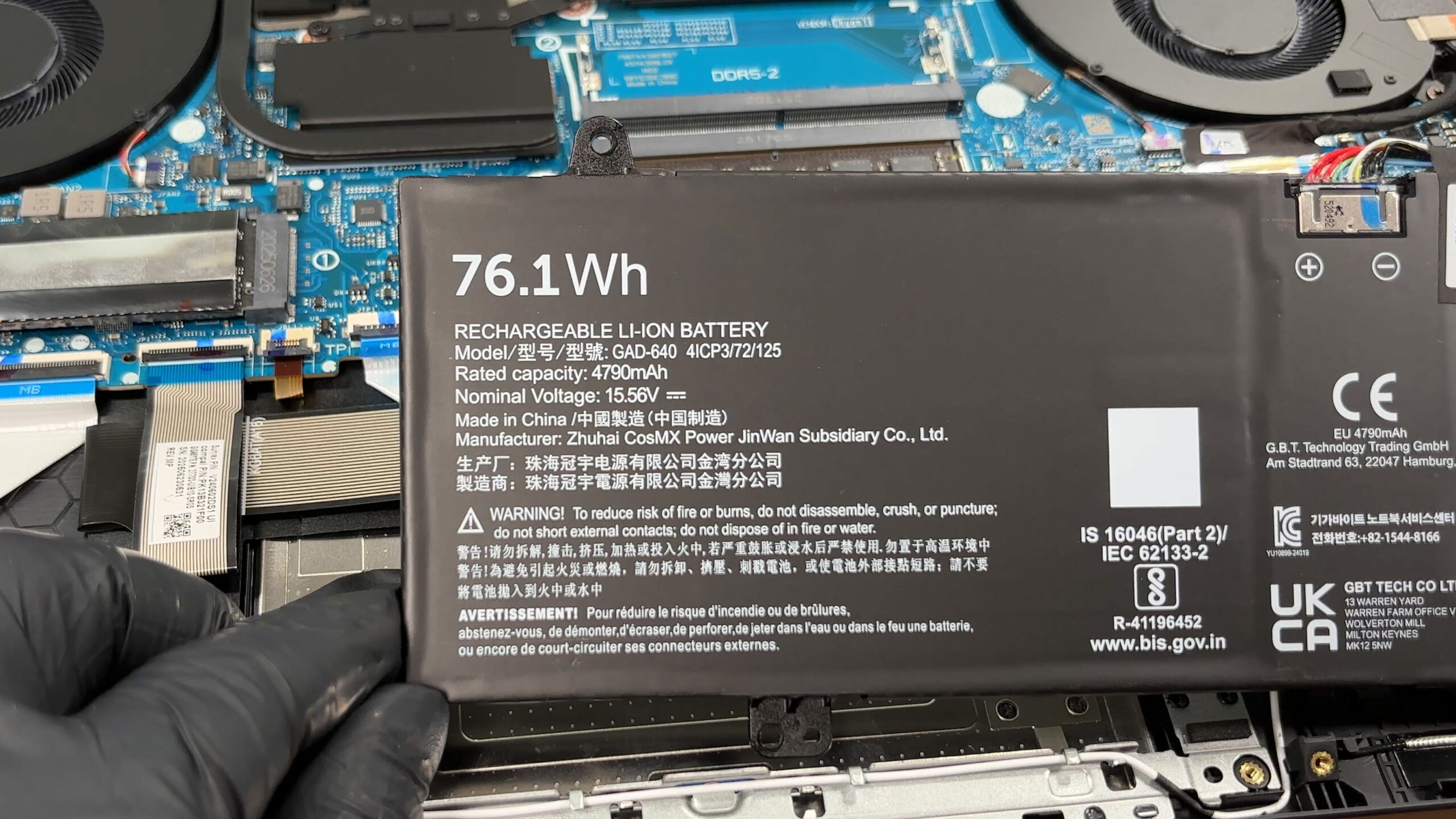
- Disconnect the battery cable from the motherboard before touching any other internal component.
- Remove the screws securing the 76.1Wh battery pack.
- Lift the battery out of the chassis carefully.
More info: The battery takes up a large part of the lower section of the base, but it does not block access to the memory or storage slots.
Memory Upgrade
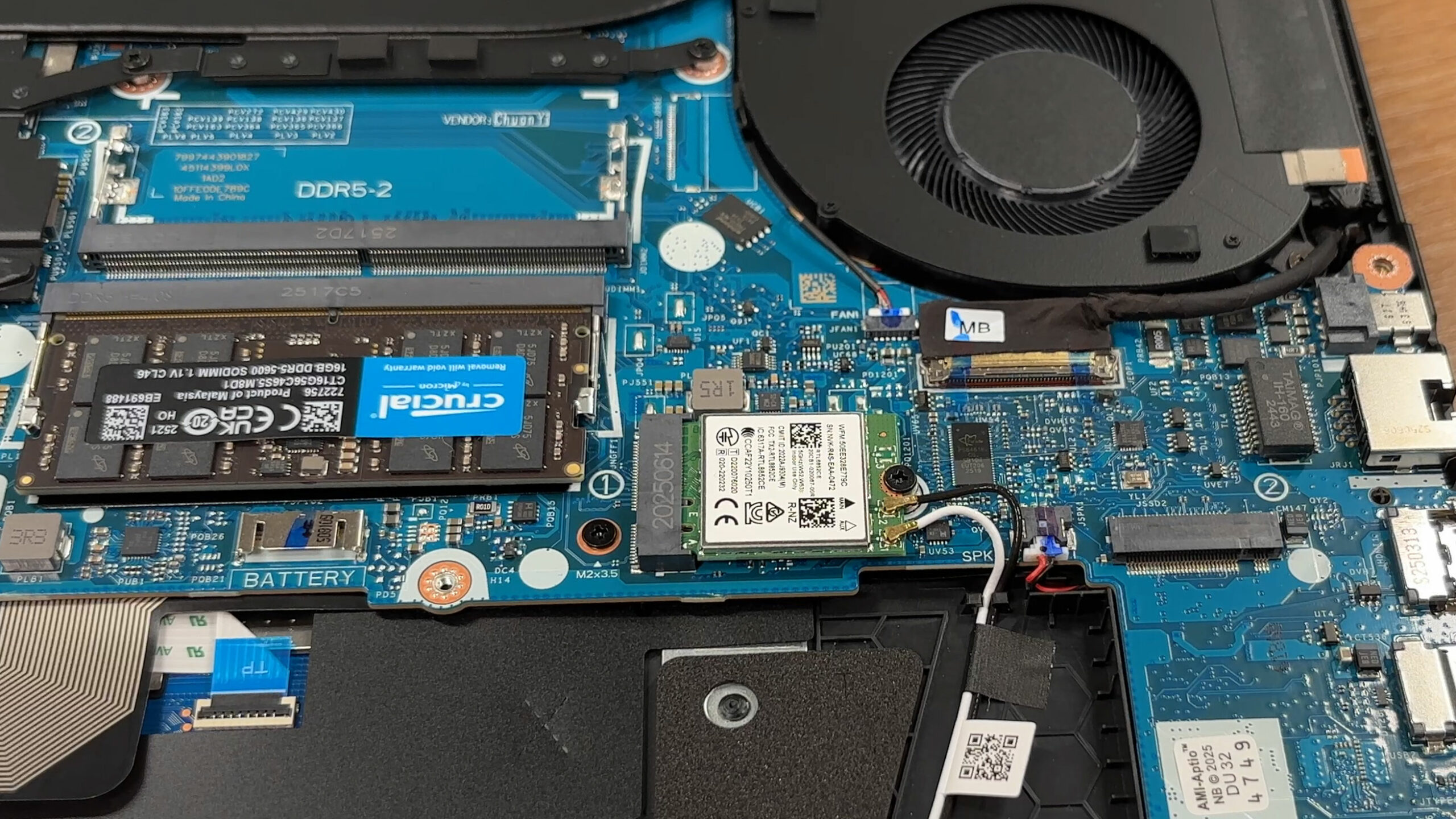
- The laptop has two DDR5 SO-DIMM slots.
- Gigabyte officially supports up to 64GB of memory.
- Our configuration includes one 16GB Crucial DDR5-5600 module, leaving the second slot free for an easy upgrade.
- To install a new module, insert it at an angle and press it down until the side clips lock it in place.
You can buy DDR5 RAM modules here: Buy from Amazon.com.au (#CommissionsEarned)
Storage Upgrade
- The motherboard provides two M.2 slots for NVMe SSDs.
- One slot runs at PCIe 4.0 x4 and the other at PCIe 4.0 x2.
- The primary drive in our unit is already installed and sits under a metal shield for protection and interference control.
- The second slot is free, which allows you to add more storage without removing the original drive.
- Depending on the exact configuration, Gigabyte lists support for up to 4TB of total storage.
You can buy Gen 4 M.2 SSDs here: Buy from Amazon.com.au (#CommissionsEarned)
Hint: Don’t forget to check out our Top M.2 SSDs Performance Rankings for insights on the best storage options available.
Step 3: Cooling System Overview
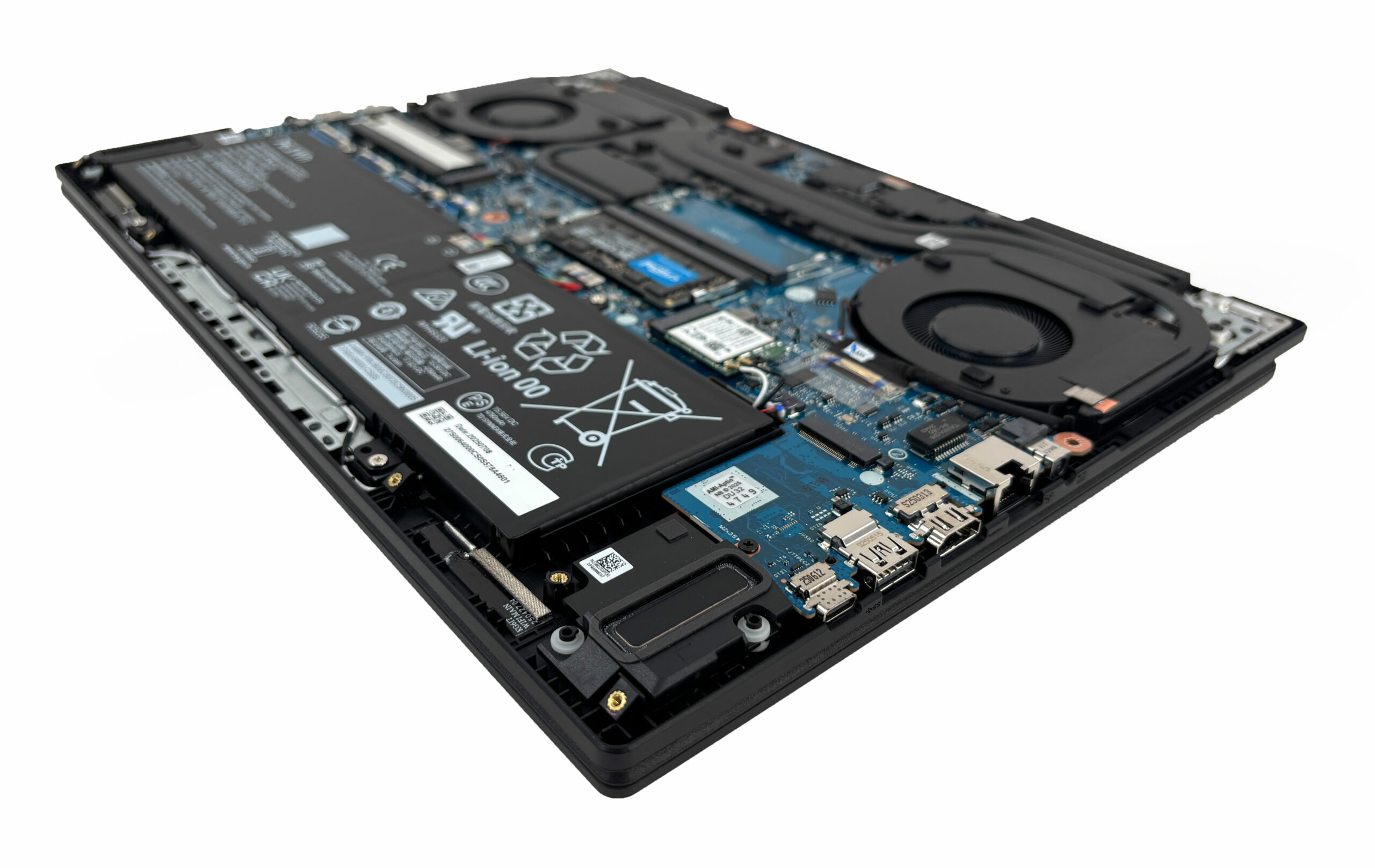
- The cooling system uses two fans connected by a shared heat-pipe network over the main chips.
- Hot air is exhausted through the rear and side vents.
- This layout should provide solid cooling for a gaming laptop while still allowing easy access for cleaning.
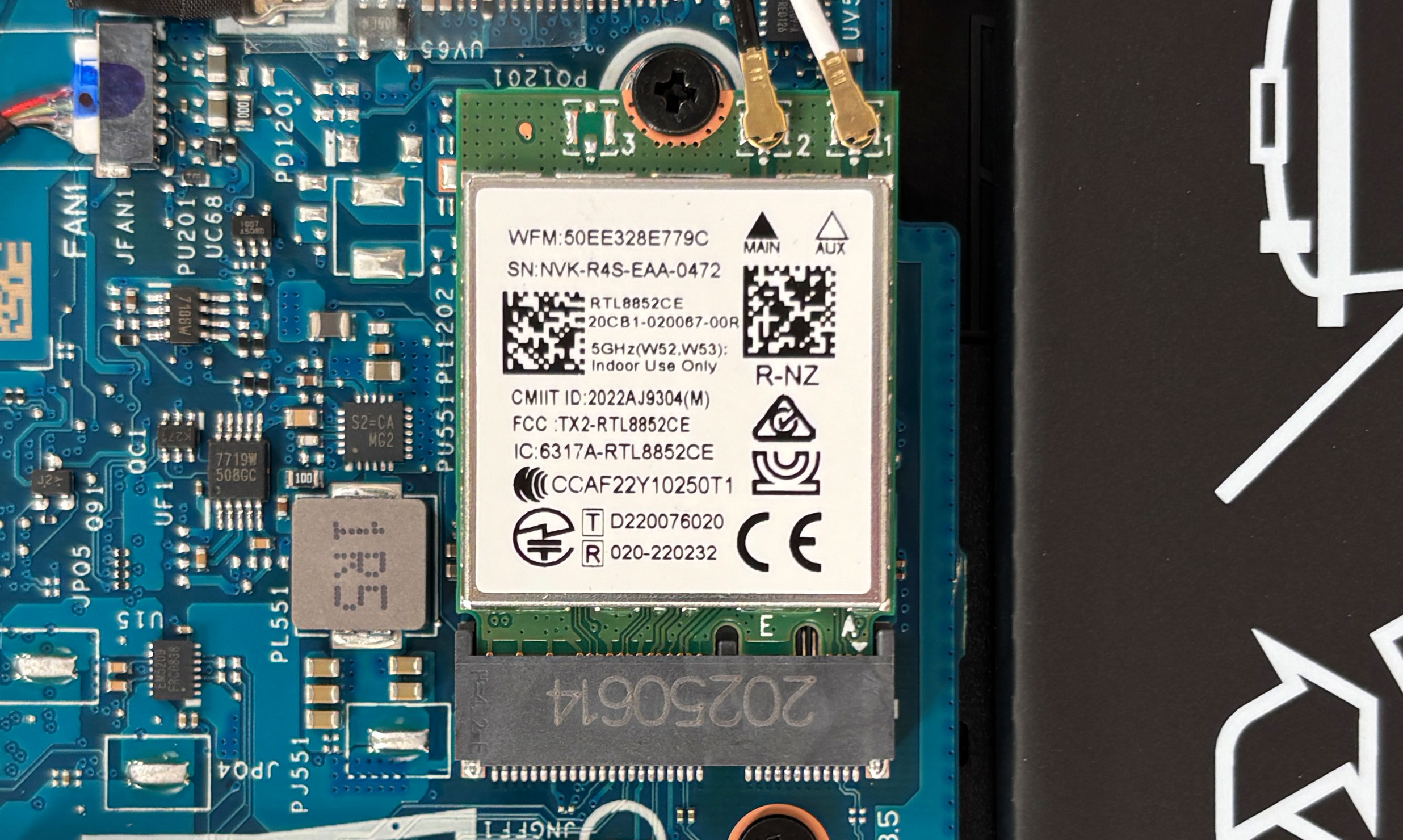
More info: The Wi-Fi card is also replaceable. Our reviewed machine uses a Realtek RTL8852CE module, so wireless upgrades or replacement are possible in the future.
More info: The speakers, battery, SSDs, RAM, and Wi-Fi card are all accessible after opening the laptop, which makes the Gigabyte Gaming A16 pleasantly easy to maintain.
GIGABYTE GAMING A16 GA63H in-depth review
The 16-inch gaming laptop market is often dominated by bulky, max-TGP beasts designed to push the absolute limits of performance. The GIGABYTE GAMING A16 GA63H, however, takes a different path. It's a relatively thin and light machine that opts for a more moderate, power-efficient approach to its graphics card rather than brute force. Wrapped in a stealthy, professional design, it aims to be a versatile daily driver rather than just a stationary gaming rig. Interestingly, this AMD-powered GA63H variant holds a significant hidden advantage over its Intel sibling (the GA6H) - the inclusion o[...]

Pros
- Class-leading battery life for a gaming laptop (nearly 8 hours)
- Excellent GPU thermal management keeps the system cool and stable
- Fantastic upgradeability with two RAM and two M.2 slots
- PWM-free display is great for eye comfort
- Modern port selection including a versatile USB4 port
- Stealthy, professional design that blends in anywhere
Cons
- Severely power-limited GPU results in lower gaming performance
- Base model display has very poor color coverage (52% sRGB)
- CPU runs hot (94°C) under sustained heavy load
- Second M.2 slot is limited to slower PCIe 4.0 x2 speeds
 Author: Dimitar Stalev

![[May 2026] Global Ranking of Best-Selling Laptop GPUs on Amazon – Apple Dominates with 45% Share, Sweeps Top 3 Spots; NVIDIA’s RTX 5060 Leads the Dedicated GPU Pack](https://laptopmedia.com/wp-content/uploads/2026/06/Best-Selling-GPUs-GLOBAL-Top-10-400x225.jpg)
![[May 2026] Global Ranking of Best-Selling Laptop CPUs on Amazon – Apple Crushes Competition with 45.2% Market Share, M5 Dominates](https://laptopmedia.com/wp-content/uploads/2026/06/Best-Selling-CPUs-GLOBAL-Top-10-400x225.jpg)
![[May 2026] Amazon Germany: Top 7 Best-Selling Gaming Laptops – Lenovo Legion 5i Crowned Champion Amidst Fierce Mid-Range Competition](https://laptopmedia.com/wp-content/uploads/2026/06/Best-Selling-Gaming-Laptops-DE-Top-10-1-400x225.jpg)
![[May 2026] Amazon Italy: Top 10 Best-Selling Laptops – Apple MacBook Neo Reigns Supreme, Premium Models Capture Dominant Revenue Share](https://laptopmedia.com/wp-content/uploads/2026/06/Best-Selling-Laptops-IT-Top-10-400x225.jpg)
![[May 2026] Best-Selling Laptop Brands on Amazon Italy – Apple Dominates Across All Metrics](https://laptopmedia.com/wp-content/uploads/2026/06/IT-Best-Brands-400x225.jpg)
